Customer Ratings & Reviews
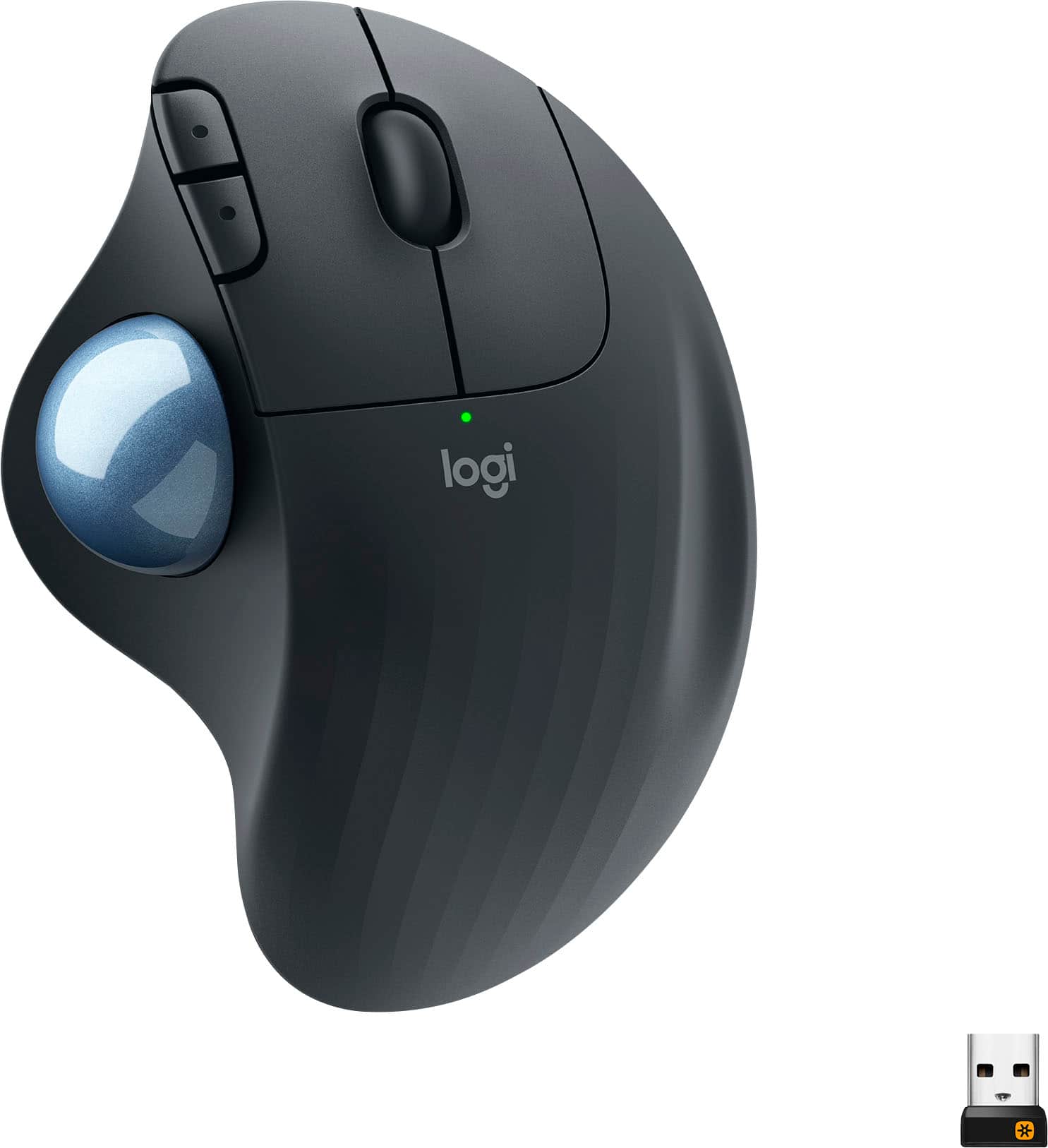
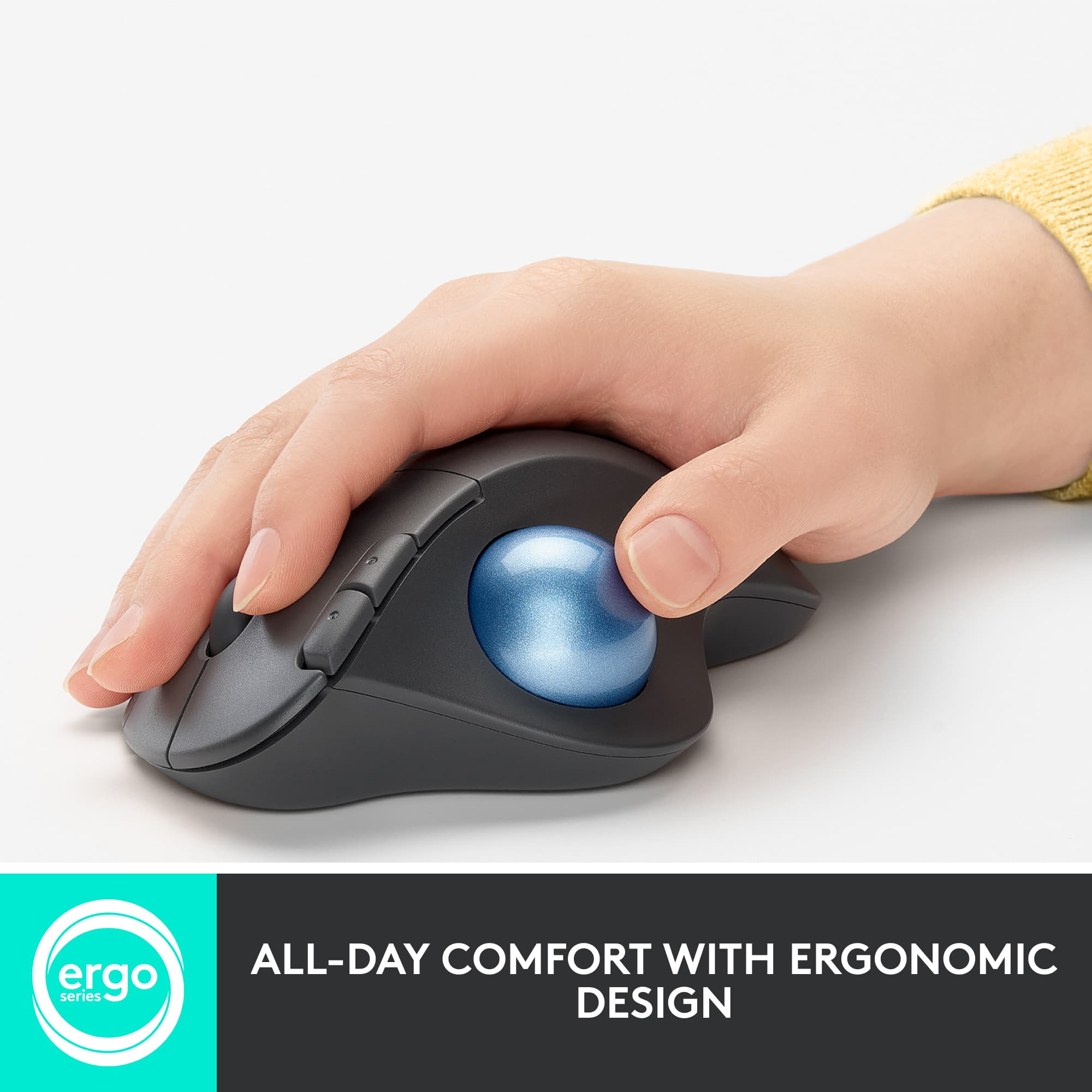
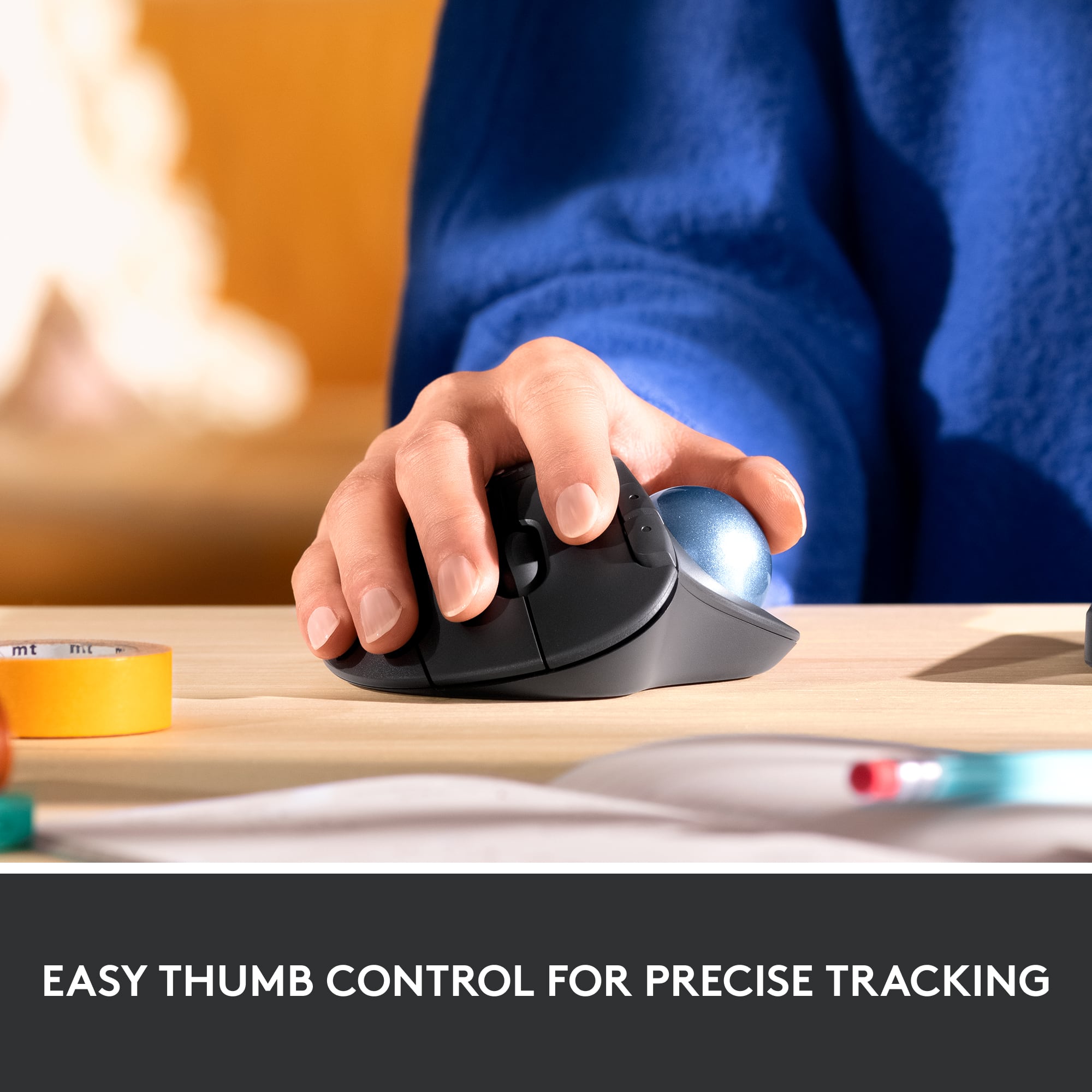
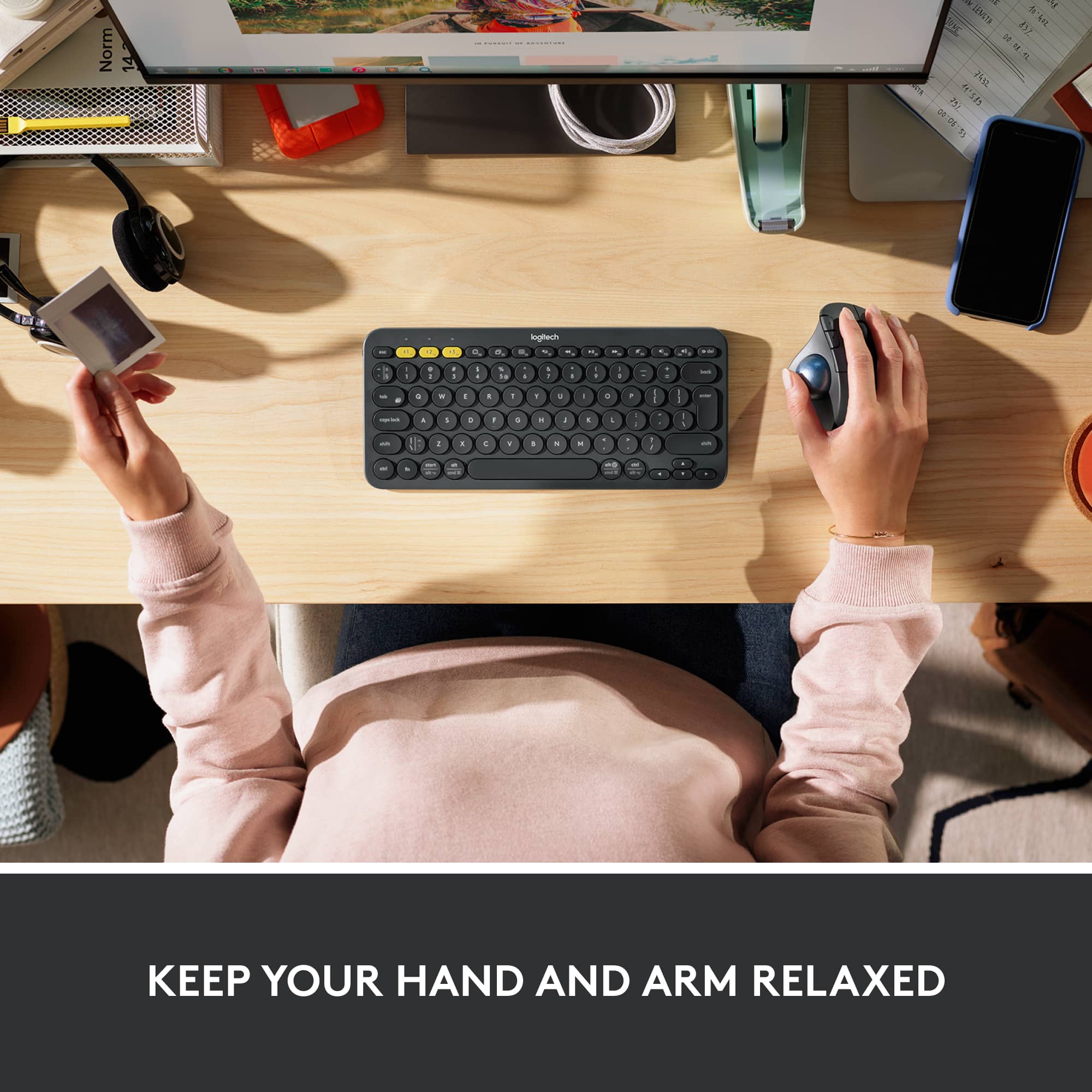


- Model:
- 910-005869
- SKU:
- 12020176
Rating by feature
- Value
Rating 4.6 out of 5 stars
- Quality
Rating 4.7 out of 5 stars
- Ease of Use
Rating 4.7 out of 5 stars

Must have accessory for overused wrists
|Posted .This reviewer received promo considerations or sweepstakes entry for writing a review.It takes a bit of getting used to a new mouse, and this one is not something new to the market. It has been a long time since I have used a trackball mouse, going back to my early days with a Digital Alpha 4000, which had a trackball. These days with the more work at home and increased hours in front of the computer, I am starting to see some tendonitis - otherwise known as carpel tunnel syndrome on my right hand, though some of it is from excessive typing. I had a Logitech curved keyboard at work, so I grabbed it on one of my office visits. However, these days I do a lot of survey forms for work. I use the mouse a lot, and the increased carpal tunnel pain wasn’t going away with the keyboard. Hence the new mouse in an attempt to fix it. While the mouse helps (with the keyboard), and ergo mouse and keyboard combo is a solution to a problem, without proper posturing of your hands, this is bound to happen again. That said the ergo mouse has helped, I switch the mouse between my desktop and my laptop (Bluetooth vs. nano receiver) It’s taken a bit to get used to this mouse. It works fine, but not as smooth as the Logitech 2 button optical mouse that I used before. It’s a bit ‘gritty’ at times, but not having to move the hand helps. The downside is that my thumb is getting more attention. Getting used to the right-click button with my middle finger has been a pain; evidently, I use my ring finger for right clicks, and I am pressing a bit lower down the side of the mouse. I got to re-train my brain to use the middle finger for the right-click. That said, for the kind of work that I do, from filling up survey forms to a bit of graphics design, this mouse has helped. I may not move my mouse a lot anymore, just my thumb. I’ll have to see if this carpal tunnel goes away with time(& heat). Indeed, an ergo mouse would help with the inflammation, as long as I don’t have a bummed out thumb now. So much for hitching for a ride, eh? The mouse’s design doesn’t seem to have changed a lot from the previous model; I can’t tell the difference. However, I did notice that this model supports both Bluetooth and nano-dongle, which means it can be used on two computers rather quickly (with a push of a button). I am currently using that feature to swap the mouse between machines. The ball comes out easily for cleaning; I already did one cleaning with soap and water to see if the grittiness went away; I also cleaned the pinch points with alcohol on a q-tip. It didn’t precisely help there, but I think given some time, the grittiness will go away. I remember some grittiness from my previous trackball based mice. Pros: * Switchable between two machines - USB Nano Receiver + Bluetooth. You can use it on two computers at the same time. * It helps with carpal tunnel for mouse use but takes getting used to. Cons: * Right-hand users only - I don’t know if they make an ergo left handed or ambidextrous trackball these days. * It takes a bit of getting used to the trackball. Thumb may be sore as it’s not something that is used a lot usually. * I found it a little challenging to use with my graphics editing programs like Sketch and Blender3D. It works fine but given time; I think I’ll get used to it. The ball is entirely accurate, and it is the training of the thumb and coordinating a click to drag an object that takes time. * Not for gaming!
I would recommend this to a friendRollin Over Haters With My New Desktop Navigator
||Posted . Owned for 10 months when reviewed.This reviewer received promo considerations or sweepstakes entry for writing a review.I always strive to find ways to prevent other employees from using my computer when I am off work. One of those ways is by always having a mouse that causes confusion and disorientation when used by a person who has never experienced that type of device. I once owned a mouse that was turned on it's side to create a more ergonomic experience for your wrist. This was great. But eventually, it wore out. So I purchased this one. What drew my attention was the prospect of not having to have a mousepad or even move the mouse at all. This accomplishes both. So if you have limited space on your desk surface, or if you are using this to control a tv or anh other device, it takes up maybe a 4 inch by 4 inch space, on any surface. Cursor movement is totally controlled by your thumb. The benefits, I have already explained. There is a downside. When you aren't used to using your thumb for constant movement, it will become sore for a while. But you do get used to it and as your thumb becomes accustomed to the movement, it will no longer feel sore. Also, you will likely be able to win any future thumb wars that you engage in. Overall, the benefits of this mouse have far outweighed the occasional sore thumb. I highly recommend it. It is durable. The batteries last a long time. It is always reliable and accurate. And your wrist will thank you. Happy Maneuvering!
I would recommend this to a friendBrand response from Logitech
Posted .Thank you for your thorough review of the ERGO M575! We're delighted you're enjoying the space-saving design and the trackball's accuracy. We appreciate you highlighting the initial thumb soreness, which is a common experience as users adapt. It's great to hear that the benefits, including durability and battery life, have outweighed that initial adjustment. We're glad it's working well for you!

Def good for sore "mouse" hands
|Posted .This reviewer received promo considerations or sweepstakes entry for writing a review.Good alternative if you have sore "mouse" hands. It was SUPER easy to setup with the Bluetooth, as it seems like USB ports are more and more rare on laptops. A USB dongle is also included if you need it. The ball is smooth rolling, the clicks are solid and the programming was easy to setup. It fits nicely under my hand and helps alleviate my wrist and elbow pain from constant computer use. The only thing I would’ve liked would be a softer touch to the surface. It’s just a typical hard plastic; it would be nice to have a neoprene cover or something similar. But maybe that makes it easier to keep clean. It claims the battery will last 2 years, but I can’t speak to that as I’ve only used it for a few weeks. But overall, I would recommend this for a small mouse space on your desk and if curling your hands around a mouse is giving you pain.
I would recommend this to a friendGreat mouse, easy cleaning, sensitive (easy fix)
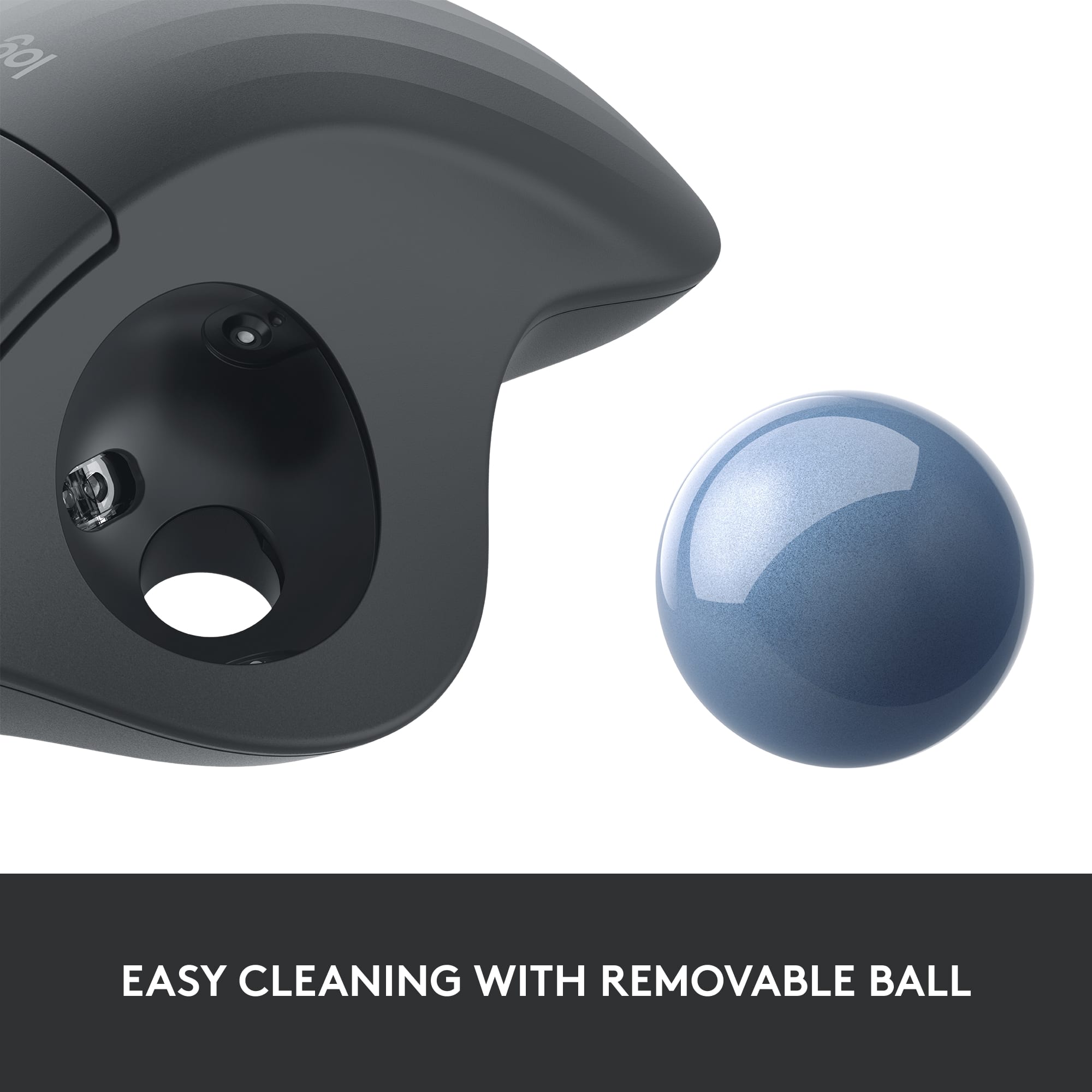
||Posted . Owned for 4 months when reviewed.This reviewer received promo considerations or sweepstakes entry for writing a review.I’ve been using this mouse for about five months now and I really like it. I’ve never used an ergonomic mouse before, but I started a new job about a year ago that had significantly more mouse movements than my previous office job, so I was constantly getting tendinitis despite ergonomic wrist wrests and desk setup. There is a learning curve on this, I recommend slowing your mouse cursor speed down (you can find this in Settings in Windows) as it will make the ball much less sensitive. I wish I hadn’t listened to the reviews saying the ball is difficult to remove/replace for cleaning, as this significantly reduces the functionality of the mouse when crud builds up in there. I was avoiding trying to remove the ball for a couple months because of this. You can easily remove the ball by popping it out from a hole in the bottom of the mouse with a finger, wiping off or gently scraping whatever gunk built up in there (I also like to clean off the ball with an alcohol or Clorox wipe), and easily popping the rollerball back inside. I don’t even turn the mouse off at the end of the day and still have not yet had to replace the batteries. All in all a great option with no issues, and my tendinitis is now nonexistent.
I would recommend this to a friendBrand response from Logitech
Posted .Thank you for your positive feedback on the ERGO M575 Wireless Trackball Mouse. We're glad to hear that it has helped alleviate your tendinitis and improved your overall comfort while using the mouse. We appreciate your sharing your experience with removing and cleaning the ball, as well as your recommendation for slowing down the mouse cursor speed. This information will be helpful for other users who may be considering purchasing this product.
Super Comfortable!
|Posted .This reviewer received promo considerations or sweepstakes entry for writing a review.This is my first time really diving in and using a track ball. It took me a little bit to get used to the feel and mechanics of just using my thumb as opposed to moving my whole hand and arm. After the first few hours of clicking and moving documents and closing windows ect. I forgot about my hand entirely. That is to say that it was so comfortable and rested so naturally on the mouse that my hand, wrist and forearm was just in a restful state. The left click/right click forward and back buttons and scroll wheel are so naturally placed that any stress on those body parts dissolve. Going back to the regular mouse after using the Ergo M575 I immediately noticed just how much tension I place on my wrist and forearm from being at a bent elevation from my wrist and hand. Keep in mind there are other factors as well like how tall your chair is in relation to your desk but raising and lowering to get that right resting place for your forearm and hand on the Ergo M575 is worth the small effort to get it just right. Your hand just “rests” on the mouse and it feels great. Another feature that I really like about the trackball system is (as you can see from my pics) my desk has a million things on it. With the Ergo M575 it is stationary, and I don’t need valuable desktop realty to move the mouse all around. Now if you’re a neat freak (or not that busy) it neat and sleek to just have the mouse there and it never moves. At home I have a nice cherry finish on my home office and have to use a mouse pad so as not to damage the finish. Again no movement from a mouse = no damage to the finish. I like that. I also like that the track ball easily pops out so you can clean it! Nice touch. This mouse more than delivers on its promise of fantastic ergonomics! Really love it.
I would recommend this to a friendBrand response from Logitech
Posted .Hi! Glad to see you're having a fantastic experience with your new M575 Ergo mouse! The mouse design does take some getting used too but once you do, you're hand will be less tired! If you want to customize some functions of the mouse, download the free Logitech Options app! But if you have any questions, check out the Logitech support page at https://support.logi.com/hc/en-us/articles/360058325733-Getting-started-ERGO-M575. Continue to enjoy!
Ergonomic!
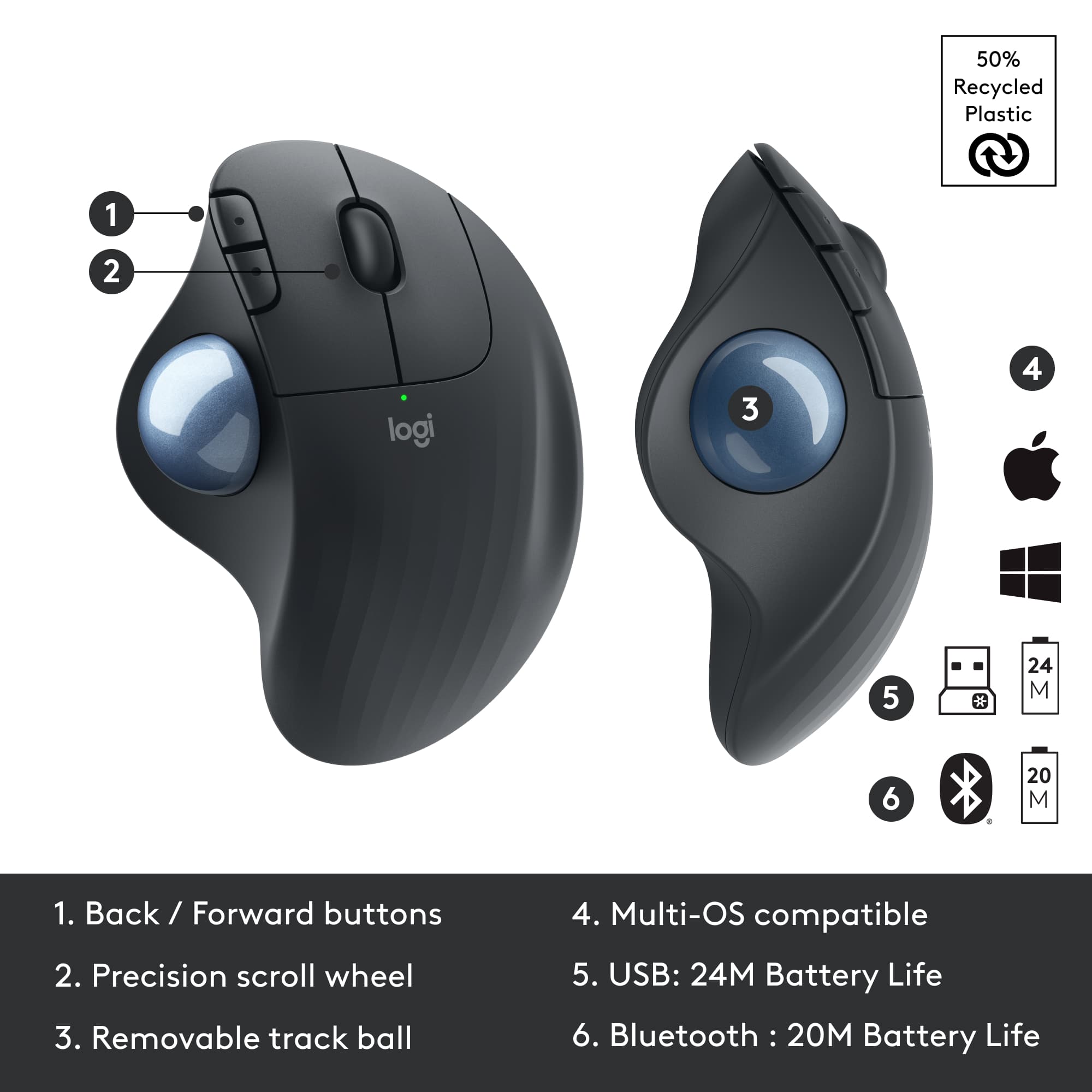
|Posted .This reviewer received promo considerations or sweepstakes entry for writing a review.Logitech Ergo M575 is an upgrade to the M570, with a better battery life, upto a year, and with a bluetooth connectivity option - connect directly to your device or via the USB receiver. I primarily use this mouse on my travel as its handy to browse without having to move your mouse while working on small desks. It took a little bit to get used to the trackball to accurately control the cursor and you would love it once you master it. I like it more for it ergonomics - sculpted well to fit you palm and reduces the strain on your hand when using it for extended hours. The two additional customizable buttons are handy and the trackball pops out for easy cleaning. No complaints on this mouse so far and I love it!
I would recommend this to a friendBest pointing device for me.
||Posted . Owned for 1 month when reviewed.This reviewer received promo considerations or sweepstakes entry for writing a review.These are my go-to pointing devices. After years of wrist irritation from using normal mice, I wanted something that would keep my wrist stationary. This trackball did the trick. They are also great because they don't need any room to move around. You just have to get used to using your thumb to move the cursor. One other thing: These are bluetooth enabled. So connect them to your laptop via bluetooth (instead of using the dongle). Just makes it all easier.
I would recommend this to a friendBrand response from Logitech
Posted .We appreciate your positive feedback on the Logitech ERGO M575 Wireless Trackball Mouse! It's designed to provide a comfortable and ergonomic computing experience, especially for those who experience wrist pain from traditional mice. We're glad it's helping you maintain a healthy posture and improve your overall productivity.
Best Mouse Ever
||Posted . Owned for 1 month when reviewed.This reviewer received promo considerations or sweepstakes entry for writing a review.Love this thing! Have been using them since I first noticed the wired-version about 15 years ago. Learning curve on a trackball is about 5-10 minutes, just to get at ease using the thumb and not dragging the mouse housing around on the desk. After that, it will easily become the always-preferred mouse device. I even keep a spare in my desk, in case of emergencies. One AA Battery lasts long enough to forget it has a battery, but it takes about 4 seconds to change (it says 24-months, but with the frequency I use it in my writing and editing projects, which is very heavy, it is closer to 12). It's built-in sleep mode greatly extends the battery, but it wakes up instantly when we try to do anything with it. No need to keep the USB receiver node in sight; mine is on the back of my desktop computer that under my desk, and with the mouse blocked by external drives. Can link multiple devices to the node, like a Logitech keyboard and my nephew's joystick (the box refers to the node as a Dual Connectivity, but we can link up to 6 devices). It will notify us when the battery is running low, though the usual tiny green "waking up" light at the top, which lasts about 1.5 seconds, will instead glow red if the battery is low. Because we tend to snack when we use the mouse, it needs periodic cleaning, which is very easy. A hole on the bottom allows us to insert a pinky and pop the ball out. We can then use a tissue or, if a guy, just a finger to quickly wipe the smutz off of 3 internal rollers. Then, pop the ball back in and go back to work.
I would recommend this to a friendBrand response from Logitech
Posted .Thank you for your positive review of the Logitech ERGO M575 Wireless Trackball Mouse! We're glad you've enjoyed using it for many years. Your feedback is valuable to us.
A Nice Ergonomic Option For Any Office
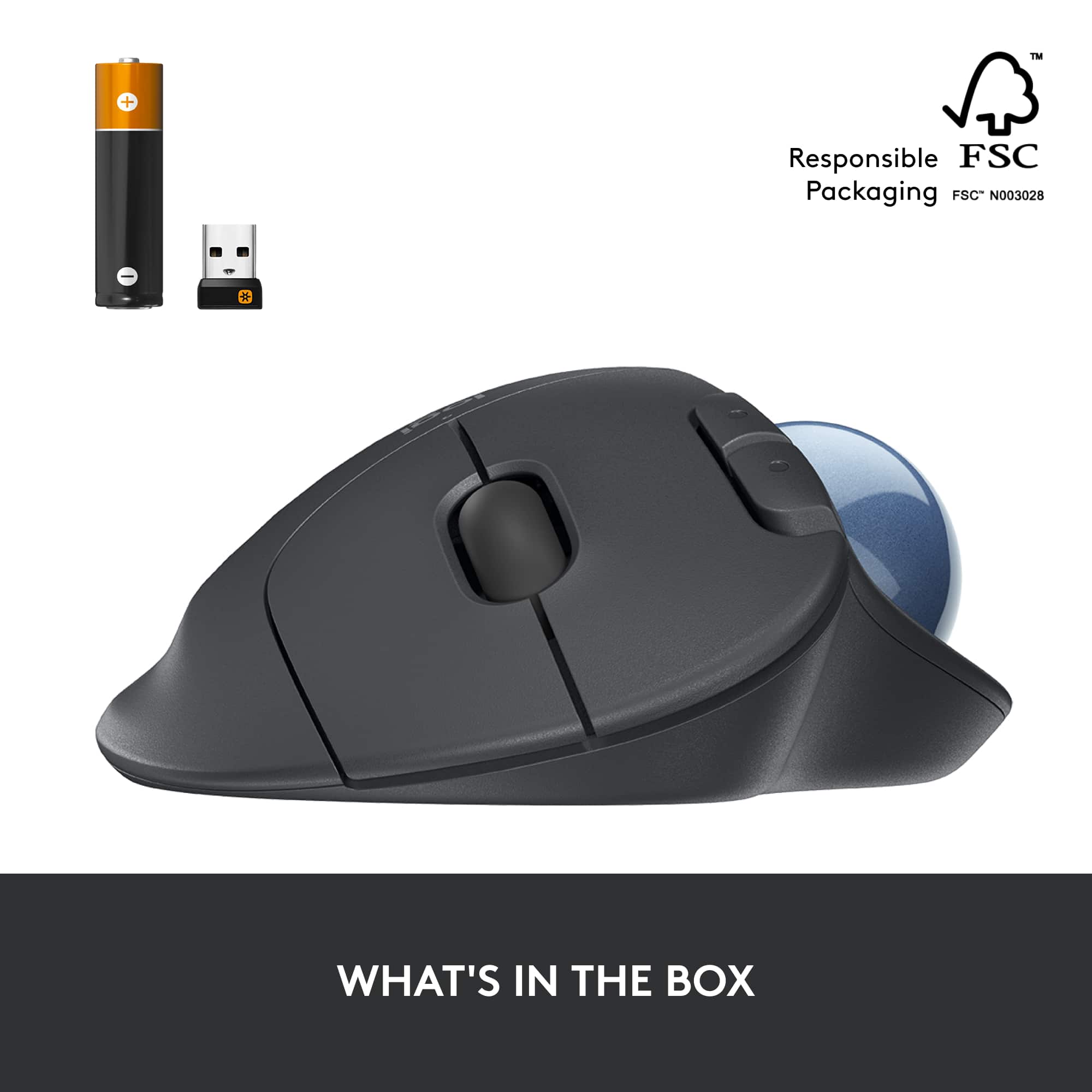
|Posted .This reviewer received promo considerations or sweepstakes entry for writing a review.The Logitech ERGO M575 Wireless Trackball Mouse with Smooth Tracking is a nice change of pace in office for various reasons. Before we get into more, let’s talk about what’s in the box and the setup. Inside the box, you will find the mouse and some simple instructions. Within the mouse, you will find a USB dongle and a AA battery. To complete the setup, you can either attach the USB dongle to the computer or push the button on the bottom for a Bluetooth connection. I decided to go with the Bluetooth connection and it went smooth. As someone who spends a lot of time in the office, it’s important that things are comfortable and stay that way for long periods of time. Within the last year, I discovered that the standard mouse started to create forearm and elbow issues. Here’s where the ERGO M575 comes in to help things out. The tilt and elevation of the mouse helps to alleviate fatigue and strain on the arm and hand. While this model isn’t as pronounced, it still sets the hand placement at a good position. To go along with that, the added feature of a trackball helps out too. It may take a little time to get used to the thumb trackball, but it’s smooth and works well. The response time is great. Plus I can keep my arm in one place and not have to worry about deskspace either. All in all, the Logitech ERGO M575 is a great selection for someone looking to improve the ergonomics of their desk or has limited space. With the option of simple connections, it doesn’t get any easier to set up and use right away either.
I would recommend this to a friendFun and easy to use
||Posted . Owned for 2 months when reviewed.This reviewer received promo considerations or sweepstakes entry for writing a review.Great and easy to use! I've used a trackball mouse for a long time and the last one was so old, it was time for a replacement! I like that it's Bluetooth so I don't have to worry about any cords. Feels good in your hand and setup was super quick. Definitely recommend!
I would recommend this to a friendMy favorite device for surfing and design
||Posted . Owned for 9 months when reviewed.This reviewer received promo considerations or sweepstakes entry for writing a review.I much prefer using a trackball over a mouse especially when using a laptop on the couch. Logitech is my go to for computer peripherals like keyboards, mice, and headphones. Never an issue with that brand and this trackball has been working great for months. I find the device easier to use for surfing the web and operating Fusion 360 for CAD for my 3D printers.
I would recommend this to a friendBrand response from Logitech
Posted .It's wonderful to hear the ERGO M575 is such a great fit for your needs, especially for both web browsing and CAD with Fusion 360. Feedback like yours reinforces the value of trackball comfort and precision.
This ain't no "Mickey Mouse!"
||Posted . Owned for 3 weeks when reviewed.This reviewer received promo considerations or sweepstakes entry for writing a review.This is the reaI deal. I've been using one for years. I love the trackball mouse! It is so easy to use and it fits my hand. Scrolling is so simple and I don't have to move the mouse around to get where I am going. Batteries seem to last a long time and are easily replaced when needed. Although I don't play games on the computer, I can see where this mouse would be a great thing for gamers. Just roll the ball with your thumb and click. So simple and so handy!
I would recommend this to a friendBrand response from Logitech
Posted .Thank you for your kind words about the Logitech ERGO M575! We're thrilled to hear that you've been a long-time fan of trackball mice and that the ERGO M575 is exceeding your expectations. We designed the ERGO M575 with ergonomics and ease of use in mind, and we're glad that you're finding it to be a comfortable and efficient way to interact with your computer.
This mouse is the goat!!!
||Posted . Owned for 3 weeks when reviewed.This reviewer received promo considerations or sweepstakes entry for writing a review.Much better than a standard mouse. This is my second one I’ve owned and the first one is still working well with no issues. (Got this one for a second setup) It’s easy to use and saves your wrist as well as the controls being very responsive. I would most definitely suggest this style and brand of mouse for anyone. I use mine for both normal computer use as well as online gaming.
I would recommend this to a friendBrand response from Logitech
Posted .Hey! We appreciate your loyal support of the ERGO M575. It's fantastic to hear it's improved your comfort and remains reliable, even after extended use. We're glad it's serving you well for both daily tasks and gaming, and thank you for recommending it to others.
GOOD, BUT NOT FOR ME
|Posted .This reviewer received promo considerations or sweepstakes entry for writing a review.REVIEW: LOGITECH - ERGO M575 WIRELESS TRACKBALL MOUSE – BLACK Best Buy Tech Insider Network GOOD, BUT NOT FOR ME There is lots to like about the LOGITECH - ERGO M575, but in the end I could not get used to it. If we assume you like and are used to this type of mouse (side mounted thumb controlled roller ball) there is a lot to like about it. It was easy to connect to my computer over Bluetooth and use right away. I like the recycled materials, long battery life (2 years), scroll wheel and comfortable fit in my hand. I could not get the speed adjusted to my taste. I have multiple monitors of various resolution and the LOGITECH - ERGO M575 seems to work best on a 1080P monitor. On my 4K monitor I had to crank the speed up very high (using the optionally installed Logitech Options software) but then I had a really hard time clicking on cells in a spreadsheet or highlighting text in a word processor with any accuracy. If I slowed down the mouse to allow for more granular selection, then it took forever to move it across a 4K screen. I found the rotation of the ball relatively stiff, but I assume it will loosen up over time. Again, I’ll chalk most of this up to user preference and not take away points due to my preferences. Most of my devices (keyboard, mice, etc) are all ergonomic, and I know from experience you have to force yourself to use it for a good 30 days to get used to operating that device. This was just too big of hit to my productivity to invest the additional time to try to enhance my aim / accuracy. BUILD QUALITY Focusing on construction, it is solid enough, but seems lightweight. Possibly because of recycled materials or desire to reduce the amount of plastic consumed it just does not feel solid. The ball especially feels “cheap” more like a ping pong ball, compared to other roller ball mice I own. It is perfectly functional, just does not feel heavy duty. Most of my other mice with track balls have a heavy glass feeling to them. This has a definite plastic feeling to it. The mouse movement is not very smooth or precise. It was environmentally packaged with minimal packaging the instructions are even printed on the packaging instead a separate paper. PRO’s - Compact Size (not a giant device that takes over your desk like other balls) - Recycled Materials - Long Battery Life - Easy to get working and install CON’s - Does not feel heavy duty - Optional Software (Logitech Options) needed to control functions like speed, did not operate correctly on some of my systems. (locked up) so I could not adjust the speed for example. Web searches reveal this is not a new problem to Logitech. - In general, it does not feel very smooth rolling or precise that I would expect at this price point. SUMMARY / CONCLUSION / RECOMMENDATION I’m dropping a point from the LOGITECH - ERGO M575 for build quality and inconsistent software functionality. It seems like more of an attempt as cost reduction vs improvement. I feel this is an OK option if you are a Logitech die hard fan on a budget. Let’s face it there are not many choices out there and the competitive brand is much more expensive. If you need a precision device then you probably need to open your wallet a little wider.
No, I would not recommend this to a friendBrand response from Logitech
Posted .Hello. Thank you for your kind words and for taking the time to write this incredibly detailed review of the M575. Thank you also for acknowledging our desire to eliminate waste and use recycled materials. If you ever have any questions or issues, please do not hesitate to contact us or visit our support site: support.logi.com
Thank you for choosing Logitech!
-Charlton at Logitech
Good in a tight space.
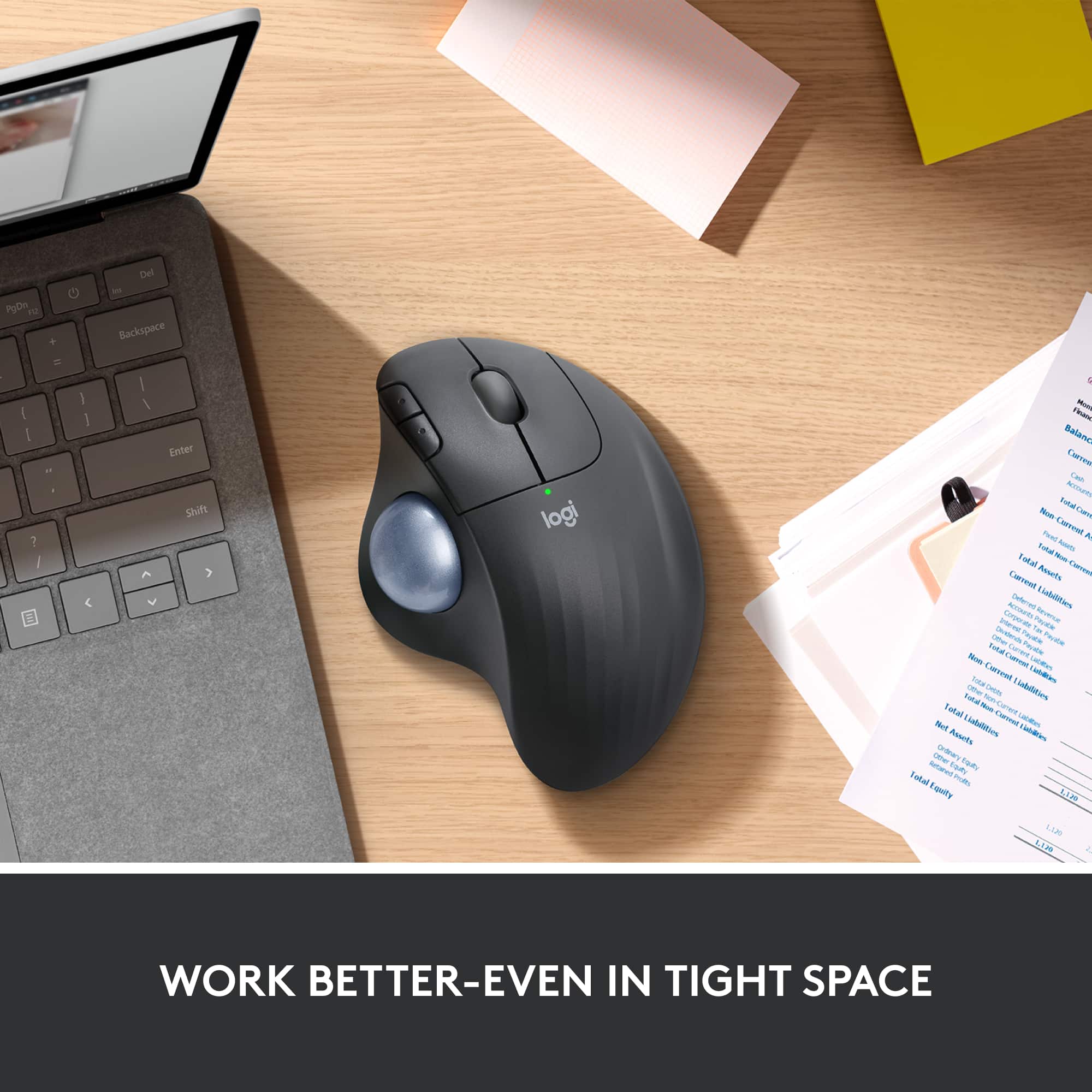
|Posted .This reviewer received promo considerations or sweepstakes entry for writing a review.This is a great mouse for a tight space. It took very little time to get used to it. It comes with a brand name battery ready to go, and the USB connector has its own storage spot in the battery compartment. I love that. When I swap laptops, I put it in there so I don't lose it. The design is ergonomic and comfortable. No more hand struggling to push stuff out of the way so my mouse can go one inch farther in a tight spot! My 8 yr old also uses it with no problems. The ball is removable for cleaning and that makes it easy to disinfect when a bunch of hands have touched it.
I would recommend this to a friendGreat Stationary Mouse
||Posted . Owned for 1 month when reviewed.This reviewer received promo considerations or sweepstakes entry for writing a review.I don't leave reviews unless it's a really good product or very crappy product. This one is a winner. Very ergonomically designed and great features with the wheel clicks, the forward and back buttons for webbrowsing. Battery lide says at least 2 years, so let's see how far it goes.
I would recommend this to a friendBrand response from Logitech
Posted .Thank you for your kind words about the Logitech - ERGO M575! We're delighted to hear you appreciate its ergonomic design and helpful features like the wheel clicks and web browsing buttons. We hope you enjoy the long-lasting battery life and continue to find it a comfortable and productive companion.
So Comfortable!
||Posted . Owned for 9 months when reviewed.This reviewer received promo considerations or sweepstakes entry for writing a review.Very happy with the logitech trackball! Very comfortable. We've used this product for years and they last a many many years before the sensors go. Remember to pop the ball out now and then to clear out dust and dirt to keep it tracking well. Love the way I can keep my wrist in a neutral position and just use fingers/thumb to navigate. Reduces the amount of desk space needed since it is always stationary!
I would recommend this to a friendBrand response from Logitech
Posted .Hi! That's fantastic to hear! We truly appreciate you being a long-time Logitech customer and especially happy you love the ERGO M575 trackball. Thanks for the helpful tips about cleaning the trackball for optimal performance. We know comfort is important, so we're glad the M575 keeps your wrist in a neutral position!
Great Mouse
||Posted . Owned for 3 weeks when reviewed.This reviewer received promo considerations or sweepstakes entry for writing a review.This is my second ERGO M575, and the other one is still in daily use. I now prefer using the trackball and the scroll wheel to a conventional mouse. The ergonomic shape fits my hand well, and connecting via blue tooth or wireless is equally easy to do.
I would recommend this to a friendBrand response from Logitech
Posted .Thank you for sharing your positive experience with the Logitech - ERGO M575. We're delighted to hear the trackball and ergonomic design have improved your workflow and comfort. We appreciate your feedback regarding the seamless Bluetooth and wireless connectivity.
I like it
|Posted .This reviewer received promo considerations or sweepstakes entry for writing a review.I have the older generation, and this one is a nice upgrade. It feels better, giving me more grip when using. It’s still ok the larger size, but I have big hands. Buttons are nice and clicky, and respond well when used. The scroll ball is useful, if you have a small desk area too. You’ll like it, and it’s much less in price than my other 1st gen. It was double the price. Oh yeah, I love the color.
I would recommend this to a friendEasy to use
||Posted .This reviewer received promo considerations or sweepstakes entry for writing a review.Great for when I have to use the mouse a lot easy to use and helps keep my hand from cramping up.
I would recommend this to a friendBrand response from Logitech
Posted .So glad the Logitech ERGO M575 Wireless Trackball Mouse in Black is a hit for you! Its ergonomic design and thumb-controlled trackball are perfect for reducing hand strain during long sessions. Thanks for sharing! Happy mousing!