Customer Ratings & Reviews









- Model:
- 920-013369
- SKU:
- 6629029
Rating by feature
- Value
Rating 4.6 out of 5 stars
- Quality
Rating 4.8 out of 5 stars
- Ease of Use
Rating 4.8 out of 5 stars
Customers are saying
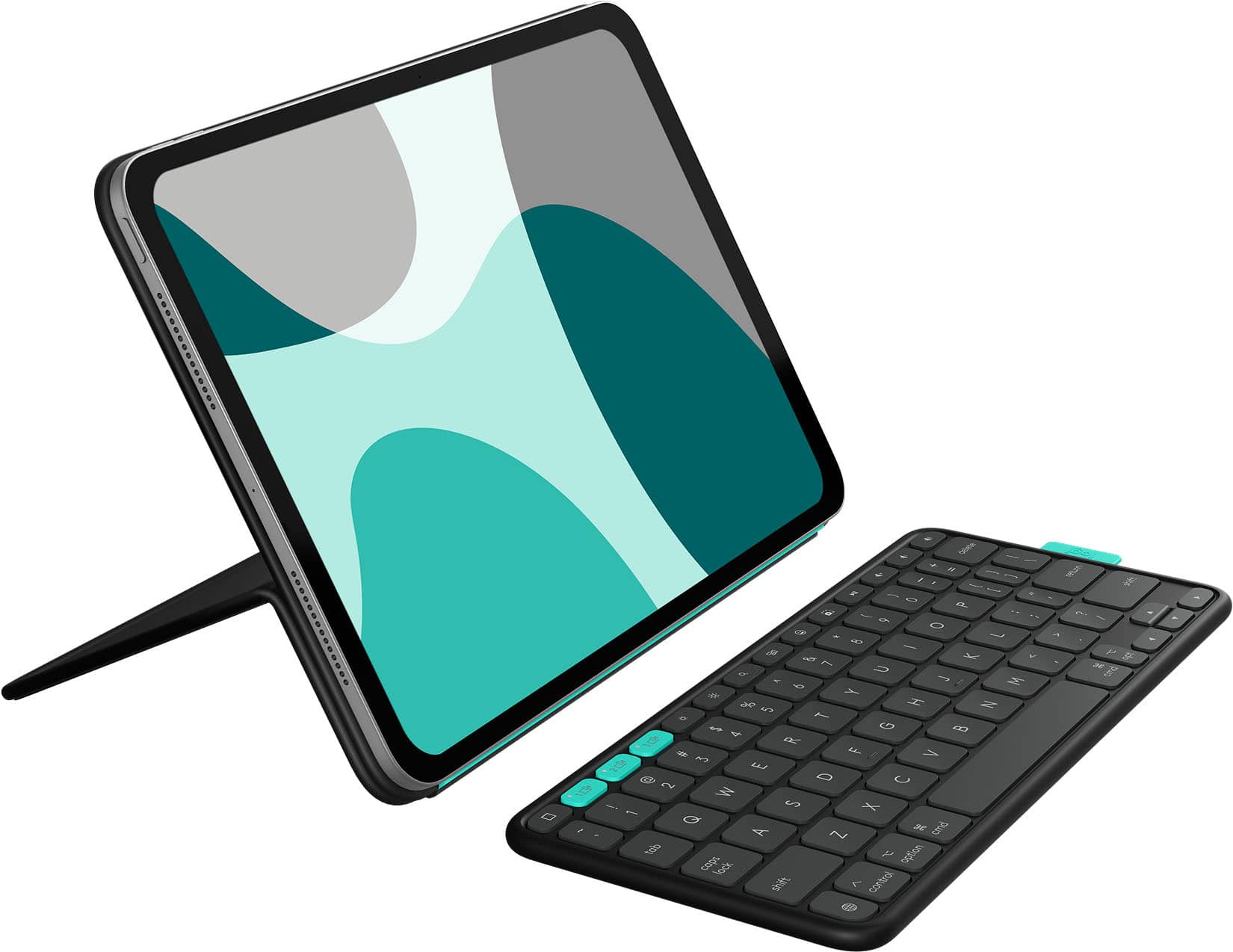
Customers enjoy the Flip Folio Keyboard Case for its comfortable typing experience, portability, and build quality. Users also appreciate the simple connectivity and the strong magnetic attachment for their iPad Air. However, some customers have expressed concerns regarding the level of protection offered and the added weight to the iPad.
This summary was generated by AI based on customer reviews.
- Pros mentioned:Build quality, PortabilityCons mentioned:Weight
A smart set of design trade-offs
||Posted . Owned for 2 weeks when reviewed.This reviewer received promo considerations or sweepstakes entry for writing a review.After having this a few weeks I'm pleased with it. Of course, all solutions in this space add weight to the iPad. But, the ability to take out the iPad or fold over the cover/keyboard means I am not losing convenience and the separate keyboard is the ultimate in adaptability to different locations for use. The stand solution is robust. At first it seems like you are going to break it when you try to adjust it, but you get used to it and trust it quickly.
I would recommend this to a friendBrand response from Logitech
Posted .Thank you for sharing your experience! We’re glad to hear you’re enjoying the flexibility, sturdy stand, and adaptable keyboard design of the Flip Folio. Your feedback truly means a lot and helps us continue improving our products.

- Pros mentioned:Connectivity

Prefer over Magic KB but not over Logitech’s Combo
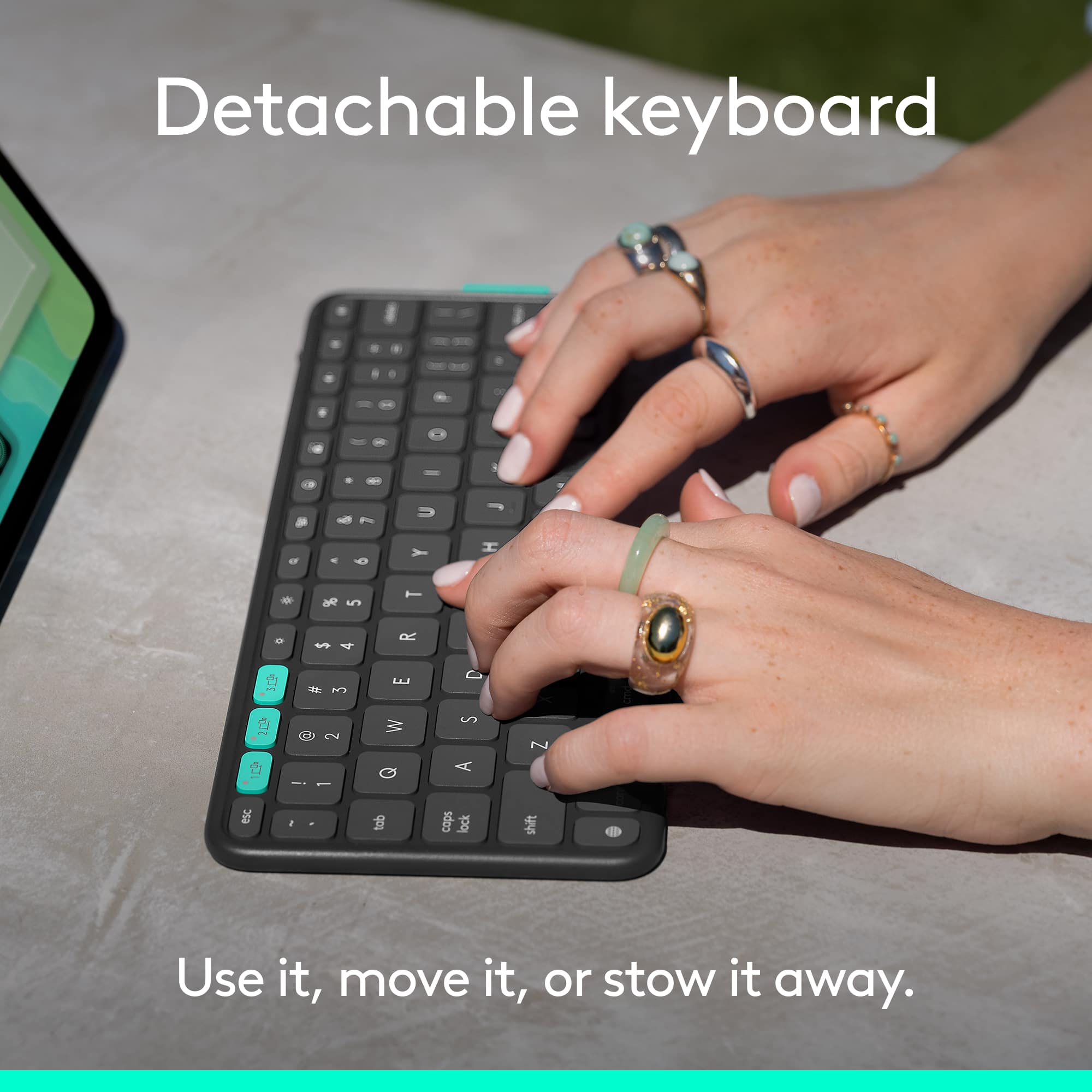
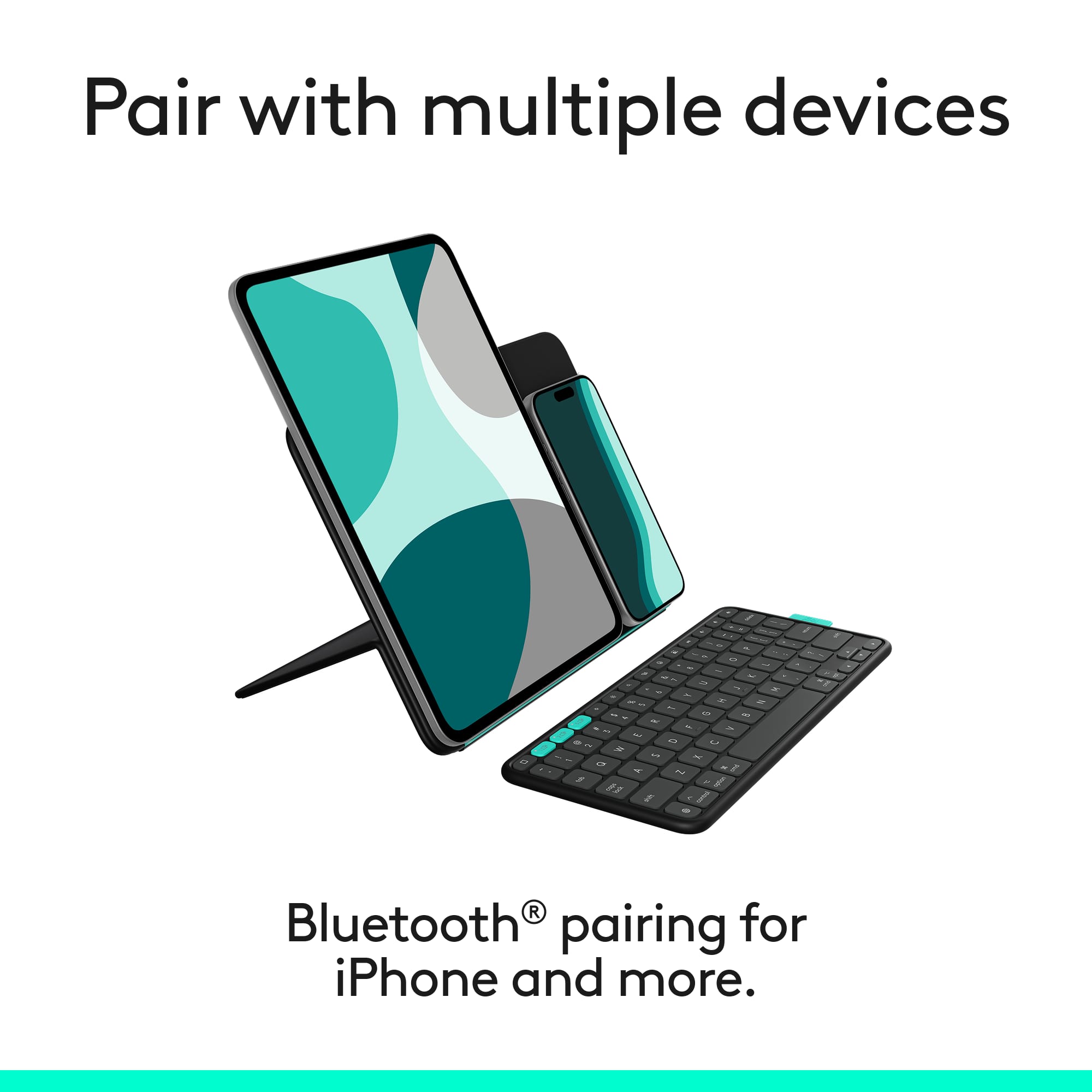
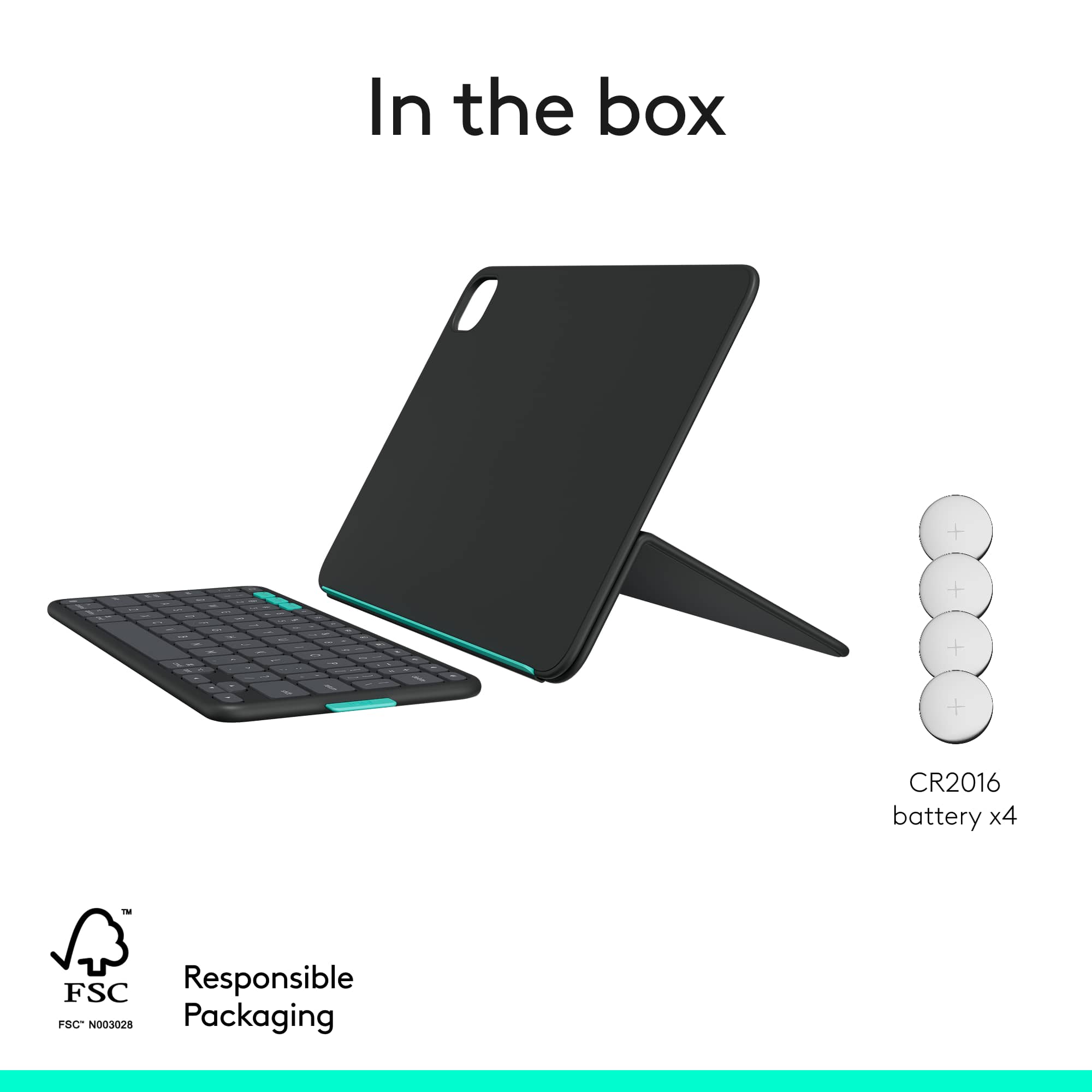
|Posted .This reviewer received promo considerations or sweepstakes entry for writing a review.I tend to use Logitech’s products for many of my main device peripherals as they are typically superior to other brands and at times even better than what the OEM offers. I often find that the device manufacturer limits the flexibility where Logitech is always innovating and creating products that can take full advantage of what the technology has to offer. Apple’s Magic Keyboard is certainly a good device, but I find it to be too heavy and does not easily allow portrait view without having to remove the iPad just because it does not turn while it’s attached. With the Logitech Flip Folio, you simply flip the cover over and turn it however you want. When flipping the cover around, you can either set it flat to the back or fold it to create a kickstand to hold it up to watch movies or use it with the fully detached Bluetooth keyboard. I did find that it was slightly difficult to fold initially but once you know how and it breaks in, you get used to it. The full folio adds just enough weight to it to make it feel sturdy without making it inconvenient to carry. It only adds a small amount of bulk and really, it’s only in the area where the keyboard magnetically attaches to the outside of the cover for storage. Regarding the keyboard and storing it, it attaches to an area that is cut out and easy to identify. I will say that the magnet that holds it on the case could be a bit stronger but, as long as you aren’t throwing the device around, you should be fine. From a connectivity perspective, pairing was simple and very quick. Once I turned it on, the iPad quickly saw the device in the Bluetooth menu and after putting in a code, it was attached. When opening the cover and detaching the keyboard, it pairs nearly instantly and to this point, I have not had to turn the keyboard off as it goes to sleep when it is stored. The auto on and off feature for the iPad itself also works very well. The keyboard does allow for pairing up to three devices which is easily done by pressing the teal-colored buttons on the top left. As for other key functionality, the standard ones you would expect are all there. The reason I like Logitech’s Combo Touch is due to the trackpad that more closely starts to mimic using an actual computer and with the iPad gaining more and more computer like functionality, it is something I like having. However, if you want that functionality, you could simply pair a separate mouse and be good to go. Overall, if I had never used the Combo Touch, I would certainly rank this case higher on my list. I would recommend this if you’re looking for a good, functional iPad case that allows for flexibility and very well thought out features.
I would recommend this to a friendBrand response from Logitech
Posted .Your in-depth review of the Logitech Flip Folio Keyboard Case for iPad highlights its success in blending features from Apple's Magic Keyboard and Logitech's Combo Touch, especially the kickstand flexibility and easy iPad detachment. You clearly value its sturdy yet lightweight design and seamless multi-device Bluetooth pairing. While noting the absence of a backlight and rechargeable batteries, these are minor points given your satisfaction with its comfort and functionality, making it your primary and highly recommended iPad solution.
- Pros mentioned:Build quality
Nice accessory to work with the iPad.
|Posted .This reviewer received promo considerations or sweepstakes entry for writing a review.This is a unique take on a iPad case. I am using it with the iPad Air (M2) and have tested it with my iPhone as well. The layout of everything is interesting between the flip folio and the keyboard. The case portion is very straight forward to figure out. The instructions are a bit confusing at first until you understand the what the pictures are trying to convey. Once you get it figured out you will easily understand how it works. There are two angles from which you can adjust, one that is almost 90 degrees and another that is about 45 degrees. The magnet that holds the iPad is pretty strong. You are not going to have any issues as far as the flip folio coming loose from the iPad. It takes a bit of force to separate them. The keyboard connection instructions are a bit more confusing with just pictures and no description. If it wasn't for the iPad explaining to enter the code shown on the screen on the keyboard and relying on the instruction pictures only, you'd be lost. There isn't any instruction as to how to dock the keyboard in the closed configuration. After some trial and error I found out that the keyboard goes face in against the flip folio in the space that is the same size as the keyboard. Aside from the lack of clear instructions this is a good product to compliment the 11" iPad Air(M2,M3),11" iPad Pro (M4) and the 11" iPad Air (5th generation). By itself folded it is just as thick and the iPad Air (without the keyboard attached. Attached to the iPad it doesn't add much to the thickness of the device. Even with the keyboard attached in the closed position it doesn't add much bulk, do to the keyboard being thinner than the iPad itself. As far as the keyboard goes, it is a pretty standard keyboard with a slight learning curve as to where to place your fingers to type normally. Most of the keys on the right side of the keyboard are smaller than a standard keyboard and you end up with unintentional keystrokes and characters, especially if your used to typing using the home row and every finger to type with. I understand this was done to fit the form factor of the iPad in landscape orientation. Shortcut keys are well thought out but there are two keys that open the emojis, not sure why. One key looks like an emoji and one key looks like a globe. I was expecting the globe to open a browser. The package claims a 2 year battery life for the keyboard batteries. This is based on 2 hour daily use. Not sure how much battery life you would get if you used it more often. I would like to see a rechargeable battery installed as this keyboard can support up to three devices connected via Bluetooth. iPad iPhone and a Mac. Even though the batteries are inexpensive for a 4 pack, the cost of the Flip Folio would be more inline with a rechargeable battery, than with consumable batteries. The power switch is in a somewhat hidden location on the top of the keyboard on the right side. Removing the battery tray is a bit of a challenge. You need a paperclip to slide two locks open and then you have to pry the tray with a fingernail to get it to pop free and slide out. Overall I like this product and can recommend it, even with it's quirks, I feel would make it a excellent addition to your iPad if you use it more as a laptop replacement.
I would recommend this to a friendBrand response from Logitech
Posted .Thank you for your detailed and insightful review of the Logitech Flip Folio Keyboard Case! We truly appreciate your feedback on its unique design, magnetic features, and multi-device connectivity. We're glad to hear you find it a good product that complements your iPad, and we value your candid observations on the instructions, keyboard layout, and battery choice.
- Pros mentioned:Build quality, Typing comfortCons mentioned:Weight

Amazing but not perfect
|Posted .This reviewer received promo considerations or sweepstakes entry for writing a review.This folio case is a great option if you're mainly an iPad user but want a solid keyboard and case combo to handle some administrative work. The folio is well constructed. The keyboard is easy to type one. My only gripes with this product is that it does add some unwanted weight and thickness to the iPad. Although I can travel with this with only the iPad and keyboard while leaving the folio behind, the price would not make any sense to spend if I'm only going to use the keyboard. I love the size of the keyboard so if they made a solo keyboard I'd probably just go with that. For now, I'll keep the folio in case i need it and it may just need to be something I will get used to using in time.
I would recommend this to a friendBrand response from Logitech
Posted .Thank you for your detailed and thoughtful review! We're glad the folio and keyboard combo is serving your needs, and we truly value your insights on portability and design—feedback like yours helps us evolve and improve.
- Cons mentioned:Protection
Good, quality case
|Posted .This reviewer received promo considerations or sweepstakes entry for writing a review.In my opinion Logitech is my go to brand for any iPad case that I want for my device. I knew them previously for their mice and keyboards, but once I bought my first keyboard case for an iPad, I never looked for another brand. I actually prefer them over the OEM offerings. In the past, I have usually preferred the Combo Touch cases. They are the gold standard in iPad keyboard cases in my opinion and that is what I was using before I got this one. The Combo Touch is more expensive, but it was worth the cost for my usage. I didn’t want to compare that case to this one, but it was difficult not to. The Flip Folio is a different type of setup. First, the keyboard connects via Bluetooth as opposed to the Smart Connection of the Combo Touch. The box says the keyboard should last up to 2 years based on 2 hours use per day and I think the power switch needs to be turned off as well. When not in use, the keyboard attaches to the back of the case magnetically. It doesn’t seem to have a strong attachment, but it also never fell off during the couple of days that I’ve been using it. Unlike the Combo Touch, this case doesn’t provide any edge protection for the iPad. That concerns me a bit, but that also comes down to personal preference. I do like the stand and how it allows me to put my iPad in both landscape and portrait modes depending on how I intend to use it based on what I’m working on. There is a light green lip on the case that allows the tablet to stand in portrait mode. The magnets on the cover work very well and always remained in full contact with my iPad. The stand also has a lot of flexibility with viewing angles. I do wonder how well the cover will hold up over time when constantly folding and unfolding it, but only time will tell on that. The keyboard itself isn’t it a full-sized keyboard which I was aware of before ordering it, but it does offer the ability to connect to three devices and can be switched with the press of a button on the top row. I do like that feature a lot because I can use it with my Apple TV and not have to pull out the other Logitech mini keyboard that I normally use. You don’t have a trackpad with this case either and that is something that I have found useful on my Combo Touch. The keyboard itself is very responsive and I had no problems getting used to it. It is backlit and you can adjust the brightness on the keyboard. The top row has one key that I didn’t have on my Combo Touch. The emoji key. I thought that was a pretty cool feature, as I’ve found myself becoming more of an emoji connoisseur these days. The case has some decent weight to it, which I prefer, but it’s not too heavy either. I found it to be sturdy when I set it up and it never fell over, nor did it slide down or move when I was using it. I normally use my tablet when I’m sitting at the kitchen counter or relaxing on the couch, so having a detached keyboard isn’t necessarily the easiest thing to use in those situations. I honestly prefer the Combo Touch because I can turn the keyboard around and reconnect it to the Smart Connector and it provides a solid base for watching videos. I do think this is a solid case and would work well for most people. I would still recommend this case, but my personal preference is the Combo Touch.
I would recommend this to a friendBrand response from Logitech
Posted .We appreciate your detailed feedback on the Flip Folio Keyboard Case and your continued loyalty to Logitech, especially as a long-time fan of our Combo Touch cases. It's insightful to hear how the distinct features of the Flip Folio, like the multi-device Bluetooth connectivity and portrait mode, cater to different usage scenarios, even while the Combo Touch remains your personal preference for its integrated design and edge protection. This kind of comprehensive comparison helps us understand diverse customer needs and refine our offerings
- Pros mentioned:Connectivity, Portability
Game Changer for iPad Users!
||Posted .This reviewer received promo considerations or sweepstakes entry for writing a review.I’m loving my iPad with the Logitech FlipFolio! It’s super sleek, feels great to hold, and the cover protects my iPad perfectly. Typing and using it on the go has never been easier. It's so simple to switch between devices, it keeps me productive without interruptions! Definitely a game-changer for anyone who uses their iPad daily!
I would recommend this to a friendBrand response from Logitech
Posted .Hey! Cheers for the great review! We’re so pleased you’re satisfied. We’ll be ready to assist again anytime. Thanks for choosing Logitech!
- Pros mentioned:Portability
Great for the price!
||Posted .This reviewer received promo considerations or sweepstakes entry for writing a review.I really like this product as I love the convenience it offers with not much more weight. Honestly I wish I got the Apple version with the keyboard as the stand is more versatile in my opinion but I saved about $130 bucks by getting this instead and I think that is worth it.
I would recommend this to a friendBrand response from Logitech
Posted .Thanks for the kind message! We’re happy our product is meeting your needs. Your feedback helps us keep improving.
- Pros mentioned:Portability
Great setup.
||Posted . Owned for 2 weeks when reviewed.This reviewer received promo considerations or sweepstakes entry for writing a review.Great setup. I love the wireless keyboard. It makes it easy to use as a tablet or a laptop compared to a built in keyboard setup. Also you can run the tablet in a vertical setup if you want to which can be very handy.
I would recommend this to a friendBrand response from Logitech
Posted .We appreciate your review and are thrilled to hear the product is performing as expected. Thanks for choosing Logitech.
Awkward Combo of a folio and keyboard
|Posted .This reviewer received promo considerations or sweepstakes entry for writing a review.I have an iPad Air 5 and have used folios, cases and keyboards. This is not my favorite mix of any of them. Good: Form Factor On/Off switch on keyboard Keyboard multi pairing iPad screen protection Bad: No touchpad CR2016 batteries Not rechargeable keyboard Can't snap keyboard in place Keyboard could damage screen Well, I had high hopes for this folio but was let down with obvious design misses. Quickly, I realized that this was a very quirky folio. A sticker on the folio and another set of instructions in the box were absolutely needed. At first, I snapped my iPad onto the folio like I do with my Magic Keyboard. Then, I snapped the keyboard on the other side; pretty slick I thought. Then, I closed it and there's no tension, so the keyboard crashed right down on my iPad screen. Oof. Then, I was like - OK, how does this thing stand up? That's when I had to go to the instructions and took the iPad off the magnetic back. Bend the back? "It's very rigid, am I going to break this?" - came to mind. Then, it made sense; it bends then you flip it backwards and pop the iPad onto the back again and lean it back against the newly bent section. Cool? Now the keyboard - it just floats around in front of the iPad and there's no way to snap it to, or have it magnetically grab the bottom of the iPad. While it may be nice to be able to detach an attached keyboard, having it never able to be attached - to me, isn't what I wanted. The keyboard itself is exactly the same size of the Magic Keyboard (see 2 pic collage image), so it's a good size and typing is pretty simple. It lacks a touchpad yet it offers a few other 'keyboard' features that the Apple one doesn't have, including the App Switcher - which I find really helpful. If the keyboard is detached and there's no trackpad, you still have to reach to interact with the iPad. I'm not sure what they were going for here. Still on the keyboard. It's not rechargeable but there is an on/off switch if you were to remember to turn it off. It takes 4x CR2016 batteries. Not CR2032s, but CR2016s. Since it needs 4, it seem that these batteries come in multi packs so prepare to get some extras and toss them in your computer bag because you'll no doubt forget to turn this off. When the case is closed as a normal folio would be, the protection seems great. There's a keyboard sized rectangle on the outside of the folio. I thought: "Ah, this must be where the keyboard snaps to for travel!" Nope! The magnets repel on this exact space. If you slide it up a little, it does stick but it also gets in the way of the bend (see 2 pic collage image). I mean, there isn't much to read on this to know the target audience but a keyboard that doesn't stay attached and isn't easily attached to, or stored in the case, seems like it can be left/misplaced/forgotten more often than it's remembered. I can't possibly recommend this, unfortunately. Will I continue to use it? Maybe. The case is pretty nice overall. I'll probably use the keyboard for one of my headless machines if I need to interact with them.
No, I would not recommend this to a friendBrand response from Logitech
Posted .We're very sorry to hear that the Flip Folio Keyboard Case didn't meet your expectations and caused frustration due to its design, particularly the keyboard's attachment and battery type. We truly appreciate your detailed feedback and candid assessment of your experience with the product.
- Pros mentioned:Build quality, Portability
Must have for iPad users
||Posted . Owned for 2 months when reviewed.This reviewer received promo considerations or sweepstakes entry for writing a review.I loved the built quiality and the practicality of it. Its not so heavy and its very versatile.
I would recommend this to a friendBrand response from Logitech
Posted .Thank you for sharing your feedback! We're thrilled to hear you're enjoying the Flip Folio Keyboard Case and appreciate you highlighting the build quality, practicality, and versatility. We're glad it's been a great addition to your iPad experience!
Logitech OVER Apple Accessories!!!
||Posted .This reviewer received promo considerations or sweepstakes entry for writing a review.I've had multiple APPLE Keyboards for my iPad Air and iPad Pro, including Apple Pro KB, but they are brutal, errors/glitches ALL the time, Apple knows, they act like it's not a thing. I've used Logitech gear for decades, but didn't think to try the Logitech KB for ipad because my 'Apple' buddies always suggested Apple branded being better/quicker/less lag... I will never buy another Apple KB in my lifetime. Logitech ALL THE WAY. This thing is very handy to travel with and swap between my desk stand, etc - the kb can be shared between 3 devices, ie your phone, ipad AND desktop (IF you want).
I would recommend this to a friendBrand response from Logitech
Posted .Appreciate your passionate feedback! It’s wonderful to hear Logitech exceeded your expectations compared to Apple keyboards, and your loyalty shines through.
- Pros mentioned:Attachment strength, Typing comfort
Not a flop
||Posted . Owned for 1 week when reviewed.This reviewer received promo considerations or sweepstakes entry for writing a review.Smart design with the magnetic case. My iPad stays in but is also easy to take out to reposition. The keyboard has a nice feel and is responsive
I would recommend this to a friendBrand response from Logitech
Posted .Thank you for the fantastic review! We're so glad to hear that the Flip Folio Keyboard Case is proving to be "Not a flop" for you. It's great to know you're happy with the smart magnetic design and that the keyboard has a nice feel and is responsive. We appreciate you sharing your experience!
- Pros mentioned:Portability
it’s def a little pricey but it’s good
|Posted . Owned for 2 weeks when reviewed.This reviewer received promo considerations or sweepstakes entry for writing a review.i like it, it’s a good little thing to have especially if you’re on the go and need to use a laptop but don’t have one on you. i don’t really like the fact that the case doesn’t click on the ipad and is only magnetic though.
I would recommend this to a friendBrand response from Logitech
Posted .That is excellent feedback! Thank you for sharing your thoughts on the Logitech Flip Folio Keyboard Case. We're glad to hear you find it a valuable, portable tool, and we appreciate your honest note about the magnetic case design.
- Pros mentioned:Portability, Typing comfort
Great case for the price!
||Posted .This reviewer received promo considerations or sweepstakes entry for writing a review.I love the function and the detachable and magnetic keyboard. It’s slim and easy to use case
I would recommend this to a friendBrand response from Logitech
Posted .Hey! Thanks for the love! We're thrilled the Flip Folio Keyboard Case is hitting the sweet spot with its slim design and magnetic magic. Your feedback fuels our drive to keep things sleek, smart, and seamless.
- Pros mentioned:Build quality, Portability
Great product choice for my ipad
||Posted .This reviewer received promo considerations or sweepstakes entry for writing a review.This case is really cool! It’s sturdy, great quality, and I love how easy it is to use.
I would recommend this to a friendBrand response from Logitech
Posted .Thanks for the awesome feedback on the Logitech Flip Folio Keyboard Case for your iPad! We're thrilled to hear you love its sturdy build, great quality, and ease of use. The graphite color sounds sleek—glad it's a perfect choice for your iPad Pro or Air!
- Pros mentioned:Connectivity
Great addition to my tablet!
||Posted . Owned for 3 weeks when reviewed.This reviewer received promo considerations or sweepstakes entry for writing a review.I really love this keyboard tablet for my iPad! I love how I am able to multitask between my tablet and my phone, which makes my workflow seamless. The only addition that I would’ve liked, is a tracking pad. Other than that, I really enjoy the keyboard and use it on a weekly basis.
I would recommend this to a friendBrand response from Logitech
Posted .Thanks for the thoughtful review! We're so glad the Flip Folio is making multitasking smooth and boosting your workflow across devices. Great to hear it's become a regular part of your routine. Noted on the trackpad suggestion—feedback like yours helps us keep improving!
Good alternative to Magic Keyboard
||Posted . Owned for 4 months when reviewed.This reviewer received promo considerations or sweepstakes entry for writing a review.I really like this case. I've wanted one that allowed me to separate the iPad from the keyboard, but I had yet to find one I like. This one works like I want it. I can have the iPad separate on one surface, for example, while I have the keyboard in my lap. I like that option. One place where this kind of setup does NOT work, though, is as a true laptop. Having the iPad stand on your lap doesn't work unless you have a lot of room. So on a plane this is not the best option. But otherwise it does what it does well.
I would recommend this to a friendBrand response from Logitech
Posted .We truly appreciate you sharing your thoughts. It’s fantastic to hear the product is delivering as expected. Your feedback helps us grow and refine what we do. Thanks for choosing Logitech!
- Pros mentioned:Build quality
Perfect for daily home use
||Posted . Owned for 1 week when reviewed.This reviewer received promo considerations or sweepstakes entry for writing a review.This is easy to use and a good alternative to the Magic Keyboard. I like that you can use the case with or without the keyboard and the magnets are strong.
I would recommend this to a friendBrand response from Logitech
Posted .Thanks for your thoughtful review. It’s great to know our Logitech Flip Folio Keyboard Case is living up to your expectations. Your support helps us keep delivering quality.
I love it
Posted .This reviewer received promo considerations or sweepstakes entry for writing a review.I really like this ítem, is easy to use and cute. Es el mejor que he probado
I would recommend this to a friendBrand response from Logitech
Posted .Appreciate you taking the time to share! It’s awesome to know our product is working well for you. Thanks for choosing Logitech.
Perfect Price Point for Protection and Pairing
||Posted . Owned for 1 week when reviewed.This reviewer received promo considerations or sweepstakes entry for writing a review.This logitech Flip Folio gets a 5 star rating for the durability and compact design features, as well as the affordable price. It not only protects the Ipad but the wireless bluetooth enabled keyboard is a great input device enabling one to keep untethered. Additionally, the wireless keyboard can connect to an additional 2 other devices that support bluetooth connectivity
I would recommend this to a friendBrand response from Logitech
Posted .It’s wonderful to hear that our product is meeting your needs. Your feedback is incredibly valuable and helps us continue to innovate. Thanks for being part of the Logitech community.