Customer Ratings & Reviews









- Model:
- 920-013369
- SKU:
- 6629029
Rating by feature
- Value
Rating 4.6 out of 5 stars
- Quality
Rating 4.8 out of 5 stars
- Ease of Use
Rating 4.8 out of 5 stars
Customers are saying
Customers enjoy the Flip Folio Keyboard Case for its comfortable typing experience, portability, and build quality. Users also appreciate the simple connectivity and the strong magnetic attachment for their iPad Air. However, some customers have expressed concerns regarding the level of protection offered and the added weight to the iPad.
This summary was generated by AI based on customer reviews.
- Pros mentioned:Connectivity, Design
It’s amaxing
||Posted . Owned for 2 weeks when reviewed.This reviewer received promo considerations or sweepstakes entry for writing a review.This Case has quickly become one of my favorite iPad accessories. The material feels soft and premium, but also very sturdy, so I know my device is well-protected. I especially appreciate that the silicone texture isn’t slippery, making it easier to hold without fear of it sliding. The keyboard is surprisingly lightweight but feels confident and stable while typing — the keys are well-spaced and have just the right amount of feedback. The magnetic connection works flawlessly, instantly pairing with my iPad and holding it securely in place. The graphite color is elegant, understated, and goes with any style. It’s the perfect mix of function, protection, and style.
I would recommend this to a friendBrand response from Logitech
Posted .We truly appreciate you sharing your thoughts. It’s fantastic to hear the product is delivering as expected. Your feedback helps us grow and refine what we do. Thanks for choosing Logitech!

- Pros mentioned:ConnectivityCons mentioned:Weight
Good product
||Posted .This reviewer received promo considerations or sweepstakes entry for writing a review.I really like how versatile the Logitech Flip Folio is—the detachable Bluetooth keyboard, long battery life, and ability to pair with multiple devices make it super practical. It protects my iPad well and works in both portrait and landscape modes. The downsides: no trackpad, no backlit keys, and it’s a bit heavy. Overall, a flexible and reliable option if you want freedom beyond Apple’s Magic Keyboard.
I would recommend this to a friendBrand response from Logitech
Posted .Thanks for the thoughtful review! We're glad to hear the Flip Folio's versatility and multi-device pairing are making a difference in your workflow. Your feedback on the design trade-offs is appreciated—it helps us keep improving. Enjoy the flexibility!
- Pros mentioned:Adjustability, Design
I love it
||Posted .This reviewer received promo considerations or sweepstakes entry for writing a review.Honestly, this Logitech keyboard completely changed the way I use my iPad. It’s super comfortable to type on, feels just like a laptop, and at the same time keeps the tablet protected without making it bulky. ✨ I love how easy it is to adjust to different angles, and the graphite color gives it such a sleek look If you use your iPad a lot for work or study, this case is a must-have.
I would recommend this to a friendBrand response from Logitech
Posted .Thanks for the thoughtful review! We're thrilled to hear the Flip Folio Keyboard Case has transformed your iPad experience. It's great to know the comfort, protection, and sleek design are hitting the mark. Your recommendation means a lot!
- Pros mentioned:Connectivity, Design
Love the multi device function!
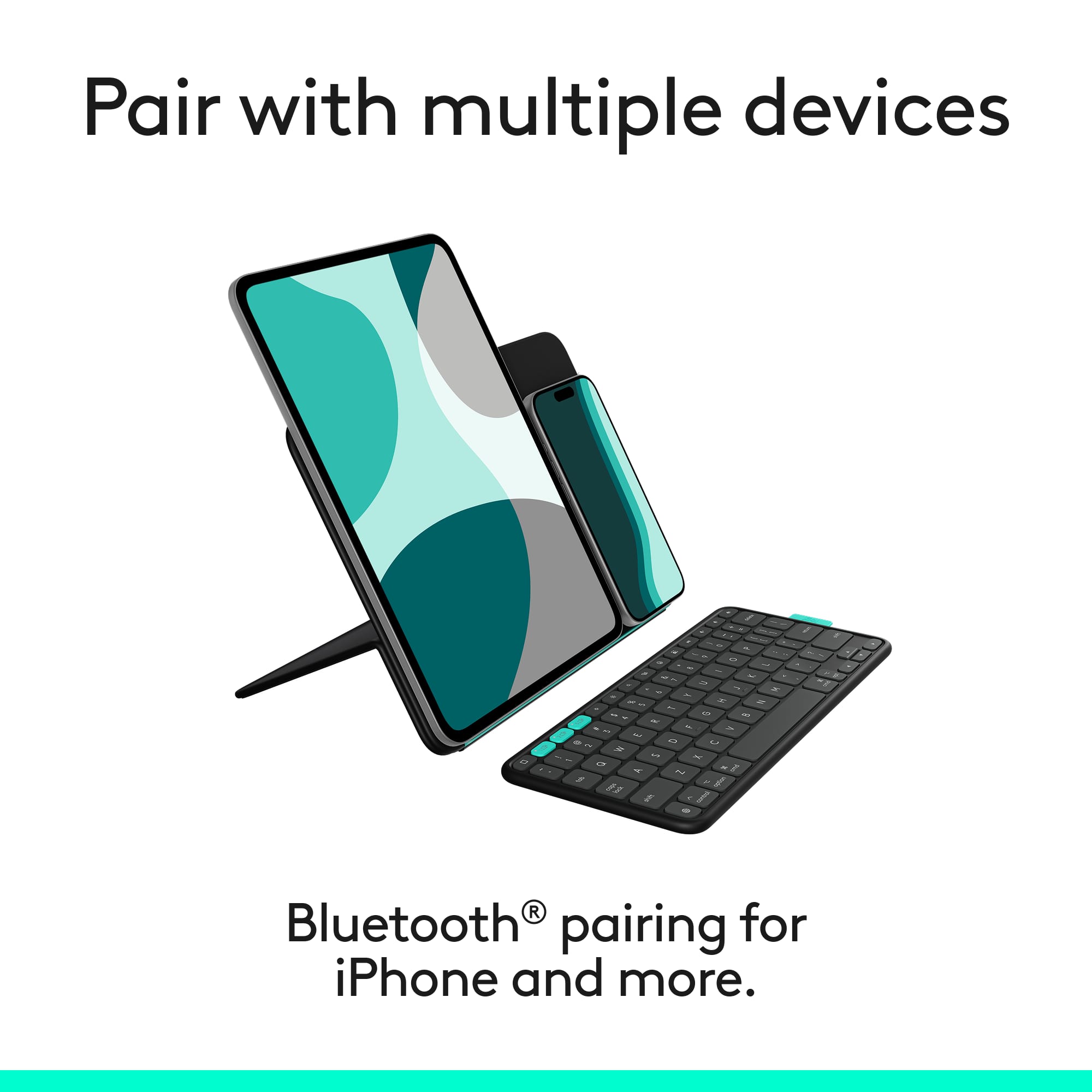
||Posted .This reviewer received promo considerations or sweepstakes entry for writing a review.This keyboard was a breeze to set up. I love the case and how easy it is to fold into a stand. It’s aesthetically pleasing with a slim design. The keyboard stows away on top for easy access. It seamlessly switches between 3 different devices. There’s room in portrait mode for both my iPad and phone to fit on the stand. Amazing technology!
I would recommend this to a friendBrand response from Logitech
Posted .Thanks so much for the thoughtful review! We're thrilled to hear the Flip Folio Keyboard Case has made such a strong impression. From its easy setup and sleek design to the seamless multi-device switching and versatile stand — it’s designed to bring both style and functionality to your workflow.
Awesome iPad case
||Posted . Owned for 5 months when reviewed.This reviewer received promo considerations or sweepstakes entry for writing a review.Super good magnetic case. Doesn’t drop iPad. I would def guy again!
I would recommend this to a friendBrand response from Logitech
Posted .Thanks for your review! We’re thrilled to hear everything’s working smoothly. Your feedback helps us stay focused on what matters.
- Pros mentioned:Design
“Solid, Simple, and Reliable”
||Posted .This reviewer received promo considerations or sweepstakes entry for writing a review.The Logitech Flip Folio case fits my iPad really well and feels solid. The keyboard works smoothly and is easy to type on. I like the simple graphite look, and it keeps my iPad safe.
I would recommend this to a friendBrand response from Logitech
Posted .Thanks for the great review. We're glad the Flip Folio case is delivering a snug fit, smooth typing, and solid protection—plus that clean graphite finish adds a sleek touch. Designed to blend function and style, it's great to hear it's working just right for you.
- Pros mentioned:Ease of use
Very good
||Posted .This reviewer received promo considerations or sweepstakes entry for writing a review.I liked it a lot, I can take it anywhere since it doesn't take up much space and it's very light.
I would recommend this to a friendBrand response from Logitech
Posted .Thanks for the great review! We're glad the Flip Folio Keyboard Case is hitting the mark—compact, lightweight, and perfect for on-the-go use. Smart style meets everyday convenience!
- Pros mentioned:Adjustability, Attachment strength, DesignCons mentioned:Protection

Lightweight case, stand, & wireless keyboard
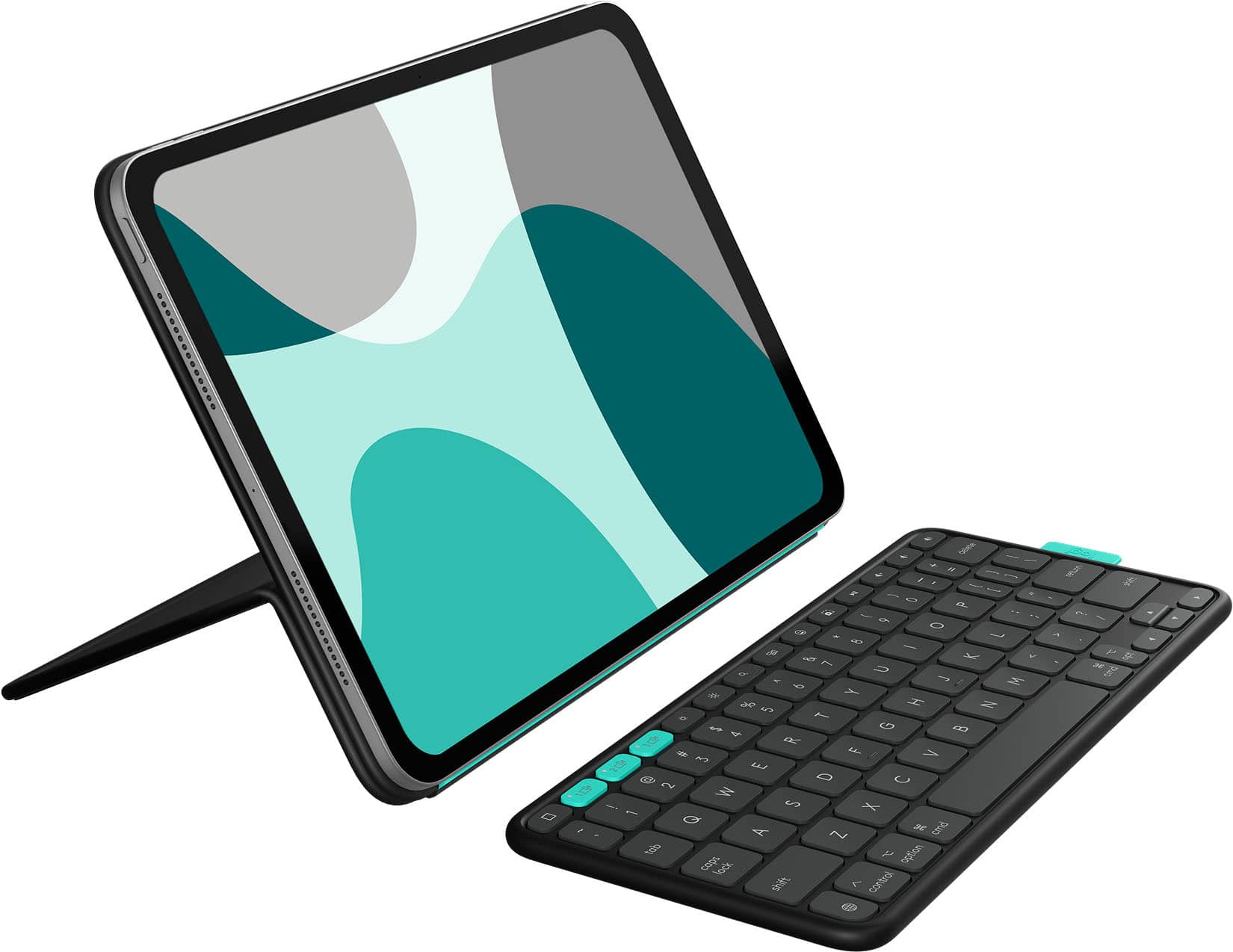
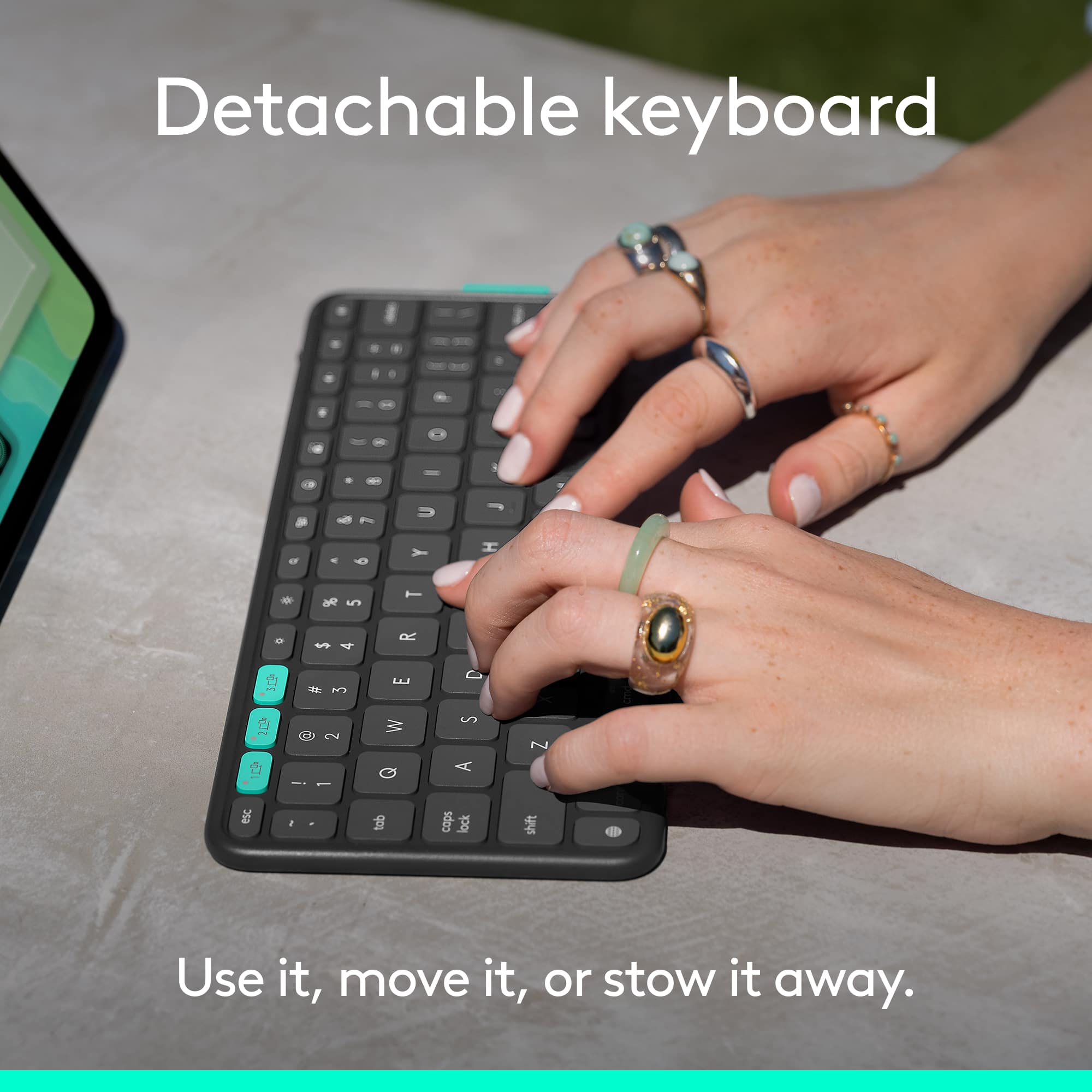
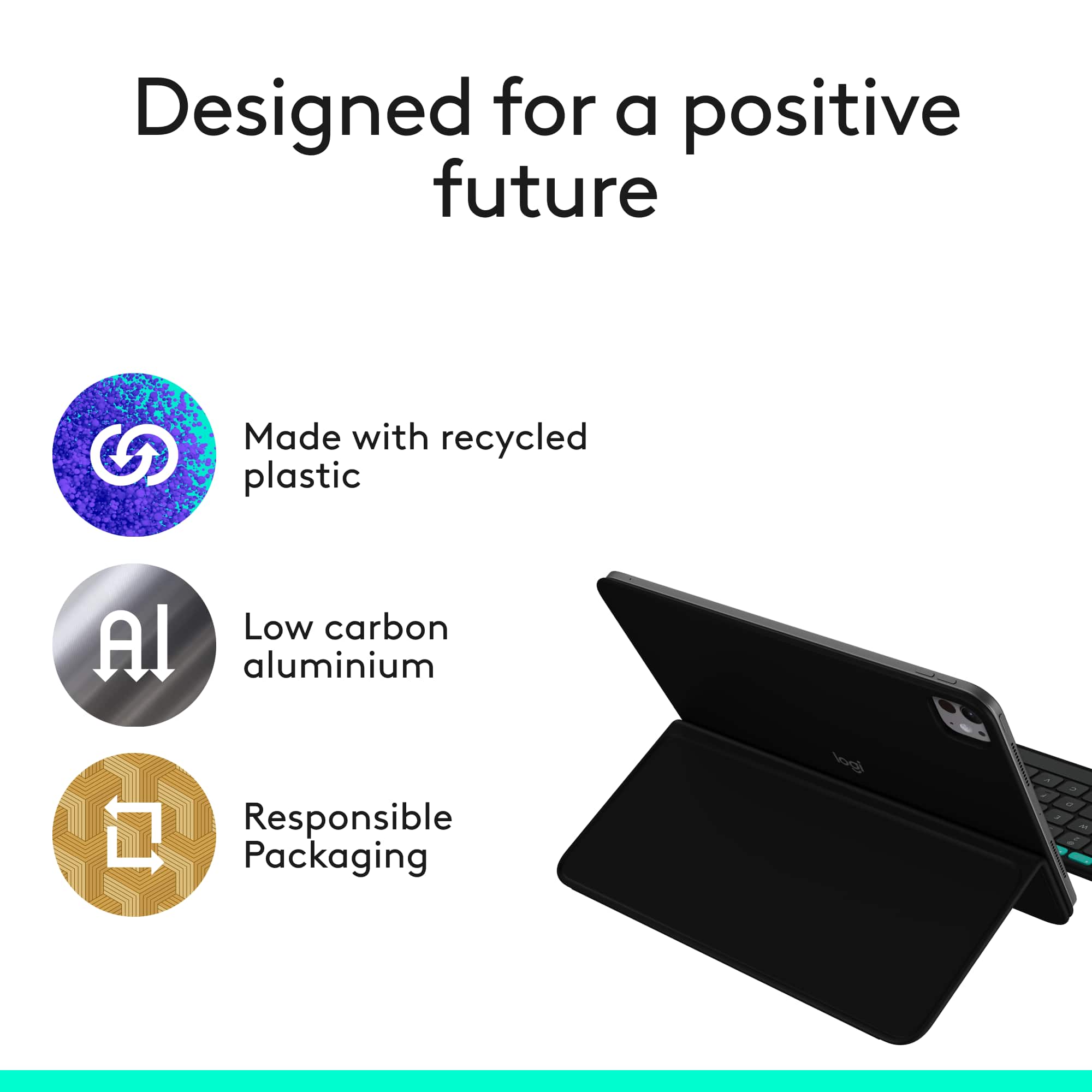
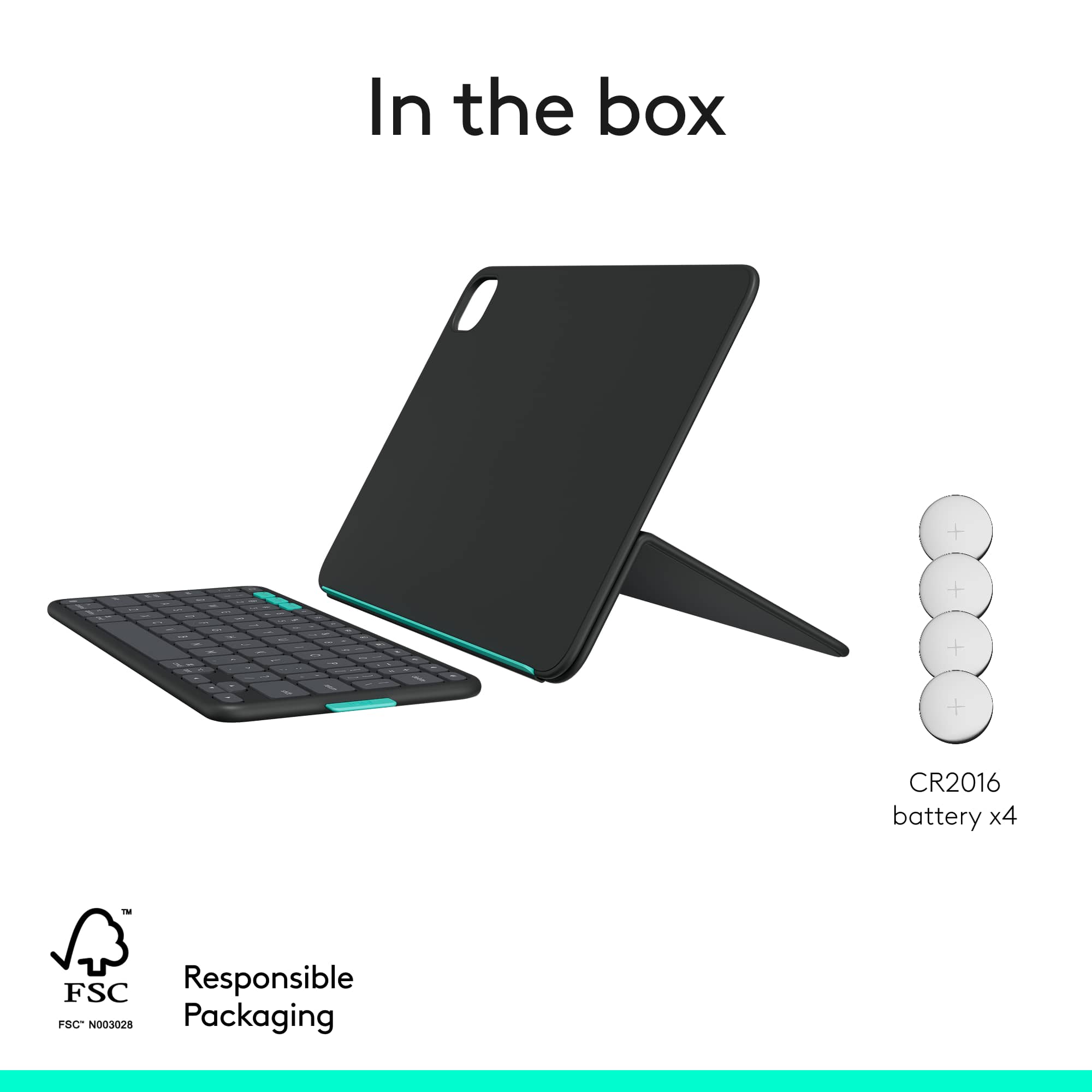
|Posted .This reviewer received promo considerations or sweepstakes entry for writing a review.The Logitech Flip Folio case has a detachable wireless keyboard and a unique flexible stand design. It is light weight and easy to remove, while protecting my iPad Air's screen and back from scratches. I have owned many Logitech peripherals, including an older Combo Touch case for my iPad Pro, and Logitech is always a solid choice. The iPad Air is not cheap, so I wanted a case that provided some protection, but was not bulky. Pros 1. The standout features is the small, lightweight, detachable keyboard, which connects wirelessly to up to three devices and has convenient buttons to quickly switch back and forth between them. I really liked using it at my desk and not having to have it permanently stuck to the bottom of the iPad. I found the short cuts keys really useful (volume, app switching, screen capture, search, screen brightness, and emoji). It attaches using magnets to the outside of the case (keys inward), making it easy to take along, but not in the way when a keyboard is not needed. 2. The iPad Air attaches securely via magnets, offering a sleek, minimalist look and allowing the case to be removed quickly when not needed. The case covers the screen and also has a recessed cutout for the camera on the back, protecting the iPad from scratches. 3. The screen protector folds to become a stand that holds the iPad at any angle. The stand does not move once positioned and because the iPad is held by magnets, you can easily change the orientation on the stand between vertical or horizontal to make the best use of the screen. 4. The case and back of the keyboard is made of a soft-touch plastic that has a nice feel. The case and keyboard have a bright green contrast color in a few spots that adds a little character. Things to Consider 1. The wireless keyboard is not rechargeable. It has 4 preinstalled CR2016 coin style batteries that will eventually need to be replaced. Logitech says the batteries last up to 2 years if used 2hrs per day. The keyboard has a manual on/off switch on the top to save battery when not in use. 2. If you need a heavy mil-spec case, this is not it. This case provides reasonable protection during normal use or transport in a bag, but it lacks side/corners protection. The magnets that hold the keyboard on are also for normal use (carrying or in a bag) and the keyboard creates a noticeable bump out on the the case when stored. There is a decent chance that if the case was handled rough or dropped the iPad might be damaged and/or the keyboard would fall off. 3. This case does not have an integrated touchpad, like some others offered by Logitech.
I would recommend this to a friendBrand response from Logitech
Posted .Your detailed review of the Logitech Flip Folio Keyboard Case for iPad Pro 11-inch praises its lightweight, detachable keyboard with multi-device switching and useful shortcuts, appreciating its freedom from permanent attachment. You highlight the secure magnetic iPad attachment and the versatile stand allowing both orientations for optimal viewing. While the case offers good screen and back protection without bulk, you note the reliance on non-rechargeable coin cell batteries and the absence of side/corner protection or an integrated touchpad as key considerations.
Perfect case
||Posted .This reviewer received promo considerations or sweepstakes entry for writing a review.My love case perfect for my job perfect! Good quality good job !
I would recommend this to a friendBrand response from Logitech
Posted .Thank you for your kind words and continued trust in the Logitech brand! We're thrilled the Flip Folio Keyboard Case lived up to your expectations—your recommendation means a lot and inspires us to keep delivering quality you can count on.
- Pros mentioned:AdjustabilityCons mentioned:Backlit keyboard, Protection, Weight
Which niche do you fit into?
|Posted .This reviewer received promo considerations or sweepstakes entry for writing a review.There are many niches to fill in the iPad case and cover realm. What are your needs? Protection? Looks? Keyboard cover? Removable keyboard? Bluetooth keyboard? Logitech tries to address as many needs as possible with this product, and succeeds more than it fails, but no iPad case can meet every need. You get a nice-looking package with this FlipFolio. Your device is held in the Folio with magnets, so it is easy to completely remove the iPad from the case if needed. The cover folds up to protect the screen when it is not being used to support the device, and the two parts of the FlipFolio keep the iPad in a protective sandwich until you are ready to use it. The keyboard is also held on the back of the folio with magnets so that all components are at your beck and call when you are ready to hit the road. But there is a price to pay for the convenience of keeping the entire package stuck together for travel. It is very heavy: 2.84 pounds. The naked iPad is only 1.2 pounds. Weight wise, a Flip-Folioed iPad Air weighs more than a MacBook Air notebook! And there is a reason this product is called a FlipFolio and not an iPad case. If, for any reason the sandwiched assembly slipped out of your hands and fell to the ground from waist level, you would be probably be shopping for a new iPad. The magnets hold the device nicely to the cover and base while you are using the iPad for work or play, but there is no conceivable way the magnets would hold if you dropped everything on the floor. The sides of the iPad are not protected at all. The FlipFolio should be carried in another bag or sleeve for full protection. I point out these shortcomings to say that they are more design choices than design failures. I have used enough cases to learn that it is nigh well impossible to combine a keyboard case into a fully protecting cocoon. Other efforts have had the same results. You pay your money and you make your choice. The cover has a bending joint that requires some force to get it in the supporting position for the iPad, but in my several days of use, it always bent back into a smooth and unbroken cover for the iPad when I was ready to pack everything up. The small but effective keyboard had a great typing feel and was easy to get adjusted to and used effectively. It is powered by a watch battery that will have to be replaced every couple of years. As soon as the protective tab was pulled, one of three device selection keys was blinking, beckoning me to pair it with the iPad. The keyboard can be paired with two more devices as well, such as your phone or another computer. This is a greatly desired convenience for you multi-taskers. Unfortunately, the three device selection keys are the only lighted keys- you will have to find the typing keys by touch or natural light. For my personal needs, the weight is a deal-breaker. But such does not stop me from recommending the FlipFolio for those who need all its features and who do not care about the weight, and I know there are many who will fall into that category. I have several iPad cases that are used depending on what task I have in mind. It has been a choice I have had to make since owning the device.
I would recommend this to a friendBrand response from Logitech
Posted .Thank you for your incredibly detailed and insightful review of the Logitech Flip Folio Keyboard Case. We truly appreciate you sharing your candid feedback on its design, features, and especially the weight and protection aspects. We're sorry to hear that the weight is a deal-breaker for your personal needs, but we value your balanced perspective and recommendation for those who prioritize its unique features.
- Pros mentioned:Design, Ease of useCons mentioned:Protection
Unique concept that’s fun to use
|Posted .This reviewer received promo considerations or sweepstakes entry for writing a review.I’m a huge fan of Logitech. I think they create quality products and push the mold when it comes to thinking about creative ways to work and protect your devices. The Logi Flip Folio melds several design aspects that we’re all familiar with into one. You have the origami like case that “folds” to make a stand, with a built in Bluetooth keyboard. At the outset, the biggest thing missing is a touchpad, which is offered in other Logi iPad products (Logi touch keyboard). Also, the iPad is “secured” in the case with magnets and there’s not cover to cover protection around the edges, so there is some concern that your iPad could get damaged or scratched if you were to drop it or otherwise mishandle it. And there’s no good solution, IMO, to secure the Apple Pen to your iPad (i.e. there’s no strap or anything like that securing it, it’s simply attached magnetically to the iPad). But all in all, it’s a nice little setup that offers flexibility when propping your iPad up and using a keyboard. In the box you’ll find the cover/case, as well as a small keyboard. The case is made of sturdy material; it’s very firm. It has a large hinge and there’s a lip for your iPad to rest on when its folded out and it’s in use. I’ll be honest, I thought I was going to break the case when I tried to fold it into a stand. It’s somewhat difficult to manipulate, but the positive is that it’s very sturdy when open. There’s lots of magnets. Your iPad is held in place in the case by magnets. The lid stays shut via magnets, and the keyboard itself attaches to the outside of the case (upside down to protect the keys) via magnets. I found the magnets to be pretty strong. Things would certainly fall out if you dropped it, but when carrying it or placing it in your bag, everything is held together and closed tight with the magnets. For the most part the case is pretty intuitive to use. But it took a little trial and error to figure out how the folio part of the case folded and held the iPad up. The “lip” that holds the iPad can display the iPad in either portrait or landscape mode which is nice. Functionally speaking, I really had no issues with it. The keyboard is very compact and takes some adjustment to get used to. But that’s not unexpected and not dissimilar to any other keyboard layout for an iPad. THe keyboard connects to your iPad via Bluetooth. It’s charged by what I’ll call watch batteries (I don’t know how long the batteries are supposed to last). There’s a small power switch on the edge of the keyboard to save battery and prevent accidental input. Connecting to the iPad is dead simple and similar to the pairing of any Bluetooth device; I had no issues in that regard. The keyboard does pair to three different devices at once and you can quickly switch using the keys at the top (this feature is common in most Logitech keyboard, at least the ones I’ve seen). I don’t know how useful it is in this scenario as I’m typically going to only use this keyboard with the iPad (since it’s stored with the iPad and the Folio case) but I always like the flexibility. There are shortcuts on the keyboard to brighten the display, take screenshots, open the search bar and control your media. All very useful shortcuts to have. My only concern, as mentioned earlier, is the lack of a trackpad. I completely understand why it’s not there, and let’s not forget iPads were made for touchscreen, it’s just a bit cumbersome taking your hands off the keyboard to then use your finger on the screen (at least to me). But honestly, I find myself sitting down to type when I need to. The part I honestly like most about the Folio is that the iPad is attached via magnets and can be easily taken out. Here’s what I mean. Other Logitech keyboard cases wraps the entire iPad in a case. While this offers great protection, it makes the iPad a heavier. When I’m reading (when watching movies, I typically use it on its stand) I like to hold the bare iPad. Here, the iPad easily pops out of the case when it’s open allowing me to grab it and hold it when I want to read. How I end up using it is placing the folio open when I’m using it, typing while it’s on the “lip” in display mode, then I just pick it up and hold the bare iPad when reading. The biggest downside to this case is the lack of full blown protection and the pencil. As mentioned earlier, the edges of the iPad are exposed in the case. It’s not a big deal if you take good care of it, but if you drop the case with the iPad in it, I can’t imagine it wouldn’t fall out. Also, the pen is exposed. Not in the sense where I”m concerned that it would get damaged, but that it would easily get knocked off the iPad while it’s in your bag or while you’re holding it. I’m not sure what the solution would be with this particular case’s design, but I think having a place to secure your pencil to minimize losing it is a plus. But this issue isn’t limited to this case. (There’s a Spigen case that has a rubber insert to store the pencil). All in all, this is a good option to get a keyboard and display stand for your iPad that is cheaper than some of the alternatives. I like the design although the keyboard being stored on the outside of the case does result in a pretty bulky case. It offers practical features and has the quality that Logitech is known for. I’ve had absolutely no concerns about the Folio keyboard’s performance.
I would recommend this to a friendBrand response from Logitech
Posted .Thanks for your detailed and thoughtful review of our Logitech Flip Folio Keyboard Case for iPad Pro 11-inch and iPad Air 11-inch (M2 & M3)! We truly appreciate you being a long-time fan and recognizing our commitment to quality and innovative design.
- Pros mentioned:Adjustability, Attachment strengthCons mentioned:Backlit keyboard, Protection
There’s no touchpad?
|Posted .This reviewer received promo considerations or sweepstakes entry for writing a review.The Logitech Flip Folio is a great concept but it’s missing my two biggest needs….a track pad and proper protection for your iPad. Two things everyone is going to require at this case’s level. My iPad snapped in like a glove using magnets which offer a strong hold. However, my iPad Air is exposed on 3 of its 4 sides. Logitech states that it offers front and back protection, which is true, but it does not offer side protection in my opinion. Now this allows for a premium feel and look, but it could be still done while protecting edges. Logitech reasoning is for allowing you to turn your iPad into portrait mode. One drop and I wouldn’t have confidence if you were in a parking lot. The case feels premium it’s not leather but it’s also doesn’t feel like silicone. The case bends to help angle your iPad in a proper working position. It’s probably one of the strongest bendable case I have experienced where you won’t find yourself tweaking your iPad for it to stay up. I thought I was going to love the detachable keyboard but this is not the case (no pun intended). The the keyboard magnetically connects to the case, which is great however, I feel as though the magnets are strong, but not strong enough I haven’t had much experience transporting the case yet, but I feel so I may drop the keyboard at some point. One thing I didn’t realize at first was that the keyboard did not have a trackpad like Logitech other cases now the case of the supports those iPads all support trackpads. I would not use this keyboard because it does not have a trackpad. The alternative is using the touchscreen like a traditional iPad with keyboard. However, now that iOS supports this feature, I simply just can’t live without it. I am sure, though there are people that want a case without the trackpad, but what doesn’t make sense for me here is that you can detach the keyboard from the tablet if you’re really truly working, and I guess you could get a detachable mouse, but you should still have the option. The keyboard does feel premium, and you can connect it to multiple devices, including your iPad and iPhone through Bluetooth. The keyboard is also not wirelessly charged or charge through the iPad through its side connector rather it uses for CR2016 batteries which Logitech States will last for two years under normal use. This case is really made for one specific person. Someone who’s not really going to be worried about dropping her iPad if they’re careful with it if they need to use portrait mode and they need a full-size keyboard however I feel as though it’s missing a few key features, including Protection, a trackpad and for the keyboards ability to charge via the iPad. I only gave it three stars primarily due to no touchpad. I understand a full-size keyboard is offered, but there’s additional space on the back of the case where the indent is for the keyboard to offer room for the touchpad. Maybe they could’ve brought it as a an additional piece that snapped out or then popped out of the keyboard, but it used to have the touchpad, especially at this caliber of case.
No, I would not recommend this to a friendBrand response from Logitech
Posted .We appreciate your detailed feedback on the Flip Folio, especially your insights regarding the trackpad, side protection, and keyboard charging. Your points about how these features impact usability are very valuable, and we'll certainly consider them for future product development.
- Pros mentioned:AdjustabilityCons mentioned:Backlit keyboard
Smart Folio and Keyboard that Protects your iPad
|Posted .This reviewer received promo considerations or sweepstakes entry for writing a review.The Logitech Flip Folio for iPad Pro 11 and iPad Air 11 is a new edition to the folio line up by Logitech. I’ve used several of their products for my Apple devices and have always been happy with them, and the new Flip Folio continues that positive trend (for the most part). For my iPad I typically use the smart folio case that provides minimal protection but not a lot of weight or a keyboard option. The new Flip Folio provides solid protection for most any daily users, except those looking for ultimate protection from drops as the Flip Folio does not have dedicated corner protection. Unboxing and Set Up – the Flip Folio is packaged well but came with limited instructions. There are a few set up directions pictured in the box, but they do not go very deep into functionality of the folio, etc. Attaching the folio is as simple as connecting any cover, it’s magnetized so the iPad is locked into place (either vertically or horizontally). When setting up the keyboard, make sure it’s switched on, there is a small power toggle on the edge. As this is not a rechargeable unit, it runs on 4 CR2016 coin style batteries, turning it off when not in use will save battery life. The batteries are replaceable once needed. Once turned on, depress the green pairing button on the short cut bar for 3 seconds and enter the provided code. Once paired, this process is not required again. Now the keyboard is ready for use. Keypad – This is not a full-sized keyboard as it’s based on fitting the iPad 11 models but is a good size for typing. The keys have a nice haptic response when depressed and spring back crisply. I really like the feel, it’s very similar to my other Apple keyboards. There is a row of short cuts that include adjusting the volume and screen brightness as well as 3 pairing keys for the iPad, iPhone and a third device like Apple TV or a laptop. The rest of the keyboard is configured as normal, so all key placement is familiar. The one piece that misses for me is the lack of a trackpad. Personally, I’m a big touchpad user, so this is something to get used to for sure…and Logitech offers them on some of their other models. The keypad magnetically connects to the folio case so it can be carried when needed or some users may prefer to leave it behind and just use the case. It fits into a grooved area on the folio, so it helps to decrease the amount of bulk added when attached. Features – the folio does provide decent protection on both the front and back of the iPad and overhangs on the edges to protect the edges in light use. It allows for three different devices to be paired simultaneously and supports landscape or portrait modes (iPad needs to be rotated in the case). The adjustable kickstand allows for customizing the viewing angle of the device and is nicely hidden into the case for a sleek look. Pros: - Easy to set up and use - Provides decent protection for the iPad - Ability to connect and support up to 3 devices simultaneously - Keyboard magnetically connects to the folio cover - Short cut keys and great haptic feel of the keys - Adjustable viewing angles Cons: - No trackpad – for me this is a deal breaker - Lack of documentation/user manual or a scannable QR code in the box Overall, the Logitech Flip Folio for iPad 11 is a user-friendly device that makes using an iPad easier while protecting it during everyday use. Outside of not having a trackpad, this is a great option for a smart, low-profile keyboard option for the iPad.
I would recommend this to a friendBrand response from Logitech
Posted .Your thorough review of the Logitech Flip Folio Keyboard Case for iPad Pro 11-inch praises its solid protection, easy setup, and excellent key feel with useful shortcut keys. You highlight the versatility of multi-device Bluetooth pairing and the clever magnetic keyboard storage, enhancing its portability. While acknowledging its quality, the absence of a trackpad is a significant drawback for your workflow, and you suggest improved documentation for full functionality. Despite this, you ultimately recommend it as a great, low-profile keyboard option for everyday iPad use.
- Pros mentioned:Attachment strength, ConnectivityCons mentioned:Protection
Excellent Option
|Posted .This reviewer received promo considerations or sweepstakes entry for writing a review.I have tried a few different Logitech keyboard folios in the past including one for my M4 iPad Pro but I was never satisfied enough to use it full time. I was cautiously optimistic that this version of the Flip Folio Keyboard case would be different. What I have always noticed is that no matter what any keyboard style folio was going to add some weight and bulk to the iPad but this one is a little less intrusive. Instead of being a case that you have to snap the iPad into like so many have been for me this one is a bit more like the Apple branded options where the back of the iPad is secured via strong magnet and the sides are free. For those that fear dropping their iPad this may be a negative so it’s definitely worth keeping in mind if you aren’t a fan of that style. The magnet is definitely strong so there is no fear of the iPad easily slipping. If you opt to use your iPad in portrait mode it does not stick to the back the same but it does sit well with a small ledge that keeps it from sliding down. The kickstand seems nice and solid making the setup feel sturdy without fear of the kickstand breaking or getting loose easily. The keyboard is super light and attaches to the folio when not in use with a strong magnet. The keys have nice movement and is comfortable to use without feeling the need to type aggressively. Bluetooth connection was seamless. You don’t have to worry about recharging as this works with a battery that lasts up to 2 years. I was also able to easily pair the keyboard to my iPhone and switch between the two devices with ease.
I would recommend this to a friendBrand response from Logitech
Posted .Your experience with the Logitech Flip Folio Keyboard Case for iPad Pro 11-inch marks a significant improvement over past folios. You appreciate its less bulky design and the secure, magnetic iPad attachment (similar to Apple's cases), along with a stable kickstand for versatile viewing. The keyboard itself stands out for its lightweight feel, comfortable key movement, seamless Bluetooth connectivity, and impressive two-year battery life. The added ability to easily switch between your iPad and iPhone further enhances its appeal as a full-time solution.
- Cons mentioned:Backlit keyboard, Protection, Weight
Decent setup for those looking to minimal features
|Posted .This reviewer received promo considerations or sweepstakes entry for writing a review.This case/keyboard combo is a decent option for those on a smaller budget but it does have quite a few drawbacks that prevent me from enjoying the experience. I also have the Logitech Combo Touch, which has been my "go to" device of choice, and after playing around with this, it will remain my device of choice. I really wanted to like this solution but it is just missing to many things for my liking. Since my negatives outweight the positives, I will start with those but keep in mind that this is my personal opinion, some may love it, some may agree with me, either way your experience will probably be different that mine. With that lets get to it on the negatives and I can only assume that Logitech made these decisions as a result of wanting a more minimalistic design. - Protection is bare minimum. Sure the front and back are covered but the sides and the corners are exposed - The keyboard has zero backlighting so if you are one that works in the dark or likes to lay in bed looking stuff up, good luck! -In order to make it stand normally (this does support landscape and portrait I guess), you need to bend the front cover to a certain angle, which I show in photo 1. I am not sure how much they tested it but I just do not like having to bend the cover that way over and over again in order to get it to stand up. After opening the cover and folding it like I am supposed to, the crease in the middle of the front cover is stretching out on the inside as expected (photo 2) -Weight and size. While I do not own a scale, just from holding them both up ( the combo touch and this), it FEELS almost identical, if not heavier. And while the keyboard magnetically stores away in a special section of the case on the front, it does add a bit of bulk in that specific area (more so then the Combo Touch) -lack of a trackpad. This might be OK for some people but again, not me as this just means one will either have to use the touchscreen capabilities of the iPad OR carry around a mouse, and this is where I wonder about something. Apple just held its WWDC and announced PadOS 26, where there is something called Desktop Mode if I recall correctly. This brings PadOS closer to MacOS and even gives the user the options for window actions such as red to close, yellow to minimize and green to expand. -Uses 4 2016 watch batteries and not the smart connector which also means it is not rechargable. It is stated that the batteries will last up to 2 years but that all depends on how much one uses it while the smart connector barely drains anything from the iPad -Once again, a complete lack of anyway to secure an Apple Pencil aside from relying on the magnet strength of the iPad to hold it in place. I found a solution a long time ago for this issue and it works with a lot of cases but it just amazes me that Logitech constantly overlooks this small yet important feature (anyone who constantly slids their tablet in and out of bags or backpacks can probably attest to how frustrating it is to have the pencil being knocked off almost every time) And now for the positives :) -the keyboard has the ability to connect with up to 3 devices. Want your iPad, iPhone and something else all connected, you can do it. There are 3 blue/aqua colored buttons which allow you easy and seemless switching between devices. -While the keyboard is small in size, they put in a row of shortcut keys and you can also utilize the shortcut key combinations. The keyboard can be used anywhere in range of the iPad as it is not physically attached to the case, which also lessens the needed footprint. -Smaller footprint. The Combo Touch has a pull out "lip" on the back cover which needs to be extended in order to be stable on a table or desk. This does not have that Thats pretty much about it. I was hoping this would be a solid replacement for my Combo Touch but I guess it was not to be. If Apple is bringing out all these enhancements to its OS, a trackpad (or mouse) will be real handy and there is no way I am going to go out and buy a mouse to carry with me.
No, I would not recommend this to a friendBrand response from Logitech
Posted .We genuinely appreciate your detailed and honest feedback on the Flip Folio Keyboard Case. We're sorry to hear that it didn't meet your expectations and caused some inconveniences compared to your Combo Touch. Your insights on protection, backlighting, design, and features are very valuable to us.
- Cons mentioned:Protection, Weight
A Unique Alternative That Works?
|Posted .This reviewer received promo considerations or sweepstakes entry for writing a review.KEYBOARD DESIGN 5/10: It weighs more then I would think for how compact and thin it is. The main keys themselves (for the 11 inch model at least) are a bit smaller than your normal keyboard by about 0.1 inches. With others being a lot smaller. It does come with shortcut keys across the top, which include going left to right: going home, pairing device 1 – 3, decrease/increase brightness, search, switch apps (CMD+Tab), emoji, screenshot, play/pause, volume down/up. There is no esc key. There is still a globe key on the bottom left, which is redundant. On/off switch on the top right of the device. Also, a little tag on the right to help you take it off the magnets or pick up. Magnetic strength to the device is very light. It falls off extremely easily. Which is frustrating. TYPING EXPERIENCE 8/10: As for the typing experience I like it a lot. It feels like a real keyboard. Maybe moderate pressure to depress (actuation pressure), my guess would be 60 g. You can feel a nice satisfying bump which I think is just the keys being fully depressed, and then they spring back up quickly. They also have a nice sound to them. I’m getting around 125 wpm with them. The keyboard is NOT backlit. Which is a bummer and something I would expect at this price point. Nothing to notify you that caps lock is on. There is no battery indicator. It uses a coin battery to operate. Which they say can last a long time. Located on the top of the device, looks to require a special tool (or paperclip), which is not included with the device. It is exceedingly barebones. There is no dedicated microphone button either. CASE 7/10: It magnetically attaches. Which I like. But that leaves the edges of your device unprotected. The front/back of the device are well protected with hard plastic. Which has a very light/matte plastic feel to it, that if you’ve used other Logitech device you’re likely familiar with. It blocks smudges well. It’s also very easy to clean. As for the inside that attaches to the back of your iPad and over the screen. It feels like an incredibly fine microfiber cloth. That I think does a good job at not scratching your device. I’m on the fence as when you open it up the part that goes on the screen lays on the surface, and if that were to pick up a piece of debris and then you closed your iPad I think it could scratch the screen. But I think it does a good job at rejecting most things. It also has a little lip on the bottom of the device. Allowing your iPad to move to portrait mode, and enough space you can put your cell phone next to it. Which is a feature I like a lot. The magnets that hold the iPad to the device are relatively light, making it so you can easily remove your iPad to manipulate it (making the case a very good stand). While still being strong enough that I don’t think my iPad is going to easily fall out. During a drop… I have serious concerns. It also adds a lot of bulk and weight. Which is very noticeable if you’re using the new M4 iPad. As for the adjustability of the stand. For me it was opposite of the way I thought it would work. But once I got used to it think this is a better design. It requires a good amount of pressure to move. Which makes it very sturdy. It gives you about maximum of about 140/150 – 80/90 degrees (so a total of about 70 degrees of tilt). When trying to write on it with the pencil at an incline it bounces. Also, is quite raised up, making it an uncomfortable experience that I didn’t like. PROS: - I like that it makes it feel like I can use my iPad as a tablet, then switch into more of a computer mode with the keyboard, that I can place where ever I want for comfort, and then switch to writing with the pencil. It also isn’t constantly attaching/detaching from power like the Magic Keyboard for iPad. - It provides good protection on the front and the back. Probably the same as Apples own Magic Keyboard for iPad. - Typing experience feels good. - Magnet strength is both a positive and negative as quite light. - Can pair multiple devices. - With the way they have the hinge you can place it on your lap. It’s a tight fit, but you can do both the iPad and keyboard on your lap. CONS: - No backlit keyboard. - No dedicated microphone key. With redundant emoji key. - Poor side protection. - Not comfortable to write on as elevates it too much, doesn’t give ideal tilt, and bounces. - Adds a lot of bulk and weight to the device.
I would recommend this to a friendBrand response from Logitech
Posted .Your comprehensive feedback on the Logitech Flip Folio Keyboard Case for iPad Pro 11-inch is highly detailed. You appreciate its less intrusive, magnet-based attachment and stable kickstand, but highlight concerns about edge protection and added bulk/weight. While the keyboard offers a satisfying typing experience with good haptic feedback and multi-device pairing, its lack of backlighting, absence of an Esc key, and weak magnetic attachment are notable downsides. The elevated writing angle for the Apple Pencil also presents an uncomfortable experience.
- Cons mentioned:Weight
A great alternative for iPad cover & keyboard
|Posted .This reviewer received promo considerations or sweepstakes entry for writing a review.I recently updated my aging iPad Pro (a model that was no longer supported by Apple for updates ) to a much faster iPad Air with M3 chip. This folio will fit several other models in the 11" size. With such a precious jewel, a protective cover seemed to be needed. My prior iPad had been outfitted with a keyboard toting cover, and I found the ability to type using the keyboard far superior to using up a major portion of the iPad screen with the “virtual keyboard”. The virtual keyboard takes up about 50% of the screen! The Logitech Flip Folio is substantially less expensive that some of the options and bears your attention if you wish a very functional alternative to those products. What I like about the Logitech : The price, saves one Benjamin. The keyboard can be stowed, held magnetically to the cover. Opening the cover does not automatically turn on the keyboard. The viewing angle is pretty widely variable. You are able to do either landscape or portrait views. The OEM cover has only a slight variation in angle of viewing, and only in a landscape view, since the keyboard if fixed in that angle for typing. Having the keyboard completely separate from the cover/stand gives you more freedom. You can have the keyboard in your lap, and the screen on a table, easily. Once paired via Bluetooth, the keyboard is automatically recognized, and does not need to be paired again. This is like your AirPods or external Bluetooth speaker; until you change the pairing, it stays with the previously paired accessory. You can use the iPad, with the keyboard switched off, and not use up battery life. A very long battery life; stated to be around a year, using 4 button #2016 batteries. Minor quirks / slight impediments: No track pad, which I use all the time on my MacBook, so I am used to using it for selecting items on the screen, choosing different options, etc. You can of course use the touch screen of the iPad for these, but it is a different pathway, having to lift your hand up from the keys to activate it. The lack of backlighting of the keys makes typing in low light less accurate. The keyboard/trackpad in the OEM keyboard has backlighting that is “smart”: the keys illuminate when the ambient light is low enough, and turn off in brighter light. When carrying my iPad with the Logitech cover on, it is noticeably heavier, and actually is heavier than the OEM keyboard, that does have a trackpad, by an ounce (28 grams). A plain cover only, without keyboard, will be lighter, and no drain of the battery life, but offers only protection, not utility as the keyboard options do. You will eventually have to replace those button batteries, so have some #2016 button batteries available (this is not the more common #2032, which are twice as thick). The OEM keyboard is powered off the iPad’s battery, so it will drain the iPad a little faster than the Logitech, which has its own batteries. The Flip Folio, a newly released product, came to me without a user manual. The box had a pictograph series showing how to install and pair the keyboard to Bluetooth. But I did not notice the tiny little slider switch on the upper edge of the keyboard. Until you slide it to "green" your keyboard is turned off. That was a step NOT shown in the pictographs. I would state that Logitech customer support was instrumental and easily available, and guided me to the "secret slider switch". Now you know, as well! From there you go to s"Settings" on the iPad, then Bluetooth. The active keyboard will show up, and once you tap the Flip Folio, the screen will prompt you with a 6 digit number to type in on the keyboard. Do not forget to hit "Return" after the digits. The Bluetooth pairing stays active; so you do not need to re-pair it each time you turn the keyboard on. The left 3 function keys on the keyboard are programmable. You use the far left to pair the iPad to the Flip Folio. Hold it down for 3 seconds if the keyboard has been used with a different device. Key #2 connects to your iPhone, using Bluetooth under the phone’s Settings app. And Key #3 will connect to your Mac computer, giving you a light, mobile keyboard, if you have a desktop computer with separate keyboard. It would be a bit redundant for a laptop, with the built in keyboard. You can choose to pair the keyboard to your AppleTV, even. I suppose that makes it easier to type in a long password to reconnect with your streaming service when they ask you to re-enter your 18 character password…You usually would use your phone to type this in in that case. So, in summary, for a versatile cover, and transportable keyboard, at substantially less than the OEM model, this is a great product. Online customer support was about the best I have ever received. Build quality is excellent as well.
I would recommend this to a friendBrand response from Logitech
Posted .We truly appreciate your candid feedback on the "minor quirks," such as the lack of a trackpad and backlighting, as well as the added weight compared to a plain cover. Your point about the CR2016 batteries versus rechargeable is also well-noted. We're particularly pleased to hear that our customer support was instrumental in helping you discover the "secret slider switch" and get set up. It's wonderful that you're utilizing the programmable function keys for multi-device connectivity, including your iPhone and Mac! Your summary perfectly captures the value of the Flip Folio as a versatile, transportable, and well-built product at a fantastic price point.
It's wonderful to hear how the Logitech Flip Folio Keyboard Case is proving to be such a valuable addition to your new iPad Air with the M3 chip!
We're really pleased that you appreciate the cost-effectiveness compared to other options, along with the magnetic stowage of the keyboard, variable viewing angles (both landscape and portrait), and the freedom that comes with a detachable keyboard. Your detailed notes on the Bluetooth pairing and multi-device functionality are great to see, and we understand your points about the lack of a trackpad, backlighting, and the use of CR2016 batteries. We truly value your feedback on the "secret slider switch" and are happy our customer support could assist; it's always our goal to make your experience as smooth as possible!
- Pros mentioned:Adjustability, Attachment strength
Innovative iPad Keyboard, Best of Both Worlds
|Posted .This reviewer received promo considerations or sweepstakes entry for writing a review.I've tried and tested A LOT of Apple iPad Pro Keyboards. This includes the official "Magic", plus other offerings from Logitech like the "Magic Touch". I think with the Flip Folio, Logitech has found something special and it may even become perfect with iPad OS 26. Tldr; full screen coverage with removable keyboard , no touchpad (ok, you have the touchscreen), horizontal and vertical setting, can pair multiple devices to keyboard, no keyboard backlight, weight is OK. Unlike other iPad keyboard combos, the Logitech Flip keyboard isn't built into the case, it's separate. It's hard to describe (see the photos), as it's an actually folio cover and the keyboard fits into the outer cover. There's actually a place in the case for the keyboard to nest in magnetically. This means it's a keyboard case when you need it, if you want a lighter case, you can just remove the keyboard and keep at home, on your desk, in your bag - but your iPad still has full front AND back protection (making this an improvement from the Logitech Combo Touch). To pair the keyboard, it uses the same process as anyone who is familiar with Logitech multi device pairing keyboards. Turn the keyboard on (yes. there's an on/off switch), hold down the (in this case aqua) "1" key and pair via bluetooth and you're away. The keyboard is a compact keyboard, there's no backlight (a miss compared to other Logitech iPad keyboards), and uses 4x CR2016 batteries which Logitech claims last 2 years. There's no touch pad, but who needs it when the iPad is touch screen? What's genius about the Flip Folio case is that you can mount your iPad vertically or horizontally. The vertical setting is not magnets or a swivel, your iPad rests on a small ledge on the case. It works, and is great when you want to edit a document and want the height. In vertical mode you can "just" fit an an iPhone also on the ledge and what's cool is you can pair the keyboard to your iPad and Phone (up to 3 devices at once). One of the other smart design features is the flip stand. This is built into the outer cover. It's very firm and a little disconcerting at first. You need to open the cover fully to the back of your iPad and then it bends (needs a firm grip) to work as a stand. The angles are good and the support is solid. I found typing on this easier, as I could put my iPad at a better distance, and even a better height, when I was working. Typing was good, fast, responsive - wouldn't expect anything less from Logitech. Oh, while I remember - there's no requirement to install or use a Logitech app. The last thoughts to share is the weight of the setup. iPad Pro keyboard cases always add bulk and weight. This feels a little lighter than Apples, it's definitely lighter without the keyboard - again, making this a great case for people who want a keyboard but not all the time. The protection is good, the only keyboard was with better protection is the Logitech Combo touch. Overall, I think Logitech have come up with something great with the Flip Folio. When iOS 26 drops and the iPad Pro is more Mac like, this may end up being the perfect keyboard that lets you be all iPad when you want, and productive when you need it.
I would recommend this to a friendBrand response from Logitech
Posted .Your in-depth analysis positions the Logitech Flip Folio Keyboard Case for iPad Pro 11-inch as a standout among iPad keyboards. You highly value its full protection, the innovative detachable keyboard for enhanced flexibility, and the clever ability to mount the iPad in both vertical and horizontal orientations. While acknowledging the lack of a touchpad and keyboard backlighting, and the reliance on replaceable batteries, you laud its seamless multi-device pairing and find its design to be a significant improvement, potentially making it the "perfect" solution with future iPadOS updates.
- Pros mentioned:Adjustability, Connectivity
Prefer over Magic KB but not over Logitech’s Combo
|Posted .This reviewer received promo considerations or sweepstakes entry for writing a review.I tend to use Logitech’s products for many of my main device peripherals as they are typically superior to other brands and at times even better than what the OEM offers. I often find that the device manufacturer limits the flexibility where Logitech is always innovating and creating products that can take full advantage of what the technology has to offer. Apple’s Magic Keyboard is certainly a good device, but I find it to be too heavy and does not easily allow portrait view without having to remove the iPad just because it does not turn while it’s attached. With the Logitech Flip Folio, you simply flip the cover over and turn it however you want. When flipping the cover around, you can either set it flat to the back or fold it to create a kickstand to hold it up to watch movies or use it with the fully detached Bluetooth keyboard. I did find that it was slightly difficult to fold initially but once you know how and it breaks in, you get used to it. The full folio adds just enough weight to it to make it feel sturdy without making it inconvenient to carry. It only adds a small amount of bulk and really, it’s only in the area where the keyboard magnetically attaches to the outside of the cover for storage. Regarding the keyboard and storing it, it attaches to an area that is cut out and easy to identify. I will say that the magnet that holds it on the case could be a bit stronger but, as long as you aren’t throwing the device around, you should be fine. From a connectivity perspective, pairing was simple and very quick. Once I turned it on, the iPad quickly saw the device in the Bluetooth menu and after putting in a code, it was attached. When opening the cover and detaching the keyboard, it pairs nearly instantly and to this point, I have not had to turn the keyboard off as it goes to sleep when it is stored. The auto on and off feature for the iPad itself also works very well. The keyboard does allow for pairing up to three devices which is easily done by pressing the teal-colored buttons on the top left. As for other key functionality, the standard ones you would expect are all there. The reason I like Logitech’s Combo Touch is due to the trackpad that more closely starts to mimic using an actual computer and with the iPad gaining more and more computer like functionality, it is something I like having. However, if you want that functionality, you could simply pair a separate mouse and be good to go. Overall, if I had never used the Combo Touch, I would certainly rank this case higher on my list. I would recommend this if you’re looking for a good, functional iPad case that allows for flexibility and very well thought out features.
I would recommend this to a friendBrand response from Logitech
Posted .Your in-depth review of the Logitech Flip Folio Keyboard Case for iPad highlights its success in blending features from Apple's Magic Keyboard and Logitech's Combo Touch, especially the kickstand flexibility and easy iPad detachment. You clearly value its sturdy yet lightweight design and seamless multi-device Bluetooth pairing. While noting the absence of a backlight and rechargeable batteries, these are minor points given your satisfaction with its comfort and functionality, making it your primary and highly recommended iPad solution.
- Pros mentioned:Design
Minimalist case with protection and portability
|Posted .This reviewer received promo considerations or sweepstakes entry for writing a review.The Logitech Flip Folio for the 11-inch version of the iPad Pro and iPad Air is a great minimalist case that comes with a lot of features. One of the problems with cases for the iPad is that if you want to take the iPad out to use as a bare device, it involves a lot of twisting and turning to get it out of the case. With this Flip Folio, the case magnetically attaches to the iPad and allows you to turn the iPad around to work in portrait mode. Most cases force you to use the iPad in landscape mode, but there are times you need to use it in portrait mode. The ingenious part of this design verse in other cases is the detachable keyboard. No longer do you need to have the keyboard basically attached to the iPad. You now can sit back further and at different angles and use the keyboard. The keyboard is run off a 2032 Cell battery, so the thickness of the package is minimal. The keyboard has an on/off switch to keep the battery drain down to a minimum. The case with keyboard can flip to the back of the iPad and you can hold the iPad in case. If you are one that takes care of your iPad, this might be ok. However, if you are sort of rough with your iPad, I would have concerns tossing around your iPad in this case because everything is held together by magnets. Another weird feeling with this Flip Folio is the way that you must bend and snap the Folio to make the iPad stand. I am sure Logitech has designed this to be snapped back and forth a ton, but the feeling you get when you snap the cover that holds the keyboard in half to create a stand makes me nervous. Another thing that this Flip Folio does not contain is a secure way of storing the Apple Pencil Pro. You are entirely reliant on the magnetic connection between the iPad and the pencil when you transport everything. Nevertheless, if you are in search of a iPad protector that still allows you to quickly have the ability to use your iPad bare, this Flip Folio is it.
I would recommend this to a friendBrand response from Logitech
Posted .Your review of the Logitech Flip Folio Keyboard Case for iPad Pro 11-inch accurately captures its design philosophy: a minimalist case with significant features. You highly value its magnetic iPad attachment that allows quick removal and versatile portrait mode viewing, a notable advantage over many cases. The detachable keyboard is a standout, offering freedom in positioning and a compact profile due to its CR2016 coin cell battery power. However, you express valid concerns about the all-magnetic security for both the iPad and the keyboard, especially for those who are "rough" with their devices, and the method of bending the folio to create a stand. The lack of a secure Apple Pencil Pro storage solution is also a practical consideration. Ultimately, you see it as ideal for users prioritizing quick access to a "bare" iPad while still having keyboard functionality.