Customer Ratings & Reviews





- Model:
- 920-009952
- SKU:
- 6435279
Rating by feature
- Value
Rating 4.6 out of 5 stars
- Quality
Rating 4.7 out of 5 stars
- Ease of Use
Rating 4.7 out of 5 stars
Customers are saying
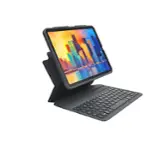
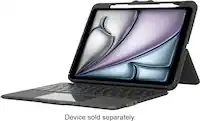
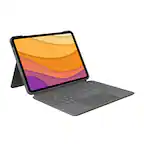
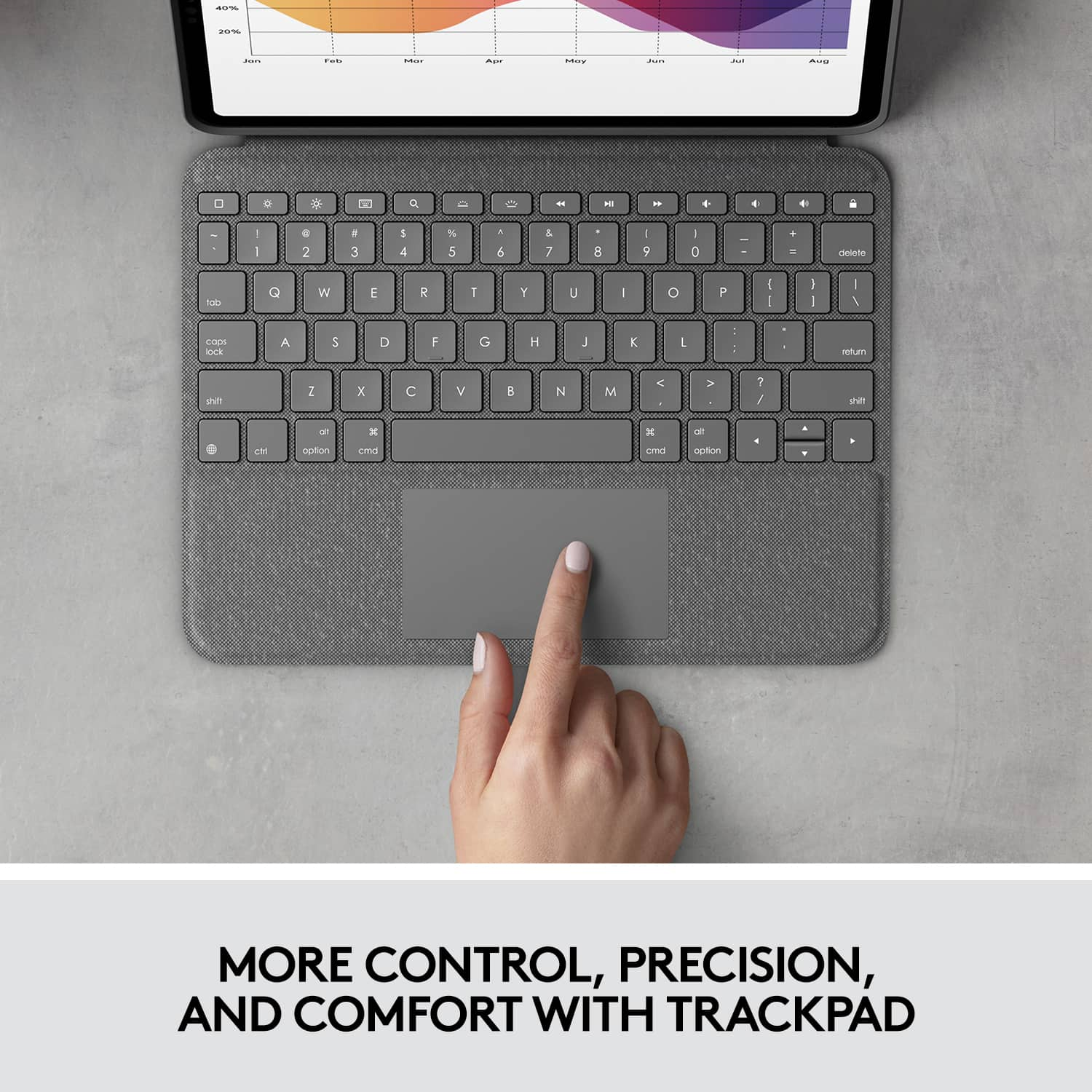
Customers find value in the Folio Touch Keyboard Case, particularly praising the comfortable keyboard, ease of use, and adequate protection it offers. The design, secure fit, reliable stand, and good battery life also contribute to its appeal. However, some customers have noted that the added weight can be a concern, while others feel it is not bulky.
This summary was generated by AI based on customer reviews.
iPad 4
||Posted . Owned for 1 month when reviewed.This reviewer received promo considerations or sweepstakes entry for writing a review.Purchased an iPad 4 and protected case. I m in love with it.
I would recommend this to a friendBrand response from Logitech
Posted .Hi iPad4!
I am glad to know that you like the Folio Touch Keyboard. Logitech appreciates your input.
- Leo from Logitech
Loving the iPad now
||Posted . Owned for less than 1 week when reviewed.This reviewer received promo considerations or sweepstakes entry for writing a review.iPad has now replaced my laptop. This product gives me the versatility that I was looking for. Very nice product
I would recommend this to a friend- Pros mentioned:Ease of use
Computer
||Posted . Owned for 2 weeks when reviewed.This reviewer received promo considerations or sweepstakes entry for writing a review.Awesome product to purchase for business and insurance.
I would recommend this to a friend Foliotouch Defective design.
||Posted . Owned for 1 year when reviewed.This reviewer received promo considerations or sweepstakes entry for writing a review.Purchased this and use it daily. There is a flaw in the design as the metal connector from the keyboard to the back of the connector on the ipad fails over time. Opening and closing the lid slowly bends the connectors and eventually stops working. Check Redditt, there are tons of comments. Warranty is only for one year, Logitech will not replace. Buy a different one without a metallic wire connect that is sure to fail.
No, I would not recommend this to a friendBrand response from Logitech
Posted .We appreciate you sharing your feedback on the Logitech Folio Touch Keyboard Folio for iPad Air. We understand your concern regarding the durability of the connector and acknowledge that this is a known issue reported by some users. We apologize for any inconvenience this may have caused. We are always working to improve our products and appreciate you bringing this to our attention.

- Pros mentioned:Fit, Keyboard quality, Protection

Converts Ipad Air to a Laptop
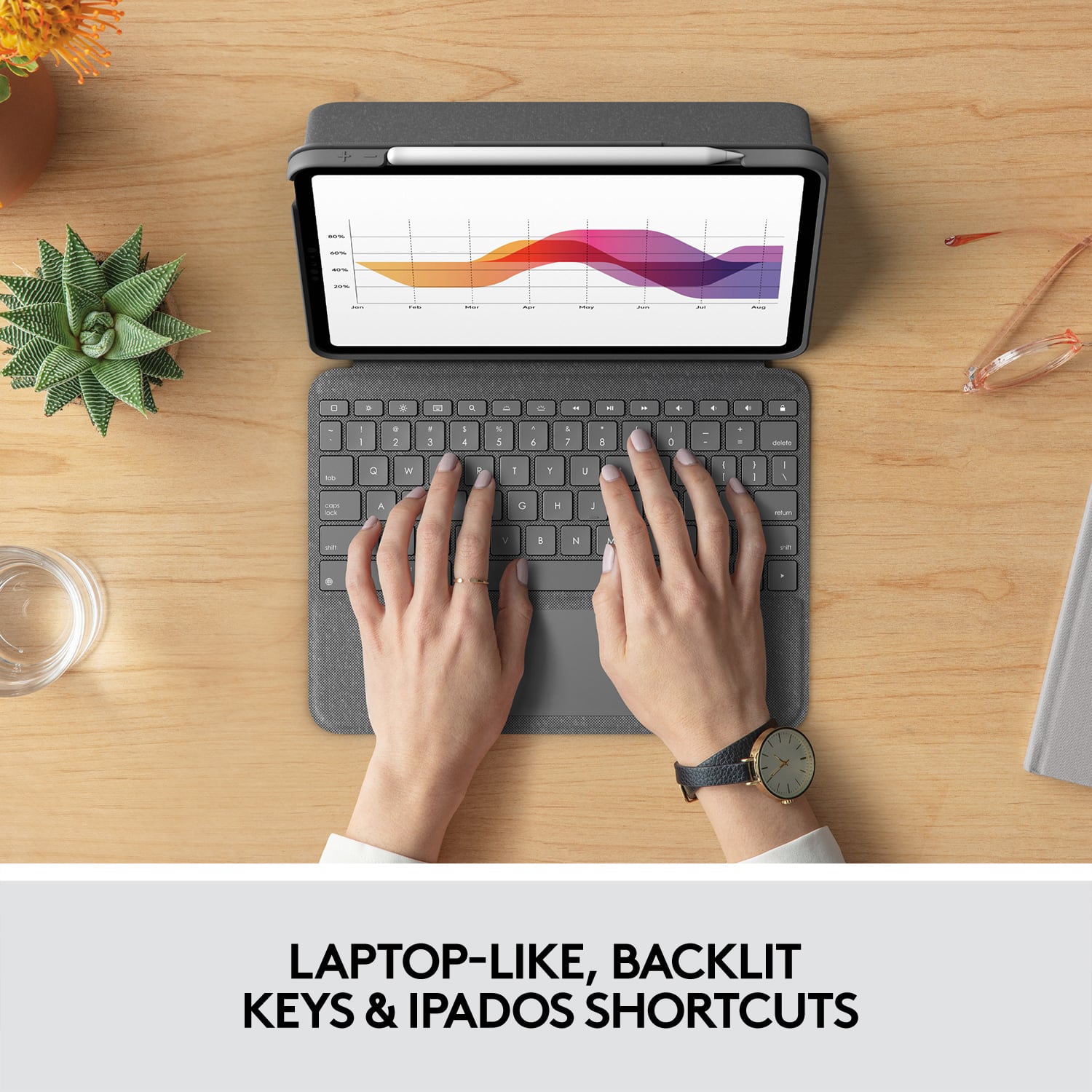
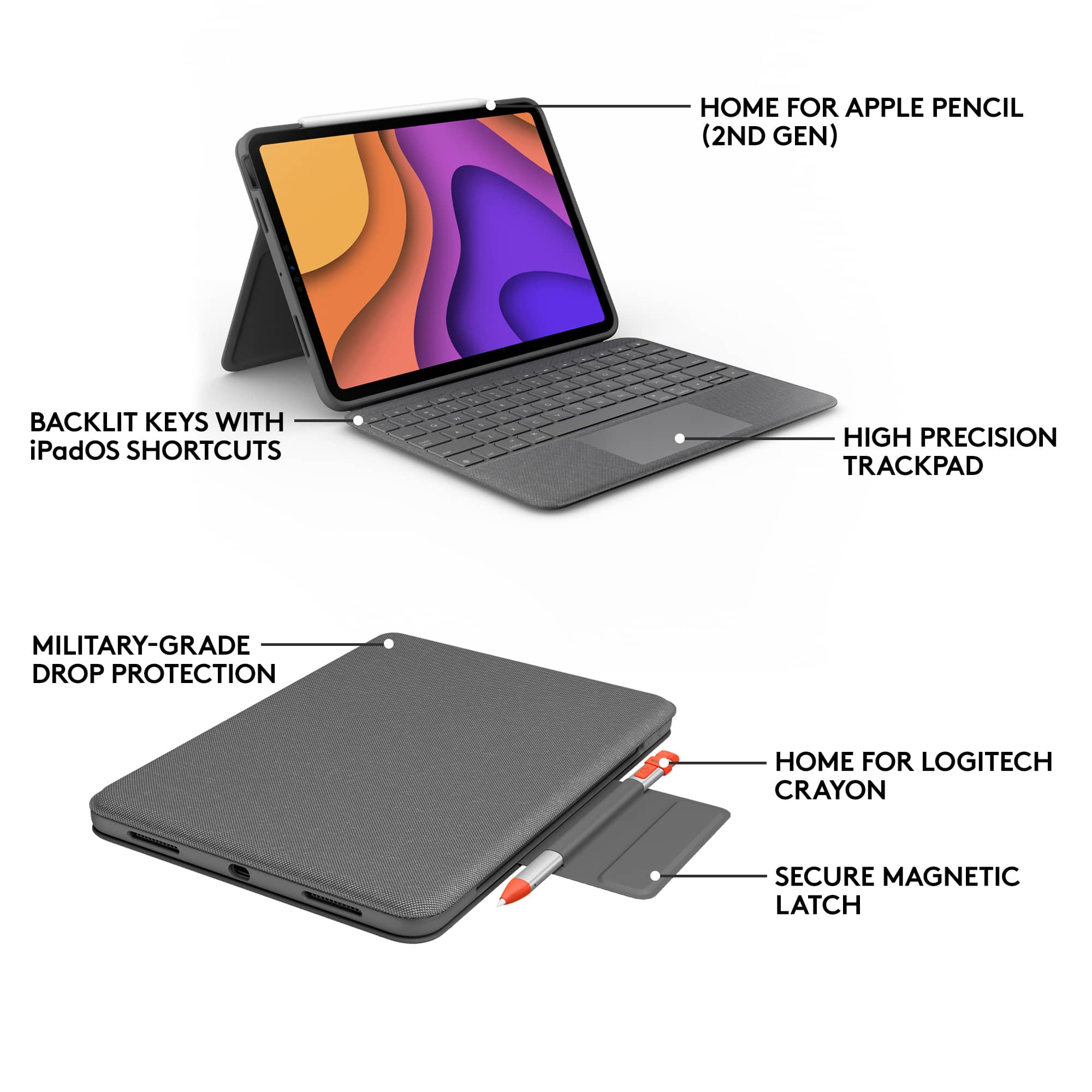
|Posted .This reviewer received promo considerations or sweepstakes entry for writing a review.SUMMARY ————— Logitech makes durable products and this case is no different. They fit perfectly and snugly, The case is very well made and it also has a track pad. My prior Ipad case did not have one. This case is for the ipad air 4th Generation and it almost converts the iPad air into a mini laptop. with a beautiful backlit keyboard the case never requires charging as the rechargeable batteries are built in the case and the case draws power and charges it directly from the ipad air. I dont think the case is bulky and it can help you replace your laptop, i recommend this product. DETAILS ———— What’s in the box ————————— 1. Logitech Folio Touch Keyboard Case for iPad Air 10.9" (4th Generation 2020) 2. Owners Manual Pros —— Excellent backlit keyboard and mouse in one. Protects your iPad Air (gen 4) Replaces your laptop (when using with the Ipad) Durable Adaptive Backlit Keyboard Also holds your Pencil Cons —— None yet. Design & setup ———————— Setup is easy and straight forward, take the case off the box. The Ipad Air 4th Gen will snap right in and you are all set. You can start using the ipad right away. This uses bluetooth connection and connects to the ipad air instantly. Usage ——— This thing actually converts your ipad air into a laptop, The backlit on the keyboard is beautiful and adaptive. The keyboard has a good Ipad macbook type of feel to it and it is very silent. The keys are well laid out and i dont think i miss anything out of my Macbook air here… I also had a prior version of the Ipad keyboard case wherein there was no trackpad. Adding this track pad was a good one. The trackpad is very precise and useful. The trackpad also supports swipe , pinch and scroll unlike a regular trackpad. The keyboard also has a well laid out iPadOs shortcut keys. Like the prior version of the ipad case, it also has a pocket to hold 2nd generation apple or logitech pencil. I found the case to be durable and can withstand a few falls and the ipad air wont pop out, I can say this by experience. Overall no one makes a great fitting keyboard case for Ipad air like Logitech and for the price you should avoid all imitation products from other retailers and buy this authentic logitech ipad case. You wont be disappointed.
I would recommend this to a friendBrand response from Logitech
Posted .Hello, I am so glad to hear you love the folio as much as we do! Thank you for this awesome and informative review. We really appreciate it! Just to let you know as well, this folio does come with a 1 year warranty through Logitech should anything happen to it down the road. Have a great day!
IPad Air 5th Gen
||Posted . Owned for 2 weeks when reviewed.This reviewer received promo considerations or sweepstakes entry for writing a review.This tablet does it all. Have not had any problems with it. I decided to go with the product over the pro because I felt the pro was more for work purposes.
I would recommend this to a friend- Pros mentioned:Keyboard qualityCons mentioned:Weight
Great typing cover, wished keyboard detached
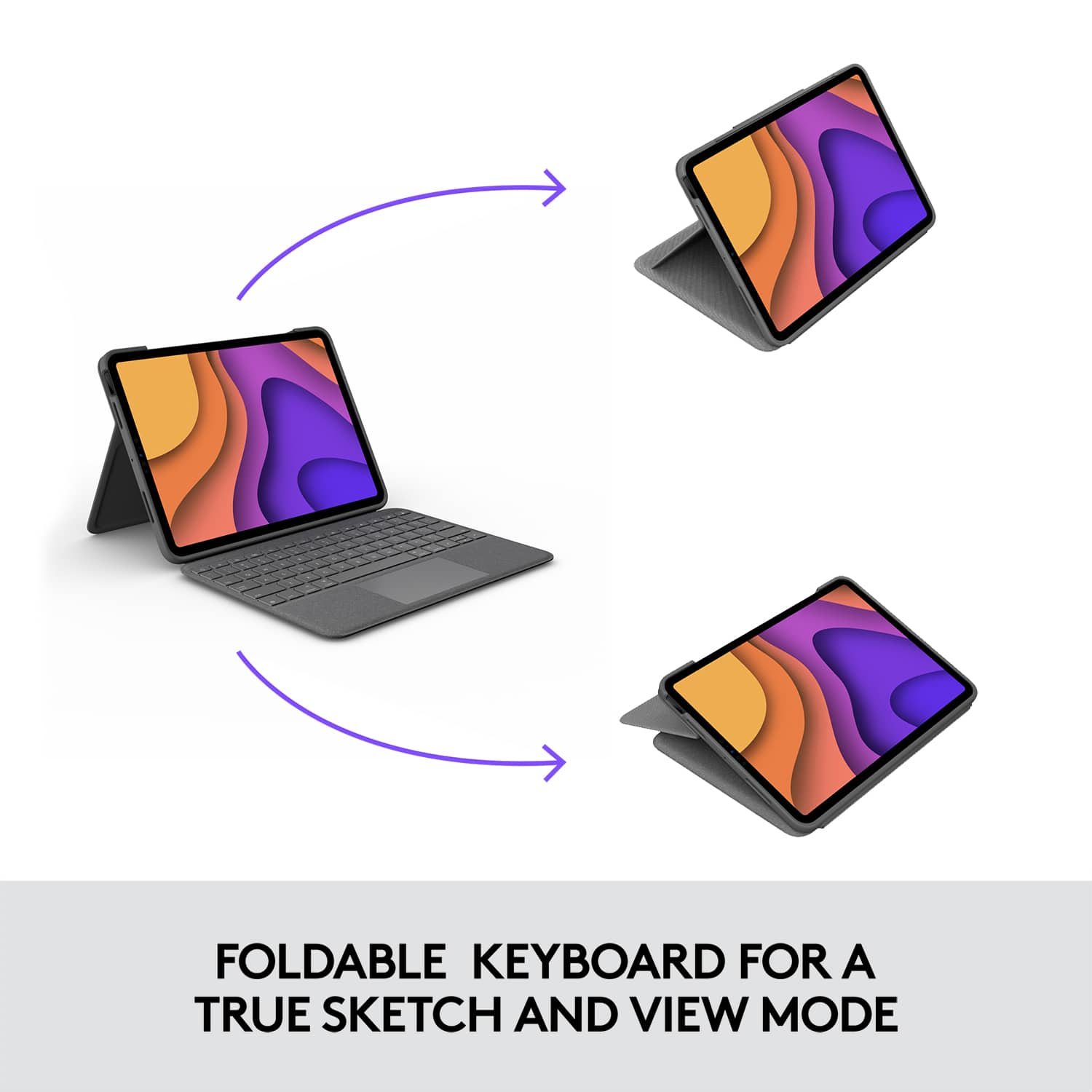
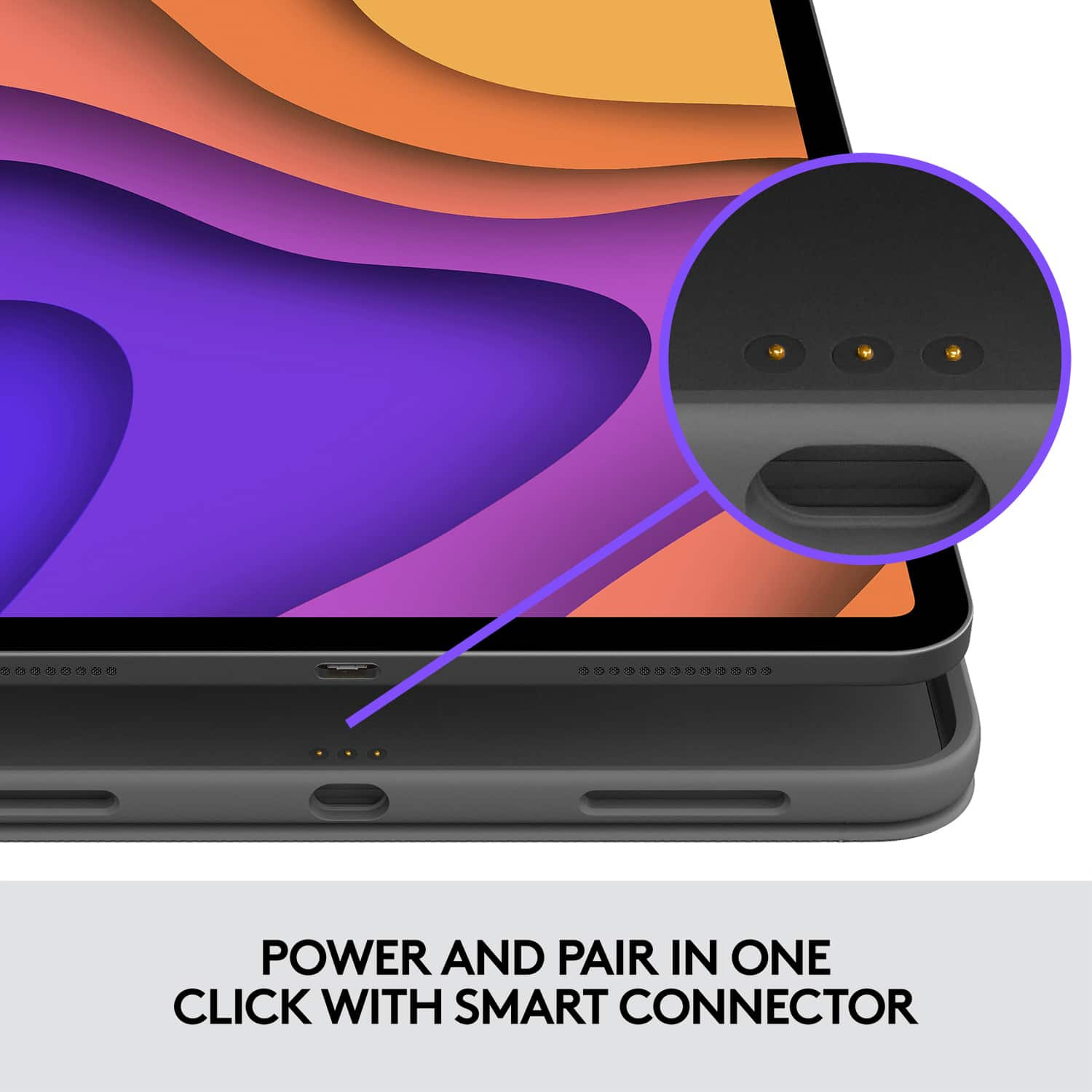
|Posted .This reviewer received promo considerations or sweepstakes entry for writing a review.Logitech normally creates great keyboard folio covers for the iPad line. I enjoy the keyboard folio for the 3rd generation iPad Air and was looking forward to the new 4th generation. I was disappointed with the new 4th generation folio keyboard cover. Although nearly identical in all on aspects, the iPad Air 4 has a big drawbacks. Pros: -Sleek design. It is very similar to the 3rd generation iPad Air. It’s slim enough, nice gray fabric which gives the minimalistic appearance. The kickstand, very surface-look, is a nice touch. -Easy Connection. Once you have the iPad installed, the keyboard is already able to be connected as the connector pogos are in the bottom back of the iPad and automatically connects. -Apple Pencil Slot. The magnetic flap that holds the cover closed has a slot for the Apple Pencil if you don’t want to charge it. If you choose to attach it to the iPad Air’s side for charging, the flap will hold it in place. -Keyboard/Trackpad: the trackpad is very responsive, and the keyboard travel is great. It’s also backlit so you can type at night with low light. Cons -undetachable keyboard cover. This is my main problem with this folio cover because unlike the previous model, the keyboard does not detach. When using it in reader mode, it adds so much weight that it can be uncomfortable. It works if you wanted to flip it over in Sketch mode, but isn’t that what the Kickstand is for? Overall, this could’ve been better. It looks nice, good trackpad and keyboard responsive, but the cover should’ve been able to detach.
I would recommend this to a friendBrand response from Logitech
Posted .Hello APFLORES413! We're happy to hear that, overall, you're enjoying the the Folio Touch keyboard! I will definitely be noting the detaching feature! Feel free to reach out to our support team here https://support.logi.com/hc/en-us/requests/new?ticket_form_id=360000621393 if you ever need any assistance. Thank you for the feedback and for shopping Logitech! - Maggie from Logitech
iPad case
||Posted . Owned for 3 months when reviewed.This reviewer received promo considerations or sweepstakes entry for writing a review.Don’t buy this is not durable. Key fell off within first month of using. Have not heard back from Logitech about a replacement. Stick with apple products.
No, I would not recommend this to a friendBrand response from Logitech
Posted .Hello Catherine, Very sorry to hear about the problems you're having with the Folio Touch Keyboard Case. It sounds like you went through the process of getting a replacement and are just waiting to hear back. You're usually contacted via email so you might want to check your junk email folder. You can also call Product Support by either dialing (Local) +1 646-454-3200 or (Toll Free) +1 866-632-5644 Monday-Friday 9:00 am - 9:00 pm Eastern Time. Hope that you found this helpful and that all is going better. Thank you for being a Logitech customer. - Richard from Logitech
- Pros mentioned:Keyboard quality, Price, Protection
Folio or Magic? Probably folio for 90% of people
||Posted . Owned for 1 month when reviewed.This reviewer received promo considerations or sweepstakes entry for writing a review.I have both this folio case, as well as the magic case and I gotta say, this is a much better experience for most uses. If you are likely to keep your iPad stationary on a desk, then maybe the magic case is more your style. The charging pass through makes for a very clean look while at a desk.However, the folio case is much better designed for use on the go. The full function keys on this product also super convenient. Pros of folio -Price -Full function row -Full case protection at all times Cons of folio -More difficult to type on your lap than the magic due to the tripod hinge mechanism -no led backlit keys (saves battery though…could be a pro) -not “appple” Pros of magic keyboard case -fantastic hinge. Super sturdy design -usb c pass through us super handy. Makes for a clean look while charging on a desk -better keypresses IMO. More so like the traditional apple keyboards if you like that feel. Cons -way more expensive -weight balance can be weird at some angles. It will fall backwards on my lap if it’s a steep angle -cannot use case in folio mode…gotta take the case off if you want to use it like a tablet. -no function keys. Gotta go through settings to change keyboard brightness -led backlit keyboard drains the battery at peak brightness So, if you love apple and all things apple, are going to be using your iPad at a desk, and are okay with going “unprotected” while using it as a tablet, and have a few extra bucks for the branding, then the magic case may be good for you. For everyone else though, this is a fantastic case that will you will not he disappointed with.
I would recommend this to a friend - Pros mentioned:Ease of use, ProtectionCons mentioned:Weight
Review
||Posted . Owned for more than 2 years when reviewed.This reviewer received promo considerations or sweepstakes entry for writing a review.This item is so durable and so easy to use. It’s always connected. No charging needed. I’ve had it for like 2 years. Use it everyday and oh my it’s amazing. I don’t like the heaviness of it completely but it makes it more durable. I like that it completely protects it unlike the apple one.
I would recommend this to a friendBrand response from Logitech
Posted .Hello there! Thanks for the detailed review of the Logitech Folio Touch Keyboard Case for iPad Air! It's great to hear you've been using it daily for 2 years and find it durable, easy to use, and offers great protection for your iPad. While we understand the weight might be a downside for some users, it's valuable feedback for future design considerations!
- Pros mentioned:Keyboard quality
Watch which case you purchase for 2020 Air
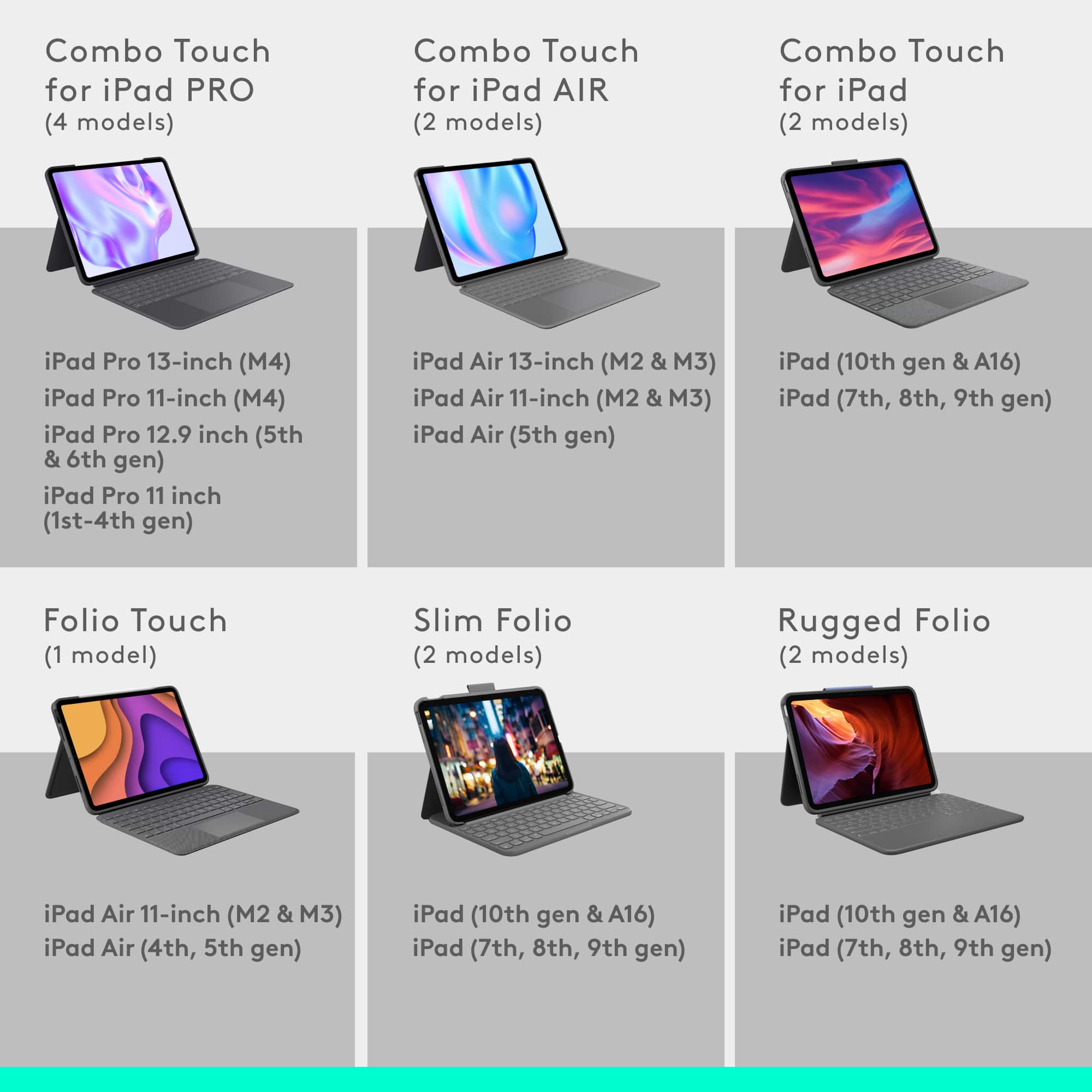
Posted .This reviewer received promo considerations or sweepstakes entry for writing a review.Be very careful if you have a new IPad Air 4 (2020) to purchase the right model of the Folio Touch. The 1st and 2nd generation case fits but you cannot access the Touch ID. I got mine at Best Buy and it had a sticker placed over the words IPad 1st and 2nd generation on the box with the words IPad Air 4th generation! It will not work as there is not a cutout for the Touch ID! So this one is going back and Best Buy needs to pay attention to things like this. It is an excellent case even adding weight to the IPad and all options work very well on it! Be sure to look for model number ending 009952 for the proper case. Maybe this will save someone else from not making the same mistake.
I would recommend this to a friendBrand response from Logitech
Posted .Hello, I am so sorry you got paired with the wrong case. If you head to the Logitech site, we have a spot where you can type in the model of your iPad and it will pull the right cases for you. Here is the link: https://www.logitech.com/en-us/ipad-keyboards. I hope this helps! Thank you for taking the time to write this review, we appreciate the feedback.
- Pros mentioned:Keyboard quality
Folio keyboard is powered from the iPad Air
|Posted .This reviewer received promo considerations or sweepstakes entry for writing a review.Never need to change the batteries. The three (3) little gold pads on the back of the iPad powers the folio keyboard and touch pad. Provides soft glow when working in dark rooms. The keys provide great tactile feedback; are easy to type on and feel natural. All the standard IOS shortcuts you'd expect. The track pad worked equally well with mi iPad AIR 4. You must get the right version folio case for your version of iPad as their power connectors are in different places. Logitech did a good job working with apple on having this on the market the same time if not sooner than the AIr 4's launch. Holds the iPencil in the slit on the top clasp which has a magnetic catch. Open on the top for the Air's finger print button on the top left, camera on the back and all needed openings, even the magnetic i pencil 2 charging location.
I would recommend this to a friend - Pros mentioned:Keyboard quality, Price, ProtectionCons mentioned:Weight
Great keyboard with some drawbacks.
||Posted . Owned for less than 1 week when reviewed.This reviewer received promo considerations or sweepstakes entry for writing a review.I’ll start off by saying I really enjoy using this keyboard... but there are some nitpicks. The Folio Touch for my new iPad Air offers great protection and is a (relatively) affordable option when compared to Apple’s Magic Keyboard. The build quality is great with the cloth-like feel that envelopes the case, though I am interested to see how easy to clean it is over time. Something that I hope Logitech brings in future iterations, is the option to detach the keyboard and go full tablet mode like they did with the Combo Touch. A major drawback of this case is the weight. This may not seem like a big deal if you are always at a table and typing, but if you would like to enjoy content in bed, the heaviness of the whole package can make holding the iPad very fatiguing. Another nitpick I noticed, was when using the case in tablet mode, the keys are in direct contact with whatever surface you are working on. Again, these are little concerns that I had to what is overall a pretty good case. If Logitech happens to release an iteration of this keyboard with detachable functionality, I would switch to that product. In the meantime, I will continue to test this case.
I would recommend this to a friendBrand response from Logitech
Posted .Hi Btv8, thank you for your feedback! Happy to hear that you are getting the most out of your keyboard case. - Will, Logitech.
Fantastic iPad keyboard, if a bit bulky.
|Posted .This reviewer received promo considerations or sweepstakes entry for writing a review.I really wanted to give the Logitech Folio Touch Keyboard Case five stars, but there are just too many little issues to ignore. That said, it’s not a bad case. It’s just not quite perfect. Starting with the good: The case is nicely sturdy and very well-made. The fabric exterior has a premium quality and the keyboard itself and the touchpad both have a nice tactile feel. The keys are well positioned. The function row is useful and the multi-touch gestures on the trackpad are familiar. The whole setup is extremely responsive. It’s practically required that I mention that I’m writing this review with the keyboard sitting on a desk and not having any issues with the feel of the keys, the functionality of the trackpad or the ability to nearly infinitely adjust the angle of the iPad itself. I also happen to have a Logitech Crayon and I do like that there’s a slot that will accommodate my stylus. Most are designed only for the much pricier Apple Pencil. The iOS app is minimalistic and seems to only serve to keep you up to date on firmware updates for the case, so not much to say there other than it works, but doesn’t give you anything by way of other settings or options. I do like that you can go into iPad settings though and turn on tap to click. I do have a few minor issues, however. Individually, they aren’t deal-breakers but they do add up: First, the design of the rear folding support does allow you to adjust the angle of the iPad however you like, but with the keyboard folded out and the stand folded back, this is not a case that’s friendly to either lap or lap desk unless the iPad is at a very steep angle. The whole thing is just too deep from front to back. I’m able to sit it in my lap, but only if my legs are straight out in front of me and I’m 6ft tall. Even then, the whole thing feels a bit precariously perched. To be fair, I haven’t encountered an iPad keyboard case of any kind at any price that sits comfortably in my lap, though so this is more of a pipe dream so far. Second, the case is bulky. By itself, it’s measurably heavier than the iPad it wraps around so you’ll be more than doubling the weight of your entire setup to strap this case on. Flipping the keyboard back and using the iPad in tablet mode with the case on is definitely a workout to lift. All that said, it’s a tank so if you’re rough on your electronics, this case at least feels like it would make it hard to break your iPad. Next, the cutout for the USB-C port is on the small side. Some of my accessories with larger connectors can get hung up so pair your accessories carefully if they have USB-C connector casings that are on the bulkier side. Finally, the trackpad only clicks on the bottom half. I’m a “tap to click” type of person, but for folks who like to push to click, you may find yourself at the top of the trackpad and have no way to select without moving your finger. In summary, this case is a gem for sitting your iPad on a desk and happily typing away for much less than the cost of the similarly functional Apple alternative. However, if you plan to use it on a lap or lap desk, make sure you’re planning to stretch your legs out in front of you because you’ll need your shins to support the entire length.
I would recommend this to a friendBrand response from Logitech
Posted .Hi Kris1973, thank you for your feedback! For support, check out: https://support.logi.com/hc/en-us/articles/360052494333 - Will, Logitech.
- Pros mentioned:Keyboard quality, Price, Protection
Best Overall Option
||Posted .This reviewer received promo considerations or sweepstakes entry for writing a review.I knew right away I wanted a keyboard that used the Smart Connector on the iPad Air, so it was either this, or one of Apple's keyboards. But I went with this cause it provides more protection than Apple's keyboard folios, and at a lower price, too. The material around the case is very nice, and the bumper around the iPad is really reassuring. So I feel very comfortable taking my iPad out of the house, even if the case makes the iPad thicker and heavier. As for the keyboard itself, it's really good. I like how fast it is to type on, the dedicated function keys are a welcome inclusion, and the addition of an adjustable backlight is a nice touch. Speaking of touch, the trackpad is alright, though I've had some software bugs where the cursor just wouldn't move, or not read gesture inputs correctly. But taking the iPad out of the case and putting it back in solves that issue. The kickstand is also a very nice inclusion, as I use my iPad to watch videos all the time, and I like how adjustable it is, too. This case is a bit pricey, but given how high quality the overall experience is (At a price lower than Apple's Smart Keyboard Folio), it's definitely worth it in my opinion.
I would recommend this to a friend - Pros mentioned:Ease of use, Keyboard quality, Price
Exceptional Keyboard Case
||Posted . Owned for 2 months when reviewed.This reviewer received promo considerations or sweepstakes entry for writing a review.This keyboard case is lightweight, easy to use, the touchpad feels great, it closes securely, and protects my device very well. I highly recommend this case...it's much less expensive than a competing brand and I could not be more pleased with the performance. Highly recommend!
I would recommend this to a friend - Pros mentioned:Ease of use, Keyboard quality, ProtectionCons mentioned:Weight
Good not great
||Posted . Owned for 1 month when reviewed.This reviewer received promo considerations or sweepstakes entry for writing a review.Works well..... but - heavy and adds lots of weight to the iPad - keyboard can’t be separated from the body of the case - clumsy when folded back to use the iPad as an in hands tablet It does protect the iPad and when used on a desk does make typing easy but very clumsy to use on your lap for typing.
No, I would not recommend this to a friend - Pros mentioned:Price, ProtectionCons mentioned:Weight
Good value iPad keyboard
||Posted . Owned for 3 weeks when reviewed.This reviewer received promo considerations or sweepstakes entry for writing a review.Pros: 1. Pretty nice keyboard feel. 2. Good protection for the tablet and pencil. 3. A lot of different positions allowed. Once you put it in you don’t need to take it out. 4. Very cheap compared to the Magic Keyboard. Cons: 1. Weight. It’s pretty heavy, and I think the case weighs more than the iPad itself. 2. Trackpad is mediocre. It works most of the time, but drag-and-drop doesn’t work very well since the top of the trackpad can’t be pressed, and two/three-finger gestures don’t feel as polished as on MacBooks. On a side note, the Logitech Control app does allow you to update the firmware. You’ll need to touch some specific points in the app to unlock this functionality, and the instructions are on the support page for this product on the Logitech website.
I would recommend this to a friend - Pros mentioned:Keyboard quality, ProtectionCons mentioned:Weight
Superb case for your iPad Air 4
||Posted . Owned for less than 1 week when reviewed.This reviewer received promo considerations or sweepstakes entry for writing a review.I agonized over this for two weeks. My old iPad Pro had the Logitech case with detachable keyboard, and I loved this. Power came from the iPad, so no bluetooth and no need to separately charge it. Without the keyboard attached, the case had a multi-angle prop, and this setup was perfect. Unfortunately, Logitech no longer makes this model. Since everything is model-specific now, I must have looked at hundreds of different cases. The Folio case was a bit more expensive than some, but you do get what you pay for. The only drawback is that the keyboard doesn't detach, but since it folds up and out of the way, it really doesn't matter. It's a bit on the heavy side, but it's very well made and protects your investment. The trackpad is really good and totally adjustable, as you would expect. I would definitely recommend this.
I would recommend this to a friend - Pros mentioned:Ease of use, Keyboard quality
great product - recommend
||Posted . Owned for 1 week when reviewed.This reviewer received promo considerations or sweepstakes entry for writing a review.Just what we needed for the iPad. So much easier to type now. Keyboard works really well; great value. Don’t need to charge it. The flexible stand allows you to adjust the angle to meet your needs
I would recommend this to a friendBrand response from Logitech
Posted .We're thrilled to hear that the Logitech Folio Touch is making your iPad experience so much more enjoyable.