Customer Ratings & Reviews

- Model:
- 920-009388
- SKU:
- 12507579
Rating by feature
- Value
Rating 4.5 out of 5 stars
- Quality
Rating 4.7 out of 5 stars
- Ease of Use
Rating 4.8 out of 5 stars
Worth
||Posted . Owned for 1 week when reviewed.This reviewer received promo considerations or sweepstakes entry for writing a review.Very durable and the keys sound like heaven. Its got some weight, the keys don’t take much to press down.
I would recommend this to a friendGood keyboard if you don't mind the clunkiness
||Posted . Owned for 5 months when reviewed.This reviewer received promo considerations or sweepstakes entry for writing a review.Comfortable to use and has excellent color customization, but having two USB cables (one for the keyboard to work and the other for the RGB) is a bit clunky, so wouldn't recommend for clean/minimalist desks.
I would recommend this to a friendworks good
||Posted . Owned for 1 month when reviewed.This reviewer received promo considerations or sweepstakes entry for writing a review.works really good, sounds really good and customizability with lights are good. only bad thing is black on keys are already wearing off and light is shining through, only use keyboard for maybe an hour a day 5 days a week
I would recommend this to a friendBrand response from Logitech
Posted .Hi Leopold, we're glad to see you're enjoying the customizable options of your G Pro Mechanical Gaming keyboard! If the keys are starting to wear off, you should be able to get those replaced under the included warranty. You can file a claim here: https://support.logi.com/hc/en-us/articles/360059520333-Warranty-PRO-Keyboard. Hope that helps.
Mr
||Posted . Owned for 1 week when reviewed.This reviewer received promo considerations or sweepstakes entry for writing a review.No hassle great use Great brand name easy to use love it
I would recommend this to a friendFieles Nice and sous good
||Posted . Owned for 1 week when reviewed.This reviewer received promo considerations or sweepstakes entry for writing a review.Feels good. Switches sound nice. Very good product.
I would recommend this to a friendIts ok
||Posted . Owned for 1 week when reviewed.This reviewer received promo considerations or sweepstakes entry for writing a review.The keyboard is really good, i really enjoy hearing the keys click
I would recommend this to a friendBest ever
||Posted . Owned for 3 weeks when reviewed.This reviewer received promo considerations or sweepstakes entry for writing a review.One of the best keyboards I have purchased. Very nice. The volume scroll is very handy as well.
I would recommend this to a friend
Audible Clicks, Real Satisfaction, Raw Gaming.
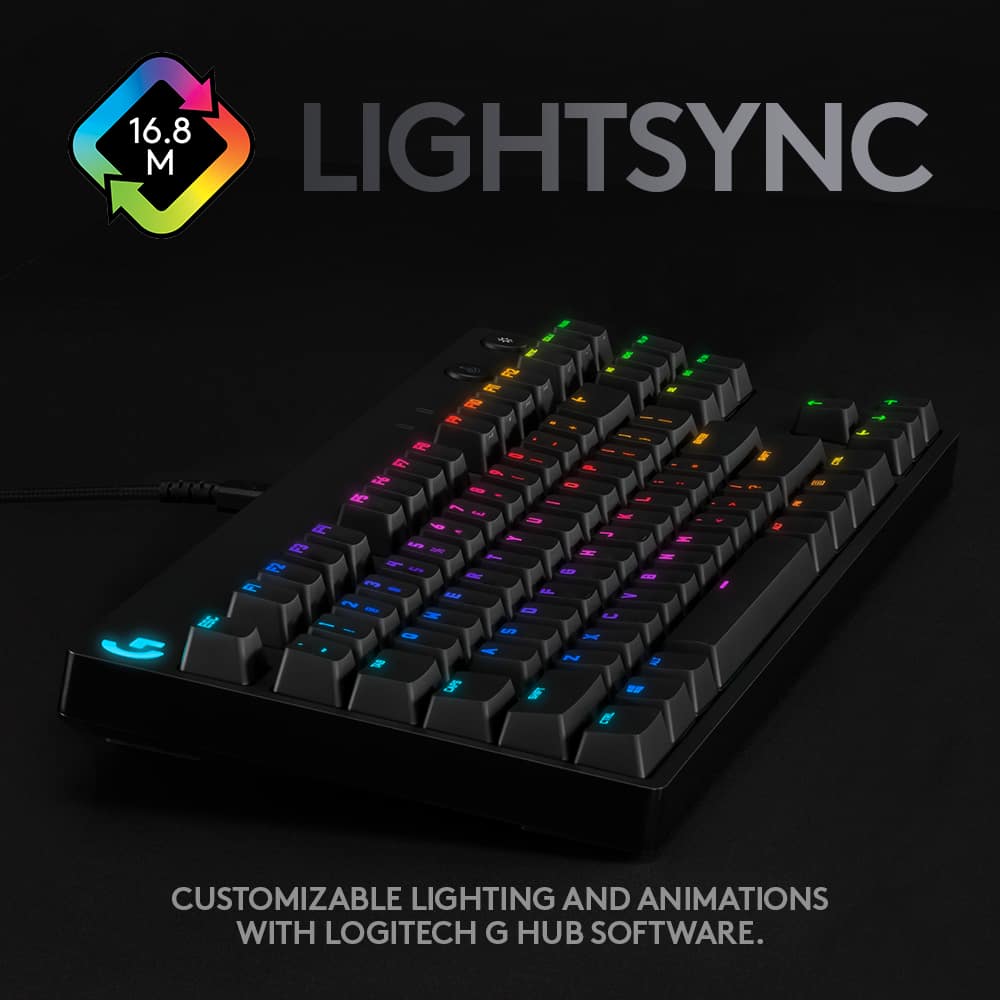
|Posted .This reviewer received promo considerations or sweepstakes entry for writing a review.Its everything you hoped it would be. GX Blue from Logitech is one of the greatest keyboards I've ever used in my life of gaming. I was a user of Razer's Keyboard products before this but no longer after using this well-constructed beautifully made keyboard. I am using this mechanical board to type this review out. I honestly haven't had a great feeling typing on a keyboard like this since the 90s when I use to play Duke Nukem 3D. In my mind, there always been a trade-off with keyboards where you either had to pick beautiful RGB lights on a bad membrane keyboard or a very ugly keyboard with awesome mechanical keys. Well, here you don't have to make that choice and in the world of PC gaming, it took us a while to get here. This G PRO GX gives you all of it in one and I couldn't be happier. I guess I'll start by saying that this keyboard is crafted and constructed to precision, Everything from the weight of this board feels perfect. While placed on a desk, there is no way this keyboard is going to be moving out of its position. The rubber grips on the feet keep this thing stable fully on the desk. The soft-touch keys feel great to the fingertips; It's clicky and loud but its perfect amount of feedback with each key. it's hard to say but its something about using it when gaming on Overwatch that gives you a satisfying feeling. Tactile feedback gives off a nice audible click. It's a good compact design that allows you to take the keyboard with you to a LAN party or tournaments so you can throw this in a bag and go quickly. PRO Keyboard from Logitech doesn't take up much footprint at all so you have the space you need for gaming. The Numpad is cut from the keyboard to allow for closer mouse movements and I had no issues when using Logitech's G903 mouse next to the keyboard. There is a detachable USB cord that connects the keyboard to the PC and for the most part, it's strong and braided so no snatching it out by mistake. Again the well-constructed design is here insuring if you are gaming a little wildly nothing will damage if the keyboard falls. Lightsync RGB colors are beautiful hands down and even better if you use the included GHUB software. They are bright and the first thing you will notice when using this keyboard is the big colorful "G". There are so many custom lighting designs you can make with the keyboard that I can't possibly keep up and that's on top of the animations that the keyboard has. I do like that it does "lightsync" with the G903. Also within the software, you can program the F-Keys to create macros until your heart content. All of the features are there for you to play around with. There are two buttons on the keyboard at the top. One controls "Game Mode" which disables some Windows keys and an "RGB LED" Button which allows you to turn the LED lights on and off. Sucks because I think they could have added a way to set the brightness from the button at 3 levels but it doesn't harm the keyboard review. Overall to me, this is the perfect wireless USB keyboard for gaming. ALL the features are there in a modern keyboard but the fact that Logitech took steps to add even more features into this thing is insane. Loving the satisfying clicks of this GX blue. I mean there is nowhere left to go with a keyboard like this. They already made a model with the Numpad included and in my opinion, the only way to make a keyboard like this any better is to make a wireless version with a good battery life. For gamers, this is an easy 5/5 star product.
I would recommend this to a friendDisappointing and not durable.
||Posted . Owned for 6 months when reviewed.This reviewer received promo considerations or sweepstakes entry for writing a review.I bought this back in April and i feel I’ve had enough game time to give this an accurate review. Overall the keyboard works well. However, the durability of the keys is subpar. By June the black coating was starting to fade off of the WASD keys. Now the spacebar and Alt keys are fading too. It’s massively disappointing. I work full time and only use this at most 10 hours per week.
No, I would not recommend this to a friendBrand response from Logitech
Posted .Hello JoeWestminster, Very sorry to hear about your disappointment with the G Pro TKL Gaming Keyboard and with the keys being subpar. At Logitech, it is our goal to ensure you are completely satisfied with your Logitech purchase. We take pride in the products and services we offer, and want our customers to enjoy them just as much as we do. To that end, the G Pro TKL comes with a 2 year limited hardware warranty. Here's a link to File A Claim: https://support.logi.com/hc/en-us/articles/360059520333-Warranty-PRO-Keyboard. Hope that you found this useful and that all is going well. Thank you for being a Logitech customer. - Richard from Logitech
can’t remove switches without destroying the keybo
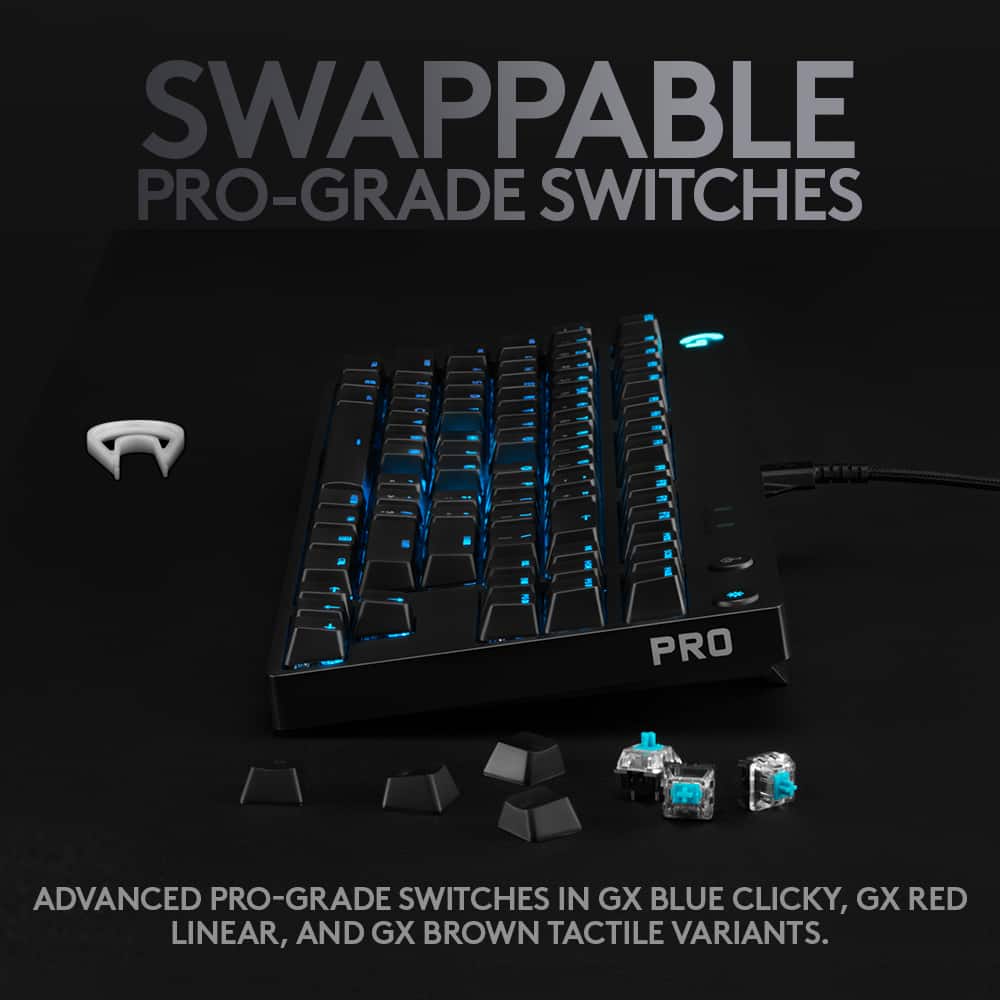
||Posted . Owned for 1 month when reviewed.This reviewer received promo considerations or sweepstakes entry for writing a review.I am so unbelievably disappointed with this purchase. It’s supposed to have swappable key switches but you can’t get them out without destroying the keyboard. I ordered a set of Cherry MX Browns from Logitech. I couldn’t pull the switches out with the provided switch puller so I bought a Glorious switch puller. Switches still wouldn’t come out. I wound up breaking the switch leads off into the main board of the keyboard so it’s unfixable. Waste of $200. Stay away… stay far away.
No, I would not recommend this to a friendBrand response from Logitech
Posted .Hello Luke, Very sorry to hear about the problems you're having swapping the key switches on the G Pro TKL Gaming Keyboard. I've found that the Spring Park Universal Mechanical Key/Keycap Switch Puller works very well with taking off the switches for the G Pro X. Here's what it looks like: https://www.ebay.com/itm/Universal-Mechanical-Keyboard-Key-Switch-Puller-Remover-Cap-Removal-Tool-Bland-/383764258669. Hope that you find this helpful and that all is going better. Thank you for being a Logitech customer. - Richard from Logitech
Logitech
||Posted . Owned for 3 weeks when reviewed.This reviewer received promo considerations or sweepstakes entry for writing a review.I love my new keyboard !! So smooth and it’s not in the way.
I would recommend this to a friendGreat price
||Posted . Owned for 1 week when reviewed.This reviewer received promo considerations or sweepstakes entry for writing a review.My daughter love the gift (key board )very cool lights
I would recommend this to a friendGreat!
||Posted . Owned for 2 weeks when reviewed.This reviewer received promo considerations or sweepstakes entry for writing a review.The Logitech G815 mechanical gaming keyboard is a stellar example of innovative gaming gear. It is a masterfully engineered piece of technology that caters to both hardcore gamers and general users alike, deserving of a 5-star rating. Its LIGHTSYNC RGB technology is captivating, creating an immersive environment that syncs with your gaming or entertainment content. The G HUB software allows users to fully personalize the lighting, from custom animations to individual key colors, choosing from a spectrum of ~16.8M colors. The low-profile mechanical switches are a treat for the fingers, offering the responsiveness and performance of traditional mechanical switches at half the height. However, as much as I appreciate the options of GL Tactile, GL Linear, and GL Clicky, I found myself longing for a tactile variant in black. The G815 is a marvel to look at and use, with a premium AL-MG build that's both slim and robust, thanks to the aircraft-grade aluminum alloy. The available colorways, white and black, cater to different aesthetic preferences, but the addition of tactile black keys would have taken the design to the next level. The programmable G-keys offer a high level of customization for game-specific macros and commands, simplifying the user experience. The dedicated media controls, including an edgeless volume wheel, further enhance usability, allowing for quick adjustments to media settings. An appreciated feature is the USB passthrough, which offers full-power throughput and data speed. This added convenience speaks volumes about Logitech's commitment to delivering a comprehensive user experience. Lastly, the G HUB software allows users to customise by game, connect to third-party apps like Discord, or share custom game profiles with the Logitech G community, enhancing the gaming experience overall. In conclusion, the Logitech G815 is a top-tier gaming keyboard, offering an array of features that place it in a class of its own. However, I do wish it came with tactile black keys, which would only enhance its allure. Nevertheless, it certainly earns a solid 5-star rating.
I would recommend this to a friendResponsive, colorful, and awesomely loud
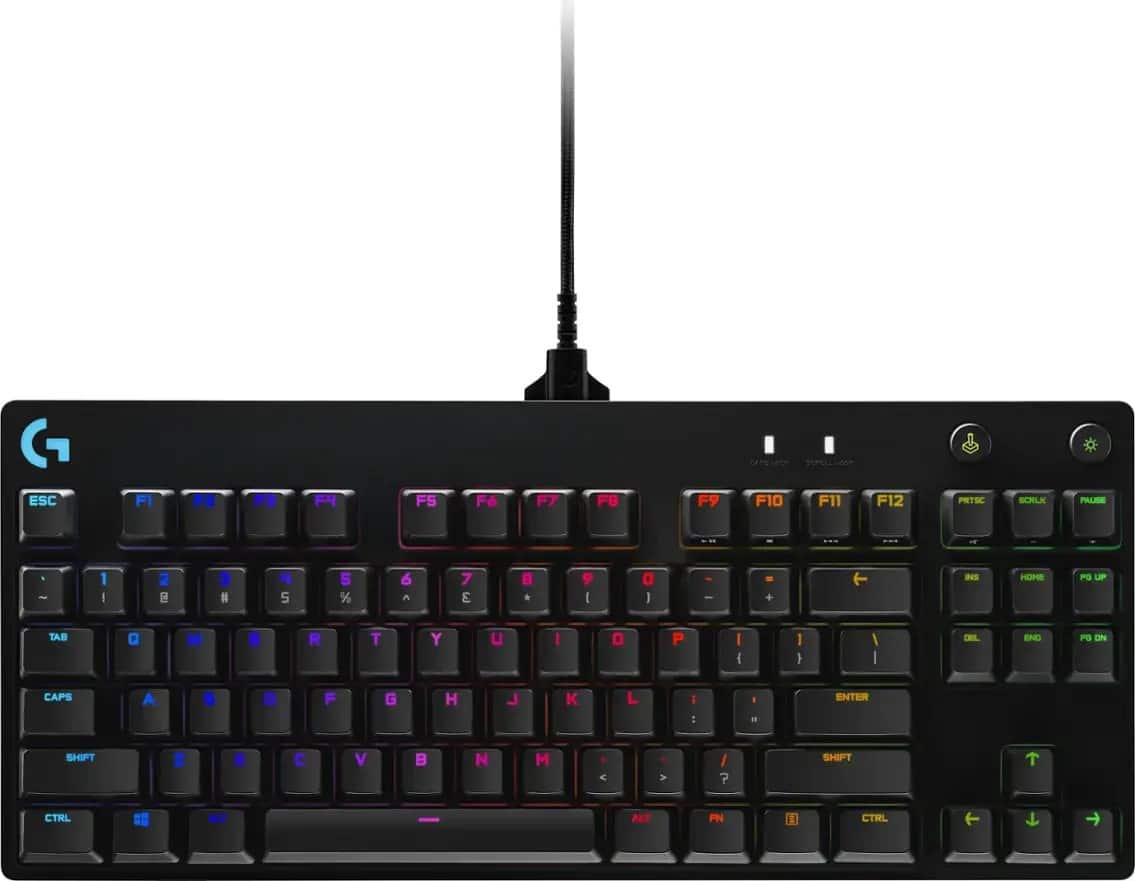
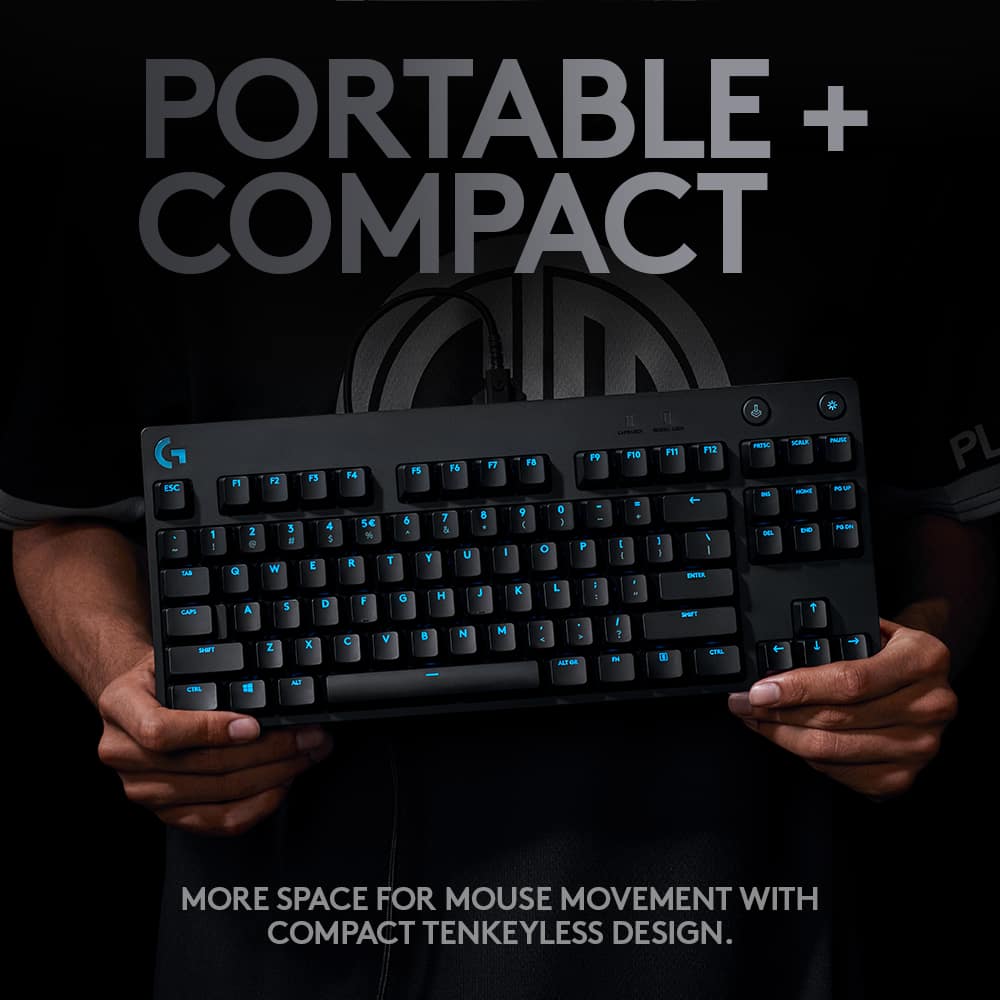
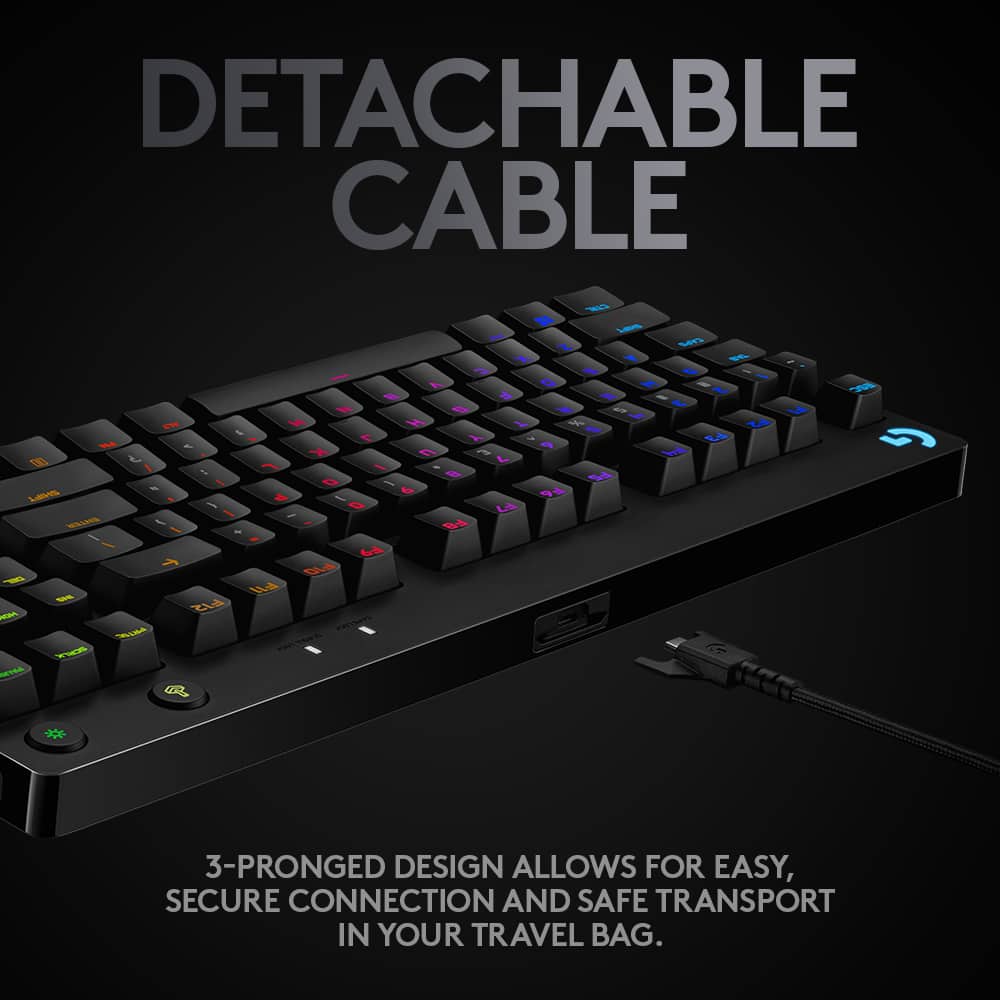
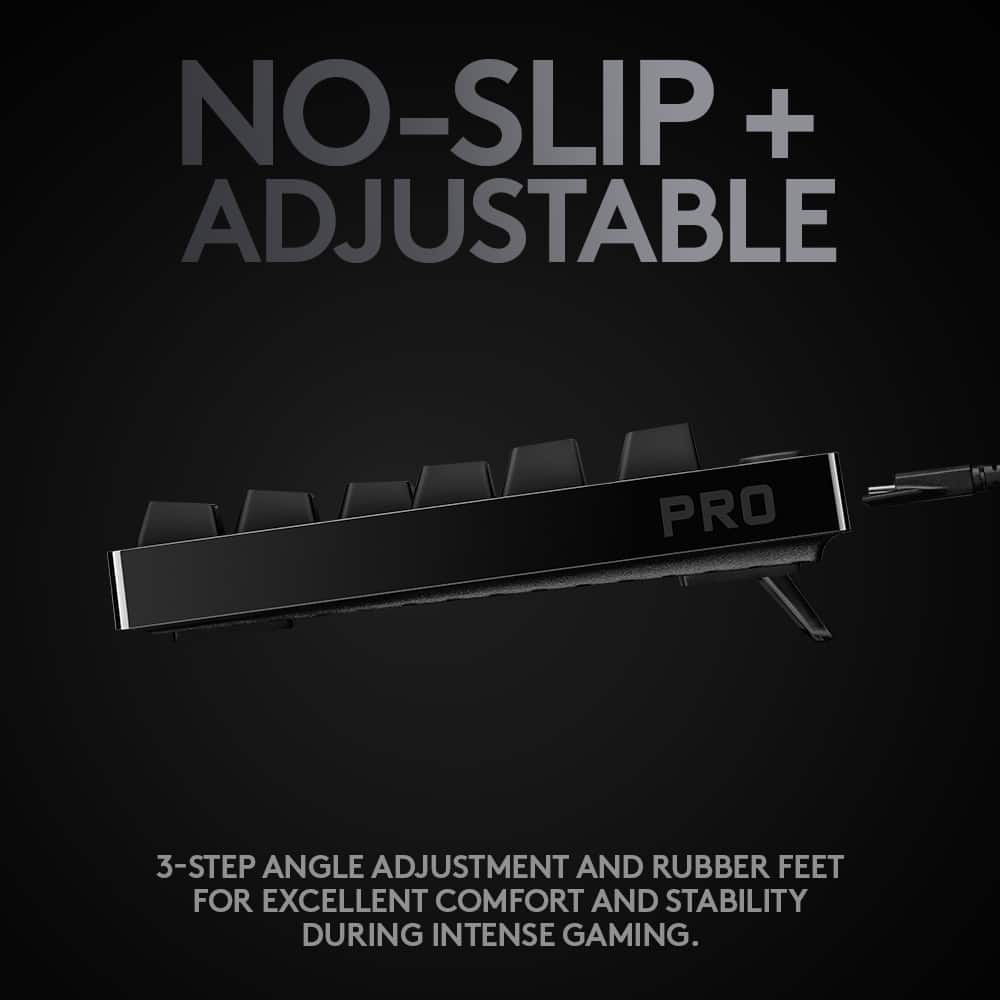
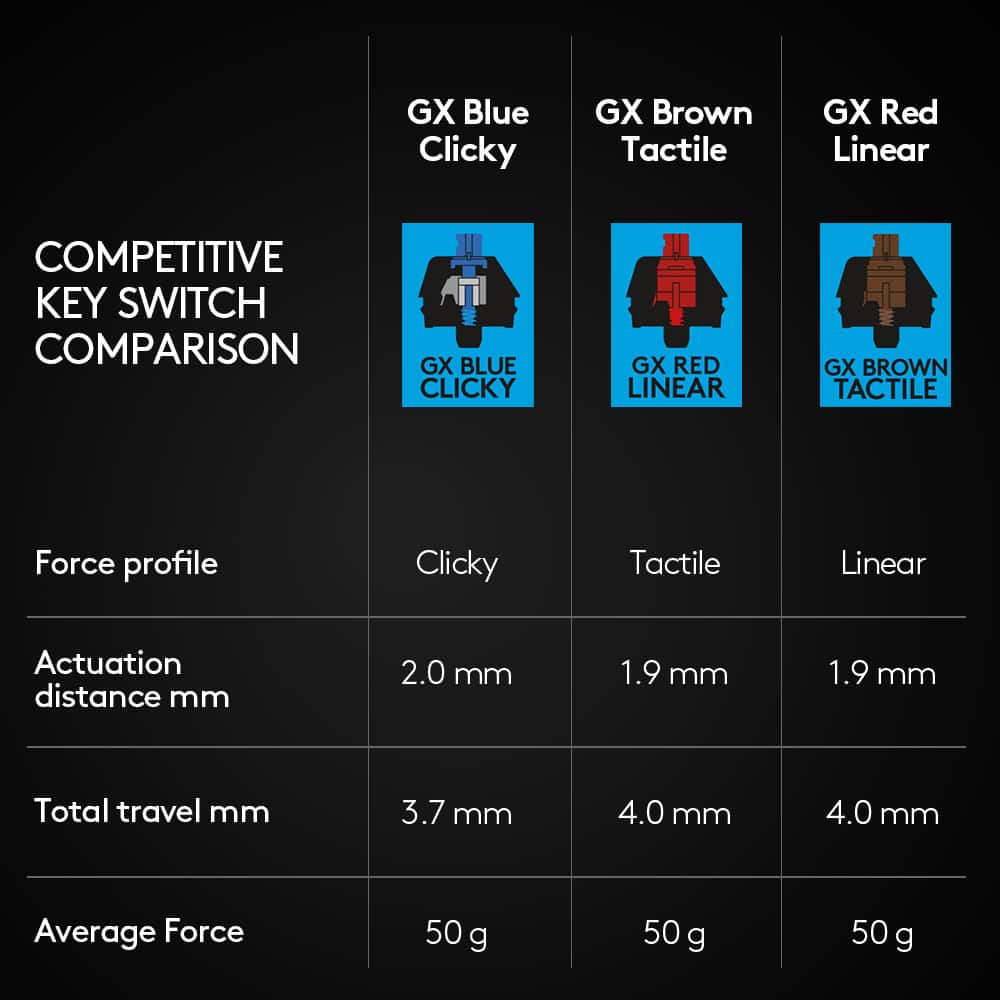
|Posted .This reviewer received promo considerations or sweepstakes entry for writing a review.One of the main complaints I have with my gaming laptop is that the keyboard feels cramped, and there’s very little in the way of tactile feedback. Enter the Logitech G Pro keyboard. Although this keyboard has roughly the same footprint as my 15.6" laptop's keyboard and exactly the same width, its tenkeyless (TKL) design means there’s no number pad on the right-hand side, so each key gets a little more room to breathe without taking up extra real estate space on my desk, leaving me more room for my mouse and trackpad. The GX Blue Clicky switches also provide that satisfying clicky-clack of ye’ old keyboards and typewriters of yesteryear. If you’re not a fan of loud key clicks, this keyboard is not for you. Why do I love the GX Blue Clicky switches? For me the physical and auditory feedback of the keys actually helps me not only type better, but game better. With tactile and silent keyboards it can be hard to know if you’ve actually actuated the keys, and during fast-paced gaming, accurate complex key combinations and effective button mashing can often be the difference between a loss and victory. The keyboard itself measures about 14 inches wide, 6 inches across and about 1.5 inch tall when the feet are not engaged. There are even two separate elevation angles available to choose from by propping up either pair of the nested kickstands. While most of the keyboard is made of plastic, it is reinforced with a steel backplate for durability which accounts for some of its heft, weighing in at just over 2 lbs. The fabric braided USB cable with stabilizing prongs is secure but detachable, which is great for travel, and it measures about 6 feet long. Don’t be misled though, this is not a wireless keyboard, and it does not have an internal battery nor way to communicate with your computer wirelessly. A bit of the technical details for those of you that are interested, the actuation point of the keys sits at 2.0mm with a travel distance of 3.7mm, and actuation force required is 50g with a 1ms report rate. It’s got twelve programmable ‘F’ keys along the top which allow you to assign custom macros using the Logitech G Hub software. I tried the macro creator for a number of work and gaming related automated sequences, and it works really great, though depending on the responsiveness of your system, you may have to play with the keystroke delays a bit (default is 50ms). You can also set the ‘F’ keys to perform specific actions in integrated applications like Discord, OBS, and Overwolf. For gaming, I found that this keyboard works great with e-sports and MMO titles like Fortnite and Overwatch. In Counter-Strike: Global Offensive, for example, I had no trouble navigating with the WASD keys, switching weapons, or using any of the comms shortcuts for communicating with my team. The keyboard was equally zippy and responsive in PUBG and Minecraft. The ‘F’ keys can be useful for executing repetitive long-chain combos that help you clear tough areas of games that would otherwise make them laborious and frustrating, though you should to be aware that some online multi-player games specifically disallow macros that give players an unfair advantage and you may risk getting banned from the game if you use them during competitive gameplay. Now onto the lighting profiles. I find this feature to be good and bad. The keycaps that you get with the keyboard have transparent sections for the characters near the top of the switch, so while you get bright and vibrantly lit primary characters, the secondary characters are not illuminated at all. There is a dedicated button at the top right-hand corner of the keyboard to toggle the lights on or off, but it doesn’t allow you to change the brightness of the lights. Just a quick note too, with the lights off, the characters on the keyboard are really difficult to read, so if you need to read the labels on the keys, you’ll have to keep them on, which uses more battery in a laptop setup. The G Hub software does let you set custom animations and colors and you can even choose a different color for each key individually if you want. It still won’t let you adjust the brightness of the lights though and only certain settings can be 'saved' to the default profile stored in the keyboard. There’s also a ‘game mode’ toggle button on the keyboard that disables specific keys on the keyboard that you don’t use while gaming. You can choose the default, which is just the Windows, function, and menu keys, or set a custom set of disabled keys depending on your needs. Overall, I really like the Logitech G Pro keyboard for its understated but attractive design, customizable backlighting, amazing key feel and responsiveness, and generously loud clicky keys.
I would recommend this to a friendStraight Up Killer
|Posted .This reviewer received promo considerations or sweepstakes entry for writing a review.This Logitech Gaming Keyboard is straight up awesome. I'm mostly a controller gamer but decided to request this to try my hand at a keyboard. Initial thoughts are it's a super well built keyboard, they key travel is great and the clicks are satisfying but super loud. The overall size is a little off-putting but for gaming is pretty smart since your hands don't have to travel as far. With the GHub app you can set up for your quick commands and macros. I mostly used it for Num pad mapping for accessing my mod menus in GTA V. I tried using the keyboard for Ghost Recon Breakpoint but the game has too many controls , so a controller is way is for that. And finally the Logitech RGB is pretty dope, I have it synced with G703 Gaming Mouse and creates a great effect with my setup. Overall it's a great compact keyboard for pro gamers in mind. I'm not at that level or anything but it's still usable for moderate PC gamers.
I would recommend this to a friendGreat portable gaming keyboard
|Posted .This reviewer received promo considerations or sweepstakes entry for writing a review.The Logitech G PRO Mechanical wired gaming GX Blue Clicky Switch Keyboard with RBG back lighting has probably the longest product name that I have ever seen, but it does preform extremely well as a gaming keyboard. If you like portable, mechanical keyboards and enjoy the satisfying sound of the keys clicking as you hit them then this is the keyboard for you. It features a thick detachable micro USB cord with a proprietary three-pronged connector tip to help lock it in place and remove for safe travel. You can also connect a regular micro USB connector as well if you happen to forget your cable. It has a compact 10 key less design that reduces the length of the keyboard by a good 6 inches from standard gaming mechanical keyboards (ex: my omen mechanical keyboard). The rubberized feet on the bottom of the keyboard keep it in place so it won’t move around on you and it also has two different angle adjustments that are rubberized on the bottom as well. I am very impressed with the feel and placement of the keys and I find it very easy to switch from my normal keyboard to this gaming keyboard. Lighting on the keys are easily programmed using the Logitech G HUB software. There are many options to suit your needs between solid colors, pulsing, breathing, etc. I personally find the rotating colors to be a distraction, so I just use a solid color that just says lit. There is an option to synchronize the lighting with different content, but I didn’t not play around with that. The software also allows you to customize the F1-F12 keys to preform different functions or create some macros to make gaming or other things in general easier. Pros: Portability Thick micro USB cable Three different angle adjustments Rubberized feet for stability Satisfying key presses Logical key layout Physical button to turn of lighting Customization via the GHUB app On-board storage to hold your lighting schemes Cons: 10-key might be needed by some no easy volume adjustment FN key in a bad place for me
I would recommend this to a friendKeyboard is Great for smaller desks!
||Posted . Owned for 1 month when reviewed.This reviewer received promo considerations or sweepstakes entry for writing a review.Logitech G Pro Keyboard Review – 5 Stars I recently bought the Logitech G Pro Keyboard, and it’s become my go-to choice for gaming and productivity. Design and Build Quality: 4/5 The G Pro has a compact, sleek design that’s perfect for a minimalist setup. It’s lightweight yet feels incredibly sturdy, with a solid metal top plate that gives it a premium feel. The keycaps are high-quality, and the RGB lighting is vibrant and customizable through Logitech’s G Hub software. But ! At night time and darker rooms in general the shift keys likes ( $, @, &) may be harder to see due to them being black like the rest of the keyboard so you have to squint and look real close if you don’t memorize them by heart. Performance: 5/5 The GX Blue mechanical switches are responsive and satisfying to type on, with a clicky, tactile feel that’s great for both gaming and typing. The key response is quick, and I noticed a significant improvement in my gaming performance, especially with fast-paced games. Anti-ghosting and N-key rollover are spot-on, ensuring no missed keystrokes during intense sessions. Customization: 5/5 Customization is a breeze with Logitech’s G Hub software. I can program macros, adjust lighting effects, and tweak key assignments to fit my needs. It’s perfect for both gaming and work-related tasks. Portability: 5/5 Being a tenkeyless design, the G Pro is highly portable. It’s easy to take to LAN parties or gaming sessions, and it fits well in any setup without taking up much space. Final Thoughts: 5/5 The Logitech G Pro Keyboard is a fantastic, high-performance keyboard that excels in both design and function. It’s perfect for gamers looking for a compact, responsive, and customizable keyboard. Highly recommended for anyone serious about their setup!
I would recommend this to a friendBrand response from Logitech
Posted .Thank you for the detailed and enthusiastic review of the Logitech G Pro Keyboard! We're thrilled you appreciate its compact design, performance, and customization options. We also appreciate your feedback regarding the visibility of secondary key functions in low-light conditions; this is valuable information for future product development.

its decent if u like tkl switches are clicky loud
||Posted . Owned for more than 2 years when reviewed.This reviewer received promo considerations or sweepstakes entry for writing a review.Design and Build It’s slim, lightweight, and has a clean, low-profile look. The build quality feels premium, and the double-shot PBT keycaps hold up well over time. Performance The mechanical switches are smooth and responsive, ideal for fast-paced gaming. You can choose between tactile or linear switches depending on your preference. It also supports tri-mode connectivity—Lightspeed wireless, Bluetooth, and wired—so it’s flexible for different setups. Features You get customizable RGB lighting, quiet key presses thanks to sound-dampening layers, and up to 36 hours of battery life. The Keycontrol software lets you remap keys and set macros easily. Downsides Some users mention occasional Bluetooth connection issues, and it doesn’t come with a wrist rest. Also, no hot-swappable switches if you’re into customizing hardware. Bottom Line If you want a sleek, reliable keyboard for gaming or everyday use, the Logitech G515 TKL is a solid choice. It’s compact, responsive, and packed with features that matter.
I would recommend this to a friendBrand response from Logitech
Posted .Thanks for the detailed review! Great to hear the G515 TKL is delivering on design and performance. We appreciate the feedback on Bluetooth and customization—always helpful as we continue to refine our gear.
Great RGB portable gaming keyboard with a click!
|Posted .This reviewer received promo considerations or sweepstakes entry for writing a review.This keyboard is a simple rectangular design. The case is plastic with large rubber pads on the bottom and has swing out feet that allow 2 different height adjustments. The keyboard is very stable due to the pads and the weighting of the keyboard. The USB cable is detachable to avoid breakage when packing up your gaming rig into a backpack. The Tenkeyless (no number pad) design makes the keyboard very portable and leaves extra room for mousing area while gaming or other activities. The GX blue clicky switches have great tactile feedback and an audible click while retaining a quick response and the travel needed for gaming. I really like the clicky switches. The LED’s are fully programable with the G Hub software downloadable from the Logitech site. The LED’s are bright and the tops of the keycaps are well lit. The secondary actions of the keys are on the keys are not lit. I wish Logitech lit the symbols on the top as well. The function keys are programable with macros for games or other complex key commands. You can turn off the LEDs with a switch on the top right of the keyboard. There is a gaming switch that locks out the windows key as well as other keys during your sessions. You can customize which keys are deactivated. The G Hub software lets you set up different profiles for each game or activity. There are downloadable profiles and Community designed lighting to add to those included from Logitech. You can custom design lighting and gaming profile and upload them if you are that creative! I have got to say the response time on this keyboard is great, a real pleasure to game with. With the full RGB programability you can configure your keyboard to highlight key groups, advertise your team logo or just look plain cool! As for regular typing it is very comfortable. The keyboard feels solid with a great build quality. This will make a great addition to your gaming rig.
I would recommend this to a friendnot for me
||Posted . Owned for 2 weeks when reviewed.This reviewer received promo considerations or sweepstakes entry for writing a review.i didnt really like this keyboard it was too loud just not for me
No, I would not recommend this to a friend