Customer Ratings & Reviews





- Model:
- 910-005693
- |
- SKU:
- 6404201
Customer reviews
Rating 4.7 out of 5 stars with 896 reviews
(896 customer reviews)Rating by feature
- Value4.5
Rating 4.5 out of 5 stars
- Quality4.8
Rating 4.8 out of 5 stars
- Ease of Use4.7
Rating 4.7 out of 5 stars
Customers are saying
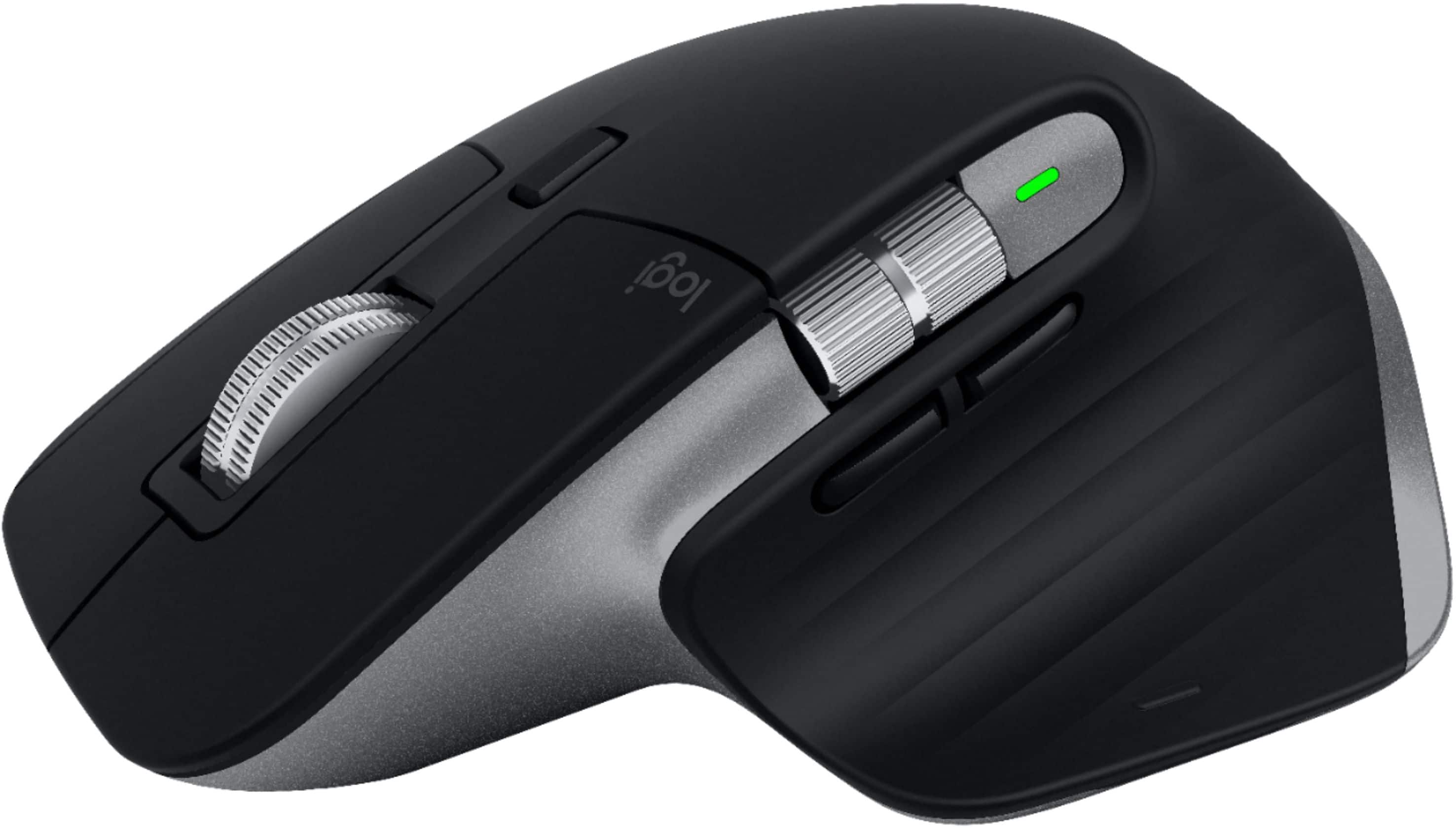
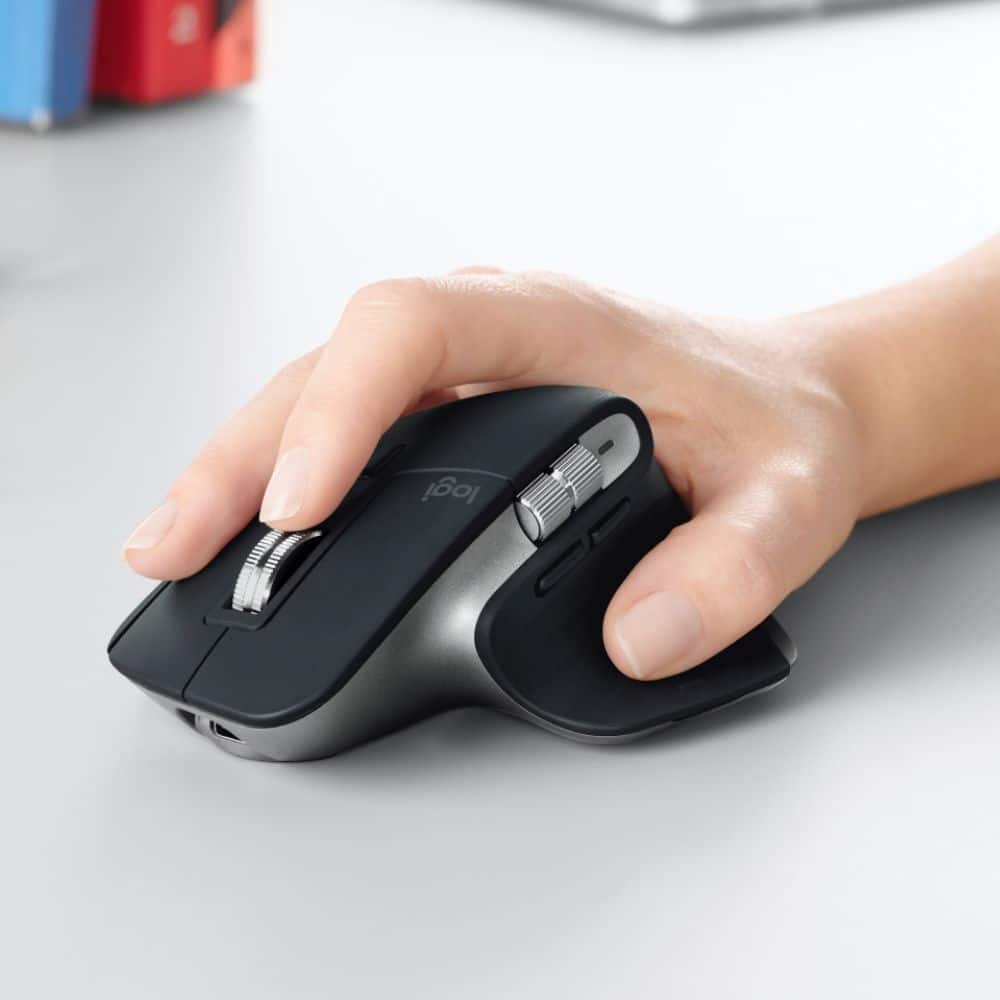
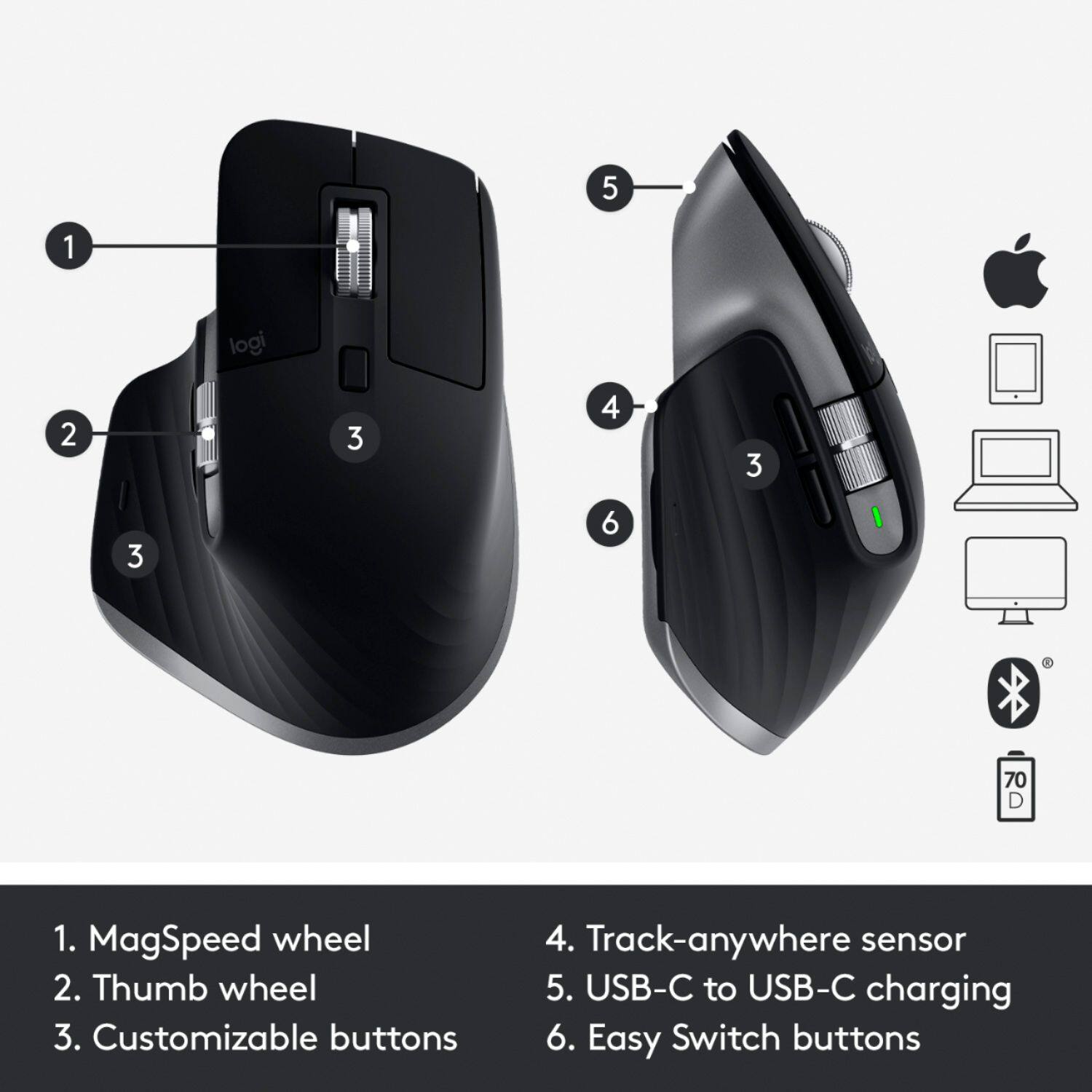
Customers enjoy the ergonomic design, ease of use, and impressive battery life of the MX Master 3 mouse. The scroll wheel and customization options also receive high praise, with many appreciating the precision and responsiveness. However, some find the mouse too large and heavy for their preference, and a few have noted concerns about the software's performance. The price point is also a factor for some customers.
This summary was generated by AI based on customer reviews.
- Pros mentioned:Battery life, Ergonomic
Rated 5 out of 5 stars
The best wireless mouse for Mac!
||Posted . Owned for 11 months when reviewed.This reviewer received promo considerations or sweepstakes entry for writing a review.I use this for both my M1 Mac mini and M1 MBP and it works flawlessly! Feels good in the hand, charge port is in a better spot than the apple mouse and the battery lasts forever it seems! I use it primarily with video editing in FCP!
I would recommend this to a friend - Pros mentioned:Ergonomic, Multi-device
Rated 5 out of 5 stars
Awesome mouse.
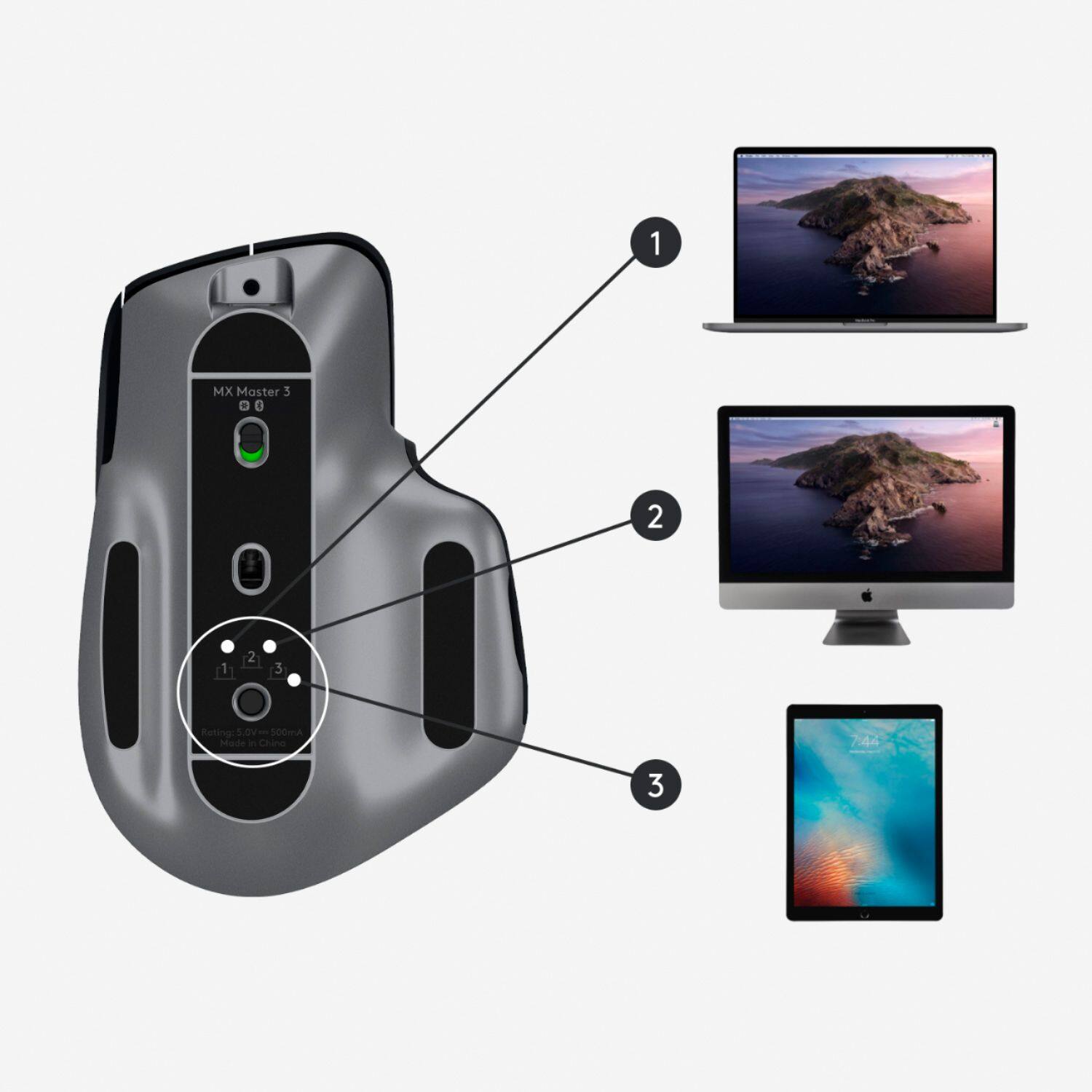
||Posted . Owned for 3 weeks when reviewed.This reviewer received promo considerations or sweepstakes entry for writing a review.This mouse is hands down the best mouse I have ever used. Quality, ergonomics, accuracy are all top notch. It also works great with multiple devices. Supporting up to 3 devices. No wonder it is the industry standard.
I would recommend this to a friend - Pros mentioned:Customization, Ergonomic
Rated 4 out of 5 stars
Excellent ergonomic mouse
||Posted . Owned for 1 month when reviewed.This reviewer received promo considerations or sweepstakes entry for writing a review.Great ergonomic mouse. It has plenty of buttons and gestures that allow the user to customize the experience. It fits my hand well and even after using it for hours it remains comfortable. One drawback of this particular version is that it does not come with a Logitech wireless receiver. It relies entirely on Bluetooth for its wireless connection.
I would recommend this to a friend - Pros mentioned:Compatibility
Rated 5 out of 5 stars
Great performance, features, and software
||Posted . Owned for 2 months when reviewed.This reviewer received promo considerations or sweepstakes entry for writing a review.If you are looking for the best in 1-3 hour use sessions (4-6 hours per day) with high precision and great features, this is your device. Recommended for coders, casual to non-pro gamers (totally fine for most competitive gaming but nothing beats wired for hardcore pros), general use, and switching between laptop/desktop/AndroidTV/bluetooth enabled displays. Not recommended for those with wrist pain (though better than most). Go with the Vertical instead unless your use duration is less than 2-3 hours at a time no more than 1-2x per day. Works on glass, darker is better than lighter glass surfaces. You can try to find a brand with better software but you won't find it. Logitech Options is the best in 2020 and works for multiple models on multiple platforms with awesome features to use across devices at the same time. Go with another brand and get sad.
I would recommend this to a friend - Pros mentioned:Customization, Ergonomic
Rated 5 out of 5 stars
The perfect mouse for video editors
||Posted . Owned for 2 weeks when reviewed.This reviewer received promo considerations or sweepstakes entry for writing a review.I am a videographer, filmmaker and video editor and I absolutely love this mouse. The ability to customize each button to Adobe Premiere Pro is what sets its apart for me! Will definitely be more of these for the studio here shortly
I would recommend this to a friend - Pros mentioned:Ergonomic
Rated 5 out of 5 stars
Best version of the MX Master yet!
||Posted . Owned for 1 week when reviewed.This reviewer received promo considerations or sweepstakes entry for writing a review.I already own the MX Master 2s, so I wasn’t sure about getting the MX Master 3. When Logitech released the “made for Mac” version of this mouse, I decided to give it a try... and I’m very happy that I did. While I’m not sure what was changed in the Mac specific model, I can tell you that it seems to work better than my MX Master 2 with regard to responsiveness and connectivity. I love the MX series, but they have always been a little quirky when it comes to using them on a Mac ( I.e. connectivity issues, etc.). No such issues with the MX 3 and the slight changes to the ergonomics are also a welcome change - much easier to use for extended periods of time. Overall, this is a great upgrade.
I would recommend this to a friend - Pros mentioned:Compatibility
Rated 5 out of 5 stars
Supreme quality that doesn't need Apple products
||Posted . Owned for 1 month when reviewed.This reviewer received promo considerations or sweepstakes entry for writing a review.I ordered this for pickup not knowing it was "designed for Macbooks." I was a little dissoppointed when I saw that, but figured I'd set it up anyway. The build quality and weight to it made me not return it. It works just as well on a Windows PC.
I would recommend this to a friend - Pros mentioned:Battery lifeCons mentioned:Pricey
Rated 5 out of 5 stars
Well worth it
||Posted . Owned for 3 months when reviewed.This reviewer received promo considerations or sweepstakes entry for writing a review.Yes, it's expensive. But, what can I say? I love this thing. It's well thought-out with all controls within easy reach and not easy to hit wrong buttons. It will function on pretty much any surface and the charge lasts a long time.
I would recommend this to a friend - Pros mentioned:Battery life
Rated 5 out of 5 stars
Satisfied customer
||Posted .This reviewer received promo considerations or sweepstakes entry for writing a review.Great build quality, useful features, long battery life. I like the shape of this mouse, it feels comfortable. The horizontal wheel is very convenient when scrolling between browser tabs. A bit pricey though
I would recommend this to a friend - Pros mentioned:Battery life, Multi-device
Rated 5 out of 5 stars
great mouse
||Posted . Owned for 1.5 years when reviewed.This reviewer received promo considerations or sweepstakes entry for writing a review.hands down best mouse i have ever used. i use this with a win10 laptop, win11 desktop and mac. switching between them is easy. runtime is great between charges,
I would recommend this to a friend Rated 5 out of 5 stars
Worth the switch from MX Master 2
||Posted . Owned for less than 1 week when reviewed.This reviewer received promo considerations or sweepstakes entry for writing a review.I've had an MX Master 2 the last 3 years. I design mobile apps all day long so I used it a lot. The MXM 2 was starting to wear out a bit so I started looking into a new one. I wasn't sure if getting the Mac specific MX Master 3 would matter that much. But after reading and watching some reviews I bought it. Its such a nice difference. The weight and feel is all around much better. The scroll wheels feel great and I'm overall impressed. I haven't had any bluetooth lag problems. So far its working really well. The new logitech+ for Mac beta app is also an improvement over the old app. So if you're on the fence about upgrading you should do it.
I would recommend this to a friend- Pros mentioned:Customization, Ergonomic
Rated 5 out of 5 stars
A Beauty - Of Mice & Machines
||Posted . Owned for 1 month when reviewed.This reviewer received promo considerations or sweepstakes entry for writing a review.Fantastic ergonomic highly-responsive multi-functional smooth operating precision mouse. Works like a dream with my MacBook. Love that the buttons can be totally customized to my preferences. 5 star through and through.
I would recommend this to a friend - Pros mentioned:Battery life, Multi-device
Rated 5 out of 5 stars
Just great.
||Posted . Owned for 7 months when reviewed.This reviewer received promo considerations or sweepstakes entry for writing a review.Simply the best, period. If you are on the fence about this mouse. Just get it. It's paired to my MacBook, Windows desktop and iPad Pro. Works great for all my devices. Plus battery life is great!
I would recommend this to a friend - Pros mentioned:Ergonomic
Rated 5 out of 5 stars
Great mouse, works with Mac and Windows
||Posted . Owned for less than 1 week when reviewed.This reviewer received promo considerations or sweepstakes entry for writing a review.This is my third MX Master series mouse. Keep giving them away to family members because they all want them once they try them. This time I went with the Mac version. I am primarily an Apple user, but it also works with my Windows machine. The only wish I have is that Logitech would make two sizes. This one is a little big for me but still very comfortable. The support for multiple computers is a great feature and works flawlessly.
I would recommend this to a friendBrand response from Logitech
Posted .Hello John, we are so ecstatic to hear that the MX Master 3 is treating you well. Thank you so much for the 5-star review. We truly appreciate the honest feedback. At Logitech, it is our goal to ensure you are completely satisfied with your Logitech purchase. We take pride in the products and services we offer, and want our customers to enjoy them just as much as we do. Have a great day! -Ricky from Logitech
- Pros mentioned:Battery lifeCons mentioned:Heavy
Rated 5 out of 5 stars
Good deal
||Posted . Owned for 3 weeks when reviewed.This reviewer received promo considerations or sweepstakes entry for writing a review.The battery really is more prolonged, i use it every day for many hours, and it's been 1 month, and keep having 100%, fast to connect. A little bit heavy but precise
I would recommend this to a friend - Pros mentioned:Ergonomic
Rated 4 out of 5 stars
A Good Mouse
||Posted .This reviewer received promo considerations or sweepstakes entry for writing a review.I bought the Apple Magic Mouse but was never completely happy with it because it feels awkward to hold for extended periods. I decided to purchase this mouse because I have had the predecessor MX revolution for at least 10 years which I use for work on a Windows PC. Having been extremely happy with that mouse I thought this latest edition would be an upgrade. Compared to the Magic mouse, the MX has better precision and feels more comfortable to hold. Scrolling is excellent but not as smooth as the Magic mouse. It mimics the gestures of the Magic mouse but does not do it as elegantly or as smoothly. Neither of these observations are an issue functionally. Compared to the MX revolution, it does not feels as balanced and its build quality not as good dare I say somewhat cheaper feeling. So, in summary, this is a very good mouse overall. It addresses the ergonomic foible of the Magic mouse while retaining its functionality which is what I wanted. However, I expected better as a successor of the excellent MX revolution.
I would recommend this to a friend - Pros mentioned:Ergonomic, Multi-device
Rated 5 out of 5 stars
Excellent mouse for my Mac.
||Posted . Owned for 11 months when reviewed.This reviewer received promo considerations or sweepstakes entry for writing a review.Excellent mouse. Love the ability to connect to multiple computers and switch using the buttons underneath. Ergonomic and easy to use.
I would recommend this to a friend - Pros mentioned:Ergonomic, Multi-device
Rated 5 out of 5 stars
Easy on hands hard at work!
||Posted .This reviewer received promo considerations or sweepstakes entry for writing a review.Logitech designs their products with high ergonomic standards. Easy switching between 3 products. Supports both Bluetooth and their home grown adapter
I would recommend this to a friend - Pros mentioned:Compatibility, Ergonomic
Rated 5 out of 5 stars
MX Master 3 is best for MAC OS
||Posted . Owned for less than 1 week when reviewed.This reviewer received promo considerations or sweepstakes entry for writing a review.I Loved the new MX Master 3 series. It best for MacBook or Mac OS. The mouse have all the features that will make your work on Mac OS smooth and fast.
I would recommend this to a friend - Pros mentioned:Battery life
Rated 5 out of 5 stars
Super Comfortable
||Posted . Owned for 1 week when reviewed.This reviewer received promo considerations or sweepstakes entry for writing a review.I like the design and the battery life (as well as the scrolling speed of the primary and features of the secondary scroller). I also synchronized this on my iMac using the universal receiver from the MX Keys that I purchased (which has consumed a slot on my iMAC) but its easier than having to program 2 Bluetooth spots on the mouse because I bootcamp. This way its natively connected without needing to finagle and assists additionally at the bootup level. Because unlike Apple this is not registered at the hardware level, its at the OS level so for now it was easier to synchronize and use during boot up then having to switch and change when I flipped on my main daily device.
I would recommend this to a friend