Customer Ratings & Reviews
- Model:
- 910-004337
- |
- SKU:
- 4106015
Customer reviews
Rating 4.7 out of 5 stars with 1594 reviews
(1,594 customer reviews)to a friend
Customers are saying
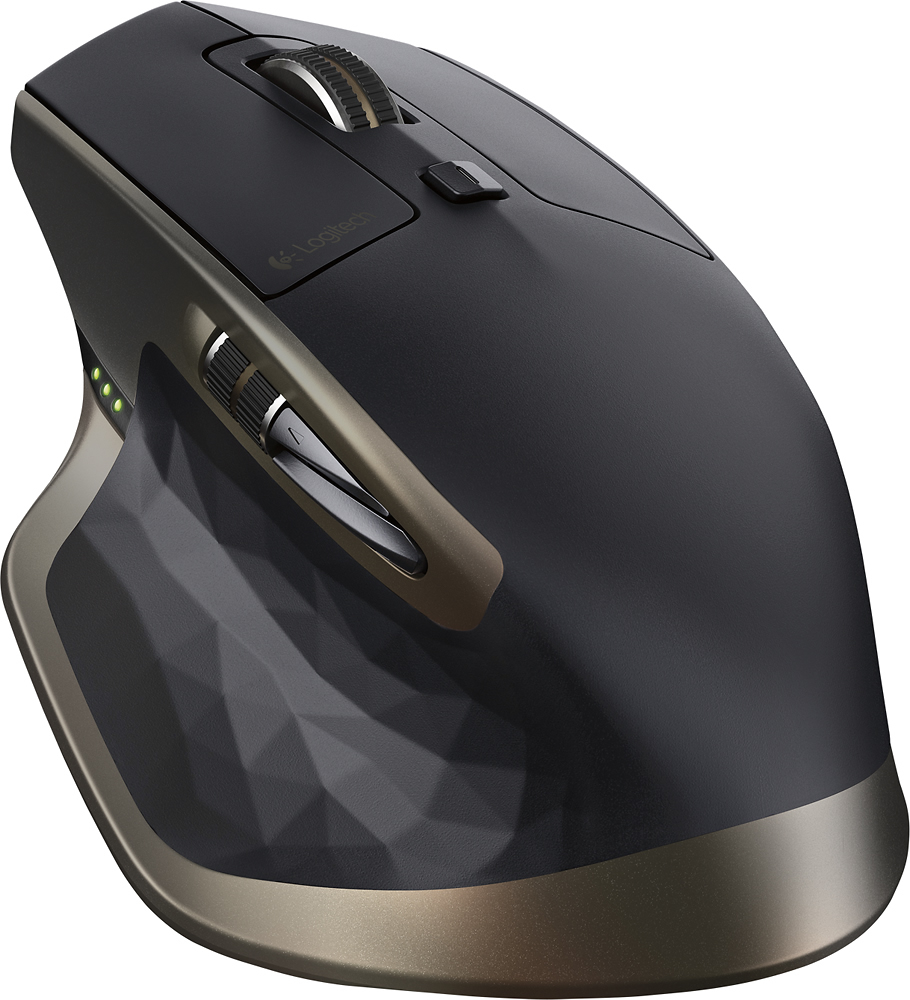
Customers value the MX Master Wireless Laser Mouse for its long battery life, comfortable design, and smooth scrolling wheel. Many appreciate its responsiveness, accuracy, and ability to work on various surfaces. While some find the price high and the weight substantial, the positive feedback on features like Bluetooth connectivity and precise tracking outweighs these concerns for most users.
This summary was generated by AI based on customer reviews.
- Pros mentioned:Battery life, Scroll wheel
Rated 5 out of 5 stars
Awesome Mouse!
||Posted .This reviewer received promo considerations or sweepstakes entry for writing a review.Great looking mouse with tons of options, rechargeable battery that lasts weeks, lots of buttons and 2 scroll wheels, and it even tracks on glass! Connects with Bluetooth flawlessly and also comes with a unified USB receiver in case you don't have BT. Even though it's not sold as a "gaming" mouse, I've been using it to play FPS games on my new gaming laptop! Lots of 'post purchase satisfaction' here! :)
I would recommend this to a friend - Pros mentioned:Bluetooth, Comfort
Rated 5 out of 5 stars
Best mouse from Logitech so far!
||Posted .This reviewer received promo considerations or sweepstakes entry for writing a review.Not only is this a great mouse - it's also Bluetooth with three inputs! I can use this mouse on my desktop and for my MacBook Pro too. This mouse is so much more comfortable than those designer mice which give my hand cramps.
I would recommend this to a friend Rated 5 out of 5 stars
I love it
||Posted .This reviewer received promo considerations or sweepstakes entry for writing a review.This is probably one of the best mouse for work, it is fast and it works even over glass... Very accurate. I use a lot Cad programs and I was looking for a mouse that helps me in productivity and this one just nailed it!
I would recommend this to a friend- Pros mentioned:Battery life
Rated 5 out of 5 stars
My favorite mouse, upgraded
||Posted .This reviewer received promo considerations or sweepstakes entry for writing a review.For the longest time, my favorite mouse was the Logitech Performance MX. I could use it on almost any surface, it was nice having a built-in rechargeable battery so I didn't have to worry about going through AA or AAA batteries, and it had more than enough buttons for my needs. I ended up spilling water on it and the mouse stopped working. Enter the MX Master wireless mouse. I wanted something that connected via Bluetooth (so I could free up a USB port), felt as comfortable as the Performance MX mouse, and offered just as many features. The MX Master mouse is my new favorite mouse. It is a bit lighter than the previous MX mouse and it's also a bit taller. I can fully rest my hand on the mouse and still use it without issues. It glides across my mouse pad but I can also take that away and use it on the glass surface underneath of it. Accuracy is solid and there isn't a noticeable delay between mouse and cursor movements. Like the Performance MX, the buttons are fully customizable through Logitech's software. I didn't need any drivers with my Surface Pro 4, it paired with the mouse just fine. The added scroll wheel next to the thumb is nice for precision zooming, I set the main thumb button to show all of my open programs/windows, and the forward and back buttons are always handy for browsing the internet and going through photos. The battery life has been improved with the MX Master. The only thing I wish is that Logitech offered it in other colors. My current setup is silver and black, the copper-like highlights of the MX Master mouse stand out a bit and clash with my color scheme. Other than that, I highly recommend this mouse for anyone who uses a mouse constantly throughout the day, does photo editing, and/or just wants something that's extremely comfortable to use that can connect via Bluetooth and Logitech's USB dongle.
I would recommend this to a friend - Pros mentioned:Battery life
Rated 5 out of 5 stars
Best mouse for productivity
||Posted .This reviewer received promo considerations or sweepstakes entry for writing a review.I didn't use this mouse for gaming purposes. Just for productivity usage and I must say that it is worth the $100. This mouse cost more than my Logitech G502 Proteous Core gaming mouse but the price difference shows in the gorgeous style and feel of the mouse. I got this mouse to use with my Macbook Pro when hooked up to an external monitor. The simulated gestures is a bit wonky but better than nothing. The precision of the mouse is worth the lackluster simulated gestures. But I'd only use this for tasks that require precision on OS X, otherwise you're better off using the trackpad. The feel of this mouse is amazing. It feels like a premium quality product. It feels like a $100 mouse. Plus the battery is rechargeable and lasts up to 14-15 days.
I would recommend this to a friend - Pros mentioned:Battery life, Comfort
Rated 5 out of 5 stars
A great mouse for everyday use.
||Posted .This reviewer received promo considerations or sweepstakes entry for writing a review.I have one in my office and one at home. This mouse is very comfortable and has an excellent battery life. Being able to recharge and continue to use the mouse at the same time is a big plus.
I would recommend this to a friend Rated 5 out of 5 stars
Best MX since the MX Revolution
||Posted .This reviewer received promo considerations or sweepstakes entry for writing a review.I had an MX Revolution and loved it. Time takes its toll on a mouse, though. The battery got weak (although it still made it thru a day) and the rubbery sides got "gooey". Since the mouse and keyboard are one's main tactile interface with one's PC I decided it was time for a replacement. Life is too short to use a gooey mouse. :-) I tried a Performance MX and it was OK but not as good at the MX Revolution. Plugging in a micro USB to charge is sure less convenient than plopping the mouse into a charging cradle and it seemed like I was always charging. Well, every 3 days anyway it was down to one battery light. I liked that it uses a replaceable AA cell but wished they had used 2 cells for longer battery life. When the MX Master came out and I read about the longer battery life I had to get one. Battery life is substantially improved! I have not yet run the mouse down to one battery light but instead charge about every 10 days when it still shows 2 lights. I have not used the thumb-wheel on the side much yet but when I did I liked the way it worked -- much better than pushing the main wheel side to side IMHO. The auto-switch on the main wheel is fantastic! Roll it slowly and it has detents. Give a quick flick and the detents disappear and it spins "forever". I actually like the auto-switch action of the MX Master better than the action of the original MX Revolution. Yes, the MX Master is expensive for a mouse, but as I said the mouse is one of your main interfaces to a PC so I think it worth a little extra to get one that feels "right" in your hand. I use my PC for text editing, photo editing, PC board layouts, and light gaming (Skyrim, Fallout 3, etc.). The MX Master works great for me. If you are into heavy gaming you might want to consider a gaming mouse.
I would recommend this to a friend- Pros mentioned:Bluetooth, Comfort
Rated 4 out of 5 stars
really nice mouse
||Posted .This reviewer received promo considerations or sweepstakes entry for writing a review.Bought this because it was blue tooth and worked great and was very comfortable to use but it has a non-user replaceable battery. Sorry Logitech but 1 year warranty for your flagship 100$ mouse I had to bring it back. If the warranty was 3 years I would have kept the mouse.
No, I would not recommend this to a friend - Pros mentioned:Comfort
Rated 4 out of 5 stars
Great mouse, few minor issues
||Posted .This reviewer received promo considerations or sweepstakes entry for writing a review.The mouse is extremely comfortable, and there's a massive amount of customization possible with it since you can remap buttons. I'd like to, say, have a button be the mode switch on the scrolling AND do gestures, and there's just little things like that which prove to be minorly annoying. Plus, the bluetooth support for anything that isn't Windows or Mac is a bit troublesome. On Android, the mouse will act as a keyboard and a mouse, so you'll need an actual keyboard to type anything, for example. On a jailbroken iPad, it won't show up as a mouse at all, but that's far out of Logitech's jurisdiction. Still, expect some oddities. You need the Logitech Options software to use this thing properly. Still, it's extremely functional, tons of customization, very comfortable, and the multi-pairing is handy if you hop between computers. Just don't expect a perfect experience, especially for a $100 mouse, some of the flaws are a bit frustrating.
I would recommend this to a friend - Pros mentioned:Battery life
Rated 5 out of 5 stars
Nice bluetooth/wireless mouse; good shape, too
||Posted .This reviewer received promo considerations or sweepstakes entry for writing a review.Holds a charge for weeks, has a firm, comfortable grip, and is very accurate on any surface. I have it paired to two different devices so far and it works great with both.
I would recommend this to a friend Rated 5 out of 5 stars
So far so good!
||Posted .This reviewer received promo considerations or sweepstakes entry for writing a review.Have had many Logitech mice over the years including several wireless. This version is probably the most advanced. After solid work use on 3ds Max for 2 days I have had 0 issues with tracking or inputs. The mouse allows for a lot of customization. The one thing I miss is tilt left and right on the mouse wheel. The wheel near the thumb is interesting haven't really found a good use for it. And the forward button is actually a little hard to hit without nudging the wheel a bit. Otherwise so far so good.
I would recommend this to a friend- Pros mentioned:Battery life
Rated 5 out of 5 stars
Looks good and feels good!
||Posted .This reviewer received promo considerations or sweepstakes entry for writing a review.As a Mac user, I've been using the magic mouse since Apple released it. However spending a lot of my day in front of the Mac for work, I started to find my hand was aching. So I figured it was time to upgrade to some more ergonomic. First off It feels really comfy in the hand. Took little time to get used to, especially once you have all your shortcuts and customisation set up, its great. Battery life is another key feature. I haven't turned mine off since I got it. One full charge is lasting me ages. Well over a month. Its a bit pricey at $99 but If you spend a lot of time on your machine. I would highly suggest it.
I would recommend this to a friend - Pros mentioned:Scroll wheel, SizeCons mentioned:Price
Rated 4 out of 5 stars
Good mouse, not amazing though
||Posted .This reviewer received promo considerations or sweepstakes entry for writing a review.I bought this mouse since I do a lot of graphic design and editing. The scroll bar on the left side was extremely nice when manuvering across a project to see specific details and whatnot. The mouse was also much larger than normal mice, which is nice to a person with larger hands, considering my hand cramped far less often than before. Unless you plan on doing some kind of edition or design with the mouse it is not worth the $75 i spent on it, you could easily get a larger mouse for much cheaper if you plan to just surf the web.
No, I would not recommend this to a friend - Pros mentioned:Scroll wheelCons mentioned:Price
Rated 4 out of 5 stars
A lot of mouse
||Posted .This reviewer received promo considerations or sweepstakes entry for writing a review.I do some editing of music files where accuracy of mouse control is very important. I have used several other brands of varying prices in the past. I find this mouse is both fast. And accurate for my purposes. I use both the horizontal and vertical scroll wheels to zero in on that one offending click that should be repaired. The rechargability gives you the advantage of a wireless mouse with the convenience of never having to change the batteries. I would give it 5 stars except that it could be priced slightly lower.
I would recommend this to a friend - Cons mentioned:Price
Rated 4 out of 5 stars
Solid mouse, although a bit on the pricey side.
||Posted .This reviewer received promo considerations or sweepstakes entry for writing a review.This is a very good mouse, and the model has been around for awhile. There are plenty of reviews on this mouse online, so rather than regurgitate everything you can Google search, I'll just say that it is a solid mouse with a good set of programmable buttons. I wish there was a way to program specific tasks per application, but the most you can do is assign preset button options by applications. Not quite the same thing. My only gripe is that while a very solid mouse, that has good ergonomics, I feel it is a bit over priced at about $100 bucks. A more appropriate price would be about $50-$60 IMHO. I use this with a MacBook Pro 15" along with the newly revamped Magic Trackpad 2 and Magic Keyboard. I also do like the fact that this mouse gives you the flexibility to use the USB dongle, or Bluetooth connectivity.
I would recommend this to a friend - Pros mentioned:Battery life
Rated 5 out of 5 stars
Awesome Mouse
||Posted .This reviewer received promo considerations or sweepstakes entry for writing a review.probably one of the best mice on the market today. tracks well, good battery life. programmable. all we use for our workstations at work.
I would recommend this to a friend - Pros mentioned:Battery life, Scroll wheel
Rated 4 out of 5 stars
Wireless the way it should be
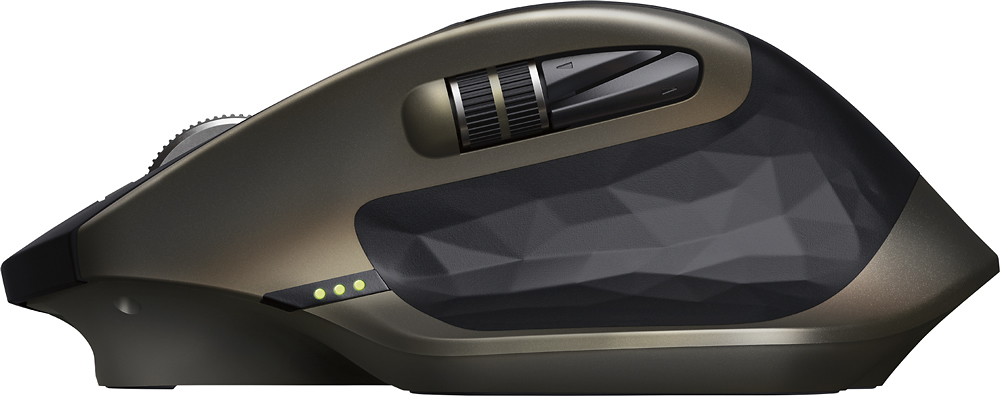
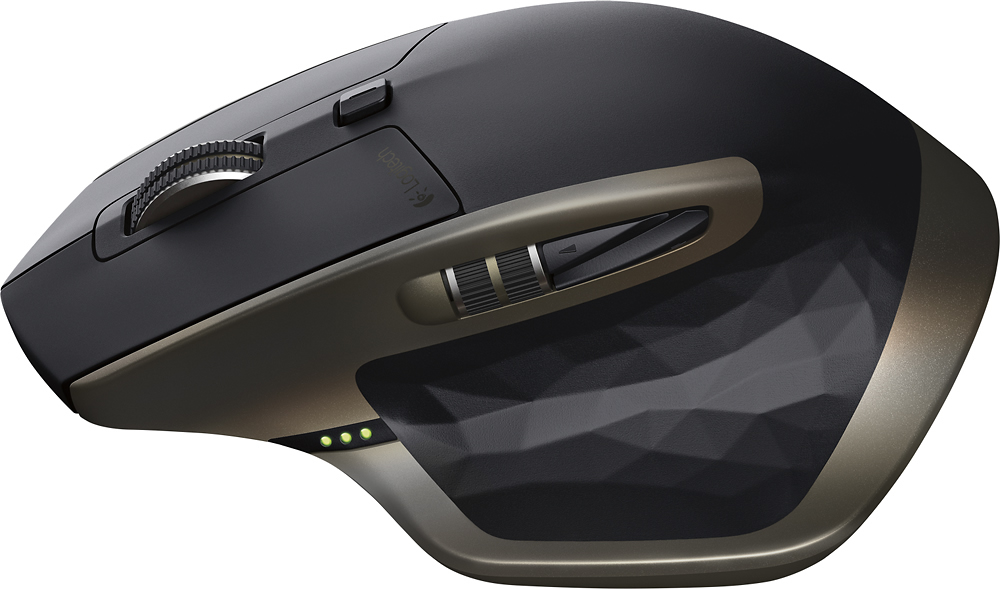
||Posted .This reviewer received promo considerations or sweepstakes entry for writing a review.This mouse is the desktop workhorse you've been looking for. Firstly, it's wireless, but leave the disposable batteries in the drawer, it's USB rechargeable. A USB cable is included to charge the mouse, but with it attached, you're off and running straight out of the box. Charging takes about 3-4 hours or so from what I've noticed, but from a full charge, you get a week's worth of fairly heavy use, and probably more, but the unobtrusive battery indicator near the thumb rest will guilt you into plugging it in before it gives up. The battery indicator consists of 3 small green LED bars, and they only come on briefly on wakeup, roughly a minute or more of inactivity. Logitech's unity system makes peripherals a one dongle affair, which is great. I took off one star (really would have only taken 1/2 star if it was an option) because the range on the dongle is too limiting, I experienced glitching and dead mouse moves with the dongle plugged in the back of an under-desk PC. Logitech uncludes a USB extension cable with their unity keyboards that lets the dongle be positioned at or directly behind the monitor, and this fixed all the issues without occupying a front panel USB port. At the price point of this mouse, I can't see it being out of the question to include the same extension cable here, afterall, this is not marketed as a laptop travel mouse. The user experience is very good, the mouse is comfortable and not so heavy that palming to reposition is of any concern, the scroll wheel clutch is great for fast scrolling web pages, and all the buttons are programmable with Logitech's software, including disabling buttons, if you want. The additional thumb scroll and buttons are easy to get used to, and unlike gaming mouse setups, there isn't 40 million buttons under your thumb all the time either. If you're looking for a "grown up" mouse for content creation, web browsing and occasional leisure gaming, this mouse should be in your comparison list.
I would recommend this to a friend - Pros mentioned:Battery life, Comfort
Rated 5 out of 5 stars
Best mouse in my life
||Posted .This reviewer received promo considerations or sweepstakes entry for writing a review.The mouse is very comfy in my hand. Works perfect on clear glass table. Mouse wheel switches mode automaticly according to speed you roll it. Battery lasted for a month Before dirst charge which took about 1hr. When charging you can use it without even noticing it is connected. Extra wheel is useful on webpages and visual editors. 2 month so far without a single issue
I would recommend this to a friend - Pros mentioned:Scroll wheel
Rated 5 out of 5 stars
love the mouse
||Posted .This reviewer received promo considerations or sweepstakes entry for writing a review.I am a gamer. Not a fancy, has to have a 400 button programmable mouse that also starts my car type of gamer. Just a plain old wants to have fun gamer. That being said, I was looking for a comfortable, wireless, yet precise mouse. I found it in the MX Master. The ergonomics of this mouse means that my hand rests comfortably on the mouse and my finders reach all the necessary buttons easily. There is a standard scroll button at the top that moves a click at a time or if you press down and roll it scrolls until you release the button. There is also a unique thumb scroll the move forward and back on web browser pages. The mouse is very accurate a nd responsive and just has a great feel. this mouse replaces my old MX700 wireless mouse that I would still be using if the rechargeable battery hadn't dies and the odd recharging station stopped working. I have tried many (5 to be exact) other mice between these two but this has been the first true replacement that meets the bar.
I would recommend this to a friend - Pros mentioned:Comfort, Size
Rated 5 out of 5 stars
Fits my hand perfectly!
||Posted .This reviewer received promo considerations or sweepstakes entry for writing a review.I had earlier versions of this mouse. I love it because I have a large hand and this mouse fits it perfectly. Great tracking - looks good, and comfortable to use. I like that it recharges and I don't have to go through numerous batteries.
I would recommend this to a friend