Customer Ratings & Reviews
- Model:
- 910-004337
- |
- SKU:
- 4106015
Customer reviews
Rating 4.7 out of 5 stars with 1594 reviews
(1,594 customer reviews)to a friend
Customers are saying
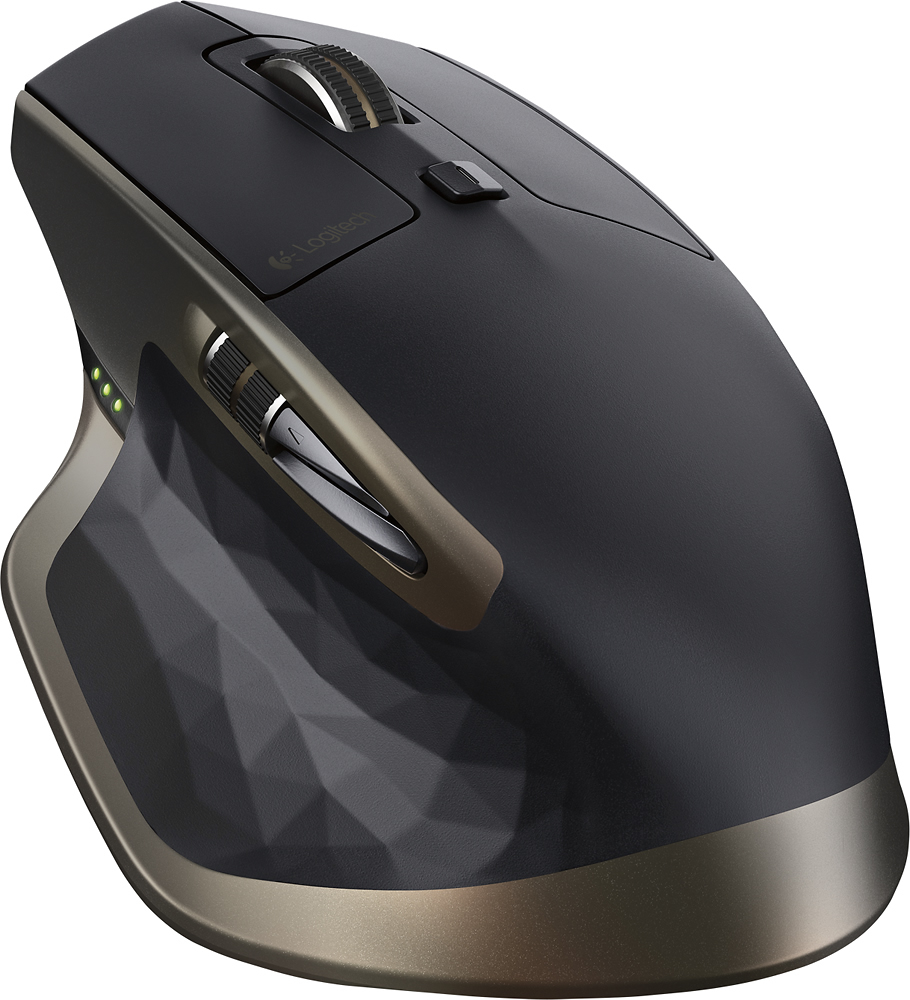
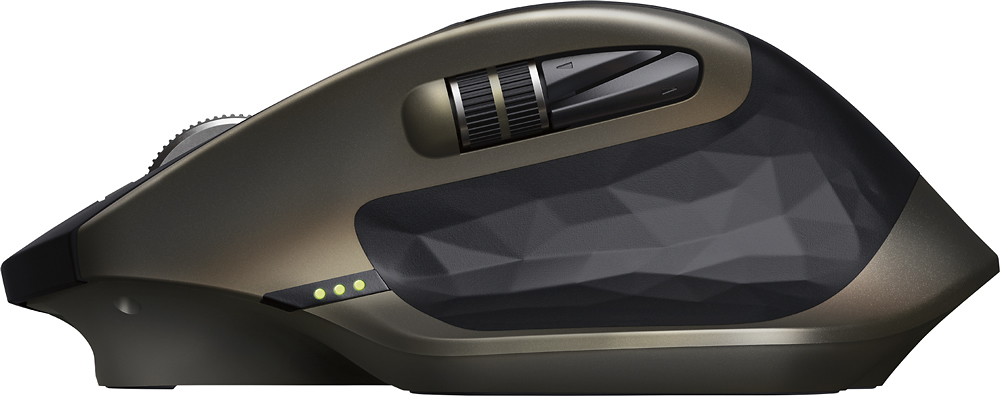
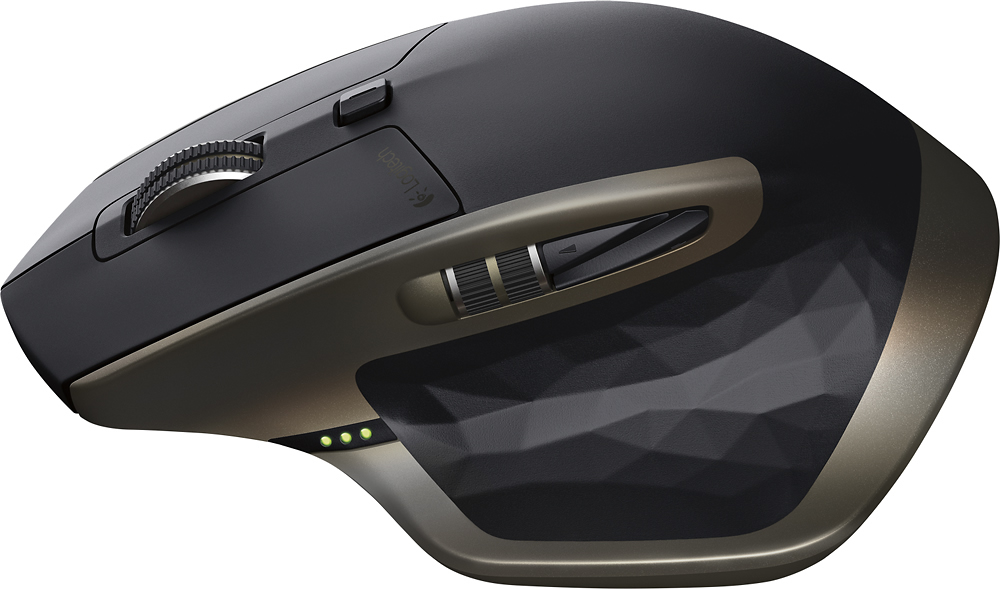
Customers value the MX Master Wireless Laser Mouse for its long battery life, comfortable design, and smooth scrolling wheel. Many appreciate its responsiveness, accuracy, and ability to work on various surfaces. While some find the price high and the weight substantial, the positive feedback on features like Bluetooth connectivity and precise tracking outweighs these concerns for most users.
This summary was generated by AI based on customer reviews.
- Cons mentioned:Weight
Rated 3 out of 5 stars
Skip This & Go With The M720
||Posted .This reviewer received promo considerations or sweepstakes entry for writing a review.First of all, I want to say that this may be the mouse for you. I see a lot of reviews that talk about how great this mouse is. That's why I bought it. Countless YouTubers recommended this mouse. After trying it myself I found a few issues that are big problems, at least for me. - It's heavy. I thought that maybe overtime I would get used to it, however I didn't want to risk it. It wasn't comfortable to move around. - The side buttons are in a non-ergonomic position, are hard to distinguish between from touch and are small. - Has few buttons (I like to use Logitech's software to add more functionality to my mouse). As a programmer & light PC gamer I need something with a lot of buttons, the same features of the MX Master and lightweight (since I use a computer all day). I stumbled upon the M720. In my opinion, it's the better version of the MX Master at half the price, minus the horizontal scroll wheel (which I would've rarely used anyway). If you're a video editor or you use a lot of Excel and have large hands, then pick this up. Otherwise skip it and go with the M720.
No, I would not recommend this to a friend - Pros mentioned:Comfort
Rated 5 out of 5 stars
New worlds best mouse
||Posted .This reviewer received promo considerations or sweepstakes entry for writing a review.This is the best mouse ever! It's as simple as that. I've owned EVERY Logitech flagship over the last 15 years or so, and up until this, the MX Revolution was the best. Finally, this is better!
I would recommend this to a friend Rated 4 out of 5 stars
Why don't they mention this in the description?
||Posted .This reviewer received promo considerations or sweepstakes entry for writing a review.I don't use all the buttons on this thing. I'm happy with two buttons and a scroll wheel. But there's a relatively unadvertised feature of this mouse that makes it great. I have two computers on my desk and it's a pain to have to keep switching mice, moving a dongle from one computer to the other, or using a USB switch. This puppy will pair to both of 'em and switch at the touch of a button! It's a great companion to a K811 keyboard that does the same thing. Sweetness! My only complaints are that the thumb scroll wheel is a bit too sensitive, so I frequently rub against it accidentally (I don't know that I've ever intentionally used it and it can be disabled in settings); and for some reason when starting my Mac or waking from sleep the mouse does not work until I've entered my password, that's not a deal breaker since my keyboard still works, but it's annoying enough for me to ding it a star.
I would recommend this to a friend- Pros mentioned:Scroll wheel
Rated 5 out of 5 stars
Excellent mouse
||Posted .This reviewer received promo considerations or sweepstakes entry for writing a review.It works the way it is advertised.... I was looking for a mouse with multi connectivity with bluetooth, I do not like wasting one USB port with wifi receiver because they are limited on the ultrabooks, and now when PCs and Mac are moving to USB C, it is better to have bluetooth mouse. I would say that I really got this mouse on very nice price, it was on sale on BestBuy and I got it for $59.00. that is really nice price for this mouse. The connectivity is good, and I like the customization of this mouse. I can configure every button of this mouse as per my need and there is also application specific customization which is very helpful. I use a lot of writing and and work with different academic software programs, the mouse works very well. And yes, the scrolling of the mouse is really on any surface, I did not experience any connection drop jumping curser. The mouse is a bit big as compared to other mouse available in the market, but I think the design is very good, it fits very nicely under my palm curvature and I like the good grip this mouse has to offer. working long hours with small mouse is always painful, thanks to Logitech for designing such a nice piece. The side scroll wheal is very smooth and perfectly paced. The only thing is that the forward button near the side scroll wheel is very small and awkwardly placed and I fell it a bit difficult to operate, but that might be issue only with me. The smart scroll feature is really great while working with long excel sheets and webpages. I have read quite a few review of this mouse and people say that this mouse is only for the power users who use heavy customization. But I think that is only partially true. i would say that this mouse is for those who are looking for multi-connectivity and a really nice mouse. The power user can take the advantage of customization but the normal user can use it on any surface. the size is good and it feels sturdy.
I would recommend this to a friend Rated 4 out of 5 stars
Love!!
||Posted .This reviewer received promo considerations or sweepstakes entry for writing a review.I use AutoCAD and surf the Web around 10-14 hours a day. This device improves my speed. Very sensitive and accurate. The only thing need improvement is the thumb scroll. I set it at zoom function. It works great on the website. Not that great on Adobe Acrobat. If they fix this, it would be the best products ever made.
I would recommend this to a friendRated 5 out of 5 stars
Great Mouse
||Posted .This reviewer received promo considerations or sweepstakes entry for writing a review.The responsiveness is great and because it is rechargeable I don't carry around batteries with me to work. I really like the ability to connect to 3 different computers and select which one you want the mouse to work with.
I would recommend this to a friend- Pros mentioned:Scroll wheel
Rated 4 out of 5 stars
Comfortable mouse
||Posted .This reviewer received promo considerations or sweepstakes entry for writing a review.I bought this because it has a place to rest your thumb. It is comfortable and the scroll wheel is easy to use. It automatically adjusts itself depending how fast you want to scroll. The forward and back buttons are a little small, but I haven't had any problems using them. This model has been replaced by a newer one, so you should be able to find this on sale.
I would recommend this to a friend - Pros mentioned:Scroll wheel
Rated 5 out of 5 stars
Was way more than I expected
||Posted .This reviewer received promo considerations or sweepstakes entry for writing a review.I'm just going to start off by saying that I didn't have any intention to end up with this mouse when I went into the store. I had recently purchased a new laptop and it had Bluetooth built into it. That being said, I wanted a new mouse that was Bluetooth so I could connect it to the computer without having to attach one of the dongles and use up a USB port that I have on my laptop. I went to Best Buy planning on purchasing a simple Bluetooth mouse and after seeing the sale price that I could get this one at, ended up with this one. It was a good price (especially for what it normally costs) and really only ended up costing around $20 more then a very basic Bluetooth mouse. After stating all that, I must say this is by far my favorite mouse. I have used a lot of different mice and I even have a wireless gaming mouse by Logitech that I have for my desktop (G602). I knew that this was a pretty good mouse as my brother used it, but I didn't know how good it was. This thing is by far the mouse that is the easiest and best to use for daily productivity. I wouldn't go and try to use it for a gaming mouse, the dpi that it has isn't the greatest for that, but for a daily mouse it's awesome. The automatic scroll wheel works flawless and can be set for higher or lower speed sensitivity. When it goes from "click" to "free spin" it's flawless, you can hear it unlock and feel it too and it works perfect every time. I'm also a huge fan of the side wheel which I use for volume as I don't do a whole ton of video editing or anything like that where I would find this wheel extremely useful for scrolling horizontally instead of just vertically. The forward and back buttons that are right behind the scroll wheel would be the only thing that I'm not a huge fan of, but based on the design of the mouse and where the emphasis is placed for the other controls, I really can't think of a better way to design them anyway. They are just a bit too small for me and I end up accidentally hitting the wrong one at times. The overall feel of the mouse is very comfortable. It's a big mouse so if you have small hands, it's probably going to be too big, but for someone like me with fairly large hands, it's a very comfortable mouse and the shape of it fits the contours of the hand very well. There is also a thumb button that you can assign different actions as well. I use this for switching between desktops in Windows 10 and this also works flawlessly. I just can't seem to get enough of the mouse when I use it and the look of it as well. Every time I pull it out in public, when people see it, they are just in awe and love how it looks and feels. It's very professional looking and just works!! I would recommend this mouse to anyone who is looking for a very productive mouse that they could use for a long time and not cause any irritation.
I would recommend this to a friend - Pros mentioned:Battery life
Rated 5 out of 5 stars
A Step up from original MX
||Posted .This reviewer received promo considerations or sweepstakes entry for writing a review.Currently used 10 hours a day for AutoCAD and OST and has lasted two weeks without charging. thumb side scroll is very useful when using a large excel sheets. Battery life alone was worth the upgrade. Bluetooth does not function with a dell mx4800 but dongle works just fine for me.
I would recommend this to a friend - Pros mentioned:Battery life
Rated 5 out of 5 stars
Great mouse for all uses
||Posted .This reviewer received promo considerations or sweepstakes entry for writing a review.I bought this mouse having recently purchased the Asus Chromebook C302CA. Have a Logitech M325 which is great but uses a USB Bluetooth. Meaning I had to buy a dongle to get it to connect So much easier to buy a mouse with it all built in, lasts for hours, easy charging and doesn't feel flimsy. Very contoured for righties and feels comfortable to use Haven't used it for gaming though which it might be too unwieldy, but I used the M325 for that which fits in the palm of a normal sized hand Either way, definitely be happy with it. Responsive, comfortable, and simple to learn to use
I would recommend this to a friend - Pros mentioned:Scroll wheel
Rated 5 out of 5 stars
Awesome
||Posted .This reviewer received promo considerations or sweepstakes entry for writing a review.The MX Master is a great addition to the MX line of mice from Logitech. Great response tracking as well as the scroll wheel. I have replaced my laptop mouse and work PC mouse with this as you can pair 3 devices via the unified dongle or via bluetooh. Highly suggest this purchase.
I would recommend this to a friend - Pros mentioned:Battery life, Bluetooth
Rated 5 out of 5 stars
Amazing Mouse
||Posted .This reviewer received promo considerations or sweepstakes entry for writing a review.This is probably one of the best mice I've ever bought for my MacBook Pro. It fits in my hand perfectly, and has all the amazing features I wanted in a mouse (sideways scroll, bluetooth, rechargeability, battery life). An especially cool thing is the ability to still use the mouse while it's recharging, something you can't do with the Apple Mouse. I plan on buying the MX Master 2S when I can. P.S. I've dropped this mouse onto solid concrete from roughly 4 feet in the air, and if I had shown you the mouse, you wouldn't have been able to tell. Extremely durable, in my opinion.
I would recommend this to a friend - Pros mentioned:Battery life, Comfort
Rated 5 out of 5 stars
3-way device connection is a winner
||Posted .This reviewer received promo considerations or sweepstakes entry for writing a review.Yes, Apple's mice are good. They work well, the battery lasts a long time. The big reason I shifted to this mouse was 3-fold. 1. This mouse can pair with three different devices. Switching between them is incredibly simple and fast. 2. Comfort. The Main Mouse lies too flat for me to use comfortably. The arch in the top of this mouse fits my hand very very well and can be used all day without fatigue. 3. Customizable buttons and gestures. There are a plethora of buttons on this mouse! Each can easily by customized using the Logitech software to reduce fatigue and expedite workflows.
I would recommend this to a friend - Pros mentioned:Battery life, Scroll wheel
Rated 5 out of 5 stars
Best mouse for multitasking!
||Posted .This reviewer received promo considerations or sweepstakes entry for writing a review.Key features of the mouse that stood out to me: 1.) It has a scroll wheel with two features of free scrolling and controlled scrolling. 2.) Battery Life is excellent, since having the mouse i've only charged the mouse once and it indicates when you need to charge it. 3.) Comfortable to hold in the hands, and has a thumb press for extra usage. 4.) The software for this works flawlessly and allows the user to easily change the usage of each component of the mouse. Overall it is a great mouse, the best mouse ever! Especially for the price point! Worth picking up if you multitask a lot!
I would recommend this to a friend - Pros mentioned:Scroll wheel
Rated 5 out of 5 stars
Great mouse for heavy mouse users: Data & CAD.
||Posted .This reviewer received promo considerations or sweepstakes entry for writing a review.The most functionality of any mouse on the market today. Logitech has always the premier pioneer of these types of devices. Great for users of CAD, Excel, Data manipulating, programming, gaming, etc. The variable speed scroll wheel & horizontal scroll are handy new functions.
I would recommend this to a friend - Pros mentioned:Battery life, Scroll wheel
Rated 5 out of 5 stars
Costly but high quality
||Posted .This reviewer received promo considerations or sweepstakes entry for writing a review.The scroll wheel is extremely smooth in free-run mode. The accuracy is great and responsiveness is fine. The battery life is excellent. The only downside is the cost.
I would recommend this to a friend - Pros mentioned:Scroll wheel
Rated 4 out of 5 stars
Logitech - MX Master Wireless Laser Mouse - Black
||Posted .This reviewer received promo considerations or sweepstakes entry for writing a review.I really like this mouse... Had the Performance MX and wanted another one, but they didn't have it in stock, so I purchased the MX Master... like the wheel due to if you roll it quick, it goes into pages scrolling automatically, touch the wheel again and pages scrolling stops and returns to line scrolling automatically... the Performance you have to press a button to do that...
I would recommend this to a friend - Pros mentioned:Battery life, Scroll wheel
Rated 5 out of 5 stars
Very smooth mouse
||Posted .This reviewer received promo considerations or sweepstakes entry for writing a review.I changed over from a MS Touch mouse to this one as I needed more fine control for SketchUp drawings and such. This mouse works great, it is very smooth. Te scroll wheel is unique as it has two modes. Move it slowly and it works as normal, spin it fast and it will scroll very fast. It does have rechargeable batteries. Up to now I have used mice with AA batteries I just replaced every few months. So far the charge lasts about 6 weeks. As with any rechargeable battery, they have a specific lifetime and I dont see a way to replace the battery. That is the only negative I see right now.
I would recommend this to a friend - Pros mentioned:Scroll wheel
Rated 5 out of 5 stars
Great Mouse
||Posted .This reviewer received promo considerations or sweepstakes entry for writing a review.I bought this mouse for work, I use it for AutoCAD and programming software, as well as all the basic Microsoft office applications. The side scroll is great for large spreadsheets and the automatic fast unlock scroll wheel is great for quickly scrolling up and down.
I would recommend this to a friend - Pros mentioned:Battery life
Rated 5 out of 5 stars
Exemplary new mouse from Logitech
||Posted .This reviewer received promo considerations or sweepstakes entry for writing a review.Ive been using logitech's performance mice for years. the new mx master mouse is a clear evolutionary advancement for the MX series of mice. fits perfectly in the hand, has great sensitivity, and gret battery life. i was they made a slightly smaller variant for mobile use.
I would recommend this to a friend