Early Black Friday DealsNew Doorbusters every Friday.Shop now

Main Content

Customer Ratings & Reviews


Your price for this item is $139.08
The comparable value price is $179.99

Customer reviews

Rating 4.6 out of 5 stars with 141 reviews

Rating Filter

Rating by feature

  • Value

    Rating 4.2 out of 5 stars

  • Quality

    Rating 4.7 out of 5 stars

  • Ease of Use

    Rating 4.7 out of 5 stars

Pros mentioned filter

Cons mentioned filter

91%would recommend to a friend
The vast majority of our reviews come from verified purchases. Reviews from customers may include My Best Buy members, employees, and Tech Insider Network members (as tagged). Select reviewers may receive discounted products, promotional considerations or entries into drawings for honest, helpful reviews.
Page 7 Showing 121-140 of 141 reviews
  • Tech Insider Network Member

    Rated 5 out of 5 stars

    Compact, solid, great feeling keys

    |
    Tech Insider Network Member
    Posted .
    This reviewer received promo considerations or sweepstakes entry for writing a review.

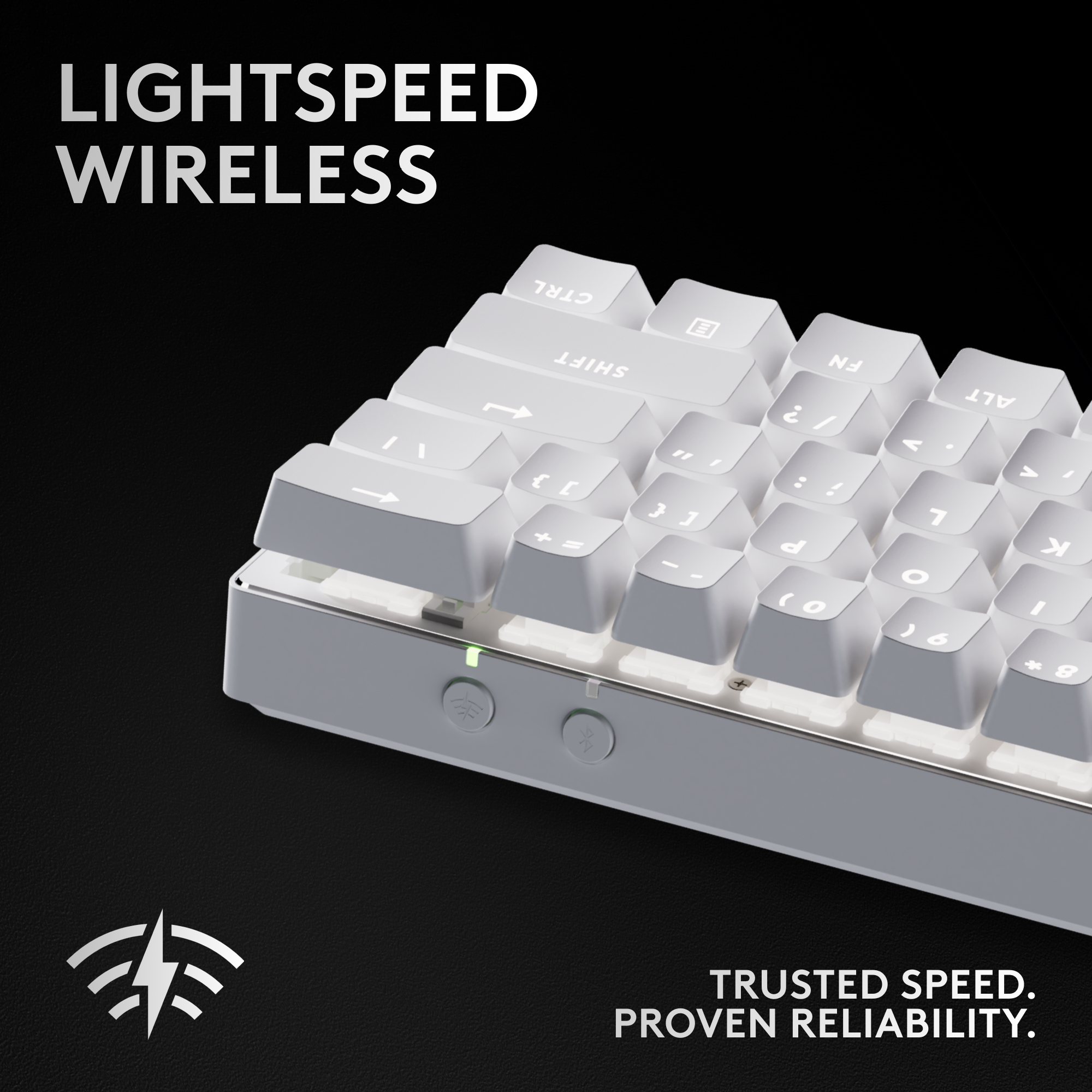
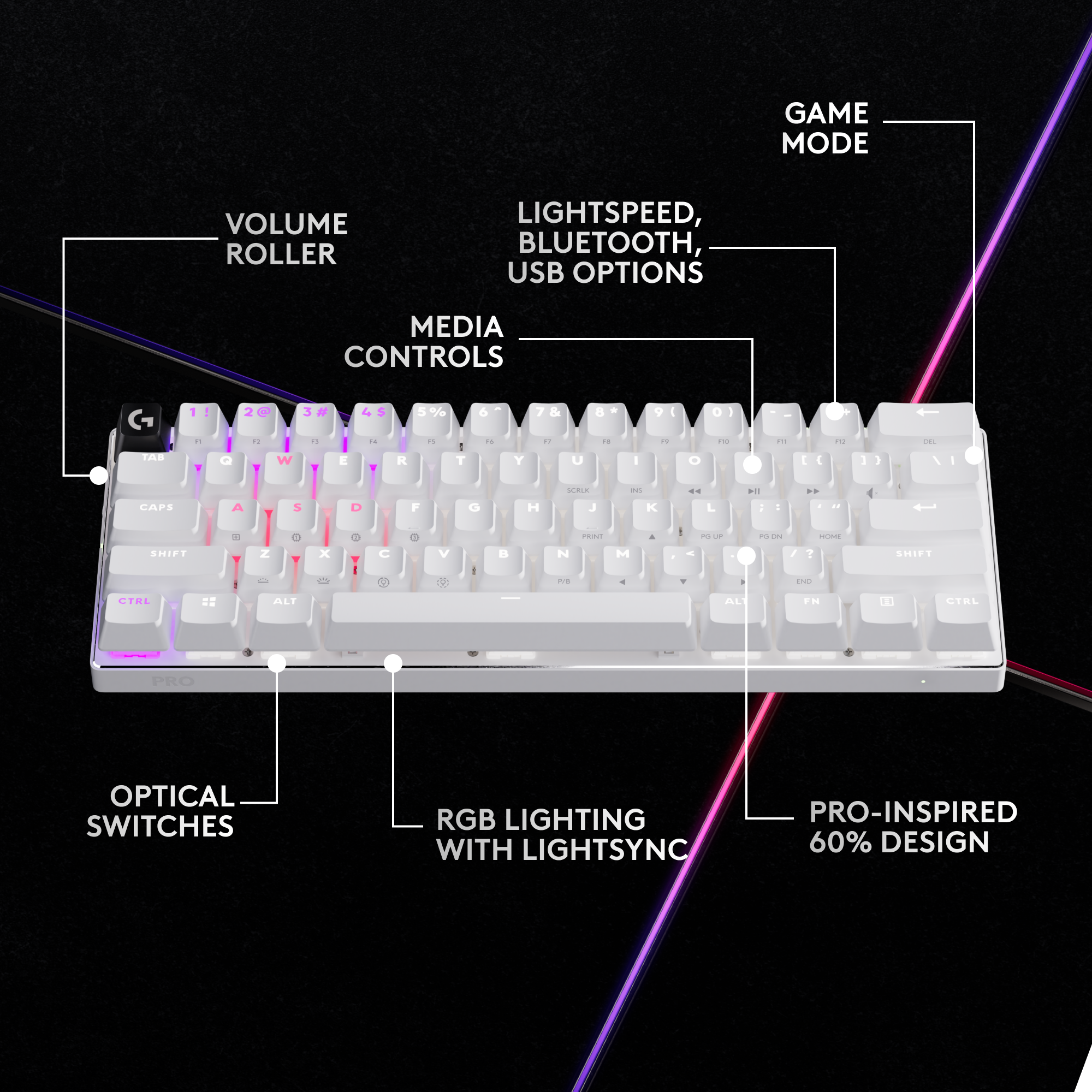
    This thing is considerably smaller than I had expected, but since it was a prerelease product, there were no photos. But that just makes it even that much better as far as I'm concerned. Packaging was nicely done. Well protected during shipping. Popping it open, I loved seeing that there was a case for this. Nice touch. Zipper works smoothly, and opening it up for the first time and seeing the keyboard, I was impressed. I'm a big fan of a nice mechanical keyboard. Being a fast touch typer, I find the action of one is way better than the normal chicklet keyboard most things come with. For gaming it also usually works better for me. The unit actually came fully charged, something I almost never see. The case has a recessed part where the adapter and the tilde key sit securely. The adapter also had the wireless USB receiver in it, although ultimately there is a storage spot under the keyboard for it. It's a great design as well, a sloped curve so that you can easily slide the receiver into place, and easily slide it out again. There is a volume knob on the left side, convenient. I like dedicated volume controls. So for a more compact keyboard like this, I don't need to mess with a function key like most would, not having the room for dedicated volume keys elsewhere. Power button is a nice one, movement has a very positive feel to it. The LED lights have four brightness levels, accessible by hitting the function keys and the assigned key for brightness adjustment up/down. I like how the secondary features like the LED control and transport buttons are all printed on the FRONT of the keyboard. There are eight different LED colors to choose from, and a selection of lighting effects available right on the keyboard. The action itself is outstanding, one of the best feeling keyboards I've used in many years. And since I've recently begun to move my gaming from my Xboxes and PlayStations to a new gaming laptop, the timing was perfect. This is so much better to use than the keyboard on the laptop and since it’s compact, it doesn’t take up nearly as much room in front of the laptop as my other gaming keyboard does. Since I’ve been using it on a rolling cart now with adjustable halves, this makes it easier for me to use a keyboard and mouse than what I was using prior. 99% shows about 66 hours of use left, and it's been used for many hours already without charnging, so I'm thinking this WILL last quite a long time. The G hub software is alright. I've dealt with so many different programs for different devices - my Corsair gaming mouse has its own for controlling RGB lighting and settings, my ROG Strix laptop has its own, so this is just another one. So far, the things I'm doing with it are doing what I expect. The LED controls work well, and the customization seems to be functioning as expected. Since I'm doing simple things now like Fallout and Assassin's Creed, I haven't had to get too crazy yet. But the customization for keys is pretty straightforward. You can set up to 5 extra assignments to a single key, including modifiers for alt, shift, and control. I also like that I can specify whether the LED backlight turns off after inactivity. Sometimes I would want that, and sometimes I'd want it to stay on even if I'm not active enough on the keyboard to keep it lit. I always love having a choice. There is a physical sliding switch on the right edge to change the keyboard into gaming mode which lets you disable specific keys. From the program, you simply decide which keys you don't want to accidentally press, and those are just disabled. This feature I like, since with the form factor here, I could see where I might bump a few during normal use. This lets you really work around whatever game you're playing to help unintended keystrokes. There are rubber feet on the bottom that do a very good job of holding this in place. And there are tilt feet you can pull out to adjust the angle. But the angle is very shallow. Here I would have liked to have seen an option for a lower angle, and a higher angle, since depending on where I'm using it, I might want one or the other. But seeing as this really will be used JUST for gaming for me, since otherwise I lose the 10 key pad I like with normal computing, it’s not a big deal. This thing has heft. Considering the battery life, I wonder how much of that is battery. It feels solid, not at all cheap, and that's something for me that is one of those ineffable things about electronics. Some things just feel cheap. I like it when they don't, and this keyboard, smallest of all my gaming keyboards, is probably the sturdiest and least cheap feeling of them all and possibly the one with the most weight. LED on the left edge shows you when you have the caps lock engaged. I've got to say, that I really love this keyboard. The feel, the speed, the customization. It does what I expect, unlike some things like the Corsair customization for the mouse that was just a hot mess. It has things I consider requirements and lacks some of the useless bling I have on other keyboards. It is well designed, well-constructed, and well thought out. Definitely worth considering for any PC gamers out there.

    I would recommend this to a friend
    • Brand response from Logitech
      Posted .

      Hey! Thank you for your detailed Logitech PRO X 60 LIGHTSPEED review! We appreciate your feedback on the size, build quality, features, and software. We're glad you love it! Especially the portability, key feel, battery life, and customization options. We'll consider your feedback about the tilt feet for future designs. Happy gaming!

  • Rated 5 out of 5 stars

    Logitech

    |
    |
    Posted . Owned for less than 1 week when reviewed.
    This reviewer received promo considerations or sweepstakes entry for writing a review.

    Good quiet keyboard frees up so much space on my desk

    I would recommend this to a friend
    • Brand response from Logitech
      Posted .

      Hey! That's exactly what the PRO X 60 was designed for. Glad you're enjoying the extra desk space and the quiet typing experience.

  • Rated 3 out of 5 stars

    Small keyboard

    |
    |
    Posted . Owned for 7 months when reviewed.
    This reviewer received promo considerations or sweepstakes entry for writing a review.

    Good for using on the move and easy packing. Keys are pretty however and not good for fast typers.

    I would recommend this to a friend
    • Brand response from Logitech
      Posted .

      Thanks for sharing your feedback! We understand that the PRO X 60 TKL may not be ideal for all typing styles due to its tactile switches. We appreciate you highlighting this, and we'll use it to improve our future keyboard designs. Logitech

  • Rated 3 out of 5 stars

    Please fix rgb

    |
    |
    Posted . Owned for 2 weeks when reviewed.
    This reviewer received promo considerations or sweepstakes entry for writing a review.

    feels quality and sounds great but the rgb programming sucks on it, if the software were better I'd put 5 star

    I would recommend this to a friend
    • Brand response from Logitech
      Posted .

      That's disappointing to hear and it's surely not what we expect to deliver. However, we will forward it as a feedback to the appropriate team so they can look into it. Thanks a lot!

  • Rated 3 out of 5 stars

    Does not work with PS5

    |
    |
    Posted . Owned for 1 week when reviewed.
    This reviewer received promo considerations or sweepstakes entry for writing a review.

    Does not work with PS5 and it doesnt say it in the description. Very frustrating and had to return it.

    No, I would not recommend this to a friend
    • Brand response from Logitech
      Posted .

      We apologize for the inconvenience you experienced with the Logitech - PRO X 60 LIGHTSPEED TKL. We understand the importance of accurate product information and will work to ensure this is updated. Thank you for your feedback.

  • Rated 2 out of 5 stars

    Gaming keyboard

    |
    |
    Posted .
    This reviewer received promo considerations or sweepstakes entry for writing a review.

    My son (gamer) loves this but I’m an idiot and got it for myself too not knowing what a gaming keyboard is. No number pad so I returned.

    No, I would not recommend this to a friend
    • Brand response from Logitech
      Posted .

      I'm truly sorry to hear the Logitech PRO X 60 LIGHTSPEED TKL keyboard didn't meet your needs due to the absence of a number pad. I completely understand how important that can be for everyday use. We appreciate your feedback. Logitech

  • Rated 3 out of 5 stars

    Small

    |
    |
    Posted . Owned for 1 month when reviewed.
    This reviewer received promo considerations or sweepstakes entry for writing a review.

    Didn’t like not having keypad or arrow keys on the keyboard.

    No, I would not recommend this to a friend
    • Brand response from Logitech
      Posted .

      We understand that the lack of a numpad and arrow keys might not be ideal for all users. The PRO X TKL 60% was designed for competitive gamers who prioritize a compact and portable setup. We appreciate your feedback and will keep it in mind for future product development. Logitech

  • Tech Insider Network Member

    Rated 5 out of 5 stars

    Top tier gaming keyboard in a tiny package!

    |
    Tech Insider Network Member
    Posted .
    This reviewer received promo considerations or sweepstakes entry for writing a review.

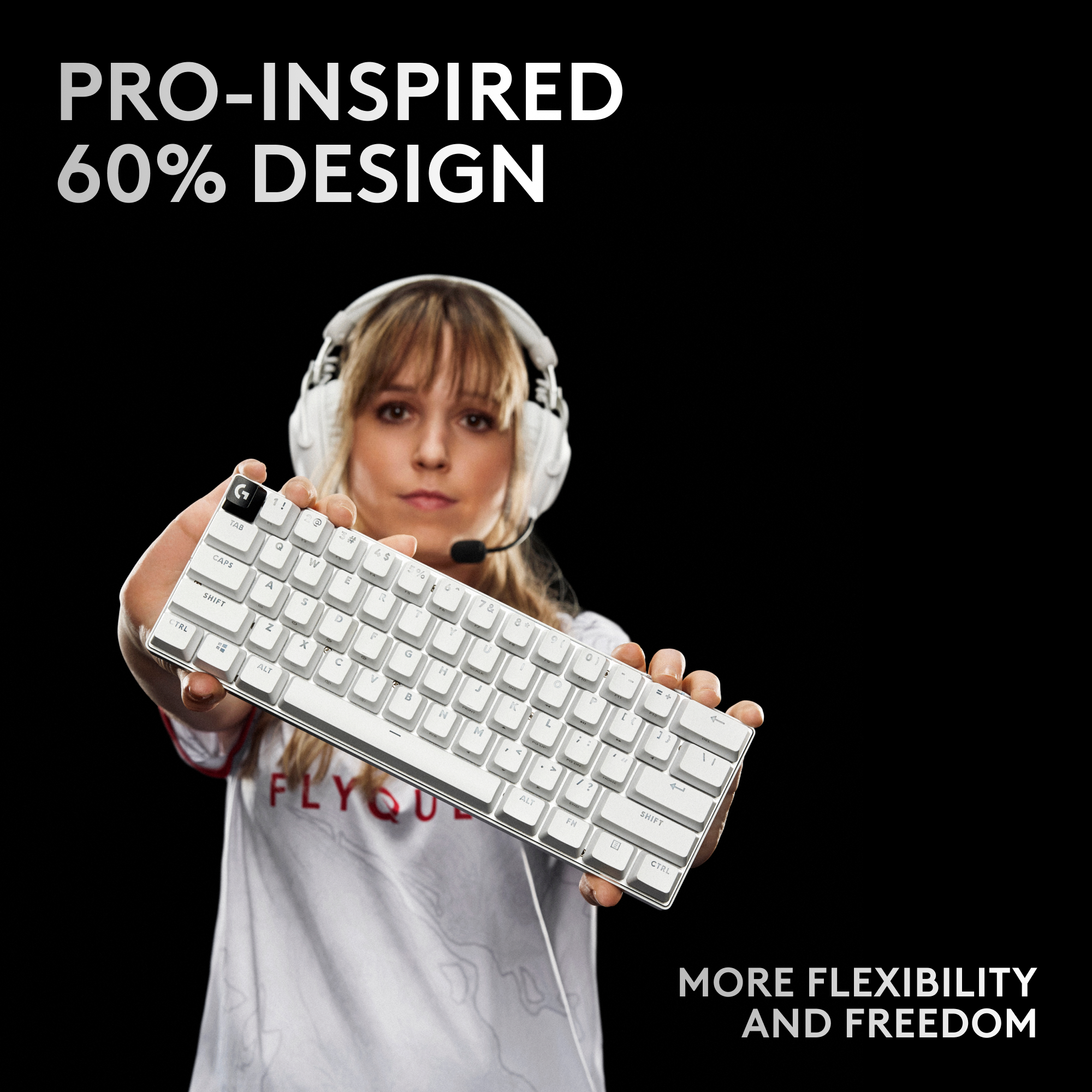
    To start, this thing is TINY. If you've never used a 60% keyboard, its even smaller than you think. In using this for a while, I realized I'm more of a 70-75% guy. I need my Fkeys and arrow keys without using an FN button. That one gripe being said, this is one of the most solid and premium keyboards I have ever used, and I have a ton of different keyboards from all different manufacturers. They also include a case, which feel quite premium, and will easily fit in a backpack with a gaming laptop. My preference is first person shooters with this size of keyboard, as there usually isn't too many other keys needed. I realized within a minute of playing DoTA2 with this little guy that I REALLY missed my Fkeys. Other than that, you cannot go wrong with this Logitech. The G Hub has really matured and is much better/more solid and less crashes than a main gaming competitors software that I use. The lightspeed wireless is near instant, with no difference felt for this old gamer in BF2042 vs a similar wired keyboard. The battery life seems solid also, was able to play for a few days/a few hours a day, and the G Hub was still showing over 50% battery remaining. The RGB is legit, very customizable, and the little touches make this keyboard stand out. They squeezed a volume wheel on THE SIDE! Such a great idea, and its fairly natural to use. TLDR : If you understand the limitations of 60% keyboards/are in the market for one, GO FOR THE Pro X 60! Its a GREAT little beast!

    I would recommend this to a friend
    • Brand response from Logitech
      Posted .

      Thanks for the review! Great feedback on the 60% size and innovative volume wheel. This keyboard sounds perfect for FPS gamers who prefer a compact layout.
  • Best Buy Employee

    Rated 3 out of 5 stars

    Not worth the price

    |
    Best Buy Employee
    Posted . Owned for 1 week when reviewed.
    This reviewer received promo considerations or sweepstakes entry for writing a review.

    The switches were too clicky and the keyboard itself was not super sturdy. For the price, you can do better

    No, I would not recommend this to a friend
    • Brand response from Logitech
      Posted .

      That's surely disappointing to hear and not what we intend to deliver. We value your input, therefore we will forward it along to the appropriate team so they can look into it. Thanks a lot!

  • Tech Insider Network Member

    Rated 4 out of 5 stars

    An expensive but nice keyboard.

    |
    Tech Insider Network Member
    Posted .
    This reviewer received promo considerations or sweepstakes entry for writing a review.

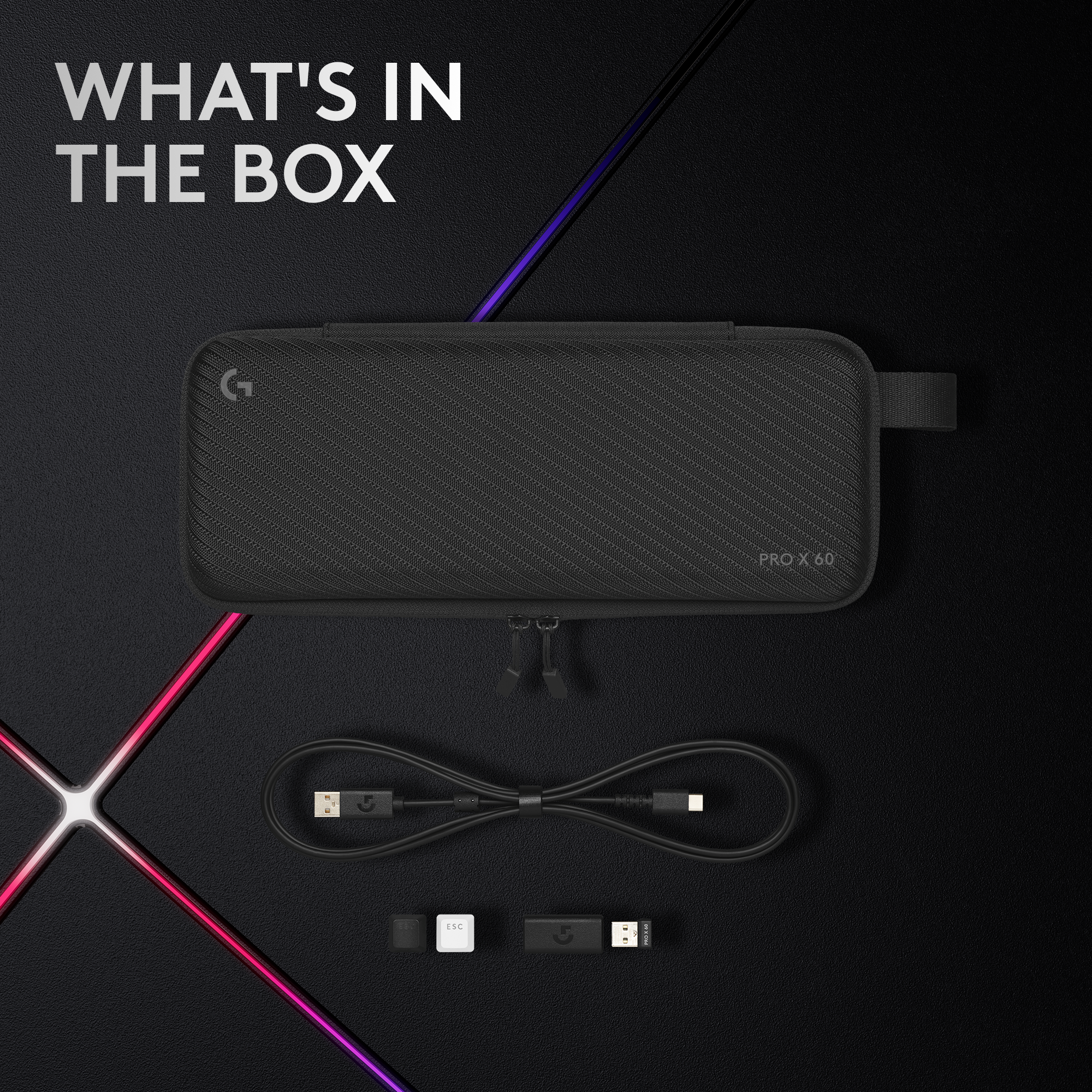
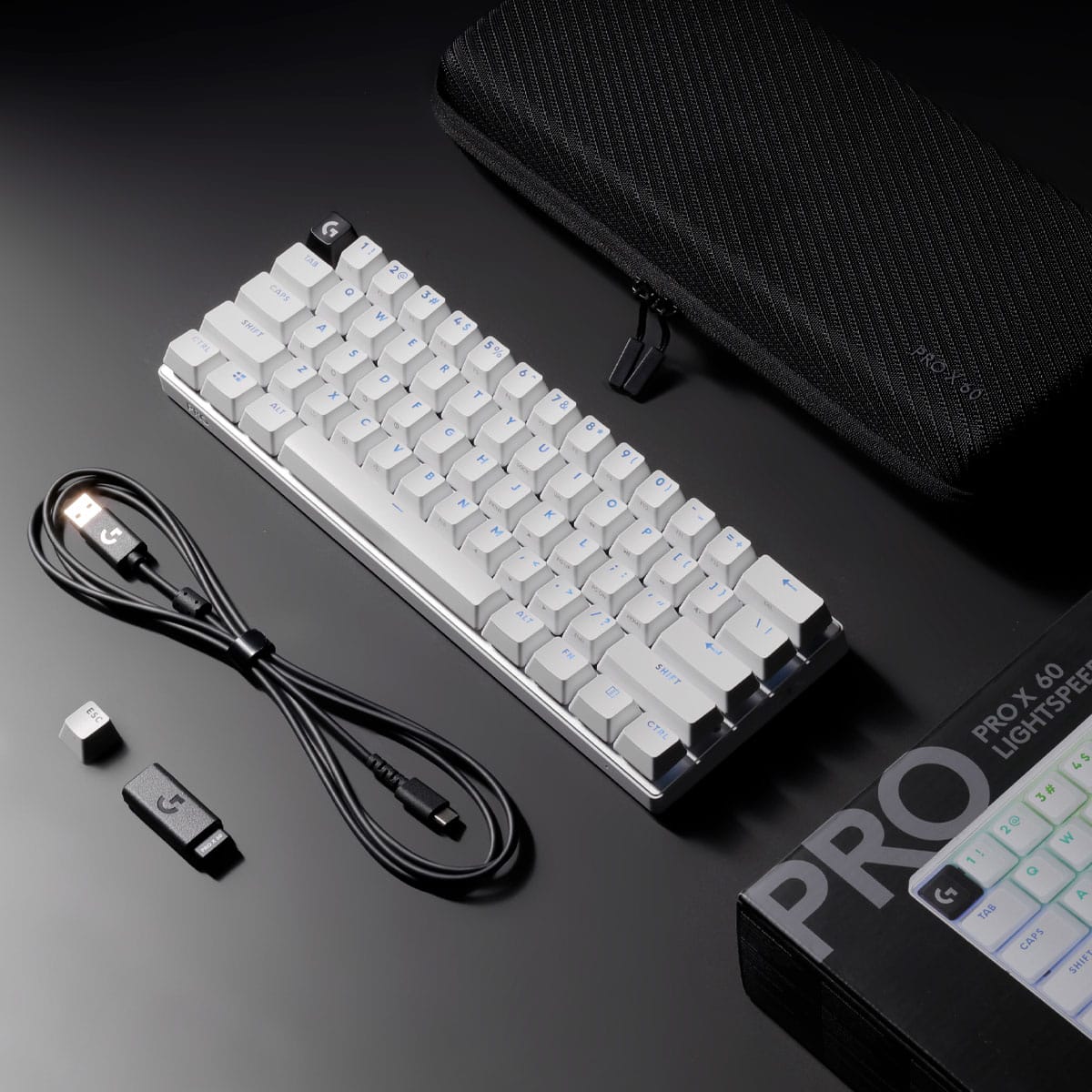
    First impression: My first impression of the Pro X 60 keyboard was that it is a rugged keyboard. It has a solid feel, optical keys, and is heavy for its size. That is good because this keyboard doesn’t slip around on the desk. The keys feel rugged but do have some play in them. The white escape key is aesthetically nice and makes it easy to quickly find in a compact keyboard; I’m used to a full-size keyboard. If you don’t like white, a black replacement key is included. The keyboard is well packaged and comes in a really nice carry case. Everything fits in the case, and it protects the keyboard when taking with you. The keyboard can be connected via Bluetooth, Wi-Fi, or a USB dongle. The dongle also has a USB A to USB C adapter, which is a nice touch. Bluetooth pairing is instantaneous and easy. This keyboard was the fastest pairing keyboard I have ever used. As soon as I held the BT button in, it offered me a code on my machine. I punched the code into the keyboard, and it was paired. What’s in the box: • PRO X 60 Gaming Keyboard • USB LIGHTSPEED Wireless adapter • USB-A to USB-C charging and data cable • Logitech G keycap • Carrying case • User documentation G Hub: This keyboard is configured through the Logitech G Hub app. Through this app you can set up profiles, key mapping, macros, change settings, access community support, access Logitech support, and set keyboard settings. Once the keyboard is paired with G Hub, you are presented with a picture of your keyboard. In the upper right-hand corner is a dropdown box. If you have multiple Logitech devices connected to G Hub, you can select them here. Clicking anywhere on the keyboard will take you to the Keyboard configuration. The 1st icon takes you to LightSync. This is the LED lighting configuration. It has preset configurations, Freestyle configurations, and lighting Animations. While in Bluetooth mode, only preset configurations are available. Preset configurations are just that, you select one and it works. Freestyle allows you to paint keys different colors. Animations have different animated routines. My favorite is Lightning running at 50ms. The 2nd icon takes you to assignments. This is by far my favorite part of the keyboard. Being a 60% keyboard, there are keys that don’t exist, such as arrow keys. However, with the key mapping, it is easy to redefine keys so you can have the keys you want/need available. There are two ways of mapping the keys. One is persistent. Those mappings will be the same across all profiles. The second is profile based. On this mode, the keys can be mapped specifically for a certain profile, and changing the profile will change the key mappings. This is a very powerful tool for a 60% keyboard. The 3rd icon takes you to the Game Mode configuration, which disables the Windows key. However, you can add other keys to disable with the Game Mode switch. This is where you select those keys. Keyboard: As mentioned earlier, this keyboard has a nice weight to it. The weight along with the rubber strips on the bottom, the keyboard is firmly sitting on your desk. On the sides of the keyboard, there is a volume roller, an on/off switch, a USB port for charging and for cabled use, a Bluetooth button, a Wi-Fi button, and a Game mode button, which disables the Windows key. On the bottom of the keyboard, there are two riser feet, and a space to plug in the USB dongle so it doesn’t get lost. The volume roller is nice, and the volume level responds linearly. My only con for the volume roller is that it is easy to over adjust when moving quickly. Adding resistance to the roller would help prevent changing volume levels by accident or over-adjusting the volume. The Game Mode switch disables the Windows key for gaming. You can add other keys as well to disable when using this switch. Performance: The keyboard works beautifully with all my devices. The keys are easy to hit and responsive, and do not require any force. The keys also don’t bounce which is nice as I am a 2-finger typist. I like the tactical feel and sound. There is some wobble in the keys which makes some noise, but it didn’t affect the performance of the keyboard, and didn’t personally bother me as I cut my teeth on an IBM Model M a long time ago. The keyboard is very snappy and responsive. The only problem I had was that I am not used to a 60% keyboard, so there is quite a learning curve for me. My muscle memory doesn’t work here. But I am slowly getting the hang of it, and I like the extra desk space for a dedicated function keyboard and mouse movement. Conclusion: I like the Pro X 60 keyboard. This keyboard is a nice 60% keyboard. It is loaded with features and allows up to 15 functions per key in custom key assignments. It has multiple ways of connecting to a computer, powerful lighting options, volume control within easy reach, and profiles for different key assignments. While these features aren’t unique in gaming keyboards, they are easily configured with G Hub. So, do I recommend this keyboard? It’s not a simple yes or know. I do like the Pro X 60, and I do recommend it, if you think it is worth the price. It is an expensive keyboard for a 60% keyboard, and for that, you must make up your own mind. For me, I’m enjoying getting used to the 60% size and the extra desk space I get with this keyboard.

    I would recommend this to a friend
    • Brand response from Logitech
      Posted .

      We're glad to hear that you've found the keyboard to be rugged, solid, and well-built. The tactile feel of the keys, combined with the optical technology, is designed to provide a responsive and precise typing experience. We're also pleased to know that you appreciate the compact design and the included carrying case for easy portability.

  • Tech Insider Network Member

    Rated 5 out of 5 stars

    Solid

    |
    Tech Insider Network Member
    Posted .
    This reviewer received promo considerations or sweepstakes entry for writing a review.

    This is a nice compact 60% gaming keyboard. Comes in a semi-hard case with keyboard, usb cable, lightspeed adapter, usb adapter and an alternate ESC key. There is also a spot on the bottom of the keyboard for the lightspeed adapter. In the hands this Pro X 60 feels solid and like a quality item. It has some heft to it almost like it is metal, but seems to be plastic. The weight helps hold it in place. On the bottom are 2 flip up legs to angle it a bit if you prefer. The RGB lighting is nice and can be adjusted pretty much however you want with the G Hub software. Keys can be programmed as needed or disabled per game. There is a volume control on the left side.On the right side is a switch to enable game mode. You can connect the keyboard to PC with usb cable, Bluetooth and lightspeed, options for everyone. Battery life seems to be very good, even when I let it run full RGB. I only have a couple small nit-picks. The secondary key functions are silk screened on the ‘front’ side of the key and are hard to read. They are like a dark gray on black keys and are not back light with the RGB. I also noticed on ‘wider’ keys like (CAPS, SHIFT, CTRL), the lens or the RBG led does not light up the entire word, the edges are not lt. For the SHIFT key, the S and T letters aren’t lit on the outer sides. This isn’t a deal breaker, but on an expensive quality keyboard that otherwise looks and feels really nice, it distracts a little from the ‘quality’ feel. Overall a nice keyboard.

    I would recommend this to a friend
    • Brand response from Logitech
      Posted .

      That's a very thorough review of the Logitech PRO X 60 LIGHTSPEED TKL keyboard! It sounds like a great option for gamers who value compactness and performance.

  • Tech Insider Network Member

    Rated 4 out of 5 stars

    Solid keyboard for gaming or professional use

    |
    Tech Insider Network Member
    Posted .
    This reviewer received promo considerations or sweepstakes entry for writing a review.

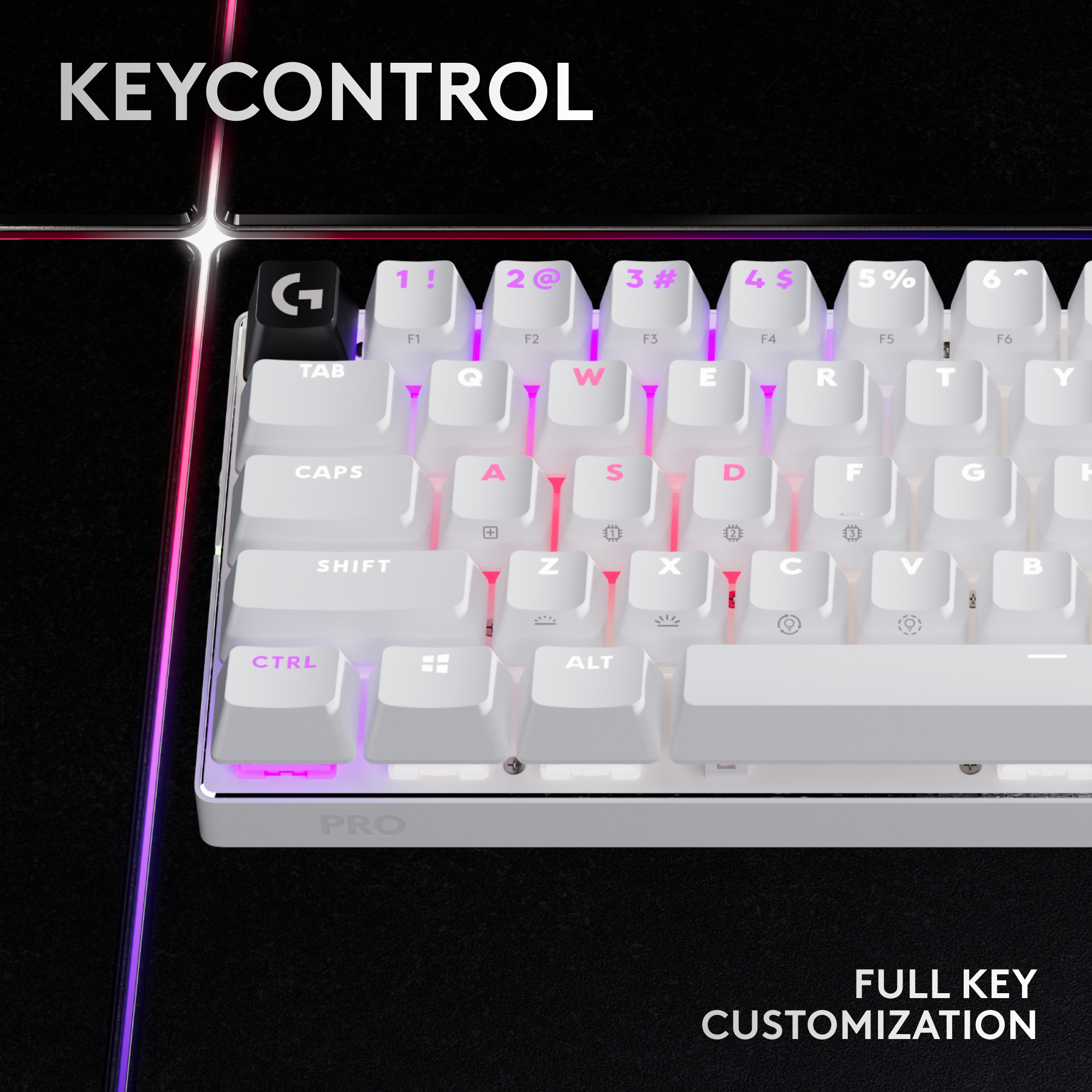
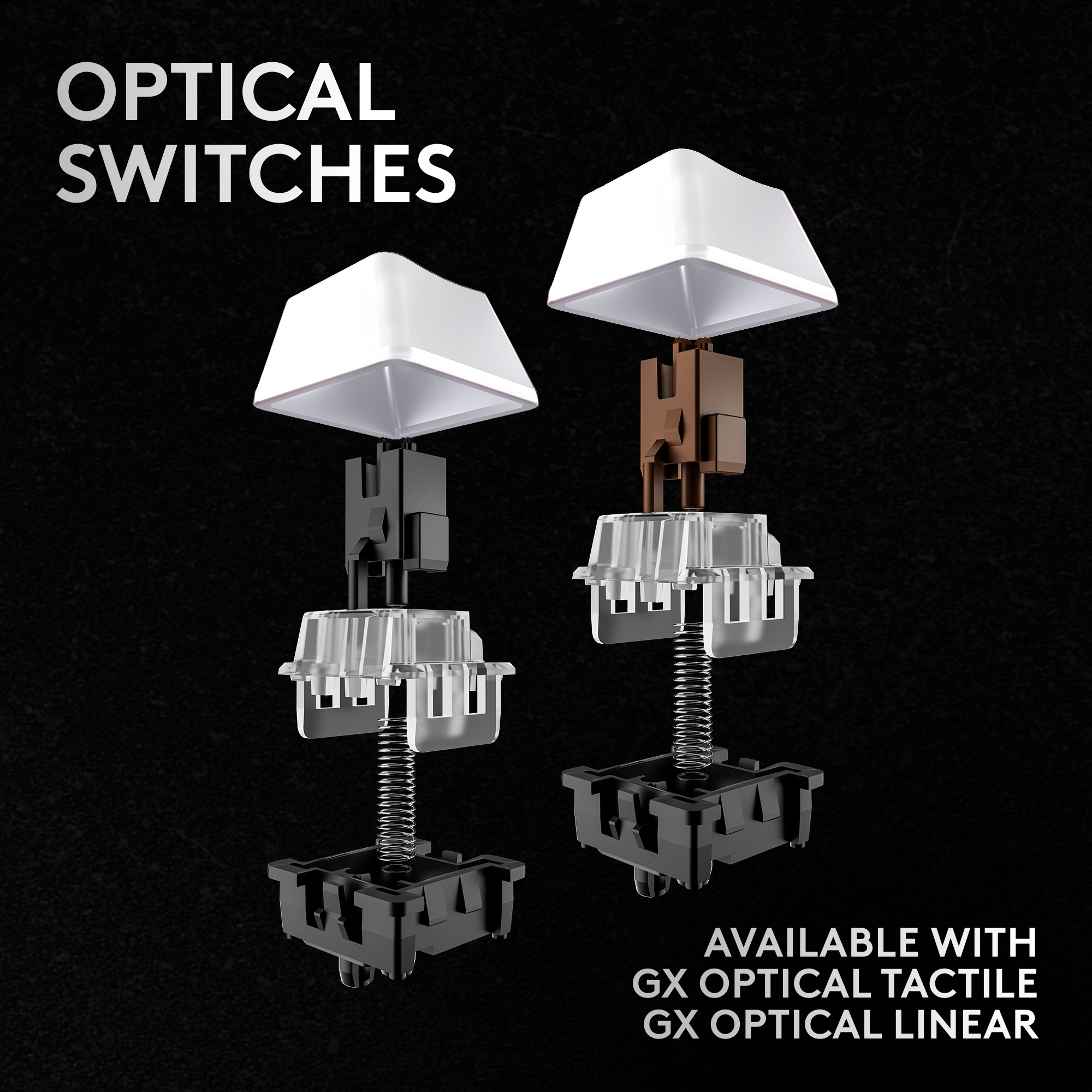
    This keyboard doesn't disappoint and I expected nothing less from Logitech's PRO series. The keyboard itself is very nice and compact with that 60% design and this one is especially nice because it comes with a carrying case! The carrying case is very sturdy as well so I wouldn't feel weary carrying that in my backpack while traveling to a LAN party or a competition. The switch mine has is the GX Optical Tactile. I know some people aren't a fan of optical switches but these just feel great regardless. The tactile has a nice feedback to every keystroke as well. The RGB lighting is definitely nice and it's customizable via the app as well. This comes with KEYCONTROL where you can customize every key so you can set it up for your competitions or game. I do love the fact that it's wireless and you can choose between USB or Bluetooth connection but keep in mind that the 1ms LIGHTSPEED wireless just works with the USB connection. Overall, the design is great and minimalistic. It also looks professional so if you're not using it for gaming, you won't be embarrassed by it. I would have loved to give it a 5 star but for the price, there are other more customizable keyboards that offer a very similar performance as well.

    I would recommend this to a friend
    • Brand response from Logitech
      Posted .

      Hey, We're thrilled you're enjoying the PRO X 60 LIGHTSPEED TKL for both gaming and professional use! It sounds like the compact design, carrying case, and customizable features are hitting all the right marks for you. The tactile feedback of the GX Optical switches and LIGHTSPEED wireless performance are definitely highlights. Your insights are valuable for us as we continuously strive to improve our offerings.

  • Rated 1 out of 5 stars

    Stops working

    |
    |
    Posted . Owned for 1 month when reviewed.
    This reviewer received promo considerations or sweepstakes entry for writing a review.

    Keyboard completely quit working after a month do not recommend

    No, I would not recommend this to a friend
    • Brand response from Logitech
      Posted .

      We apologize for the unfortunate experience with your Logitech PRO X 60 LIGHTSPEED TKL keyboard. We understand the frustration of having a product fail prematurely. To address this issue, we recommend reaching out to our social care team via email at [email protected] with your
      - Name:
      - Email Address:
      - Country:
      - Product Name:
      - Brief description of issue:

  • Tech Insider Network Member

    Rated 5 out of 5 stars

    Excellent Upgrade from my previous keyboard

    |
    Tech Insider Network Member
    Posted .
    This reviewer received promo considerations or sweepstakes entry for writing a review.

    In the box is the keyboard, a traveling/carrying case, USB-A wireless adapter, USB-A to USB-C charging and data cable, USB Extender (USB-A on one end/USB-C on the other end), Logitech G key cap and user documentation. Please note, there is an update when you first Bluetooth/plug in. First impression - Definitely loving the design of the carrying case. I tend to travel and take my gaming laptop with me and I feel a lot better traveling with this hardshell covered in mesh carrying case. I am able to carry each additional piece of cord and adapters all in one case. Each piece has its own slot in the carry case. I would also like to add that it is heavy, so when traveling I would attempt to carry in the carry-on bag instead of the checked luggage to save on weight. There is a G Hub app (which I already had because I am a Logitech fan) and I was able to add the keyboard and update right away. The app allows you to program and customize your keys and make pre-sets for different games. It also recognizes the games and automatically switches to the pre-sets for that specific game when you start to play. You are also able to customize the lights for the game with customizable lightsync RGB backlighting. The keyboard is bluetooth and has the available cord if you would like to be wired and there is a rechargeable battery that is supposed to last for 65 hours. I have been testing the keyboard for the last couple of days on bluetooth and battery, the keyboard is still showing battery life at 100% from the initial charging when I plugged it up out of the box. I would also like to note that the keyboard came with a “G” key and an escape key. The G key can be inserted where the escape key is and can be pressed to take you to the command center of the G Hub app. And keep in mind that the additional keys (numbers, print screen, page up and down, etc.) on a normal keyboard are not there since this is a smaller keyboard but there is a FN (function) button that will light up when you press and hold and the additional functions keys will also light up to show you which ones they are (the action is written on the front side of the key surface that faces you). Overall, this is a GREAT update to my previous keyboard and I would definitely recommend to friends and family!

    I would recommend this to a friend
    • Brand response from Logitech
      Posted .

      Absolutely! Thanks for the detailed PRO X 60 LIGHTSPEED TKL review! We appreciate your insights on the case, features, and battery life. It sounds like a great upgrade, and we're thrilled you love it! Your insights are valuable for us as we continuously strive to improve our offerings. Thanks for being a Logitech fan!

  • Tech Insider Network Member

    Rated 4 out of 5 stars

    Fantastically small, the beauty lies in simplicity

    |
    Tech Insider Network Member
    Posted .
    This reviewer received promo considerations or sweepstakes entry for writing a review.

    In this day and age all of us need at least one wireless keyboard in our households, if not to game, to simply be able to compute from the couch or our chairs while we kick back with our feet up. Now if you game very much then it's important to skip those cheap, flat, cool RGB type keyboards you find online and recognize that is not going to cut it for gamers, due to the horrible latency that those keyboards have. So if you want to know why this product is at a higher, elite type price, this is why. To accomplish what you find in this small, unassuming but beautiful keyboard, there's a massive amount of technology going on under the proverbial hood. Connecting up is easy, but you really do need to install the software that they tell you to before you even plug in the keyboard. Trust me on this, save yourself a bit of headache. Once the software is installed, the keyboard is immediately recognized and ready to go. Mine came with some battery life and I used it for a bit before plugging it in. About 30 minutes later it said it had 67 hours of battery life. That's crazy and as we all know is not likely what you'll get. But I think it's safe to say you're not going to find battery life is any problem if you live a normal life including sleep, or at very least the occasional nap, and bathroom breaks. Using it is very responsive and I could detect no difference in my keyboard plugged in and wireless. I know some pro players who do gaming for a living perhaps could, but I doubt it, and if they do I would require a blind test to believe them. It's just that good. And despite this keyboard being light, it's built very solidly and feels almost like a little tank. The only reason for the deduction of one star is quite simply that I prefer the Logitech G713 because it has media controls and the arrow keys, along with those buttons above the arrow keys. This may mean I'm not a "real gamer" but that's ok, this keyboard will get plenty of use considering how well it works. If you're a gamer, or just someone who plays games, and you want a quality, top notch way to game wirelessly then this is a really great option that I would recommend.

    I would recommend this to a friend
    • Brand response from Logitech
      Posted .

      Hi there, Thanks for the detailed PRO X 60 LIGHTSPEED TKL review! We appreciate you highlighting its strengths: compact design, easy setup, great battery life, responsiveness, and solid build. While media controls might sway some, you acknowledge it's a fantastic option for gamers prioritizing a high-performance, compact wireless keyboard. Valuable feedback!

  • Tech Insider Network Member

    Rated 4 out of 5 stars

    Very Nice portable gaming KBD

    |
    Tech Insider Network Member
    Posted .
    This reviewer received promo considerations or sweepstakes entry for writing a review.

    Lets get into this! What a nice keyboard. Let knock out the the obvious highlights and break it down. Lightspeed for those intense sessions when milliseconds matter. 60% formfactor for easy protablility. Does not reduce the key pad touch area!! Built to last with those long intense sessions. So whats in the box? The keyboard, the lighspeed USB hub and a USB-C cable for charging. Also a VERY nice storage/carry butterfly carry case. This case is rigid and provide storage for the kbd, cables, and usb hub. ALso the extra key! install was easy. Just plug in and it works! You will need to download the Logitech G Hub software to configure all the layers of buttons! In the software you can setup many profiles for different games or everyday default. Also the lightsync option for the keys. The best part is the "Game Mode" where you can configure a preset that is accesss via physical switch on the keyboard for quick gameplay nad not have to engage with the software! Build quality is top notch. I have never owned a better keyboard and I have several Logitech G series keyboards. But this one seems to be the best one so far. I do have one complaint in that there is not wrist rest. So I do find that the height of the keys can be a bit much. I utilize a rest from another KBD and its perfect. I have rather big hands and its still a bit high. This keyboard does provide all the normal kbd layout and with function options all the other quick access funciton. But be advised there is not quick numerical beyond the top row #/Func setup. As this is NOT a full size and size reduction is the element here OVerall, I'm going to really enjoy this little keyboard for both my gaming and daily use.

    I would recommend this to a friend
    • Brand response from Logitech
      Posted .

      Thanks for the fantastic PRO X 60 LIGHTSPEED review! We appreciate the highlights on speed, portability, and customization. The included carrying case and easy setup are great points too. We'll keep the wrist rest feedback in mind. The 60% design trades some keys for more mouse space. Glad you enjoy it!

  • Tech Insider Network Member

    Rated 5 out of 5 stars

    A rather nice gaming keyboard

    |
    Tech Insider Network Member
    Posted .
    This reviewer received promo considerations or sweepstakes entry for writing a review.

    I can't really think of any complaints I really have about this keyboard. The keys feel nice to press, it sounds decent, and I don't think I noticed any functions Logitech forgot to put on this keyboard. The game mode switch is nice to have as a physical slider so I can't accidentally toggle it, and I really like the volume wheel on the side. That feels a lot better to use than trying to stack extra functions on the number keys, like I've seen some 60% keyboards do. Also, the wireless range is satisfactory - I didn't test it through walls and at ridiculous distances from my PC, but I have tested it enough to find that I didn't have any dropouts or disconnects anywhere within the radius I normally use my keyboard. I appreciate this, since I've had some keyboards and mice that refuse to stop cutting out unless I plug the dongle onto the front of the computer. The Logi G Hub app is also really nice. It doesn't feel super bloated like some other control apps I've used, nor does it show me ads for other things. It's not trying to sell me a bunch of extra programs either. What I like even better is that it supports Windows Dynamic Lighting. I really like being able to control all the colors of my devices from the settings app, and not having to manually sync them in each and every control program. I guess what I'm trying to say is, while normally I rather dislike having to have the manufacturer's special control apps installed to get full functionality out of the device, the software for is, for once, good enough that I really don't mind it being on my system. Also, the included carrying case is really nice. I'm a big fan of the hard shell with the woven material over it. I could absolutely put the keyboard into it and carry it to a LAN party or something without worrying about breaking the keyboard by dropping it. Overall, I found a lot to like. I didn't really find anything to dislike. I even thought I would dislike this thing, since I usually prefer full size keyboards with the number pad and arrow keys, but this has been good enough that honestly I really don't mind. I would absolutely recommend this, especially if you tend to work from a cramped desk.

    I would recommend this to a friend
    • Brand response from Logitech
      Posted .

      Thanks for the in-depth review! We appreciate you highlighting the PRO X TKL's strong features, like the comfortable keys, dedicated media controls, and reliable wireless connection. The included carrying case is a great bonus. Glad you're enjoying the keyboard!

  • Tech Insider Network Member

    Rated 5 out of 5 stars

    This keyboard is great!!

    |
    Tech Insider Network Member
    Posted .
    This reviewer received promo considerations or sweepstakes entry for writing a review.

    The Logitech G Pro X 60 is a remarkable compact gaming keyboard. It has a very fast response time, it's very compact but it is also completely customizable which is why it's so great. I'm able to utilize this keyboard for gaming and programming. Let's talk about the pros, the first pro is that it can connect wirelessly over Bluetooth directly to the computer, or Bluetooth through a dongle (Gives it a faster response time), or wired to the computer (I use this option only when charging the keyboard). The Keyboard as stated previously has a phenomenal response time. The keyboard has several ways that you can customize it, download the software, and start having fun. Another great thing about the keyboard is of course the RGB lighting, I have it set to breathe (When I press a key it lights up) but there are several other settings that you can use as well. You can also choose from tactile or linear switches as well. It also has a "Gaming mode," which allows you to disable specific keys while you're gaming, it's just a little switch on the right-hand side of the keyboard. Oh, and one of the last great things about the keyboard is that it comes with a case. The only Con to this keyboard is that there is not a 10 key, but you obviously know that going into it.

    I would recommend this to a friend
    • Brand response from Logitech
      Posted .

      Hey, That's a fantastic review of the Logitech G Pro X 60! You clearly highlighted its strengths: versatility (wireless/wired connection options), responsiveness, customization (software, RGB lighting, switches), gaming mode, and portability (compact size and included case). We especially appreciate you mentioning the pros and cons (missing 10-key, which is a common trade-off for 60% keyboards). Thanks for sharing your experience!

  • Rated 4 out of 5 stars

    I really enjoyed this but…

    Posted .
    This reviewer received promo considerations or sweepstakes entry for writing a review.

    This product is really high quality and has a really high quality hard case. But i really wished it would be hotswappable so i could put my favorite switches inside so it could get a 5 stars but still a really good deal.

    I would recommend this to a friend
    • Brand response from Logitech
      Posted .

      Hello, Thanks for the honest feedback on the Logitech PRO X 60 LIGHTSPEED TKL Wireless Mechanical Keyboard! We appreciate you recognizing the high quality and the inclusion of a hard case. We understand how important switch customization can be for some users, and your desire for hotswappable switches is valuable feedback. Your insights are valuable for us as we continuously strive to improve our offerings.

  • Rated 5 out of 5 stars

    Keyboard

    Posted .
    This reviewer received promo considerations or sweepstakes entry for writing a review.

    Keys don’t stick. Love the LED light display underneath.

    I would recommend this to a friend
    • Brand response from Logitech
      Posted .

      Thank you for your positive feedback on the Logitech - PRO X 60 LIGHTSPEED TKL! We're glad you're enjoying the smooth keystrokes and the vibrant LED light display. We appreciate your feedback and hope you continue to enjoy using your keyboard. Logitech

Sponsored