Customer Ratings & Reviews






- Model:
- 920-009154
- SKU:
- 6342887
Rating by feature
- Value
Rating 4.4 out of 5 stars
- Quality
Rating 4.6 out of 5 stars
- Ease of Use
Rating 4.6 out of 5 stars
Customers are saying
Customers praise the Slim Folio Pro Keyboard Case for its high-quality keyboard, excellent protection for the iPad, and good battery life. They also appreciate its ease of use and the convenient storage for the Apple Pencil, finding it to be a good value for the price. However, some find the case adds noticeable weight and bulk to the iPad. The case's added protection and functionality are generally seen as outweighing these drawbacks.
This summary was generated by AI based on customer reviews.
- Pros mentioned:Battery life, Keyboard quality
Perfect❣️
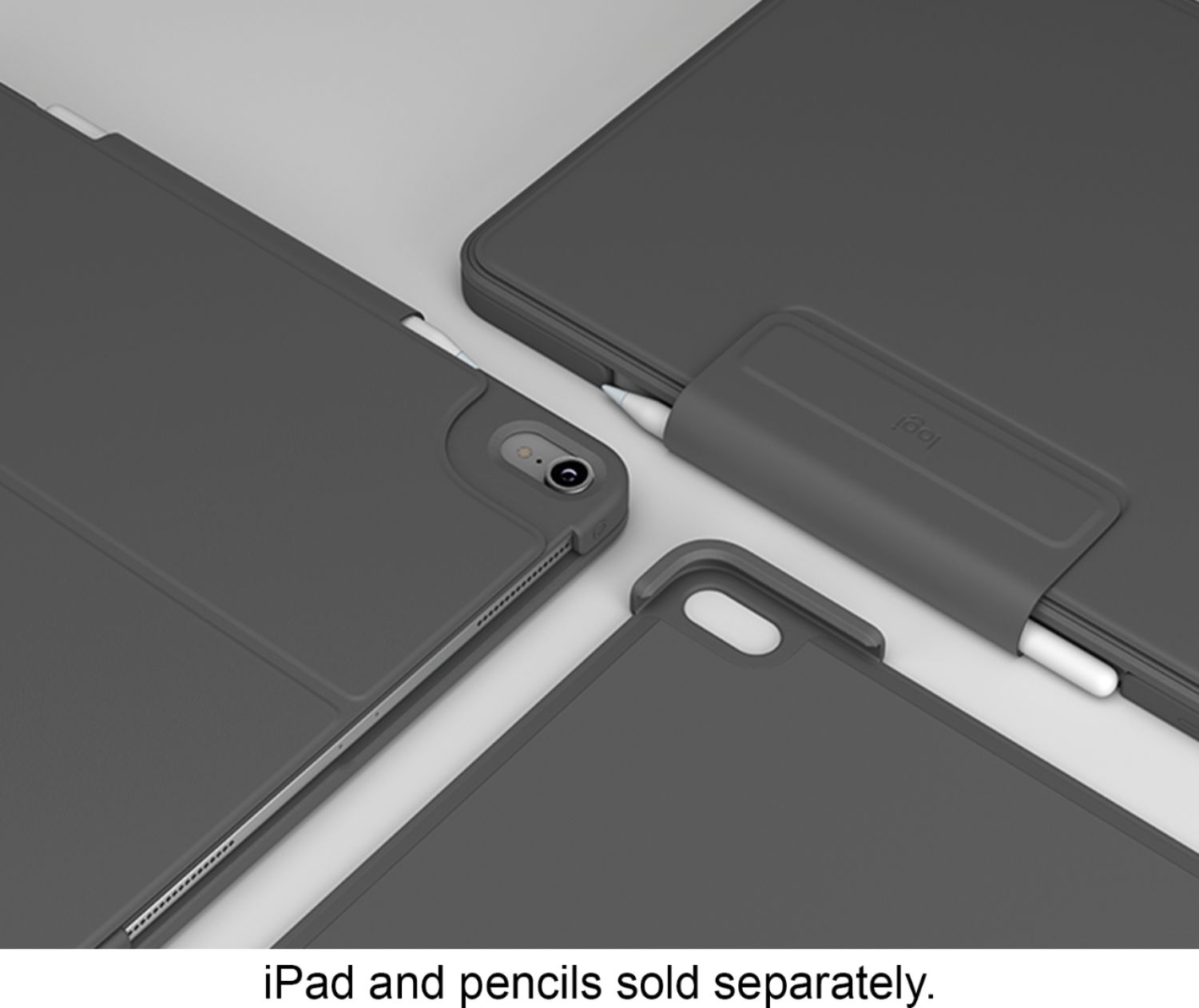
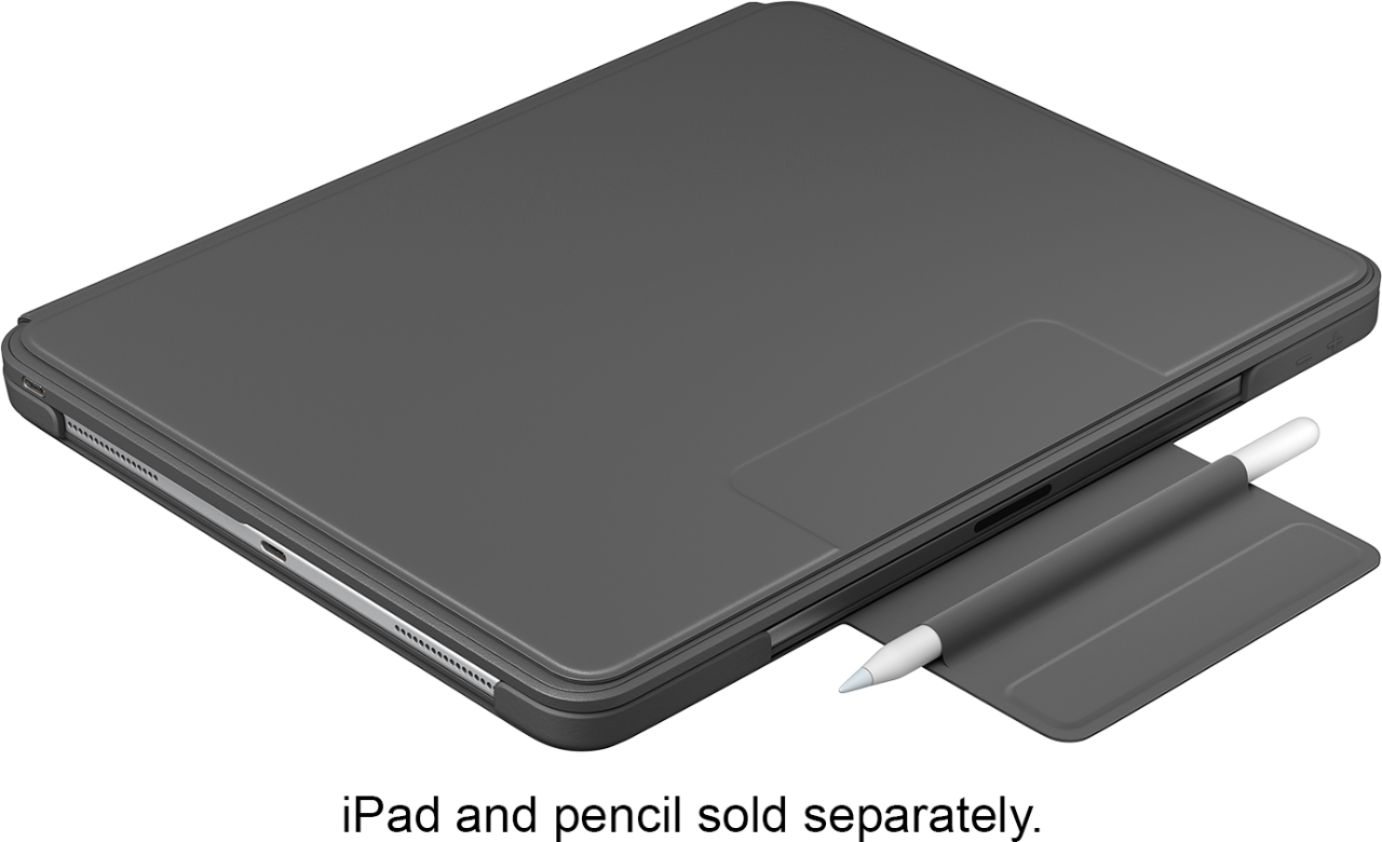
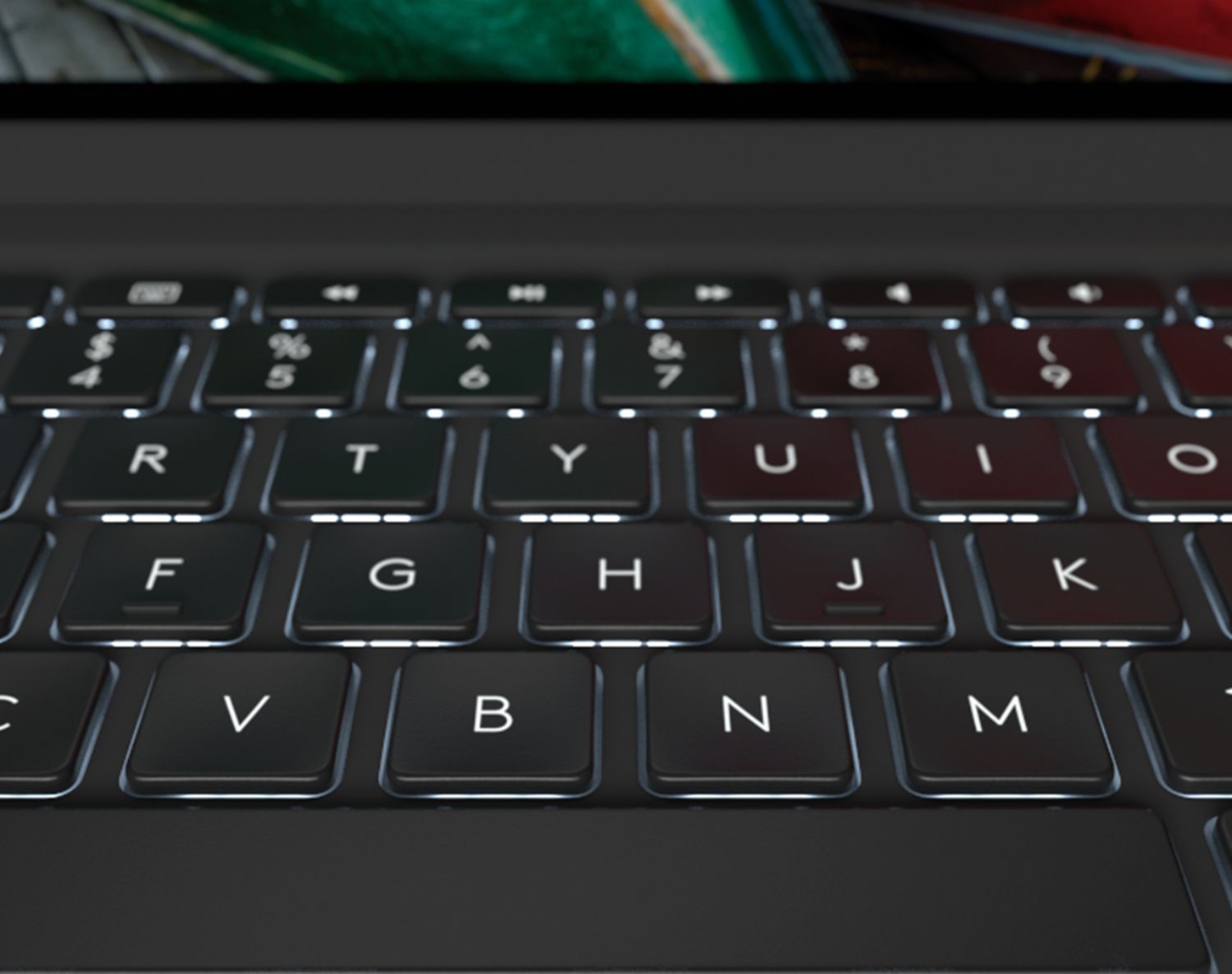
||Posted . Owned for 3 weeks when reviewed.This reviewer received promo considerations or sweepstakes entry for writing a review.I did a bit of research. I looked at 4 different folio keyboards and also thought about just getting the folio case with a separate keyboard. It came down to Logitech or Apple. I haven’t seen Apple’s folio keyboard in person but from what I read it’s not as bulky as Logitech’s folio keyboard and you don’t have to charge it separately because it gets its charge from the connectors on the back the same way the second generation Apple Pencil does. I’m actually really glad I went with Logitech. I don’t consider it bulky I think it’s sturdy, it feels good in my arms when I carry it around. I really like that there is a magnetic strap that comes down over my Pencil so now I feel like I definitely wont loose it. The Apple folio keyboard does not have a backlit keyboard and Logitech does. I really didn’t think it was going to be the big of a deal to have it or not but I find myself using it a lot. So I am definitely really happy with that feature. It doesn’t bother me at all that I have to charge the case. It says that a single charge will last up to 3 months with an average use of 2 hours a day. At night before I go to bed I will charge my IPad, if it doesn’t need charged then I will just go ahead and charge the folio keyboard. It was definitely a good buy!
I would recommend this to a friend - Pros mentioned:Keyboard quality
Love it!
||Posted . Owned for 3 weeks when reviewed.This reviewer received promo considerations or sweepstakes entry for writing a review.I didn’t think i would enjoy this keyboard case as much as i have been. Considering that the only other keyboard case i ever used was the official apple keyboard case, i was never a huge fan of them. I got this case because i would rely on a Bluetooth keyboard and while the keyboard was excellent, it wasn’t convenient. This case make it easy to protect my expensive iPad while providing a slim keyboard with backlit keys!!! Not to mention this is cheaper than the apple keyboard case. After using it for a month straight, i can’t see myself using any other case. P.S. the case does add a bit of “bulk/weight” to my iPad but personally, i like it. It give it a sturdy and premium feel.
I would recommend this to a friend - Pros mentioned:Apple pencil, Battery life, Keyboard quality

An Excellent Keyboard For iPad Pro From Logitech
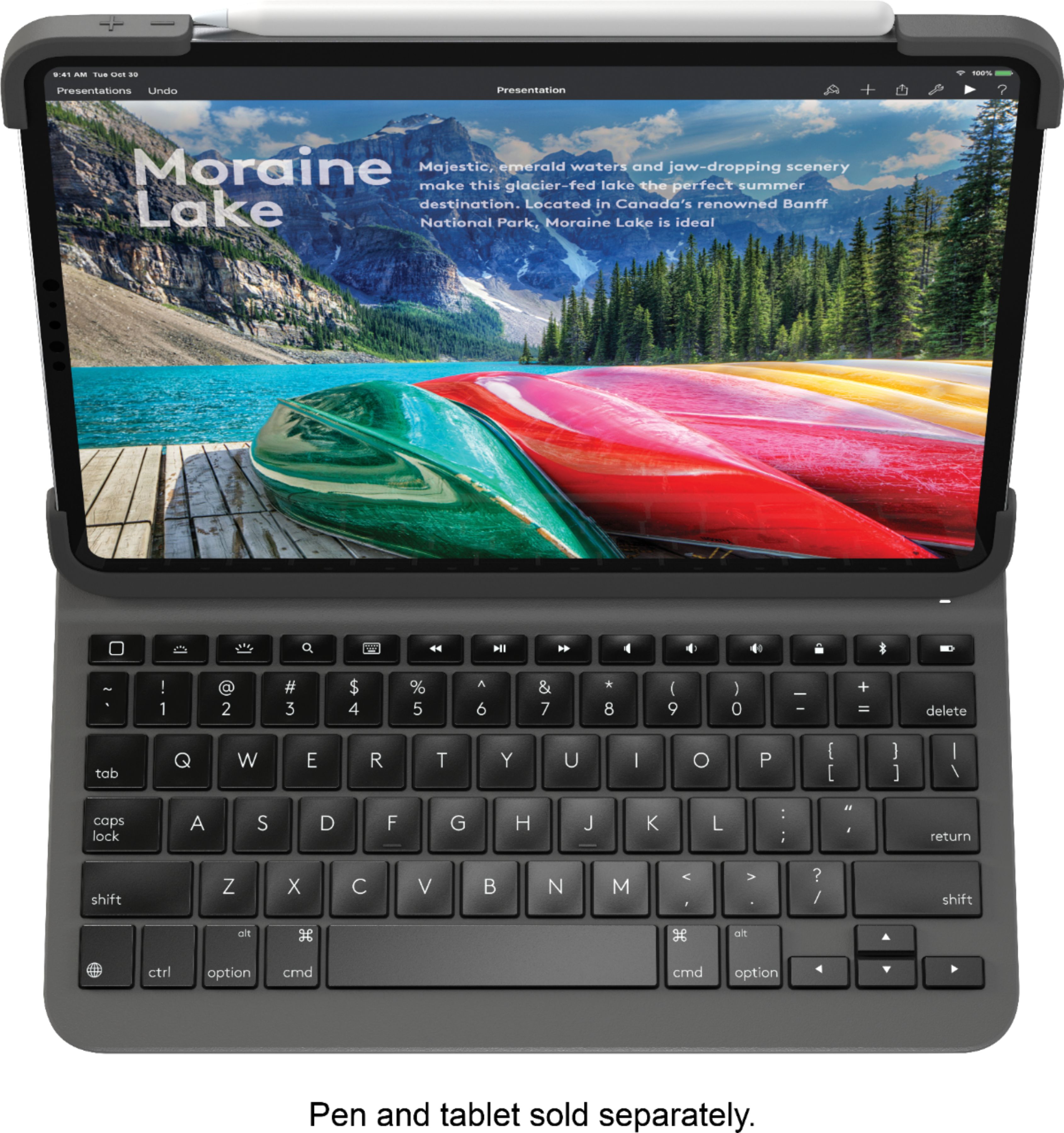
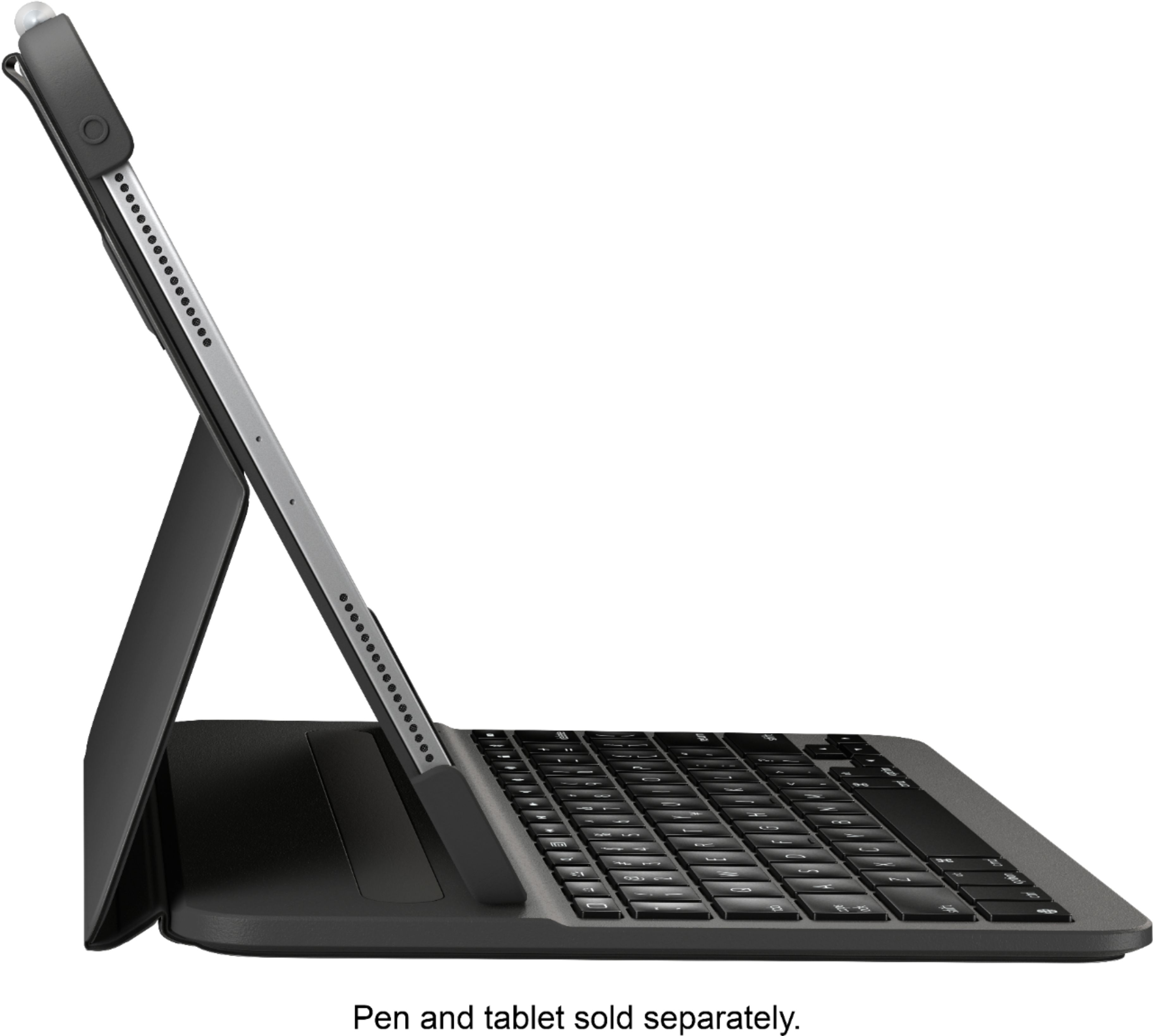
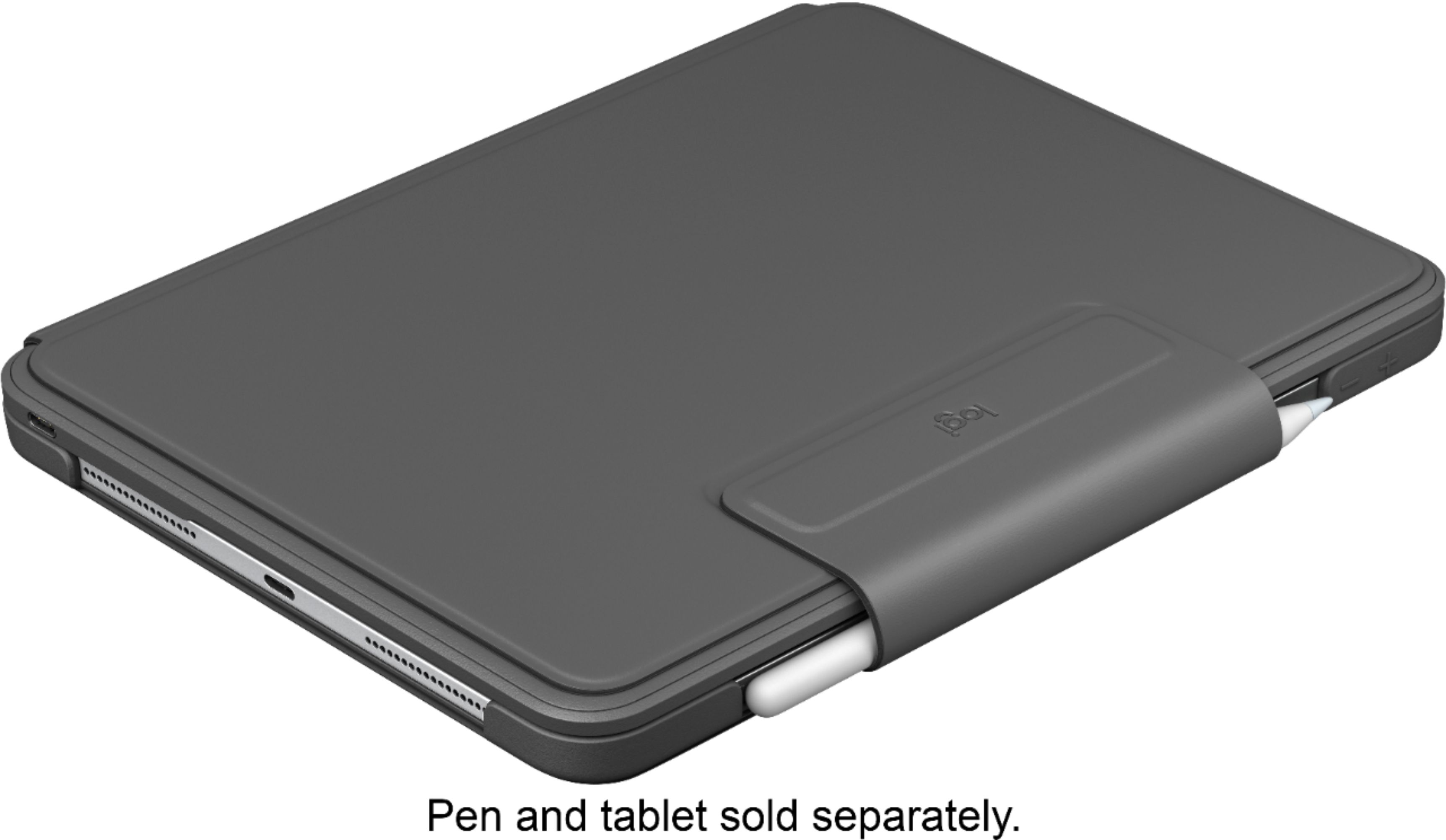
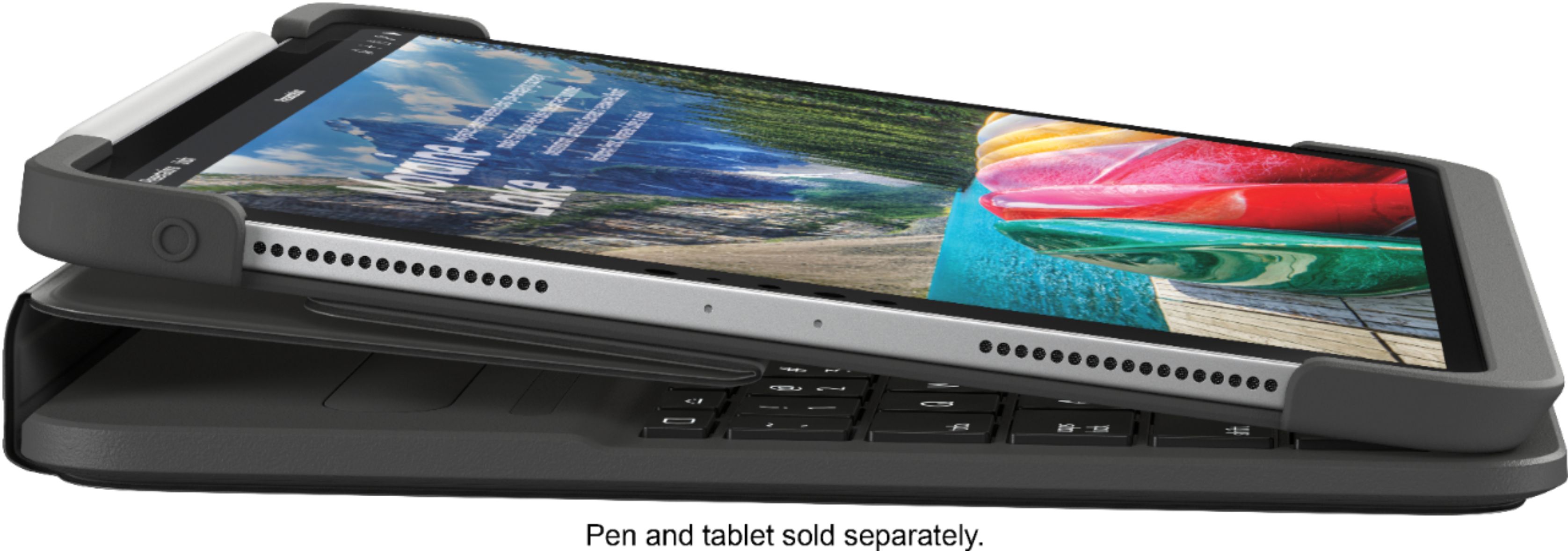
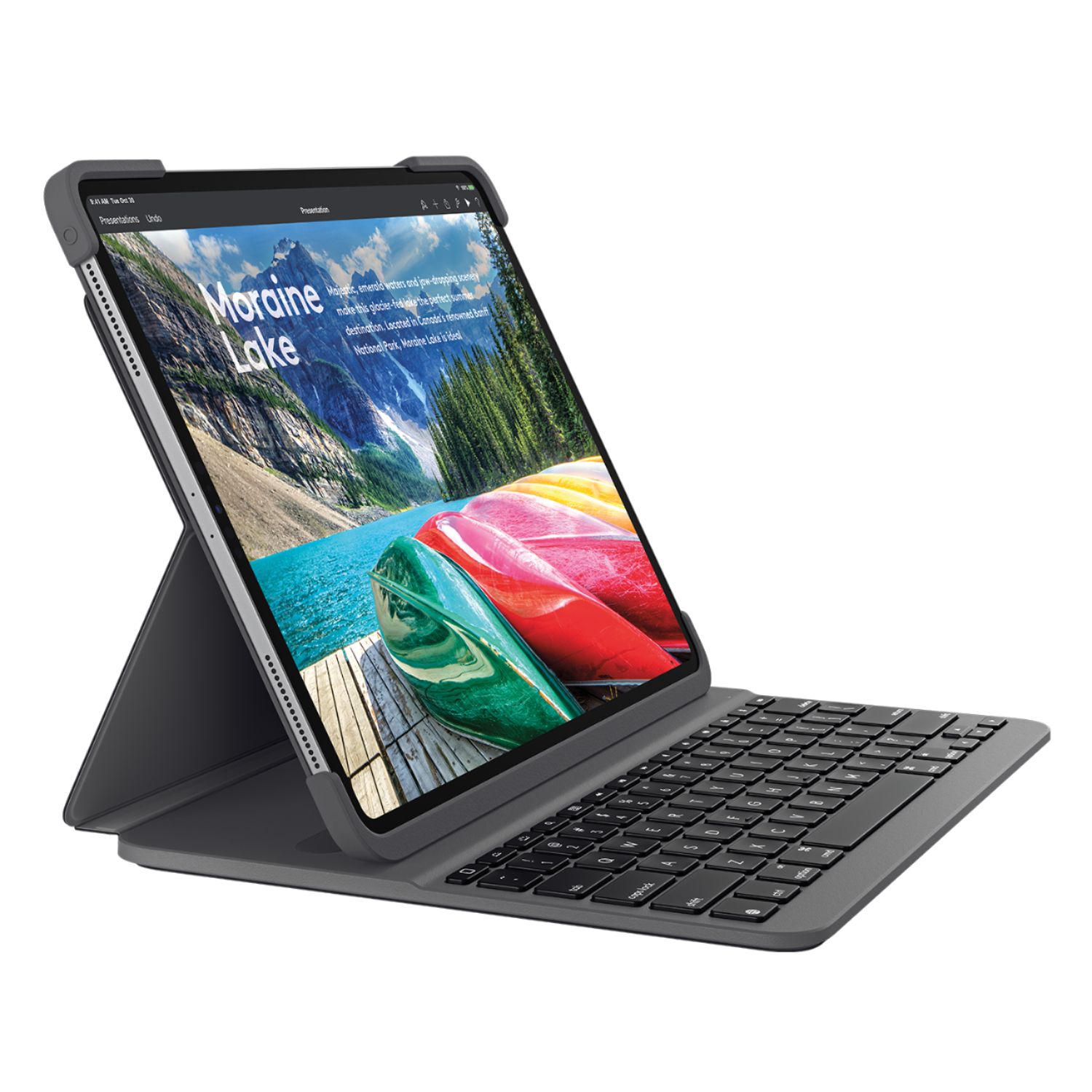
|Posted .This reviewer received promo considerations or sweepstakes entry for writing a review.When I say my odyssey through keyboard land for my iPad Pro 11 has been exhausting AND expensive, you simply have no idea. In all, I’ve purchased 4 other Bluetooth Keyboards. None of them met my needs, until that is, I got the Logitech Slim Folio for iPad Pro. This review may be long, but maybe it can help you avoid making the mistakes I’ve made. The first keyboard I bought was one of the very first aftermarket keyboards for iPad Pro 11 available. There were so few available at the time. It was a folio style keyboard, but the keyboard attached to the folio by magnet, which promptly fell off to the floor. It did have some iOS Shortcut keys, but oddly missing was the key to bring up the onscreen keyboard, which is necessary if you want to insert emojis into text messages or text to speech. Fail The next keyboard case wasn’t totally bad. It had the necessary iOS Shortcut keys and was backlit with a rainbow of colors. But there are times I want to use the iPad like a tablet and with this one you just couldn’t do that unless you removed the iPad from the case. Fail Third was a 360-degree rotating keyboard, which at least would let you use the iPad in tablet mode. It too had the rainbow of backlit key options and the necessary iOS Shortcut keys. But it was too plasticky didn’t provide a very good typing experience. And the rotating hinge just feels like a break waiting to happen. Fail The final one was from a big-name brand in Bluetooth keyboards. It wasn’t inexpensive. The typing experience was decent, but in terms of how it was finished, I don’t know what they were thinking. It had too many contrasting finishes. The keyboard was covered in a grey vinyl material and the backside was clad in a different color grey fabric. The case the iPad sits in was black plastic. The iPad could be released from the keyboard to use it in tablet mode, but it attached to the keyboard by a thin magnetic strip, which seemed flimsy and too easily broken. To use the keyboard in type mode, you had pull down another flap, making the whole thing unstable if used in your lap. It was returned for refund. Fail Enter the Logitech Slim Folio for iPad Pro 11 or 12.9. This combines the best of Folio design with hard-shell design. Charge this puppy up with the USB C cable and power brick you got with your iPad Pro (Note: Logitech does not supply a cable in the box). Next place the iPad in the case, which is a bit challenging the first time. One of the advantages of the Logitech is how much protection it provides your iPad. But the top portion of the keyboard case covers the power and volume buttons and on the other side, it also covers the corner of the iPad. The top portions require that you flex them to get them to seat correctly. Of course, there’s really no reason to remove the iPad from the case, so once it’s on you’re done. And my iPad has a screen protector, which the case didn’t cause any issues with. As soon as you place the iPad in the magnetic groove on the keyboard, the power light blinks white to let you know it’s ready to pair. Open the Settings App > Bluetooth on your iPad and the Logitech will appear below the list of devices already paired to the iPad. Tap the Logitech Keyboard on the screen and a box will open on your iPad with a 6-digit number. Enter the number on the keyboard and this is important as the dialog box DOES NOT tell you this, but you need to tap the enter key after you have typed the code for the keyboard to pair. Once you’re paired, you never have to do this again. There is no power button on the keyboard. But not to worry, Logitech says it will stay charged for at least three months and it only turns on when you place the iPad in the magnetic groove on the keyboard. What’s unusual is, it’s ready to type the moment you place it there. And that’s because Logitech is using Bluetooth LE on this keyboard. Why is that good? With many Bluetooth Keyboards, when you first turn them on (even if they’ve been paired previously), it can take several seconds for the keyboard to be ready to type on. Not with the Logitech. Because of Bluetooth LE, the second it’s placed in the magnetic groove, you can immediately tart typing. And of course, when you take the iPad out of the magnetic groove, the keyboard is turned off to conserve battery life. The Logitech Slim Folio lets you use your iPad in three modes. Type Mode, Sketch Mode and Read Mode. The latter two let you collapse the iPad on the keyboard to use the iPad as a tablet or read or draw if you have the Apple Pencil 2. Speaking of Apple Pencil. People lose them all the time. Most keyboards available for the new iPad Pro’s do permit Pencil Charging. But they don’t offer the unique and oh so convenient way to store the pencil when the case is closed as it does on the Logitech. There’s a vinyl flap which keeps the pencil in place when closed and there’s even a slot in the flap to store the pencil if you don’t want it to be attached to the iPad when you’re using it. Nice! The keyboard is backlit. With one color. White. Three of the lesser keyboards I purchased had multiple colors. I guess that’s OK, if for some reason you haven’t lived until you’ve typed with keys backlit in Red, Green, Blue, Aqua, Yellow, White or Purple. I don’t happen to be one of those people. I just want to be able to see the keys when typing in low light and this keyboard provides three brightness levels, from low, medium and high. It does its job well, which is all I need. In terms of iOS Shortcut keys, all the ones you could need are there. It includes the important key to bring up the Onscreen Keyboard as well as volume, backlit up/down, home, volume up/down/mute, play/pause/previous/next track, lock, search and one most don’t provide – Battery Check. Nice! Interestingly though, if you use the Battery Widget on your iPad, the Logitech Keyboard will NOT appear in the battery list. This is an omission Logitech should reconsider. I personally like knowing the exact percentage of charge remaining. The whole reason for buying a Bluetooth Keyboard is to type on it. So, what’s the typing experience like on the Logitech? This puppy has excellent tactile feel. Keystroke is short and feels uniformly excellent. This isn’t surprising since Logitech has been making Bluetooth Keyboards for a LONG time. They are a Swiss company, who has been making PC peripherals, since 1981. They make Mice, Smart Home controls, Speakers, Security Cameras, Video equipment and Keyboards. They’ve clearly learned a thing or two about making great keyboards along the way. The keys click with a nice sound. They feel like you’re typing on a real laptop. Far better than the cheap keyboards I purchased. It won’t take you any time at all to really appreciate the quality and comfortable typing experience you’ll get with the Slim Folio. If you type a lot, you’ll really appreciate how great the keyboard itself is. So is there anything I don’t like. Yes. But nothing major. For one, if you do lay the iPad flat to draw on, it’s not actually flat, which isn’t necessarily bad. It’s at an angle. But since it’s sitting on the vinyl back flap, if you draw towards the sides of the iPad, it’s not as stable as you might like. As mentioned earlier, there’s only one angle you can use to type on the keyboard with your iPad. If you need the ability to adjust your screen in more than one angle you won’t get that with the Logitech. And I don’t understand why Logitech felt it necessary to put plastic covers over the volume and power buttons. They aren’t necessary IMHO, and it requires more pressure to adjust the volume or turn on the iPad. Finally, the Logitech is called the “Slim Folio.” That’s somewhat of a misnomer. It’s definitely NOT slim. They should have just called this the Logitech Folio Pro. Finally, while the packaging your keyboard arrives in is excellent as you’d expect from a company like Logitech. There is no real user guide. There’s a small paper pamphlet with how to place the iPad in the case, which also provides the address to Logitech.com for the online user guide. Until I went there, I couldn’t get the iPad to pair because I didn’t know you needed to tap the enter key after typing the 6-digit code. Logitech should at least have included a quick start guide to get you up and running. Still, if this is all I can complain about, it’s very minor. Very minor indeed. Honestly, there’s a reason cheap keyboards aren’t satisfying. You get what you pay for. At $119.99 for the Logitech, you get a far better keyboard, with many more features, more flexibility, better protection and a great typing experience, all for less money than the iPad manufacturer’s much more expensive Smart Folio keyboard. The Logitech Slim Folio is a very good keyboard case. Yes, very good indeed!
I would recommend this to a friend - Pros mentioned:Keyboard quality, Protection
Best case for iPad Pros
||Posted . Owned for 1 year when reviewed.This reviewer received promo considerations or sweepstakes entry for writing a review.Absolutely the best case that there is for an iPad Pro. I have tried the Apple ones (3 total) and zagg and also one more that is 149.99 at BB. None of them can compete with the logitech. The keyboard on the logitech is light years above any of the rest and it’s actually a protective case as opposed to relying on magnets.
I would recommend this to a friend - Pros mentioned:Protection
If you have an iPad Pro, you need to buy this!
||Posted . Owned for 3 weeks when reviewed.This reviewer received promo considerations or sweepstakes entry for writing a review.Bought my iPad Pro last month and I was looking online to find out what is the best keypad folio that will also provide protection in case I accidentally drop my iPad. Make the long story short, I bought this Logitech - Slim Folio. If i had to prioritize what is my need for a keypad folio, Protection is number 1. My son broke about 4 iPad screens and dented corners like there’s no tomorrow. This case has protection on 4 sides and in case I drop it flat on the floor, my iPad is still protected. Front, back and all four sides are protected. 2. Responsiveness of the keyboard. This keyboard works! You will love the responsiveness of this keyboard. There are times that I want to use the IPad keyboard. So I just disconnect the Bluetooth and it will disconnect. But when I turn on the Bluetooth, the keyboard connects automatically. Very effortless. The only thing that I don’t see is the % of battery of the keyboard. I don’t know when to charge the case. BUT it’s a small thing and it doesn’t bother me. This is a must buy if you’re buying an iPad Pro. You will love it.
I would recommend this to a friend - Pros mentioned:Keyboard quality, Protection
Great keyboard folio
||Posted . Owned for 1 month when reviewed.This reviewer received promo considerations or sweepstakes entry for writing a review.Another great product from Logitech! The keys are well spaced and the cover protects my iPad all over. I recommend this product to anyone looking for full iPad protection, you will not be disappointed.
I would recommend this to a friend - Pros mentioned:Battery life, Ease of use, Keyboard quality
Easy Typing, Protective Case, Convenient Features
|Posted .This reviewer received promo considerations or sweepstakes entry for writing a review.Pros: * Great typing! * Good battery life on a charge. * Useful iOS shortcut keys. * Convenient Apple Pencil features. * Durable protection for your iPad Pro and Apple Pencil. Cons: * Bigger and heavier than iPad manufacturer’s version. * Separate battery to keep charged. * Not very easy to swap in and out of the case. On its own merits, this is a great keyboard case for your iPad Pro. The main reason to get this one is if you have a need to type a lot. The key travel, sizing and spacing make for accurate typing given its footprint that matches your iPad. The backlit keys are a nice touch (pun intended) as it does make it a lot easier to type in low-light conditions. And if that’s not enough, there’s a row of helpful iOS shortcut keys for media playback, volume adjustment, etc.. The other half of this product is a protective case for your iPad with full corner protection as well as coverage for the back. The case part accommodates the 2nd gen Apple Pencil while it’s docked on the iPad for charging. There is a strap that not only secures the case/keyboard closed but also holds the Apple Pencil in place so it won’t get bumped off in transit. This keyboard connects to your iPad over Bluetooth and has a built-in rechargeable battery. There’s a USB-C charging port and the battery supposedly lasts for up to 3 months of typical use. Another nice touch is that the keyboard turns on automatically when the case is opened to the easel position and turns off when the case is closed. The Bluetooth connection is fast and stable and the one-time pairing is easy. I wouldn’t necessarily get this case if you just want protection for your iPad with occasional keyboard use. This one excels for those who type a lot as the keyboard is really comfortable for its size. I also own the Smart Keyboard Folio (not by logitech). The Smart Keyboard Folio is a lot thinner since the key travel is very shallow and it uses that connection on the back of the iPad so it doesn’t need a battery or charging. The iPad magnetically mounts to it so its easy to swap out the Folio for a plain (non-keyboard case) but that also means that it’s not very good at protecting your iPad against drops. That’s all great, but typing on it is not easy (at least for me). Also, the Apple Pencil can dock on the top edge while in the Smart Folio case, but there is nothing preventing the Pencil from popping off accidentally and there is no side protection for your iPad. Overall, the logitech Slim Folio Pro may be a bit thicker and need charging, but it’s a much more complete case, has thoughtful touches to keep your Apple Pencil from getting lost while in transit, and most importantly, is a much better typing experience. This is a great way to stay mobile and still type a lot without carrying too much bulk.
I would recommend this to a friend - Pros mentioned:Keyboard qualityCons mentioned:Weight
Nice little keyboard
||Posted . Owned for 1 week when reviewed.This reviewer received promo considerations or sweepstakes entry for writing a review.It’s a great keyboard for your iPad Pro less expensive and better than apple one. It protects your iPad and it has backlit keys looks great a little heavy but works.
I would recommend this to a friend - Pros mentioned:Keyboard quality
Daughter's favorite
||Posted . Owned for 9 months when reviewed.This reviewer received promo considerations or sweepstakes entry for writing a review.I had daughter who studying Law in my country and she really asked to purchased this here since in my country they're sold and more expensive. The moment she received it she took picture a d sent it to me a d told me it's really works for her LAW papers works.
I would recommend this to a friend - Pros mentioned:Keyboard quality
Much needed accessory for iPad Pro.
||Posted . Owned for 1 month when reviewed.This reviewer received promo considerations or sweepstakes entry for writing a review.I use this everyday! Great accessory if you are as attached to your Pro as I am mine. Must have!
I would recommend this to a friend - Cons mentioned:Weight
Great case but most def adds extra weight
||Posted .This reviewer received promo considerations or sweepstakes entry for writing a review.It’s a great case. I liked it. It does add some weight to the iPad. It feels bulky and heavy. It is also hard to use the “sleep” button. The corner bumper sits right on top of the button. You have to press hard to put the iPad in standby/sleep mode. It has it Pros and Cons.
No, I would not recommend this to a friend Great Keyboard
||Posted . Owned for less than 1 week when reviewed.This reviewer received promo considerations or sweepstakes entry for writing a review.If you need it for travel or work, this is it. The cover is durable, the keyboard is responsive, and it lights up. If you work late nights or in dark environment the fact that it lights up makes a world of difference. I would recommend it!
I would recommend this to a friend- Pros mentioned:Keyboard qualityCons mentioned:Weight
Good addition to the iPad Pro
|Posted .This reviewer received promo considerations or sweepstakes entry for writing a review.I’m one of those people that typically prefers to use my iPad without a case or a keyboard. I just like it to be more natural feeling rather than have a bulky case on the device. That said, I do appreciate a really well-made accessory for the iPad like the ones that Logitech makes. This keyboard case does an excellent job of providing extra functionality to the tablet. One of the first things I noticed about this case is that it was heavy. I’ve noticed this about other keyboard cases from this particular brand. It doesn’t really take away from the features it does provide, but it is a little bit of an issue for me since I don’t like adding extra weight to my tablet. Like many iPad cases, this folio provides for three different modes -- type mode, sketch mode, and read mode -- so that users don’t have to sacrifice function for the sake of having a case on their tablet. I found it very easy to switch the case around to be able to use any of the three modes. I typically used the type and read modes the most, but my daughter really enjoyed using the sketch mode to draw using the Apple Pencil. The case has a soft silicone feel to it, which I do prefer to something more slick. I don’t like feeling as though the case might slip out of my hands. I’ve never had a problem with feeling that my tablet was secure inside this case. It was a little tricky getting it inserted into the case, but once I did, I found that all the buttons and ports were all easily accessible. One of my favorite features of this case was the backlit keyboard. As much as I like the Smart Keyboard from Apple, the backlit keyboard is something that’s very hard to pass up. There are three brightness levels for the keyboard, which makes it even better as a feature, in my opinion. I sometimes like to work while watching a news program with my family and at night, that can make typing difficult. This is one of the main reasons why I like the inclusion of backlit keys with this case. The keyboard provides a very enjoyable typing experience for the user. The keys have been spaced out to be reminiscent of a standard keyboard layout. The ‘feel’ of them is very natural and I found it very easy to get used to the layout and style of the keyboard. The only thing I really don’t like about this keyboard is that it connects via Bluetooth rather than through the Smart Connector on the iPad. Normally, I would suggest that maybe the manufacturer doesn’t have licensing rights to be able to develop accessories using the Smart Connector, but this particular brand already has other devices available using that connection. Hopefully, in the future, that is a feature that will be added in. Aside from the bulky nature of this keyboard case, I’ve been very happy with its performance. It’s enhanced the way I do things with my iPad and it’s been very easy to integrate into my workflow.
I would recommend this to a friend - Pros mentioned:Keyboard quality, Protection
Perfectly Ideal for Travelers & Heavy Users
|Posted .This reviewer received promo considerations or sweepstakes entry for writing a review.In my opinion, one of the biggest shortcomings of the new 2018 iPad Pros is there lack of quality keyboard options. Logitech has finally arrived to the game and they produced a quality device! PROS: - The Keyboard is really good looking and seems to be made of high quality material, very nice appearance overall! - Once the iPad is put in the case and snapped into place, the Bluetooth automatically turns on and you connect it once through the Bluetooth settings of the iPad. Overall very easy set up! - The biggest feature in my view is the keyboard, it really is fantastic to type on. It has quick action keys, nice feedback and depth, the backlight lights are a nice plus, and it just feels very natural to type on. - Logitech was very smart having the keyboard charged through USB-C, the same type that the iPad charges with. It doesn’t come with a charging chord in the box but that’s fine with me. CONS: - The very first thing I noticed was how BIG this is compared to the iPad Pro and Apple’s Smartfolio keyboard. I get that its bigger to accommodate all it’s features and protection but its something to know. - I found it not easy to take the iPad Pro in and out of it’s case, so its not really meant for that from what I can tell. - I don’t love how the case only latches close when you use the strap. It doesn’t have magnets to latch it close unless the strap is in use. - The Lock/Unlock button and the Volume Up/Down buttons require a good push to get them to work. It’s not a huge deal since the keyboard has volume keys and the screen locks when you close it though. BOTTOM LINE: - If you want a more traditional keyboard experience and don’t mind having the additional bulk that will likely protect your iPad wherever you bring it, this iPad is the best option!
I would recommend this to a friend - Pros mentioned:Battery life, Keyboard quality, Protection
slim case with PC like keyboard experience
|Posted .This reviewer received promo considerations or sweepstakes entry for writing a review.Great protective case with user friendly keyboard: I had several brands of iPad cases with keyboard - have 4 different iPads. Had the Logitech slim folio pro on my 11inch iPad pro for over 3 weeks now and this one tops the charts on several features. •Easy to pair and never had keyboard disconnect issues. The iPad auto on/off feature gets activated when you open/close the iPad • Like the pencil sleeve - don’t have to worry about carrying another case for my Apple Pencil. The magnetic clasp keeps it from falling off • Keyboard keys are super soft with right size keys. Don’t have to search for keys when I switch between my PC keyboard and this keyboard • One small complaint - the volume keys and power key are covered with the rubber sleeve and had to press a little harder to activate them, specially for taking screenshots. • Has a back lit keyboard with adjustable settings • Best thing I like about this keyboard is the magnetic base that holds the iPad in upright position. It is pretty strong and prevents the iPad from flipping over or accidentally closing • Have all the necessary shortcuts on the key board for various iPad functions • Can be used in upright position as computer and can flipped over the keyboard to enable the reading mode. The best part, the keyboard automatically detects the flat position and turns the physical keyboard off so you don’t end up accidentally hitting the keys, and the iPad keyboard pops up too. Overall 5/5 ratings with 3+ weeks of use (about 5 hours a day) and never had to charge it so far.
I would recommend this to a friend - Pros mentioned:Protection
Best keyboard on the market
|Posted .This reviewer received promo considerations or sweepstakes entry for writing a review.I’ve been a big fan of my 11” iPad Pro and I’ve had nearly every iteration of iPad since I bought the iPad 2. Generally, I’ve only used slim folio type cases until my office provided me with an iPad that included the Logitech Slim Folio for my 5th Gen iPad and then the Brydge 10.5 for my 10.5” iPad Pro. I’ve never really been a fan of Apple’s keyboard offerings due to price and lack of protection. I’ve used this new Logitech Slim Pro for about 3-4 days now and I am sold on this one. I haven’t seen one better that provides the features and protection that I prefer all while being packaged in a slim design. This new keyboard case solves all of the concerns I’ve had concerning my 11” iPad Pro. First, it’s slim and compact and doesn’t add a significant amount of weight to it which is my preference. Second, it also allows me to charge the pencil while in the case. From what I’ve been able to see, there aren’t any keyboard cases with this feature set that not only charges the pencil while on the go, but keeps in secured with a strap as well. You can also store the pencil inside of a small cutout under the magnetic strap if you prefer not to leave it attached to the magnet on the iPad. Additionally, this case will work whether you have a pencil or not as the magnetic strap adjusts for this. Mine came fully charged out of the box and included a USB-C cable, but no charging brick, which would have been nice, but I have several that I keep with me at all times. It has dedicated keys for adjusting the volume, lighting, pause/play and skip music, lock the keyboard, home button and search. Even Apple’s Smart Keyboard doesn’t offer all of this buttons. The brightness adjustment is excellent offering two levels of brightness. The case itself has a rubbery texture to it that provides lots of grip, even with wet or sweaty hands. The case has 360 degree protection and covers the corners, back and sides of the iPad. It is very easy to install on the iPad. The only complaint I can really make so far is that I prefer to install a tempered glass screen protector and while I only dry-fitted my Zaggshield screen protector on it, it doesn’t appear that it will fit under the corner protectors. For that reason, I am a little hesitant to install it because if it doesn’t fit, I just threw away $50. I’m also really impressed with the usability of this case. It can be folded in a manner that allows you to type, write or just read documents without having to take the case off. With the coming upgrade to PadOs this fall, this keyboard will ultimately allow me to use my iPad more like a laptop, so I can leave my MacBook Pro at home. To say that I am impressed with the Logitech Slim Pro Keyboard is an understatement. It is now the only case that I use and I have learned to truly appreciate the keyboard shortcuts and the backlighting. I highly recommend this case.
I would recommend this to a friend Bad Product...so be careful.
||Posted . Owned for 1 month when reviewed.This reviewer received promo considerations or sweepstakes entry for writing a review.I purchased this keyboard and I loved it for a few weeks. Then the magnet connection started to fall out, (see photo). Then the A key and spacebar stopped working. Contacted Logitech...they are sending me a new one. I also noticed the part number on the one from Best Buy is different from the one on the Logitech website. So I believe the one I received is the older version. So make sure you get the newer version.
No, I would not recommend this to a friend- Pros mentioned:Apple pencil, Ease of use, Keyboard quality
Apple's version wishes they could be like this.
||Posted . Owned for 1 month when reviewed.This reviewer received promo considerations or sweepstakes entry for writing a review.This foldable keyboard has been a real handy tool with my new iPad Pro. Not only can I type with it (and it feels like a natural keyboard rather than pushing pads of fabric) and utilize shortcuts built into the keyboard, but it folds with ease and also helps protect the device when not in use. The small flap on the top keeps my Apple Pencil from accidental detachment while on the move and the entire thing feels pretty solid. I don't know how well it would pad the device from a short fall but it's sure to do a much better job than Apple's proprietary cover. The only downside to this product is that it is a bit of a hassle to get the iPad situated inside of the case, but for someone who is intending on leaving the iPad inside of it and not removing it repeatedly, this is not really an issue once it is in. For the price, it blows the Apple version out of the water and turns your iPad into a tiny laptop. Highly recommend this for those looking for basic protection and incredible convenience for their iPad Pro.
I would recommend this to a friend - Pros mentioned:Keyboard quality
It’s a must
|Posted .This reviewer received promo considerations or sweepstakes entry for writing a review.I always tend to use my iPad on screen touch keyboard until I decided to try this Logitech Slim Folio keyboard for iPad Pro 11”. Firstly quality of this keyboard is super super high and looks fancy and primarily the perfect protection all around , keys are soft and backlit. Beside the basic keys, this keyboard offers other feathers necessary for iPad’s users; volume, keyboard light,and battery check.etc., on top there is space open dedicated to Apple pencil.Auto Awake/ Sleep mode, The keyboard turns on when iPad Pro is in type mode and turns off when iPad Pro is removed from the dock. USB-C port for charging in addition to this it can be charged through the iPad. In terms of size and weight I don’t see an issue with that. Not too bulky or heavy. Great keyboard.
I would recommend this to a friend - Pros mentioned:Battery life, Ease of use, Keyboard qualityCons mentioned:Weight
Excellent keyboard
||Posted . Owned for less than 1 week when reviewed.This reviewer received promo considerations or sweepstakes entry for writing a review.Well I got this one over the apple key board because I wanted better protection. It's a bit heavy but the keyboard is really nice to type on. The battery lasts really long. There's a pencil holder for your apple pencil. Mildly easy to put on. Does what its suppose to do with added protection. The Apple keyboard one was a nice one but no protection and this price of Logitech is not as bad as apple's price. This is a good buy and I highly recommend it. Thank you Logitech for making this. I am highly satisfied.
I would recommend this to a friend