Customer Ratings & Reviews

- Model:
- MC9007-A
- |
- SKU:
- 6458681
Customer reviews
Rating 4.7 out of 5 stars with 156 reviews
(156 customer reviews)Rating by feature
- Value4.4
Rating 4.4 out of 5 stars
- Quality4.8
Rating 4.8 out of 5 stars
- Ease of Use4.9
Rating 4.9 out of 5 stars
Customers are saying
Customers recognize the MClassic Plug and Play Graphics Enhancer for its ability to noticeably improve image quality, especially when upscaling retro games. They appreciate its compatibility with various consoles, including the Switch, and its ease of use. While some customers find the price a bit high, many agree that the difference it makes in graphics is worth it.
This summary was generated by AI based on customer reviews.
- Pros mentioned:Compatibility
Rated 1 out of 5 stars
Fails within a year
||Posted . Owned for 1 year when reviewed.This reviewer received promo considerations or sweepstakes entry for writing a review.It worked fine at first, but after a few months it developed an audio stuttering issue that persisted across modes and between devices. The company would only look at it under warranty after paying to have it shipped to them -- no prepaid label for RMA. Definitely will not return to this product or company. The item literally never moved from where it was originally set up and was only ever used with a Nintendo Switch aside from testing other systems after this stuttering developed.
No, I would not recommend this to a friend - Pros mentioned:Image quality, UpscalingCons mentioned:Lag, Price
Rated 5 out of 5 stars
Good for retro games
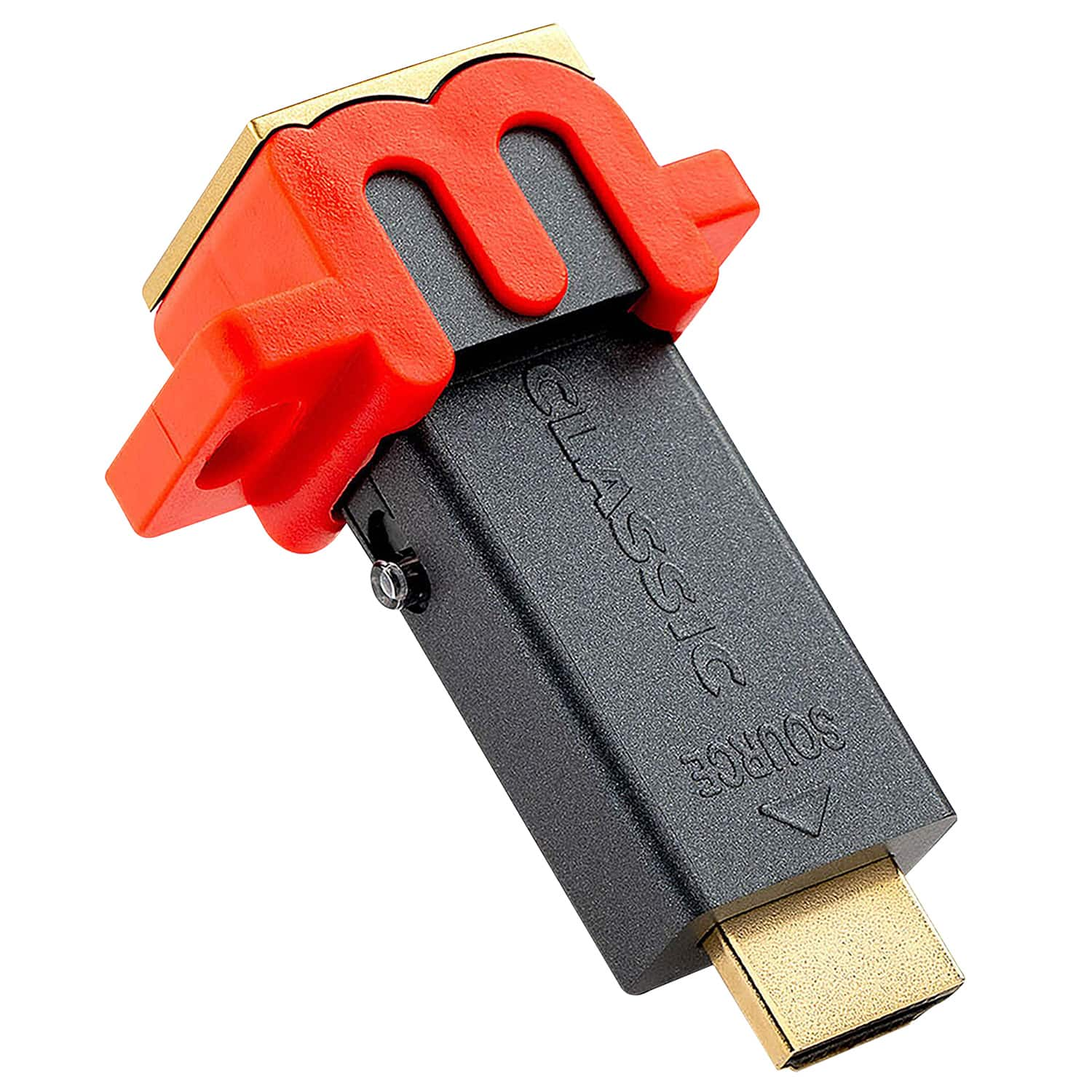
Posted .This reviewer received promo considerations or sweepstakes entry for writing a review.Good for older game consoles, like the PS2, Wii, Xbox and GameCube, if you have a third-party adapter to allow it to output to HDMI. For consoles that already output in HD, if you have a 4K TV it can upscale your 1080p games to 4K, but I can't comment on that because I don't have a 4K TV. If you use it on a 1080p TV it can add a little bit of antialiasing to Switch games, but it's not very noticeable, and if you only plan to use it with a Switch and a 1080p TV, I wouldn't say the cost is worth the slightly nicer graphics. The improvement is much more dramatic for early 3D consoles like the PS1 and N64, and the later generation pre-HD consoles, like the PS2, Xbox, GameCube and Wii. Before buying this though, please make sure that you have a working HDMI converter, because some adapters are poor quality. If playing retro games in 4:3, make sure to use the retro mode on the switch on the side of the MClassic. It will light up blue. There is no noticeable lag when the image processing is on or off. This is a bit expensive for for the improvement you get, so in my opinion, its value depends on how many retro games you play, and how much you care about visual quality.
I would recommend this to a friend Rated 3 out of 5 stars
Meh.
||Posted . Owned for 2 months when reviewed.This reviewer received promo considerations or sweepstakes entry for writing a review.Honestly I don't see that much of a difference. Not sure it was worth it
No, I would not recommend this to a friendRated 1 out of 5 stars
Major disappointment with N64 on a 1080p display
||Posted . Owned for 2 weeks when reviewed.This reviewer received promo considerations or sweepstakes entry for writing a review.I wanted to be impressed with, and love this product but in my situation it did zero for my retro gaming. I have an N64 with an hdmi adapter going into the mClassic, then into a Marantz AV receiver, then into a 1080p projector. The $15 hdmi adapter actually makes the N64 look pretty good and switches between 4:3 and 16:9. The mClassic adds no detectable upgrade whatsoever in any of the 20+ games I tried.
No, I would not recommend this to a friendRated 2 out of 5 stars
not satisfied with results
||Posted . Owned for 3 weeks when reviewed.This reviewer received promo considerations or sweepstakes entry for writing a review.it didn't work as advertised. i used the correct 4K cable for upscaling and the device caused a streak at the bottom of the screen that should not be there. so i had to return it.
No, I would not recommend this to a friendRated 1 out of 5 stars
Bad
||Posted .This reviewer received promo considerations or sweepstakes entry for writing a review.Don’t waste your money it barely looks better and the psvr just flashes black
No, I would not recommend this to a friend- Pros mentioned:Image quality
Rated 5 out of 5 stars
Makes your games look better on a modern display!
Posted .This reviewer received promo considerations or sweepstakes entry for writing a review.I've had my mClassic for quite some time now, since the original kickstarter actually. I primarily use it with my GameCube, but I find the device is also great for use with the Nintendo Switch and helps improve the look of many games on it. Fire Emblem: Three Houses is one example to note. I'd definitely recommend this product for anybody who is looking to clean up the rough edges on some of their games and improve retro console appearances on modern displays.
I would recommend this to a friend - Pros mentioned:Ease of use, Image quality, Performance
Rated 5 out of 5 stars
Nintendo Swith "Pro" alternative!!
Posted .This reviewer received promo considerations or sweepstakes entry for writing a review.If you are anything like me and are looking for a way to overcome the frustration of the continuous teases about a Nintendo Swith "Pro", look no further. I was an early backer for this little device because I knew I had to have it if I wanted better graphics and performance out of my little console (I'm no on-the-go player!!). Trust me! Plug the mClassic to your dock and you'll thank me for it!
I would recommend this to a friend - Pros mentioned:Image quality
Rated 5 out of 5 stars
Excellent Addon for Graphics Enhancement on PS3
Posted .This reviewer received promo considerations or sweepstakes entry for writing a review.The MClassic is amazing! I have used it on ps3 and it makes the games look much better. It smooths any remaining jaggies better and enhances the image to give it more detail and depth. I also used it on an n64 with an EON HDMI adapter and the image can get much smoother. If you want to improve the image on your screen get this product. Your gaming will be much more enjoyable with nicer graphics. It's worth it in my opinion.
I would recommend this to a friend - Pros mentioned:Ease of use, Image quality
Rated 5 out of 5 stars
MClassic gets the job done.
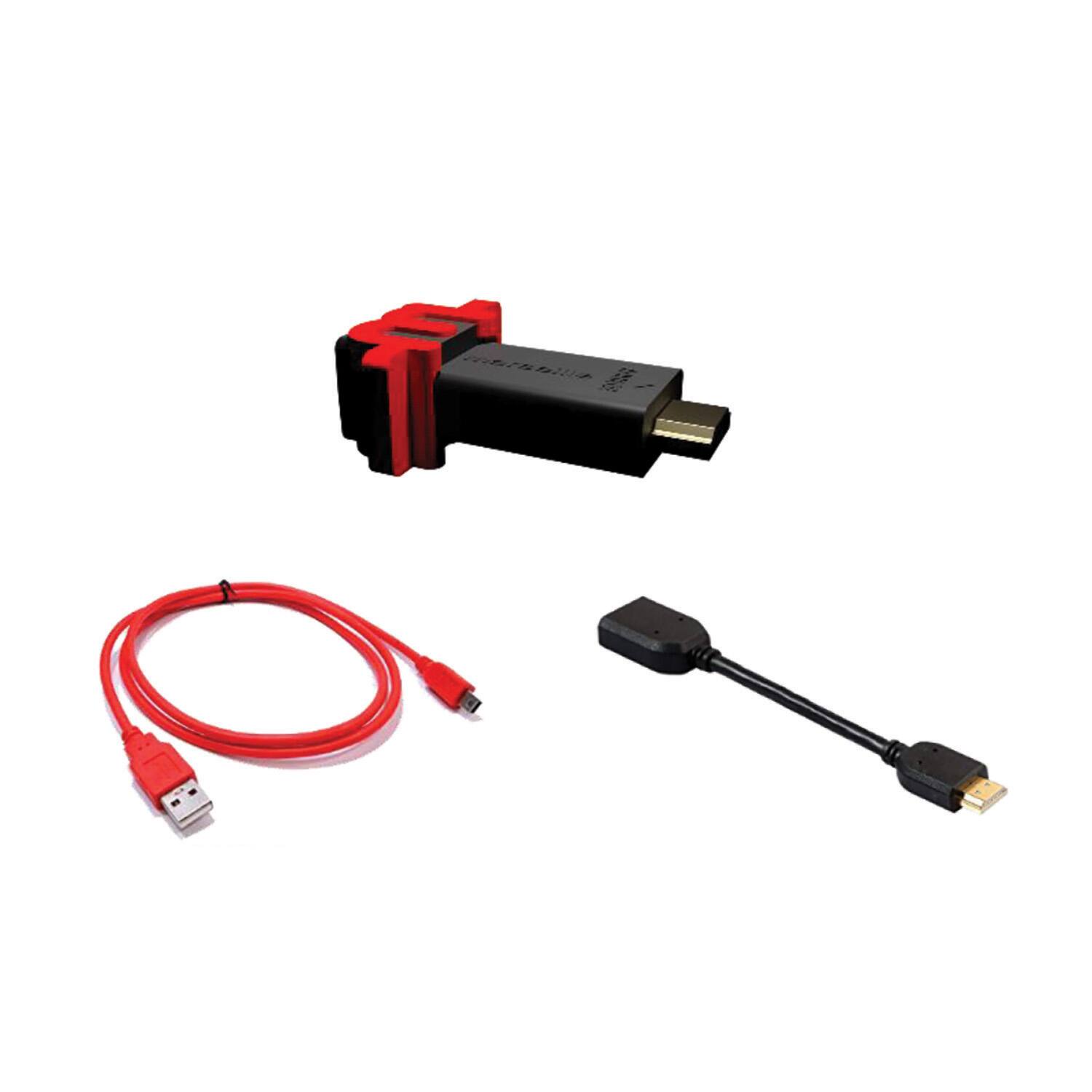
Posted .This reviewer received promo considerations or sweepstakes entry for writing a review.The mClassic is a plug-and-play device that uses a graphics processor and goes between your console and HDMI cable, taking the images from your console and then using effects to make everything look a lot better. And it really works. It is powered by a Micro-USB to USB 5V cable. It’s simple to hook up and just takes a few minutes. Plug in the hdmi cable from your console into the mClassic, then out to your TV. Then turn on your console and you’re good to go. The switch on the side of the mClassic let’s you go back and forth from processing on, to processing off, so you can see the difference for yourself. It really takes the rugged outlines and edges away and the definition is greatly improved. Takes some pictures for yourself and compare the difference. It’s definitely noticeable. It’s really just an easy, quick and cost effective way to make your old games look a lot better. It’s also one of the easiest ways to improve the picture quality of retro games on 4K TVs. It even works to make retro games on newer consoles look better. So if you don’t want to get all tech-savvy with more expensive ways to do basically the same thing, this just might be your best option.
I would recommend this to a friend - Pros mentioned:Image quality
Rated 5 out of 5 stars
A little wonder
Posted .This reviewer received promo considerations or sweepstakes entry for writing a review.This little device will make wonders for your Switch, it connects to your Switch’s HDMI via an extender cable (included) then through a high speed HDMI cable to your TV, it will output higher resolution to your TV, the scaler algorithm built in mClassic is special tailored for games, which means it’s superior to most high end TVs on the market, which means you will bypass TV scaler with a more clear image signal coming from the mClassic. The most impressive technological feat of the mClassic is the ability of soften pixeled edges, you got straight diagonal lines instead a diagonal with staircase effect, the algorithm in the mClassic processor identify pixeled edges and smooth them. Another great feature of the mClassic is that it improves contrast, as a result you get deeper blacks, and popping colors. The Switch doesn’t have means to improve IQ, and the system is showing its age since 2020, you can give it a second wind to your system the mClassic really works as having a second GPU, if you want most of the Switch graphically get this device, you won’t regret.
I would recommend this to a friend - Pros mentioned:Image qualityCons mentioned:Lag
Rated 5 out of 5 stars
A fantastic device.
Posted .This reviewer received promo considerations or sweepstakes entry for writing a review.I bought one of these on the kickstarter thing ages ago. This is great on retro consoles esp on newer TVS. Since some of those look real bad blown up. It adds a level of image clean up and AA to the systems with no lag. Systems it works great on, Dreamcast, PS2, PS3, Xbox, Xbox360, GameCube, Wii, WiiU, Switch. Can help with some android boxes or android TV boxes as well, if you want your fortnite game or steam link run, or Geforce run stuff to look cleaner if you run it through this. It also helps base model PS4 and Xbox1 systems look better. it can add some minor edge correction on PS4pro and XboxX and the PS5 and series X, but only really needed if you have a real monster sized TV or use a projector. Buy one and set up a splitter properly if can make everything look way better.
I would recommend this to a friend - Pros mentioned:Image qualityCons mentioned:Lag
Rated 5 out of 5 stars
Great Value for Old Generation Consoles
Posted .This reviewer received promo considerations or sweepstakes entry for writing a review.I have only used the mClassic with retro consoles (N64, Original Xbox, Xbox 360, Wii). The retro mode is a great feature as it keeps the output in the desired 4:3 instead of forcing the output to 16:9 as some alternatives do. The product itself makes an incredible difference on the systems listed above. No latency detected. More defined edges are probably the most noticeable upgrade. Halo: Combat Evolved and The Legend of Zelda: Skyward Sword Are two comes that come to mind where the upgrade was quite impressive. It is worth mentioning again that you will need HDMI output from the console to plug into the mClassic. Keep in mind that The quality of these HDMI Retro cables may make a difference in the mClassic performance. Decent quality cables can be bought for around $25.00 Highly recommend.
I would recommend this to a friend - Pros mentioned:Image quality
Rated 5 out of 5 stars
MClassic review
Posted .This reviewer received promo considerations or sweepstakes entry for writing a review.The MClassic is a must for any gamer! If you have a switch, PS3, PS4, or any other consoles with an HDMI port this is will improve your visuals!
I would recommend this to a friend - Cons mentioned:Jagged edges
Rated 5 out of 5 stars
Love it!! Huge part of my gaming setup
Posted .This reviewer received promo considerations or sweepstakes entry for writing a review.This is a fantastic device for those trying to get the best graphical fidelity out of their gaming. This is an integral part of my gaming setup and absolutely works. It rebalances black levels, adjust colors, cleans up jagged edges, and all without any input latency. It even considers blur and depth of field when adjusting picture. I use it all the way from my PS2 games to PS5. Pretty much any 3D game (and some 2D games) benefit from this neat little thing. Definitely worth the price!!
I would recommend this to a friend - Pros mentioned:Image quality, Upscaling
Rated 4 out of 5 stars
A great upgrade for 480p-1080p Consoles
Posted .This reviewer received promo considerations or sweepstakes entry for writing a review.This unit does a great job at cleaning up and upscaling images from Sub-4k consoles. It works great combined with my Nintendo Switch (set to 1080p), and my Wii U (set to 720p) on my 4k TV. The difference is subtle at first, but when you turn it off it is very noticeable. I leave it on always when using my consoles. My only complaint is the lack of 4k upscaling, and that it is not HDMI 2.0 compliant. I would purchase a new version if it upscaled 1080p to 4k (and thus would apply a greater AA effect), and had HDMI 2.0 (would not strip HDR and 4k60 from my Xbox One X). In the current state I would give it a 4, and highly recommend if you plan on using it with a Wii U or older console.
I would recommend this to a friend - Pros mentioned:Upscaling
Rated 5 out of 5 stars
Fantastic
Posted .This reviewer received promo considerations or sweepstakes entry for writing a review.The Marseille mClassic is a plug-and-play graphics post-processor that, immediately and with zero effort or hassle, upgrades the graphics on a Nintendo Switch (as well as many other consoles, modern and retro). Delivering anti-aliasing, up-scaling as well as a bevy of post-processing effects like image sharpening and depth of field enhancement, it is the graphics card upgrade Nintendo Switch gamers have been waiting for.
I would recommend this to a friend Rated 5 out of 5 stars
mClassic Video Enhancer Brings New Life To Games
Posted .This reviewer received promo considerations or sweepstakes entry for writing a review.Ask any video gamer and they will tell you that graphics are a big part of their gaming experience. While some games relish their retro look and graphics; most modern games embrace the cutting edge of available technology to create the most stunning graphics possible. Older games often suffer from the limitations of the available technology that they were created for but thankfully a new product called the mClassic helps games and systems both old and new. The device easily connects to your television and device via USB and cable and allows users to enhance graphics for systems such as the Nintendo Switch, Playstation 4, Xbox One, as well as retro consoles. I first saw their mCable product a few years back at E3 and was amazed at how the device greatly enhanced older video and the original Halo game. The mClassic offers multiple modes such as scaling or no scaling as well as the retro setting. Some of the features players will experience include better anti-aliasing where shimmering and jagged surfaces are reduced or eliminated. 4K upscaling is a great video but being able to enhance video up to 4K with no loss of color or resolution. Depth of field and enhanced sharpness is also enhanced which allows for objects to appear with a more natural depth and gives setting a more realistic ratio. The amazing thing is that all of this is done without any latency issues and considering that the device sells for an affordable $99.00 it is something gamers will want to have for games old and new.
I would recommend this to a friend- Pros mentioned:Image qualityCons mentioned:Jagged edges
Rated 5 out of 5 stars
Does what it says
Posted .This reviewer received promo considerations or sweepstakes entry for writing a review.A lot of people may be quick to write this device off because of the bold claims they make. This really does improve the picture on retro systems as well as Nintendo Switch on HD and 4k screens. If the jagged edges on a lot of Switch games get on your nerves then this will help smooth those rough edges. Highly recommended!
I would recommend this to a friend - Pros mentioned:Ease of use, Image quality
Rated 5 out of 5 stars
Works Surprisingly Well
Posted .This reviewer received promo considerations or sweepstakes entry for writing a review.I have owned this product since launch as I have picked up 3. It really does improve the look and feel of some systems! I use it mainly with my Switch, HDMI Gamecube and HDMI N64. It really smooths out the look of the games to where I can notice it on my OLED Tv. If you want the best quality with the ease of a dongle then you can't go wrong.
I would recommend this to a friend