Customer Ratings & Reviews


- Model:
- UTH-00001
- |
- SKU:
- 6430940
Customer reviews
Rating 4.5 out of 5 stars with 210 reviews
(210 customer reviews)Rating by feature
- Value4.3
Rating 4.3 out of 5 stars
- Quality4.5
Rating 4.5 out of 5 stars
- Ease of Use4.6
Rating 4.6 out of 5 stars
Customers are saying
Customers express satisfaction with the 4K Wireless Display Adapter for its ease of use, wireless connectivity, and reliable performance. Users appreciate how simple it is to set up and connect to their devices, allowing them to effortlessly display content on their TVs. The wireless feature is particularly praised for its convenience in eliminating the need for cables. Additionally, customers highlight the adapter's ability to work flawlessly, even with video streaming, making it a great choice for streaming content or using it as an external monitor.
This summary was generated by AI based on customer reviews.
- Pros mentioned:Ease of useCons mentioned:Compatibility
Rated 5 out of 5 stars
I Really like - Better than Gen1
||Posted .This reviewer received promo considerations or sweepstakes entry for writing a review.I have 32 MS Wireless Display adapters deployed and they are the Gen1 spread accross lots of different sites. I needed one for a new Conference room and this is what was avaialble. I actually like this one over the Gen 1. It is actually a little bit larger than Gen 1 which is fine. Installation a breeze and custimization and configuration is a snap with the app you download from the app store. I cannot speak to the actual dispaly quality appearing to be better than the gen 1, but I can say that the connections are much faster on this model than the previous. Most of the TVs now do support connecting from a windows machine without this device, however if you need a solution that simply works and you do not want to have to constantly giving support these are well worth it. The baked in solutions simply in my opinion are touchy at best. The built in Air Play for Apple devices seems to work much better but I digress. Even though these cost a bit more than the previous generation, they work faster and work great thus far.
I would recommend this to a friend - Pros mentioned:Ease of use, Quality
Rated 5 out of 5 stars
Worth it!
||Posted . Owned for 1 month when reviewed.This reviewer received promo considerations or sweepstakes entry for writing a review.This adapter has great picture quality from my Surface Pro X to my LG monitor. Very easy to use as well.
I would recommend this to a friend - Pros mentioned:Ease of useCons mentioned:Lag
Rated 4 out of 5 stars
Decently good/okay
||Posted . Owned for 1.5 years when reviewed.This reviewer received promo considerations or sweepstakes entry for writing a review.Choppy, sometimes noticeable lag. Other cleaner casting options may be preferred. These are one of easiest to plug and play for Windows PCs though, as they are specific to that OS. Just way overpriced.
No, I would not recommend this to a friend - Pros mentioned:Ease of use
Rated 5 out of 5 stars
Simple and affordable!!!
||Posted . Owned for 1 year when reviewed.This reviewer received promo considerations or sweepstakes entry for writing a review.This little adapter is the best! Plug this in device into one of the HDMI ports on your TV and that’s it.. You can now connect wirelessly from your computer to your TV…. It’s completely plug & play!
I would recommend this to a friend - Pros mentioned:Setup, Wireless
Rated 5 out of 5 stars
Seamless screen sharing - impressive
||Posted . Owned for 2 months when reviewed.This reviewer received promo considerations or sweepstakes entry for writing a review.Microsoft's Wireless Display Adapter is a game-changer! Seamless connectivity, crystal-clear streaming, and a breeze to set up. A must-have for anyone looking to elevate their screen-sharing experience.
I would recommend this to a friend - Pros mentioned:WirelessCons mentioned:Compatibility
Rated 4 out of 5 stars
Better than most other options
||Posted . Owned for 3 weeks when reviewed.This reviewer received promo considerations or sweepstakes entry for writing a review.Works better than most other wireless options, but not as reliable as a physical cable. Requires Windows 10+ and doesn't work with Mac.
I would recommend this to a friend - Pros mentioned:Wireless
Rated 4 out of 5 stars
Great for media but not gaming.
||Posted . Owned for 3 months when reviewed.This reviewer received promo considerations or sweepstakes entry for writing a review.This wireless adapter is a wonderful solution to the constraints many streaming services put on people. I primarily use this to connect my surface pro to my living room television. Utilizing web browsers to stream means I can let my dad be "home" and share my services. Set up is incredibly easy and many Microsoft products have had a good build quality as of late and this is no exception it feels premium. The only thing is a noticeable amount of input lag so it can be difficult to navigate a mouse and I would never consider it an option for gaming.
I would recommend this to a friend - Cons mentioned:Compatibility
Rated 5 out of 5 stars
Reasonably Priced and Work Great !!
||Posted . Owned for 1 month when reviewed.This reviewer received promo considerations or sweepstakes entry for writing a review.We use these at work on all our conference room TV's as a second way to connect to them. They are reasonably priced, work really well, and provide a standard wireless way to connect to each TV. The only downside is that they only work with Windows 10 or 11 machines.
I would recommend this to a friend - Pros mentioned:Ease of use
Rated 5 out of 5 stars
Best ever Microsoft display adapter
||Posted . Owned for 1 week when reviewed.This reviewer received promo considerations or sweepstakes entry for writing a review.This is the best ever. I have bought 10 or more for the company I work for. You just hit 2 buttons and your connected to your TV. The older ones needed an update to work correctly. The new 4K adaptors work great. I would recommend these to anyone looking to connect your windows device to your TV.
I would recommend this to a friend - Pros mentioned:Wireless
Rated 5 out of 5 stars
BEST PRODUCT TO MIRROR/CAST ANY MOBILE DEVICE!!
||Posted . Owned for 1 month when reviewed.This reviewer received promo considerations or sweepstakes entry for writing a review.This is the best product in the Market to mirror your phone/laptop to any TV. the most convenient feature is that you don't need a WiFi to make it work since this connects directly to you mobile device using its own connection
I would recommend this to a friend Rated 5 out of 5 stars
Great add on
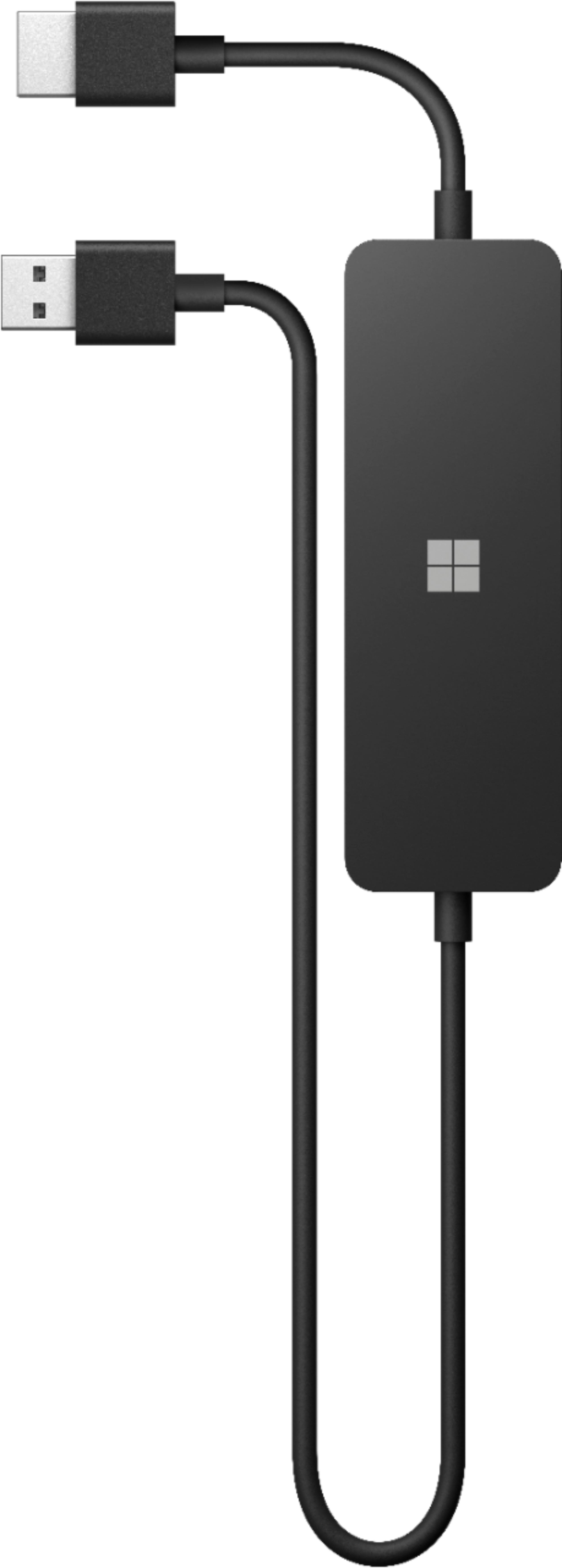
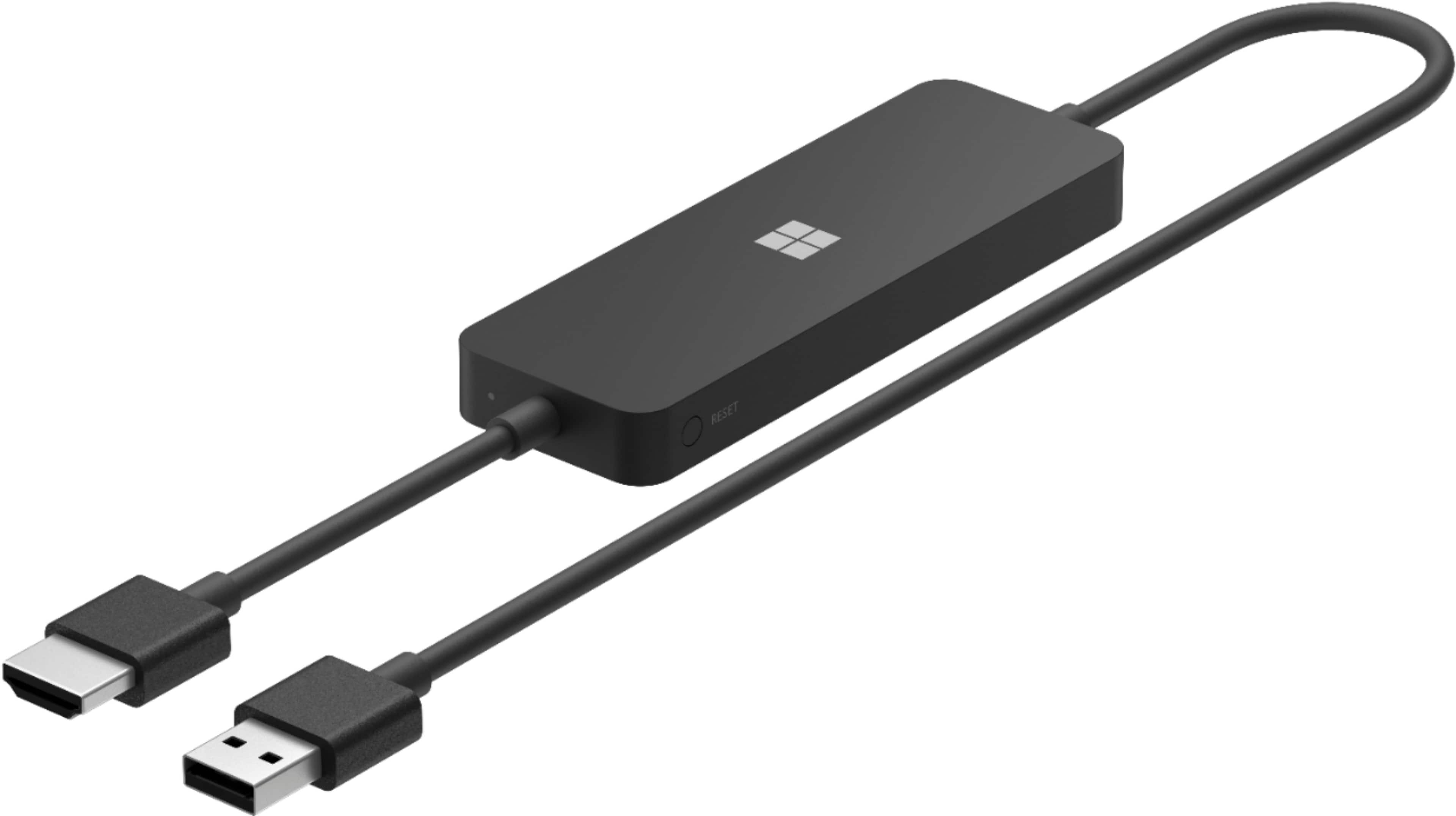
||Posted . Owned for 3 weeks when reviewed.This reviewer received promo considerations or sweepstakes entry for writing a review.Love this thing. You just plug it into the HDMI outlet on your tv snd the other end into the usb port and boom your all set. No hanging cables, it hides right behind the tv
I would recommend this to a friend- Pros mentioned:Ease of use
Rated 5 out of 5 stars
Buy it
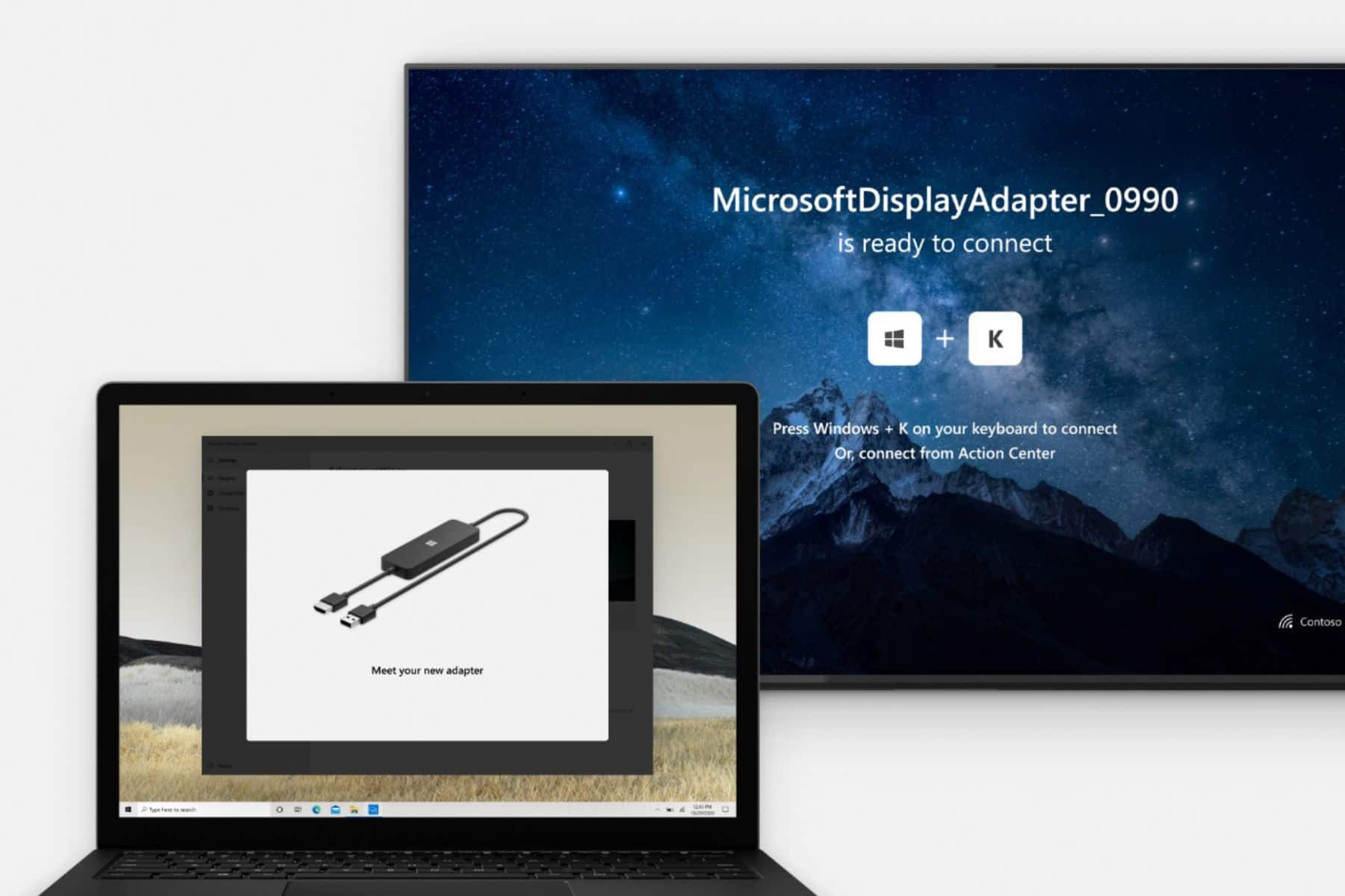
||Posted . Owned for 3 weeks when reviewed.This reviewer received promo considerations or sweepstakes entry for writing a review.If you're considering buying this product, you probably already know what it does so why are you reading this review? Conversely, if you don't know what you're looking for, then you're probably looking for a device that let's you project your iPhone or iPad onto a TV. Keep looking. But when it comes to a piece of hardware that interfaces seamlessly with Microsoft software/utilities, it doesn't get easier than this. Plug the MWDA into an HDMI port and the USB port (for power) on your TV, select the correct input source on the TV, and then simultaneously press the Windows key and the letter "K" on your PC keyboard. Look at the device name displayed on the TV, find the corresponding name on your PC screen, select it, and then watch as your PC screen flies through the air and lands on your TV. I had a local organ grinder's monkey try using this device, blindfolded, wearing little monkey mittens, and he was successful on the first try. I'm serious. That's no joke. Now, add it to your cart and stop wasting time reading needless reviews.
I would recommend this to a friend Rated 5 out of 5 stars
Awesome Technology.
||Posted . Owned for 3 weeks when reviewed.This reviewer received promo considerations or sweepstakes entry for writing a review.Excellent product, good connection. I will strongly recommend this product were there are no other alternatives. Besides this beats having to use cable.
I would recommend this to a friend- Pros mentioned:Ease of use
Rated 5 out of 5 stars
No More Wires!!!
||Posted . Owned for 1 year when reviewed.This reviewer received promo considerations or sweepstakes entry for writing a review.Easy to add and use in conference rooms for wirelessly sharing your computer screen. No more cables and being tied to a specific area.
I would recommend this to a friend Rated 5 out of 5 stars
Great product. fair price . No lag works great
||Posted . Owned for 2 weeks when reviewed.This reviewer received promo considerations or sweepstakes entry for writing a review.No lag great product for a Microsoft product HDMI wireless ! I tested my laptop stream to LG tv without this device on my new Wi-Fi router and had a 4 sec lag on my 12 cam sys to tv. I got this at Best Buy store 340 from Grey and he was right . No lag with my camera wireless hdmi to tv I even tried it on an older tv with hdmi and no usb (had to use a usb phone block on an extension chord ) and it worked fine . Sit in a room with tv big screen and you Microsoft OS laptop and happy streaming! I’ll be back to buy one for other tvs
I would recommend this to a friend- Pros mentioned:Ease of use
Rated 5 out of 5 stars
Works flawlessly!
||Posted . Owned for 1.5 years when reviewed.This reviewer received promo considerations or sweepstakes entry for writing a review.Doesn’t get easier than this! Streams my pc to two tvs flawlessly with an hdmi splitter.
I would recommend this to a friend - Pros mentioned:Ease of use
Rated 5 out of 5 stars
Easy simple setup!
||Posted . Owned for 1 month when reviewed.This reviewer received promo considerations or sweepstakes entry for writing a review.Want a simple screen mirroring tool this is it. Plug it in, press CTRL+K and bam you're on and sharing your screen. Doesn't get simpler than this!
I would recommend this to a friend - Pros mentioned:Ease of useCons mentioned:Lag
Rated 5 out of 5 stars
Great option for Corp Meeting Rooms
||Posted . Owned for 1 week when reviewed.This reviewer received promo considerations or sweepstakes entry for writing a review.Our org needed to modernize away how we conducted meetings. I purchased 4 for the corp office. Very easy to install and connect to for Windows based PCs (windows + K). Install the Wireless Adapter App and you can custom name and wifi (ionstead of using bluetooth). This has worked flawlessly with very low to no latency. You can even have audio come from the TV as well.
I would recommend this to a friend - Pros mentioned:Casting
Rated 5 out of 5 stars
Great adapter
||Posted . Owned for 1 year when reviewed.This reviewer received promo considerations or sweepstakes entry for writing a review.This is a great way to cast your computer to the TV. It is shame it was discontinued
I would recommend this to a friend - Cons mentioned:Compatibility
Rated 5 out of 5 stars
Works Great!
||Posted . Owned for 5 months when reviewed.This reviewer received promo considerations or sweepstakes entry for writing a review.Purchased for business conference room TV, works great, replaced a competitors unit that was very flakey.
I would recommend this to a friend