Customer Ratings & Reviews
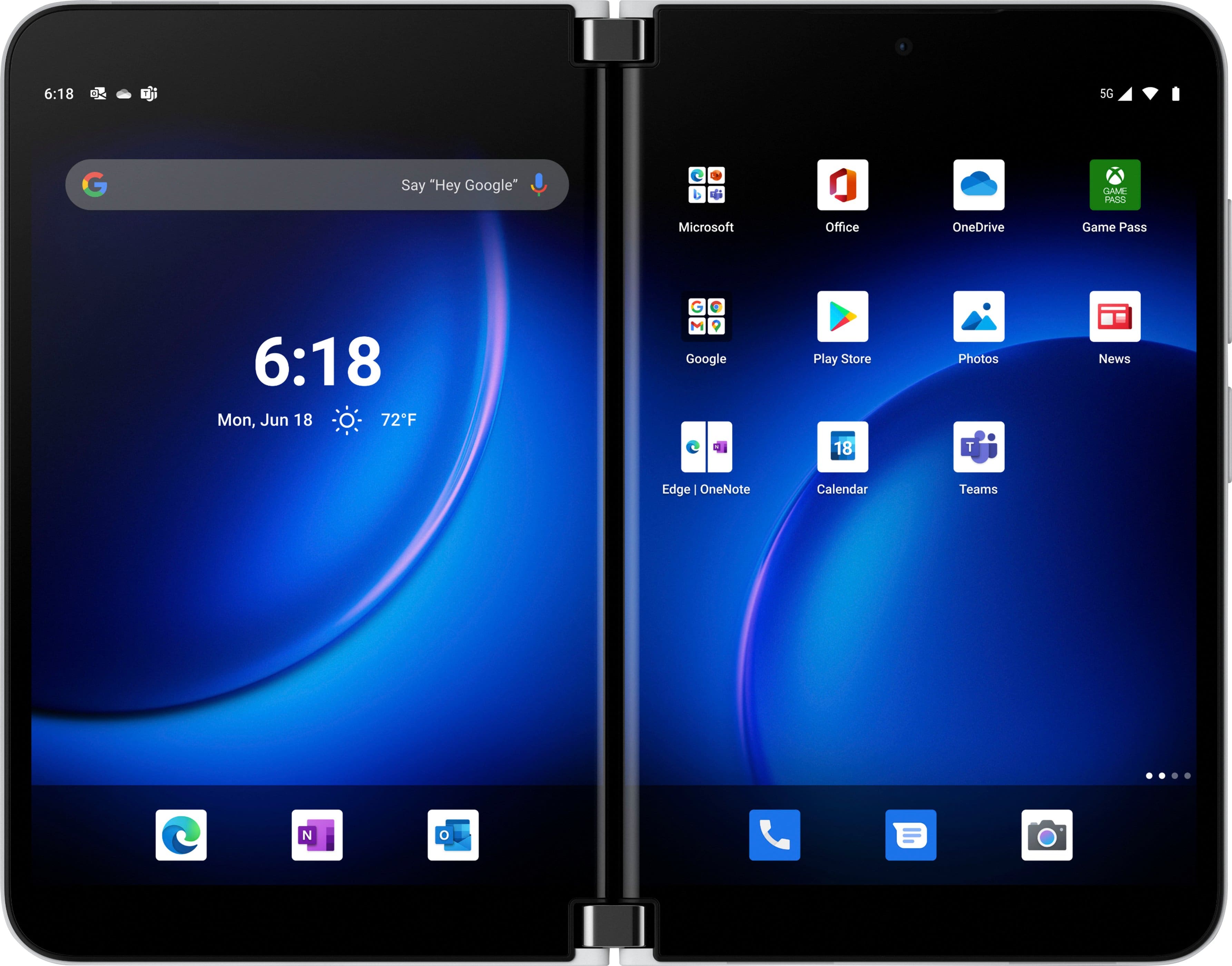
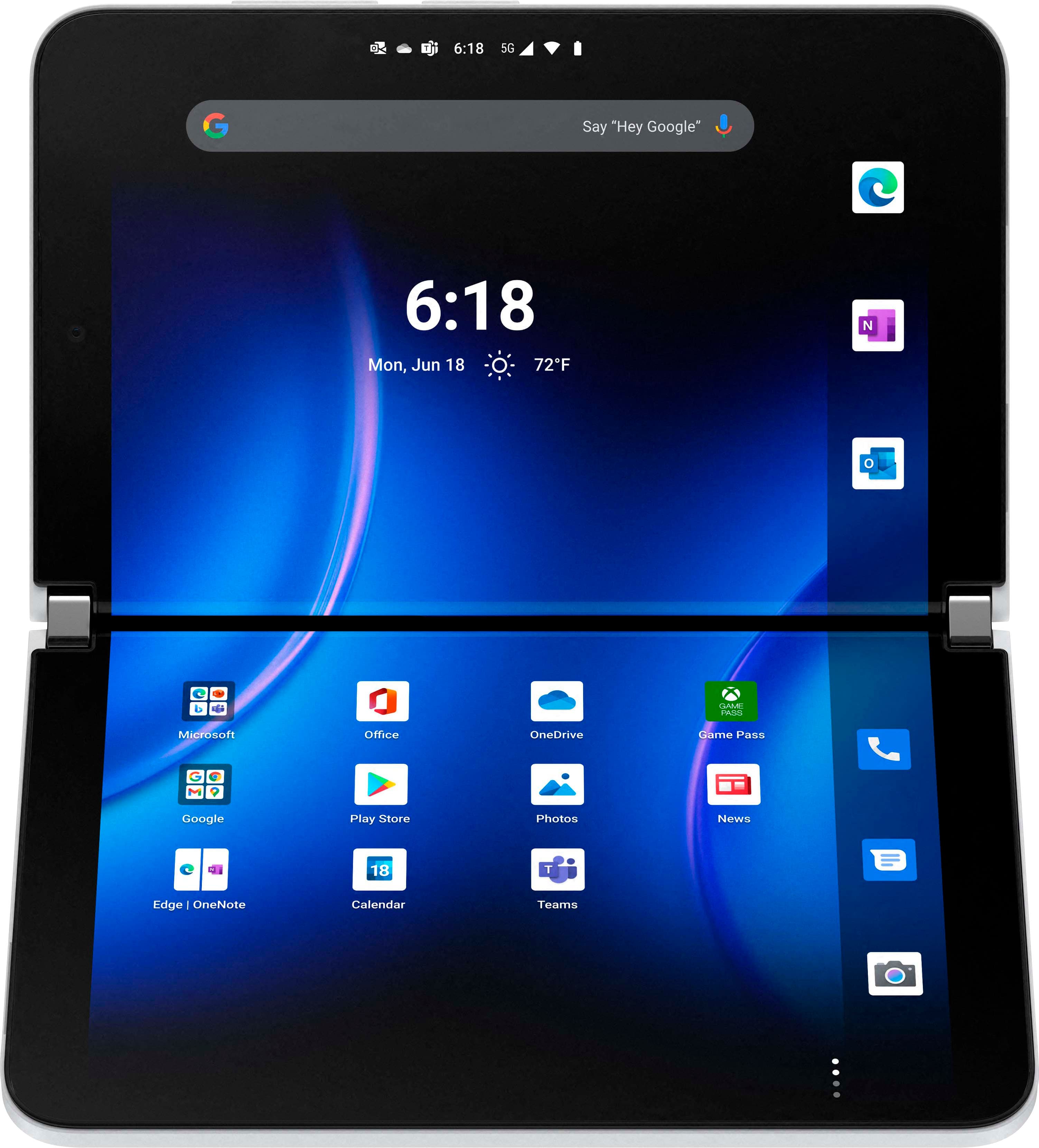



- Model:
- 9BY-00001
- SKU:
- 6478245
Rating by feature
- Display Quality
Rating 4.7 out of 5 stars
- Camera
Rating 4.1 out of 5 stars
- Battery Life
Rating 4.2 out of 5 stars
Customers are saying
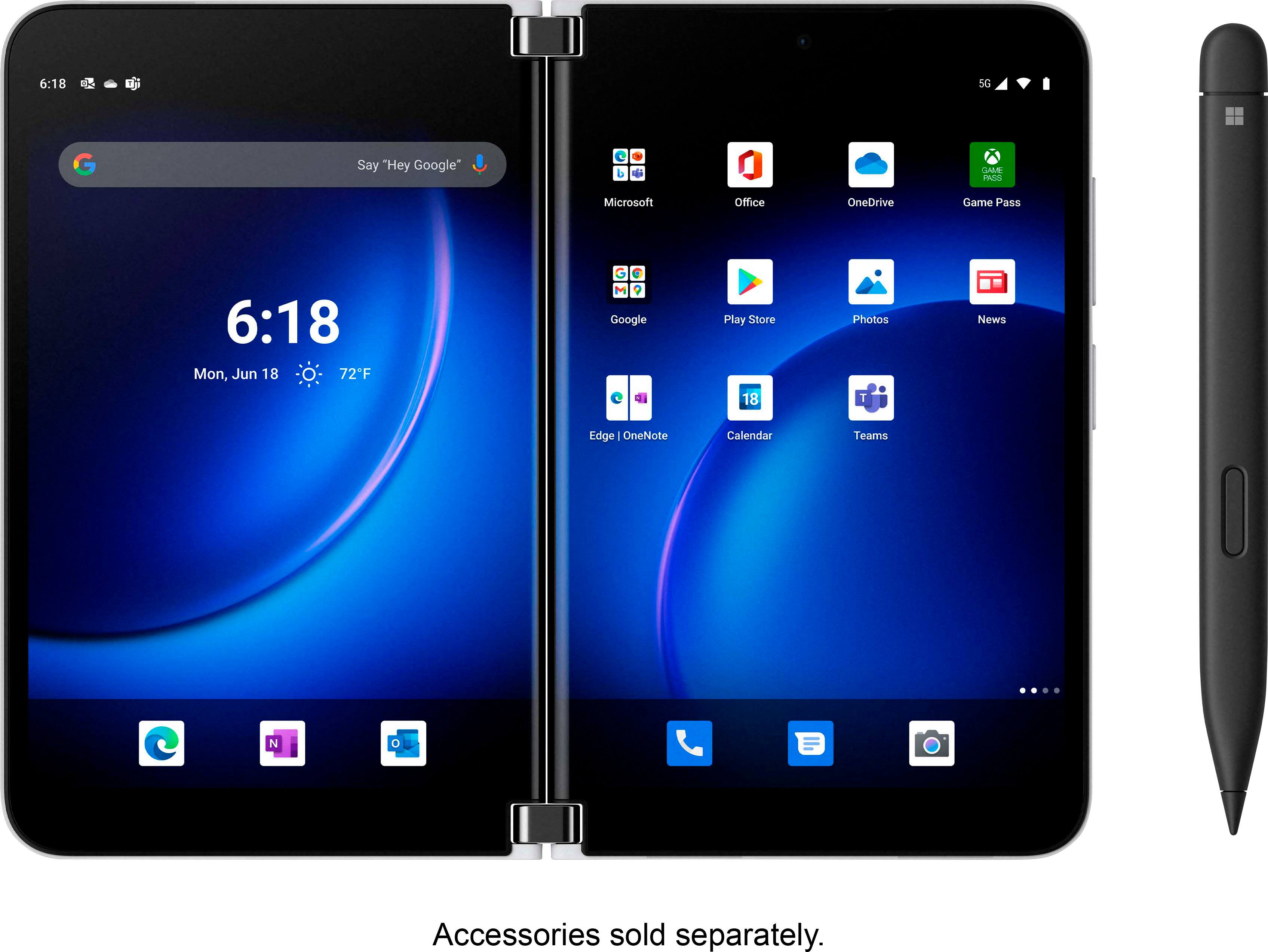
Customers love the Surface Duo 2 5G 256GB (Unlocked) for its dual screens and multitasking capabilities. They appreciate the long battery life and elegant design. However, some customers have concerns about the camera quality and software issues.
This summary was generated by AI based on customer reviews.
- Pros mentioned:Design, Dual screen, Multitasking
On the way to perfection
||Posted . Owned for 1 month when reviewed.This reviewer received promo considerations or sweepstakes entry for writing a review.Just like the Surface Pro, the Duo is evolving to perfection. I bought the first Duo 1 in October 2020 - loved and hated it. But I saw the potential and kept it. My main concern was MS giving up; thankfully they did not. The Duo 2 fixed a lot of the issues. I’ve tried the ‘other’ foldable on the market, and returned it. Here are my notes on the Duo 2: * powerful phone * the BEST foldable on the market. True dual screen capability in a format that is easy to see and interact with. The ‘line’ in the middle is NO big deal! Unless you are a cinematographer, get over it. * can open outlook mail and outlook calendar side x side. Huge for business. * multitasking. My god this is a multitasking powerhouse! * sexy. Yes, I said sexy. This phone is gorgeous, and everyone wants to know what it is. Lastly, I urge anyone on the fence to try it. Just try it. It takes a minute to get used to the ‘different’ interface, but you might just love it...like me.
I would recommend this to a friend - Cons mentioned:Bugs
4-Star for Improvement over Mk 1. Neg-1 for misses
||Posted . Owned for 1 week when reviewed.This reviewer received promo considerations or sweepstakes entry for writing a review.I'll start with the negatives so we can focus on positives. Has much improved functions compared to Duo, but... - Still has UI bugs - some similar to the first. Biggest complaint by far, but overall not too bad compared to Duo Prime. - Screen still freezes from wake sometimes, and apps not optimized for dual-screen use can get confused with orientation changes. I'll chalk the above up to the hope that MS prioritizes bug fixes and software updates. - Still uses Your Phone instead of Continuum. Not a knock on the Phone, but YP is still a neg, IMO, compared to a full hand-held dockable Use Case. - Lastly on software... it's Android. Not WinMo. Sorry - once Play Store is on Windows, I fully expect the next Surface device to run on WinOS. (You'll have run out of valid excuses then, MS!) - Beyond software, I HATE that the new bumper has even less that it protects, than the first one! (Especially at the bottom - where it's completely bare by the spine) I miss having the volume buttons covered - feels more at risk with exposed edges, considering the curved glass on both sides of the phone. One unknown: - Whether the edges of the USB Port (and now, SIM) will crack, as in the first Duo. TBD... Good news - - Camera is MUCH improved. So is the app, for both preview and editing. - No more "confused camera" that has to decipher function and "which screen", or "screen on/off" with fold action. (thank God!!!) - So is effective use of real estate - less "black space" on the edges than the first Duo. - Dual Sim!!! Hardly anyone talks about this. - Yes, we all know - 5G and NFC. Honestly I can't tell the diff anyway. - Screen is indeed very responsive. Wish it didn't need to be covered up. (Afraid of scratching that curved edge) - The "gap" between the screens is even less. Still there - but you don't miss as much to the "gap" as the first. - Very much like the curved edges. The "notification spine" can be very helpful. - Love that the power button and biometric thumb scanner are now one. - Bluetooth seems so much more reliable than the first, as well. Less discos and "robot garble" connection issues. - On UI bugs - the "Wake on Press" / Lock Screen problem on Duo 1 is gone! MAJOR relief there. - OS seems much more refined and fine-tuned with Duo 2, and even Launcher seems to take better to this resolution (has slightly more adjustments than on Android 10). - The USB-C and SIM ports being on the same side (bottom) give it the appearance of more balance. Also, plugging it in the center helps with actually balancing the phone when on a stand or PopSocket (yes, I even have a megasized one, and it's hanging straight now) - MS apps like OneDrive and Launcher seem to have gotten a huge efficiency boost in terms of execution Use Cases - especially in dual-screen use. Hard to describe - but the functions seem more natural to the Duo 2, unlike with the Duo 1, where they seem "forced" and often clunky. - Finally, gestures have gotten a slight update. But they are so much more intuitive now. Again hard to describe - something you have to feel. Overall, I'm happy with this as a second iteration of Duo - so much so, that I really think trading in the old unit won't make me shed a single tear. For contrast, one pays $2k for a Samsung Z Fold xx with a large screen with a risky fold (still), and fully unfolded is still just a single large screen with a weird aspect ratio. With the Fold folded, you have a thick device with a weird aspect ratio on 1 screen. And even unfolded, it's still not as large as the Duo. So, what's the purpose of a small dual-screen phone again? The Duo 2 has 2 distinct screens that work more reliably than the first. Yes, there's a gap. But, I'd argue one screen on the Duo is better than 2 on the Fold 2. In "gaming" mode (for you weirdos), the second screen finds more use as a gamepad (Nintendo DS). And you can choose to use one or two at any time. Both folded and unfolded, it's still extremely slim and pocketable. It's still a multitasking "phone" at the end of the day that now has all the modern features you expect from a flagship device. Is it worth $1,600? Honestly, now that I can't imagine being on a single-screen phone - yes. Hardware is good, software is improved, and it shows much promise. Good way to settle until MS comes up with a Surface Mobile device that's back to running WinOS, with native integration to MS Services - including those for true Enterprise users. :)
I would recommend this to a friend - Pros mentioned:MultitaskingCons mentioned:Camera quality
Much Better
||Posted . Owned for 2 weeks when reviewed.This reviewer received promo considerations or sweepstakes entry for writing a review.Improvement all over. Software is better than it was at launch last year. Better cameras but not better than other smartphones in this price range. I received the device on launch day and I have had one or two hiccups with the software but otherwise I am enjoying it. There's no wireless charging. The USB-C port is in the middle on the bottom of the phone. The device is slippery and a fingerprint magnet. I added a matte black dbrand skin to add some grip. This is my daily driver. I like being able to multi-task using each screen. Along with the Surface Pen slim or my OG Surface Pen, I'm able to sign documents on the go without having to get back to my office. In addition to that, I go to online meetings and take notes from the same device. While these are just some of my use cases, these use cases and others may be beneficial to you. I would have loved to see the price start at $999 or at little less. Many are holding out to see how the software does and/or a price drop like the original Surface Duo last year. I recommend this device and hope that Microsoft will continue to build upon and improve this device in the coming years.
I would recommend this to a friend - Pros mentioned:Design
Loving it!
||Posted . Owned for 3 weeks when reviewed.This reviewer received promo considerations or sweepstakes entry for writing a review.This phone is amazing.. At first, Ike all phones, it takes a it of time to learn some of its functions. But I'm glad I did. This is not for the faint of heart. This is for people who wish their surface could shrink and have a buildt in phone so they can take it everywhere. Be careful of reviewers who are compromised by other companies...slamming this phone because it doesn't do what other phones do exactly.. If I wanted the same old same old,.. I'd buy another apple.. I mean seriously. This is for people who need a PC first and a phone buildt in. The camera is amazing and with some added apps, this phone/pc.. Is worth more than I can even put into words. I'm loving every minute on it and enjoying learning all the amazing tech. Oh yeah.. I love the skins instead of cases.. I love turning the whole phone into a different look when ever I feel.
I would recommend this to a friend - Pros mentioned:Multitasking
Awesome new Surface Duo 2 256 GB
||Posted . Owned for 1 week when reviewed.This reviewer received promo considerations or sweepstakes entry for writing a review.I would have to say this is an excellent business phone. I would give it a 4.5 out of 5 stars if I can. The phone is now $500 less than original price. If you’re someone who is used to using two monitors for work then this is highly recommended. It comes with an android system and works great with Microsoft office apps. The hinge is kind of a bothersome if you are trying to watch full span mode movies with the two screens, but that hasn’t been a big issue for me really since I don’t really use my phone for that. I’ve always had the iOS as my personal phone and using this phone has opened me up to all the awesome features and apps that android provides. Links perfectly with a newer Windows computer.
I would recommend this to a friend - Pros mentioned:Design, Multitasking
Microsoft Surface Duo 2 the best of the best
||Posted . Owned for 1 week when reviewed.This reviewer received promo considerations or sweepstakes entry for writing a review.the design is very elegant, having 2 screens working at the same time in two different apps is something that the Samsung Fold 3 cannot give
I would recommend this to a friend - Pros mentioned:Battery life, Dual screen
Excellent Device!!!
||Posted . Owned for 1 month when reviewed.This reviewer received promo considerations or sweepstakes entry for writing a review.Unbelievable battery life. Great screen and performance. Sleek style. Takes some getting used to all the functions but an excellent device.
I would recommend this to a friend - Pros mentioned:Dual screenCons mentioned:Camera quality, Software

So close to perfection every little miss hurts
|Posted .This reviewer received promo considerations or sweepstakes entry for writing a review.This might be a mixed/biased review because I love this thing. To get the basics out of the way, display brightness and refresh rates are awesome, the battery life is good (great for dual screens but good overall, it’ll get normal people through a day I think but I’m not a good person to really say that as I abuse batteries pretty hard), the camera is not the best but not a slouch, and it has NFC for payments but is missing wireless charging. As I love this phone it might seem weird that I have so many complaints, but I also gave this a decent star rating, this is because all of these are annoyances but at the end of the day this is the phone that I have been waiting for, for years. I was super disillusioned after I purchased the original Duo but this has reinvigorated my vision of the perfect phone. The design: I feel like they have nailed the design of this minus a few items, I wish the cameras were flat on the back, but I would rather have the camera bump than no cameras on the back. The notifications on the tiny bar on the sides are good enough for me as I have a smartwatch (I personally feel that this device kind requires a smartwatch for quick notifications, but your opinion may differ). The glass on the back makes it slide off of my desk at home and work, so I quickly put a skin on one side of it at first which solved that problem. I also got the case that enables the pen to charge as the pen holds to phone unlike last year’s model but I wouldn’t call it a solid connection like it has with the charging case. The curved screens on the inside make it a tad hard to hit a button when it happens to land right on the curve, but it is still possible. When you use the phone for video conferencing if you lean the top back too much you lose the balance, the charging case helps this a somewhat but you definitely can’t have it at any angle. Changes I could really wish for in the design are a key combination or a dedicated button for vibration mode and the flashlight as well as the screen could be a little taller to get to a more normal screen resolution for app compatibility (but I love the width of the device). One rather big downside is the Bluetooth, it is terrible, it requires your Bluetooth headphones to have an excellent antenna. I used a couple different headsets, if it was over the ears and giant, I had no issue, if they were the Microsoft earbuds I had no issue, but any other earbuds I tried they failed the back pocket test let alone the leaving the phone around the house test. The back pocket test is simply having a reliable connection while my phone is in my back pocket. I don’t find the Microsoft earbuds comfortable so being forced to use those ones for a reliable connection hurt my soul a little bit. The only other kind of headset that did excellent were my Alexa glasses. Using it: Dual screens are amazing, but this is where I found the duo lacking just a little bit, there are a few bugs that are annoying, for instance my app pairs will often launch on top of each other and are often delayed in opening, it is much more reliable and fast just to launch the two apps separately. I know they launch on top of each other because if I pull an app to the other screen the other one is right there just waiting for me. Next, very often the two screens will not be independent of each other. This is most obvious with pulling down the menu bar on one side, when I am doing stuff, I will often jump between two thoughts with one though on one screen and the other thought on the other screen. So, if I pull down to look at my notifications and that causes me to remember something I will go launch the app on the other side but that will immediately dismiss my notification bar. Next, the message app spans two screens and has the list of people on one side and the messages from your selection on the other side, but it isn’t divided evenly on the screens. The remote desktop app from Microsoft doesn’t take advantage of dual screens (I wish VMWare did, but I was shocked when Microsoft’s own app didn’t) as well as the pen. This to me is a missed opportunity. If they could make their remote desktop protocol work in dual display mode either as dual monitor or at the minimum of the second screen being a keyboard and mouse that could be amazing for those times when I need to get to one of my servers. The word and excel apps aren’t compatible with the Duo 2, this is because it uses the office app instead however my work profile only allows me to download excel and word so I am out of luck for editing word docs and excel on the go for work though I can on my personal profile side via the office app which is awesome and a great way to use the pen. Sticky notes are okay, except they take about 3 hours to update the preview. The changes are immediate but when you hit the back button the preview doesn’t update even after hitting the sync button, I believe it is about 3 or so hours before it will randomly update. It would be really awesome if I could pin a sticky note to a home screen (like a widget for sticky notes) but that isn’t available. I love to keep the babysitter’s hours in a sticky note that I just grab my pen and write on it really quick when I pick up or drop off. App multi-tasking is hit and miss, when I want to relax I will play a game on the bottom screen and have a video on the top screen, Prime video especially wont let me do this as it will pause every time I use the other screen. The game (Galaxy of Heroes) will pause (If I have it on autopilot every once in-awhile) If I interact with the other screen as well. If I am watching a video and I want to respond to a message I have to remember to rotate back to ‘book’ mode otherwise the message will spring over the video to give a full typing experience which I don’t necessarily want (I usually want the full typing experience when I have the message app on the top screen). Overall, the resolution of different apps can be a little messed up; YouTube will go to portrait mode while it is in landscape mode leaving a giant black bar on each side and the text is rather small. Apps like Webull launch in tablet mode, and other oddball stuff that is annoying but manageable for me. The MS Teams app could definitely use some help on the dual display compatibility. Maybe compatibility isn’t the right word, more of several missed opportunities. First, when I share a video I would desperately love the ability to draw on said video (or picture). For instance, if the upper screen (the side with the camera) showed people or messages or whatever I wanted, and the bottom screen had the live camera feed that I was sharing with the ability for me to draw on it (AR drawing) that would make virtual troubleshooting, tours, or whatnot way easier. Also, not being able to insert a picture on a whiteboard but only a document seems weird from my Duo. A real PDF editor is missing, Android just doesn’t have one, DrawboardPDF is the pinnacle of compatibility with the surface pen and android just doesn’t have anything close to it the Office app is much better than it used to be, but it just doesn’t measure up. I feel like some love to the office app for marking up PDFs would go along way for making the Duo an absolute beast of a device. The pen is something that I have had on many of my phones and for any phone I plan to use for work I believe it is required. That said, I feel like the phone is compatible with a pen but not built around the pen. There are a few apps that really take advantage of the pen such as Word and OneNote but for the most part the pen is just there. It is missing features such as text extraction and selective screen capture really make the pen a part of the phone in my opinion and they are simply missing on the duo. I do love that I get to use the eraser side of the pen as an eraser, that is just so much more natural to me. As you can probably see from the bulk of my review my main problems can all be fixed with software. I feel that that have nailed the hardware enough (minus the Bluetooth) that some real focus needs to be given to the software to really make this phone shine as it should. So depending on how many devices you like to have your experience might vary from mine, I think this is an amazing only phone but I also answer my phone with my glasses so I never hold it like a normal phone and my watch lets me do quick responses to text messages and such ( my glasses do as well but I prefer the watch for that) When I open my phone I often want to use two apps at once and I tend to be scattered in my thoughts which this device works extremely well for bouncing around doing different things. The pictures show my phone in a few different states, I got a black leather skin and wore it on one side of the phone for a day until the pen case came, then I put the pen case on and a skin on top of that to complete my setup of the phone itself. From the pictures you can see the glass picks up fingerprints pretty easily, so a skin is definitely a nice to have in my mind. Pros: 2 Screens (bright and beautiful) Pen Side notifications The hinge is solid Multiple cameras Power button is combined with a fingerprint reader Microphone Cons: No wireless charging OS and Apps are buggy Microsoft hasn’t taken advantage of the two screens to the fullest yet. No Miracast
I would recommend this to a friend - Pros mentioned:Battery life, Dual screenCons mentioned:Camera quality
Promising updates, fast, and useful
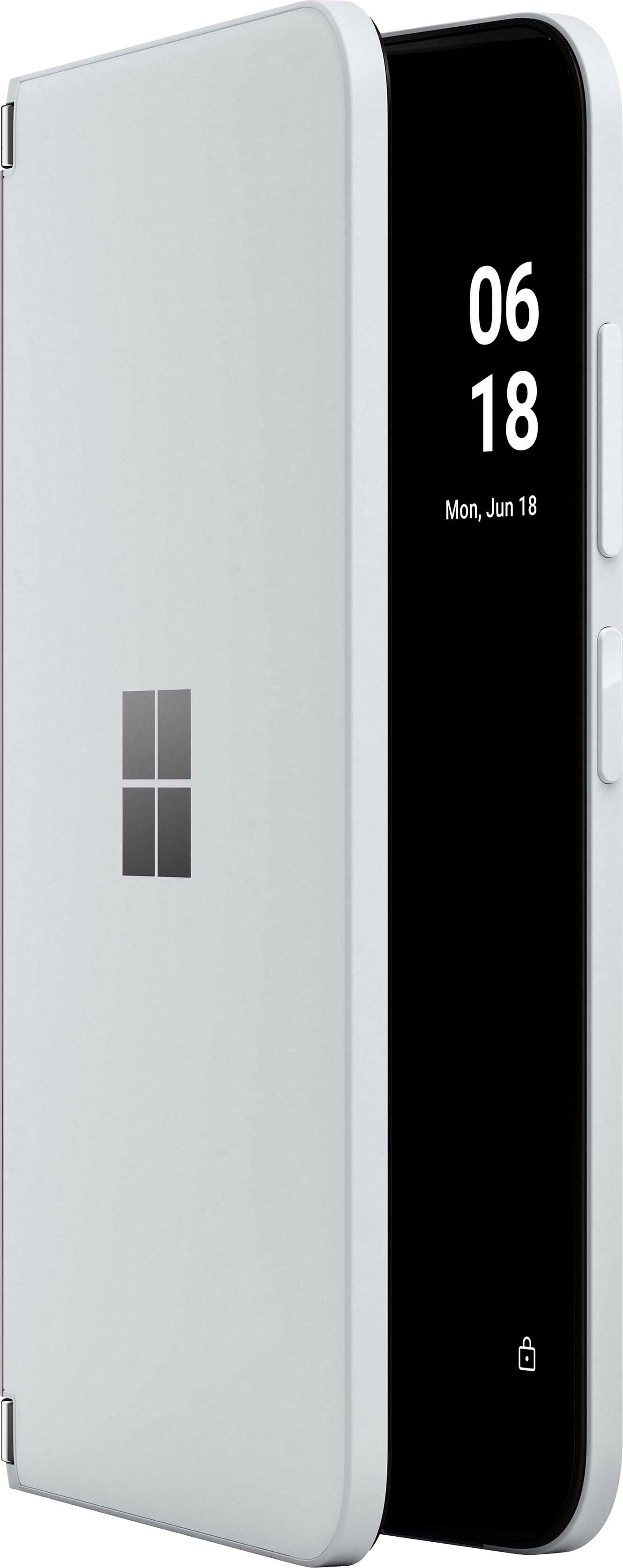
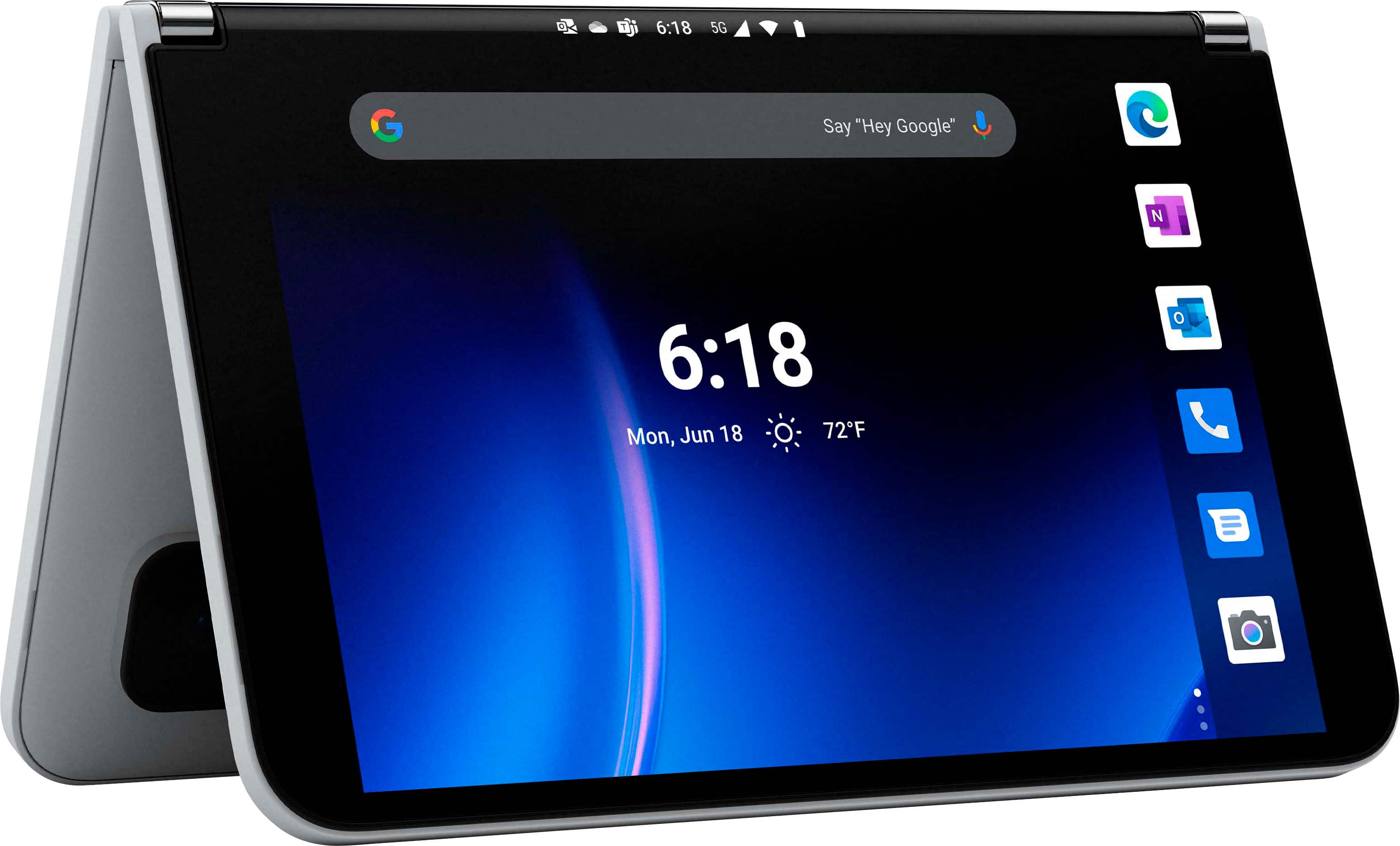
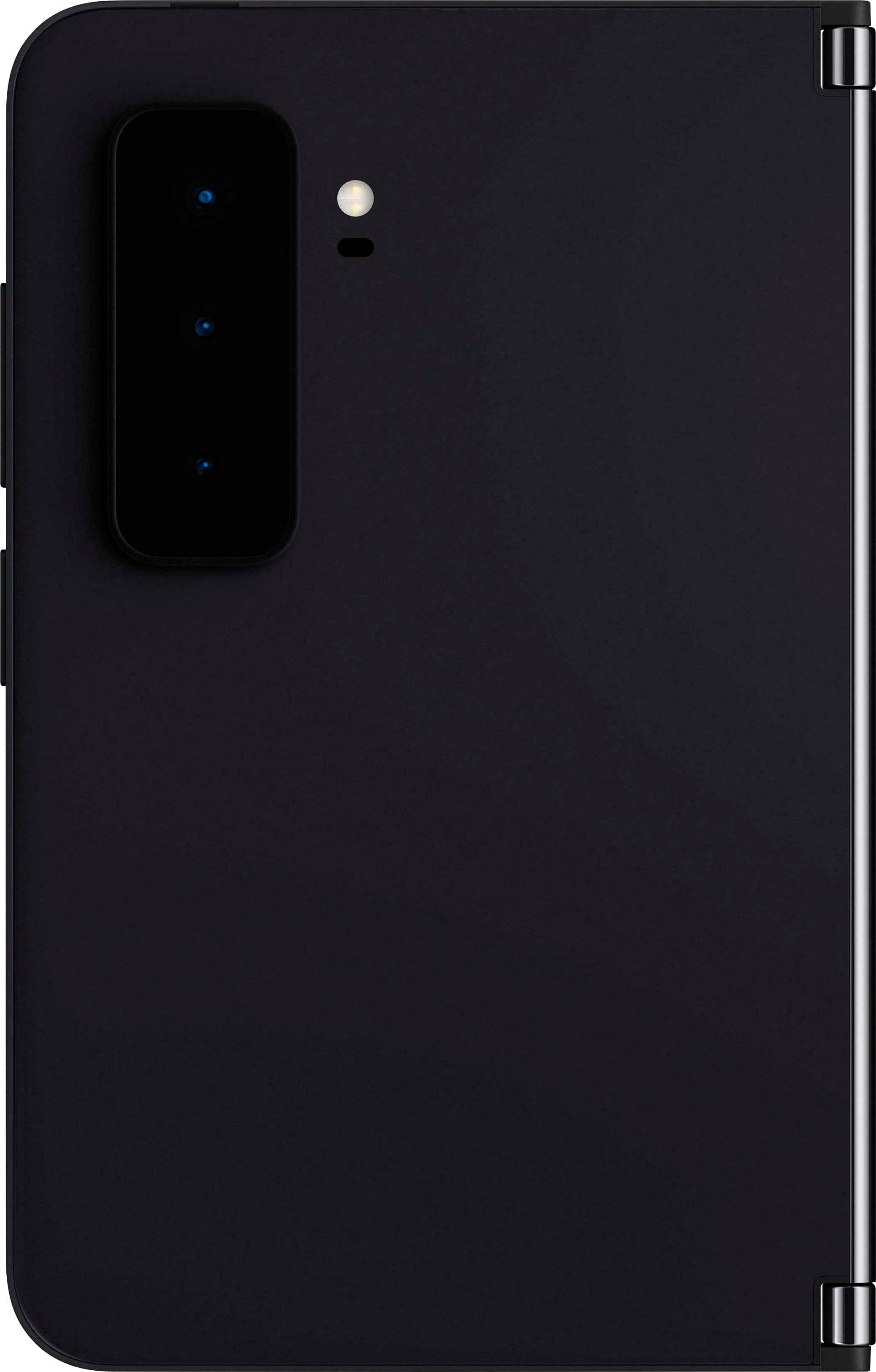
|Posted .This reviewer received promo considerations or sweepstakes entry for writing a review.Dual screen phones are nothing new. In fact I had a flip phone with an outside facing color OLED screen in 2005. Of course that phone was nowhere near the current generation of dual screen phones out today. Microsoft comes offering their second generation dual screen device, the Surface Duo 2. Microsoft’s hardware division is definitely proud and capable in their designs, and the Surface Duo 2 is no exception to their prowess. However, it’s still the early days, and much like that flip phone, there are pain points to using a dual screen. First of all, for $1600, the 256GB Surface Duo 2 gives you quite a bit of space in a pricey device. The 128GB is only $100 cheaper, but overall the same hardware. Inside the box you’ll find nary an additional accessory - only just a simple USB-C charging cable. It’s somewhat disappointing that the surface slim pen isn’t included out of the box. N-trig pens should work with this device, but only the Surface Slim pen is designed to attach magnetically and strongly enough for day to day use. Besides the cable, you have some quick guides and that’s about it. However, the device is the star of the show here. For the price tag, you get a very unique form factor and device experience. Here you must weigh if it works for you. The convenience we’re used to with candy bar style slabs of glass is not present here. Muscle memory many of us have developed over the years is not applicable with this phone. In fact, taking the time to open up the device to check notifications, or even just google something quickly is easily doubled or tripled. That isn’t to say the device isn’t a pleasure to use. It feels like a small notebook in the hand size wise. Materials feel top notch, and the glacier color hides fingerprints well. The iconic Surface Windows logo is handsome and the camera bump is mostly out of the way. Each slab is impossibly thin, making the total device thickness only slightly thicker than a current generation iPhone. The hinges are metal, and solid. The device itself is easy enough to open, but won’t ever accidentally come open. The device closes with a satisfying soft slap feeling. Folding the screen open all the way creates an 8.3” total screen size. Folding over the screen will default to using the right display, but you can quickly double tap the left screen to swap to it instead. Enrolling my right index finger print during setup was easy and the fingerprint reader, which is located in the power button, has been absolutely flawless. It’s more reliable than my previous Android experience, the now antiquated Nexus 6p. The only other button on the device is the volume rocker. One nice trick is that the power button when double pressed will perform different actions: if the device is closed it turns on the flashlight, if open it turns on the camera. On the right slab you’ll find all the buttons and the USB-C port on the bottom. On the left slab you’ll find the nano SIM slot. The camera bump is large, holding 3 lens elements and it is angled slightly so that the screen when completely flipped over will be flush and stable. When the device is open in dual screen mode, the largest advantage it has is that it allows basically dual app usage. While you can easily span almost any app across both screens, there is a gap between the screens where you’ll lose somewhere around 20-30 pixels. This means in videos, text, or other apps, you’ll be losing content. Now some apps (first and third party that MS obviously worked with) do a great job using both screens. For instance, the Kindle app is amazing, allowing you to treat the Duo 2 like a book. Xbox game pass is actually another great example, allowing you to orient the device at a different angle and use one screen as a controller and the other as the game display. Outlook smartly uses the left screen to list email, and the right screen for the reading pane. Not every app handles the dual screen very well. For instance, using a browser means that a gap between screens ruins the ability to read a webpage or even potentially miss click targets. You can’t use edge or chrome to open two different web pages one on each screen - basically you have to use edge on one screen and chrome on the other to have 2 web pages open. Managing apps is very gesture based, with multitasking, screen management, and other needs being covered by grabbing an app bar and pulling it to the middle. Here you can release to manage multitasking, or continue to drag to either the other screen or between screens to go spanning across both displays. The back button is handled by side swiping from left to right. I found some app (especially those with contextual back buttons) would not recognize this gesture. You can enable soft back buttons in settings, so some users may want to do this. Other than that, most android users will find themselves at home here. There is a distinct Microsoft flavor here, but they haven’t strayed far from the successful Android UI. The glance bar, which is basically formed by the curved glass (which is a feature allowing the screens to be so close) on the inner edges. This tiny bit of display can be used to see notifications, but only those which are allowed by MS. For now that is time, missed calls, SMS message notifications, and in the case of charging, battery charge. Really this is a difficult display to make out the content being displayed. I’m dubious on the glance bar’s usefulness - especially with the waning importance of SMS in a message client filled world. The camera quality is passable, but easily outpaced by much cheaper phones. Photos have relatively natural colors, but in low light things get slightly dicey. Night mode does ok, but low light tends to get quite ‘warm’. Daylight photos are ok, but there is evidence of over sharpening, which at first can make the photo look clearer. Once blown up to a proper size, the photo sharpening effects are obvious and annoying/distorting. This is more evident in low light photos though. The hardware in this phone is top notice. The Snapdragon 888 coupled with 8GB of RAM is no joke. Apps installed lightning fast, launched fast, and I felt nary a lag. Geekbench 5 gave me 1101 single core, and 3356 multicore. The larger battery compared to its predecessor probably helps balance out battery life, but the large OLED displays do seem to suck battery quickly. The battery seemed to last me all day, but most days I ended with less than 20% battery depending on my screen time. I didn’t use NFC payments, but that is a feature that did make it into this generation. Disappointingly there is no wireless charging. Interestingly the USB-C port worked flawlessly with my USB-C dock, giving me an external display, keyboard, mouse, and SD card reader. You could really use this phone for work. And at the end of the day, that’s really what these dual screen phones are good at: work. You can use two apps at once, or apps optimized for both screens. Watch a live stock ticker while you’re in your day trading app, or keep youtube open and playing while you take notes. It’s definitely a productivity device, and as more people use their mobile devices for all their needs it’s a helpful transition to have two screens. The ugly here is that Android still is buggier than its Cupertino cousin. That’s just as true here on a device pushing Android’s capabilities. While it ships with Android 11, there are a lot of enhancements coming for dual screen devices in 12 that promise to fix many of these issues. I found many times I could easily confuse the credential manager app, and gray out my entire app accidentally with no way to use it. There were instances where apps never finished setting up and other strange behavior. The core device is solid, but bugs do abound. In many ways the Surface Duo 2 still feels like it's finding itself. There is a definite awesomeness to using this device. The screen real estate, form factor, and flexibility it brings give you a lot to work with. The same strength is also its biggest weakness - it’s a chore to use. I would almost say getting an android wear device would be a necessity to avoid having to check notifications by flipping open a literal book sized device. If you can live with this reality, it’s a pretty interesting package. The price makes it a bit of a tough sell, especially with limited phone protection (both cases available and lack of waterproofness). If you’re a Surface fan, then definitely take a look, but there is definitely a feeling that this device would have been more interesting with Windows on it. The software will continue to improve, and I’m sure we’ll see even more refined behavior and devices in the future.
I would recommend this to a friend - Pros mentioned:Battery life, Dual screenCons mentioned:No wireless charging
Thoroughly enjoying the experience
|Posted .This reviewer received promo considerations or sweepstakes entry for writing a review.To start, my ecosystem of phones contain a Note 22 Ultra, an LG V60(with dual screen), and now, the Surface Duo 2. In reviewing this phone, I needed to look at it a bit differently as in my opinion, the Duo is in a category of its own. So in comparison to the three mentioned above, I start with this breakdown : Note 22 Ultra: Excellent balance of productivity and entertainment. LG V60: An entertainment device that is capable of decent productivity. Surface Duo 2: An productivity powerhouse that is good at entertainment. I only mention the comparison because I'm reviewing the Duo in terms of what it is advertised for, a workstation that is also fun as I don't see it in the same spectrum as typical "entertainment" mobile devices. That being said,(whew) here we go. Unboxing first impression was that it feels more like a diary or notebook more than a phone. Nice heft to it, solid build, sleek and eye catching, and still able to fit comfortably into the palm of my hand. The buttons aren't two intrusive and the camera bump is about average to what I am used to. Once powered up and updated, I'm instantly impressed by the smooth transitions of the screen. From shifting icons to expanding a program to dual screen, there has yet to be a hiccup or slowdown. The 90hz screen is incredibly smooth. Although my Note touts 120hz, I can't find a negligible difference in fluidity. With the fact this is also shifting between screens, I'm amazed it's so smooth. Screen clicks and swipes are precise and the haptic feedback is just the right level. I will admit, in comparison to my dual screen LG, the navigation swipes have a bit of a learning curve. When used on the right side, it's business as usual, but when left screen is dominant, the swipe back is on the left side. This seemed odd at first, but after realizing it allowed my left hand to navigate more freely, it became second nature. So instead of using my right hand to reach across and swipe right on the left screen, I can shift with left in a natural direction while keeping both hands intact on the phone. The automatic screen rotation has been great, but there are a few instances where the angle of screen opening can cause a bit of hesitation. Not enough to be a hindrance, but enough to learn the difference between 15 degrees VS. 30 degrees for finding the result you want to accomplish. For dual tasking, this phone is a game changer. Not only can I run multiple apps at once, the ability to group apps that I frequently run together into a one click execution saves me a few seconds. A few seconds here and there really adds up! Obviously you have all of Microsoft's offerings at your disposal, but I've found alternatives run just as well. This review was done on Google docs on this device. No qualms here. Let's move to the camera. I am not a photographer by any means, but I know what I like in terms of picture quality. In short, the duo takes great pictures. The camera app isn't as robust as either the LG or the note in terms of user customization, but for all included, it absolutely does the trick for a modern snapper such as myself. And kudos to the night mode. It exceeds my expectations. I've attached a few photos for your review. One novelty feature I appreciate is the instant picture result on the a ond screen. Nothing new, but the Duo 2 does it very well. Before I continue, I do want to bring up another comparison that this phone may get. That to the z fold 3. I didn't upgrade to the Z from my Note for a few reasons. The first is that it felt to delicate. It could not be my daily runner. Way too cumbersome. The Duo feels a bit more sturdy. While I still will put a cover on screens and body, I feel like I can easily pocket it. The next is the fold. The z does not fold completely flat. I understand this is how the seamless screen is accomplished, but that gap is both worrisome for objects intruding, as well as, it throws off the anesthetics. Now, the tradeoff is the gap from the hinge on the duo. I've included a Pic of this in full screen. Some will absolutely find it unappealing, but I would absolutely take that over having that gap when closed. Just my preference. The final is the ratio. The z is longer than the Duo, and when I attempt to use it with a 90 degree angle, the width of the duo feels more natural in my hands as a work companion. That is where my comparison stops, because I do feel they are in different classes, but the dual screen feature will always garner some sort of comparison. For security, the Duo uses the power button for the fingerprint reader. It is very accurate and very welcome. Both my Note and LG use the sonic readers built onscreen, and I never was a fan. Glad they went with this option instead. OK, now we can touch on a few of the entertainment aspects. The screens are gorgeous. Movies dazzle and game run silky smooth. I haven't been able to find HDR for films yet, but I also haven't truly searched. The Netflix in full screen, on both screens, is lovely. Because of the aspect ratio of the phone, I feel the presentation is better executed than, for comparison sake, my LG. The speakers are also fairly powerful. They won't be touting room shattering bass, but for clarity, positional effects and overall volume, they do not disappoint. I was I another room, played some songs at full blast, and my wife yelled from the next room to turn it down. Oddly satisfying test. Music was robust and audio dialog was clear and crisp. Another huge plus is if you're a gamer, and like Microsoft, this phone feels like it was made to support Xbox cloud gaming. It can absolutely handle the streaming and presentation. Pair that with the screen remote, and you have a gaming rig on the go. Now all the bells and whistles like atmos and Dolby are missing, but for what's here, you still get a nice punch to compliment work. A given is great battery life. The first Duo did get nice marks on this, and that doesn't stop here. I've watched a movie, in full, typed a few messages, did work and listened to music since 7am. Here we are at 8:18pm and I still have 51%. That's impressive. Hopefully it keeps up as time goes along. One feature to give a quick mention is the notification bar. I dig it. Seemed useless at first due to size, but the implementation works for this phone. I can easily see notifications and I like somesimple things like seeing a "volume bar" when the phone is closed. Not a home run implementation, but a welcomed novelty. So, with such a glowing review, why the lack of a star? Two main reasons which are very important to me. The first… with a device focused on work and productivity why oh why would you not have a slot for expandable storage. I get the appeal of One Drive, but in today's age of large pdf, video, file and picture sizes, this should be standard. Very disappointed by this. The second is the lack of wireless charging. Both my Note and my V60 support it and I have a nice wireless area setup for charging, it's a shame this now "standard" feature was omitted. You don't realize how great it is until you have to revert back to physical charging. First world problems. But, that's it. Other than those(important to me) I am enjoying this device more and more each day and I look forward to see what implementations Microsoft will roll out in future updates.
I would recommend this to a friend - Pros mentioned:Design, Dual screenCons mentioned:Camera quality, Software
An Upgrade From Last Year But Not Quite There Yet
|Posted .This reviewer received promo considerations or sweepstakes entry for writing a review.Surface Duo 2 I am and have been for most of my life a flip flopping Iphone and Android user, I typically would switch between phones every year or so. I got an Iphone 11 in 2019 and have stayed on Iphone since then. This is the longest I have gone without switching phones, I did start to get an itch last year when I started seeing all of the folding phones starting to come out. I was very intrigued by them but also very worried about the wear and tear those phones would take over time. When the first Surface Duo was announced I was interested in a folding phone that would not be susceptible to the screen being worn over time, but as the reviews started coming I was very disappointed lots of basic phone features were missing and the phone did not seem ready to go into consumers hands. Fast forward to this year when the new Surface Duo was shown and they fixed several of the problems the previous one had. I was ecstatic to get this phone, I waited and waited to get in the mail and when it finally showed up I could not have opened the box any quicker. My first impressions of seeing the phone in person was “wow this is much smaller and thinner than i thought it would be.” for being a book style folding phone I was shocked and how thin the phone is even when you fold it open to use with one hand. Even though it is very thin it is not the most comfortable phone to hold one handed because of the camera bump it does not fold completely flat and there is a bit of an opening. I could never quite hold it as comfortably as I would have liked. I next want to talk about the screens, they are good, not great, solid looking pictures from both of them. I do not think the screens compete with what you get on other companies flagship phones but I dont think these screens are very far behind. I was disappointed with using an app across both screens as I thought I would not mind the gap between the screens. More than likely I would not have minded the gap if not for the fact that you lose information in that gap. Text that goes across the gap is cut off the middle, and it became especially noticeable watching movies as most movies the focus seems to be on the middle of the screen and losing a chunk of the screen just made it tough to not notice it. Let’s talk about the Camera system now, it is obviously much improved over last years version, since last years version did not even have a rear camera system but again compared to the competition its ok, nothing to brag about, pictures came out well if you have good lighting with good detail, in lower lighting conditions it was not very great. I also didn't like having to have the phone open like a book to take photos as it felt very awkward. The nice thing is your photos pop up on the left screen after taking them giving you a very quick look at the photo you just took without having to exit out of the camera app, one weird issue I did notice using the camera which I hope will be fixed with software updates, was the screen that is showing you what you are taking a picture of looks really bad and often out of focus but once you take the photo the photo you actually took is in focus and looks good. This should be fixed in the future but beware if you are looking at getting this phone. The more I used the phone the more I found I did not like it as much as I thought I would. The software is pretty buggy, the screen would not rotate when I would flip the phone and sometimes apps would jump from one screen to the other without me touching anything or apps were constantly closing on their own. This should be cleaned up with firmware updates but it makes me wonder how bad the first one was if it was way buggier than this one is. The notification bar on the side when the phone is closed sounds like a great idea but in real use it never really worked for me. I also did not like having to completely open the phone everytime i needed to take a phone call, it's an extra step that I don't have to do on a regular phone. If they could put an earpiece speaker on the front so you do not have to open it the entire way to take a call next time that would be great. I do not want this review to feel like I am just dumping on this Phone. Or that I disliked it, I actually really like this phone. I like the look and feel of it very much. As a productivity machine, this phone could be a game changer, being able to use two full screen sized apps in a smartphone is amazing. I was searching for some xmas gifts for my kids while watching some youtube videos, typically I will use my laptop while having a video playing on my phone while I do something like this but my son was using my laptop to do some school work. So I had youtube open on one side and chrome on the other and it worked great. I did not miss using my laptop at all. I felt like I could do so much more on this phone than my old phone for work, it honestly felt at times like I was using two devices at once. I think there is a ton of potential in this device but maybe not in this current iteration. I do feel that it needs to go through another iteration or two before it really gets there, but the foundation is set for the future and I think the future looks really bright. *I included some photos of the device and two examples of rear cameras. The headset on the stand has sufficient light and looks very good and detailed. The low light shot of the remote shows lots of noise even if the light level was not low. I also included a photo showing how the image is cut off in the middle, where you can see missing letters. On some videos it is not distracting but is very noticeable especially with text.
I would recommend this to a friend - Pros mentioned:Dual screen
Good phone
||Posted . Owned for 1 week when reviewed.This reviewer received promo considerations or sweepstakes entry for writing a review.Love the duo screen. Just not enough cases or protection.
I would recommend this to a friend A great improvement.
||Posted .This reviewer received promo considerations or sweepstakes entry for writing a review.The Duo 2 is so much better then the last original that it pulled me towards a platform I had no idea I would feel I need in my life now. The slim pen 2 works so smooth with it. A little on the high price side but definitely worth it when it ever goes on sale.
I would recommend this to a friend- Pros mentioned:Battery life, Dual screen, Multitasking
A productivity power house!
|Posted .This reviewer received promo considerations or sweepstakes entry for writing a review.Microsoft's Surface Duo 2 is a great multitasking smartphone, a productivity power house! Comes with Android 11, expect Android 12 soon. The phone features two OLED screen connected by a hinge. The hinge is smooth and firm, it can hold its position however you want it. The OLED screens provide punchy colors and deep blacks. Each screen is 5.8-inch that open up to a combined 8.3 inches. Each screen has 90Hz refresh rate making scrolling butter smooth. Unless you play high speed fast action games, you don't need 120Hz screen. If you miss the wide screen phone like the 3.27" wide Nexus 6, this is the phone for you. This screen is 3.4” wide. Now a days every phone company is making phone narrower, narrow phone is best for watching movie but not for productivity. If you are professional working on the road and does not want to lug around a laptop, this phone is for you. It works like a mini laptop. Better yet, a dual screen laptop. Productivity is improved a lot compare to recent narrow phones. I attached some photos comparing this phone with Samsung S21 Ultra and Nexus 6. You can run different app for each screen or you can also stretch apps across the displays to view them in a larger mode. Ever need to make a call while looking at case note, this is the phone for you. How about shopping on 1 screen and calculator on 2nd screen to check unit price ? How about copying and pasting content between application ? I host Zoom meeting on one screen and follow along power point on the other screen. Very useful. Also I can easily see my calendar when trying to schedule meeting using Slack on the other screen. With latest Qualcomm SM8350 Snapdragon 888 Octa-core processor and 8GB or RAM, this can handle any game, what make this special is the duo screen, you can have the game on the top screen, and the touch screen controller on the bottom. No more finger blocking the game content. Camera preview on second screen is also very useful. Has this ever happen to you when you need to capture a moment but has to wait for the preview to end ? No matter how you set the preview duration, it will never be right for every situation. Why not have it on the second screen ? Brilliant! There are 3 cameras on the back of the right screen, a 12-megapixel, f/1.7 wide angle; 16-megapixel, f/2.2 ultrawide; and a 12-megapixel, f/2.4 2x telephoto camera. There are night and portrait modes and you can shoot 4K video up to 60fps. Yes, I know the camera housing sticks out from the back of the phone is not ideal but this is the only way to get good camera. On the right screen, there is a front-facing camera, it is 12MP, ƒ/2.0 Taking photo in low light environment is very good, see the photo of JIF peanut butter attached. With enough light, photo quality is very good with accurate and eye pleasing colors, see photo of AJAX. Alas, image stabilization for video is not as good as GoPro. Unfortunately, it is difficult to mount this on a gimbal. This phone also has NFC built into the left display. I setup Google Pay and it is very easy. The fingerprint scanner is integrated into the power button and the USB-C charging port is centered on the right half of the phone. Double pressing the power button when Surface Duo 2 is closed turn on the flash. Unlocking the phone using the fingerprint sensor is also very quick, I only need to touch it once unlike under screen sensor where I had to try a few times. This phone has dual-speaker stereo system so watching movie and listening to music is very nice. On the outside of Surface Duo 2 is Corning Gorilla Glass, and the inside is using Corning Victus, the hardest glass I was told. The battery life is very good. It comes with 4,449mAh battery. It gives me about 15 hours between charge. It supports fast charging but only provide a USB-C cable and no fast charger. This phone sim slot support Nano SIM, the phone also supports eSIM so you can have 2 separate lines on the phone. This phone support T-Mobile, AT&T and Verizon and I use this with T-Mobile and I get 5G and LTE at some locations. The Wi-Fi is version 6, support 2.4GHz and 5GHz, paired with my wifi 6 router, upload and download is very speedy. Web content pop up instantly. When I first power up the phone, it immediately needs a 828MB update and it is a bit slow. Note that even though the screen is wider, spacing between icon is huge, I wish I could squeeze in 5 or 6 icons in a row. However, I managed to change the screen scaling to have it display more text and made it look like a mini laptop. Unfortunately, this does not change the icon spacing. See photo attached. This phone also must use the Microsoft Launcher, you can't use other launcher because other launcher treats the phone as one big screen instead of 2 screens. See photo attached. On top of that, not many applications optimized for duo screen but I hope with Android 12L, things will improve. I also hope Microsoft will improve on the Launcher to allow more tweaking such as icon spacing. Other things I am still trying to get used to is you can't just take the phone out from pocket and use with one hand. Every time you have to use the phone, you have to use both hands to open it. Also, you can’t take pics without opening the phone fully. Initially the phone has poor touch response, a lot of my taps on the screen just aren’t registered. Typing on the keyboard is a bit frustrating to say the least as about 10% of my taps are ignored. However, touch response is fixed after the second update delivered on Nov 19.
I would recommend this to a friend Great Device
||Posted . Owned for 1 month when reviewed.This reviewer received promo considerations or sweepstakes entry for writing a review.Great device. However, the external camera appears to be an afterthought. ...sticks out almost 2mm, and therefore, it does not fold all the way. Nevertheless, I love it. I do NOT recommend the slim 2 pen. Lost tip. Microsoft does not offer replacements.
I would recommend this to a friend- Pros mentioned:Dual screenCons mentioned:Camera quality, Software
The best phone if you need to multi task!
|Posted .This reviewer received promo considerations or sweepstakes entry for writing a review.I got the opportunity to try this device out for a honest review and I figured why not. I am platform agnostic and have switched between iOS and Android over the years. I would of loved to used windows mobile like Windows 7 but the problem was that it lacked app support. This isn't the case with this phone since it runs Android 11 with a Microsoft skin running over Android so you get some microsoft default stuff like apps and etc. The phone specs are a Snapdragon 888 SOC, 5G sub and mMMwave as well and is unlocked to work on most carriers in the US including but not limited to Verizon, AT&T and T-Mobile. I am using this device on Verizon personally. It has around 4,500 mah battery and can be used with Microsoft Surface slim pen 2 if you happen to own one or want to purchase it. This device has 256GB of internal storage as well. Also has an Esim so you can use a second sim in this device as well. Inside the Box you are greeted with a beautiful premium looking device, Booklets about the product and a USB type C cable to USB type C cable. No charging brick like every other premium device coming out in 2021 but thats not an issue since we should have plenty of them laying around by now. Powering on the device you are greeted to a phone with 2 5.8 inch displays which look great and with a setup menu you go through with adding your microsoft and google account for access to the Google app store plus Microsoft centric stuff for their apps. Once you do all that you are greeted to the Microsoft launcher which on this phone looks great since you have basically 2 home screens one on each display. You can have 2 apps running side by side like your mail app on the left and Youtube running on the right one which is great if you want to look through emails while watching youtube or etc. Other ways you can use the device is by turning the device with the screens above other and you can use the bottom screen as a keyboard and the top basically shows you the app that you're using so you have a bigger keyboard to use. You can also flip the device into a tent mode so you can watch a video on one of the displays and the other will turn off. Of you can also flip the screen almost 365 degrees and use it like a big candy bar like phone. This years device adds 5G and for me its similar performance as the iPhone 12 Pro which is the device I own as well. They also added a 3 camera system in the back with a 12 MP wide and telephoto lens and a 16 MP ultrawide. This is a major upgrade over the 1st gen device but I find the camera to do the job ok but won't blow you away like an iPhone , Samsung or Google phone will. The only quipe I have with this phone is that i find the software to be buggy at times but its rarely and i mostly have a smooth experience with it.
I would recommend this to a friend Microsoft is Almost There
||Posted . Owned for 5 months when reviewed.This reviewer received promo considerations or sweepstakes entry for writing a review.Great product, wanted to try out a new phone. Works great with the double app feature. The problem is the phone is an android and lacks the Lumia interface
I would recommend this to a friend- Pros mentioned:Dual screenCons mentioned:Software
5 star pocket computer, 3 star phone
|Posted .This reviewer received promo considerations or sweepstakes entry for writing a review.The Duo is exceptional in several ways, but it also reminds me of a Swiss Army knife and the original Microsoft Surface Pro. The knife analogy is because it’s a bit too big to comfortably carry in your pocket, and it takes two hands to use. With the Surface Pro, it was the third iteration before Microsoft got it just right, and it became the superb, class-defining device it is now. The Duo is getting close, but it’s just not completely there yet. The build quality and look are world-class. It’s a sexy, eye-catching, unique product. The beautiful screens are as good as any and better than most. The fit and finish are a thing of beauty. However, the camera bump the Duo 2 grew is an obvious compromise to an elegant look and visual design, but it can now take very good pictures. There is s a form follows function issue since most flagship phones have grown a bump as well. The difference is that they weren’t made to fold back on themselves, and now the Duo can’t fully fold back flat. To be fair, it doesn’t feel that bad. It just doesn’t look as cool when folded. Microsoft did up the power and hardware specs to match other flagship devices. There’s plenty of power in the two slim panels. They like to brag about the hinge, and yes, it’s solid, small, and elegant. As said, there are some exceptional features in this little booklet. The ability to truly multi-function with two apps, to drag and drop, or to cut and paste between them is beyond what you’ve ever been able to do with a phone. There are a few apps that have been designed to make good use of two screens, but they are few and far between at this time. Hopefully, that will change. Microsoft Office and book apps like Kindle are nicely optimized. A book from to read an e-book is very nice. You can also make any app span across both screens, but the noticeable black gap at the hinge is often more annoying than you might think. You can use it tent style to view one screen; you can fold it back; you can multi-task; you can span both screens. It’s very versatile in form and use. There’s a caveat to insert here! You MUST watch the tips and demos to understand its user interface and gestures. Otherwise, you’ll think the device is erratic or inconsistent when it’s operator error. However, there are some hinky things as well described below. There are weaknesses. The sound is decent and in stereo, but there’s not a lot of volume. All the multi-tasking and screen size come at a cost. It’s on the heavy side and physically large to hold comfortably in one hand, and as I said, it takes two hands to operate. Nothing can be done without opening this little, high-tech book, and that takes both hands. Even answering the phone requires unfolding, and there’s no way to see who’s calling until you do. Having a smartwatch that shows your calls might be a solution. It must be opened and stay open to take pictures. It does make good use of the second screen in the photo app by giving you have a full-screen view and edit capability while the other screen stays active as a camera. I never had the original Duo, but I know it was plagued with software and hardware issues. The hardware has been addressed with power and a decent camera. The software is pretty good, but there are occasional hiccups. During my initial setup, at one point the keyboard refused to popup to enter text, and I had to force a restart. There have been occasional instances of that since which required closing an app. Scrolling is fast and silky smooth, but sometimes the screen seems to take multiple taps to respond. Occasionally, I tap and a different app pops up rather than the one I’m using. These are small but bothersome issues, and I hope that future updates will smooth things out. Lastly, I found it surprising that as a flagship product wireless charging isn’t included in this all-glass device. As with many new phones, a cable is included, but it’s bring your own charger. In conclusion, this is by far the best pocket device out there for multi-tasking, and that’s where it shines. If you team this up with Microsoft’s ability to seamlessly transfer data and files between a phone and a PC, it’s a real road warrior triumph. There’s just a techno cool look and feel to the Duo, and I enjoy just exploring and using it. You need to use it for a while and develop some new phone use habits since it’s a different paradigm. I found the more I used it, the more I liked it. It’s not a universal, slim, carry in your jean pocket phone. If you just want to talk, text, and take a picture, it’s a less convenient solution than a typical phone. However, just like a Swiss Army knife, if you need its special tools, it could be indispensable, and it’s unique. For those users, it’s recommended.
I would recommend this to a friend - Pros mentioned:Battery life, Dual screen
A Great Productivity Tool!
|Posted .This reviewer received promo considerations or sweepstakes entry for writing a review.Presentation: The Microsoft - Surface Duo 2 5G comes with the device in minimalist packaging; with a USB-C to USB-C charging/data cable, a few informational inserts and - obviously - the box. Immediately upon opening the box and peeling off the protective sheet, I knew I was in for a real treat. Before I go on though, I think it's worth mentioning that his device doesn't come a charging brick. To me - that's a big oversight for a device at this price point... but I get it. More & more mobile device mfg's are cutting costs in the name of reducing electronic waste. But the problem is, most people don't have an extra - much less compatible - charger brick lying around with a USB-C port on it. I know I didn't. So, in reality, not including one doesn't do much to reduce e-waste because it seems like common sense dictates that most customers will purchase one. Like me. See attached photo for what the Official Microsoft one looks like... Form & Fit: Can't imagine anyone buying this simply as a phone. It's big. And compared to other single-screened devices, it's a bit on the heavy side. But in reality, it seems obvious to me that the Microsoft - Surface Duo 2 5G is targeting a very specific use case: Mobile productivity. With that in mind, I think this device is a winner. I wasn't familiar with the first-generation Surface Duo, so I have no basis of comparison. But in comparison to other flag-ship mobile devices I've owned or have tried, the Surface Duo 2 5G is solid across all facets: The hinges, the screens, the all-Gorilla-glass surfaces and the balanced weight while being held. Setup & Usage: The Microsoft - Surface Duo 2 5G was easy to get configured and setup for daily usage - especially if you're from the Android camp and are also familiar with Microsoft mobile apps. Being a mobile device there's no getting around the fact that this thing will have a touch of bloatware but honestly, it wasn't over the top in my mind. It strikes the right balance on that front. After initially charging the Surface Duo 2, which took more than an hour using the provided cable connected to my laptop, the setup procedure was all the usual steps you'd encounter setting up a new phone. One thing I'd like to mention is that when I tried charging the device with my Galaxy S10 Plus 'fast' charger, the phone topped out at 42% and simply stopped going any higher. I use that same charger/USB-C cable arrangement to charge a multitude of devices, so I'm not sure what is up with that. In any event, the time to install the SIM card, initialize my Google & Microsoft accounts and load/tweak a few apps - took me less than 20 minutes. The dual screens on the Surface Duo 2 5G are the real shining star here. They are bright, clear and smooth moving with a 90 Hz refresh rate. People looking for a 'not to big' mobile productivity device are going to love this thing. You can scale the font across the entire system and pretty much arrange the layout of the multiple screens with great flexibility. Being able to switch from a two-screen book device, to a hand-held gaming device and simply folding it over to use like a cell phone becomes second nature with just a few short hours of using the Surface Duo 2. The mere fact that you can have two, full-screened apps opened multiple screens - which you can slide across - is the epitome of multi-tasking! (Really more than two when you count additional screen content across the 'span'...) With respect to mobile phone performance, the Duo 2 5G connected to the Fast-T-Mobile towers in my area without breaking a sweat. Call quality and data speeds were what I would expect from anything costing over 900 dollars. So, this is a premium device. Screen on-time averaged about 5 to 6 hours on my busiest days but I am admittedly not one to be goofing off or using my phone with that type of regularity. Upon my second full charge and in my more usual mode of daily use, I look to be getting about 3 to 4 days between charges. When I gamed for an hour or so with the Asphalt racing gaming that was preinstalled, the battery took a big hit fast. But that's to be expected. General overall performance is great with this device. The displays are massively bright if you need it but also look very good with the auto brightness disabled and set @ 25%. I have to play around with it more but I think battery performance can be improved even more adjusting brightness manually and digging into the system settings a bit more. Being a modern device, you can add wireless, blue tooth keyboard and even connect an external monitor - so yeah - this device can second as a computer in a pinch. The 888 processor is up to the task... no problem. Summary: I can't and wouldn't recommend the Surface Duo 2 5G to anyone just looking for a trendy phone. This device is just this side of being too big even though it will slide into one's pant pocket. What I would do is recommend this device to anyone looking for an all-in-one productivity device and who doesn't want to be bothered transporting around a laptop. Why? Because the Microsoft - Surface Duo 2 5G can do it all. Video conference, phone calls, document viewing & editing, email, web searching. streaming movies & GAMING. I do wish it had expandable micro-SD memory capability but 256 GB is an adequate bare minimum for local storage in my mind. And again, I also wish that this particular device came with its own charging adapter. But with those two nits aside, the Microsoft - Surface Duo 2 5G - in my mind - is way more functional as a productivity tool for busy business folks, day planner type individuals and even students. A way better solution than those trendy, bendable OLED, folding screens by the competition.
I would recommend this to a friend - Pros mentioned:Dual screen, Multitasking
Two Separate Screens Are Better Than One!
|Posted .This reviewer received promo considerations or sweepstakes entry for writing a review.Microsoft Surface Duo 2’s the company’s first iteration of their dual screen phablet/phone from 2020. On the surface (no pun intended), the device appears to be a multitasking powerhorse with a potential to change the mobile experience and it does to a certain extent in my experience. Prior to the Surface Duo 2, my daily phone was a Galaxy Note 20 Ultra 5G. What I have discovered though is that these two devices offer different experiences and as such an “apples to apples” comparison would always lead to skewed results. My Note and most phones for starters have the “bar” formfactor while the Surface Duo 2 is more like a “little book” when opened. Even when closed, I found it was not as awkward to hold as I had imagined prior to owning. IN THE BOX In line with recent trends, the Surface Duo 2 comes with only a USB-C to USB-C charging cable, a tray removal tool and some documentation on quick setup & warranty. While the device is capable of fast/rapid charging, the user is responsible for obtaining a compatible charging block. My 25W Samsung block achieves this rapid charging. BUILD AND SPECS The overall build feels solid. Exterior material is Corning Gorilla Glass. The two 360-degree hinges (termed Revolutionary Hinge) are very sturdy and for a very good reason as they are subjected to quite heavy daily usage. Microsoft lists Book, Compose and Tent modes as the three main configurable modes. The hinges support two 5.8-inch AMOLED displays which together amount to an 8.3-inch screen, delivering a 2688x1892 resolution. Their 90Hz refresh rate, backed by 8GB of RAM and a Qualcomm Snapdragon 888 5G Mobile Platform processor offer a very snappy feel almost on par with 120Hz displays. Corning Gorilla Glass Victus, touted as the toughest Gorilla Glass yet, is the display material. The improved drop and scratch performance is very much welcomed as the device exposes both screens when folded open. A speaker and the nano sim tray are located on the left half of the device while the righthand side houses the second speaker, a 12MP front facing camera, an ear speaker, two microphones, the USB-C port, a triple lens array camera, a volume rocker and the power button which also doubles as a fingerprint sensor (a very reliable one I might add). There is no MicroSD card slot on the Surface Duo 2 but with 256GB of storage, I believe I should be okay for a while. The rear camera comprises of 12MP Wide, 12MP Telephoto and 16MP Ultra-Wide lenses. The camera bump is protected by a strip of material which provides protection when folded open or laid on a surface when closed. Despite the snappy processor and ample RAM, it takes quite some steady hands to focus for lowlight condition pictures from either front or rear facing camera. In bright sun, the Surface Duo 2 gave my Note 20 Ultra 5G a run with better reproduction compared with Samsung’s oversaturation. Battery capacity is rated at 4449mAh and is apparently a dual configuration. I typically do keep my location on and as such was able to milk about a day and a half on a single charge through moderate use. Brightness settings were about a third the use consisted or mainly calls, text messages and emails with about an hour of browsing activity. The device feels balanced but the concentration of cameras, speakers, microphones and physical buttons gives an otherwise perception. For communication, there is Bluetooth 5.1, Wi-Fi 6 802.11ax, NFC (payments and provisioning/setup) and of course a 5G-NR NSA (new radio non-standalone). What is more impressive is the ultra-thin formfactor and mere 284 grams the device comes in. It is only slightly bigger than your passport! HIGHLIGHTS The Glance Bar is a feature that is supposed to provide notifications while the device is closed. This is achieved through the use of the curved screen along the “spine”. Incoming calls, text message count, battery level and volume the only items that can be displayed however. In its current release, the Glance Bar misses the mark in my opinion. An incoming call is only displayed by an animation. I would have preferred a scrolling display of the caller ID. The battery level only indicates when the device is connected or unplugged from a charging source. A better option would be to display the battery level when the power button is depressed, for example? It does not provide an actual percentage of the level and the user gets to estimate the level. I believe prior to charging a device, most users would have checked the level and the reverse is true before unplugging a device after charging. These render the current charging display logic pointless but for the brief “cool” display a user receives during the plugging/unplugging process. Multitasking is obviously one of the best features of the Surface Duo 2. In my experience, most applications were executed with some good fluidity. The device shipped with Android 11 and as such the current specs may have been optimized for this Android version; time will tell if the 8GB RAM was optimal amount. A feature I particularly like is the ability to group applications for simultaneous use on both screens when executed. A user can group the Phone and To Do apps for example. During the grouping process, the preferred screen for each app can be selected too. Once a group has been created, a previously uses app can also be used for another group. In our example, the Phone and To Do apps can be used for additional groups if so desired. Although the Surface Duo 2 runs Android, there’s an undeniable Windows 11 feel about it. Teams, Office, OneNote, Outlook, OneDrive and Edge all come preinstalled as full versions implying you can seamlessly continue working across devices. Similar to working off a dual screen desktop setup, you can have Excel on one screen and PowerPoint on the other! The generous screen real estate is definitely a plus in such instances. Google Maps, Gmail, Google Duo, Google Assistant and Chrome are also installed. DAILY USE On my At&t network, calls are crisp and clear through both ear and handsfree speakers. Internet connectivity is also snappy through either Wi-Fi or the mobile network (4G LTE where I live.) As previously stated, in my opinion, the Surface Duo 2 does not intend to replace your previous bar phone. The previous bar phone did/could not provide the multitasking experience the Surface Duo 2 does. Yes, you may need to open it up to tell who may be calling or get more details about your notifications but that is what makes it stand out. While the Galaxy Z Fold 3 tries to deliver both the bar phone and a dual screen device, I liken it more to a traditional bar phone. The price differential certainly makes the 128GB Surface Duo 2 even more attractive than the competition. While certainly not perfect, I find myself reaching for the device all the time. For the next iteration or through some software (if possible) updates, below are a few recommendations I have: • Option to change vibration intensity • Option to check battery level through Glance Bar while closed with power button, for example • Option to vibrate when picked up to indicate missed notifications • A less slippery outer surface or inclusion of a cover to provide some grip when laid down • Option to wake screen by double tapping • Inclusion of a stylus upon purchase rather than as an optional accessory • Wireless charging would be a plus even if trade-off is a slightly thicker device CONCLUSION I am very impressed by the Microsoft Surface Duo 2. I do not see it as a replacement to my Note 20 Ultra 5G nor would I want it to be. The Note has water protection and is more rugged based on available protection while the Surface Duo 2 is not. For productivity, the Surface Duo 2 would definitely be my go-to especially with the optional stylus. I also find it gratifying wielding the device in the Book mode as I read articles; it reminds me that the more we go digital and away from books, the more we yearn for them. I do not doubt that Microsoft will continue to improve the device through software updates and future hardware improvements. The Microsoft Duo 2 is certainly cut off a different cloth and it is here to stay in my opinion. I would recommend it.
I would recommend this to a friend