Customer Ratings & Reviews
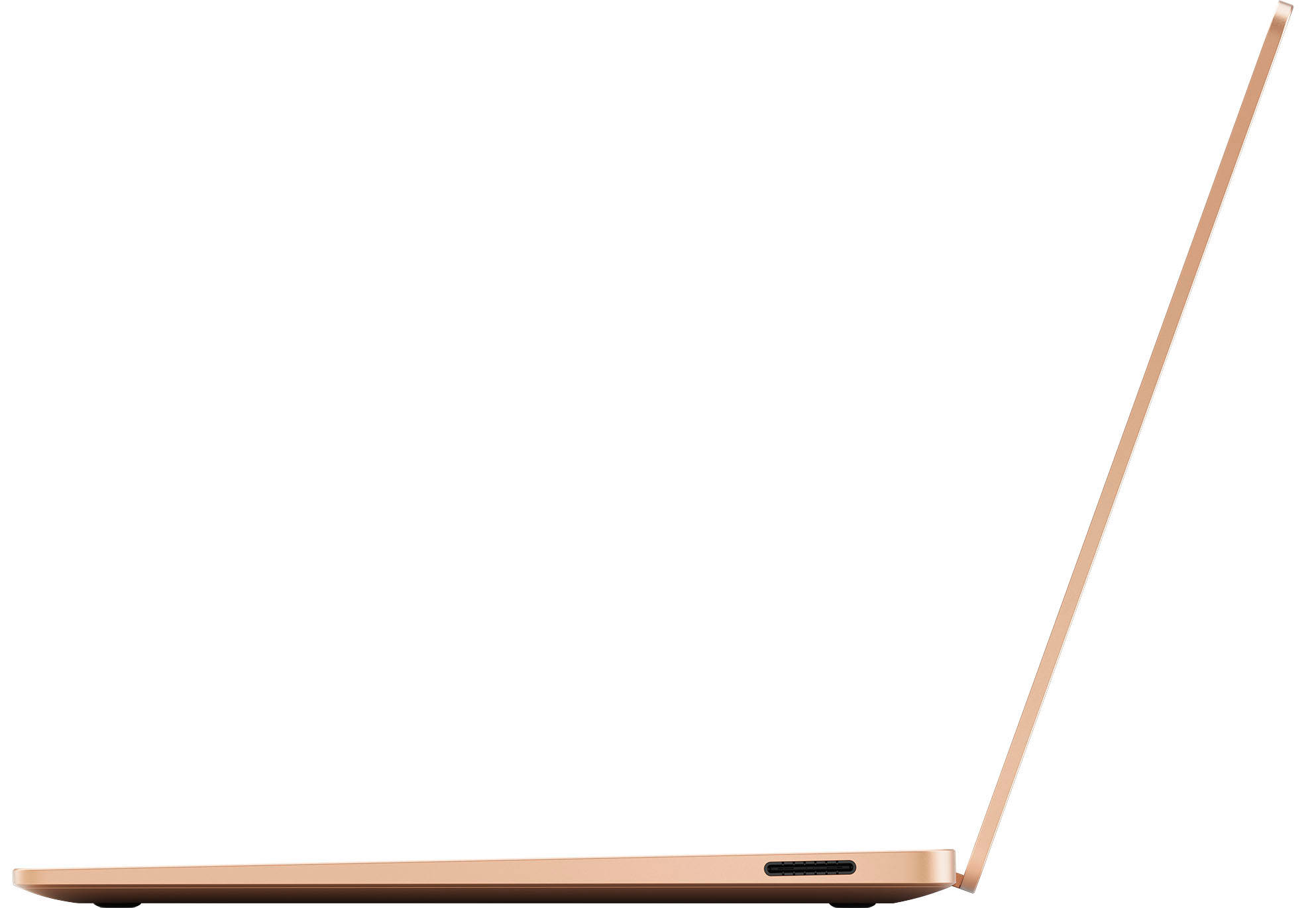












- Model:
- ZGP-00026
- SKU:
- 6582825
Rating by feature
- Battery Life
Rating 4.8 out of 5 stars
- Speed
Rating 4.8 out of 5 stars
- Display
Rating 4.7 out of 5 stars
Customers are saying
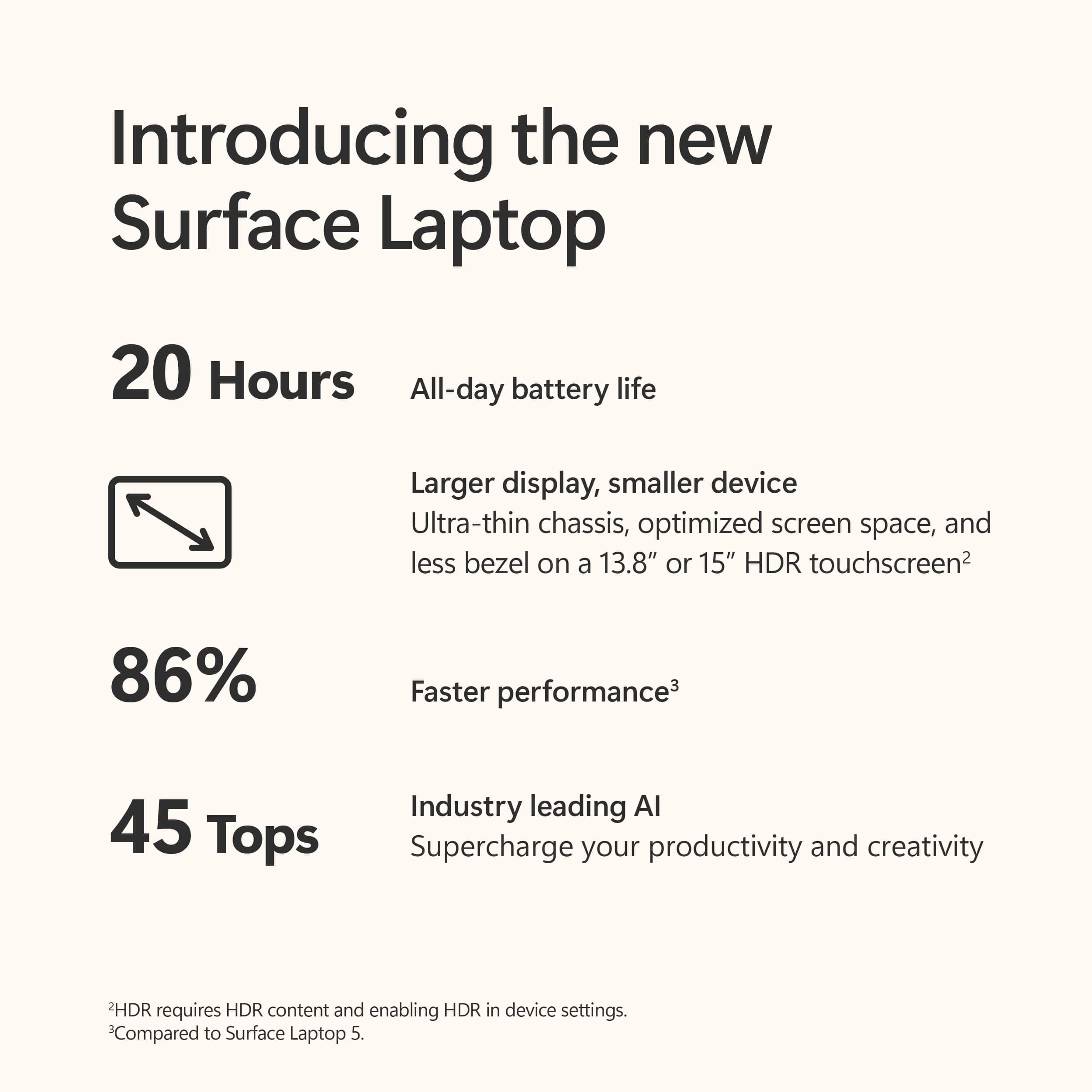
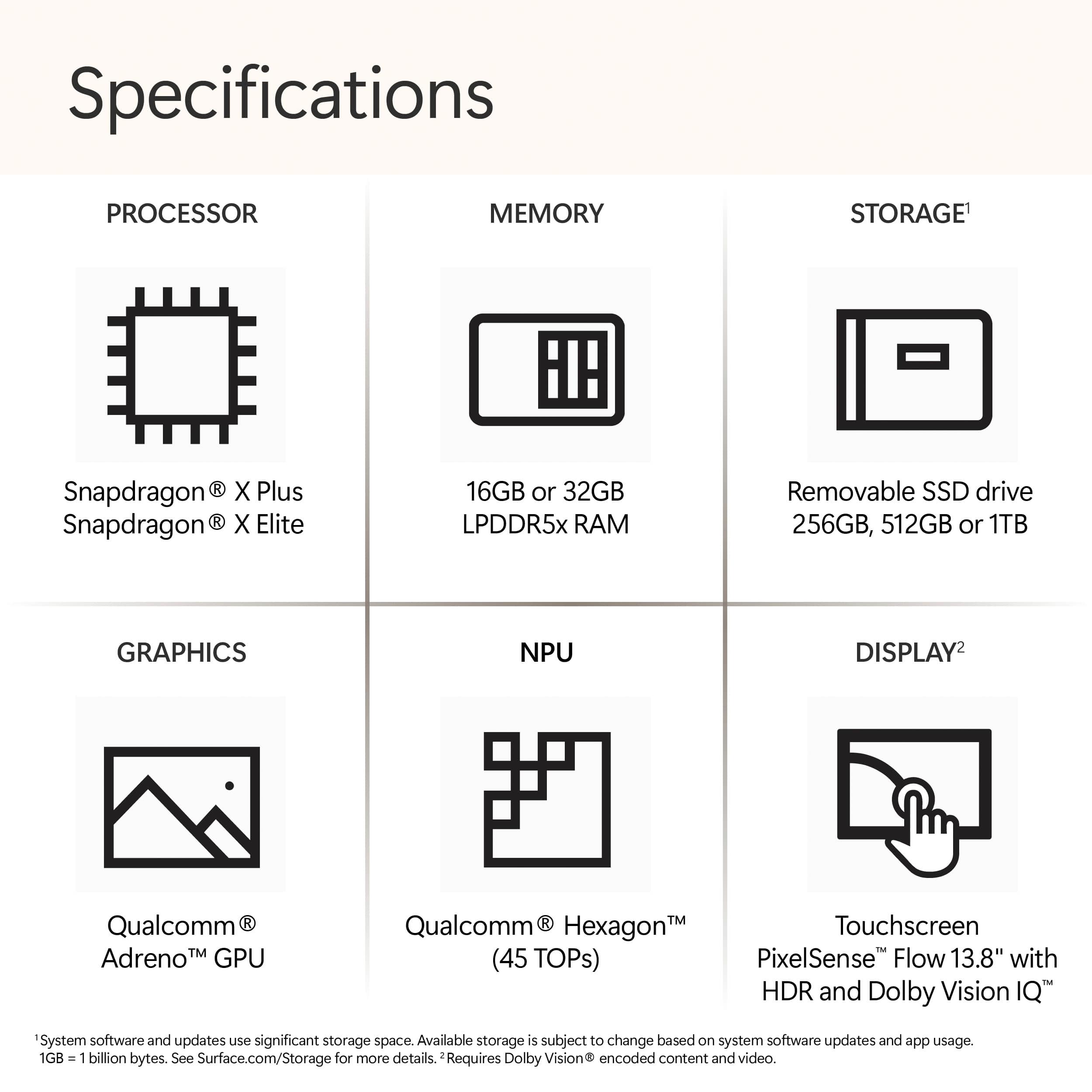
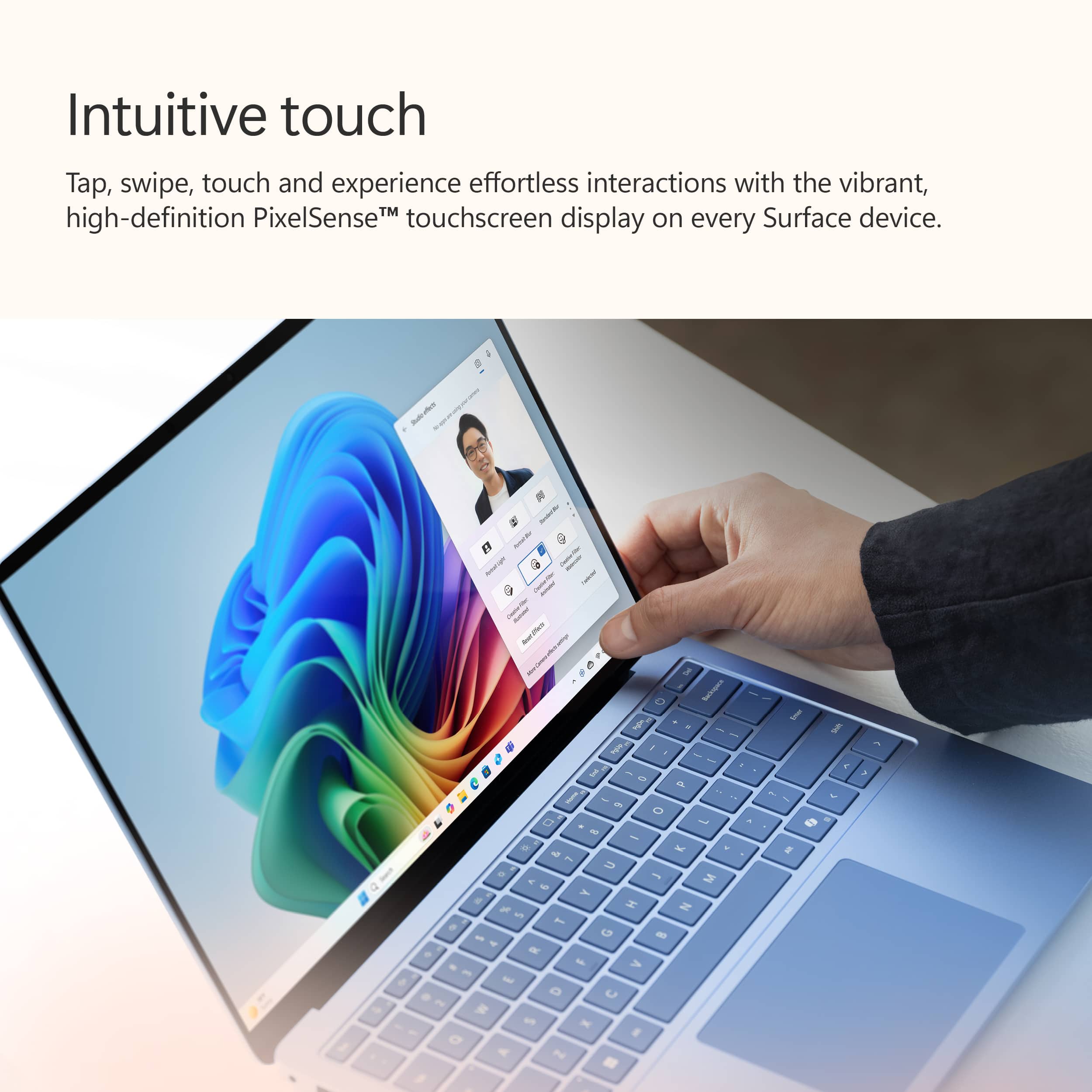
Customers enjoy the Surface Laptop for its impressive battery life and fast processor speed. The laptop is also praised for its portability and fantastic build quality. Additionally, users find the touchscreen to be a helpful feature.
This summary was generated by AI based on customer reviews.
- Pros mentioned:Battery life, Processor speed, Touchscreen
The perfect laptop!
||Posted . Owned for 3 weeks when reviewed.This reviewer received promo considerations or sweepstakes entry for writing a review.I bought this mainly for college but I use it for my business as well. I haven’t come across any issues so far and it works perfectly. It is fast and reliable. It has a modern sleek metallic design. The touch screen works great, the screen quality is amazing, the keyboard and overall size are great as well. It can handle pretty big files, I have downloaded a few xbox games to it as well and they run nicely. Doesn’t overheat and the battery life is good, it also charges really quickly. Battery does run out faster when using heavy programs but it still lasts a while. I can go a whole school week without charging it because the battery doesn’t drain when it is closed but not shut down, which is a huge plus. Overall, it is pricey but it is absolutely the best laptop I have ever purchased, and much better than a macbook!
I would recommend this to a friend - Pros mentioned:Battery life
Love this laptop
||Posted .This reviewer received promo considerations or sweepstakes entry for writing a review.I’ve been using this Surface Laptop for over a year now, and it’s easily my favorite so far. The sleek design, bright 120 Hz touchscreen (albeit extremely reflective), and excellent battery life make it perfect for everyday tasks, and it stays responsive all day without needing a charge. It’s also impressively light and comfortable to use for long stretches. The trade-off is in graphics performance—anything GPU-intensive struggles more than I’d like, especially at this price. Some apps also run through emulation, which can make them a bit slower to start. Still, for daily productivity and general use, it’s been a dependable and enjoyable laptop.
I would recommend this to a friend Issues
||Posted . Owned for 1 week when reviewed.This reviewer received promo considerations or sweepstakes entry for writing a review.At first the computer had seemed like a great computer but then not even a week in with the computer, it was already starting to have screen problems such lags and glitches. The computer was supposed to be the next big thing beating the MacBook but in my opinion it’s not even close to beating the Mac. I should also remind you guys that you should be careful when buying these new Copilot computers since they are the first of their generation so their more like to be faulty.
No, I would not recommend this to a friend- Pros mentioned:Battery life, Build quality

A nice laptop with work to do on some rough edges
|Posted .This reviewer received promo considerations or sweepstakes entry for writing a review.I've been using the Surface Laptop 7 (SL7) CoPilot+ laptop for 10 days. My objective was to configure and use it as I use my everyday PC (used for office activities, internet access, Adrurino development, image processing and an occasional game). First set up was very easy, but it requires you to set up with a Microsoft Account. It took about 2 hours with all of the updates and restarts required. I keep my image library on a 4Tb external drive. In the past I used a USB 3.2 G2 enclosure. I was anxious to get a USB4/Thunderbolt enclosure which should double throughput, making it very close to the same speed as the internal SSD. With the image processing I do I move data from full size SD cards (Camera footage) and Micro SD cards (drone footage). So I acquired an external USB SD card reader (USB 3.2 G2). And when at my desk I typically connect my notebook(s) via Ethernet. In addition I frequently use an external monitor. So I acquired a USB4 hub with HDMI, Ethernet, 2 USB-C ports and 2 USB-A ports. With all these USB devices hooked up I should be ready to go. But I got an error: "Use a different USB port: The USB device might have limited functionality when connected to this port. Plug into a different USB port on your PC." on the other port I got a "Unknown USB Device needs more power then the port can supply". I looked at the power that came with the SL7, it was 39W. I know my wifes Surface Pro has a 65W P/S. I connected her PS to the SL7, and my USB peripherals now worked in either port. From looking at Microsoft docs on 13.8" SL7 is supplied with a 39W charger (which does not support Fast Charging). So I either need to get a 65W charger or a USB-C PD with 65W or 100W. I found only the lower port supports Power Delivery. I encountered a problem with USB Ethernet support. When I first connected an Ethernet cable to my hub it would not 'connect'. I had another USB3 Hub with Ethernet on another Computer, I connected it to my SL7, and Ethernet quickly showed as connected (under networking). I went back and tried my original USB4 hub with Ethernet, and now it worked. In the images I included some performance information. For years I've subscribed to Google Drive. I always use it as a mounted drive (established with Google Desktop). Well this is not an option with Windows on ARM 64 Google Desktop setup fails "Unsupported Architecture" and Google does not appear unlikely to support this in the near future. I needed to do something similar when I first used Windows on ARM about a year ago. First download & install from "https://winfsp.dev/rel/", then download "https://rclone.org/downloads/" for Windows, ARM 64 Bit and unzip it and (from cmd) run "rclone config" and answers the questions. Then you will need to run "rclone mount gdrive: g: --vfs-cache-mode=full" Now on to trying Copilot, my overall feeling (after using it for a week) is it's a good start but needs time to... "grow", and mature. I was not able to use CoPilot within Office 365 (no AI subscription for Office which is separate from a personal subscription which I had for Github). And many of my simple efforts just didn't work. I uploaded an image of myself with a red hat on with my kitchen in the background. I asked Chat with Copilot: "tell me about this image" it replied: Certainly! The image you provided features an individual wearing a red cap with white text that reads “TRUMP 2024.” The person’s face is blurred out, and there are various objects in the background, including pendant lights and a guitar. Unfortunately, I don’t have any specific information about this image beyond what I’ve described. Is there anything else I can assist you with? Well not bad but there is no guitar. I tried using the same image asking CoPilot to show it to me as a cartoon, a chalk drawing, a watercolor and a charcoal sketch; none came out as I would have expected (all did something). Within paint and photos it's an interesting toy that seems crippled by limitations. Within Paint's Cocreator it did work better. I've used DALLE-3 before and the MS interface to it is not yet excellent. Using the Microsoft Designer app I got much better results, I could take an image and it could apply one of 12 predefined styles (frustratingly limited). Designer limits you to 15 free Boosts ("attempts") per day to edit an image in a style. If you wanted to see all 12 styles applied to an Image you uploaded, you'd use 12 of your 15 boosts, and the images generated cannot be directly modified within the designer app, Here you can apply background images or use A! to modify, but each uses a Boost. If you subscribe to Copilot pro for $20/month you get 100 boosts per day. When you use designer it generates 4 images to choose from, these are saved to your MS One Drive. But they can't be modified within Designer w/AI, so every iteration "cost" you a boost (limited to 15 a day free). It seems to me like Copilot is a charge for addon in multiple places, it seems to me like they want $10/mo here and $30/mo here and $20 for Copilot pro, or for use in other products. Pretty soon it adds up, And it is not yet fully functional, I wonder if they prematurely started to ask users to pay for an "alpha" like service. The Video editing tool is called Clipchamp, it's pretty comprehensive... But again it crippled, it can only export HD videos (1080p). But if you want to export 4K video you need to upgrade to the premium version ($11.99/mo or $119.99/yr). Apparently some AI features are enhanced in Clipchamp, but you need the premium version. Being a programmer I was anxious to try using Microsoft's open source interface to CoPilot (via GitHub Copilot). If you're not a programmer you can probably skip this and the next paragraphs. This allows you to build an application (or agent as MS calls it) using either C#, Python or Java as the programming languages. Microsoft calls this SDK their Semantic Kernel (SK). This provides programmers the same functions in MS’s open LLM application stack as AI orchestration does within Copilot itself. The SDK sits between the user app and the AI engine to tie everything together. The toolkit goes beyond function calling; it can be used to generate its own plans using Large Language Models (LLMS) and templates to make user requests. I did my testing with VsCode and Python. To do this I needed a personal subscription (30 day trial, you still need to set up monthly or yearly billing) to GitHub CoPilot. You also need an API key to either OpenAI or Azure OpenAI. Generally speaking the GitHub CoPilot is easy to use but be aware it is not complete for all languages (yet); not even documented in some (and some samples don't work (currently)). It is designed to be used as an AI pair programmer. I first found when using the GitHub Copilot that I couldn’t trust all of its suggestions. Some were good, some were incomplete and others were just wrong. Some didn’t even compile. Some had no chance of working. And some did return what was expected at all. Using GitHub Copilot was sketchy at best. It's like having a great tool that you can't (yet) trust on its own. You must be very diligent to use it and never trust it without "real" testing. Some things it does very fast, but it can also do things just wrong, and here you have to be experienced to catch what it does poorly. In summary, AI, when it works, could save a lot of time and boost productivity. But for me, today, it's like a box of chocolates, you really don't know what you're going to get. It seems to me like you run into a new 'toll booth' with every turn. I feel like the Windows Copilot+'s AI is currently a tool to up-sell you subscription after subscription. For deep pocketed corporations this may be fine, but at the individual level it's a big ask for such premature "services''. The future is uncertain how NPU will be used, over time they will certainly improve as GPU's have. They certainly offer a new edge for edge computing. There are a lot of players moving AI forward. I expect the right "value" will be arrived at but it may be different for everyone/every company to decide. I had a lot of trouble with gaming mostly related to game/screen resolution. I found a setting called "Automatic Super Resolution" enabled by default. It's designed to use AI to make supported games play more smoothly. Once disabled almost all of my resolution problems disappeared. I also wanted to try upgrading the internal SSD from 512Mb to 1Tb. The SL7 is easy to open (surprise). Remove the reinstallable rubber feet, then remove the 4 Torx (T5) screws. The back lifts off easily. To my amazement every screw's size inside was labeled. The SSD was easy to remove/replace. I found several cloning packages would not run on Windows ARM64. So you can build a Bootable Recovery Drive for SL7 reinstallation (Need SN). This is a huge step forward in making Notebooks more easily repairable. Microsoft is to be commended. I like the keyboard on the SL7. I love the form factor of the SL7. I love the battery life of the SL7. I love the screen of SL7. I now have no plans to use the SL7 for gaming. I had no problem running my typical development environments. I miss having a SD card reader. Getting it set up to use as I would a Windows 11 notebook (non-ARM) is difficult. In general it performs very well. I was really happy with USB4 external drive support and speed. Why they ship it with a 39W power supply defies logic (does not support fast charging), it only invites additional problems to save what a buck? The AI aspect is a good start, but not much more (yet). I'm sure it will improve, and I'm hoping to benefit from those improvements as they do (just hoping they don't keep adding fees).
I would recommend this to a friend - Pros mentioned:Battery life
Ooooh this thing has SOOOOOO much potential!
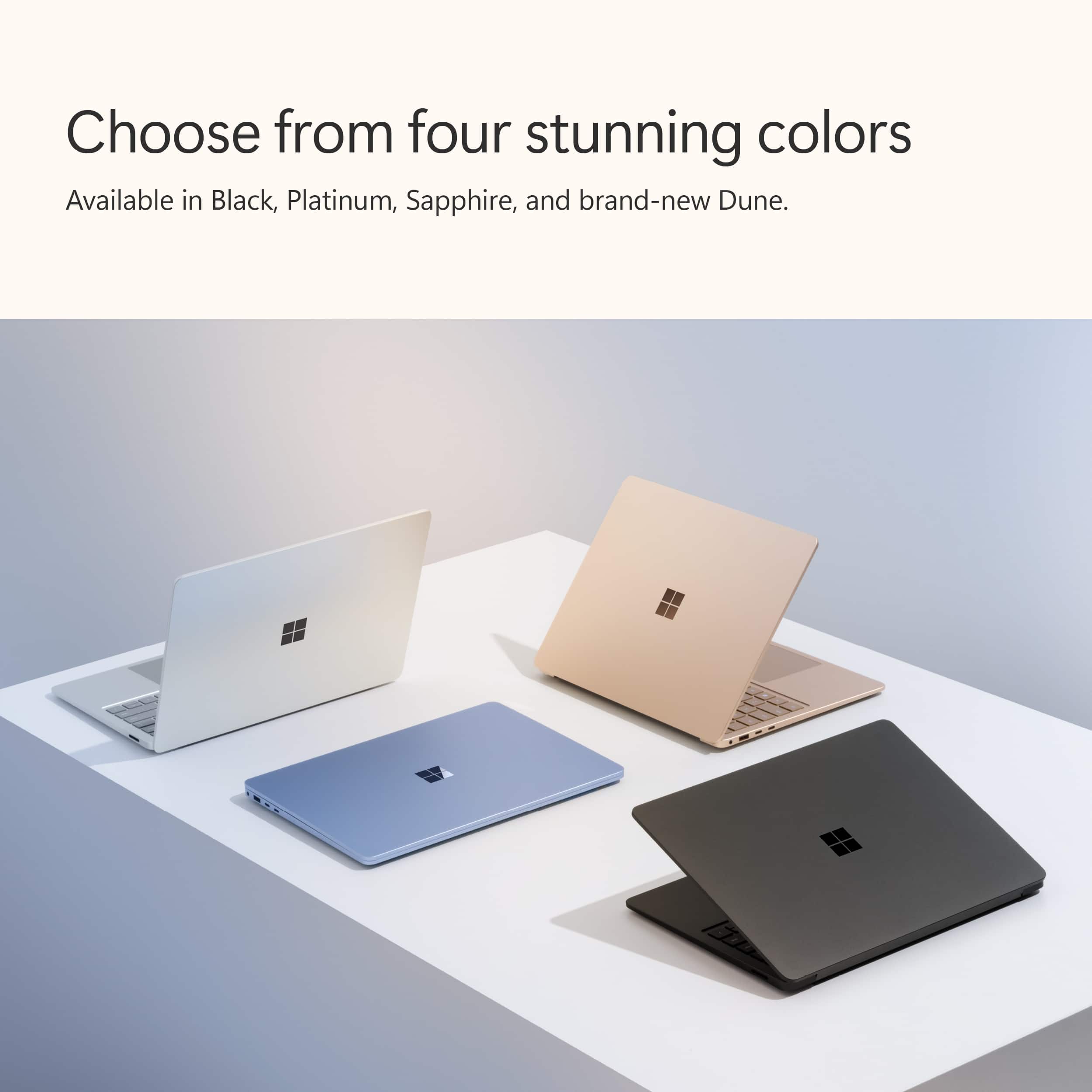
|Posted .This reviewer received promo considerations or sweepstakes entry for writing a review.FIrst thing's first - go see the colors in person. I was absolutely sold on the black model, but after seeing the "Dune"/gold model, I absolutely LOVE it! Performance - with the naked eye I can't see any real performance difference from a laptop with an x86/x84 CPU. It runs buttery smooth, and without any hiccups. I did get a chance to stream a movie from a file that I had saved on the SSD to my Roku while on a short road trip and I did see some odd artifacting, but I really can't definitely point blame to the laptop - could have been network interference from other nearly devices, but also could have been the CPU on this machine transcoding from 4k down to 1080p that the TV displays at. For my testing I used it in the office along side with my issued laptop. I kept the news running @ 1080p on Youtube for the entire 8 hours of my shift, at 50% volume 50% brightness and running WiFi 6E (the fastest we have in the office). I did that for 4 days and averaged 7% battery draw per hour every single day. Does that equate out to the 20 hours that is advertised? No, BUT, very impressive for a laptop that has such a clean/crisp display, and sound that really sounds amazing for such small speakers. For the 5th day I used a "mouse jiggler" to ensure the screen stayed on and did not lock/go to sleep on me. Using it for emails, spreadsheets, other general office work. Right on par with the previous days, I averaged roughly 7% battery use per hour. The evening of the 5th day I took it home and tried some games. Meh - not impressive - but the meer fact that 7 out of 10 of the ones I tried even ran was impressive, especially this early in the "ARM" game! I'd love to see this laptop with a slightly more powerful GPU and games being optimized a bit more for ARM - anything over 30 (but close to 60 FPS) would be AMAZING! I did try it with a 3rd party dock that included power, GB ethernet, HDMI, USB A/C , and an SD card reader and that really did make it worthy of true desktop use! I got to play with the AI a bit - pretty impressive and a LOT faster than on a standard PC without a NPU.I'll need more time to focus on that but I see a ton of potential. My issues with AI though is that there are so much variants of it in so many places run by so many different back-ends that it's hard to know from one machine to the next and one app to the next what they are capable of. Now - complaints - by the way, none of which caused me to drop any stars. This really is a NICE machine! 1) Microsoft - you REALLY need to get RSAT (Remote server administration tools) available for ARM. I did upgrade my license to Windows 11 PRO in hopes I could do some of my network admin work on it, but alas, I ended up having to RDP into my other computer to do it. 2) The camera really needs a physical/sliding blocker on it. Being so thin, every after-market one I stuck to the screen ended up keeping the screen from closing completely when I closed the lid. 3) The inclusion of a dock (even a mini-dock) to expand the ports would have definitely been a welcome inclusion, but since I had an after-market one for another Surface laptop I'm good to go. 4) Work with the after-market suppliers prior to release - it's damned near impossible to find a hard case or screen protector for this screen size (13.8") , all of which I use on a daily basis on all my other laptops that I take to work. I do really look forward to the future of Windows on ARM - it oooozes with potential !!
I would recommend this to a friend - Pros mentioned:Battery life, Build quality
Solid, beautiful machine with good AI potential
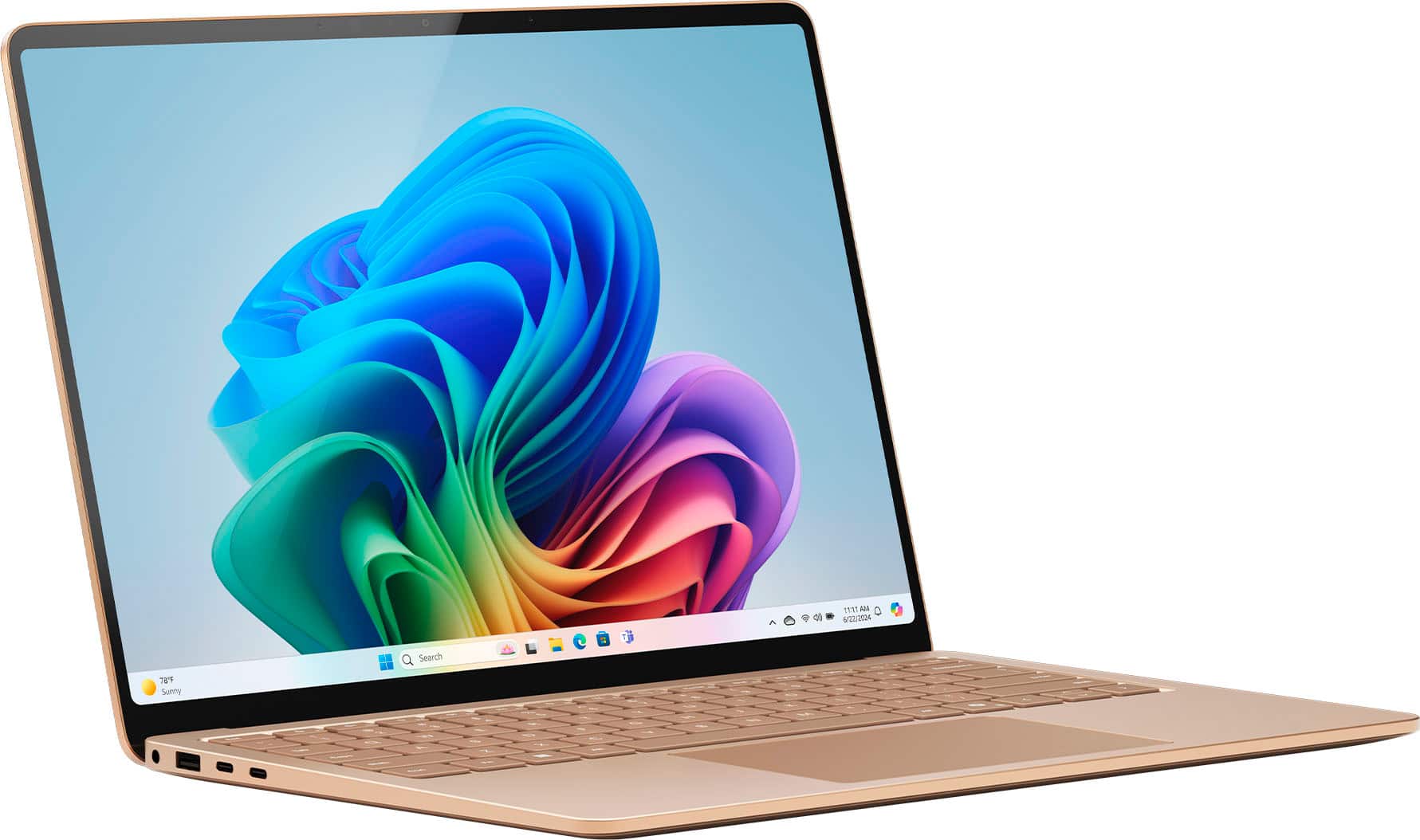
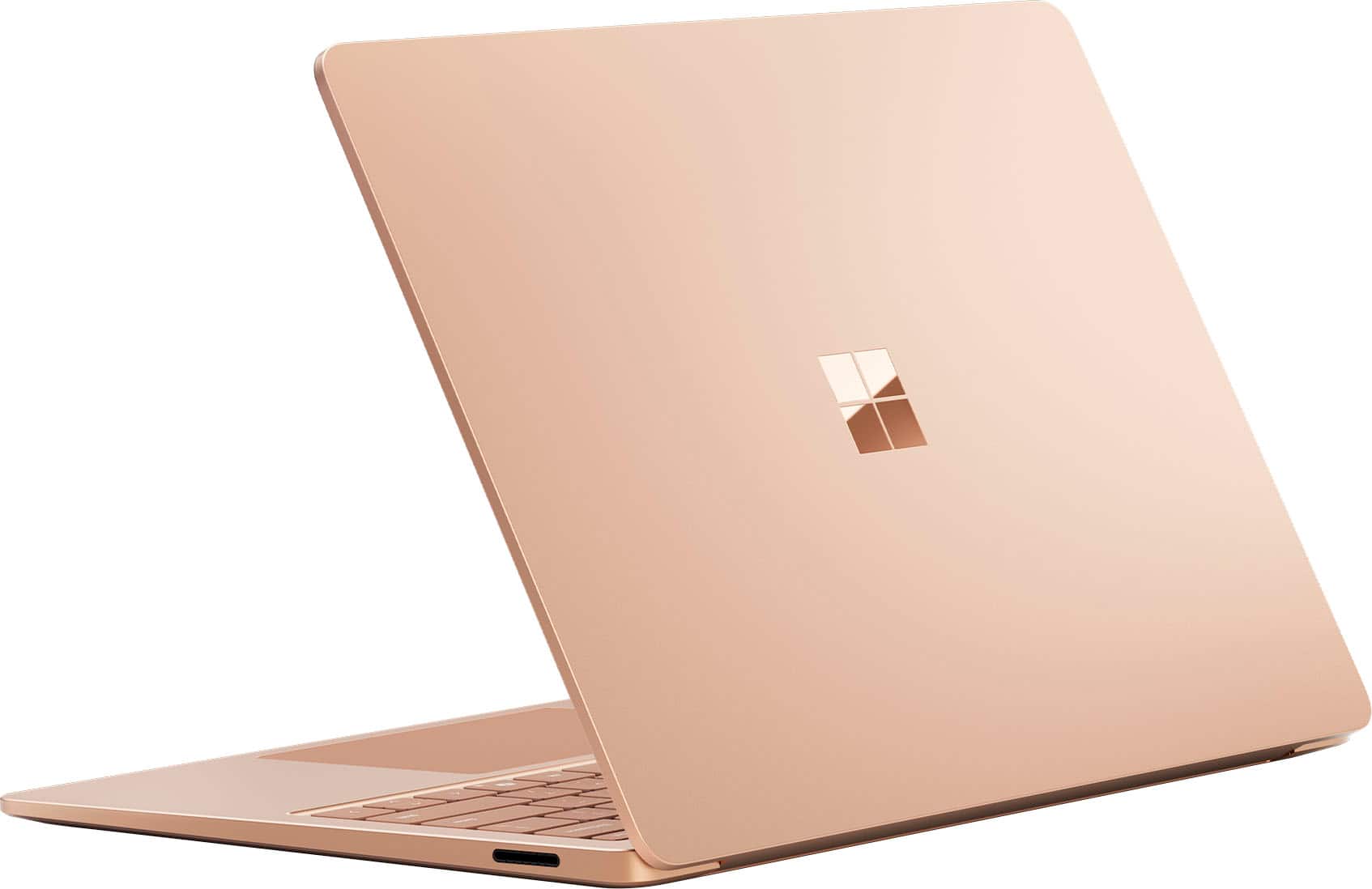
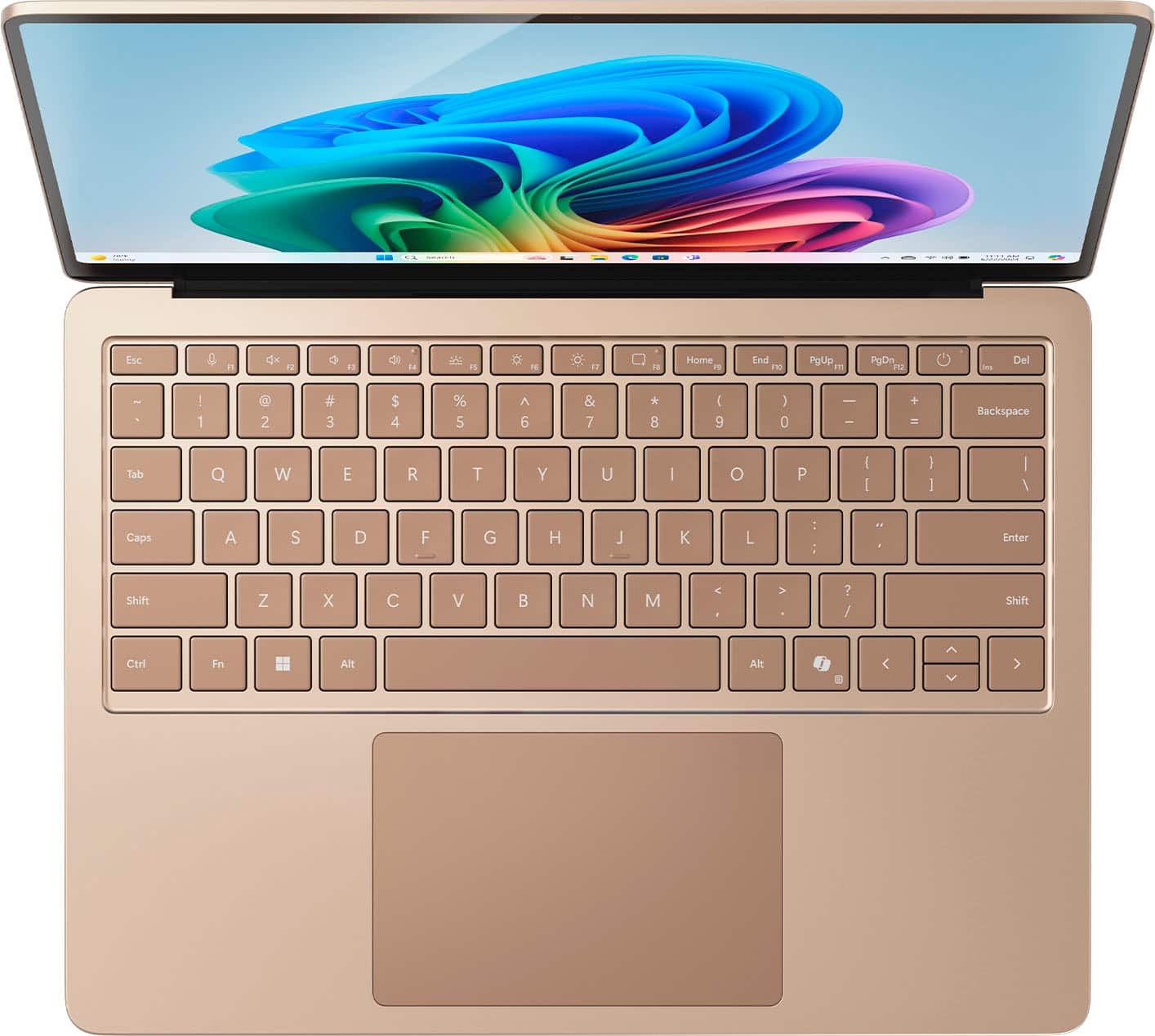
|Posted .This reviewer received promo considerations or sweepstakes entry for writing a review.This is my first Microsoft Surface and my expectations have been very high. The most notable change to this series has to be the processor. Microsoft has chosen to go with a Qualcomm Snapdragon Elite 12 core processor instead of the previous Intel line. It's still a 64-bit Windows 11 operating system, but it now runs on the new ARM processor. There's a lot to love about this laptop so let me try to organize the features as I see them. I should mention that this laptop is also advertised as a Copilot+ machine. The details of what that actually means is a bit vague at the moment but I'll explain this as I understand it. Starting with the hardware, this machine is beautiful from top to bottom. I actually requested the Graphite model but was sent the “Dune” version, which my wife absolutely loves. This is a very solid laptop, all the outer panels are aluminum and have a brushed finish that just screams quality. The display panel, when opened has very little flex and the bezels are quite small. All the corners are rounded which gives it a very polished look and feel. There are no vents on it anywhere so actually putting this laptop on you lap should not cause an overheating problem, and I actually never noticed it heating up. The 13.8” display itself has a resolution of 2304 x 1536. It's a touchscreen, and while the resolution isn't exactly jaw dropping, the graphics look very clear and colors are rich. Also, it is an LCD display and not OLED (which would have been really nice), but it looks really good. Touchscreen response is quick. The display has a very shiny coating so if you're in a bright room or working outside you will notice reflections. This is no worse than many other machines, but it's worth noting. It has HDR and a refresh rate of 120Hz. These are all just listed specs you can easily find but my impression of the touchscreen is a good one. It doesn't look washed out or mushy, and you can really increase the brightness if you want to, which helps to reduce any reflections the screen has. The backlit keyboard is a pleasure to type on and features large, easy to read keys. Keys are quick to return to position after pressing and have a firm feel. The touchpad is what really shines on this machine. It's the largest touchpad I've ever used on a laptop and there is plenty of real estate to drag the pointer around. Almost the full width of the display. The color combination between the touchpad and keys, and the aluminum deck is really well done. The contrast between them is really easy on the eyes and looks very high end. There's one key you may not be familiar with as it's a pretty new addition. That's the Copilot+ key. Pressing this key brings up the Copilot window and presumably starts up the NPU. This is a neural processing unit and it runs independently of the CPU and GPU chips. It actually takes the load off the other processing units when AI tasks are needed which allows the normal machine tasks extra processing power and helps to retain the speed of the machine overall. Aside from the standard Copilot+ bot window that hopefully people are becoming familiar with, the AI is reportedly making it's way into certain apps to help you be more productive and aid you with creativity to name just a few. One of the apps that does have Copilot+ integration is the Paint app. Opening up Paint allows you to use it as the Paint you're familiar with or select the AI based Cocreator button that gives you an area on the right side, to describe what you want to draw with words. The AI of Cocreator then tries to draw what you have described in a preview window that you can use in your drawing. I'm not an artist, so trying to draw something with a touchpad or even a mouse, is for me a sad failure, but after several attempts using Cocreator, I was able to watch what I envisioned and entered into text, come to reality. It was actually pretty cool. To be clear, yes we have a touchscreen on this machine but there is no pen support on the laptop version (there is on the Pro tablet version), so drawing with the touchpad is really the only other option. Aside from Paint you can also use the Photos app with AI. If you bring up one of your photos and go into the edit mode, you will see an option for AI. Using the AI function will allow you to alter your photo and turn it into different theme styled works such as Surrealism, Cyberpunk, Watercolor, etc. It works really well and gives you the opportunity to create different styles of art using your own photos. You can also adjust the amount of AI creativity it applies to your work with a handy slider. You can also use AI in the camera app to alter and improve the way the camera makes you look in apps like Teams. These are all great news for people that enjoy being artistic or using video chats, but aside from these features, you may not really see the point. And it's probably a good time to mention that not all apps have versions that are capable of running on an ARM device. That being said, Microsoft uses an emulator called Prism to allow most things to install and run on this machine, and I didn't have any issues getting anything I normally use to work correctly, but from reading up on this laptop, you may not get everything to work like you expect it to depending on the programs you normally use. I feel this is probably more of a concern for anyone that wants to use this machine for business or specialized apps that may not have dedicated ARM versions. My use of this machine would be called, casual. I don't plan to play games on it so I didn't load any. For people that are average users, you will not be disappointed at all. Everything I tried was fast and worked just like I'd expect it to on an Intel or AMD based machine. My suggestion would be that if you use unique or processor intensive apps, take a minute and do some quick research as to whether it will run on this machine. Battery life is really good. I've used it for a week now and only have to put it on the charger once every couple of days. The number I see over and over again for battery life is around 20 hours, and from what I've seen I would agree and say that most people will in all likelihood get even more hours out of it because they don't tend to use it all day long. The charger that the Surface comes with has a specific, proprietary plug on it, but it's also able to charge via one of the USB-C ports, provided your charger is cable of outputting laptop level charging. I used a 100W charger and went from 50% to 80% in about 15 minutes. For anyone looking for a high quality laptop that performs very well with the basic apps that a lot of us use, this machine is an awesome offering. It promises a wide range of apps capable of using AI, to help bring us all into the next level of processing and creativity. I think the longer it's out, we'll see more and more apps offer ARM versions of their software, but for anyone like me, who doesn't use specialized apps, no waiting is required. This is a very stylish and competent machine already. Four stars only because of the pending buy in of software developers to offer ARM versions of their software, and because of the as yet slightly limited AI benefits this machine offers to average users. On it's own, a very competent and stylish machine by Microsoft!
I would recommend this to a friend - Pros mentioned:Build quality, Portability
Great Laptop!
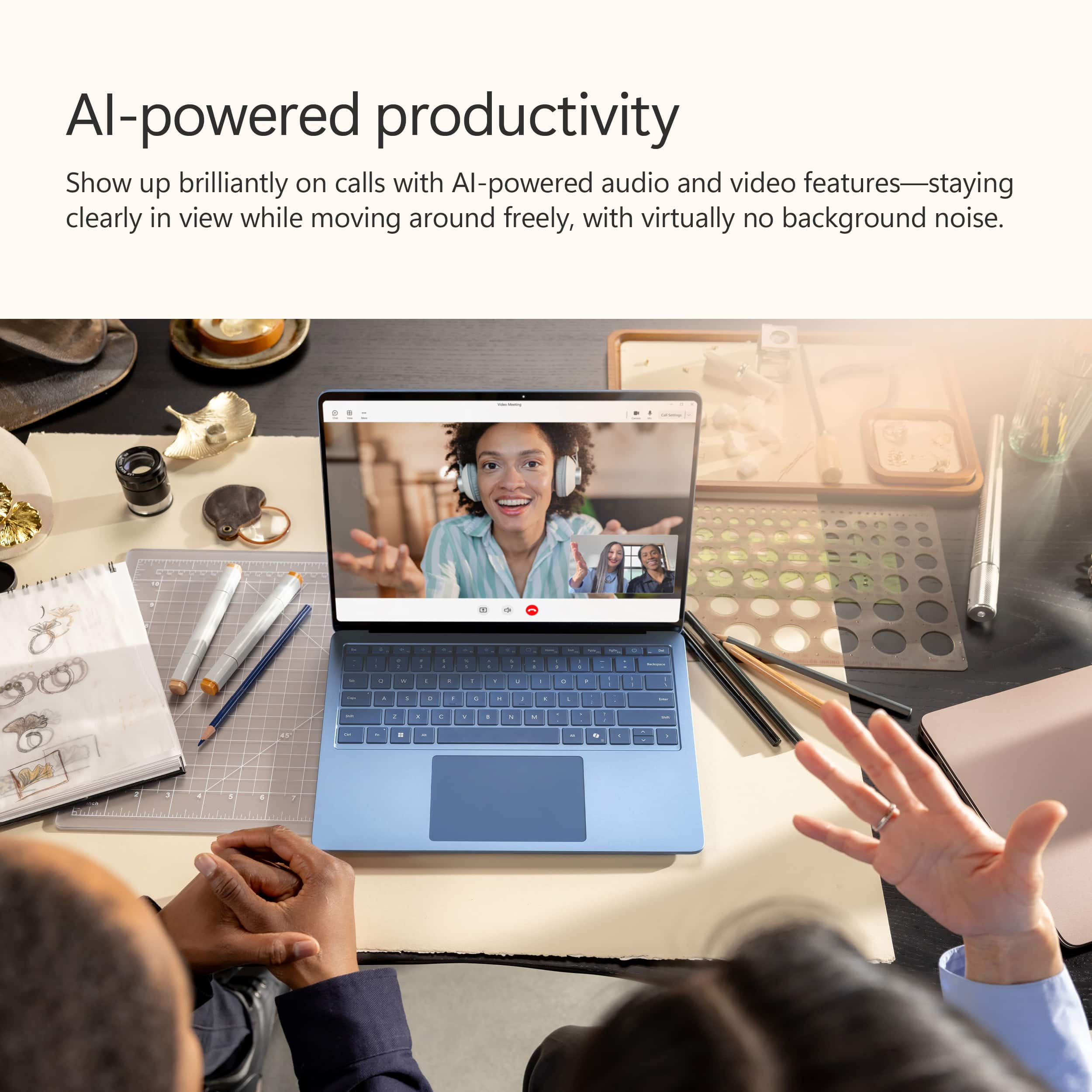
|Posted .This reviewer received promo considerations or sweepstakes entry for writing a review.This laptop has a lot to offer. Some of the features include a backlit keyboard. 13.8" touchscreen. It features two USB C ports, one audio jack and one usb port. The computer weight is about one and a half pound. One of the negative features in my opinion, is the charging cable. It is unique and seems fragile. It also seems as if it would be expensive to replace. I would prefer a USB-C charging port instead. One of the unique features in this laptop is the Copilot+ application. This is an AI application designed to assist with writing, creating images, and help the user with anything imaginable. I used this application by asking questions and giving directives. The application responded quickly and gave very informative responses. My Seven year old child also used the application to create some creative images with cats. Overall, this laptop can get the job done without any delay. And with hard work this laptop is also great for play. You can connect with Xbox to play games and watch videos with a beautiful display and great sound. I would recommend this laptop.
I would recommend this to a friend - Pros mentioned:Battery life, Build quality
You won't be disappointed
|Posted .This reviewer received promo considerations or sweepstakes entry for writing a review.This is Microsoft's first laptop with an ARM processor (others being x86 based). This isn't the first Windows computer with an ARM processor, but it's clearly the best. The ARM processor architecture is the same architecture that the new Apple hardware uses (the M chips). ARM isn't a new architecture and has been around for about as long as computers have been. But they've mostly been relegated to low-power hardware like phones. Programs that are meant to run on x86 computers cannot run on ARM computers. To solve that problem, Windows uses a emulator system calls Prism (invisible to the user) to run those apps. You'll never know which apps are being run through this invisible emulator or not. The only downside is you might see some performance loss. However, in my experience, I've at times forgotten this is actually running a Snapdragon ARM processor, and not an Intel one. I have no idea which programs are running through the emulator or not. This Snapdragon X processor also includes an NPU (Neural Processing Unit). And that is what makes this laptop a Copilot+ laptop. The NPU is used exclusively for AI operations run locally on the computer. Microsoft has included a dedicated copilot key on the keyboard to launch the Copilot app, which is really just a browser window pointed to copilot.microsoft.com. Other apps that run AI locally such as Photoshop or Lightroom would benefit from this dedicated chip. Besides that, it's usefulness for AI depends on how gimmicky or useful AI feels to you. But fortunately, the inclusion of this did not cause many cut corners anywhere else. The build quality of this laptop is top-notch, with a beautiful aluminum case, satisfying keyboard and touchpad, and smooth open and closing of the lid. The screen is bright, crisp and the colors are great. Speakers are hidden under the keyboard and are loud and clear. It's much better than what many laptops use (down firing speakers underneath the laptop). It uses facial recognition for Windows Hello, and it's super quick and accurate. I open the laptop, look at the screen, and I'm logged in. I love it! When they say all-day battery life, they aren't kidding. Usually, I like to use a device basically continuously, from full to dead, to see how long it will last. But with this laptop, the battery lasts so long, I've had to resort to Windows battery estimates. In the last 6 days, I've only had to charge it fully twice (with on-and-off usage throughout the week). Using the powercfg /batteryreport command, at the bottom of the report, it gives estimated battery life based on all previous battery usage. Windows estimates this laptop to run 9 hours (!!) on battery, based on how I've been using it (web browsing, playing with AI, watching youtube videos, basic everyday stuff). Now, a couple corners were cut. The first thing I noticed, is this laptop felt like it was charging slowly with the included 39-watt power adapter. Curious, I attempted to charge it with USB-C, which works. So I attached a USB-C meter, and found the laptop would charge at about 55 watts over USB-C, and consequently would charge much quicker. So, it's a bit frustrating they included an anemic charger with this otherwise premium laptop. The other area I noticed seemed to cause some slowness is SSD performance. I'm actually not sure what SSD they included in this laptop, but when I ran Crystal Disk Mark, it topped out at 3500mb/s read and 2500mb/s write performance. That's budget SSD performance, not top-tier SSD performance. Disappointing, but this will only reflect in disk-heavy applications and operations and doesn't hinder day-to-day tasks. I'm in love with this laptop, and the only thing I wish is that it was a 2-in-1 so I could use a surface pen to take advantage of the AI Art features.
I would recommend this to a friend - Pros mentioned:Battery life, Build quality, Portability
A Beautiful Laptop With Definite Drawbacks
|Posted .This reviewer received promo considerations or sweepstakes entry for writing a review.Microsoft's new Surface Laptop has the same sleek design that I am familiar with (and like!). It is thin and lightweight and elegant with clear design inspiration from the MacBook Air line of laptops (the Surface laptops are a bit thicker and heavier). Microsoft is proclaiming how impressively the Snapdragon X Elite processor performs (3.42 GHz), and surely it must perform better in some benchmark testing - it should, but for simple daily use by a human I see no clear difference in performance against my old Surface Laptop Go 2 (2.42 GHz with half the RAM). The importance of this chipset is that it allows the laptop to run on-device AI (the Copilot+ of this laptop's extended name). The standout performance improvement here is, without a doubt, the amazing improvement in battery life! While I am lucky if my older Surface can stay with me for more than a few hours of continuous use, this new 7th Edition Surface truly delivers all-day battery life. Alas, Microsoft is continuing to require a proprietary charger that is awkward to insert and always looks like it is threatening to get caught on something and pull apart. Sigh. The 120Hz display is gorgeous - bright and VERY clear. But it is worth noting that the recommended display resolution of 2304x1536 renders the screen unreadably tiny - so in this resolution there is a recommended scaling (magnification) of 150% which gives some applications a slightly unfamiliar look and feel. Superficially, Microsoft's new Surface Laptop (7th edition) is a stunner with great battery life. But the reason this new laptop can supply amazing battery life is not because of better batteries, but because this laptop uses an ARM-based processor (so, not an x64-based processor). That makes this Surface a very different kind of Windows laptop than most people are used to having. While this laptop reports running Windows 11 Home like my old Surface, it is NOT able to run just any add-on program that you might want to run. I found this out immediately when I attempted to install my antivirus and performance software suite (install would not even initialize on an ARM-based processor - at least not at this writing). Simpler things like my Kindle Reader app installed just fine. I was able to get my Adobe Photoshop Elements 2024 program to work with a crazy workaround that bypassed the initialization screen (thank you to the industrious user who dropped that wisdom on Adobe's site!). In general, program installation was my introduction to the drawbacks of having an ARM-based processor that I would have never considered when shopping for a new (Windows!) laptop. So there is an unexpected trade-off for great battery life that I don't think Microsoft is fully honest about in their hype and advertising for this laptop. Finally, this laptop integrates Microsoft's Copilot+ AI assistant that provides an interactive "chat" environment. The chatty interface is very ChatGBT-y? So, yes, there is a dedicated Copilot+ button on the laptop and it takes you directly to the chatting interface. And AI is all the rage right now, right? But my own experience with Microsoft's AI feels gimmicky and underdeveloped. The Microsoft AI is fully integrated into their Microsoft 360 suite, but I don't have lengthy documents to test this functionality. Surely the integration of this new Microsoft AI product with existing Microsoft products will be amazing? As an AI novice, I love the algorithm's desire to summarize and to provide relevant links. I have queried the algorithm many times now with questions I knew the answers to and was not disappointed, but was also not impressed. Microsoft is surely anticipating my malaise with their AI by presenting a series of gentle introductions to AI queries that summarize elegant AI requests for things that feel foreign to me. One crazy-amazing AI analysis that I received resulted from a personal photograph I submitted in search of a response...a photograph of my very moody porch toad. Ultimately, I like the summarization capabilities of Microsoft's Copilot+ AI, but as someone old enough to read books and query effectively, this summarization capability feels a little bit delicate and incomplete. I can't recommend this laptop based solely on the novelty of AI integration (there's a whole key for that AI!). AI is fun and engaging right now. But the implementation of AI here is not going to be the tie that binds you to the greater AI developments you're seeing out there. Overall, this is a beautiful laptop with incredible graphics. But Microsoft appears to be releasing a new type of chipset that might create significant impediments to unsuspecting users. Please do you due diligence before investing in this laptop based solely on battery life. OK?
No, I would not recommend this to a friend - Pros mentioned:Battery life, Portability
Good find
||Posted . Owned for 1 month when reviewed.This reviewer received promo considerations or sweepstakes entry for writing a review.I've been using the Surface Laptop and absolutely love it. The sleek, minimalist design makes it feel premium and lightweight, perfect for travel or everyday use. The keyboard is incredibly comfortable to type on, and the touchscreen adds versatility I didn’t realize I needed until I had it. Performance-wise, it’s smooth and responsive — great for multitasking, creative work, or just browsing. The battery life has also been impressive, lasting me through a full day without needing to recharge. Overall, it's a reliable, stylish, and well-built machine that I genuinely enjoy using every day.
I would recommend this to a friend - Pros mentioned:Battery life, Portability
My Study Buddy That Doesn’t Complain
||Posted . Owned for 2 months when reviewed.This reviewer received promo considerations or sweepstakes entry for writing a review.This Surface Laptop is honestly my new academic bestie. It boots up faster than I do on Monday mornings, and the battery lasts longer than my attention span during 8 a.m. lectures. The Copilot+ AI is a total lifesaver, it helps me summarize notes, plan essays, and even makes my study sessions feel slightly more organized. The display is crisp enough to make even my 47 slide PowerPoints look like works of art. I was nervous about the Snapdragon chip at first, but wow! it’s smooth, quiet, and doesn’t turn into a mini heater when I’m multitasking. Plus, it’s so lightweight I can actually carry it across campus and flights without regretting life choices. If you’re a student, trust me!! this laptop will make you look like you have your life together ....even when you really don’t.
I would recommend this to a friend - Pros mentioned:Build quality
Sleek Laptop w/ Top-Notch Display and AI Features
|Posted .This reviewer received promo considerations or sweepstakes entry for writing a review.Overall, the 7th Edition 13.8" Microsoft Surface Laptop impresses with its sleek design and high-performance features. One of the standout aspects is its HDR OLED screen, which looks amazing with bright whites, rich blacks, and vibrant colors showcasing deep color depth. The display is touch-enabled, and I found it to be very accurate and responsive. The camera is also very high quality and enhances video calls with its high resolution that avoids the grainy quality often seen in less premium built-in laptop cameras that can tend to feel like more of an afterthought. The overall hardware design is another strong point. The display has a thin bezel, contributing to a sleek and thin aesthetic. The magnetic power connector is a thoughtful addition, providing peace of mind in case someone trips over the charging cable—the cable will simply disconnect, preventing the laptop from being pulled to the floor. Despite being lightweight, the laptop feels very solid and well-constructed. The "Dune" color option, however, is closer to a "rose gold," which was a trendier color for electronics a few years ago. If you are a fan of that color, the Dune finish will be perfect for you. A downside of this laptop's smaller form factor is the limited number of USB ports—only 2 USB-C ports and 1 USB-A port. This limitation can be easily remedied with a USB hub if you are a heavy user of peripherals, so it’s not a major issue. I was able to connect my USB-C hub and run a monitor, keyboard, mouse, headset, and external SSD through just one of these USB-C ports. One of the most innovative features is the AI-powered Copilot. The keyboard has an integrated Copilot button, which launches a window where you can interact with a built-in AI assistant via text. As someone who is a heavy OpenAI and GitHub Copilot user, having on-board LLM functionality integrated into the OS is fantastic. Being able to adjust the conversation style from "Creative" to "Precise" is very welcome. This button-driven toggle is a great feature, eliminating the need to massage the AI's "creativity" via trial and error through iterative prompts. There are other AI-driven features that help this laptop stand out. In the Paint program, there are "Image Creator" and "Cocreator" options. "Image Creator" is powered by OpenAI's DALL-E engine and allows you to create complete AI-generated art through text prompts in exchange for credits. "Cocreator" is a similar, though lighter-weight AI-assisted prompt-driven art generator that takes your current canvas and adds to it. As someone with limited artistic ability and skills, I found it a very useful tool to make small edits to photos or to generally just play around and be creative.
I would recommend this to a friend - Pros mentioned:Battery life, Build quality
This is what ARM on Windows should be
||Posted .This reviewer received promo considerations or sweepstakes entry for writing a review.This is my third Surface device and this continues to live up to the quality of the brand. This is an excellent laptop that will handle your everyday tasks with ease. The ARM processor is really quite capable and gives the computer incredible battery life. The only thing I'd caution is that you are certain you know what you are getting. This is NOT an X86 based device so if you rely on software that requires X86 architecture you may want to verify that it will run adequately under emulation. The ARM architecture in this computer has proven really great at running Windows. The benchmarks on the Snapdragon X Elite are impressive, and the chips attributes shine on this device. If you want a capable, fast computer that will handle your everyday tasks with ease this should be on your list. The build quality is fantastic, too. Solid aluminum body, great screen with 120HZ refresh rate, and a responsive trackpad and keyboard make this a real joy to use.
I would recommend this to a friend - Pros mentioned:Battery life, Processor speed
Primo laptop
||Posted .This reviewer received promo considerations or sweepstakes entry for writing a review.Great all around laptop long battery life snapdragon processor is nice and fast, sleek design, got a great deal Best Buy price matched PC Richard for over $400 off listed price. Really can’t beat that deal. I would recommend this laptop especially for college students who want something fast and durable with very good battery time
I would recommend this to a friend - Pros mentioned:Portability
For college life.
||Posted .This reviewer received promo considerations or sweepstakes entry for writing a review.Small and powerful. Great speed. It gets the job done.
I would recommend this to a friend - Pros mentioned:Battery life
A fantastic laptop
||Posted .This reviewer received promo considerations or sweepstakes entry for writing a review.This really is one of the best laptops out there today. I am sure you have read some doubts out there on whether the software you use will work on these Snapdragon ARM chips. Do your research, for sure, but the number of apps that work natively or under emulation is growing. The machine is fast and responsive. Battery life is great (unless you switch to best performance mode of course). The display is beautiful: I now want only a 3:2 ratio. And my favorite part is the keyboard: it's great to type on, alongside the large haptic touchpad. My only wish is that the screen did support stylii, but it's not a deal breaker as touch works well (and one can use one of those old school, cheap, find them everwhere rubber tipped pens that mimic a finger touch). I highly recommend the Surface Laptop 7.
I would recommend this to a friend - Pros mentioned:Battery life, Build quality, Portability
Good Laptop with Outstanding Performance
||Posted . Owned for 1 month when reviewed.This reviewer received promo considerations or sweepstakes entry for writing a review.I’ve been using this laptop for a few weeks now, and I’m thoroughly impressed with its performance. The design is sleek, and it feels premium. The battery life is excellent and easily lasts an entire day of work. It handles multitasking and demanding applications without any issues. The display is vibrant and great for both work and entertainment. I also appreciate how lightweight it is, making it convenient to carry around. Overall, this laptop is worth every penny and exceeds expectations.
I would recommend this to a friend - Pros mentioned:Battery life, Build quality
Home run for many users - although pricey
||Posted . Owned for 1 week when reviewed.This reviewer received promo considerations or sweepstakes entry for writing a review.Well built, fast, very impressive battery life, gorgeous display, responsive joyful trackpad, decent keyboard and nice webcam. Do your research around which apps you regularly use have an are ARM native version and you won’t be disappointed. This feels premium in hand with the performance to match. Don’t expect to game at all - not with this processor and gpu. One could argue the starting cost of entry is too high, but still a pleasure to own.
I would recommend this to a friend - Pros mentioned:Portability
The Ultimate Laptop
||Posted . Owned for 3 weeks when reviewed.This reviewer received promo considerations or sweepstakes entry for writing a review.The Microsoft Surface Laptop 7th Edition with Copilot+ is a standout device. Its 13.8" touchscreen, powered by the Snapdragon X Elite, delivers vibrant visuals and smooth performance. With 16GB of memory and a 512GB SSD, it manages multitasking and storage effortlessly. The AI-accelerated features enhance productivity, making it ideal for both work and play. The ultra-thin design and long battery life add to its portability. Overall, this laptop combines power, intelligence, and elegance, making it a top choice for users seeking a versatile and efficient computing experience.
I would recommend this to a friend - Pros mentioned:Portability, Processor speed, Touchscreen
The best product *
||Posted . Owned for 2 weeks when reviewed.This reviewer received promo considerations or sweepstakes entry for writing a review.I could not make a better purchase like this. Your system is very fast and easy to use... touch screen is very helpful
I would recommend this to a friend