Customer Ratings & Reviews
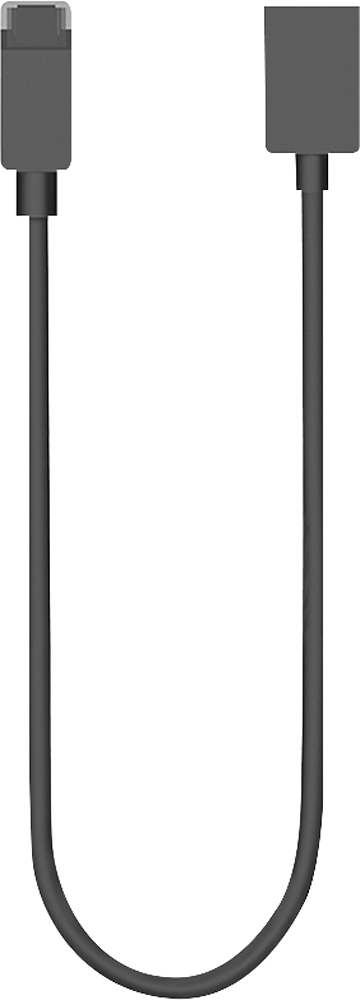
- Model:
- F6U-00011
- |
- SKU:
- 2267452
Customer reviews
Rating 4.7 out of 5 stars with 213 reviews
(213 customer reviews)to a friend
Customers are saying
Customers frequently mention the Surface Mini DisplayPort-to-HDMI Adapter's compatibility with various devices and its ease of use. Many appreciate the adapter's ability to provide an HDMI connection for a larger screen, enhancing flexibility and convenience. Positive feedback also highlights the adapter's compact size. However, some customers find the price to be relatively high and have noted occasional lag issues.
This summary was generated by AI based on customer reviews.
Rated 5 out of 5 stars
Don't waste time buying generic
||Posted .This reviewer received promo considerations or sweepstakes entry for writing a review.Even though Belking and other manufacturers might make an adapter that serves the same purpose, I highly recommend that if you have a Surface Pro 3, just spend the extra money on this one. The fitment is absolutely perfect, as compared to the Belkin I had tried previously. This takes away from the headache of making sure that the adapter doesn't fall out, since the way that Microsoft designed it really does fit like a glove and you won't have to worry about it fall off the dock that you have it plugged into. Even though I typically don't mind going with generic adapters in some cases, I suggest against it if you're using the Surface Pro 3 dock.
I would recommend this to a friend- Pros mentioned:CompatibilityCons mentioned:Price
Rated 5 out of 5 stars
Very good
||Posted .This reviewer received promo considerations or sweepstakes entry for writing a review.It is working very well! Although it is relatively expensive, I recommend using the Microsoft brand. btw, the HDMI and VGA ports have the same price so choose HDMI
I would recommend this to a friend - Pros mentioned:CompatibilityCons mentioned:Price
Rated 5 out of 5 stars
Works as intended
||Posted .This reviewer received promo considerations or sweepstakes entry for writing a review.I've not had any issues with it. It is a little overpriced in my opinion but it fits perfectly with the Surface Pro 3 and I have no issues using an external display.
I would recommend this to a friend - Pros mentioned:Compatibility, Ease of use
Rated 5 out of 5 stars
Have a Surface? Get one of these
||Posted .This reviewer received promo considerations or sweepstakes entry for writing a review.If you have a Surface, you definitely need one of these in your bag. Makes it easy to hook your Surface up to your TV, projectors at work or a secondary monitor.
I would recommend this to a friend - Pros mentioned:CompatibilityCons mentioned:Price
Rated 5 out of 5 stars
Does what it should
||Posted .This reviewer received promo considerations or sweepstakes entry for writing a review.Got this to connect Surface Pro to a monitor/TV. Works as it should. Seems pricey, but Apple proved you don't have to discount accessories to sell them.
I would recommend this to a friend - Pros mentioned:CompatibilityCons mentioned:Price
Rated 4 out of 5 stars
Great cable made for the Surface
||Posted .This reviewer received promo considerations or sweepstakes entry for writing a review.This cable has a slight angle to the mini display port connector (just the outside plastic, not the connector itself). This makes the connector match up perfectly to the Surface Pro 2. However, at $40, it seems a little steep.
I would recommend this to a friend - Pros mentioned:Compatibility
Rated 5 out of 5 stars
Works great
||Posted .This reviewer received promo considerations or sweepstakes entry for writing a review.Perfect accessory for my Microsoft Surface Pro 2 - Microsoft made the plug have an angle to it so it fits perfectly unlike some others.
I would recommend this to a friend - Pros mentioned:Compatibility, Connection
Rated 5 out of 5 stars
Great pairing with the Surface Pro for presenting
||Posted .This reviewer received promo considerations or sweepstakes entry for writing a review.If you are looking to hook your Surface Pro 2 up to a TV, projector, or external monitor via HDMI... This mini display port to to HDMI adapter is just what you want. It works flawlessly and doesn't have any issues like some of the other brand adapters I've tried. Many of the other non-Microsoft brands do not compensate for the angle that is needed to make a secure connection on the Surface Pro 2 at the mini display port. This adapter was made for the Surface Pro 2 and has the angle which makes it fit perfect. It will not lose connection when bumped like the other adapters without the angle at mini display plug end. Do yourself a favor and buy this one and not a non-Microsoft brand adapter.
I would recommend this to a friend - Pros mentioned:Compatibility, Ease of use
Rated 5 out of 5 stars
excellant product
||Posted .This reviewer received promo considerations or sweepstakes entry for writing a review.works great. easy to install. needed adapter for larger external monitor.perfect for my requirements
I would recommend this to a friend - Pros mentioned:Compatibility
Rated 5 out of 5 stars
Does what it is intended to do
||Posted .This reviewer received promo considerations or sweepstakes entry for writing a review.I use my Microsoft Surface 1 laptop a lot to give presentations. I prefer using the Microsoft Wireless Adapter, but I'd say it only works about 70% of the time. That 30% is when this adapter comes into play. While it is my backup, it works 100% of the time. I've used it in TVs, computer monitors, and projectors. Again, it works.every.time. I will note that it also works flawlessly on my 2012 MacBook Pro.
I would recommend this to a friend - Cons mentioned:Price
Rated 5 out of 5 stars
Works great with my Surface Pro 3
||Posted .This reviewer received promo considerations or sweepstakes entry for writing a review.I bought this to hook my Surface Pro 3 to my LG projector so I could watch movies outside, the cable works great. *Note, I looked at the Apple mini display port and it looked different, and apparently it is and won't work with non apple products. The only downside is that this cable is a little more expensive.
I would recommend this to a friend - Pros mentioned:Compatibility, Ease of use
Rated 5 out of 5 stars
Works Great
||Posted .This reviewer received promo considerations or sweepstakes entry for writing a review.Easy to install and works perfect, using it for a tablet to show on a monitor.
I would recommend this to a friend - Pros mentioned:Compatibility
Rated 5 out of 5 stars
A Must Have
||Posted .This reviewer received promo considerations or sweepstakes entry for writing a review.If you want to extend the display of your surface to extra screens you must have this accessory. I bought two of them so I can have two extra screens along with surface's tiny screen. I plugged one on the mini display port on the surface and with with the dock and now I have two extra monitors.
I would recommend this to a friend - Pros mentioned:Screen size
Rated 5 out of 5 stars
Small
||Posted .This reviewer received promo considerations or sweepstakes entry for writing a review.very convenient for its size, minus point on its weight though
No, I would not recommend this to a friend - Pros mentioned:Compatibility, Ease of use
Rated 5 out of 5 stars
works as advertised
||Posted .This reviewer received promo considerations or sweepstakes entry for writing a review.worked as advertised. was easy to buy and install.
I would recommend this to a friend - Pros mentioned:Hdmi
Rated 5 out of 5 stars
It Works
||Posted .This reviewer received promo considerations or sweepstakes entry for writing a review.Haven't had any issues with it so far. I use the docking station for my Surface and plug the adapter in the back, connect an HDMI cable to it and to my monitor without any problems. It annoys me that I have to use an adapter - why didn't they eliminate the need for this by putting an HDMI port on the dock?
I would recommend this to a friend - Pros mentioned:HdmiCons mentioned:Price
Rated 3 out of 5 stars
Works as expected but costs too much
||Posted .This reviewer received promo considerations or sweepstakes entry for writing a review.Microsoft is getting into the game of designing connectors that don't fit right with anything else (e.g.. an angled plug), and then over-charging their customers for the accessories that use these connectors. But... if you have a Surface Pro 3 and need an HDMI adapter, this is the one to buy.
I would recommend this to a friend - Pros mentioned:Ease of use
Rated 5 out of 5 stars
Make your surface even more powerful
||Posted .This reviewer received promo considerations or sweepstakes entry for writing a review.HDMI adapters to stream video to the big screen is pretty much the norm now. Ordering online was easy - picked up at the store = no problems. Just remember to get a HDMI-HDMI cable to go with this if you want to have your tablet any distance from the TV.
I would recommend this to a friend - Pros mentioned:Compatibility
Rated 5 out of 5 stars
A needed tool
||Posted .This reviewer received promo considerations or sweepstakes entry for writing a review.It seems pretty silly putting a mini display port on a device as many projectors and monitors don't carry that native functionality. Case in point, if you want to display your Surface on the majority of presentation media, this is a required tool.
I would recommend this to a friend - Pros mentioned:Hdmi
Rated 5 out of 5 stars
Excellent Accessory
||Posted .This reviewer received promo considerations or sweepstakes entry for writing a review.Easy installation. Plug it in the Mini DisplayPort (included in the Surface Pro docking station) and the HDMI connection of your display and you're ready to go! Some display settings may be need to be changed depending on what view you're going for
I would recommend this to a friend