Customer Ratings & Reviews
















- Model:
- EP2-33671
- SKU:
- 10121328
Rating by feature
- Battery Life
Rating 4.8 out of 5 stars
- Durability
Rating 4.7 out of 5 stars
- Display
Rating 4.8 out of 5 stars
to a friend
Customers are saying
Customers are satisfied with the product's excellent portability, lightweight design, and strong overall performance. They frequently praise its long battery life, fast processor, quiet operation, and effective heat dissipation. However, some customers have noted drawbacks such as limited port selection, significant screen glare, and the lack of an included wall charger.
This summary was generated by AI based on customer reviews.

A Step Forward
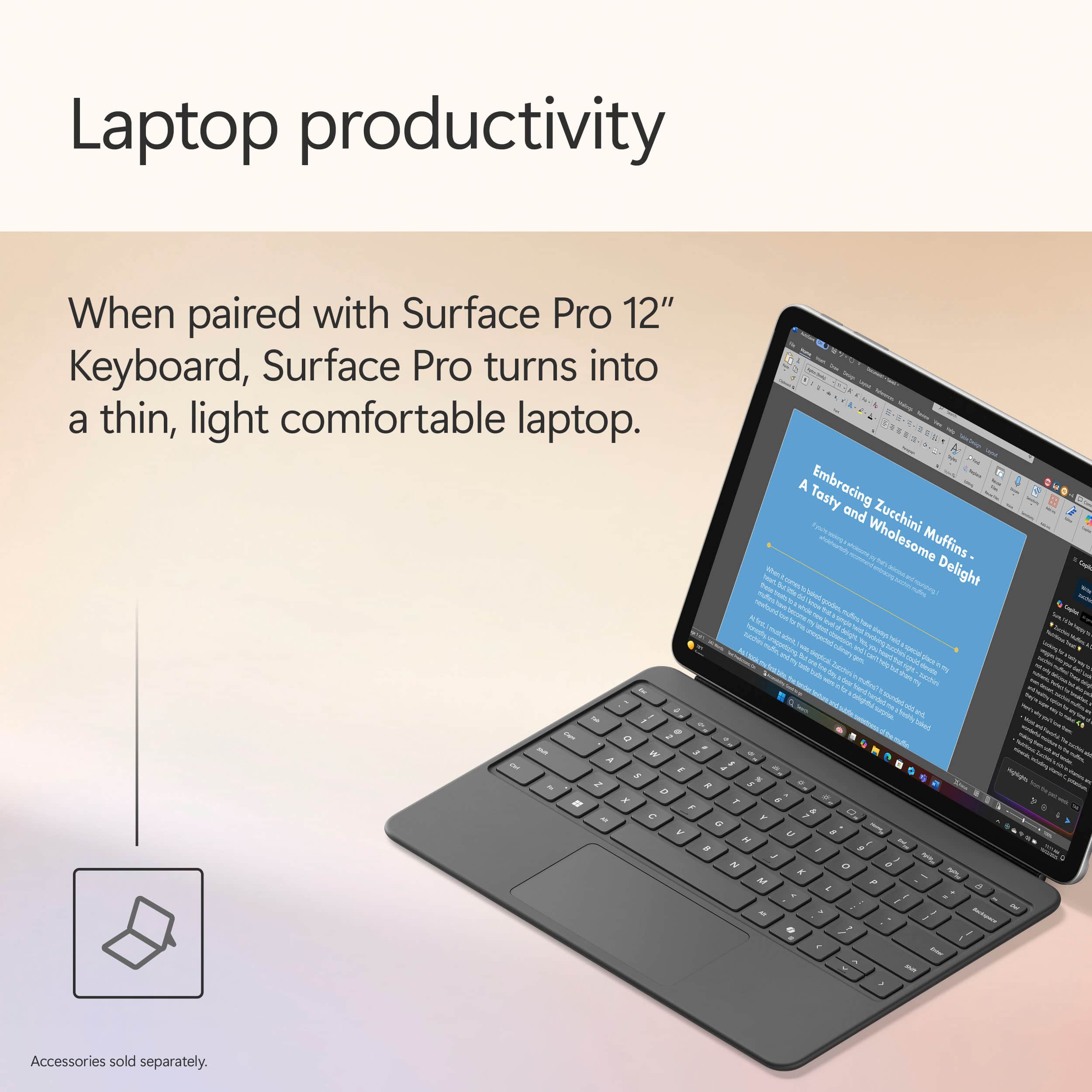
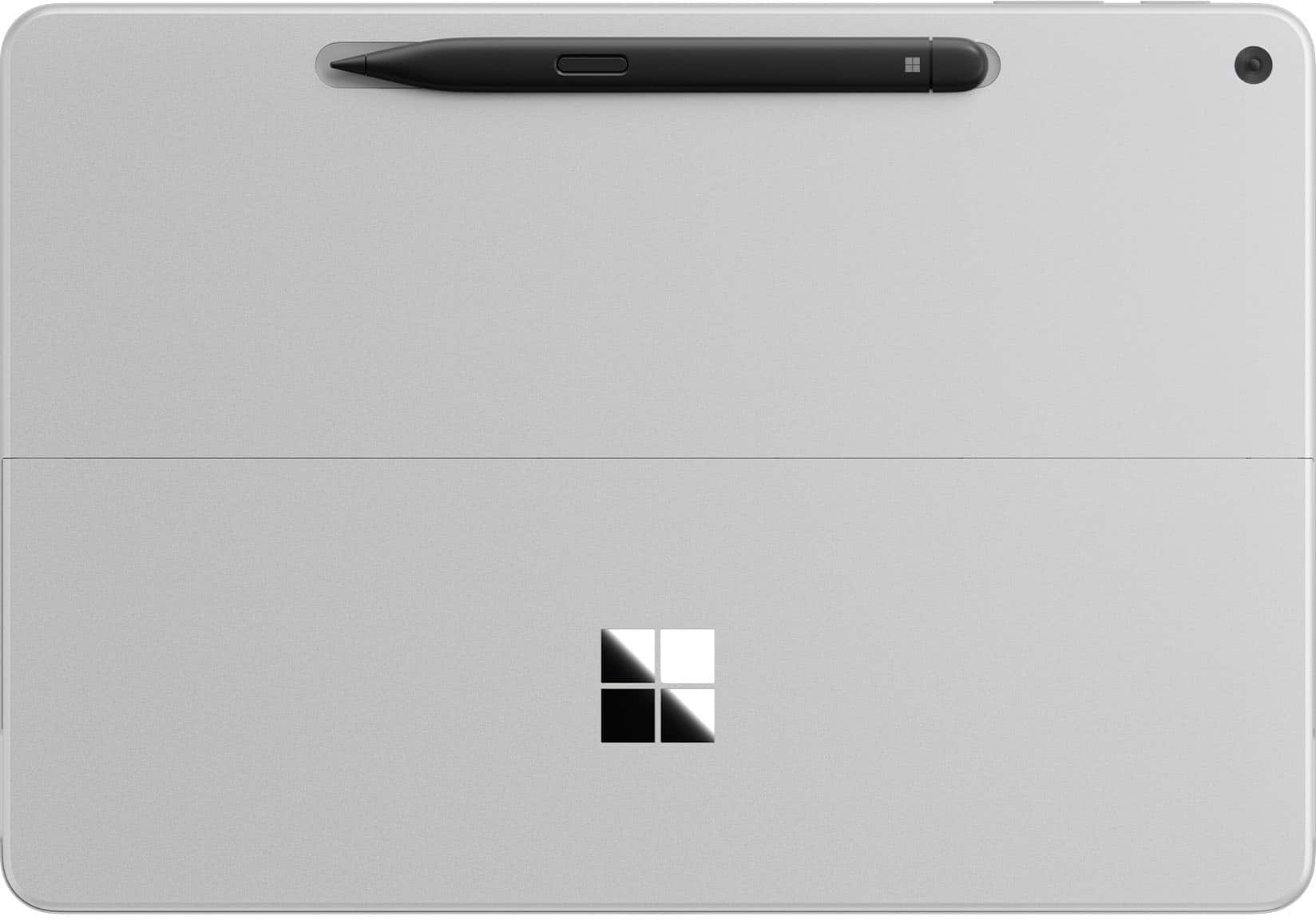
|Posted .This reviewer received promo considerations or sweepstakes entry for writing a review.Setup & First Impressions As soon as I unboxed the Surface Pro 12" in the Ocean finish, I was impressed by how premium it looked. The color has a really subtle, classy vibe—not too loud, but still unique enough to stand out from the usual gray slabs. I paired it with the Surface Pro Flex Keyboard (sold separately), which magnetically snaps on with a satisfying click. Setup was quick and straightforward. Windows 11 Copilot+ guided me through login, updates, and personalization without any hiccups. I was up and running in under 10 minutes. One heads-up: you’ll need your own USB-C charger unless you pick up Microsoft’s, and it doesn’t come bundled with the keyboard or pen. Performance & x86 App Experience Under the hood, this thing is rocking the Snapdragon X Plus chip with 16GB RAM and 512GB of UFS storage. It’s fanless, so completely silent, and even under stress it never got uncomfortably warm. I threw all my usual tasks at it: Edge, Photoshop (ARM-native), Chrome, Slack, Teams—everything flew. When I installed a few x86 apps like older utilities and even a basic Windows-only media editor, the new Prism emulation handled them surprisingly well. I didn’t notice any major slowdowns, but heavier apps (like older Adobe Premiere versions or complex .exe installers) took a bit longer to launch. So yes, it works, but if you're deep into x86 creative workflows, you’ll notice a gap. Battery Life Battery life is a real win here. I’ve taken this thing through multiple long days—coffee shop work, editing on the couch, Zoom calls, and media consumption at night. On a typical day of mixed use, I’m getting around 9 to 10 hours comfortably. And during a recent trip, I tested video playback on a full charge: it clocked nearly 17.5 hours. The standby battery is stellar too. I left it in sleep overnight and came back to barely 2% battery loss. Perfect for travel or switching between tasks without worrying about losing charge. App Speed & Real-World Use This is where the Surface Pro 12" really hit its stride. Apps launch fast, multitasking feels seamless, and it handles anything I throw at it—except for super heavy creative stuff. I’ve edited images in Lightroom, used multiple browser tabs while running Teams and Spotify in the background, and it didn’t flinch. The Flex Keyboard is great, with satisfying key travel and a smooth trackpad. Typing long documents or emails felt just as solid as any traditional laptop. I do wish the screen had a higher refresh rate (it's 90Hz instead of 120Hz like on the 13"), but for the size, it’s still crisp and easy on the eyes. Travel & On-the-Go Use I’ve taken this thing on flights, to meetings, and even outdoors. It weighs just over 1.5 lbs without the keyboard and slips into a sling or backpack easily. No fan noise means I can use it anywhere—on a plane, in bed, during quiet moments—without feeling like I’m firing up a jet engine. Charging it with a basic USB-C charger worked just fine, and being able to top it off from a power bank is a travel game changer. I never once found myself worrying about finding an outlet. Plus, the new AI features like Eye Contact and Live Captions actually came in handy during video calls in noisy places. Final Thoughts What I loved: Ultra-light and perfect for travel Incredible battery life—seriously, all-day and then some Runs native apps buttery smooth Solid performance even for most x86 tasks Flex Keyboard is a must-have—great typing feel Silent and cool no matter what I’m doing What held it back: Keyboard and charger not included Not ideal for high-end x86 creative workloads Screen could be sharper or higher refresh Limited ports (just two USB-C 3.2) Conclusion If you’re someone like me—constantly moving, writing, editing, researching, attending calls—the Surface Pro 12” with Snapdragon X Plus is kind of a dream machine. It’s not the most powerful Surface ever made, but for mobility, silence, and efficiency, it hits all the right notes. This has become my go-to travel companion. It’s a genuinely capable little workhorse that lasts all day, handles nearly everything I throw at it, and slips into any bag with room to spare. If you're mostly working in the cloud, on Office, browsing, editing photos, writing, or just watching content, you’re gonna love this.
I would recommend this to a friendCompact Powerhouse, Ready for the AI Revolution!
|Posted .This reviewer received promo considerations or sweepstakes entry for writing a review.The newly updated Microsoft Surface Pro Copilot+ 12” tablet is a superb combination of technology and functionality which will outperform many existing laptops thanks to its incorporation of a new 8 core Qualcomm Snapdragon X Plus processor with integrated Hexagon neural processing unit and Adreno graphic processing unit in a very compact form. The solid-state hard drive and low power needs of the LED display, CPU, NPU and GPU make possible up to 12 hours of silent web-intensive operation. The audio quality of the 2 watt stereo speakers with Dolby Atmos sound processing is amazing. Overall, the impression is very sophisticated and high tech – a worthy competitor for iPad fans. Microsoft introduced the Surface product line in 2012 as a Windows tablet. It was the company’s first product which incorporated the Windows operating system and their own hardware. The first products ran tablet-only Windows RT. The early models were somewhat under-powered with limited storage and poor battery life. The next generation added a supplemental keyboard and more processing power, becoming 2-in-1 tablet/laptops. In 2015 the Surface 3 models were the first to run the full Windows operating system and standard programs. Currently there are six lines of devices (Go, Laptop, Book, Studio, Hub and Pro.) The Surface Pro is the most powerful tablet offered and the optional Keyboard with Slim Pen completes its transformation to a laptop form. Consider this outstanding combination of features: • Microsoft Surface Pro Copilot+ 12” Tablet (Model EP2-33676 UPC 196388550616) • Snapdragon X Plus 8 core CPU, 3.30 GHz • Qualcomm Hexagon NPU, 45 TOPS • Qualcomm Adreno X1-45 GPU, 128 MB • 64 bit Windows 11 Home 24H2 operating system • 16 GB LPDDR5x high efficiency RAM primary memory • 512 GB SK-Hynix UFS hard drive • 12” PixelSense 10 point multi-touch-screen display with 2196 x 1464 (220 PPI) resolution • Windows ink workspace/Surface Pen support • 2 watt full-range Aqstic stereo speakers and Dolby Atmos audio processing • Dual studio microphones with enhanced voice focus • Full HD (1080p) front-facing Studio Camera (with auto framing, blur, creative filters, eye contact, portrait light) • 3D IR Camera for Windows Hello facial and gesture recognition • 10 MP Ultra HD rear-facing camera • WiFi 7, Bluetooth Core 5.4 connectivity, Bluetooth LE Audio • 2 USB 3.2 Type C (up to 20 GBps) data transfer, DisplayPort 1.4a (2 4k monitors), fast charging • Sensors: ambient color, accelerometer, gyroscope, magnetometer • 38 Watt-Hour Lithium Ion battery – up to 12 hours active web usage • Requires 45 watt (minimum) USB-C charger (not included) • Kickstand with 165 degree full friction hinge • Power and volume buttons • No fan is required for cooling so the case is sealed • Very slim and compact: 10.8” wide x 7.5” deep x 0.3” thick (tablet only) • Lightweight: only 1.51 pounds (2.28 pounds with optional keyboard/sim pen) • One year warranty on parts and labor So how does this tablet perform? Superbly! It seemed pretty fast when I was using it, so I ran a well-regarded benchmark program (Novabench 5) on both it and four of my other computers to determine their relative performance. This test measures both CPU (general processing), GPU (graphics processing) and data storage rate so they give a good overall measure of a computer’s speed. The four computers included two desktop all-in-one PCs (an older medium powered model with a HDD and a newer model with more RAM, SSD and a more powerful CPU/GPU combination), a well-equipped laptop and a Surface 4 laptop. Finally, I ran the same tests on the Microsoft Surface Pro tablet. All computers were well-maintained, running the latest Windows versions with no other programs active. Here are the results (higher is faster): Novabench 5 Results: 2016 All-in-One Desktop (Intel i5-6400, Intel 530 GPU, 12GB ram, 1TB HD): 619 (base) 2022 All-in-One Desktop (Intel i7-1255, 16GB ram, Nvidia MX550 GPU, 1TB SSD): 1285 (+108%) 2022 Two-in-One Laptop (Intel i7-1260, 16GB ram, Intel Iris Xe GPU, 1TB SSD): 1846 (+198%) 2021 Microsoft Surface 4 Laptop (AMD Ryzen 7 4980U, 8GB ram, Radeon GPU, 0.5TB SSD): 1851 (+199%) 2025 Microsoft Surface Pro Tablet (Snapdragon X Plus, 16GB ram, Adreno X1-45 GPU, 0.5TB SSD): 1441 (+133%) OK, that’s a lot of numbers and technical jargon but the bottom line is that you will find the 2021 Surface 4 laptop out-performed all systems and the Surface Pro tablet was significantly faster than the All-in-One Desktop. But that’s not the whole story. Because the new Surface Pro tablet has an integrated Hexagon NPU (neural processing unit) rated at an amazing 45 Tera operations/second it is far more efficient in supporting artificial intelligence. Even though the older Surface 4 laptop has a higher Novabench score the new Surface Pro tablet is far superior in utilizing the built-in Microsoft Copilot AI. Besides delivering a wonderful, fluid interaction with Copilot, the energy use is far less which enhances battery life. Coupled with the excellent Adreno GPU this produces outstanding performance on games. This little tablet far surpasses any of my other computers in graphics-intensive gaming quality! Now, besides AI and gaming, this is a very capable laptop replacement (with the optional keyboard/slim pen accessory). Put this elegant beauty to work on most business software and it will never even break a sweat. Use it for photo or video editing and it will calmly do whatever you want, no drama. The 2 watt Aqstic stereo speakers and Atmos sound system on this tablet are surprisingly good. I listened to some of my favorite albums from Spotify and the speakers (although tiny) were much better than typical for laptops. They are mounted on the left and right edges, have excellent volume and great stereo separation – they will make watching videos a real pleasure. A major plus for this Surface Pro device is the outstanding battery life. I always test laptops by streaming Netflix series on battery power with a bright screen and high speaker volume. The combination of modem usage, video rendering, screen lighting and speaker volume usually drains most laptop batteries in less than two hours. But this tablet lasted a bit over 10.5 hours before exhausting the charge! That is long enough for five full movies and certainly would suffice a traveler for even the longest international flights. You can thank the ultra-efficient and power-miser Snapdragon CPU and Adreno GPU for that amazing performance. Another advantage for travelers is the compact size (less than 11” wide and 0.5” thick) and very light weight – about 2.3 pounds (measured with the optional keyboard attached.) The tablet with lighted keyboard attached is nicely balanced, so those who like to literally use their laptop on their lap will be pleased. It has latest WiFi 7 which and provides excellent, high speed connection to your network. There is no audio port but it supports Bluetooth LE Audio for wireless headphones. The 12” touchscreen display has superb resolution, high speed video rendering and HDR content support with very good color saturation. The 6:4 screen ratio is taller than the 16:9 or 16:10 ratios seen on many laptops and actually offers considerably more screen area (about 19% more) than the 16:9 screens. This is an advantage when working with Word documents or spreadsheets. Support for the Surface Pen in graphic editing and document notation is flawless. The Microsoft Hello facial recognition and Copilot both work well, as does the webcam and built-in dual microphones. For video calls the tablet offers a variety of useful image enhancement features. The main (rear) camera has good resolution (although most will rarely use it.) What are the possible weak points or purchase issues to consider? • Oddly, no charger is included. You will need to purchase a 45 watt (or larger) USB-C charger if you do not already have one. • Since it uses an ARM processor some applications will run in emulator mode which may affect performance. However, this won’t be an issue for most Office programs. • I would have preferred at least one Type A (for standard flash drives) and two Type C USB ports. I bought an inexpensive USB-C multi-port hub with an HDMI, Ethernet, 2 USB-A and 2 USB-C ports which also allows power delivery to overcome this problem. • I prefer to use a mouse rather than a trackpad so having only USB-C ports is an issue. (I solved it by buying a very nice Bluetooth mouse from Best Buy.) • It would have been nice to have a form-fitting cloth carrying case included (as many other notebook brands provide.) But these are really just minor quibbles. When you consider all of its power and functionality you will agree that the price is very reasonable. I can enthusiastically recommend the new Microsoft Surface Pro Copilot+ 12” tablet for both serious stay-at-home power users, those who need to take notes at meetings and for those who desire a perfect travel companion!
I would recommend this to a friendA Windows tablet w/ best access to Copilot
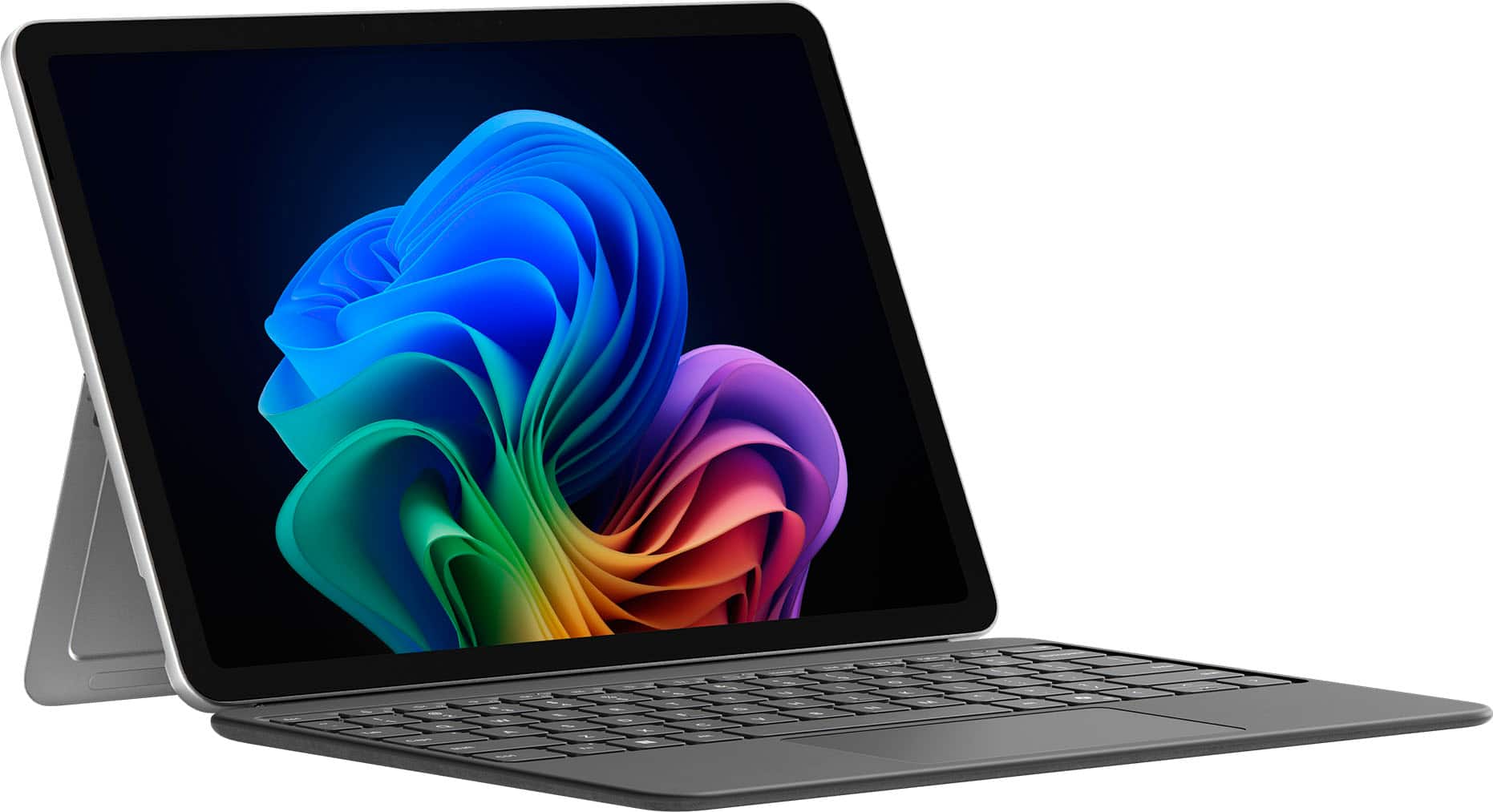
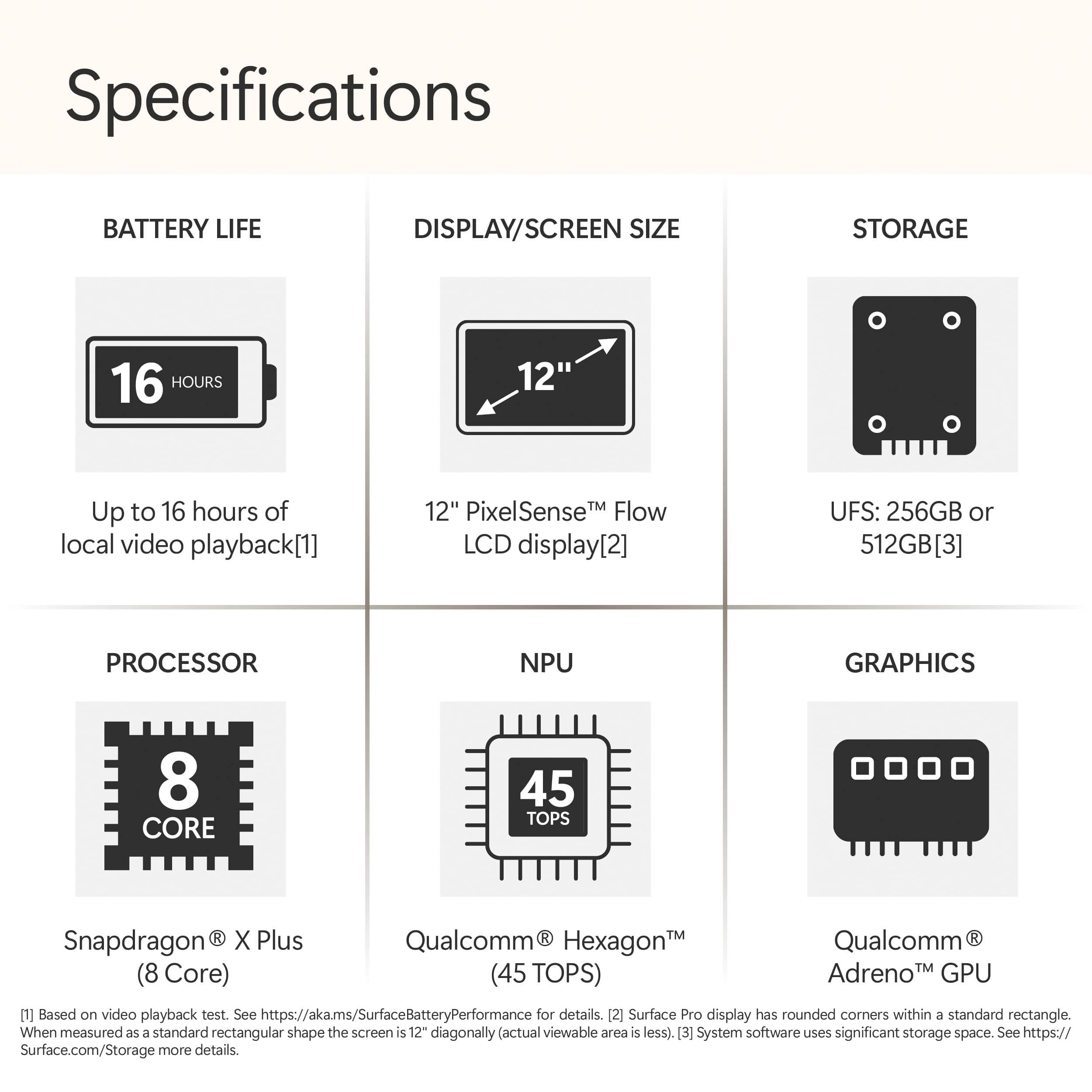
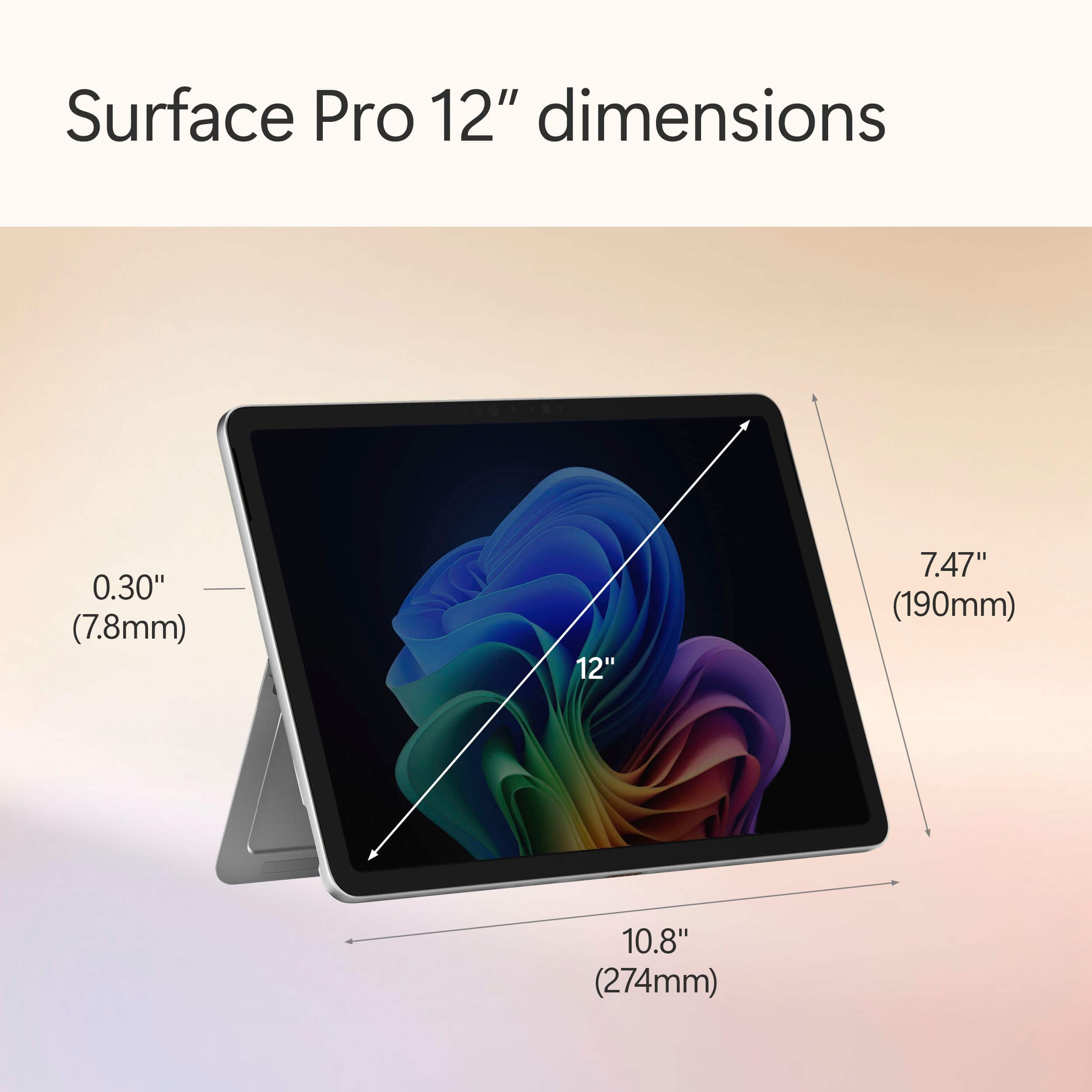
|Posted .This reviewer received promo considerations or sweepstakes entry for writing a review.The latest Surface Pro at glance on its hardware is compact and efficient for mobility thanks to 12” size format. It has the following components (mostly extract from its specification): - Memory of 16GB LPDDR5x RAM (usable 15.6GB) - SSD 512GB - WiFi 7 (802.11be) - Bluetooth 5.4 - Processor: 8-Core Snapdragon X Plus @3.30 GHz 3.24 GHz - NPU: Qualcomm® Hexagon™ with 45 TOPS - Graphics: Qualcomm® Adreno™ GPU - PixelSense LCD Display - Touch: 10-point multi touch - 2 USB-C for: Charging Data transfer DisplayPort 1.4a with support up to two 4k monitors @60Hz Surface Thunderbolt™ 4 Dock and other accessories Supports fast charging with minimum 45W charger via USB-C®16 Surface Pro 12-inch Keyboard connector - 1080p Full HD front facing camera - 10mp rear facing camera - Wireless charging for Surface Slim Pen (it has to purchased separately unless it is bundled) - Battery: Up to 16 hs of local video playback / Up to 12 hours of active web usage -Size: L 10.8 inch / W 7.47 inch / H 0.30 inch / Weight 1.5 lbs without keyboard -Audio/Mic Dual Studio Mics with voice focus It comes with preinstalled Window 11 Home, and for the amount of update needed information, the pre installed version is 24H2 installed on 03/15/2025. Hence depending on when it is purchased, at starting point there is some large updates needed to keep the OS to the latest and at optimum point of the hardware. On the software side and experience, noticeably can’t distinguish between regular notebook on Window OS and the Surface Pro with attached keyboard in the sense of Microsoft experience. With attached keyboard, performing web browsing, writing documents and using spreadsheet feels working ia regular notebook at high level. In Tablet mode without the keyboard, in the beginning of holding with both hands. It provides almost same or similar to the look and feel of tablet with keyboard. It hide the access to the menu in a discrete mode that doesn’t take space in the screen and responsive as touch across menu selection, open browser and navigate or search and play with multimedia. Listening and Watching movie experience does feel superb considering its size and in the context of its built in hardware components. Sounds does feel some level of immersive and surrounding while watching a move in a silent environment. Back to the tablet mode, although its experience seems seamless, but this seems only in the context of notebook like to tablet with keyboard. Using It with table mode in both hands, often activates selection of objects for floating menu option, or part of screens showing option to select when any of them were intended, and having to change the way to hold. Now, on Copilot, it comes with pre installed application and with its specific application box to type and get answer is embedded across any other functional application installed in the surface pro. Its easy access from any point of any other application seems the biggest benefit of the latest Surface Pro. Ability of Copilot to respond to the questions seems more of how well works at the behind the network and interaction with the hardware then comes together with training data being able to compose response that make to the user. But from the latest Surface Pro side it has to do with how easy to access to it that makes different to previous models. Now, what I wish it would do better: 1. Weight, despite of 1.5lbs, still feels heavy and bulky. 2. Pen attachment spot at first seems logical and cool. But for use case of using with both hand or right handed person, more it being used, it feels bit uncomfortable having to remove the pen and try to find somewhere else to move. 3. Touch experience is bit odd and continuously have to find a way not to see floating menu or uninteded selection. 4. Screen: light reflection on the screen overcome what ever on the screen impacting the task of the moment. To conclude, the latest Surface Pro 12” version is handy to perform quick work related task, more for entertain with multimedia and movies experiences with easy access to copilot.
I would recommend this to a friendPortable, quiet, unique and powerful
|Posted .This reviewer received promo considerations or sweepstakes entry for writing a review.I have owned a few Windows based tablets in the past, but they really didn't perform well. I switched to an expensive iPad Pro, but it had battery issues and didn't support every app I needed. The Surface has none of these issues. I have been absolutely impressed by its performance. The Snapdragon processor and 16GB of RAM are a great combo for stutter-free multi-tasking on the go. I easily get 10 hours of battery life without any effort and can stretch it to around 15 hours in casual use. I also love using OneNote on a tablet and it works really well with the Surface. The Surface is lightweight, but very solid. The textured metal case and rounded corners makes it a joy to use in tablet mode, effortlessly portable without adding bulk. The built-in kickstand adjusts so you can position it at almost every angle and is very solid. The Surface also has a built-in inductive charger for the Surface pen if you decide to buy one. The sharp display is another standout feature, enhanced by the Night Light setting. Unlike traditional blue light filters, this one leans more toward a warm yellow hue, making evening use far easier on the eyes. I particularly appreciated the automatic sunset adjustment, which seamlessly transitioned the display for nighttime comfort. I was also impressed by the volume and range of the speakers. While they aren't for hard hitting bass, they are sharp and do not distort at max volume. I finally gave Copilot a try, and I can see everyday uses for this friendly AI! It’s been an absolute game-changer for me, helping with trip planning, math explanations for my high schooler, shopping lists, and even organizing my June vegetable garden. I primarily used the quick reply setting, which made conversations feel fast-paced yet surprisingly engaging, almost like a friendly banter. For more in-depth responses, Copilot also offers two additional modes, giving me even greater flexibility depending on what I need. The Surface has a NPU, which is another processor that handles AI related task, so things like Copilot, AI picture editing, and AI noise cancelling don't impact the main processor. The ventless design makes the Surface incredibly quiet, and it remains relatively cool during everyday use. However, when pushed to the limit, like during video rendering, the device holds its own but isn’t exactly thrilled about it. The top near the camera can reach 125°F, which is worth noting for intensive tasks. With only two USB-C ports, connectivity on the go can be a bit limited, so I suggest a small USB-C adapter and a USB-C dock. When connected to my USB-C dock the Surface has no problem extending it desktop to my 39" monitor. A charger is not included (only a USB-C cable), so getting a dock or adapter is a good idea if you don't already have one. The 256GB of storage fills up fast, so a cheap USB-C drive (or use cloud storage) is also on my list. It is also worth noting that this is just the Surface. You have to buy the Pen and Keyboard separately, but the combo is great and still a really good value compared to an iPad or a bulky laptop.
I would recommend this to a friendBest Hybrid Computing Experience
|Posted .This reviewer received promo considerations or sweepstakes entry for writing a review.I have always loved Surface products; their design language has always appealed to me. The last Surface I owned was the Surface Go2, and I really enjoyed using it for work. I loved the portability; it was fast for work and browsing the net. When I saw the opportunity to give the new Surface Pro 12 a shot, I was excited for the chance. I have been intrigued by Microsoft’s partnership with Qualcomm and the push to use the Snapdragon processors. The main thing I was looking forward to being the performance and battery life that the Snapdragon processors could offer. Let’s just say that this is my favorite computing device I have used over the past couple of years. Let me preface this next part by saying that over the last year, I have used a few different computers regularly. I have rotated between an M4 iPad, M4 MacBook Pro, ASUS ROG G16 & G14. Each of them offered some amazing experiences, but nothing really comes close to what you get using the new Surface Pro 12. Yes, the MacBook Pro and ROG laptops are going to offer more power and better screens. That really comes in handy if you are really pushing the device or gaming on the ROG lines. The Surface Pro 12 is great overall. Honestly, to me, it feels closer to my 13” M4 iPad Pro. The portability and excellent battery life are similar. The pen feels just as fantastic as using the Apple Pencil Pro, too. The main difference is that the Surface Pro is a regular Windows computer and allows you to actually work on it. The M4 iPad Pro has Stage Manager, which is ok for trying to multitask, but it really doesn’t hold a candle to what you are able to do on a Windows machine. Unlike the ROG systems, I don’t worry about battery life at all with the Surface Pro 12, like how I never worry about battery on the iPad Pro. That’s where the Surface Pro 12 really shines. It honestly feels like a great tablet most of the time, with the big exception that the Surface Pro runs a full desktop-grade OS (Windows 11). This difference really opens up what you can do with it. Now, is the Surface Pro 12 going to be perfect for everyone? No. If you are a gamer this really isn’t going to be a great fit, unless you primarily do Cloud Gaming either with Xbox Cloud Gaming or Nvidia. Then you might have a great experience, but running games on the Surface isn’t going to be great aside from some casual games since you don’t have a discrete graphics card. Also, since you are running a Snapdragon system, you are running an ARM processor, and some niche apps might not be compatible with it. I would say that most folks looking at this Surface aren’t really going to have an issue with either one of these caveats, but it is worth noting that those might be some hurdles. I’ve used the Surface Pro 12 very regularly over the last few weeks. When I want to do some quick work, I don’t go for my iPad, or the ROG laptops; no, I go for the Surface Pro 12. It’s super light and thin, the battery life is amazing ( with regular use, I am needing to charge it up after a 2-3 days), there is no fan so I can work in bed while my spouse sleeps without fan noise being an issue, and the only time I have felt that it even gets slightly warm is when I am charging it up. While I have had it on my other Windows laptops, I have really been enjoying using Copilot on this Surface. I think the pen has a great deal to do with that, but I really like the experience so far. I am giving myself the next month to decide, but at this point, I am really considering just using this Surface Pro 12 for most of my work. That would mean I could get rid of my iPad, and one of my ROG laptops (I would keep one for gaming at home). I really can’t recommend this Surface enough. For most people this is going to be such a great computing device. As someone who grew up with MS-DOS, and Windows 3.1 it’s crazy to see just how far we have come. So much capability in a sheet of glass and metal. Try it, and I doubt you will want to use anything else.
I would recommend this to a friendA great shopping trip :)
||Posted . Owned for 1 month when reviewed.This reviewer received promo considerations or sweepstakes entry for writing a review.Very good shopping experience. I am not good at English, but the salesperson was very patient in answering questions with translation. The purchase of the computer went smoothly. Thank you.
I would recommend this to a friendSurface Pro 2025 Review
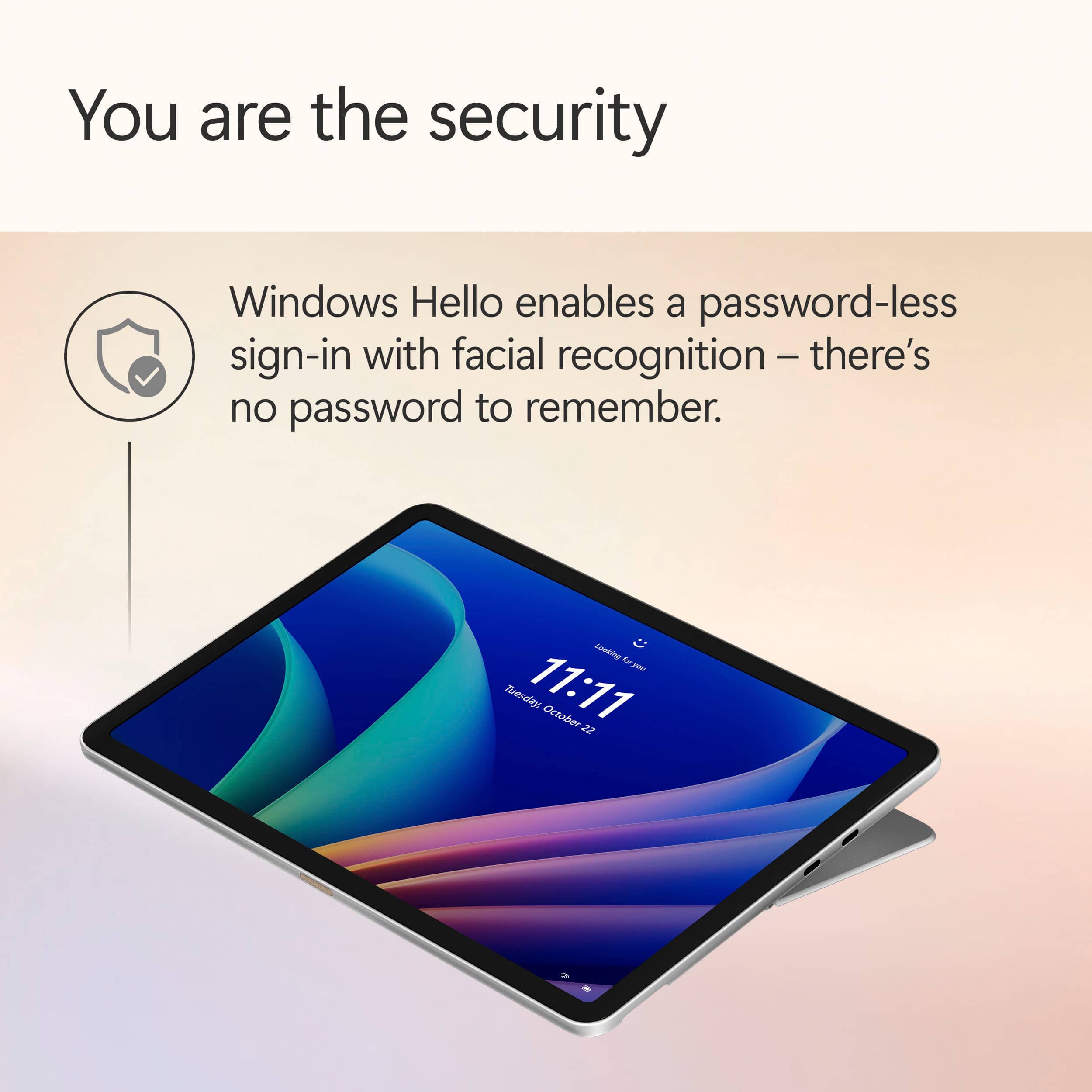
||Posted . Owned for 1 month when reviewed.This reviewer received promo considerations or sweepstakes entry for writing a review.Purchased this product for my new job. Good device for those who work cloud-based work and mainly use PDFs. Face recognition is very hit or miss, which is not fun because of the price, but it’s not the reason why I bought the device. Overall a good option for those who late looking for a desktop/tablet.
I would recommend this to a friendSurface Pro 12
||Posted . Owned for 1 week when reviewed.This reviewer received promo considerations or sweepstakes entry for writing a review.I absolutely love my surface pro! It’s small and convenient for school.
I would recommend this to a friendLightweight and Super Convenient
|Posted .This reviewer received promo considerations or sweepstakes entry for writing a review.I initially wanted the Mircrosoft – Surface Pro – Copilot+ PC – 12” Touch-Screen – Snapdragon X Plus- 16GB Memory – 256GB UFS – Device Only (Latest Model) – Platinum to use as my primary tablet for art. It turns out that it is way more useful and can be a laptop tablet in one. The Surface Pro is very light and has a long battery life. Taking it on the go is nice because it's so easy to bring it with the keyboard and pen all in one. I can use it throughout the day and charge it for a couple hours in the evening and it’s good to go. The Surface Pro is lighter than my ipad, BUT it has been next to impossible for me to find a protective case for it... (Probably because it is still so new). I will keep looking. Luckily, the keyboard that coordinates with the surface pro acts as a keyboard/protective case in one. The Surface Pro stays cool when I use it for standard functions and for drawing. There is not a fan to add noise or bulkiness. I have noticed that when I am playing Roblox it heats up some on the upper half of the Surface Pro. If I’m not using it for gaming, then it is fine. Microsoft Copilot has been very useful too and it’s easy to access on the keyboard or the Surface Pro’s lower tool bar. I added a new art app that was confusing and not very user friendly for beginners, so I used Co Pilot to get info on how to access the brushes that I downloaded. It worked like a charm. There are 2 USB-C ports on the Surface pro that can be used for charging, etc. I do have a multiport adapter that I can use if I need additional connections. That should be kept in mind if this Surface Pro is needing to be connected to anything other than a USB-C.
I would recommend this to a friendMicrosoft Absolutely Nailed It!
|Posted .This reviewer received promo considerations or sweepstakes entry for writing a review.The Microsoft Surface Pro 12” is an extremely high quality laptop and tablet 2-in-1 experience; second to none I’d say for Windows computers! Microsoft has very evidently had a lot of time to iterate on and refine the Surface lineup over the years, as it seriously shows! To start, the build and form factor of this laptop-tablet is super premium, and considerably lightweight and slim for the high quality aluminum build - it’s honestly higher quality than almost all laptops I see besides others with aluminum frames like MacBooks! The Surface Pro also has a built-in 165 degree kickstand that handles angling the tablet on surfaces extremely well, and has 2 USB-C ports on-board. If you’re looking for a highly-portable and well-built laptop, tablet, or both, this is one! The 12” screen size is perfect for both a tablet and a laptop, and the touchscreen is highly accurate, especially when using the separate Pen add-on! The screen is also bright and crisp, and in general delivers very well when it comes to any content thrown at it. Windows 11 is also highly optimized to facilitate both the tablet and laptop modes, with many automatic optimizations when transitioning between modes! Something that Microsoft has absolutely nailed with the Surface Pro is the battery life; just wow! Coming from my traditional laptops which are high performance gaming laptops that get 1-2, maybe 3 hours of battery if I’m lucky, it’s extremely luxurious to easily get many hours of screen time without having to plug in, usually spanning across multiple days! The battery seriously elevates the laptop experience! The Surface Pro also performs like you would expect a “Pro” laptop would; always on top of its game! I really have had no issues with any task I’ve thrown at this computer in terms of performance; from light gaming, to internet browsing, to coding and media consumption, everything just works! The Snapdragon X Plus chip and 16GB memory gets the job done! (Note this computer uses ARM architecture). Something that is kind of bizarre is that the Surface actually doesn’t have a fan, something I would usually expect from a computer of this caliber! It can get hot when performing intense tasks, but the heat dissipates well due to the aluminum body and generally isn’t a problem at all with regular, non-intensive tasks. Well done Microsoft! I will also say that owning the keyboard and pen accessories when purchasing this computer is basically a must; they are incredibly well built and integrated with the laptop, so much so that it’s honestly surprising they aren’t bundled together. The keyboard seamlessly clips onto the Surface Pro magnetically, and the pen also magnetically attaches to the back of the Surface where it wirelessly charges. Definitely purchase the Surface Pro and these peripherals together! A few remaining parts of the Surface Pro that are great to have as part of the computer are the onboard cameras, speakers, and Copilot. The onboard cameras are very much usable for things like video calling and Windows Hello sign-in, and the speakers are okay and get the job done, but unfortunately have little to no bass response. Copilot is actually a very capable general-purpose AI assistant, which is awesome to have on your device for things like research, coding, asking questions, etc.! There are also other specialized Copilot functions sprinkled throughout the OS, such as the Recall feature, “Cocreator” in Paint, and more that can help with a wide variety of tasks!
I would recommend this to a friendSnappy Tablet for Creators
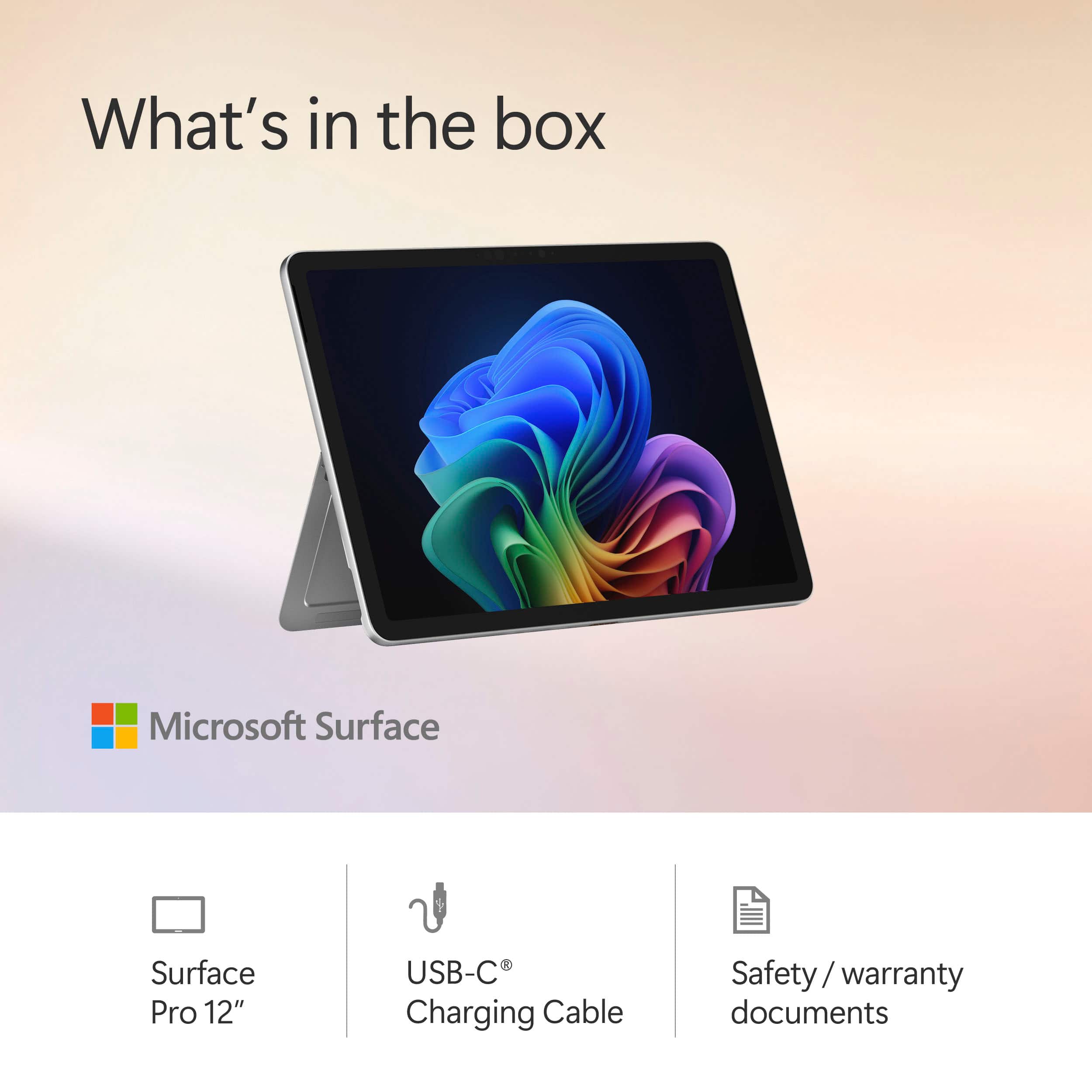
|Posted .This reviewer received promo considerations or sweepstakes entry for writing a review.The Microsoft Surface Pro 12” with Snapdragon Processor is a tablet with the operating system of a Windows 11 PC. This could be Microsoft’s answer to the iPad, but because you have access to full Windows 11 applications, the experience is as rich as your home Windows 11 laptop or PC. This variant features a Snapdragon (or ARM) processor which can make application compatibility a bit tricky. In addition, the keyboard, pen, and power charger are sold separately adding to the price tag. Still, simply as a Windows 11 tablet, the experience is surprisingly good. Anyone looking for a Windows tablet for creative applications should check it out. Unboxing / Setup: Contents of the packaging are sparse. Inside the box you have the tablet and a USB-C to USB-C cable. Microsoft sells a 45W charger separately. Experience: The tablet feels premium. There are no audible fans. The metal kickplate and magnetic charging tray for the Slim Pen make up the back of the tablet along with a rear facing 10MP camera. The tablet has a power button, volume up and down toggle, and two USB-C 3.2 ports. The screen itself sports a slim border, two speakers, and a front facing Windows Hello Camera. Colors are rich on the screen. Blacks look great. I had no noticeable light bleed on the screen. However, I did notice a fair amount of glare during my usage. The small built-in speakers sound very impressive for their size. They can get impressively loud. Touch response is good. The software keyboard is quick and responds well. Co-pilot and other A.I. features did an excellent job predicting text. Using the Microsoft Slim Pen, I was able to sketch in applications like Adobe Fresco as well as have my handwritten notes transcribed accurately in Microsoft Note. In terms of security, the tablet utilizes the front camera for Microsoft Hello. Facial recognition worked well, and I had no false unlocks in my experience. Despite not having fans, the tablet never got hot during my testing. Battery life was good due in large part to the efficiency of the Snapdragon X Plus processor. But that processor was also a bit of a double edge sword as some applications have compatibility issues with the processor. I did not bother trying games with the device as my experience has been that game compatibility with Snapdragon X is more miss than hit. Some Adobe applications are still slow to work on the new processor. I had a few hiccups in terms of bugs and application crashes. In addition, my tablet does not boot as quickly as I would like and has a black screen for several seconds after initial post and before the Windows login screen appears. Anyone interested could hook the Surface up to a USB-C hub or docking station and output video and connect more USB peripherals. For my testing, I hooked the Surface Pro up to a monitor running at 120hz, a USB-A keyboard, USB-A mouse, and USB-C headphones. Conclusion: Microsoft has created a Windows 11 tablet that is good for creators, students, and professionals. The entire build feels polished. The device is very feature rich. But, it has not replaced my laptop for everyday typing. Trying to place the tablet on my lap even with Microsoft’s Surface Pro keyboard is just not as simple or convenient as typing with my everyday laptop. Compatibility issues with the Snapdragon processors still exist. I wish Microsoft had simply sold the tablet, keyboard, pen, and power adapter together rather than separately as the device feels incomplete without the entire package. Still, I really like this tablet. My wife and I are getting into designing and creating downloadable content and this tablet has a lot of potential and appeal for us. I have a feeling it will work well for others, too. 4.5/5 Recommended
I would recommend this to a friendGood laptop but not so good tablet....
|Posted .This reviewer received promo considerations or sweepstakes entry for writing a review.I was one of the early adopters and actually used a Surface Pro in 2012 before switching to an Ipad which was overall superior even then because it was a tablet trying to be a tablet versus a PC trying to be a tablet. I also revisited the Surface Pro in 2021 when deciding between upgrading to the M1 iPad Pro and used the Surface for several months before eventually again switching back to the iPad Pro 12.9" M1 I still use to this day because of the same problem. So now here we are again in 2025 and enter the new Arm based Surface Pro 12. Microsoft has really gotten good with boxing and presentation. It hints at Apple's presentation while retaining their own custom look and feel. Inside the box you get your Surface Pro tablet and a charging cable along with a quick start guide and that's it. The power adapter, keyboard and stylus/pen are NOT included so be warned. Luckily after testing, the Surface can plug into just about any USB-C charging port from a USB strip to even Apple's various USB-C chargers and more. With every iteration of the Surface since I first tried it, they have become more polished and slick looking. The build quality is excellent and it feels like an iPad type device in your hands. I will need to get a grip style case for mine because the bezels are small and it is slippery. Plus when picking it up and using it my hands do tend to touch the touch screen accidentally. I have this same problem with my iPad too and require a case. I am a heavy Microsoft product user for decades and upon first start up like their previous products you are basically met with, well, Windows. In this case Windows 11. You set up and sign in just like you would on a Windows PC which is fine. After setup, you are presented with a touch version of Windows 11 and now this is where I am experiencing the same issues as with the Surface from 2012 and 2021. Using it for a few days it looks and feels like a Windows laptop that is trying to also function as a tablet. When connected to the Microsoft keyboard and stylus (sold separately for both), it is a light, portable easy to use Windows laptop. They keyboard and stylus make it a joy to use and when closed, it is small and sleek and easy to slip into a backpack or small messenger bag. The battery life on ARM is impressive and as a ultra light laptop I couldn't ask for more for day to day light use. I love the rear kickstand because it can be positioned in any position now versus the older versions that had preset positions. I do have the Microsoft keyboard and pen and it locks on quick and easy to the surface and I love how the pen snaps onto the back or front bezels even. As a portable laptop device with pen support, it is good. My only complaint is I wish the two USB-C ports on the left side were a little lower when in laptop mode and/or an additional port on the other side for versatility but it is only a minor nuisance. On the other hand, this is a 2 in 1 device so as good as it is in laptop form, it is just mediocre in tablet form. I find the stylus to be good for drawing and some functionality but in the end I want to hold and use my finger(s) for navigation and function. Compared to the iPad, it feels clumsy and unintuitive. I found myself having to use the stylus for better control versus my iPad that "just works" with finger usage but also works fantastic with the Apple Pen. I use my tablet in my recliner or when I need to pull up technical documents and I'm just not getting the same ease of use or fluidity with the Surface. I've also used Android tablets in the past and even now time to time and they are also much more intuitive to use than the Surface. The whole Windows desktop and approach is really made for a mouse and keyboard and in hand held touch form it is a clumsy, awkward experience. Hardware wise, the pixel sense screen is beautiful and bright. The Snapdragon 8 core CPU is powerful enough but it is the entry level model. Power wise, it is on par with the Apple M1 CPU in my ipad Pro released 4 years ago according to GeekBench 6. Being an ARM processor, this is also another problem. With my previous Surface Pro units equipped with Intel processors, I could run the same software as my PC and laptop which made integration a breeze but this time you need ARM specific versions as Intel versions are not compatible. Luckily there are many of the programs I use that have ARM versions but unfortunately a few older/custom programs I use do not. This seems to be a transition phase for Microsoft, so make sure the software you want to use has arm based versions. The Surface is not meant for any real heavy CPU and especially heavy GPU use. I know Microsoft is very much all in on Copilot+, but I have yet to overtly find a need for it during my use on the desktop, laptop or Surface. In summary, I very much like the hardware and form factor strides Microsoft has made but in the end the hardware without the proper software support is a non starter. In the case of the Surface Pro 2-1, the lack of ARM support for some of my programs along with still feeling as if this is just Microsoft Windows 11 in "touch form" instead of a true Windows tablet version (Think a proper "SurfaceOS") means I will be going back to my iPad Pro for my basic day to day tablet usage but I am not giving up on the Surface and will continue to use it in tandem when afforded the ability to continue to see how it stacks up but for now, it is not fully usable in my daily work/home flow.
I would recommend this to a friendThe Surface Pro 12 Is the Perfect Travel Companion
||Posted .This reviewer received promo considerations or sweepstakes entry for writing a review.This newly designed Surface Pro accomplished exactly what I'd hoped -- it's the perfect travel companion. I travel a lot, and I used to carry both a laptop and a tablet, weighing down my bag and straining my back. Now, this Surface has mercifully lightened the load, and it's providing everything I need on the road. That means working in Microsoft Office apps, responding to emails and surfing the web. If you're doing heavy tasks like video editing or coding -- or intensive gaming -- this is not your device. But if you're doing basic office work and consuming videos and you need something portable, this Surface Pro 12 is ideal. And, like its predecessors, it runs a full Windows operating system. I like the redesign of this Surface with the rounded corners and the new keyboard that lies flat. It exudes premium. I really like the new Ocean color, although I'm not sure it's the color of any ocean I've seen. The Snapdragon X chip is not blazing fast, but it's quick enough. The display is not OLED and I wish it was brighter, but it's still quite good. What sets this apart, too, is its battery life, which is incredible. You can easily get through a full day and have plenty of battery left. For the right use case, this is the right 2-in-1 device!
I would recommend this to a friendA (nearly) Perfect Laptop/Tablet Hybrid!
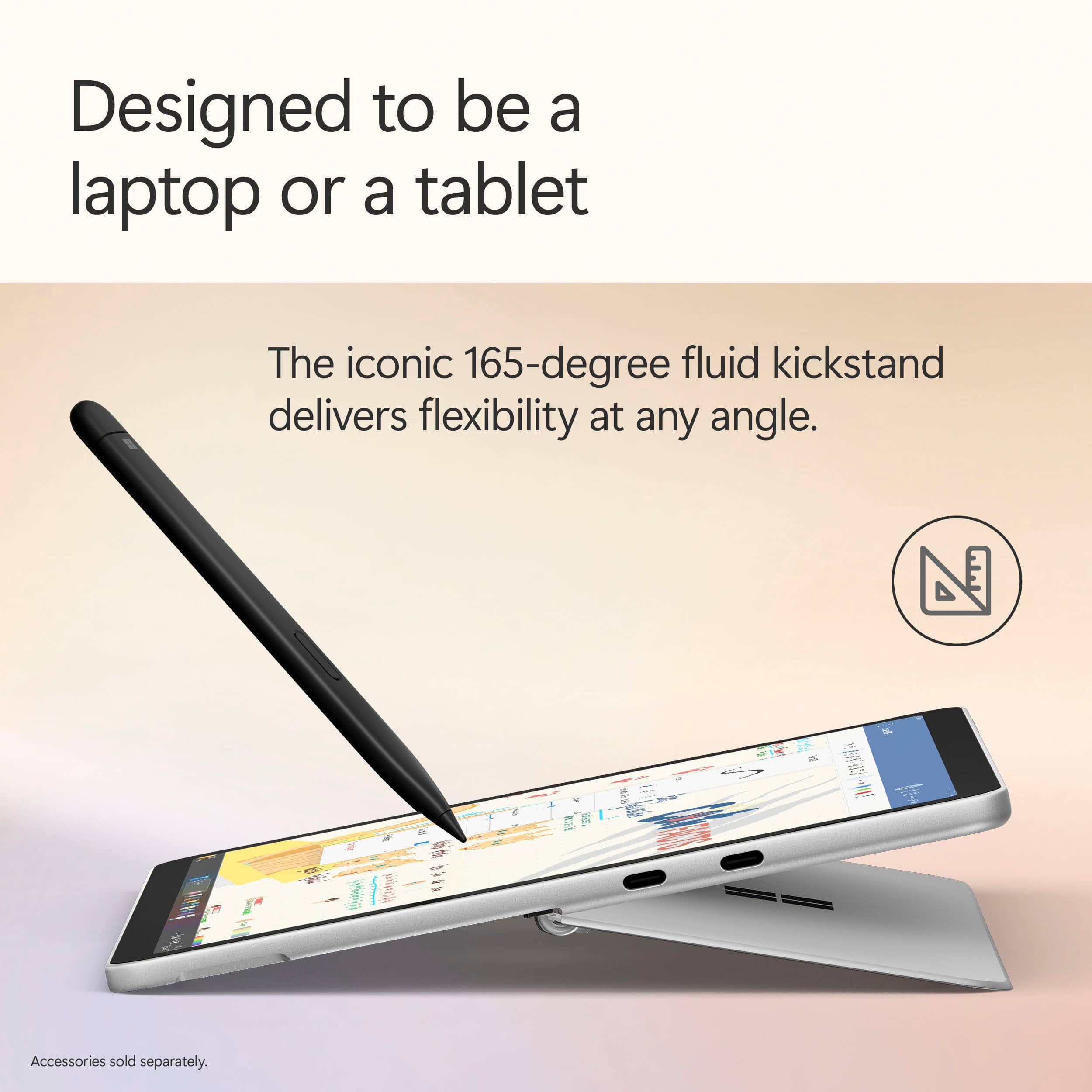
|Posted .This reviewer received promo considerations or sweepstakes entry for writing a review.It took about a week of adjusting to it, but for a travel business “laptop”, I’m completely sold on the Microsoft Surface Pro 12”. I look forward to using it – something I’ve rarely said about a computer. However, with the blurring of lines between a tablet and a full computer and the Windows operating system not quite being as friendly as it could be, it’s something to read more about before jumping into. At first, I wasn’t entirely sure what to expect from the Surface Pro 12”, being largely unfamiliar with its predecessors. I knew it was some type of tablet, but with Windows and that was about it. The big thing to get out of the way is that it’s NOT a tablet. It looks like a tablet and functions on a surface level like a tablet, but unlike my Pixel Tablet or the iPads I’ve used over the years, it’s definitely NOT a tablet. It took me a few days until I truly wrapped my head around it. What you have with the Surface is a laptop with the touchscreen and form factor of a tablet. The reason is simply the Windows operating system. There is nothing inherently wrong with the Windows operating system, but it’s not what I would consider optimized for a tablet environment. Comparatively with other tablets, everything is completely optimized for a touch-friendly experience from the operating system to the entirety of the apps allowed on it. They’re all made for touching and gesture-based navigation. Here, I found myself instinctively swiping things like I would my phone or other touchscreen devices to be met with anything but the desired and expected response. This isn’t a bad experience, per se, but something I had to work past a bit of a mental hurdle with. Once my brain finally understood that it’s a full Windows desktop experience but just in the appearance of a tablet, I was able to navigate my time with it far better. This was aided with the additional purchase of the keyboard and SlimPen add-ons. I’ve made a full review of those, but I consider the keyboard an essential component of the Surface Pro 12”. So essential I wouldn’t suggest that anyone even consider the purchase of a Surface Pro without it. The pen, while I do think works fantastically, is a bit more optional depending on your personal preferences. With the keyboard at hand, I can easily switch from more “computer” tasks, such as navigating my daily business emails, messages, and invoicing to more “tablet” activities, such as scrolling Reddit and social media. In essence, I’ve learned when to take advantage of the Surface Pro as a laptop replacement and when as a tablet replacement. In the box, however, there is no keyboard. You get the Surface Pro itself and a USB-C charging cable. I find the claim of lack of a wall adapter due to saving the environment slightly dubious, but the fact of the matter is you are likely to have a generic USB-C charger already. And if you don’t you can buy the official branded one or any other that pumps out 45W or more. There’s little in the box in terms of documentation – just a screen protector pointing out the buttons and ports. Turning it on for the first time was the same initial setup process as any other Windows based desktop or laptop. You must use a Microsoft account, and you will spend some time downloading updates and then more updates later, but it was an easy process. Physically, the Surface is a bit of a tech treat. It weighs a little over a pound, enough that it has a slight heft to it, but not enough that it felt uncomfortable to hold for extended periods. The screen is glossy, which may be a pro/con depending on if you’re using the SlimPen frequently and your preference and looks fantastic. The colors are bright and the touch screen is very responsive and it’s exactly what you want. There is a large bezel around all sides of the screen that, to me, feel like they aren’t in the way when holding it like a tablet, but when used as a laptop with the keyboard it makes me feel like I’m losing screen real estate. Looking around the device, you have just enough of everything. There’s only two inputs, but they’re USB-C and can be used for charging and even to connect to a monitor. There’s a front facing and a rear facing camera. I was able to have an extended zoom meeting with the front camera, and it looked great. Nothing amazing, but certainly nothing bad either. I’m not one to really take photos from a tablet, so I’ve little experience with the rear camera, but I’m also glad it’s there, too. Next to the rear camera is a slightly shallow recessed area meant for holding and charging the SlimPen attachment. On the top are buttons for power/standby and volume. The bottom has the connector for the keyboard. And the standout physical feature is the kickstand. I appreciate how solid it feels and that it runs the length of the entirety of the device. And, going backward 165-degrees, you’re really covered for whatever viewing angle you find best in the given moment. There are no fans on this device. This is by design, and I was cautious at first, but I have yet to have a situation to worry about it. With all the stress tests of daily use I put it through, including video calls, I never felt this the Surface Pro get above slightly warm to the touch. Color me impressed. Spec-wise, this isn’t a super high end computing machine, but for general use including office work, web browsing, and online video, you’ll be completely fine. You’re not really going to be doing gaming on here, but it’s a great opportunity to explore cloud gaming with XBOX. The 12” screen is a bit on the small side for a lot of work, but I couldn’t imagine holding it like a tablet with a screen any larger than that. 256GB of storage and 16GB is perfect for this device. If you’re doing a lot of graphic work on here, you may want to consider more storage. It’s important to note here that nothing about the Surface Pro is upgradable, so the only option for more local storage would be a USB-C connected external drive. The battery life on this has been fantastic. I’ve struggled to get the battery down low enough to necessitate needing to plug it in. This is definitely a giant pro worth mentioning as I could work the whole day on this and nearly all of the next business day without thinking about charging it. As for the computing experience itself, if you’ve used Windows then you’re set. There’s no difference here, for better or worse. I would have loved to see the option of going from a full desktop experience to one more tailored towards a touch-screen experience. Honestly, this is the biggest fault of the Surface Pro in my opinion. Windows seems just shy of being able to really do what you need it to in a tablet setting. The on-screen keyboard and its many options work just great… when it shows up. Too many times, I’ve clicked on an area where a text input is expected and just no keyboard shows up. This has been my experience with my other touch-screen Windows devices. However, getting past that quirk and my previous mentioned muscle memory from my phone touchscreen navigation, it’s as good as Windows always is. I wish Windows would let me customize all gesture actions, including edge swiping. It’s distracting having to navigate different gestures on different devices. Being a newer model, the Copilot and associated AI features are displayed in full force here. Copilot can answer questions, create images, translate things, and more. I’m impressed with these functions. I’ve only just scratched the surface (no pun intended) on how to truly take advantage of it all, but I like that it’s there. I’m curious to do more with the Recall feature, that basically can rewind your experience too early. As someone who may quickly and prematurely close out work at times, it’s nice to get back right to it. Knowing in advance the pros and cons of the Surface Pro as more of a laptop replacement in the size of a tablet will go a long way. It’s not going to replace my desktop for work, although you could easily use a dock to turn it into one, but in the living room, at the coffee shop or in other areas where I can work and play more casually but with a full desktop experience, the Surface Pro shines like no other.
I would recommend this to a friendPricey but AWESOME
|Posted .This reviewer received promo considerations or sweepstakes entry for writing a review.Let me just get this out right up front. I love this device. Boom, mic drop, end of review. In all seriousness, read on for how and why the Surface Pro 12” fits in with my daily activities. I’m using tech all day long pretty much every day. Whether it’s looking at the weather forecast, consuming content, researching info for some repair, hobby or work project I’m on. I could also be just browsing social media or looking at chords and lyrics for a music performance. Sure my phone does all these things but I prefer being seated at a desktop or looking at a laptop/tablet style PC. The Surface Pro 12” is just the right size to be my primary go to device now. When I’m working around the house the Surface Pro is easier to grab then other devices and I get plenty of easy to read screen for the content I’m looking at. The Surface Pro is just the right weight to feel good in your hands. It is just heavy enough to feel like a quality device, but light enough to carry with you anywhere and hold comfortably for extended periods. All the corners are nicely rounded and feel good in your hands. It feels sturdy like it can withstand a few bumps without getting ‘bruised’. I’ve found the ‘kickstand’ (for holding the screen in a laptop position when paired with the keyboard), also serves nicely as a handhold when using the Surface Pro as a tablet. The Ocean color of the case looks nice and doesn’t show many fingerprints. One minor grip I would have with the overall physical attributes, would be that the screen is very reflective. In all other aspects the screen is awesome, it’s bright, it’s clear and sharp. After a full charge I’ve been able to use the Surface Pro 12” for multiple days, the battery life is amazing for a windows device. I haven’t seen much difference in battery life when I let the device sleep versus powering it down, and it wakes up almost instantaneously from sleep. One minor little thing, there is nothing on the case to indicate you are charging. No LED that lights up or anything. If you are powered up of course windows will tell you. It's something I like to see on devices, otherwise it’s possible to plug in, walk away, and come back later to a dead battery because the cable isn't plugged in all the way or you had a bad cable, etc. In use the Surface Pro 12” is speed/snappy and downright amazing for a mobile device with a Snapdragon processor. I’ve been very impressed at how fast this thing is in my general use around home and at work. Even while using it, having multiple tabs open, multitasking etc, it remains snappy and cool to the touch even though this is a fanless setup. The only time I’ve noticed the case warm up even slightly was during the initial setup when it was downloading and installing updates. Speaking of downloads, the WIFI chipset has been working perfectly. No problems connecting and maxing out my bandwidth wherever I connect. This is also my first copilot device. I’ve been using web based AI for various tasks, but now that I have a device with it ‘built in’ I find myself using Copilot for more of my tasks, everything from simple web searches to brainstorming ideas at work. Packaging of the Surface Pro 12” was minimalist but functional in keeping everything safe and undamaged. You won't find much in the box, just the Surface pro itself and a USB C-C charging cable. You will need to provide your own charger. My initial setup of the Surface Pro 12” out of the box was fairly slow, but I’ve come to expect that from windows. It was otherwise uneventful. One thing to note, the configuration will default to a 60hz display refresh rate, but it does support 90hz and you will have to change it manually. I did not notice any difference in battery life when I set it to 90hz. This 2025 Microsoft Surface Pro 12” has become my go to device. If I go sit on the patio I grab it to listen to music (BTW sound quality is quite impressive), or check social media. When I go to the garage I grab it to look up info on whatever project I’m working on. When I go to bed I grab it to read online magazines. When I go to work (especially if I take the motorcycle) I grab the Surface Pro because it’s smaller and lighter and can handle any tasks I might need it for at work that day. Truly my favorite and most usable device. 5 solid stars.
I would recommend this to a friendGreat Hardware for Lightweight Tasks
|Posted .This reviewer received promo considerations or sweepstakes entry for writing a review.📦 UNBOXING: Inside the box, you’ll find the Surface Pro 12 and a USB-C cable. It doesn’t include a USB-C power adapter, but you can purchase an official Microsoft Surface 45W charger separately, or use another charger you have on hand. Microsoft says for best performance, you’ll want to use a 27W charger, but fast charging will require a 45W charger. Other than that, I can appreciate that the packaging uses recycled content and is paper-based. 💪 BUILD: The Surface weighs in at 1.5 lbs which is on the heavier side for tablets, but there’s no doubt that it is still lightweight and easy to hold in one hand. The enclosure uses a minimum of 82.9% recycled content, including 100% aluminum alloy and 100% rare earth metals, and a 100% recycled cobalt battery. One notable element about this enclosure is that because it uses a lower power ARM-based Qualcomm Snapdragon X Plus chip, it uses a fanless design which means no intake or exhaust fans. This makes it more like a traditional tablet, but one that runs Windows on ARM. More notably, is that it has a kickstand which sits flush when not in use, feels very sturdy, and can angle to 165 degrees, so you’ll have a large range of positions you can use it in without having to hold it in your hands. Aesthetics aside, kickstands are very useful on tablets, and it’s nice that Microsoft has one native to the enclosure instead of relying on case manufacturers to add one. 🔌PORTS: On the right edge, you’ll find 2x USB-C ports—both share the same feature set which is limited to USB 3.2, but they both support power delivery, and each one can be connected to a 4k60Hz display, for a total of 2 external displays. While not technically a port, there is a special magnetic connector on the bottom edge for the Surface Keyboard, if you opt to purchase one. Additionally, on the rear of the tablet is a dedicated space to magnetically charge the Surface Slim Pen 2nd Edition—another separate purchase. 🔧 EXPANSION & UPGRADES: A bigger downside to the Surface Pro 12 is that there is no option to expand or upgrade the system. The storage is 512gb of soldered UFS flash storage, and the RAM is 16GB of soldered memory, as well. Since there are no SD card slots, your only option for removable storage is through USB-C. 📺 DISPLAY: The display is a 2196x1464 resolution “PixelSense” LCD touchscreen display with a maximum refresh rate of 90Hz. By default it is set to 60Hz, likely to save battery life. While my personal preference might be OLED, I do feel this is a good quality display, and its most notable shortcoming is its inability to represent black as well as an OLED panel. It’s able to reach 400 nits maximum (typical) making it generally favorable in bright lighting conditions, but the display is also Anti-reflective, (ISO 9241-307 certified), so it’s designed more intentionally for bright conditions. However, it is also capable of getting quite dim, so you won’t have to worry about getting blasted with light while using it in the dark. In addition to its capacitive touchscreen support, the Surface Pro 12 is also designed to be used with the Surface Slim Pen 2nd Edition. In my experience, both of these ways of interfacing with the display are quite responsive. 📹 WEBCAM & MICROPHONE: At the top front edge of the Surface Pro 12 display (landscape orientation) is the 1080p Surface Studio Camera which supports Windows Hello facial unlocking. An LED illuminates whenever the camera is active, which I can appreciate. The image quality of the front-facing camera is serviceable, but not particularly competitive. Considering most tablets and phones these days will have 5MP or higher front-facing cameras. But when compared to laptops, the Surface Pro 12 isn’t very far off (which really just demonstrates that the state of laptop webcams is still mediocre in 2025). Low Light performance is decent for a video call, but you’ll still get the most out of this camera under better lighting conditions. The rear-facing camera tops out at 2160p, making this rear camera better suited to capturing pictures of whiteboards, documents, and some occasional video, but it’s certainly not going to replace your smartphone. There isn’t a flashlight, so lower light photos will yield more noise. 🔊 SPEAKERS: The stereo speakers are front-firing and actually sound pretty good in my opinion. They get decently loud, deliver a decent frequency range, but aren’t going to be particularly bassy. That being said, I would not call them tinny. They’re surprisingly better than a lot of laptop speakers, but they won’t beat out an iPad Pro in my opinion, since that has quad speakers. ⚡ PERFORMANCE: This is a fanless system, which means that if you’re putting a heavy CPU + GPU load on it, it will produce quite a bit of heat without any way to actively cool it down. So it’s really not designed for high-performance tasks, but I don’t imagine most folks will want it for that kind of work, anyhow. After installing all software updates out of the box (including Windows + Microsoft Store), the performance is reasonably good for a lot of apps. But the first boot didn’t leave a great impression since tons of software needed updates out of the box and were fighting for limited resources. So temper your expectations until you have a system with all its updates installed and you’ve performed a couple restarts. Compatibility for Windows on ARM is still not perfect, as my decade-old Canon printer still doesn’t have ARM64 drivers, and while Windows itself theoretically has ways to emulate some applications, it is still unable to emulate drivers. So if you plan to do things mostly in a web browser, then the Surface Pro 12 will definitely have you covered. Gamers need not apply—compatibility is still imperfect, gaming performance isn’t great, and some games’ anti-cheat mechanisms simply cause the game to crash because they don’t allow emulation. However, you can always look at “worksonwoa” to see if popular applications and games are working on ARM, but in my experience, 2D titles are more likely to play well without significant performance issues. I also connected the Surface Pro 12 with my Caldigit TS4 dock, which supports USB 3.2 devices like the Surface Pro 12. My supported peripherals connected without an issue, but only one of my two displays appeared. My primary display is 5120x2160, and that connected to the Surface Pro 12 at 60Hz—which was definitely impressive for such a small device. My secondary display is 2560x1600, and I had to connect it directly to the Surface Pro 12 via a separate USB-C cable, as it was never picked up via the Caldigit dock. So while the Surface Pro 12 does support DisplayPort 1.4a, this doesn’t necessarily guarantee that Multi-Stream Transport (MST) will yield expected results. Meanwhile, my other devices have no issue with this same setup. Regardless, I appreciate that the Surface Pro 12 has such a small footprint and can be used as a portable workstation for lightweight tasks. 🔋 BATTERY: Battery is actually pretty good on the Surface Pro 12. While I haven’t conducted any scientific testing, I do think I can achieve a full day of use with a mixture of video playback and web browser use. Another really important element is that the Surface Pro 12 actually has good standby time. I left the screen locked and came back to it the next day to find no battery drain. I’ve used at least one other Snapdragon-powered Windows laptop and found at least some battery drain overnight, but the Surface Pro 12 is doing something right here. 🧐 CONCLUSION: The reality of the situation is that this is a pretty expensive “premium” device, and its use-cases are limited due to its hardware. Putting the user experience of Windows aside, the Surface Pro 12 is a much more complete experience when paired with the Surface Pro 12” keyboard. Windows itself has a way to go in terms of delivering a good user experience with only a touch-screen, but the Surface Pro 12 does feel to me like Microsoft is looking at what their competitors are doing in terms of hardware, and putting some of the best ideas into this new iteration of the Surface Pro. So if you’re looking for a Windows tablet that is small, supports a detachable keyboard and pen, has solid battery life and your apps work on ARM-based Windows 11, the Surface Pro 12 is honestly in a unique enough position to be worth considering.
I would recommend this to a friendEffortlessly Productive
||Posted .This reviewer received promo considerations or sweepstakes entry for writing a review.I’ve been using the new Surface Pro 12-inch for a couple of weeks, and it’s genuinely impressive. Lightweight and fanless, it runs quietly and smoothly thanks to the Snapdragon X Plus processor. The 12-inch display is crisp and vibrant, perfect for both work and streaming. I appreciate the sturdy kickstand and the pen storage design. Battery life lasts me a full day, usually 9–11 hours. It feels great for travel and one-handed use. The downside is the extra cost for the keyboard, pen, and charger, but overall, it’s a sleek, high-performing device that fits my productivity needs perfectly.
I would recommend this to a friendReliable, Portable, User Friendly
||Posted . Owned for 2 weeks when reviewed.This reviewer received promo considerations or sweepstakes entry for writing a review.The Microsoft Surface Pro Copilot+ PC is one of the most impressive 2-in-1 devices I’ve used. It’s not just a tablet or a laptop—it’s a full-fledged productivity tool that feels like it was designed with real-world users in mind. First off, the design is excellent. It’s slim, lightweight, and easy to carry, but still feels sturdy and premium. The 13-inch PixelSense touchscreen is sharp and vibrant, with great responsiveness whether you’re sketching, typing, or watching videos. The built-in kickstand is surprisingly versatile and makes it easy to switch between work modes. Performance-wise, it’s fast. The Snapdragon X Elite processor handles multitasking without breaking a sweat, and the battery life easily lasts through a full day of work. What really sets this device apart, though, is the Copilot+ integration. Having AI tools built directly into Windows 11 changes the way you work—whether it’s summarizing documents, generating content, or organizing your day, it’s like having a smart assistant baked into the system. Features like Recall, which lets you search for anything you’ve seen or worked on, are genuinely useful. Live captions and real-time translations are great for accessibility and collaboration. And if you’re in a creative field, the image generation and writing tools are surprisingly helpful for brainstorming and content creation. Security and connectivity are solid too. Windows Hello facial recognition makes logging in quick and secure, and support for Wi-Fi 7 means you’re ready for the fastest networks. The port selection is decent, with USB-C and Surface Connect offering flexibility for accessories and charging. Overall, the Surface Pro Copilot+ PC feels like a glimpse into the future of personal computing. It’s powerful, portable, and smart in ways that actually matter. Whether you’re a student, a creative, or a professional, this device adapts to your workflow and helps you get more done with less friction. Verdict: Highly recommended. Microsoft nailed it with this one.
I would recommend this to a friendGood Value for the Money!
|Posted .This reviewer received promo considerations or sweepstakes entry for writing a review.The new Microsoft Surface Pro 12 it is a very capable hybrid Tablet/laptop that would do just about anything you throw at it in terms of productivity! It is a perfect daily Tablet that can quickly offer full laptop experience by just attaching the nice swede finished keyboard. Very well thought thru from the powerful magnets that hold/power the slim-pen and the keyboard to the very useful built in kick-stand and very compact and slim design the Surface Pro Tablet comes in at i would say a perfect 12" size that would please anything from creating/editing content to just kick it back and web-browsing or even watch your favorite show. I found it to be a great alternative to iOS since it's capable of running full Windows OS programs which makes it a tidy bit more versatile and perhaps more freedom when you need to get things done! Power it has for the entire day basically or for 2-3 days of light use. Given the fact the runs an 8-core Snapdragon plus with 16Gb of Ram that's quite impressive and welcomed as well! And talking about impressive, is also the Copilot experience ran by a Qualcomm Hexagon NPU that offers a whopping 45TPU. I personally think that Copilot it's the most complex and powerful more natural AI companion there is out there, once you try it you'll see how it makes siri for example so outdated. The biggest downside however is the quality of the Screen panel i really have wished they went with something like an Oled, MicroLed or something more vibrant with a higher brightness, better viewing angle and less background glaring, that would've made the Surface Pro much much harder to compete with. But keeping in mind that you get the 512GB in a full desktop experience that's so light and a very good price makes it bearable!
I would recommend this to a friendPowerful and Portable. Love it.
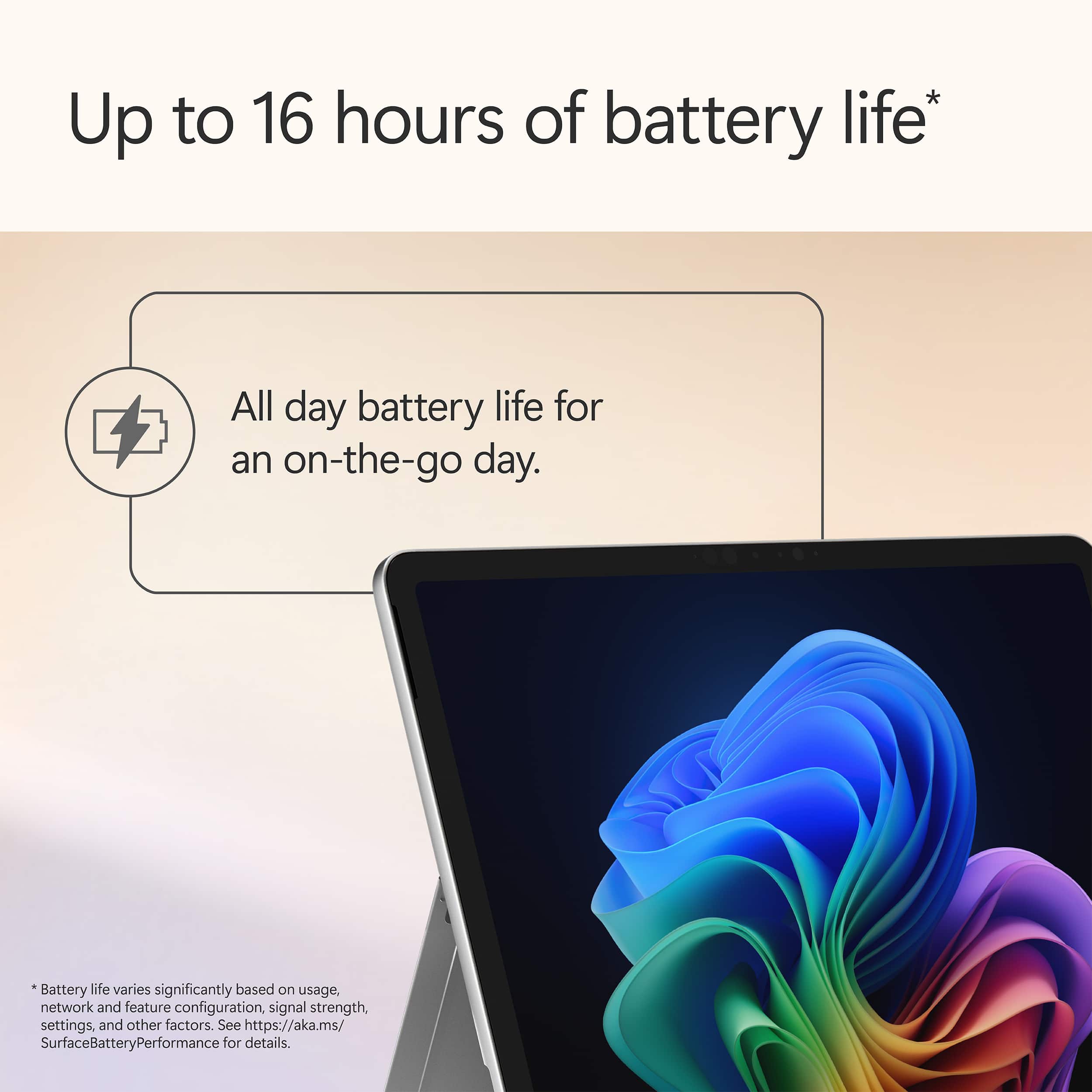
|Posted .This reviewer received promo considerations or sweepstakes entry for writing a review.There's so much to love about the new Surface Pro Copilot+ PC 12". Everything from the premium materials to the battery life makes this one of the best PCs that I've used. Copilot: Can we have a heart to heart? Microsoft Copilot might be one of the greatest features in the history of computing and I don't think many people understand how useful it can be day-to-day. Think about how you would normally troubleshoot an issue with your computer. Typically, you would jump on the internet and possibly spend hours reading blogs, articles, or even watch videos searching for a solution. With Copilot, simply launch it from the task bar and type in the symptoms you're experiencing. Copilot not only will do all of the legwork but, like a personal tech support assistant, you can even prompt it to help walk you through the issue. Oh, and it does all of this in seconds. Not only are you getting a powerful computer but you're also getting a personal assistant. It's a game changer for productivity. Battery Life: I was honestly shocked by how long the battery lasted between charges on the 12" Surface Pro. This PC is rated for up to 16 hours - which might be a bit generous but I came close enough with mixed use to make me a believer. Thanks to the Snapdragon X Plus processor, I was able to land somewhere in the 12-14 hour range. As far as I'm concerned, that IS all-day battery life. Due note, you will want to pick up a charger or use one that you already have because this does not come with one - you will need a charger that is at least capable of 27W. Build Quality: Microsoft chose premium materials on this Surface Pro and it shows. The whole body is aluminum and it feels incredibly rigid while being one of the thinnest PCs I've personally used. The kickstand hinges are also confidence inspiring - allowing you to recline the PC however you see fit without movement while using it as a tablet. Screen: The screen, without getting too technical, is brilliant. Rich colors, HDR support, pin-point touch accuracy - I have zero complaints with the LCD on the Surface Pro. I do wish the screen was a tad larger but I typically connect my Surface Pro to an external display if I'm at home or in the office so it's not a deal breaker for me. Cons: There is only one major issue I have with this Surface Pro. CAN WE GET RID OF THE 256GB configuration?!?! Seriously, I understand that some will opt for cloud storage but 256GB is nothing in 2025. If Microsoft want's to lean into cloud storage, then they need to release a Surface Pro Cloud or something to that extent. There is nothing "Pro" about 256GB of storage in my opinion. The windows operating system takes up more storage than I would like. Expect to only have 200GB of usable storage after simply turning it on. The worst part is that you can't expand it. If you purchase this PC be prepared to use the cloud or have external drives at the ready. Summary: As a creative professional, the surface pro was able to handle all the creative software I use on a daily basis while staying cool and perfectly silent thanks to the fan-less design. You do still need to manage expectations with regard to tasks like video editing, but this really is a powerhouse on-the-go. I can't stress this enough - make sure you evaluate your storage needs when making your decision. I would highly recommend the Surface Pro to anyone from students to professionals.
I would recommend this to a friend