Customer Ratings & Reviews


- Model:
- 25O-00061
- SKU:
- 6432788
Rating by feature
- Value
Rating 4.1 out of 5 stars
- Quality
Rating 4.5 out of 5 stars
- Ease of Use
Rating 4.7 out of 5 stars
Customers are saying
Customers value the Surface Pro X Signature Keyboard with Slim Pen for its high-quality keyboard, responsive pen, and ease of use. Many appreciate the lightweight and sleek design, finding it comfortable and convenient for both typing and note-taking. While some find the price to be high, the overall positive feedback highlights the keyboard and pen's excellent performance and integration with Surface Pro devices. Concerns regarding battery life were also noted by a few users.
This summary was generated by AI based on customer reviews.
- Pros mentioned:Keyboard quality, Pen

Must have SurfaceX pro accessory for productivity
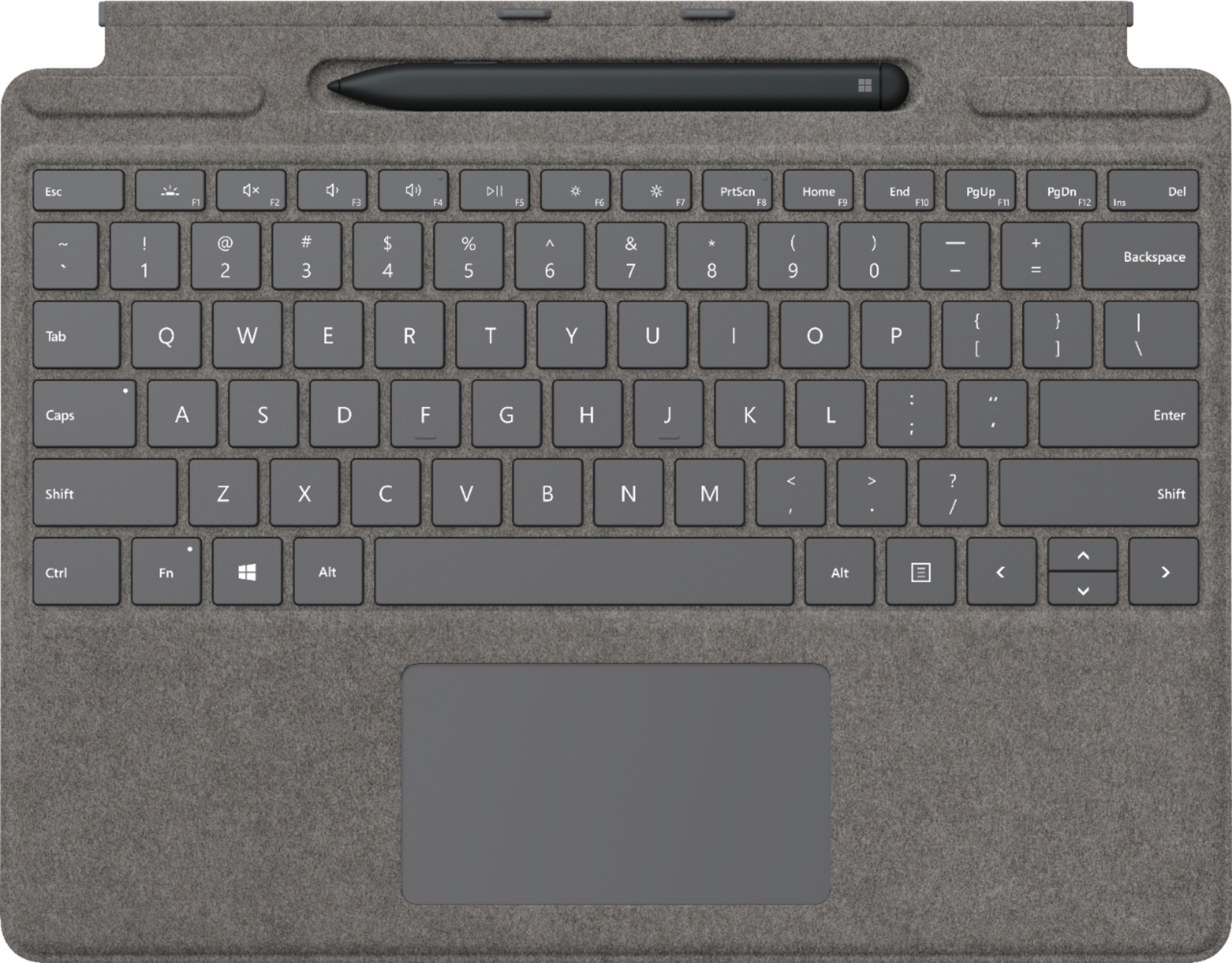
|Posted .This reviewer received promo considerations or sweepstakes entry for writing a review.This is a must have accessory for surface X pro if you need to be more productive and want to use the tablet as full functional laptop. If you don’t need the slim pen then you can just purchase the keyboard alone for $139. Keyboard is alcantara finish black color that snaps magnetically and has a slot for storing the pen and charging. Slim pen is rechargeable and will automatically position itself if inserted in the wrong direction (upside down) for storing and charging. When the pen is charging it has a small LED that lights up. Slim pen is very handy and when lifted from the charger displays two options on the screen whiteboard and Fullscreen snip. Pen when clicked at the rear button opens the whiteboard and you have options to select different tips and colors for drawings. It also has a cool ruler where you can select and draw straight lines. You can also select eraser from the tool or you can use the end of the pen to erase like regular eraser on the screen. Very cool and clever design. There are different options to change the settings of the rear button of the pen. You can select what happens when the pen button is pressed once, pressed twice, fonts for handwriting and so on. Also, when you slide the keyboard in an angle it hides the pen and to me it’s a great design and will function like a laptop. It comes with backlight for keys on keyboards which is very handy when working in dark areas and nights. Not sure if older keyboard of previous generation is compatible but it may not. Overall very good add on accessory that is a must for surface X pro for productivity and as case cover for added protection.
I would recommend this to a friend - Pros mentioned:Keyboard quality, Pen
Why haven't you bought this yet?
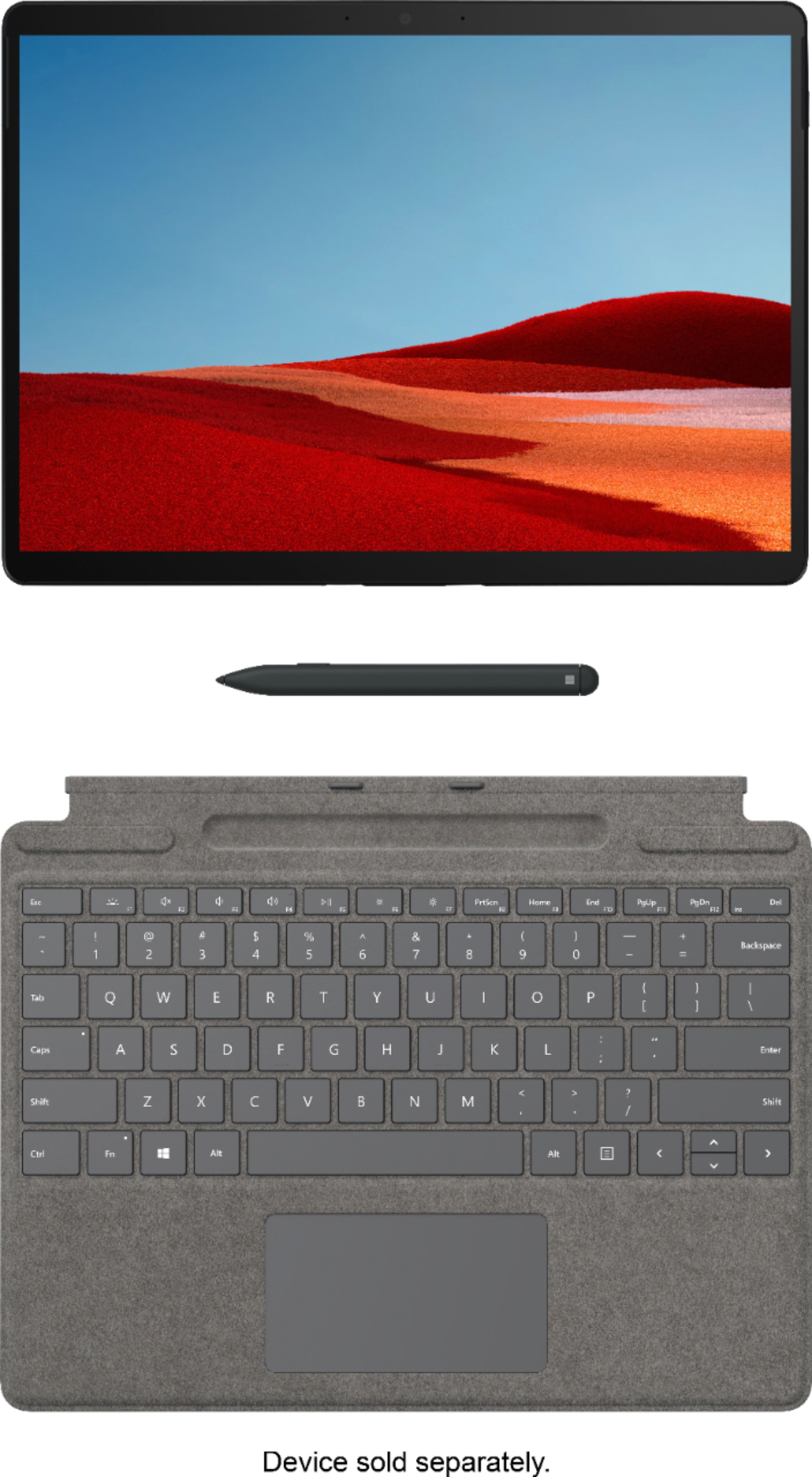
|Posted .This reviewer received promo considerations or sweepstakes entry for writing a review.I'm sorry to tell you if you purchased the Surface Pro X without this keyboard / pen case, you've made a mistake. Not to fret, that can be quickly remedied by picking up this keyboard case. You can tell the computer and keyboard case were engineering together. The case snaps so effortlessly into place via magnets and just works. The case draws power from the Surface so it’s always ready when you are. The surface (no pun intended) of the keyboard case has a texture that just feels good, and holding the Surface Pro X in this case feels as comfortable as carrying around a paper notebook. Even when I wasn’t planning to use the Surface, I found myself carrying it around “just in case” I had something I needed to use it for. This keyboard case has an insert for the Surface Pen, which automatically orientates the pen correctly and wirelessly charges it. It also smartly tucks away the pen area while the keyboard is in use. I have 2 small gripes with the keyboard case: 1. Using the Surface as a tablet with the keyboard case flipped around the back felt awkward the keys pressing against where it was resting. I’ve seen other designs where a keyboard case had a flip over cover that might be an improvement over this, but it’s a small thing compared to how much I love this case. 2. Due to the pen insert hiding away while they keyboard is in use, the keyboard near the screen is raised slightly and at certain viewing angles obstructs a tiny portion of the taskbar. It’s not enough to prevent you from seeing things in the taskbar and clicking on them, but at certain angles is just enough to be annoying. This is most noticeable when using the Surface in your lap rather than at a table where you likely will have a different viewing angle. - Surface Pen: 4.9/5 If you’re going to get the case, it comes with the pen, which is awesome because they were clearly designed for each other. If you are interested in drawing or jotting down freehand notes, the pen is great. I find myself using the pen in place of my finger in tablet mode because it just feels good. The pen itself is very well designed. The flat shape of it, the weight of it, and the length of it all feel like the perfect combination. I don’t know if they could improve on the physical design of it. The back of the pen has a button you can press or double press, and the Surface lets you create shortcuts for what those presses do. By default, it launches the drawing app with either press. A neat surprise was figuring out while drawing you could flip the pen over and it will naturally act as an eraser. Extremely clever design and not something I would have ever thought to include. The responsiveness of the pen takes a little getting used to. The Surface starts tracking the pen with a visual circle cursor like indicator when you get close to the screen, though it doesn’t respond until you physically touch the screen. At first it made me feel like there was a bit of a lag, but I think it’s a perception issue that you get used to after some continued use. P.S. I reviewed this case and pen along with the Surface Pro X on the Surface Pro X page, but I've included the highlights for these specifics products here as well.
I would recommend this to a friend - Pros mentioned:Keyboard quality, Pen
Surface Pro X Necessity
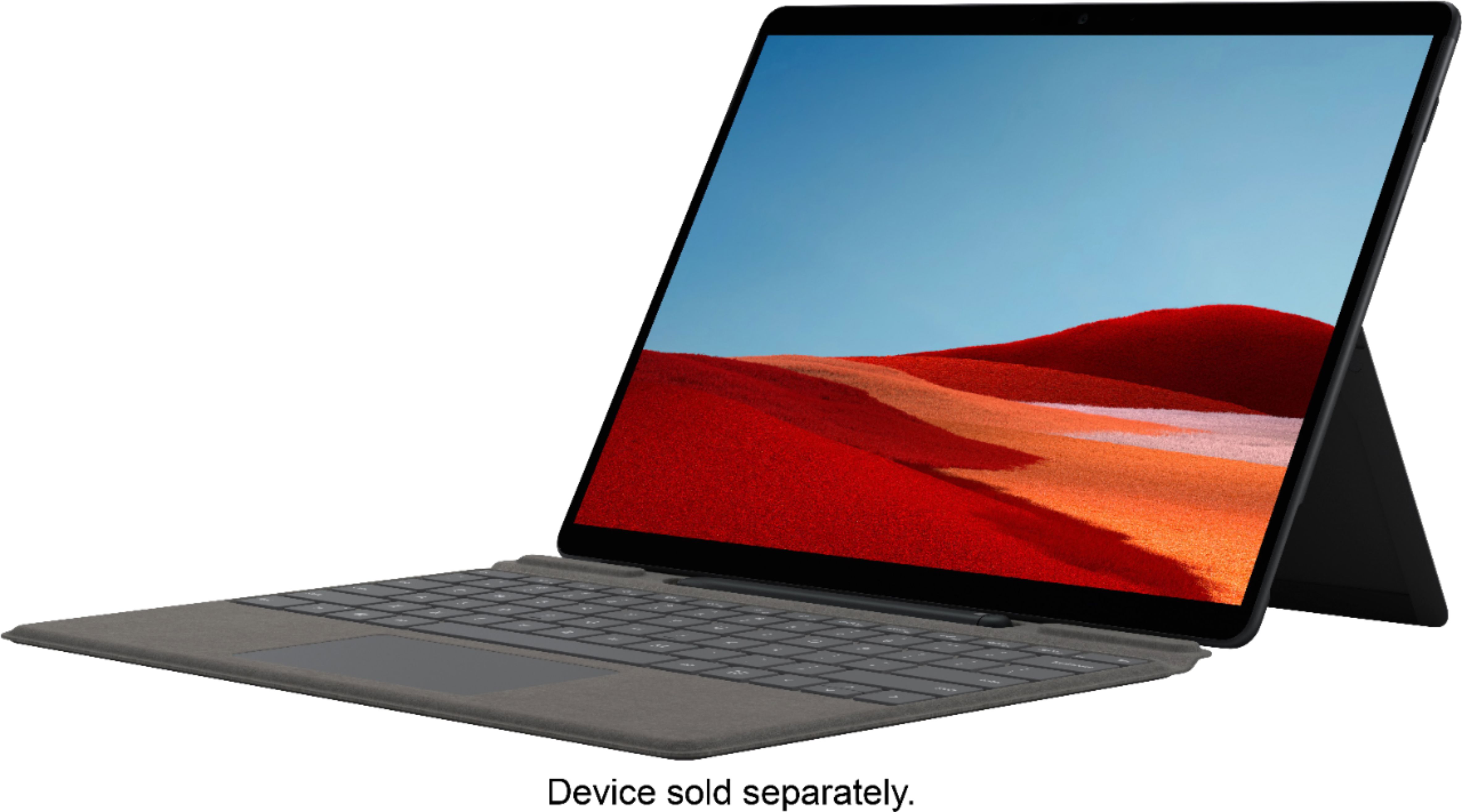
|Posted .This reviewer received promo considerations or sweepstakes entry for writing a review.It's obvious that this Signature Keyboard and Slim Pen were designed alongside the Surface Pro X as they function so well together. Build quality is excellent and I would expect nothing less from Microsoft. The Alcantara material that was used to cover the keyboard is super soft to rest your palms on while typing and I trust it to protect my Surface Pro X's screen while not in use. Attaching the keyboard to the Surface Pro X is seamless as it just snaps in place. The keys are full-sized, tactile, and responsive. Typing longer documents is quite comfortable. Backlit keys make it easy to keep working even in the dark. The slim pen fits perfectly into its designated slot and uses contact charging so it is always ready when you need it. The pen is accurate and responsive for taking notes or working on creative content. My personal favorite use for the slim pen is navigating through Excel documents quickly and effortlessly. When you don't need the pen, the keyboard can be lifted. This hides the pen and makes for a laptop-like experience as the keyboard will hide the lower bezel on the Surface Pro X. Overall, I love this keyboard pen combo. If you're in the market to purchase a Surface Pro X, I think this is as absolute necessity that maximizes the potential of the device.
I would recommend this to a friend - Pros mentioned:Keyboard quality, Pen
A must have for Surface Pro X
|Posted .This reviewer received promo considerations or sweepstakes entry for writing a review.I just reviewed the Surface Pro X, this is the optional keyboard for it. If you want to use the Surface Pro X for anything other than light usage, you need this. This attaches to the Surface magnetically, all you have to do is put it at the bottom of the Surface near where it should be, and it should pop into place. The material for the keyboard back and non-key areas feels very nice to the touch. On the back it's sort of a faux-suede material, and on the keyboard side it's less suede-like but still nice, and more of a plastic-like material. When closed the Surface Pro X and keyboard fit together like a closed book, it all fits together nicely. The mousepad on the keyboard is a bit noisy for my taste. You could get a wireless mouse to use if it really gets to you, I guess. The Slim Pen is included with this keyboard. I like how the Pen has its own nook between the screen and top of the keyboard. The Pen works really great with the touchscreen as an option instead of using your finger or the keyboard. The drawing app for the Pen is called Whiteboard, and it is already loaded onto the Surface. So far I've only doodled with the app. Anything I have drawn, I click the end of the Pen and I get an option to delete it, and I do. The Pen is a great flat shape, so it can't roll away. The Pen charges when you put it back into its little nook on the keyboard. Overall the keypad is a nice accessory, even though you really need it.
I would recommend this to a friend - Pros mentioned:Ease of use, Keyboard quality
Necessity for the Surface Pro X
|Posted .This reviewer received promo considerations or sweepstakes entry for writing a review.This keyboard and slim pen bundle is a necessity if you want to get everything you possibly can out of your Surface Pro X, especially if you plan on using Microsoft Word. I always prefer using the trackpad to click things, rather than using the touch screen. Typing is so much easier and much faster with the keyboard over using the on screen keyboard. The slim pen is also super handy, I love being able to use the whiteboard program to take quick notes when needed. I also love how you can hide the pen in the keyboard when it's not in use. No complaints overall. It's thin, backlit, very responsive, and easy to use.
I would recommend this to a friend - Pros mentioned:Pen
Its just OKAY
|Posted .This reviewer received promo considerations or sweepstakes entry for writing a review.Once I received the Surface Pro X, and the Signature Keyboard w/ pen I put the computer into the keyboard. I love the Surface Pro X (see my review) I am very impressed with it. And that is coming from an Apple fanatic. BUT, I am not as impressed with the Signature Keyboard with Slim Pen. (The pen is a great asset - the case not so much). As far as the outside of this case, I like the feel, the “top” cloth like material is nice. The bottom is tacky enough that it doesn’t slide around. The problem I have is with the inside. The keyboard itself is well laid out. It is comfortable to type on it, as I am now, the keys are responsive and have the same feel as if you are typing on a computer keyboard. I have no problem with the layout. I have no problem with the Slim Pen storage, its out of the way until you need it, and removing and replacing into its storage slot is easy. (More on the pen later) My issue is with the case itself. It doesn’t seem to fit exactly right. I don’t like the way you use the stand, it seems to me like the Surface Pro itself could dislodge and come out of the slot. I am not much on the case, the Slim Pen is another story. I love it, way better than the Apple Pencil. I love how it feels in your hand, I love the response it has with the Surface Pro X. I love how you can transition to a white board seamlessly. I love how easy it is to write, draw, edit, or just doodle, its fun to use. Microsoft hit a home run with the Slim Pen. They flew out to the catcher on the case. That’s the reason for my 3 stars, if I could have just reviewed the Slim Pen - 5 STARS The Signature Keyboard case - 1 Star.
No, I would not recommend this to a friend This Keyboard and Pen put it over the top for me
|Posted .This reviewer received promo considerations or sweepstakes entry for writing a review.I will preface this by saying that you can also read my review of the Surface Pro X SG1, 8GB Ram, 256GB SSD. It has a full review of both. I will use this to just give details on my experience with the keyboard and Pen. The keyboard was a surprise to me. I had not used a Surface Pro before I bought this one. I had used a friend’s older version a few years back. What I expected and what I ended up getting were quite different. From my previous experience with keyboards on tablets, they vary greatly. One thing is clear in my opinion is, you do get what you pay for. Most that I have used have felt cramped and cheap. That is not the case with this keyboard and pen. First of all the design is great. The fact that the pen stays put tucked in until you need it is very practical. It also ensures it won’t get lost as easy. The keys are easy, not noisy. You can experience more of a “click” sound when operating on a harder/thinner surface. Most of the time I am using this on a softer surface or a thicker table which minimizes that extra sound, but to be honest, you would get that from almost any keyboard. The pen is really usable. I was able to annotate within all my MS Office Apps and using the whiteboard worked flawlessly. The erase was accurate and not frustrating like with other pends I have used. I also did not find my hands struggling with this keyboard. I don’t have huge hands but as most of us know, working on a keyboard on a 15in machine is different than a 13in machine. This is the first keyboard where I really didn’t “struggle” with that difference. As I said in my overall review of the Surface Pro X, I am impressed enough to move to it for my every day and travel Windows machine. It was definitely the keyboard and pen that pushed that over the line for me.
I would recommend this to a friend- Pros mentioned:Keyboard quality
A MUST FOR THE SURFACE PRO X
|Posted .This reviewer received promo considerations or sweepstakes entry for writing a review.I would highly highly recommend you buy this along with the surface pro x. I got the keyboard and pen with mine and definitely made my life so much easier. It is a full backlit laptop keyboard along with mouse touch pad. The pen is a little oddly shaped, but works well. The keyboard also serves as a nice cover for the surface as well.
I would recommend this to a friend - Pros mentioned:Pen
Must have
|Posted .This reviewer received promo considerations or sweepstakes entry for writing a review.If you get the Microsoft surface tablet you must get the keyboard and pen. Not only does it protect the screen you have a mouse pad and a section to house and charge the pen. Perfect combo.
I would recommend this to a friend Perfect match for the PRO X
|Posted .This reviewer received promo considerations or sweepstakes entry for writing a review.Quality product that matches and is fully interoperable with the Surface Pro. Keyboard protects the screen for travel as well as is fully functional with stylus. Suggest a BT mouse for ease of use.
I would recommend this to a friend- Pros mentioned:Keyboard qualityCons mentioned:Price
Great keyboard
||Posted .This reviewer received promo considerations or sweepstakes entry for writing a review.Great keyboard, the prop up and hiding pen function is amazing. Keys have good travel and feel great to type on. Trackpad could be a bit bigger, but I don't use it much because the tablet has a touchscreen. Way too expensive though, given how the Pro X needs a keyboard to really function.
I would recommend this to a friend - Pros mentioned:Keyboard quality, PenCons mentioned:Price
Very convenient!
||Posted . Owned for 3 weeks when reviewed.This reviewer received promo considerations or sweepstakes entry for writing a review.Does well with the surface x and love that it chargers the pen in the keyboard. Does have a bit of issues with reading the keyboard if turned on from sleep mode. Not the greatest price for something that is considered a laptop and then having to buy the keyboard.
I would recommend this to a friend - Pros mentioned:Keyboard quality, Pen
Very Pleased
||Posted . Owned for 2 months when reviewed.This reviewer received promo considerations or sweepstakes entry for writing a review.Once I got past that every tablet manufacturer fails to include keyboards as a "base" necessity, then the hope is the keyboard you are most certainly obligated to purchase, performs well. I do like this keyboard a lot. It is much better than the legacy Surface keyboards in both fell and responsiveness. The inclusion of a place to secure and charge the Slim Pen is a great feature. If you own a Pro X, then this keyboard is a must.
I would recommend this to a friend - Pros mentioned:Keyboard quality, Pen
Completes the Surface Pro X
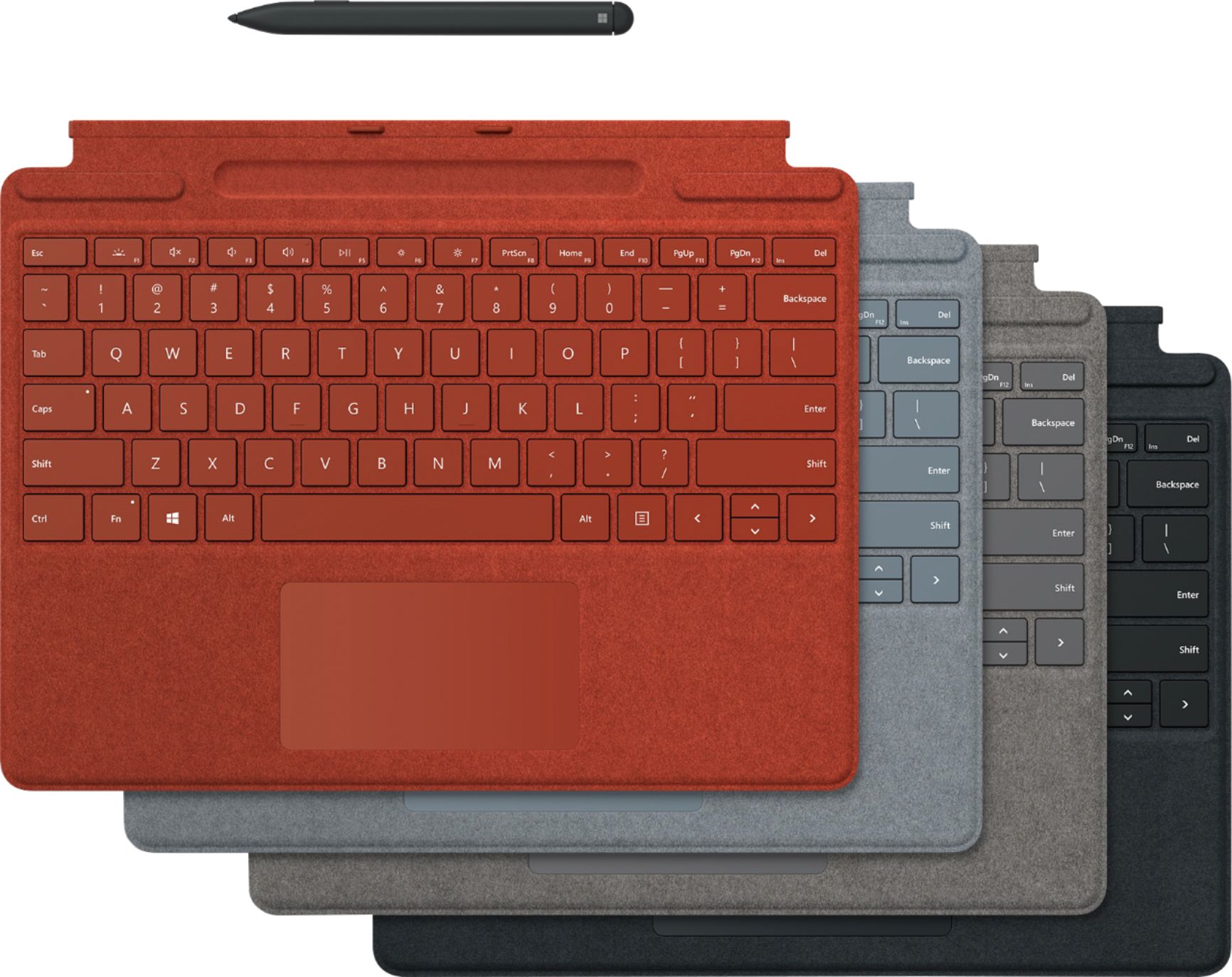
||Posted . Owned for 3 months when reviewed.This reviewer received promo considerations or sweepstakes entry for writing a review.it really does Complete the Surface Pro X, make sure you get the one that comes with the Slim Pen.. its worth it. Having the touch-pad gives you back a traditional mouse & the added control that comes with it.. The backlit keys have several levels of brightness & when you down you just close it up an set it off to the side not worrying if the screen will get damaged, wish the colored versions were the price as the black just to give more color but @ $200 I was happy with Black/Grey
I would recommend this to a friend - Pros mentioned:Ease of use, Pen
Great value
||Posted . Owned for 3 weeks when reviewed.This reviewer received promo considerations or sweepstakes entry for writing a review.Works perfect with Surface Pro. The pen charges while in tray and is simple to use.
I would recommend this to a friend - Pros mentioned:Keyboard quality, Pen
Signature Keyboard
||Posted . Owned for 1.5 years when reviewed.This reviewer received promo considerations or sweepstakes entry for writing a review.This keyboard and pen are easy to use and very transportable. A pleasure to work with. However, for the price, very disappointed that the keyboard only worked for 18 months and then just stopped working. We did buy another keyboard only and was able to use original pen.
I would recommend this to a friend - Pros mentioned:Keyboard quality, Pen
Excellent keyboard for Surface Pro
||Posted . Owned for 1 month when reviewed.This reviewer received promo considerations or sweepstakes entry for writing a review.Works wonderful. Like pen and built in storage location.
I would recommend this to a friend - Pros mentioned:Ease of use
Keyboard
||Posted . Owned for 1.5 years when reviewed.This reviewer received promo considerations or sweepstakes entry for writing a review.Worked for a year then broke. But I use it allot, it works great and looks great as well.
I would recommend this to a friend - Pros mentioned:Keyboard quality, Pen
Keyboard and pen for Surface Pro
||Posted . Owned for 1 month when reviewed.This reviewer received promo considerations or sweepstakes entry for writing a review.This is a great keypad, it has good feedback and the keys are backlighted. That is a big deal. The pen is very useful, I am able to sign documents and letter for work without printing and scanning them. It is definitely worth the money. It is a time saver.
I would recommend this to a friend - Pros mentioned:Keyboard quality, Pen
Decent Keyboard
||Posted . Owned for 1 month when reviewed.This reviewer received promo considerations or sweepstakes entry for writing a review.The keyboard Is pretty good. My favorite part is that the pen has a place, and I do not have to worry about loosing it. The keyboard is a bit thinner than I though, and it is a bit hard to balance on my lap and type at the same time. The magnet to hold the laptop and keyboard is definitely strong.
I would recommend this to a friend