Customer Ratings & Reviews


- Model:
- 25O-00061
- SKU:
- 6432788
Rating by feature
- Value
Rating 4.1 out of 5 stars
- Quality
Rating 4.5 out of 5 stars
- Ease of Use
Rating 4.7 out of 5 stars
Customers are saying
Customers value the Surface Pro X Signature Keyboard with Slim Pen for its high-quality keyboard, responsive pen, and ease of use. Many appreciate the lightweight and sleek design, finding it comfortable and convenient for both typing and note-taking. While some find the price to be high, the overall positive feedback highlights the keyboard and pen's excellent performance and integration with Surface Pro devices. Concerns regarding battery life were also noted by a few users.
This summary was generated by AI based on customer reviews.
- Pros mentioned:Keyboard quality

Perfect Compliment to the Surface Pro X
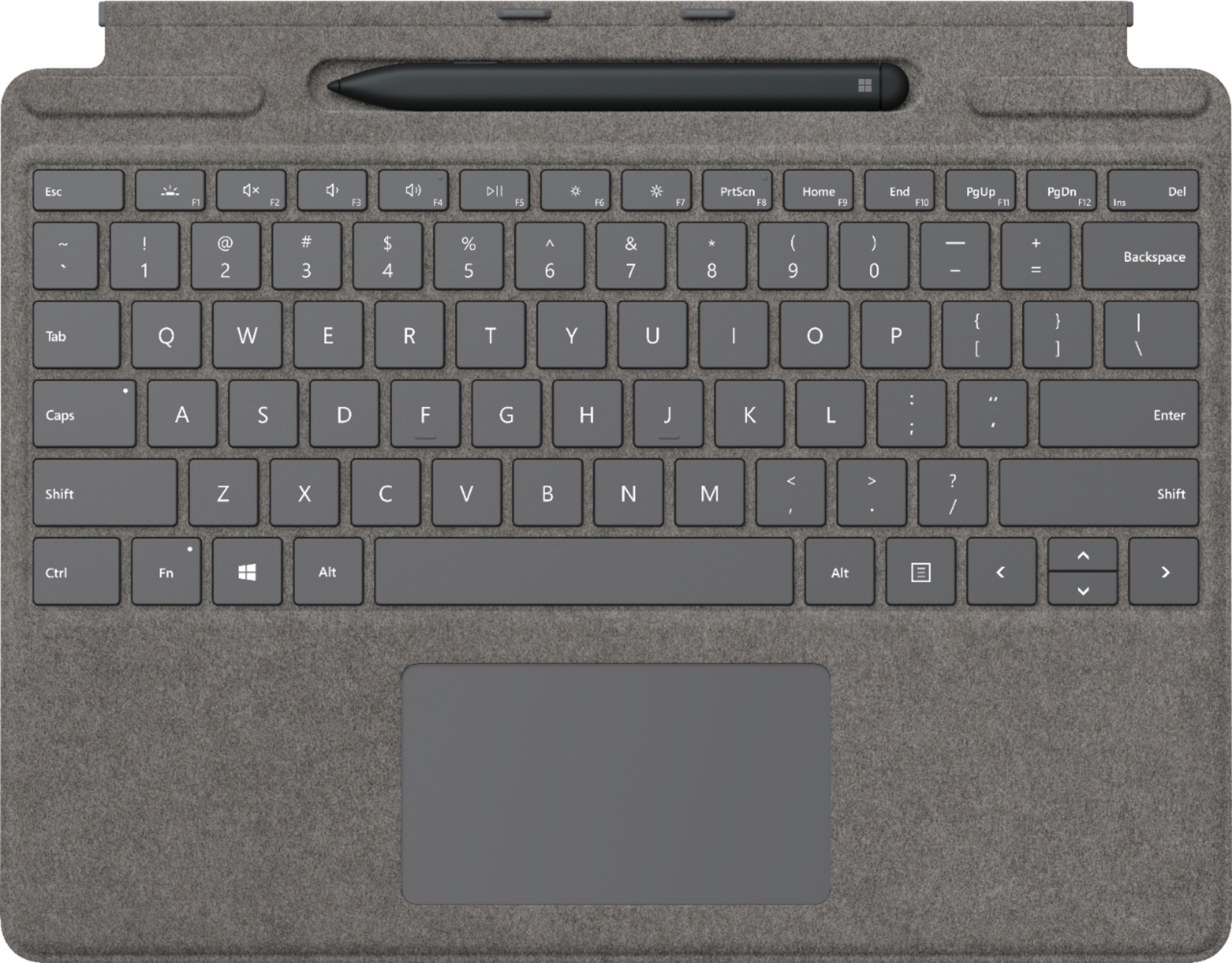
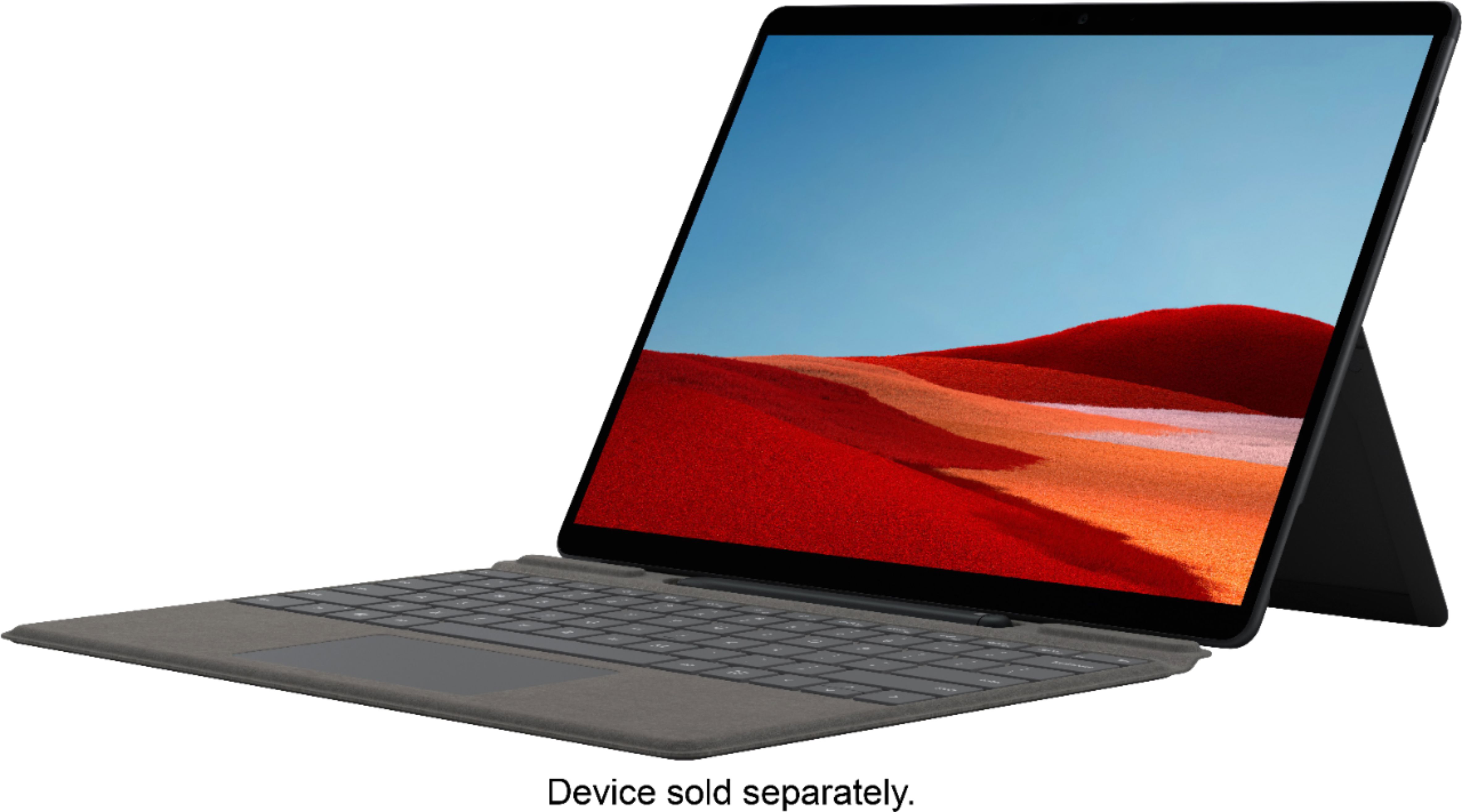
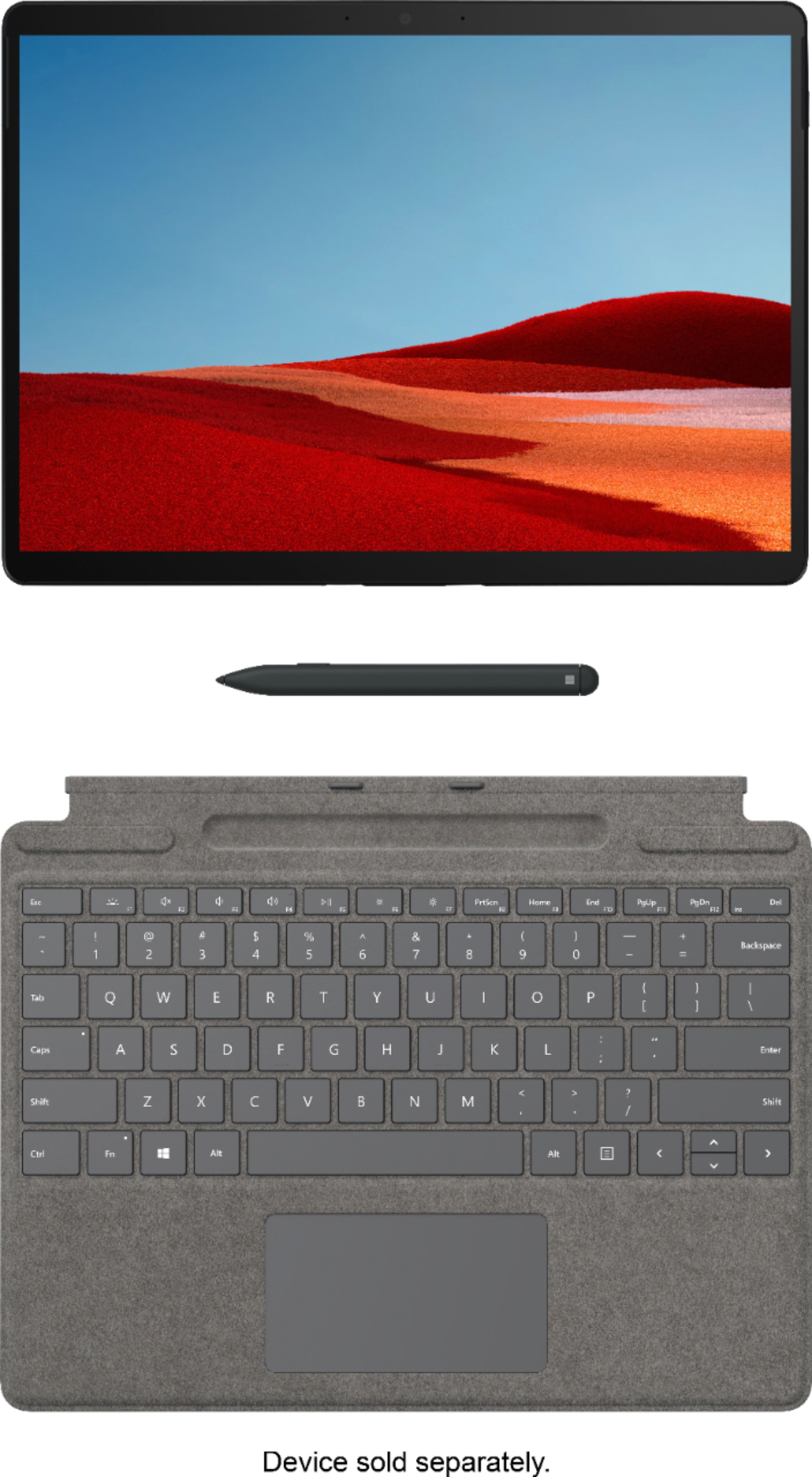
|Posted .This reviewer received promo considerations or sweepstakes entry for writing a review.The Microsoft - Surface Pro X Signature Keyboard with Slim Pen is the perfect compliment to the Surface Pro X. It changes the Surface Pro X from a tablet into a full fledged, productive system. Connectivity to the Surface Pro X is fast and simple. The Surface Pro magnetically connects the keyboard to it base. There are also electrical connections in the keyboard which fit into the Surface Pro X making a perfect snug fit. When not in use, the keyboard folds over the screen to provide protection. The material on the non-keyboard side is Alcantara which feels like a suede-like material. The material is grey and has MICROSOFT embroidered on the bottom. It is very fancy. The keyboard does not cover the back of the Surface Pro X though. So it will not offer any sort of protection for the back of the unit. This keyboard is not like most that are available for tablets. This keyboard offers backlit keys. You are able to cycle through 3 different intensities on the backlit keys for ease of use in dark settings. The actual keys feel nice when typing. There is a good response to let you feel when you actually have pressed the keys down so it feels like you are working on a laptop. The pen that comes with this package is fantastic. With a press of the top of the pen, it comes to life. The feel of the pen is true as well. My signature actually looked like my signature when I used this pen. Drawing with this pen is great as well. Artistic people should love using this pen. When not in use, the pen sits in a well at the top of the keyboard. While there, it actually charges so you don't need to worry about that. There is also a fold in the keyboard case where the pen is located. You can fold the case and hide the pen from site. The case will stay in place as it is magnetically closed. Charging is not really applicable to the keyboard and pen. The pen is able to charge while it is in the well. However, the keyboard draws its power from the Surface Pro X. So as long as the Surface Pro X has power, the keyboard works. This keyboard/pen perfectly accents the Surface Pro X. It takes the Surface Pro X to another level. I would venture to say that if you are going to have a Surface Pro X, then you are going to want this keyboard/pen. It makes the Surface Pro X a fully operational laptop. It is easy to disconnect and reconnect from the Surface Pro X, making it fully function as a 2 in 1 system. I highly remind this to anyone.
I would recommend this to a friend - Pros mentioned:Keyboard quality
The perfect addition to the Surface Pro X
|Posted .This reviewer received promo considerations or sweepstakes entry for writing a review.Having used a Surface Pro 6 for the past year, I found the improvements to this new keyboard to be very helpful. While the display is slightly bigger, the keyboard is sized to accommodate the new screen size. Most of the features are similar to the previous models, but the one feature that really stands out is the pen holder. The pen now resides within the keyboard case and charges as a wireless. attachment held in place magnetically. The keyboard is comfortable and the keys are nicely placed and very easy to press. The keyboard is also back-lit for working in the dark. It snaps into place easily and stays firm when using it. This is a must have for a Surface Pro X if you plan to use it as a laptop. It doesn't add much thickness to the tablet and gives you so much added flexibility. The keyboard, along with the device makes this the prefect office on the go.
I would recommend this to a friend Essential and Excellent
|Posted .This reviewer received promo considerations or sweepstakes entry for writing a review.This Surface Pro X Signature Keyboard and Slim Pen are almost essential purchases for the Surface Pro X in my opinion, and really complete the overall experience. The keyboard itself is a good size overall, about as large as you would expect if it came permanently attached to the computer itself. The Alcantara material that the keyboard is made of feels good, and while I can’t comment on the long-term durability of the material, I have had no issues with stains or oils at all. In fact, I found more fingerprints and oils on the Surface Pro X itself than I did on the keyboard. As for the typing experience, I do a significant amount of typing for work and I found that the key travel feels excellent, with a firm tactile feedback at the bottom of each key press. The keyboard feels very solid as a whole, and after about 30 mins of getting accustomed to the keyboard, I found myself hitting my usual typing speeds with high accuracy in no time. In fact, next to my desktop keyboard, this is probably the best typing experience I have had on an external keyboard. The actual layout of the keyboard helps this, with plenty large keycaps and a dedicated function row which is much appreciated. The backlight has three levels of brightness and is plenty bright for nighttime work. As a nice additional touch, when you flip the keyboard up to store the keyboard with the Surface Pro X, the Surface Pro will enter sleep mode automatically, and then wake up when you pull the keyboard back down. It’s a small, but much welcomed addition. As for usability, the keyboard attaches to the Surface Pro X with magnetic clips on the end of the keyboard and on the bottom of the Surface Pro X. I was a bit worried about the reliability of these magnets, but I found them to be very strong and I had no issues with any unwanted disconnections between the computer and the keyboard. Once attached to the Surface Pro X, the keyboard can be used flat, or tilted up at a slight angle, again with magnets on the top of the keyboard. This is how I imagine most users will want to use the keyboard, and is certainly the most comfortable position to type in. It covers a small portion of the screen when propped like this, but I never found that it impeded usability. The finishing touch on this package is the slim pen, which stores and charges in the keyboard itself. This is easily one of the best pieces of this package, since I never have to worry about the pen running out of battery, or worrying about losing it in my backpack. The pen is stored in its holder at the top of the keyboard with, you guessed it, magnets, and again, I never had any issues with it falling out. When the keyboard is flipped up, it fits naturally in its holder, and when you need to use it, you can simply pull the keyboard down and grab it from its holder. In terms of usability, I found the slim pen perfectly comfortable to write with for extended periods of time. It’s more of a flat shape that definitely took some getting used to, and I would have preferred a more traditionally rounded design, but overall, it was perfectly fine to use for longer writing sessions. The pen felt responsive to my pressure and tilt motions, and I had no issues with palm detection on the screen. The pen itself has a single button on the top which can be mapped to apps, and a button on the side which can be used to erase text or perform additional actions. I did find myself accidentally clicking the button on the side of the pen more often than I’d care to admit when writing, but this is an issue I have always had with digital pens. Overall, I think the pen and keyboard are simply excellent additions to the Surface Pro X, and should absolutely be purchased for anyone interested in the Surface Pro X.
I would recommend this to a friendThis, they got right...
|Posted .This reviewer received promo considerations or sweepstakes entry for writing a review.In my opinion, if you’re going to get the new Surface Pro X tablet, this should be a given. Honestly, I’m not sure why anyone out there would want one without the other. If you would care to enlighten me (seriously), then please comment below. Having this creates the perfect cover for the protection of the screen. It has a good suede-like feel. The magnetic connection, for both the tablet and the pen are set at the perfect strength — not too difficult to make any necessary disconnection. Just below the pen’s cradle is the folding “hinge” enabling the user to gently lift on each end of this part to create a comfortable typing angle (whilst also hiding the pen away from the dangers of the world). I’m not certain how Microsoft did this, but the feel for a touch typist is vastly improved over most laptops and/or Chromebooks. My wife loves this feel. It’s the best feel. Nothing else has a feel as good as this…. The pen is comfortable to hold and seems extremely accurate when doodling, erasing, etc. (Noted: I have a lot to learn about what this pen is truly capable of…as well as not dangling my prepositions, but I digress.) The pen is also securely cradled magnetically in it’s custom charging bed. No worries here of loosing the pen as long as you have it nestled down, which I think would be difficult to mess up since the cradle snatches it away from you as you get close. Science! As I alluded to earlier, I’m not certain why the keyboard/pen is even offered separately and not simply bundled together with the tablet by Microsoft. As far as I know, most retailers are taking care of this issue anyway, making it seem like some amazing discount or something.
I would recommend this to a friendKeyboard review
||Posted . Owned for 8 months when reviewed.This reviewer received promo considerations or sweepstakes entry for writing a review.Did not last a year and stopped working. Prior to failure worked fine.
No, I would not recommend this to a friendA natural accessory to the Surface Pro X
|Posted .This reviewer received promo considerations or sweepstakes entry for writing a review.There's really not much to say about the keyboard & pen. They do exactly what you want them to do. A nice feature of the keyboard is the backside of it is felt lined. It's fairly rugged as well. Doesn't feel flimsy or easily breakable. There is a nice satisfying tactile click when pressing keys. And it's full QWERTY minus the number pad. The trackpad is responsive as well. Oh, and it's LED back lit. The pen is quite useful as well. It can actually replace most keyboard typing. It's sensitive and accurate to the touch screen. Its held magnetically in the pen area of the keyboard for storage which is nice.
I would recommend this to a frienddefect and over priced
||Posted .This reviewer received promo considerations or sweepstakes entry for writing a review.not so good had to return because meteral comming unglued from seams
No, I would not recommend this to a friendMicrosoft - Surface Pro X Signature Keyboard
||Posted . Owned for 8 months when reviewed.This reviewer received promo considerations or sweepstakes entry for writing a review.It is not working after 7 months from purchase date
No, I would not recommend this to a friendBrand response from MicrosoftOutreachTeam
Posted .Hello Harry,
We're sorry that there's an issue with your Surface Pro X Signature Keyboard. We recommend contacting our team at Microsoft Support for assistance here: https://support.microsoft.com/en-us/help/4023527/surface-how-to-get-service-for-surface
Hope that helps,
Chuck
Surface Customer Care
- Pros mentioned:Keyboard quality
Great Keyboard and Pen
|Posted .This reviewer received promo considerations or sweepstakes entry for writing a review.The is keyboard and pen combo works great. The keyboard works just as good as the keyboard for my Surface Pro. I like the pen better than my Surface Pro. Being able to charge the pen tucked away in the keyboard is awesome. No more having to worry about replacing batteries like I did for the pen for my Surface Pro.
I would recommend this to a friend Meter
Posted .This reviewer received promo considerations or sweepstakes entry for writing a review.Good product ……..…………………….……………….. …………………….
I would recommend this to a friend- Pros mentioned:Keyboard quality
Love it
Posted .This reviewer received promo considerations or sweepstakes entry for writing a review.very slim great keyboard magnets hold good. It was worth the price tag
I would recommend this to a friend - Pros mentioned:Weight
Light weight and perfectly sized
Posted .This reviewer received promo considerations or sweepstakes entry for writing a review.This keyboard is light weight and just the right size.
I would recommend this to a friend