Customer Ratings & Reviews

- Model:
- D7000-100NAS
- |
- SKU:
- 4370900
Customer reviews
Rating 4.3 out of 5 stars with 836 reviews
(836 customer reviews)to a friend
Customers are saying
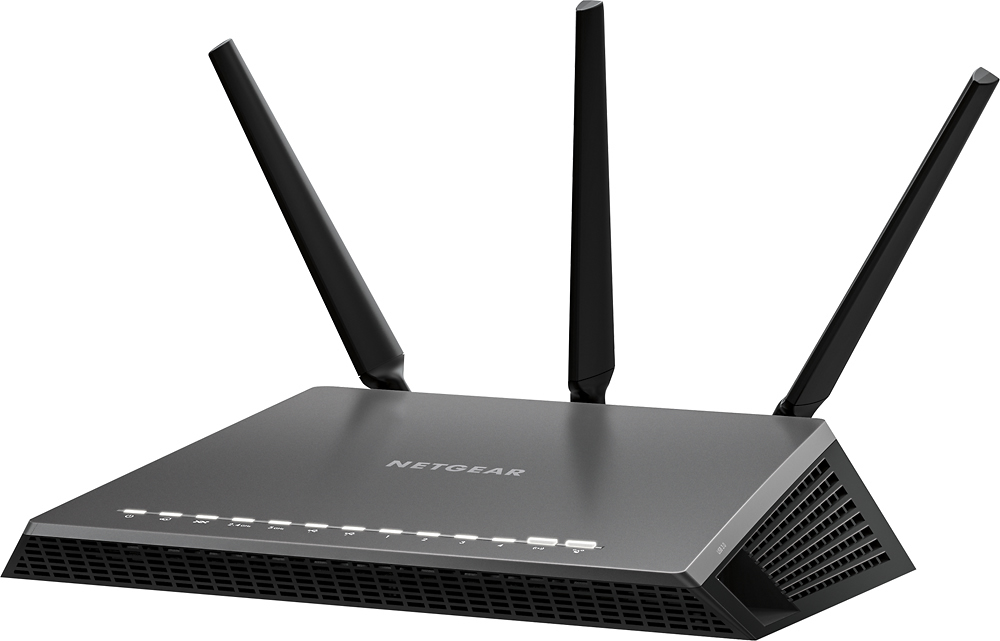
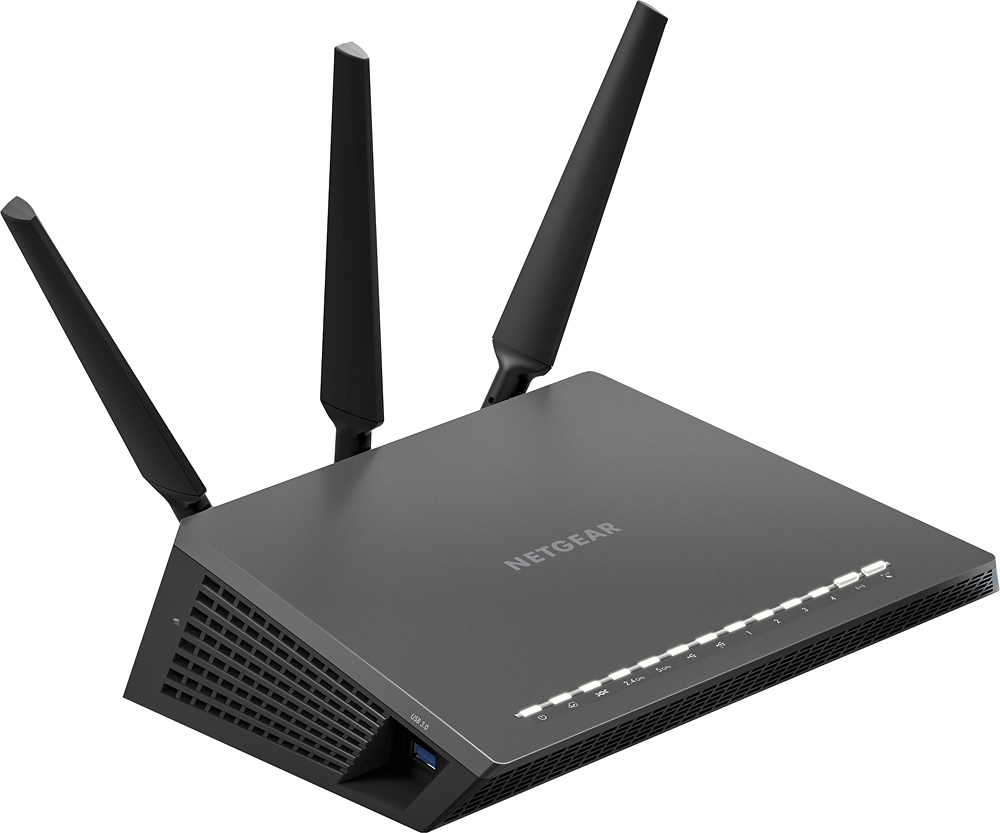
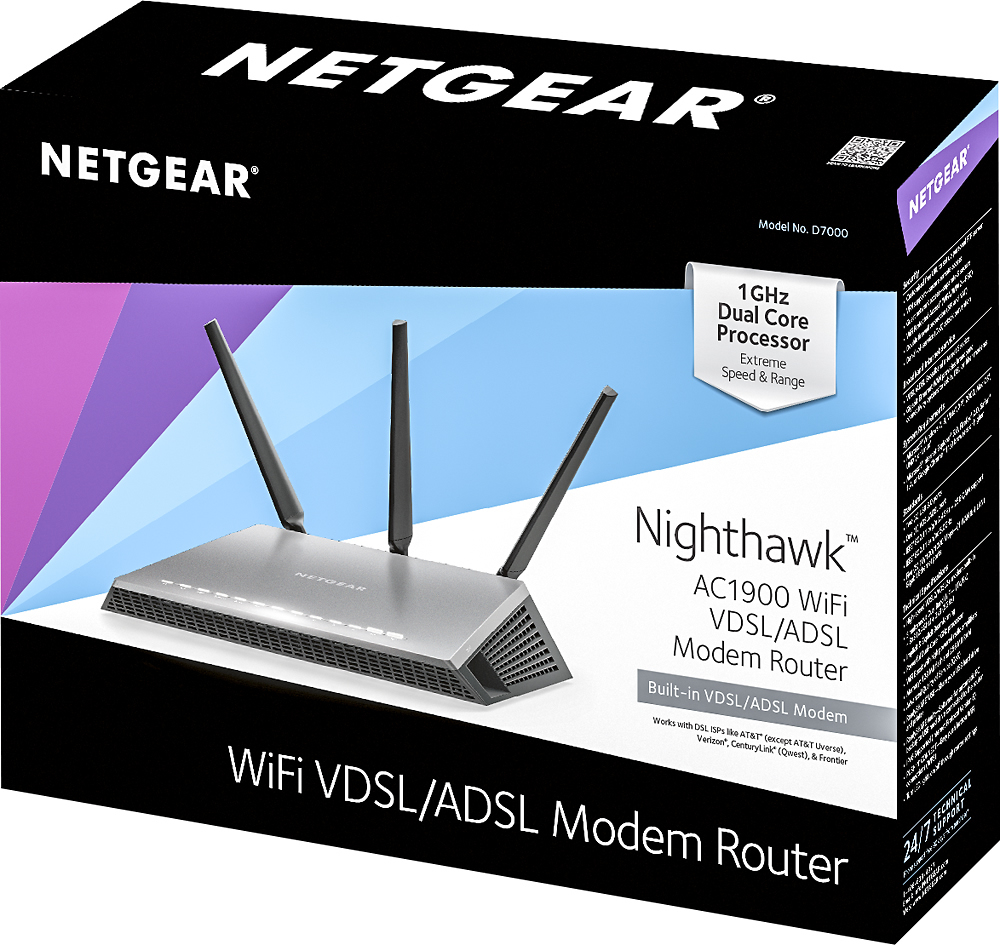
Customers praise the Nighthawk AC1900 Wi-Fi Router with VDSL/ADSL Modem for its ease of use, strong performance, and wide range. Many appreciate the quick and easy setup process and reliable Wi-Fi signal, resulting in excellent coverage throughout their homes. However, some customers find the router's size to be a drawback, and a few mention that the price point is relatively high. The strong performance and broad coverage generally outweigh these concerns for most users.
This summary was generated by AI based on customer reviews.
Rated 1 out of 5 stars
Bad
||Posted .This reviewer received promo considerations or sweepstakes entry for writing a review.This did not work for me so I returned the router not happy
No, I would not recommend this to a friendRated 1 out of 5 stars
Doesn't work need to return it
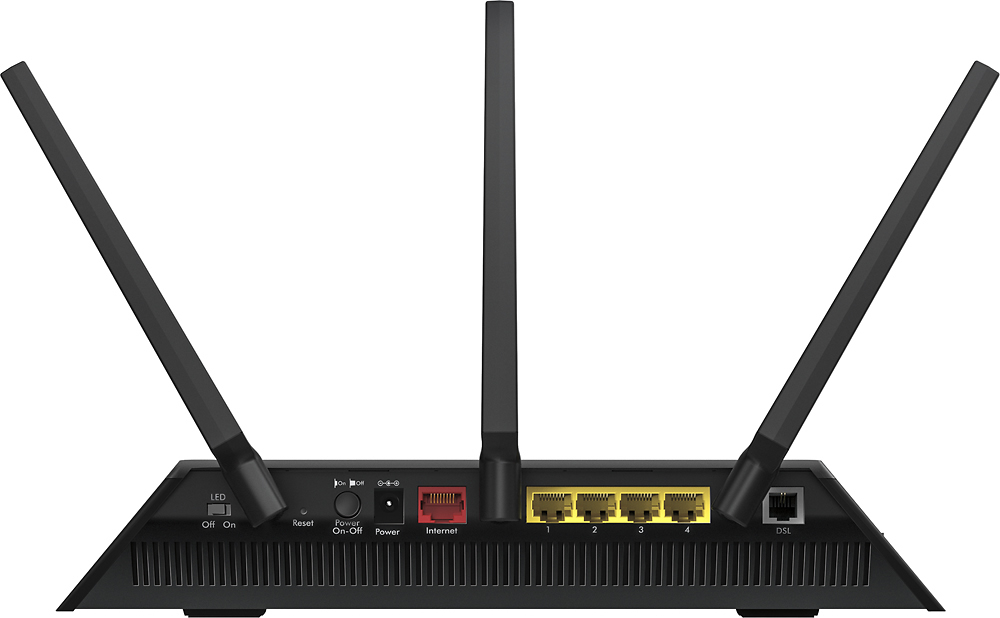
||Posted .This reviewer received promo considerations or sweepstakes entry for writing a review.The instructions suck. The modem router does not have a coax connection
No, I would not recommend this to a friendRated 1 out of 5 stars
poor product
||Posted .This reviewer received promo considerations or sweepstakes entry for writing a review.I have to reset constantly ,plenty of time away from the computer
No, I would not recommend this to a friendRated 1 out of 5 stars
No longer have
||Posted .This reviewer received promo considerations or sweepstakes entry for writing a review.Did not open box, was not compatible with Century link.
No, I would not recommend this to a friendRated 1 out of 5 stars
Router
||Posted .This reviewer received promo considerations or sweepstakes entry for writing a review.Hate it, hard to set up. No tech support in the USA
No, I would not recommend this to a friend- Pros mentioned:Ease of use
Rated 5 out of 5 stars
Nighthawk AC1900 Wi-Fi Router with Vdsl/Adsl Modem
Posted .This reviewer received promo considerations or sweepstakes entry for writing a review.I found that this modem was very easy to install with my CenturyLink internet service. I did not need any support from NetGear or CenturyLink. All you need is your Internet user name and password from CenturyLink and the Gene does the rest. So far my internet is working great!
I would recommend this to a friend - Pros mentioned:Range
Rated 2 out of 5 stars
Intermittent (Possible 1 time bad-luck experience)
Posted .This reviewer received promo considerations or sweepstakes entry for writing a review.I went online to find the highest end router (at the time) Found the nighthawk at bestbuy, I installed correctly and got it working for a few hours. In those few house I experienced amazing range and wifi speed. But then it suddenly started not working and giving me amber lights, tried everything the manual suggested, no fix. I returned it to best buy and got an asus for about the same price, Its still working to this day. Maybe it was that one defective product, but im gonna try again one day, the dreaded nighthawk. (Possible 1 time bad-luck experience)
I would recommend this to a friend Rated 5 out of 5 stars
DOES WORK WITH CENTURYLINK if less than 10mbps...
Posted .This reviewer received promo considerations or sweepstakes entry for writing a review.There are a lot of reviews stating that this router does not work with Centurylink DSL....this is only true if you have speeds above 10mbps. This product fits a niche nicely for those of us that can not get a faster connection but that are tired of using the terrible quality devices provided from our ISP. The big thing is make sure you contact customer service through centurylink and get your PPP USERNAME AND ACCOUNT PASSWORD. The info is not available without contacting a customer service rep through either a phone call or via their technical service chat. Having my PPP user name and account password was all that was needed to put into the routers interface and I was up and working within ten minutes, and the connection to centurylink is now slightly faster than it was before surprisingly. If your DSL is giving you issues then have centurylink send a technician to measure the signal strength up to the box mounted outside of your home. This is completely free of charge (has been for me anyways the past six times I had centurylink come out and measure until I found the issue inside my home). If the technician confirms the signal strength measures to what you are paying for then ask the technican to connect your box wiring DIRECTLY to the wiring from the provider....no jumpers in-between or splices. If then you still have an issue, the it IS with your phone wiring inside your home that you will need to fix on your own or find someone that can. I finally pulled out all of the old phone wiring from my home and ran a line directly out of the box into the router....completely fixed all the interference issues I was having and have had a stable connection for months that has not dropped out any.
I would recommend this to a friend- Pros mentioned:Setup
Rated 5 out of 5 stars
Must have for centurylink
Posted .This reviewer received promo considerations or sweepstakes entry for writing a review.If you have Centurylink "high speed internet" but are using their router you need to get this. The router they provide is not worth using anymore than the length of time it takes for this ship then throw that thing like a frizbee off a 3rd story balcony. using their router if you are trying to watch a video forget about HD. you'll have to go down to 360p if you don't want buffering and even then you'll still get it, if you hard wire your computer you get 480p...maybe. if you have anything else connected loading a webpage will take a solid minute. if your trying to get anything serious done you'll want to put your head through a wall. now plug this bad boy in and it's night and day. with just wifi I can once again watch a video if glorious 1080p with no buffering with my phone and tv connected. the setup genie is pretty easy to use though make sure you get your ppusername and pppassword from centurylink. and doublely make sure the lettering is correct (they spelt my name wrong and it took them forever to figure that out but thats not the products fault). to have true high speed internet again the price is 100% worth. 10/10 only way to have centurylink.
I would recommend this to a friend - Pros mentioned:Speed
Rated 5 out of 5 stars
Worth the investment
Posted .This reviewer received promo considerations or sweepstakes entry for writing a review.I was on the fence to buy this or keep getting rising modem rental fees from my ISP. I am glad I bought it. I actually get the download speeds I'm paying for. I wasn't previously and even had the repair guy come and check everything. Internet provider sent me another of their modems to see if it helped. It didn't. With this one, my new pastime is running internet speed tests and seeing that the numbers are literally double from the previous modem.
I would recommend this to a friend - Pros mentioned:Performance, Setup
Rated 5 out of 5 stars
works better that the one from wireless company
Posted .This reviewer received promo considerations or sweepstakes entry for writing a review.The one from our wireless company never worked correctly. This one was easy to set up and had a walk through application that guided me for all of the steps. It works great! Now if our wireless company could do better...
I would recommend this to a friend - Cons mentioned:Price
Rated 1 out of 5 stars
A Really Bad Router
Posted .This reviewer received promo considerations or sweepstakes entry for writing a review.This router is horrible and not at all worth the money. I constantly have connectivity issues (devices losing their wifi connection) across several types of devices (smart phones, windows laptop, linux laptop, Roku TV, etc.). Most of the time, I only have 2-4 devices connected (two smart phones, a Nest thermostat, and either my work laptop or Roku TV) and the router still has issues. Google, "Netgear Nighthawk AC1900 connection issues," and you will find hundreds of posts on Netgear's forum with similar experiences.I cannot believe a router at this price point and with overall good reviews is so bad. I have upgraded the router's firmware, evenly split the bandwidth between the 2.4G and 5G bands, tried static IPs, spoken to Netgear tech support (a waste of time), and tried every configuration/recommendation on their website. Nothing has worked. This router is not good at routing (you have one job router!). As a side note, I am pretty good at networking (I have a networking certification from Cisco). Buyer beware.
No, I would not recommend this to a friend - Pros mentioned:Speed
Rated 5 out of 5 stars
the answer to your wall interference problems.
Posted .This reviewer received promo considerations or sweepstakes entry for writing a review.We recently dropped cable one (50mbps) as an ISP and went to dsl (10mbps). We refuse to go back to cable one so weve been toughing it out on a comtrend modem that came free with our service but even it seemed like a piece of furniture let alone walls of multiple rooms would interfere with the signal. I looked over this router at first thinking it was over kill for our slowish service. But this is great it holds steady speed through the whole house and it is completely constant speed, we even get 8 mbps on wifi when before we were getting 7 hard wired if only using 1 device. If you have no other options of ISP this I something that is worth the money.
I would recommend this to a friend - Pros mentioned:Speed
Rated 4 out of 5 stars
Best router for ADSL/VDSL
Posted .This reviewer received promo considerations or sweepstakes entry for writing a review.If you have ADSL/VDSL service it is the best modem for the money. It is super fast and will run circles around vendor modems. Unfortunately CenturyLink uses a hybrid version of this for their fiber network and it doesn't work on it. Check your carrier to make sure their network is compatible with your modem before you buy.
I would recommend this to a friend - Pros mentioned:Performance
Rated 5 out of 5 stars
best router I have ever owned
Posted .This reviewer received promo considerations or sweepstakes entry for writing a review.I've had the NETGEAR - Nighthawk AC1900 Wi-Fi Router for about a year. It has has been flawless, zero drops. great signal strength.
I would recommend this to a friend - Pros mentioned:Range
Rated 5 out of 5 stars
Netgear nighthawk D7000
Posted .This reviewer received promo considerations or sweepstakes entry for writing a review.So far this is the only modem/router that I've owned that was able to plug and play and hook up to AT&T's lame and dysfunctional Internet service. This unit may seem pricey but if your like me living in a rural area stuck with only 1 glorified dial up service, this will relieve you of the aggravation of constant drops and lousy connections. And did I mention the D7000 has excellent range and is packed with many features like cloud backup and remote access thru various netgear apps that are free.
I would recommend this to a friend Rated 5 out of 5 stars
NightHawk D7000 Purchase/Installation/Performance
Posted .This reviewer received promo considerations or sweepstakes entry for writing a review.I upgraded to the Netgear Nighthawk D7000 DSL ADSL/VDSL modem to get better range and streaming ability. First of all the purchase at the local Bestbuy store was a great experience as they price matched Amazon at a lower price. Secondly the modem install was pretty straight forward and painless, all I had to do was enter my user name and password from Century Link and within a few minutes I was up and running. I had some questions which Netgear responded promptly. Lastly I installed the modem a month ago and have had no disconnects or drops. The speed is much better than my old Xycel C1100Z Century Link modem. The video streaming seems to be smoother with minimal buffering. Overall the Night Hawk D7000 DSL ADSL/VDSL Modem is a very good product/value and I wouldn't hesitate to recommend it to anyone who wants to move to AC Wireless.
I would recommend this to a friend- Cons mentioned:Price
Rated 3 out of 5 stars
Difficult to Register
Posted .This reviewer received promo considerations or sweepstakes entry for writing a review.Bought this to replace my failed CenturyLink Modem/Router. It took 3 hours to install and set up all wi-fi connections. Has good wifi covering my two story house and whole city lot. The hardest part was registering it. Netgear does not recognize my @q.com ending e-mail address as valid. And their tech support is just online manuals for the most part so no way to e-mail them and complain. Best Buy is the only other company that has been unable to handle the @q.com ending e-mail address so I no longer get any rewards. Not sure if it will hold up as have only had it 3 weeks but it has not had any problems so far. Not sure if I would buy one again as it is $100 more expensive than a replacement CenturyLink model DSL modem/router.
I would recommend this to a friend Rated 5 out of 5 stars
This thing rocks!!!
Posted .This reviewer received promo considerations or sweepstakes entry for writing a review.Even though to just me here, I have tablets in every room, laptop, printer. I needed something to handle all the traffic. Haven't had a problem with it at all. Works great!
I would recommend this to a friend- Pros mentioned:Speed
Rated 1 out of 5 stars
The worst set up and customer service
Posted .This reviewer received promo considerations or sweepstakes entry for writing a review.We bought this router yesterday to replace an old one. Thought we'd go with a different company, and with this price tag, we expected it to be spectacular. It took my wife and I several hours to get this router working. We are very tech savvy, and were very frustrated with the set up process. They don't provide any customer service phone numbers to assist with setup, and once you are hooked up, you will never get to speak to someone unless you pay??? Once we finally got it working, it had good speed - but not great range, AND we couldn't connect two of our devices - the devices couldn't find the network. We returned the router today. Purchased our old brand; the setup was a breeze, and works beautifully..
No, I would not recommend this to a friend