The vast majority of our reviews come from verified purchases. Reviews from customers may include My Best Buy members, employees, and Tech Insider Network members (as tagged). Select reviewers may receive discounted products, promotional considerations or entries into drawings for honest, helpful reviews.
Page 2 Showing 21-40 of 223 reviews
Rated 5 out of 5 stars
Content Creator Approved
|
|
Posted . Owned for 2 weeks when reviewed.
This reviewer received promo considerations or sweepstakes entry for writing a review.
I absolutely love my Meta Ai glasses. As a content creator they are the last part of my formula. Best Buy was a big factor in my purchase.❤️
This reviewer received promo considerations or sweepstakes entry for writing a review.
Really nice glasses if you’re looking for new cutting edge technology! Music, video camera, and meta live responses and interactions all in one pair of sun glasses!
This reviewer received promo considerations or sweepstakes entry for writing a review.
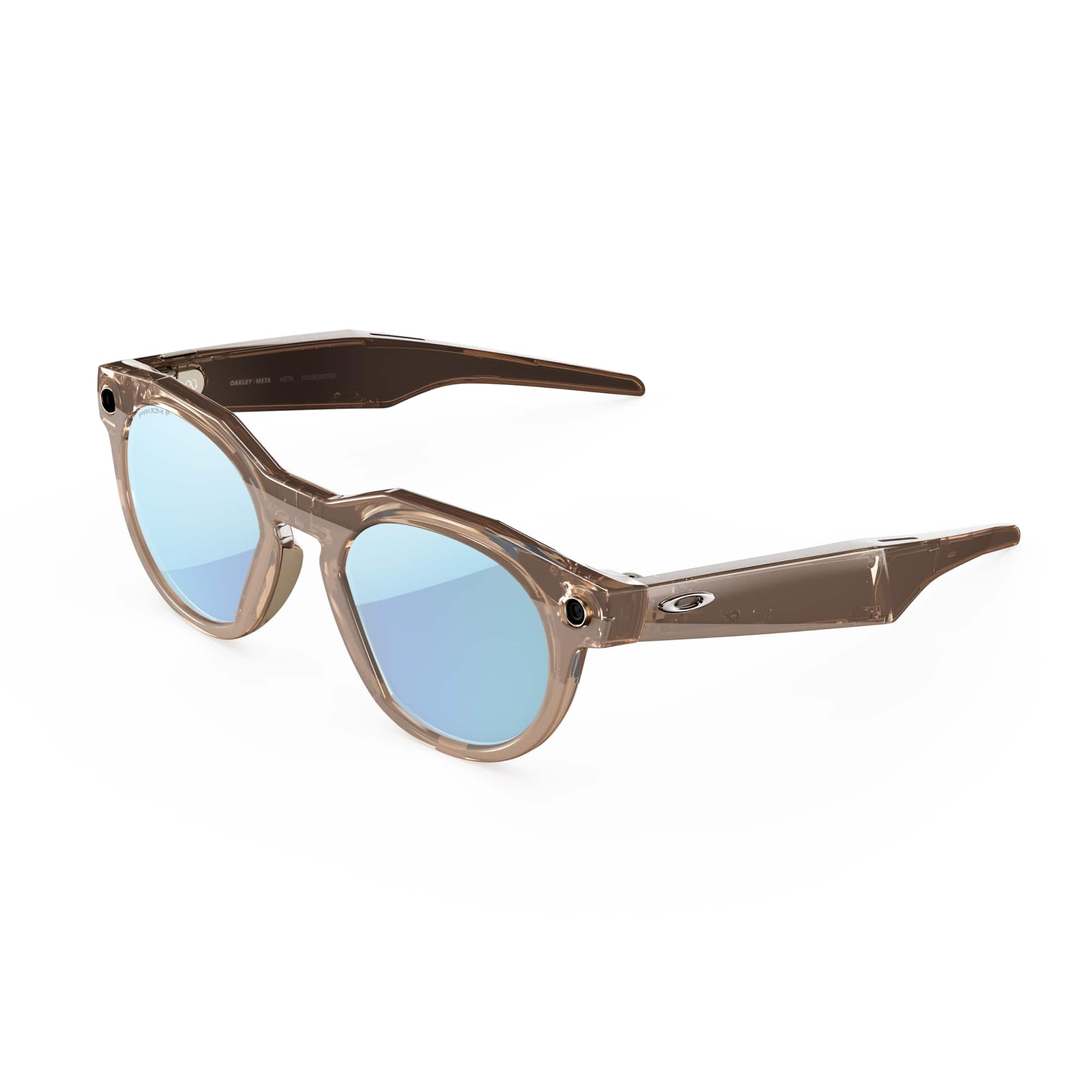
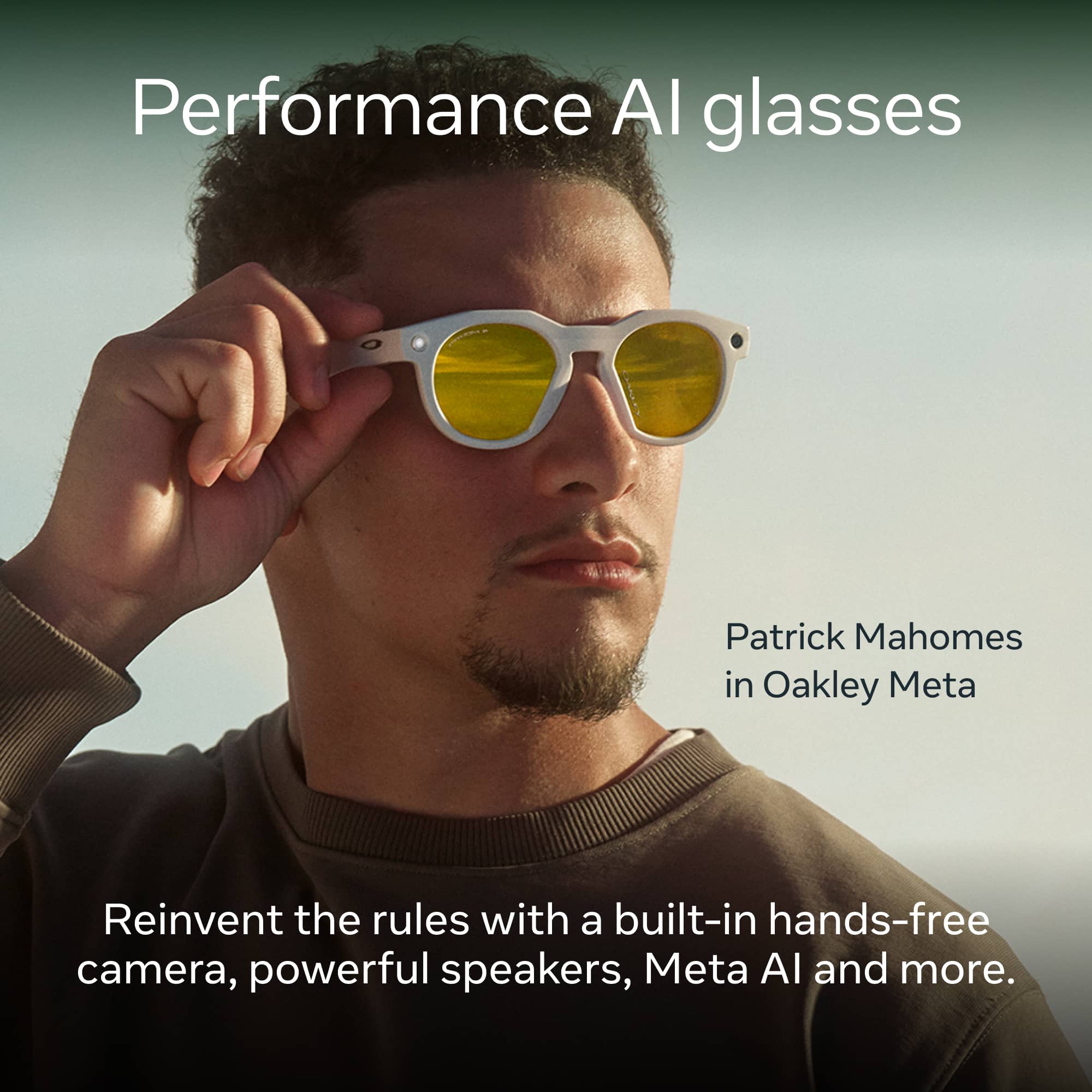
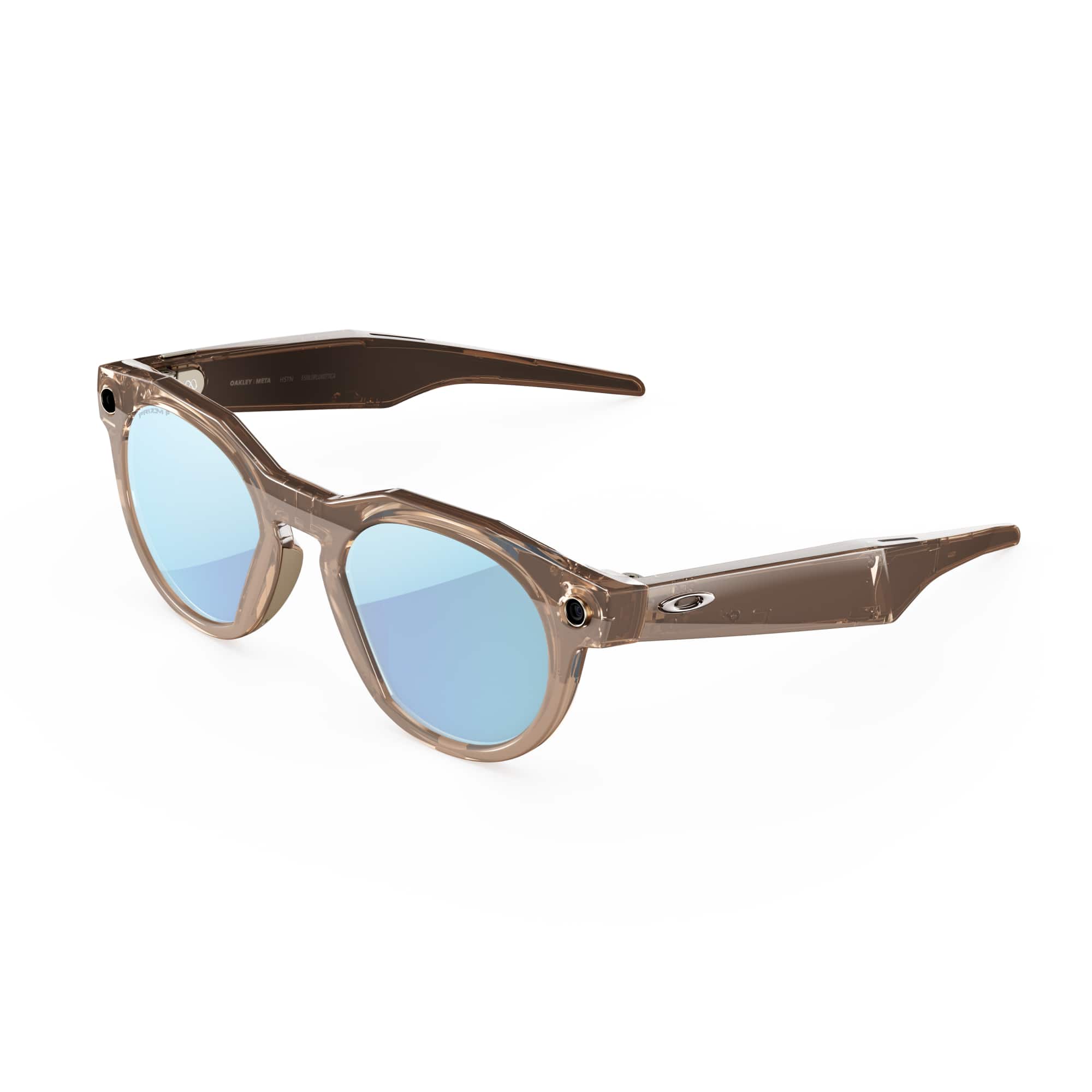
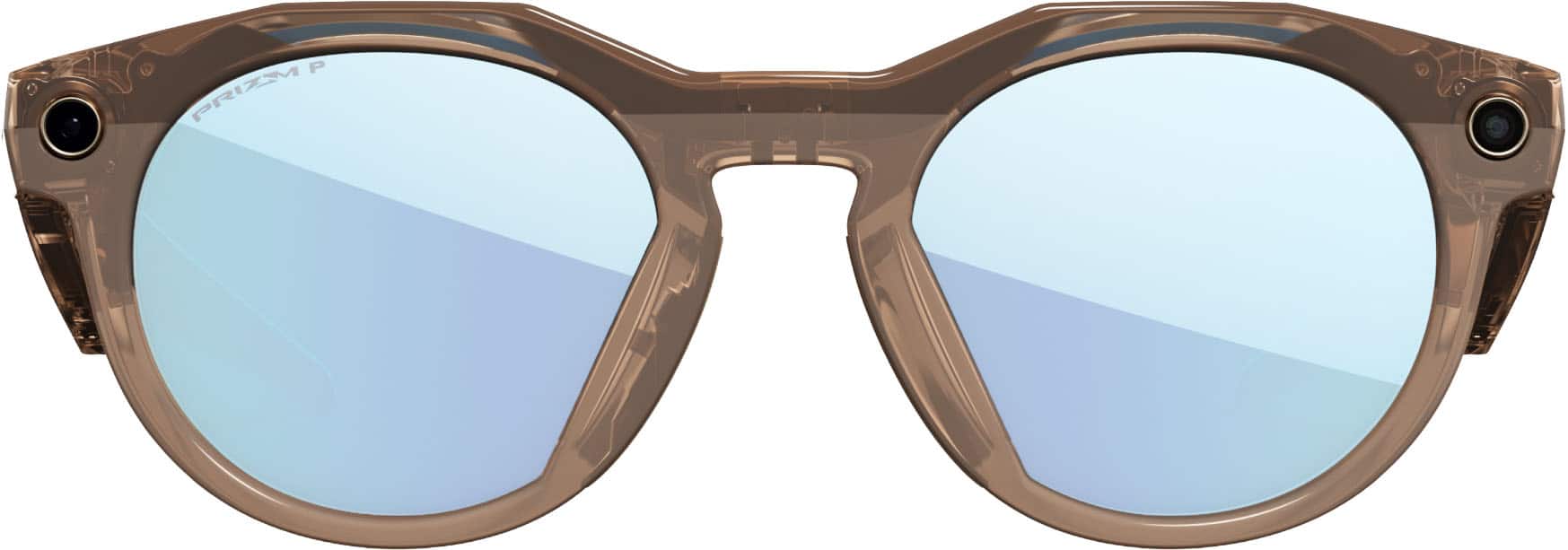
The Oakley Meta HSTN are smart performance glasses designed for outdoor and active users. They combine Oakley’s sporty style with Meta’s AI-smart functionality. If you’re considering smart glasses, here’s what to expect.
This reviewer received promo considerations or sweepstakes entry for writing a review.
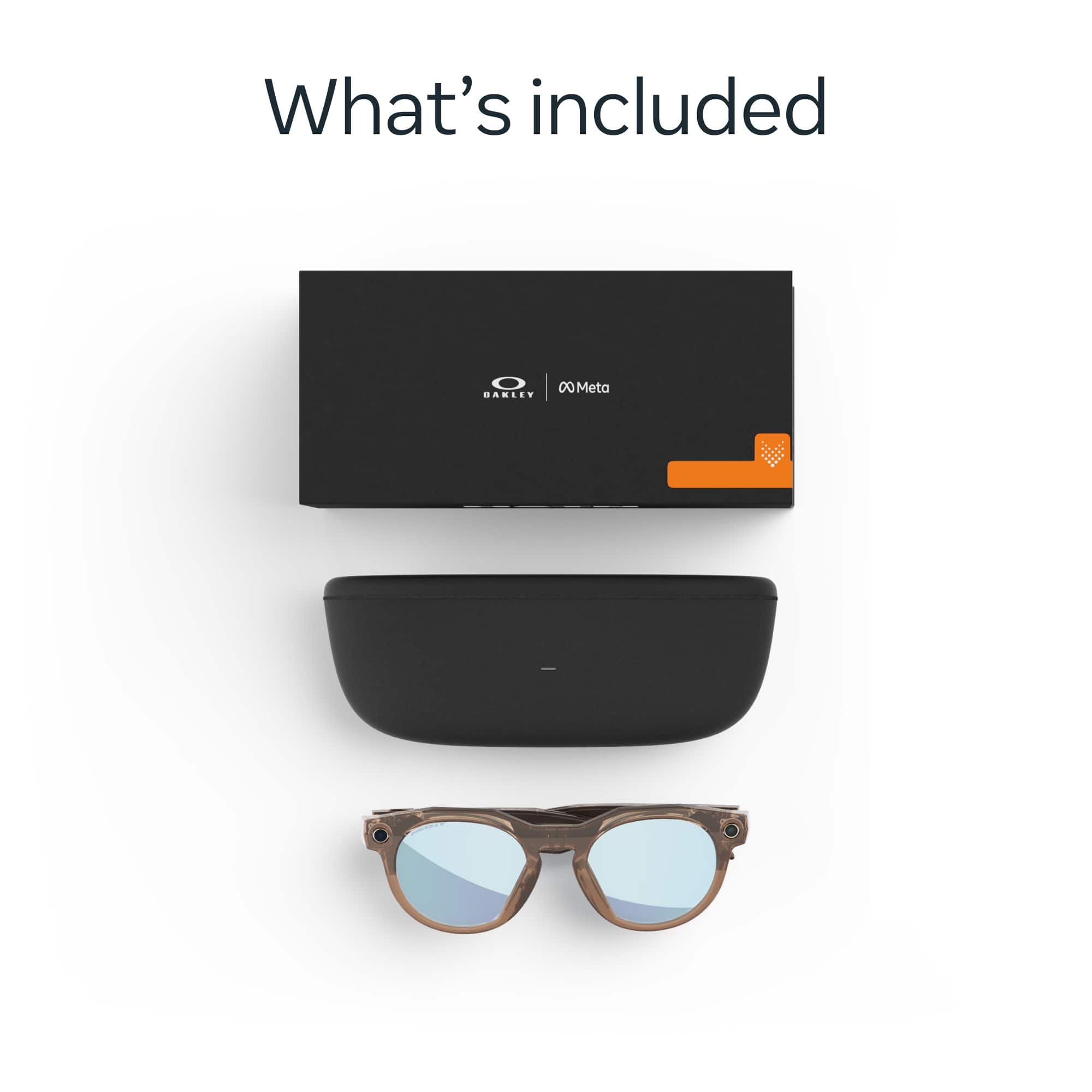
The Oakley Meta - HSTN glasses - Clear to Amethyst Transitions Lenses - Black come well packaged in a relatively small box. In the box, you will find: glasses, case, cleaning cloth, Get Started guide and Safety and Warranty document. You do not receive a USB-C cable which you need to charge the glass case. The glasses charge when placed in the case. When I opened the case, the glasses had a 78 percent charge. So you are ready to go.
This is my third pair of Meta glasses. I have the Rayban Stories and Meta glasses. And now I have the Oakley Meta HSTN glasses. I will not get into comparing the different Meta glasses versions in this review.
The Oakley Meta HSTN case is very sturdy and will protect the glasses well. There is a QR code on the box to get you started with the Meta app. I already had the app on my Google Pixel 10 so I was ready to go in no time. Pairing the glasses to my phone was a breeze.
Using the glasses is a breeze. One touch on the right arm button for a picture. You can see the picture I took with the glasses. The Oakley Meta glasses have a 12 MP camera. The details are sharp for pictures and video. Long hold on the right arm button to start or stop a video. Play your music from your paired phone. Move your finger up and down the glasses right arm to turn up and down the volume. I was REALLY impressed with the quality of the audio when listening to music. This was a surprise for me as the other Meta glasses were just OK for audio. The glasses are comfortable to wear as I wore them for about 3 hours straight with no issues. After listening to music for about 3 hours there was still about 38 percent battery left. You can use these all day with no issues depending on what you are using them for.
I tried to capture a few pictures to show the lenses in different stages of transition. I could not get the glasses super dark.. The transition feature is super cool and I really liked this feature. It is really nice to not take off and put on your glasses while moving inside or outside. These are not as dark as typical sunglasses. I did not have any issues in the sun.
Pros/Cons:
Pros:
- Great battery life. The documentation stated 8 hours of battery life. My personal experience was I used 62 percent of the battery listening to music for 3 hours.
- Great sturdy case
- Awesome audio
- Great quality pictures and video. See the attachment to the review for the specs of the picture.
- Very comfortable.
- Transition lenses work very well.
- Well built and sturdy glasses
Cons:
- I am not a huge fan of the looks of the glasses. They look too sharp and angled near the nose area for my liking. Or maybe they just do not look good on me? This is a personal preference thing. You may love it. But please try them on and make your own decision.
- The arms feel a little tight on my head. I never had a problem with a fatigue point. They were comfortable for many hours of use. They just felt tight to me. Maybe I have a big head? I also like the hook on the end of the arms to hold your ear. But these are the typical straight armed Oakley arms.
In summary, I rate these Oakley Meta HSTN glasses 4 out of 5 stars. I am removing 1 star for the look and fit. This is a personal preference. You may be fine with these features. Overall, these are very impressive Oakley Meta glasses. The transition feature is GREAT!.
Oakley + Meta = Smartest glasses I have ever owned
|
Posted .
This reviewer received promo considerations or sweepstakes entry for writing a review.
Glasses are going to be the future of personal wear tech. There is something so liberating about having Meta AI, my music, texts, phone calls, the ability to take pics and videos all without a single piece of tech in my hands…no phone…just me and these Oakley Meta glasses….just remarkable. It’s so freeing and intuitive to just …Speak.. and boom!
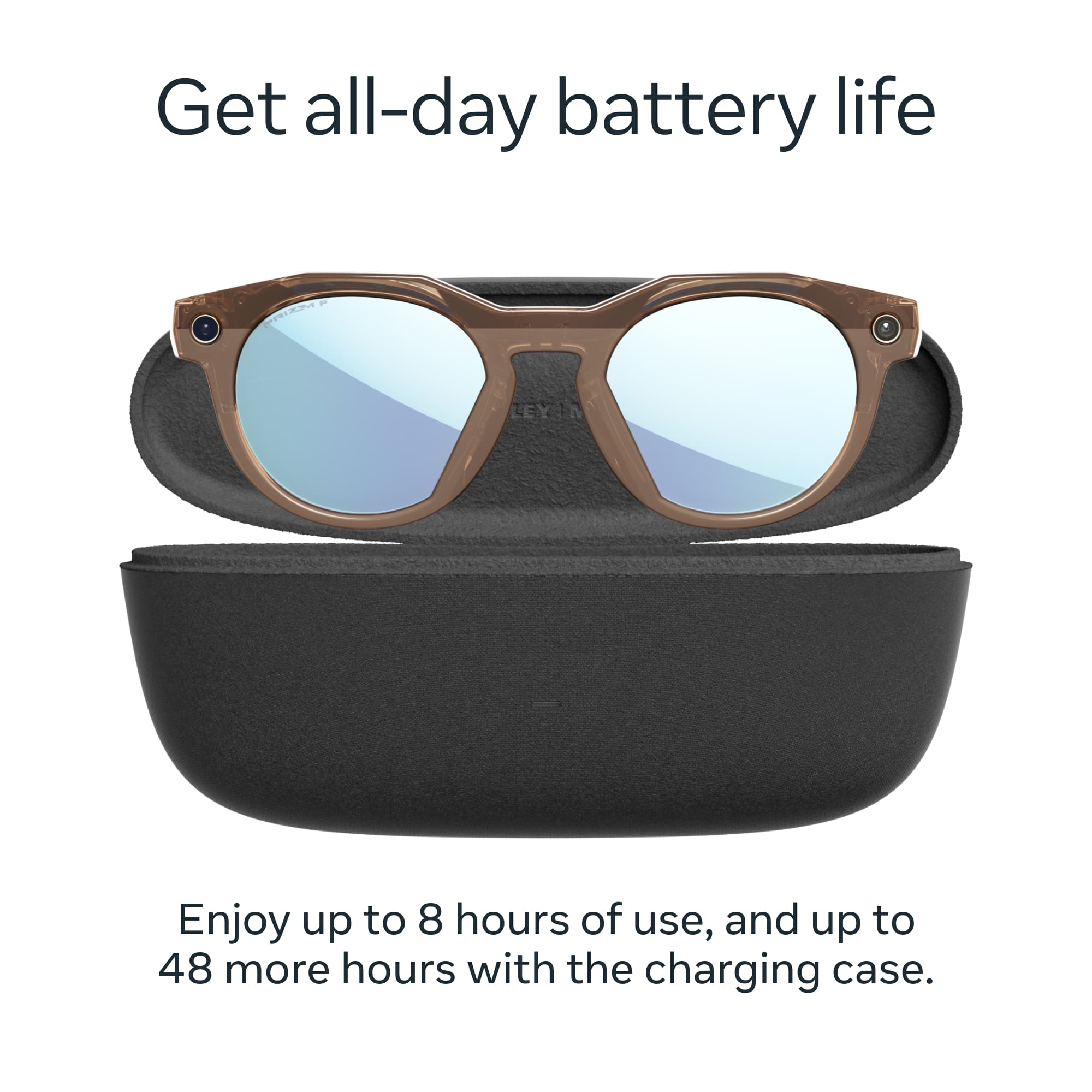
Out of the box, I could feel the quality of the build in both the glasses and the case. The case is solid, protective and a smooth tactile feel when in the hand. I cannot believe how small the case is considering it’s a full charger for the glasses that will give me up to 48 hours of charge. The glasses advertise 8 hours, but like any electronic device… the more you play music or record videos, the more it cuts into the time. The glasses themselves are thicker than normal sunglasses just a bit. There is a lot of tech to crunch into the frames. I have worn Oakley Gascans and some other bigger frames before but if your used to wire frames…it’s gonna be a big change. Overall, back to battery life, combining the batter life of the glasses with the case… Plenty of power for a day out and about or maybe two or three days! That was really important to me… a device that is only good for 2-4 hours…that’s just a novelty and not a real world use case.
The glasses fit snug in the case and a little tricky to get out of the case. After a few days with the glasses, it is not super easy to get out of the case. I found that grabbing the corners where the arms fold on either side, then pulling up at the same time pops them out. I guess that’s good in a way… I would not want them falling out. The case and the glasses are snug enough and secure enough that I would not worry about putting them in a small bag or day pack and heading out. Setting up is remarkable easy as well. Scan the QR code and your off and running. NOTE: To really get all the amazing tech that the glasses can do you have to sign over a lot of rights to Meta. Like links to your google, phone contacts, music service ect. I just went for it because I am willing to give up some privacy for the convenience. And If Meta really cares so much about what little ole me is up to… to try to sell or build me a better experience…I’m ok with that.
I liked the looks of the glasses strait away. I have the black with amethyst transition lenes. As noted above, the frames are a little thicker than any of my traditional bigger rimmed sunglasses but considering the tech that is crammed inside is just down right amazing. They feel solid and well built and incredibly light. The lens inside are crystal clear and what you would expect from Oakly… sharp and crisp! I am glad Meta partnered with Oakley instead of trying to deliver their own product direct. I am sure that will come but the partnership of a trusted brand like Oakley or Ray-ban is a big deal and helps ensure quality control and accountability of performance which I appreciate.
When I put the glasses on and they feel great… a tinge tight but I think that is because they are brand new and have not been broken in. They sit securely and comfortably on my face. I can move around and I found that I would forget that I was wearing them. It’s weird but because they are transitions (this is my first pair of transitions) I went from eating my breakfast inside my house while listening to a podcast, to getting in my car to go pick up groceries seamlessly. They just went from clear as ice inside to being sunglasses without me even really noticing. Super cool.
The audio is really impressive as well. Now if you want to really rock out with base or ANC, these are not for that but if you want great sounding music magically funneling into your ears… it’s like a real world soundtrack as I walked though my day… The Oakley Meta will blow you away…. I could hear everything around me but I could also hear my music overlaying it all. Magical.
So, I played with the music and the transition lenses and I wanted to see how good it would handle the phone calls and voice to texts. A note about the lenes… I was afraid that they might be too purple but they are not, it’s a darker black with a hint of purple. I also wished they were a little darker when fully in the sun… It’s a minor gripe because they work amazing as sunglasses and I would rather have the transitions ability and not be as dark. I like blacked out lenses so people can’t see who or what I am looking at… People can see my eyes when I am wearing these.
I called my spouse and I heard them clear as a bell and they me. The glasses have 5 microphones to make sure they pick up the audio. Texts were quick and responsive as well and I could send and receive with ease.
The photo’s look good (12mp camera) and the video is also good considering these are sunglasses! The video can do 1080P @ 30 and 60 frames per second or 3K at 30 frames per second. It is smooth. If I was shooting for a work project, I would use another camera. But for personal stuff or to stream on insta…great tool. I shot a selfie in the mirror and it’s weird to not have a camera in the hand and watch the video play back. There is also a white blinking light when you are recording so people know you are recording. I could not find a way to turn that off anywhere. Probably for the best!
The last thing though that really sets this device for the next big tech wave is Meta’s AI…. Next level stuff. “Hey Meta set SimpliSafe to home.” “Hey meta take a pic” or “Hey meta shoot a video”, play my pod cast, call my mom, ect ect… and she gets it fast and accurately! What’s the wind speed, where’s the closest gas station… Note… It can’t give direction which I thought was weird.. but will give an address and distance and even traffic conditions. I also love, “Hey meta how do you spell synchronicity” I am a terrible speller and that comes in handy… but it’s more than that… her tone and inflection and she even has a sense of humor which brings to mind the movie “Her.” The fact that I think of it as a “her” and not an it is a testament to their engineers. Interacting with these sunglasses is a very unique immersive experience that feels weirdly human and personal and just a little unnerving in a good way. I can see how the ubiquitous (another word Meta helped me spell lol) cell phones days are numbered in favor of the glasses.
Overall Meta (the company) has put itself in an amazing position. Partnering up with Oakley and Ray-Ban to produce the most sophisticative wearable and functional glasses that are also high quality sunglasses that are also a cell phone on my face….Impressive. I have their Meta Quest 3 and love it. When they can combine their glasses with the AR/VR of Quest… our world will change. I would guess that will be sooner than later so go on and buy these glasses and buckle up.
This reviewer received promo considerations or sweepstakes entry for writing a review.
Let me get the one big issue these have out of the way - these glasses come in one one standard size. And anyone who wears glasses knows that there are a million possible combinations of sizes based on head size, nose size, pupil distance, etc. So, if you are considering getting a pair of these, I would strongly recommend you first go to a store where you can try them on and see if they fit you the way you want. Unfortunately for me, they do not fit so well - I do have the smallest adult male head known to mankind so I should have probably known better. I'm sure Oakley tried to make these a size that would work for the widest range of people. I have a coworker who also owns a pair of these and he wears them all day, every day as his new prescription glasses - they fit him great and look great on him. On me, they look like clown glasses and also are too big to be comfortable enough to wear for long periods of time. And that's too bad because the tech in these and the way they work is freakin' awesome! Hopefully, in the future they will come in at least 3 or 4 various sizes to accommodate more people.
Now, on to the functionality of these glasses. In general, I love it! And everything works great with the exception that the AI could be better and more helpful. It was super simple to set these up by installing the app. There are a few things you can customize and a brief tutorial so you know how things work, then you're good to go. I'm gonna go over all the features one by one and let know my opinion on them.
Speakers: These have speakers built into the arms - there is a speaker grill on the top and bottom of each arm. The sound is unbelievably good! It is way better than what I had expected out of the arms of glasses. I played music. I listened to an audiobook. And of course the Meta AI responses are all through them. Everything is clear and easy to hear and even music sounded great - on par with a good pair of earbuds. I'm super impressed with the quality of the sound which definitely surpassed my expectations. 5 out of 5 for sound!
Camera: This is one of those things you never thought you needed until you've had it. Then you'll never want to be without it. How many times have you seen something and wanted to take a picture, but by the time you got your phone out of your pocket, unlocked it, and opened the camera, it was too late? If you're wearing these glasses, that will never happen. You see something, you just look at it and reach up with your right hand and press a button and you got the picture! Or long press the button to start recording video. It's simple and awesome. But of course, none of this would matter if the quality wasn't good. Thankfully, Oakley didn't skimp on the camera so the quality of pics and vids is top notch. Everything looks great. And it's awesome to take video and just look at what you want to film. 5 out of 5 for Pics/Vids
META AI: These are, after all, marketed as AI glasses. The integration is pretty awesome, though META as an AI doesn't seem quite as "smart" as some of the competitors out there. And there are limitations as to what META can do. But it's still nice to have and hopefully will get better with time. You can call META up by saying "Hey Meta" OR by long pressing the side of your glasses' right arm which is a touch control area. "Hey Meta" can be activated or deactivated in the app - if it's active, you'll lose some battery length, but still should be able to get 6-8 hours if you're not doing a lot of other stuff with the glasses. The "Hey Meta" wake command worked great in quieter environments, but I found if there's much ambient noise going on (especially voices) then it doesn't pick it up. You can't train it to learn your voice like most phone or speaker assistants which would probably help with this. Once META is listening you can ask anything you'd ask any AI and get answers, but you can also say "what am I looking at" or "identify this plant I'm looking at" or something like that and META will take a picture with the glasses and then try to answer you. Again, META wasn't the smartest with this type of thing. I looked at a Plumeria flower and asked META to identify it and it said it was a Gardenia which it clearly wasn't. I looked at a Hyundai Ioniq5 and asked META to identify it and all it could do was tell me it was an SUV and gave 3 different possible manufacturers. So it's a long way from being able to visually identify things as well as a human can. Also, I asked if I could introduce Meta to people and have Meta remember who they are and identify them (could be useful for remembering names) but Meta said it couldn't do that. I'm assuming it's a security thing, but it's a bummer that some of the things that would be most useful in an AI that can see what you see, isn't possible. Overall, I can see how having an excellent AI built into glasses COULD be an amazing assistant, but at the moment as is and with the current limitations, I don't find Meta in my glasses to be much more useful than Gemini on my phone. Hopefully it'll improve in the future. 3 out of 5 for Meta AI
Buttons/Controls: Besides the button on top of the right arm you use to take pictures or start recording video, there are touch controls on the side of that arm. These work great! Tap to play/pause media. Long press to call up Meta AI. Swipe forward or back to increase/decrease volume. You can also customize some of the controls to behave slightly differently if you want. Very simple and intuitive and no problems with accidental touches or anything. 5 out of 5 for physical controls.
Battery Life: Quite frankly unbelievable. I mean, these are just glasses. And they have a ton of tech in them. So the fact that with the wake command enabled I can get 6-8 hours or without that enabled 10-12 with no problem is very impressive. And on top of that, the case itself has a battery built in so you can drop them in the case to get a charge - only takes 20ish minutes to get them up to 50% from 5% which is great. 5 out of 5 for battery life.
Phone Integration: These glasses are connected to your phone and are using your phone for a lot of their stuff. But they also offer you some cool integration. You can have callers announced - you can have messages read to you - you can tell Meta to play your tunes on Apple Music or Spotify. Of course you can use them to have a phone conversation if you want though I do prefer actually using my phone for that. Of course you can't control everything on your phone since Meta is not your phone assistant, but it still offers some cool features - it's nice to not have to pull my phone out of my pocket to know who's calling me (but since I have an Apple Watch that is a bit redundant). 4 out of 5 for phone integration.
Transition Lenses: Oakley's glasses are available with different lenses - I got ones with transition lenses. The transition is excellent! They go from clear to tinted almost instantly and without affecting my view. I can't even tell they've transitioned from looking through them other than not having to squint. They transition back to clear quickly as well. Definitely high quality lenses used in these. 5 out of 5 for Transition Lens quality.
While the AI integration still has a lot of room to grow before it becomes the always-with-me digital assistant I've always dreamed of, these are definitely a step in the right direction. It's amazing how much tech is built into this simple pair of glasses and how well all of it works. The glasses are worth it just for the camera and video feature along with always having the ability to listen to music and do some basic phone interactions without having to use your phone. The fact that you can use Meta to get general information about things is a nice bonus for now even if it's not quite as useful as it could be. But all in all, I absolutely love these glasses! I just wish they made them in a size that was suitable to my face so I could wear them as my regular prescription glasses.
This reviewer received promo considerations or sweepstakes entry for writing a review.
Awesome technology with this Oakley amethyst transition lenses and hands free built in camera. The advance Meta Ai helped answer questions and comands from just say Hey Meta or just press the side of the glasses. The 12mp camera takes awesome pictures and videos by just pressing the side of the glasses or just say Hey Meta take a picture, I use this glasses for my daily bike rides and when I go to theme parks and always get crystal clear pictures and videos downloaded to the Meta app and with the built in speakers I can listen to my favorite music from Amazon Music and Apple Music apps or just take phone calls. The battery life last me all day , max 8 hours but I was able to get additional battery charge from the case ( 48 hours additional). There’s different lenses that you can use with this meta glasses Including prescription lenses. The glasses weight 1.88 ounces but they are a bit bulky for my like, glasses are water resistance and stereo sound but the speakers should have a better sound quality. The Oakley meta glasses are great, but the bulky style and sound should improve with future models.
This reviewer received promo considerations or sweepstakes entry for writing a review.
Meta Oakley HSTN
These glasses work surprisingly well! I have the transitional lenses in the HSTN version of the Oakley’s. They almost look like reading glasses when wearing them indoors, and they darken for the outdoor sun. I’ve used the glasses on a bike ride, and it was easy to capture video footage along the way. It’s just as easy to grab a quick pic. The quality of the video is so good that my friends are shocked to know that it was captured by the Meta glasses. I’ve also used the glasses to capture video as I went for a morning walk. There is no stabilization in the video, so some footage was a bit “bouncy.”
My friends weren’t even aware that I was taking a video. The slow throbbing light on the corner of the glasses wasn’t very visible for anyone to notice. The light only flashes while in record mode. Once the glasses were paired to my cell phone, Meta would read my text messages to me as they were received. I could hear the voice through the arm of the glasses whether I wore them on my face or on top of my head. The music played through Meta was also heard in the same manner. If a text was received while listening to music, the text would pause the music and resume play once the message was read aloud.
The glasses are comfortable to wear and easy to use and get started. I was a little disappointed to learn that only one owner could use the glasses. If someone else tried to pair the glasses to their phone, all information would be deleted from the previous user who downloaded the app and used the glasses. Hopefully, this will change with a future update, but for now, they have to get their own pair of glasses! Highly suggested.
This reviewer received promo considerations or sweepstakes entry for writing a review.
picked up the Oakley Meta HSTN smart glasses a couple weeks ago, and they’ve honestly impressed me more than I expected. The lenses are crystal clear, with a slight blue light filter hardly noticeable. The camera quality is surprisingly solid too, quick snaps and short videos look clean and don’t feel like a gimmick. Battery life has been good for me, usually lasting most of a full day with light to moderate use.
They pair fast, the audio is clear enough to take calls or listen to music without feeling like earbuds, and I’ve already gotten used to using the voice assistant on the fly. They fit securely, which is a bonus if you’re active or outdoors a lot.
My only real knock is style versatility. These lean heavily sporty, so they’re not exactly something I’d wear in a more formal setting.
This reviewer received promo considerations or sweepstakes entry for writing a review.
The Oakley Meta HSTN glasses are the second generation of smart glasses from Meta (Facebook). They are the first model available from the cooperation between Oakley and Meta. The Generation 1 Meta glasses were restricted to just Ray Ban frames. The HSTN's came next and now there are gen 2 Ray Bans and Oakley Vanguards. I have copies of the Gen 1 and 2 Ray Ban Wayfarers (which were great) but these were my first Oakley models.
For those unfamiliar, the Meta smart glasses have a sound system, camera, and AI assistant built into familiar glass frames. They look like a regular pair of Oakley HSTNs, just a slight bit bigger and a camera on the front. The bigger size helps conceal the battery and electronics needed for them to perform. There is no display in this model. They use standard sunglass lenses that are either tinted or transitional. Then lenses can be replaced with prescription lenses too at additional costs. This pair was the black HSTNs with ruby transition lenses. The transition lenses go clear indoors and tint red outdoors.
Functionally, the HSTNs work great. They come with a charge case for storing the glasses and recharging them. Oakley/Meta advertises 8 hours of operation on each charge of the glasses and I was getting very close to that in real life use. The case offers another 7-8 complete top offs of the glasses before needing to be recharged. I didn't test this, but I was able to recharge the glasses multiple times with plenty of battery power left in the case. The glasses link to the Meta AI app on your phone. I used the iOS version of the app. It was solid and performed well. The glasses power on and connect to your phone automatically. Once powered, you can play music, have the system read texts, or operate the AI assistant using the built in speakers in each leg of the frame. Volume is controlled either on your phone or by swiping forward or back on the right leg of the frame. There are speakers and microphones built into the frames. The microphones allow you to make and receive calls. The sound on the calls is pretty good and will get you by but it picks up a lot of background noise. The speakers are plenty loud, but if you dial them up too far, you get significant bleed where those around you can hear the sound. The right leg also has a single button. Press once to take a 12 Mp photo. Press and hold for up to 3k video. Both the photos and videos look great. They won't complete with your phone camera, but for something built into a pair of glasses, they look good. Photos/videos are stored locally and can be downloaded to your phone. The Meta AI works well. You can ask it about the weather, for directions, or even say "Meta, what am I looking at?" and the system will tell you. It's not groundbreaking, but for the basics, it works well.
I was impressed with the performance. It's a big step up from the Gen 1 Ray Bans I had. The battery lasts twice as long and the video resolution increased from 1080p to 3k. Most of everything else is the same between Gen 1 and Gen2. The downsides of the HSTNs are they are a bit chunkier than non-smart glasses. The AI is not cutting edge, it does the basics, but not much more. But probably the biggest issue might be the HSTN design. They are polarizing. The Wayfarers are more traditional. The HSTNs much more design forward. You either love them or hate them. I don't vcare much for them, but my wife liked the look so she's getting to keep the glasses. The other issue is the size. The Ray Bans are offered in standard and large sizes. I have a bigger head and need the large size. The HSTNs are offered only in the standard size. They were a little tight on my head. Mosre size offerings would be nice.
Overall, I highly recommend these if the design suits you. They work great, meet the battery endurance levels, and are really ahndy to have when a quick picture/video is needed.
This reviewer received promo considerations or sweepstakes entry for writing a review.
The Oakley Meta HSTN glasses shows that a lot of thought has been put into usage of Smart Glasses. A few years ago, when Bose released their Bose Tempo glasses, they were smart sunglasses and while that was nice outdoors, it was very limiting indoors.
I really like that these Oakley Meta HSTN glasses have transition lenses. They are clear indoors and then they gradually darken to a dark purple (amethyst) in sunlight. So I can use them inside and outside without issue.
In the box, you get a large case, sunglasses that are tightly held, safety book and a decent sized cleaning cloth. I did not see any kind of charging cable, but there is a USB-C port on the case to recharge the case. There is a plastic tab that sits under the battery pads below the bridge of the glasses that you'll remove before first use. The glasses are held in pretty tight. I was pulling on the arms for the first few times, but my personal preference is to push on the temple area with my index finger which rocks up the other side, where I can then get under the other temple area with my thumb and pull the glasses out.
The frames are a little thicker than my normal style. It does have to carry the tech, wiring and battery to make them smart after all. On the right side on top of the arm is the capture button. A quick press takes a picture, a long press starts the video recording and another long press stops the video recording. There is a sensor on the outside of the right temple that is used for volume control. Swipe forward to increase the volume, swipe back to decrease. Inside the left temple is the on/off switch.
The camera is on the left (when wearing the glasses). There is a LED light on the right that signals to other users that you are capturing either a photo or video. For safety sake, you can't tape over the light. There is also a signal LED just below the temple for the wearer. I was able to catch when the light is on in my peripheral vision.
The Meta AI responds to "Hey Meta" but I have to say that the response is somewhat slow. It's still very much effective though. I was very impressed that they tied the AI to the camera. So I could ask the AI things like, "What kind of tree am I looking at?" and it will snap a picture to match what I'm seeing and interpret the results. It does correctly identify the tree. I can also ask the AI to take a picture or video without having to touch the capture button.
Photos and videos aren't going to be as good as a modern phone camera, but they still come out superb. I found the results add in a little bit of High Dynamic Range and that really made the colors pop. The video captures have a limit of 3 minutes. All the content imports to your phone pretty quickly.
Sound is projected towards your ears via speakers that are in the arms just in front of your ears. They have plenty of volume and I was able to take phone calls without any issues and the caller could not tell I was using a Bluetooth device. Since they are outside of your ears, others can hear the speakers if they are very close to you.
Overall, the Oakley Meta HSTN Glasses really demonstrates the evolution of smart wearables that integrate an AI assistant, with photo, video, audio and transition quite seamlessly and I really like they thought to allow transitions between outdoors and indoors.
This reviewer received promo considerations or sweepstakes entry for writing a review.
I have to say, these are AWESOME!
I have several other smart glasses, but these are really nice. First things first.
The hardware; these glassed feel like most plastic frame glasses, but they just have a different style to them. Matte on the bottom portion of the frames, and high gloss on the top and the rest. I would prefer all matte, but this is now they are out together. It's a nice design overall, and I think most will like them once they get them in hand. They don't feel cheap, and are well made. The speaker volume is very loud, and I was not expecting that at all with them being open design. Not just loud, but also crystal clear sound.
Cameras: They are actually really good, (I've attached a sample photo), it looks GOOD. You can take photos, and also take great video as well.
The ability to just say 'hey meta' and get things done is really cool, and I can see myself using this more than reaching up and touching the glasses to control them. While there are physical buttons, you don't need to use them. Just use your voice.
Overall I'd for sure recommend these, with only ONE con. The price. They are almost double other brands, and some will make a decision on just the price alone. I'd say, give them a chance to see if you like them. The price is high, but the product is SOLID.