Customer Ratings & Reviews






- Model:
- Z7Y57A9#ABA
- SKU:
- 5823065
Rating by feature
- Ease of Use
Rating 4.5 out of 5 stars
- Value
Rating 4.4 out of 5 stars
- Quality
Rating 4.5 out of 5 stars
Customers are saying
Customers love the OMEN by HP 24.5" LED FHD Monitor's refresh rate and picture quality, frequently praising its vibrant colors and excellent performance for gaming. Many appreciate the monitor's value for its price point, although some found the stand somewhat less than ideal. A few customers wished for built-in speakers and height adjustment capabilities. Overall, the positive feedback on picture quality and performance outweighs the minor criticisms.
This summary was generated by AI based on customer reviews.
Works well, good size
||Posted .This reviewer received promo considerations or sweepstakes entry for writing a review.Needed a monitor to replace a old dying monitor. Was in stock and at the right price.
I would recommend this to a friendFalse Advertisement
||Posted .This reviewer received promo considerations or sweepstakes entry for writing a review.This monitor does not run at 144hz, but it runs perfectly at 120hz.
No, I would not recommend this to a friend- Pros mentioned:Color, Picture quality, Refresh rate

Great Monitor with Amazing Refresh Rate
|Posted .This reviewer received promo considerations or sweepstakes entry for writing a review.Received this product for my son who is an avid gamer on the computer. Connected the monitor via HDMI to his machine and he was incredibly impressed with the difference it made from his previous monitor. The colors are crisp and the action flows smoothly due ot the high refresh rate. Very happy with this monitor and would recommend it to anyone looking for a serious mid level gaming panel.
I would recommend this to a friend Super HD
||Posted .This reviewer received promo considerations or sweepstakes entry for writing a review.Its definitely HD. Good for gamers like me. Good for PUBG players
I would recommend this to a friendDecent monitor for the price
||Posted .This reviewer received promo considerations or sweepstakes entry for writing a review.Exchanged for better monitor due to limited ways to adjust view.
No, I would not recommend this to a friendFraud
||Posted .This reviewer received promo considerations or sweepstakes entry for writing a review.Don't buy this monitor! This monitor boasts about nice high tech settings that would make it worth the price-tag, BUT...they don't actually work as they should. This monitor supports 144Hz refresh, but you will have terrible ghosting and screen tearing while in 1ms response time. This is a widely known issue if you check reviews outside of bestbuy. The colors are not impressive, to say the least, on a high-end system. Most of the settings constantly reset themselves when turning on and off the monitor. There isn't much for updated drivers for this monitor either, so my hopes of any issues being fixed in the future are slim to none. Don't buy HP - Get a BenQ and call it a day.
No, I would not recommend this to a friend- Pros mentioned:Color, Refresh rate
Excellent addition to the HP Omen Desktop
|Posted .This reviewer received promo considerations or sweepstakes entry for writing a review.I have the HP OMEN Desktop PC (870-244), which I was already very happy with. I was excited to add the Omen monitor, and it did not disappoint. As many others have mentioned, the refresh rate (144Hz) makes for a very smooth experience whether you're gaming, watching a movie, or doing anything else. I'm also very happy with the color and resolution. The picture is very crisp and clear (it's better than my 3 year old smart TV). I also love the wide viewing angles since I often watch movies and TV on my computer. I can be in all different places around the room and still see the picture clearly. This is an awesome monitor (especially at this price point). It's a great addition to my HP Omen desktop, but it would be an excellent monitor for any computer (gaming or otherwise).
I would recommend this to a friend - Pros mentioned:Refresh rateCons mentioned:Height adjustment
Patience makes perfect!
Posted .This reviewer received promo considerations or sweepstakes entry for writing a review.Initially after purchasing this monitor I was strongly inclined to just pack it back up and return it. No matter what preset color setting I used, it looked absolutely horrid. I could see the potential was there, but couldn't figure out a way to get there with individually adjusting the RGB values. Then I installed the HP My Display software after downloading it from their website. (Don't have a disk drive, so couldn't use the CD) Here are the steps I took from there: 1) If you have an Nvidia GPU, open your Nvidia Control panel, go to the resolution adjustments, and change your resolution from Ultra HD 1920x1080 (native) to 1920x1080 further down. Reason for this is that UHD is limited to 60Hz. You bought a 144Hz monitor, get what you paid for. The other setting allows you to crank that up to 144Hz on the right-hand side. You will notice a huge difference! *Side note: Make sure your video card can run at 144Hz. I am running a 1080ti, so can handle pretty much anything. 2) Go into the HP My Display software and adjust the colors using either their calibration tool, or do what I did and use the gaming preset. The colors are now stunningly bright and vibrant, and my frame rates are much higher (125-144 instead of 50-60). I now love this monitor and plan on buying another. Takes some work, but worth it! Only reason I took away one star is because there is no height adjustment on this monitor and it sits rather low. Height adjustment and it is easily 5 stars.
I would recommend this to a friend - Pros mentioned:Refresh rate
Overall great widescreen monitor for HD viewing
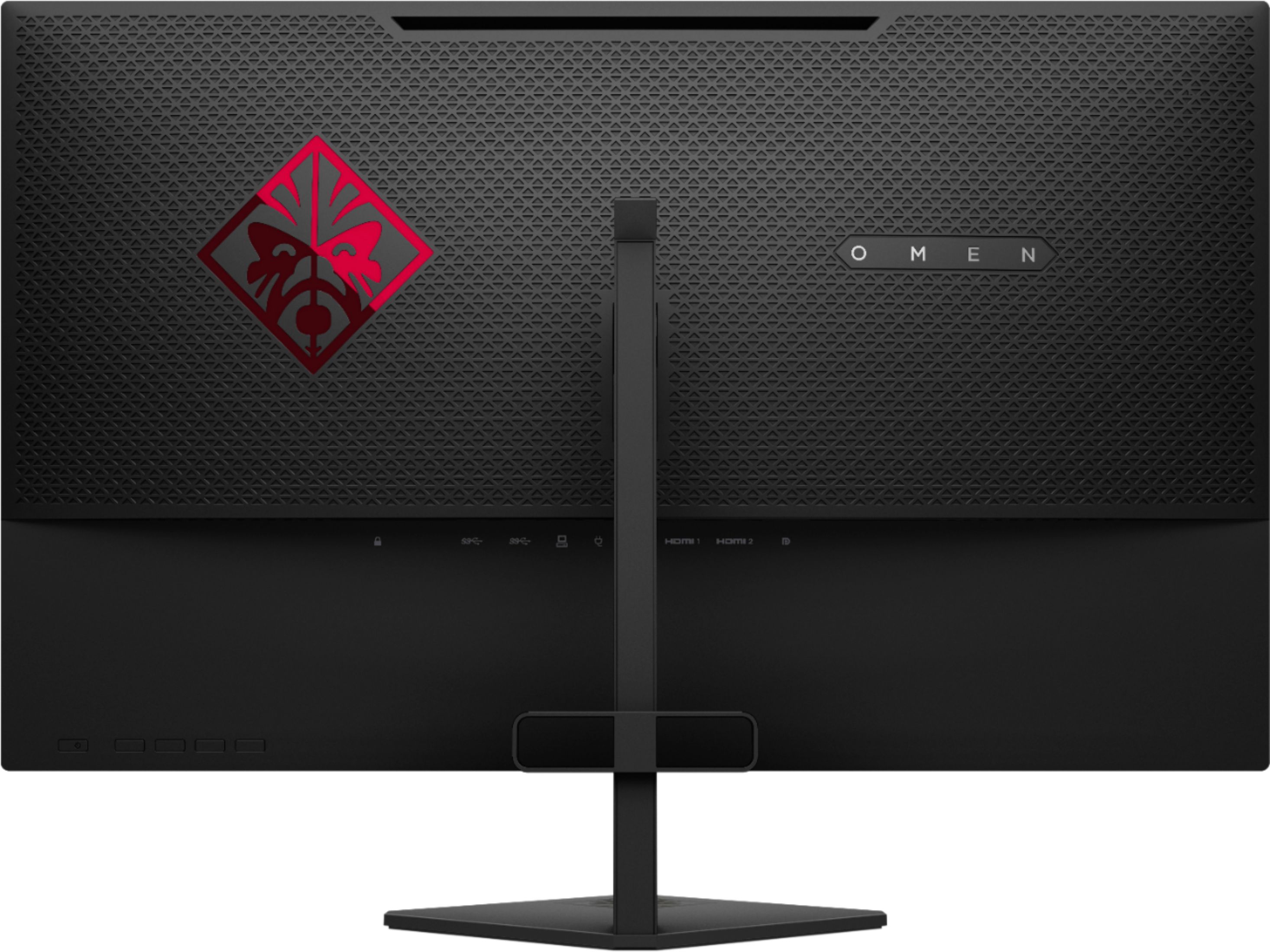
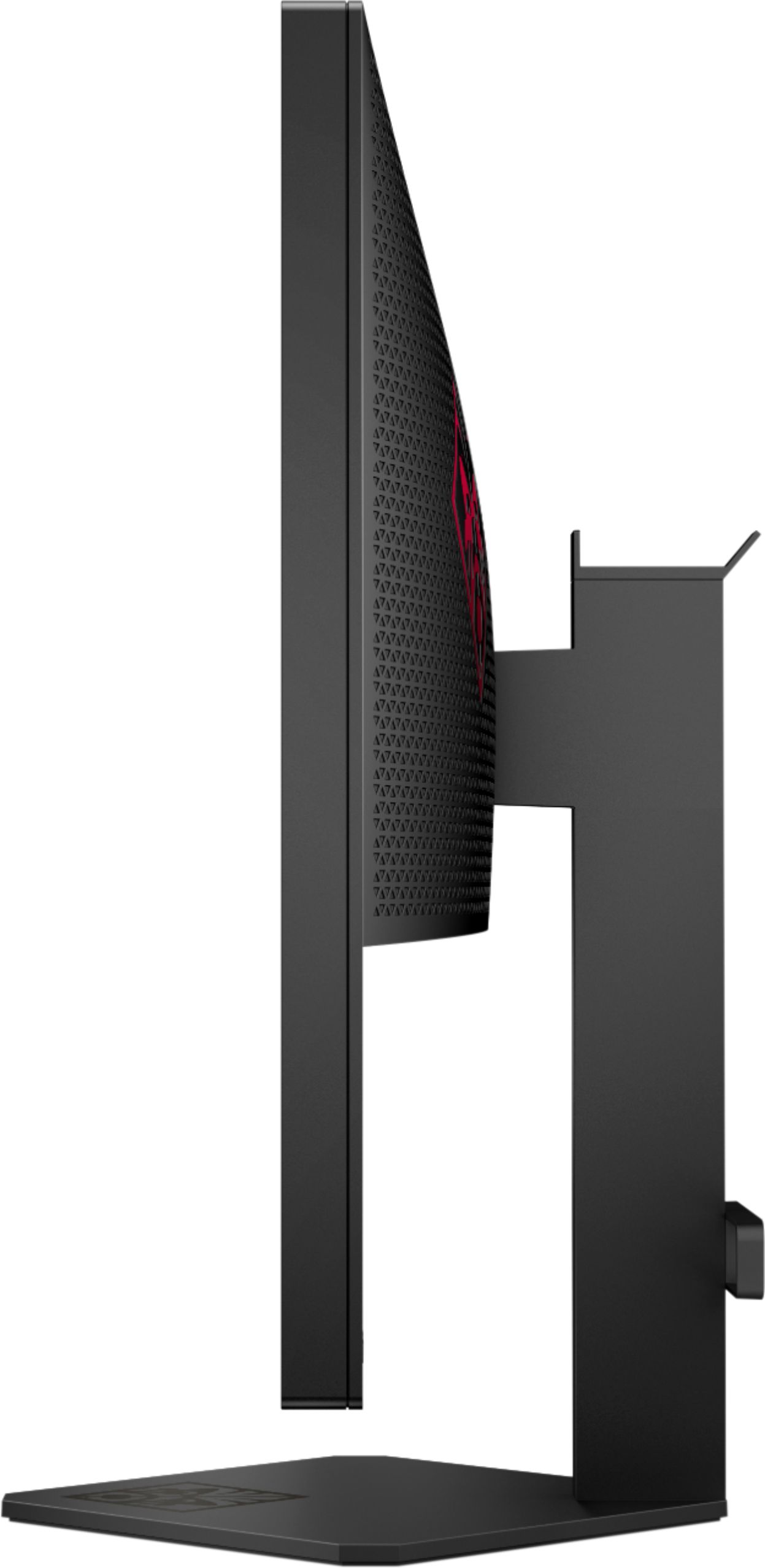
|Posted .This reviewer received promo considerations or sweepstakes entry for writing a review.Per a nearby label, I was provided a free unit in exchange for an unbiased review of the product. As the Review Summary states, this is an all-around good monitor for both gaming and productivity needs. It is an HD monitor (not 4k), and the pixel density is such that most should have no problems viewing text, and the 1 millisecond refresh rate makes most gaming quite enjoyable. Before getting into details, the only downside I have with this monitor is the fact that elevation cannot be adjusted. While the included monitor stand is reasonable enough, if you need more than two inches clearance between the bottom bezel and desk, you'll have to find some other way to elevate the unit. On the other hand, it has a more than reasonable, five-to-ten degree (don't quote me on that) tilt, so at least some viewing adjustments are manageable. On to the specifics: There are a line of buttons -- including for power -- that are lined up on the back, bottom-right-side of the monitor. You wouldn't know that on-screen adjustments -- or even the power button -- were there unless you actually saw them there. Monitor manufacturers seem to put their buttons/joysticks at all sorts of places on their monitors, and this is simply something to be aware of, especially if you use the VESA mount on a wall. Fortunately, the rear-middle of the screen juts out enough to where button access would never be a problem. Speaking of the rear-middle, the monitor provides several I/O options, and all connectors are downward-facing, so there is no worry about flush mounting the monitor. Going from left to right (when viewing from the rear), the monitor contains a lock insert (presumably to tie down the monitor), two SuperSpeed USB 3.0 ports, a USB hub port, two HDMI ports, and a DisplayPort port. The only "missing" port would be for USB-C (which can double as many logical interface types, such as DisplayPort capability), but that's more than what most people will need for this class of monitor. However, what's included is what I really applaud HP over with this unit. They give you one HDMI cable, one DisplayPort cable, and one USB-to-hub cable (I think this is where you plug the standard terminator USB into your PC and then the "squared" connector to the back of the monitor so that the monitor's two USB ports can be "daisy-chained" and made active). All cables appear to be six footers, typical for this application; some manufacturers make you pay for your own, which can sometimes be $50 or more, just for cabling. If you're looking for a solid widescreen (not ultra-wide) monitor that will effectively future-proof your display needs in terms of I/O (outside of 4k), this could be the monitor for you.
I would recommend this to a friend - Pros mentioned:Color, Refresh rate
144hz for gaming is a huge deal!
Posted .This reviewer received promo considerations or sweepstakes entry for writing a review.A friend of mine built a $2500 gaming computer featuring a $700 27" Acer Predator G-sync monitor. I was blown away how smooth motion was on his setup. This HP Omen has the same effect except at a MUCH cheaper price point. I got this monitor on sale, for a TN panel the color and contrast are very nice but the star of the show is the 144hz. I am a casual gamer and a hobbyist photographer and id have no problem recommending this monitor as a one stop shop do it all. FYI, to enable freesync it is done from the monitor not AMD control panel. This frustrated me at first, it does work over included HDMI cable. Use display port to display port if possible to avoid frustration. Mine is paired with an HP omen laptop i7-7700 with RX 580 8gb. I average 140-160fps in overwatch on ultra and its awesome.
I would recommend this to a friend It's alright
||Posted .This reviewer received promo considerations or sweepstakes entry for writing a review.It's an ok monitor, didn't work with the set up we bought and was very glitchy. I don't recommend it for any gaming at all.
No, I would not recommend this to a friend- Pros mentioned:Refresh rate
Incredible clarity, viewable from any angle
|Posted .This reviewer received promo considerations or sweepstakes entry for writing a review.The HP OMEN 25 inch color monitor with its 144-HZ refresh rate brings your video graphics to life. Whether game playing or doing serious CAD graphics or photo work, connect to the Graphics Port, for surreal video images. Two (2) available HDMI ports allow you to hook up three (3) of your devices, PC, DVD or Blu-Ray, etc.,.Auto-sync mode selects the active input port. 3.5 mm headphone jack smartly located on the lower side corner for private listening. My graphics card easily handles the Display Port at it optimal rate and resolution. (EVGA GeForce 750 Ti). All 3-D objects move and scroll smoothly with no tearing or dithering of pixels. It greatly improves my productivity using my 3D CAD program for design. A few features I noticed right away: * menu aligns on the monitor display with the menu buttons on the back. * headphone jack on lower corner of display * headset hook on top of back monitor stand post * WIDE viewing angle for multiplayer use or when you use this in a multi-monitor setup * ability to setup night mode (kills the blue tints) * RED OMED logo on back, no unsightly buttons on the front * menu option to turn off front indicator LED * choice of 60 HZ or 144 HZ refresh via input ports * choice of included heavy duty stand or you VESA monitor mount * INCLUDES all video cables, Display Port, and two (2) HDMI
I would recommend this to a friend - Cons mentioned:Height adjustment, Stand
the best budget 144Hz monitor
Posted .This reviewer received promo considerations or sweepstakes entry for writing a review.This monitor lacks a few features that the expensive ones have (height adjustment, ability to rotate the screen) but the tradeoff is that you get to save over 100 dollars, and I'll take that deal anytime. Other budget 144Hz monitors have issues like ghosting or inaccurate colors, but the HP Omen looks great and doesn't have these problems at all. The stand is a little wobbly, but it doesn't matter - who is bumping into their monitor while using their PC anyway? If you want 144Hz at a low price then this is the monitor you should buy.
I would recommend this to a friend excellent graphics
||Posted .This reviewer received promo considerations or sweepstakes entry for writing a review.excellent graphics easy to install easy to adjust settings
I would recommend this to a friendI have no idea how this monitor is highly rated
||Posted .This reviewer received promo considerations or sweepstakes entry for writing a review.TERRIBLE backlight bleed around all 4 sides. Can't tell if it actually has 144hz or just fake 144hz? It's even advertised at 60hz on the box.. Flip side.. amazing build quality and includes vesa adapter. I would highly recommend staying away from this. There are much better options.
No, I would not recommend this to a friend- Pros mentioned:Refresh rate
Great Monitor
|Posted .This reviewer received promo considerations or sweepstakes entry for writing a review.This is a great monitor to use for gaming with it's quick 1ms response time and refresh rate. It also has various options of connecting to your PC. It has a headphone jack that can be used to connect to gaming headphones, or speakers. The screen is very clear and bright. My only gripe is that it does not have good viewing angles. If you're viewing it from left to right, it's not too bad. If you're viewing it from the bottom, the image on the screen will look like a negative photo. I was watching my son play a game on the PC while lying on the floor, looking up towards the monitor. I wasn't able to see much of anything. The monitor also includes a wall mount. If you plan on mounting it on the wall, I would suggest doing it at eye level. Mounting it where you will have to look up will not give you a good viewing experience.
I would recommend this to a friend I still get a error msg
||Posted .This reviewer received promo considerations or sweepstakes entry for writing a review.It needed an additional cord, it was saying it was not connected. I have a 5 yr old computer. I feel this should have been considered. I also had to pay $50.00 for Geek in the home, he has yet to come back and fix the error msg and the red signal that stays on.
No, I would not recommend this to a friendPass
||Posted .This reviewer received promo considerations or sweepstakes entry for writing a review.I do NOT recommend this monitor. The refresh rate stayed at 60Hz and the screen started to blink black and get snow line. All this before a month of use. The screen cannot be rotated either. Save yourself the hassle and buy the ASUS VG248QE or something like it.
No, I would not recommend this to a friendi return it
||Posted .This reviewer received promo considerations or sweepstakes entry for writing a review.i dont like it, looks horrible, buy a dell better.
No, I would not recommend this to a friendDoes not support 144Hz at 1ms
||Posted .This reviewer received promo considerations or sweepstakes entry for writing a review.This monitor does not support 144Hz at the advertised 1MS response rate, which HP confirmed on Twitter. If you are wanting a high refresh rate, low latency monitor, you need to look elsewhere.
No, I would not recommend this to a friend