Customer Ratings & Reviews

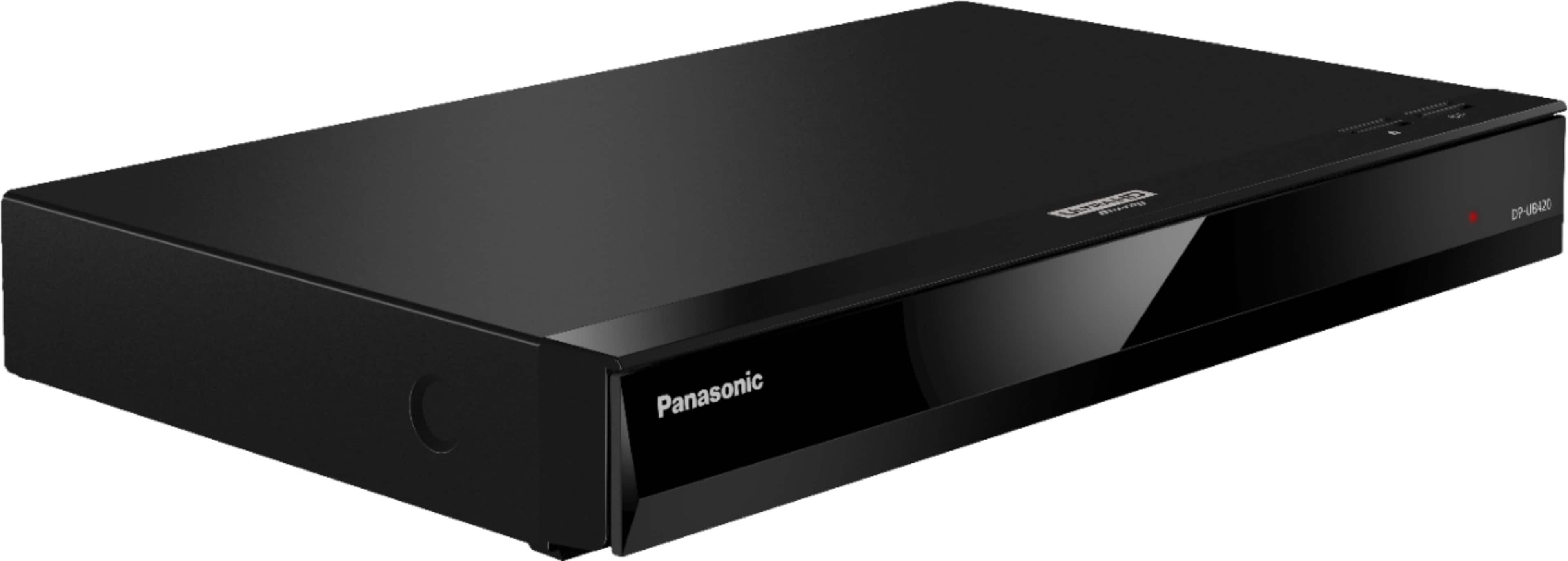
- Model:
- DP-UB420-K
- SKU:
- 12136305
Rating by feature
- Value
Rating 4.5 out of 5 stars
- Quality
Rating 4.6 out of 5 stars
- Ease of Use
Rating 4.5 out of 5 stars
Horrible UI no VUDU app.
||Posted .This reviewer received promo considerations or sweepstakes entry for writing a review.Just set this up. Horrible UI looks like it is from 1999. No Panasonic remote control app for my phone. No VUDU connectivity. Regret my purchase. POS to replace a Samsung POS that had its own crappy problems. This is just as bad or worse.
No, I would not recommend this to a friendBrand response from Panasonic Team
Posted .Dear customer, thank you for your feedback.
Please contact our Live Chat support in order to better assist you and to answer your questions:
https://shop.panasonic.com/contactus Mon-Fri, 9am-5pm EST.
Poor
||Posted . Owned for 3 weeks when reviewed.This reviewer received promo considerations or sweepstakes entry for writing a review.Does not recall where a disk was left off. Must start from the beginning and fast forward to find your spot.
No, I would not recommend this to a friendBrand response from Panasonic Team
Posted .Thank you for your feedback! The RESUME function will work if you press STOP. Please take note that the stop point will be cleared if the media is removed. ≥ On BD-Video discs including BD-J, the
resume play function does not work. -M
Died after 4 months. Won’t turn on!
||Posted . Owned for 4 months when reviewed.This reviewer received promo considerations or sweepstakes entry for writing a review.I’m very surprised by Panasonic players, this died after 4 month and I barely used it!
No, I would not recommend this to a friendBrand response from Panasonic Team
Posted .We are sorry to hear you're experiencing issues with your player. To assist you better, we would need more details about the specific problems you're encountering. This will help us offer the most effective troubleshooting advice. -M
Disapointed !!
||Posted . Owned for 1 month when reviewed.This reviewer received promo considerations or sweepstakes entry for writing a review.It won't play 3D DVDs that's why I bought It very disapointed
No, I would not recommend this to a friendBrand response from Panasonic Team
Posted .Hi, Albert! 3D videos and 3D still pictures can be played back when this unit is connected to a 3D compatible TV using a High Speed HDMI Cable. If your TV is 3D compatible, it will not work. -M
Quit playing 4k discs
||Posted . Owned for 1.5 years when reviewed.This reviewer received promo considerations or sweepstakes entry for writing a review.This player worked fine until last week when it stopped playing 4k and will only play regular blu-ray
No, I would not recommend this to a friendBrand response from Panasonic Team
Posted .Hello! Please make sure the format is supported: https://help.panasonic.ca/PCS/OperatingInstructions/TQBS0233_Eng.pdf#page=6 . If you require further guidance in regards to this model, please do not hesitate to contact us directly and we will be more than happy to answer your questions: https://shop.panasonic.com/contactus . -M
not what I was expecting
||Posted .This reviewer received promo considerations or sweepstakes entry for writing a review.All movies start to glitch and screen turn black also main menu impossible to set up is constantly flickering
No, I would not recommend this to a friendBrand response from Panasonic Team
Posted .We are sorry to hear your experience was less than 5-stars. If you’re open to discussing your experience further, please reach out to us on: shop.panasonic.com/contactus Mon-Fri, 9am-5pm EST
Panasonic 4K disk plYer
||Posted . Owned for less than 1 week when reviewed.This reviewer received promo considerations or sweepstakes entry for writing a review.The player does properly play 4K video disk. I am returning in the next few days.
No, I would not recommend this to a friendBrand response from Panasonic Team
Posted .We apologize for the playback issues you are experiencing. Please ensure that the disc format is compatible with your player. You can find the list of compatible formats in the manual. If the discs are compatible, we recommend resetting the unit to factory settings. To reset the unit, follow these steps: 1. While the unit is off, press and hold [OK], the yellow button, and the blue button on the remote control simultaneously for more than 5 seconds. "00 RET" will be displayed on the unit's display. 2. Press (right) repeatedly on the remote control until "08 FIN" is displayed on the unit's display. 3. Press and hold [OK] for more than 5 seconds. -M
DVD
||Posted . Owned for 6 months when reviewed.This reviewer received promo considerations or sweepstakes entry for writing a review.We order a DVR but I received a DVD player we were very disappointed
No, I would not recommend this to a friendBrand response from Panasonic Team
Posted .Hello! The item listed is a Blu-ray player. -M
Quit after a day
||Posted . Owned for 3 weeks when reviewed.This reviewer received promo considerations or sweepstakes entry for writing a review.Played fine one day, did update next day and quit playing discs. Had to return and bought something else
No, I would not recommend this to a friendBrand response from Panasonic Team
Posted .Thank you for posting a review and we’re sorry to hear that your experience was not up to the standards. -C
Returned used product
||Posted . Owned for less than 1 week when reviewed.This reviewer received promo considerations or sweepstakes entry for writing a review.Best Buy delivered the item and you can tell by the packaging that this item was returned and re-taped very disappointed in Best Buy return the item
No, I would not recommend this to a friendBrand response from Panasonic Team
Posted .Your review is very concerning to us and we are really sorry to hear that you are not satisfied by this unit. Your input is important to us, as it helps us improve our technology and ensure customer satisfaction.
Bsd product and packaging
||Posted . Owned for 2 weeks when reviewed.This reviewer received promo considerations or sweepstakes entry for writing a review.It was trouble i would never buy an open box agaiin. It was missing the power cord and box was trash
No, I would not recommend this to a friendBrand response from Panasonic Team
Posted .Thank you for bringing this to our attention! We are truly sorry to hear about the situation you experienced. -M
No Audio !
||Posted . Owned for 5 months when reviewed.This reviewer received promo considerations or sweepstakes entry for writing a review.the Audio stop working after a few times being played!
No, I would not recommend this to a friendBrand response from Panasonic Team
Posted .Thank you for taking the time to share your thoughts and feedback with us! -M
DVD works- blu ray does not
||Posted .This reviewer received promo considerations or sweepstakes entry for writing a review.Called an electrician to come out after a lot of troubleshooting. Verified it’s the blu ray. Disappointing.
No, I would not recommend this to a friendBrand response from Panasonic Team
Posted .Thank your or you review.
In order to investigate the issues you're having with the player please contact our Live Chat support on:
shop.panasonic.com/contactus Mon-Fri, 9am-5pm EST
Best buy loyal customer
||Posted . Owned for 3 weeks when reviewed.This reviewer received promo considerations or sweepstakes entry for writing a review.After one month Time to time picture frozen and i can't power of from remote i have to unplug from power cord. I never watch full movie without rebooting
No, I would not recommend this to a friendBrand response from Panasonic Team
Posted .Thank you for reaching out! Considering the situation you are experiencing, the best course of action would be to contact our Customer Care team by accessing the live chat option under the Support tab on our website.
ANGRY
||Posted .This reviewer received promo considerations or sweepstakes entry for writing a review.Boxed damaged on corner , Driver left on porch along with 2 other ticket items. left on porch and took off. Was at home.
No, I would not recommend this to a friendBrand response from Panasonic Team
Posted .Thank you for your review! -M
Impossible to get CC
||Posted . Owned for 1 month when reviewed.This reviewer received promo considerations or sweepstakes entry for writing a review.Impossible to get CC. Way over complicated. min 50 charters GFY
No, I would not recommend this to a friendBrand response from Panasonic Team
Posted .Hello, James! When progressive output is on, closed captions/subtitles cannot be displayed. Otherwise, you can enable the subtitles from the operation menu. A variety of playback operations and settings can be performed from this menu. If you’re open to discussing it further, please contact Support Team via Live Chat on the Panasonic Website, Contact Us option, Mon-Fri, 9am-5pm EST. -M
Dissatisfied
||Posted . Owned for 3 weeks when reviewed.This reviewer received promo considerations or sweepstakes entry for writing a review.Missing items i recieved no remote and no hdmi cord thats a shame
I would recommend this to a friendBrand response from Panasonic Team
Posted .Hello! The HDMI cable is not included. Please check with the vendor directly for more details. -M
LYING EMPLOYEES TO MAKE SALE
||Posted .This reviewer received promo considerations or sweepstakes entry for writing a review.Have no idea how this product works as the person that I was speaking to on Best Buy LIED about it
No, I would not recommend this to a friendBrand response from Panasonic Team
Posted .Thank you for bringing this to our attention. -M
destroyed by BB
||Posted . Owned for less than 1 week when reviewed.This reviewer received promo considerations or sweepstakes entry for writing a review.smashed mfgr's original box packed inside pristine shipping box. BBY sent me damaged merchandise.
No, I would not recommend this to a friendBrand response from Panasonic Team
Posted .Thank you for the review..
Sony
||Posted . Owned for 1 month when reviewed.This reviewer received promo considerations or sweepstakes entry for writing a review.Returned—not what I wanted. We wanted a multi-disc
I would recommend this to a friendBrand response from Panasonic Team
Posted .Thank you for taking the time to share your thoughts and feedback with us! -M