Customer Ratings & Reviews
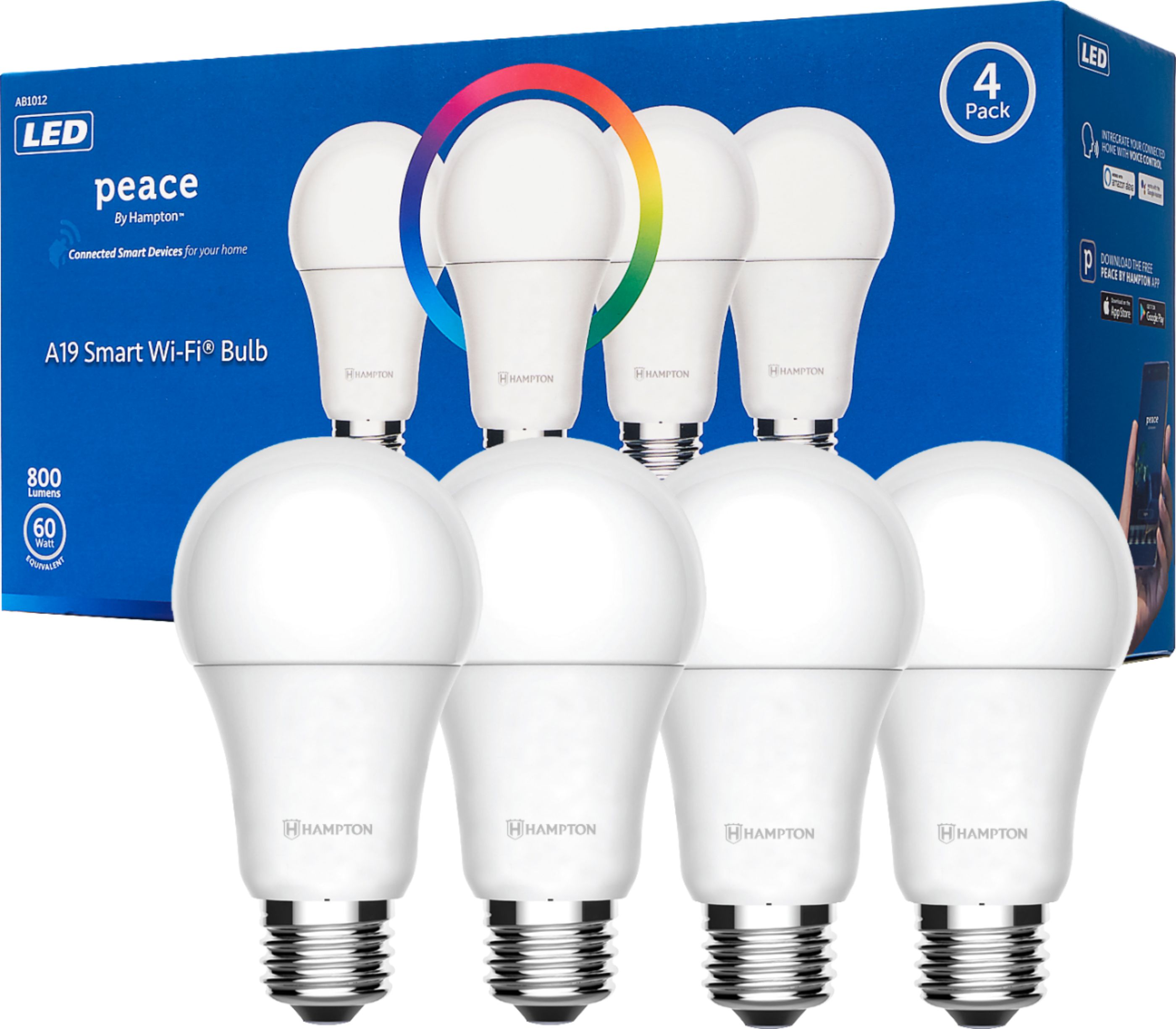
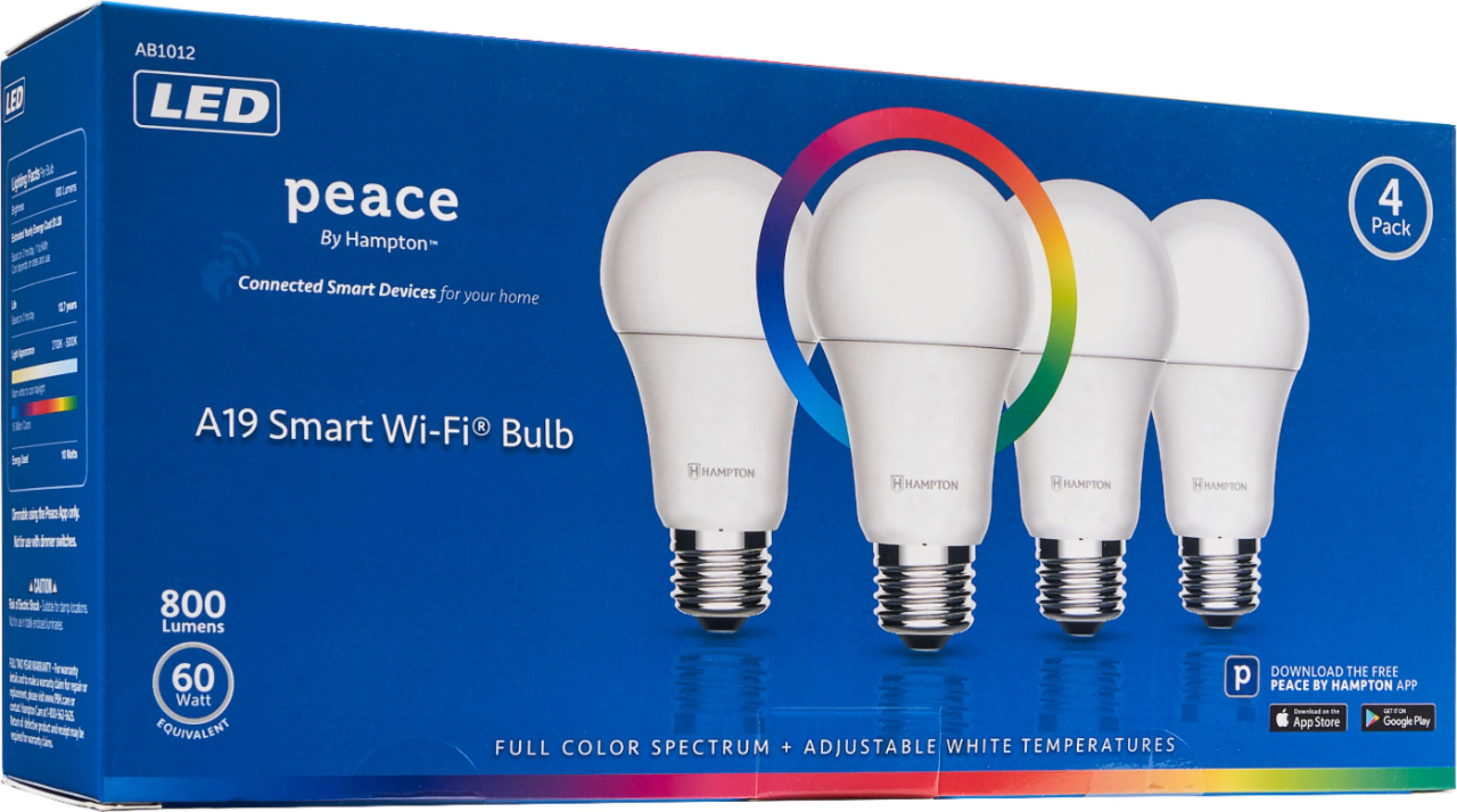
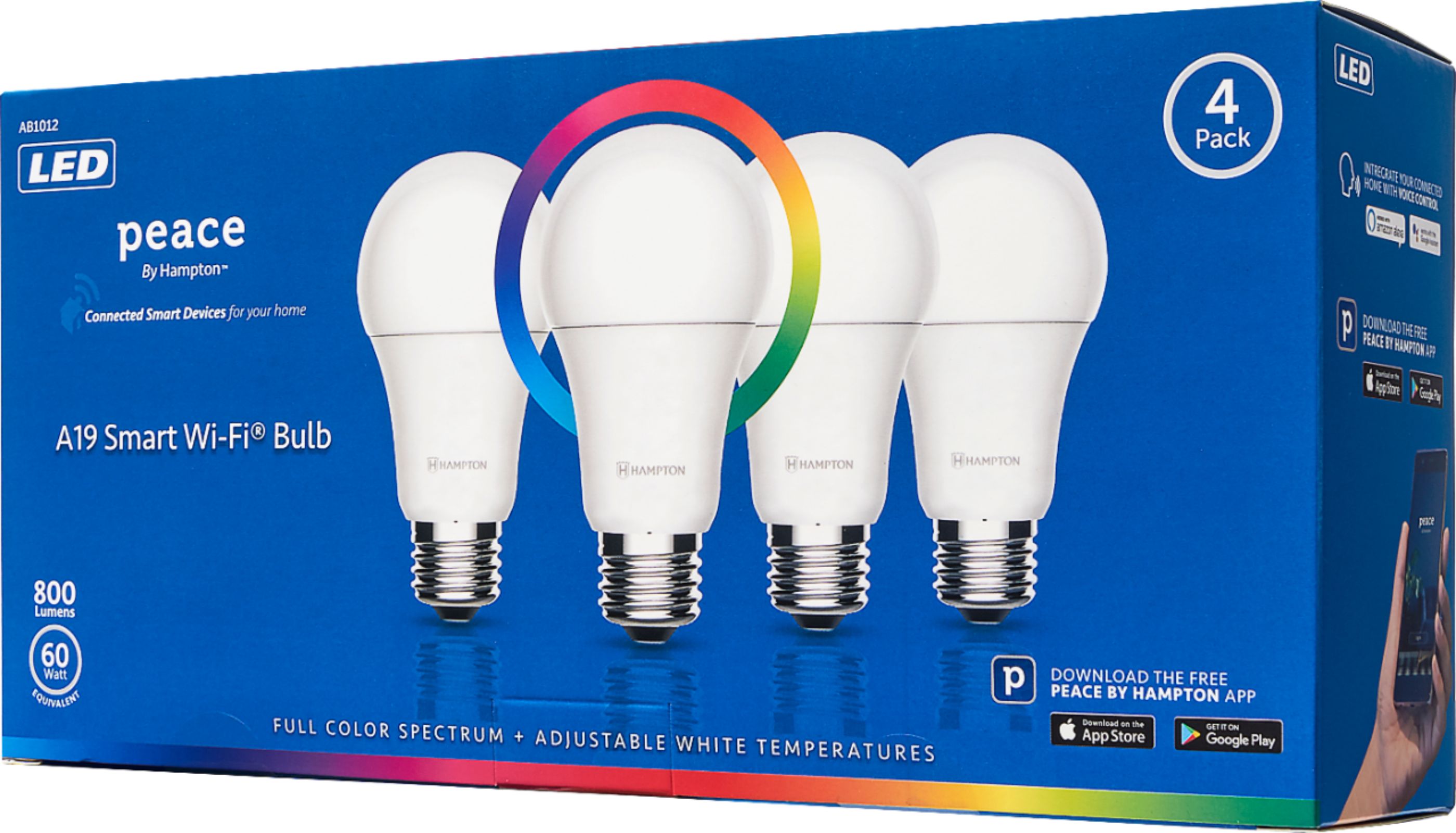
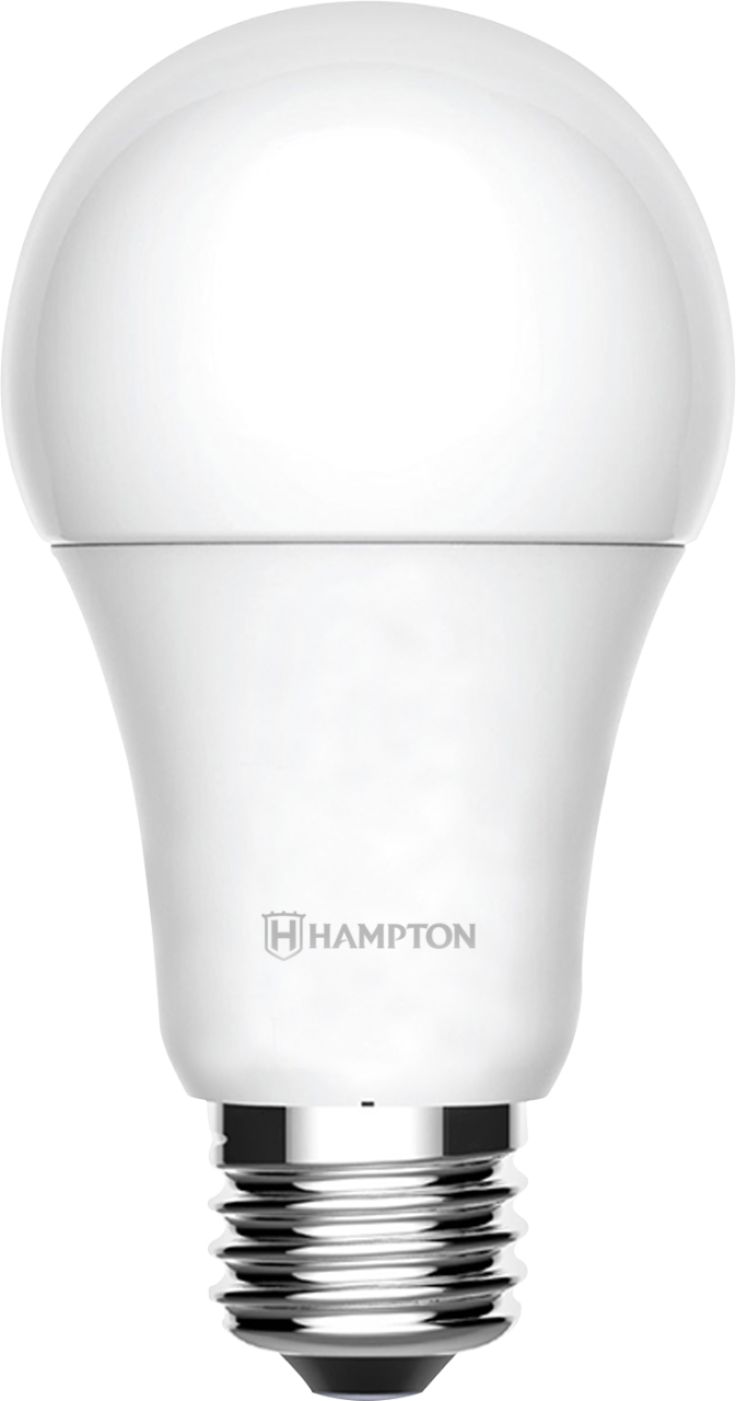

- Model:
- AB1012
- SKU:
- 6404319
Rating by feature
- Value
Rating 4.3 out of 5 stars
- Quality
Rating 4.2 out of 5 stars
- Ease of Use
Rating 4.1 out of 5 stars
Customers are saying
Customers are pleased with the brightness and ease of use of the A19 LED Smart Wi-Fi Bulb (4-Pack), finding the app useful for controlling various features and setting different scenes. However, some customers found the initial setup process challenging and experienced connectivity issues. A few users also reported compatibility problems with certain smart home systems.
This summary was generated by AI based on customer reviews.
- Pros mentioned:App, Ease of use
Great budget smart bulbs!
||Posted . Owned for less than 1 week when reviewed.This reviewer received promo considerations or sweepstakes entry for writing a review.I bought these for my Grandson and he absolutely loves them. He was super excited to set them up and get them going, he asked me to write a review because he was surprised how good these budget smart lights work. Within ten minutes he already had these set up and was controlling them with his voice using Amazon Alexa and his iPhone. He used the new shortcuts app and added them to their own folder so he could add them to his iPhones Home Screen on iOS 14. He asked me to paste the instructions down below, you can skip to the rest of the review if you want. 1: After setting up the pre-set modes that you like in the Peace by Hampton app, it will give you the option to add them to home or control by Siri, or add to shortcuts, do that, then open the IOS shortcuts app, and create a new folder titled whatever you want, mine is called Bedroom Lights, add all the presets to there, organize them how you’d like, and then press and hold on your Home Screen to make the icons shake, then press the plus mark in the top left or right, scroll down until you see the shortcuts homescreen icon, then select the folder you want to display on it, and choose the folder you created up above, then you can control them from the first “wall” in your phone. 2: To add them to Lock Screen, after creating the folder in the shortcuts app, scroll down to the bottom of the left screen on your iPhones Lock Screen and press edit, then press the plus sign, and choose the shortcuts one, scroll over the 6 box options, and choose the shortcuts folder you created above, you can move them how you want. *End of instructions* The only problem he has with this product is that he can’t control all the lights special features at once yet. You have to control them separately to change specific colors or brightness. Other than that, he absolutely loves them. He is trying to talk me into putting them all around my house lol.
I would recommend this to a friendBrand response from Hampton Products Team
Posted .Hi, We are so happy to hear your grandson likes his Peace by Hampton Smart Bulbs, and we appreciate the instructions! We would also like to address your concern about controlling all the light's special features at once. You can control special features such as color, brightness, and scenes for multiple bulbs at once. To do this, you will need to first create a group in the app for all the bulbs you want to control; once you have done that, you will be able to open the group and control all of them at once. If you wish to control them all at once with Alexa, you will need to create a group for them in the Alexa app as well. If you need any help or have questions, you can reach our Customer Care Team Monday - Friday 8:30 AM - 5 PM, Pacific, at 833-732-2324, or by visiting PBH.Care.
- Pros mentioned:BrightnessCons mentioned:Compatibility

Great option for smart lights
|Posted .This reviewer received promo considerations or sweepstakes entry for writing a review.I was an early adopter of all things smart home. One of my first purchases was actually smart lighting. I loved the idea of being able to have my phone control the lights in my house and not having to worry about forgetting to turn them off when I left the house. My phone connected to the lights seamlessly and I was able to have control of the devices even when I was away from the home. Because I was an early adopter, I have seen smart lighting evolve over the years and new products emerge. The Peace by Hampton Light Bulbs is a welcome addition to the market. They are easy to set-up and produce bright, vibrant light. The light bulbs are standard A19 sized bulbs. They should work in most standard light sockets in your home. The bulbs come in a 4-pack and cost 25-30% less than other popular smart lights. Another differentiator for the lights is that they don’t require a hub to work. They will connect to your Wi-Fi network independently and communicate directly with the app on your mobile device. One thing that I noticed right away was that this set is not compatible with Apple HomeKit set-up, but it does work with Google Assistant and Amazon Alexa services. Even though it’s not compatible with HomeKit, the app to control the lights is still available for iOS devices as well was Android-based ones. The light bulbs are very lightweight. They seem to be made out of plastic or another composite material rather than actual glass. The specs for the lights on their product page state that they are dimmable, but the information on the box clarifies that the light bulbs are only dimmable by using the app. They are not supposed to be used with a dimmer switch. Most smart lights are like this so it didn’t phase me in the least. We decided to install the light bulbs into a light bar that’s located over a bar in our kitchen. The light bar happens to hold 4 light bulbs, which was perfect for this kit. The lights were replacing some basic efficiency light bulbs that always had to be controlled by the light switch. I had been looking at swapping them out for quite some time, but didn’t want to spend nearly 3 times as much as these bulbs to match my other lights. The lights do everything my other lights do - they just don’t connect to my digital assistant of choice — Apple HomeKit. Since they were so easy to install and so easy to work with, I was willing to overlook the difference. I was actually shocked at how colorful these light bulbs ended up being. Since I have used other types of smart lights, I was expecting the lights to be close to what the others look like. I was surprised by how vibrant the colors were. The light bulbs do feature a full-color spectrum of 16 million colors and shades of white so that you can make the colors as cool or warm as you want. The lights will last up to 25,000 hours, which is equivalent to 3,125 days (or 8.5 years) of use at 8 hours a day. That is a vast difference from older incandescent bulbs that only last 1,000-2,000 hours. When I first installed them I had a firmware update that needed to take place. I thought for sure it was going to be clunky but to my surprise, the update was super quick and I had no issues even with four bulbs updating. it was awesome. I would like to see Siri control intergraded but I can see myself moving all my home lights over to these because the color is just so good. The set-up was very easy. The app walks you through the process and once the lights are connected, you can set up automations and create groups to make it easier to control them. Because I’ve had experience with some other smart lighting I was completely blown away by these lights. Not only are they cost-effective (as far as smart lighting goes), they are also very easy to work with. I would for sure recommend these and look forward to seeing how these evolve in the future.
I would recommend this to a friend - Pros mentioned:Brightness, Ease of use
Excellent lights with a somewhat clunky app
|Posted .This reviewer received promo considerations or sweepstakes entry for writing a review.I love smart light bulbs, and this Peace by Hampton set is a very high quality package for the price. I've been living with these bulbs for about a week now, and I am quite enjoying these bubs, despite some minor drawbacks that I'll get to below. SETUP: I made the mistake of unscrewing 3 old bulbs and screwing in 3 new Peace by Hampton bulbs into a stand lamp with 3 bulbs and a switch that turns on 1,2, or 3 of them at a time. They all started blinking while I fumbled with the lamp shades and by the time I got to the app, they had stopped. The bulbs have to be blinking when you add them to the app, so I unscrewed 2 bulbs and tried again with one, but the way to get the bulb reset to blinking is to turn it off and on 5 times in rapid succession. This wasn't ideal with the 4-position switch on my lamp, so I ended up setting the switch to power the bulb I was working on, then unplugging and quickly plugging the lamp in 5 times. If you are setting these up for the first time, it's probably much better to do one at a time in a single outlet lamp with a simple on/off switch. After screwing and unscrewing the three bulbs and following the above procedure three times, I had three named bulbs working in my lamp. Then I set about to add them to a group. A long-press on on of the bulb icons in the app brings up a screen showing your bulbs with a green checkmark next to the one you just long-pressed. Excellent! I tapped the other two to turn on their green checkmarks and then... nothing. There's a red trash can icon in the upper corner and the only function of this screen seems to be to remove bulbs from your home. I actually wasn't able to group the bulbs until many days later when I read Hampton customer service's response to another reviewer's difficulty with this step. The way to group these is to tap on an individual bulb and use the pencil (edit) icon on its screen's upper right corner to add the bulb to a group. It's not intuitive, but I'll remember for next time. OPERATION: It says "60-watt equivalent" on the package, but at the white/yellow end of the spectrum, these get very bright, exceeding my expectations for the category. it took a few tries to get a pleasant color temperature and brightness, but now that I have, I am very satisfied. I was able to pair the bulbs to Google Home using my phone, though I had to create a new room to control them as a group. I love being able to use Google Home's new power button screen on my Pixel 4XL to control the lights as a group. From the phone, it's easy to turn the lights on or off and change brightness and color with just one or two taps on the screen. I don't need to use the Peace by Hampton app unless I want to set up automation and scenes. Speaking of automation, I don't have much of a use for it right now, as due to the pandemic, my family isn't in need of location-based changes like turning on the lights when we arrive home or changing the color at sunset, but I do appreciate being able to do it. I played around with scenes a bit, but found them to be more of a novelty than anything very useful. I suspect if I spent some time customizing the scenes to my tastes, I could come up with something interesting, and with Halloween coming up, I might try something spooky and orange/purple/red. The app itself is rather sparse just having the bulbs involved, but I appreciate seeing the other Peace by Hampton products in the pairing screen that I could add as part of a more expansive smart home setup. There are also a few kinks that still aren't worked out for me. My Google Home Hub thinks the middle and right-side bulbs in the triple lamp are part of the room I created, but not the left-side bulb. The Hampton App controls them all but the right-side bulb runs a scene at different times than the others. The phone (thankfully) controls them all as a group like it's supposed to. I guess I could try removing the integration and resetting the bulbs and trying again, but that just seems like a pain in the but when what I mostly want is just three bulbs with the same color temp and brightness. FINAL THOUGHTS: Looking at the above wall of text, it might seem like I'm not enjoying these bulbs, but that's not true. This kind of initial fiddling does come with the territory, and if you can handle it and get though the to the other side, these bulbs are a high-quality set that should provide years of enjoyment. I'm looking forward to future development on the app and firmware, and I will take a stab at creating and customizing my own scenes soon. After all, just a few years ago this kind of automation was incredibly difficult to accomplish, and we've come a long way already.
I would recommend this to a friend - Pros mentioned:Brightness, Ease of use
Fantastic Controllable Light Bulbs
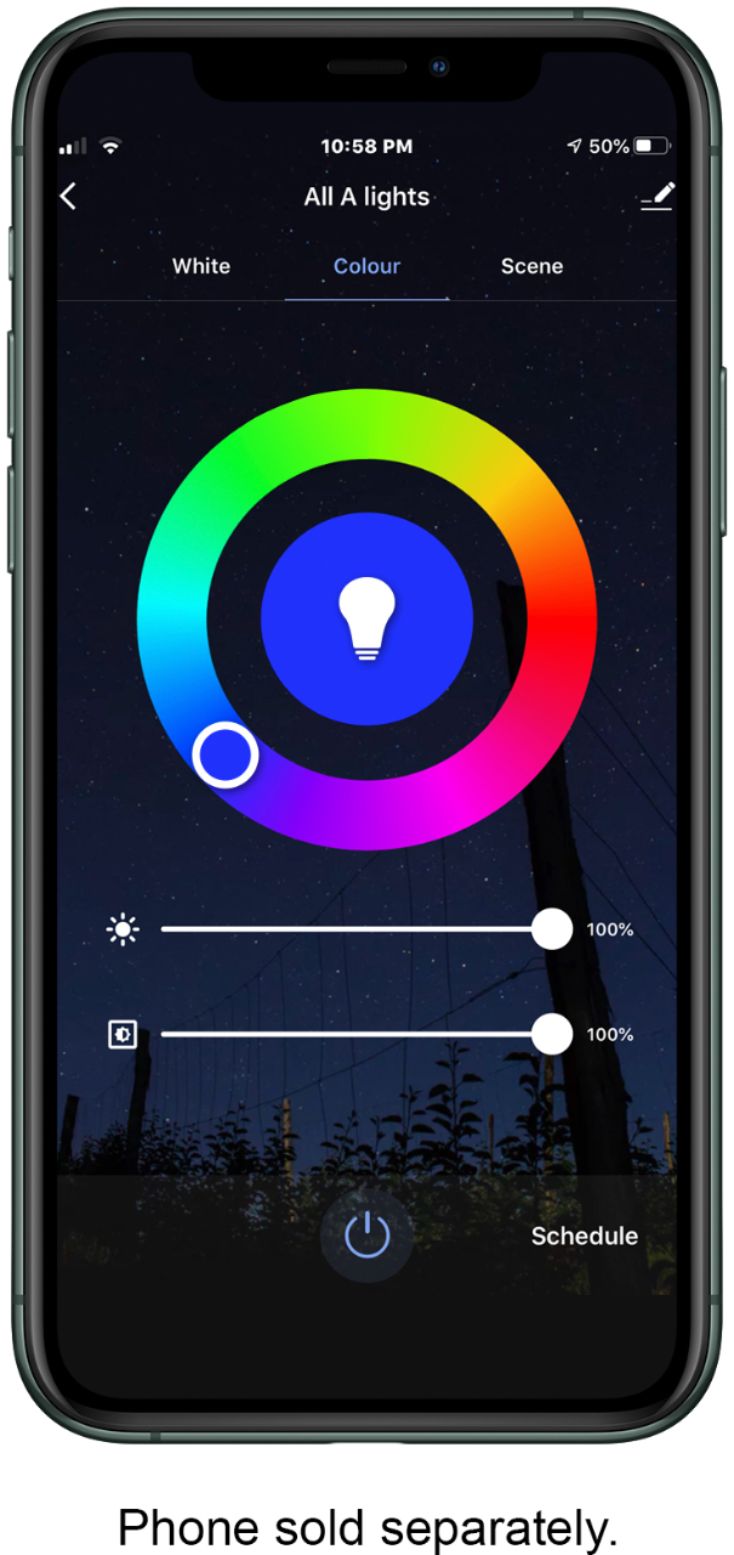
|Posted .This reviewer received promo considerations or sweepstakes entry for writing a review.These Hampton Peace light bulbs are great and I really enjoy using them. Inside the box comes the four standard A19 Style bulbs and the usual paperwork, no fuss. Note, these are regular screw in bulbs so they will work in the normal sockets you have around your home as well as in lamps. Each of these bulbs are rated at 60 Watts and they produce 800 lumens of brightness. I must also point out that you should not feel surprised if these feel heavier than your typical bulb, as these bulbs have a lot more technology in them. Such as the ability to connect to WiFi (2.4GHz network) without need for an additional hub and the ability to connect to the Peace by Hampton App through which they can be controlled. First download the app and get it setup, creating an account. It is in both the Google Play store and the Apple App store so this should not be an issue for Android or IOS users. The issue I encountered was actually attaching the bulbs to the app. The default EZ mode did not work for me no matter how many times I tried. Switching over to AP mode I did have more success but I had to add each bulb individually and two of the bulbs were especially difficult to add but eventually. I got them all paired to the app. My advice, follow the instructions carefully , you’ll have a much better setup experience. Through the app you have almost an endless amount of options to customize them. First you have the ability to name each bulb to whatever you like, Just first select the bulb then touch the pencil icon to the top right. Inside there you will also see other options such as “ Share Device” ( to another person who has an account) as well as “Create Group” which you can use to add any other of the hampton bulbs and control them all as one unit. Another point of note is that these bulbs have a full colour spectrum and you are able to set any bulb to any colour or control them all as one. You even have control over the intensity and or the hue of the bulbs, incredible. You also have the ability to set schedules for the bulbs and even transition animations, it’s really fun to mess with and I would advise you to do so too. Another great addition here in integration with the Google Assistant and also Alexa. I attached it to both of these services and was able to control the bulbs through only my voice. Not just turning them on and off but also, setting the colour as well as the intensity. Honestly, I think these bulbs are a great addition to any home especially at this price-point. They offer you the ease of turning your lights on and off from anywhere, as well as setting ur rooms to any colour you can imagine, even with a voice assistant.
I would recommend this to a friend - Pros mentioned:Brightness
Great LED RBG bulbs
|Posted .This reviewer received promo considerations or sweepstakes entry for writing a review.The Hampton Peace RGB LED 4-pack is a relatively inexpensive option if you're in the market for true RGB bulbs that can be controlled via WiFi. One of the nice things about these bulbs is that are standalone, meaning they don't require a hub; they each connect directly to your WiFi, and you control them individually (or as a group) with an app. The bulbs also seem brighter than 800 lumen; I replaced two 1100 lumen 5000k bulbs, and these RGB bulbs set on full brightness at full white easily seem as bright as the 1100 lumen bulbs. Overall, the set up was fairly simple; install the app, screw the bulb into a fixture, turn it on, and begin the process of using the app to add the light to your account. One thing that wasn't apparent to me initially was that I had to set up a 'home' so that I could add lights. Once the lights are added to your account, there's a firmware check/update that takes place for each bulb. I did experience an issue with one of the bulbs where the firmware update occurred while I was adding it to my account. The firmware update succeeded, but it caused the initialization of that bulb to fail, so I had to reset the bulb and start over. Not a big deal, but that shouldn't happen; the firmware update should be held until the bulb is added to the account. Once all of the bulbs were added, I started playing around with the app. The app allows full control over the bulbs, but it could use a bit of polishing. For instance, I was trying to create a group. I tried everything I could think of, but nothing worked... i discovered that I could delete multiple lights, but I couldn't use the same process to just group the lights. I finally had to break down and look it up; It turns out that groups are possible, but creating them is a bit more cumbersome. I have all of these bulbs in my den, and I have the 4 lights set up in 3 groups. One group controls 2 lights near the TV, one group controls 2 lights near the door, and one group controls all 4 lights. Each bulb or group can be controlled in a myriad of ways (color, brightness, timer), and so far the lights have worked flawlessly. I'm quite pleased with these bulbs and will probably buy additional ones for other rooms, so I wouldn't hesitate to recommend them.
I would recommend this to a friend - Pros mentioned:Brightness
Great bulbs, provide a superb atmosphere!
Posted .This reviewer received promo considerations or sweepstakes entry for writing a review.I've been using these Peace by Hampton LED smart lights for a couple of years now. Recently picked up another 8 of them, to use in a new lamp we purchased. I chose to set up each bulb as it's own name and then created a group of those names as well, and then added them to another group to control all the lights in the house. For example, the bulbs are individually named so that I can change each bulb to an individual color (see pic of red, green, blue bulb in the lamp all at one time). I added them to a group that is called 'Living Room Lights' to be specific to that lamp (not each bulb, but the lamp). And then I added the 'Living Room Lights' to a master group called 'Lights'. So when connected to Alexa, I can have all the lights turn on and off with a simple 'Lights' command, I can be more specific and only turn on the living room light, or I can turn on and off one single bulb at a time to give the right mood for the occasion. These are some of the quickest and easiest bulbs to pair, they work right away and have great signal strength and remain paired constantly. They don't get particularly hot to the touch, and aside from their color output, they are really nice and bright and more importantly 'natural' in their 'soft white' range. Overall, absolutely love these bulbs and I have about 30 of them around the house!
I would recommend this to a friend Impressive Wi-Fi Bulbs with Abundance of Options
|Posted .This reviewer received promo considerations or sweepstakes entry for writing a review.If you're looking for a great alternative to regular LED light bulbs, the Peace by Hampton Wi-Fi bulbs are a great choice. This package of Peace by Hampton light bulbs comes with 4 bulbs & instruction booklet. PROS: ----------- * The biggest "pro" is that a hub is not needed for these lights to work. They independently connect to your Wi-Fi network, so they should work right out of the box with no added equipment. * Full color spectrum available, not just X number of colors. * Another great aspect of the full spectrum/hue is the fact that you don't have to worry about the light being too blue or too yellow. You can literally adjust how warm/cool you want your light in order to have the perfect balance to your room. With these bulbs, you'll get THE perfect hue/warmth you desire. * The Peace by Hampton app offers a ton of options including room designations, scheduling, and animations. You can also custom-rename each light bulb which is great if you have many bulbs in different locations. * (Per the box data) If you use these lights for 3 hours/day, they are expected to last 13.7 years. At $60 for 4, that would be a good thing. * I have 3 lamps using these light bulbs in my living room. Even if you have your bulbs on a timer, you have the option of turning ALL lights on/off in a specific room with one button in the app (the "Tap-to-Run" feature) Very convenient. (ie. "Living Room Off" and "Living Room On"). Once you define an animation, you can simply turn it on/off instead of deleting and re-setting it back up. Another good convenience. * You can add different users to your "Home" that you define in the app, all of which will create their own login with their own email address. They'll get a code to get added to your "Home"... and you can define them as an "administrator" or "common user", each of which has their own permissions on what they can do. Very nifty feature so your spouse/kids don't login as you. You can even have the lights come on at times when the weather is dark/bad when skies get darker earlier than normal and light is needed. * You can control the lights from anywhere in the world using the app. As a security measure, you can randomly decide when to turn on lights when you're out or automate it remotely. This will make it appear someone is home. * Light bulbs are made with plastic on the outside, so you don't have to worry about glass breaking like with normal incandescent light bulbs. In addition, bulbs are also cool/warm to the touch after being on, so you shouldn't burn yourself if removing from a fixture just after using. CONS: ----------- * The app could use some more animation types/speeds. You can select the speed in which the colors change, and up to 8 colors I think. You can slow this transition speed down quite a bit, but the high speed could be a bit faster, especially if you're trying to put together some wacky lighting effects that need more speed. This appears to be something that a firmware/software update might be able to fix. * I had issues in pairing up one of the bulbs. It would never connect either with EZ or AP process. I thought it was defective so I moved on. As I added the next bulb, for some reason, the app added both the new one and the one that failed to load previously. Strange. The last 2 bulbs added fine. Perhaps an anomaly. If I had not tried another bulb in the package, I would have assumed they did not work at all. * If you put the bulb in a device and turn the device off, then the bulb will show offline in the app. In this case, you can't do anything with it until it is turned on at the source (ie. lamp). * These bulbs are of the A19 (standard) screw size, so they might not be able to fit some outdoor light fixtures (ie. Halloween orange lighting wouldn't be available for those light fixtures) OTHER OBSERVATIONS: ----------------------- * These bulbs are capable of being used with Google assistant and Alexa; however, I don't use these assistants, so am unable to give feedback on this feature.\ * Puts out the equivalent of a 60W light bulb in 10W LEDs. Lumen-wise, it puts out 800 lumens. Personally, I'd like to see at least 1000 lumens on its brightest setting so some of the darker colors can be brought out more. * We are primarily using these lights for automation purposes... on and a time, then off at a time. Nothing complex. Keep in mind that you will likely have to choose HOW you turn your lights on/off - either with a switch OR with the app. You can't really use both. You don't want to have to hunt our phone down if you want to simply turn on your lights/lamps. The colorful room pictures attached to this review are during daytime with blinds closed and in a lamp shade. They still produce some decent colorful light. CONCLUSION: ===================== If you're tired of turning on/off lamps around your house and need an automated way to make that happen, these WiFi bulbs are an excellent choice. With no hub being needed, these are a great alternative that literally are plug, connect, and play. You can really color-up a room during Christmas, Halloween, Thanksgiving, birthdays, etc. With all the features, automation, sharing capabilities, and options, you can't go wrong here. This 4-pack will last for years, add flair to your rooms, and make things easier on a daily basis with automation. Very good product, highly recommend.
I would recommend this to a friendAmazing, colorful bulbs! Counterintuitive app.
|Posted .This reviewer received promo considerations or sweepstakes entry for writing a review.These lights are incredible! Some of the best smart bulbs I've used (and I've tried many over time). The color, the brightness, the flexibility of the bulbs is fantastic, and the build quality is right up there with class leaders. The bulbs are easy to install as they are a standard A19 style screw in light bulb. They are a 60W equivalent, and produce 800 lumens. They do have a weight to them, heavier than the single color LED bulbs I was replacing. They work via WiFi (without an additional hub), they produce a full spectrum of 16 million colors and shades of white. They are not dimmable by use of a dimmer switch, only via the Peace by Hampton App (or by voice control). You can also create schedules and scenes to suit your mood. To start with, download the Peace by Hampton App (available for Apple and for Android) and set up an account. Next, screw in your light bulb and choose '+' to add a bulb. In my experience, for some reason, the automatic connection to wifi of this style of smart product never seems to work 100% of the time, so I taken to converting to AP (Access Point) mode. To do this involves resetting the bulb, so you have to turn off the bulb, pause, turn on, turn off, pause and repeat 5 times until the bulb starts to blink slowly (once every 2 seconds). For reference, the 'automatic pairing mode' has the bulb blink twice every second. Once changed to the AP mode, you can select the bulb from the wifi menu on your phone, and connect to it that way. I found this way works 100% of the time (I set up 8 bulbs this way). Using the auto pairing mode, it failed to connect each time. Once connected, you can name the bulbs (I chose to call them Hampton Bulb 1-8, and I wrote the corresponding number on each bulb to pair up their locations). Now you have control in the app over each bulb individually. That is great if you have one lamp. Works perfectly. I have 5 of these bulbs in my dining room chandelier. So now I need all 5 of them to work at the same time. I had to create a group, or 'room' in the app, and assign each bulb to the room. When doing this, it wasn't a simple check box to select the bulbs I wanted in room. When I selected the bulb, I was presented with a submenu, that offered IFTTT options (If This, Then That) which is not what I expected to have to do, in order just to group the lights. So I had to let the room know that when I pressed it, that I wanted bulbs 1-5 to turn on, and had to tell the bulbs individually. This was a little tedious to set up because I had to do it with each and every bulb. However, on the flip side, this methodology, made it nice and easy to create a custom scene for each bulb. I chose to tell each bulb that it needed to transition through 8 colors (6 is default, 8 is the max choice color you can input) ranging from red, to orange, to soft yellow, to give the bulb a flickering flame effect. You can change the brightness of the scene, the speed at which those colors transition, so that all the bulbs have a random look to them, and also the shade of each color on the palette, making them incredibly versatile. The result is nothing short of fascinating, I have 5 bulbs that appear to be 'breathing fire' in my dining room, should I say 'Alexa, turn on the fire!'. This gives me all sorts of ideas of the type of things I can do for holidays, (green and red at Christmas, purple and orange at Halloween for example), so with time and patience, I will look into adding more. It does look like you can't 'add scenes' tho, but merely edit the ones that come in the app. So I changed 'Gorgeous' scene to 'Fire'. Once you've set up your bulbs how you'd like to, you can take it a step further and voice control them with Google or with Alexa. I have an Alexa ecosystem, so chose that route. Download the 'Peace by Hampton' skill for the Alexa App and link you account to your newly created 'Peace by Hampton' account. Search for new devices 'Alexa, search for new devices'. They may automatically be added, you may get some prompts that new devices have been added, just look for the names of the bulbs that you just set up above. Then you are free to set up a group in the Alexa App, in my case 'Dining Lights' and then you can voice control the bulbs and change them to any color you wish. I cannot recommend strongly enough, how fantastic these bulbs are! They are so vibrant, so bright, so colorful, so dynamic, it's incredible. We absolutely love them and I've even converted my wife! Will definitely be purchasing more of these.
I would recommend this to a friendBrand response from Hampton Products Team
Posted .Hi, We want to thank you for your great review and would like to address your concern about the difficulty of creating a group. There is a simple way to create a group; you can do this by selecting a single bulb in the app; once you have selected the bulb, click on the pencil in the top right corner of the screen just to the right of the name. One of the options is "Create Group" click on that and then select each bulb you want in that group. Once you have selected the bulbs, click "Save" in the top right corner, give the group a name and click "Save" again. Once the group has is saved, you can find it under "All Devices" from the homepage of the app, and you can turn all the bulbs on and off with one click like you can do with a single bulb. We hope this helps; if you would like further assistance, you call and speak with our Customer Support Team at 833-732-2324 or visit our website at pbh.care, where you are sure to find lots of helpful information.
- Pros mentioned:Brightness
Great addition to my home theater room!
|Posted .This reviewer received promo considerations or sweepstakes entry for writing a review.The box has 4 bulbs and it was a perfect addition to my home theater room. Ran into few issues trying to configure the bulbs to connect to my Wi-Fi the first time. Make sure you download the app (peace by Hampton) first, register, and be ready before you turn ON the bulbs to get them connected to the Wi-Fi. It only blinks for a min and if your phone doesn't pick it up, you will have to turn ON/OFF the switch 5 times to get it back to pairing mode. Took about 6 mins to get the 4 bulbs configured. The app offered a full color spectrum and scene selections. It’s a 60W bulb with 800 lumens, so it was perfect for my home theater room. I prefer low light ambience for basement gatherings. The adjustable white light offered warm white to cool daylight selection and can be easily adjusted on the app. I found the scene selection interesting as it changed colors, perfect to lighten your mode while sipping wine in your backyard. Wasn’t sure if it is rated for outdoor use, but I used the floor lamp to test it in my backyard. This didn't require a hub and that helped as I already have 6 hubs connected to my router and running out of ethernet ports. I had it configure to in my google assistant so I can use voice commands to turn it ON and OFF. Overall this is an amazing set at an affordable price and you can buy them in bulk to light up your entire house without breaking your bank. I can compare the quality with the name brands that I already own. Can't comment on the durability yet as I only had it for a week.
I would recommend this to a friend - Pros mentioned:Brightness
Whimsical Smart Light Bulbs
|Posted .This reviewer received promo considerations or sweepstakes entry for writing a review.I am a bit old school, so the floor lamp in my living room has been turned on/off by a good ole plug-in timer for years. However, the timer was ticking so loudly that sometimes it sounded like a bomb was about to go off - very unsettling! So, I was thrilled to finally retire the timer and give smart light bulbs a try. Unlike the other reviewers, our home is not connected to many smart products, so I had a trouble setting up 2.4GHz WiFi network for the first time. My internet provider didn't make it easy for me either, so I had to seek help from my friend and he walked me through it. After that was done, though, the rest of the setup were easy, following the steps described in the app. I saved the schedule to turn the light on at 5:30 pm and off at 10:30 pm, and it worked like a charm! I very much enjoy having the option to turn it on/off on a whim from the app, instead of doing it manually from the lamp. I won't be dreading the daylight savings any longer! I love the color wheels - they are so whimsical! My favorite is pinkish purple. It it much prettier in person and my photo doesn't do justice. Also, I noticed that these bulbs are brighter than the regular white 60 watts LED bulb I replaced it with - nice! My husband was also very impressed and he wants one for his office. Overall, I am very happy with these Hampton Smart Light Bulbs and highly recommend them!
I would recommend this to a friend Colorful bulbs with great color options
|Posted .This reviewer received promo considerations or sweepstakes entry for writing a review.Have you ever just sat or laid down and you realize you’ve left a light on and have to get back up? Not anymore! It sounds super lazy but there are also other great benefits to it, like turning on all of your room lights before you get out of your car so when you open the door you can actually see when you get inside, automating the lights to turn on/off at certain times to wake you, as a night light, or even to make your house look occupied while you’re away. Voice controlling your devices at home seems like kinda addictive. These bulbs are extremely easy to set up. You need to download "Peace by Hampton" app to begin setting them up. When you first screw in and turn on they usually start flashing rapidly which means they are ready to be found by the app. With the app you are able to not only turn the bulb on and off, you are also able to change it to many different colors. You can also change to various "shades" of white. You can also adjust the brightness/dimness of the bulb no matter what color it is set to. When turned to a color, the bulb is not as bright as when on white, but when using a color I am not wanting a very bright light. The bulbs also work with Google and Alexa, so you can turn it on/off etc. These smart Wi-Fi bulbs are a great addition to the collection of smart devices I have. I love the fact that they don't need a hub in order to work. I also own a different brand of smart bulbs and they have their own hub that needs to be connected to power for the bulbs to work. These generic bulbs are very high quality and durable. The bulbs’ brightness is rated at 800 lumens, which is pretty good. For comparison, the regular single-color led bulbs from Walmart are rated at 480 lumens, and are slightly but noticeably dimmer than these smart bulbs. I, personally, see no useful purpose for multicolor bulbs, but my son does have fun with playing different scenes. App also has presets like night, read, working, leisure and custom modes etc. makes it easy to turn it to reading or night mode. I can confirm they are as good as you can get. Easy to connect and configure using the app. Google/Alexa integration is a snap. We have both of these devices, so I went ahead added these bulbs to both. And the price is a major plus for them, as well. These are great WiFi RGBW bulbs for everyday use, in any room, at any time. Brightness is same or much better than any non-smart led bulb. What’s more, you have full control over brightness and color temperature! With the app and Google/Alexa, you can control pretty much all color and temperature combinations. Kids love that. Overall the features of these bulbs are great and met expectations and fits well with my other smart devices. I would definitely recommend these.
I would recommend this to a friend- Pros mentioned:Ease of use
Great Multicolor LED Bulb - No Hub Required
|Posted .This reviewer received promo considerations or sweepstakes entry for writing a review.These are my first Wi-Fi connected light bulbs, and I was happy to know that I could control each individual bulb without requiring a hub. Installation was easy and quick. I would recommend that you first download, install, and register the product before turning on the light, or the bulb blinking (to indicate it's ready to set up) will get annoying quickly. The app is packed with many options to modify the light. You can manually change the warmth or coolness of the bulb, change to a specific color, dim, or use a theme. You can even choose to turn off one bulb while other bulbs are still lit, on the same circuit. I would highly recommend these bulbs to anyone who would like to set a mood in a room, with the full spectrum of color.
I would recommend this to a friend Economical, True Smart Light Bulbs
|Posted .This reviewer received promo considerations or sweepstakes entry for writing a review.Pros -Very easy setup -10W, 800 Lumens, 25,000 Hour Life Rating -Color Spectrum: 2700K-5000K -Daylight white (bright white) to soft white (orangy white) -No hub required -App security notifications for account logins -Exquisite customization, set scenes and profiles -Google Assistant & Amazon Alexa device capable Cons -No simple way to create a "Room" setting to adjust multiple bulbs at the same time and make easy adjustments on the fly like other popular smart bulbs (see details below). Known for their home security products, Hampton offers their Peace light bulbs with smart capabilities and color changing options. With many different smart light bulbs to choose from, what makes the Peace lights different? Although it contains many of the same features from other popular options, I found there to be more automation/customization options and very competitive pricing by Hampton. Setup was very easy as there is no hub to connect to your wireless router and the bulbs are all controlled via a mobile app. Before installing I recommend installing the app on your mobile device first then connecting the light bulbs to a light fixture. After adding the bulbs to your light fixture, the app guides you through making an account and adding the light bulbs to your 2.4Ghz or 5Ghz Wi-Fi (Note: Have your Wi-Fi name and password ready). Fairly easy and basic setup! Something nice I discovered was after logging into the account on another device to control the bulbs lighting, I received a security notification by Hampton alerting me they noticed login activity from an unknown device. Pretty neat! After the setup while navigating the app, you see that there is a range of customization options available to use. From changing the color of the light (red, green, yellow, and colors in between) and brightness, to setting "scenes" for customizing lighting conditions during particular times or hours of the day. You can also choose lighting options for when you aren't home, when the weather changes, or on a schedule. Other than the cooler color changing options, you are also able to change the softness of the color white from daylight (bright white) to soft white (orangy tinge white). No more having to choose what white hue is better for which room! I personally liked this option and my kids loved the wide array of colors to choose from. Aside from the color options and automation options, you also have the option to connect to your Google Assistant device or Amazon Alexa devices. To setup, you will need to individually go into each of those applications and add access to the Peace light bulbs. One thing I was not particularly a fan of was that there weren't any options to group light bulbs together into "rooms" like other competitors or make changes to these groups on the fly. With the Peace bulbs you are able to make buttons within the app to turn lights on/off, change the light color/hue via the click, as well as other changes. What was a little annoying was that I had to make an individual button for each setting (turning lights on, then turning lights off) and if I wanted to make a small change like dimming these lights while on, I either had to make another button for this and then adjust the settings if I wanted them brighter or darker. It ultimately took a little longer in this setup process to make all of these buttons and for things I found should be simpler within the app. I do think this can be changed or added in a future update for easier adjustments too. In the end I found it faster to just click on an individual light bulb and make the changes to each bulb versus making buttons for the simpler light adjustments. For those looking to get into smart home automation, add lighting efficiencies to their current smart home, or looking for a nice addition to a kids room, the Peace by Hampton light bulbs are great and economical (when compared to similar featured bulbs by competitors). It is definitely something to consider and you will not be disappointed.
I would recommend this to a friend- Pros mentioned:Ease of use
Highly recommended
Posted .This reviewer received promo considerations or sweepstakes entry for writing a review.Loved how simple these Smart Bulbs was easy to setup through the app. We installed these Smart Bulbs in my uncles home who is in a wheel chair it is so simple for him to turn on and off every light in his home with his cell phone or simply asking Alexa to turn them on. No more having maneuver into the the wheelchair into awkward positions to reach a light switch. I would recommend this line of smart home products to everyone.
I would recommend this to a friend - Pros mentioned:BrightnessCons mentioned:Connectivity
Smart bulbs that work
||Posted . Owned for 1 month when reviewed.This reviewer received promo considerations or sweepstakes entry for writing a review.I've always wanted to have smart light bulbs in the house. I've tried a couple before but had trouble with them. The Peace by Hampton smart bulbs work pretty well. The white light is bright but the color lights can be dim on the brightest setting, depending on the color. The app does a good job with letting you know which light has power and is on or off. I couldn't get the bulbs to connect to my phone with the EZ method, but the other method of did work. You can control the bulbs with more than one device if using the same account. If you have more that one account you can share the control but I couldn't find the button on the app to do that. I got these on sale for about $10 a bulb and think it was a good investment.
I would recommend this to a friend Great Product and Superior Value
||Posted . Owned for 1 week when reviewed.This reviewer received promo considerations or sweepstakes entry for writing a review.I purchased these bulbs for my sons room. Set up was simple and the bulbs can be controlled with both Google and Alexa by voice commands! Seemingly endless colors to play with and dimmable shades of white depending on the type of light you need. I love that there is no additional hub required to use these bulbs. They work with your existing home wifi system which makes set up and use even more simple. I will definitely be adding more Peace by Hampton products to our home in the future!
I would recommend this to a friend- Pros mentioned:Ease of use
Great bulb
||Posted . Owned for 1 week when reviewed.This reviewer received promo considerations or sweepstakes entry for writing a review.I replaced these bulbs with my sengled bulbs that required a hub. Love how easy these were to set up. Works with Alexa and I have my whole house on these wifi bulbs.
I would recommend this to a friend 
Works decent
|Posted . Owned for 2 months when reviewed.This reviewer received promo considerations or sweepstakes entry for writing a review.These were very affordable but do have a few glitches. When changing the lights to different colors they tend to get hung up some times, also if you use the voice command to turn them off with Google they may not come back on again. The easy fix for this is to tell Google to turn them to 0% instead. Not a bad product just a little quirky, i would say the GE Cync may be a better buy if you just want it to work instead figuring out the right verbiage to get it to work with google
I would recommend this to a friend- Pros mentioned:App, Brightness
Awesome lights if you can get them on sale
||Posted . Owned for 2 weeks when reviewed.This reviewer received promo considerations or sweepstakes entry for writing a review.Replaced my boring old light bulbs in my ceiling fan with these, when I found them on deal of the day. TLDR: if you want to replace old bulbs and these are on sale, go for it! Pros: plenty of color options to choose from; app allows you to set different scenes so switching between bright white and moody colors is super simple; claims to be usable with the Google Office Assistant, but i haven't tried that yet; Whites are very bright Cons: colors are not very bright (800 lumens is about the same rating as GE smart bulbs, but overall coloring is very dim); app is not SUPER intuitive but once you get it working, it's reliable; seems like a limited number of scenes, which doesn't make much sense. However, I'm not sure why you'd need more than 8 scenes so it's probably no issue
I would recommend this to a friend - Pros mentioned:Brightness, Ease of use
Works as intended, app's nice to change settings!
||Posted . Owned for 1 month when reviewed.This reviewer received promo considerations or sweepstakes entry for writing a review.I like them, controls are accessible through an app or can be voiced controlled if you have Alexa. I use the app, somewhat intuitive in the setup if you are somewhat tech savvy. After setup, in the app you can control brightness levels, color, warmth/coolness, fade effects, timers for on/off...not a plethora of settings but for what they are I think they provide enough and are priced well. Bought as a daily deal offer.
I would recommend this to a friend