Customer Ratings & Reviews
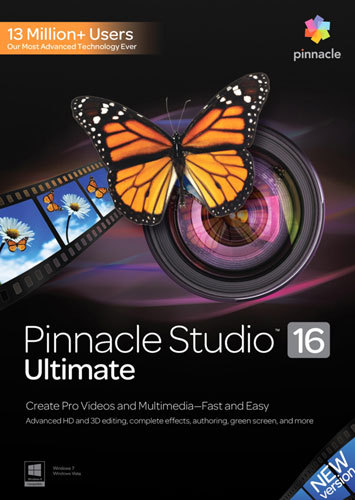
- Model:
- 8100453
- |
- SKU:
- 6577434
Customer reviews
Rating 3.6 out of 5 stars with 66 reviews
(66 customer reviews)Rating by feature
- Ease of Use3.2
Rating 3.2 out of 5 stars
Customers are saying
Customers are pleased with Pinnacle Studio 16 Ultimate's user-friendly interface and its video editing capabilities. They appreciate the green screen feature, which allows for creative video production. However, some users have experienced compatibility issues with capture devices and have found the learning curve to be steep.
This summary was generated by AI based on customer reviews.
- Cons mentioned:Compatibility
Rated 2 out of 5 stars
disappointed
||Posted .This reviewer received promo considerations or sweepstakes entry for writing a review.I had earlier versions and loved Pinnacle, I was very disappointed with this version. Have not been able to finish a product yet as it keeps locking up. The interface is horrible, I'd rather use the older version... Bigger, better, cost more isn't always better...
No, I would not recommend this to a friend - Pros mentioned:Green screen
Rated 5 out of 5 stars
Green Screen like a pro
||Posted .This reviewer received promo considerations or sweepstakes entry for writing a review.This product has the ability to use a green screen behind a subject and then add in any background you like. This is a cool feature but wait there's more. The box also includes a green sheet to use behind your target and then it makes editing out that color a breeze. Just make sure to get the sheet as flat and wrinkle free as possible or you may get a weird gridlike pattern due to the creases from packaging.
I would recommend this to a friend Rated 1 out of 5 stars
May work if you have access to a super-computer
||Posted .This reviewer received promo considerations or sweepstakes entry for writing a review.I just purchased a new mid-level laptop (2.60 GHz processor, 8 GB RAM), and bought this software at the same time to edit my home movies. However, this program will not run smoothly, crashes constantly, and gets locked up with every command. I have spent hours trying to get it to run smoother, but nothing has worked. Save your money and do not buy this product. I will never buy from Pinnacle again. Oh, I tried to contact their customer service, as the product comes with free customer service for a limited time (you have to pay for service after the free period ends). They only communicated through email, and they stalled until the free period was over, so I received no help whatsoever. I just wish I had my money back as it was not a cheap product.
No, I would not recommend this to a friendRated 4 out of 5 stars
loaded without problems
||Posted .This reviewer received promo considerations or sweepstakes entry for writing a review.It has many functions for the home editor. It loaded without problem but occasionally hangs up
I would recommend this to a friendRated 5 out of 5 stars
Best video program over all of the others!
||Posted .This reviewer received promo considerations or sweepstakes entry for writing a review.I have been using Studio products since Studio 7 and have liked them all. BUT this new studio 16 ultimate is by far the greatest package yet. You have everything you need just a click away. The addition of voice over while your movie is up is fantastic. I made video Christmas cards for my family and it was a great thing to personalize each one without a lot of hassle to record and patch in. I will continue to buy this products upgrades.
I would recommend this to a friend- Pros mentioned:Software quality
Rated 4 out of 5 stars
Good capabilities
||Posted .This reviewer received promo considerations or sweepstakes entry for writing a review.Extensive editing capabilities for 3d and blu-ray. There appear to be many features that I haven't yet tried out.
I would recommend this to a friend - Pros mentioned:Ease of use
Rated 4 out of 5 stars
Great Video Editing Program
||Posted .This reviewer received promo considerations or sweepstakes entry for writing a review.I've been using Pinnacle products for years. This updated program is a very good basic+ video editing program. Fairly easy to use.
I would recommend this to a friend Rated 3 out of 5 stars
Hard to figure out & I've used prior versions
||Posted .This reviewer received promo considerations or sweepstakes entry for writing a review.It gets the job done, but it took many days to figure out the basics. I've owned/used versions 8, 9, 10 & 10.5. This is nothing like them, VERY different. Also, very limited compatibility with capture devices. I have to use a different program to capture the video before I can import it for use with Pinnacle Studio. In prior versions, the menu and chapter screens had audio. They do not in this "Ultimate" version.
No, I would not recommend this to a friend- Pros mentioned:Ease of use
Rated 5 out of 5 stars
Awesome Product!
||Posted .This reviewer received promo considerations or sweepstakes entry for writing a review.Have had previous version of Pinnacle's Studio... This is a great product, fairly easy to use and understand the features! Nothing is perfect but this come pretty darn close!
I would recommend this to a friend - Pros mentioned:Ease of use
Rated 5 out of 5 stars
Terrific for school projects
||Posted .This reviewer received promo considerations or sweepstakes entry for writing a review.I bought this for a school assignment and I was not disappointed. It worked great and my school project looked fabulous, I got an A!
I would recommend this to a friend Rated 3 out of 5 stars
Steep learning curve for a Pinnacle product
||Posted .This reviewer received promo considerations or sweepstakes entry for writing a review.I had no problem with installation. Imported the video from my two hd cameras without having to do any conversion. mts format on one I believe. Trying to edit like the older versions of Pinnacle Studio just is not going to happen.
I would recommend this to a friend- Pros mentioned:Green screen
Rated 4 out of 5 stars
loads of features
||Posted .This reviewer received promo considerations or sweepstakes entry for writing a review.A lot to do, I like the program and can't wait to use the.green screen .
I would recommend this to a friend - Pros mentioned:Ease of use
Rated 4 out of 5 stars
click and drop editing
||Posted .This reviewer received promo considerations or sweepstakes entry for writing a review.As easy as drag and drop to edit videos. Adding music is just as easy.
I would recommend this to a friend - Pros mentioned:Ease of use
Rated 4 out of 5 stars
software was perfect for making a highlight video.
||Posted .This reviewer received promo considerations or sweepstakes entry for writing a review.overall it was easy to use and got the video done in a timely matter.
I would recommend this to a friend - Pros mentioned:Ease of use
Rated 4 out of 5 stars
works great
||Posted .This reviewer received promo considerations or sweepstakes entry for writing a review.Easy installation. Easy to use. Fun. No problems with the software.
I would recommend this to a friend - Pros mentioned:Software quality
Rated 4 out of 5 stars
great for making videos
||Posted .This reviewer received promo considerations or sweepstakes entry for writing a review.I liked this product because I make videos for fun and other stuff.
I would recommend this to a friend Rated 3 out of 5 stars
Not for a newbie
||Posted .This reviewer received promo considerations or sweepstakes entry for writing a review.If you have a strong background in videography this might be some top notch software. If not, be a little skeptical about shelling out over a "c" note for this software. And of course, the fact always remains that I'm learning impaired. :-) BLT
I would recommend this to a friend- Pros mentioned:Software quality
Rated 5 out of 5 stars
Excellent programn and have had no problems
||Posted .This reviewer received promo considerations or sweepstakes entry for writing a review.Great software but you must apply to the requirements and be sure you have a computer that meets the specs required to work with this software
I would recommend this to a friend - Pros mentioned:Features
Rated 3 out of 5 stars
havent fully used
||Posted .This reviewer received promo considerations or sweepstakes entry for writing a review.Has a lot of stuff to it..not for the beginners I should say
I would recommend this to a friend - Pros mentioned:Ease of use
Rated 2 out of 5 stars
TIME CONSUMING - DIFFICULT TO NAVIGATE
||Posted .This reviewer received promo considerations or sweepstakes entry for writing a review.NOT EXACTLY THRILLED ABOUT THE PINNACLE STUDIO 17. DON'T GET ME WRONG , WHEN I FINISH THE PROJECT I'M SURE IT WILL BE NICE, BUT THIS IS VERY TIME CONSUMING. TOO MUCH TO NAVIGATE THROUGH. MOVIE MAKER IS MUCH EASIER AND THE FINISHED PRODUCT IS JUST AS GOOD.
No, I would not recommend this to a friend