Customer Ratings & Reviews



- Model:
- SK-1000203-01
- SKU:
- 10145827
Rating by feature
- Value
Rating 4.7 out of 5 stars
- Quality
Rating 4.7 out of 5 stars
- Ease of Use
Rating 4.7 out of 5 stars
Customers are saying
Customers are pleased with the Quest 3S 128GB's overall performance, ease of use, impressive graphics, and immersive VR experience, especially considering its price point. Many find the headset to be realistic and a great entry into VR. However, some customers have expressed concerns regarding the battery life, the lenses, and the design of the head strap. A few users also mentioned the weight of the headset and experiencing motion sickness.
This summary was generated by AI based on customer reviews.
- Pros mentioned:Overall performanceCons mentioned:Battery life, Lenses

Satisfying and Worthwhile Upgrade from Quest 2
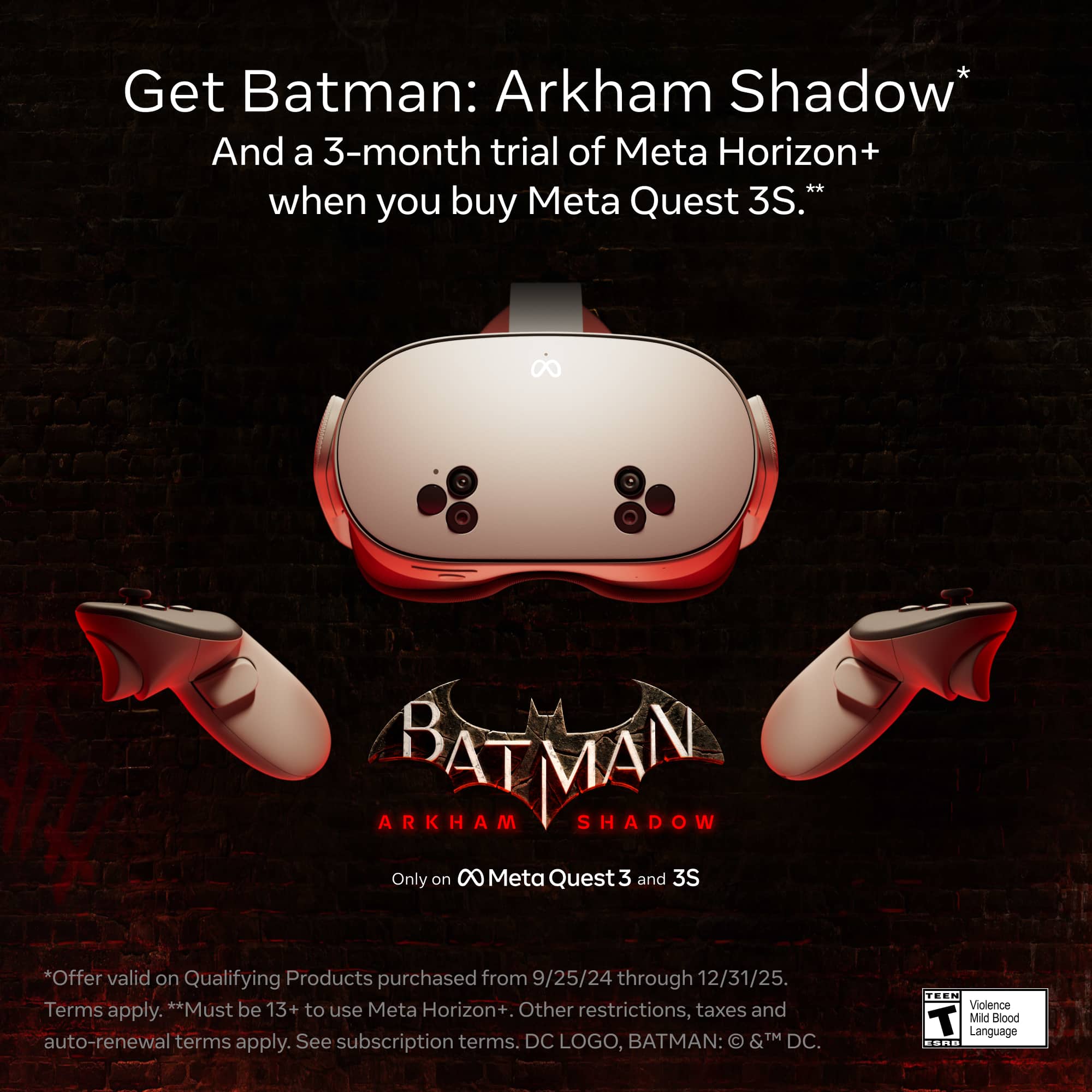
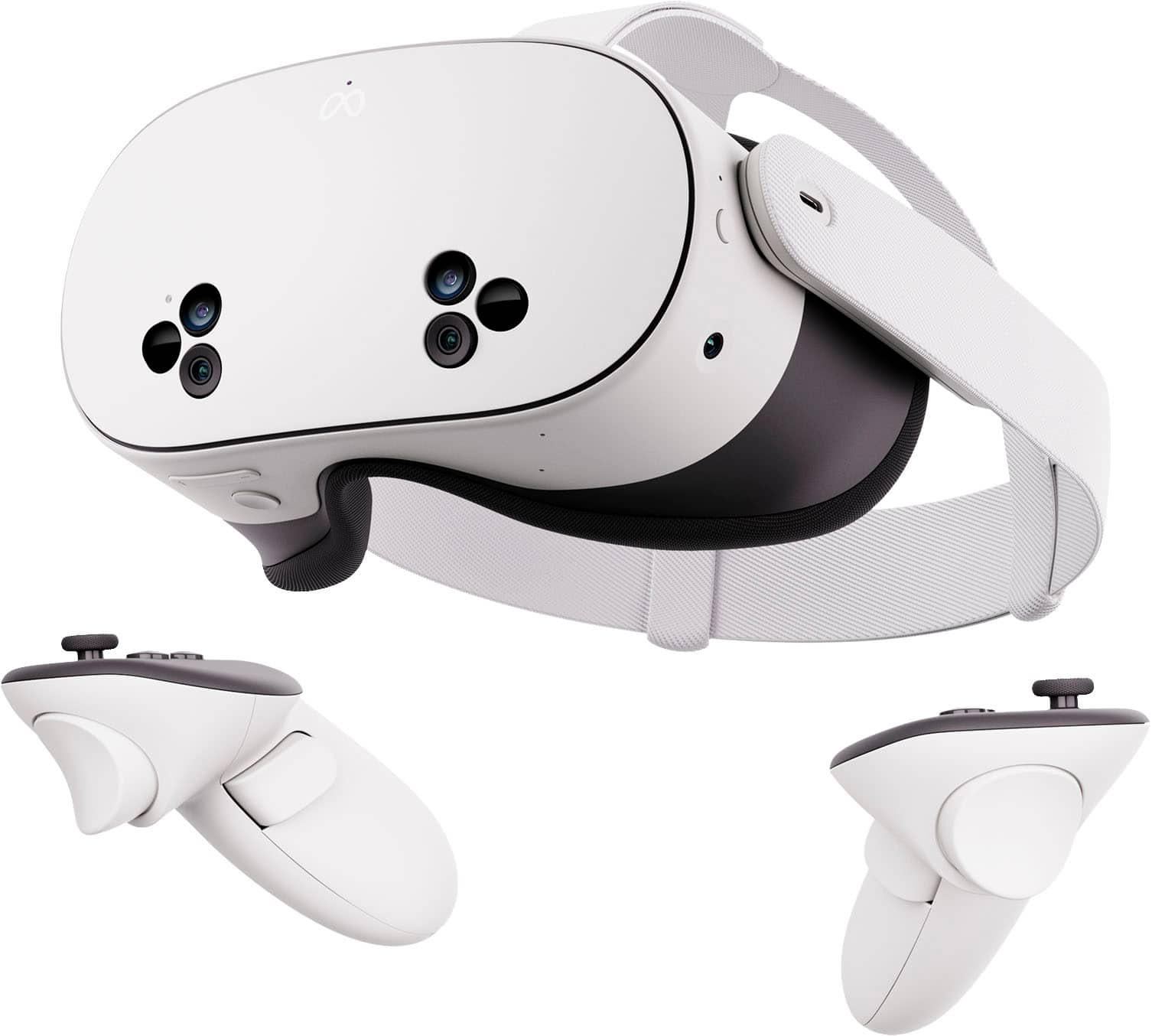
|Posted .This reviewer received promo considerations or sweepstakes entry for writing a review.For any Quest 2 user who is considering upgrading to the Quest 3S, this is definitely a worthwhile upgrade. While the visuals are not noticeably clearer, there are many other improvements that will transform your experience. Most notably is the new full-color passthrough. It’s not 100% like looking through a window, but it’s clear enough to provide a level of immersion that the Quest 2 just couldn’t do. The controllers (if and when you need them) are much more comfortable and easy to hold, and the whole experience seems faster and more seamless. If the Quest 3 is not in your budget, the 3S is still a great headset for casual users who want to play with VR/AR at a reasonable entry price. Highlights: * Full-color passthrough is transformative. * Immersion and AR modes work well. * Boundary setup is vastly simplified. * New controllers are simplified and more comfortable. * Faster and more fluid. * Updated hand tracking works great. * Improved charging cable location. * Improved headset straps are more comfortable and stable. Room for Improvement: * Fresnel lenses still add fuzziness. * Manual and limited diopter adjustments. * Still a tad heavy. * Still a tad short on battery life. Setup: The bulk of this review will be from the viewpoint of a Quest 2 user who is upgrading to the Quest 3S. I won’t cover much of the basics of the Meta Quest series of products (2 or 3S) but rather the improvements in the experience when upgrading from the Quest 2 to this new Quest 3S. Assuming you already paired a Quest 2 to the Meta app, it’s basically the same thing to pair the Quest 3S to the same app and have all of your Quest apps made available in the Quest 3S. The main differences that I noticed as far as setup goes, were in the updated straps used to secure the Quest 3S to your head, and the better placement of the power button and USB-C charging connector. The rest is pretty much the same for setup. Usage: I’ve heard it explained that the Quest 3S basically has the improved “guts” and controllers of the Quest 3 but with the older optics of the Quest 2 in a case that is slightly slimmed down. This means that even though the VR visuals aren’t significantly clearer than the Quest 2, everything is faster and more fluid, and the new full color passthrough is transformative. The updated controllers are simpler and easier to wave around, but you might not even need them due to the Quest’s improved hand tracking. Once the headset is charged, the first thing you notice is the new Immersion capability using the full-color passthrough. While the VR displays are essentially the same as those in the Quest 2, the full color passthrough not only allows you to see everything in the real world more clearly (and in color) but also can use that real-world view as the background for some of your VR experiences. The Quest 3 does this a bit better but I can’t overstate how transformative this is in the Quest 3S over the 2. With the Quest 2, the passthrough mode was useful mostly for not bumping into things with the headset on. With the Quest 3S, I can actually read notifications from my phone and watch, and really see what’s going on in the real world without having to take the headset off. That, plus the ability to have experiences and menus floating over your real world view (AR). Room layout and boundary sensing is vastly improved with the new real-world cameras, and it’s just easier to hop in an experience VR with the Quest 3S. Once you’re in there, it’s just a much more enjoyable place to be for a few hours… at least until your headset needs a charge. Overall: Sure, the Quest 3 has better optics and is even slimmer, but you can’t beat the value of the Quest 3S for delivering a truly great VR/AR experience at a reasonable price… especially as an upgrade from the Quest 2. This Quest 3S applies the important improvements from the Quest 3 and beefs up the Quest 2 formula. As always, be prepared for a ton of useful but optional accessories that elevate your experience… at a cost.
I would recommend this to a friendBrand response from Meta Store Support
Posted .Hi gadgeTT
Thank you for such an informative and comprehensive review, it is truly great to see the passion you have for the device and we are glad that you are enjoying your upgrade.
Happy Holidays, see you in VR!
- Pros mentioned:Price
Great starter vr
||Posted . Owned for 1 week when reviewed.This reviewer received promo considerations or sweepstakes entry for writing a review.great starter vr headband isn’t ideal. Fun and affordable overall
I would recommend this to a friend - Pros mentioned:Overall performanceCons mentioned:Battery life, Motion sickness
Lots of fun to use - could use better battery life
|Posted .This reviewer received promo considerations or sweepstakes entry for writing a review.I’ve been a virtual reality/augmented reality device user for a few years now. I’ve tried out previous versions of the Meta Quest (when it was Oculus) and other device brands as well. I think the Meta Quest 3S has come a long way since its early days. Here are my thoughts on it. Comfort: Overall, the Meta Quest 3S was comfortable to wear. The adjustable head strap made it possible for me to wear it without it feeling insecure. It is heavy but it’s not so heavy that you can’t get used to it. I found the eye guard was cushioned enough to provide comfort but there was a gap at the bottom of the goggles for me to see light. It wasn’t distracting, but it also wasn’t a tight seal. Adjustability for Eyesight: One of the first things you are directed to do is to adjust the lenses to the left or right in order for your eyes to focus better. What I found was that they incrementally adjust. There were three steps — all the way to the outside, center, and past center. There were no in-between areas, which was a little frustrating because I felt like my eyes were compensating a lot for what the device couldn’t do. You can wear your glasses with this headset or get prescription lenses but I do wish adjustments for eyesight was a bit more precise. Setup: Setting up the Meta Quest 3S was easy enough. I had to make sure it was charged, connect it to the internet and then use my phone to connect to a Meta account. I thought this step was a little odd since the headset connects to the Internet. I did have to run updates and walk through the tutorials before I could experience the Meta world, but none of this took very long and I didn’t experience any hiccups along the way. Battery Life: When I used the headset for the first time, it had about 48% battery to it. I noticed that after watching some 360-degree videos and playing one of the included games, that the battery level was in the low 30s. Then I loaded up Batman: Arkham Shadow. I only played for about 5 minutes when I got a low battery warning. I was shocked how quickly the battery drained simply by playing that game. Motion Sickness: While I’m rarely bothered by in-game or virtual reality motion, my fiancé is. She has tried other virtual and augmented reality devices and can only use them for a limited amount of time before she gets queasy. She was willing to try out the Meta Quest 3S to see how it compared to other devices and she was having a great time with it until she played Batman. She was very excited about playing that game, but after only playing a short while, she had to remove the headset and go to bed. She didn’t have any issues until she played that game. Immersive videos were fine and even the First Encounters game was enjoyable. Performance: It seemed as though the headset worked well. I didn’t notice any major performance issues or overheating. Gameplay was smooth and it felt like walking through apps like YouTube and other entertainment apps was easy to navigate. It definitely feels like this is designed for entertainment while some other similar devices have more productivity-driven performance in mind. The Meta Quest 3S is a great device for someone who enjoys virtual reality entertainment.
I would recommend this to a friendBrand response from Meta Store Support
Posted .Hello Nickcal!
Thank you for providing a detailed review of our Meta Quest 3s. We appreciate the time and effort you took to elaborate on your favorite headset. We are happy to know that you are enjoying the VR experience. If you ever run into any issues, please feel free to contact our Meta Store Support.
See you in VR!
- Pros mentioned:Price, VrCons mentioned:Battery life
Built for Fun
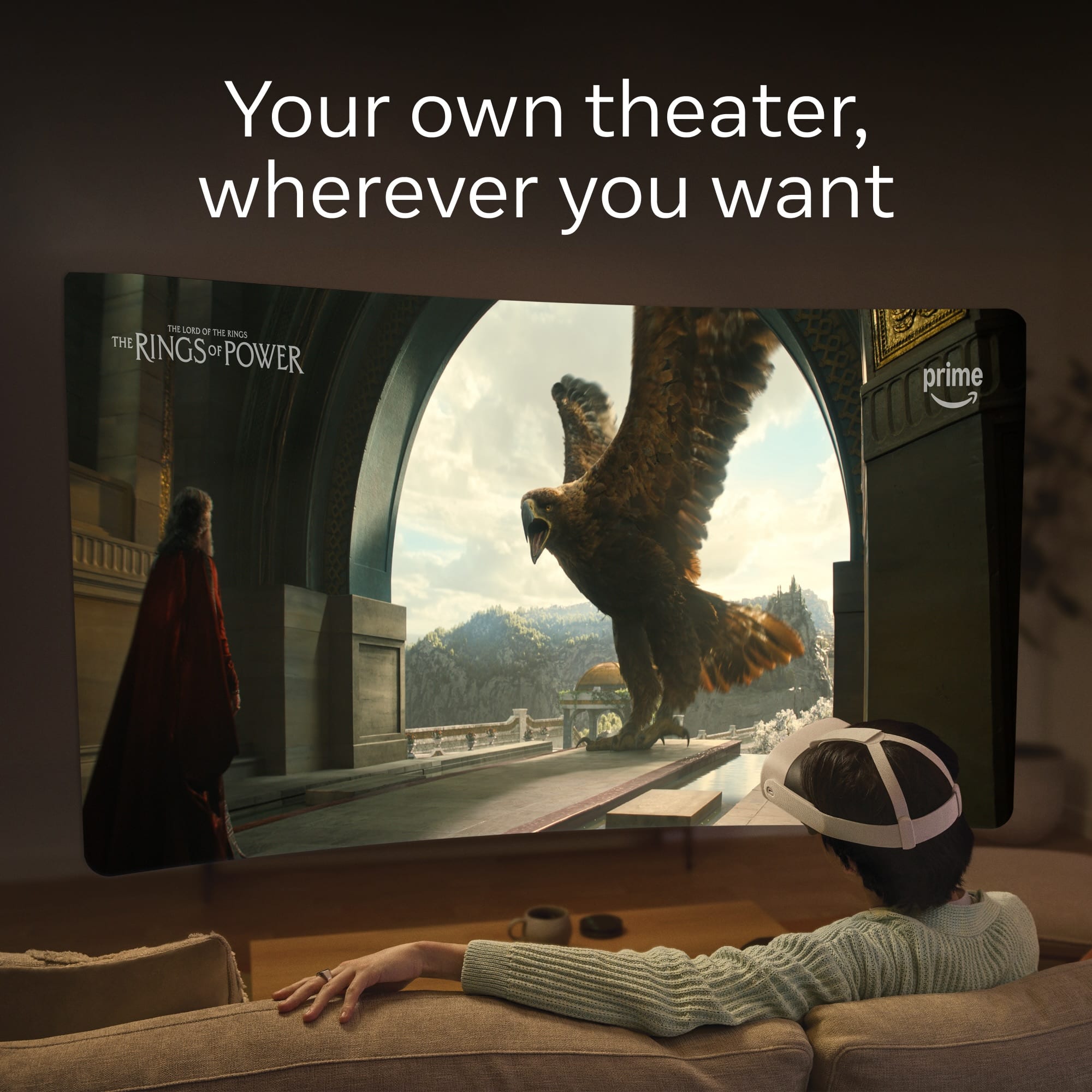
|Posted .This reviewer received promo considerations or sweepstakes entry for writing a review.I've been interested in VR but hadn't tried any device since the goggles that came with a Samsung phone I bought years ago. Holy moly, has this technology come a looooong way since then. Simply put, I'm blown away by the Quest 3S. For $300 the temptation is to compare it to other headsets like the Quest 3 or Apple VisionPro. I think a smarter comparison though might be to just compare it to the Nintendo Switch. For similar money, you're getting a really fun - and different - gaming system with a healthy catalog of games and entertainment options, including plenty of titles and experiences appropriate for kids. It's been a blast to share this with my 12 year old and take turns at Fruit Ninja, First Encounters, mini golf, Roblox, etc. I can cast the headset to my phone so we can watch while the other person is playing, and it's frankly good at times to have someone not in a headset guide you through a game situation. And I feel like we've barely scratched the surface in this regard. I haven't even tried all the games and apps that came preloaded on the device and the store is full of games for purchase or free. There are other apps like Horizons, too, that have mini-games inside them for even more fun options. That's what I want to emphasize here. Like the Switch - and unlike more expensive headsets - the 3s seems clearly created with the goal of letting users have fun in a vareity of ways at a price that's great for families. If that was indeed the goal, then they knocked it out of the park. If you're looking into this for other use cases though then I *still* think this is a great way of testing the waters without breaking the bank. Having used the remote desktop app to connect my MacBook Pro (which was a very easy process) I can't say I'm entirely convinced that I want to do work in VR. Having a virtual monitor that can be placed anywhere in huge or small sizes is awesome, yes. No question. But there's a little lag and the colors were way off compared to the display on my laptop. Maybe that was user error, but even if those things worked perfectly I'm just not sure that - as someone who primarily works with text all day - that it's a very practical use case for me. Passthrough video is fine for what I need it to be. If making it better would have drained the battery or raised the price, then I'm glad they made that tradeoff. One very cool thing: if you have a recent iPhone you can record spatial video and upload it to the Quest through the Meta app. Pretty wild to see video of my dog in 3D! I also quite like the built in browser. It's essentially Chrome. Reading articles is very doable and it works very well with streaming sites like Tubi, Disney, Netflix, etc. And speaking of this has quickly become one of my favorite ways of watching videos of any kind, period. It's just fantastic. Be it in the browser, in the YouTube app, in an app like Bigscreen Beta, or Theater Elsewhere. Be it a video in 3D or not. It's all awesome. Making the screen curved or whatever size you want, wherever you want, is a game changer. I love it. Overall, the sound through the speakers is pretty good! You can get spatial/surround effects and it can get quite loud. (Definitely will disturb others in the room, fyi.) You can also pair with bluetooth headphones, no problem. Really, if this did nothing other than show video it would almost justify the cost. But games! Arkham Shadow is awesome. Noticing a mirror behind you and seeing your avatar in the mirror, moving when you move... that's how you feel like you're actually inside a game and that's the effect here. It's so cool and so fun. You can even hold out your arms to fly with your cape. It's nuts! The headset also came with a free trial of Quest+ and I decided to download one of the free games of the month on a whim. It's called Moss and I won't be able to do justice to how incredible this game looks. When you see the screenshots you'll think it's just for kids because it's about a little mouse, but the 3D effect and environments in this game are ludicrous. I cannot recommend it enough. It's stunning. So there's got to be a downside, right? Yep. It's comfort. It's not unbearable or anything, but I can't fathom anyone wouldn't welcome improvements on this front. Good news is that it looks like there's a wealth of third party and affordable accessories out there that can help add comfort. I plan to check some out. I do want to give Meta credit for figuring out a way to make this extremely usable for folks who wear glasses. The provided spacer works perfect for me. No issues because of my glasses at all. At the end of the day though, there's a headset on your face. I haven't had heat issues, it's more just the fact you'll want it tight for the best fit to move in and this just means there's some weight on your forehead and cheeks where before there was none. Additionally, any gains in battery would be welcome. You'll be able to use it for hours without needing to charge, but if you play with it twice a day you should definitely expect to see the low battery warning. Again, there are 3rd party battery packs I believe, so options! And lastly, that's another thing that's really cool about the Quest right here and now: a ton of people have these things apparently and there's a wealth of info online for any questions you might have. Videos galore exist on YouTube telling you about the best apps, games, and accessories. It feels like a real ecosystem and that makes it super easy to step into it as someone new to the technology. Even meta's app is pretty good! Very excited to see where all this goes, but if you likes games or videos and you're looking for a new way to experience them I see no reason to wait.
I would recommend this to a friendBrand response from Meta Store Support
Posted .Hey there!
Thank you so much for taking the time to leave us such a detailed review!
We are glad you are loving it and wish you many more hours of gaming fun ahead!
Happy Holidays to you and your family!
Much improved from earlier headsets
|Posted .This reviewer received promo considerations or sweepstakes entry for writing a review.I previously had an Oculus Rift S. This is the last model that required a desktop gaming PC to run. I have to say I'm seriously impressed by the Rift 3S. Because I found out that I didn't use the old headset that much, I went with the most affordable model, currently the Oculus 3S. Hardware-wise, it stands in between the previous model Oculus 2 and the Oculus 3: It has the computing power of the Oculus 3 with the lenses and internal screen of the Oculus 2. The resolution of the 3S is somewhat lower than the Oculus 3, and the eye adjustments are limited to three settings of IPD (Inter Pupillary Settings), and that's it. It comes with speakers that are near the ears and sounds very good, however it's not private. Someone next to you will hear. For that one can use Bluetooth earbuds if preferred. The hardware is obviously a bit heavy, and the straps make a decent job of providing ways to adjust it and make it more comfortable. There are plenty of accessories made by Meta and by third parties that provide for much more customization. It also comes with two hand controllers. These are comfortable and easy to use. However note that these use standard AA batteries each, and rechargeable batteries with a charging dock for the controllers can be bought separately. Putting the headsets on is quite an experience. The cameras in front of it project images on the headset to it almost feels like one is seeing through glasses although the digital artifacts are evident, it works very well, and can make out some text in front of me. Then it presents a menu intermixed with the live images to create a 'mixed reality'. It looks very much like a hybrid phone/desktop interface and can be accessed with bare hands or with the controllers. The ease in which it detects hand movements is excellent. So much so that its finger pitch gesture detection is great. It also has a fully immersive mode in which all one can see is the virtual world. It comes with a bunch of virtual worlds already loaded, or available for free, and in this version the Batman VR game is also included for free. It's very addictive, spent much more time than I initially anticipated on it. As expected, most of Meta's products are also available although mostly in 2D representation of Facebook, Messages, Instagram and WhatsApp, and it can be fun but likely surprising to communicate with someone this way. It also comes pre-loaded with Amazon Prime video, Netflix and YouTube, which has a selection od 360 Degrees and VR videos. There are other streaming platforms as well but not everyone's. Plex is available through a paid 3rd party app. Although the use of Quest is free once purchased, it has an app store with free and for purchase apps, as well as an optional subscription which is more or less like a game pass, with a three-month introductory offer, not bad. It can also remote desktop to Windows and mac PCs. One can use the computer's keyboard while projecting a massive screen inside the headset, or one can also pair a keyboard and mouse to the headset. The PC based VR games are still available, and one will need an additional USB-C 3.0 cable that's sufficiently long to be able to move around, or it can also work via Wi-Fi, although it works under ideal circumstances to avoid choppy images (Ie, with a good Wi-Fi router nearby and the PC connected to an Ethernet cable is ideal). Also, the 3rd party Steam platform is available on PC and offers VR games and regular games that can be played through the headset. The VR can be used standing or sitting in place, ideally with an office chair that can rotate, and can be away from other objects while sitting, or one can define safe boundaries within different rooms and the headset will remember these settings. It knows the room by associating images of each room. It detects furniture with great easy and is very simple to define these areas. There are also plenty of social games and virtual worlds to interact with other people although it’s not what I was looking for and so far I've been in my own setups. I particularly enjoy the mixed reality mini-games like the First encounters, which was made for Quest 3. This is truly fantastic. It starts by mapping the room you're in, and then mixed reality starts pouring in with a fuzzball alien invasion, where one truly feels they’re destroying your room. It's so well done that is very much believable. I was blown by this perhaps more than immersive VR games. However the main concern for me is that while I don't need glasses for most things, I use reading glasses, and no matter how I set up the headset, with or without glasses, the image is never perfectly clear, always see some blur, particularly bad when trying to use remote desktop, but tolerable in games and mixed reality applications, this was a disappointment for me. I might consider the add-on custom lenses, but it's a high additional expense and have to check with my optometrist first, next time I'm due for an eye exam. I wish this was simpler, but then again this is their most affordable model. Overall, for being a new base model, this is truly fantastic, it exceeded my expectations, however adjust your expectations if wearing glasses. I realize the Quest 3 that has better screen costs quite a lot more.
I would recommend this to a friendBrand response from Meta Store Support
Posted .Hello emiliosic!
Thank you for your beautiful review! We are happy to know that you loved the Meta Quest 3S. We appreciate you for taking time to write a detailed review. We would love to hear more from you next time.
See you in VR!
- Pros mentioned:GraphicsCons mentioned:Battery life
Fun Toy
|Posted .This reviewer received promo considerations or sweepstakes entry for writing a review.Quest Fun Toy: impressive visuals that are fun to play with, but not something I’d want to use for daily tasks. + responsive + immersive visuals + lots of fun - slightly uncomfortable - fuzzy images - audio not impressive - not great for interacting with other people - short battery life - limited app availability HARDWARE Quest is a self-contained VR headset, with batteries, screens, lenses, and computational hardware all strapped to your face. With this in mind, it’s impressively lightweight. While there’s no way you can forget you’re wearing the thing, it’s not so heavy as to be burdensome. The straps that hold it in place make it feel secure, so it doesn’t feel like it’s going to fall off or slip around. It did take a while to figure out how to best adjust it so it didn’t press too heavily around my eyes and so that the image I was seeing was clear. But once I got it adjusted, I can’t really complain. The battery is rated to last about 2.5 hours. In my experience, it was less than 2 hours of use, but I couldn’t use it that long without getting a little nauseous anyway. (I’m sure one can get over that feeling with practice, and some apps are definitely more nausea-inducing than others.) Charging with the included charger takes around 3-4 hours, though it can reach a full charge in a little over an hour with a rapid charger. The headset comes with two handheld controllers. These can be awkward or get in the way for some use (and they are not always necessary—the headset can sense the position of your hands and respond to gestures as well) but they drastically improve the accuracy and usability of input. Using only my hands, it could take several tries to get it to recognize the “pinch” gesture that lets you select something. I also occasionally found myself sitting or reclining in a position where I couldn’t even reach the virtual controls with my hands and had to move my head to get my hands in the right position. So it’s a tradeoff I guess, using your hands or using the controllers. As I said at the beginning, the best part of the experience is the speed of the display. They provide quite a convincing virtual world. Where it could be improved, though, is in resolution. It is difficult to read text through the screen, whether virtual or real-world with passthrough mode. I found myself having to get very close to text to read it, and I increased the font size to extra large for the headset’s settings to make it easier to read. Another issue with the hardware is occasional glitching. What I mean is that up to a few times a minute visual artifacts like a virtual window way off to the side for a fraction of a second, or a jolt where the image takes a few milliseconds to update, can be distracting. It’s not enough to interfere with basic usability, but it does serve as a reminder that you are looking at a processed image. The visuals are generally immersive, but the field of view is quite limited. Sometimes I find myself having to move my head wildly back and forth to take in enough of the scene to understand what I’m looking at. I’d estimate that the field of view is maybe 80 degrees wide, even though my eyes in the real world can see almost 180 degrees into my peripheral vision. Audio, for some reason, seems less immersive. This may be the implementation in certain apps, but it definitely seemed like audio was just a single channel coming from a particular source, not really an experience of sound coming from all directions like surround sound in a movie theater or something. In some cases it also seemed like there was a delay between moving my head and having the “position” of the sound change to its new relative location. They say you can use it with Bluetooth earbuds, which could give better sound quality, but they warn that you may introduce a delay or other issues doing this. I didn’t try it. SETUP Setting up the Quest for the first time was by far the worst experience I had with the headset. It worked, but it was a pain. After reading the brochures included in the box that explained how to adjust the straps and turn on the headset, I put it on and tried to follow through the configuration options. Most memorable was being asked to type in my WiFi password. I have a long randomish (i.e. strong) password, so basically this was a difficult process of reading and memorizing a few characters, putting on the headset and typing using the really annoying virtual keyboard and virtual laser pointer to point at keys individually and pull the trigger on the handheld controller to select each character (and hope the laser pointer doesn’t move while I’m squeezing the controller), and then taking the headset off so I could read a few more characters, and doing it again. and again. Amazingly, I got through the whole password on the first try without making any typos. After that excruciating experience, I was instructed to download an app and “finish” the setup process on my phone. This involved looking through a couple more tutorials. I couldn’t help but think this was completely backwards from the way I would have liked to do it. Why not set up WiFi on my phone where I could copy/paste the password (or better yet just magically copy the WiFi settings from the phone’s own settings)? And then tutorials would have been ideal to display in the headset itself, to help me get oriented to actually using it. For the most part, the interface is pretty straightforward. Windows open in front of you or around you, and then you can move them by grabbing onto the edges. But occasionally I had a window open behind me where I had to move around (if there wasn’t a physical wall or table in the way), and sometimes grabbing a control was easier said than done. FIRST HAND The first app I tried was a simple game designed for kids that had me follow a robot around a virtual world interacting with objects and fixing things. It was a simple and fun way to learn how to use the Quest and the controllers. I had fun going through the exercises, and keeping it simple let me concentrate on learning how to use the system (especially helpful since this is my first VR headset at home). I occasionally found myself frustrated because I didn’t know where to look, and I had to move my head back and forth to see enough of the space to know what was going on (since the visual field of view in the headset is relatively narrow). In the real world it’s easy for me just to glance around quickly to see what’s around me, but in the virtual world with Quest I had to move my whole head to see in different directions. YOUTUBE Next I tried YouTube, which includes 360 degree videos. Of course these are prerecorded, not interactive, but they were really cool! I had a ton of fun car-surfing through Sequoia National Park, thanks to one video. I quickly realized that 360 degree videos are not 3D videos, so the immersive experience is not quite the same as VR. So… THEATER ELSEWHERE … so I found another app that creates actual 3D *and* 360 degree animations to explore. I tried a few of these, which were quite simple animations but were excellent at showing off the immersive visuals that are possible with the Quest 3S headset. BATMAN: ARKHAM SHADOW One of the best reasons to get a headset like this, in my opinion, is a more “serious” gaming experience like the one offered by BAS. Since this game was bundled with the headset, I was looking forward to trying it even before I got the headset out of the box. This game combines action with strategy and mystery in a guided adventure that really shines in the Quest VR space. Even the audio seemed to be better crafted here than in other apps I tried. Aside from a few glitches and apparent progression issues where I got stuck in an area that I couldn’t get out of without restarting, I have been really enjoying this game. The story, like most Batman stories, is intriguing, and the gameplay is definitely immersive and addictive. Walking through the sewers of Gotham gave me a chill (or was that just a cold spot in my apartment?). Seeing cockroaches scurry across the floor of a dilapidated hotel was surreal. As for the glitches, the app has been receiving frequent updates over the past few days to correct potential issues, so I’m confident things will improve. ELEVEN TABLE TENNIS Finally, I wanted to try to push the limits of the VR experience, so I downloaded an app that claims to be a table tennis simulator. What better test for immersive VR than trying to hit a virtual ball around a virtual room and expecting it to respond the way its real-world equivalent would? Well, I was completely impressed. My muscle memory from playing table tennis in the real world quickly translated into virtual gameplay, and I gave myself a good workout volleying back and forth with an AI cat. Definite kudos to the designers of this game for getting it right, and props to the folks that built the hardware in the headset as well to make it possible! FINAL THOUGHTS I definitely enjoy relaxing with some virtual gameplay using the Quest 3S. It’s a fun and exciting way to explore cutting-edge technology and relieve stress from work. But aside from games, I don’t think this headset is ready for everyday use. Even though Meta wants this to be a window into a new paradigm for social connection, I’m not sure how that would work. The social spaces that I tried seemed like a proof of concept more than something anyone would actually use. Plus, the apps are limited, so, for example, I couldn’t join a Zoom meeting from inside the headset to connect with people who don’t have a Meta account. And as far as productivity, while there’s definitely something attractive in the possibility of having virtual app windows and displays around my physical desk while I work, the tech just isn’t there yet to make this feasible, especially not for using it more than a few minutes at a time.
I would recommend this to a friend - Cons mentioned:Battery life, Storage
Solid VR Experience
|Posted .This reviewer received promo considerations or sweepstakes entry for writing a review.About the Meta Quest 3S The Meta Quest 3S 128GB is Meta’s latest intro version of their VR headsets. It’s the smaller storage capacity of the two options for the 3S (128GB & 256GB). There’s also a higher end version just titled the Meta Quest 3. My Overall Impression This is my second Meta Quest product that I have used, and it’s an absolute blast. The VR headsets do more than most of the consoles, and give you a totally different experience. For anyone who is interested in trying a VR set out, this is the best starter available (IMO). What Worked Well *Setup – The setup wasn’t too difficult. Charge for an hour or so (to get to a green light). Install the Meta Quest app on the phone. Update the headset to get the best start. *Audio – Audio in the headset sounds great. Uses open air audio, so you don’t have to use an ear bud/headphone. Earbuds are an aftermarket option if you are interested in that. My wife says that she can hear the headset while being in the same room, so that’s something to consider if you are sharing an area with someone else. *Immersive Video – The immersive video is absolutely crazy. Honestly, this is what I’m liking the most. Meta has its own immersive TV platform called Meta Quest TV. They have dedicated shows for the platform like “The Faceless Lady” that you don’t just watch. You experience it. I felt like I was in the room with the actors. I could turn my head to the left or right and see other actors. The audio in the headset changed with my head turn. It’s pretty amazing. Other content platforms such as Netflix, Amazon Prime, and Youtube also offer VR content. The Meta Quest 3S allows these to run as apps. Other content can be access through a browser login. You will need to find the content made for VR. Everything will be watchable, similar to a full screen theater, by not everything will magically be in virtual reality. Youtube videos are great if you just want something short. There are a variety of those videos: nature scenes, diving, rock climbing, rollercoasters, light displays, etc. Sports are available as well. You can watch select sports media through the Xtadium app in 180 degree VR. You can also access ESPN from its app and NBA Arena from the Meta Horizon Worlds app. Overall, for immersive video, I was concerned about limited content. There’s quite a bit out there, but it’s not very easy to find sometimes. *Environments – You can download different environments where you can sit and enjoy an immersive place with sound and visuals. This can be a “home screen” of sorts while you look at other potential media. *Immersive Gaming – The mixed reality and immersive gaming had me almost immediately. First Encounters is my favorite so far. It’s a free mixed-reality game where aliens land in your room and you have to shoot them before they overtake you. Meta Horizons is another gaming and social app. I have enjoyed the mini-games there so far. My version of the Meta Quest 3S came with the option to download Batman: Arkham Shadow. I tried it out, and it’s pretty wild as well. Interactive things such as climbing ladders, punching and blocking while fighting, and having to turn to look at the attackers make it very engaging. *Social Content – It’s Meta, so of course there’s social content with this VR headset. Can connect with friends, connect with other Meta related apps, message each other, play games, follow others and have followers, interact in Meta Horizons, and watch reels. Reels can be opened in a separate larger screen. The separate screen looks about 12 feet tall in my living room. *Multiple Apps – There’s a lot of apps to choose from. Some of it is free, but a lot of it is for purchase. Many of the games have trials, but the trials only last for a very limited amount of time – like 20 minutes of play. That’s not really long enough for me to get used to controls and see if I actually like something, but that’s more of an app store issue. I’m mostly interested in the games, but there are some productivity and wellness apps too. I tried a meditation app, which was nice. It places you in a beach environment and progresses through breathing exercises. What Could Have Been Better *Hand Controls – Using your hands to control the VR is pretty difficult. I’m sure that I’ll get better as I use the headset more, but the hand gestures aren’t very intuitive and the headset doesn’t always pick up the hand gestures. *Main Home Screen Moves – The main control screen keeps relocating in between apps. I’ll run a game, and when I get out, the main screen will sometimes be behind me or under my seat. I have to pull the screen “out of my couch” and place it back in front of me. Not sure why this glitch happens. I do find that using the controllers is a little easier than using my hands. *Passthrough Vision – Is grainy visually. Sometimes if I am in a seated zone and lean forward too far the immersive world I am in will start to show parts of the real world like it switches partly to passthrough. This happened during Batman, and my TV screen started showing through my game. I’m sure that this is for safety, but it surprised me when it happened. *Battery – I get less than 3 hours of usable time with a full charge. If you are gaming or have friends over sharing the device, this is pretty short. I would like to see the battery life extended or have an alternative way to power the headset. *Storage Memory – I have the 128GB version. If you do much gaming, I could see the memory filling up quickly here. The Batman: Arkham Shadow game was almost 40GB by itself. Something to consider since they do sell a 256GB version as well. There’s also a 512GB in the Meta Quest 3 upgraded version. *Video Quality – The video quality is good on the 3S. If you are a stickler for having the highest quality video, you may want to look at the Meta Quest 3 instead of the 3S. Both are good, but the 3 is better. Final Conclusion I am giving the Meta Quest 3S 128GB 5 stars. This is perfect for someone trying a VR headset for the first time. The price point for the quality is great, and if you want something with larger storage or a higher end picture quality, Meta makes that too. This is a really great VR headset value, and it’s amazing what all it can do.
I would recommend this to a friend - Pros mentioned:VrCons mentioned:Lenses
A Solid Upgrade from the Meta Quest 2
|Posted .This reviewer received promo considerations or sweepstakes entry for writing a review.The Meta Quest 3S is a lot of fun. It is not an upgrade to the Quest 3 headset. It is an upgrade to the entry level Meta Quest 2. I have had a Quest 2 for over four years now. The entire VR experience has changed a great deal since then. The apps available for the Meta Quest 3S rival many of the dedicated VR only applications of a few years ago. The application library of these headsets is continually growing, and the experience keeps getting better. The Quest 3S does not have the lenses and visuals of the Quest 3, but the hardware and capabilities are a definite step up above the Quest 2. If you go into the experience with those expectations, there is a lot to like and recommend about the Quest 3S. Unboxing: I am amazed that META managed to fit their hardware into such a tiny box. This is expert level packaging. Inside the box, you will find the headset, two haptic controllers, a USB-C to USB-C cable and power adapter, and a visor extender to accommodate glasses. Experience: Set up requires a mix of the Meta Horizon mobile phone app and onscreen instructions via the headset. I found set up to be straight forward and easy. Users should know that there are system updates out of the box. The headset does a good job walking users through the set up process, but you will be doing yourself a favor to have the Meta Horizon application downloaded and set up before you start. One thing that surprised me was how well mixed reality worked with the headset. The demo for “First Encounters” is a ton of fun. During the demo, you are shooting angry balls of fur that are invading your living space. The critters come in as you shoot to capture the little buggers. The walls of your room give way to an alien landscape with each missed shot. I am quite sure that Captain Kirk had nightmares about this type of scenario, but I thought it was great! Batman: Arkham Shadow is a AAA experience. The game makes you feel like you are Batman. Stalking gang members as the Dark Knight will never get old. Combat is interesting. You swing the controllers to inflict punches and time stiff arms for blocks. It all works surprisingly well. My favorite apps from the Quest 2 still work great. Star Wars: Tales from the Galaxy’s Edge and Moss are fantastic experiences in VR. I also spent a fair amount of time using the Quest 3S in Air Link mode with my desktop PC. I have a Meta link cable, but the freedom of movement you get from using Air Link is great for games like Valve’s “Half-Life: Alyx.” My gaming PC is connected to my home network via a lan cable while my headset connects to the router in 5G or 6G mode. If you want a flawless Air Link experience, I highly recommend hardwiring your gaming PC into your home's network. Battery life lasted me between two and a half and three hours depending on usage. The charge time from 20% to a full charge took me around an hour and a half. For me, the hardware capabilities of the Quest 3S improve on everything I loved about the Quest 2….. with a few minor caveats. I spent money upgrading the accessories on my Quest 2. For the Quest 2, I have, an official case, external speakers, and the Elite Strap with Battery. Of all my Quest 2 accessories, the Elite Strap with Battery is the accessory I miss the most on the 3S. I wish that Meta could have designed the headset with backwards compatibility to accessories in mind. The Elite Strap is so much simpler and more comfortable than the strap included with the Quest 3S. People always ask me if the VR experience makes me sick to my stomach. The short answer is it can. But I have gotten more used to the experience and not every application is going to be recreating a first-person experience. Some of my favorite things in VR are to watch the animated short films people have made or to play third person experiences like Tetris Effect or Moss. Moss is a great way to demonstrate the power of the VR experience as that game gives you a stationary experience overlooking a storybook mouse as she undergoes a great quest. Conclusion: I am increasingly amazed at what Meta has managed to achieve with the Quest line of VR headsets. The Quest 3S works great. The experience is good and keeps getting better. The entire experience of the Quest 3S is an improvement over the Quest 2. Although, I wish I still had access to my favorite Quest 2 accessory. Taken for what it is, the Quest 3S is an impressive piece of hardware and I have had a lot of fun with it. The Quest 3 will provide a better visual experience, but the visuals in the Quest 3S still look exceptionally good. Anyone interested in jumping into the VR experience should pick one up.
I would recommend this to a friend - Pros mentioned:Graphics
The future of gaming!!!
|Posted .This reviewer received promo considerations or sweepstakes entry for writing a review.Meta Quest 3S First Impression: About a couple of days ago, I received the Meta Quest in the mail for review. Now, I don’t want to admit it, but this might replace console gaming if they continue making games like this. Years ago, Samsung released the Oculus Gear VR, and one of the most frustrating things about it was the clarity in the lenses. The new Meta Quest 3S is leaps and bounds better when it comes to perception. I’ve already downloaded a great deal of apps and redeemed Batman Arkham: Shadows, and surprisingly, 128 gigs still seems like more than enough. Packaging: In the box, the Oculus comes with a pretty comprehensive user manual, a USB-C cable, a 16W wall adapter, the Oculus device, left and right controllers, and an attachment that causes the gap around the nostril area. The user manual walks you through the set-up process and is pretty comprehensive (requiring you to download the Meta Quest app). Audio: The audio quality on this new Oculus device is next level. I’ve reviewed many headphones during my time as a Best Buy tech insider, and this has to be the most exceptional use of spatial audio. Exceptional! The only thing the audio comes second to is the highly immersive visual experience. Immersion: I’d like to start this section off by saying I highly recommend that you use this in a very open space or in a backyard. While there is a huge variety of games and lobbies that you can play that are fully immersive 3-D experiences, I would recommend mixed reality games like “First Encounter” for smaller spaces. Specifically because when playing Batman Arkham: Shadows, I managed to break my TV because the lidar detection only picks up the ground. This is not entirely a bad thing, specifically if you’re not happy with your TV. But I will emphasize that the level of immersion that comes with this Meta Quest is top-tier. With all that being said, the good news is that while I played Batman: Arkham Shadows, I was able to recalibrate my height by holding the menu button on the left-hand controller. Also, most games allow you to view the real world if you step out of bounds; it’s pretty cool. If you’re prone to motion sickness, you may experience a little nausea while playing. But if I had to call it just with a little bit more of a marketing push, I truly believe VR gaming is the future of gaming. Graphics: Now the Meta Quest 3S is built to be the more budget-friendly scale-back version of the Meta Quest Three. While this may very well be true, I found the graphics to be pretty good, and I say this is someone who’s a self-proclaimed pixel peeper. Years back, I owned the Gear VR Oculus, and while the graphics were probably around 720p, the biggest problem was that I could never adjust the lenses enough to get the “perfect” picture. This is not the case with the Meta Quest 3S. There are 3 settings for the lenses, and each adjustment only presents slight variance— wide, mid, and close range. The graphics are 1440p (2K), and the colors are nice and vibrant with a great deal of range. Conclusion: Overall, I would say this is a great device and quite possibly the future of gaming. The Meta Quest 3S has incredible potential for socializing and gaming as it is fully immersive with exceptional spatial audio and a detailed visual presentation. Lastly, I would recommend using this in a room with at least a 15-foot radius of clear space. 4.75/5
I would recommend this to a friend - Pros mentioned:GraphicsCons mentioned:Battery life
Incredibly cool
|Posted .This reviewer received promo considerations or sweepstakes entry for writing a review.The Meta Quest 3s is an incredibly cool VR experience for games, videos and social media. This is my first real experience with VR so I can’t speak how it compares to previous models per se, as I only had limited time with the first or second generation Quest. My girlfriend’s son has an older model that he loves to play games on that I tried once. The graphics on the 3s seem much better than the game I tried on his older Quest. And the Batman game included with this has awesome graphics and was a fun immersive experience you can’t get on a console or pc. One of my favorite uses for the Meta Quest 3S has been watching videos. I watch a lot of shows on YouTube and this just gives you a completely different experience. You can adjust the size of the screen to where it’s like you’re in a theater, except in the comfort of your own home. Probably it’s one short coming for some would be battery life. First time I used it after fully charging it, the battery went down to a little over 50% after about 30 to 40 minutes of use. This isn’t that big of a deal for me as I’ll probably only use this for 30 to 45 minutes max each time anyway. The battery does seem to charge relatively quickly though so that’s a plus. The Quest 3S is definitely a cool VR experience for games,web browsing, videos and more.
I would recommend this to a friendBrand response from Meta Store Support
Posted .Hi Linksys
Thank you very much for the five star review along with the wonderful and comprehensive feedback. It is amazing to hear you are taking full advantage of the device's full capabilities and loving your experience with the Meta Quest 3S!
It doesn't turn on
||Posted . Owned for 2 weeks when reviewed.This reviewer received promo considerations or sweepstakes entry for writing a review.It doesn't work, I just turn it on, they stay black, it doesn't let me, I bought it before to be able to give a Christmas gift, it turns on but it stays black
No, I would not recommend this to a friendBrand response from Meta Store Support
Posted .We know there's not much that comes close to jumping into your favorite worlds FabiolaR, would like to look into this for you and get you back into the Metaverse.
In order to make sure we are able to give you the best support possible, please reach out to our dedicated support team, via the Meta help center and they will work with you to gather information and help you do some in depth troubleshooting.
We hope to hear from you soon!
Bad customer service
||Posted . Owned for 1 week when reviewed.This reviewer received promo considerations or sweepstakes entry for writing a review.This is three WORST EVER PURCHASE CUZ I NEVER GOT IT! AND customer service said"sorry call the police". They said i can come get another one then canceled it.
No, I would not recommend this to a friend- Pros mentioned:Overall performance
Affordable and powerful VR Gaming Headset
|Posted .This reviewer received promo considerations or sweepstakes entry for writing a review.The Meta Quest 3S (128GB) is a fantastic entry point for those who want an immersive VR gaming experience without breaking the bank. Having tried the Quest 3 during gaming nights at a friend’s place, I was excited to see Meta introduce the Quest 3S at a price point that caters to beginners. As someone coming from the Quest 2 family, this is a significant upgrade in many ways. What’s New with Quest 3S? The Meta Quest 3S builds on the strengths of the Quest 2 with notable improvements. It features higher resolution, faster performance powered by the Snapdragon XR2 Gen 2 processor, and enhanced mixed reality (MR) capabilities with full-color passthrough cameras. While it retains the optical stack from Quest 2 to keep costs down, it benefits from the hardware platform and features of the Quest 3. In short, the Quest 3S offers a balance between affordability and performance, bridging the gap between the two models. Key Features and Performance Compared to Quest 2 • Performance Boost with Snapdragon XR2 Gen 2 Powered by the Snapdragon XR2 Gen 2 processor and 8GB of RAM, the Quest 3S delivers faster load times, smoother gameplay, and better multitasking. Compared to the Quest 2, the performance improvement is noticeable, especially in how quickly applications launch and how fluid the overall experience feels, even during intense gaming sessions. I had a friend who owns the Quest 3 try it, and even they didn’t notice a significant difference in performance between the two models. • Improved Display, Visuals and Audio ○ The Quest 3S retains the optical stack from the Quest 2, featuring 1832 x 1920 pixels per eye resolution, which provides a good level of immersion with vibrant colors. The 120Hz refresh rate, combined with the Snapdragon XR2 Gen 2 processor, ensures smooth visuals and fluid motion, which I appreciated while playing fast-paced games like Beat Saber. ○ I also spent a few hours exploring Batman Arkham, and the detailed environments of Gotham City looked incredible on the Quest 3S. It’s definitely worth checking out if you’re a fan of immersive VR experiences. ○ That said, the field of view (96 degrees) remains the same as the Quest 2, and the Fresnel lenses still exhibit "god rays," a visual artifact common in VR. In comparison, the Quest 3 features pancake lenses, offering a wider field of view (110 degrees), better edge-to-edge clarity without the god-ray effect, and a depth sensor for improved spatial awareness. If you’re an avid VR gamer looking for the best visual immersion, the Quest 3 may be worth considering. ○ The IPD adjustment mechanism on the Quest 3S is also carried over from the Quest 2, with three fixed preset settings (58mm, 63mm, 68mm). The Quest 3, on the other hand, offers a wheel-based adjustment system, allowing for more precise customization. ○ The audio on the Quest 3S is a significant upgrade from my Quest 2. The improvement in sound quality is immediately noticeable, especially in the richer bass and enhanced 3D spatial audio, which creates a much more immersive experience. However, one thing to note is that the Quest 3S no longer includes a headphone jack • Comfort and Design The Quest 3S is comfortable for moderate sessions, with a lightweight build and adjustable straps ensuring a secure fit. However, I opted for an upgraded strap with an adjustable vertical design to improve weight distribution, which I found essential for longer gaming sessions. This small change made a noticeable difference in reducing facial pressure. • Standalone Functionality and PC Connectivity The Quest 3S is a fully standalone headset, meaning it doesn’t require a PC or external sensors. It’s great for on-the-go VR gaming. Additionally, it supports wireless PC connectivity via Wi-Fi, enabling access to PC-based VR content like SteamVR. I haven’t explored this feature extensively yet, but it’s a nice option for users who want more flexibility. Final Thoughts: The Meta Quest 3S is an excellent choice for newcomers looking to dive into the world of VR gaming without a hefty price tag. While the 128GB storage filled up quickly with just a few games, the 256GB version would be a better option for those planning to build a larger game library. Overall, the Quest 3S strikes a great balance between affordability and performance, offering a solid VR experience with enough features to keep most users satisfied. For beginners or those upgrading from the Quest 2, this headset is a worthwhile investment. However, if you’re a seasoned VR enthusiast seeking the highest level of immersion, the Quest 3 might be a better fit.
I would recommend this to a friendBrand response from Meta Store Support
Posted .Hi TechGeek
Thank you for the five star review!
- Pros mentioned:Overall performance
Great fun at a great value
|Posted .This reviewer received promo considerations or sweepstakes entry for writing a review.While I’ve owned many VR headsets, from cheap cardboard versions with mirrors, PSVR and PSVR2, Meta Quest Pro, and now the Meta Quest 3s, I admittedly don’t use any of them as often as I’d like. The Meta Quest 3S is different and has me wanting to jump into VR more. Part of my issue is the inherent privacy of VR. Meaning, it’s a solo and engrossing endeavor. With 3 small kids it’s hard to find time where I can disassociate from the world for a chunk of time - I typically need an eye and or ear on my environment. But that issue is there (at least for me) regardless of the VR platform. Again, what brought me in and hooked me was the experience on the Quest 3S, primarily, Batman Arkham Shadows. First, and for those who have yet to purchase a VR headset, what’s in the box and the setup process. Inside the box you’ll obviously get the headset, two controllers, a USB-C charging cable and brick. There’s some helpful literature to help you navigate the basics. Setting up the headset is equally simple. You place the headset on, turn it on, connect to the internet and then update it. From there, you’ll download the Meta app on your phone and connect it. Bottomline, the process took less than 10 minutes. The walkthrough was very instructive. Then there’s the tutorial. If you’re new to VR, I highly recommend it. This was my second foray, as I own the Meta Quest Pro, but I nonetheless walked through it. You’ll be shown how to use the controllers, how to switch to pass through mode, how to use hand gestures, and how to move the menus. Basically, everything you need to know to navigate your way through the menus. Finally you’ll walk through creating a boundary. That process was super easy, even more so than the Meta Quest Pro. You simply look around your space and a boundary is created for you (which you can adjust with the controllers). Once there you’re kind of left on your own. You can explore apps to download on your phone or directly on the headset. I was shocked to see how many apps and games were available. Finding games and apps that interest me wasn’t too difficult. Now, the problem becomes, what apps/games are worth it? What do I want to spend money on? Well that’s where Batman comes into play, at least to me. Playing the included Batman game just absolutely sold me on the types of experiences this headset can deliver. I don’t want to spend a ton of time on the game itself, I haven’t finished it, but it has been quite the surprise. A fun and exciting adventure that places you as Batman in a first person adventure. The controls are simple and intuitive and the headset responded extremely well. You can play sitting down, or even moving around a little bit with your feet in open space. It was just an entirely unique experience that left me wanting more. From there I purchased the Star Wars Vader game, Table Tennis, and Beat Saber. While I’m certain there are other games out there worthy of your time and money, those interested me the most and truly highlighted how fun and unique playing games in VR is. I had absolutely no issues playing any game - no frame hiccups, no performance glitches, nothing. It worked smoothly. As far as other fun things to do, it’s great watching a Netflix show in a feax theater, same for Amazon Prime. Of course, they no longer have dedicated apps, but you can still access the Meta Browser to go to the website and watch shows there. Like I said earlier, it becomes a personal experience where you aren’t watching shows with anyone at home, but if you are by yourself, I highly recommend it. There’s also content on YouTube, and while I definitely watched some videos to see what it’s like, you do realize some of the current limitations with VR fidelity as some of the videos are a little grainy. At least those publicly available for free. There is a Meta TV channel where you can see curated programs, like Mythbusters, which I like, but a lot of that is content dependent. Bottomline is that most of your 2D entertainment can be enjoyed in a VR headset. There’s lots of other things to mention as to what this headset can do. Some interest me while others don’t. I like to cast my screen to my TV so my kids can watch me play some games (they like it for a few minutes). That’s easily accomplished through my Google Chromecast and works well. I really like that you can link it to your computer, either wired or via Remote Desktop. I didn’t connect it to my desktop via wire, but I did setup remote desktop connection which is pretty nifty. Now, my home desktop has a large monitor, so I personally wouldn’t go to my Meta Quest to use my computer, but if I were traveling I might use it for a “bigger” monitor. The point is, it’s easy to setup and works flawlessly. It operates in passthrough mode, meaning you can see your surroundings like your keyboard and mouse, but you see a virtual computer screen in front of you. Frankly, it’s just darn cool. The mixed reality part has me really excited, I like being able to interact with virtual “things” while still seeing my surroundings. The idea of playing a board game on a table is fun (but you’d be doing it solo). There’s a lot of social aspects with your headset, including multiplayer, (it is Facebook/Meta after all) but that’s not really for me. I like the intimacy of a VR headset to escape the real world and experience others. I’m not very interested in creating digital avatars and interacting with other people I don’t know (maybe it’d be different if I had real friends that owned a Meta Quest). I don’t wear glasses, so I can’t comment how the fit works with glasses, but it does include some type of special mount that attaches to your headset if you have glasses. But there are a few downsides to this headset vs. others, including Metas other headsets. The glass in the center is adjusted at a certain distance and has three levels of adjustment. Basically it’s the width between your eyes. The Meta Quest Pro, and I believe the Meta Quest 3, have sliders for micro adjustments. With the 3S, there’s only 3 distinct distances; they snap into place when pushing them wider or narrower. This can affect your ability to get a clear image. Every time I put the headset on, I have to raise and lower it, along with the angle, to find the clearest image. The headset is comfortable, it has nice padding, but when I find the best, clearest picture for me, the headset puts a little extra pressure on my forehead. I typically don’t notice it after a few minutes, but it could bother others. I would also comment, similar to what I said earlier, if you’ve never used VR don’t expect 4K visuals. This isn’t a negative on the headset, the picture quality is quite good, but it’s not the same 4K that we’re accustomed to from our big screen TVs. The battery life is pretty good. I think it’s rated for about 3 hours which for me, is way longer than I would ever wear it at once. I wanted to mention eye strain. When I don’t have passthrough on, my eyes don’t bother me at all. But when passthrough is on, and I try to read objects, like my phone, it really starts to strain my eyes after 10 minutes or so. Again, no issues when I’m just looking at a virtual world, but does have me concerned for what I would be able to comfortably do when in mixed reality. I wish the controllers had rechargeable batteries, but it takes AA batteries. I also wish a charging dock or some type of stand was included (like the Quest Pro) but I’m sure it wasn’t to keep costs down. There are plenty of options for purchase out there, it’s just an additional purchase. All in all, I am really enjoying this headset. The experience with Batman is what sold me. It really highlights the types of gaming experiences with VR and shows it at its best. I still don’t think VR is ready to move into the mainstream for work related tasks, but when it comes to gaming experiences, and entertainment in general, it’s definitely refreshing and exciting.
I would recommend this to a friendBrand response from Meta Store Support
Posted .Hey there!
Thank you so much for taking the time to leave us such a detailed review!
We are glad you are loving it and wish you many more hours of gaming fun ahead!
Happy Holidays to you and your family!
The next level in entertainment and learning!
|Posted .This reviewer received promo considerations or sweepstakes entry for writing a review.I’ve been really excited to get the new Meta Quest 3S. I’m a gamer and a metaverse enthusiast and I currently own the Quest 2 and have enjoyed using it for a variety of tasks. I’ve had the Quest 3S for a week now and am impressed with the new design and overall performance. The Quest 3S arrived securely packaged in recyclable cardboard, ensuring it reaches you safely and doesn’t produce a lot of waste. Inside the box you'll find a USB-C charging cable with a plug, a glasses spacer for comfortable use with eyewear, and documentation inserts, including warranty details, safety information, and a one-page quick start guide featuring a QR code to download the Meta Horizon app for seamless phone synchronization. They also included a 19-page, full-color product guidebook, full of images and information to help you get started, customize your fit, understand your play space, explore key features, and discover recommended apps across categories like Entertainment, Fitness & Wellness, Gaming, and Learning & Development. The book has a section about Meta Horizon Worlds, provides a tech specs comparison between Quest 2, 3, and 3S models, lists available accessories, and includes a comprehensive Q&A section. While the booklet is informative, the small font size is pretty small and was pretty hard to read without a well lit space and some focus. Setting up the Quest 3S is pretty straightforward. You start by adjusting the head straps to just the right fit for you, then pulling the plastic tabs from the controllers to activate the included batteries, after that you scan the QR code and log into the Meta Horizon app on your phone. Pairing the app with the headset, and completing the initial update takes under 10 minutes. Once you have the headset on and updated, the user-friendly tutorial guides you through accessing menus, understanding headset buttons, using controllers, and even operating in hands-free mode without controllers. This well-designed tutorial ensures that anyone can comfortably use the Quest 3S without any problems. And I’m pretty sure you can go back and access the guide again at any point in the future if you need a refresher or if you want to have a family member learn how to use it. Using the Quest 3S opens a new world of gaming and experiences, especially for VR newcomers. It offers diverse application types, including gaming, social interactions, multi-screen browsing, productivity, fitness, learning, and creative exploration like 3D drawing and building. The extensive app library really does cater to a huge variety of interests. Traveling with the Quest 3S seems like it will be convenient, giving you the ability to enjoy movies or TV shows on a virtual big screen even in confined spaces like airplanes or cars. The included game, Batman: Arkham Shadow, is extremely immersive and fun, making you feel like you're in Arkham City, fighting criminals and gliding through the air as Batman. Although I haven't gotten too far in the game yet, I’m sure that I’ll be spending hours playing it. For relaxation, watching movies on Netflix feels like a theater experience, with the option to invite friends to join virtually. Which leads me to another great point.. If you have long-distance family or friends, using the Quest 3S is a great way to visit with them and feel much closer than if you were to have a phone conversation. It really does feel like you are in the same room with them and you can play games together or just enjoy some TV time together, it’s totally up to you. One of the main flagship apps is Meta Horizon Worlds. I downloaded this app and tried it out but I didn’t like it at all, mostly because of all the kids. For me, it felt strange and uncomfortable to be in the same area as children running around and trying to chat with me and send me friend requests, especially as an adult in my forties. I wish there was something in place to ask a user their age when logging in, which would avoid this situation. I logged out of Meta Horizon Worlds after about 5–10 minutes due to this experience. The Quest 3S has a really comfortable design with a dedicated passthrough button, allowing quick visibility of your surroundings, a feature I appreciate and am so happy they included. The placement of the volume controls and power button is perfect and easily accessible. The headset gives a much better fit than the Quest 2, likely due to its slimmer design with the weight of the unit closer to your face. Despite being about 10 grams heavier, it feels lighter because it doesn't extend as far from your face and has a better center of gravity. The 128GB model suits my needs perfectly. I was concerned about needing the larger 256GB version, but after installing various games, entertainment apps, social platforms, and learning tools, I still have ample space for more apps. Plus, I can always remove and swap out apps whenever I want. As a Meta Quest+ subscription member, I get access to two new free games each month to download, play, and uninstall if I choose. I can always access my previously downloaded games as long as I maintain the subscription. The display does look great, although there's slight blurriness at times, which in all honesty is probably because I should be wearing glasses, but do not. I’m sure it would look much better if I did go get a pair of prescription glasses and used the included glasses spacer. There's a minimal screen door effect that's hardly noticeable after a few minutes of play, but definitely something worth mentioning. In my opinion, the display isn't upgraded from the Quest 2, but everything does run noticeably faster with the upgraded Snapdragon Gen 2 chip. And the mixed reality passthrough is a significant upgrade from the Quest 2, offering better resolution and color. The battery life is sufficient at about 2.5 hours of on-time, and it can charge while you are using it. I have an external battery that I keep in my pocket to keep it charged if I know I’ll be using it for longer than a couple hours. The controllers on the Quest 3S are much better than the controllers for the 2, because they don’t have the rings on them, which I found to be bulky and roll around a bit when you set them down. The Meta Quest 3 is the next level in gaming at a price that most people can afford. And it’s so much more than gaming. It’s a new tool for creativity, fitness, learning, and socialization. There are endless possibilities and it really does open a whole new world of experiences and possibilities for people of all ages. I highly recommend it to anyone who wants to use it for any of the above mentioned uses. Even if you aren’t a gamer, you will still have countless things to experience and a multitude of ways to use it.
I would recommend this to a friendBrand response from Meta Store Support
Posted .Hi Orion,
Thanks for the five-star review! We really appreciate you sharing your feedback and we're delighted to hear you are enjoying your new Meta Quest 3S.
See you back in the Metaverse soon!
- Pros mentioned:Ease of use, Graphics, Overall performance
Great Product!!
||Posted . Owned for 3 weeks when reviewed.This reviewer received promo considerations or sweepstakes entry for writing a review.The Meta Quest is a game-changer in the world of virtual reality, offering an incredible combination of cutting-edge technology and user-friendly design. Here’s why it stands out: Design and Build The Meta Quest features a sleek, modern design that is both lightweight and comfortable. The adjustable straps and ergonomic fit make it suitable for extended use without causing discomfort. The build quality is excellent, with durable materials that feel premium and reliable. Performance This VR headset delivers an outstanding performance powered by a robust processor and high-resolution displays. The visuals are sharp, vibrant, and immersive, with minimal latency, ensuring a seamless experience. The 6DoF (six degrees of freedom) tracking is incredibly accurate, allowing precise movement and interaction. Ease of Use One of the most remarkable aspects of the Meta Quest is its standalone functionality. There’s no need for a PC or external sensors—just put it on, and you’re ready to go. The intuitive setup process and easy navigation of the user interface make it accessible even to beginners. Content Library The Meta Quest boasts an extensive library of games, apps, and experiences. From action-packed games to meditative VR experiences, the variety ensures something for everyone. Additionally, the compatibility with PC VR through Oculus Link expands the possibilities even further. Controllers The included controllers are ergonomic and highly responsive, featuring haptic feedback that adds another layer of immersion. The intuitive button layout and precise tracking make them a pleasure to use. Battery Life The battery life is decent, lasting around 2-3 hours on a full charge, which is adequate for most VR sessions. Charging is straightforward with the included cable. Extras Features like hand tracking, voice commands, and social VR integration elevate the Meta Quest experience, making it more than just a gaming device—it’s a gateway to a virtual world of endless possibilities. Conclusion The Meta Quest is an extraordinary VR headset that combines innovation, performance, and accessibility in a single package. Whether you’re new to VR or a seasoned enthusiast, it offers an experience that is nothing short of incredible. Highly recommended!
I would recommend this to a friendBrand response from Meta Store Support
Posted .Thank you for the great review!
We hope you have a fantastic time in VR!
Amazing Price, Awesome Improvements
|Posted .This reviewer received promo considerations or sweepstakes entry for writing a review.First off, I want to state how much of an improved design this Meta Quest 3S has versus my original Oculus. So much of what this Quest 3S has to offer is flat-out awesome. I'm seriously impressed, and beyond happy! Getting everything setup ... from charging the headset, doing the necessary updates, pairing to my mobile phone, signing in to my already made account in the Meta Horizon app, installing the eyeglass spacer, properly fitting the "elasticized" headband, adjusting the glass eyepieces spacing, getting acclimated to the handheld controllers, and settling in to begin enjoying my new Meta Quest 3S headset, was seamless and truly fun. A much different experience from what I remember from my first time using the Oculus several years ago. As always, the weight of the device being held in place by the headband still feels a bit heavy and not particularly comfortable. However, with the proper fit, it's much more comfortable than my Oculus Quest (1) was. (The headband on the Oculus was made of rubber, and got kinda 'nasty' after awhile, too. That's not going to be an issue with this Meta Quest 3S fabric covered elastic headband.) Not sure yet if I like the safety straps on the handheld controllers. They just feel flimsy, and I'm not finding the way they fit to allow as much range of wrist and hand movements as I'd like. But I'm sure that's just "user error" and something I'll be able to adjust to better suit me. Now, on the bottom right-hand side of the headset there is a handy volume control button. And audio quality was just fine. A hugely useful feature (which my Oculus Quest didn't have) was the action button below the volume control. This allows you to leave immersive mode and resume "real-life" (passthrough mode) instantaneously, without having to pause your game via the menu and take off your headset. Navigating the virtual menu was familiar, but again, there have been some much needed improvements made here, as well. Learning, and practicing, how to use the controllers in-game can be somewhat frustrating yet fun at the same time. Give yourself time to play around with that until you feel more confident. Gameplay was fun. This Meta Quest 3S came bundled with a free copy of Batman: Arkham Shadow. I've not played any of the previous Batman games, but found the atmosphere and audio of this game to be quite immersive. Meta Horizon Worlds was interesting to roam about in. You can see other players there, and even hear their voices, which was cool, as people from around the world are logging in. First Encounters was amazingly fun! I'll be going back and playing this free game, often! In addition, the games I'd previously bought on my Oculus Quest (1) were there available in my Game Library, ready to be played on this updated VR device. *Can't stress this enough - setting up your play area boundary is mega important!!! I'm always tempted to actually walk around the room while wearing the headset. It takes time to acclimate yourself to the controls and how Virtual Reality really works. Unfortunately, after about an hour, I began to get a bit of a headache, so listened to my body and took a break. Hopefully this will improve with time, but shorter gaming sessions are a good idea, in my opinion, especially with this being VR. Our mind and body aren't used to wearing a Virtual Reality device, right there in front of your face. It's not the same as maneuvering about our real-life environment, with regards to how our mind and body processes things visually and auditorially. Our senses are challenged in new and different ways when using the VR headset. The only real "negative" I can mention is that I noticed my eyes felt 'dry' after gameplay sessions. I do wear glasses, so this could account for some of that, but it's more than likely simply a result of wearing the headset itself. A 3-month free trial of Meta Quest+ is included, but you don't have to activate that if you don't want to. Overall, you cannot beat the price for this Meta Quest 3S headset. Seriously! It's affortable, amazingly fun, and would make an awesome gift this holiday season.
I would recommend this to a friendBrand response from Meta Store Support
Posted .Hi Janine
Thank you for the five star review!
We are thrilled you are enjoying your Meta Quest 3s, see you in the Metaverse!
- Pros mentioned:Overall performanceCons mentioned:Battery life
Great, highly recommand.
||Posted .This reviewer received promo considerations or sweepstakes entry for writing a review.I recently picked up the Meta Quest 3S 128GB bundle, which includes Batman: Arkham Shadow and a 3-month trial of Meta Horizon+. As someone new to VR, I was looking for an affordable entry point, and this headset delivered. Performance & Experience: The Quest 3S runs on the Snapdragon XR2 Gen 2 chip with 8GB RAM, providing smooth performance for most games. The visuals are clear with a resolution of 1832×1920 per eye, and the full-color passthrough adds to the immersion. While it uses Fresnel lenses instead of the newer pancake lenses, the experience remains impressive for the price point. Wikipedia+9VRcompare+9The Guardian+9 Microless+7Wikipedia+7vr-expert.com+7 Batman: Arkham Shadow: This game alone makes the bundle worthwhile. Swinging through Gotham and engaging in combat feels incredibly immersive. It's a full-fledged Arkham game adapted beautifully for VR. Reddit+1Reddit+1 Reddit Comfort & Design: The headset is lightweight at 514 grams and fits comfortably. However, the basic head strap could be more supportive; I might consider an upgrade for longer sessions. Best Buy Battery Life: I get about 2 to 2.5 hours of playtime, which is decent but could be better. Charging during breaks helps extend play sessions.
I would recommend this to a friendBrand response from Meta Store Support
Posted .Hi there, Jeff! Thanks for the excellent 5 star review. We really appreciate the feedback and are glad you've decided to take a step into the VR world. Welcome to the Metaverse!
Wow! Wow! Wow! Amazing! Great Upgrade from Quest 2
|Posted .This reviewer received promo considerations or sweepstakes entry for writing a review.I have owned Meta Quest (or Oculus as they were known) since the Go series. I haven't always upgrade and have been using my Quest 2, but using the Quest 3S it was like using VR again for the first time. One of those WOW moments. The full color pass through is amazing, but the include Arkham Shadow is the reason to buy. In the box - Quest 3S + Controllers - USB C Charging Cable / Power Adapter - Glasses Spacer - Already installed AA batteries for the controllers Immediate impression is how much smaller the Quest 3S is to the 2 (see photos). It also felt more comfortable to wear with the default strap and was much easier to adjust. Although, I swapped out for an after market pro-style strap (which I took off my Quest 2). Setup was easy. The Quest 3S connected to my mesh WiFi without issue. There was the obligatory software update (takes about 5min) and pairing the Quest 3S to the Meta Horizon app on your phone - but then you're all set. I own a lot of Quest Games, although haven't used Meta Quest+ (free 3 month trial included). I had to redownload Beat Saber, Ghost Busters, etc. but my priority was getting the free Batman Arkham Shadow. This is a 16GB title. I share that, because as a Grade A game, it means a 128Gb 3S headset should be enough for most people. I watched TV on my real TV using pass through while the game downloaded (cool!) Playing Batman Arkham Shadow, I just haven't felt this immersed in a game in a long time. I would go as far as to say it is THE reason to get a 3S. Climbing a ladder in VR just felt real, fight/combat scenese are great - it all honestly made me fall in love with VR again. What's different if you're coming from the 2 to the 3S. Aside from a smaller headset, the controllers no longer have the ring around them (if you know you know). The glasses spacer fits well and it's easier to clip in and out than in previous versions. In terms of game play, I felt older titles I tested (Vader) were more responsive and looked better - but that could all be subjective, but going back to Arkham Shadow WOW! I have not played something this good in a long time and it makes older titles look comical. One of the things I really like about the 3S is the full color pass through. This opened my eyes to how amazing Augmented Reality (AR) can and will be. The ability to play games and quick pass through to see reality. There's something special about this and I am excited for the future. Verdict. Buy it. The Meta Quest 3S is a great priced entry into advanced VR.
I would recommend this to a friend- Cons mentioned:Lenses
Huge Upgrade from the Meta Quest 2
|Posted .This reviewer received promo considerations or sweepstakes entry for writing a review.I was hesitant to pick up the Meta Quest 3S because I’ve been satisfied with my Meta Quest 2 for a few years now. Initially, the spec upgrades on the 3S didn’t seem like they would make much of a difference in my experience, but I can confidently say I was wrong. The most impressive upgrade, hands down, is the passthrough improvements. If you own a Meta Quest 2, you’re familiar with the black-and-white exterior camera feed that was mainly there to guide you back to safety if you stepped out of the boundary. There was no button to switch between VR and the exterior-facing camera, so you constantly had to remove the headset. The Meta Quest 3S not only adds a passthrough button for seamless switching out of VR but also significantly improves the resolution of the feed. It’s now in full color, allowing me to do things like check messages on my phone or grab a glass of water without removing the headset. This is a huge step in the right direction and, in my opinion, makes the upgrade worthwhile on its own. Thanks to the new full-color cameras, the 3S finally makes mixed reality a reality. Mixed reality transforms the headset from a novelty into something that can genuinely be used in a productivity setting. While it’s not perfect, at this price point, the 3S is truly impressive. Meta addressed most of the pain points I had with the Meta Quest 2 and eliminated them. That said, there are a few aspects I don’t love. For example, the lenses are the same as those on the Meta Quest 2. These lenses require you to find the “sweet spot” to avoid a blurry view, leading to frequent adjustments—especially if you’re sharing the headset with others. It’s not a dealbreaker but something to keep in mind. Additionally, the head strap is very basic. If you plan to use the 3S for extended periods, I’d recommend upgrading the head strap for better comfort and easier adjustments. Everything else about the 3S is great. The processor is fast, the display can be crisp, the controllers have a fantastic form factor, and the battery life—at 2.5 hours—is more than sufficient. If you’re considering upgrading from the Meta Quest 2 or diving into VR for the first time, the Meta Quest 3S is a no-brainer. I honestly like it so much that I’m already considering upgrading to the Meta Quest 3 in the near future.
I would recommend this to a friendBrand response from Meta Store Support
Posted .Hello KenE,
Thank you for the exceptional review!!
We are so impressed that you have given a detailed review here. We are happy to know that you enjoyed the upgrade from Quest 2 to Quest 3S. We hope you have a wonderful VR experience.
See you in VR!!!