Customer Ratings & Reviews

- Model:
- RZ04-03780100-R3U1
- SKU:
- 6502761
Rating by feature
- Value
Rating 3.6 out of 5 stars
- Quality
Rating 4.0 out of 5 stars
- Ease of Use
Rating 3.9 out of 5 stars
Customers are saying
Customers express satisfaction with the Barracuda Pro Wireless Over-the-Ear Gaming Headset's sound quality, comfort, and battery life. The active noise cancellation and Bluetooth connectivity are also well-received. Some customers find the price to be a drawback, while others have experienced connection issues and dislike the bass and software.
This summary was generated by AI based on customer reviews.
- Pros mentioned:Anc, Bluetooth, Comfort
Razer Makes AirPods Max???
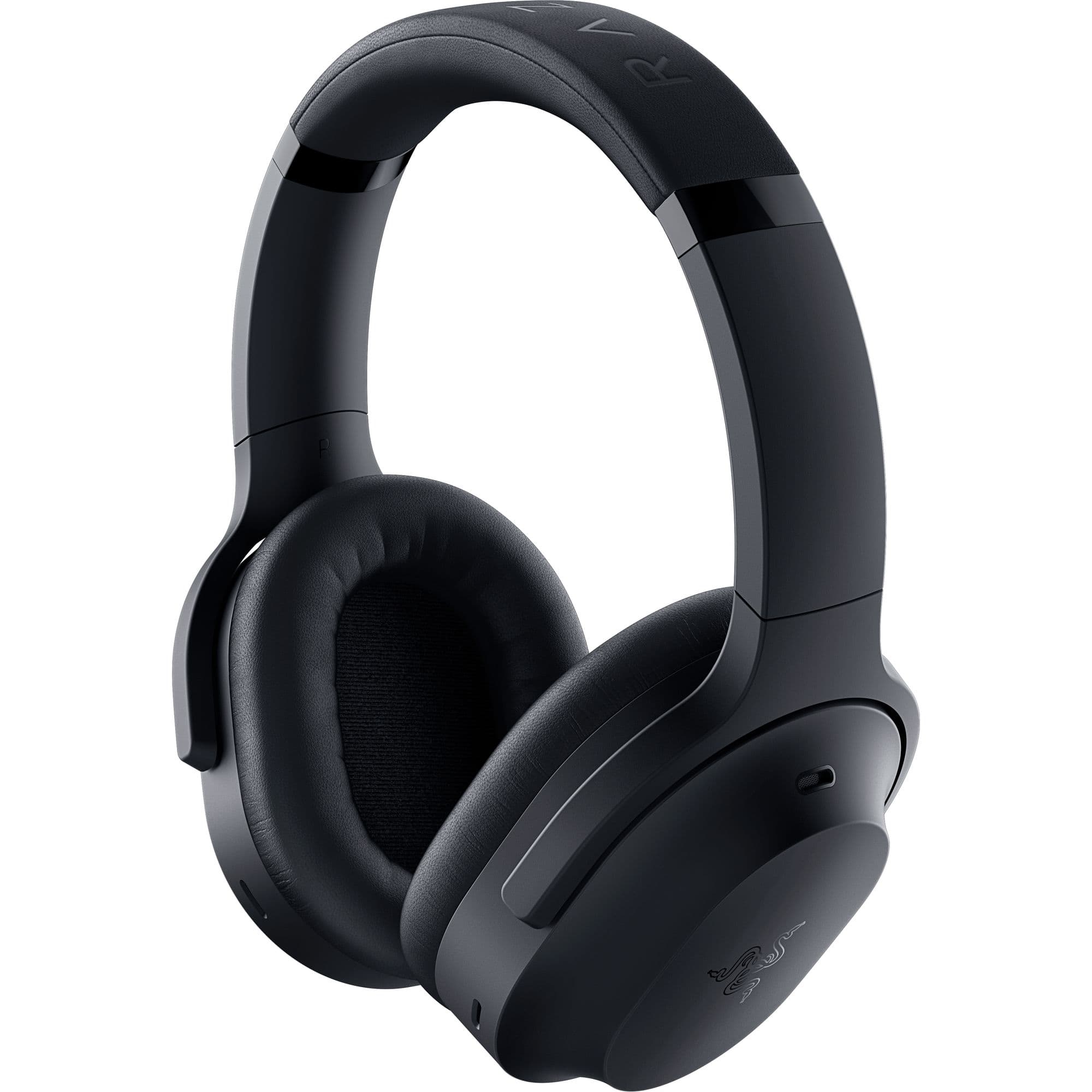
||Posted . Owned for 1 month when reviewed.This reviewer received promo considerations or sweepstakes entry for writing a review.These are really high quality headphones, that in my opinion, fair better than the actual AirPods Max. They are very comfortable, the ANC seems to have a perfect air tight seal and bluetooth works flawlessly when connecting to devices. The headset comes with a leather covered hardshell carrying case, a long USB-C cable, USB-A to USB-C adapter cable, as well as a USB-C dongle to plug-n-play with a second device to prevent having to pair and re-pair between devices. A 100% recommend to anyone wanting perfect sound with a professional, yet comfortably aesthetically pleasing design.
I would recommend this to a friend - Pros mentioned:Comfort, Sound quality
I LOVE IT!
||Posted .This reviewer received promo considerations or sweepstakes entry for writing a review.This item was so great and super easy to set up and connect I’m absolutely in love with it and had recommended it to my cousins and uncle since they are also gamers!! The audio is perfect you and clear with the noise cancellation makes it over the top!! It fits comfortably on my heads doesn’t feel heavy like other headsets! This a perfect gift for any gamer!
I would recommend this to a friend - Pros mentioned:Comfort, Sound quality
S’Good
||Posted . Owned for 1 week when reviewed.This reviewer received promo considerations or sweepstakes entry for writing a review.Really dig it. Super light and easy flexibility between my desktop and mobile audio are what sells this for me. I like the taxer client audio apps and options for microphone adjustment. This was a major step up from my previous headset hardware, the Corsair Virtuoso.
I would recommend this to a friend - Pros mentioned:Comfort, Sound quality
Not worth for money
||Posted . Owned for 5 months when reviewed.This reviewer received promo considerations or sweepstakes entry for writing a review.I initially enjoy using these headphones. They are comfortable, noise cancelling features worked great and no major issues. They did, however, disconnect constantly from the hyperspeed wireless and bluetooth connections. Sound would be staticky randomly throughout the day. Even after contacting Razer, no solution was found. The real nail in the coffin was that after only 5 months of regular use, cracks started to appear (see images). Not worth it, save your money.
No, I would not recommend this to a friend - Pros mentioned:Anc, Battery life, Bluetooth

My Most Favorite “Gaming” Headphones
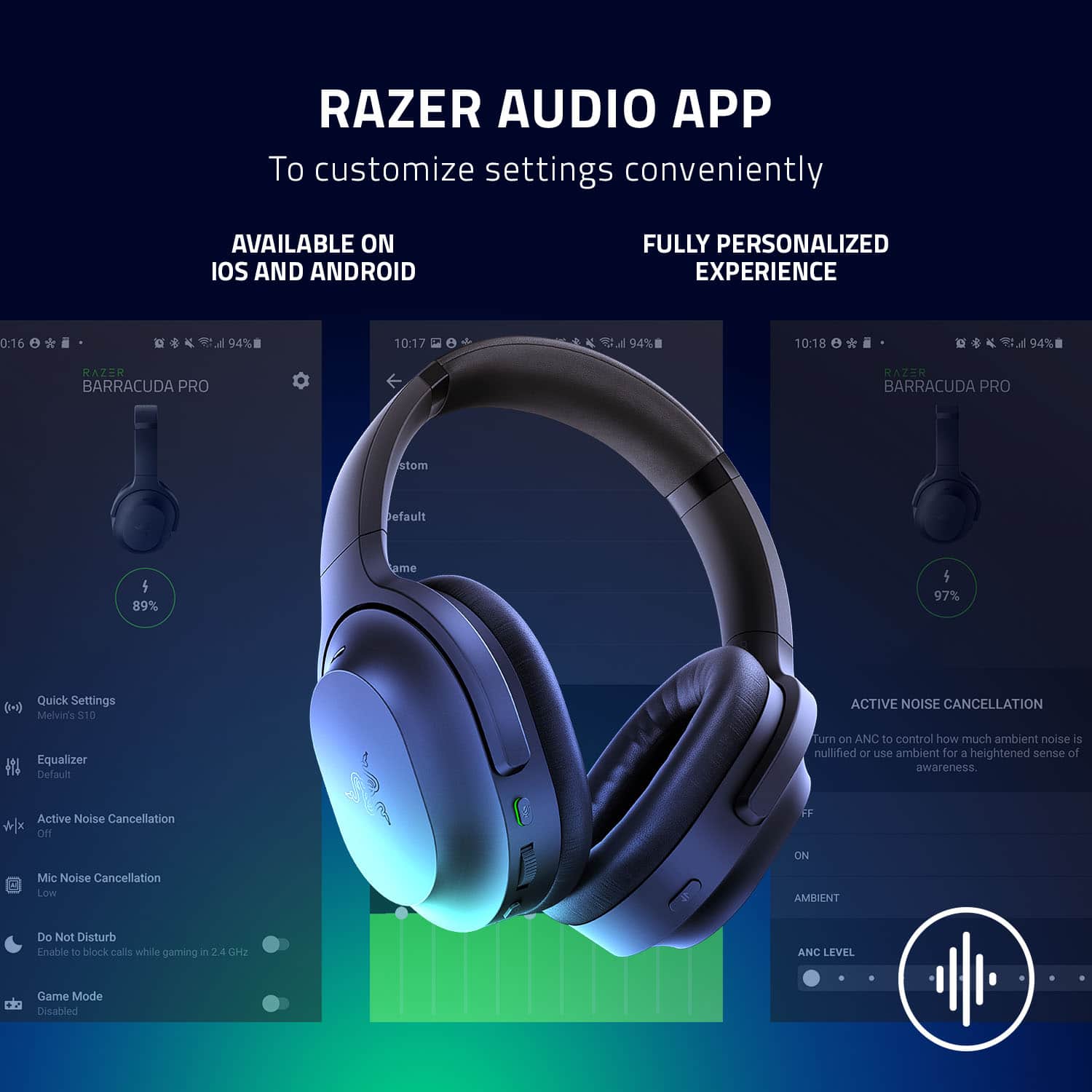
|Posted .This reviewer received promo considerations or sweepstakes entry for writing a review.My Most Favorite “Gaming” Headphones The Razer Barracuda Pro has surprised me in an unexpected way. It is an excellent pair of everyday headphones for music, movie and video streaming. Calling these gaming headphones would be cheating of its versatility. Using the Razer Audio App (available on Android and iOS), I am able to customize ANC levels and set my own custom equalizer settings. Controls-wise, the volume wheel is a very satisfying way to adjust volume rather than the typical push buttons. There aren’t dedicated next/previous track buttons, but you’ll be able to find them repurposed using the power button (two clicks to next track, three clicks to previous). Normally not found on dedicated headphones, a mic mute button is present, although this could be a nuisance if you accidentally enable it. Finally, there is the ANC On/Off and Ambient button. Holy cow….I was super impressed with the ANC. The other thing that impressed me is the Ambient bypass mode. With the 2 available mics on the headset, I am able to hear every sound in total clarity while I listen to music or watch streaming content. That means I can have a normal conversation with others while I have these on while my ears are sealed from the outside world, which is pretty impressive. Battery life is ample at around 40 hours between charges. The Barracuda Pros are super comfortable to wear, although they are on the larger side of your typical headset, or wireless headphones for that matter. They adjust like other headsets where the headband can be adjusted for that perfect fit. Although they are larger, they are lightweight and don’t cause any hot spots or pressure on my head while wearing. I honestly have no complaints when it comes to comfort with these. The only, only time I wouldn’t want to wear these is during a gym workout as I think they’re a little on the bulky side and the cushions are probably not much of an antimicrobial, moisture-wicking material. If I had one complaint about comfort, it would be that the headphone cups pivot away from the body, so you can't rest the earcups on your chest when resting them around your neck. For all the good that this thing produces, I had to take a star off for that for what seems to be an overlooked design decision. From a gaming perspective, they do not disappoint at all. Playing CyberPunk 2077, walking around Corpo Plaza felt like I was standing there, hearing all the city night life, people walking and talking, cars driving by and honking horns (especially when I crossed in front of them). With THX Spatial Audio enabled for game mode, I was particularly impressed when I heard the monorail up above me pass from my rear to my front. CyberPunk 2077 is one of those games that fully supports THX, and the Barracudas take full advantage of it. Again, what completely blew my mind is the ANC performance. My home has large air purifiers running 24/7 at a medium to high setting, and they can be heard all day, almost like white noise machines. When ANC is activated, the white noise is completely eliminated, and it's like a deafening experience, like the vacuum of space. It’s so good that I start to feel nauseous not hearing anything when no content is playing through the headphones. This is next-level ANC that rivals those of the big name ANC players at a lower cost. Having ANC on enhances all use cases from listening to music, watching a movie or gaming. The headphones appear to have 2 different mics that pick up noise, and even beamform to further negate the ambient noise around you. The Razer Synapse software is something I have gotten used to over time and I find it easy to configure the Barracudas. Like the Audio App, you’ll be able to set ANC levels and adjust equalizer settings. Only on Synapse will you be able to turn on THX, and you can allow Synapse to choose the THX profile for whatever you may be doing (Music, Movie, Gaming modes). Likewise you’ll only be able to set microphone settings, including ANC for microphone use, so that your listeners don’t hear the ambient noise coming from your room. It’s worth noting that ANC does affect your voice a bit, like ANC is also cutting off some of your voice at times, so that’s why there is a low and high setting to choose from depending on how noisy it is. Lastly, a really big selling point is its ease of connectivity. Other than the most obvious way of using them (via direct USB cable), these Barracudas have two wireless modes: Bluetooth 5.2 and Hyperspeed Wireless 2.4GHz dongle. What makes that special is that you can connect your mobile phone via Bluetooth, and you can connect your PC via the dongle, at the same time! There is no need to unpair/pair when switching between the two. With a simple double tap of the ANC button, you can easily swap between connections, no problem, and the Barracudas will always be ready to use in either case. Fantastic. There is a lot of talk about how these are not good at all or may sound terrible and various other reasons; I have yet to encounter these situations. It is worth noting that Razer has sent at least 3 firmware updates since I first took ownership of them. So the reports may be true in regards to their performance initially, but I think they worked out the kinks and will continue to work out the kinks with every new bug or discrepancy found. And while I agree with the masses that some of their products are on the pricey side, these headphones exude quality, sport a timeless design and deliver on sound performance. I recommend these headphones to anyone looking for their one and only everyday pair of headphones.
I would recommend this to a friend - Pros mentioned:Battery life, Bluetooth, Comfort
Great Sound with some caveats
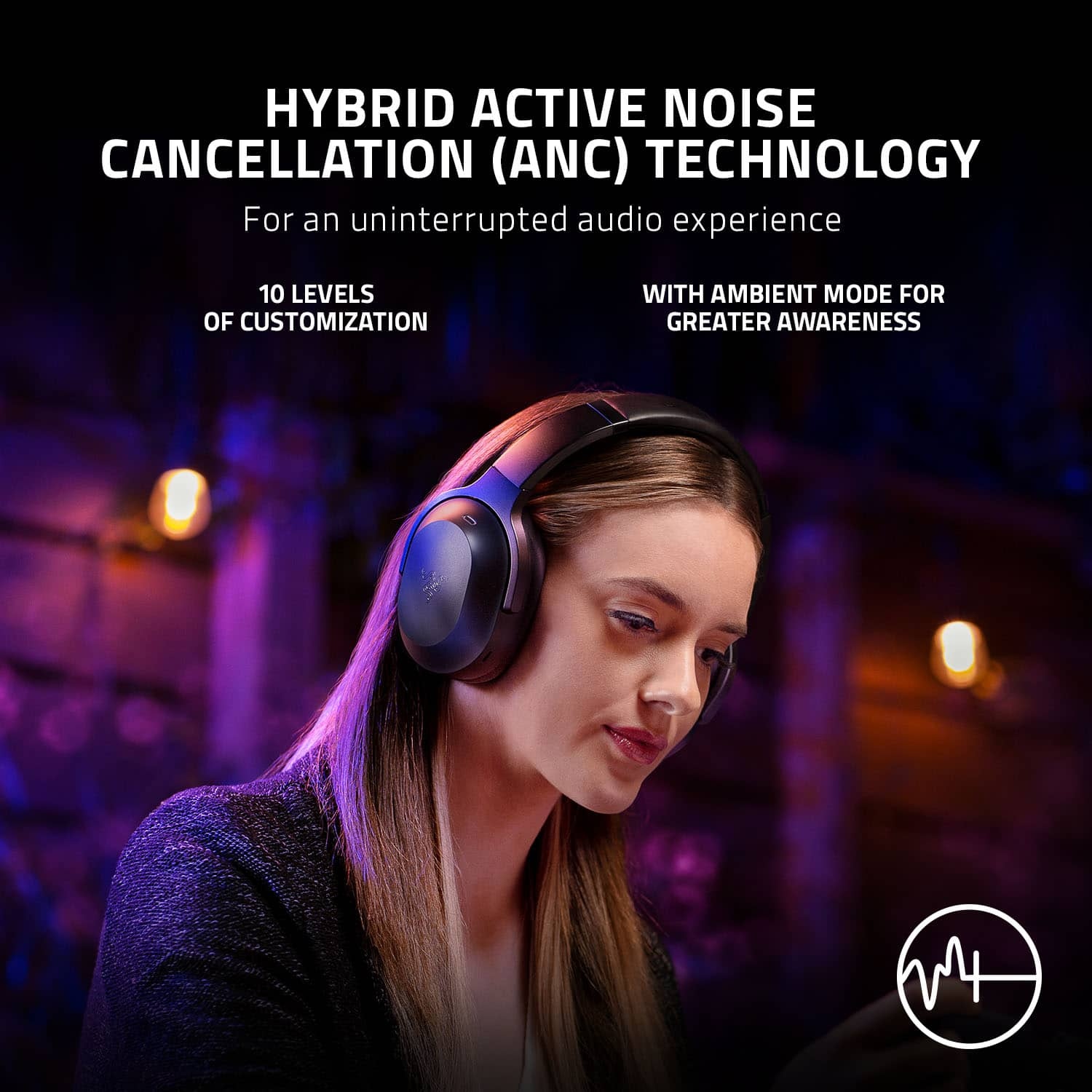
|Posted .This reviewer received promo considerations or sweepstakes entry for writing a review.Design/Comfort Pros: - Streamlined clean look - Very lightweight feel - Ear cups and headband are very soft - Easy to use controls for audio, mute, or switching modes - Audible announcement for most modes (such a pairing, powered on, powering off) - The included carrying case is well laid out, has a nice pocket for cables and is tough enough to protect the headset. Cons: - Leather earcups can support sweat as they do not breath - Internal Mic leaves for sub par mic quality - The cup to headband distance is a little too large, barely fit my head on smallest setting - No audible announcement for “muted” - 2.4 GHZ Dongle is rather long and can block ports. There is an included extension cable that will fix this, but it’s use could be frustrating - Cannot use while charging - Doesn’t work in “wired” mode - Matte finish shows grease and fingerprints very easily - Getting the headset out of the case can be a bit finicky Sound Quality Pros: - Very nice and natural sound - Bass is present but not obnoxious - Connected to the included 2.4ghz USB C dongle, audio is fast and high quality - Music, Movies, and games all sound very good. There are built in profiles for each mode Cons: - THX support requires a licensed app. This should be been included with the headset - Setting up the THX Spatial audio was insanely hard to do. Audio often does not work and requires reboots, switching inputs, uninstall/reinstall and became more pain that it was worth Wireless Connectivity Pros: - Very good wireless range - Bluetooth pairs easily with devices - Instant connection using USB C 2.4Ghz Dongle Cons: - Razer Android or iOS app doesn’t seem to pick up the headset when using bluetooth after disconnection. Had to often unpair then repair to get the app to recognize it again Battery Life Pros: - Amazing battery life. Used for 3 days and still at 60% - Razer claims about 40 hours of use which may even be downplayed Cons: - Cannot use the headset while it is charging Active Noise Cancellation Pros: - Has 10 levels of ANC that can be controlled via the headset switch or the Razer app - Good enough to block out ambient noise such as laptop or desktop fans and background noise - Voice announces when it is in use Cons: - Not as good as other headsets rocking this feature - May not be a large selling point for gamers Microphone Pros: - Unobtrusive hidden design - Looks more stylish Cons: - Audio sounds more distant due to being internal - Likely won’t appeal to hardcore gamers Recommended Changes: - Change from internal mic to external boom mic that can detach - Give a license for THX audio away - Fix the THX audio setup - Fix the lack of headset detection in the mobile apps - Allow an option to use while plugged into USB and/or charging - Come up with a way to get the headset out of the case easier (maybe a pull tab?) Bottom Line: This is a nice sounding and very comfortable headset. There are a number of features that should appeal to a wider audience but may exclude their core customer base, hardcore gamers. I also feel the asking MSRP price point of $250 is steep given the requirement to purchase a THX license, sub par mic quality and lack of size adjustments. Overall though, this is one of the better sounding wireless headsets aimed at gamers, with outstanding battery life and extremely comfortable feel. Razer hit most of the key points with this model. Gen 2 could knock it out of the park.
I would recommend this to a friend - Pros mentioned:Battery life, Comfort, Sound quality
Multi-Purpose and Just Short of Magnificent
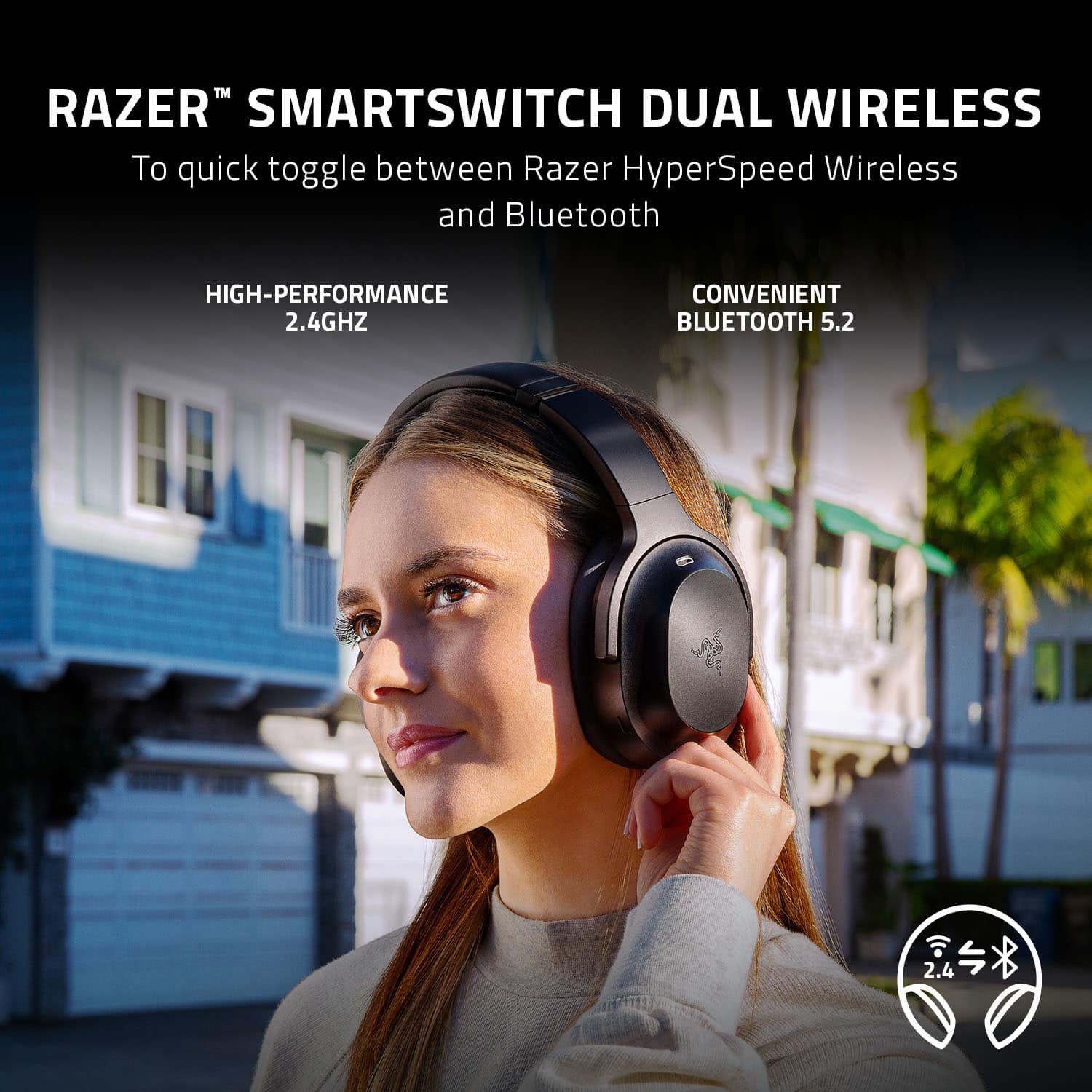
|Posted .This reviewer received promo considerations or sweepstakes entry for writing a review.----- SUMMARY ----- Verdict: There’s a lot that the Razer Barracuda Pro does well. Multi-device connectivity, comfort, great battery life, excellent audio quality, competent mic performance, and a solid design. I think it’s just shy of a five-star headset, only because they’re mostly plastic, detracting from the premium feel, and they aren’t compatible with Xbox. If those aren’t dealbreakers for you, the Barracuda Pro is a good choice for your next gaming headset. Pros: - Quick and easy setup - Comfortable, even for prolonged use - Excellent audio quality - Nice carrying case included - Seamless multi-device connectivity - Competent mic performance - Great battery life Cons: - Plastic design - Not compatible with Xbox ----- DETAILS ----- Unboxing & Setup: When you open the box you’re greeted with a nice hard-shell zip-up carrying case. Inside of it, the Barracuda Pro headset is folded flat, since the earcups can rotate. There’s a convenient compartment in the middle that’s even magnetically held shut. Razer put thought into the design of the case, which gave me a positive first impression, and I appreciated that it was included. The case protects the headset well and makes it easy to transport. Inside the compartment are two braided cables, one that’s a USB-C to USB-A charging cable and another that’s a USB-A to USB-C extender, which allows you to connect the USB-C dongle to a USB-A port. There’s a little pouch within the compartment that holds the USB-C dongle. Again, Razer was thoughtful in the design because the dongle is small and would be easy to lose if there wasn’t a dedicated pouch. As suggested in the instructions, I fully charged the headset before first use, which took a couple of hours. Setup was quick and easy because the USB-C dongle automatically connects to the headset when you plug it in. Setting up Bluetooth is also simple, with just the extra step of putting the headset in pairing mode. Sound settings and firmware updates are done in the Razer Synapse software (more on that later). Design & Features: I like the style of the Barracuda Pro because it blurs the lines between gaming and everyday use. I wanted a headset that I could use for gaming, work, and when I’m on the go without the attention-grabbing design that many gaming headsets have. In this regard, the Barracuda Pro has been just what I was looking for. Aside from the green indicator on the mic mute switch, the headset is mostly black, including the subtle Razer logo on the earcups. Though the headset looks metal in pictures, the outer shell is plastic which was a bit of a disappointment. I suppose it helps keep the headset lightweight, but I think it detracts from the premium feel. Some metal would’ve elevated the design, but the build quality is still solid. In terms of comfort, I’ve been very impressed. Between listening to music and conference calls while working from home, I often wear the headset for 8+ hours a day, and I have no complaints. The headband provides enough clamp to stabilize the headset without any ear or head pain, and the faux-leather-covered memory foam earpads are soft. I worry about the memory foam's longevity though, because it feels low-density, so it seems possible that it could compress over time. The right earcup has a “SmartSwitch” button that allows you to easily toggle between noise canceling on/off as well as ambient mode which amplifies sounds or voices around you. Double pressing the button seamlessly switches between high-speed 2.4GHz or Bluetooth mode, a feature I’ve found useful. When I’m gaming on my PC and receive a call, I can quickly answer and use the headset for the call, or when I finish a conference call on my PC and want to take a break, I can leave my desk with my phone in hand and stream music from it almost instantly. There’s no waiting to connect on either end. On the left earcup, there’s a mic mute button, volume wheel, power button, and USB-C charging port. The power button has many more uses, like pausing music/videos or accepting/ending calls with a single short press. A double press will take you to the next song or reject a call. Three presses will go back to the previous song. There’s a bit of a learning curve remembering what button presses do what, but I like having that level of control all on the headset. Presumably to help it fit into a gaming and on-the-go lifestyle, Razer opted for in-cup microphones instead of a boom mic (more detail on the mic performance later). The included USB-C dongle that enables a “HyperSpeed” wireless connection is compatible with PC, PlayStation 4, PlayStation 5, Nintendo Switch, and Android devices with USB-C ports. Since there’s also Bluetooth connectivity, you can pair the headset with compatible devices as well. As an Xbox owner, I was disappointed that the Barracuda Pro isn’t compatible. I’m not sure why Xbox was excluded, but it seems like a missed opportunity. Performance: Whether it’s games, music, or entertainment, the Barracuda Pro pumps out a lot of bass without overpowering or drowning out the lows and highs. It’s crisp and clear sound. I like the default settings, but the Razer Synapse software gives you a lot of flexibility to fine-tune the sound to your liking. The active noise cancellation and ambient (audio pass-through) modes work quite well but they’ll reduce the bass and soundstage significantly. They’re nice to have though. I just wish the ambient mode didn’t pick up wind as much because it can be noisy. Though audio quality was my main interest in the Barracuda Pro headset, the mic quality is important to me as well. Since I use the headset for work and gaming, I need a mic to communicate with fellow gamers or colleagues at work. Most of my time talking with a headset is spent while I’m working, so I asked my colleagues how I sounded, and they had no complaints. The integrated mics on the Barracuda Pro might not surpass the quality of what a boom mic can offer, but for most people, I think they’ll be good enough. If you’re a streamer though, you'd be better off with a desktop microphone. Software: Tools and settings for the Barracuda Pro can be managed in the Razer Synapse software. It’s convenient and easy to use right from the start. Connecting the USB-C dongle automatically initiates a pop-up that you can just click to install the software. I liked that I didn’t have to read instructions or browse the internet to find the download. The software enables THX Spatial Audio and provides a variety of sound enhancement toggles and sliders, such as volume normalization, bass boost, and voice clarity. It also gives you the ability to update the headset’s firmware. Battery Life: On a single charge, I average around 40 hours of battery life. Other similar headsets that I’ve either owned or seen on the market average around 20 hours of battery life, so I’m impressed that the Barracuda Pro doubles that. Even with heavy usage, I usually don’t have to worry about charging for a week or more. When it does come time to charge, the headset will say “low battery”, and there’s a braided USB-C to USB-A charging cable included in the box. ----- WHAT’S IN THE BOX ----- 1 x Razer Barracuda Pro Wireless Gaming Headset 1 x USB-C Wireless (2.4GHz) Transmitter 1 x USB-C to USB-A Braided Charging Cable 1 x USB-A to USB-C Extender 1 x Hard-Shell Zip-Up Carrying Case 1 x Quick Start Guide 1 x Razer Sticker
I would recommend this to a friend - Pros mentioned:Anc, Comfort, Sound quality
Razer Barracuda Pro is a true Barracuda!!!!
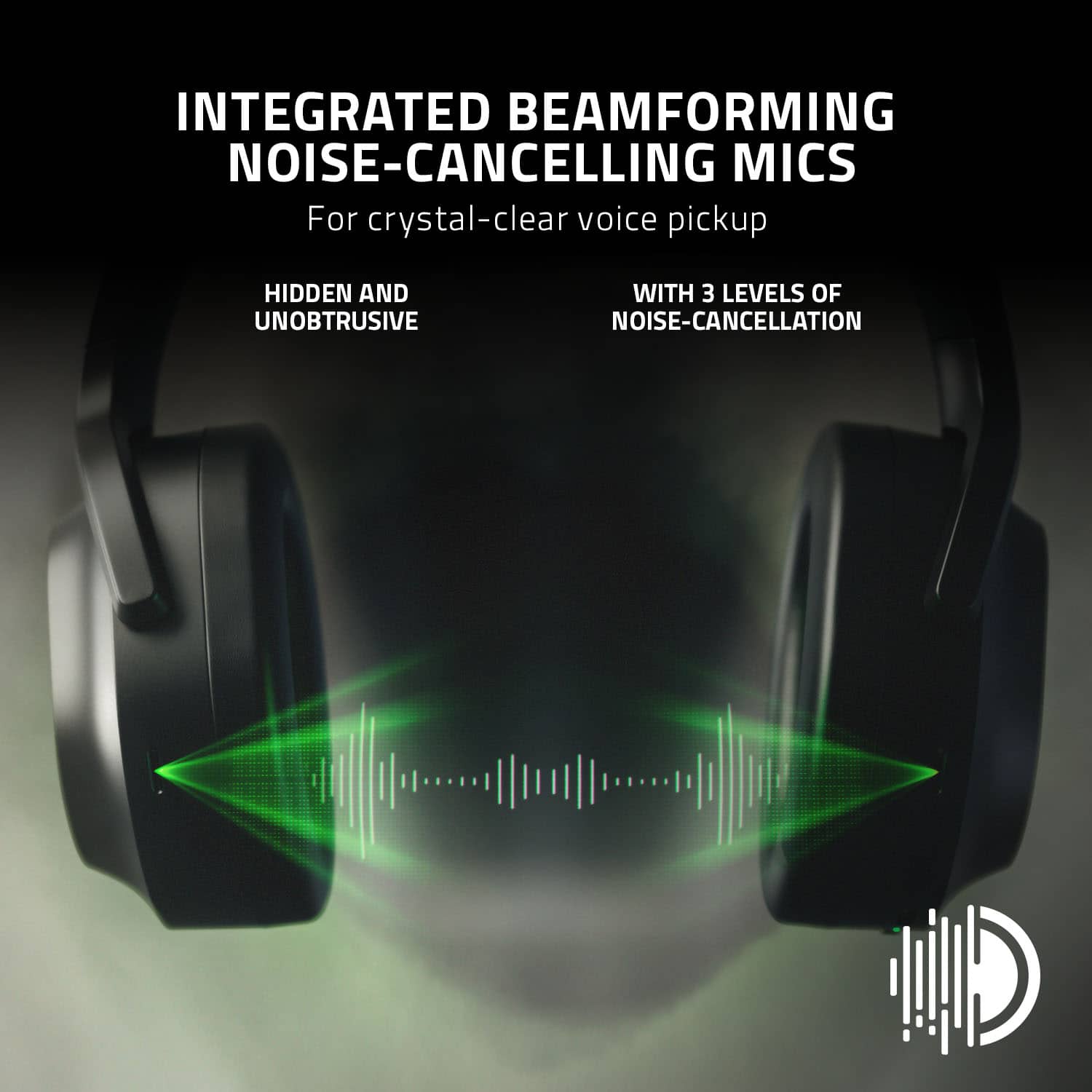
|Posted .This reviewer received promo considerations or sweepstakes entry for writing a review.First and foremost, I'm a big fan of Razer, praising their high-quality and efficient products. However, their products are pricey, but they serve the purpose. For almost ten years of using Razer's products, I have never encountered any issue so far, making me enthusiastic to try out any new products they release. Once I unboxed the headset, I was greeted by a premium, soft feel carrying case in which the headset and all the accessories are stored. Inside the case are the Barracuda Pro, a USB-C L-shaped 2.4 GHz dongle, one type-C charging cable, and a type A to C adaptor cable. The cables and the dongle are nicely stored in a small pocket that separates them from the headset, which is really nice and makes the headset scratch-free. Design, obviously, Razer is trying to redefine the lifestyle and gaming headset in this headset. The Barracuda Pro does NOT look much like any other wireless gaming headset; instead, it combines the lifestyle and classy design into this headset by lacking the boom mic sticking out and using dual hidden beamforming noise-canceling mics. Connectivity, I paired up this headset to my iPhone 13 Pro Max via BT (5.2v). I noticed the strong connection and have not experienced any latency when watching movies; the audio was in real-time. On my PS5, I used HyperSpeed 2.4 GHz dongle to connect the headset, and my experience was flawless. The THX sound is incredible; I could hear everything from footsteps, gunshot, dialogue, and voice chat was clear and loud. During my gaming session, my friends told me that my voice was very clear. Also, I used it to make phone calls, and the sound quality and mic are good. The “power button” is a multi-function button. Press and hold for a couple of seconds to enter Bluetooth pairing mode. Single press to play/pause, accept phone calls, end calls, double press to skip tracks, and triple press to previous tracks. This Barracuda pro has ANC, and from my experience in using it in different environments, it offers good noise canceling, but it is not great, which I can't compare to Sony and Bose!! But at least it does include it. The smart switch works like a charm by which I can switch between two connected devices my iPhone (BT) and PS5 (USB 2.4 GHz), by pressing the smart switch button twice to jump between both devices. Pressing the smart switch button once, it would cycle between the active noise canceling (ANC), Ambient, ANC on, and ANC off. When connected to BB, triple press the Smart Switch button and hold for 2 seconds to activate Gaming Mode. In addition, I like the audio prompt that activates every time I press any buttons on the headset. Also, these features can be managed using Razer audio app on a smartphone. This headset is versatile and very comfortable and does not apply any pressure even after hours of use. Note, when I tested on PC, I was promoted to update the firmware to the latest version 2.3.1 via Razer Synapse, which took me to a Razer Barracuda Pro Firmware Updater website link (https://mysupport.razer.com/app/answers/detail/a_id/6090/~/razer-barracuda-pro-firmware-updater-%7C-rz04-03780). The entire update process requires the Barracuda headset to be connected to the PC via the 2.4 GHz dongle. After the update, I noticed that the smart switch works much better than before, and switching between BT mode and the 2.4 GHz is more responsive. What I dislike about this headset: The headset swivels flat but in the wrong way. Also, no audio 3.5mm cable to use on Xbox or any devices using an audio port. And I hoped the headset firmware could be updated through the Razer audio app instead of Synapse software. But, other than that, it is a great headset and provides excellent sound. Unfortunately, I lost the Razer Chroma, but I loved how it looks as it combines gaming and lifestyle.
I would recommend this to a friend - Pros mentioned:Anc, Battery life, Sound quality
Great Audio with a Mediocre Mic & Software
|Posted .This reviewer received promo considerations or sweepstakes entry for writing a review.INTRO: I’m a gamer (on all modern platforms), but also an audiophile and headphone enthusiast. For me, audio is critically important to any gaming experience, but there’s often a desire for conveniences like 2.4GHz Wireless, Bluetooth, or Active Noise Cancellation. The Razer Barracuda Pro sets out to be your cross-platform (minus Xbox) gaming headset as well as your travel companion. And to my surprise, overall, I think it achieves a fair bit of that but not without compromise. UNBOXING: The box was easy to open, and inside you’ll find a nice carrying case. It’s relatively rigid as to keep the headset protected, but that does mean that it won’t flex a whole lot in your bag. It is among the largest cases I’ve had for portable headphones like this, but I don’t think it’s unreasonable either. Inside the zipper case is the Barracuda Pro and a nice compartment with charging/data cables and 2.4GHz adapter. The wireless adapter uses USB-C male for versatile connectivity. The cables include a USB-A male to USB-C female cable for adapting and extending, as well as a USB-A to USB-C for charging the Barracuda Pro directly. BUILD: The build is decent on the Barracuda Pro. The build is plastic, but doesn’t feel like rubbish. However, as I displace the earcups away from each other to put the headset on my head, I do hear some light plastic creaking noises. I also really like how the design is not as gamery as other Razer products. The logo is quite stealthy, and people would probably not notice that I was wearing a “gaming headset” unless they looked hard enough. COMFORT: I’ve been using the Barracuda Pro at home and at work to really put them through their paces. And I’m honestly pretty happy with how comfortable the Barracuda Pro is. While it does weigh in a bit heavier than some other headphones that I regularly use, I find that the clamping force is ample for my normal size head to get a good seal for isolation, and the headband doesn’t create any pressure points that cause me discomfort. I have worn the Barracuda Pro for hours at a time, which I honestly didn’t expect I’d be able to do. I’ve used the most hyped up 2022 ANC headphones, and for my head, the Barracuda Pro’s ear pads and headband are surprisingly more comfortable. Not only that, but the Barracuda Pro has deeper pads which means your ears are less prone to touching the fabric that covers the speaker drivers. This aspect of comfort is honestly pretty noteworthy because I would actually consider taking these onto a flight. SETUP & FIRMWARE UPDATE: Setting up the Razer Barracuda Pro is pretty simple. Plug the USB-C dongle into your device, and hold the multifunction power button on the left earcup of the headset to power it on. If you hold it for longer while it powers on, you will enter pairing mode for the 2.4GHz HyperSpeed Wireless. On a Windows machine, I was prompted to install Razer Synapse—which I reluctantly did. I ended up finding that there was a firmware update for the Barracuda Pro and its dongle which I did perform. Prior to this firmware update, my unit exhibited a strange microphone feedback loop which caused the headphones to make a continuous high pitch sine wave noise while ANC was enabled with the headphones off your head. I’m amazed they shipped it like this as it’s definitely unacceptable behavior for a headphone these days. So it’s really important to stress that you should UPDATE THE FIRMWARE. I also encountered a strange bug (at least in Windows 11) where over 2.4GHz, having the sound panel open makes the Barracuda Pro sound incredibly tinny and removes all the bass. The moment you close the sound panel, this problem goes away. PLEASE FIX THIS RAZER. FEATURES: On the headset, you have a pretty minimalistic control scheme, which I can appreciate. On the left earcup, you have the microphone mute switch, a volume wheel, a multifunction button, and the USB-C charging port. The multifunction button can be held to power on/off the headset, pressed 1x to play/pause, pressed 2x quickly to skip forward a track, and pressed 3x quickly to go back to the previous track. One unfortunate aspect of this headset is that because there is no boom microphone, you won’t have any LED indicator showing you when your microphone is muted. Unfortunately this means you might end up talking and not realize that your microphone is muted. And while the Razer Synapse software does allow you to enable sidetone monitoring, it is software based rather than hardware based—so it appears to only work on Windows, but even worse is that the latency is too high for me to recommend it. You will likely end up stuttering if you use this. If you absolutely need to hear yourself, I would recommend the Ambient mode over the Razer Synapse sidetone monitoring since that is hardware based and won’t have any perceptible latency. But you’ll lose out on ANC as a result. On the right earcup, you have a single button that when pressed toggles between ANC on, ANC off, and Ambient mode. When you press the button 2x quickly, this will toggle between 2.4GHz HyperSpeed wireless and Bluetooth. And when you hold it for several seconds, it will enter Bluetooth pairing mode. Unlike some other headsets, you cannot use Bluetooth and 2.4GHz simultaneously. So you won’t be able to chat on Discord on your smartphone over Bluetooth while playing on PlayStation or Switch via 2.4GHz. And there’s no wired listening option on the Barracuda Pro, as there appears to be no data over USB-C and there’s no 3.5mm jack for traditional analog use. SOFTWARE: The Razer Synapse software experience is probably the worst part about the Barracuda Pro. Once you perform your firmware update, Synapse is largely optional. You get some basic EQ capabilities and control over the ANC strength and can switch between ANC on, ANC off, and Ambient modes. You can also enable/disable THX Spatial Audio, but this requires you to change your output device in Windows to a virtual THX Audio device. You also get some microphone EQ, noise reduction and voice clarity options, but I honestly felt as though none of them were particularly great. The volume normalization helped make the microphone louder, but voice clarity seemed to mostly just cut bass out of your voice which can really suck the life out of your voice, so I would keep that setting to a minimum. Once paired over Bluetooth, the mobile app allowed basic controls like how long it can remain idle before turning off, a 10-band EQ, ANC strength, microphone noise cancellation, a low latency mode, do-not-disturb settings to prevent calls from interrupting a mobile gaming session, and the ability to switch which Bluetooth device it is connected to. Overall, a basic software experience here, but honestly favorable over the experience that is Razer Synapse. SOUND: I think the Barracuda Pro’s stock sound signature is “balanced, and it’s my favorite way of listening. The Barracuda Pro isn’t overly bass heavy like a bunch of cheap gaming headsets, but it definitely has bass and can pack a punch. It does a decent job at presenting midrange and treble detail without presenting any sharp sibilance and also without being overly relaxed or veiled. It is honestly a surprise to me how much I actually think Razer is onto something with this stock sound. It is quite competent for music compared to many other headsets I’ve tried. And while I’m not a hardcore competitive gamer, I do personally find that playing a variety of games on the Barracuda Pro to be quite enjoyable. As someone who normally plays games and music on high-end headphones, I find that the Barracuda Pro doesn’t make me grimace. It lets me listen without constantly criticizing my listening experience. And it’s worth mentioning that there’s a reasonably wide soundstage, so whether it’s music, cinematics or game sound effects, they will be presented with good stereo separation. ANC & AMBIENT: In terms of Active Noise Cancellation, I’m pretty impressed with what Razer has implemented with the Barracuda Pro. I don’t personally feel a lot of pressure with the Barracuda Pr; having the ANC set to the maximum via Synapse or the mobile app is effective enough for my needs. The Ambient mode is also pretty good compared to some implementations I’ve heard from other companies. When I’m using it, I can hear myself quite well and don’t struggle to hear my environment. MIC: Because the Barracuda Pro doesn’t have a boom microphone, you’re getting very mediocre microphone quality, which is definitely a bummer. The most popular Bluetooth ANC headphones on the market have better microphone quality compared to the Barracuda Pro, which is disappointing. But at the same time, the Barracuda Pro also functions as a gaming headset and is typically more affordable than those popular ANC headphones. On both 2.4GHz and Bluetooth, I’d describe the sound as warm, muffled, and a bit distanced. It gets the job done, and I’ve heard much worse. But I’ve also heard much better from bluetooth headphones that came out 6 years ago. BATTERY: There’s honestly not much to say here other than it’s been fantastic. I’ve been using it through both 2.4GHz and Bluetooth. Razer claims 40 hours, and I’m definitely getting my 40 hours worth with ANC enabled. Very happy with the results here. You won’t have any issue getting through a week of use. CONCLUSION: Overall, I like the physical product, and I like the way it presents music and gaming audio. The noise cancellation is quite effective, but not industry-leading. The worst part about the Barracuda Pro is the fact that Razer Synapse is overly complex and buggy. And while the microphone is not great, it’s certainly serviceable and doesn’t sound like a distorted mess. My initial impression was not-so-great first impressions because of Razer Synapse and other firmware bugs. But each day I used it on a machine without Synapse, the more I am impressed by its versatility and performance.
I would recommend this to a friend - Pros mentioned:Anc, Battery life, Comfort
Impressive Feature-rich gaming headphones
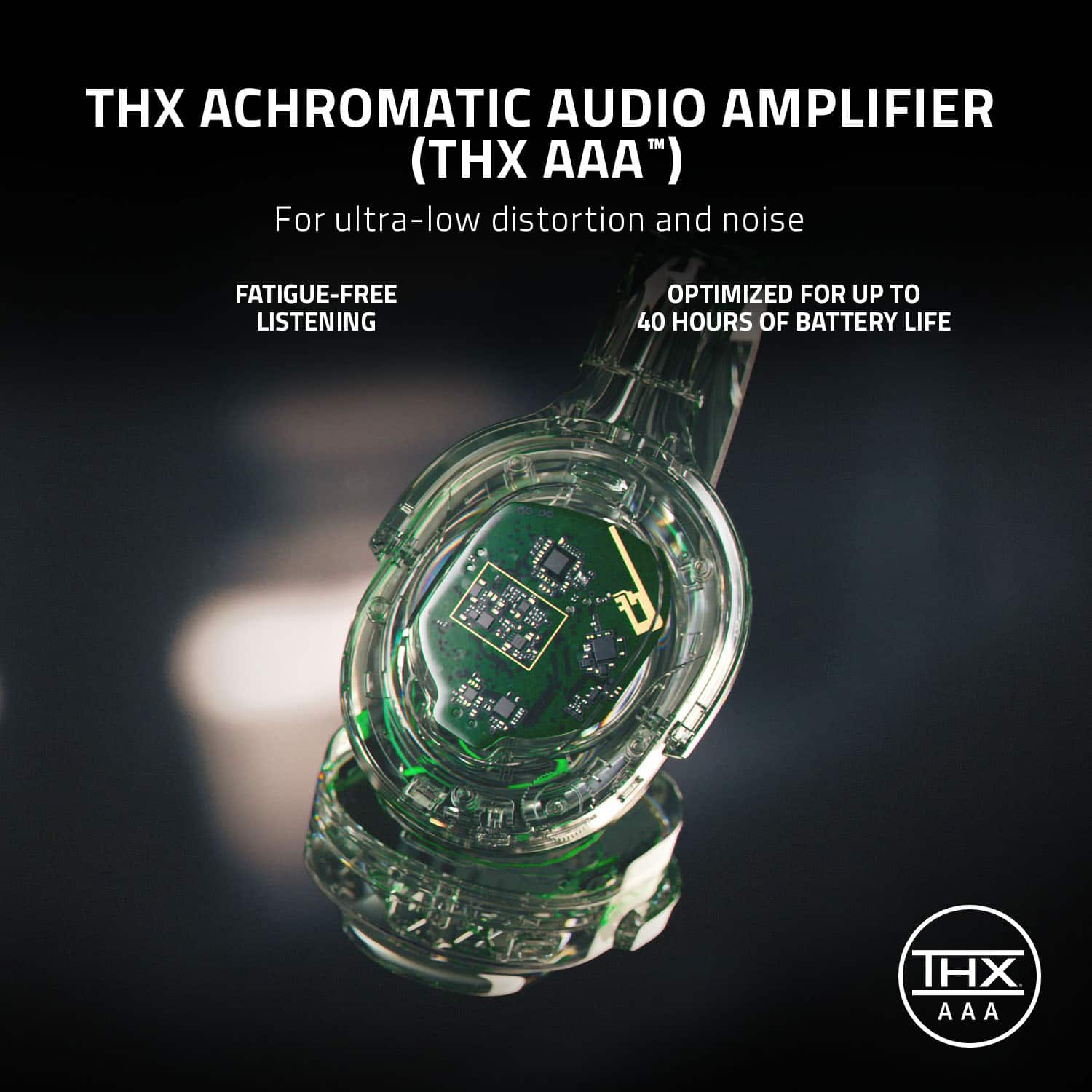
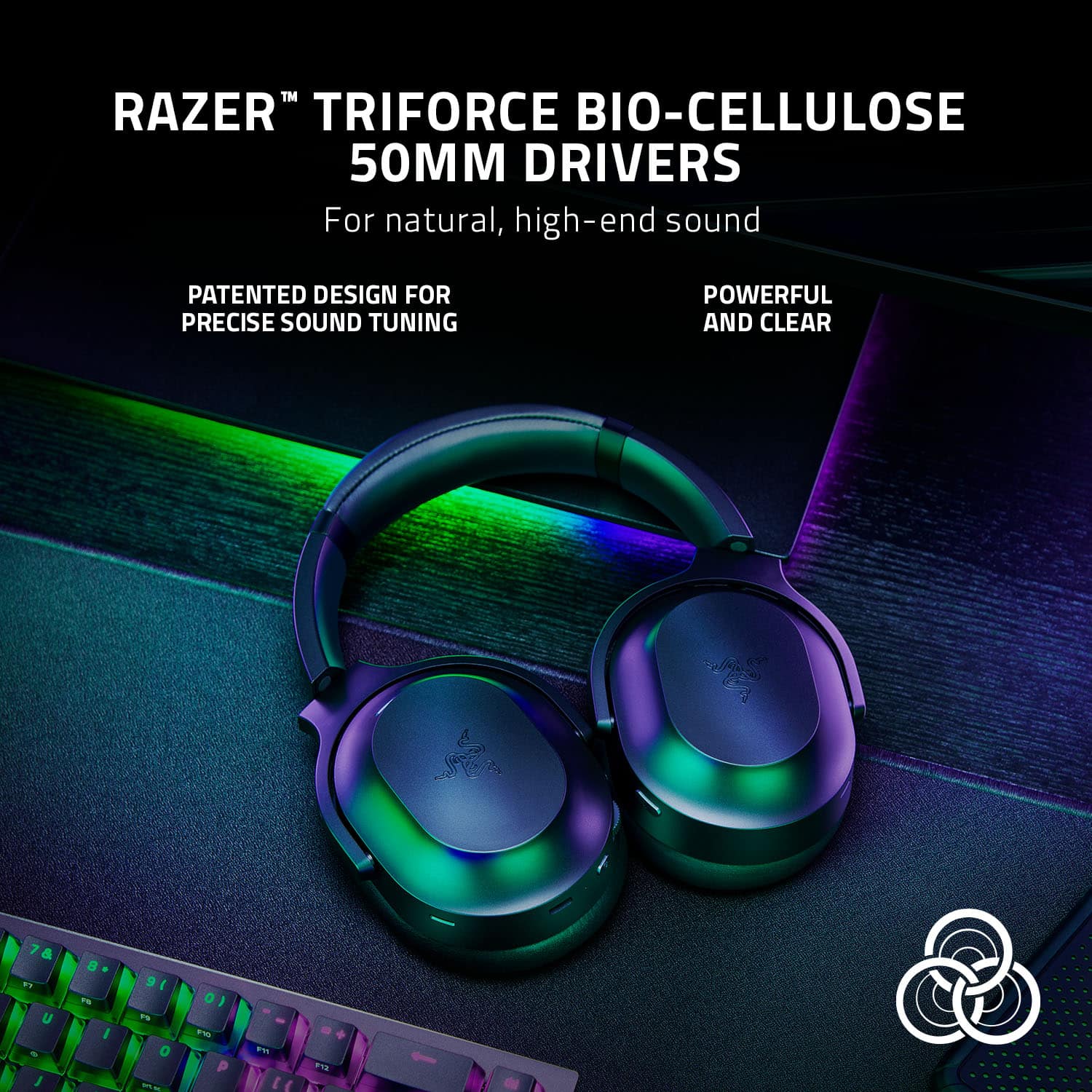
|Posted .This reviewer received promo considerations or sweepstakes entry for writing a review.The Razer Barracuda Pro are an impressive, feature-rich set of wireless gaming headphones that connect either via Bluetooth or high-speed 2.4GHz wireless. In addition to this written review, you can watch my video review of these headphones: Video Review: https://youtu.be/rUIxtIoXRUU Theses headphones come in a very nice hard-shell case, useful for travelling with them. Included with the headphone in this case are a USB-C High-speed (2.4GHz) wireless dongle, a USB-A to USB-C charging cable, and a Type-A to Type-C adapter cable for adapting the headphones for high-speed use with a number of systems including but not limited to PC, PlayStation, Nintendo Switch, and Android devices, and the literature pack which includes a mini-manual, a Sticker for you rig, an info-card and a Razer Gold voucher card for use with Razer Services to buy games and in-game content. A full 35-page manual is available for download that contains additional details on the headset. The rest of this review will be done in 3 parts – features, usage impressions, and pros/cons: Features: The features of these headphones are excellent. This wireless headset provides for up to 40 hours of wireless listening on a single charge. These headphones also come with Hybrid Active Noise Cancellation (ANC) technology. While these to features are intended for uninterrupted long-duration gaming sessions, they easily translate into uninterrupted long-haul flights, commuting use, etc. Additional features include THX Achromatic audio amplifier technology for distortion and noise reduction, integrated beamforming noise-cancelling microphones for clear voice conversations. The headphones use Razer™ Triforce BIO-cellulose 50MM drivers for natural high-end sound. The headphones are backed by a two-year warranty. This headset features a wide range of controls physically on the device. On the left ear you have the following items – Type-C charging port, the status indicator (charging/connectivity status), power button, volume control wheel, and the Mic mute button. On the right side is the Razer SmartSwitch button which allows the headset to flip between Bluetooth and 2.4 GHz modes, control the Active noise cancellation mode, and enable/disable gaming mode while using the Bluetooth connection, which allows the headset to function at a lower latency (trades faster response times with decreased wireless range), while giving you real-time audio feedback while gaming. These headphones can be controlled using either the Razer Audio app on mobile and/or the Razer Synapse App on the PC. These apps allow one to personalize your experience with the headset by adjusting the headset’s sound settings, mixer settings (using any of the headset’s EQ presets or by creating your own preset), enhancement settings (adjusting the incoming audio settings and Frequency response), Mic settings, and the power settings. Usage Impressions: The headset is a wonderful addition to one’s setup and will allow you to get the best sounds from one’s system when using a headset. I tested the headset using multiple tracks that were recommended for testing audio systems. These tracks test audio systems across the sound spectrum form deep base to soaring highs. The tracks allow testing spatial separation of sounds and the dynamic ranges of the piece being played. Each of these tracks sounded excellent. The comfort and noise cancelling features of this headset are nice and really make these useful for situations where noise cancelling is important. The over-the-each memory foam cushions on these headphones are very comfortable and are purpose-built to relieve pressure and aid in the comfort of the headphones for long-duration use. For calls this headset works great and had no issues with hearing the other person or them hearing you. Pros: Audio quality, Battery life, portability, performance Cons: Investment could be high for many
I would recommend this to a friend - Pros mentioned:Battery life, Bluetooth, Comfort
Headphones That Just So Happen to Have a Mic
|Posted .This reviewer received promo considerations or sweepstakes entry for writing a review.What separates headphones from headsets are microphones. The Razer Barracuda Pro is a good quality headphone being passed on as an effective headset which is not the case. Below are my thoughts: [PROS] Stylish & Comfortable: I'm in the minority that prefers gaming headsets to not look like gaming headsets. What I mean is that I enjoy using my headset in the comfort of my own home, but I like being able to venture out in public without looking awkward. The Razer Barracuda Pro gives me that ability. The all black design (with the black logo) allows me to blend in with my surroundings whenever I'm located. Not only is the design neat and minimalistic, the headset is also enjoyable for long periods of time which is a major plus. I experienced no discomfort whatsoever. Good Sound Quality: The Razer Barracuda Pro sounds nice. Bass, Treble, and Mids are decent, but I wouldn't label the audio experience as premium. Awesome Battery Life: The battery on this headset lasts a pretty long time. The 40 hours described is very close to real world performance. Ambient & Active Noise Cancellation Work Well: Since I've used this product, I've been able to drown out noise when needed. However, I also have been able to capture my environment when using the ambient mode. Other pros: I love the carrying case included. It makes the headset very portable and helps me to keep up with all of the included accessories. I'm happy that Bluetooth is included as well because I dislike being tethered to a dongle for my listening experience. [CONS] Bad Microphone: A headset needs to have a decent if not stellar microphone to be usable. The microphone on the Barracuda Pro is horrible. My voice sounded flat and digital which would probably irritate my peers when gaming. I own several cheaper and smaller products that give my voice more clarity than this device. In my opinion, Razer should've opted for a detachable boom mic. Missing 3.5 mm Jack/No Xbox Compatibility: Apparently, the model below this product seems to have an audio jack, but this product seems to be missing one. Although wireless connectivity is preferred, I should be able to use a wired connection when desired or necessary. Because of this removal, you will never be able to use this product with an Xbox unless your TV supports a Bluetooth connection. Software Dependency: Using the headset seems to require a good amount of dependency on the software which can get in the way of truly enjoying it. The software is not bad, but the Barracuda Pro should be more flexible. [CONCLUSION] I like the Barracuda Pro as a headphone, but not as a headset. There are a lot of features to like, but they can't overshadow the cons. The microphone is an extremely important feature of any headset and this one underdelivers tremendously.
No, I would not recommend this to a friend - Pros mentioned:Battery life, Comfort, Sound quality
ANC gaming headset that doubles for general use.
|Posted .This reviewer received promo considerations or sweepstakes entry for writing a review.The Razer Barracuda Pro is more like a premium general headset vs a traditional gaming headset. There are no bright lights, no boom mic, and no funky color schemes. You can almost say it’s a gaming headset for “adults”, but it feels like the Razer design team was shooting for even more. The Barracuda Pro is an Active Noise Canceling headset, which is somewhat rare for gaming, but definitely has a place. It does a fair job of softening the sound of people talking around me, however it doesn’t completely eliminate them. To be fair, I’ve tested a lot of high end ANC headsets and none of them cut out 100% of the noise, but Barracuda Pro still lets more sound leak through than others. Not a big deal in my book, because I’ve never felt the need for noise reduction in my gaming headsets, however it does do a fantastic job of cutting out fan noise. I can actually turn on the Turbo mode in my gaming rigs and I don’t hear the fans at all, which is a triumph, because they’re so loud I rarely use Turbo mode. But now I can! Aside from ANC, the Barracuda pro features a Smartswitch (to quickly change between wireless dongle and bluetooth sources), THX achromatic amplifiers, noise canceling microphones, and is compatible with PC, Playstation, Nintendo Switch, and Android devices. It’s designed to connect to 2 devices at once (usb and bluetooth), with the bluetooth connection ideally suited for the phone. What’s nice about this is that I can also use the Barracuda Pro as a regular set of ANC headphones when I’m out and about, and then plug in the USB dongle to my PC for virtual surround gaming. It works fairly smoothly, however there were a couple times that it was connected to my phone and playing audio, but wouldn’t connect to the Android app for some reason. Soundwise, it does a good job with games and movies, but I find it a bit flat for music. I can’t really put my finger on it, but it reminds me of how high end reference home theater speakers generally don’t make great music speakers. There’s a certain punch I like for music, and while the Barracuda Pro has decent low bass extension, there’s something in-between that’s missing. Maybe I need to play with the EQ more, or try a different spatial audio setting. For games and movies though, it plays loud and clean, while offering an excellent soundstage. I could clearly hear audio details that I was previously unaware of in games, and it actually helped me get a lot further in Hades than before. In terms of fit and finish, the ear cushions are incredibly comfortable and soft. They surprisingly don’t make my ears warm and are legitimately comfortable to wear for hours of play. The materials are all plastic and leather, but it feels sturdy and tightly put together. I worry that the band is all plastic, but only time will tell how it’ll hold up. For now though, it’s been solid and I appreciate how the cans can pivot and swivel for the best fit. Overall, the Razer Barracuda Pro is a solid ANC gaming headset that’s versatile enough for all-purpose use. The battery life is great, they can be comfortably worn for hours, and do an excellent job with games and movies. It responds very well to spatial audio effects in Windows (Atmos vs THX vs DTS), and is a good choice for someone who wants one ANC headset that can do it all.
I would recommend this to a friend - Pros mentioned:Battery life, Comfort, Sound quality
Superior Wireless Performance and Sound Quality
|Posted .This reviewer received promo considerations or sweepstakes entry for writing a review.This wireless gaming headset features superior wireless performance, sound quality and comfort. All the things one would need out of a wireless gaming headset, the Razer Barracuda Pro has it! The headset can be connected wirelessly by Bluetooth or using the included USB-A RF receiver. I tried both methods, and found them both to be stable. The USB-A receiver worked exceptionally well and I will be using it with my PC. Even though it is marketed as a gaming headset, it can be theoretically used with any Bluetooth capable device. The Razer App is not required, but I strongly recommend that you use it. The App opens up a world of control and customization that makes these headphones what they are. If you don’t use the App, you are not maximizing the features that you are paying for. I spent several days using them to play games and watch movies, and found the sound quality to be outstanding. Thanks to the high quality drivers, they produce powerful, full range sound with plenty of bass. The EQ in the app allows the headphones to be further dialed in to suit personal preference. The noise canceling capability is quite effective. This is likely due to the active noise canceling processing and the large size of the over the ear cups, which creates a natural passive noise canceling effect. The internal microphones worked very well at picking up my voice, especially since they don’t have an external boom microphone. I was very satisfied with the microphone performance, and I think all but the most demanding users will be. Razer rates the battery life at 40 hours, and I feel that is quite accurate. I of course never game that long, but used them regularly for about a week and did not have to recharge once. I found them to be well made and comfortable to wear. I had no trouble using them for hours at a time. Also included in the box is a hard carrying case which is a welcome feature for protecting them during transport.
I would recommend this to a friend - Pros mentioned:Sound quality
Extremely Versatile Wireless Headset
|Posted .This reviewer received promo considerations or sweepstakes entry for writing a review.The Razer Barracuda Pro is a well balanced package in terms of versatility and practicality. While it does a lot of things well, I wouldn't go quite as far as classifying them as high fidelity headphones. With that said though, what you do get, is an audio signature that is a well tuned primarily for gaming and movies. I love that Razer designed the Barracuda Pros with 50mm drivers instead of 40mm like we see in a lot of today's premium headsets. Over the past ten years, I've used a combination of headsets with either 50mm or 40mm drivers for PC/console gaming and watching movies. In my experience using both these last few years, 40mm drivers just can't produce the same level of fullness and depth in the low frequency that 50mm drivers can. While I may not necessarily desire this type of bass in my music, I certainly love it in my games and movies. Explosions and gun fire sound fantastic with the Barracuda Pros. The bass is deep and sustained. Not once did I ever hear any distortion. The mids and highs were clear but do lack a bit of definition. The directional surround sound audio was very accurate. Sounds were easily discernable from where the action was happening in-game. Dolby Atmos compatible games like Forza Horizon 5 and RE2 sounded phenomenal! I've heard reports that the mic isn't that great on this headset. I tested in-game several times and every time people told me that I sounded crystal clear. I also used the mic for phone call conversations over bluetooth and asked my friends how I sounded. They all said I sounded clear. It seems that the experience with the mic is mixed amongst users but I can't report any issues with it so far. One thing that really surprised me with these headphones is how good certain music sounded. While they weren't the best for instrument and vocal rich genres like classical and jazz, techno and electronic music actually sounded really good. For music, I highly recommend using the settings below in Razer's Synapse software (it will make the world of a difference): -Turn off "THX Spatial Audio" -Turn on "Bass Boost" -Turn off "Voice Clarity" -Turn off "Sound Normalization" In terms of design and build quality, these are likely the most comfortable gaming headphones I've ever worn. The memory foam earpads are very soft and supple. They also seem to have good breathability as I never experienced any sweaty ear cups during my gaming sessions (played an entire 7 hour vanguard campaign with these on!). They're also very light on the head and weigh only 340 grams. Head fatigue will never be an issue with these headphones. A small point of contention though is that while the headphones certainly don't feel cheap, they also don't have that high end premium feel. I wish that Razer would have incorporated some metal accents such as making the headband extensions metal, or maybe constructing the power button out of metal, and/or decorating the Razer logo on the earcups with metal or aluminum accents. It needs something to elevate the all plastic construction. The features of these headphones is where I feel that these really shine. It's so easy to switch back and forth from the 2.4Ghz source (using the included USB type-C dongle) to a bluetooth source at the press of a button. It works flawlessly and quickly every time. You can use this same button to activate ambient mode or noise cancelling. The noise cancelling certainly makes a difference but it doesn't compare to the active noise cancelling found on higher end ANC music headphones. With that said, I'm glad that Razer still incorporated this hybrid form of ANC as it does make a difference and it's very apparent when switching back and forth between on/off/ambient. The 2.4 Ghz dongle worked flawlessly on practically any device I plugged it into. I tested going back and forth on laptops, my PS5, desktop gaming PC, and even my smart TV. It worked immediately every time without me having to do anything. Bluetooth on this headphone also worked flawlessly on all my sources. Paired immediately and audio never cut out during use. A couple of my favorite features with these Barracuda Pros is their insane operating distance when using the 2.4Ghz dongle as well as the additional accessories that you get in the box. Hands down, these Barracuda Pros have the best operating distance out of any wireless gaming headset that I've tried in the last few years (I've been fortunate to have the opportunity to listen to and own several flagship models). I live in a two story townhome. My gaming PC is in my bedroom on the second floor while my kitchen is off in the corner on the first floor. In the past, anytime I've walked to my fridge or my kitchen sink with wireless headphones on, the audio would start cutting in and out due to range issues. Not with the Barracuda Pro!! I was so surprised that I even tried going to the furthest edge of my home on the first floor and not once did it cut out. For reference, this is about a 40 foot distance with several walls, lots of furniture, and the top floor that the signal has to penetrate through. Very impressed! I was also very impressed with the accessories that Razer includes in the box. For storage, we get a very premium leather case with some high end zippers. Inside the case we also get a very high quality 4.8ft USB-A to to female USB type-C (to charge your headphones) as well as a 4.8ft USB-A to male USB type-C cable that you can use in case you don't have an available USB type-C port on your desktop or laptop for the 2.4Ghz dongle. The case even has a compartment for both of the cables! Overall, I think the Razer Barracuda Pros offer a very well balanced package in terms of audio quality and function. Are they the absolute best sounding flagship wireless gaming headphones currently on the market? Maybe not the absolute best, but I think that if you're someone who's a power user that's constantly switching back and forth between audio on your phone (from listening to say youtube videos or receiving phone calls) to switching back to your PC to continue consuming content, then you're gonna love these. Or maybe the convenience of being able to simply unplug and re-plug a small portable dongle to practically any USB type-C source and having it work immediately sounds very compelling to you. Then these are your headphones. I think these are also extremely ideal if you plan on taking these with you to work, or on the train, or maybe even to the gym for a lift session. We get a great case to store them in for portability, they work via bluetooth so you can literally pair these to practically any audio source on you, they're extremely comfortable, and they sound good. If I could give these a 4.5 star review I would. These are some of the most versatile "gaming" headphones currently on the market!
I would recommend this to a friend - Pros mentioned:Anc, Comfort
Excellent ANC experience
|Posted .This reviewer received promo considerations or sweepstakes entry for writing a review.The Barracuda Pro looks very simplified with premium features, and it's a hybrid, great for gaming, gaming on the go, and daily regular lifestyle use. It is decent size earcups and extremely lightweight for its size. The cups feel supported on my ear and the headband on my head. The cup cushion is deep enough with a thick lining and still feels extremely comfortable. I wear glasses all the time, and it works very well. The clamping is very light but still holds the cups in position. All the controls on the cups are standard, the volume, mic mute, and power buttons. Props to Razer for making these new headphones chargeable with USB-C. The wireless range on the Barracuda is impressive, best in range without destroying the signal quality. I can be in another house room with several walls and get absolutely no dropouts or interference. By themselves, the ear cups do a great job isolating the ambient noise, and the Active Noise Cancellation (ANC), it adds a better noise cancelation. It mutes the background noise. ANC also works with nagging spouses. I can listen to my audio, games, or music without interruption and need to raise the volume to full blast. This is great because I need to listen to every audio cue while gaming, not the environment. Note that this ANC technology is also great for slightly muting the world, especially people who are annoying. This headphone came with its carry pouch, which greatly protects your investment.
I would recommend this to a friend - Pros mentioned:Comfort, Sound quality
Premium Feel.
|Posted .This reviewer received promo considerations or sweepstakes entry for writing a review.This headset feels fantastic in use. The soft ear pads provide a comfortable and effective seal that makes listening for longer periods of time easy. Paired with active noise cancelling using concealed beamforming microphones, THX amplification, and easily switchable wireless modes makes this an all-day wearing device for those who bounce between work and play seamlessly at the same desk day to day. Switching between devices with a quick button tap is wonderful. I don’t have to swap headphones or headsets between meetings on my computer and music/media on my phone. One downside of this is that apparently this design does not allow for the ability to use this in a wired configuration. Sound quality varies. There seems to be a slight muffling of sound with active noise canceling is on. Some lows are left to be desired then too. But overall, it's a pleasant experience as the comfort of this headset and excellent directional sound tracking in gaming allows for some forgiveness in this area. And for ease of mind Razer does offer replacement parts for this headset so in case you rip those lovely ear pads, or your battery life isn’t what it used to be, Razer will have you covered with parts available for purchase.
I would recommend this to a friend - Pros mentioned:Sound qualityCons mentioned:Bass
Great sound & control, flexibility and features
|Posted .This reviewer received promo considerations or sweepstakes entry for writing a review.Razer Barracuda Pro Wireless Noise Cancelling Gaming Headphones. Nothing helps a first impression more than a rugged, but elegant case, with a handy middle storage compartment for cable/connectivity parts, and finally headphones with “cush” padding, smooth pivoting cans and durable cords for charging and wireless. The lasting impression is the sound when it matches the accuracy you find in the best audiophile headphones along with noise cancelling that competes with them favorably. I think the biggest surprise of all is these Razers aren’t just for gaming. They sound nice on music and have great noise cancellation. It’s all about flexibility and App control. If you’re patient, you’ll get a sound you like because all the tools are here. INCLUDED in the box: Razer Barracuda Pro Wireless Gaming Headphones, sleek square carrying case with leather like feel and smooth rounded edges, charging cord, USB to Type C cord and a type C wireless connectivity dongle. SETUP: Set up was easy for both my phone via Bluetooth and PC via wireless dongle. For the phone you simply continue to hold down the power button when initially turning on until it says pairing mode. Choose the Barracuda from the Bluetooth menu. If you pair with the headphones already powered on then use the Razer smart switch button by holding it down for 5 seconds. Having 2 different ways of pair the device via Bluetooth is slightly confusing. A separate pair button rather than making in a secondary function of 2 different buttons might be easier. But it works, reliably. To get on my Acer Nitro, I simply had to select the Razer Barracuda from the sound menu. When connected the PC offered up a prompt to install Razer Synapse, which is the control app for the headphone on the PC. This installed quickly and then updated my firmware for the headphones and wireless dongle, taking approximately 10 minutes. PERFORMANCE (and Usability): The button arrangement feels natural and they are easy to find by feel. Noise cancellation settings are easy to cycle through by clicking Razer Smart Switch Button. Active noise cancellation (ANC) eliminates most environmental disturbance. ANC turned off and the pretty snug ear pads allowed only a limited increase in background noise. Ambient mode allows for much more awareness of the environment around you. Bluetooth connectivity (phone) provides a very crisp and clear sound when listening to videos, music, and playing games. Vocals come forward with bass tones being slightly less prominent than expected. This is unlikely to please bass lovers, but it’s fairly accurate. The Razer App on my phone is available for equalization. Razer Audio App: When connected to the app you have the option to use a multi-band equalizer and customizing your sound settings yourself or choose from 4 preset equalizer options: Default, Game, Movie, Music. • Default setting sound quality: Same as when you initially power the headset on. • Music setting sound quality: Favors bass and background music more than vocals. • Movie setting sound quality: An overall deeper and similar to a surround sound system. Vocals sound slightly further away and instrumentals and base are more intense. • Game setting sound quality: This setting really brings vocals to the forefront and reduces instrumental/background sound effects. I personally prefer the default setting or music setting in most situations. And don’t forget the multi-band equalizer. The app has a few other quick control options: Do not disturb; Variable noise cancellation for headphones and mic; and Toggle game mode on and off. Wireless connection via Type C dongle: Headphones immediately connected. You must elect them as the output and input device. Once connected the sound during videos, music, and gaming was excellent. You switch gaming mode on via a triple click and 2 sec hold on the last click of the Razer smart switch button, which enhances the audio during gameplay slightly. Use of the headphones mic: The sound quality of the mic seems to vary based on what setting you have your noise cancellation set to. On a call to another person they reported improved audio on their end with the active noise cancellation turned off and its even better when the head phones were switched to ambient mode. SUMMARY and RECOMMENDATION: I would recommend these headphones. Connectivity is necessarily complex in order to achieve flexibility and there is some variation in mic audio, but it’s still very much fun to use. The Razer Barracuda’s have excellent sound and are fairly easy to use despite all the features. The dialogue was crisp, and I had no issues picking up background sound effects. I enjoyed using them while listening to podcasts while out and about with my dog, as well as using them for music in the gym. These are a premium set of headphones. The bass performance, without making equalizing adjustments, will not satisfy everyone, but you can modify the sound extensively using the Razor Synapse App.
I would recommend this to a friend - Pros mentioned:Battery life, Bluetooth, Sound quality
This product ruined other headphones for me.
||Posted . Owned for 1 year when reviewed.This reviewer received promo considerations or sweepstakes entry for writing a review.Stupidly high quality, however, they are slightly fragile. I used mine for right around 2.5 years with daily use and abuse. They survived several drops, getting sat on and a few flings at a wall from some kids even. What did them in? I took them off normally and the part linking the ear cup to the main head band snapped. Honestly it would be 5 stars but Im more or less bitter that they broke. These things spoiled me. I tried going for a headset at a similar pricepoint, but these just surpass everything else on the market. The customizable noise cancelation. The hotswap to bluetooth, the insanely good presets and studio quality drivers. They are light and can be worn for DAYS at a time and can be used with any system that supports bluetooth or micro usb. They are the best mixed media headphones around and perfect for gaming.
I would recommend this to a friend - Pros mentioned:Comfort, Sound qualityCons mentioned:Price
Razer Barracuda Pro Wireless Stereo Gaming Headset
||Posted . Owned for 2 weeks when reviewed.This reviewer received promo considerations or sweepstakes entry for writing a review.The Razer Barracuda Pro Wireless Stereo Gaming Headset is a high-end headset that offers a lot of features, but it also has some drawbacks. On the plus side, the Barracuda Pro has excellent sound quality, with clear highs, mids, and lows. The headset also has active noise cancellation, which is great for blocking out background noise. The Barracuda Pro is also comfortable to wear for long periods of time, and it has a sturdy build quality. However, the Barracuda Pro is also quite expensive, and it doesn't have some of the features that some other high-end headsets have. For example, the Barracuda Pro doesn't have a detachable microphone, and it doesn't have a built-in equalizer. Overall, the Razer Barracuda Pro Wireless Stereo Gaming Headset is a good option for gamers who are looking for a high-quality headset with active noise cancellation. However, it is important to keep in mind that the Barracuda Pro is quite expensive, and it doesn't have all of the features that some other high-end headsets have. Here is a more detailed pros and cons list: Pros: Excellent sound quality Active noise cancellation Comfortable to wear Sturdy build quality Cons: Expensive No detachable microphone No built-in equalizer If you are looking for a high-end headset with active noise cancellation, the Razer Barracuda Pro Wireless Stereo Gaming Headset is a good option. However, it is important to keep in mind that the Barracuda Pro is quite expensive, and it doesn't have all of the features that some other high-end headsets have.
No, I would not recommend this to a friend - Pros mentioned:Comfort, Sound quality
Good sound, comfortable fit, bad interference
|Posted .This reviewer received promo considerations or sweepstakes entry for writing a review.The Barracuda Pro headset is a very clean and professional looking headset that is very comfortable to wear for extended gaming sessions or for work and school, making it an excellent choice on paper for students and professionals looking for something they can game on, but also take into the office and not immediately signal "gamer" to everyone. The fit is fantastic, with a very comfortable and adjustable headband, the earcups are comfortably padded and large enough to fit bigger ears, and the materials are both durable and premium feeling. The box includes a very nice carrying case that holds everything you need to use the headset and keeps them safe while traveling, with a convenient storage compartment in the middle that holds the RF dongle, USB-A to male C charging cable, and USB-A to female C extension cable for the dongle. This latter cable is extremely important because this headset has some of the worst wireless interference I have ever experienced, whether it is connected directly to your device or via the extension dongle (laptop, PS5, AND XBox X)! Bluetooth works great and allows you to hear all that this headset has to offer: incredible spatial sound, great noise cancellation, and very good microphone quality. The latest firmware update has reduces this a little for me at home, where I run as much on a 5GHz band as possible, but in the office is terrible. I have not had a full connection dropout, but the constant buzzing and clipping from interference is horribly distracting while trying to chat on a work call or over in-game chat while playing COD. I really want to like these for a "do-it-all" wireless headset, but I suppose I'll have to continue with a multiple headset setup or using these purely with Bluetooth. I can't really recommend these unless the wireless interference issue is solved or you use exclusively wired connections for everything else, but that's unlikely. I really like everything else about these and they are very well built with great sound over Bluetooth, but there are too many other options that don't have the interference problem this has to be able to honestly recommend them.
No, I would not recommend this to a friend