Customer Ratings & Reviews
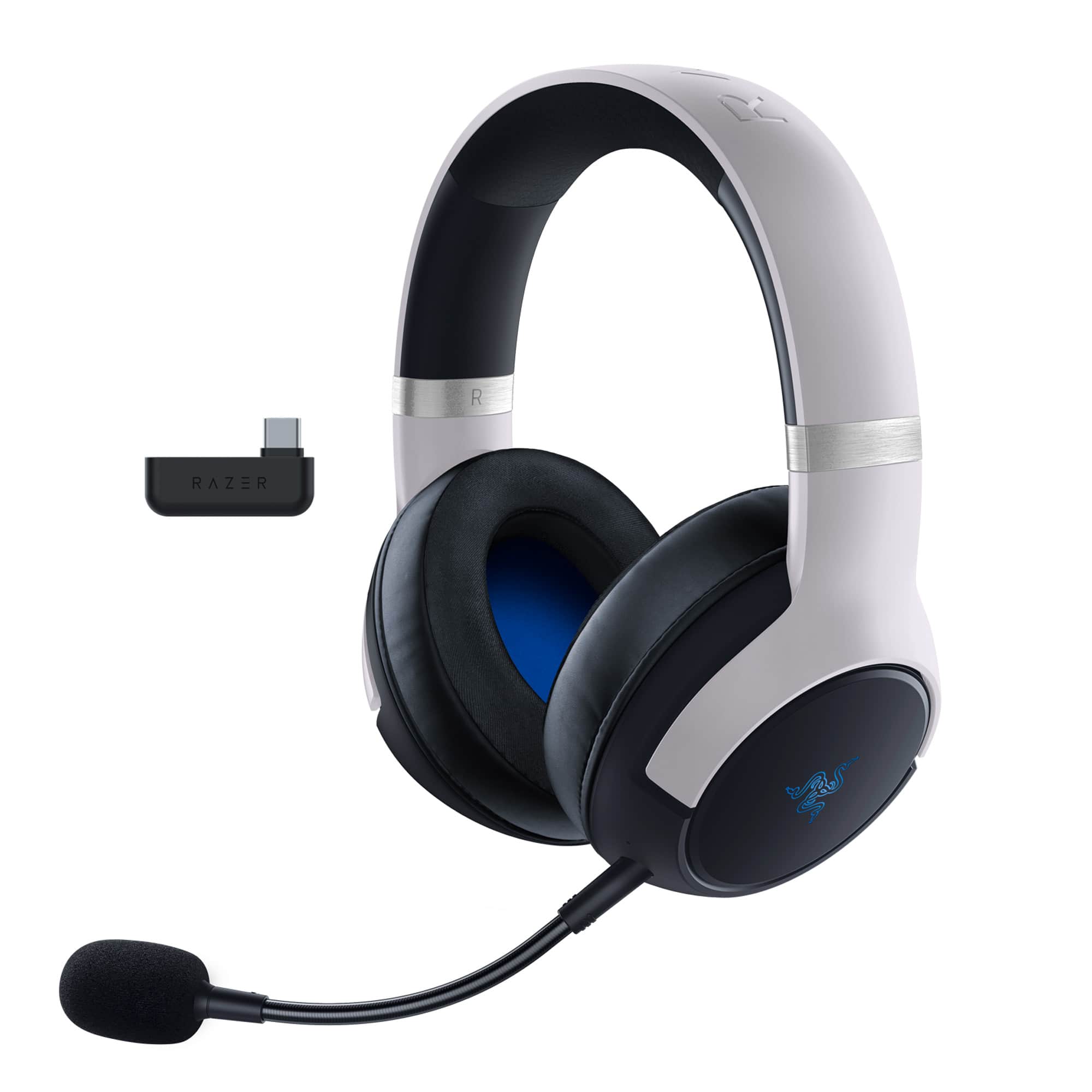
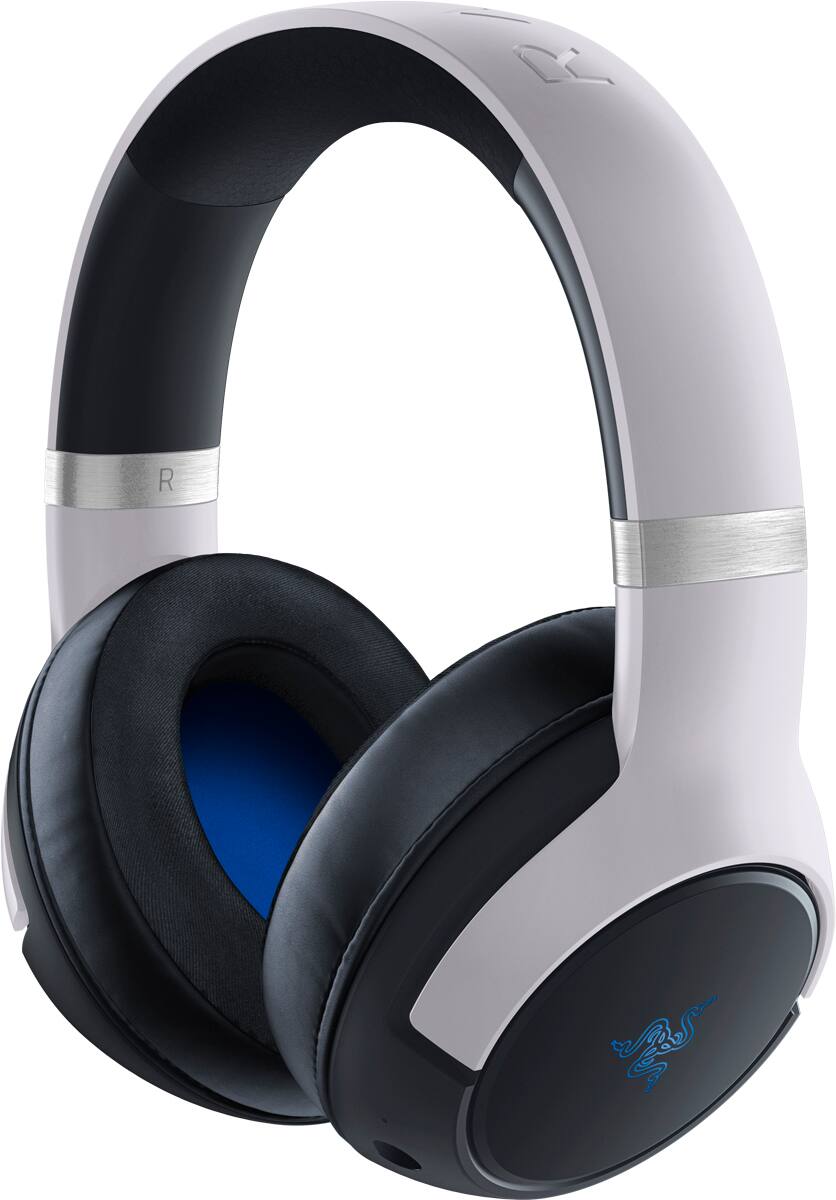
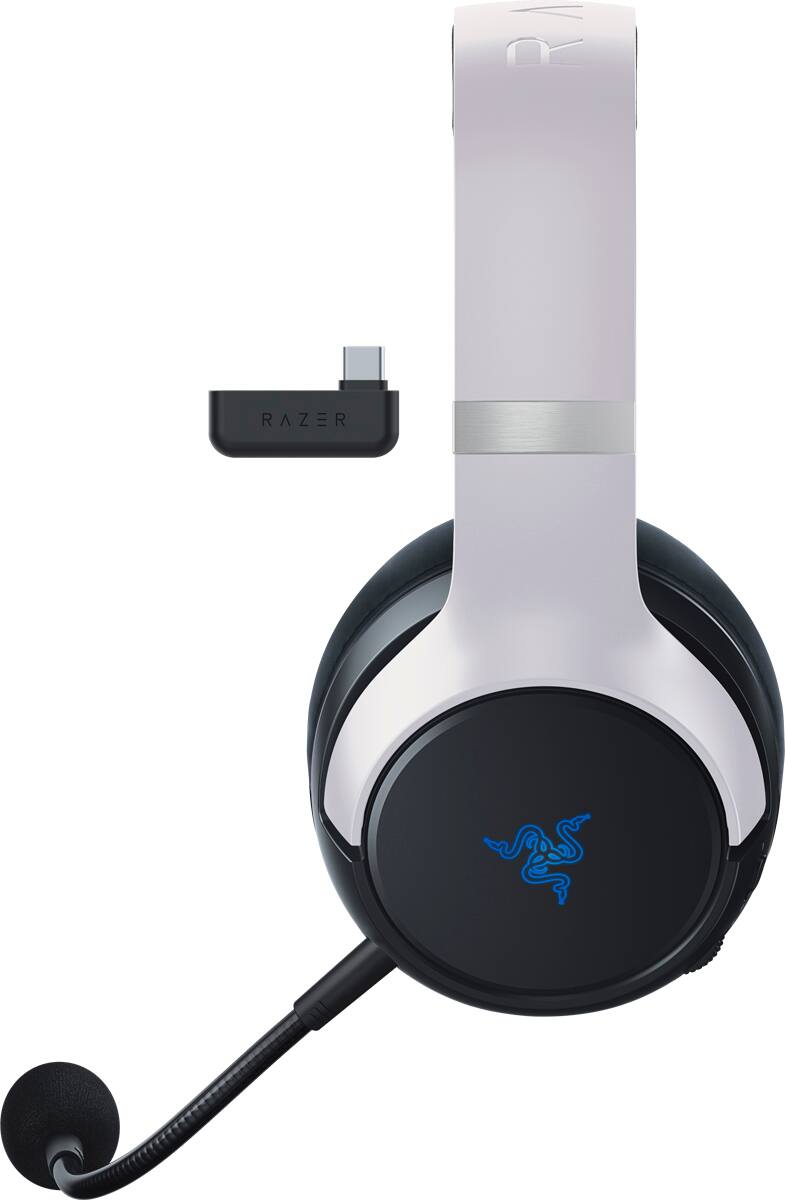
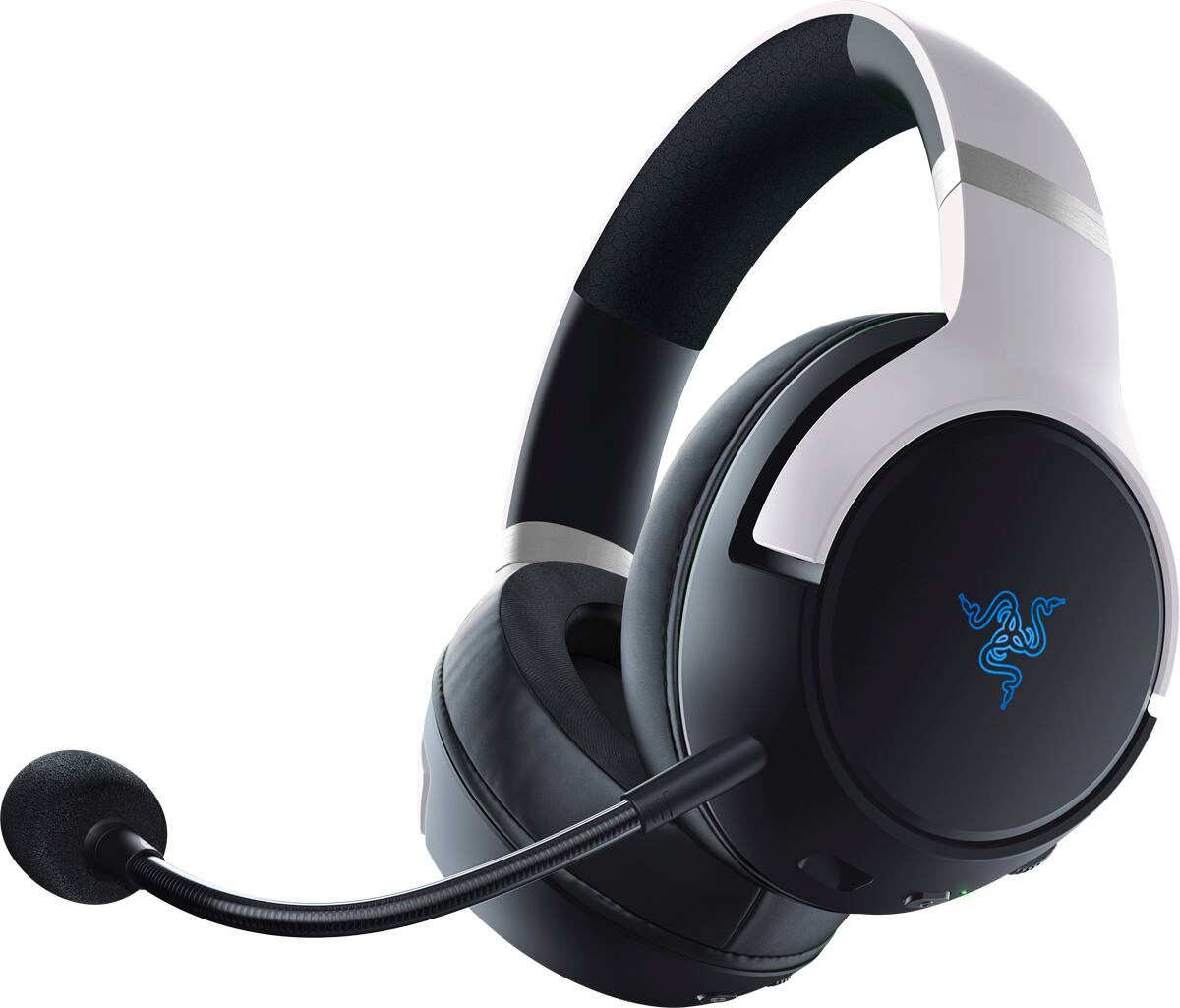

- Model:
- RZ04-04030100-R3U1
- SKU:
- 6498251
Rating by feature
- Value
Rating 4.3 out of 5 stars
- Quality
Rating 4.6 out of 5 stars
- Ease of Use
Rating 4.6 out of 5 stars
Customers are saying
Customers find value in the Kaira Pro HyperSense Wireless Gaming Headset for its exceptional sound quality, with many praising its incredible detail and immersive surround sound experience. Comfort is another highlight, with users raving about the plush fit and extended wearability. The haptic feedback feature adds an extra layer of enjoyment, enhancing the overall gaming experience. While some users have expressed concerns about the microphone quality and volume limitations, the positive feedback on sound, comfort, and haptic features make this headset a strong contender in the gaming audio market.
This summary was generated by AI based on customer reviews.
- Pros mentioned:Haptic feedback, Rgb, Sound qualityCons mentioned:Battery life
Great headphones with okay battery life.
||Posted . Owned for 1.5 years when reviewed.This reviewer received promo considerations or sweepstakes entry for writing a review.Great sounding headphones and the haptic feedback (Hypersense) makes them such a fun headset that gets your blood pumping (especially when you crank that feature up to the max). Battery life isn't the best there is, but having an optional mic (detachable), RGB to look cool, and a great sound signature, I would strongly recommend these headphones
I would recommend this to a friend - Pros mentioned:Comfort, Haptic feedback, Sound quality
Kaira Pro HyperSense - Awesome Headset!
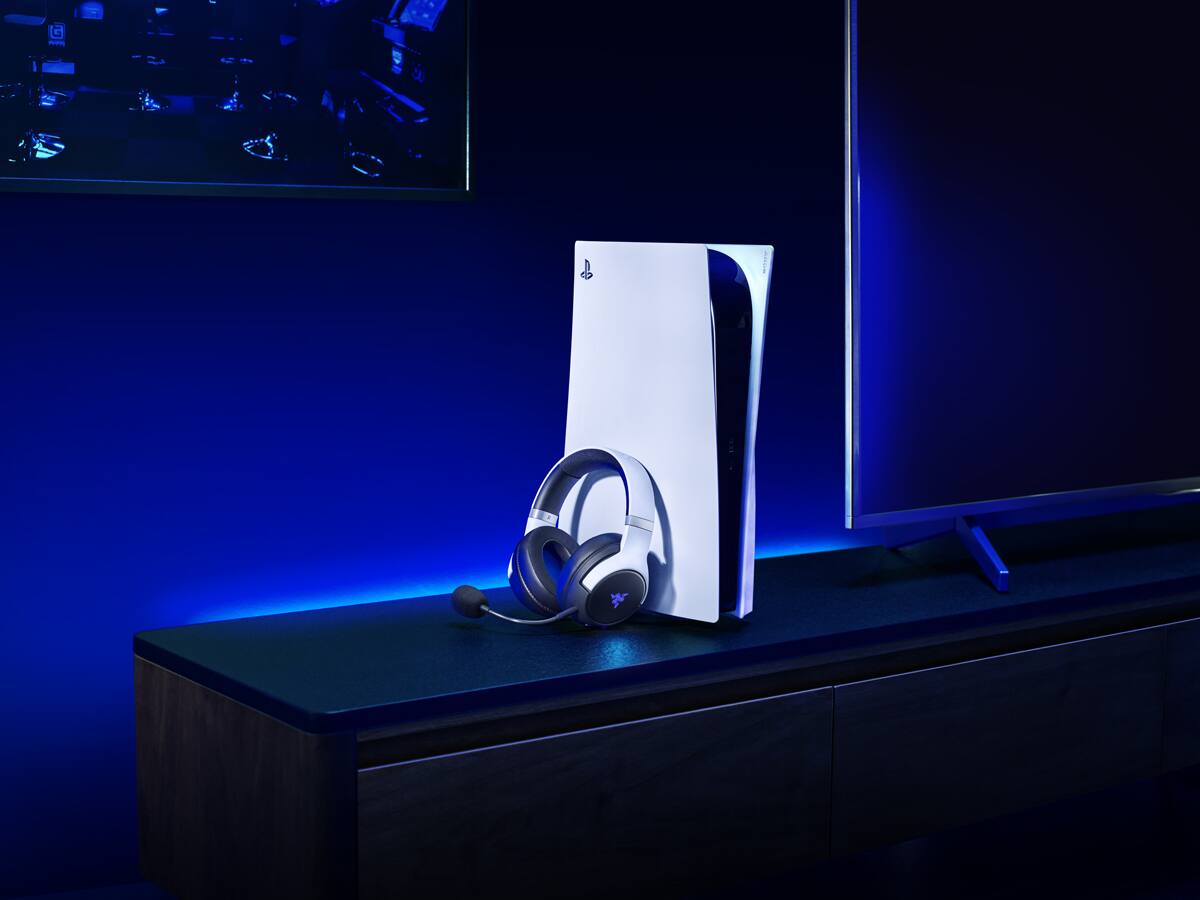
||Posted .This reviewer received promo considerations or sweepstakes entry for writing a review.Got this for my partner for the Holidays and they love it. Its comfortable, has great sound quality, the haptics are dope, stays charged for a decent amount of time with rgb off, and the fact that it aesthetically matches our PS5 is great.
I would recommend this to a friend - Pros mentioned:Comfort, Sound quality
Ps5 headset
||Posted . Owned for 1 month when reviewed.This reviewer received promo considerations or sweepstakes entry for writing a review.I love this headset, amazing sound quality. And they are very comfortable.
I would recommend this to a friend - Pros mentioned:Comfort, Haptic feedback, Rgb

Impressive headset
|Posted .This reviewer received promo considerations or sweepstakes entry for writing a review.When it comes to a gaming headset, undoubtedly, Razer is one of the famous brands that attracts me to invest my bucks into gaming or computer peripherals. First, I'm into the Razer ecosystem. Second, I'm immensely fond of Razer quality and its ongoing innovation in releasing new accessories that catch up with the evolving technology. This Kaira Pro headset is well made and has premium quality blended into many features that enable it to stand out from other options available in the market. It has a nice wearing feel and does not apply pressure to my head, even for long gaming sessions. The design is stunning and matches the color of the PS5, just like it is a Sony-designed product. Most importantly, it is a multi-platform headset. It is equipped with Bluetooth and USB 2.4 dongle capability, making the connectivity to PS5, PC, Nintendo, and any Bluetooth-enabled smartphones and tablets a much-needed headset. But the game-changer is the hyperdense haptic feature and the RGB Chroma. However, the RGB is subtle but still my favorite feature. The HyperClear mic is amazingly clear and detachable and provides noise isolation. The other nice feature this Razer Kaira Pro has is the "SmartSwitch," which allows the headset to be connected to two devices and switch between them by pressing the dedicated button on the headset. However, it does allow the headset to be connected to Bluetooth and dongle simultaneously. Although this headset delivers the most needed functionality, configuring it is a bit bummer unless I leave it to default. The audio is configurable via Razer audio app on the smartphone, but NOT on the PS5 console. Few adjustments can be done through the smartphone app, such as EQ and Do not Disturb to block incoming phone calls besides gaming mode and Smart Link to connect to BT. But, to customize the RGB, there is a separate app called Razer Chroma RGB which to me is a hassle and does make sense to have two different apps to customize this headset. The music and gaming experience was impressive. I connected it via BT to my iPhone and listened to music, and I could tell it sounded great. Gaming is where Kaira triumphed for the clarity of sound and effects that I could hear around my head. Impressive headset, and I hope Razer will release a new app that combines the headset configuration in one app.
I would recommend this to a friend - Pros mentioned:Haptic feedback, Sound quality
Amazing Headset!
||Posted .This reviewer received promo considerations or sweepstakes entry for writing a review.I use to own the Razer Nari Ultímate then decided to pick these up. The sound quality is super clear and can hear the movements all around. I love how with this headset you can change the audio settings with a button on the headset. The Hypersense haptics make you feel apart of the game and is something I never experienced before with a headset. I’m very glad I decided to pick these up and would highly recommend any person this headset!
I would recommend this to a friend - Pros mentioned:Comfort, Haptic feedback, Sound qualityCons mentioned:Battery life
Audio You Can Feel
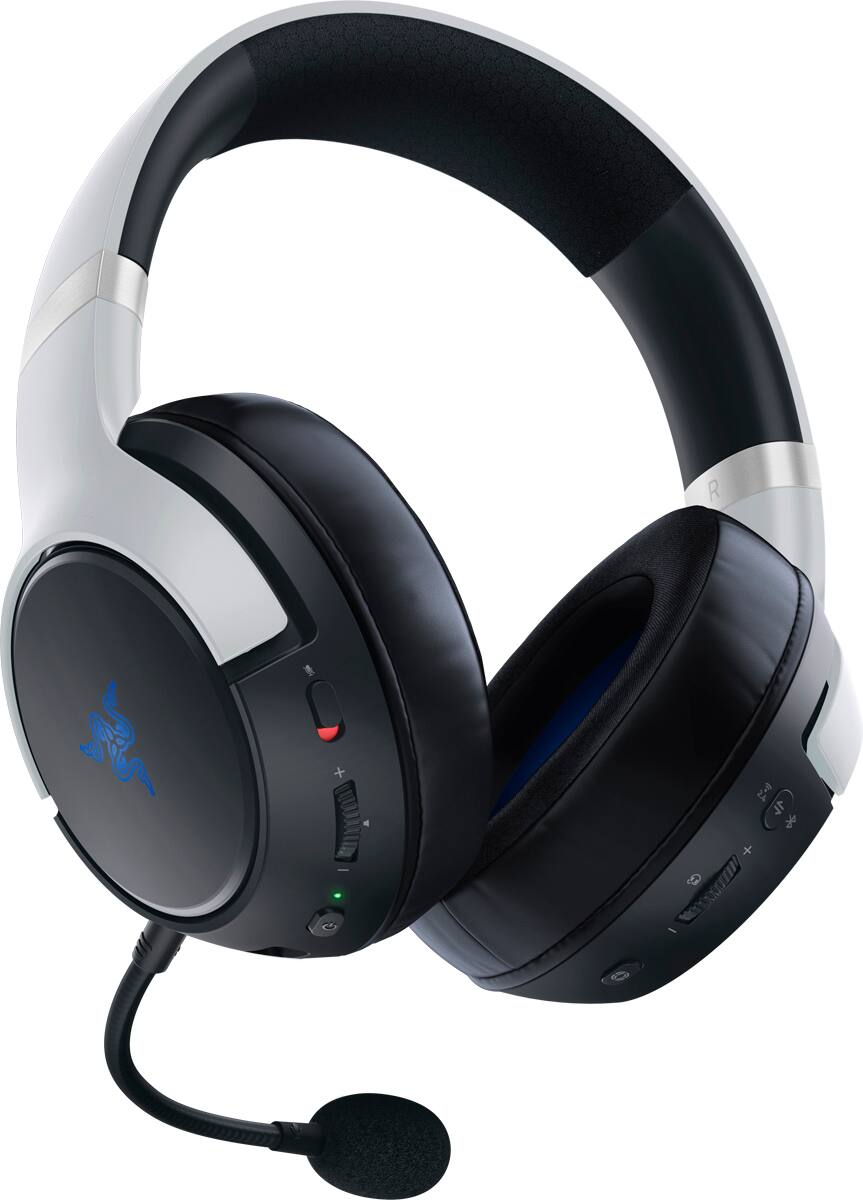
|Posted .This reviewer received promo considerations or sweepstakes entry for writing a review.PROS: Great Aesthetics which match the PS5 Fairly lightweight/comfortable for longer durations Default sound signature is fairly neutral and enjoyable out of the box Vocals in particular sound excellent right out of the box Haptics are a surprisingly fun addition to audio, with three different intensity levels (+off) based on your preference All of the necessary functions (BT Connect, Volume, Mic, EQ, Haptics, etc.) are all adjustable using buttons on the earcups Sounds great with the PS5’s 3D Audio feature Razer SmartSwitch allows you to swap between 2.4 GHz and Bluetooth quickly Detachable microphone CONS: Earpad material gets a bit warm over longer sessions Mic quality sounds overly processed Headband could use a slightly wider cushion area Battery life is only okay AESTHETICS: The Razer Kaira Pro is a unique proposition of a headset in the crowded gaming headset space today. Its aesthetic cues follow that of the Playstation 5, with a white outer headband, black earcups/inner headband, and a subtle blue fabric inside the ear cups covering the drivers. Having been lucky enough to get a PS5 shortly after it released, and living with it for over a year-and-a-half now, it’s actually quite amazing how well this headset matches the PS5’s aesthetic form. In fact, when they are turned off, at a glance you would be hard pressed to tell that they are a Razer product at all, with only subtle etchings of Razer’s triple snake logo on each ear cup and the name “RAZER” etched into the top of the headband. There are no overly bright colors, edgy design cues, exaggerated lines, or other elements that can tend to come with a “gaming” product. The only real significant gaming aesthetic comes when the headphones are powered on, and the razer logo on each ear cup glows with the traditional Razer Chroma RGB. However, these RGB colors are fully tunable via Razer’s Chroma app, allowing you to select a variety of presets or single colors, all to match your preference. All-in-all, I certainly would feel more than comfortable taking these to work without feeling like I am wearing something overly flashy, and when playing my PS5 with my white DualSense controller, these fit right in perfectly. BUILD/COMFORT: When it comes to build quality, these are about 95% hard plastic, with the only metal pieces visible being the connectors from the headband to the earcups (arguably the most important piece since this tends to be where most headphones break), and the outer frame of the adjustable headband scale. With plastic though comes a much lighter weight headset, which while not insignificant, never felt too heavy, even after several hours of gaming. The earpads look to be made of a soft, leather-like material on the outside, with a slightly softer fabric on the inner ring of the earpad. The pads themselves feel like memory-foam, very soft and comfortable, but do tend to get noticeably warm the longer you wear them. In terms of the headband, the top ~⅓ is a soft padded material, while the sides are also a hard plastic. While mostly comfortable, I did find myself wishing the headband had a wider cushion area, as my larger head did tend to get a bit irritated after several hours. Nothing to write home about, as it is still a very comfortable headset, but could be a nice improvement on future headsets. Not the most uncomfortable headphones I have used, but also not the best either. FEATURES/PERFORMANCE: In terms of the feature-set, the Kaira Pro is mostly full-featured, with enough of the essentials to make the $199.99 price tag worth it. You get a wireless 2.4 GHz USB-C adapter for wireless connectivity to your console/PC (I used mine with the PS5), and also Bluetooth for connecting to your phone, PC, or other devices. You also get several EQ presets to choose from (Default, Amplified, Enhanced Bass, FPS, & Custom, which as the name suggests, you can fully customize). I tended to prefer to stick to the default preset, which had a fairly flat/neutral curve that I favored. This being said, I did find the FPS preset to be a useful mode for multiplayer shooters where hearing footsteps are important. The other modes were less to my taste, but at least the options are there for those who prefer them. When it comes to Razer HyperSense haptics, you get 4 total options to choose from: off, low, medium, & high. The haptics are a fun feature, and while they seem like a niche trick that you try once and quickly turn off, I actually found they did increase immersion in games where they are well utilized. By default, the haptics are set to “Medium” which is good for some games, but I found to be a bit overpowering for more bombastic games. Generally, I tended to prefer the haptics on low, where they are more subtle, but compliment the haptics coming from the PS5 DualSense quite well. High is way too strong for my taste, but can be a fun trick to demo what the headset is capable of. When watching movies/videos, I tended to turn haptics off, as they became more distracting than immersive. In terms of sound quality, the headset sounds very good, especially with games where it counts most. With 3D audio on the PS5, the headphones displayed good imaging and soundstage for a closed-back headset, with no trouble locating enemy placements in COD or effect localization in Ratchet & Clank. The bass is present, but not overpowering or boomy, and the highs are very clear. The mids, in particular vocals, are where the headset shines best, with dialogue coming through clear and pronounced, particularly in light of other effects or music. When it comes to the mic, the headset uses a Razer HyperClear Supercardioid Mic, which is one of the weaker points of the headset for me overall. It isn’t a deal breaker, as I mainly use the mic for playing online with friends, rather than streaming or broadcasting, but it is noticeable when you hear yourself speak. The mic has great background sound suppression and voice isolation, but as a result, sounds a bit overly processed, and almost clouded or veiled. One of my friends said it almost sounded like I was talking behind a curtain, again not a dealbreaker, but one noticeable flaw among the other great features. A few things to note on the Razer Audio app and control over the headset. Specifically, that 1: you can skip using the app and not worry about missing anything significant, and 2: the onboard headset controls are great. In terms of the app, you can control the EQ presets (along with building your custom EQ), view the battery life, and manage firmware updates. Beyond that, there really isn’t much to do, and assuming you don’t do a lot of EQ adjustments, you probably won’t find yourself using the app much, which is great, because the on-headset controls are great. On the left earcup you have a button to mute the headset, volume wheel, and power/control button. On the right earcup, you have a smart switch which allows you to quickly flip between the 2.4 GHz connection and bluetooth (as well as cycle through the EQ presets), a mic volume wheel, and a haptic button which allows you to switch the various haptic levels. You can also control calls, skipping songs, and all other headset features right on the headset itself. While it seems like a simple thing to have all of these controls on the headset, having used several headsets with mandatory apps or non-intuitive controls, this headset is amazing from a utility perspective. Finally, battery life is okay, but nothing to write home about. You will have no trouble getting through a full gaming session on a charge, but you will find you need to charge the headset after just a couple of sessions if you play with the haptics a lot. Thankfully, charging is easy with the included USB adapters, and shouldn’t be an issue for most. My only other wishlist item for this headset would be an included carrying case, since I would tend to bring these around with me if I could transport them easily enough. They tick all of the boxes for a good portable pair of headphones to use for music and travel.
I would recommend this to a friend - Pros mentioned:Comfort, Haptic feedback, Sound qualityCons mentioned:Battery life
Immersive sound and perfect fit
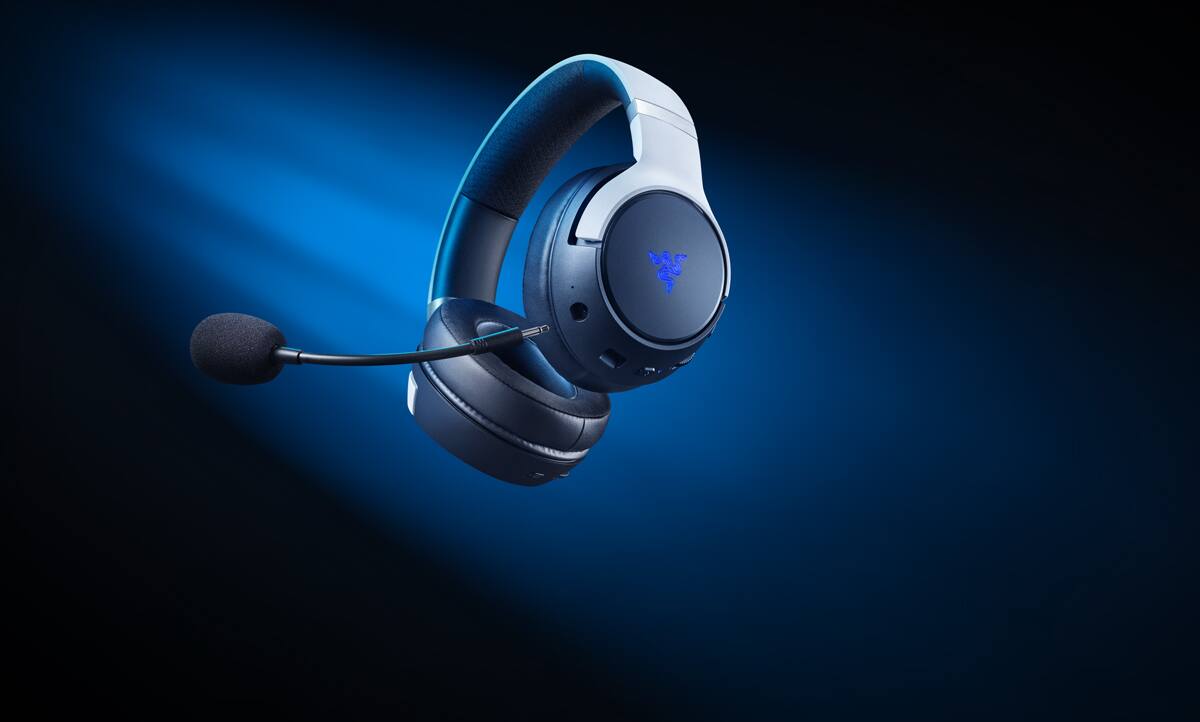
|Posted .This reviewer received promo considerations or sweepstakes entry for writing a review.Razer Kaira Pro has been an impressive headset that I have absolutely loved for gaming and listening to my various forms of media. These are gamer headphones for a sound and haptic sensation like nothing I have ever experienced before. I didn't realize how much I would love the Razer HyperSense for its haptic ability. This set of headphones is compatible with PC, Mobile, PS5, and PS4. I love the look of these white headphones as they look upscale and modern at the same time. The frost white contrasts with the black and the LED Razer logo color of your choosing. The supercardioid mic is detachable which I really like, so I can plug it in only when I want to game. Otherwise I can use these headphones for listening to music or streaming movies without having a microphone in the way. The mic on this is really nice and gives nice voice isolation that helps to have my voice heard clearly when gaming. The haptics built into the earcups is intriguing and takes you by surprise. The haptics are paired with natural lifelike sensations when gaming with the Intelligent Digital Signal processing. The audio on these headphones is deep, rich, and produces great clarity. I have been using these headphones for more than just gaming because the Razer Triforce Titanium 50mm are out of this world. With the app you can customize the sound to your choosing and adjust highs, mids, and lows individually. There are also preset sound options available that all sound really nice depending on your preference. I have been using these headphones paired via Bluetooth with my iPhone and they sound great for music and media. There is also the USB-C dongle which allows for a connection to your computer or gaming system. The earcups are cushioned very well with the plush leatherette memory foam and can be worn for hours without any discomfort. Battery life comes in at almost 50 hours without any haptics or LED lighting, and about 11 hours of battery life if you are using all the lighting and haptic effects. On the ear cups there are lots of buttons and dials that are easy to learn. Left cup has the power button / pairing, volume control dial, and microphone mute. The right cup has the Razer Smartswitch button, Razer Hypersense button, and Sidetone wheel. The headband is adjustable and padded in the top center for hours of comfortable usage. There are also a couple of Razer apps you'll want to install on your smartphone so you can control your headphones from your device. PRO: Style Comfort Big sound Haptic sound CON: None
I would recommend this to a friend - Pros mentioned:Comfort, Rgb, Sound quality
High end sound, premium design
|Posted .This reviewer received promo considerations or sweepstakes entry for writing a review.I love almost everything about this headset. It looks great, has a solid build quality and feels premium, nice features like Bluetooth phone pairing, works on PlayStation or PC, and sounds fantastic. I only have one big issue with it that I have had with many headsets over the years since I have a very large head, and that is the long-term comfort. Right from the start upon opening the box you can tell this is on a different level. Even the packaging is very premium and gives you the impression it is going to be awesome. Included are the headset itself, USB-C dongle that has an offset plug so it won’t block the other port on the PS5, a converter cable for hooking the dongle up to USB-A, a USB-C charging cable, the detachable mic, and instructions. As soon as you power it on you can feel the HyperSense vibrating to let you know its there. HyperSense adds additional pulsation to the sound primarily for Bass and can be adjusted in 3 levels or turned off. It is at level 2 by default, and I felt like that was a nice balance after trying all 3. Quick Connect for switching between the 2.4 dongle on Consoles and PC or Bluetooth for phone is a small button on the back of the right earcup, and while it does not allow you to use both simultaneously which is unfortunate, it is quick as advertised allowing you to switch over and answer an important call without having to take off your headset. The TriForce Titanium 50mm drivers produce balanced sound with nothing getting left behind. I can feel the Bass and hear the highs and mids without any distortion, and the 3D audio works wonderfully on PS5. I prefer to hear my games as the devs intended rather than adding any additional sound mixing and I feel like these are perfect for that preference. The mic sounds good with excellent noise cancellation, and a slight mic monitoring effect so you can avoid finding yourself yelling into it. It is removable for those times when a single player game is all you need. Battery life has been of no concern for me, all I ever want is for the battery to outlast me when I sit down and play, and this does. Seems like it would easily go around 10 hours from a full charge with HyperSense running. At my age that is more than enough for my needs, gaming marathons are very rare these days. Comfort is my biggest concern. I love the way the earcups feel, the leatherette outer shell is easy to keep clean and provides excellent sound isolation, and unclear in the pictures the inside against your head is actually a fine mesh-like material to enhance breathability. The weak point is the headband, as it has a short, skinny padded area that doesn’t quite cut it for my very large dome. So as a result, if I wear the headset for more than a few hours it can start to become uncomfortable at the band. Thankfully the earcups don’t press hard on my glasses so at least I can avoid any other forms of discomfort other than the headband. Aesthetically pleasing, it looks like it was designed specifically for the PS5. The Chroma RGB is a nice little addition for anyone like a streamer who wants their headphones to be showier although for me its something I forget is even there. As previously mentioned, it is very well built, feels solid, and seems like it will be very durable in the long run. I really like it and will keep using it since my gaming sessions are usually limited enough that I don’t run into comfort issues before I am done playing anyways.
I would recommend this to a friend - Pros mentioned:Haptic feedback, Rgb, Sound qualityCons mentioned:Battery life
Surprisingly immersive experience w/great SQ
|Posted .This reviewer received promo considerations or sweepstakes entry for writing a review.BOTTOM LINE: As much as I love Razer's unapologetically over-the-top sense of style & gaming esthetic in their PC & console accessories, I was left cold by the Kraken, Nari, & Blackshark headsets for comfort, sound, or software issues. I converted when the Barracuda X came out of nowhere to turn in some incredibly capable gaming & multimedia performance without some of the issues I experienced in the past. Now the Kaira Pro enters with a few other tricks up its sleeve including haptics, RGB, & multi-console/platform compatibility. Razer REALLY impressed once more with an outstanding headset that offers a compelling mix of style, sound, performance, usability, features, & comfort...DEFINITELY RECOMMENDED! PROs: - This is my fourth Razer headset, & nearly the 30th I've tried from the likes of HyperX, Logitech, Turtle Beach, Audeze, Astro, Corsair, Steelseries & others. The Kaira Pro easily places in the top tier of that crowd by turning in a very engaging & immersive soundfield with sound quality that is also conveniently well-suited for music & videos. They are not hyper-accurate to the point where they might sound harsh or fatiguing, nor are they so overblown & bloated that they feel muddy or boomy (unless you want to EQ that low). - The big draw here, aside from matching the PS5 colorway, is the Hypersense tactile feedback. I was skeptical as to how compelling I would find the effect—but it really does add some additional immersion when the in-game action heats up. At the low setting, it simply feels like a decent, chest-rattling subwoofer is in the room—the added bass “kick” or “oomph” is positively palpable. It was also effective/enjoyable for music & videos because it livened and thickened up the soundstage. At the mid-level setting, you can really “feel it” when you take damage or deliver a powerful attack; it was a heck of a lot of fun & immediately noticeable/less preferable when I turned the effect back off! Some people may enjoy the maximum setting, but I found it fatiguing over time & required multiple breaks--YMMV. - The sound profile has 4 built-in presets: 'Default'--the most listenable & "fun" of the bunch; 'Enhanced Bass'--self-explanatory, though once you add in Hypersense feedback, I found it a bit too much; 'Amplified'--basically boosts everything & was not very pleasant to my ears; & 'FPS'--for enhanced detection of subtle environmental cues--probably best only when needed due to the unnatural treble emphasis. If you pair your headset with a smartphone, you can also use the Razer app & its 10-band EQ to create a custom profile you can save to the headset's memory. - Connectivity options include Bluetooth & 2.4 Ghz wireless via included USB-C dongle. There is also a USB-A to USB-C cable included, but it is for charging only. Using the wireless dongle I could venture 3 rooms away--more than 80 feet & around 2 corners--from my console & PC before any dropouts. In Bluetooth, you can also engage "Gaming Mode" which uses a lower-latency connection for less A/V lag. I though A/V lag was already minimal; and while the improvement in Gaming Mode was *barely* perceptible, it still seemed to help soundtracks align with onscreen action & lip movements just a hair. - RGB! RGB! RGB! The Chroma app (you don’t need the huge Synapse client, thankfully) allows you to customize the RGB logos on each earcup. You can’t set each independently, but you can adjust the logos to no color, static, breathing, rainbow, & sound meter which flashes the logos in time with the soundtrack/intensity. - Kudos to Razer for taking pains to make the headset user-friendly so you can activate the controls by feel without much overlap. There are separate volume wheels for headset & sidetone, but each is on a different earcup so you won’t fumble for one & accidentally adjust the other. The same goes for the power switch & Hypersense button—both are shaped similarly but are on the bottom of opposite earcups. The mic control is a slider switch on the left earcup while the EQ/Mode adjust control is a button on right earcup. The headband is marked with hashes & numbers so you can readjust to size without manual corrections every time. - The headset is light--344g w/the mic (332g without), yet inward clamping pressure was still enough to keep it firmly in place without becoming too overbearing. Earpads are a glasses-friendly memory foam wrapped in leatherette while the underside of the headband features soft foam padding with a mesh fabric covering. Surprisingly, my ears did not get overly hot despite the nonporous padding, & I was able to wear the headset for several hours at a time without any hotspots or needing constant readjustment. - Razer promises battery capacity, especially when haptics & RGB are off, should last up to 50 hours. I haven’t had any gaming sessions THAT long, but I did not notice any inordinately fast battery drain, although turning up haptics with RGB cranked to full brightness meant I needed a recharge after about 3-4 days. A spoken indicator will let you know when the battery runs low, but you can also check level by percentage in the Razer app. - Mic response has typical vocal frequency cutoffs below 100Hz & above 10Khz. I wouldn’t want to record a studio album with it, but the mic is MORE than adequate for clear multiplayer chat without voices sounding watery or over-processed. - In Bluetooth mode, the power button serves overtime via single, double, & triple presses for play/pause, call answer/hold/reject, skip tracks, & BT pairing. It’s a lot to remember; but being able to take calls or control playback remotely makes this headset a more suitable all-arounder. CONs: - As nice as the voice prompts are, two were sorely missed. One: mic status. There is no audible tone or spoken indicator for muting the mic--the mic mute switch does show a hint of red on the slider when engaged, but the switch is on the back of the earcup. Two: Hypersense/haptics level. One of three rising tones indicates intensity (1-3) while a series of falling tones indicates Hypoersense is off--a spoken indicator of the current setting would have been helpful. - The adjustable boom mic has an idiot-proof socket to ensure the diaphragm rather than the air vent is facing your mouth once the boom is installed, but the only way to mute the mic is to flip the tiny switch at the back of the left earcup; there is no shortcut tap/button or raise-to-mute. It’s a decent tradeoff for being able to remove the mic entirely, but you’ll likely have to fumble around just a bit to find the mute switch. - It was nice not to have to install Razer’s Synapse client on a PC to make RGB adjustments, but it would be nice if Chroma RGB wasn’t separate from the Razer Audio app which is necessary for things like setting power-off delays or custom EQ. Speaking of RGB, Razer estimates that RGB along with haptics may cut runtime as much as 60-80%! - I could stream Bluetooth on my iPhone 12 up to 24-bit/44-kHz, but Windows reported the USB dongle locked at 16-bit/48kHz. This is VERY good audio quality (DVD-level), but falls short of higher definition bit-depths/sampling rates. - The earcups fold flat making it easier to pack, but it’s still a big headset & there is not even a cloth sack to keep the headphones, mic, dongle, cable, etc. together. The recessed USB-C cutout on the left earcup also means that some 3rd party cables won’t fit into the charging port because the connector will be too wide/thick. - The all-plastic construction feels just a tad “light”; it is hard to know how much punishment this headset will take over time. Tolerance between moving parts is also just a little “sloppy”—the hanger pivots flex & bend just enough that they can get hung up on the edges of the headphone hanger creating friction or even creaking/light snapping noises when pivoting/adjusting the headset while donned. I have tried to show this gap in the attached photos. It’s not hugely intrusive, but it happens enough to make me take notice. - The dongle's asymmetrical design allows access to the PS5’s front USB port, but if you plan to use the dongle for Switch or PC audio, the paddle will sit a bit off-center which may or may not impact other ports or ergonomics. - Unlike the round & oversized earcups on something like the Krakens, the Kaira Pro features a slightly tilted oval-shaped earcup & opening to better accommodate the natural shape of the outer ear. While the earpads do feature some generously sized openings, they are still not quite large enough to be considered circumaural for many adult-sized ears. If you are sensitive to the feeling of on-ear headphones, note that at least a portion of the earpad will still rest on some portion of the surface of the ear itself.
I would recommend this to a friend - Cons mentioned:Battery life
Gamer Headphones
||Posted . Owned for 1 year when reviewed.This reviewer received promo considerations or sweepstakes entry for writing a review.Battery life is the major issue of these headphones.
No, I would not recommend this to a friend KAIRA PRO
||Posted . Owned for 1 month when reviewed.This reviewer received promo considerations or sweepstakes entry for writing a review.BEST HEADPHONES EVER!!! LOVE THEM ITS THE BEST SENSATION WHEN YOU PUT THEM ON
I would recommend this to a friend- Pros mentioned:Bass, Comfort, Haptic feedback
Feel The Sounds
|Posted .This reviewer received promo considerations or sweepstakes entry for writing a review.I needed a dedicated wireless headset for my PS5. I have a compatible wireless headset that I had been sharing with my Xbox Series X but it was tiresome to switch the Bluetooth dongle back and forth between the two consoles. I have had a good experience with the Razer brand in the past and decided to take a chance with their Kaira Pro headset. Setup: The Kaira Pro is ready to use right out of the box. The Bluetooth dongle that comes with the headset is a USB-C. This was something unexpected but very welcomed because using the USB-C port on the front allows me to still use the front-facing USB-A to charge my controller instead of needing to utilize one of the backside ports. The headset does come with a USB-A cable that allows you to plug the dongle into it if you should desire. Pairing the dongle with the headset was pretty much immediate because the two communicate on a different frequency. Once the dongle and the headset are synced, you’re almost ready. You will have to manually access the PS5 (or PS4) sound setting and switch the sound output to the Razer headset. This isn’t anything unique since I had to do the same thing with the previous wireless headset. It’s not a big deal because the Sound Setting shortcut is right in the PS5 menu. When it comes to customizing your Kaira headset via the Razer app, then you will need to switch to the correlating Bluetooth frequency with the simple tap of the Bluetooth button that’s on the SmartSwitch/EQ button on the right earcup to connect to the Razer Audio app. Sound: The first game that I played using this Kaira headset was Horizon Forbidden West. It made sense because that game utilizes the 3D Audio that the PS5 uses. I was seriously impressed. More impressed than I should admit. The depth of the sounds I was hearing was astounding to the point where I honestly thought that the birds, I heard chirping was coming from outside of my gaming room because I had left the window open. When I lifted one of the earcups to discover that the bird sounds weren’t coming from outside but from within the headset via the game, I let out a “whoa”. I then switched to Mass Effect 3 because that game has great use of music and sound effects. I wasn’t disappointed as the lasers rang out in the firefight moments, or the engines of the Normandy cores geared up for a Mass Relay jump before the tantalizing blast of the jump rang through the headset. The bass that you hear through the Kaira is real and not that ‘fake’ bass that I’ve heard with past headsets where the bass almost sounds like a blown speaker or something. And I would be remiss if I didn’t mention how the Kaira provides the sounds of war in games like Call of Duty Warzone and Battlefield 2042. What’s better is that there are preset settings with the Kaira. Press the SmartSwitch and you can toggle between the Default, Amplified, Enhanced Bass, FPS, or your custom setting. Customization: As I mentioned earlier, you can download the Razer Audio app to personalize your listening experience. In the app, you can still switch between the preset options but you can also manipulate the pitches to your liking. Is the bass too deep for your liking? Reduce it through the app. The customization isn’t overwhelming and if you make a mistake, you can simply reset it easily and start again. On each side of the earcups is the Razer logo that lights up. You can customize how you want the RGB display to look. However, you will need to download a different app called Chroma RGB to access the customization. Yeah, I wasn’t thrilled at the idea of needing two different apps for a headset but it is what it is. Feel The Sounds: What the Kaira offers that the other headsets don’t is the Hypersense Intelligent Haptics feedback. Part of me thought, ‘oh this is going to be ‘gimmicky’ but it’s not as bad as I thought it was going to be. In fact, in some games, it ADDS to the gaming experience. First off, do not expect the kind of haptic feedback that you experience through your PS5 DualSense controller. You’re not going to be ‘feeling the rain’ through the vibrating earcups. What Hypersense does is amplify the ‘impact’ of hard sounds and some bass in games. You can choose whether want to play with this feature. It’s not mandatory. However, as I mentioned before, the Hypersense can add to the gameplay experience. For example, Dying Light 2 not only has some FANTASTIC audio pouring through the headset but that intense audio is magnified as you’re being chased by zombies that a Howler attracted. Now, you’re fighting your way through a dense crowd of zombies and as you’re swinging your weapon around, the Kaira is vibrating with each blow of your weapon. It adds to the panic of being overwhelmed. I think it’s up to the user to decide which game he or she prefers to use this feature for. While I cannot wait to use it in the upcoming Modern Warfare sequel’s campaign, I don’t use it in Warzone because I think it would distract me. But that’s just me. Comfort, Mic Monitoring, and Button Access: I’ve worn the Kaira for long sessions and I haven’t felt any discomfort. I wear gaming glasses when gaming and there wasn’t any pinching whatsoever. My ears didn’t get hot or sweaty in any of my play sessions. The headband rests lightly on top of my head and adjusts easily. I am pleased that the Kaira has a mic monitoring feature that they call, Sidetone. This feature allows you to hear yourself with the headset and eliminates the need to talk loudly or have an earcup off to the side so that you can hear yourself. I have to say that I am disappointed that the Sidetone setting resets each time I turn off the headset. The layout of the buttons and dials on the Kiara Pro are placed just right in my opinion. Instead of the buttons being too close together, causing you to accidentally press the wrong feature, they are placed on each earcup with a reasonable distance between them. You will have to memorize what each dial and button do for you to touch them without looking but after several minutes, I knew which button and dial did what. Microphone Voice: I stream on Twitch and communicating with my audience is very important to me. Since I don’t have a professional microphone, I reply on my headset mic to make me be heard clearly. I haven’t had any complaints about my voice while using the Kaira Pro headset. You will have to find your own perfect gateway mic distance from your mouth so that you don’t sound like Darth Vader eating his favorite cookie. Closing: If you’re looking for a solidly built wireless headset for your PS5 or even PS4, then the Razer Kaira Pro is a great start. Comfort, customization, and no static sound all make for a great gaming experience.
I would recommend this to a friend - Pros mentioned:Comfort, Haptic feedback, Rgb
A Flexible & Immersive Gaming Experience Awaits
|Posted .This reviewer received promo considerations or sweepstakes entry for writing a review.The Razer Kaira Pro HyperSense Wireless Gaming Headset for PlayStation/PC/Mobile is a nice addition to any gamer’s arsenal. As noted, this is built to work with PlayStation 4 and 5, but also works for those wanting to use it on their PCs or Mobile Phones. It essentially becomes a very flexible means to get great quality sound while gaming everywhere. Let me first dive in on the appearance of the Razer Kaira Pro. The headset is a slight white and black with a silver accent around the headband. The side of each ear cup is complemented with the Razer logo in RGB lighting. The ear cups are made of a memory foam that is covered in a black leatherette. The bottom of each cup has the controls for on/off, SmartSwitch connect button (2.4 GHz wireless and Bluetooth), volume dial, mic mute, side tone wheel, HyperSense button, and an EQ button. There are also ports for the detachable mic and the charging cable. With all of this noted, I found them very comfortable to wear and very easy to use once I remembered where each button was. From a connectivity standpoint, it was super easy to connect them with just about anything. The Bluetooth process was pretty easy to walk through and the USB-C wireless dongle wasn’t hard at all either. I tested out both connections with my console, PC, and mobile phone. I found the clarity to be just as good through both options regardless of the source. While having it connected to my phone and PC, I checked out the SmartSwitch feature and it was pretty fluid. As soon as I hit it, my sound toggled from source to source. I don’t know how often I would use this, but it’s nice to know that it can manage multiple connections easily. With regards to the sound, I was very impressed with the crisp quality from the Razer Triforce Titanium 50MM drivers. They accommodate a wide range of sounds and really immerse you in the content. Of course, this is all enhanced with the addition of the haptics from Razer HyperSense. The haptics work well to give you an even greater experience while gaming. I was skeptical about this at first, but I enjoyed it more and more with each passing minute. Overall, this Razer Kaira Pro headset is an excellent solution for PlayStation and/or PC gamers. They provide great sound while providing a really great experience. The comfort will also make those longer sessions less of a pain because your ears will thank you for the memory foam ear cups. I believe this immersive experience will eventually make any gamer thankful that they added them to their collection.
I would recommend this to a friend - Pros mentioned:Sound quality
Awesome headset
||Posted .This reviewer received promo considerations or sweepstakes entry for writing a review.Awesome headset. Definitely recommend buying this on sale. ONLY SOUND GOOD WHEN YOU DOWNLOAD APP
I would recommend this to a friend - Pros mentioned:Comfort, Sound quality
Great headset (especially on sale!)
|Posted .This reviewer received promo considerations or sweepstakes entry for writing a review.The Razer Kaira Pro Hypersense Wireless Gaming headset is one of the best headset's I've used in the past few years--particularly for gaming, but it's also great for movies, music and phone calls as well. Out of the box the headset is maybe one of the easiest I’ve ever set up. It’s essentially ‘plug ‘n play’ if you aren’t connecting straight through Bluetooth to your phone or PC. With the Playstation 5 (since for some reason Sony doesn’t care for built in Bluetooth) you just plug in the ‘dongle’ that comes with the headset, and it basically pairs as soon as you turn it on. This is actually the easiest way to connect to a PC as well—though the awkward angle of the dongle can block other ports, so keep that in mind if you’re using them that way. If you are using these headphones with a Bluetooth device simply pair them in the usual manner. This is a sleek, lightweight headset that still feels very durable, without being so heavy your neck is tired after a few hours of gaming. I found them to be very comfortable, without getting my ears sweaty or my glasses feeling ‘mashed in’, even playing for long periods of time. You can, of course, download a couple of apps to ‘maximize’ your sound quality or mess with the equalizer, adjust settings, etc., but it’s a really great feature to NOT have to do that and still get great sound and ease of use. At this point all of our phones are jammed up with apps for everything in our lives—anytime I don’t have to add another app I’m happy. It is a little frustrating that it takes two separate apps to get the full benefit. Razer needs to figure out a way to get all of the controls onto one app. It’s annoying enough to add one, but two? That’s at least one too many. Again, you don’t need ANY apps to use these and have them sound fantastic, so unless you’re a huge audiophile or just need total control over your tech I’d recommend bypassing them altogether. My feelings about apps aside, I will say a program worth having on your computer if you’re a gamer with more than one Razer device (or even just the one) is the Razer Synapse program. This control panel will let you dig deep into sound, colors, and integration with your system. It is one of the better ‘device control’ programs I’ve used. I’ve got a Razer mouse, keyboard and now the headset and the program controls them all very well, with changes happening instantly after you adjust a setting and cool 'sync' options to have the same color scheme across all devices. The sound quality is fantastic! I’ve been very pleased playing these while gaming on both my PS5 and my PC. The mic is good—maybe not the best I’ve ever used, but other players can hear me so long as it’s not too far away from my mouth, and the transmission is ‘clean’ without background noise. The quality was very good over a Zoom call as well. There was no sense of ‘being in a cave’ or noise echoes anytime I spoke with all participants saying they could hear me with no issues. The ”hypersense” effect is certainly unique--think of the vibrations on the controller that coincide with the game you’re playing….except with your head. It syncs very well with the games I’ve played, though I don’t know how much I’ll actually use it. As a personal preference I’ve gotten used to it with the controller, but don’t much care one way or another. With headphones it’s unique, but for me it’s also largely unnecessary. My kids seem to enjoy it, though. If this is the main feature you’re interested in then it works as advertised, and the levels of feedback are adjustable. The controls are on ear, but less obtrusive than many headphone designs, which is great (especially with big clumsy fingers like mine). I haven’t accidentally hit the power button while trying to turn up the volume, or other goofy mistakes that I’ve made with other headphones with controls that aren’t so well placed. One of the best controls is the ‘source’ control—switching to a phone call in the middle of a game is a great feature, and one that should be universally adopted! Like any control scheme there is a slight learning curve, but I found these to be more intuitive than most headsets I’ve used. There are only a few small quibbles for me. Audio cues—there are several, but the set is missing a couple of obvious ones. An indicator to let you know you successfully muted your microphone is the one that bugs me the most. It’s frustrating not to be sure you’ve muted the mic while gaming, and it’s kind of baffling with all the other audio cues why they wouldn’t have added one for that (which is a feature I use as much as any). Also, muting the mic itself could be MUCH easier—the control is located on the back of the left earcup (that the mic is plugged into) and takes some getting used to. Also, an audio cue whenever I’ve made minor adjustments (either by mistake or on purpose—but especially by mistake) would be nice as well. The ‘hypersense’ settings can be adjusted to different levels, but the only way to tell what level you have it set on is to cycle through the options and pay attention—and hope there is something happening in the game that will set them off. The charge lasts a very long time. I don’t typically run things down fully and charge them again fully (I know the manufacturer recommends that, but I just can’t bring myself to do it—‘low battery’ indicators make me panic haha) so I’ll usually plug things in when I’m finished so they’ll be ready the next time. I’ve used these for at least 30 hours and purposely left them unplugged, and still have 40% battery remaining! Overall this is a great gaming headset (that looks really good with a PS5 thanks to the color) that is easy to use straight out of the box. I highly recommend them for gamers—particularly if you’re a gamer that ‘migrates’ from different consoles to a PC. The sound quality from both the headphones and the mic is top-notch, and the ease of use is a bonus. If you’re a real tech-head that likes to tweak every setting, then the option to dig deep and adjust nearly everything to your liking is there. If you can get them on sale then all the better!
- Pros mentioned:Haptic feedback, Rgb, Sound quality
Next Level Gaming Headset!
|Posted .This reviewer received promo considerations or sweepstakes entry for writing a review.As a gamer, you understand that having total sound immersion is just as important as audio immersion. With the that being said, the Razer Kaira Pro HyperSense fully deliver on that! PROS: - Unboxing and setup was a breeze! They are pretty much good to go besides making sure they are charged and downloading the optional apps for them. - The headphones themselves look beautiful! I love the white and black design, they have a high quality feel to them, and just have a nice blend of simple and detailed. - One of my favorite aspects of these headphones is out versatile their connection can be. They connect via Bluetooth, USB-C, USB-A, or wired. And to me that is just great functionality! - Once turned on and connected, the sound definitely is impactful! The sound is crisp, bass is deep, and the headphones provide a great seal to make sure you are really immersed. - On top of that, they have an excellent microphone attachment which came in very clear and was easy to use. - Although these are advertised for the PlayStation 5, you can use them for just about anything! PC, Mobile phone, tablet, Nintendo Switch, or your streaming device to even watch movies! - The RGB lighting is really cool on it too! Really gives it that gamer look to it. - Finally, I love the hypersense haptics vibration feedback are game changers!! Really adds a whole new level to your gaming experience. CONS: - I think these are beautiful headphones, I just wish they were a little bit slimmer and had a more low profile look to them. BOTTOM LINE: - If you are looking for gaming headphones to add to your experience, these are the way to go! They offer a premium feel, really solid sound for the price, a great microphone, and excellent additional features like the RGB and Haptic Feedback. Razer has provided another excellent move into the headphone realm!
I would recommend this to a friend Wireless headset for PS5
||Posted .This reviewer received promo considerations or sweepstakes entry for writing a review.It was on sale and at a great price. Can't wait to try it out.
I would recommend this to a friend- Pros mentioned:Bass, Haptic feedback, Sound qualityCons mentioned:Battery life
Excellent choice to "feel" the bass
||Posted . Owned for 3 weeks when reviewed.This reviewer received promo considerations or sweepstakes entry for writing a review.I've owned quite a few head cans; astro pros, turtle beach (old and new), hyper x (several wired and wireless ones), arctis steel pro series, sony pulse and two other sony ones, audeze penrose, and now this. I'd say this is by far the best if you like cans that pack a punch. Literally the bass and haptic feedback will rattle your ears and possibly head with vol and the haptic feature turned all the way up. It has several presets to pick from on the soundstage and has a custom one too. All done in the razer app. The power button, vol and mic mute sit on the left can. The haptic feedback setting, sound preset and mic monitoring are in the left. The preset button doubles as the 2.4hz and bluetooth switcher. It doesnt work the best all the time in my experiences so far. One time it automatically tried to pair with my phone bluetooth without my requesting to do so. Took some extra time to sort out but guess is the whim of electronics at times. The sound is clear yet concise, bass is audible but not overally heavy. The amplified sound setting really blares out the mids and lows better. Couple that w the haptic and you got yourself and nice deep reverberating can set. Battery life seems hit or miss, really depends on how much of the haptic you use and how loud the vol is set. Alsmot forgot. This does have rbg but it kills the overall battery life. I turn it off, rather have more battery than aesthetics in this case. Overall, very pleased. Headset is relatively light and feels premium. I currently am using my audeze penrose and steel series arctis pros right now too but my penrose headband busted and needs replaced under earranty so not using those too much right now. I'm liking these the best though, kaira pro. Haven't tried mic yet so idk quality on that. I bought these on sale and used one of my reward certificates, bought these for about 100$ would gladly pay 150$ for these, anything more, prob not. Ymmv. Cheers. Cheers.
I would recommend this to a friend - Pros mentioned:BassCons mentioned:Battery life
Great sound and comfort, but a bit gimmicky.
|Posted .This reviewer received promo considerations or sweepstakes entry for writing a review.I've recently gotten addicted to collecting various headsets. I've tried many, many different brands over the past few years. I do have a small hearing issue, so finding a great headset that allows high(er) volume levels, customization and great sound are crucial for me, as well as Bluetooth functionality. These Razer Kaira Pro PS5's fit the bill...mostly. Let's start off with the unboxing. Overall, the box/packaging is great and really feels premium on both the outside and inside, as is the usual for Razer products. Inside, you get the headset itself, the detachable mic, a USB-C receiver, a charging cable and a USB to USB-C cable so you can plug it into a regular USB port, if needed. Overall, I like the packaging and unboxing experience. The headset itself looks sharp. I love the white/black color scheme, which fits the PS5 really well. The earpads are pretty comfortable and have not yet gotten sweaty on me or anything. The clamp force, at least for me, was a bit between light and medium. Not too tight, but not too lose. If you shake your head violently, they WILL come off, lol - but that shouldn't happen often, haha. The look of the mic came across to me as pretty standard and quite frankly, cheap looking. It is detachable, thankfully, so if you don't plan on chatting while gaming or taking a Bluetooth call, you can just keep it detached. Setup was pretty quick and easy. I had no issues connecting it to my PS5. I did download the Razer Audio app and it's really bare-bones - I honestly don't see a need for this. There's only a few options within, along with the current firmware version. That's it. Oh and if you want to mess with the Chroma lights, there's another app for that. I find that needing two apps for this headset is a little unnecessary. Because of this, I decided I'm just gonna leave the RGB at the defaults. During use, I didn't notice any audio drop-outs or anything of that nature and everything seemed pretty stable. I just never could figure out how to update the firmware...I know on my Kaira Pro's for the Xbox, there's a Kaira Pro program for the PC that does the updating. But there doesn't seem to be anything like that for these. Perhaps the Razer Audio app takes care of this and there just currently wasn't an update at the time I received them? I was unable to locate any information on this in my Google searches, either. As for Audio, these cans sound pretty great. I had no complaints in regards to the audio quality and they do get pretty loud. Not quite as loud as my primary gaming headset, but pretty close. Bass sounds great, as well. Now, about the Hypersense. As someone with a hearing disability and being used to rely on vibrations as a "secondary" sense, I was really hoping this technology would help make up for some of my issues. Such as, vibrating on footsteps within say, Call of Duty. Alas, it just doesn't seem to work that way. It's more of an extension to the overall audio itself and to me, felt more reliant on the bass for feedback more than anything. At first, it's really neat and you're just soaking it all in because it's new. But after about 2 hours of Vanguard, I felt myself wanting to lower the intensity of it or turning it off, altogether. However, Elden Ring was a much more pleasant experience, as the vibrations weren't so constant and jarring. Over time, though, it just feels like this feature can become "gimmicky". Not to mention the extra battery drain. With Hypersense on Medium and the default Chroma RGB, I got about 18-20 hours of juice, which is pretty subpar, as most headsets these days boast at least 40 hours of battery and some upwards to even 50. My biggest peeve with this headset and one of the main reasons I'm not 5-starring it is because of the Razer "Smartswitch" feature. Really? This is a FEATURE? Wow...it's more or less like an advertisement for a downgrade. My primary gaming headset, along with others I own, fall into the $100 - $150 price range and allow me to game AND use Bluetooth at the same time. I'm playing Elden Ring and I get a call? Great, I can answer it and talk to whomever and the game audio is lowered in the background, but I can still lightly hear it. Not with these Razer Kaira Pro's...if you are gaming and say, a call comes thru, you have to hit the "Smartswitch" button to change over to Bluetooth on your phone or whatever device is connected/paired. This, in 2022 AND at this price point, should not be the case. Oh and if I'm gaming and my phone dings, I don't hear it over the headphones and the audio, so I miss out on things like that. Really, really unintuitive and requires more micromanagement than needed. Bluetooth should be simultaneous. And lastly, the mic. Wow...this has to be one of the worst headset mics that I have used. When testing it on a call or even PS5 Party Chat, I was told pretty consistently that I sounded really bad and hard to understand (as well as not very loud), which is a first for me. I switched to my other headset I use on the regular and was told it was MUCH better. I'll keep these Kaira Pro's for Solo play, when I want to enjoy the Hypersense...and just keep the mic detached. I'll use my other headphones for when I need quality voice chat and/or I just don't want the Hypersense functionality. So, in conclusion, I'm rating these a 3 out of 5. I'm docking majorly for the limited Bluetooth functionality and calling it a "feature", the bare-bones phone app, the fact that two apps are needed to fully customize/configure the headset, being unable to locate HOW to update the Firmware (which I'm pretty sure is via the Razer Audio app) and the 20 hour battery life (yes, I get it will be higher with Bluetooth and Hypersense off). Oh, and the abysmal mic. If you don't care about the Bluetooth functionality, then, maybe consider these a 4 out of 5.
No, I would not recommend this to a friend - Cons mentioned:Battery life
Feature Laden, But No Noise Cancelling
|Posted .This reviewer received promo considerations or sweepstakes entry for writing a review.This Razer Kaira Pro wireless gaming headset was designed for PlayStation (both 5 and 4 compatible, along with PC and mobile devices) and the black and white color scheme it comes in is aesthetically perfect for the PS5. The PS version contains “HyperSense” functionality which is a haptics-based system designed to add accurate positional information in games. It also functions in other media including movies and music. The construction is mostly a high quality textured plastic, with some brushed metal trim on the headband that appears to be mostly cosmetic in function, but does add a higher-end look and feel to the headset. The headband has a cloth-covered, padded area in the middle where it rests on the top of your head, and the ear cups are spacious with memory foam padding covered in soft vinyl and cloth. I could find nothing in the product’s documentation stating that the ear cup pads are replaceable, nor did I find any replacement parts listed (not even the foam microphone “windscreen”) - this could become an issue for those gamers that are hard on equipment. Comfort is a highly subjective thing, but being an eyeglass and hearing aid wearer, my ears are quite busy during the day. Like I said before, the ear cups are generously sized without appearing huge, and the foam that Razer uses I found to be both compliant and comfortable even during gaming sessions a few hours long. I did find that the ear cup pads do make a squeaking or rubbing noise on the bows of my glasses when I move my head around and that noise is heard inside the ear cups. All other headsets and headphones I have tried do the same thing and the noise does not happen when I take my eyeglasses off. The microphone boom is a flexible stalk that allows you to position it where you need to and will bend out of the way if you bump into it. While it does disconnect from the left ear cup by pulling on it (it is held in place by the two-conductor 3.5mm mini phone plug), it does not conveniently store away like some competitor products that can be pushed into the ear cup or folded against the ear cup. It appears there is a built-in mic on the left ear cup that I assume is intended for you to make phone calls without using the boom mic. My wife did tell me that it was harder for her to hear me if I used the headset without the boom mic than it was if I used my cell phone without the headset and just used the phone’s mic. I can find no mention in the documentation if this hole in the ear cup is indeed a microphone or not. I can only assume it is because why else would you make the microphone boom detachable? When you take off the foam windscreen from the boom mic, you see that there are two distinct “sides” to the microphone, one is the mic’s diaphragm and the other is an air vent. The plug at the base of the boom has a flat spot on it so that you can insert the mic boom into the jack on the ear cup in only the proper orientation so that the mic diaphragm side of the boom ends up facing your mouth. The headset comes packed with a USB-A to USB-C charging cord, with the USB-C end plugging into the headset - thank you Razer for using USB-C so that I don’t have to squint at the port looking for proper orientation of the plug as with micro-USB. The cord is a good-sized 52 inches long and of a nice quality. The 2.4 GHz transmitter (dongle) that plugs into the PlayStation or computer has a USB-C plug on it so it can plug into the front port on a PS5, AND the plug is offset to one end of the dongle so that it doesn’t obstruct the front USB-A port on the PS5 like some dongles for other headsets do. If the device you need to plug this transmitter into doesn’t have a USB-C port (such as a PS4) Razer also includes a USB-C to USB-A adapter cable that is 20 inches long to make things easy to hook up. Very nicely done, Razer. While the sound quality of the Kaira Pro is not on par with audiophile headphones when using them for music, the frequency profile matches nicely with what is needed for gaming for the sonic effects of the game and the voice clarity needed for team activities. The haptics that rumble in the ear cups compliment in-game activities nicely. There are five different sound equalization profiles that you can switch between using a button on the right ear cup and one of them is a 10-band graphic equalizer to allow you to custom tailor the sound to your liking. The user controls are spread between both ear cups rather than having them all crammed onto one like some manufacturers do. There is a mix of push buttons, thumb wheels, and a slide switch to allow you to easily tell them apart by feel. Only one button serves multiple functions and that one will toggle between the wireless connections, the 2.4 GHz dongle used for PlayStation and PC connections and Bluetooth used for connecting to a smart phone for either gaming or phone calls. This button also cycles through the five EQ settings I mentioned previously. There is a dedicated button on the right ear cup to cycle through the HyperSense (haptic) vibrations - low, medium, and high intensities and disable. The user guide states that the HyperSense intensity can be custom tailored in the audio app, but I could not find this feature in any of the menus or settings - maybe it is coming in a future firmware update. There are two smartphone apps that allow you to customize features of the headset. One is “Razer Audio” and the other is “Chroma RGB”. The audio app lets you customize the one EQ setting and also to cycle through all of the settings, block incoming calls while gaming via the 2.4 GHz dongle, turn Smart Link on and off (this is for gaming on a mobile device via Bluetooth), and turn the lighting on the ear cups on or off (referred to as Chroma Effect). The “Chroma RGB” app gives you the ability to customize the lighting effects seen on the outside of the ear cups. Colors can be adjusted, four different types of effects can be chosen, and you can adjust the brightness of the logo (three intertwined snakes - I’m not a snake fan, so mine is turned off) on the ear cups. Naturally, using the lighting effects and the HyperSense rumbling will shorten the battery life. Razer claims up to 50 hours of play time without these effects and up to 20 hours with them enabled. The Razer Kaira Pro sits at the top of the Razer gaming headset price range along with a couple other of their models. About the only thing missing is active noise cancelling. I can’t imagine anyone being disappointed with the feature set this model contains.
I would recommend this to a friend