Customer Ratings & Reviews


- Model:
- ROC-11-430
- SKU:
- 6508305
Rating by feature
- Value
Rating 4.6 out of 5 stars
- Quality
Rating 4.6 out of 5 stars
- Ease of Use
Rating 4.7 out of 5 stars
Customers are saying
Customers praise the Burst Pro Air mouse's lightweight design and exceptional battery life. Many appreciate the Bluetooth connectivity and customizable RGB lighting options, finding it easy to use and responsive. While some users experienced minor software issues, the overall consensus points to a positive user experience.
This summary was generated by AI based on customer reviews.
- Pros mentioned:Ease of use, Lighting
A great mouss
||Posted . Owned for 1 week when reviewed.This reviewer received promo considerations or sweepstakes entry for writing a review.It is a great mouse. It is very responsive and gloves very smoothly. I like the lights on it too. Very affordable too.
I would recommend this to a friend - Pros mentioned:Weight
Amazing shape now wireless!
||Posted . Owned for 5 months when reviewed.This reviewer received promo considerations or sweepstakes entry for writing a review.I've used the original wired Burst Pro in the past and I really enjoyed its shape, so when the wireless model popped up I had to give it a try - its great with only a few minor issues! This mouse can also be found on some heavy discounts nowadays further adding to its value. As I said the shape really stands out as it's like a mix of other popular claw grip shapes all streamlined and made safe. This mouse should suit many hand sizes + Best Buy usually has these on display so you can always get a feel of it that way. The weight is 81g (13g heavier than the wired) and while I wish it kept its original weight its still well balanced and easy to maneuver. The main buttons on this mouse now feel slightly better tuned and are lighter. The rest of the buttons all feel about the same. For the feet they are again extremely good out the box and glide effortlessly on any mousepad. For those worried about wireless performance I'm also happy to report that this performs flawlessly with no noticeable delay. The only issue I have with this mouse and other wireless Roccat mice is the battery standby drain (if you dont turn it off before bed etc) it will just go dead after a few days so I wish Roccat did a better job in this area. Overall I can definitely recommend this mouse especially if its on sale!
I would recommend this to a friend - Pros mentioned:Bluetooth
Great mouse
||Posted . Owned for 1 week when reviewed.This reviewer received promo considerations or sweepstakes entry for writing a review.Great mouse, the sensitivity options/dpi are good levels. The ergonomics of the mouse are very comfortable and the 2 side buttons don’t feel uncomfortable or in the way. The click sounds and feels nice and clicks well. The option of the wireless dongle or wifi is good. It says 100 hour lasting battery, but I recommend not leaving it one when your not using it over night or for longs periods, it drains it a little bit. Overall good mouse.
I would recommend this to a friend - Pros mentioned:Battery life, Bluetooth
very good mouse
||Posted . Owned for 1 month when reviewed.This reviewer received promo considerations or sweepstakes entry for writing a review.very nice mouse. bluetooth very good. battery lasts forever. design me no favorite.
I would recommend this to a friend - Pros mentioned:Battery life
Easy use. And fun customizationw
||Posted . Owned for 1 week when reviewed.This reviewer received promo considerations or sweepstakes entry for writing a review.Like how easy it is to use i can switch from wired, wireless, and Bluetooth super fast. Battery lastes for quite a while but even if it runs out the charging speed is quick. And if you still want to use it while its charging you can. Highly recommend.
I would recommend this to a friend Great Mouse
||Posted .This reviewer received promo considerations or sweepstakes entry for writing a review.Perfect match to my keyboard! I’m not a gamer but love the changing colors. Helps with my mood.
I would recommend this to a friend- Pros mentioned:Ease of use
works just like I needed
||Posted . Owned for less than 1 week when reviewed.This reviewer received promo considerations or sweepstakes entry for writing a review.I needed this kind of mouse. It works great for work & my gaming.
I would recommend this to a friend - Pros mentioned:Battery life, Bluetooth, Weight

SUPER MOUSE
|Posted .This reviewer received promo considerations or sweepstakes entry for writing a review.The ROCCAT - Burst Pro Air Lightweight Optical Wireless RGB PC Gaming Mouse is an excellent, high-quality, precision gaming mouse. My selection criteria for a gaming mouse include: • Comfort, which is highly subjective • Specifications, which is entirely objective, and • Performance, which is the ultimate determinant of user satisfaction. The Comfort criteria is essential, since gripping and using a mouse for many hours can be miserable if the mouse is not comfortable for your hand and for the manner in which you manipulate it and use it. The ROCCAT Burst Pro Air is a claw-grip style mouse, which is my personal preference. I have experimented with a few styles of “ergonomic” mouse types and styles, and I have always found them to be more unpleasant and unnatural to use than a claw-grip style mouse body. The Burst Pro Air body fits my hand very well and comfortably. The button layout is nice and ergonomic. Long sessions are not stressful on my hand. The specifications for the ROCCAT Burst Pro Air are outstanding. The Burst Pro Air has both Bluetooth 5.2, with the supplied dongle, as well as 2.4GHz Wi-Fi connectivity for wireless use. The optical switches provide a significant performance and reliability advantage. The switches produce audible clicks that are not likely to be heard with game audio playing. The optical sensor is a 19K DPI sensor with 400 IPS tracking speed, for very fast and very precise targeting. Debounce is user adjustable, as is just about every other aspect of using this mouse. The glides on the bottom of the mouse are PTFE and glide smoothly on any mousing surface. The mouse shell is smooth on top, and lightly textured on both sides. The shell is supposed to be dust and water resistant. The buttons are all nicely oversized which makes them very nice, comfortable and quick in use. The Burst Pro Air has two top buttons, between which is the scroll wheel and DPI selection button, and there are two side buttons on the left. All of the buttons are assignable from the pull down menus in the ROCCAT Swarm application. The scroll wheel is the notched scroll type, which is a matter of personal preference. The Burst Pro Air weighs only 81 grams (2.8 ounces), which is very light for a wireless mouse with an internal rechargeable battery that is supposed to operate for 100 hours on a charge. The Burst Pro Air also has internal memory to store five profiles. Setting up the ROCCAT Burst Pro Air was a mixed experience in my case. The included “Quick Start Guide” is brief. The first page depicts the package contents (mouse, USB cable and Bluetooth Dongle) and the default button assignments. The following page provides a few technical specifications and minimum system requirements. The remaining entirety of the printed booklet provides the following instructions in almost every written language: INSTRUCTIONS: 1. Plug the USB connector on your ROCCAT® Burst™ Pro Air into any free USB port. 2. Boot your computer and connect to the Internet. 3. Navigate to www.roccat.com/downloads and download the latest driver. 4. Start the software installation process and follow the on-screen instructions The downloadable software installs the very comprehensive ROCCAT Swarm utility software and the necessary drivers. Updates to the Swarm software, drivers and mouse and dongle firmware follow. However, once I had completed the initial installation and setup, the very erratic cursor behavior that I experienced clearly demonstrated that something was amiss. After thoroughly evaluating the potential problems, it became apparent that the Burst Pro Air had paired with the laptop’s Bluetooth adapter, and not with the ROCCAT Bluetooth dongle. A complete uninstallation, followed by a fresh re-installation with the laptop’s Bluetooth switched OFF, resolved the anomalies. I cannot state whether or not these issues might have been specific to the Windows 11 OS, or the make/model of the laptop. Based on my initially frustrating experience, I would suggest that it might be advisable to turn off the PC’s internal Bluetooth, prior to starting ROCCAT installation. The performance of the ROCCAT Burst Pro Air is extremely nice. This is incontrovertibly the fastest and most precise mouse that I have used. The DPI button behind the scroll wheel instantly allows increasing the DPI level setting. There are five switchable DPI selections that can be toggled through, and the levels are modifiable within ROCCAT Swarm. DPI calibration is also accommodated, to ensure that targeting speed and accuracy are optimized. Scroll speed, double-click speed and Windows pointer speed are also adjustable on the same Settings screen in Swarm. In addition to having a great deal of configurability of the performance related settings of the Burst Pro Air, Swarm also provides for a great deal of configuration of the RGB LED illumination which has a lot of variety. The energy saving mode shuts down the LED entertainment after an interval of non-utilization of the mouse, to conserve battery capacity. Part of the initial setup of the Burst Pro Air requires use of the supplied USB-C cable. The “Phantom-Flex” cable is a very light and flexible paracord style cable and is a generous approximate 6’ in length. The USB-C to USB-A cable is of course utilized for recharging the Burst Pro Air Li-ion polymer internal battery. I have not verified the claimed 100 hour charge duration. A 10 minute rapid charge is supposed to provide 5 hours of use. As light and flexible as the USB cable might be, the great benefit of the Burst Pro Air is the wireless performance with either Bluetooth or 2.4 GHz Wi-Fi. I have never cared for having my mouse tethered by a cable, and it is great that the Burst Pro Air is just as fast, precise and accurate when being used wirelessly. Another nice touch is that the Burst Pro Air is compatible with NVIDIA Reflex, so that users of GeForce RTX 30 Series GPUs and NVIDIA G-SYNC monitors enjoy sub-25ms response times. I like the ROCCAT Burst Pro Air a great deal! Overall it is an outstanding gaming mouse that is extremely fast and extremely precise. The level of flexibility and configurability with the ROCCAT Swarm software is terrific. If you also prefer a claw-grip mouse with wireless connectivity, this Super Mouse is a great one!
I would recommend this to a friend - Pros mentioned:Bluetooth, Weight
Fast, and comfortably lightweight
|Posted .This reviewer received promo considerations or sweepstakes entry for writing a review.Ive been gaming with this mouse for about 3 days now and the first thing I want to mention is that this mouse is kind of light ( in weight). I prefer a heavier mouse, especially because I game with a laptop and I use my mice on different types of surfaces. So I need my mouse to be a little heavier so that it can make a solid contact with whatever surface I am using as a pad for the mouse. This is a personal preference, so you might love the fact that it is lightweight. But weight aside.. it is a pretty good mouse. It is comfortable to hold for long periods. My pinky ( small finger) does become fatigued after a an hour or two though because I don't really have anywhere to rest it on the mouse. The mouse is symmetrical, so my pinky kinda just gets left hanging lol. I have fairly large hands though, so again.. your use may vary. the side button placement is perfect, my thumb easily reaches both buttons. Both the left and right clickers are very nice and responsive. They have a quiet and satisfyingly tactile click to them. The scrolling wheel is also comfortable to scroll with. It also has a tactile feel when scrolling and a nice rubber grip that you can kind of feel clicking as you scroll. The scroll wheel can also be programmed as a button when you push down on it. It has a dpi control button underneath the scroll wheel which is quite convenient. No need to dig into a menu to change the DPI of your mouse. You can click through about 5 different settings with it.Being able to change the DPI on the fly is really convenient. Especially when switching from game to game or back to casual use for productivity and general browsing. The RGB lighting, although unnecessary is kind of cool to look at on a desk. It creates a subtle and pleasing ambient light. I do game with my bedroom light off at night, and it is cool to have the extra mood enhancing light coming from the mouse. I just let the lights cycle through its different colors. Its my favorite light setting for it. As far as gaming with it, It isn't perfect but it gets the job done. I love that it is wireless, and very responsive. I was able to game on Google Stadia, and my Steam and Epic games library with no issues. I play mostly third person and first person shooters and hack and slash games. And this mouse is nice and smooth when gaming. Make sure you use the included dongle for the best wireless connection. You can connect it via bluetooth, but I think you'll have a slight lag with the bluetooth connection. It isn't bad, but if you plan on gaming competitively, then you'll want that 2.4ghz connection! Would I recommend this mouse? Yeah, especially if you want a comfortable and responsive wireless gaming mouse with that cool RGB lighting to complete your desktop or laptop setup. I think all in all, it is a very good value and you'll be pleased with it.
I would recommend this to a friend useful!
||Posted . Owned for 6 months when reviewed.This reviewer received promo considerations or sweepstakes entry for writing a review.I like that I can switch between my pc to my tablet, real versatil
I would recommend this to a friendGreat product
||Posted . Owned for 1 week when reviewed.This reviewer received promo considerations or sweepstakes entry for writing a review.Bought for a gift for my little brother me he’s in love. So much so he bought the wireless headset Roccat offers
I would recommend this to a friend- Pros mentioned:Battery life, Bluetooth, Weight
Perfect mouse for my needs
|Posted .This reviewer received promo considerations or sweepstakes entry for writing a review.This is one very light mouse and very responsive as well. I prefer a light mouse for gaming and this thing fits the bill. It checks all the boxes that I require for a gaming mouse. Wireless, Bluetooth, quick dpi changes, lightweight, USB Type C connection, long battery life, and feels good in the hand. There is even a slot to store the wireless dongle to keep them together. The default lighting scheme leaves a little to be desired, but you can easily download the software to change that to your liking. There is even onboard memory, and this mouse will keep your settings for you. The default DPI settings toggle between 400, 800, 1200, 1600, and 3200, but you can adjust them with the software in chunks of 100 if you like so you can really dial in a setting that suites you. Inside the box you will find a 1.8meter braided and flexible USB Type C cable, the wireless dongle, and some paperwork. Battery life is rated at 100 hours, but in my short time I have not had time to fully test it, but I have used it for about 20 hours and no issues so far. It does also have a quick charge that is supposed to give you up to 5 hours of playing time with just a quick 10-minute charge. This mouse is simple, easy to use and has a great price point as well. Combine that with a 2-year warranty and it is hard to pass this one up.
I would recommend this to a friend Rgb mouse for gaming PC
||Posted . Owned for 1 week when reviewed.This reviewer received promo considerations or sweepstakes entry for writing a review.Great mouse would recommend getting same keyboard brand to only have one app processing instead of two.
I would recommend this to a friendLove it
||Posted . Owned for 3 weeks when reviewed.This reviewer received promo considerations or sweepstakes entry for writing a review.Great mouse with very fast response time the build it’s high quality and solid
I would recommend this to a friendFire
||Posted . Owned for 3 weeks when reviewed.This reviewer received promo considerations or sweepstakes entry for writing a review.Fire mouse for aiming at things, really good pc mouse.
I would recommend this to a friend- Pros mentioned:Battery life, Bluetooth, Weight
Great RBG Lighting, Solid Feel, Comfortable
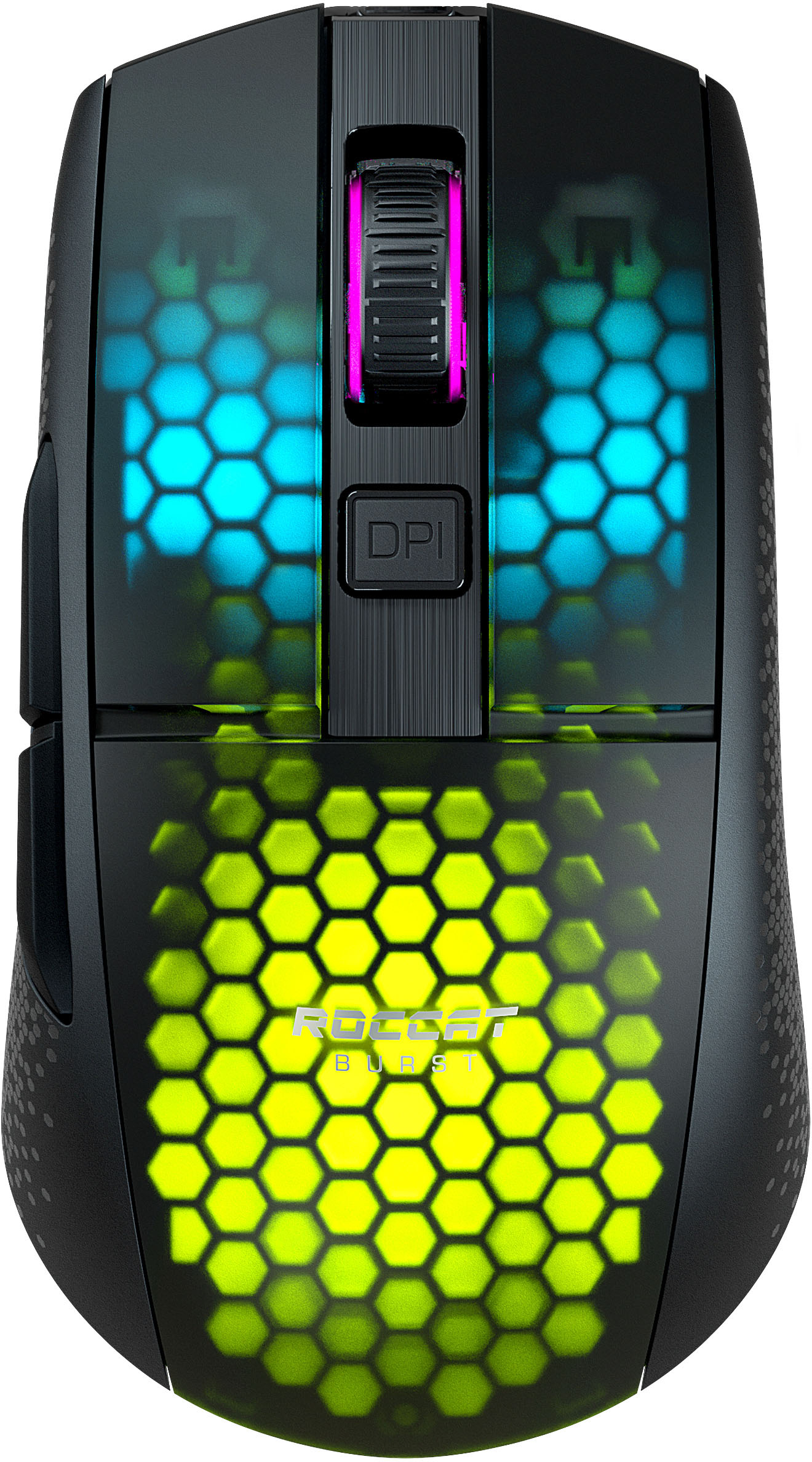
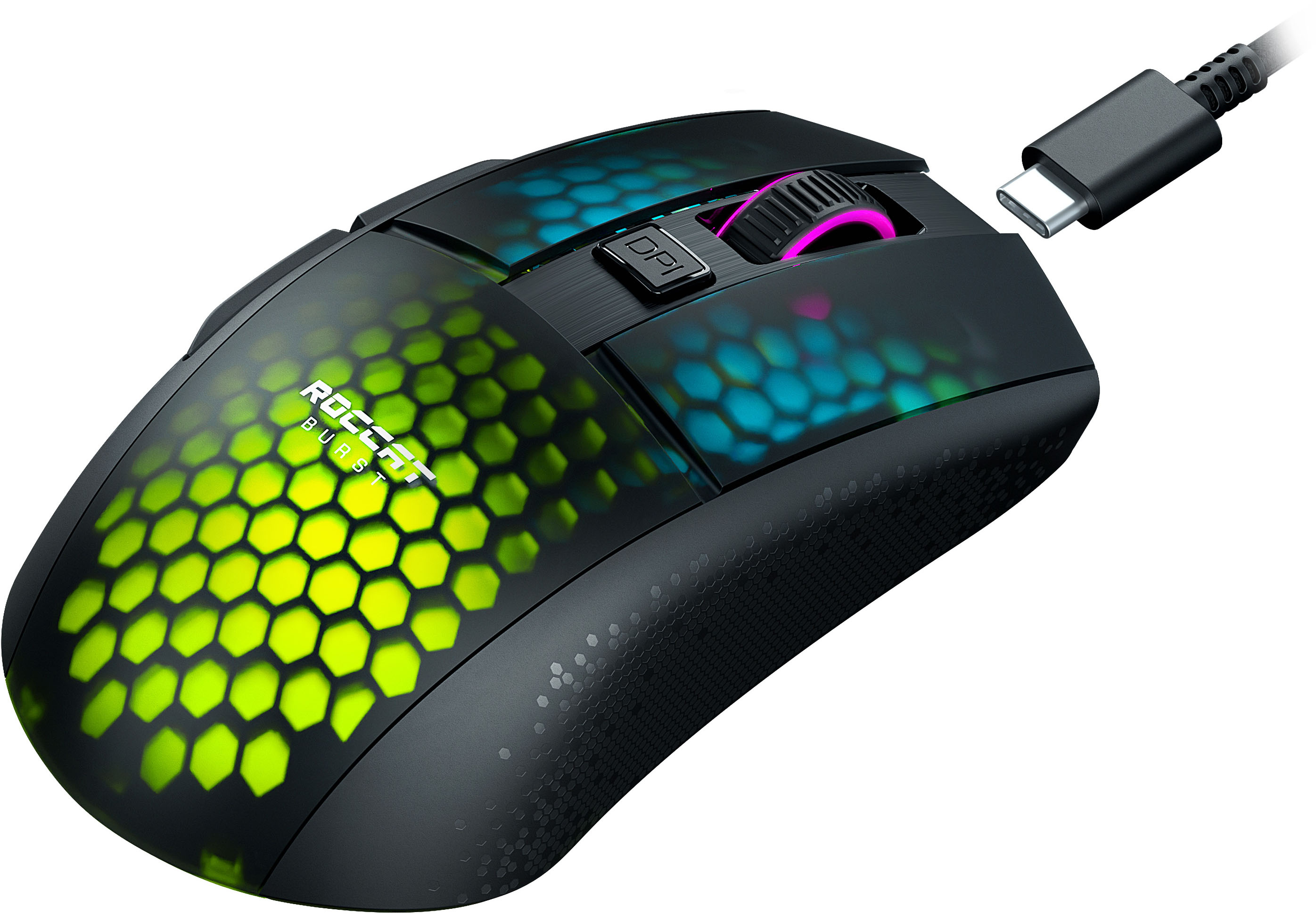
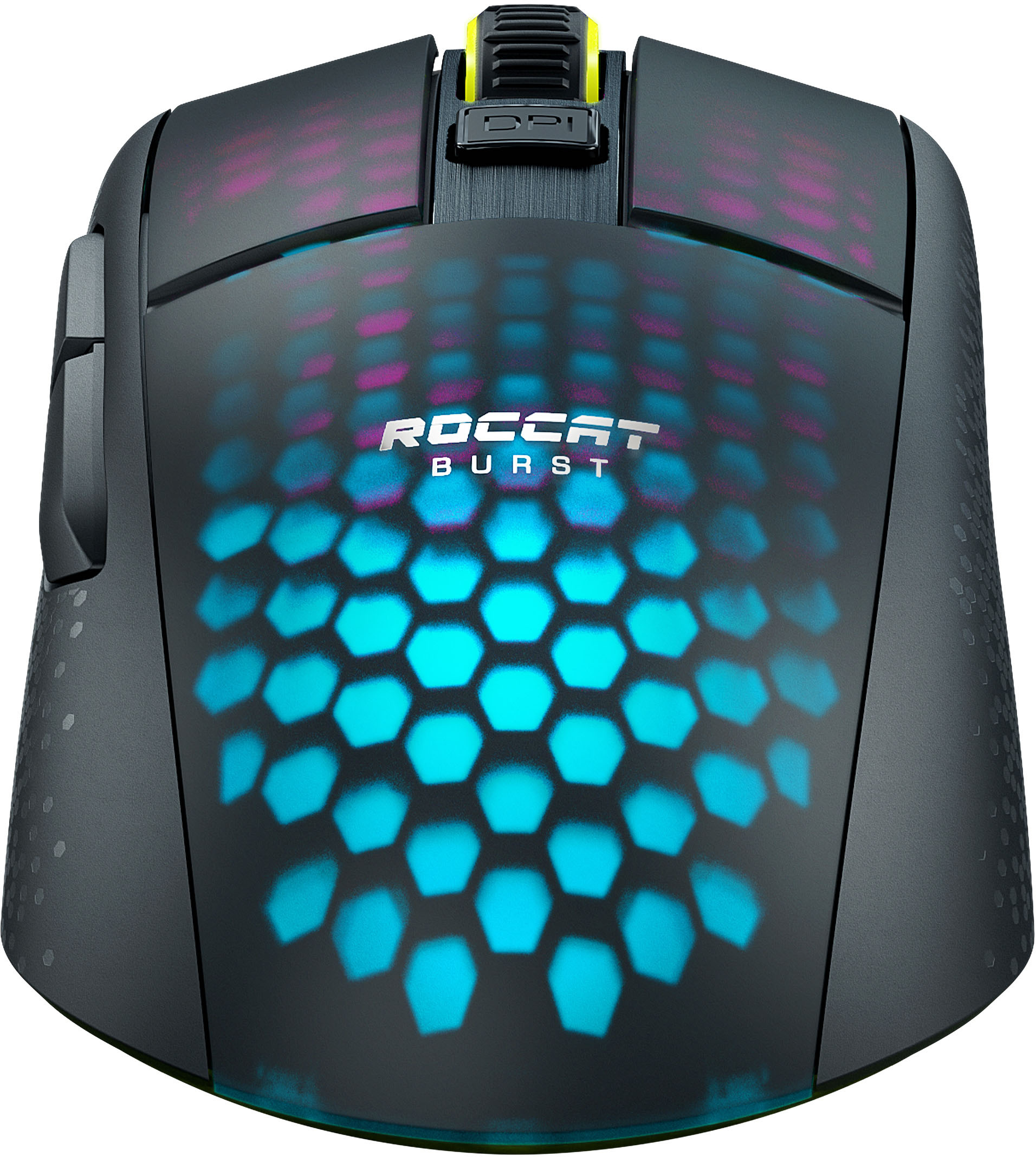
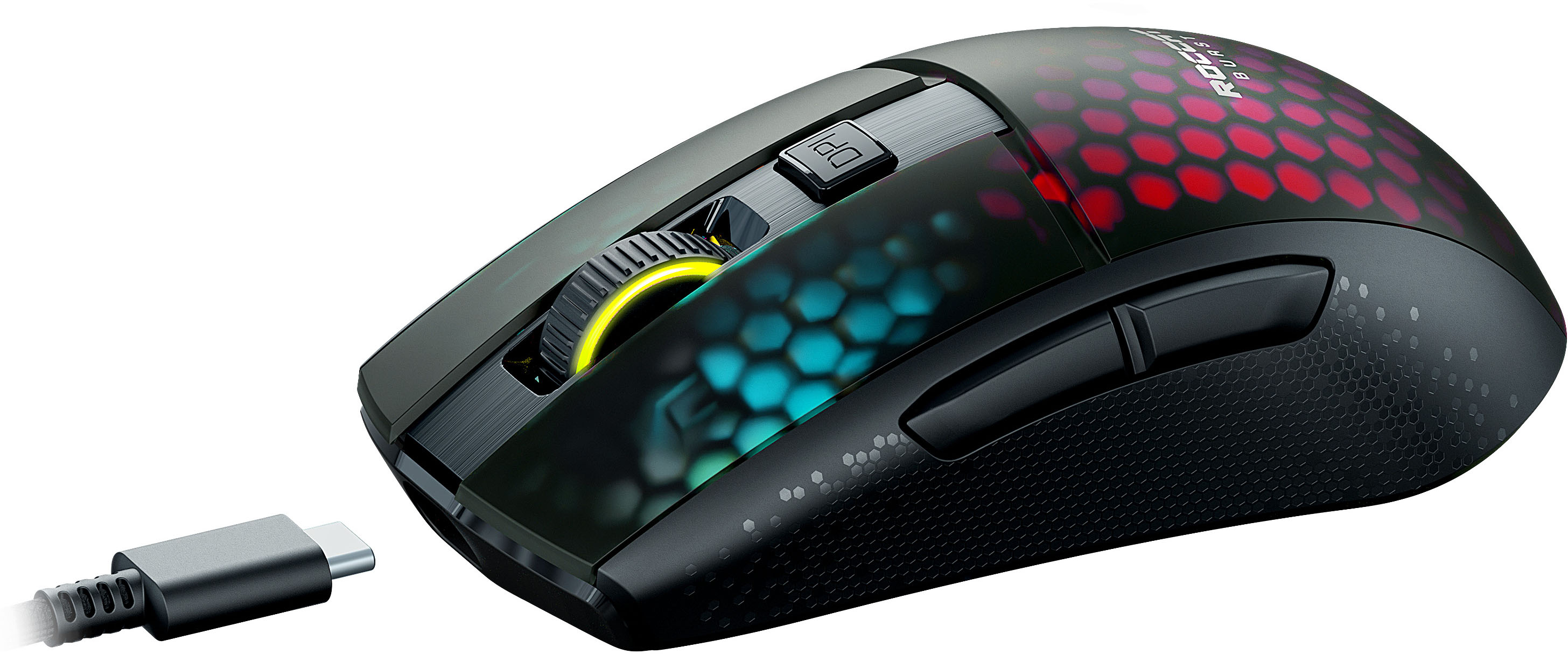
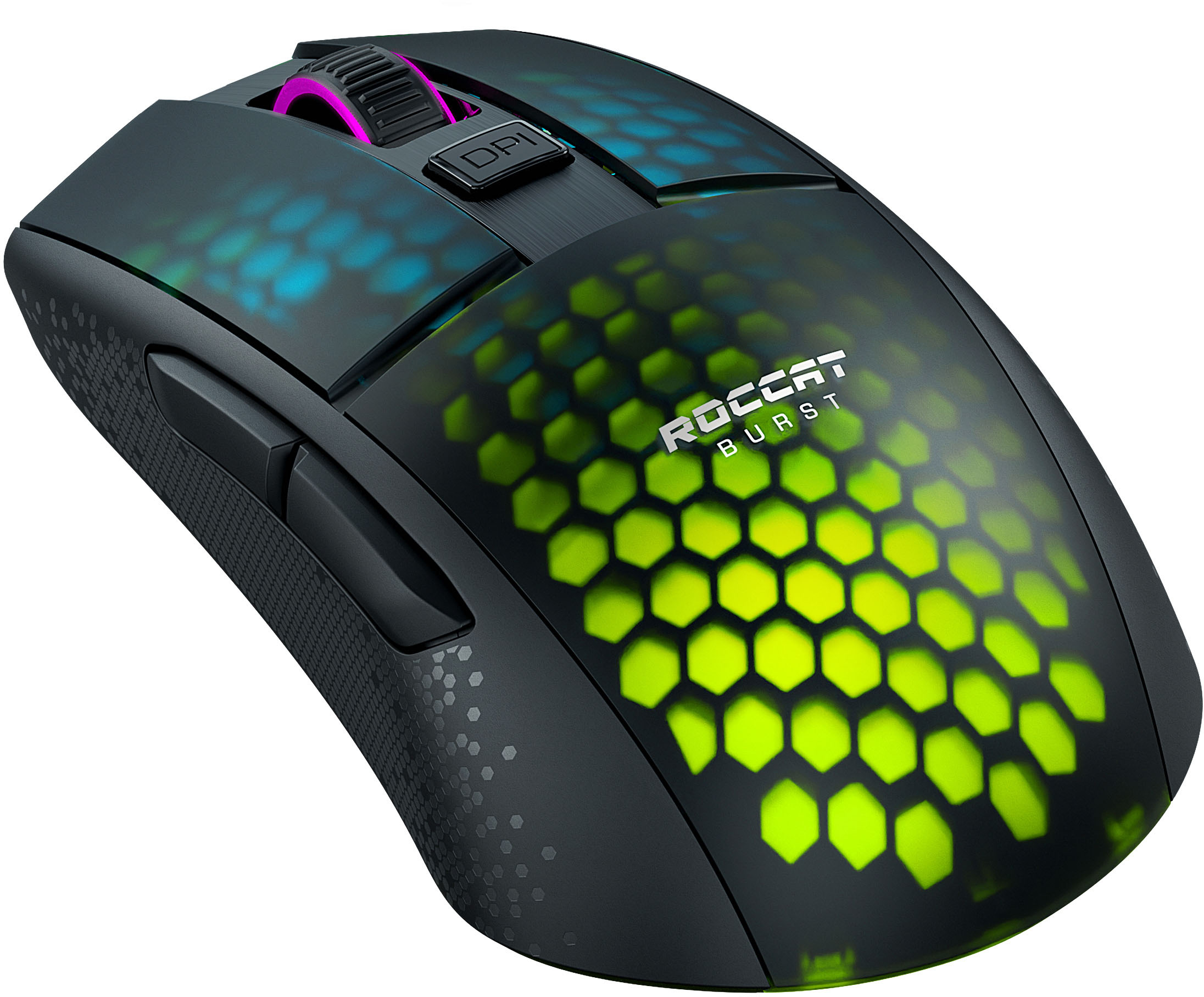
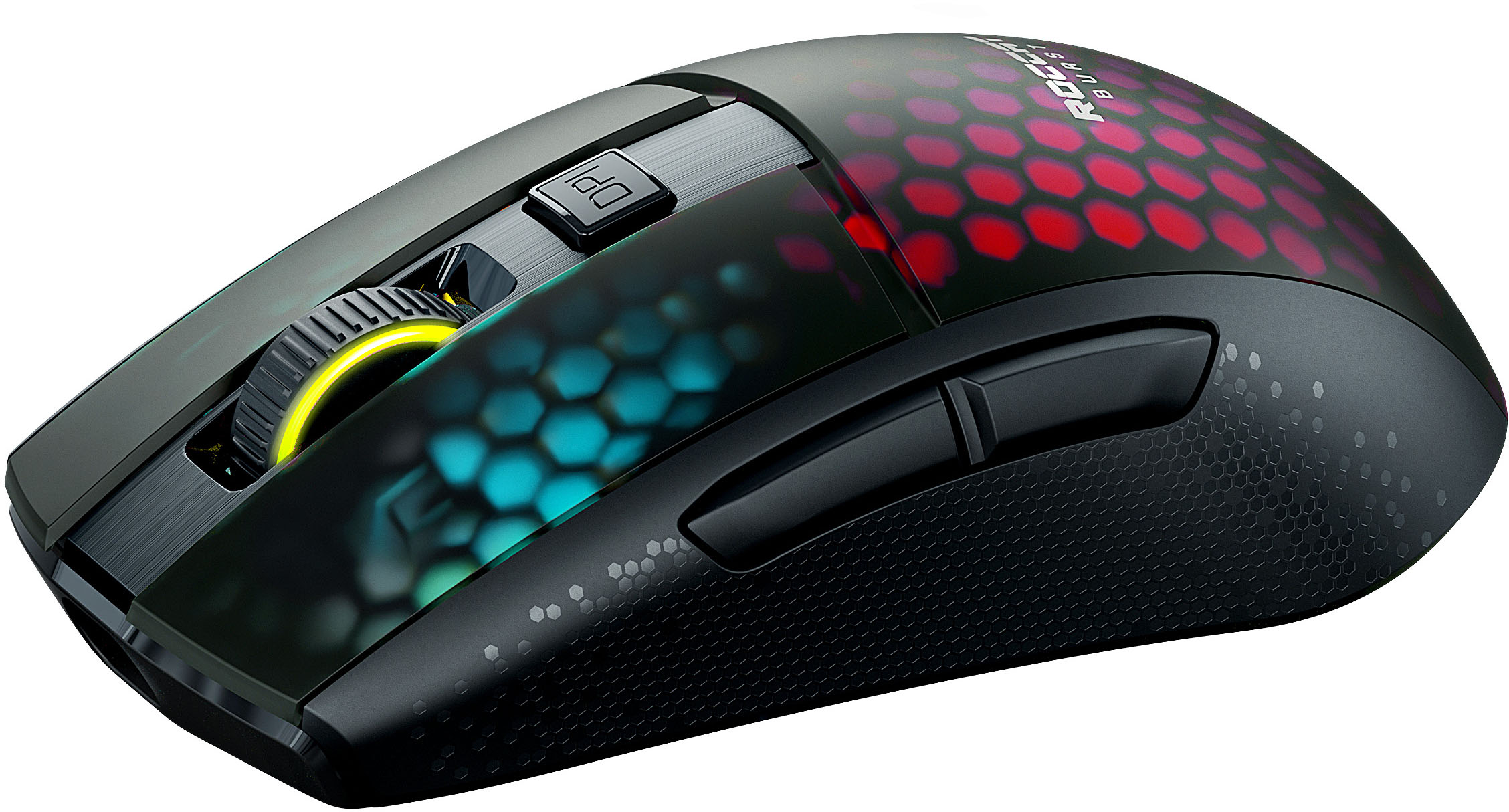
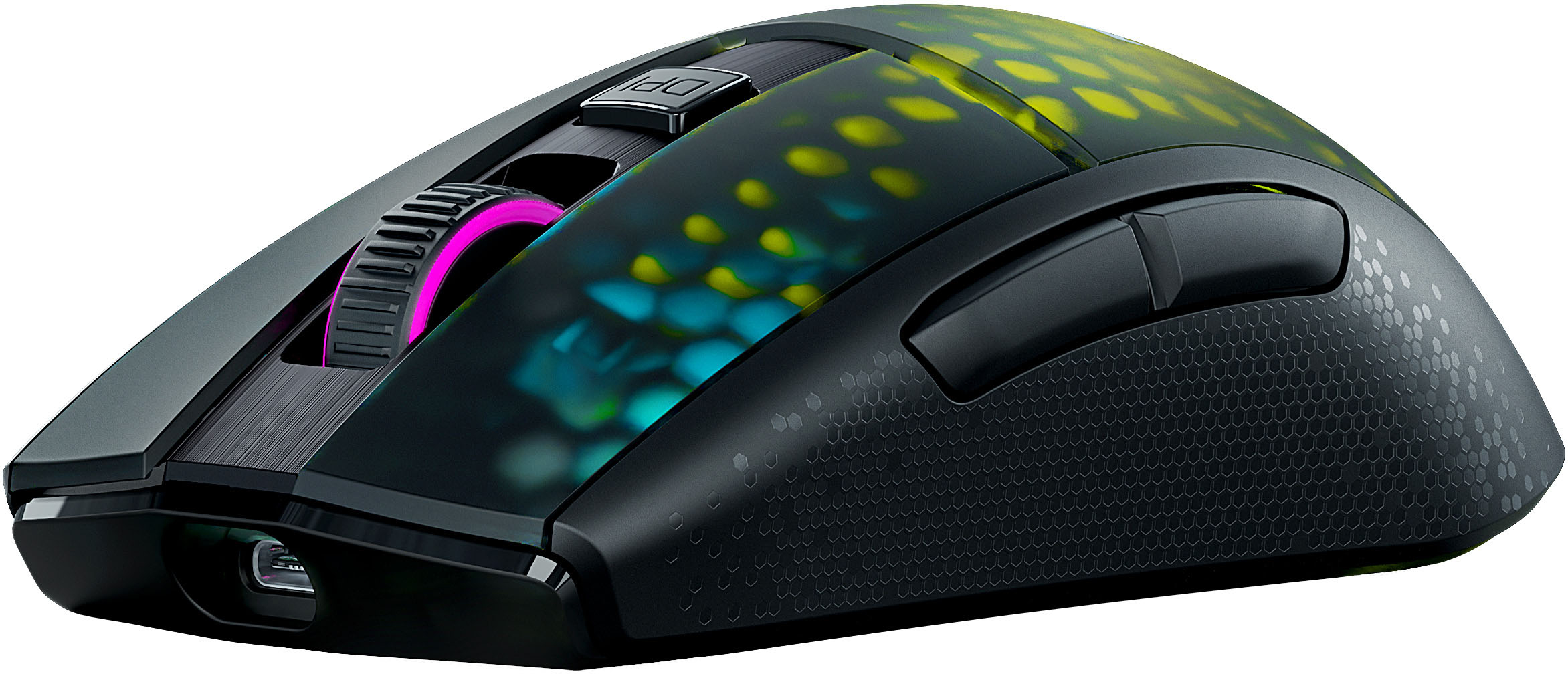
|Posted .This reviewer received promo considerations or sweepstakes entry for writing a review.The RGB lighting on this mouse is impressive. ROCCAT is known for their creative lighting systems, and this mouse adds to their reputation. The light effects are located under the primary and secondary buttons, beneath the palm rest, and most noticeably, on the scroll wheel which adds a nice touch. Coupled with the honeycomb bionic shell on both the top and underside of the mouse, the lighting impressively glows all around. When the RGB lighting is off, the honeycomb design is not discernible under the black plastic shell. But the instant the mouse is activated, the light shines through and the visual affect is stunning. RGB lighting aside, the mouse itself is very comfortable. It seems best for medium to larger hands because of a slightly wider palm design and hump, but it still works well for smaller hands. Short fingers can still reach the long buttons upfront, and the side buttons are large and long enough for the thumb to reach. I really like the slight tactile feel applied to the sides of the mouse. My other lightweight wireless gaming mouse has smooth plastic sides; when my hands are sweating, my fingertips tend to slide. I don’t get that feeling with this mouse. In terms of weight, it’s not the lightest gaming mouse on the market, but at 79 grams (2.8 ounces), it’s fairly light given that it is wireless and contains 4 RGB lighting zones. Mouse weight is usually a preference for gamers. The main concern is fatigue after countless hours of playing. I didn’t feel any difference between this mouse and my other lightweight mouse that weighs 63 grams (2.2 ounces). And compared to ROCCAT’s Kona line of mice, this mouse is slightly lighter, smaller, and less expensive. When gaming, I didn’t experience any noticeable lag. It does help that the switches are optical instead of mechanical. This feature definitely removes the possibility of double clicking. There is slight, and I mean slight pre/post travel in the primary and secondary buttons, but this is the standard for mice in this price range. I don’t even notice it while playing; I had to pick up the mouse and look closely to notice travel. It also helps that this mouse is Nvidia Reflex compatible. Reflex technology by Nvidia reduces the lag even more. In term of customization, ROCCAT offers all the features a gamer would expect: polling rate, distance/lift control, DPI switching, etc. The optical sensor on this mouse is good with 19,000 DPI and 400 IPS (inches per second). Coupled with an acceleration of 40 G’s, it performs accurately. Finally, the wireless connection options work well. I did not have any issues connecting it through the 2.4GHz low latency wireless USB dongle, through Bluetooth, or with the included wired cable. I’m getting plenty of battery life in all three modes. I can even monitor the battery and signal strength within the ROCCAT Swarm app when connected through the 2.4GHz wireless dongle. I suspect the battery will last longest using the simple Bluetooth connection. But even then, this mouse supports rapid charging, so it only takes a few minutes to squeeze additional hours out of it. Overall, I really like this mouse. It is not the cheapest wireless mouse available, but its price is about right considering it’s an optical mouse with reliable Titan switches, it has fast wireless connections, fast charging, and probably the nicest RGB lighting on a mouse. I’d definitely recommend it to someone looking for these features.
I would recommend this to a friend - Pros mentioned:Weight
Cool colors and custom settings
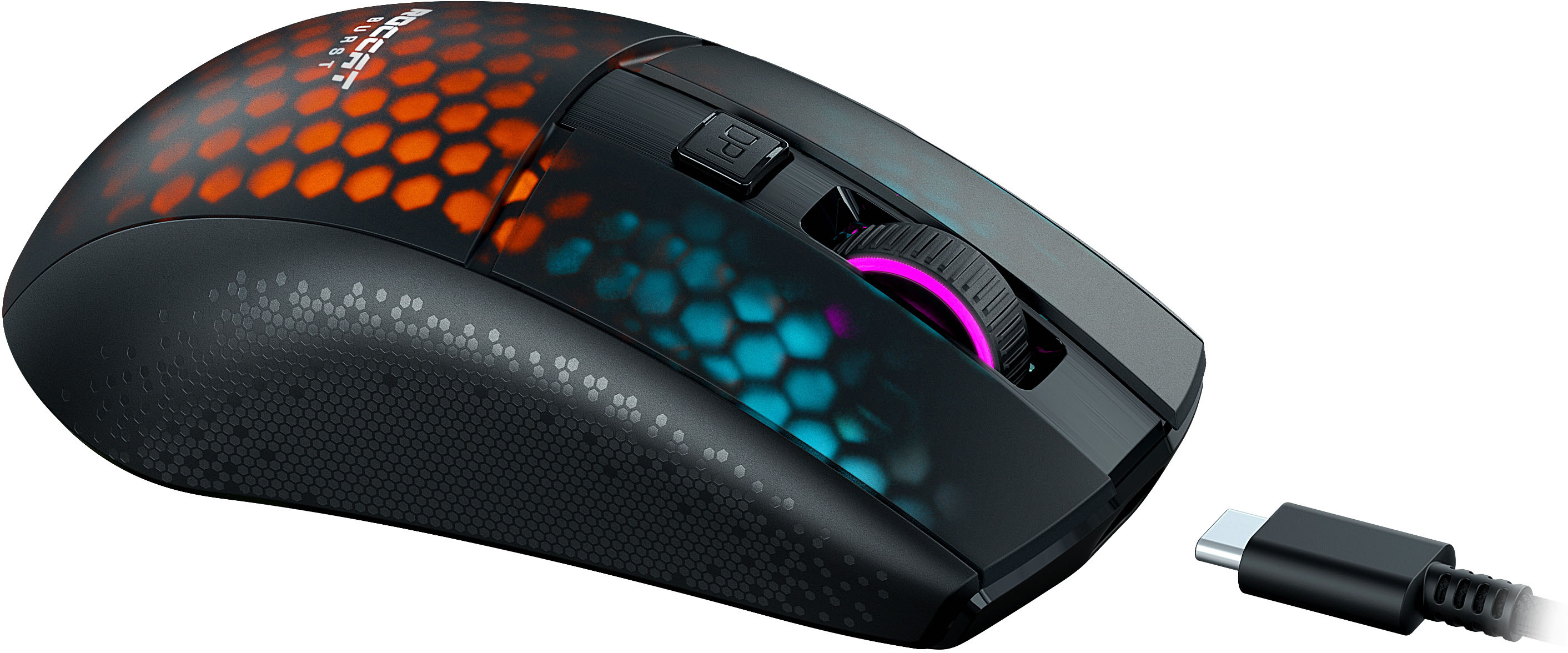
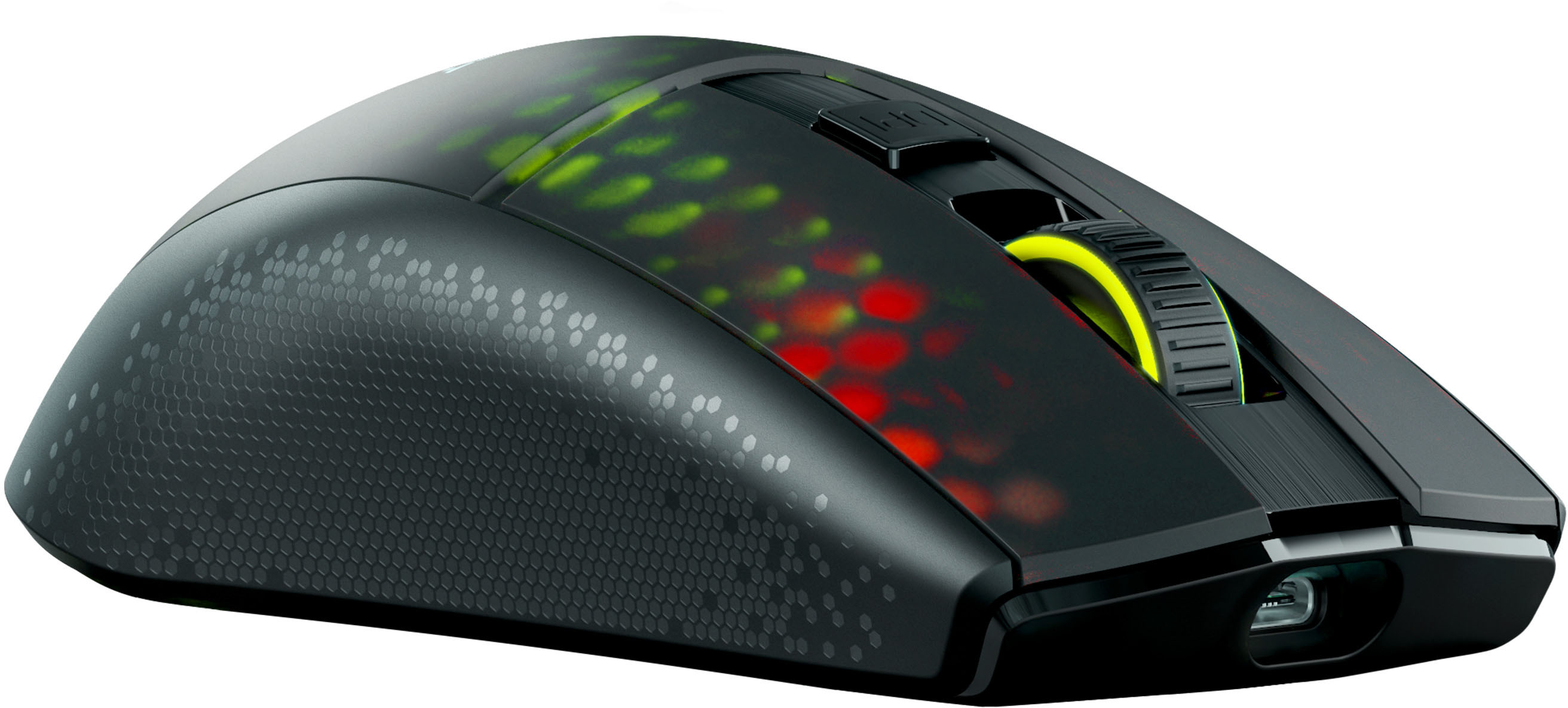
|Posted .This reviewer received promo considerations or sweepstakes entry for writing a review.After using this mouse for a few days, I hate to admit that I first chose it because I thought it would look cool with the configurable LEDs on my keyboard. The LED lighting looks great, but I was more impressed by how much the responsiveness has improved my ability to track and hit targets when playing first person shooters. I thought my computer was generating the lag and jerkiness that caused me to randomly spray bullets, but this experience has shown me what a difference a mouse can make. Notes - The included instructions are not very helpful, but just visit the ROCCAT website (https://support.roccat.com/s/downloads) and download the Swarm software - which is great! There are a lot of settings and I was not familiar with all of them, but each one has a little info button you can click to learn more about it. As you figure the settings out, you can save different profiles to compare or to match configurations with different games. - The mouse has 3 connection options. Wireless dongle, USB cable and Bluetooth. To customize and use the mouse with the Swarm software you need to connect via cable and/or wireless dongle. The included USB-A to USB-C (mouse end) cable is fabric covered, light weight and just under 6ft long. This cable is just about as perfect as it can be for recharging the built-in battery while you play. The mouse also has a slot on the bottom for storing the wireless dongle when aren't using it. - I honestly never thought my old mouse was heavy, but this mouse moves so quickly it takes some getting used to. The mouse is light weight, and the large glides make it feel even lighter. The Swarm utility for calibrating different DPI setting steps (responsiveness) and the custom button to switch between them made it easy to take advantage of the increased speed in games. - The mouse has 3 additional configurable buttons (2 on the side and 1 center behind the scroll wheel). The center button lets you switch between DPI steps by default (I like that and have not changed it yet). There are lots of custom options in the Swarm software for the buttons (even running macros), but my favorite is the ability to program custom hot key combinations. - The scroll wheel has nice detents and can also perform additional customizable actions if pressed (Swarm app again). I like my scroll wheel simple, but I did increase the scrolling speed slightly. - The mouse has multiple LED segments which are very bright and can produce vibrant custom colors. Using the Swarm app you can set brightness, color pattern and set a different color for each segment (left/right button, base and wheel). - For firmware updates (which my mouse needed out of the box) you must connect the mouse via the USB cable and have the wireless dongle plugged in at the same times (so both can be updated). You will need 2 open USB-A ports for this (notable because USB-A ports are becoming rarer on new computers).
I would recommend this to a friend - Pros mentioned:Bluetooth, Lighting, WeightCons mentioned:Software
Great Hardware ... Meh Software
|Posted .This reviewer received promo considerations or sweepstakes entry for writing a review.The ROCCAT - Burst Pro Air Lightweight Wireless is solidly designed & constructed mouse. If your hands are average to small, this is a great ultra-lightweight offering. All the buttons are quick and positive in their responses. The scroll wheel is robust and doesn't rattle. The glide action is exceptional due to the well-balanced weight distribution and the massive glide pads on the bottom. I seriously cannot fault anything with this mouse on a purely hardware level. It simply revivals all the other ultralights I have tried. I especially like the honeycomb, translucent design (versus any of the open honeycomb competitors...) and the lighting presentation - which is easily customized via the Swarm software. The sheer scope of adjustments is mind boggling. Using the Burst Pro Air in BT mode works as expected for everyday computing and the 2.4 GHz mode is crisp & responsive during gaming. Being 2022, most top tier gaming mice usually accel in this area and the Burst Pro Air is no exception. Using the mouse ‘wired’ is equally impressive and the cable is diminutive and equally feather light. Speaking of Swarm, in aggregate it is a wealthy software suite and gives the user FULL control over the entire device and includes all the provisions to keep the mouse up-to-date. The problem with Swarm is the stability side of things and this is where I apply all the demerits of the low score. On a 12th Gen, gaming laptop - running Win 11 - I experienced repeated instances where Swarm would just freeze up. After multiple attempts at uninstalling/reinstalling the software and verifying that everything was update, I was pretty much left dumbfounded. I've used Roccat mice before and had never experienced any instability issues but something has obviously changed. Swarm simply stops working when opened and subsequently throws Windows Reliability errors. Pros: Superbly balanced and lightweight Outstanding glide Pleasing RGB presentation with the translucent, honeycomb chassis Precision button activation and quick response High quality scroll wheel Cons: Swarm software is buggy
No, I would not recommend this to a friend - Pros mentioned:Bluetooth
Great mouse!
||Posted . Owned for less than 1 week when reviewed.This reviewer received promo considerations or sweepstakes entry for writing a review.Amazing mouse! It has perfect gliding and is great for quick shots in valorant and has good Bluetooth connectivity!
I would recommend this to a friend - Pros mentioned:Battery life, Bluetooth, Weight
Finally the wireless version... I love it!
|Posted .This reviewer received promo considerations or sweepstakes entry for writing a review.I have been fortunate to have tried the wired version of this mouse and over time it became my favorite mouse, it fits perfectly in my hand and one of the things I initially liked about its predecessor is the weight and this version is lightweight too which is fantastic. In the small box comes the mouse, the USB-a to USB-c charger cable, the bluetooth adapter and some documentation. Once the mouse was fully charged I started the configuration from the ROCCAT swarm software, I think this is an important step because when you connect the mouse the first thing the app suggests you to do is to update the drivers, it takes a little time but it is worth it. Already updated the drivers I could start using the mouse and I can say that it has been a very satisfactory experience, this mouse despite being wireless has a very good speed and precision, I was trying different games and different DPI and I have not had any kind of error or disconnection, I have tried the mouse wirelessly and wired and in both cases the result is the same which is great, you can connect the mouse to the pc with its USB cable to charge it while you play, then just disconnect the cable and again to continue using it wirelessly. The battery lasts a long time, from the first charge I have not had the need to charge it and promises to last up to 100 hours, not bad. The design of the mouse is sober and with a very attractive RGB lighting clearly 100% customizable to taste from the ROCCAT Swarm app, I really like it. In conclusion I can say that this mouse has the same power as its wired version also has a stable bluetooth connection, an incredible accuracy, battery that can last up to 100 hrs., a weight of 81g and a simple but elegant design with a customizable RGB lighting that looks great, has a relatively reasonable price and with everything mentioned I can definitely recommend it.
I would recommend this to a friend