Customer Ratings & Reviews
- Model:
- ROC-11-420-01
- SKU:
- 6508308
Rating by feature
- Value
Rating 4.6 out of 5 stars
- Quality
Rating 4.7 out of 5 stars
- Ease of Use
Rating 4.7 out of 5 stars
Customers are saying
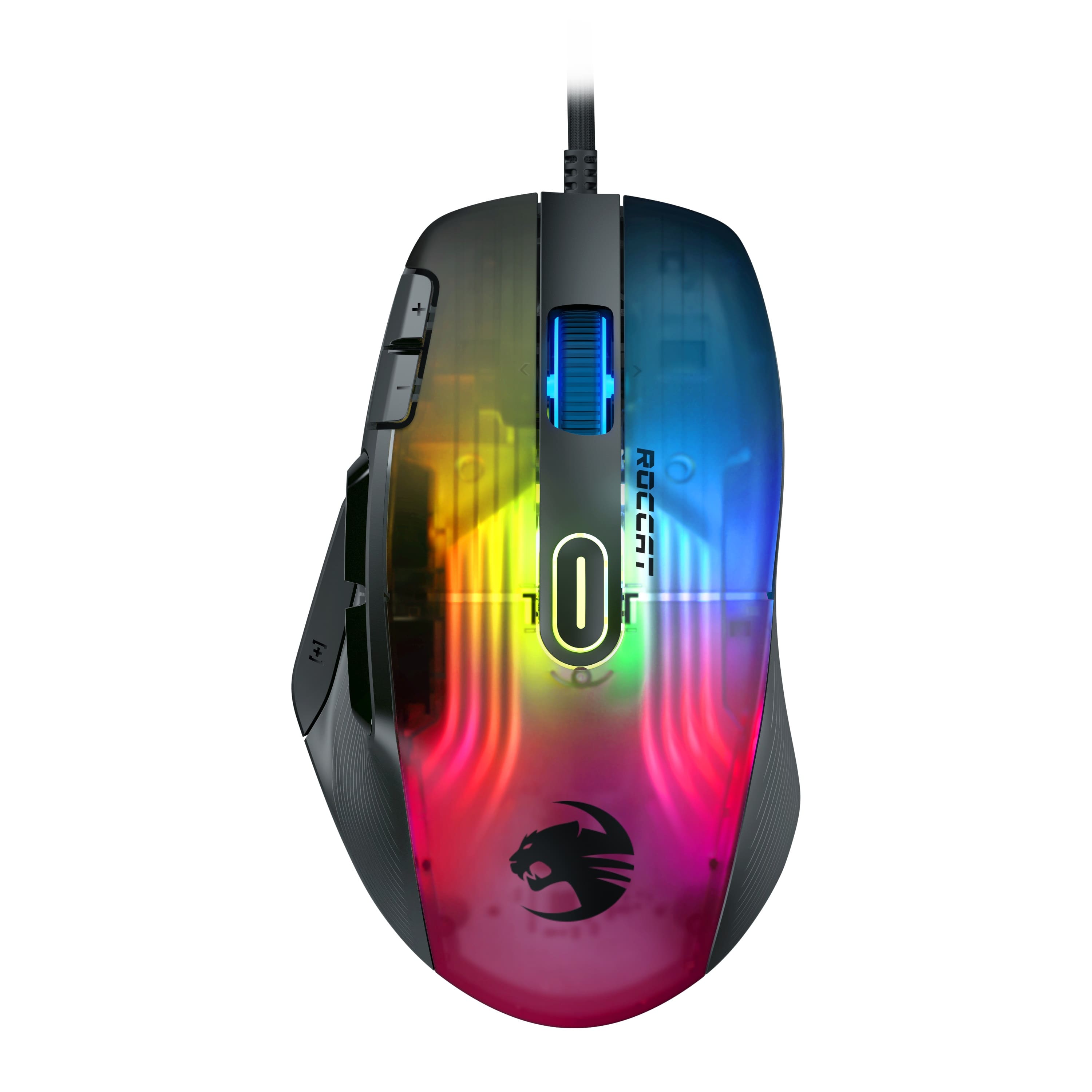
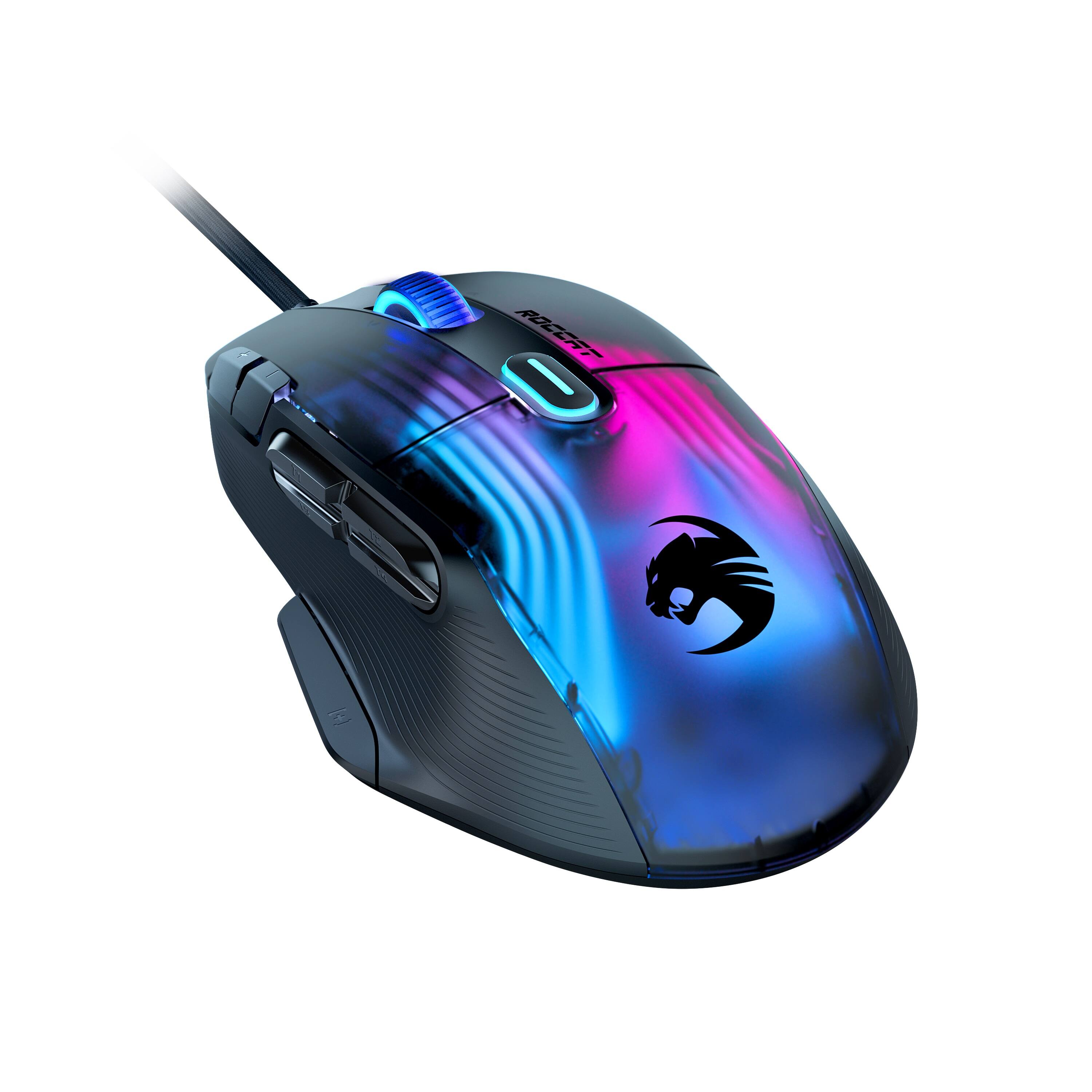
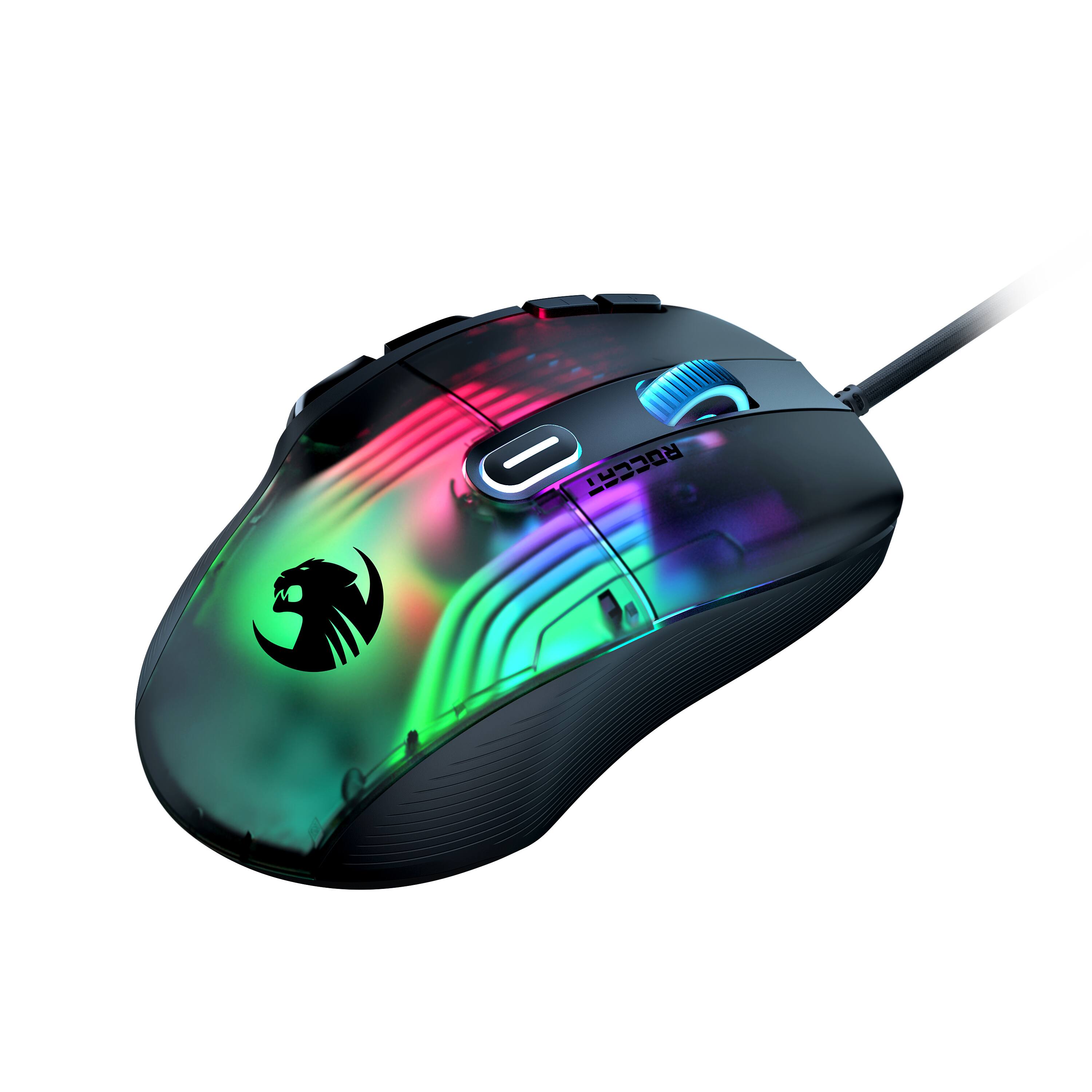
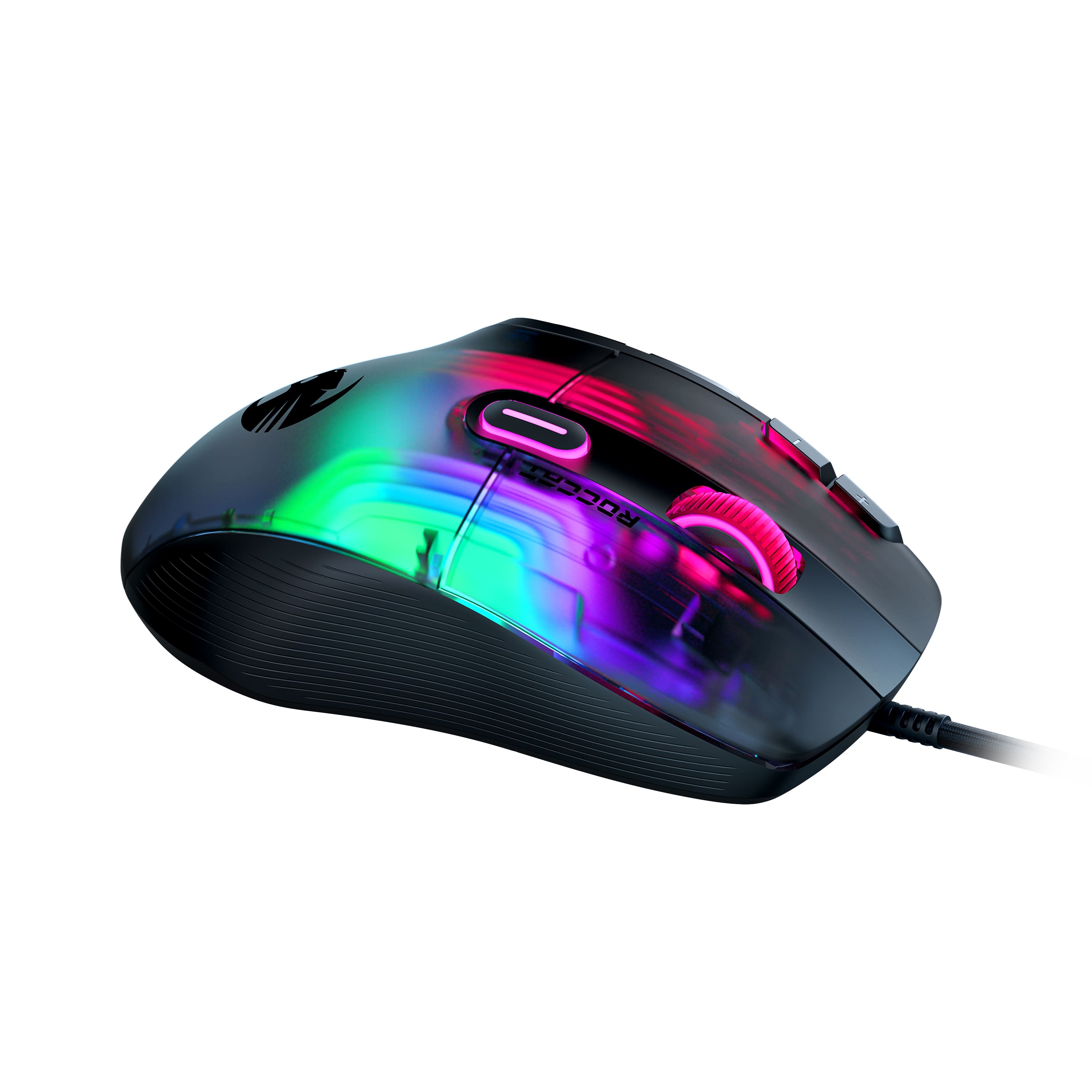
Customers are positive about the Kone XP's RGB lighting, button placement, and ease of use, with many praising its ergonomic design and responsive performance. The software is also generally well-received for its customizability and ease of navigation. However, customers are somewhat divided on the mouse's weight, with some finding it too light while others prefer a lighter mouse. The flexible cable is a frequently mentioned positive aspect.
This summary was generated by AI based on customer reviews.
- Pros mentioned:Ergonomics, Software
Roccat Kone XP (wired)
||Posted . Owned for 3 weeks when reviewed.This reviewer received promo considerations or sweepstakes entry for writing a review.In my opinion, This is the best mouse I've had so far (i dont have any comparions in the same price range). Much better than my Roccat Burst Pro but that is cheaper. The main reason I bought this is because of the Custom Lighting LEDs and overall design which it definitely delivers on. It has a smooth feel with no noticeable edges and the click noise is good. Plenty of buttons to mess around with that dont get in my way. The software is fun to mess around on as there are alot of settings to change. About the same as SteelSeries GG software. I bought this at the $75 price point which i believe is fair compared to what you can get for other brands. Overall great mouse!
I would recommend this to a friend - Pros mentioned:Button placement, Ergonomics, Rgb lighting

Ergonomic and Customizable Gaming Mouse!
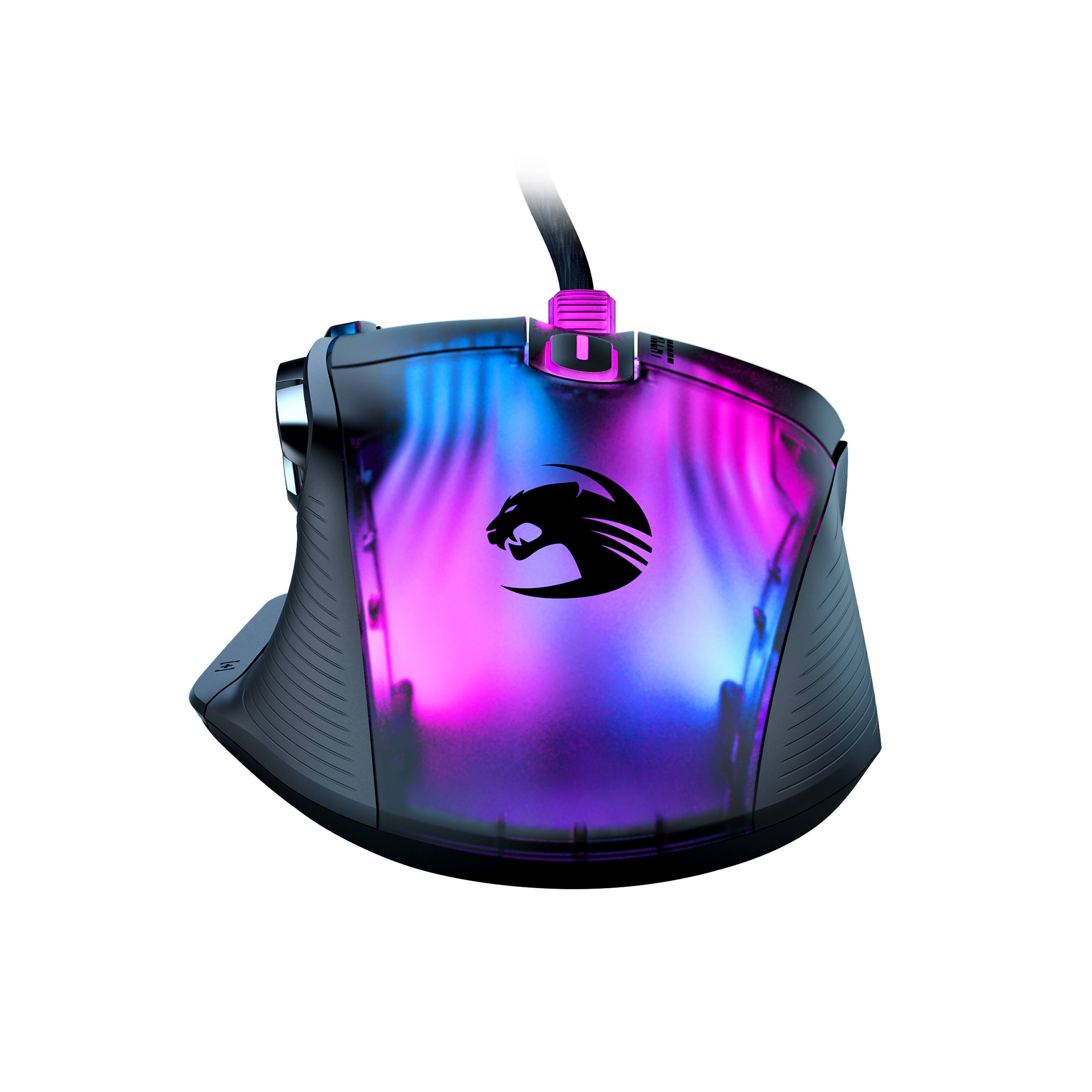
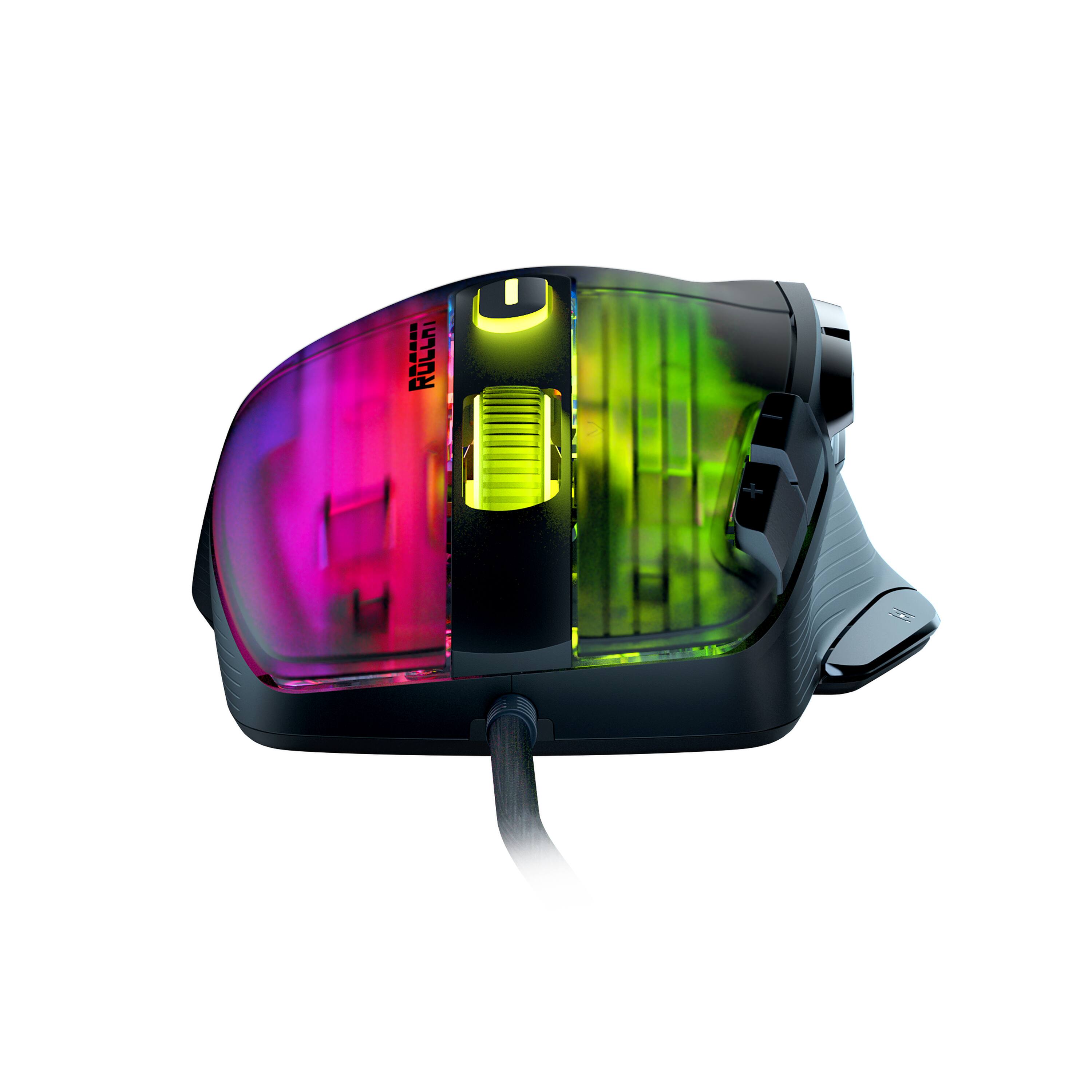
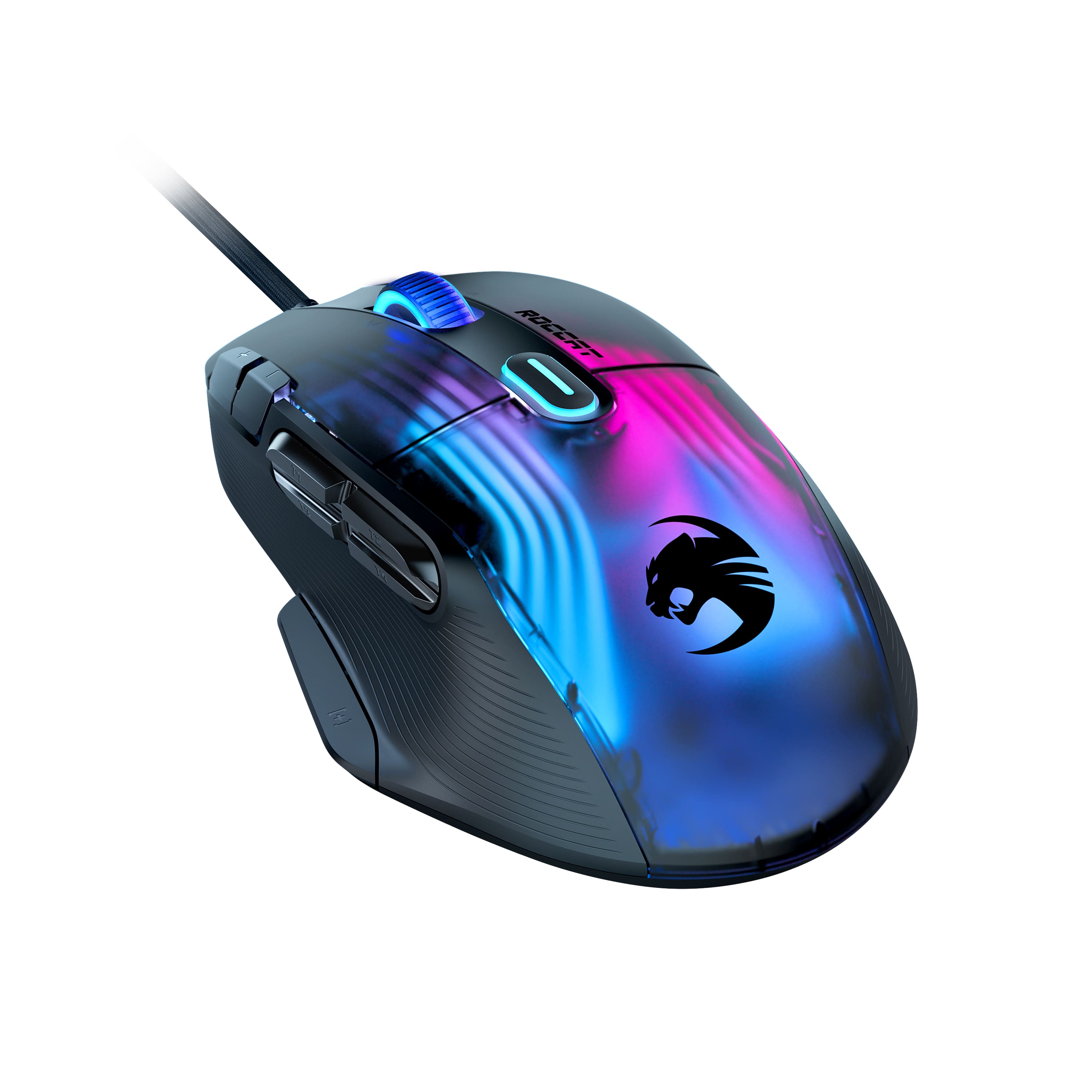
|Posted .This reviewer received promo considerations or sweepstakes entry for writing a review.The Kone XP gaming mouse by Roccat is terrific. This is my first Roccat gaming mouse and it has certainly left a remarkable first impression on the kind of gaming products Roccat has to offer. This mouse is wired and is unique with the translucent top RGB lighting. I remember an era where transparent tech products were a fad, while it is not looking like transparent tech is coming back, at least Roccat is keeping it somewhat alive with this translucent mouse. *TLDR at the bottom ============= IN THE BOX: In the box, you get the Kone XP gaming mouse (wired only), an extra set of mouse feet, and a quick start guide. The setup was quick and simple. Just make sure to obtain the proper drivers and install the Roccat Swarm software which can be accessed through the following link: https://support.roccat.com/s/downloads?language=en_US&co=us ============= COMFORT AND DESIGN: The mouse is ergonomic and comfortable even after using it for an extensive amount of time. The mouse feels light which is great for FPS or fast-paced adventure games. In terms of design, this is a neat mouse, The translucent top adds a uniqueness to the mouse that not many other mouses have. There are 15 buttons on this mouse all programmable through the Roccat Swarm software. The only buttons which felt awkward to reach were the DPI buttons (plus and minus buttons) but overall, the button placement was excellent and didn’t bother me. The mouse’s cable is soft and flexes well. It did not bother me at all while gaming, it almost felt like the cable wasn’t present at all! The mouse also has an “Easy-Shift[+]” button which allows one to program more functions into the mouse. ============= PERFORMANCE and SWARM SOFTWARE: The mouse is responsive, and the light weight of the mouse helped it feel snappier. I tried out adventure games like Tomb Raider and FPS games like Destiny 2, and the mouse handled the games well. No complaints on performance! Roccat’s Swarm software can be used to fully customize the mouse to your liking. I found the software to be polished and simple to use. I did enjoy playing around with the different customization options for this mouse. There are many options to play around with so I won’t list them all here, but the following are some features that can be customized on the Kone XP: -DPI can be set as low as 50 or as high as 19000 -Vertical scroll speed from 1-10 -5 profiles available for customization -Macros can be created within the Macro Manager -Button assignments can be set for all 15 buttons (29 total assignments with Easy-Shift[+]) -The RGB lighting on the top can be customized -LED time out and more! ============= CONCLUSION/TLDR: Overall, the Kone XP is an excellent gaming mouse. For the price, you will be getting a myriad of incredible features. There are 15 buttons on the mouse, and all can be assigned a certain function. With the Easy-Shift [+] button one can assign even more functions. Roccat’s Swarm software is polished and is simple to use so there won’t be any confusion when it comes to customizing the mouse to your needs. The mouse’s ergonomics allow for comfort and efficiency which can help you take your gaming to the next level. I do wholeheartedly recommend you give the Kone XP a try.
I would recommend this to a friend - Cons mentioned:Weight
Most have
||Posted . Owned for less than 1 week when reviewed.This reviewer received promo considerations or sweepstakes entry for writing a review.Beautiful colors feels great in your hand a little on the heavy side but I love the weight just feels like a amazing quality mouse just like all roccat products
I would recommend this to a friend - Pros mentioned:Rgb lighting
Kone xp and magma by Roccat
||Posted . Owned for 1 week when reviewed.This reviewer received promo considerations or sweepstakes entry for writing a review.Love this mouse. The config options for the lighting are pretty cool. Nice setup to start putting a system together
I would recommend this to a friend If You Find it On Sale Buy it
||Posted . Owned for 2 weeks when reviewed.This reviewer received promo considerations or sweepstakes entry for writing a review.Excellent mouse that provides with a lot of customization and is great for office applications.
I would recommend this to a friend- Pros mentioned:Ergonomics, Rgb lighting
Great looking, fully customizable mouse!
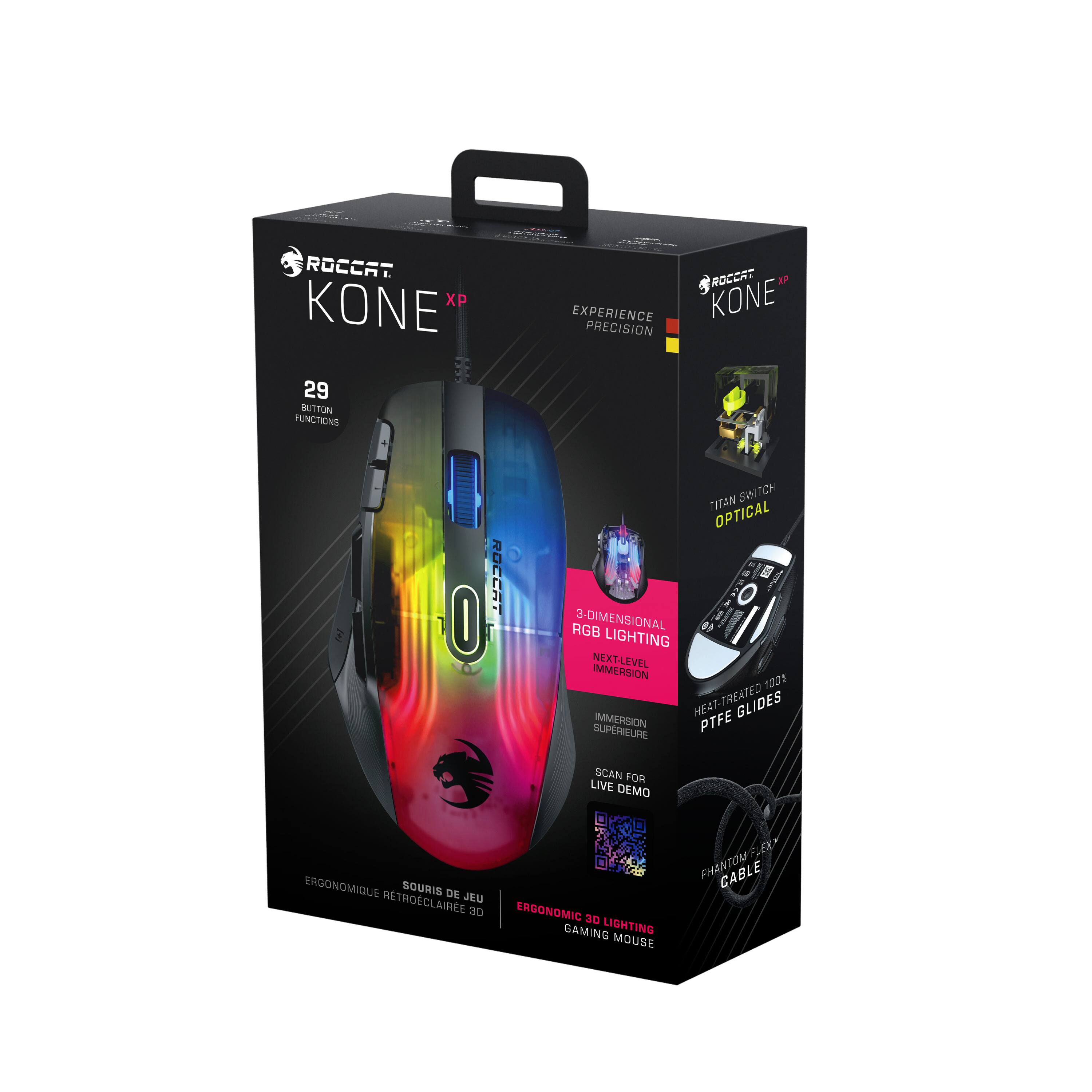
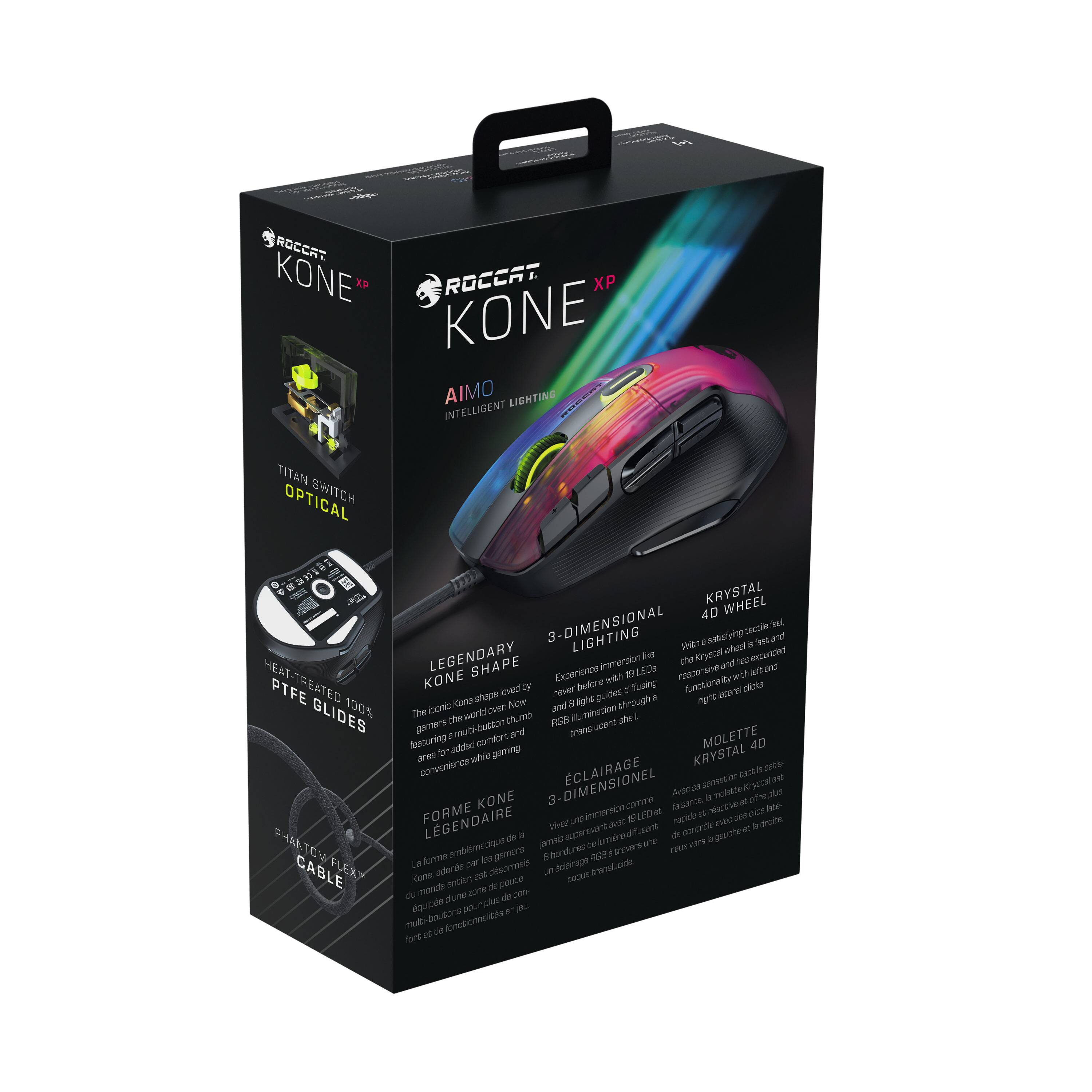
|Posted .This reviewer received promo considerations or sweepstakes entry for writing a review.The Turtle Beach Roccat Kone XP Mouse is a full function gaming mouse, very ergonomically designed, especially for a smaller hand. Initial impressions from my son were not favorable, because it was wired, and it tracked slow on his PC. However, once downloading the Swarm Driver/Software, he was able to fully customize the mouse to his liking, and that's when his face lit up. He's been used to a wireless mouse, and with that comes the challenge of battery life, remembering to turn it on and off each time he used it etc, and not having any lighting or extra features. With the Roccat Kone XP, he's able to set it, light it, click it, and forget it! He's set up a couple of profiles, one with a pumping 'blood red' look for when he's playing Roblox, which he plays a couple of hours a day, and then a nice white backlight for when he's doing his homework! He was able to change the modes, color profiles, DPI settings, dialing it in exactly to his liking and matching his previous mouse movements perfectly. He even set up macros to control media, mute the game he's playing, using the 15 programmable button functions available (29 button functions total). The interface was a little confusing at first to get it to his liking, but once he had it set up, it really changed his opinion, and actually really likes how the mouse functions now. IT glides effortlessly across the mouse pad, with thanks to the heat treated PTFE Glides, of which you get an extra set included. Much better than his previous mouse. The color options, with the 3 dimensional lighting gives a really unique look to the mouse, giving depth to the light throughout the mouse, and not just a glow in certain areas of it. And you can control the color in various areas of the mouse to really get in there and customize it. And being a wired mouse, as mentioned above, no need to worry about battery life, but also with its 'phantom flex' cable, it doesn't get tangled or snagged on the desk. Overall, he's incredibly happy with the Kone XP, and will continue to dive into the features, customizability and comfort of it as he continues to use it. A great introduction to a full featured RGB LED mouse!
I would recommend this to a friend - Pros mentioned:Ergonomics, Rgb lightingCons mentioned:Weight
Bright and Beautiful
|Posted .This reviewer received promo considerations or sweepstakes entry for writing a review.This mouse has everything I've wanted in one. I'm by no means ultra pro, so I don't need a complexity of buttons, but I require some versatility depending on the game or application. This mouse attains that, and it does it in beautiful fashion. I don't prefer heavy mice (precision), but I don't like using light mice (speed). This is closer to the heavier side, but not exactly in the heavyweight class, so it's able to achieve the precision and speed I need in some of the games I play. I enjoy syncing the RGB of Roccat products together with AIMO, so this one is no exception. The light guides inside the shell are no less than stunning, especially when light is flowing through them. It's definitely some of the coolest RGB effects I've seen. This is of course mostly a gimmick, but it personally adds to the aesthetics of my setup. Roccat has always gotten that part right. The ergonomic shape of the Kone XP is awesome compared to some of the other mice I've had the opportunity to experience. It glides wonderfully, and the buttons feel perfect. The mouse wheel feels great, too. The macro buttons are all easily accessible. I like a wired mouse simply for its practicality, and the PhantomFlex cable, which I've always liked, really does give it free movement. Unfortunately Roccat hasn't pushed out enough updates for its Neon software, and so at the time of this review, you'll have no choice but to use Swarm if you want to get the most out of the Kone XP. Despite this, I don't let the lack of updates for Neon ding the quality of the mouse! I totally see myself using this mouse for a very long time. I can't imagine anything replacing it anytime soon. It'll be interesting to see if Roccat can top this one!
I would recommend this to a friend - Pros mentioned:Button placement, Ergonomics, Rgb lightingCons mentioned:Weight
The Gentle Giant
|Posted .This reviewer received promo considerations or sweepstakes entry for writing a review.It doesn't make sense how good this mouse feels. I mean, it looks way more hefty than it actually feels. If you are looking at this review, I'm going toassume you are seriuos about your gaming. And with 14 programmable buttons and 29 different configurations to choose from, there's really no reason to not get this. It comes with extra glides because I'm sure they're expecting you to spend a lot of time in the chair. There's a way to program your RGB lights to your liking by simply downloading Roccat Swarm. Yup. that's what it's called. I think it sound pretty cool too. But enough of that, it's designed to give you total control over your mouse, from latency to color pallet. It's really rdiculous. As I said earlier, you'll just be amazed at how comfortable this mouse feels in the palm. Will all those buttons and its massive footprint. but it;s not heavy. It actually feels really balanced. I'm not the best PC gamer on the block, but I deinitely feel like I've got ashot when I'm usins this mouse. Plus it feels realy awesome when I'm editing footage for a video. The price is in a lovely spot and again, I can't think of a reason not to get this for you or the gamer/editor in your life. So yes. I'd definitely recommend this to anyone and and everyone.
I would recommend this to a friend - Pros mentioned:Button placement, ErgonomicsCons mentioned:Weight
This Mouse Just Hits Different
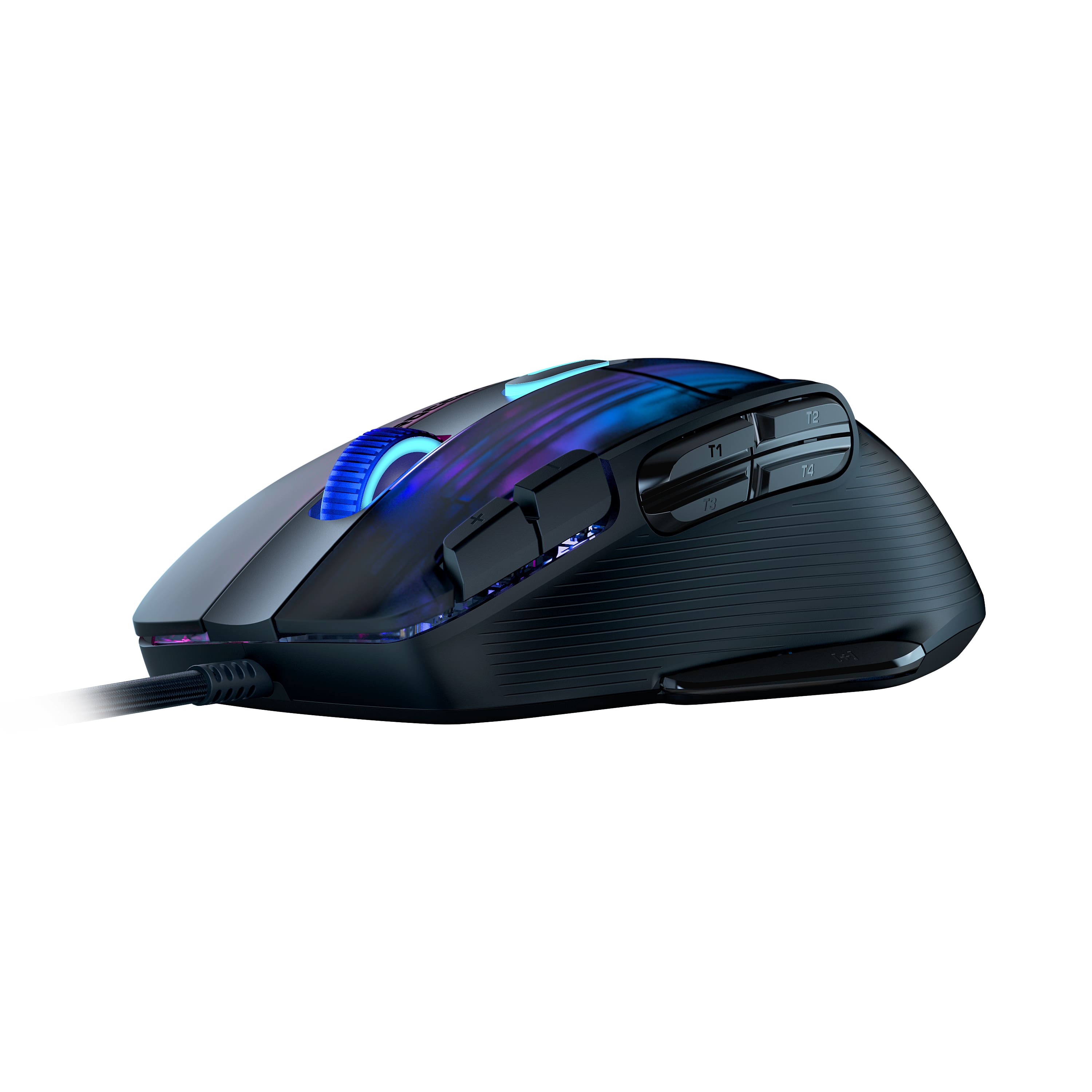
|Posted .This reviewer received promo considerations or sweepstakes entry for writing a review.There are certain mice that just feel great in the hand and are a pleasure to use. This is one of them. As it does everything above average with some of them going into the great category. The 19K OWL sensor is excellent being incredibly precise. Clicks are also fast and responsive. It’s got an excellent right-handed ergonomic shape that fits like a glove for palm grip. The thumb indent is perfect for controlling the mouse and allows you access to four side buttons which are in the ideal position and easy to differentiate from each other that you can easily roll click. There is an additional button on the bottom of the thumb which I wish more gaming mice copied. As it is in the perfect location. Stock this comes set as Easy-Shift+ which basically rebinds everything on the mouse to something else effectively giving you 12 more buttons on-top of the usual 13 (even though one would technically be taken up by easy-shift so 12). Making this a PERFECT productivity or MOBO mouse. But is TERRIBLE for FPS. As it’s simply too heavy at 104 grams. For comparison competitive FPS mice go as low as 45 grams, great ones at 60 grams, and max out at about 80 grams. It’s also wired which can get in the way when flicking a lot. Which again, is hard due to the weight due to physics. But the cord itself is above average and very malleable. I like it a lot. The primary mouse button is a bit thin as you have two additional buttons on the left side. Some will find this to be highly frustrating and will be clicking them often until they acclimate. Stock these are the DPI buttons. Next you have the 4D wheel, which allows you to have two buttons by pressing left and right on the scroll wheel. Which I wish ALL gaming mice came with. As it also allows your typical scrolling (very dedicated steps, smooth action, crisp middle click with moderate pressure) that sounds the same going up or going down and is relatively quiet (but has no free scroll wheel). Then you have what is usually the DPI button but serves as a profile switch button. It comes with 5 of them and you know which one you are on based off the color the RGB. All the buttons feel moderately crisp. They won’t be blowing your mind but still feel above average to use. The PTFE are great making for a very smooth and easy glide. RGB lighting is intense. As there are 22 LEDs with 8 lighting zones that you can adjust individually via Roccat Swarm Software. Honestly, I thought the RGB was going to blow my socks off and instead it comes across as average at best. The LED isn’t all that accurate and the different zones don’t separate well. Leaving me with a very meh experience. Don’t get me wrong it looks nice but I’ve seen a lot better by a lot of different mice. Overall, I definitely recommend it as your primary productivity mouse. As the buttons make this perfect for the Adobe Creative Suite or anyone who needs access to a bunch of different buttons such a MOBA players. But is a no go when it comes to first person shooters or any games that require a ton of quick mouse movement. If I could change one thing about the mouse it would be making an ultralight version close to 60 – 80 grams. As I think that would make it incredibly competitive for everything.
I would recommend this to a friend - Pros mentioned:Button placement, Rgb lighting, Software
Colorful as well as Functional Gaming Mouse
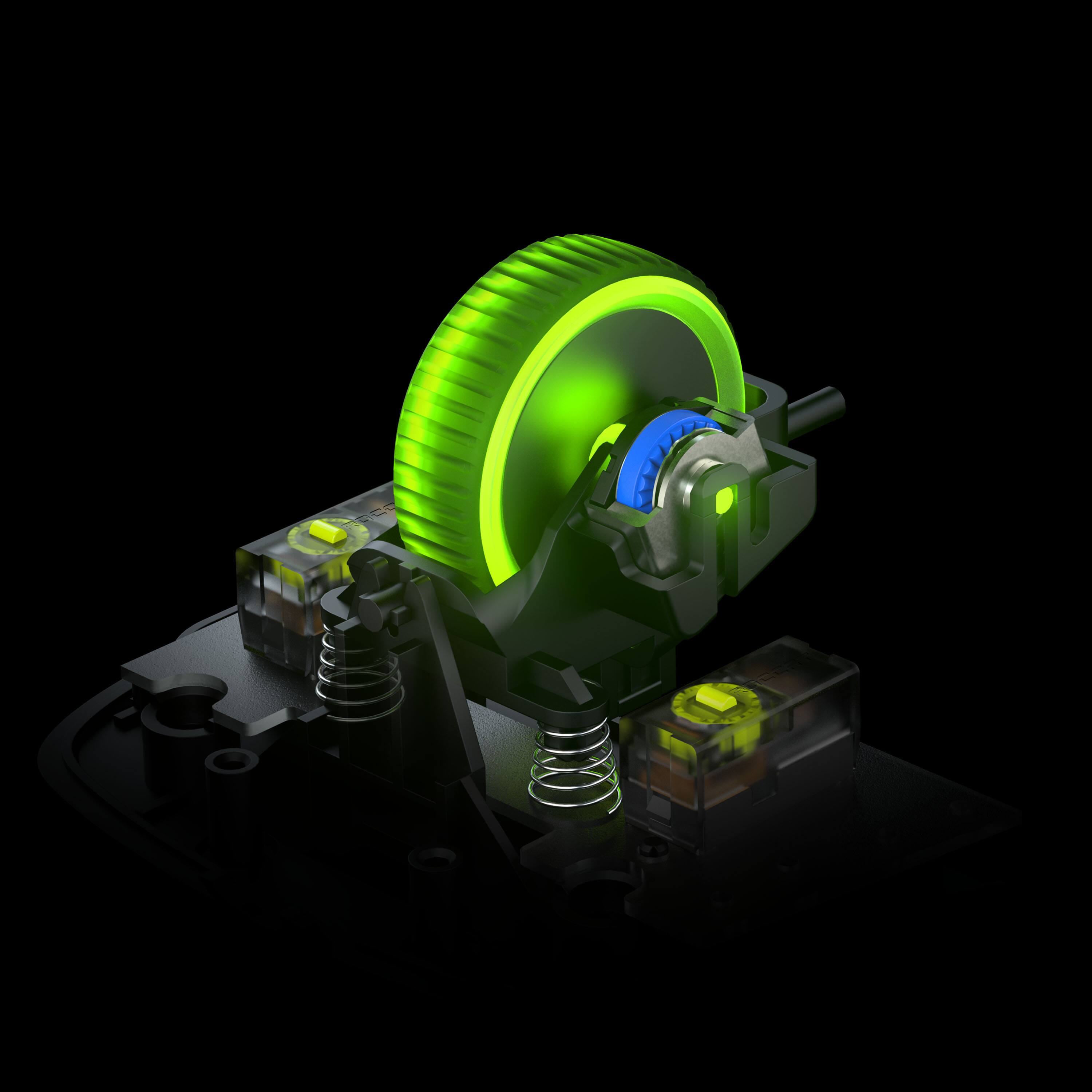
|Posted .This reviewer received promo considerations or sweepstakes entry for writing a review.I am not sure whether I am more impressed with the mouse and all its features or the magnitude of the RGB lighting! So many configurable buttons with so many color options, this mouse is built for gamers. I tend to use a palm grip the most with this mouse and the curvature of the mouse just feels natural to me. I think the placement of the buttons and thumb rest are better aligned than many other gaming mice that I have purchased or tried. The sides of the mouse do not have any grippy or rubberized type surface but it does have some slight texture to help with the grip. On the downside if you are left handed this mouse is not for you because of its configuration. There are 15 physical buttons on this mouse. There are five buttons that can accessed by your thumb, there are five buttons on the top of the mouse and five functions tied to the scroll wheel (left, right, forward, backward and press down). When you use the Easy Shift button which is on the thumb rest you can get an additional 14 programable functions on those same buttons. So basically you get 29 logical buttons on a single mouse. With that many programable buttons it takes some planning to figure out what functions you want on which buttons. I am finding that I can assign some of my most used keyboard functions to the extra mouse buttons. When gaming I have improved my playing by keeping my left hand on the WASD keys and my eyes on the screen while performing extra task with the mouse buttons. Without this mouse I would have to use my left hand to access additional keyboard keys thus slowing me down. Even outside gaming I am planning on setting up the extra mouse buttons when I use Office and Photoshop. The Titan Optical switches feel and sound like mechanical switches but they are faster and should last longer. The switches are reasonably quiet and have a short travel distance to engage. The clicking sensation is solid and it doesn’t feel like there is any play or hesitation when actuating the switch. Overall the switches feel solid and are some of the best I have ever felt in a mouse. This mouse has a maximum polling rate of 1000 hz with a maximum dpi of 19000. You can adjust the dpi in software as well as using the dpi up and down buttons on the mouse. The scroll wheel has directional as well as side to side functionality. It has very distinct steps which makes it feel very accurate. The RGB lighting is provided by 22 LEDs and 8 light guides which light up the entire top of the mouse and the scroll wheel. The mouse has a 6 foot soft cable that is permanently attached to the mouse. To get the most out of this mouse you have to download the Roccat Swarm app. This app allows you to configure all 29 logical buttons and the app has over 40 macros preconfigured for some of the most popular games as well as macros for windows, office and photoshop. You can edit these macros or create new ones using the app. The app lets you create 5 gaming profiles which are stored in the mouse hardware. There are 7 different illumination modes and the ability to use the full color spectrum to create your own RGB color scheme. I have the black Kone XP and the colors shine right through the top of the mouse as if it were clear. In the settings tabs you can configure everything from the polling rate to the debounce time of the switches. The Swarm app really gives you total control over the mouse and the lighting.
I would recommend this to a friend - Pros mentioned:Button placement, Ergonomics, Rgb lighting
An Amazing Highly Customizable Gaming Mouse
|Posted .This reviewer received promo considerations or sweepstakes entry for writing a review.The Roccat Kone XP is a great gaming mouse. It’s incredibly customizable with all of the buttons and RGB lighting effects. If you’re into gaming, you’ll appreciate the numerous buttons. With the Roccat app, which you can download from Roccat, you can assign button functions and set the color of the mouse. It has 15 buttons, but with the shift button, there ends up being a total of 29 button functions that can be set. Ergonomics – The Kone XP has a very comfortable ergonomic design. It also has feet that make friction very low when moving the mouse. Both combined afford a lot of hours of continuous gamming without fatigue. Placement of the buttons are good and I didn’t have any problem reaching any of them. Precision – With 19K DIP accuracy it was a good experience using it when playing a sniper in an FPS. Lighting – The LED lighting on it can be customized via the Roccat app. The instillation is easy and straight forward. I was able to easily match the color of the mouse to that of my systems ambient lighting color. Cable – The Kone XP use a cable that Roccat calls the Phantom FLEX Cable. A typical mouse cable is somewhat flexible rubber or plastic-coated cable. Those tend to move around a lot when you move the mouse. The FLEX cable is more like a cloth type wrap that allows it to be more flexible and it doesn’t cause the cable to move around as much when you are using the mouse. The majority of the cable is going to stay where you place it while you are using the mouse. That might not sound like a big deal, but after using it, I see that it makes a big difference in convenience. You don’t have the cable getting caught on anything such as the edge of your keyboard or the base of a monitor. This was a good choice by Roccat and I hope other manufacturers will take a lesson from Roccat. Buttons – The number of buttons on the Kone XP is surprising. 15 buttons are a lot. Add in the Shift which allows a secondary use of buttons, you get a total of 29 functions that can be assigned. Even the scroll wheel can have a function set to left and right. Roccat says the buttons have a 100 million life cycle, so they will last a very long time. I’m really happy with the Kone XP. The FLEX cable gets rid of one of the headaches I had with my previous mouse which its cable kept getting caught on the edge of my monitors base and sometimes would get caught on the front edge of my keyboard. Neither happens with the FLEX cable. I also now have far more buttons to assign to functions for quick access when playing first person shooters. If you are looking for a wired gaming mouse, then I recommend giving the Kone XP a look.
I would recommend this to a friend - Pros mentioned:Button placement
KONE XP: Another stellar ROCCAT Mouse
|Posted .This reviewer received promo considerations or sweepstakes entry for writing a review.The KONE XP is an excellent option by ROCCAT. The build quality of this mouse is premium. I absolutely love how the implement the plastic on their mice. It is smooth and very sturdy. The ROCCAT XP is a wired only mouse, which I absolutely love as well. I an not a fan of the lag wireless gaming mice produce. Even with the best on the market, you cannot beat the responsiveness of a wired mouse. It is all I will use while gaming. ROCCAT obviously understands this need and provides options that don't cost extra for a feature that will not be used. This mouse supports up to 11 buttons, including the DPI switcher behind the mouse wheel and the mouse wheel itself. I found this to be more than enough to bind all the needed functionality for the games which I play. I found all of the button placements, especially the thumb button, to be easily reachable while maintaining a good grip on the mouse without any unnecessary movement. The glides on the underside of the mouse are ultra smooth, adding to the excellent tracking this mouse has. I am always satisfied with the tracking ROCCAT mice have through their entire lineup, one of, if not the very best I've used. The LED feature of the KONE XP is the main selling point for this specific model. It feature what ROCCAT calls a "3D" look, and it is quite nice. The body of the mouse is transparent which allows the LEDs to show depth as they go from the top of the mouse body to deeper inside. It is a cool affect. This mouse is ONLY Windows compatible, which makes sense, though as someone who is a multi-platform user, and, love to use ROCCAT mice with other tasks that are not gaming, even on my macs, I would appreciate better compatibility with macOS, however, the mouse works just fine once the settings are in place via the PC then transferred over to the mac. The ROCCAT SWARM app is required to make changes to mouse profiles, illumination settings, etc. I will not go into detail about SWARM as not much has changes in this area and there are already plenty of reviews out there on SWARM itself. There is not much else to say about this mouse. It is an absolutely fantastic product from ROCCAT, is one of the best gaming mice you can buy, and checks all of the boxes for more gamers.
I would recommend this to a friend - Pros mentioned:Ergonomics, Rgb lighting
Lightweight, lots of buttons, next level RGB
|Posted .This reviewer received promo considerations or sweepstakes entry for writing a review.This is absolutely a phenomenal Mouse. The RGB in this which is it's focal point, aside from the awesome Titan Switches is incredible. The 3D RGB with 22 LED's is really something you have to experience in person. The mouse, despite it's size is quite light, it's only fractionally heavier than the Kone Pro Air which I also own. The weight really surprised me, again, it's a big mouse, but to make a larger mouse also feel light is quite the accomplishment. Regarding the size, I do feel like it's just a little to long for my hand. I had to stretch a bit to press the top left, but this is mainly because I'm used to using a smaller MMO style mouse from another competitor. Getting used to the placement of them too a bit. The choice to integrate the thumb button into the bottom part of the grip seemed odd, but not once did I ever accidentally trigger it. The ergonomics of the mouse are pretty good. The ability to setup multiple action through HyperShift is a welcome addition. Since I play MMO's and other games where I find it easier to map 8+ keyboard inputs to mouse buttons makes finding a great mouse the checks all the boxes difficult. This one checks most of those. I hope that they do bring about a Wireless version in the near future. The length of the cable is more than sufficient though I have multiple powered hubs so it's not really an issue for me. One of the really great things that Roccat did with this mouse is that they included a spare set of Glides for the mouse. I don't recall if my Pro had them, if so I've stupidly misplaced them, but to see this in the box is great. Depending on your surface they might only last you a couple months and then you have to buy another set, but to have these means it's one less expense down the road. Big props to Roccat for including these. Swarm, as I had mentioned in my review last year for Pro Air, it's such a great piece of software. It's easy to use, lightweight for install and resource use and fairly intuitive, which I can't say of some other control software. Since I've gotten this mouse, it's making me consider getting one of the TKL keyboards to pair with the mouse. We'll see though, but all in all, this is such a great mouse, especially if you love RGB.
I would recommend this to a friend - Pros mentioned:Button placement, Rgb lighting
perfect gaming mouse
|Posted .This reviewer received promo considerations or sweepstakes entry for writing a review.roccat kone xp starting to be my alternative go to gaming mouse, it looks so cool with RGB right at the top of the body, the semi translucent looks gives this gaming rgb mouse a beautiful looking color combinations, u can also customize the whole rgb with Roccats dedicated app for windows, I was never a fan of multiple button for gaming mouse I felt like it’s not necessary to have, but from my testing, the placements of each button works great for my gaming, i’ve been testing this while playing Halo Infinite and wow all these button is perfect amount, it’s not overly done. total buttons on the mouse is 15, but all the extra thumb button placement is being utilized when I play Halo infinite. Kone xp is also a light mouse, not heavy at all, so far it feels like a standard mouse on my hand. the package comes with extra set of mouse feet, honestly first gaming mouse i’ve owned that includes an extra mouse feet, the cord is about 3 feet, roccat calls it Phantom flex, feels comfortable and it doesn’t get tangled, the days of crappy mouse cording is over. overall the feeling of Kone xp has been pretty great so far, buttons feels on point, responsive, the wheel sensitivity is perfect for my preference, you also have profile button right at the middle, the button has soft silky rubber feel to it, and honesty for $89.99 I haven’t seen or noticed that’s wrong with this mouse. all button have a great placement and overall a great gaming mouse. if you’re looking for gaming mouse below $100 I highly recommend this one. they have a black and white version to choose from, so check it out.
I would recommend this to a friend - Pros mentioned:Ease of use, Rgb lighting
Now THIS is a SHARP mouse!
|Posted .This reviewer received promo considerations or sweepstakes entry for writing a review.What an absolutely stunning mouse! I love RGB on my PC - video card, fans, cooling tower, keyboard, mouse, power supply cables, motherboard - you name it - it's RGB. This mouse BEAUTIFULLY compliments the rest of my setup without any special software which is great for me since I dual boot between Linux and Windows 11 (Linux isn't always the easiest to find RGB drivers/software for - depending on the hardware). It moves smoothly across any surface I've tried it on, and DPI is easily changeable . Since no special software is needed it literally is plug and play - plug it in and start using it. It works great not only for gaming though - productivity applications worked 100% with this mouse and I couldn't find the first thing to complain about. I'll definitely be looking at ROCCAT/Turtle Beach more in the future for my RGB accessory needs as this is just a thing of beauty and has drawn a number of compliments from anyone who has seen it. By the way - please make a smaller version to stick in my backpack along with my gaming laptop :-)
I would recommend this to a friend - Cons mentioned:Weight
A mouse that glides
|Posted .This reviewer received promo considerations or sweepstakes entry for writing a review.ROCCAT continues to evolve their line of gaming accessories, with the release of the new Kona XP. In the box, you’ll find the Kona mouse with a protective cap on the attached USB A cable, some extra mouse feet on a precut 3M adhesive pad, and warranty documentation. The device is plug and play, with some basic RGB cycle effect rotating between colors. The buttons for adjusting of the DPI setting also work natively out of the box, with the lowest setting being the initial default once it’s recognized by Windows. If you have other ROCCAT devices being controlled by the SWARM app, you’ll find the Kona settings for DPI, button assignment, and for the RGB lighting control. There was also a very quick update available, which installed within a handful of minutes using the app. Also, don’t forget to remove the protective covers from the installed mouse feet to ensure you’re getting the best performance while gaming. The replacements are always available if your surface is a bit abrasive; so I’d recommend using a good mouse pad. The Kona is surprisingly light and would glide across the surface with ease. Performance during gaming was flawless, with each game allowing assignment to all the side buttons. The USB cable is braided, feels premium, and also navigates around with your mouse without getting in the way. Given the lightweight of the mouse, this makes this an easy recommendation for first person shooters and casual games. This lacks any additional weights, but found the DPI settings allowed for a good calibration for most uses. Overall, this is an exceptional gaming mouse that will satisfy most gamers. For those wanting a bit more weight you may need to find an alternative. The mouse was plug and play with my Windows PC, with the ROCCAT SWARM software really helped open up the DPI settings and easily customize the RGB to fit with your other ROCCAT devices.
I would recommend this to a friend - Pros mentioned:Ergonomics, Rgb lighting
Amazing Performance and Stellar Looks
|Posted .This reviewer received promo considerations or sweepstakes entry for writing a review.The Kone XP is a stunning looking mouse that offers a wealth of features and amazing performance that makes this one of my favorite gaming mice ever. If you're fine without wireless and have a love for RGB (as many do these days), this should be a top option for you. The Roccat does a great number of things very well, not least of which is ergonomics. I use my mouse in keyboard for two purposes; for 8 hours daily as a software developer and for 8-10 hours per week as a PC gamer. The Kone XP has a very comfortable design that puts all of the buttons at easy reach. After hours and hours of usage, I've noticed zero fatigue. This is important in my case, so I'm glad to report the Kone XP knocks it out of the park. Unfortunately, this isn't an ambidextrous design so left-handers will need to look elsewhere. A major issue I tend to have with mice from one of the major mouse makers (you know... the one with the signature G logo) is that their mice have really poor left and right button switches that do not hold up to my admittedly large demands. What I've found is that mechanical style switches fail much sooner than optical based switches like on the Kone XP. Though I've not used this for long enough to determine whether it'll truly hold up over time, given the premium feel, I'm pretty confident this will handle my usage requirements over the long haul. In addition to the main switches being incredibly solid and responsive, the mouse sensor is also performant and lag-free. A nice touch is the bottom thumb button (which is the long, narrow button that sits below where your thumb rests). This is useful for a number of scenarios, but for me, I use this as a DPI toggle for FPS games. This allows me to decrease my DPI on demand when the situation calls for it (primarily sniping). It's easy to reach but also nicely positioned out of the way such that I don't often accidentally click it. Finally, the scroll wheel, which a lot of brands miserably fail to get right, is great here. It has what I consider a perfect amount of resistance and has directionally clickability which adds additional controls that are easy to access. Through and through, this sensors and buttons on this mouse perform on par with the best mice I've used. If you're in the RGB gamer cult (which is probably a lot of people), you'll absolutely love the Kone XP. It has an admittedly striking design with lighting beams that go the length of the mouse on either side. It's a unique and eye-catching design that'll elevate any gaming desk lighting scheme. Additionally, the scroll wheel is made of a semi-translucent material that shows the color through as well, along with the button on top which shows the color brightly. Overall, I'm very happy with the Kone XP. It does virtually everything very well, and frankly, the only feature missing is wireless functionality. Generally, the tradeoff with wireless is that you have to sacrifice RGB (since it burns battery quickly), so in this case, I think it's appropriate that it's wired. This is one of my favorite mice of recent years and should be high on the list of considerations for anyone looking for a new gaming mouse, whether for MMO/RPGs or FPS games.
I would recommend this to a friend - Pros mentioned:Rgb lighting, Software
The Future has arrived!
|Posted .This reviewer received promo considerations or sweepstakes entry for writing a review.The Turtle Beach Roccat Kone XP gaming mouse is a one-of-a-kind mouse with a nice solid feel to it and an extravagant light show. Being a large man I am always looking for a substantial-sized mouse with some weight to it and Turtle Beach has delivered. Not only does it look and feel good it is full of functionality as well. To get the most out of it you definitely need to download and install the Roccat Swarm software. It gives you complete control over the light RGB lighting button assignment and the speed, feel and looks of the Kone XP. From custom game profiles to custom light shows and customized button assignments for individual games, the Kone XP with the Swarm software is very comprehensive with seemingly endless customizations including a custom Macro button assignments. With each button able to be custom tailored for a specific game you have a technical advantage that could put you on top of the game in many situations. With the Roccat XP paired with the Swarm software it really feels like the future is here. The nice thing is you can get keyboards and headsets to go with your mouse and have a full matching set of hardware all with customizable lighting and functionality for gaming at a whole new level. They really do look good to. I was amazed by how good the white Kone XP looks in person sitting on that big black mouse pad. The white mouse really makes the black buttons stand out and blends very well with the RGB lighting on top. I was also impressed by the lightweight cord it actually works as intended as long as you keep stuff out of it’s path. If you are looking to take your hardware and gaming to the next level The Turtle Beach Kone XP is a good way to do it, especially if get a keyboard to go with it. Then a matching set of over-the-ear headphones is icing on the cake.
I would recommend this to a friend - Pros mentioned:Button placement, Rgb lighting
Great looking and tons of buttons!
|Posted .This reviewer received promo considerations or sweepstakes entry for writing a review.I'm loving this mousek, to start, the looks are great, I've never seen a mouse with so many LEDs (they claim it has up to 20), and must be true because the lighting is amazing and you can configure it as you wish using theri AIMO lighting engine (which if you also have their keyboards or other devices will allow to configure the lightning of all of them). Now, in term of functionality, I love the tremendous amount of configurable buttons (15). I mainly use the ones on the side (only con I guess is it's more designed for right handed people). I mainly play Rainbow six siege and I was able to configure the side buttons in game and map them to certain gadgets you would normally use your keyboard for (I was able to map throw grenades, c4s, mele and crouch/prone) and that allows to me use these functions so much quicker and get more kills that way, I love it. The mouse wheel is also very responsive and the clicks on the main buttons feel great too. The use optical switches, so the response is super fast, you know, light travels faster than anything, so like opto mechanical keyboards, this mouse has them too. I like the cord too, it feels like some sort of paracord or fabric and it bends and accommodates very easy on my desk). Oh, I should also mention the they use PTFE glides on the bottom so this thing glides like if it was hovering over my mouse mat very easy. One thing, not a con, is, its not the lightest mouse out there (like those ones that have like honeycomb holes to save weight), but for me its the perfect weight, I like to my mouse to have some heft on it (I'm not saying its heavy, buts its the right kind for me). Highly recommend it!
I would recommend this to a friend - Pros mentioned:Button placement, Rgb lighting, Software
Great mouse, wish it were wireless
||Posted . Owned for 1 week when reviewed.This reviewer received promo considerations or sweepstakes entry for writing a review.I love all the buttons on this mouse. EVERYTHING is super customizable with the included software. The colors look good too. It's very responsive and the weight is good. I just wish it was wireless. The wireless version has fewer buttons though.
I would recommend this to a friend