Customer Ratings & Reviews





- Model:
- 50R4C5
- SKU:
- 10214346
Rating by feature
- Picture Quality
Rating 4.9 out of 5 stars
- Sound Quality
Rating 4.7 out of 5 stars
- Brightness
Rating 4.8 out of 5 stars
Customers are saying
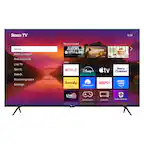
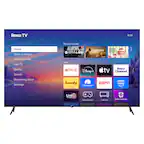
Customers enjoy the 50" Class Select Series 4K LED Smart RokuTV (2025) for its outstanding picture quality and ease of use, eliminating the need for external streaming devices. Users also appreciate the simple setup process and the TV's manageable weight, making it easy to move. The connectivity and various features further enhance the viewing experience.
This summary was generated by AI based on customer reviews.
- Pros mentioned:Picture quality
good buy for the price
||Posted . Owned for 1 month when reviewed.This reviewer received promo considerations or sweepstakes entry for writing a review.home... wife loves it alot, we have a sound bar from dish installation awhile back and performs fine with purchase of this tv.
I would recommend this to a friend - Pros mentioned:Picture quality
Bang for your buck!!
||Posted .This reviewer received promo considerations or sweepstakes entry for writing a review.Great images and very easy to setup, this TV is worth every penny!!
I would recommend this to a friend - Pros mentioned:Picture quality
Roku tv
||Posted . Owned for 3 weeks when reviewed.This reviewer received promo considerations or sweepstakes entry for writing a review.Great tv for a good price . Excellent picture . Good sound quality
I would recommend this to a friend - Pros mentioned:Picture quality
Thank you
||Posted . Owned for 2 months when reviewed.This reviewer received promo considerations or sweepstakes entry for writing a review.Great i love it for my ps5 i would recommend it to everyone
I would recommend this to a friend - Pros mentioned:Picture quality
ROKU TV
||Posted . Owned for 3 weeks when reviewed.This reviewer received promo considerations or sweepstakes entry for writing a review.The tv picture is excellent. The picture is very clear and sharp.
I would recommend this to a friend - Pros mentioned:Picture quality
Roku #1
||Posted . Owned for 1 month when reviewed.This reviewer received promo considerations or sweepstakes entry for writing a review.Image is great. Sometimes forget you are watching TV.
I would recommend this to a friend Best bang fpr ypur buck!
||Posted .This reviewer received promo considerations or sweepstakes entry for writing a review.Love Roku tvs but this experience was amazing. The staff was fast, friendly, efficient and extremely organized. Highly recommend!
I would recommend this to a friendGreat 50 inch flat screen
||Posted .This reviewer received promo considerations or sweepstakes entry for writing a review.Very pleased with this television and the cost was not as expensive as I thought it would be. Was not hard to mount on the wall.
I would recommend this to a friend- Pros mentioned:Picture quality
Roku 50" TV
||Posted . Owned for 2 weeks when reviewed.This reviewer received promo considerations or sweepstakes entry for writing a review.Great TV. Does everything. Great price. I havr two of them now.
I would recommend this to a friend - Pros mentioned:Picture quality
Roku Rocks
||Posted . Owned for 3 weeks when reviewed.This reviewer received promo considerations or sweepstakes entry for writing a review.Great picture on the screen , easy to navigate, looks great on the wall
I would recommend this to a friend 50 inch Roku
||Posted .This reviewer received promo considerations or sweepstakes entry for writing a review.Quick and easy set up. Clear imaging. Just fits on my tv stand as well as a steal of a deal.
I would recommend this to a friend- Pros mentioned:Picture quality
Winner
||Posted .This reviewer received promo considerations or sweepstakes entry for writing a review.Excellent purchase price for this item. Would purchase again!
I would recommend this to a friend - Pros mentioned:Picture quality
roku tv
||Posted . Owned for 3 weeks when reviewed.This reviewer received promo considerations or sweepstakes entry for writing a review.Very good picture quality. Lots of streaming services.
I would recommend this to a friend - Pros mentioned:Connectivity
Roku TV
||Posted .This reviewer received promo considerations or sweepstakes entry for writing a review.The sound and connectivity through different apps is good. The issue is a lot of pixels with fast motion or sports you get a lot of pixels around the person. It’s annoying I think the tv over hype.
No, I would not recommend this to a friendBrand response from Roku Team
Posted .Hi Jason, thank you for sharing with us. As a quick tip to fix this issue, could you ensure your device has the latest software version? The newest version will help you achieve optimal performance with the latest features. To check, press Home>Setting>System>Software Update>Check Now to manually check for updates. Additionally, consider uninstalling and reinstalling the affected change to fix this issue. If you would like more information, you can just refer to the following link:https://support.roku.com/article/208755548#section-0.
Lastly, to turn off video smoothing ("Action Smoothing") on a Roku. Play any content or movie, then press your remote's "star" button. Navigate to "Picture Settings," then "Advanced Picture Settings," and select "Action Smoothing" to set it to "Off" within the menu. We hope this is helpful to you.
Thanks!
Elmer, Roku Customer Advocate
- Pros mentioned:Picture quality
Roku 50"
||Posted . Owned for 1 month when reviewed.This reviewer received promo considerations or sweepstakes entry for writing a review.Very satisfied with this TV. As always I can trust best buy.
I would recommend this to a friend Roku TV
||Posted . Owned for 2 weeks when reviewed.This reviewer received promo considerations or sweepstakes entry for writing a review.Just had the TV for a short amount of time. We love it so far.
I would recommend this to a friend- Pros mentioned:Picture quality
Roku
||Posted . Owned for 1 month when reviewed.This reviewer received promo considerations or sweepstakes entry for writing a review.Great choice I made buying this Roku 50” tv. Good picture quality.
I would recommend this to a friend - Pros mentioned:Picture quality
TV
||Posted . Owned for 1 month when reviewed.This reviewer received promo considerations or sweepstakes entry for writing a review.Love it!!!! Will buy another SONY soon. Clear picture.
I would recommend this to a friend Loving TV
||Posted . Owned for 2 weeks when reviewed.This reviewer received promo considerations or sweepstakes entry for writing a review.It is the right size for the place I placed it. I love the easy in changing chanel. Installation was very easy. My niece loves the color and picture. I would recommend this TV to anyone who asked.
I would recommend this to a friend- Pros mentioned:Picture quality
50 inch TV
||Posted . Owned for 1 month when reviewed.This reviewer received promo considerations or sweepstakes entry for writing a review.I'm really satisfied with this TV. i met my expectations.
I would recommend this to a friend