Customer Ratings & Reviews
- Model:
- 8079120
- |
- SKU:
- 2381065
Customer reviews
Rating 3.9 out of 5 stars with 385 reviews
(385 customer reviews)Rating by feature
- Ease of Use3.5
Rating 3.5 out of 5 stars
Customers are saying
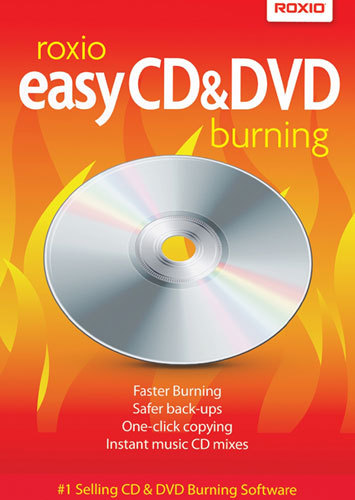
Customers love how Easy CD & DVD Burning is easy to use and user-friendly. They appreciate its affordable price point and reliable performance. However, some customers have experienced compatibility issues, particularly with Windows 10, and installation problems. Additionally, a few users have reported that the software records videos without sound.
This summary was generated by AI based on customer reviews.
Rated 1 out of 5 stars
it is all a scam software
Posted .This reviewer received promo considerations or sweepstakes entry for writing a review.will not work with any of the major file formats, formats that 90% of the photo camera uses, it will either ask you to update to the most expensive software of theirs or your money is just pretty much off the window. Do your self a favor and save your money, do not buy this product. I did because of the few people who left good reviews, big mistake, I should just listen to the ones that left negative reviews as they were all wright, but like the elders always said: some people just likes to learn the hard way and that is exactly what I did. If I could give less then one star I will very much give it minus one star, as it does not deserve not even one star.
No, I would not recommend this to a friend- Cons mentioned:Compatibility
Rated 4 out of 5 stars
Easy to install
Posted .This reviewer received promo considerations or sweepstakes entry for writing a review.Installed Windows 7 and my old program wouldn't work. The new product works great saved time.
I would recommend this to a friend - Cons mentioned:Software
Rated 2 out of 5 stars
Labeling software not what it used to be
Posted .This reviewer received promo considerations or sweepstakes entry for writing a review.The burning software itself works great. The labeling software sucks. I owned Roxio Easy CD Creator Version 5 until my computer died. When I needed an upgraded software I found they were using a different labeling software which was much less user friendly and creates a poorer product. Further you have to pay extra to make it download song titles to the jewel box insert. The Roxio software uses Gracenote to download titles but the labeling software uses iTunes and in one case, it didn't recognize the CD title that the burning software had recognized. Very disappointing
No, I would not recommend this to a friend - Cons mentioned:Software
Rated 1 out of 5 stars
Waste of money
Posted .This reviewer received promo considerations or sweepstakes entry for writing a review.This is the worst software product I've ever installed on a computer. The software is nothing more than a come-on to get you go to their website and upgrade to a useful product. Unless you're 5 years old this product will not do what you need without an upgrade. Every feature is severly limited unless you upgrade. I consider this very DISHONEST and am writing to BESTBUY to complain about carrying this ROXIO product. They should not deal with such vendors. I'll never buy another ROXIO product. BEWARE .
No, I would not recommend this to a friend - Pros mentioned:Ease of use
Rated 5 out of 5 stars
Good product for the price
Posted .This reviewer received promo considerations or sweepstakes entry for writing a review.I have other software to do things with graphics and audio, so I just wanted a simple version that would be easy to use with my dual CD/DVD drives. It installed quickly and easily, and has a lot of nice, user-friendly features for the price.
I would recommend this to a friend - Pros mentioned:Ease of use
Rated 5 out of 5 stars
Fine By Me
Posted .This reviewer received promo considerations or sweepstakes entry for writing a review.I like this program, it serves my needs very well, I'm not a hard core ripper or anything, but when I need it it works great.
I would recommend this to a friend - Pros mentioned:Dvd burning
Rated 3 out of 5 stars
Good software
Posted .This reviewer received promo considerations or sweepstakes entry for writing a review.I hope that the next version will help users to make their own DVDs for home DVD player
I would recommend this to a friend - Pros mentioned:Price
Rated 5 out of 5 stars
very good to copy files
Posted .This reviewer received promo considerations or sweepstakes entry for writing a review.excellent product -was able to copy all my music and other files
I would recommend this to a friend - Pros mentioned:Copy quality
Rated 5 out of 5 stars
i used it before and love it
Posted .This reviewer received promo considerations or sweepstakes entry for writing a review.i would recommend it as it is much better than the program that comes with the computer...well worth the money!!
I would recommend this to a friend - Pros mentioned:Ease of use
Rated 5 out of 5 stars
made great copies
Posted .This reviewer received promo considerations or sweepstakes entry for writing a review.I purchased this to burn movies that I was making from a camera to dvd and to copy home dvds. Worked great, easy to install and use.
I would recommend this to a friend Rated 1 out of 5 stars
Can't even install
Posted .This reviewer received promo considerations or sweepstakes entry for writing a review.I bought the package version, not a download and I get error it can't read the source install database. So I went to their website to research solution and that is just a mess and I can't find any information. To bad I have been a Roxio supporter for as long as I can remember, but seems I have no choice but to return the product and try and find one that will actually work.
No, I would not recommend this to a friend- Pros mentioned:Ease of use
Rated 5 out of 5 stars
makes it so easy
Posted .This reviewer received promo considerations or sweepstakes entry for writing a review.I had several home movies put on a dvd. I wanted copies to distribute to family members. This product made it very siumple
I would recommend this to a friend Rated 4 out of 5 stars
Great product
Posted .This reviewer received promo considerations or sweepstakes entry for writing a review.Roxio does what is says it will do..and helped me back up all my photos
I would recommend this to a friend- Pros mentioned:Ease of use
Rated 5 out of 5 stars
Served its purpose well.
Posted .This reviewer received promo considerations or sweepstakes entry for writing a review.It's easy, not technically challenging and it performed well first time!
I would recommend this to a friend Rated 5 out of 5 stars
Fantastic!!!!!
Posted .This reviewer received promo considerations or sweepstakes entry for writing a review.I had the previous version of this software but when my hard drive crashed over the summer, it had expired. This latest version is fantastic. It does a lot more than the earlier version and is very easy to use.
I would recommend this to a friendRated 1 out of 5 stars
Waste of your time and money
Posted .This reviewer received promo considerations or sweepstakes entry for writing a review.I was trying to upgrade my version of Roxio Creator 2012 but found this software is EXACTLY the same as my four year old product. Roxio only changed the name and packaging. Still runs slow, is trying to do too many things. Forget it. And while you're about it, don't buy any software at Best Buy. They refused to refund my purchase. They claimed the box was opened and refused to give me my money back. Very bad PR! Now I'm out $32! Forget it, Best Buy!
No, I would not recommend this to a friend- Cons mentioned:Software
Rated 1 out of 5 stars
Waste of time and money
Posted .This reviewer received promo considerations or sweepstakes entry for writing a review.This software is terrible and when I contacted the manufacturer about a refund they been giving me the runaround for two weeks now
No, I would not recommend this to a friend Rated 2 out of 5 stars
does not support mp4 video
Posted .This reviewer received promo considerations or sweepstakes entry for writing a review.very disappointed to find it will not import or burn mp4 video files.
No, I would not recommend this to a friendRated 1 out of 5 stars
Garbage
Posted .This reviewer received promo considerations or sweepstakes entry for writing a review.When I burn or copy with Roxio, it automatically burns to the cda format. Which is useless when you are burning/copying cds to play in your vehicle. Roxio support leaves a lot to be desired.....No thank you!
No, I would not recommend this to a friendRated 1 out of 5 stars
best thing to do
Posted .This reviewer received promo considerations or sweepstakes entry for writing a review.is get in your car, go about 50 mph, open the window and throw this out as you go to buy a useful program that works
No, I would not recommend this to a friend