Customer Ratings & Reviews

- Model:
- SWA-9100S/ZA
- SKU:
- 6456117
Rating by feature
- Value
Rating 4.2 out of 5 stars
- Quality
Rating 4.2 out of 5 stars
- Ease of Use
Rating 4.3 out of 5 stars
Customers are saying
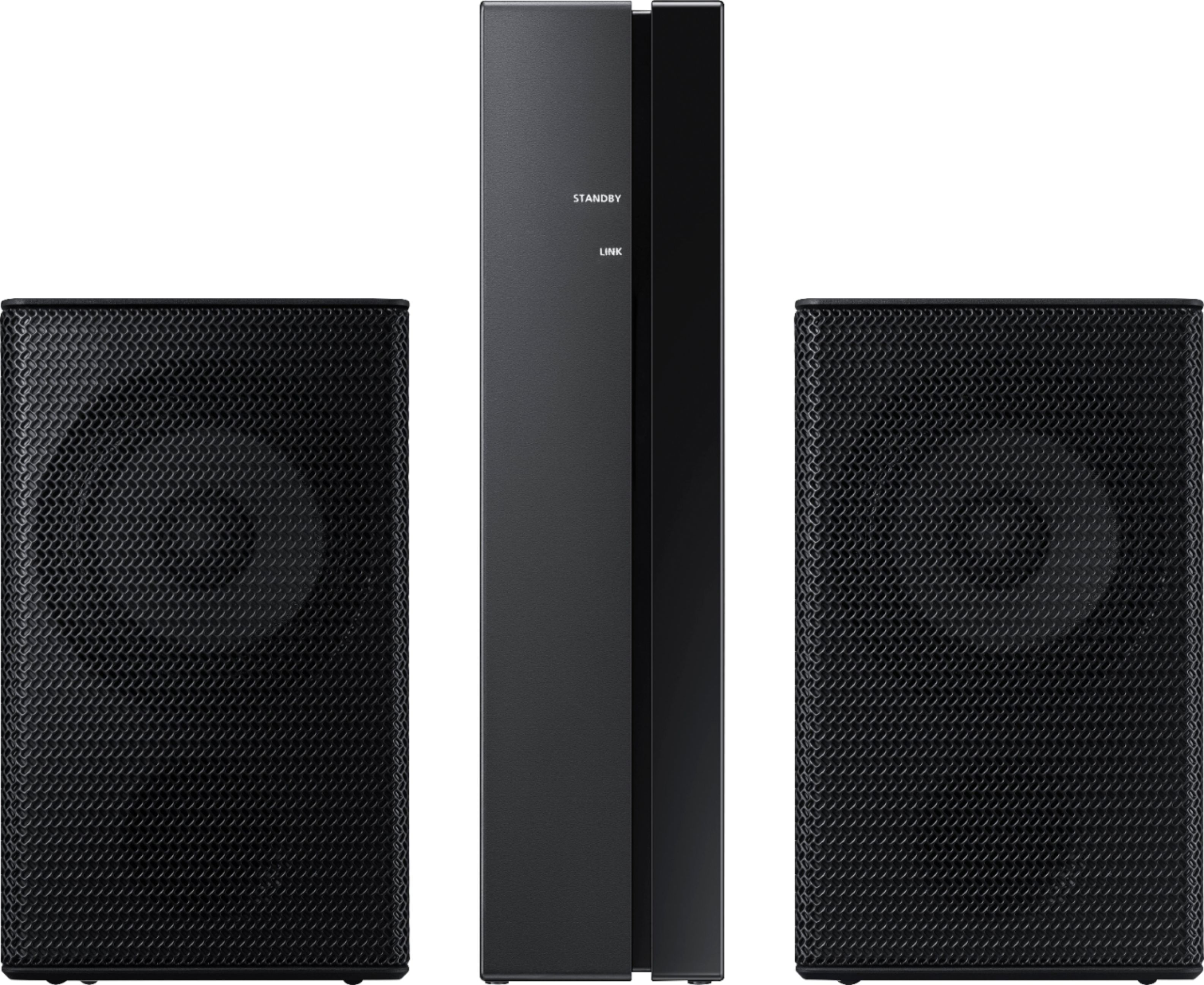
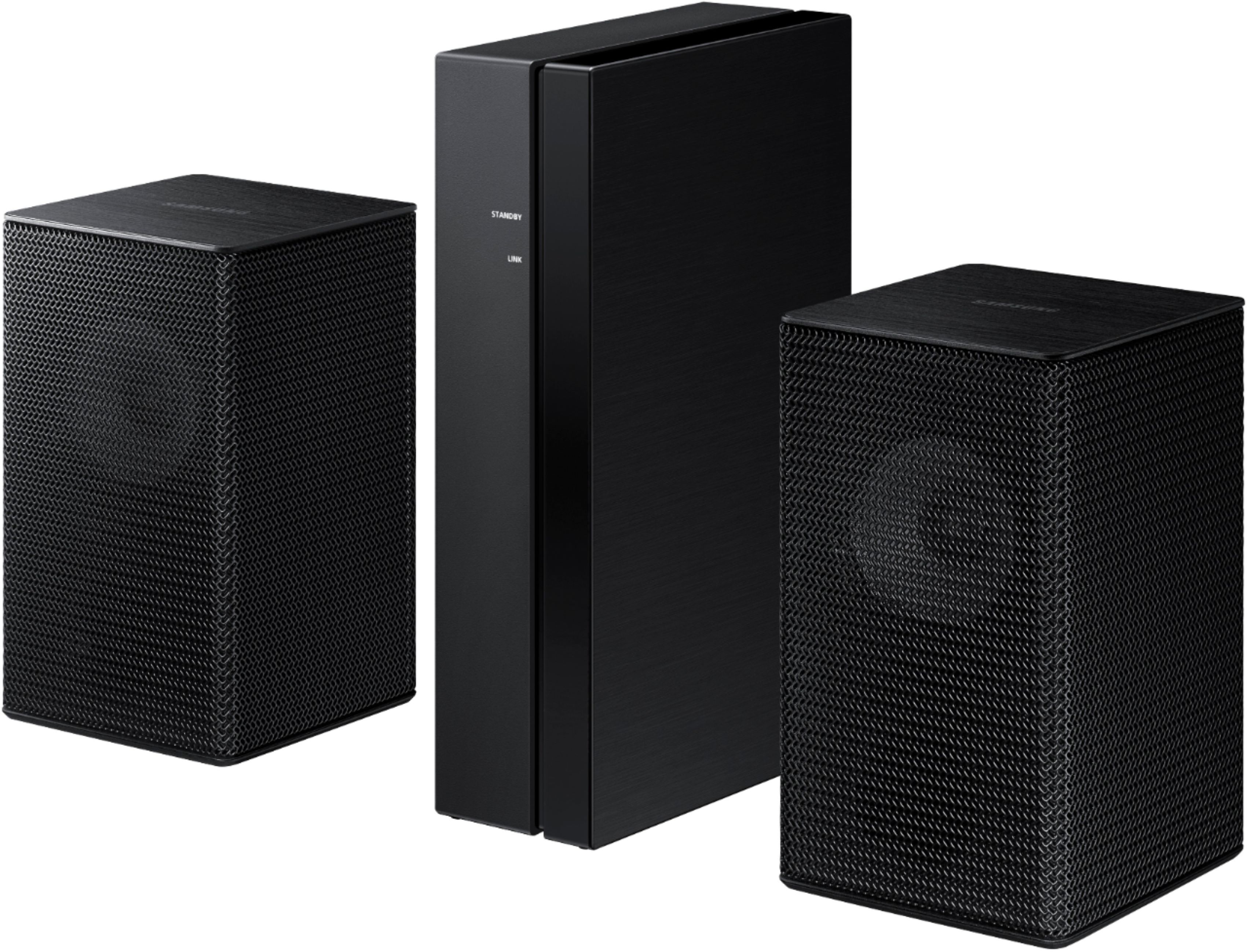
Customers regard the sound quality of the 2.0-Channel Wireless Rear Speaker Kit with Surround Sound as amazing and a great improvement over the original speakers. The easy setup process is also widely appreciated. However, some customers have concerns about the low volume, lack of true wireless connectivity, compatibility issues, occasional syncing problems, and small speaker size.
This summary was generated by AI based on customer reviews.
Sound and quality are amazing!
||Posted . Owned for 2 weeks when reviewed.This reviewer received promo considerations or sweepstakes entry for writing a review.Love this sound bar!! It’s an amazing product and I am team Samsung!!
I would recommend this to a friendBrand response from Samsung
Posted .Hi Doctamor,
Thank you for purchasing the SWA-9100S Rear Speaker Kit and for your review. I am glad to hear you are enjoying the enhanced surround sound experience when paired with your Samsung Soundbar.
Should you ever have questions or need help, please call us at 1-800-SAMSUNG (ask for Soundbars), available 8AM -12AM EST, 7 days a week. Or text HELP to 62913.
For additional support resources, visit us on the Samsung website and click on the ‘Support’ link in the upper right corner of the homepage for:
1) More ‘Contact Us’ options – LiveChat, Facebook, Twitter, Samsung Community, Samsung Members app
2) Manuals & Software
3) Warranty Info
4) Product Registration: For access to easy warranty support, convenient opt-in to special promos and offers, faster troubleshooting and service, and quick notification of system updates.
~ Samsung Specialist
Good but not too loud
||Posted .This reviewer received promo considerations or sweepstakes entry for writing a review.Sounds great but the reason I don't give it 5 stars is that it doesn't really go loud. If it did I would give it 5 stars for sure.
No, I would not recommend this to a friendBrand response from Samsung
Posted .Hi Cisco408ca,
Thank you for purchasing the Samsung Wireless SWA-9100S Rear Wireless Speaker Kit. We appreciate you sharing your experience with your surround sound system.
By design, the surround speakers are supposed to simulate sounds happening behind the viewer. Therefore, most of the time the surround channels are only used for ambient sounds, which are naturally lower in volume.
When pairing your SWA-9100S Speakers with a Rear Kit supported Samsung Soundbar, there are a few settings you can change to adjust the surround effect to your preference:
1) Make sure that the source (e.g. TV output) is sending surround channels to the Soundbar. If the source is not capable of surround, then set the Surround mode to OFF on the Soundbar by pressing the Surround button on the remote.
2) If the source has surround channels, select the desired Sound Mode from the Soundbar remote.
3) When Dynamic Range Control is turned on, loud sounds will be reduced. We recommend turning off DRC. This is done by pressing and holding the Sound Mode button while the Soundbar is in standby mode. Depending on your soundbar model, you may or may not have DRC.
4) Increase the volume level of the surround speakers using the Sound Control button on the Soundbar remote control. Press the Sound Control button on the soundbar remote (looks like a gear), then select REAR LEVEL and use the Up/Down buttons to adjust the volume within a -6 to +6 range.
I hope these tips help to enhance your audio enjoyment. Should you need further assistance with this issue or have any questions, please contact Samsung Customer Support at 1-800-SAMSUNG (ask for Soundbars), available 8AM -12AM EST, 7 days a week. Or text HELP to 62913.
For additional support resources, visit us on the Samsung website and click on the ‘Support’ link in the upper right corner of the homepage for:
1) More ‘Contact Us’ options – LiveChat, Facebook, Twitter, Samsung Community, Samsung Members app
2) Manuals & Software
3) Warranty Info
4) Product Registration: For access to easy warranty support, convenient opt-in to special promos and offers, faster troubleshooting and service, and quick notification of system updates.
We look forward to hearing from you.
~ Samsung Specialist
Samsung rear add on speaker
||Posted . Owned for 2 weeks when reviewed.This reviewer received promo considerations or sweepstakes entry for writing a review.Rear speakers do a decent job. Expected a little more out of speaker components. This is decent for the money.
No, I would not recommend this to a friendBrand response from Samsung
Posted .Hi Pasterkiewicz,
Thank you for purchasing the Samsung SWA-9100S Rear Speaker Kit. We appreciate you sharing your experience with the surround sound system.
Once this kit is connected to a compatible Samsung soundbar, the soundbar remote is then used to control the volume level of the rear kit. Press the Sound Control button on the soundbar remote (looks like a gear), then select REAR LEVEL and use the Up/Down buttons to adjust the volume within a -6 to +6 range.
Also, make sure that the source (e.g. TV output) is sending surround channels to the Soundbar. If the source is not capable of surround, then set the Surround mode to OFF on the Soundbar by pressing the Surround button on the remote. If the source has surround channels, select the desired Sound Mode from the Soundbar remote.
You might want to try turning off Dynamic Range Control. This is done by pressing and holing the Sound Mode button while the Soundbar is in standby mode. Depending on your soundbar model, you may or may not have DRC.
I hope these tips help to enhance your audio enjoyment. Should you need further assistance with this issue or have any questions, please contact Samsung Customer Support at 1-800-SAMSUNG (ask for Soundbars), available 8AM - 12AM EST, 7 days a week.
For additional support resources, visit us on the Samsung website and click on the ‘Support’ link in the upper right corner of the homepage for:
1) Chat with Us/Product Help: To begin a chat or find solutions, choose ‘TVs & Home Theater’ and select your model & topic.
2) Manuals & Software
3) Warranty Info
4) Register a Product: For access to easy warranty support, convenient opt-in to special promos and offers, faster troubleshooting and service, and quick notification of system updates
5) Contact Us
~ Samsung Solutions
Samsung speakers
||Posted .This reviewer received promo considerations or sweepstakes entry for writing a review.Got it with the soundbar.. amazing combo .. nice crisp sound!!
I would recommend this to a friendRear Samsung wireless speakers
||Posted . Owned for 1 month when reviewed.This reviewer received promo considerations or sweepstakes entry for writing a review.This works very well with the new samsung sound bar.
I would recommend this to a friendGreat
||Posted . Owned for 2 weeks when reviewed.This reviewer received promo considerations or sweepstakes entry for writing a review.Great Quality. Exceeded Expectations. Would recommend to others.
I would recommend this to a friendBrand response from Samsung
Posted .Hi HDMI,
Thank you for purchasing the Samsung SWA-9100S Rear Speaker Kit and for your review. I am glad to hear you are enjoying the enhanced surround sound experience when paired with your Samsung Soundbar.
Should you ever have any questions or concerns or need help with settings or features, please contact Samsung Customer Support at 1-800-SAMSUNG (ask for Soundbars), available 8AM -12AM EST, 7 days a week. Or text HELP to 62913.
For additional support resources, visit us on the Samsung website and click on the ‘Support’ link in the upper right corner of the homepage for:
1) More ‘Contact Us’ options – LiveChat, Facebook, Twitter, Samsung Community, Samsung Members app
2) Manuals & Software
3) Warranty Info
4) Product Registration: For access to easy warranty support, convenient opt-in to special promos and offers, faster troubleshooting and service, and quick notification of system updates.
Thank you for choosing Samsung Sound Devices!
~ Samsung Specialist
Speaker’s
||Posted . Owned for 2 months when reviewed.This reviewer received promo considerations or sweepstakes entry for writing a review.We really our Samsung 2.0 Wireless Rear Speaker Kit.
I would recommend this to a friendMy review
||Posted .This reviewer received promo considerations or sweepstakes entry for writing a review.With the sound bar makes it so much better would recommend
No, I would not recommend this to a friendNice
||Posted . Owned for 1 week when reviewed.This reviewer received promo considerations or sweepstakes entry for writing a review.It helped just a little But aster install look great nice bar
I would recommend this to a friendBrand response from Samsung
Posted .Hi Roy81!
Thank you for purchasing the Samsung SWA-9100S Rear Speaker Kit and for your review. I am glad to hear you are enjoying the enhanced surround sound experience when paired with your Samsung Soundbar.
Should you ever have questions or need help, please call us at:
1-800-SAMSUNG (ask for Soundbars), available 8AM -12AM EST, 7 days a week. Or text HELP to 62913.
For additional support resources, visit us on the Samsung website and click on the ‘Support’ link in the upper right corner of the homepage for:
1) More ‘Contact Us’ options – LiveChat, Facebook, Twitter, Samsung Community, Samsung Members app
2) Manuals & Software
3) Warranty Info
4) Product Registration: For access to easy warranty support, convenient opt-in to special promos and offers, faster troubleshooting and service, and quick notification of system updates.
~ Samsung Solutions
Samsung
||Posted . Owned for 1 month when reviewed.This reviewer received promo considerations or sweepstakes entry for writing a review.These are high quality speakers i recommend these to anybody
I would recommend this to a friendComplete surround sound effect
||Posted . Owned for 1 month when reviewed.This reviewer received promo considerations or sweepstakes entry for writing a review.Paired these with my new sound bar works very well
I would recommend this to a friendrecommend!
||Posted . Owned for 3 weeks when reviewed.This reviewer received promo considerations or sweepstakes entry for writing a review.easy to install and great quality surround sound output.
I would recommend this to a friendGood add on to soundbar.
||Posted . Owned for 2 weeks when reviewed.This reviewer received promo considerations or sweepstakes entry for writing a review.Good add on sound to my soundbar for a small room.
I would recommend this to a friendSamsung Electronics
||Posted . Owned for 1 month when reviewed.This reviewer received promo considerations or sweepstakes entry for writing a review.Is great speakers for add soundbar thank you Best buy
I would recommend this to a friend- Cons mentioned:Wireless
Not wireless
||Posted . Owned for 3 weeks when reviewed.This reviewer received promo considerations or sweepstakes entry for writing a review.It’s not wireless and shouldn’t be touted that way. Not worth it.
No, I would not recommend this to a friendBrand response from Samsung
Posted .Thank you for purchasing the Samsung SWA-9100S Wireless Rear Speaker Kit. We appreciate you sharing your thoughts about the wireless description of the rear speakers.
Occasionally, customers have trouble hiding and running speaker wires from the front of the room (where their soundbar is) to the back of their room (where they have their rear speakers). The Rear Speaker Kit eliminates that hassle. Connect the rear speakers to its wireless module and place these three in the back of your room. One wire is required to connect each rear speaker to the wireless module. Then plug in the power cable to the module. The “wireless” convenience is in connecting your soundbar and any other speakers at the front of the room to the rear speakers – this can now be done via Wi-Fi through the wireless module, eliminating any clutter of long wires running the length of your room.
Should you ever have questions or need help, please call us at 1-800-SAMSUNG (ask for Soundbars), available 8AM - 12AM EST, 7 days a week.
For additional support resources, visit us on the Samsung website and click on the ‘Support’ link in the upper right corner of the homepage for:
1) Chat with Us/Product Help: To begin a chat or find solutions, choose ‘TVs & Home Theater’ and select your model & topic.
2) Manuals & Software
3) Warranty Info
4) Register a Product: For access to easy warranty support, convenient opt-in to special promos and offers, faster troubleshooting and service, and quick notification of system updates
5) Contact Us
~ Samsung Solutions
Good brand
||Posted . Owned for 1 month when reviewed.This reviewer received promo considerations or sweepstakes entry for writing a review.Sorry but the product I buy is not compatible whit my device but the product is recomend good brand
I would recommend this to a friendBrand response from Samsung
Posted .Hi,
Thank you for taking a moment to share your feedback with us regarding the SWA-9100S rear kit connectivity with your soundbar.
We hope that, despite this incident, you would consider Samsung in the future, and stop by your local Best Buy to experience in person the impressive audio performance of our soundbars.
Should you ever have questions or need help, please call us at 1-800-SAMSUNG (ask for Soundbars), available 8AM - 12AM EST, 7 days a week.
For additional support resources, visit us on the Samsung website and click on the ‘Support’ link in the upper right corner of the homepage for:
1) Chat with Us/Product Help: To begin a chat or find solutions, choose ‘TVs & Home Theater’ and select your model & topic.
2) Manuals & Software
3) Warranty Info
4) Register a Product: For access to easy warranty support, convenient opt-in to special promos and offers, faster troubleshooting and service, and quick notification of system updates
5) Contact Us
~ Samsung Solutions
- Cons mentioned:Compatibility
Horrible
||Posted . Owned for 1 month when reviewed.This reviewer received promo considerations or sweepstakes entry for writing a review.You need a sound bar for this speaker system the speakers will not pair with a tv and I couldn’t figure out how to get them to work. And now I’m stuck with it because Best Buy annoyingly has 15 day return policies? What happened to the standard 30 days
No, I would not recommend this to a friend Rear speakers
||Posted . Owned for 3 weeks when reviewed.This reviewer received promo considerations or sweepstakes entry for writing a review.Sounds very low dont know if thats the way it works. Going contact geek squad to get advice about it
I would recommend this to a friendBrand response from Samsung
Posted .Hi wrongdate,
Thank you for purchasing the Samsung SWA-9100S Rear Speaker Kit. We appreciate you sharing your experience with the surround sound system.
By design, the surround speakers are supposed to simulate sounds happening behind the viewer. Therefore, most of the time the surround channels are only used for ambient sounds, which are naturally lower in volume.
However, there are a few settings you can change to adjust the surround effect to your preference:
1) Make sure that the source (e.g. TV output) is sending surround channels to the Soundbar. If the source is not capable of surround, then set the Surround mode to OFF on the Soundbar by pressing the Surround button on the remote.
2) If the source has surround channels, select the desired Sound Mode from the Soundbar remote.
3) Turn off Dynamic Range Control. This is done by pressing and holding the Sound Mode button while the Soundbar is in standby mode. Depending on your soundbar model, you may or may not have DRC.
4) Increase the volume level of the surround speakers using the Sound Control button on the Soundbar remote control. Press the Sound Control button on the soundbar remote (looks like a gear), then select REAR LEVEL and use the Up/Down buttons to adjust the volume within a -6 to +6 range.
I hope these tips help to enhance your audio enjoyment. Should you need further assistance with this issue or have any questions, please contact Samsung Customer Support at 1-800-SAMSUNG (ask for Soundbars), available 8AM - 12AM EST, 7 days a week.
For additional support resources, visit us on the Samsung website and click on the ‘Support’ link in the upper right corner of the homepage for:
1) Chat with Us/Product Help: To begin a chat or find solutions, choose ‘TVs & Home Theater’ and select your model & topic.
2) Manuals & Software
3) Warranty Info
4) Register a Product: For access to easy warranty support, convenient opt-in to special promos and offers, faster troubleshooting and service, and quick notification of system updates
5) Contact Us
~ Samsung Solutions
Can you here the beats
||Posted . Owned for 1.5 years when reviewed.This reviewer received promo considerations or sweepstakes entry for writing a review.Great if they worked so can't say much.............
No, I would not recommend this to a friendNearly silent
||Posted . Owned for 5 months when reviewed.This reviewer received promo considerations or sweepstakes entry for writing a review.I had these speakers for about a year now and they havent wowed me at all... Ever since i got them they have been ever so quiet i almost every time pick up one of the speakers and put it to my ear, its SOOO QUIET! I thought maybe samsung know what they are doing and are just trying to fill in some tiny small spunds that other speakers dont play as much, nope. They are just straight junk. I dont leave many reviews but knowing that i am out of my warranty snr time to return, that neither the company or best buy cares now that they have my money, thats what sucks about big companies and big suppliers. They take your money and the moment you are out of policy they could care less. "Well if you made 7 figures each year you could afford..." i just want a product that has good and clear sound.
No, I would not recommend this to a friend