Customer Ratings & Reviews
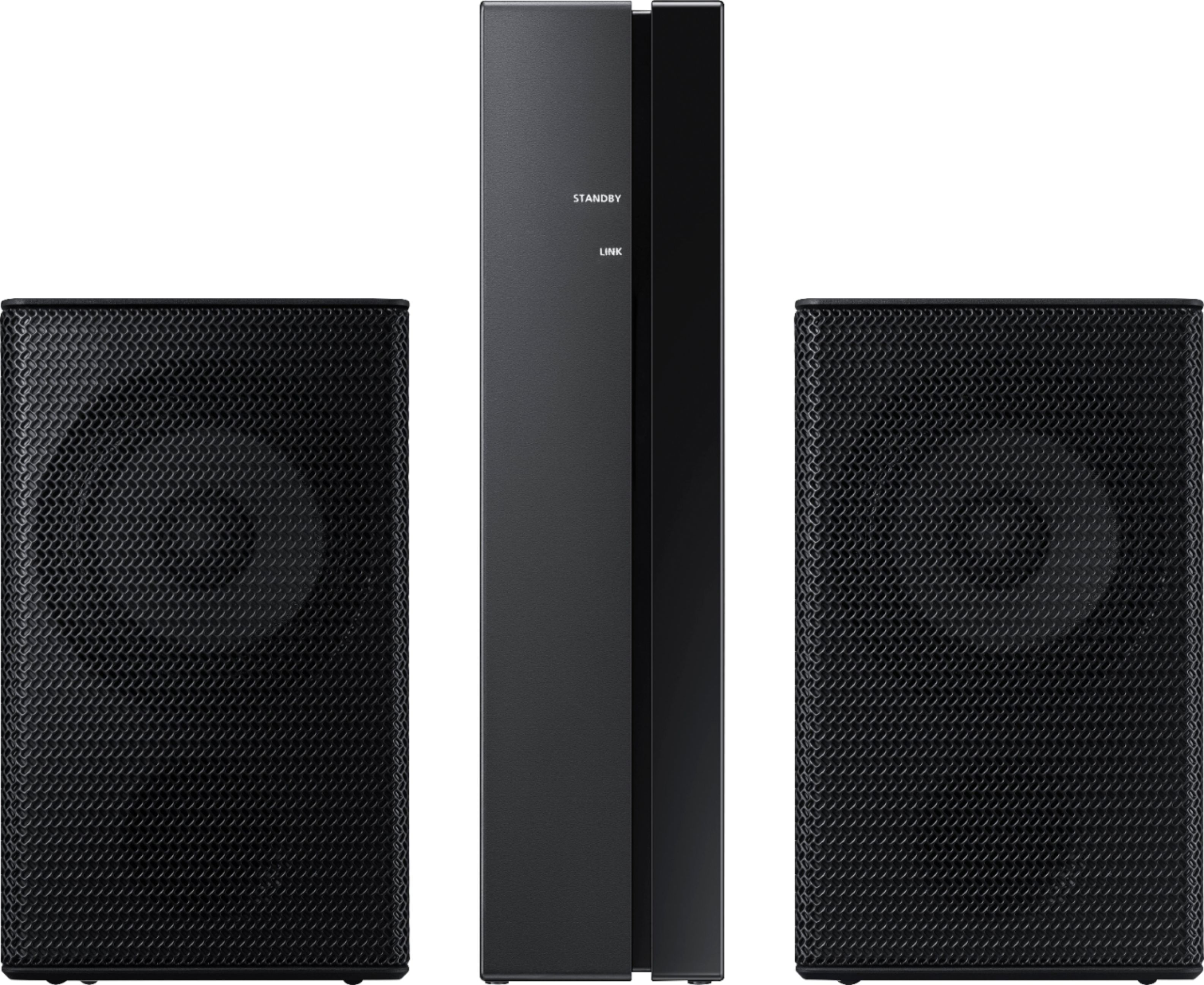
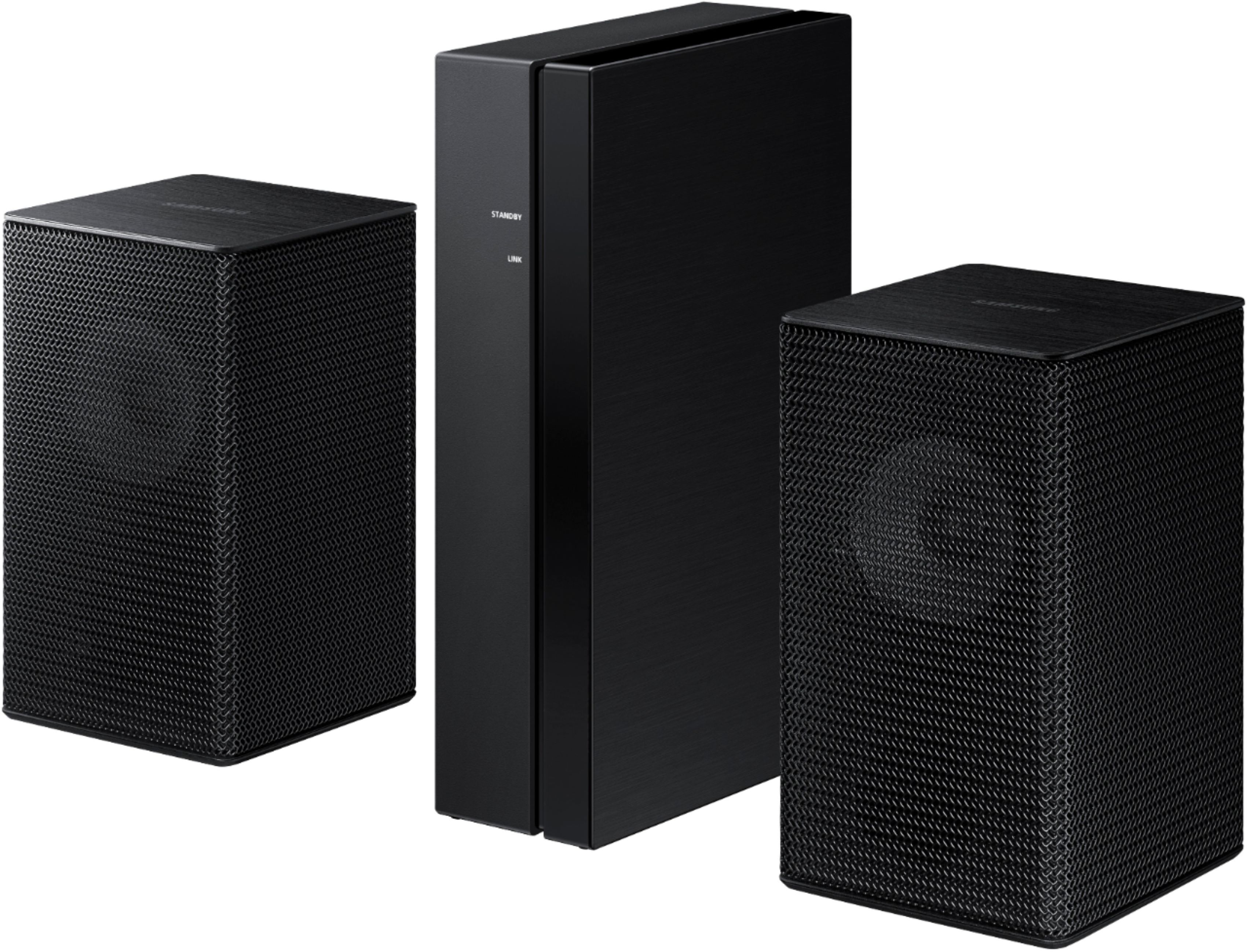

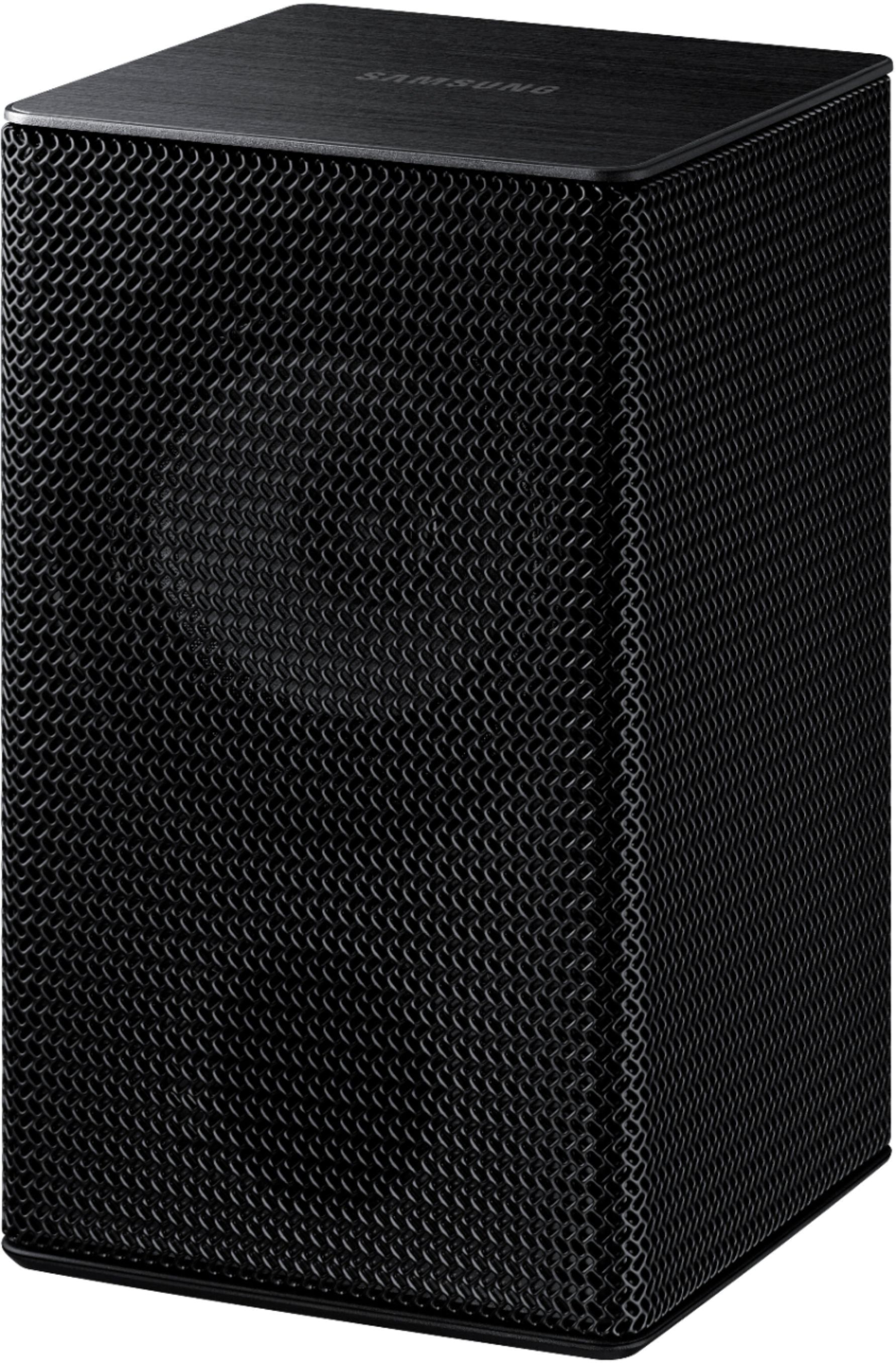
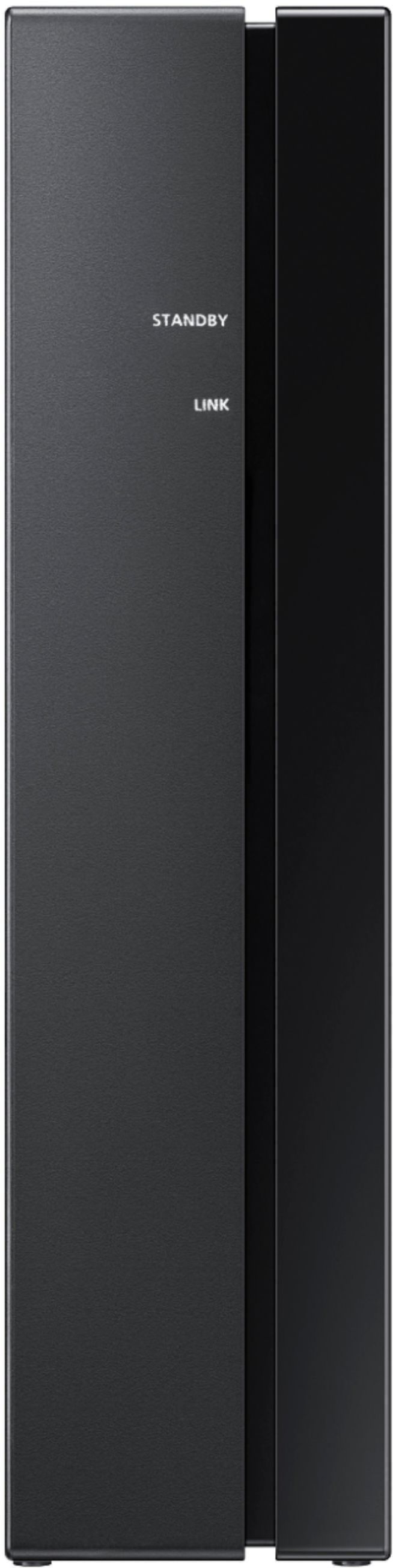
- Model:
- SWA-9100S/ZA
- SKU:
- 6456117
Rating by feature
- Value
Rating 4.2 out of 5 stars
- Quality
Rating 4.2 out of 5 stars
- Ease of Use
Rating 4.3 out of 5 stars
Customers are saying
Customers regard the sound quality of the 2.0-Channel Wireless Rear Speaker Kit with Surround Sound as amazing and a great improvement over the original speakers. The easy setup process is also widely appreciated. However, some customers have concerns about the low volume, lack of true wireless connectivity, compatibility issues, occasional syncing problems, and small speaker size.
This summary was generated by AI based on customer reviews.
Doesn't help surround sound
||Posted . Owned for 3 weeks when reviewed.This reviewer received promo considerations or sweepstakes entry for writing a review.Not real surround sound. Just sends stereo to rear speakers and not separate sounds
No, I would not recommend this to a friendBrand response from Samsung
Posted .Hi Larry69,
We appreciate your feedback regarding the sound performance of the SWA-9100S when connected to a Samsung Soundbar. Please know, different sound modes will have different effects on the way sound is passed to the rear speakers.
You may want to try changing between the various sound modes to find the one that suites your preference. Press the SOUND MODE button on your soundbar remote to cycle between the available options. The SURROUND mode often works best when utilizing a Samsung Rear Speaker kit.
Should you ever have questions or need help, please call us at 1-800-SAMSUNG (ask for Soundbars), available 8AM - 12AM EST, 7 days a week.
For additional support resources, visit us on the Samsung website and click on the ‘Support’ link in the upper right corner of the homepage for:
1) Chat with Us/Product Help: To begin a chat or find solutions, choose ‘TVs & Home Theater’ and select your model & topic.
2) Manuals & Software
3) Warranty Info
4) Register a Product: For access to easy warranty support, convenient opt-in to special promos and offers, faster troubleshooting and service, and quick notification of system updates
5) Contact Us
~ Samsung Solutions
Poor quality
||Posted . Owned for 3 months when reviewed.This reviewer received promo considerations or sweepstakes entry for writing a review.Bought this for one day and then i had to return it by tomorrow. My sound bar and my subwoofer over power the small speaker you can hardly hear anything and then i change my settings on my soundbar didnt change a thing. If you are going to buy this dont you'll be spending money on it and dont feel satisfied
No, I would not recommend this to a friendBrand response from Samsung
Posted .Hi Robert2!
Thank you for your review of the Samsung SWA-9100S wireless rear speaker kit. We appreciate you sharing your experience with us.
It is our customers’ concerns and opinions that drive our continuous efforts towards delivering world-class service and products. Your feedback is very important to us and will be shared with our product team.
Please know that should you ever need assistance with settings or adjustments with a future Samsung purchase to optimize your sound experience, Samsung Customer Support is here to help.
Contact us at: 1-800-SAMSUNG (ask for Soundbars), available 8AM -12AM EST (Mon-Fri), 9AM – 6PM EST (Sat). Or text HELP to 62913.
For additional support resources, visit us on the Samsung website and click on the ‘Support’ link in the upper right corner of the homepage for:
1) More ‘Contact Us’ options – LiveChat, Facebook, Twitter, Samsung Community, Samsung Members app
2) Manuals, Software, & Warranty Info
~ Samsung Solutions
- Cons mentioned:Volume
Wanna be speakers
||Posted . Owned for 1 month when reviewed.This reviewer received promo considerations or sweepstakes entry for writing a review.They are week! Don’t buy! I thought they would add more sound . For the price these speakers are crap! You can hear them if you put ur ear to speaker but without out that you can’t even tell they are working.
No, I would not recommend this to a friendBrand response from Samsung
Posted .Hi aaron,
Thank you for purchasing the Samsung SWA-9100S Rear Speaker Kit. We appreciate you sharing your experience with the surround sound system.
By design, the surround speakers are supposed to simulate sounds happening behind the viewer. Therefore, most of the time the surround channels are only used for ambient sounds, which are naturally lower in volume. However, there are a few settings you can change to adjust the surround effect to your preference:
1) Make sure that the source (e.g. TV output) is sending surround channels to the Soundbar. If the source is not capable of surround, then set the Surround mode to OFF on the Soundbar by pressing the Surround button on the remote.
2) If the source has surround channels, select the desired Sound Mode from the Soundbar remote.
3) Turn off Dynamic Range Control. This is done by pressing and holding the Sound Mode button while the Soundbar is in standby mode. Depending on your soundbar model, you may or may not have DRC.
4) Increase the volume level of the surround speakers using the Sound Control button on the Soundbar remote control. Press the Sound Control button on the soundbar remote (looks like a gear), then select REAR LEVEL and use the Up/Down buttons to adjust the volume within a -6 to +6 range.
I hope these tips help to enhance your audio enjoyment. Should you need further assistance with this issue or have any questions, please contact Samsung Customer Support at 1-800-SAMSUNG (ask for Soundbars), available 8AM - 12AM EST, 7 days a week.
For additional support resources, visit us on the Samsung website and click on the ‘Support’ link in the upper right corner of the homepage for:
1) Chat with Us/Product Help: To begin a chat or find solutions, choose ‘TVs & Home Theater’ and select your model & topic.
2) Manuals & Software
3) Warranty Info
4) Register a Product: For access to easy warranty support, convenient opt-in to special promos and offers, faster troubleshooting and service, and quick notification of system updates
5) Contact Us
~ Samsung Solutions
Terrible surround speakers
||Posted . Owned for 1 month when reviewed.This reviewer received promo considerations or sweepstakes entry for writing a review.I bought these thinking that they would add better surround sound to my soundbar which I have returned. The sound bar I had was the A650. I have since purchased another soundbar and this sound bar which is the Polk audio completely destroys the surround sound of these Samsung speakers. These speakers added a little to no surround sound at all. I don't even think they're playing true surround sound because all they were playing was what the sound bar was playing but quieter. Very disappointed in this product. I would definitely not recommend it unless you are looking to get a 3D sound, not surround sound
No, I would not recommend this to a friendBrand response from Samsung
Posted .Hi Josh,
Thank you for purchasing the SWA-9100S Wireless Rear Speaker Kit and for sharing your review. Your experience is very important to us and will be shared with our product team.
It is possible that your unit needed minor troubleshooting, a firmware update, or adjustments in settings.
Should you ever decide to give Samsung Soundbars another try and have questions or need assistance with settings, setup, or features, please know we are always here to help. Call us at 1-800-SAMSUNG (ask for Soundbars), available 8AM - 12AM EST, 7 days a week.
For additional support resources, visit us on the Samsung website and click on the ‘Support’ link in the upper right corner of the homepage for:
1) Contact Us: For additional Chat & Text options, choose ‘TVs & Home Theater’ and select your model & topic.
2) Manuals, Software, & Warranty Info
We hope to regain you as a customer in the future.
~ Samsung Solutions
- Cons mentioned:Sync issue
Silence is not golden part deaux
||Posted . Owned for 2 months when reviewed.This reviewer received promo considerations or sweepstakes entry for writing a review.Unfortunately I have the same problem with the remote speakers as I do with the base box I can't get it to sync with my Samsung TV.
No, I would not recommend this to a friendBrand response from Samsung
Posted .Hi Davedavis,
Thank you for purchasing the Samsung SWA-9100S wireless rear speaker kit and for sharing your review. Please know, this Samsung wireless rear speaker kit, and Samsung wireless subwoofers, are designed to pair to a compatible Samsung soundbar and will not connect direct to a Samsung TV.
If you would like assistance choosing a soundbar solution compatible with the wireless rear speakers or have additional questions, please call us at 1-800-SAMSUNG (ask for Soundbars), available 8AM - 12AM EST, 7 days a week.
For additional support resources, visit us on the Samsung website and click on the ‘Support’ link in the upper right corner of the homepage for:
1) Chat with Us/Product Help: To begin a chat or find solutions, choose ‘TVs & Home Theater’ and select your model & topic.
2) Manuals & Software
3) Warranty Info
4) Register a Product: For access to easy warranty support, convenient opt-in to special promos and offers, faster troubleshooting and service, and quick notification of system updates
5) Contact Us
~ Samsung Solutions
- Cons mentioned:Sync issue
SPEAKERS
||Posted . Owned for 1 month when reviewed.This reviewer received promo considerations or sweepstakes entry for writing a review.THEY WOULD NOT SYNC TO MY SAMSUNG SOUNDBAR . I WOULD NOT RECOMMEND THIS PRODUCT. READ THE REVIEWS
No, I would not recommend this to a friend - Cons mentioned:Wireless
Samsung Rear speakers
||Posted . Owned for 2 weeks when reviewed.This reviewer received promo considerations or sweepstakes entry for writing a review.The sound bar overpowered the speakers and you really could nt hear them. Not really bluetooth as they have to be connected to the tower.
No, I would not recommend this to a friendBrand response from Samsung
Posted .Hi Cindy!
Thank you for purchasing the Samsung SWA-9100S Rear Speaker Kit. We appreciate you sharing your experience with the surround sound system.
By design, the surround speakers are supposed to simulate sounds happening behind the viewer. Therefore, most of the time the surround channels are only used for ambient sounds, which are naturally lower in volume.
However, there are a few settings you can change to adjust the surround effect to your preference:
1) Make sure that the source (e.g. TV output) is sending surround channels to the Soundbar. If the source is not capable of surround, then set the Surround mode to OFF on the Soundbar by pressing the Surround button on the remote.
2) If the source has surround channels, select the desired Sound Mode from the Soundbar remote.
3) Turn off Dynamic Range Control. This is done by pressing and holding the Sound Mode button while the Soundbar is in standby mode. Depending on your soundbar model, you may or may not have DRC.
4) Increase the volume level of the surround speakers using the Sound Control button on the Soundbar remote control. Press the Sound Control button on the soundbar remote (looks like a gear), then select REAR LEVEL and use the Up/Down buttons to adjust the volume within a -6 to +6 range.
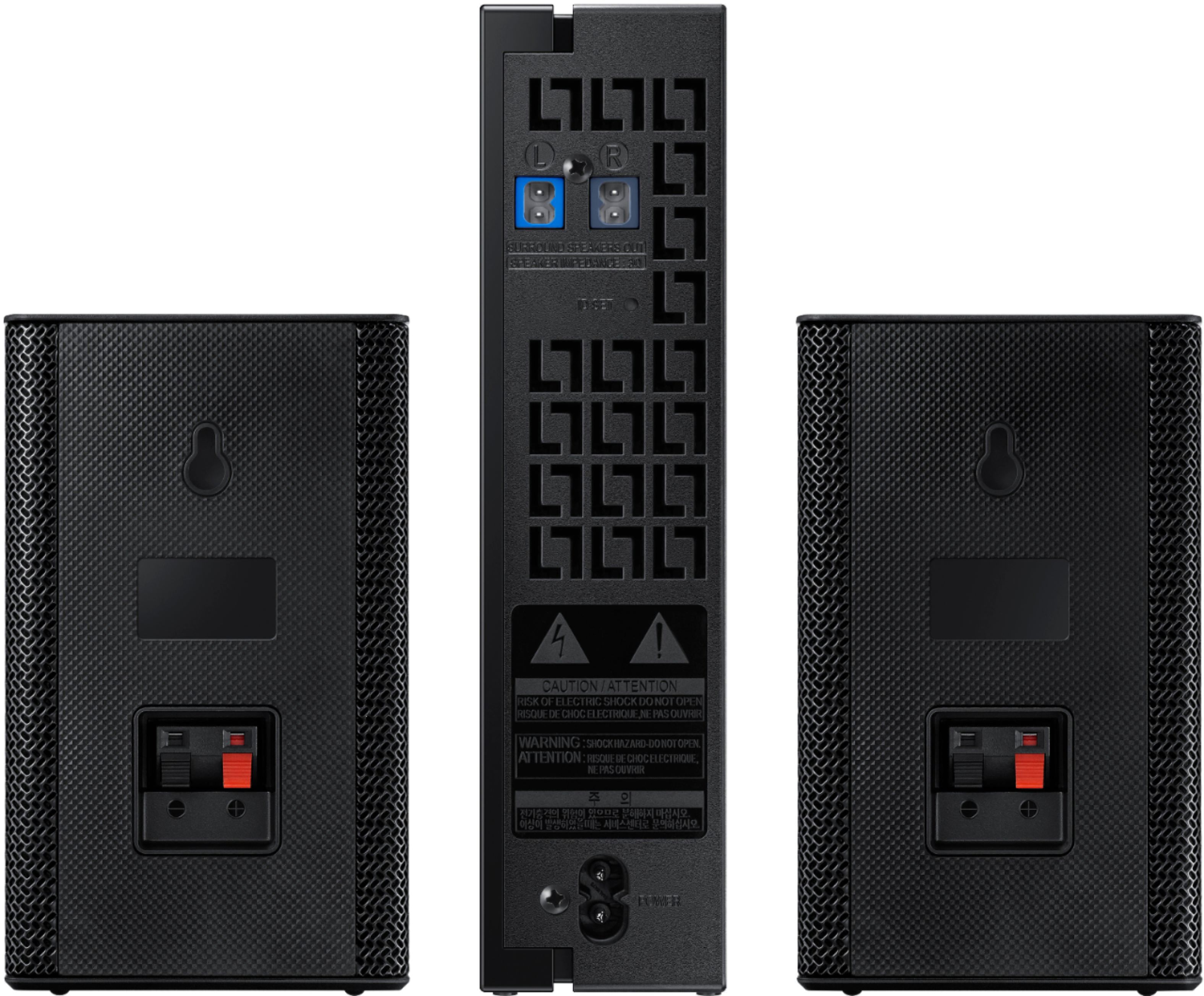
Regarding the wireless description of the speakers, occasionally customers have trouble hiding and running speaker wires from the front of the room (where their soundbar is) to the back of their room (where they have their rear speakers). The Rear Speaker Kit eliminates that hassle. Connect the rear speakers to its wireless module and place these three in the back of your room. One wire is required to connect each rear speaker to the wireless module. Then plug in the power cable to the module. The “wireless” convenience is in connecting your soundbar and any other speakers at the front of the room to the rear speakers – this can now be done via Wi-Fi through the wireless module, eliminating any clutter of long wires running the length of your room.
Should you ever have any questions or concerns or need help with settings or features, please contact Samsung Customer Support at
1-800-SAMSUNG (ask for Soundbars), available 8AM -12AM EST (Mon-Fri), 9AM – 6PM EST (Sat). Or text HELP to 62913.
For additional support resources, visit us on the Samsung website and click on the ‘Support’ link in the upper right corner of the homepage for:
1. More ‘Contact Us’ options – LiveChat, Facebook, Twitter, Samsung Community, Samsung Members app
2. Manuals & Software
3. Warranty Info
4. Product Registration: For access to easy warranty support, convenient opt-in to special promos and offers, faster troubleshooting and service, and quick notification of system updates.
~ Samsung Solutions
Samsung sound bar of a SPECIFIC type required.
||Posted . Owned for 1 month when reviewed.This reviewer received promo considerations or sweepstakes entry for writing a review.I’m sure they would have worked great however nothing says that they need a specific sound bar to make them work. Look into that before making a purchase.
No, I would not recommend this to a friendBrand response from Samsung
Posted .Hi Zerobry,
Thank you for sharing your review of the SWA-9100S wireless rear speaker kit from Samsung. Your experience is important to us and will be shared with our product teams.
We hope that, despite this incident, you would consider Samsung in the future, and stop by your local Best Buy to experience in person the impressive audio performance of our soundbars.
Should you ever have questions or need help, please call us at 1-800-SAMSUNG (ask for Soundbars), available 8AM - 12AM EST, 7 days a week.
For additional support resources, visit us on the Samsung website and click on the ‘Support’ link in the upper right corner of the homepage for:
1) Chat with Us/Product Help: To begin a chat or find solutions, choose ‘TVs & Home Theater’ and select your model & topic.
2) Manuals & Software
3) Warranty Info
4) Register a Product: For access to easy warranty support, convenient opt-in to special promos and offers, faster troubleshooting and service, and quick notification of system updates
5) Contact Us
~ Samsung Solutions
- Cons mentioned:Compatibility
Buyer beware
||Posted . Owned for 3 weeks when reviewed.This reviewer received promo considerations or sweepstakes entry for writing a review.Awful!!!! Diffcult to implement ON A BRAND NEW SAMSUNG TV!!!! Sketchy delivery of sound. I am sorry i bought it
No, I would not recommend this to a friendBrand response from Samsung
Posted .Hi Badretail,
Thank you for purchasing the Samsung SWA-9100S Rear Speaker Kit. We appreciate you sharing your experience with the surround sound system. This addition to your soundbar is designed to bring an additional dimension to your home audio experience.
By design, the surround speakers are supposed to simulate sounds happening behind the viewer. Therefore, most of the time the surround channels are only used for ambient sounds, which are naturally lower in volume.
However, there are a few settings you can change to adjust the surround effect to your preference:
1) Make sure that the source (e.g. TV output) is sending surround channels to the Soundbar. If the source is not capable of surround, then set the Surround mode to OFF on the Soundbar by pressing the Surround button on the remote.
2) If the source has surround channels, select the desired Sound Mode from the Soundbar remote.
3) Turn off Dynamic Range Control. This is done by pressing and holding the Sound Mode button while the Soundbar is in standby mode. Depending on your soundbar model, you may or may not have DRC.
4) Increase the volume level of the surround speakers using the Sound Control button on the Soundbar remote control. Press the Sound Control button on the soundbar remote (looks like a gear), then select REAR LEVEL and use the Up/Down buttons to adjust the volume within a -6 to +6 range.
If there is anything we can do to improve your enjoyment -- such as helping to optimize settings for your specific usage scenario -- please let us know. You can reach Samsung Soundbar Support at:
1-800-SAMSUNG (ask for Soundbars), available 8AM - 12AM EST, 7 days a week.
For additional support resources, visit us on the Samsung website and click on the ‘Support’ link in the upper right corner of the homepage for:
1) Chat with Us/Product Help: To begin a chat or find solutions, choose ‘TVs & Home Theater’ and select your model & topic.
2) Manuals & Software
3) Warranty Info
4) Register a Product: For access to easy warranty support, convenient opt-in to special promos and offers, faster troubleshooting and service, and quick notification of system updates
5) Contact Us
~ Samsung Ambassador
- Cons mentioned:Wireless
Disappointed
||Posted . Owned for 3 months when reviewed.This reviewer received promo considerations or sweepstakes entry for writing a review.I tried everything to hook these up to my system but no luck I had to return them.
No, I would not recommend this to a friendBrand response from Samsung
Posted .Hi Justmeheredude,
Should you ever decide to give Samsung Soundbars another try and have questions or need assistance with settings, setup, or features, please know we are always here to help. Call us at 1-800-SAMSUNG (ask for Soundbars), available 8AM - 12AM EST, 7 days a week.
For additional support resources, visit us on the Samsung website and click on the ‘Support’ link in the upper right corner of the homepage for:
1) Contact Us: For additional Chat & Text options, choose ‘TVs & Home Theater’ and select your model & topic.
2) Manuals, Software, & Warranty Info
We hope to regain you as a customer in the future.
~ Samsung Solutions
Would not recommend
||Posted . Owned for 5 months when reviewed.This reviewer received promo considerations or sweepstakes entry for writing a review.Sound is terrible can barley hear. One speaker stopped working within a month. Very disappointed would not recommend
No, I would not recommend this to a friendBrand response from Samsung
Posted .Hi there,
Thank you for purchasing the Samsung SWA-9100S Rear Speaker Kit. We appreciate you sharing your experience with the surround sound system.
By design, the surround speakers are supposed to simulate sounds happening behind the viewer. Therefore, most of the time the surround channels are only used for ambient sounds, which are naturally lower in volume.
However, there are a few settings you can change to adjust the surround effect to your preference:
1) Make sure that the source (e.g. TV output) is sending surround channels to the Soundbar. If the source is not capable of surround, then set the Surround mode to OFF on the Soundbar by pressing the Surround button on the remote.
2) If the source has surround channels, select the desired Sound Mode from the Soundbar remote.
3) Turn off Dynamic Range Control. This is done by pressing and holding the Sound Mode button while the Soundbar is in standby mode. Depending on your soundbar model, you may or may not have DRC.
4) Increase the volume level of the surround speakers using the Sound Control button on the Soundbar remote control. Press the Sound Control button on the soundbar remote (looks like a gear), then select REAR LEVEL and use the Up/Down buttons to adjust the volume within a -6 to +6 range.
I hope these tips help to enhance your audio enjoyment. Should you need further assistance with this issue or have any questions, please contact Samsung Customer Support.
Please call us at 1-800-SAMSUNG (ask for Soundbars), available 8AM - 12AM EST, 7 days a week.
For additional support resources, visit us on the Samsung website and click on the ‘Support’ link in the upper right corner of the homepage for:
1) Chat with Us/Product Help: To begin a chat or find solutions, choose ‘TVs & Home Theater’ and select your model & topic.
2) Manuals & Software
3) Warranty Info
4) Register a Product: For access to easy warranty support, convenient opt-in to special promos and offers, faster troubleshooting and service, and quick notification of system updates
5) Contact Us
~ Samsung Solutions
Not a quality product for more than a month
||Posted . Owned for 1 month when reviewed.This reviewer received promo considerations or sweepstakes entry for writing a review.Within a month of having them I noticed they couldn’t handle decent output and were cracking in sound while only set at +2.
No, I would not recommend this to a friendBrand response from Samsung
Posted .Hi MikeHancho,
We appreciate your feedback regarding the issues you are experiencing with your SWA-9100S Wireless Rear Speaker kit. Please know, Samsung is committed to providing the best possible product experience, quality, and value. We back this Samsung Speaker Kit with a 1-year limited manufacturer's warranty, including authorized repair for manufacturer defect, if purchased brand-new directly from an authorized seller.
Please give us the opportunity to assist you by contacting Samsung Customer Support at 1-800-SAMSUNG (ask for Soundbars), available 8AM - 12AM EST, 7 days a week.
For additional support resources, visit us on the Samsung website and click on the ‘Support’ link in the upper right corner of the homepage for:
1) Chat with Us/Product Help: To begin a chat or find solutions, choose ‘TVs & Home Theater’ and select your model & topic.
2) Manuals & Software
3) Warranty Info
4) Register a Product: For access to easy warranty support, convenient opt-in to special promos and offers, faster troubleshooting and service, and quick notification of system updates
5) Contact Us
~ Samsung Solutions
- Cons mentioned:Wireless
Not what i needed
||Posted . Owned for 1 week when reviewed.This reviewer received promo considerations or sweepstakes entry for writing a review.I couldn’t get it to connect, bought the open box option.
No, I would not recommend this to a friend - Cons mentioned:Wireless
Not happy
||Posted . Owned for 1 month when reviewed.This reviewer received promo considerations or sweepstakes entry for writing a review.Online said it was wireless speakers system it is not Very disappointing
No, I would not recommend this to a friendBrand response from Samsung
Posted .Hi Sadface,
Thank you for purchasing the Samsung SWA-9100S Wireless Rear Speaker kit. We appreciate you sharing your thoughts about the wireless description of the rear speakers.
Occasionally, customers have trouble hiding and running speaker wires from the front of the room (where their soundbar is) to the back of their room (where they have their rear speakers). The Rear Speaker Kit eliminates that hassle. Connect the rear speakers to its wireless module and place these three in the back of your room. One wire is required to connect each rear speaker to the wireless module. Then plug in the power cable to the module. The “wireless” convenience is in connecting your soundbar and any other speakers at the front of the room to the rear speakers – this can now be done via Wi-Fi through the wireless module, eliminating any clutter of long wires running the length of your room.
If there is anything we can do to help improve your experience, please call us at 1-800-SAMSUNG (ask for Soundbars), available 8AM - 12AM EST, 7 days a week.
For additional support resources, visit us on the Samsung website and click on the ‘Support’ link in the upper right corner of the homepage for:
1) Chat with Us/Product Help: To begin a chat or find solutions, choose ‘TVs & Home Theater’ and select your model & topic.
2) Manuals & Software
3) Warranty Info
4) Register a Product: For access to easy warranty support, convenient opt-in to special promos and offers, faster troubleshooting and service, and quick notification of system updates
5) Contact Us
~ Samsung Solutions
- Cons mentioned:Wireless
Don’t buy it
||Posted .This reviewer received promo considerations or sweepstakes entry for writing a review.Speakers cut in and out only worked for a week really hard focusing on the TV
No, I would not recommend this to a friendBrand response from Samsung
Posted .Hi Tracy,
Thank you for purchasing the SWA-9100S rear speaker kit and for your review. Thank you for sharing your experience with your rear speakers disconnecting from the soundbar. Your issue may be caused by wireless interference. When there is a wireless device (e.g., wireless LAN) using the same frequency (5.8GHz) near the Soundbar, the wireless connection between the Subwoofer and Surround Speaker could become unstable. This will affect the quality of audio output.
In this case, the radio frequency channel of the Surround Speaker can be changed as below (please be sure that your display is on first):
1) With the power of the Soundbar on, vertically press and hold the WOOFER button on the remote for at least 5 seconds.
a. The display shows “W-CH” and the currently set radio frequency channel.
2) Press the Circular UP/DOWN button on the remote controller to change the radio frequency channel, and then press the PLAY/PAUSE button in the center.
a. The display shows “OK” and then the frequency is set to the changed channel.
b. You can exit the setting mode by pressing any button other than UP/DOWN or PLAY/PAUSE.
I hope this helps. If your issue persists, please contact Samsung Customer Support.
1-800-SAMSUNG (ask for Soundbars), available 8AM -12AM EST. 7 days a week. Or text “SUPPORT” to 800-726-7864 available 24 hours a day, 7 days a week.
For additional support resources, visit us on the Samsung website and click on the ‘Support’ link in the upper right corner of the homepage for:
1. More ‘Contact Us’ options – LiveChat, Facebook, Twitter, Samsung Community, Samsung Members app
2. Manuals & Software
3. Warranty Info
4. Product Registration: For access to easy warranty support, convenient opt-in to special promos and offers, faster troubleshooting and service, and quick notification of system updates.
~ Samsung Solutions
Wouldn’t recommend
||Posted . Owned for 10 months when reviewed.This reviewer received promo considerations or sweepstakes entry for writing a review.Had to return it. Wasn’t what I expected to get .. very tiny and not great
No, I would not recommend this to a friendDON'T DO IT!!!!
||Posted . Owned for 1 month when reviewed.This reviewer received promo considerations or sweepstakes entry for writing a review.If I could give negative stars I would. I bought them to match with my Samsung A650 sound bar and sub pair for my 65inch and I thought it was a practical joke. Every once in a while you'll here a bird tweet come out of one of them or something, its laughable. I don't know what they were thinking. If I could give negative stars I would.
No, I would not recommend this to a friendBrand response from Samsung
Posted .Hi ENThusiast,
Thank you for purchasing the Samsung SWA-9100S Rear Speaker Kit. We appreciate you sharing your experience with the surround sound system.
By design, the surround speakers are supposed to simulate sounds happening behind the viewer. Therefore, most of the time the surround channels are only used for ambient sounds, which are naturally lower in volume.
However, there are a few settings you can change to adjust the surround effect to your preference:
1) Make sure that the source (e.g. TV output) is sending surround channels to the Soundbar. If the source is not capable of surround, then set the Surround mode to OFF on the Soundbar by pressing the Surround button on the remote.
2) If the source has surround channels, select the desired Sound Mode from the Soundbar remote.
3) Turn off Dynamic Range Control. This is done by pressing and holding the Sound Mode button while the Soundbar is in standby mode. Depending on your soundbar model, you may or may not have DRC.
4) Increase the volume level of the surround speakers using the Sound Control button on the Soundbar remote control. Press the Sound Control button on the soundbar remote (looks like a gear), then select REAR LEVEL and use the Up/Down buttons to adjust the volume within a -6 to +6 range.
I hope these tips help to enhance your audio enjoyment. Should you need further assistance with this issue or have any questions, please contact Samsung Customer Support at:
1-800-SAMSUNG (ask for Soundbars), available 8AM - 12AM EST, 7 days a week.
For additional support resources, visit us on the Samsung website and click on the ‘Support’ link in the upper right corner of the homepage for:
1) Chat with Us/Product Help: To begin a chat or find solutions, choose ‘TVs & Home Theater’ and select your model & topic.
2) Manuals & Software
3) Warranty Info
4) Register a Product: For access to easy warranty support, convenient opt-in to special promos and offers, faster troubleshooting and service, and quick notification of system updates
5) Contact Us
~ Samsung Ambassador
Wireless sound bar??
||Posted . Owned for 1 month when reviewed.This reviewer received promo considerations or sweepstakes entry for writing a review.It is only wireless between tv and the wireless receiver that I put behind my couch. It still has to be plugged in to outlet and has wires going to the 2 small speakers . Even with sound all the way up on them, I could barely hear anything.
No, I would not recommend this to a friendBrand response from Samsung
Posted .Hi Mrdebbie,
Thank you for purchasing the Samsung SWA-9100S Rear Speaker Kit. We appreciate you sharing your experience with the surround sound system.
By design, the surround speakers are supposed to simulate sounds happening behind the viewer. Therefore, most of the time the surround channels are only used for ambient sounds, which are naturally lower in volume.
However, there are a few settings you can change to adjust the surround effect to your preference:
1) Make sure that the source (e.g. TV output) is sending surround channels to the Soundbar. If the source is not capable of surround, then set the Surround mode to OFF on the Soundbar by pressing the Surround button on the remote.
2) If the source has surround channels, select the desired Sound Mode from the Soundbar remote.
3) Turn off Dynamic Range Control. This is done by pressing and holding the Sound Mode button while the Soundbar is in standby mode. Depending on your soundbar model, you may or may not have DRC.
4) Increase the volume level of the surround speakers using the Sound Control button on the Soundbar remote control. Press the Sound Control button on the soundbar remote (looks like a gear), then select REAR LEVEL and use the Up/Down buttons to adjust the volume within a -6 to +6 range.
Regarding the wireless description of the speakers, occasionally customers have trouble hiding and running speaker wires from the front of the room (where their soundbar is) to the back of their room (where they have their rear speakers). The Rear Speaker Kit eliminates that hassle. Connect the rear speakers to its wireless module and place these three in the back of your room. One wire is required to connect each rear speaker to the wireless module. Then plug in the power cable to the module. The “wireless” convenience is in connecting your soundbar and any other speakers at the front of the room to the rear speakers – this can now be done via Wi-Fi through the wireless module, eliminating any clutter of long wires running the length of your room.
Should you ever have any questions or concerns or need help with settings or features, please contact Samsung Customer Support at
1-800-SAMSUNG (ask for Soundbars), available 8AM - 12AM EST, 7 days a week.
For additional support resources, visit us on the Samsung website and click on the ‘Support’ link in the upper right corner of the homepage for:
1) Chat with Us/Product Help: To begin a chat or find solutions, choose ‘TVs & Home Theater’ and select your model & topic.
2) Manuals & Software
3) Warranty Info
4) Register a Product: For access to easy warranty support, convenient opt-in to special promos and offers, faster troubleshooting and service, and quick notification of system updates
5) Contact Us
~ Samsung Ambassador
Think about other option.
||Posted . Owned for 1 month when reviewed.This reviewer received promo considerations or sweepstakes entry for writing a review.Very average product, just to cover some surrounding sound.
No, I would not recommend this to a friendBrand response from Samsung
Posted .Hi,
Thank you for purchasing the Samsung SWA-9100S Rear Speaker Kit. We appreciate you sharing your experience with the surround sound system.
By design, the surround speakers are supposed to simulate sounds happening behind the viewer. Therefore, most of the time the surround channels are only used for ambient sounds, which are naturally lower in volume.
However, there are a few settings you can change to adjust the surround effect to your preference:
1) Make sure that the source (e.g. TV output) is sending surround channels to the Soundbar. If the source is not capable of surround, then set the Surround mode to OFF on the Soundbar by pressing the Surround button on the remote.
2) If the source has surround channels, select the desired Sound Mode from the Soundbar remote.
3) Turn off Dynamic Range Control. This is done by pressing and holding the Sound Mode button while the Soundbar is in standby mode. Depending on your soundbar model, you may or may not have DRC.
4) Increase the volume level of the surround speakers using the Sound Control button on the Soundbar remote control. Press the Sound Control button on the soundbar remote (looks like a gear), then select REAR LEVEL and use the Up/Down buttons to adjust the volume within a -6 to +6 range.
I hope these tips help to enhance your audio enjoyment. Should you need further assistance with this issue or have any questions, please contact Samsung Customer Support at 1-800-SAMSUNG (ask for Soundbars), available 8AM - 12AM EST, 7 days a week.
For additional support resources, visit us on the Samsung website and click on the ‘Support’ link in the upper right corner of the homepage for:
1) Chat with Us/Product Help: To begin a chat or find solutions, choose ‘TVs & Home Theater’ and select your model & topic.
2) Manuals & Software
3) Warranty Info
4) Register a Product: For access to easy warranty support, convenient opt-in to special promos and offers, faster troubleshooting and service, and quick notification of system updates
5) Contact Us
~ Samsung Solutions
these are garbage
||Posted . Owned for less than 1 week when reviewed.This reviewer received promo considerations or sweepstakes entry for writing a review.DO NOT BUY!!!!!!!!!!!!!!!!!!! on my second set of these. have no sound. spent countless hours on youtube and all sorts or sites. totally waste of time. they have no sound. not just the wires into the clip as everyone says. no help from hours of Samsung service
No, I would not recommend this to a friendBrand response from Samsung
Posted .Hi,
Thank you for sharing your review of the Samsung SWA-9100S Wireless Rear Speaker Kit. It is our customers’ concerns and opinions that drive our continuous efforts towards delivering world-class service and products. Your feedback is very important to us and will be shared with our product team.
Samsung stands behind the quality and performance of our Soundbars with a limited 1-year manufacturer’s warranty when purchased brand-new from an authorized dealer.
Please contact Samsung Customer Support so we can better understand your issue and assist you with step-by-step troubleshooting or warranty service. Please call us at 1-800-SAMSUNG (ask for Soundbars), available 8AM - 12AM EST, 7 days a week.
For additional support resources, visit us on the Samsung website and click on the ‘Support’ link in the upper right corner of the homepage for:
1) Chat with Us/Product Help: To begin a chat or find solutions, choose ‘TVs & Home Theater’ and select your model & topic.
2) Manuals & Software
3) Warranty Info
4) Register a Product: For access to easy warranty support, convenient opt-in to special promos and offers, faster troubleshooting and service, and quick notification of system updates
5) Contact Us
~ Samsung Ambassador