Customer Ratings & Reviews
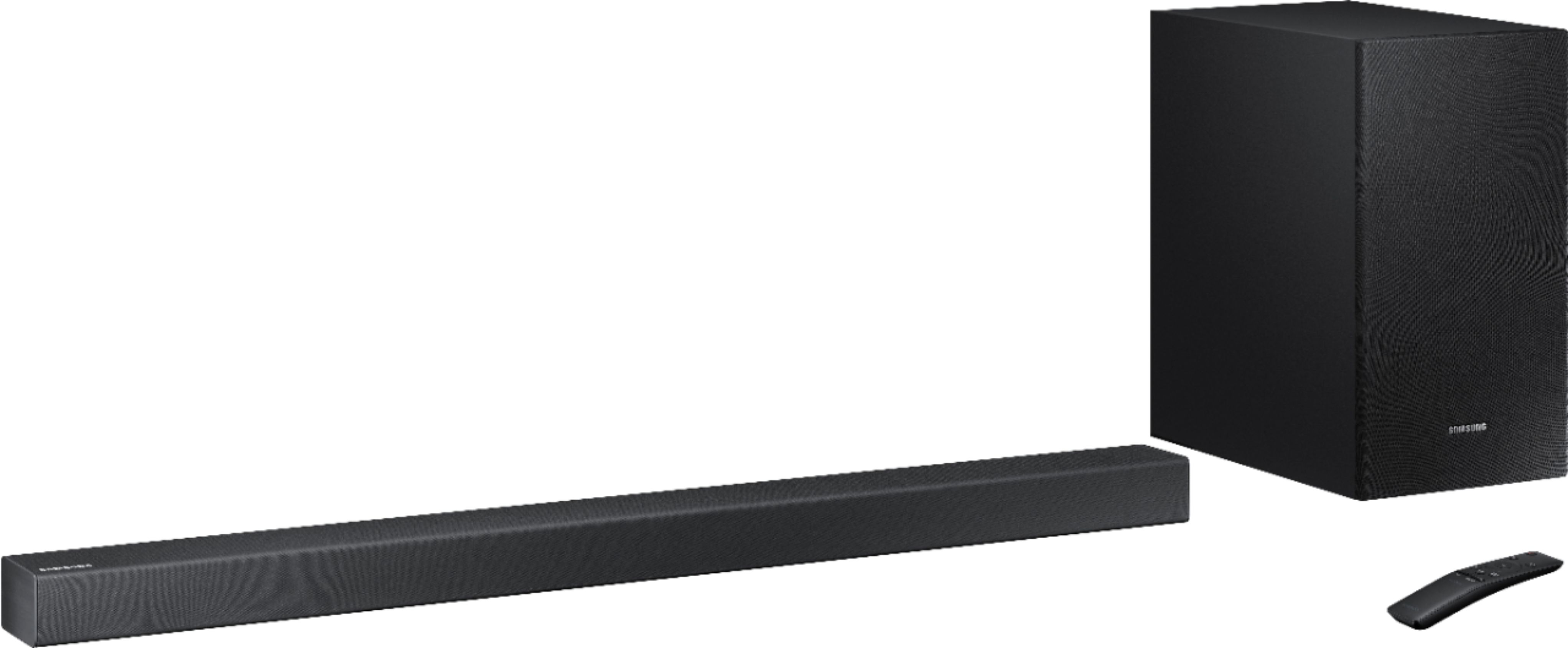
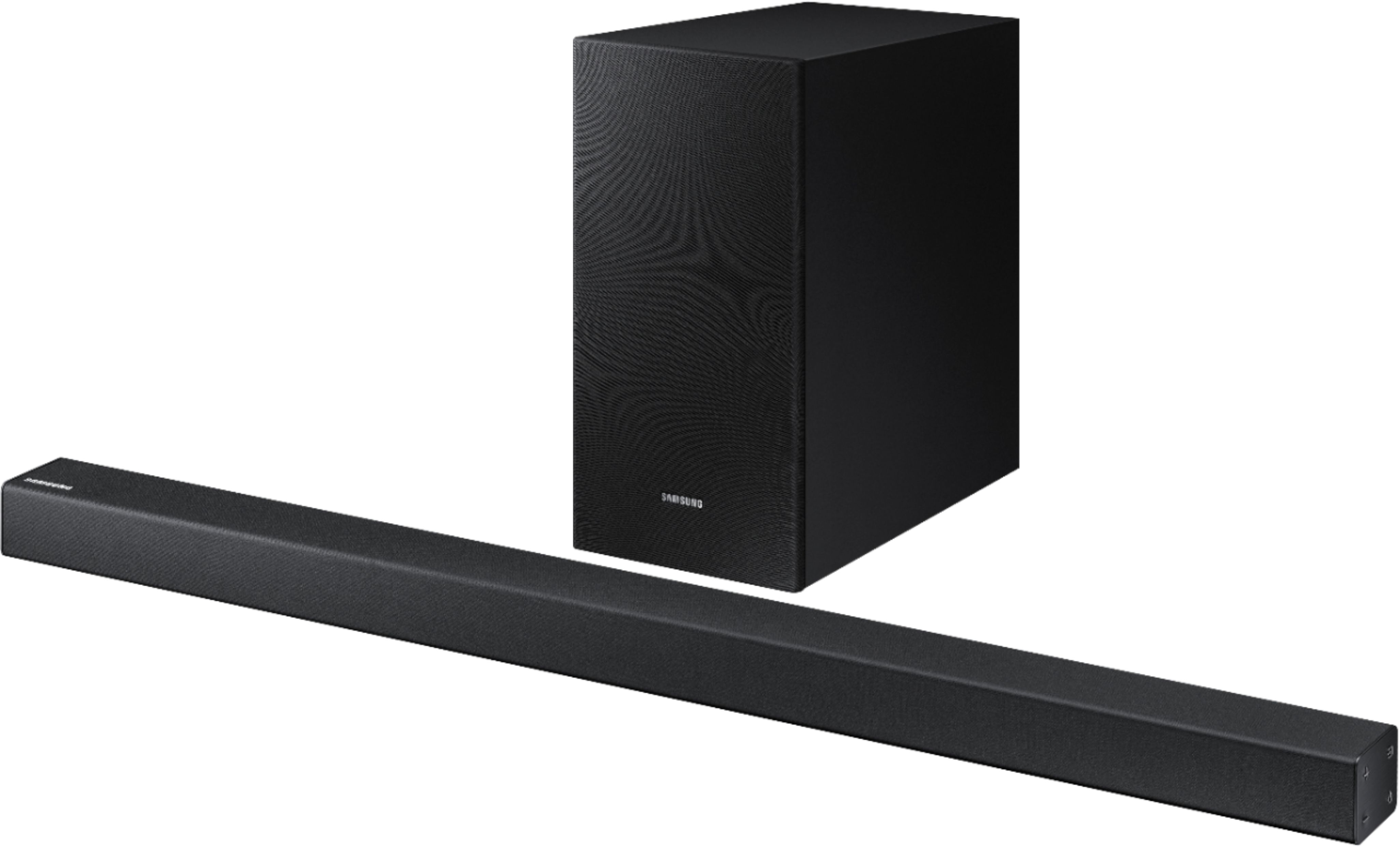

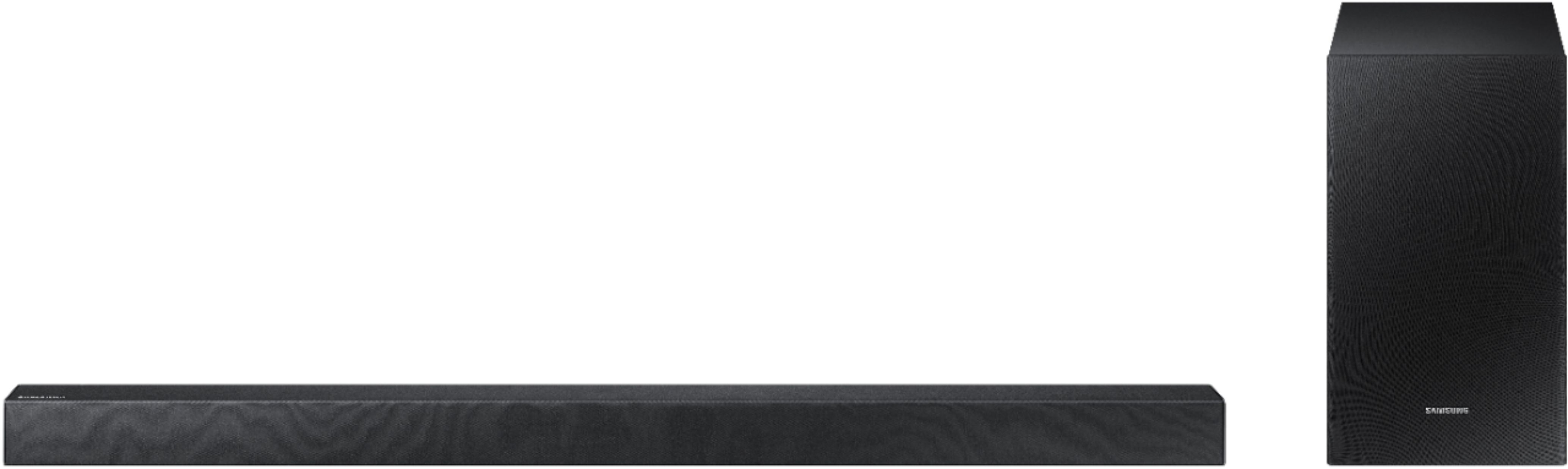
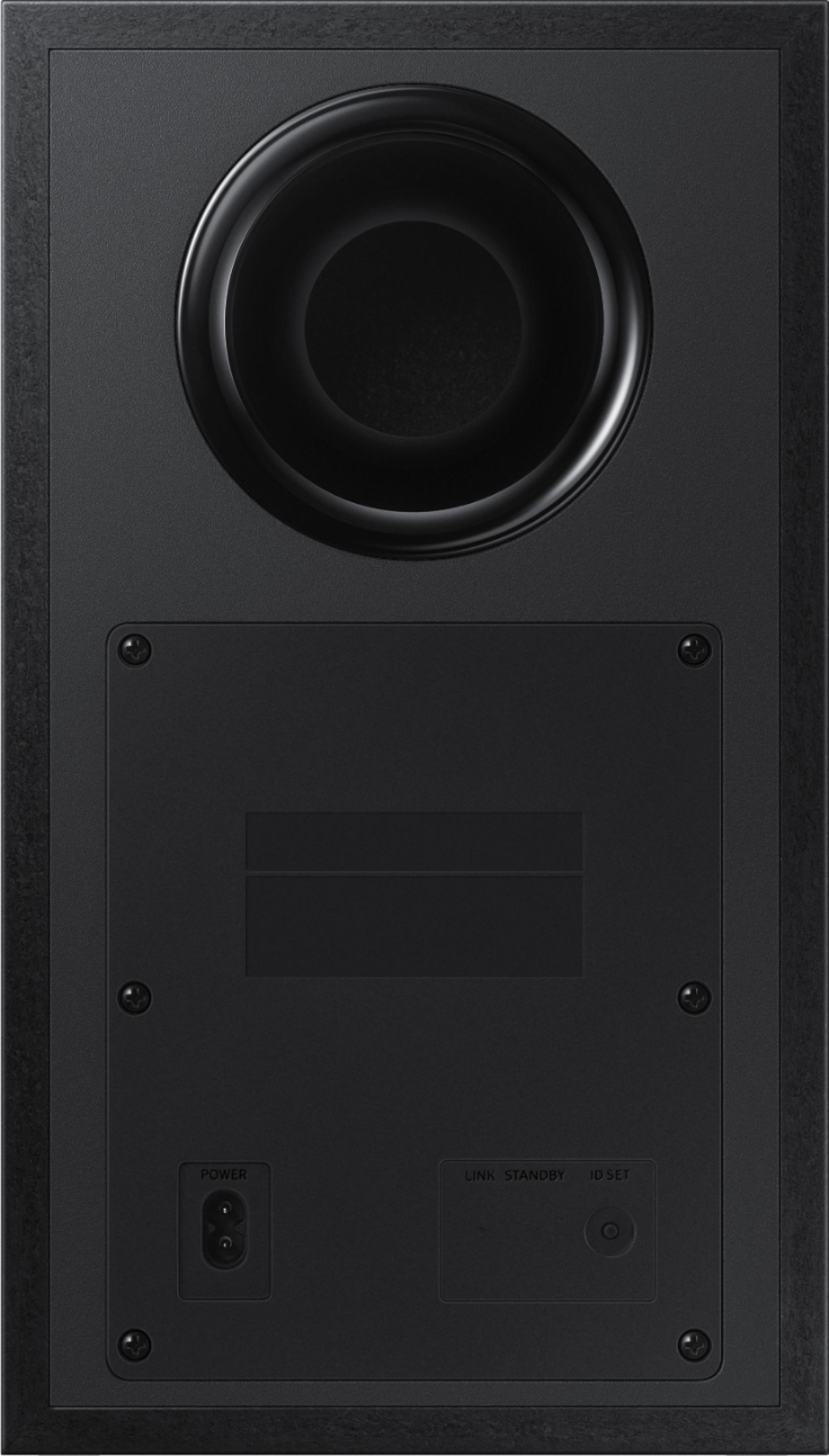

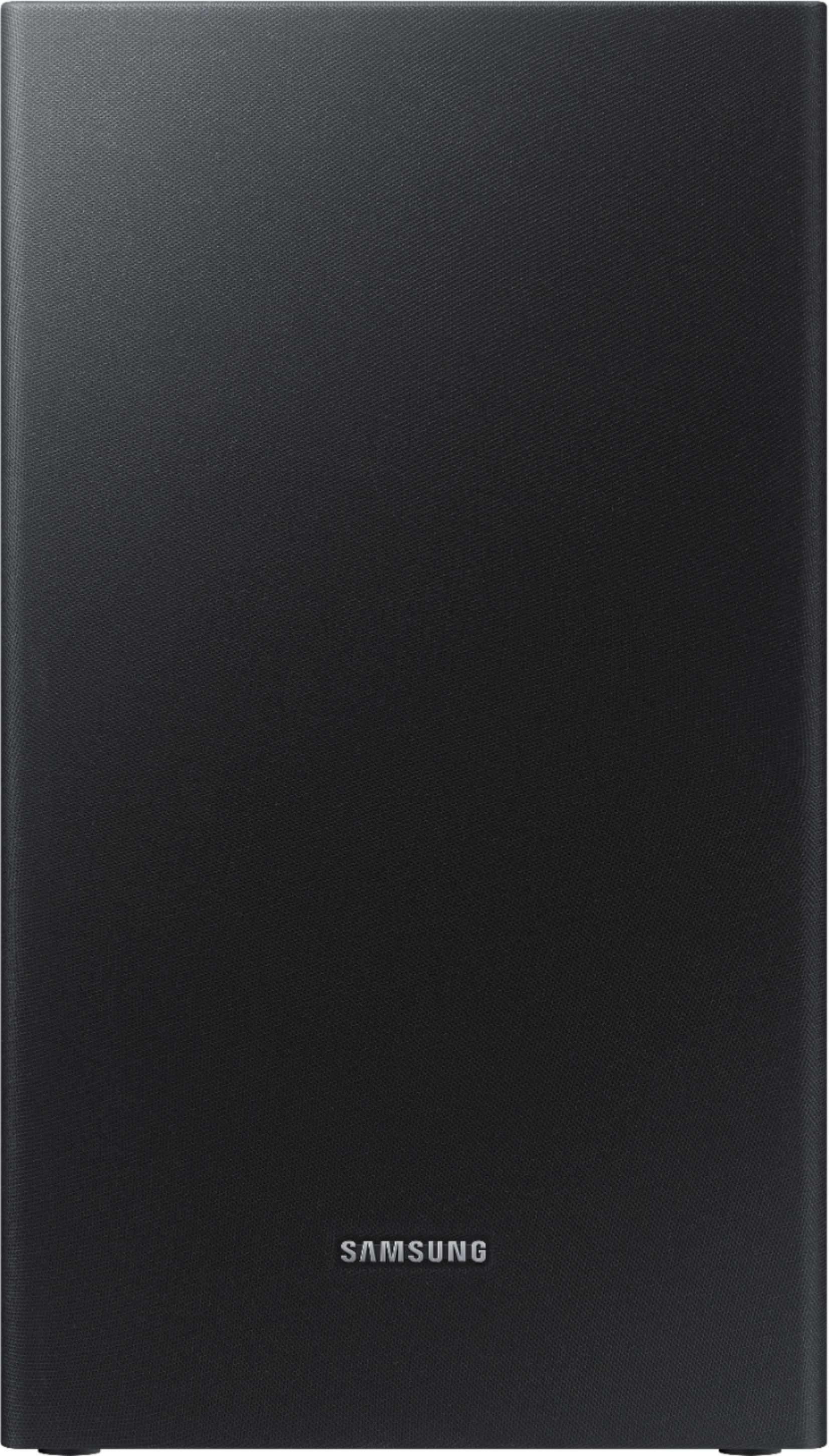

- Model:
- HW-R450/ZA
- SKU:
- 6327859
Rating by feature
- Value
Rating 4.6 out of 5 stars
- Quality
Rating 4.6 out of 5 stars
- Ease of Use
Rating 4.6 out of 5 stars
Customers are saying
Customers appreciate the 2.1-Channel 200W Soundbar System for its sound quality, easy setup, affordable price, and strong bass. Many customers mentioned that the sound quality is great for the price and that the setup process is simple and quick. Some customers also highlighted the effectiveness of the subwoofer in delivering deep bass.
This summary was generated by AI based on customer reviews.
it's ok, but disappointed
||Posted . Owned for 3 weeks when reviewed.This reviewer received promo considerations or sweepstakes entry for writing a review.I was "led to believe" I could use my existing Samsung Remote to control the system, NOT TRUE. I now have two remotes to fool with when using the Soundbar system.
No, I would not recommend this to a friendBrand response from Samsung
Posted .Justacustomer:
When your Samsung HW-R450 Soundbar is connected to select Samsung TVs, the Soundbar can be controlled using the TV’s remote control. This feature is supported by 2017 and later Samsung Smart TVs that support Bluetooth when you connect the Soundbar to the TV using an optical cable. Please refer to the User Manual for setup instructions.
http://downloadcenter.samsung.com/content/UM/201903/20190312112119819/HW-R450_ZA_FullManual_00_ENG_190117.pdf
For further assistance, questions, or concerns, please contact Samsung Support at:
1) Phone: 1-800-SAMSUNG
- Available 8AM - 12AM EST (Mon-Fri) / 9AM - 11PM EST (Sat-Sun)
2) LiveChat: https://www.samsung.com/us/support/#contact_us_for_support
3) Facebook Messenger: https://www.facebook.com/samsungsupport
4) Twitter: https://twitter.com/SamsungSupport
5) The Samsung Members Community is also a great resource for getting help from Samsung moderators and customers: https://us.community.samsung.com
If you have not already done so, we invite you to register your new Samsung product at: https://us.community.samsung.com
Registering your product gives you access to easy warranty support, convenient opt-in to special promos and offers, faster troubleshooting and service, and quick notification of system updates.
~ Samsung Solutions
Descent
||Posted .This reviewer received promo considerations or sweepstakes entry for writing a review.I think this sound bar is descent if you don’t want something too loud. I like banging music so loudness is a big deal, not too loud but it’s good enough for most people.
No, I would not recommend this to a friendBrand response from Samsung
Posted .Phena:
Thank you for your review of this Samsung HW-R450 Soundbar. I am very sorry that you are not completely happy with the audio performance of the subwoofer.
There are two adjustments that can be made to maximize the potential of the included wireless subwoofer. First, is to increase the WOOFER level from the included remote control. Second is to adjust the bass control: Press the Sound Control button (gear icon) on the remote control, then select BASS to increase the level.
Finally, for precise audio adjustments, you can use the 7-band frequency equalizer to optimize for your room acoustics.
I hope these tips help to solve your issue.
If the issue persists, please contact us via any of the below options:
1) Phone: 1-800-SAMSUNG (ask for Soundbars) Available 8AM - 12AM EST (Mon-Fri) / 9AM - 11PM EST (Sat-Sun)
2) LiveChat or Email: https://www.samsung.com/us/support/#contact_us_for_support
3) Facebook Messenger: https://www.facebook.com/samsungsupport
4) Twitter: https://twitter.com/SamsungSupport
The Samsung Home Theater & Home Audio Community is also a great resource for getting help from Samsung moderators and customers: https://us.community.samsung.com/
Again, I am very sorry for the inconveniences you have had, and hope that we will hear from you soon.
- Samsung Solutions
Sounds good
||Posted . Owned for 9 months when reviewed.This reviewer received promo considerations or sweepstakes entry for writing a review.It sounds great! I really wish it had a built in tuner. It’s hard to Mount to tv because of where they placed the mounting holes.
I would recommend this to a friendGood Sound. Not consistent
||Posted .This reviewer received promo considerations or sweepstakes entry for writing a review.Originally returned because subwoofer wouldn’t connect at all. Still loses connection with subwoofer periodically but comes back right away.
I would recommend this to a friendGot it on sale but.....
||Posted . Owned for 1 month when reviewed.This reviewer received promo considerations or sweepstakes entry for writing a review.Seems like it works better on Netflix and Hulu. But you cant really notice the bass when on Directv.
No, I would not recommend this to a friendBrand response from Samsung
Posted .IamBigB:
Thanks for choosing the Samsung HW-R450 Soundbar and for sharing your user experience.
Here are a few tips for adjusting bass output:
1) Press the SOUND CONTROL button on the soundbar remote. Then select BASS to adjust from -6 to +6.
2) Push the WOOFER button on the soundbar remote up or down to adjust the volume of the subwoofer between -6 to +6. To set the subwoofer volume level to 0, press the button.
If you need further assistance, please know we are here to help. You can reach Samsung DAV Support via:
1) Phone: 1-800-SAMSUNG (ask for Soundbars)
Available 8AM - 12AM EST (Mon-Fri) / 9AM - 11PM EST (Sat-Sun)
2) LiveChat or Email: https://www.samsung.com/us/support/#contact_us_for_support
3) Facebook Messenger: https://www.facebook.com/samsungsupport
4) Twitter: https://twitter.com/SamsungSupport
The Samsung Members Community is also a great resource for getting help from Samsung moderators and customers: https://us.community.samsung.com/t5/Get-Help/ct-p/get-help
To optimize your product experience, we encourage you to register your new Samsung Soundbar at: https://www.samsung.com/us/support/register/
…and gain access to easy warranty support, convenient opt-in to special promos & offers, faster troubleshooting & service, and quick notification of system updates.
Samsung soundbar
||Posted . Owned for 3 weeks when reviewed.This reviewer received promo considerations or sweepstakes entry for writing a review.Good product, just wish it was louder..... sound does not go as loud when connected to the TV.
I would recommend this to a friendBrand response from Samsung
Posted .lbeneby:
Thank you for purchasing the Samsung HW-R450 Soundbar. I am sorry to see that you are not completely happy with volume output.
The HW-R450 features a powerful wireless subwoofer, as well as Game Mode, Dolby Digital Plus, and DTS Digital Surround for deep bass, rich sound, and clear tones.
You can try optimizing audio performance for your specific content by pressing the SOUND MODE button on your HW-R450 remote, and then selecting the desired sound effect by choosing STANDARD, SURROUND SOUND, GAME, or SMART.
You can further adjust TREBLE and BASS via the SOUND CONTROL button (looks like a gear symbol).
Please know that room size does play a factor in choosing the appropriate soundbar for your desired audio expectations. Samsung does offer various soundbar systems ranging from 2.1Ch 200W systems to 7.1.4Ch 512W systems, as well as Rear Loudspeaker Kits.
If the HW-R450 is appropriate for your room size, then you might want to check the positioning of the soundbar itself. It has come to our attention that customers may be positioning the soundbar incorrectly, resulting in poor sound quality and or low volume. The soundbar should be placed with the SAMSUNG logo facing up towards the ceiling. If you position the soundbar with the logo facing up, you will see the display/status panel and the speakers will be facing outward. (Refer to product photos on Samsung.com and zoom in on the photos) If you have incorrectly placed the soundbar with the SAMSUNG logo perpendicular to the floor (facing you when you sit), you will experience muffled or low quality sound because the unit will be resting on the speakers.
I hope this helps to solve the sound issue. Should you need further assistance, please contact Samsung Customer Support and a representative will gladly help you.
1) Phone: 1-800-SAMSUNG (ask for Soundbars)
Available 8AM - 12AM EST (Mon-Fri) / 9AM - 11PM EST (Sat-Sun)
2) LiveChat or Email: https://www.samsung.com/us/support/#contact_us_for_support
3) Facebook Messenger: https://www.facebook.com/samsungsupport
4) Twitter: https://twitter.com/SamsungSupport
The Samsung Members Community is also a great resource for getting help from Samsung moderators and customers: https://us.community.samsung.com/t5/Get-Help/ct-p/get-help
If you have not already done so, we invite you to register your new Samsung Soundbar at: https://www.samsung.com/us/support/register/
Registering your product gives you access to easy warranty support, convenient opt-in to special promos & offers, faster troubleshooting & service, and quick notification of system updates.
It’s okay
||Posted . Owned for 1 year when reviewed.This reviewer received promo considerations or sweepstakes entry for writing a review.When it’s working, it sounds great. I often have volume adjustment issues with this soundbar. Buy a Sony instead.
No, I would not recommend this to a friendGet what you pay for
||Posted . Owned for 1 month when reviewed.This reviewer received promo considerations or sweepstakes entry for writing a review.In store this sounded great. Didn’t notice till I got home that the volume had to be turned up in fairly high. Bass is good.
No, I would not recommend this to a friendBrand response from Samsung
Posted .Shadow:
Thank you for purchasing the Samsung HW-R450 Soundbar with Wireless Subwoofer. I am sorry to see that you are not happy with the subwoofer.
By design, the purpose of the subwoofer is to reproduces low frequency sounds and not musical tones. It adds rich tones and deepens sound effects, like the rumbles of an explosion or the depth in bass guitars and drums.
There are two adjustments that can be made for bass and subwoofer:
1) Using the WOOFER button on the remote, you can adjust the volume of the subwoofer between -6 to +6 by toggling the button up or down. To set the subwoofer volume level to 0, press the button down
2) Adjust the bass control by pressing the SOUND CONTROL button (gear icon) on the remote control, then select BASS to increase the level. You can adjust the volume between -6 to +6 by using the Up/Down buttons.
If you should ever have questions on features, operation, or the compatible SWA-8500S Rear Loud Speaker Kit, please know Samsung is here to help. You can reach us via:
1) Phone: 1-800-SAMSUNG
- Available 8AM - 12AM EST (Mon-Fri) / 9AM - 11PM EST (Sat-Sun)
2) LiveChat: https://www.samsung.com/us/support/#contact_us_for_support
3) Facebook Messenger: https://www.facebook.com/samsungsupport
4) Twitter: https://twitter.com/SamsungSupport
5) The Samsung Members Community is also a great resource for getting help from Samsung moderators and customers: https://us.community.samsung.com
If you have not already done so, we invite you to register your new Samsung product at: https://www.samsung.com/us/account/signin/?redirect=https%3A%2F%2Fwww.samsung.com%2Fus%2Fsupport%2Fregister%2F
Registering your product gives you access to easy warranty support, convenient opt-in to special promos and offers, faster troubleshooting and service, and quick notification of system updates.
~ Samsung Solutions
nice product but....
||Posted . Owned for 1 month when reviewed.This reviewer received promo considerations or sweepstakes entry for writing a review.sound bar is supposed to coordinate with TV,remotes not synchronized to work together. Can't afford another service fee!
No, I would not recommend this to a friendBrand response from Samsung
Posted .maryparrot13:
Thank you for your review of the Samsung HW-R450 Soundbar. I am sorry to hear that you had some issues coordinating your soundbar and TV remote.
Please know that the soundbar would be able to be controlled with your TV remote if:
A. It is connected to the TV via HDMI ARC or
B. It is connected wirelessly to the TV via Bluetooth
However, neither of these solutions is possible if you are trying to connect it to TV's that do not have Bluetooth option or HDMI via ARC.
I hope this helps solve your issue. For further assistance, please contact Samsung Customer Support and a representative will gladly help you.
1) Phone: 1-800-SAMSUNG
- Available 8AM - 12AM EST (Mon-Fri) / 9AM - 11PM EST (Sat-Sun)
2) LiveChat: https://www.samsung.com/us/support/#contact_us_for_support
3) Facebook Messenger: https://www.facebook.com/samsungsupport
4) Twitter: https://twitter.com/SamsungSupport
5) The Samsung Members Community is also a great resource for getting help from Samsung moderators and customers: https://us.community.samsung.com
If you have not already done so, we invite you to register your Samsung product when it returns to you from service: https://us.community.samsung.com
Registering your product gives you access to easy warranty support, convenient opt-in to special promos and offers, faster troubleshooting and service, and quick notification of system updates.
~ Samsung Solutions
Not loud
||Posted . Owned for 1.5 years when reviewed.This reviewer received promo considerations or sweepstakes entry for writing a review.Not loud at all. For music this bar is fine. But my TV is louder than the sound bar.
No, I would not recommend this to a friendNot Very Loud or Clear
||Posted . Owned for 3 weeks when reviewed.This reviewer received promo considerations or sweepstakes entry for writing a review.Sound system isn't as good as I believed it would be. I suppose it would be good for room or a smaller apartment.
No, I would not recommend this to a friendBrand response from Samsung
Posted .BAMBAM:
Thank you for purchasing this Samsung Soundbar. I am sorry to hear that you are not happy with sound quality.
Please check that your soundbar is positioned with the SAMSUNG logo facing up towards the ceiling. We have found that some customers are incorrectly positioning the soundbar with the SAMSUNG logo perpendicular to the floor (facing you when you sit), resulting in poor connection, remote signal being blocked, and audio quality sounding muffled. Refer to product photos on Samsung.com and zoom in on the photos.
You can try optimizing audio performance for your specific content by pressing the SOUND MODE button on your soundbar remote, and then selecting the desired sound effect by choosing STANDARD, SURROUND SOUND, GAME, or SMART.
Please refer to pages 20-22 in the User Manual for additional audio setting adjustments, such as bass, treble, woofer, and more: http://downloadcenter.samsung.com/content/UM/201903/20190312112119819/HW-R450_ZA_FullManual_00_ENG_190117.pdf
If you need further assistance, please know we are here to help. You can reach Samsung Support via:
1) Phone: 1-800-SAMSUNG
Available 8AM - 12AM EST (Mon-Fri) / 9AM - 11PM EST (Sat-Sun)
2) LiveChat: https://www.samsung.com/us/support/#contact_us_for_support
3) Facebook Messenger: https://www.facebook.com/samsungsupport
4) Twitter: https://twitter.com/SamsungSupport
5) The Samsung Members Community is also a great resource for getting help from Samsung moderators and customers: https://us.community.samsung.com
Lastly, we invite you to register your new Samsung product at: https://www.samsung.com/us/support/register/
...for access to easy warranty support, convenient opt-in to special promos & offers, faster troubleshooting & service, and quick notification of system updates.
Inconsistent
||Posted . Owned for 1 month when reviewed.This reviewer received promo considerations or sweepstakes entry for writing a review.Sounds great with my cellular device, but does nothing for the tv sound which was the sole purpose for this purchase.
No, I would not recommend this to a friendBrand response from Samsung
Posted .Rockie:
I am very sorry to see that you were not happy with the sound quality when using this soundbar with your TV.
The HW-R450 features a powerful wireless subwoofer, as well as Game Mode, Dolby Digital Plus, and DTS Digital Surround for deep bass, rich sound, and clear tones.
You can try optimizing audio performance for your specific content by pressing the SOUND MODE button on your HW-R450 remote, and the selecting the desired sound effect by choosing STANDARD, SURROUND SOUND, GAME, or SMART.
You can also press the Sound Control button on the remote (looks like a gear) to adjust TREBLE and BASS.
Should you need further assistance, please contact Samsung Customer Support and a representative will gladly help you.
1) Phone: 1-800-SAMSUNG (ask for Soundbars)
Available 8AM - 12AM EST (Mon-Fri) / 9AM - 11PM EST (Sat-Sun)
2) LiveChat or Email: https://www.samsung.com/us/support/#contact_us_for_support
3) Facebook Messenger: https://www.facebook.com/samsungsupport
4) Twitter: https://twitter.com/SamsungSupport
The Samsung Members Community is also a great resource for getting help from Samsung moderators and customers: https://us.community.samsung.com/t5/Get-Help/ct-p/get-help
If you have not already done so, we invite you to register your new Samsung Soundbar at: https://www.samsung.com/us/support/register/
Registering your product gives you access to easy warranty support, convenient opt-in to special promos & offers, faster troubleshooting & service, and quick notification of system updates.
Ok
||Posted .This reviewer received promo considerations or sweepstakes entry for writing a review.Difficult to set up (especially without Bluetooth TV). I couldn’t tell a major sound difference but my friend could.
No, I would not recommend this to a friendBrand response from Samsung
Posted .Buyer:
I am very sorry to see that you had some difficulties with the setup of your HW-R450 Soundbar.
Please know that we are here to help. You can reach Samsung Soundbar Support at:
1) Phone: 1-800-SAMSUNG (ask for Soundbars)
Available 8AM - 12AM EST (Mon-Fri) / 9AM - 11PM EST (Sat-Sun)
2) LiveChat or Email: https://www.samsung.com/us/support/#contact_us_for_support
3) Facebook Messenger: https://www.facebook.com/samsungsupport
4) Twitter: https://twitter.com/SamsungSupport
The Samsung Members Community is also a great resource for getting help from Samsung moderators and customers: https://us.community.samsung.com/t5/Get-Help/ct-p/get-help
If you have not already done so, we invite you to register your new Samsung product at: https://www.samsung.com/us/support/register/
Registering your product gives you access to easy warranty support, convenient opt-in to special promos & offers, faster troubleshooting & service, and quick notification of system updates.
Thanks for choosing Samsung.
- Cons mentioned:Volume
Don't buy !
||Posted . Owned for 1 year when reviewed.This reviewer received promo considerations or sweepstakes entry for writing a review.Will never buy another samsung sound bar , they suck! The volume doesn't get that loud and I have an LG that blows this out of the water!! I also have a Samsung curved sound bar that I wish I would of returned because same thing the volume on it sucks! Plus samsung is overly prized
No, I would not recommend this to a friend Good for the price
||Posted .This reviewer received promo considerations or sweepstakes entry for writing a review.If I had to do it over again, I would have gotten the 300 watt sound bar. Just not the oomph I was hoping for.
No, I would not recommend this to a friendBrand response from Samsung
Posted .Alexguy:
I am very sorry to hear that you are not completely happy with your HW-R450 Soundbar.
So that we can better understand your usage scenario and assist with settings, please contact Samsung Customer Support via any of the following options:
1) Phone: 1-800-SAMSUNG (ask for Soundbar) Available 8AM - 12AM EST (Mon-Fri) / 9AM - 11PM EST (Sat-Sun)
2) LiveChat or Email: https://www.samsung.com/us/support/#contact_us_for_support
3) Facebook Messenger: https://www.facebook.com/samsungsupport
4) Twitter: https://twitter.com/SamsungSupport
The Samsung Home Theater & Home Audio Community is also a great resource for getting help from Samsung moderators and customers: https://us.community.samsung.com/
If you have not already done so, we invite you to register your new Samsung Soundbar at: https://www.samsung.com/us/support/register/
Registering your product gives you access to easy warranty support, convenient opt-in to special promos & offers, faster troubleshooting & service, and quick notification of system updates.
Samsung is committed to providing the best possible product experience, quality, and value, and we are always here to help with any of your questions or concerns.
-Samsung Solutions
Good for music, ok for TV
||Posted . Owned for 2 months when reviewed.This reviewer received promo considerations or sweepstakes entry for writing a review.This sound bar is good but not great. Would it recommend if you’re looking to use it to replace tv speakers.
No, I would not recommend this to a friendBrand response from Samsung
Posted .Herbie:
Thank you for sharing your review of the Samsung HW-R450 Soundbar featuring Wireless Sub, Smart Mode, and convenient Bluetooth connectivity.
To optimize audio performance for your specific content, you may want to engage Smart Mode, which automatically analyzes your content and enhances sound setting for the best experience. To turn on Smart Mode, press the SOUND MODE button on your remote, then select from the desired sound effects by choosing: STANDARD, SURROUND SOUND, GAME, or SMART
You can also adjust TREBLE and BASS settings by pressing the SOUND CONTROL button (looks like a gear symbol) on the remote.
If there is anything more we can do to improve your enjoyment to 5 stars, please let us know. You can reach Samsung Soundbar Support at:
1) Phone: 1-800-SAMSUNG (ask for Soundbars)
Available 8AM - 12AM EST (Mon-Fri) / 9AM - 11PM EST (Sat-Sun)
2) LiveChat or Email: https://www.samsung.com/us/support/#contact_us_for_support
3) Facebook Messenger: https://www.facebook.com/samsungsupport
4) Twitter: https://twitter.com/SamsungSupport
The Samsung Members Community is also a great resource for getting help from Samsung moderators and customers: https://us.community.samsung.com/t5/Get-Help/ct-p/get-help
If you have not already done so, we invite you to register your new Samsung product at: https://www.samsung.com/us/support/register/
Registering your product gives you access to easy warranty support, convenient opt-in to special promos & offers, faster troubleshooting & service, and quick notification of system updates.
Thanks for choosing Samsung.
Better than basic
||Posted . Owned for 1 month when reviewed.This reviewer received promo considerations or sweepstakes entry for writing a review.Bought with new tv to match. Would get next step up in the future but live in apt and this is plenty loud.
I would recommend this to a friendBrand response from Samsung
Posted .Consumer1234:
Thank you for your review of the Samsung HW-R450 Soundbar. To improve your enjoyment of this soundbar, please try engaging Smart Mode, which automatically analyzes your content and enhances sound setting for the best experience.
To turn on Smart Mode, press the SOUND MODE button on your remote, then select from the desired sound effects by choosing: STANDARD, SURROUND SOUND, GAME, or SMART
You can also adjust TREBLE and BASS settings by pressing the SOUND CONTROL button (looks like a gear symbol) on the remote.
If you would like further assistance towards customizing settings for your usage scenario, please reach out to us at:
1) Phone: 1-800-SAMSUNG (ask for Soundbars)
Available 8AM - 12AM EST (Mon-Fri) / 9AM - 11PM EST (Sat-Sun)
2) LiveChat or Email: https://www.samsung.com/us/support/#contact_us_for_support
3) Facebook Messenger: https://www.facebook.com/samsungsupport
4) Twitter: https://twitter.com/SamsungSupport
The Samsung Members Community is also a great resource for getting help from Samsung moderators and customers: https://us.community.samsung.com/t5/Get-Help/ct-p/get-help
If you have not already done so, we invite you to register your new Samsung product at: https://www.samsung.com/us/support/register/
Registering your product gives you access to easy warranty support, convenient opt-in to special promos & offers, faster troubleshooting & service, and quick notification of system updates.
Thanks for choosing Samsung.
Not the greatest
||Posted . Owned for 6 months when reviewed.This reviewer received promo considerations or sweepstakes entry for writing a review.I found that the sound was lacking somewhat. I wish it had deeper tones. Kind of disappointing
No, I would not recommend this to a friendBrand response from Samsung
Posted .Iroh:
Thank you for purchasing the Samsung HW-R450 featuring Smart Sound technology that auto-detects what you are watching and adjusts settings for the best experience. I'm sorry to see that you are not completely happy with performance.
To optimize your audio experience, please try the various sound modes this model offers. Press the SOUND MODE button on your remote, and then select your desired sound effect: STANDARD, SURROUND SOUND, GAME, or SMART.
You can further adjust TREBLE and BASS via the SOUND CONTROL button (looks like a gear symbol).
Should you have any questions or concerns regarding features, usages, or functions, please know we are here to help. You can reach Samsung Support via:
1) Phone: 1-800-SAMSUNG (ask for Soundbars)
Available 8AM - 12AM EST (Mon-Fri) / 9AM - 11PM EST (Sat-Sun)
2) LiveChat: https://www.samsung.com/us/support/#contact_us_for_support
3) Facebook Messenger: https://www.facebook.com/samsungsupport
4) Twitter: https://twitter.com/SamsungSupport
5) The Samsung Members Community is also a great resource for getting help from Samsung moderators and customers: https://us.community.samsung.com
If you have not already done so, we invite you to register your new Samsung product at: https://www.samsung.com/us/account/signin/?redirect=https%3A%2F%2Fwww.samsung.com%2Fus%2Fsupport%2Fregister%2F
Registering your product gives you access to easy warranty support, convenient opt-in to special promos and offers, faster troubleshooting and service, and quick notification of system updates.
~ Samsung Solutions
Wish the instructions where written for a layman.
||Posted . Owned for 3 weeks when reviewed.This reviewer received promo considerations or sweepstakes entry for writing a review.Have been trying to hook this up since I purchased it and still can't get it to work.
No, I would not recommend this to a friendBrand response from Samsung
Posted .applepie1:
Thank you for purchasing the Samsung HW-R450 Soundbar. I'm sorry to hear that you are experiencing difficulties with the setup of your soundbar.
For instructions, please refer to the Full Manual available online: http://downloadcenter.samsung.com/content/UM/201903/20190312112119819/HW-R450_ZA_FullManual_00_ENG_190117.pdf
If you should have further questions on setup, features, operation, please know Samsung is here to help. You can reach us via:
1) Phone: 1-800-SAMSUNG
- Available 8AM - 12AM EST (Mon-Fri) / 9AM - 11PM EST (Sat-Sun)
2) LiveChat: https://www.samsung.com/us/support/#contact_us_for_support
3) Facebook Messenger: https://www.facebook.com/samsungsupport
4) Twitter: https://twitter.com/SamsungSupport
5) The Samsung Members Community is also a great resource for getting help from Samsung moderators and customers: https://us.community.samsung.com
If you have not already done so, we invite you to register your new Samsung product at: https://www.samsung.com/us/account/signin/?redirect=https%3A%2F%2Fwww.samsung.com%2Fus%2Fsupport%2Fregister%2F
Registering your product gives you access to easy warranty support, convenient opt-in to special promos and offers, faster troubleshooting and service, and quick notification of system updates.
~ Samsung Solutions
Disappointing
||Posted . Owned for 5 months when reviewed.This reviewer received promo considerations or sweepstakes entry for writing a review.The sound quality was very poor and i had problems with the usb connection
No, I would not recommend this to a friendBrand response from Samsung
Posted .Pureenergy4u2:
Thank you for purchasing the Samsung HW-R450 Soundbar with Subwoofer. I am very sorry you were not completely happy with the sound quality and experienced issues with the USB connection.
So we can better understand your USB connection issue and provide assistance with settings to improve your sound experience, please contact Samsung Soundbar Support. You can reach us at:
1) Phone: 1-800-SAMSUNG (ask for Soundbars /or/ option #2)
Available 8AM - 12AM EST (Mon-Fri) / 9AM - 11PM EST (Sat-Sun)
2) LiveChat: https://www.samsung.com/us/support/#contact_us_for_support
3) Facebook Messenger: https://www.facebook.com/samsungsupport
4) Twitter: https://twitter.com/SamsungSupport
5) The Samsung Members Community is also a great resource for getting help from Samsung moderators and customers: https://us.community.samsung.com
If you have not already done so, we invite you to register your new Samsung product at: https://www.samsung.com/us/account/signin/?redirect=https%3A%2F%2Fwww.samsung.com%2Fus%2Fsupport%2Fregister%2F
Registering your product gives you access to easy warranty support, convenient opt-in to special promos and offers, faster troubleshooting and service, and quick notification of system updates.
~ Samsung Solutions