Customer Ratings & Reviews

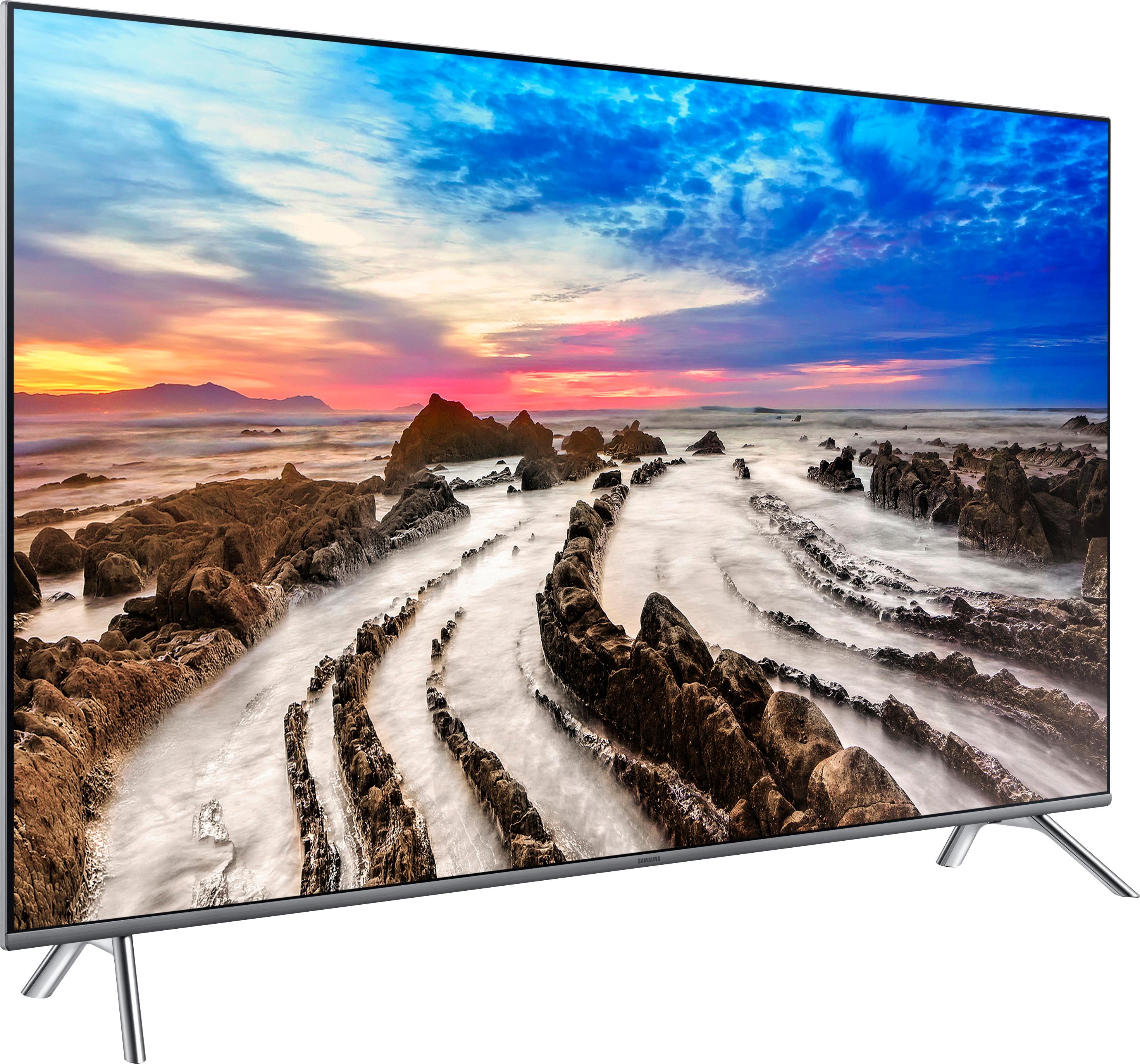

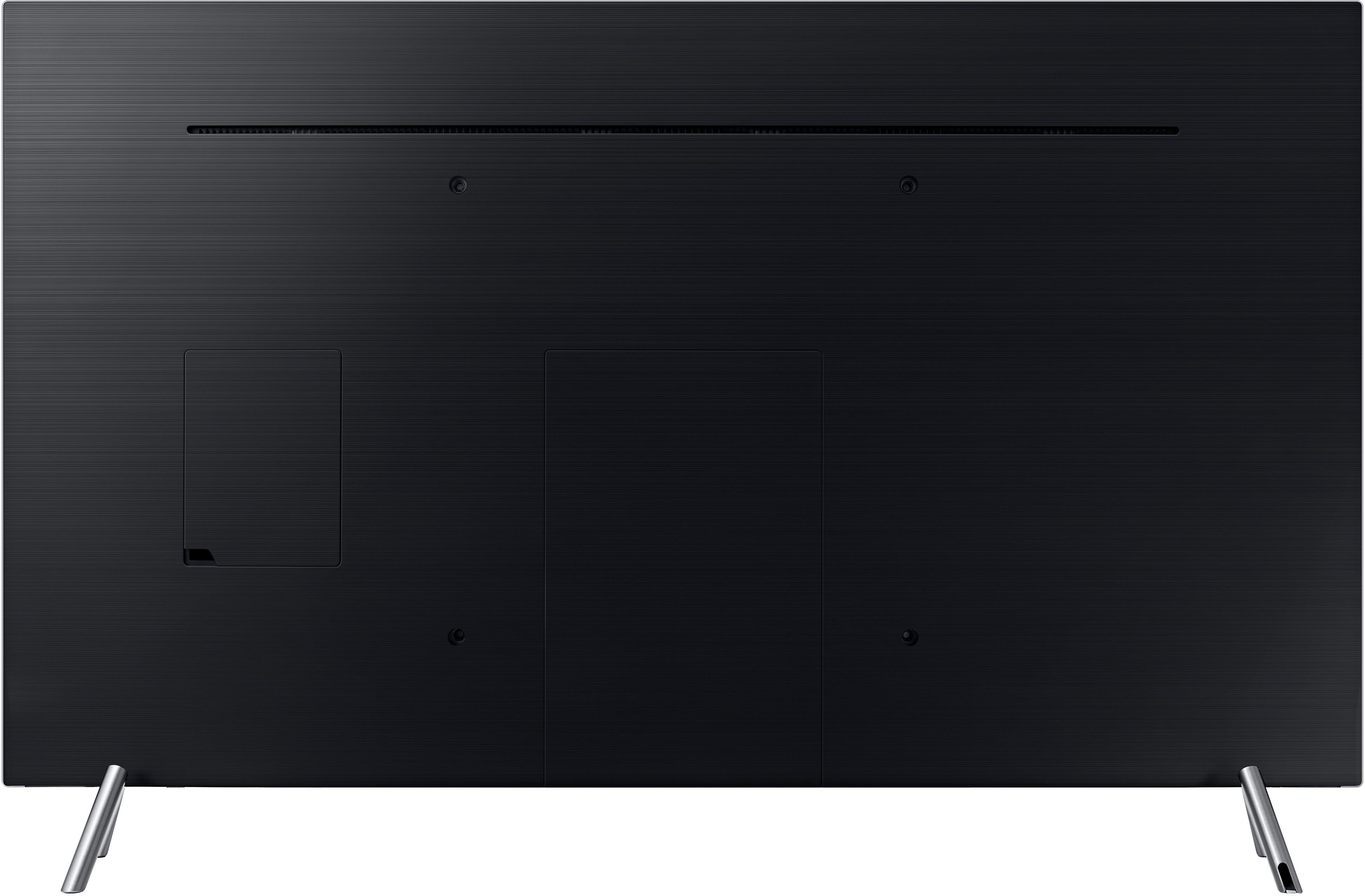
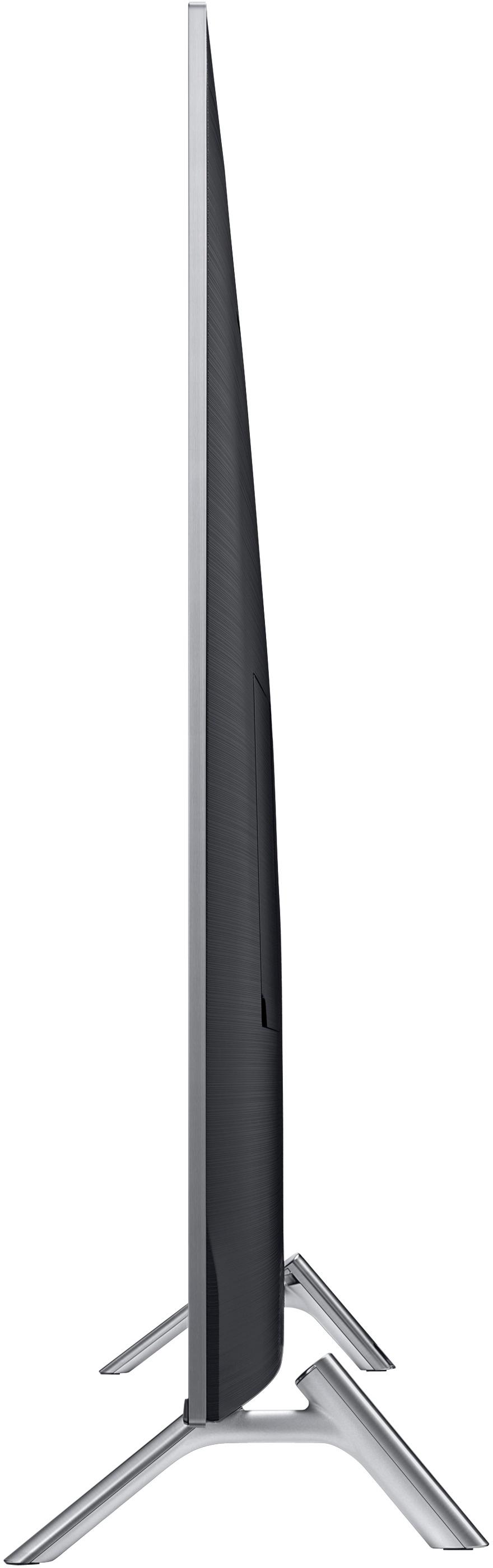

- Model:
- UN49MU8000FXZA
- SKU:
- 5768700
Rating by feature
- Value
Rating 4.2 out of 5 stars
- Quality
Rating 4.6 out of 5 stars
- Ease of Use
Rating 4.7 out of 5 stars
Customers are saying
Customers are impressed with the stunning picture quality, easy setup, and affordable price of the 49" Class - LED - MU8000 Series - 2160p - Smart - 4K UHD TV with HDR. They appreciate the vibrant colors, crisp images, and immersive sound experience. The user-friendly interface and wide range of smart TV features also receive positive feedback.
This summary was generated by AI based on customer reviews.
- Pros mentioned:Ease of use, Picture quality
Outstanding Picture Quality
Posted .This reviewer received promo considerations or sweepstakes entry for writing a review.Nice looking easy to use Smart TV with a fantastic picture! Great Remote
I would recommend this to a friend - Pros mentioned:Picture quality
Fantastic!
Posted .This reviewer received promo considerations or sweepstakes entry for writing a review.The resolution, the sound, the features, this tv has it all! I highly recommend it!
I would recommend this to a friend Great Picture and Solid Sound
Posted .This reviewer received promo considerations or sweepstakes entry for writing a review.Very happy with the product and i will but Samsung again.
I would recommend this to a friendGreat TV!!
Posted .This reviewer received promo considerations or sweepstakes entry for writing a review.Just got it all hooked up and played COD and Madden 18! Gaming on this TV is fantastic(Xbox one X).
I would recommend this to a friend- Pros mentioned:Picture quality
Great TV - but only for a TV stand not wall mount
Posted .This reviewer received promo considerations or sweepstakes entry for writing a review.I bought this TV because it was very attractive at the store. i got it home and set it up out of the box and was impressed with the quality of picture and loved the menus on the TV. Then i ran into a nightmare of a problem. This TV has the OneConnect mini system. It's a great idea where you have a single cable that goes up the wall in order to simplify installation and then you have 4 HDMI ports in a break out box which you connect to. Unfortunately for this specific model of TV the cable is not long enough to mount the TV on the wall and snake it through so that the wires are hidden. I was forced to dig deeper into this and found information online about extension cables for this one connect system. When speaking to Samsung directly i was informed that there is no extension cable for this specific TV. You have to be careful, apparently there are multiple different variations of the one connect system and they are not interchangeable. For the higher end OLED tv they offer long extension cables to extend below the tv or longer to go around a corner to a remote equipment setup. These cables run 100-200 but ultimately would save some money by having one of these longer and then short HDMI cables in order to connect your devices to the box. Once again THERE IS NO EXTENSION CABLE FOR THIS ONE CONNECT TV. i was incredibly frustrated that a TV which i thought was a great value i couldn't do a basic mount with in wall installation because the included cable is too short and there is no extension. Samsung if you are seeing this you need to address this. at the bare minimum this cable needs to be 3 ft longer standard. In addition, if you make any proprietary cabling such as this there MUST be a longer option to upgrade and install properly. These should be affordable and available at all retailers. I had to do a huge runaround and call Samsung customer service, BestBuy and SamsungParts.com to find out there was no workaround. There isn't even one single HDMI port on the TV they are all on the One Connect Box. If you are going to do a system like this there should be ONE... JUST ONE HDMI port on the actual TV so that in a basic installation, commercial installation or 90% of settings which have a single input you can completely avoid this problem altogether. ultimately i decided to bring this TV back to the store within the return window in order to get a TV that wasn't so complicated to just put up on the wall, run the wires down the back and enjoy. I am a loyal Samsung user and own 14 Samsung TV's in 2 of my homes and business combined. They are all a little older and don't have this system and have never had a problem. This system really needs to be thought out better going forward. Stick to the basics and you'll win me back. 1 HDMI on actual TV minimum always have easy availability of extension cables for proprietary system through retail outlets not forced to go through samsungparts.com to find it. When i go to the store to pick up a TV i want to walk out with what i need in order to install it that day not wait for things to arrive in the mail days later. Better luck next time.
No, I would not recommend this to a friendBrand response from MrSamsung
Posted .NYCTechFan,
Thank you for purchasing the Samsung 49" Class MU8000 4K SMart TV and for bringing your concerns to our attention. I am very sorry for the installation issue you have encountered and understand your frustration. Your user experience is very important to us and will be shared with our teams.
Should you ever decide to give Samsung TV products another try and have concerns or questions, please know we are always here to help. You can contact our Customer Support toll-free at 1-800-SAMSUNG. Or copy-paste this link into your browser to LiveChat or Email us: https://www.samsung.com/us/support/#contact_us_for_support
We are likewise reachable by Facebook Messenger at: http://m.me/samsungsupport
You can also find us on Twitter at: https://twitter.com/messages/compose?recipient_id=18768513
Again, my sincerest apologies. We hope to regain you as a customer in the future.
-Samsung Ambassador.
- Pros mentioned:Picture quality
So good that I went back and bought the 55"
Posted .This reviewer received promo considerations or sweepstakes entry for writing a review.What can I say, this TV is amazing. So amazing that I went back and bought the 55" for my family room. Clean, sharp, crisp picture. Colors are so vibrant. Deep blacks. Cant go wrong.
I would recommend this to a friend - Pros mentioned:Picture quality
Nicest Tv I had
Posted .This reviewer received promo considerations or sweepstakes entry for writing a review.I made the right choice. This TV is awesome perfectly clear pictures and superb sound. I love it.
I would recommend this to a friend - Pros mentioned:Picture quality
Great television
Posted .This reviewer received promo considerations or sweepstakes entry for writing a review.Great television, easy to use with clear picture quality
I would recommend this to a friend Not a great tv
Posted .This reviewer received promo considerations or sweepstakes entry for writing a review.I originally purchased this tv because it was a cool design and I had a lot of luck with Samsung products. When I set the tv up at home I was very pleased for the first month. Then the design flaws started to appear. 1 the television is edge lit, so now there is light bleeding around all the edges of the the tv that shows in a bright room and even in the dark room. This also means it is not Accurately displaying colors. As well as displaying darks. The tv says it can turn of light to better show darks. But what that means is it can control the edge lighting in three areas right left and center. So the center light can be on and the two left can be off and so forth makes a real wonky picture. 2. HDR this is the worst part of the tv. I put my tv up against a Sony led and with fast 8 running. It was the seen where Hobbs kid was playing soccer. On my tv the kids uniforms where a bright over Saturated red. While on the Sony the uniforms where a perfect color of dark burgundy. Also on this tv all skin colors looked reddish orange and the Sony was more of a natural skin tone. I do want to point out this doesn’t happen on every movie with the skin color just most.
No, I would not recommend this to a friendBrand response from MrSamsung
Posted .N1t5u0,
Thank you for purchasing the Samsung 49" Class MU8000 4K UHD TV and for sharing your user experience. I am sorry to hear that you are not entirely happy with the image quality.
Please give us the opportunity to assist you with image quality adjustments by calling Samsung Customer Support toll-free at 1-800-SAMSUNG.
You can also contact Samsung via LiveChat or email. Please copy-paste this link into your browser: http://www.samsung.com/us/support/contact
We are likewise reachable by Facebook messenger at: http://m.me/samsungsupport .
Or find us on Twitter at: https://twitter.com/messages/compose?recipient_id=18768513
We look forward to hearing from you.
- Samsung Ambassador
Great TV with SHORT cables
Posted .This reviewer received promo considerations or sweepstakes entry for writing a review.I have this TV hanging on an articulating wall mount that extends about 10" from my wall. The "One Connect" cord that comes with this TV is WAY too short to be able to run it through the arm, in the wall and down to my component shelf. I have another Samsung TV (55ks8000) that was purchased in 2016 and the One Connect cable is almost twice as long. It works great on the same bracket. Why Samsung chose to skimp on the length of this cable boggles my mind. If you're hanging this TV on the wall expect to have your components RIGHT below the TV or you'll always be looking at another unsightly cord. The power cable isn't much better either. It's boarder line too short depending on your application. The kicker is that, according to Samsung and their certified part center, they don't even MAKE a longer One Connect cable for this TV. I love the TV but the impractically short cords have me thinking it's coming off my wall and going back to Best Buy.
No, I would not recommend this to a friendBrand response from MrSamsung
Posted .ScottJ
Thank you for purchasing and reviewing this Samsung MU8000 4K TV. Your user feedback is very important to us and will be shared with our TV team for future improvement.
Should you need assistance with features or usage, please contact Samsung Customer Support toll-free at 1-800-SAMSUNG and a representative will gladly help you.
You can also contact Samsung via LiveChat or email. Please copy-paste this link into your browser: http://www.samsung.com/us/support/contact
We are likewise reachable on our Samsung Support Facebook page at: https://www.facebook.com/samsungsupport/app/158125230916392/
-Samsung Ambassador
- Pros mentioned:Picture quality
Color & Tint CANNOT BE CALIBRATED
Posted .This reviewer received promo considerations or sweepstakes entry for writing a review.Nice picture. The HDMI inputs cannot be calibrated for color or tint. Samsung says that the connected device - Blu-Ray player or cable box - should be adjusted to send color-correct images. But, of course, there are no such settings on most Blu-Ray players or cable boxes. You can adjust color for the antenna and USB inputs, but these settings only work with those inputs, NOT for HDMI. Fortunately, the default color is only one or two settings off (48 instead of the default 50). Still, this model is basically DEFECTIVE BY DESIGN with this restriction.
No, I would not recommend this to a friend - Pros mentioned:Picture quality
Beautiful Design, 49" size not so great though
Posted .This reviewer received promo considerations or sweepstakes entry for writing a review.Let me preface by saying I love samsung. I had a samsung tv for years and loved it. Beautiful picture, clear, bright, amazing! I needed to replace another tv and thought, why not get a larger one and use the old tv as the replacement. Finding a tv under 50" with a lot of the technology is more difficult then one would suspect. Aesthetically, this TV was a beautiful addition to my living room. But at this size, the picture quality was horrid. Everything was muted and washed out, it didn't have that "samsung pop". The sharpness though was fantastic. At the larger screen sizes i think this series would be much better. It's just this 49" size where the ball really got dropped. (I ended up with a Sony XBR 900 series, also 49" - not as sharp, but has more of that POP i was looking for. Also, quite a bit more money but thanks to a sale, just $100 more than the MU8000 49") If my budget and physical space allowed, I think the Samsung QLEDs is where I'd be looking!
No, I would not recommend this to a friendBrand response from MrSamsung
Posted .zenm:
Thank you for sharing your user experience with this TV. I am sorry to hear that you were not completely happy with image quality or the size.
Please contact Samsung Customer Support for assistance with picture adjustments, or for recommendations on any of our other series and sizes that might better fit your needs.
You can contact us toll-free at 1-800-SAMSUNG, or via LiveChat or email. Please copy-paste this link into your browser: http://www.samsung.com/us/support/contact
We are likewise reachable on our Samsung Support Facebook page at: https://www.facebook.com/samsungsupport/app/158125230916392/
- Pros mentioned:Picture quality
Will return TV--worst ever
Posted .This reviewer received promo considerations or sweepstakes entry for writing a review.This is the worst television, or for that matter, appliance, I've ever purchased. It is sigificantly and unnecessariy confusing and complex. I have a PhD. I've been working on computers my entire career. I'm not stupid. But I can't make this thing work. The remote is useless, but it is the only way to communicate with the TV. BestBuy charges an additional $200 over the price of the tv to install it. It took me over an hour just to set up an appointment for someone to install the tv. And my guess is that BestBuy probably won't refund the money I had to put up front to get someone from the Geek Squad to come to my house. That makes this a very expensive television. Know this: If you want to watch Netflix, know that Netflix won't respond to voice commands on volume adjustments via the voice controlled remote, which is the only way to adjust the volume on this tv. Therefore, you can't adjust volume for anything on Netflix. Moving from video selection to selection returns you each time to either a blank screen or the home screen. I've had to log into Spotify 3 times (each time I've tried to listen to music) which is a lengthy process and nothing I've ever had to do on my old TV. I'm returning this one as soon as I can. Great picture--too bad you can't get any sound.
No, I would not recommend this to a friendBrand response from MrSamsung
Posted .Thank you for purchasing the Samsung 4K TV. I am sorry to hear that you are experiencing issue with voice interaction and the remote control.
Here is the link to the eManual; you can find details on remote control functionality on page 25-30 :
http://downloadcenter.samsung.com/content/UM/201708/20170823101811096/ENG_US_KTMATSCL-3.0.3.pdf
I hope this helps to resolve the issues. For further assistance, please contact Samsung Customer Support toll-free at 1-800-SAMSUNG and a representative will gladly help you.
You can also contact Samsung via LiveChat or email. Please copy-paste this link into your browser: http://www.samsung.com/us/support/contact
We are likewise reachable on our Samsung Support Facebook page at: https://www.facebook.com/samsungsupport/app/158125230916392/
Samsung is committed to providing the best possible product experience, quality, and value, and we are always here to help with any of your questions or concerns.
-Samsung Ambassador
5 years in
Posted .This reviewer received promo considerations or sweepstakes entry for writing a review.This tv has an amazing value! 5 years in and still working wonders! If youre limited to a budget you cannot go wrong buying this.
I would recommend this to a friend- Pros mentioned:Picture quality
Waste of money
Posted .This reviewer received promo considerations or sweepstakes entry for writing a review.I bought a 6 series 6300 model a month ago and really enjoyed the tv. I bought it for $600 on a military base (veteran) and I loved every minute of it. I wanted an upgrade so I returned that tv to get this MU8000 model... I see zero difference beside the thinness of the tv. You get a slightly darker black and that's it. $400 More for a SLIGHTLY darker blacks. Big deal. And I game, A LOT. so save your money people. Buy the 6300 6 series Samsung and save yourselves HUNDREDS.
No, I would not recommend this to a friendBrand response from MrSamsung
Posted .Robert
Thank you for purchasing and reviewing this Samsung 4K TV. Your user feedback is very important to us and will be shared with our TV team.
Please know that the Premium UHD MU8000 does incorporate technologies that enables deeper black level, finer color contrast and superb HDR viewing.
Should you need assistance with features or usage, please contact Samsung Customer Support toll-free at 1-800-SAMSUNG and a representative will gladly help you.
You can also contact Samsung via LiveChat or email. Please copy-paste this link into your browser: http://www.samsung.com/us/support/contact
We are likewise reachable on our Samsung Support Facebook page at: https://www.facebook.com/samsungsupport/app/158125230916392/
-Samsung Ambassador
- Pros mentioned:Picture quality
Picture great but movement is blurry.
Posted .This reviewer received promo considerations or sweepstakes entry for writing a review.The picture is spectacular but for some reason when the actors move a little to the left or to the right it’s blurry. Really weird. Maybe I’ll get used to it but do you really can notice it
No, I would not recommend this to a friendBrand response from MrSamsung
Posted .GlenninOlando,
Thank you for your review of this Samsung MU8000 UHD Smart TV.
I am sorry to see that you are not happy with its motion image performance.
Have you tried adjusting Auto Motion Plus? It is a feature designed to eliminate blur and judder on an LED TV, specifically in fast moving images. It does so by taking a 30 fps signal and adds in additional frames to help smooth out any blur or judder between frames, called interpolation.
Here is the step-by-step guide to change Auto Motion Plus settings:
With the TV powered on, press the Home button on the Samsung remote to open the Home screen> Select Settings>.Select Picture > Select Expert Settings> Select Auto Motion Plus.
(Note: This option may not be visible initially. Continue scrolling through the Expert Settings Menu to locate Auto Motion Plus)
>Select Auto Motion Plus again, and you will see the following three options:
◦Off: Auto Motion Plus will always be off.
◦Auto: Auto Motion Plus will automatically activate and deactivate based on the type of program being watched.
◦Custom: Allows custom adjustments and settings to be used.
By selecting the Custom option, you can access these advanced settings:
- Blur Reduction: Use the directional keys on the remote to adjust the Blur setting.
- Judder Reduction: Use the directional keys on the remote to adjust the Judder setting.
- LED Clear Motion: Select to turn On/Off.
For further assistance, please contact Samsung Customer Support toll-free at 1-800-SAMSUNG and a representative will gladly help you.
You can also contact Samsung via LiveChat or email. Please copy-paste this link into your browser: http://www.samsung.com/us/support/contact
We are likewise reachable on our Samsung Support Facebook page at: https://www.facebook.com/samsungsupport/app/158125230916392/
Again, thank you for taking the time to share your experience and provide us with information that helps improve our products and service.
-Samsung Ambassador
- Cons mentioned:Motion blur
Dissapointing
Posted .This reviewer received promo considerations or sweepstakes entry for writing a review.I went in with expectations of getting a great tv.Quickly I realized this tv was dumbed down and all the focus went into the qled line. A lot of motion blur. The 4k upscaling struggled to improve normal content and mad it look worst. I even tried ever setting possible but didnt make a difference. If your a gamer the hdr notification does not pop up so you will be unsure if your getting true hdr.I can only speak for the 49inch model.
No, I would not recommend this to a friendBrand response from MrSamsung
Posted .Banks411,
Thank you for purchasing this Samsung MU8000 UHD Smart TV. I am sorry to hear that you are not completely satisfied with picture quality.
I am sorry to see that you are not happy with its motion image performance.
Have you tried adjusting Auto Motion Plus? It is a feature designed to eliminate blur and judder on an LED TV, specifically in fast moving images. It does so by taking a 30 fps signal and adds in additional frames to help smooth out any blur or judder between frames, called interpolation.
Here is the step-by-step guide to change Auto Motion Plus settings:
With the TV powered on, press the Home button on the Samsung remote to open the Home screen> Select Settings>.Select Picture > Select Expert Settings> Select Auto Motion Plus.
(Note: This option may not be visible initially. Continue scrolling through the Expert Settings Menu to locate Auto Motion Plus)
>Select Auto Motion Plus again, and you will see the following three options:
◦Off: Auto Motion Plus will always be off.
◦Auto: Auto Motion Plus will automatically activate and deactivate based on the type of program being watched.
◦Custom: Allows custom adjustments and settings to be used.
By selecting the Custom option, you can access these advanced settings:
- Blur Reduction: Use the directional keys on the remote to adjust the Blur setting.
- Judder Reduction: Use the directional keys on the remote to adjust the Judder setting.
- LED Clear Motion: Select to turn On/Off.
Some users have experienced inactivated HDR when connecting the TV to a PS4.
To activate HDR, please follow these step after you connect the TV to the PS4 Pro via HDMI:
Go into Home> Settings> General> HDMI UHD Color> Select the HDMI that is connected to the PS4 Pro
If the device is still not recognized please make sure that the HDMI cable is High Speed and also update both the TV and the PS4 Pro.
I hope this helps you to start enjoying the full benefit of HDR viewing.
Should you need further assistance with features or usage, please do reach out to our Customer Service by calling 1-800-SAMSUNG, or by LiveChat or email. Simply copy-paste this link into your browser: http://www.samsung.com/us/support/contact
We are likewise reachable via Facebook Messenger at: http://m.me/samsungsupport
You can also find us on Twitter at: https://twitter.com/messages/compose?recipient_id=18768513
Again, thank you for taking the time to share your experience and provide us with information that helps improve our products and service.
-Samsung Ambassador
- Cons mentioned:One connect box
one connect
Posted .This reviewer received promo considerations or sweepstakes entry for writing a review.Bought this TV on 11/27/2017 and purchased a 2 Yr. extended warranty. On Dec. 13 2019 the TV wouldn't power on. Was told it was the one connect box and that the power was struggling to come on. On light was just flickering and the screen showed a light flash every couple of seconds. Just missed the warranty date by 3 wks. Tried another refurbished one connect and still wouldn't work. Told to scrap and buy another TV, that the problem was internal and couldn't be fixed.
No, I would not recommend this to a friend Garbage UHD 4K TV WITH HDR
Posted .This reviewer received promo considerations or sweepstakes entry for writing a review.I bought this tv because it had great reviews and was one of the top selling TVs from Best Buy. The employee working at my location recommended this tv telling me it’s top of the line. With gaming in mind, I was getting this for the Xbox One X because this tv advertises triple black. When I was playing the Xbox you can’t see half of the game. I tried to calibrate the tv but for some reason Samsung won’t let you. I needed to adjust the Black level so I could see things but that option was greyed out without the option to do anything. Stay far away from this tv if you’re a gamer because it will only let you down.
No, I would not recommend this to a friendsamsung
Posted .This reviewer received promo considerations or sweepstakes entry for writing a review.This tv is great have not had any problems with it.
I would recommend this to a friend