Customer Ratings & Reviews
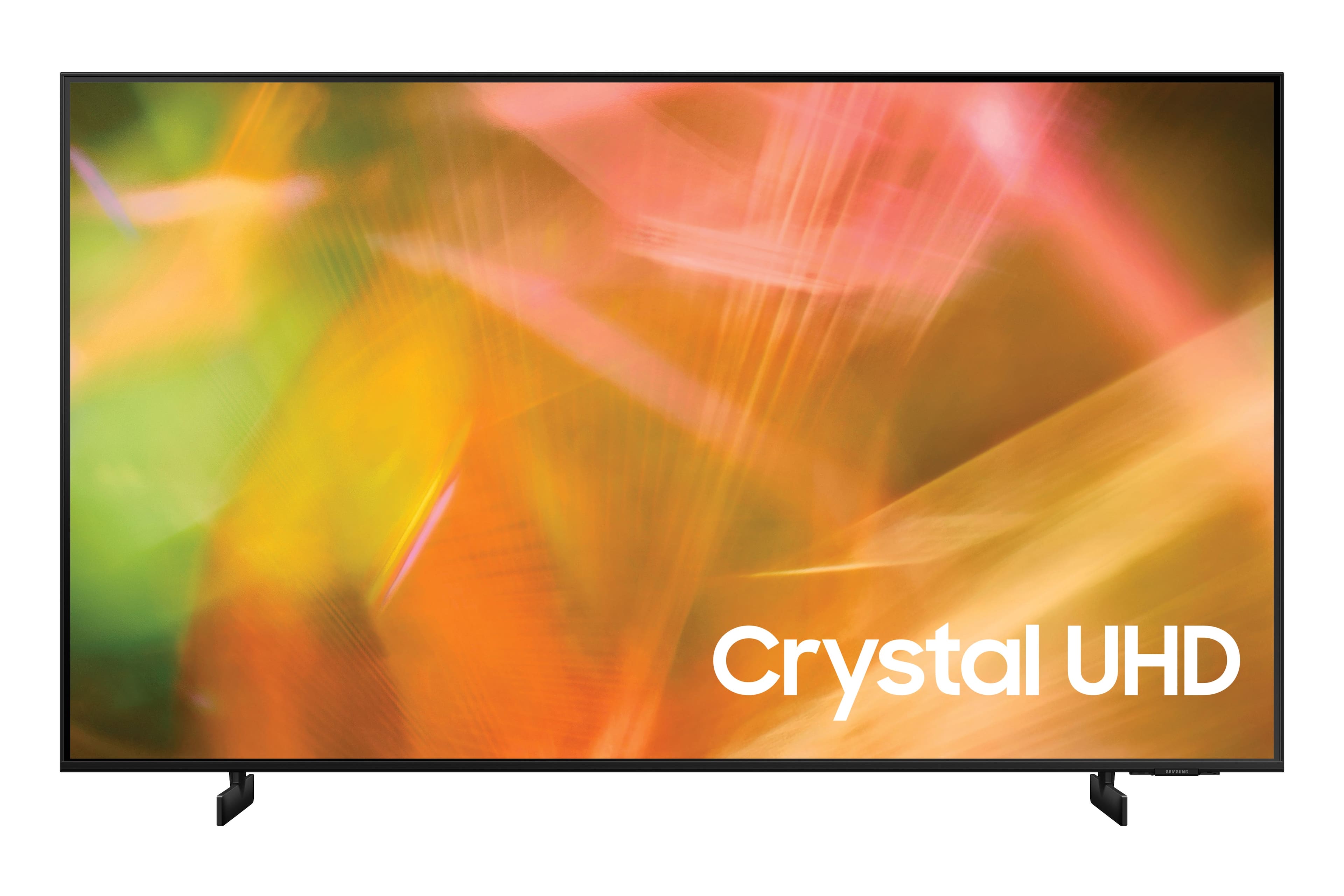
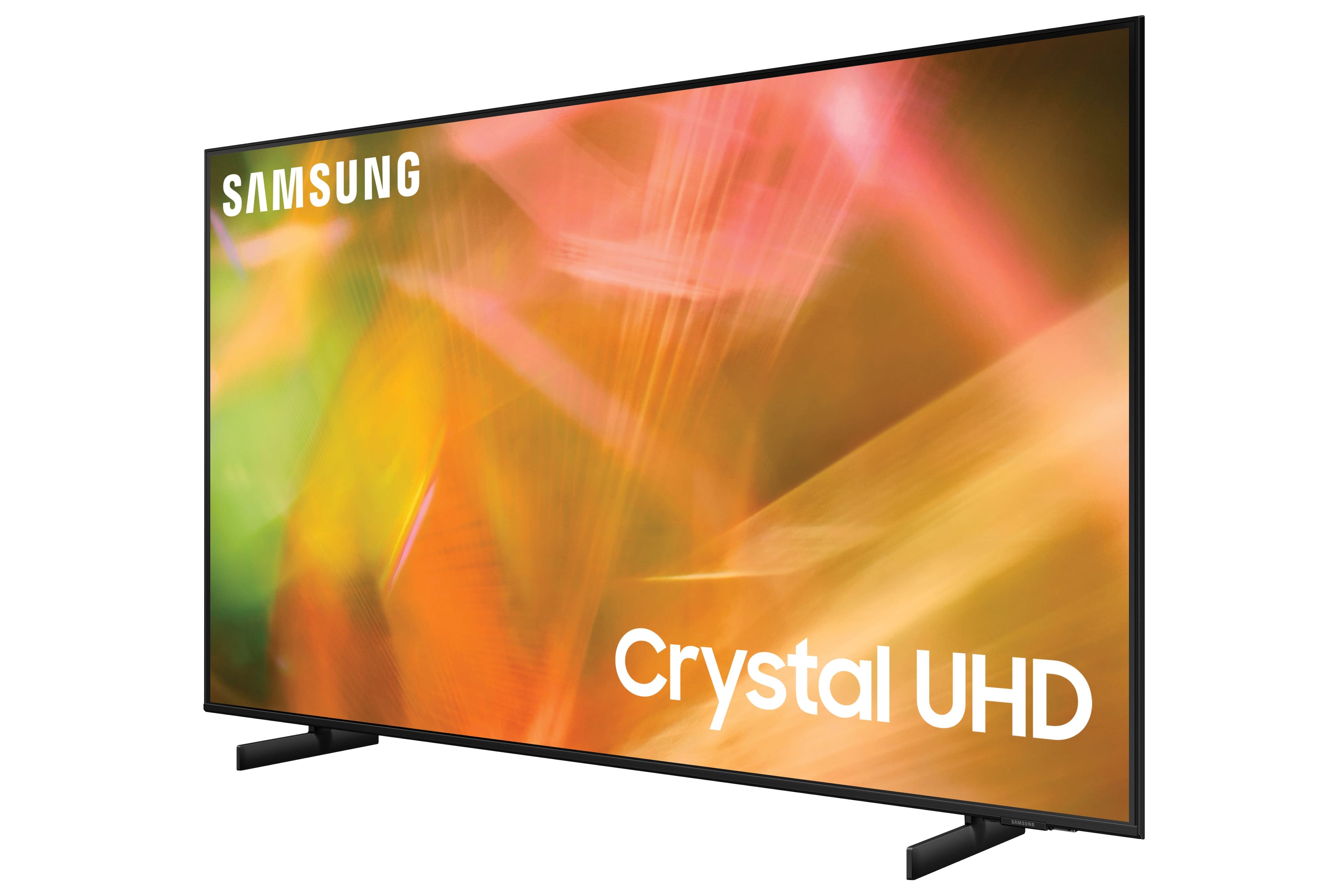








- Model:
- UN50AU8000FXZA
- SKU:
- 6452997
Rating by feature
- Picture Quality
Rating 4.6 out of 5 stars
- Sound Quality
Rating 4.2 out of 5 stars
- Brightness
Rating 4.6 out of 5 stars
Customers are saying
Customers are satisfied with the picture quality, easy setup, price, color, and size of the 50" Class 8000 Series LED 4K UHD Smart Tizen TV. They appreciate the excellent picture clarity, vibrant colors, and user-friendly interface. However, some customers have concerns about the durability and lifespan of the TV, as well as issues with the remote control and screen.
This summary was generated by AI based on customer reviews.
- Pros mentioned:Price
Bang for the buck
||Posted . Owned for less than 1 week when reviewed.This reviewer received promo considerations or sweepstakes entry for writing a review.Very pleased with the performance of this tv. After researching for hours comparing this tv to all others. I do mean all. This had the best money to performance ratio for me.
I would recommend this to a friend - Pros mentioned:Picture quality
Love Samsung flat screen televisions
||Posted . Owned for 10 months when reviewed.This reviewer received promo considerations or sweepstakes entry for writing a review.Great quality, One of the thinnest televisions I’ve owned. Runs hot and will reboot often.
I would recommend this to a friend - Pros mentioned:Picture quality
Tried different brands before this one
||Posted . Owned for 1 month when reviewed.This reviewer received promo considerations or sweepstakes entry for writing a review.I’ve tried multiple brands at this price point and the others didnt compare to this soindbar. I bought the sub also and it was a game changer!!!!!! Recommend! Rear speakers are next!
I would recommend this to a friend - Pros mentioned:Ease of use
Decent product for price
||Posted . Owned for 1 year when reviewed.This reviewer received promo considerations or sweepstakes entry for writing a review.Purchased this as a gift for our parents. Install was simple, they have been happy with the ease of use.
I would recommend this to a friend - Pros mentioned:Picture quality
Samsung
||Posted . Owned for 1 month when reviewed.This reviewer received promo considerations or sweepstakes entry for writing a review.I do love my TV and I'm enjoying it and so excited about my television I'm glad that I purchased the TV thank you so much for being patient with me.
I would recommend this to a friend - Pros mentioned:Ease of use, Picture quality
Great TV
||Posted . Owned for 1 week when reviewed.This reviewer received promo considerations or sweepstakes entry for writing a review.This Tv is perfect size for our home gym. The price you can’t beat and picture quality is great. The controller is very easy to use.
I would recommend this to a friend - Pros mentioned:Picture quality
Great TV for small living space
||Posted . Owned for 6 months when reviewed.This reviewer received promo considerations or sweepstakes entry for writing a review.No problems with the TV whatsoever. We just have a small apartment, so the size is perfect and we love the picture.
I would recommend this to a friend - Pros mentioned:Tv quality
Samsung knows what they are doing!
||Posted . Owned for 1 month when reviewed.This reviewer received promo considerations or sweepstakes entry for writing a review.Although my old Samsung still worked great, it wasn't a smart TV and I also wanted to upgrade to a larger size. Can never go wrong with Samsung.
I would recommend this to a friend - Pros mentioned:Picture quality
Great TV for the price
||Posted . Owned for 1 week when reviewed.This reviewer received promo considerations or sweepstakes entry for writing a review.Clear, the sound is great, and it is a great replacement for the one I broke, that was affordable. Love that it connects to everything (other than apple)
I would recommend this to a friend - Cons mentioned:Interface, Remote control
Buggy, choppy, and half-baked
||Posted . Owned for 1 week when reviewed.This reviewer received promo considerations or sweepstakes entry for writing a review.If you're looking for an "everything just works" TV, this is not it. I say this because I spent a lot of time researching TVs, trying them out in the store, and asking questions and I really thought this was the right one. I got this delivered last week and I’m just really disappointed in what I got. While some of it’s grown on me, I still plan on returning it due to some of the problems and the size – just a little too large for my space. If you’d like to skip my review, the basics are that the picture can be choppy, smart features are poorly integrated and buggy (does NOT support Chromecast or Google Home despite what salespeople tell you), and the interface is complicated and difficult partly due to the poorly designed and minimal remote. You can change some settings to fix some of these problems, but not all. Picture: I get that dimming might not be great on this, but even an entirely black screen has large white pools. My 5 year old 1080p 32" doesn't do that. As far as video goes, it’s okay. I hate the soap opera/high FPS setting, so I turn the judder setting way down. However, if you plan on casting or mirroring content – which accounts for probably 90% of my TV use – you will have issues. Despite its support for 4K mirroring, don’t expect it to look good. Actually, don’t expect even 1080p AirPlay content or PC mirroring to look good either. Motion is extremely choppy no matter what picture clarity settings you change. Panning shots, action shots, you name it – they all look bad if you’re casting or mirroring. It sometimes alternates between rapidly advancing frames to very slow frame – resulting in a bumpy feel. Built-in apps and over-the-air channels don’t have this problem. Casting/Mirroring: Despite having Google Assistant, it doesn't support Chromecast like the salesperson said. If it did, it actually wouldn’t have some of the motion issues above, since it streams directly to the TV and integrates with the TV apps. It supports very limited sources for casting – it's inconsistent as to which apps work, and many of them require individual setup in the TV version of the app (if the TV has one – otherwise you’re out of luck). In other words, none of it is “click of a button” like with Chromecast. When streaming from the Chrome browser, only some video sites work versus Chromecast which supports all sites. You also have to have the TV on first to cast or mirror, unless using AirPlay. Chromecast lets you wake the TV by casting. Airplay is very nice, but limited to Apple devices, and again, it doesn’t integrate directly with the TV apps like Chromecast does. Other Smart Features: Bluetooth setup and functionality is very buggy – hard to set up, and I frequently have silence coming from my speaker despite being connected. Sometimes I’ll try to connect and it won’t work, until minutes later when it suddenly springs to life. I also expected a better app selection when upgrading from my 5 year old Samsung: it’s pretty much the same lackluster off-brand selection. Remote and Navigation: The lack of buttons on the remote is extremely frustrating. It’s a pretty horrible remote with no numbers and lacks several buttons you’re used to, like input, guide, exit, info, etc. Not even a menu button – settings are several clicks away in Smart Hub or whatever they call it now. Most of these functions are buried in menus that are tricky to navigate and laggy. Takes a lot of clicks to get things done, and it’s not intuitive. Assistants, Voice: I can’t speak to Amazon’s assistant (I use Google in my home and thoroughly despise Amazon), but I find that the version of Google Assistant included is fairly useless compared to what I’m able to do with other devices such as my Chromecast via Google Nest. It can change very few TV settings, and asking other Google devices (Nest etc.) can only turn the TV on or off and control volume. No “play this” or anything. The only thing you can really control it with that’s not the TV remote is the proprietary Smart Things app. Bixby fares a little better but is pretty slow. It doesn’t understand “6” or “channel 6” – you have to say “turn on channel 6,” at which point you might as well add “to whom it may concern.” Interface: When you turn it on, you get TV Plus, a fairly useless collection of B movies that play blaringly loud when you turn on the TV and every time you exit a menu (yes, opening any kind of menu, guide, or setting will mute, exit, or forget whatever you were watching before and drop you back to a TV channel). If you have an antenna, you can connect that and disable TV Plus entirely. There’s no “home screen” like with some other smart TVs. The interface often freezes, and sometimes jumps around quite a bit without any input from you. Did I mention it freezes? Sound: defaults are very tinny. Don’t expect anything to sound great, especially music. With some adjustment, movies and TV are tolerable. It sounded much better in the store – I even requested to see a model without a soundbar, and it didn’t sound this bad. Other nuisances: “screen off” is buried quite deep in settings. On my old Samsung, it was front and center – great for using your TV to stream music or other audio. A little more difficult here, and the Bixby assistant can’t understand “Picture Off” even though that’s what the command is called. It will turn the whole TV off.
No, I would not recommend this to a friendBrand response from Samsung
Posted .Hi Robert!
Thank you for your detailed review of Samsung’s AU8000 Crystal UHD TV. Samsung is committed to providing the best possible product experience, quality, and value, and your feedback will be shared with our product teams.
If the picture you are seeing out-of-the-box are not to your liking, there are several picture settings you may want to try adjusting.
You can select the Picture Mode that provides the best viewing experience. Go to Home > Settings > Picture > Picture Mode
1) Standard: Is the default mode suitable for general viewing environments.
2) Natural: Reduces eye strain for a comfortable viewing experience.
3) Movie: Is suitable for watching TV or movies in a dark room.
4) Dynamic: Makes the picture brighter and clearer in bright viewing environments.
You can also go to: Settings > Picture > Expert Settings > to manually fine tune your image.
There are also several sound settings you can adjust to suit your personal sound preferences.
Change the Sound Mode by going to: Settings > Sound > Sound Mode
You can customize the sound with Expert Settings just like the image settings by going to: Settings > Sound > Expert Settings
Regarding the performance of the smart system and remote control, you can try to optimize the smart TV performance, please try Device Care option under the Support Menu. Go to Settings > Support> Device Care > Start Device Care
This service checks memory and frees up unused cached memory and closes background apps.
Please also be sure you are running the latest firmware. You can check to see what software version your TV is using and if there is an available update through the settings on your TV. Go to: Settings > Support > Software Update.
Samsung offers hundreds of apps in our App Store that you can download, including the most popular streaming services such as Netflix, Prime Video, HBO Max, Disney+, YouTube, Apple TV, and hundreds more. We are also continuously adding more premium content and new services to our Smart TV platform.
For assistance with navigating and learning the various functionality of the AU8000 features you can download the AU8000 TV's User Manual, e-Manual, and Quick Setup Guide on Samsung's website by clicking "Support" > "Manuals & Software" > "TVs & Home Theater" > "TVs". From there, you can select the AU8000 TV under "Crystal UHD TVs” > “A Model Lineup" and download the guides you would like. The e-Manual is also embedded into the TV itself under Settings > Support > Open e-Manual.
If there is anything else we can do to improve your experience such as helping to optimize settings, please let us know. You can reach Samsung Customer Support at:
1-800-SAMSUNG (ask for TVs), available 8AM -12AM EST M-F (9AM – 6PM EST Sat). Or text HELP to 62913.
For additional support resources, visit us on the Samsung website and click on the ‘Support’ link in the upper right corner of the homepage for:
1) More ‘Contact Us’ options – LiveChat, Facebook, Twitter, Samsung Community, Samsung Members app
2) Manuals & Software
3) Warranty Info
4) Product Registration: For access to easy warranty support, convenient opt-in to special promos and offers, faster troubleshooting and service, and quick notification of system updates.
~ Samsung Solutions
- Pros mentioned:Picture quality
Worth the price
||Posted . Owned for 1 month when reviewed.This reviewer received promo considerations or sweepstakes entry for writing a review.Very good image. Light and easy to wall mount. Sound quality is good. Good picture in living room full of windows.
I would recommend this to a friend - Pros mentioned:Picture quality
Great 4K tv. Samsung TVs are the best.
||Posted . Owned for 3 weeks when reviewed.This reviewer received promo considerations or sweepstakes entry for writing a review.Easy set up thru Samsung step by step instructions. Added a 4K Roku to add app access. Great picture! Bought for my daughter who loves it.
I would recommend this to a friend - Pros mentioned:Picture quality, Price, Tv quality
Go for it!
||Posted . Owned for 3 weeks when reviewed.This reviewer received promo considerations or sweepstakes entry for writing a review.Love it , affordable, thin, great picture. Really enjoying it. Highly recommend! I do recommend a sound bar though.
I would recommend this to a friend - Pros mentioned:Picture quality
Great Buy
||Posted . Owned for 1 month when reviewed.This reviewer received promo considerations or sweepstakes entry for writing a review.Beautiful rich colors and seamless streaming capability. Picture is as good as a QLED 6/60. With that being said, t is not the latest version.
I would recommend this to a friend - Pros mentioned:Picture quality
Great tv
||Posted . Owned for 1.5 years when reviewed.This reviewer received promo considerations or sweepstakes entry for writing a review.Great picture, love it for gaming and the graphics are amazing
I would recommend this to a friend - Pros mentioned:Picture quality
Bedroom TV
||Posted . Owned for 1 month when reviewed.This reviewer received promo considerations or sweepstakes entry for writing a review.This TV is for the bedroom... So the bar is not set as high as it would be for our family room. Great for what we were looking for!
I would recommend this to a friend - Pros mentioned:Picture quality
Great Features
||Posted . Owned for 4 months when reviewed.This reviewer received promo considerations or sweepstakes entry for writing a review.Excellent TV for the price. Good picture and sound quality, nice features, and has all of the major apps, so you won't really need an AppleTV, Roku, or Fire Stick.
I would recommend this to a friend - Pros mentioned:Picture quality
Samsung 50"Class 8KSeries LED 4K UHD Smart Tizen
||Posted . Owned for 1 month when reviewed.This reviewer received promo considerations or sweepstakes entry for writing a review.excellent picture and better than the one I had prior which had developed issues with picture & no visual after being Old tv was on for 15 minutes
I would recommend this to a friend - Pros mentioned:Picture quality
Low cost but sufficient
||Posted . Owned for 1.5 years when reviewed.This reviewer received promo considerations or sweepstakes entry for writing a review.Excellent for College usage. WE bought this TV for our daughter to use in her apartment while in the college. Nice pictures.
I would recommend this to a friend - Pros mentioned:Picture quality
Looks good
||Posted . Owned for 1.5 years when reviewed.This reviewer received promo considerations or sweepstakes entry for writing a review.Picture is really good for the price point. We bought this as secondary TV and really happy with it.
I would recommend this to a friend