Customer Ratings & Reviews





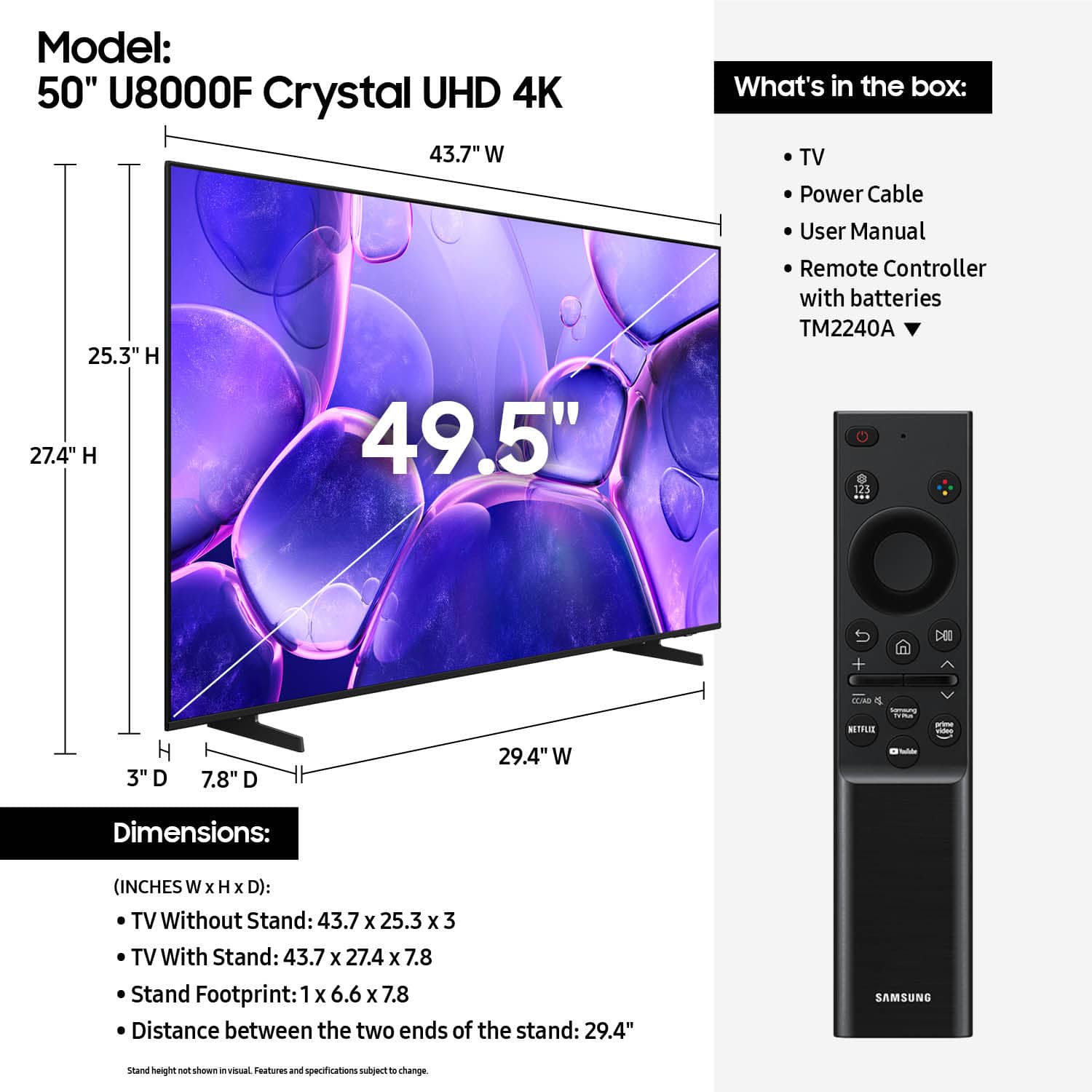










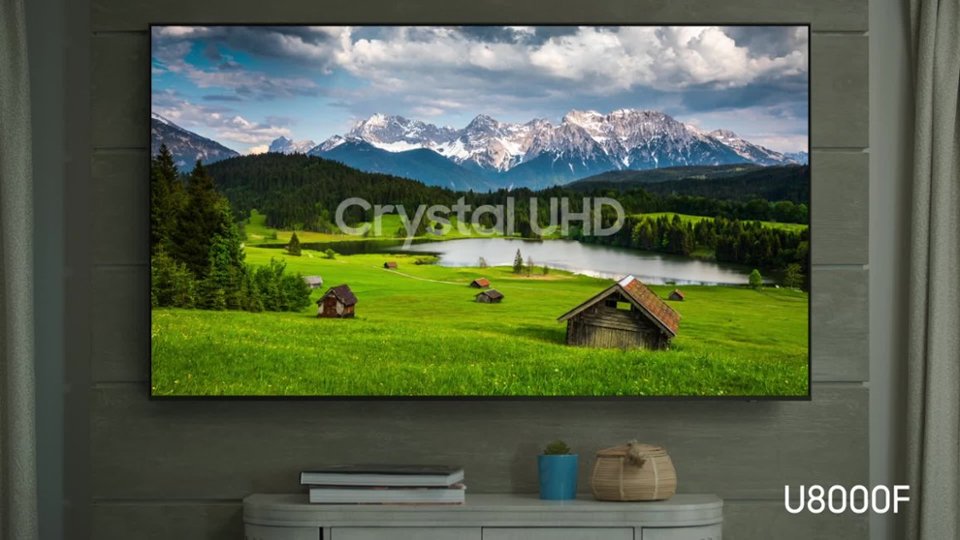


- Model:
- UN50U8000FFXZA
- SKU:
- 10187731
Rating by feature
- Picture Quality
Rating 4.7 out of 5 stars
- Sound Quality
Rating 4.5 out of 5 stars
- Brightness
Rating 4.7 out of 5 stars
- Pros mentioned:Picture quality
Awesome!
||Posted . Owned for 3 weeks when reviewed.This reviewer received promo considerations or sweepstakes entry for writing a review.Works just as intended and it is good for my gaming habits.
I would recommend this to a friend Samsung tv
||Posted . Owned for 1 month when reviewed.This reviewer received promo considerations or sweepstakes entry for writing a review.So far so good..........sound seems low sometimes..
I would recommend this to a friendImpressed
||Posted .This reviewer received promo considerations or sweepstakes entry for writing a review.I am really impressed; I was concerned that there would be issues with glare because of the nearby windows but it has not been an issue. Setup was quick and easy even with the software update.
I would recommend this to a friend- Pros mentioned:Picture quality
Good budget tv
||Posted . Owned for 2 weeks when reviewed.This reviewer received promo considerations or sweepstakes entry for writing a review.Good bang for your buck. Good picture with smooth ui.
I would recommend this to a friend Constant buffering during live sports
||Posted .This reviewer received promo considerations or sweepstakes entry for writing a review.TV constantly buffers during live sports in any setting above SD. I even have it connected to an ethernet cable. No issues with sports on any other TV in the house. Other than live sports, the TV is fine for the price point. There also isn't a mini optical input for my soundbar. So will need to get a new soundbar. I should have paid closer attention to inputs prior to making this purchase.
No, I would not recommend this to a friendBrand response from Samsung
Posted .Hi Velli,
Thank you for your feedback on the Samsung U8000F TV. If the picture appears unclear, dull, or lacks definition, there are several settings you can adjust to improve clarity and overall image quality. Go to: Settings > All Settings > Picture > Expert Settings, and review these key settings:
Picture Clarity Settings: While originally intended for motion handling, these can also impact overall clarity
• Off: Disables motion enhancements
• Auto: Automatically adjusts based on content
• Custom: Lets you fine-tune:
o Judder Reduction – Helps smooth out uneven motion
o LED Clear Motion – Boosts sharpness in fast-moving content
o Noise Reduction – Reduces distortion and enhances detail in lower-resolution sources
Core Picture Settings
• Brightness – Controls overall screen brightness
• Contrast – Enhances the difference between bright and dark areas
• Sharpness – Adjusts edge definition; closer to 20 increases detail
• Color – Enhances depth and intensity of colors
And don’t forget to check for the latest firmware, which may improve performance: Settings > Support > Software Update > Update Now
These adjustments can make a noticeable difference in overall clarity. If you need further help tailoring the settings to your preferences or environment, please contact Samsung Support at 1-800-SAMSUNG, 8AM – 12AM EST, 7 days a week. LiveChat is also available via the ‘Support’ link on our website.
~Samsung Advisor
Samsung TV is great
||Posted . Owned for 1 week when reviewed.This reviewer received promo considerations or sweepstakes entry for writing a review.I purchased this because our last Samsung TV broke and with Samsung TV it helped me cut the cord from having to have all the additional cable and TV
I would recommend this to a friendSamsung tv
||Posted . Owned for 3 weeks when reviewed.This reviewer received promo considerations or sweepstakes entry for writing a review.customer service was excellent. We had a return and was handled very professionally. We will definitely go back.
I would recommend this to a friend- Pros mentioned:Picture quality
TV
||Posted . Owned for 1 month when reviewed.This reviewer received promo considerations or sweepstakes entry for writing a review.Eazy to hang, Very good quality, buy & value for this size TV
I would recommend this to a friend Perfect for the price.
||Posted . Owned for 2 weeks when reviewed.This reviewer received promo considerations or sweepstakes entry for writing a review.I bought this TV for my husband for his birthday to put on the patio so he can watch football all weekend. We put it on a rolling stand and it is perfect. He can even see it from the pool. And the price was great!
I would recommend this to a friendReplace older Samsung 50"
||Posted . Owned for 3 weeks when reviewed.This reviewer received promo considerations or sweepstakes entry for writing a review.Had to replace an older Samsung 50" that could not be repaired. I purchased the extended warranty so it was an easy purchase. Basically it was an exchange. There was no charge for the new TV. I "upgraded" the TV and purchased a soundbar and rear speakers (from Samsung).
I would recommend this to a friend- Pros mentioned:Picture quality
Samsung TV
||Posted . Owned for less than 1 week when reviewed.This reviewer received promo considerations or sweepstakes entry for writing a review.Always been pleased with Samsung TV. Very good price.
I would recommend this to a friend Average TV. AWFUL User interface
||Posted .This reviewer received promo considerations or sweepstakes entry for writing a review.An average at best TV. The picture quality is 7/10, which is not bad for the price. However the problems come with the User Interface. On multiple occasions, the user interface is super slow and basically makes the TV unusable. There have been multiple times where I had to turn the tv off and on because the user interface was either way too clunky or just not working at all.
No, I would not recommend this to a friendBrand response from Samsung
Posted .Hi RayV,
We appreciate your feedback regarding response time. For optimal performance, please ensure your U8000F TV is running the latest firmware. You can check this by going to: Home > left directional key > Settings > Support > Software Update
To further optimize performance, try running Device Care, which checks memory, clears unused cached data, and closes background apps: Home > left directional key > Settings > Support > Device Care > Start Device Care
If issues continue, please reach Samsung Support at 1-800-SAMSUNG, available 8AM – 12AM EST, 7 days a week.
LiveChat is also available via the ‘Support’ link on our website.
~Samsung Advisor
Good product
||Posted . Owned for 3 weeks when reviewed.This reviewer received promo considerations or sweepstakes entry for writing a review.Its a good product have everything i need the only thing i dont like is that for programing the tv require my account when i try to do a bew account for the tv have a trouble
I would recommend this to a friendSamsung to the rescue
||Posted . Owned for 2 weeks when reviewed.This reviewer received promo considerations or sweepstakes entry for writing a review.The Samsung is up and running Very easy setup instructions for the cable service I use
I would recommend this to a friendGreat size tv
||Posted .This reviewer received promo considerations or sweepstakes entry for writing a review.I love it. I always go with samsung but its a great improvement to the Tv i had before
I would recommend this to a friendWorth the discounted price
||Posted . Owned for 1 month when reviewed.This reviewer received promo considerations or sweepstakes entry for writing a review.Great TV with an exceptional number of connection for add-ons.
I would recommend this to a friendgreat 50 inch TV
||Posted . Owned for 1 month when reviewed.This reviewer received promo considerations or sweepstakes entry for writing a review.Recommending 50" Samsung Smart TV for visual clarity and distinct audio
I would recommend this to a friendExcellent and Cost Efficient
||Posted .This reviewer received promo considerations or sweepstakes entry for writing a review.Excellent purchase at a very reasonable price. Would recommend.
I would recommend this to a friend- Pros mentioned:Picture quality
Nice Picture
||Posted . Owned for 1 week when reviewed.This reviewer received promo considerations or sweepstakes entry for writing a review.Very nice for the price with 4K Smart Crystal Tizen
I would recommend this to a friend Loving it
||Posted .This reviewer received promo considerations or sweepstakes entry for writing a review.This TV has it all right at my fingertips. Easy to startup instructions very easy. My 15 year old knew just what to do. It was so nice that I went back and purchased another one. Love love love my TV’s.
I would recommend this to a friend