Customer Ratings & Reviews





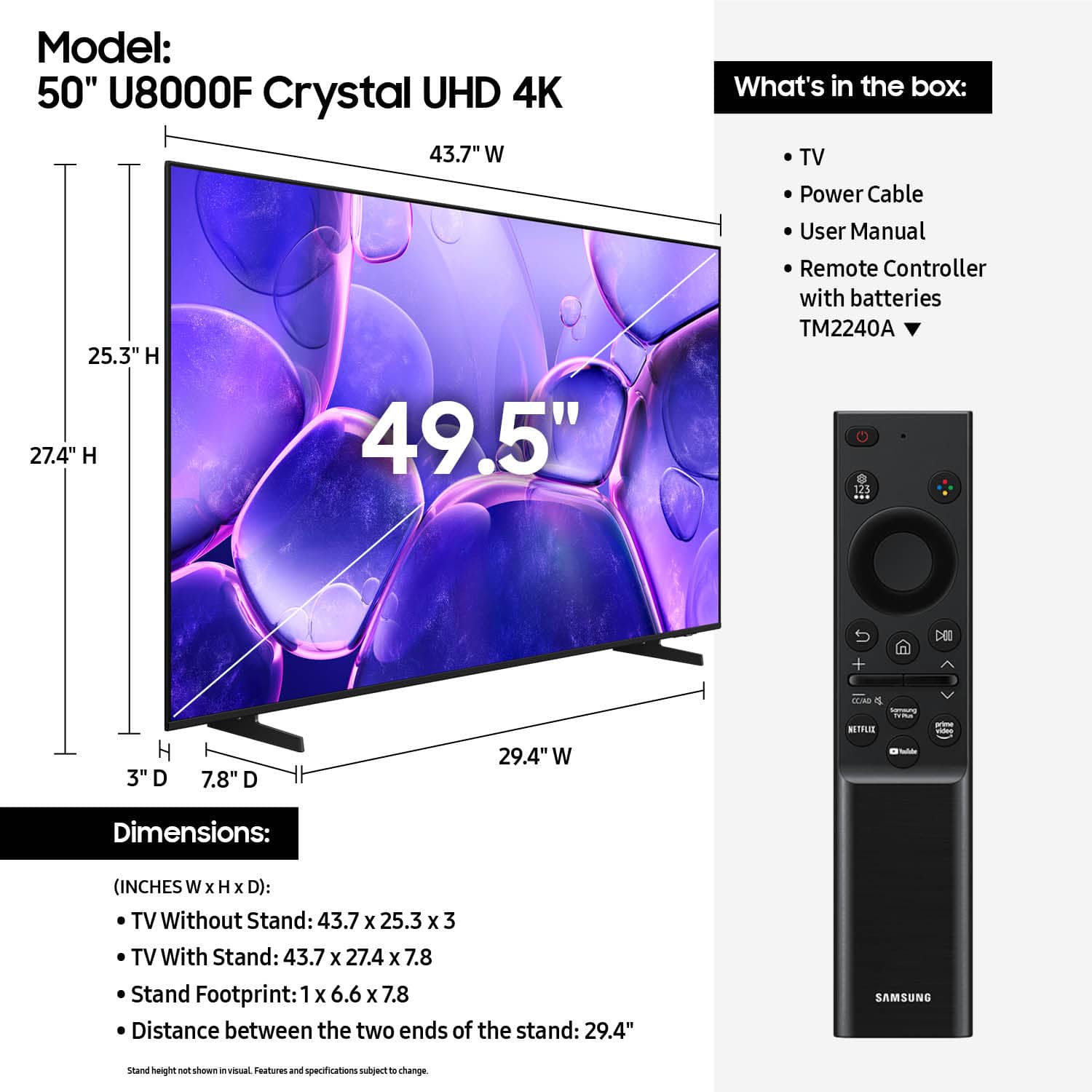










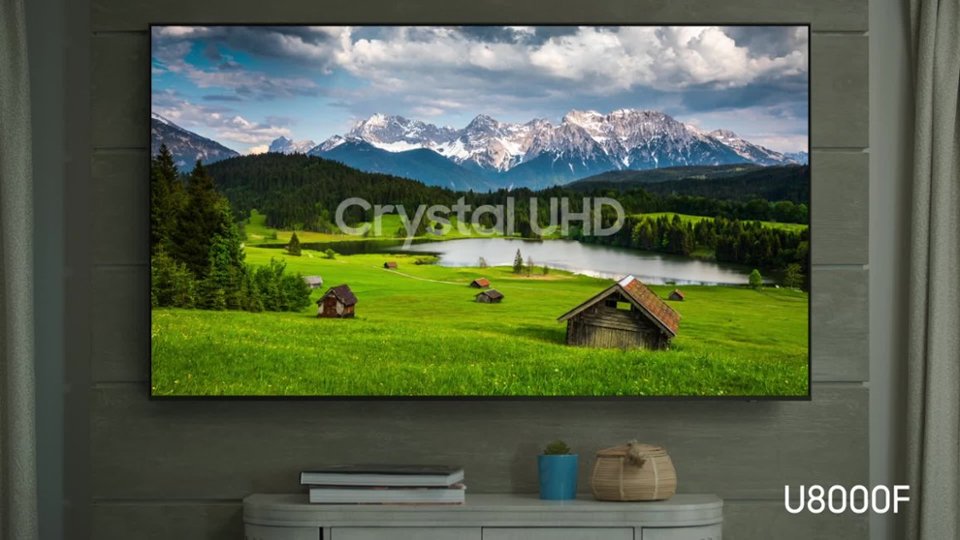


- Model:
- UN50U8000FFXZA
- SKU:
- 10187731
Rating by feature
- Picture Quality
Rating 4.7 out of 5 stars
- Sound Quality
Rating 4.5 out of 5 stars
- Brightness
Rating 4.7 out of 5 stars
Good quality picture
||Posted . Owned for less than 1 week when reviewed.This reviewer received promo considerations or sweepstakes entry for writing a review.Happy with my new TV, have it in my bedroom and enjoying every minute of it
I would recommend this to a friendNeeds owners manual
||Posted .This reviewer received promo considerations or sweepstakes entry for writing a review.Really nice TV but it would have been better if it came with an owners manual.
I would recommend this to a friendDisappointed
||Posted . Owned for 1 month when reviewed.This reviewer received promo considerations or sweepstakes entry for writing a review.Im not sure what is causing this issue, but the sound portion is not with the person talking. It's awful.... Can't watch it because the mouth is not with the words. Please advise.
No, I would not recommend this to a friendBrand response from Samsung
Posted .EugeniaA,
We appreciate your review of Samsung’s U8000F TV. So we can better understand the issues you’re experiencing and provide you with troubleshooting assistance, please reach out to Samsung Customer Support at 1-800-SAMSUNG, available daily from 8AM - 12AM EST. You can also chat with a LiveChat agent by clicking the ‘Support’ link on our website for:
• Live Chat
• Manuals, Software, & Warranty Info
• Creating a Service ticket
~ Samsung Specialist
Love it
||Posted . Owned for 1 month when reviewed.This reviewer received promo considerations or sweepstakes entry for writing a review.Perfect size great screen quality and best of all easy set up . Love it!
I would recommend this to a friend- Cons mentioned:Connectivity
DON’T BUY THIS JUNK!
||Posted .This reviewer received promo considerations or sweepstakes entry for writing a review.“You get what you pay for” applies to this TV. I’m very disappointed as I expected way more from a Samsung TV, even a lower model. However, this TV is an, absolute piece of junk. The audio sounds like mono from 1970. The color is awful. The WiFi never works. I wish I could return it.
No, I would not recommend this to a friendBrand response from Samsung
Posted .Hi JohnV,
Thank you for your feedback on the sound quality of your Samsung U8000F TV. First, ensure your TV is running the latest firmware: Home > Settings > Support > Software Update
To improve your sound, try different Sound Modes (Standard, Optimized, Amplify), or fine-tune your setup in Expert Settings under: Settings > All Settings > Sound.
For further help adjusting your sound settings or finding the right soundbar for your space, feel free to reach Samsung Support at 1-800-SAMSUNG (8AM – 12AM EST, 7 days a week) or visit the Support link on our website.
~Samsung Advisor
Great tv
||Posted .This reviewer received promo considerations or sweepstakes entry for writing a review.Great TV. My experience hasn't been stellar but decent for what I paid. Really unfortunate there is no Multiview for this model. Also have a hiccup where my samsung remote turns on/off both my tv and monitor.
I would recommend this to a friendBrand response from Samsung
Posted .Hi Alex,
Thank you for your feedback. We are sorry for any confusion about the specs of your TV. If you are looking for a TV with the multi-view feature, we recommend starting with our Q7F TV Series and above.
If you ever have questions or need support, we’re here to help. Call us at 1-800-SAMSUNG, available from 8AM - 12AM EST, seven days a week. You can also connect with a LiveChat agent by clicking the ‘Support’ link on our website.
~ Samsung Advisor
Great service
||Posted . Owned for 1 month when reviewed.This reviewer received promo considerations or sweepstakes entry for writing a review.Good TV Great service. I was in and out in 15 minutes.
I would recommend this to a friendGreat investment
||Posted .This reviewer received promo considerations or sweepstakes entry for writing a review.Excellent display and easy to set-up and use! Perfect for all ages.
I would recommend this to a friendEasy to setup and picture quality is an upgrade
||Posted . Owned for 3 weeks when reviewed.This reviewer received promo considerations or sweepstakes entry for writing a review.Replaced previously purchased 43" as that was smaller and this 59" fits great
I would recommend this to a friendSLOW and airplay sucks
||Posted . Owned for 2 weeks when reviewed.This reviewer received promo considerations or sweepstakes entry for writing a review.AIRPLAY and the apps are SLOW. Apps are slow to load. ALso the airplay is terrible. it freezes and stuters while the laptop is smooth. wifi is strong but still happens
No, I would not recommend this to a friendBrand response from Samsung
Posted .Hi Naissbshs,
We appreciate your feedback regarding response time. For optimal performance, please ensure your U8000F TV is running the latest firmware. You can check this by going to: Home > left directional key > Settings > Support > Software Update
To further optimize performance, try running Device Care, which checks memory, clears unused cached data, and closes background apps: Home > left directional key > Settings > Support > Device Care > Start Device Care
If issues continue, please reach Samsung Support at 1-800-SAMSUNG, available 8AM – 9PM EST Mon – Fri, 8AM – 6PM Sat – Sun. LiveChat is also available via the ‘Support’ link on our website.
~ Samsung Advisor
Damage
||Posted . Owned for 3 weeks when reviewed.This reviewer received promo considerations or sweepstakes entry for writing a review.I technically had to buy this product 3 times. The first one I bought was damaged. I went to the store to return the item as I bought a damaged TV, I was accused of damaging it myself. After about 30 mins I was defeated and said I would purchase another TV and call corporate another day as it was almost closing time but insisted they check the TV before I took it home. The manager stated I needed to pay before they even checked it, which I did. That TV was also damaged! Only then did the manager agree to return the original TV and exchange the second. Thankfully the third TV was not damaged and I was able to leave with the TV after being at the store for over an hour and being embarrassed by the manager.
No, I would not recommend this to a friendBrand response from Samsung
Posted .TinaG,
We appreciate you sharing your delivery experience and are sorry to hear that your TV arrived damaged. For issues related to shipping or delivery, we recommend reaching out to Best Buy directly so they can assist in resolving the situation.
Once your issue is resolved, if you have any questions about setup, usage, or features, please don’t hesitate to contact Samsung Support at 1-800-SAMSUNG (8AM – 12AM EST, 7 days a week), or connect with a LiveChat agent via the ‘Support’ link on our website.
~ Samsung Specialist
For better or worse.
||Posted .This reviewer received promo considerations or sweepstakes entry for writing a review.Has a cheap smart remote. Not cable friendly. Does not have the standard remote, as the specs stated. Streaming ok . Tuner is cable ready with clear QAM. Last years model with the standard remote was great for cable or streaming.
No, I would not recommend this to a friendBrand response from Samsung
Posted .Hi ThomasTV,
Thank you for sharing your experience. Samsung remotes are designed to offer convenient control, but we understand if you’d prefer to use a universal remote. Many third-party remotes work well with Samsung TVs, though setup steps may vary by brand and model.
To get started, we recommend checking the manufacturer’s instructions for programming codes and pairing methods. If you run into any trouble or have compatibility questions, Samsung Support is happy to help. You can reach us at 1-800-SAMSUNG, 8AM – 12AM EST, 7 days a week. LiveChat agents are also available at the ‘Support’ link on our website.
~ Samsung Advisor
Not really a good picture for a newer samsung
||Posted . Owned for 3 weeks when reviewed.This reviewer received promo considerations or sweepstakes entry for writing a review.Missing the remote in the box, picture not that impressive. Apps are a bit laggy as well. Great price was the highlight.
No, I would not recommend this to a friendBrand response from Samsung
Posted .Hi JNice,
We appreciate your feedback regarding the missing parts from your Samsung U8000F TV. As your unit was purchased in open-box condition, we recommend contacting Best Buy directly for assistance with resolving this matter.
Once resolved, please know we’re happy to help with setup or any product-related questions. You can reach us at 1-800-SAMSUNG, 8AM – 12AM EST, 7 days a week, or via LiveChat on our website under the ‘Support’ section.
~ Samsung Advisor
Samsung UHD 4K Smart TV
||Posted . Owned for 3 weeks when reviewed.This reviewer received promo considerations or sweepstakes entry for writing a review.My husband and I don't think the picture is very sharp. Don't think we would buy this brand and model again.
No, I would not recommend this to a friendBrand response from Samsung
Posted .Hi martinilady,
Thank you for your feedback on the Samsung U8000F TV. If the picture appears unclear, dull, or lacks definition, there are several settings you can adjust to improve clarity and overall image quality. Go to: Settings > All Settings > Picture > Expert Settings, and review these key settings:
Picture Clarity Settings: While originally intended for motion handling, these can also impact overall clarity
• Off: Disables motion enhancements
• Auto: Automatically adjusts based on content
• Custom: Lets you fine-tune:
o Judder Reduction – Helps smooth out uneven motion
o LED Clear Motion – Boosts sharpness in fast-moving content
o Noise Reduction – Reduces distortion and enhances detail in lower-resolution sources
Core Picture Settings
• Brightness – Controls overall screen brightness
• Contrast – Enhances the difference between bright and dark areas
• Sharpness – Adjusts edge definition; closer to 20 increases detail
• Color – Enhances depth and intensity of colors
And don’t forget to check for the latest firmware, which may improve performance: Settings > Support > Software Update > Update Now
These adjustments can make a noticeable difference in overall clarity. If you need further help tailoring the settings to your preferences or environment, please contact Samsung Support at 1-800-SAMSUNG, 8AM – 12AM EST. LiveChat is also available via the ‘Support’ link on our website.
~ Samsung Advisor
- Cons mentioned:Connectivity
Review
||Posted . Owned for 1 week when reviewed.This reviewer received promo considerations or sweepstakes entry for writing a review.Husband did not like at all and the sound bar plugs we had wouldn’t connect to the plug in back
No, I would not recommend this to a friendBrand response from Samsung
Posted .Hi DeborahB,
Thank you for your feedback. If there’s anything we can assist with, please don’t hesitate to call us at 1-800-SAMSUNG, available daily from 8AM - 12AM EST. You can also visit the Samsung website and click on ‘Support’ for:
• Live Chat
• Manuals, Software, & Warranty Info
~ Samsung Advisor
Broken screen
||Posted . Owned for 2 weeks when reviewed.This reviewer received promo considerations or sweepstakes entry for writing a review.I would give this TV a zero if I could. So my TV arrived in a perfect box with no damage whatsoever anywhere on the box, not even as much as a little scrape or dent or anything. So when I opened up the box and pulled the TV out, the whole entire screen was coming off of the back of the TV and it was all scratched up. So I looked at some reviews and apparently a whole lot of people are having the same problem, receiving this television with broken screens. Not only that but this whole entire television just has a very super cheap feel to it. It's light as a feather for a reason, it's a piece of crap. So I had to pay an extra $100 to rent a car so I could return the TV back to Best Buy because they wouldn't come and pick it up.
No, I would not recommend this to a friendBrand response from Samsung
Posted .Hi Jaguar,
We are very sorry to hear about your experience receiving a broken U8000F, and we appreciate your patience in having to deal with the hassle of an exchange. If there's anything we can do to assist you, please do not hesitate to reach out to us at 1-800-SAMSUNG between 8AM - 12AM EST, any day of the week. You can also chat with us online by visiting the ‘Support’ section of our website.
~ Samsung Advisor
- Cons mentioned:Connectivity
Yea we are getting a lot of these back.
||Posted . Owned for 3 weeks when reviewed.This reviewer received promo considerations or sweepstakes entry for writing a review.Returned TV to store after one week! Told by Best Buy " Yea we are getting a lot of these back." Difficult to 'set up' using on screen prompts, 'UHD' picture gives me a headache, sound tinny, no headphone jack for a my soundbar.
No, I would not recommend this to a friendBrand response from Samsung
Posted .Hi DummerThanASmartTV,
Thank you for your feedback. Please know we are available and would have been happy to assist you with adjusting setup, picture, and sound adjustments that could have improved your experience.
We hope you’ll consider Samsung again in the future. If you do, we’re always here to help with setup and support. Reach us at 1-800-SAMSUNG (8AM – 12AM EST, 7 days a week), or visit our website to chat live and access manuals or software.
~ Samsung Advisor
- Pros mentioned:Picture quality
Televisions
||Posted . Owned for 3 weeks when reviewed.This reviewer received promo considerations or sweepstakes entry for writing a review.Tv initially worked great until a line appeared, tried to take it back the same day and was denied return stating that it was intentional damage to yhe screen. I will never purchase from Best Buy again with there 15 day policies on Televisions.
No, I would not recommend this to a friendBrand response from Samsung
Posted .Hi AvaE,
Thank you for sharing your return experience with us. If there’s anything we can assist with, please don’t hesitate to call us at 1-800-SAMSUNG, available daily from 8AM - 12AM EST. You can also visit the Samsung website and click on ‘Support’ for:
• Live Chat
• Manuals, Software, & Warranty Info
~ Samsung Advisor
Recieved Broken and Severely Cracked
||Posted .This reviewer received promo considerations or sweepstakes entry for writing a review.Title says it all, should've known that because it was the last in the store that people could've been returning it faulty/broken, and it was a constant return/replace item. I don't know what else to say, but I'll definitely be looking for a different TV with more of it in-stock. For those who want to buy this TV know that the build of it is severely thin and flimsy, which is probably the cause for the cracked screen, etc. I'd say look for something with more protection, or better and thicker material. Atleast they gave me a full refund.
No, I would not recommend this to a friendBrand response from Samsung
Posted .Hi HBee,
We know how disappointing it is to receive a damaged screen, especially after taking care during setup. Unfortunately, damage can still occur during transit if the TV isn’t kept upright or is mishandled, even if the box appears undamaged.
We hope you’ll consider Samsung again in the future. If you do, we’re always here to help with setup and support. Reach us at 1-800-SAMSUNG (8AM – 12AM EST, 7 days a week), or visit our website to chat live and access manuals or software.
~ Samsung Advisor
Broken TV
||Posted . Owned for 1 week when reviewed.This reviewer received promo considerations or sweepstakes entry for writing a review.Screen seemed to be broken inside and no picture was availabal. RFeturned to Best buy and replaced with no problem
No, I would not recommend this to a friendBrand response from Samsung
Posted .Hi DavidW,
We appreciate your patience in having to deal with the hassle of an exchange and hope you are now enjoying your new TV. If you ever have questions or need support, we’re here to help. Call us at 1-800-SAMSUNG, available from 8AM - 12AM EST, seven days a week. You can also connect with a LiveChat agent by clicking the ‘Support’ link on our website.
~ Samsung Advisor