Customer Ratings & Reviews





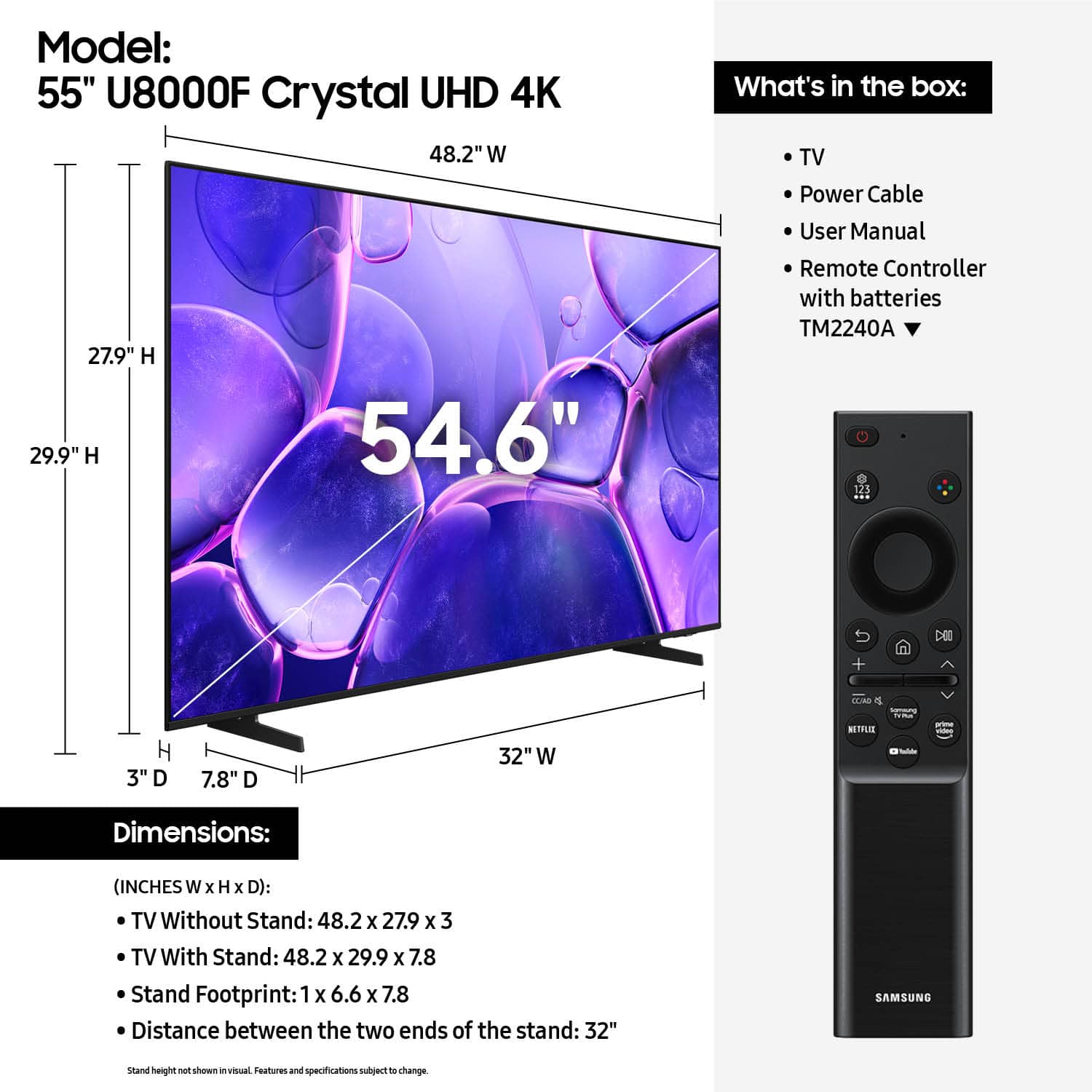










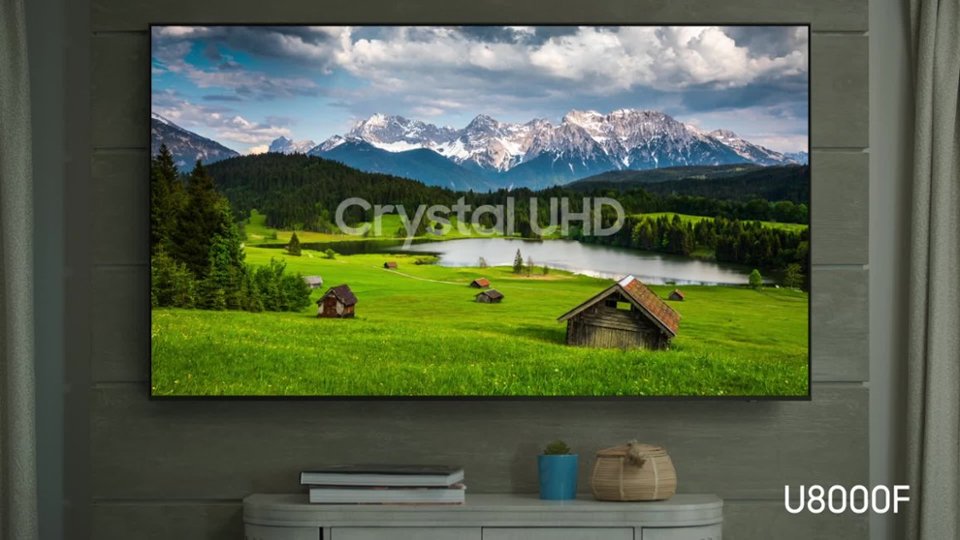


- Model:
- UN55U8000FFXZA
- SKU:
- 10367434
Rating by feature
- Picture Quality
Rating 4.8 out of 5 stars
- Sound Quality
Rating 4.6 out of 5 stars
- Brightness
Rating 4.7 out of 5 stars
Don't buy !!!
||Posted . Owned for 1 week when reviewed.This reviewer received promo considerations or sweepstakes entry for writing a review.The picture quality is terrible. No matter how you try to adjust the colors, images look yellowish and unnatural. The calibration process is complex and accessibility is complex, not even in the main menu. I am very disappointed with this purchase. The sound quality is the worst. I had to buy a sound bar with bass and a ARC connection cable.
No, I would not recommend this to a friendBrand response from Samsung
Posted .Hi JayC,
Thanks for sharing your thoughts on the Samsung U8000 TV’s image quality. If the screen image appears too yellow, you can adjust the various settings: Settings > All Settings > Picture > Expert Settings. To help determine if the issue is related to the TV itself, we recommend starting with a Picture Test, which displays a high-definition image you can examine for flaws: Settings > Support > Device Care > Self Diagnosis > Picture Test.
You may also want to try these steps:
1. Unplug and reconnect power and HDMI cables
2. Use a certified 4K HDMI cable if your external device supports UHD
3. Check your internet connection if streaming - restart your router if needed
4. Review video output settings on your external device to ensure compatibility
Also check for software updates: Settings > Support > Software Update.
We hope these tips are helpful. If you need any further assistance, please don’t hesitate to call us at 1-800-SAMSUNG, available from 8AM - 12AM EST, seven days a week. You can also chat with one of our agents by clicking the ‘Support’ link on our website.
~ Samsung Advisor
Disappointed
||Posted .This reviewer received promo considerations or sweepstakes entry for writing a review.I purchased this TV July 2025. Now the TV has been broken roughly 3 weeks (September 2025). I’ve been getting the run around with Samsung after their outsourced technicians attempted to repair the issue. Basically, the TV screen went out and the technicians thought we needed a new screen and a panel. They replaced the screen and the issue was unresolved. The next suggestion was to replace the panel but it’s backordered and they never told us how long. This entire situation has left us disappointed and considering switching to a different brand.
No, I would not recommend this to a friendBrand response from Samsung
Posted .Hi JazondaW,
We're very sorry to hear about the issues you experience with your U8000F TV and appreciate your patience in having to wait for a repair appointment. For more assistance, please reach out to us at 1-800-SAMSUNG, available daily from 8AM - 12AM EST. You can also chat with a LiveChat agent by clicking the ‘Support’ link on our website for:
• Live Chat
• Manuals, Software, & Warranty Info
• Creating a Service ticket
~ Samsung Advisor
Shop around
||Posted .This reviewer received promo considerations or sweepstakes entry for writing a review.Can be difficult to navigate, picture tends to freeze up from time to time.
No, I would not recommend this to a friendBrand response from Samsung
Posted .Hi MichaelZ,
We appreciate your feedback regarding response time. For optimal performance, please ensure your U8000F TV is running the latest firmware. You can check this by going to: Home > left directional key > Settings > Support > Software Update
To further optimize performance, try running Device Care, which checks memory, clears unused cached data, and closes background apps: Home > left directional key > Settings > Support > Device Care > Start Device Care
If issues continue, please reach Samsung Support at 1-800-SAMSUNG, available 8AM – 12AM EST, 7 days a week.
LiveChat is also available via the ‘Support’ link on our website.
~Samsung Advisor
not great
||Posted .This reviewer received promo considerations or sweepstakes entry for writing a review.the picture quality isnt great.its kind of dark. would not buy again.
No, I would not recommend this to a friendBrand response from Samsung
Posted .Hi SharonM,
We’re sorry to hear you’re not fully satisfied with the picture quality on your Samsung U8000F TV. If the image appears too dark, we suggest disabling certain energy-saving features, which can automatically adjust brightness and affect how the screen looks.
Go to: Settings > All Settings > General & Privacy > Power and Energy Saving, then turn off Brightness Optimization, Energy Saving Solution, Motion Lighting, and/or Contrast Enhancer.
You can also adjust the Picture Mode to better suit your environment: Settings > All Settings > Picture > Picture Mode
• Standard – Default mode for general viewing
• Dynamic – Brighter and clearer, ideal for well-lit rooms
• Movie – Best for dark room viewing
• Eco – Energy-saving mode
• Filmmaker Mode – Preserves content as intended by creators
To fine-tune brightness, go to: Home > left directional key > Settings > All Settings > Picture > Expert Settings, then adjust the Brightness level (0–50) to your preference.
Lastly, please make sure your TV is running the latest firmware: Home > Home > left directional key > Settings > Support > Software Update > Update Now
We hope these tips help improve your viewing experience. If you need further support, feel free to contact us at 1-800-SAMSUNG, 8AM – 12AM EST, 7 days a week. LiveChat is also available via the ‘Support’ link on our website.
~ Samsung Advisor
Very disappointed. Will never shop there again
||Posted . Owned for 1 month when reviewed.This reviewer received promo considerations or sweepstakes entry for writing a review.I rate zero stars because I purchased a Samsung tv and our cashier haas trouble ringing up our purchase and the delivery date which he cancelled twice and we cancelled the sale, as he kept calling for help and still didn’t know what to do. I never got my tv for Christmas and won’t shop there again
I would recommend this to a friendBrand response from Samsung
Posted .Hi RhondaB,
We're very sorry to hear about the issues you experienced. You may want to provide this feedback directly to Best Buy. If there’s anything we can assist with, please don’t hesitate to call us at 1-800-SAMSUNG, available daily from 8AM - 12AM EST. You can also visit the Samsung website and click on ‘Support’ for:
• Live Chat
• Manuals, Software, & Warranty Info
~ Samsung Advisor
bad voice sound
||Posted . Owned for 3 weeks when reviewed.This reviewer received promo considerations or sweepstakes entry for writing a review.The volume figures are not recommended for the reason has no capacity to adjust the volume for a better way to hear better what your watching
No, I would not recommend this to a friendBrand response from Samsung
Posted .Hi JosepheS,
Thank you for purchasing Samsung’s U8000F TV and for sharing your feedback on the sound quality. To ensure you’re experiencing the best possible audio, we first recommend checking that your TV is running the latest firmware. To do this, navigate to: Home > left directional key > Settings > Support > Software Update
If the sound still doesn’t meet your expectations, there are a few settings you can try adjusting:
Go to: Settings > All Settings > Sound > Sound Mode
• Standard: Balanced sound without emphasis on any one range
• Optimized: Enhanced effects and spacious sound
• Amplify: Boosts mid and high tones to make dialogue clearer
You can also explore Expert Settings to fine-tune options such as Balance, Equalizer, Auto Volume, and more to match your personal preferences.
For further help adjusting your sound settings or finding the right soundbar for your space, feel free to reach Samsung Support at 1-800-SAMSUNG (8AM – 12AM EST, 7 days a week) or visit the Support link on our website for:
• LiveChat
• Manuals, Software, & Warranty Info
~ Samsung Advisor
Never could complete the "set-up" process!
||Posted .This reviewer received promo considerations or sweepstakes entry for writing a review.What a ridiculous set up process! Somewhat disappointed with the picture quality compared to my 16 year old plasma tv. The only good thing about this tv was the price.
No, I would not recommend this to a friendBrand response from Samsung
Posted .Hi GLPP,
To best assist you with setting up your TV, please call us at 1-800-SAMSUNG, available from 8AM - 12AM EST, seven days a week. You can also chat with one of our agents by clicking the ‘Support’ link on our website.
~ Samsung Advisor
xxxxxxxxxxxxxx
||Posted . Owned for 1 month when reviewed.This reviewer received promo considerations or sweepstakes entry for writing a review.no manual difficult to install xxxxxxxxxxxxcccccccccccc
No, I would not recommend this to a friendBrand response from Samsung
Posted .Hi RobertF,
Thank you for sharing your feedback with us. To help you get the most from your TV, you can download the full e-Manual and more by visiting Samsung’s website, then navigating to: Support > Manual & Software > TVs & Home Theater. From there, you can search for and select your U8000F TV model to view or download the available guides.
The e-Manual & User Guide are also conveniently built into your TV: Settings > Support > Tips and User Guides.
Your TV includes Learn Menu Screen, an accessibility feature that provides audio guidance for on-screen menus. When enabled, your TV will announce the name and function of each menu item as you scroll, without making any changes. This feature is particularly helpful for users who are visually impaired or new to Smart TV menus. To enable, go to: Settings > All Settings > General & Privacy > Accessibility > Learn Menu Screen. To exit, press the Return key twice.
If you’d like more assistance with this feature, please reach Samsung Support at 1-800-SAMSUNG, available 8AM – 12AM EST, 7 days a week. LiveChat agents are also available through the ‘Support’ link on our website.
~Samsung Advisor
Cracked screen
||Posted .This reviewer received promo considerations or sweepstakes entry for writing a review.Found out the screen was cracked when I pulled the TV out of the box. I exchanged it for the larger 65"
No, I would not recommend this to a friendBrand response from Samsung
Posted .Hi yamadog,
We're very sorry to hear that you received a damaged TV but are happy you were able to get an exchange. If there’s anything we can assist with, please don’t hesitate to call us at 1-800-SAMSUNG, available daily from 8AM - 12AM EST. You can also visit the Samsung website and click on ‘Support’ for:
• Live Chat
• Manuals, Software, & Warranty Info
~ Samsung Advisor
Defective
||Posted .This reviewer received promo considerations or sweepstakes entry for writing a review.The TV is inoperable and useless. I am disappointed in Samsung and Best Buy. The manufacturer or seller should have discovered any and all defects before selling the item to a customer.
No, I would not recommend this to a friendBrand response from Samsung
Posted .Hi Trish,
We're sorry you are not satisfied with your purchase. To best assist you, please reach out to us at 1-800-SAMSUNG (8AM – 12AM EST, 7 days a week), or connect with a LiveChat agent by selecting ‘Support’ on our website.
~ Samsung Advisor
Avoid
||Posted . Owned for 2 weeks when reviewed.This reviewer received promo considerations or sweepstakes entry for writing a review.Trash product. Broke in literally 3 days. Best buy took care of me though
No, I would not recommend this to a friendBrand response from Samsung
Posted .Hi GregO,
We're very sorry to hear about your experience, but we are happy to hear that Best Buy was able to resolve the issues quickly. If there’s anything we can assist with, please don’t hesitate to call us at 1-800-SAMSUNG, available daily from 8AM - 12AM EST. You can also visit the Samsung website and click on ‘Support’ for:
• Live Chat
• Manuals, Software, & Warranty Info
~ Samsung Advisor
Poor Quality
||Posted . Owned for 2 months when reviewed.This reviewer received promo considerations or sweepstakes entry for writing a review.Just 1 month working, no warranty from store, no body wants to help as at store, very sad purshase
No, I would not recommend this to a friendBrand response from Samsung
Posted .Hi JesusB, a
Please know we back this TV with a 1-year manufacturer's warranty. Please give us a chance to assist you by calling us at 1-800-SAMSUNG, available daily from 8AM - 12AM EST. You can also chat with a LiveChat agent by clicking the ‘Support’ link on our website for:
• Live Chat
• Manuals, Software, & Warranty Info
• Creating a Service ticket
~Samsung Advisor
Don’t recommend
||Posted . Owned for 2 weeks when reviewed.This reviewer received promo considerations or sweepstakes entry for writing a review.The OS doesn’t support certain streaming apps very well.
No, I would not recommend this to a friendBrand response from Samsung
Posted .KevinB,
We appreciate your review of Samsung’s U8000F TV. So we can better understand the issues you’re experiencing and provide you with troubleshooting assistance, please reach out to Samsung Customer Support at 1-800-SAMSUNG, available daily from 8AM - 12AM EST. You can also chat with a LiveChat agent by clicking the ‘Support’ link on our website for:
• Live Chat
• Manuals, Software, & Warranty Info
• Creating a Service ticket
~ Samsung Specialist
Damaged screen
||Posted . Owned for 1 month when reviewed.This reviewer received promo considerations or sweepstakes entry for writing a review.It was damaged, when it was opened, looks like a heavy item fell on the screen. I guess this was from factory.
No, I would not recommend this to a friendBrand response from Samsung
Posted .Hi OlufemiS,
I'm very sorry you received a damaged TV. Please reach out to Best Buy to assist you.
Should you ever have questions or need help, Samsung is here for you. Just give us a call at 1-800-SAMSUNG, 8AM - 12AM EST, 7 days a week. Our LiveChat agents are also available by clicking on the ‘Support’ link on our website.
~ Samsung Advisor
- Pros mentioned:Picture quality
Samsung on Point!
Posted .This reviewer received promo considerations or sweepstakes entry for writing a review.Hello, am George my review is.....the Samsung 55 inch Crystal U-8000 is a great buy. Well for the price its a gem. All the colors are great. The picture and movement are even. I would recommend this tv!!!
I would recommend this to a friend Our Good experiences with Best Buy
Posted .This reviewer received promo considerations or sweepstakes entry for writing a review.All aspects of my purchase were excellent. Your sales person finished setting up our purchases in just a few minutes. You could tell he was a pro in what he is doing. We got exactly what we wanted. We were in and out in of your store with exactly what we set out to purchase.. Let us add our in-home set-up. Again, He knew what he was doing. His complete setup works perfectly. He explained what he was doing and demonstrated how everything on the Television worked. He also added our DVD player, our antenna, and our cable in a few minutes. You have a good staff at your store. You have our business from now on.
I would recommend this to a friend- Pros mentioned:Picture quality
My New Samsung TV
Posted .This reviewer received promo considerations or sweepstakes entry for writing a review.I'm very happy with my new Samsung TV. The picture is perfect, and the delivery and setup in my home went very smoothly.
I would recommend this to a friend - Pros mentioned:Picture quality
55" Samsung TV-Love It
Posted .This reviewer received promo considerations or sweepstakes entry for writing a review.Excellent picture, sound great, user friendly, reasonable price
I would recommend this to a friend - Pros mentioned:Picture quality
Love TV
Posted .This reviewer received promo considerations or sweepstakes entry for writing a review.Great size but occasionally has squiggly lines. I will contact Geeks for assistance as I'm sure it's a minor issue. Love the TV. The sound is wonderful.
I would recommend this to a friend - Pros mentioned:Picture quality
New Television
Posted .This reviewer received promo considerations or sweepstakes entry for writing a review.My new Samsung Television has superb audio and video quality.
I would recommend this to a friend