Customer Ratings & Reviews





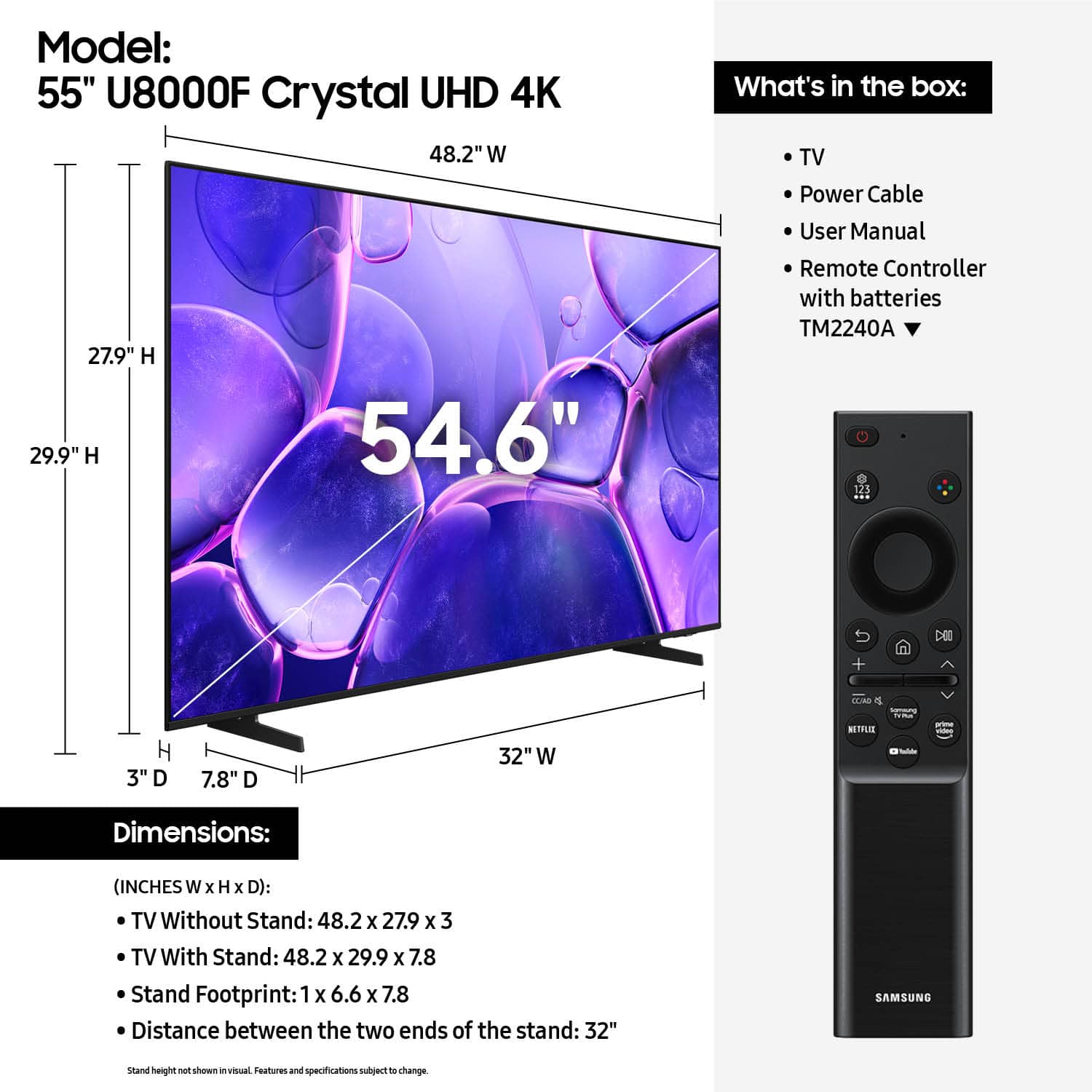










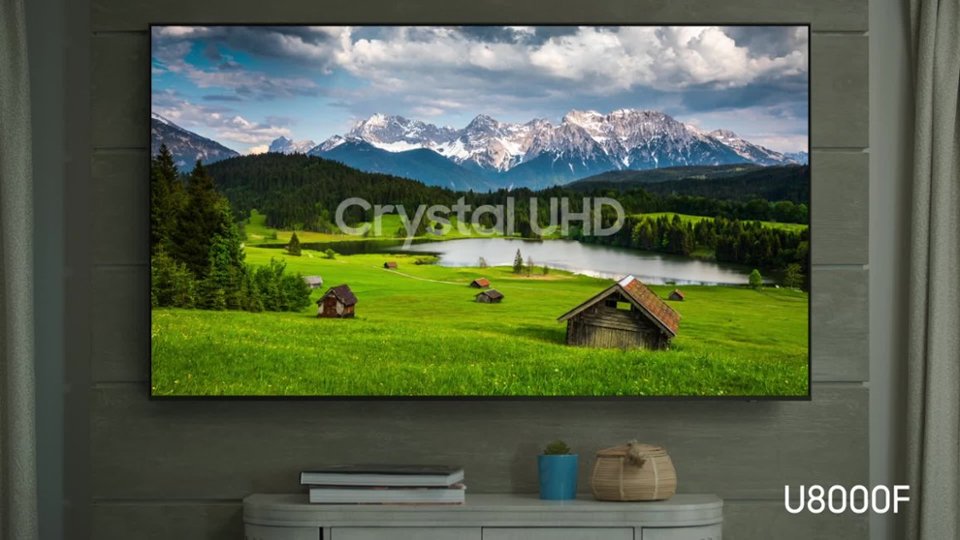


- Model:
- UN55U8000FFXZA
- SKU:
- 10367434
Rating by feature
- Picture Quality
Rating 4.8 out of 5 stars
- Sound Quality
Rating 4.6 out of 5 stars
- Brightness
Rating 4.7 out of 5 stars
55" U8000F
||Posted . Owned for 3 weeks when reviewed.This reviewer received promo considerations or sweepstakes entry for writing a review.Excellent picture quality. Wish it would just come on to the channel it was on when turned off instead of making me choose an app, TV, or something else.
I would recommend this to a friendAwesome oled screen
||Posted . Owned for 3 weeks when reviewed.This reviewer received promo considerations or sweepstakes entry for writing a review.Great oled TV by Samsung, I own 3 of them and have no complaints
I would recommend this to a friendNice picture! Very clear
||Posted . Owned for 2 weeks when reviewed.This reviewer received promo considerations or sweepstakes entry for writing a review.Very difficult for my generation to set up! Nice picture!
I would recommend this to a friendClear picture with depth
||Posted . Owned for 3 months when reviewed.This reviewer received promo considerations or sweepstakes entry for writing a review.Beautiful clear picture. Remote volume button took some time to get used to, but I love this TV. GREAT sound.
I would recommend this to a friendGood TV. Awful software
||Posted . Owned for 2 weeks when reviewed.This reviewer received promo considerations or sweepstakes entry for writing a review.Went through some unintentional "bait and switch," I'm afraid. Told clerk which one we wanted. Didn't watch carefully when checking out. Got more expensive one. TV is very good. Smart software is awful. Fortunately we still had an Amazon Fire stick and are able to use it.
I would recommend this to a friendBrand response from Samsung
Posted .Hi TimothyA,
Thank you for your feedback. Please ensure your U8000 TV is running the latest firmware update 1132.0. To do so, go to Settings> Support> Software Update. If that version is not available you can download the update on a USB drive and manually update your TV:
1. On Samsung's website (upper right corner), go to: Support > Manual & Software > Find your TV model, and click on the Firmware – Upgrade File.
2. When the file has finished downloading, locate it and then unzip it. There is normally one folder inside but there may be multiple files.
3. Copy or move all of the files that were included in the zip file to a USB flash drive, but do not place them inside any other folders. If you place the software folders inside a folder on the USB flash drive, the TV or monitor will not find them.
4. Connect the USB drive containing the software upgrade into a USB port on your device.
5. Using your device's remote, navigate to and select Settings, then select All Settings, and then select Support. Select Software Update, select Update Now, and then select Yes if prompted.
Your device will search the USB drive for update files. Follow the on-screen instructions to install the updated software. Updates usually take a few minutes; please do not turn off the TV until the update is complete. When the update is finished, it will restart automatically.
If you need additional support, Samsung is here to help. Please call us at 1-800-SAMSUNG, available daily from 8AM - 12AM EST. You can also chat with a LiveChat agent by clicking the ‘Support’ link on our website for:
• Live Chat
• Manuals, Software, & Warranty Info
• Creating a Service ticket
~Samsung Advisor
Samsung TV
||Posted . Owned for 1 month when reviewed.This reviewer received promo considerations or sweepstakes entry for writing a review.Very happy with purchase. Picture quality is excellent. Still discovering new features and options every day.
I would recommend this to a friendGreat investment
||Posted . Owned for 2 weeks when reviewed.This reviewer received promo considerations or sweepstakes entry for writing a review.Im enjoying my new television, easy to navigate and operate.
I would recommend this to a friendthis is good one
||Posted . Owned for 1 month when reviewed.This reviewer received promo considerations or sweepstakes entry for writing a review.We really like the tv, it is fast between apps and it was easy to install
I would recommend this to a friendSamsung Crystal TV
||Posted .This reviewer received promo considerations or sweepstakes entry for writing a review.the volume is not very loud with it's turned up to the highest volume setting. I had to buy a sound bar but it's a good TV, Great picture.
I would recommend this to a friendEasy set up
||Posted .This reviewer received promo considerations or sweepstakes entry for writing a review.Clear picture. Fast loading time. Easy set up. The sound is weird and low sometimes and then really loud on the same setting. Could be the shows but it does it on games like stardew valley too.
I would recommend this to a friendGreat price amazing product
||Posted . Owned for 3 weeks when reviewed.This reviewer received promo considerations or sweepstakes entry for writing a review.Amazing price awesome product. It’s like being in the TV when you’re watching.
I would recommend this to a friendBest TV in the world
||Posted . Owned for 1 month when reviewed.This reviewer received promo considerations or sweepstakes entry for writing a review.LOVE this TV.It is like the people are standing in the room with you. Always had Samsung TV's but this above-and-beyond what I hoped for.
I would recommend this to a friendSmart purchase
||Posted .This reviewer received promo considerations or sweepstakes entry for writing a review.Samsung is a solid performing smart TV! Thus far, it has delivered a quality and enjoyable broadcast!
No, I would not recommend this to a friendgreat tv
||Posted . Owned for 1 month when reviewed.This reviewer received promo considerations or sweepstakes entry for writing a review.for the price this series of samsung tvs the picture is great bought a 43" for guest room and will get a 65" for living room same 8000 series
I would recommend this to a friendAmazing clearity!
||Posted . Owned for 3 months when reviewed.This reviewer received promo considerations or sweepstakes entry for writing a review.Love the clarity on this tv! The size is perfect and the sound is way better than my previous tv!
I would recommend this to a friendReplacement TV
||Posted . Owned for 3 weeks when reviewed.This reviewer received promo considerations or sweepstakes entry for writing a review.Replaced a TV in basement. Not a large space so this 55 in was perfect
I would recommend this to a friendGreat value
||Posted . Owned for 1 month when reviewed.This reviewer received promo considerations or sweepstakes entry for writing a review.Very pleased with this TV. Excellent picture especially at the price point.
I would recommend this to a friendSamsung TV
||Posted . Owned for 1 month when reviewed.This reviewer received promo considerations or sweepstakes entry for writing a review.This is a terrific TV. Lots of clarity in the picture it projects and the colors are stunning. We are truly enjoying watching our favorite shows.
I would recommend this to a friendYouth House
||Posted . Owned for 2 weeks when reviewed.This reviewer received promo considerations or sweepstakes entry for writing a review.Great picture and sound. Perfect for our setting. Easy set up.
I would recommend this to a friendSamsung - 55” Class U8000F Series Crystal UHD 4K S
||Posted . Owned for 3 weeks when reviewed.This reviewer received promo considerations or sweepstakes entry for writing a review.We do like the TV, it has very clear images, and works well.
I would recommend this to a friend