Winter SaleEnds 1/19. Limited quantities. No rainchecks.Shop now

Main Content

Customer Ratings & Reviews

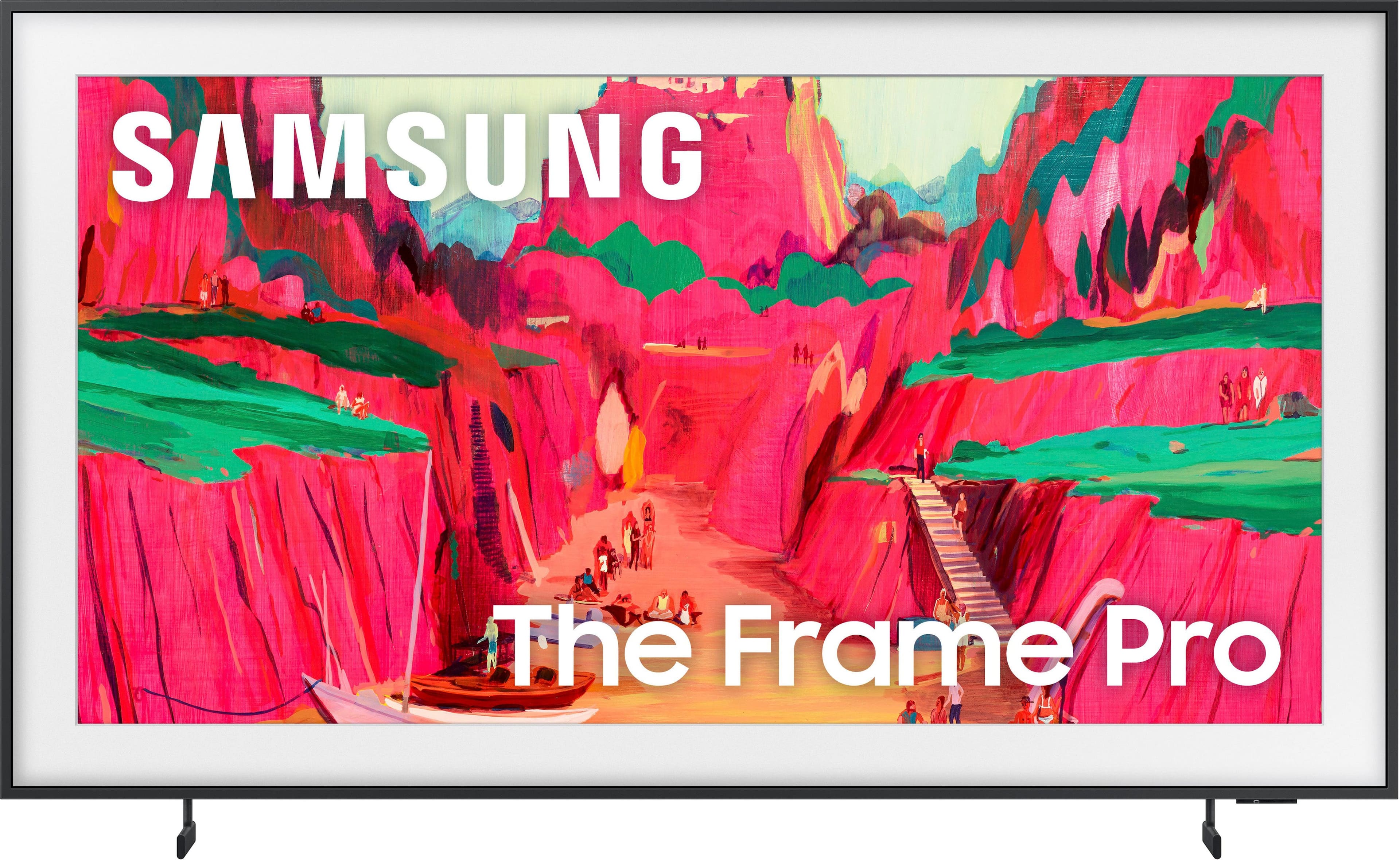
Your price for this item is $1,597.99
The comparable value price is $2,199.99

Customer reviews

Rating 4.4 out of 5 stars with 116 reviews

Rating Filter

Rating by feature

  • Picture Quality

    Rating 4.8 out of 5 stars

  • Sound Quality

    Rating 4.6 out of 5 stars

  • Brightness

    Rating 4.8 out of 5 stars

Pros mentioned filter

Cons mentioned filter

86%would recommend to a friend
The vast majority of our reviews come from verified purchases. Reviews from customers may include My Best Buy members, employees, and Tech Insider Network members (as tagged). Select reviewers may receive discounted products, promotional considerations or entries into drawings for honest, helpful reviews.
Page 6 Showing 101-116 of 116 reviews
  • Rated 5 out of 5 stars

    Great Service

    |
    |
    Posted . Owned for 1 month when reviewed.
    This reviewer received promo considerations or sweepstakes entry for writing a review.

    EXCELLENT SERVICE FOR THE STAFF. WILL CONTINUE TO BUY FROM BEST BUY.

    I would recommend this to a friend
  • Rated 1 out of 5 stars

    Extremely disappointing install

    |
    |
    Posted . Owned for 3 weeks when reviewed.
    This reviewer received promo considerations or sweepstakes entry for writing a review.

    Tv looks great. Operating system is a bit clunky. Rating one star for the Best Buy install. Team that installed did not know the new mounting brackets were changed in 2025 and therefore installed the tv in the wrong spot causing the $500 bezel to no longer fit. Upon calling Best Buy support I was disconnected 5 times with no call back. TLDR, tv good. Best Buy bad.

    I would recommend this to a friend
    • Brand response from Samsung
      Posted .

      Jebb,

      Please know that you're leaving a review and 1-star rating for The Frame Pro, but we’re sorry to hear of your experience with Best Buy, nonetheless. You may want to consider providing your feedback directly to the Best Buy store where the purchase was made.

      If you have questions about the TV itself, Samsung is here to help. You can reach us at 1-800-SAMSUNG, 8AM – 12AM EST, 7 days a week. LiveChat agents are also available by clicking the ‘Support’ link on our website.

      ~ Samsung Specialist Samsung

  • Rated 5 out of 5 stars

    Framed

    |
    |
    Posted . Owned for 1 month when reviewed.
    This reviewer received promo considerations or sweepstakes entry for writing a review.

    Great experience with Maria, the Samsung expert at Best Buy Mechanicsburg!

    I would recommend this to a friend
  • Rated 3 out of 5 stars

    So/So

    |
    |
    Posted . Owned for 3 weeks when reviewed.
    This reviewer received promo considerations or sweepstakes entry for writing a review.

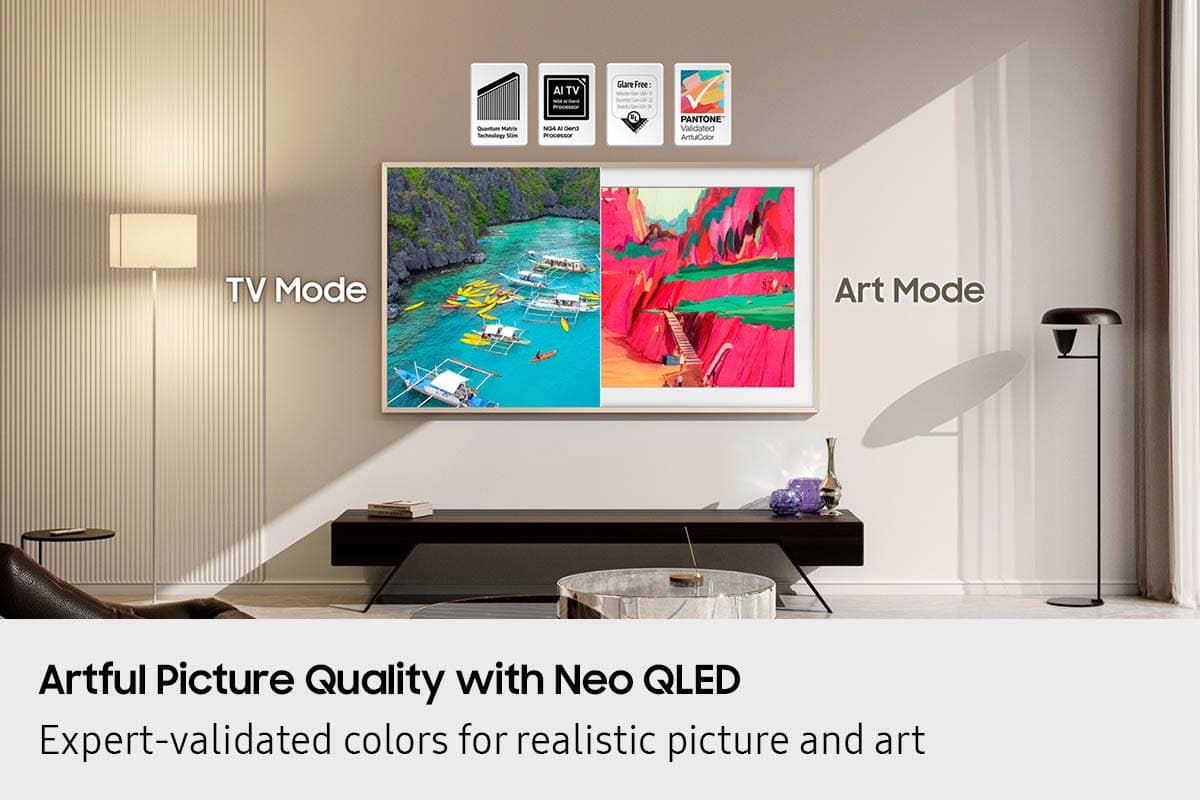
    I am pleased with the art presentations but disappointed in the clarity of normal TV programs. It seems like every time a camera switches, the faces of the people on screen become blotchy. It takes a few seconds for them to clear up. It happens over and over. I am away from the TV location for now but I do intend to call Best But/Total Care to get it looked at before the warranty runs out.

    No, I would not recommend this to a friend
    • Brand response from Samsung
      Posted .

      Cheyenne,

      We appreciate your input on the picture quality of Samsung’s Frame Pro. If the image isn’t meeting your expectations, there are several adjustments you can make to improve your viewing experience.

      First, please ensure your TV is running the latest firmware, as updates may include important picture quality enhancements. Go to: Home > Left directional button > Settings > Support > Software Update > Update Now

      Then, select a Picture Mode that best fits your environment: Home > Home > left directional key > Settings > All Settings > Picture > Picture Mode
      1. Standard – Default mode for general viewing
      2. Dynamic – Brighter and clearer in well-lit rooms
      3. Eco – Optimized for energy saving
      4. Movie – Best for watching in dark environments
      5. Filmmaker Mode – Preserves content exactly as intended by creators

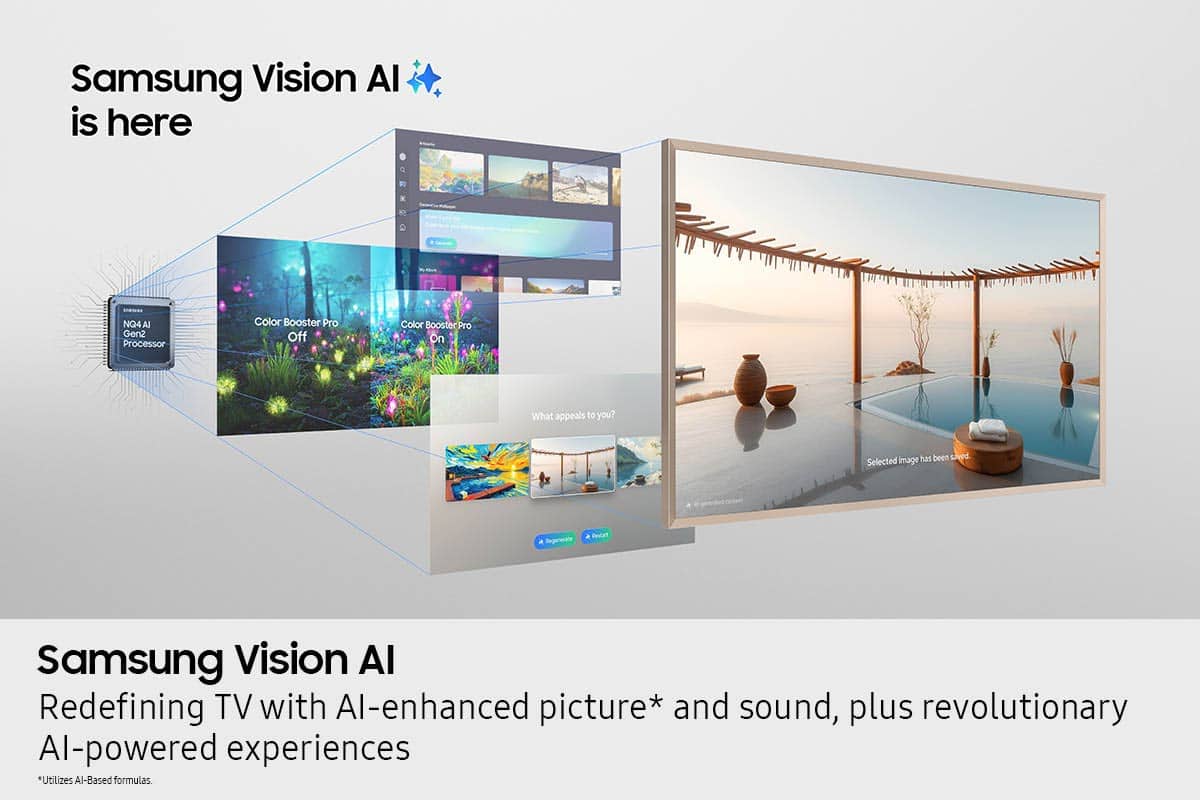
      You can also enhance your experience by enabling AI Mode, which automatically adjusts picture and sound based on your surroundings and usage patterns: Settings > All Settings > Advanced Features > AI Mode Settings > AI Mode

      If these adjustments don’t improve your picture quality, feel free to contact Samsung Customer Support at 1-800-SAMSUNG, available 8AM – 12AM EST, 7 days a week. You can also LiveChat with an agent or find helpful guides by visiting the ‘Support’ section of our website.

      ~ Samsung Specialist Samsung

  • Rated 2 out of 5 stars

    Good in concept; poorly executed

    |
    |
    Posted .
    This reviewer received promo considerations or sweepstakes entry for writing a review.

    Fantastic when it works, but if you use it as an entertainment hub, with a sound bar, cable, etc. it is complex and will require complete reprogramming if you have a power failure. If you are not into “IT” don’t get this unit. I regret buying it.

    No, I would not recommend this to a friend
    • Brand response from Samsung
      Posted .

      MichaelB,

      We appreciate your review of Samsung’s Frame Pro TV. So we can better understand the issues you’re experiencing and provide you with troubleshooting assistance, please reach out to Samsung Customer Support at 1-800-SAMSUNG, available daily from 8AM - 12AM EST. You can also chat with a LiveChat agent by clicking the ‘Support’ link on our website for:
      • Live Chat
      • Manuals, Software, & Warranty Info
      • Creating a Service ticket

      ~ Samsung Specialist Samsung

  • Rated 1 out of 5 stars

    UNHELPFUL CUSTOMER SERVICE!!!

    |
    |
    Posted . Owned for 1 month when reviewed.
    This reviewer received promo considerations or sweepstakes entry for writing a review.

    I accidentally threw out the paper template that was included in the box that I need to hang my new 65" Frame TV. I spoke to a Samsung customer service rep who was not helpful. They were not aware that the tv came with the wall mount and kept insisting that I contact wherever I purchased the mount. I can't review the quality of theTV because I haven't been able to get past taking it out of the box!

    No, I would not recommend this to a friend
  • Rated 1 out of 5 stars

    Best Buy installation schedule not in time

    |
    |
    Posted . Owned for 2 weeks when reviewed.
    This reviewer received promo considerations or sweepstakes entry for writing a review.

    I haven’t tried the tv yet. I am leaving 1 start because my installation was scheduled for January 2nd and Best Buy changed it to the 17th. This was a Xmas present and have not been able to be installed closer to Xmas because Best Buy changed the installation schedule without any reason. I also called the customer service phone number and no one answered, so I had to go to the store to see what was happening with the installation and no one knew why the appointment was postpone

    No, I would not recommend this to a friend
    • Brand response from Samsung
      Posted .

      Faguzman,

      It appears your 1-star review for the Samsung Frame Pro TV is based on your experience with Best Buy, and we’re sorry to hear that. We recommend contacting the store directly to share your feedback.

      If you need help with the TV itself, Samsung Support is available at 1-800-SAMSUNG, 8AM – 12AM EST, 7 days a week, or via LiveChat under the ‘Support’ section of our website.

      ~ Samsung Specialist Samsung

  • Rated 2 out of 5 stars

    Samsung TV

    |
    |
    Posted . Owned for 2 weeks when reviewed.
    This reviewer received promo considerations or sweepstakes entry for writing a review.

    Television had be replaced less than a month after purchase. Also disappointed with attempting to schedule service through your system.

    No, I would not recommend this to a friend
    • Brand response from Samsung
      Posted .

      DanielM,

      It’s unfortunate to hear about your experience with Samsung’s Frame Pro TV. We’re committed to delivering quality, value, and the best possible product experience. This TV is backed by a 1-year limited manufacturer’s warranty, which includes authorized repair for eligible defects when purchased brand-new from an authorized retailer. To review full warranty terms, you can enter your model number here: https://www.samsung.com/us/support/warranty/

      We’d appreciate the opportunity to assist further. Please contact Samsung Customer Support at 1-800-SAMSUNG (8AM – 12AM EST, 7 days a week), or connect with a LiveChat agent by clicking the ‘Support’ link on our website.

      ~ Samsung Specialist Samsung

  • Rated 1 out of 5 stars

    Best Buy Customer Abuse!!

    |
    |
    Posted . Owned for 2 weeks when reviewed.
    This reviewer received promo considerations or sweepstakes entry for writing a review.

    I sent $3,000 worth of stuff (TV etc) BACK to Best Buy as the organization and communication as well as customer focus is THE worst in the big box retail industry!! In order to save a few dollars they have cut all ways for the customer to call the store direct and they do not even have a way to talk directly with Geek Squad who installs  Unless it is something small and inexpensive, I would not shop Best Buy. They are playing small ball. I will also be communicating the terrible experience on Social Media. The store rep was great but it ends there!!!!

    No, I would not recommend this to a friend
    • Brand response from Samsung
      Posted .

      PatrickB,

      It appears your 1-star review for the Samsung Frame Pro TV is based on your experience with Best Buy, and we’re sorry to hear that. We recommend contacting the store directly to share your feedback.

      If you need help with the TV itself, Samsung Support is available at 1-800-SAMSUNG, 8AM – 12AM EST, 7 days a week, or via LiveChat under the ‘Support’ section of our website.

      ~ Samsung Specialist Samsung

  • Rated 1 out of 5 stars

    Misinformed

    |
    |
    Posted . Owned for 1 month when reviewed.
    This reviewer received promo considerations or sweepstakes entry for writing a review.

    The tv is great. What i was upset about is being misinformed. I was told gold frame on tv that is on display, was included with my purchase. So come to find out it is not included. So i spent $2k on a tv plus another $700 for the frame. Manager did apologize and gave me a small discount on the frame.

    I would recommend this to a friend
    • Brand response from Samsung
      Posted .

      EricM,

      Please know that you're leaving a review and 1-star rating for The Frame Pro TV, but we’re sorry to hear of your experience with Best Buy, nonetheless. You may want to consider providing your feedback directly to the Best Buy store where the purchase was made.

      If you have questions about the TV itself, Samsung is here to help. You can reach us at 1-800-SAMSUNG, 8AM – 12AM EST, 7 days a week. LiveChat agents are also available by clicking the ‘Support’ link on our website.

      ~ Samsung Specialist Samsung

  • Rated 2 out of 5 stars

    Rip Off

    |
    |
    Posted . Owned for 1 month when reviewed.
    This reviewer received promo considerations or sweepstakes entry for writing a review.

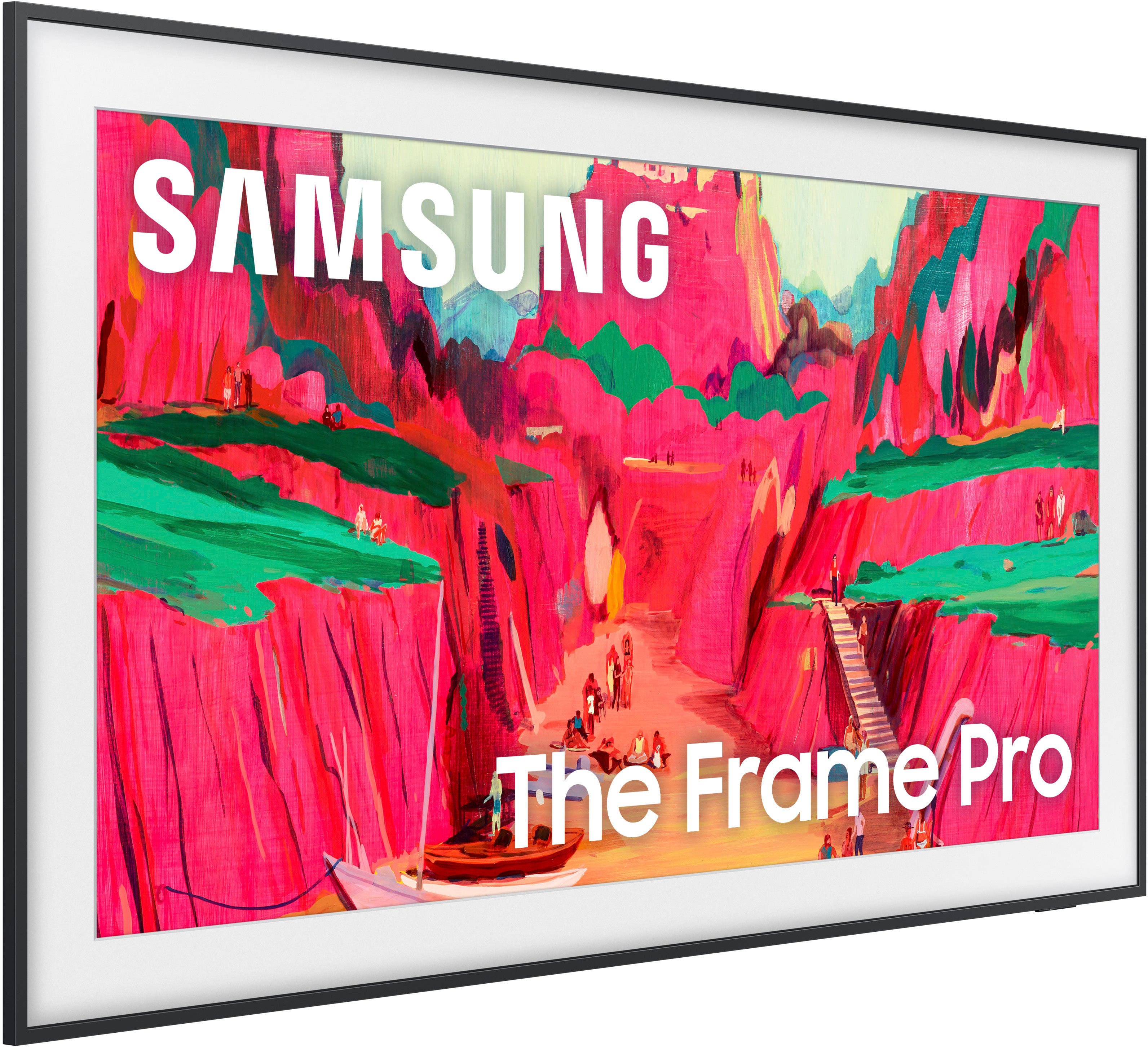
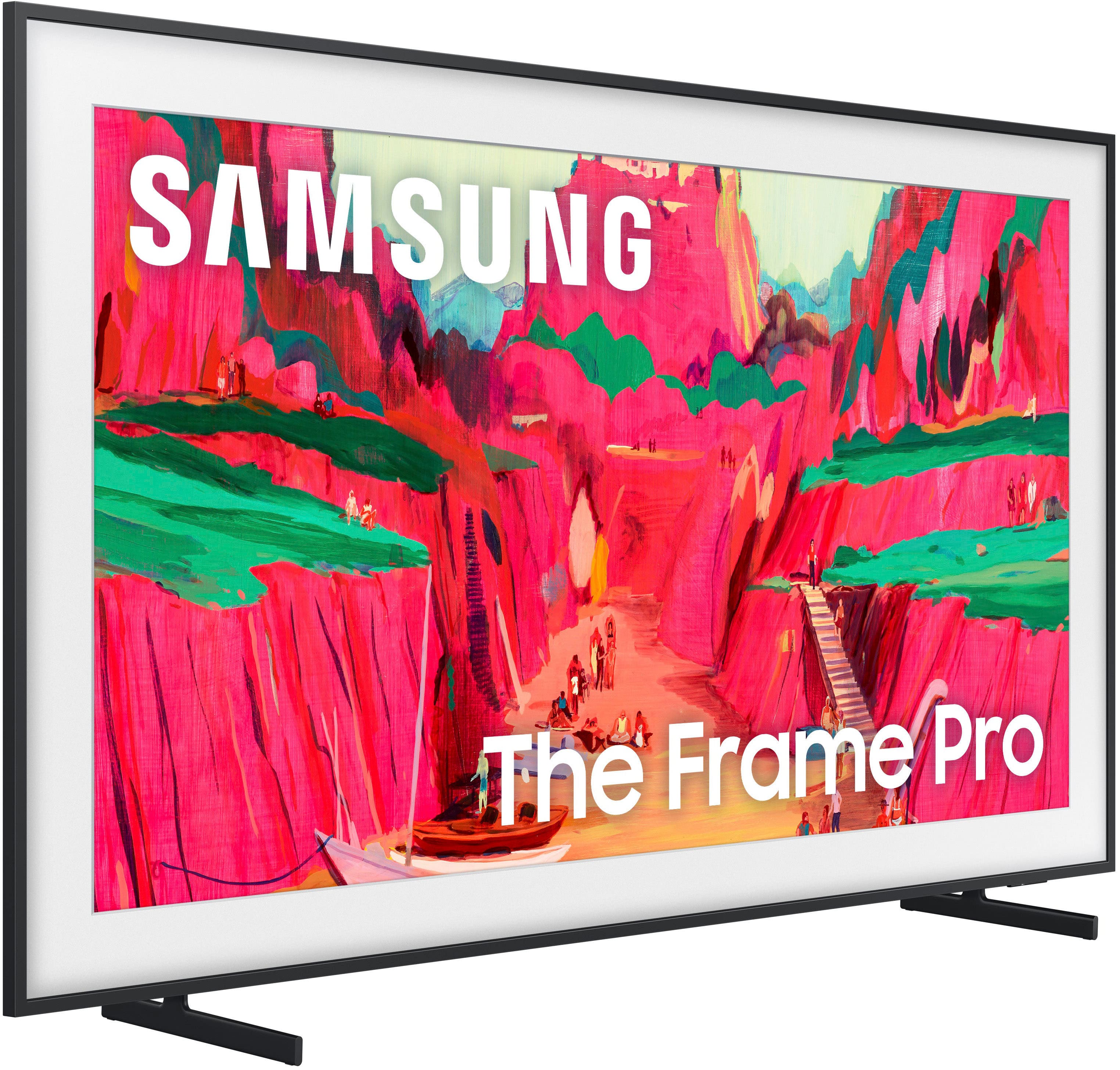
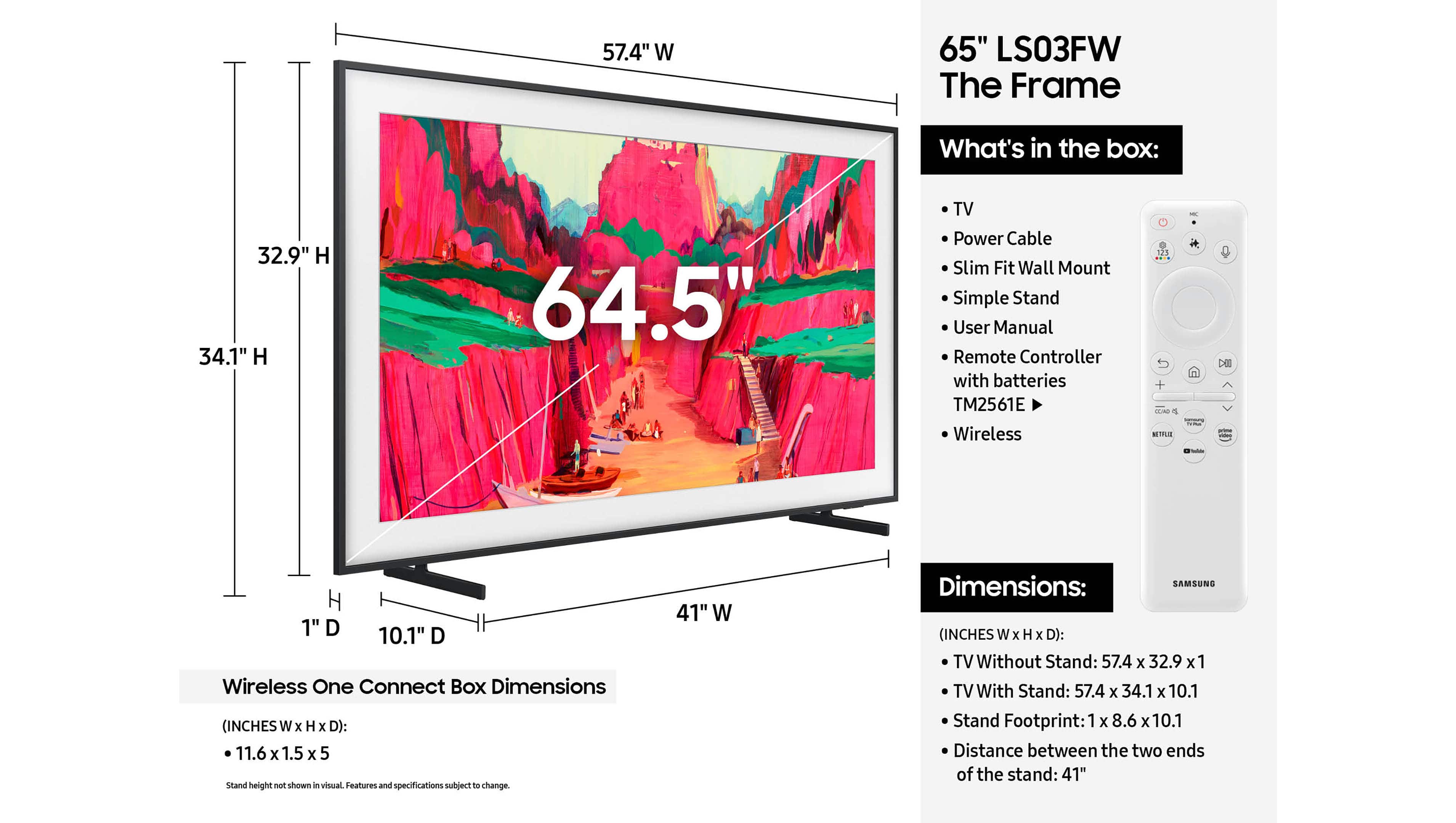
    Disappointed that I paid all this money for “The Frame” and the tv didn’t come with a frame. It looks like a regular tv on the wall. In addition they want extra money for the art work. What a rip off!

    No, I would not recommend this to a friend
    • Brand response from Samsung
      Posted .

      JeanF,

      We're sorry for the misunderstanding. The Frame Pro comes with a black frame, which cannot be removed. The Customizable Bezels sold separately are attached directly on top of the black frame and come in Sand Gold (Metal), Modern Brown, Modern Teak, & Modern White.

      For future purchases, we recommend double-checking what's included on Best Buy’s site to ensure the model you choose has the ports you need. You’ll find the full list under the “Included” tab (just beneath the Highlights section): https://www.bestbuy.com/product/samsung-65-class-ls03fw-the-frame-pro-series-neo-qled-4k-uhd-art-mode-samsungvision-ai-smart-tv-w-wall-mount-2025/6613680

      Should you ever need assistance with your TV, Samsung is here for you. Reach out by calling 1-800-SAMSUNG between 8AM - 12AM EST, any day of the week. You can also chat with us online by visiting the ‘Support’ section of our website.

      ~ Samsung Specialist Samsung

  • Rated 1 out of 5 stars

    Defective Out of the Box - Endless Runaround

    |
    |
    Posted .
    This reviewer received promo considerations or sweepstakes entry for writing a review.

    I purchased a Samsung Frame TV and unboxed it less than 30 days later. The panel is warped, and a Samsung-certified tech confirmed it cannot be repaired - this is a manufacturer defect. I’ve spent time on the line with Samsung, who sent me to Best Buy, and now Best Buy is sending me back to Samsung. I know this is outside the return window, but as a trusted retailer, Best Buy should honor a defective-product replacement and stop the runaround.

    No, I would not recommend this to a friend
    • Brand response from Samsung
      Posted .

      MatthewP,

      It’s unfortunate to hear about your experience with Samsung’s Frame TV. We’re committed to delivering quality, value, and the best possible product experience. This TV is backed by a 1-year limited manufacturer’s warranty, which includes authorized repair for eligible defects when purchased brand-new from an authorized retailer. To review full warranty terms, you can enter your model number here: https://www.samsung.com/us/support/warranty/

      We’d appreciate the opportunity to assist further. Please contact Samsung Customer Support at 1-800-SAMSUNG (8AM – 12AM EST, 7 days a week), or connect with a LiveChat agent by clicking the ‘Support’ link on our website.

      ~ Samsung Specialist Samsung

  • Rated 1 out of 5 stars

    Buyer be ware

    |
    |
    Posted .
    This reviewer received promo considerations or sweepstakes entry for writing a review.

    Never shop at Best Buy. Horrific experience and service. Go elsewhere. 0 upside to shopping at Best Buy. Only reason to shop here is if you want a stressful and irritating experience. The lack of customer service is appalling.

    No, I would not recommend this to a friend
    • Brand response from Samsung
      Posted .

      user579065,

      We're sorry to hear of your experience with Best Buy, though please note that your 1-star review is attached to the Samsung Frame Pro TV. We encourage you to share your feedback directly with Best Buy so they can address your concerns.

      Should you have any questions or need assistance with the TV itself, Samsung is here to help at 1-800-SAMSUNG, 8AM – 12AM EST, 7 days a week. You can also connect with us via LiveChat at the ‘Support’ link on our website.

      ~ Samsung Specialist Samsung

  • Rated 5 out of 5 stars

    Picture TV

    Posted .
    This reviewer received promo considerations or sweepstakes entry for writing a review.

    excellent choice with great picture and sound looks good on the wall

    I would recommend this to a friend
  • Rated 4 out of 5 stars

    Samsung Frame TV 65"

    Posted .
    This reviewer received promo considerations or sweepstakes entry for writing a review.

    I have wanted a Frame TV for some time and finally purchased one. My only concern is that it takes forever to turn on the tv and turn it off. The lag, while the tv is "thinking" is longer than I would like. Other than that, it is a beautiful.

    I would recommend this to a friend
  • Rated 1 out of 5 stars

    Frame pro

    Posted .
    This reviewer received promo considerations or sweepstakes entry for writing a review.

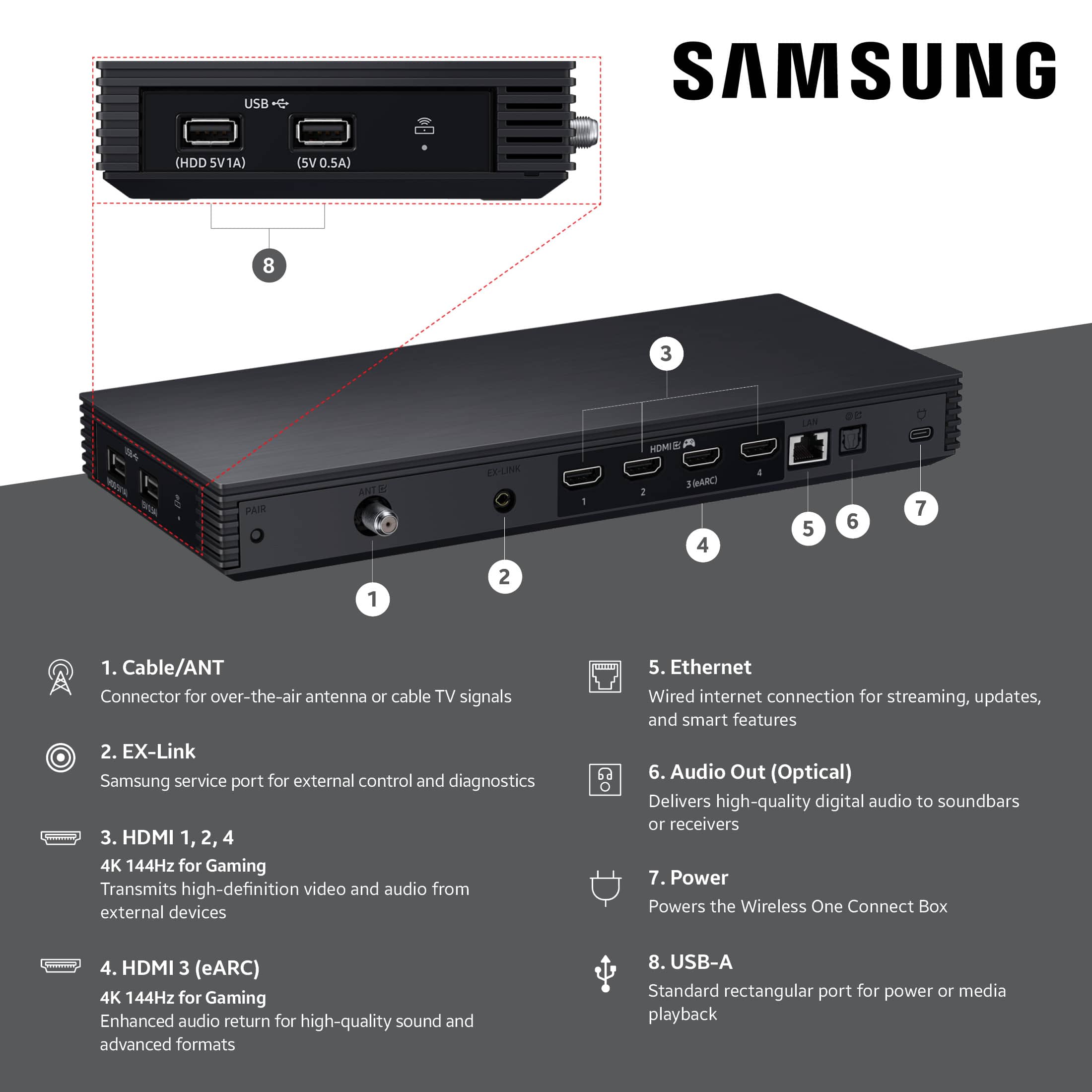
    Save your money. For one. you won't be able to install. You'll need someone for that. For two. The Bluetooth connection drops constantly. For three. It only connects Bluetooth. There is no longer a wire connecting the one connect to the TV. So it gets it's image through Bluetooth. I've been installing these TV's since they came out. I can tell you this. Every model is worse than the one before. They're constantly downgrading it. Instead of upgrading.

    No, I would not recommend this to a friend
    • Brand response from Samsung
      Posted .

      RogerV,

      We're sorry to hear that you've experienced challenges installing The Frame Pro, as well as issues with maintaining a stable connection. You may first want to ensure your TV is running the latest firmware, as updates may include important connectivity enhancements. Go to: Home > Left directional button > Settings > Support > Software Update > Update Now

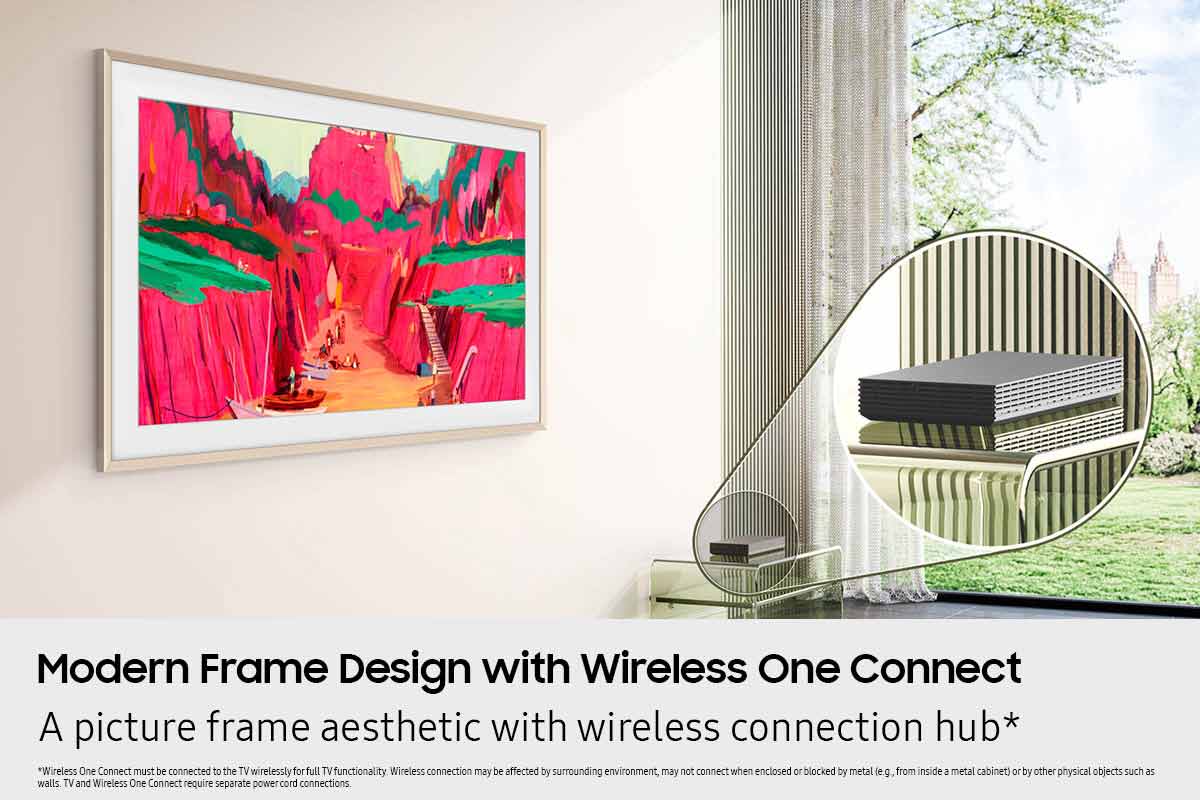
      Since the Wireless One Connect Box (WOCB) connects via its specialized peer-to-peer network, we also recommend running Device Care to check both the power supply and connection for the WOCB, as well as your TV's Wi-Fi status:
      • Home > left directional key > Settings > Support > Device Care > Self Diagnosis > Wireless One Connect Test
      • Home > left directional key > Settings > Support > Device Care > Self Diagnosis > Wi-Fi

      To ensure consistent, optimal performance, please keep the following in mind:
      • The Wireless One Connect Box should be placed within 10m (~33 ft) of the TV with minimal obstructions.
      • It can be stored in a recessed in-wall box or in a shelf or credenza below the TV, as long as the material isn’t too thick to block signals.
      • Wireless performance may be affected by the surrounding environment and may not work properly if the box is enclosed or blocked by metal (e.g., inside a metal cabinet) or other physical barriers like walls.
      • Malfunction (e.g., choppy video or audio) may occur, depending on the wireless transmission quality and installation distance.
      • If the Wireless One Connect is left disconnected from the screen for an extended period, automatic reconnection may not work properly. Please check the power supply and refer to the LED indicator light to assess the connection:
      o Blue = Very good connection
      o Yellow = Bad connection
      o Red = Very bad connection
      o White = Power saving mode

      If you're seeing a message that says "Wireless One Connect is disconnected" while watching content from an external source (such as a set-top box, game console, or antenna), this typically means the TV has lost its wireless connection to the Wireless One Connect Box.

      To resolve the above disconnection scenarios, please try the following steps:
      1. Check that the Wireless One Connect Box is powered on. If it’s turned off, power it back on. Once powered, the TV should automatically reconnect when the signal is strong enough.
      2. If the unit is powered on but still disconnected, you may need to adjust the alignment: Home > left directional key > Settings > All Settings > Connections > Wireless One Connect > Wireless One Connect Status > Adjust, then carefully adjust the Wireless One Connect Box’s position until the antenna icon turns blue, which indicates a strong signal and a successful connection.

      If your TV doesn’t automatically reconnect to the Wireless One Connect after adjusting its position, you may also need to manually pair the device:
      1. Unpair the Wireless One Connect. Go to: Home > left directional key > Settings > All Settings > Connections > Wireless One Connect > Wireless One Connect Status > Unpair
      2. Enter Pairing Mode on the Wireless One Connect. Press and hold the PAIR button on the Wireless One Connect device for 3 seconds. You'll know it's in pairing mode when the LED indicator on the side begins blinking blue.
      3. Re-establish the Connection. Go to: Settings > All Settings > Connections > Wireless One Connect > Set up Wireless One Connect, then follow the prompts to search for the device and reconnect it.

      If the issue continues after these steps, please contact Samsung Support at 1-800-SAMSUNG, 8AM – 12AM EST, 7 days a week. LiveChat with an agent and additional support resources are also available on the Samsung website under the ‘Support’ section.

      ~ Samsung Specialist Samsung

Sponsored