Customer Ratings & Reviews
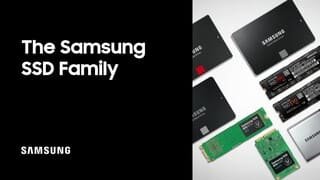
- Model:
- MZ-76E250B/AM
- |
- SKU:
- 6178653
Customer reviews
Rating 4.9 out of 5 stars with 1243 reviews
(1,243 customer reviews)Rating by feature
- Value4.7
Rating 4.7 out of 5 stars
- Quality4.9
Rating 4.9 out of 5 stars
- Ease of Use4.8
Rating 4.8 out of 5 stars
Customers are saying
Customers have good things to say about the 860 EVO 250GB Internal SATA 2.5" Solid State Drive's performance, ease of use, and fast boot times. Many appreciate its reasonable price and straightforward installation. While some mention the drive's capacity as relatively small, the positive feedback on speed and ease of use outweighs this concern. The overall experience is overwhelmingly positive, with users highlighting the improved performance compared to traditional hard drives.
This summary was generated by AI based on customer reviews.
- Pros mentioned:Performance
Rated 5 out of 5 stars
Great drive- Excellent transfer speeds
||Posted . Owned for more than 2 years when reviewed.This reviewer received promo considerations or sweepstakes entry for writing a review.One of my favorite brands for drives and money. Bought on sale making value even better. used to upgrade an older Lenovo with an i3 and 8GB- big difference in performance
I would recommend this to a friend - Pros mentioned:Performance, Speed
Rated 5 out of 5 stars
Impressive and affordable ssd
||Posted . Owned for 3 weeks when reviewed.This reviewer received promo considerations or sweepstakes entry for writing a review.Very fast and easy to install SSD. I have bought several of these drives for various uses and they always impress. I've never had one go bad yet!
I would recommend this to a friend Rated 5 out of 5 stars
Fast, Easy Configuration
||Posted .This reviewer received promo considerations or sweepstakes entry for writing a review.This SSD is a great mid-level drive for people looking to upgrade their computers without changing out a mass of components. I installed Windows 10 on this drive, as well as all the games I am currently playing that would benefit from the faster speeds. A bonus is if you are upgrading from a Hard Drive that is not broken/damaged and can use it as a secondary drive. SSD's have a limited number of read/writes (generally, you'll likely never exceed this limit), so it's a good practice to avoid putting things on the SSD that are constantly trying to access it. If you CAN use your old Hard Drive as a secondary drive, it's a good idea to configure Windows to save Documents, Music, Videos, anything that is constantly changing to your secondary drive. For Windows 10, this is located under the Settings > System > Storage and then you'll see a 'link' for "Change where new content is saved." This will take you to a screen that will allow you to change the place where common things are saved/accessed. Click on the drop down menu for each of them and change it to your secondary drive. This will help keep your drive lasting longer, and running faster. If this is too much for you to be doing on your own, I'd also highly recommend Geek Squad's services. I have 24/7 Tech Support so they installed my drive, installed Windows, and configured everything for me. Even if you don't have their 24/7 Tech Support, you can still have them install it for a small (and worthwhile) fee. Some of these things can be overwhelming, and you want to make sure it's done correctly. Definitely recommend talking to them at the very least. Speaking of running faster, SSD's will slow down when you fill them up. If your drive is at about 85% full or above, the drive (all SSD's) has a hard time figuring out where to save information and slows down until it can figure it out. Samsung has created a complimentary application called "Samsung Magician" that links up with your SSD to give you all sorts of features and information regarding your drive. One of those features is "Over Provisioning." This sets the last few GB of the drive (10% is recommended) to be inaccessible and thus makes sure your drive never slows down as it starts to fill up. Although you'll be losing out on a few GB, it's worth the loss to make sure your drive is running at it's fastest. As I said before, this is a great SSD. Samsung has really delivered with it's 860 line and I highly recommend it. Two thumbs up!
I would recommend this to a friend- Pros mentioned:Ease of use, Performance
Rated 5 out of 5 stars
Add years to the usable life of your older compute
||Posted . Owned for 1 month when reviewed.This reviewer received promo considerations or sweepstakes entry for writing a review.This is my standard go to SSD when upgrading from a mechanical drive. Sometimes the upgrade is caused by the existing mechanical drive failing, and other times, we are just replacing those older drives with SSD. This Samsung 240 SSD so far has a zero failure rate. It comes with the Samsung Magician software that lets even computer novices set it up correctly for optimal performance. The software is not preloaded on the drive, you need to go the Samsung's website, download and install it, but is a helpful tool to keep the drive in it's optimal performance state.
I would recommend this to a friend - Pros mentioned:Performance, Ssd
Rated 5 out of 5 stars
Efficient and Reliable
||Posted .This reviewer received promo considerations or sweepstakes entry for writing a review.Great purchase at the recommendation of a savvy member of the Geek Squad crew. It became a solid option to fix reliability and stability issues in an Asus laptop that was only a year old. Sad but true. But this SSD made all the difference and seemed to have even resolved other quirky performance issues that the laptop would have. So it was definitely a worthwhile purchase and for $80 was a great solution. Laptop has been running like it should have all along. Efficiently and reliably. And with a solid state drive, the right choice for an active high schooler.
I would recommend this to a friend - Pros mentioned:Speed, Ssd
Rated 5 out of 5 stars
Nice SSD
||Posted . Owned for 1 month when reviewed.This reviewer received promo considerations or sweepstakes entry for writing a review.The SSD was very easy to install on my old Dell Precision, and it picked it very quickly, this is a very good SSD and better for your pocket!
I would recommend this to a friend - Pros mentioned:Speed, Ssd
Rated 4 out of 5 stars
Great little hard drive!
||Posted .This reviewer received promo considerations or sweepstakes entry for writing a review.Purchased for my mother's laptop that had a large, but slow hard drive. Most of her stuff consists of a couple of small games, some photos and documents that are automatically backed up to a cloud server. She was complaining of slow start ups (due to slow mechanical drive), so I splurged and got this for her. Note, this is a small drive for this day and age. But she didn't need that much space. We tried to clone her hard drive with the included tool. However, it kept failing, so we ended up having to do a fresh install of Windows (which ended up being favorable). I'm super happy to see her laptop boot up faster than ever before and she keeps bragging to her friends how nice it is now. Seriously, bumping up to a solid state drive is the best thing you can do for any computer.
I would recommend this to a friend - Pros mentioned:Ssd
Rated 5 out of 5 stars
Excellent SSD
||Posted .This reviewer received promo considerations or sweepstakes entry for writing a review.Very fast and responsive! Boot up times are phenomenal! Very affordable and easy to install. Does not take up much space at all. Great brand.
I would recommend this to a friend - Pros mentioned:Ease of use, Speed
Rated 5 out of 5 stars
Great for Upgrading old PCs
||Posted . Owned for 1 month when reviewed.This reviewer received promo considerations or sweepstakes entry for writing a review.I've been purchasing these Samsung SSDs for transitioning some of my workplace's older computers from spinning disks to solid states, and these have been great. Cloning is simple with the Samsung Data Migration software available on Samsung's website, and the boost in read/write speeds versus a spinning disk have turned some of our older computers that seemed slow as molasses into much more usable PCs!
I would recommend this to a friend - Pros mentioned:Ease of use, Performance, Speed
Rated 5 out of 5 stars
Solid SSD
||Posted . Owned for 3 months when reviewed.This reviewer received promo considerations or sweepstakes entry for writing a review.This is a solid SSD. Very easy to install. Quick and seamless... Doesn't crash or stall. Software is very helpful
I would recommend this to a friend - Pros mentioned:Ease of use, Speed
Rated 5 out of 5 stars
Perfect for HP Spectre Laptop
||Posted . Owned for 1 year when reviewed.This reviewer received promo considerations or sweepstakes entry for writing a review.I had bought the hp spectre laptop and it came with a 1tb sata hard drive... which it made so slow, after few months i decided to switch to SSD drive, and what a difference, it runs like is a new machine, few weeks later i added 16gb of ram, brand new computer! Not hard to install, plenty of videos out there that can help you, definitely a lot of pops to get to the hard drive and replace it... once done i had windows install on a flash drive, setup was done in 30 mins!
I would recommend this to a friend - Pros mentioned:Speed
Rated 5 out of 5 stars
Samsung SSDs are the best, EVO is the best value.
||Posted . Owned for 3 weeks when reviewed.This reviewer received promo considerations or sweepstakes entry for writing a review.These 250GB Samsung EVO drives are the perfect size for users that don't store much local data. SATA drives are being replaced by NVMe drives on current motherboards, but these are still great upgrades for older systems. Perfect for domain joined computers or PCs that use a NAS or external drive as secondary storage. Plenty big enough for any OS, plus a decent suite of productivity apps. Cost effective, too, at around $50, a Samsung EVO is a great drive, all you really need in a lot of cases. The Samsung 860 Pro drives are SLIGHTLY faster, but the main difference is the MTBF amount that can be written before the drive starts to degrade or die. The EVO is already rated at 5 years/150TB written before failure, which is ridiculous enough, but the Samung Pro drives are basically double that for data written. Most applications won't even get close to the writes the EVO can handle, so it takes a pretty special case with really heavy writing to need a Pro version.
I would recommend this to a friend - Pros mentioned:Ease of use, Ssd
Rated 5 out of 5 stars
Speedy boi
||Posted . Owned for 3 weeks when reviewed.This reviewer received promo considerations or sweepstakes entry for writing a review.Get an SSD. GET AN SSD Speedy Boi Fast Boot Time Easy enough for any troglodyte to install Fast
I would recommend this to a friend - Pros mentioned:Ease of use, Performance, Speed
Rated 5 out of 5 stars
best hard drive
||Posted . Owned for 1 week when reviewed.This reviewer received promo considerations or sweepstakes entry for writing a review.best hard drive in the market fast and relaible . i purchase this and this is easy install and fast data access
I would recommend this to a friend - Pros mentioned:Ease of use, Performance, Speed
Rated 5 out of 5 stars
Excellent SSD hard drive
||Posted .This reviewer received promo considerations or sweepstakes entry for writing a review.Samsung SSDs are the best SSDs. The Evo series combines great performance with good prices. Fast drive, easy to set up.
I would recommend this to a friend - Pros mentioned:Speed
Rated 5 out of 5 stars
A Great Upgrade
||Posted .This reviewer received promo considerations or sweepstakes entry for writing a review.As an I.T. Manager, I rolled out this solid state hard drive as an upgrade to our desktop systems. The speed increase and efficiency that employees experienced has been amazing. Computers now boot up within 15 seconds and there has been a dramatic difference in the speed of processing. This has been an extremely noticeable improvement. Previously with standard SATA drives it would take at least a couple of minutes to boot. Now at a 15 second boot up, I am a hero to the office.
I would recommend this to a friend - Pros mentioned:Performance, Speed
Rated 5 out of 5 stars
Excellent upgrade
||Posted . Owned for 1 month when reviewed.This reviewer received promo considerations or sweepstakes entry for writing a review.I bought this to replace an old laptop's hard drive to hopefully increase the speed of its performance and this did the trick. The provided instructions also list a link to Samsung's cloning software, which is free to use. The software is very helpful in making sure the transferring process went smoothly. I bought this as a deal of the day, but it's worth the upgraded performance at regular price too.
I would recommend this to a friend - Pros mentioned:Speed, Ssd
Rated 5 out of 5 stars
increases computer speed
||Posted . Owned for 1 month when reviewed.This reviewer received promo considerations or sweepstakes entry for writing a review.The digital solid state drive increased the speed of the computer. I instantly get on where in the past it was very sluggish. Logging in, changing web sites, going to files is 20 times faster. No hesitation. I would recommend up dating to the solid state drive to anyone who is experiencing slow, sluggish, logging in or finding web sites to review
I would recommend this to a friend - Pros mentioned:Ease of use, Price
Rated 5 out of 5 stars
The best brand, with a great warranty.
||Posted . Owned for 3 weeks when reviewed.This reviewer received promo considerations or sweepstakes entry for writing a review.SSD's vary a lot in price and quality, and you have to research a few benchmarks to make up your mind about which brand(s) to choose. Not only do the Samsung drives have some of the best benchmarks, but a 5-year warranty means they think highly of their products, and the prices are not much higher than the cheapest offbrand. One of the best parts of Samsung drives is their Magician and Migration Tool, that make it easier than any I've seen.
I would recommend this to a friend - Pros mentioned:Ease of use, Speed
Rated 5 out of 5 stars
Samsung EVO 250 SSD
||Posted .This reviewer received promo considerations or sweepstakes entry for writing a review.I got this to add to new laptop for additional storage. BB had super price and available for pick up. Drive was easy to install and get up and running. Always had luck with Samsung products and this has not disappointed. Fast read and write speeds. Makes the light gaming I do a pleasure. Would recommend easily for primary or additional drive for any laptop or desktop computer.A+
I would recommend this to a friend