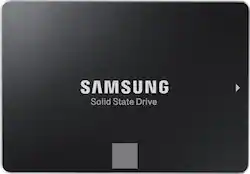
Samsung - 860 EVO 250GB Internal SATA 2.5" Solid State Drive
- Key Specs
- Storage Capacity: 250 gigabytes (Measured in megabytes (MB), gigabytes (GB) and terabytes (TB), this is the amount available for storing files, music, movies, photos and more. The total includes the capacity of the hard disk drive and solid state drive if both are included on the computer.)
- Storage Drive Type: SSD (Traditional, mechanical hard disk drives are the most common type of storage because they're relatively inexpensive and offer huge capacities. However, they also generate both noise and heat. Solid state drives, also known as SSDs, are many times faster than hard disk drives and have no moving parts to wear out, but typically offer less capacity for the same price.)
- Maximum Read Speed: 550 megabytes per second (The greatest speed at which the device can read information; for example, opening files.)
- Maximum Write Speed: 520 megabytes per second (The greatest speed at which the device can write information; for example, saving files.)
- Interface(s): SATA (Refers to the types of connections that devices use to interact and communicate with each other.)
- General
- Product Name: 860 EVO 250GB Internal SATA 2.5" Solid State Drive
- Brand: Samsung
- Model Number: MZ-76E250B/AM
- Capacity
- Storage Capacity: 250 gigabytes (Measured in megabytes (MB), gigabytes (GB) and terabytes (TB), this is the amount available for storing files, music, movies, photos and more. The total includes the capacity of the hard disk drive and solid state drive if both are included on the computer.)
- Performance
- Storage Drive Type: SSD (Traditional, mechanical hard disk drives are the most common type of storage because they're relatively inexpensive and offer huge capacities. However, they also generate both noise and heat. Solid state drives, also known as SSDs, are many times faster than hard disk drives and have no moving parts to wear out, but typically offer less capacity for the same price.)
- Maximum Read Speed: 550 megabytes per second (The greatest speed at which the device can read information; for example, opening files.)
- Maximum Write Speed: 520 megabytes per second (The greatest speed at which the device can write information; for example, saving files.)
- Compatibility
- Internal Or External: Internal
- Product Compatibility: Desktop computers, Laptop computers
- Interface(s): SATA (Refers to the types of connections that devices use to interact and communicate with each other.)
- Bare Drive: true (Drive is sold without any pre-installed software.)
- Features
- Security Features: None
- Data Encryption: true
- Encryption Algorithm: 256-bit AES (The algorithm standard used to encrypt data on a device.)
- Usage: Everyday computing, Performance computing
- Memory
- Cache Buffer Size: 512 megabytes (The data capacity of the cache buffer (or disk buffer) that acts as temporary memory for the drive. The cache holds the most recently and frequently used data to save the drive the extra step of pulling it from permanent storage every time it's needed, which helps increase the drive's overall speed.)
- NAND Flash Memory Type: MLC (Single Level Cell (SLC) stores 1 bit of data per memory cell; Multi Level Cell (MLC) stores 2 bits per cell, Triple Level Cell (TLC) 3 bits, and Quad Level Cell (QLC) 4 bits. Vertical NAND (V-NAND) or 3D NAND stores more data by layering cells vertically. Similarly, there are 3D MLC, 3D TLC and 3D QLC stacked cells.)
- Dimensions
- Product Height: 0.3 inches (The out of box height of the item. Height is measured as the vertical distance from the bottom of the item to the top as it would be primarily used or placed.)
- Product Width: 2.7 inches (The out of box width of the item. Width is measured as the horizontal distance from one side of the item to the other as it would be primarily used or placed.)
- Product Weight: 2.2 ounces (The out of box weight of the item.)
- Other
- UPC: 887276232317
Boost computer performance with this Samsung EVO series solid-state drive. Its maximum read and write speeds of 550MB/s and 520MB/s let you speed through data transfers, and the 250GB of storage space leaves room for plenty of files. This Samsung EVO series solid-state drive is compatible with a number of SATA configurations for flexible use.
- 250GB storage capacity: Provides ample storage space for your music, movies and other files.
- SATA III interface: Offers simple connection to your computer.
- Data transfer rates up to 600 MBps: For quick response when updating files.
- AES 256-bit hardware encryption: Helps safeguard sensitive data.
Whats Included
- Samsung 860 EVO 250GB Internal SATA Solid State Drive for Laptops
Q: Will this work in a macbook pro?
A: That’s what I bought for. So far it’s working great.
A: Yes, google 2.5 to 3.5 desktop adapter. Amz has plenty of it. For software data migration software on Samsung web site will do the job. Conect the nee drive to your computer boot it up and Install the software, go through the wizard, after completing power down computer remove old drive and connect the new drive to where old one was before and that is it.
Q: Is this SSD compatible with Dell Latitude E6420?
A: Yes - I have two Dell E6420 Sandy Bridge vintage laptops running with 2.5 inch SSDs myself. Mount the bracket onto the drive as it was on the hard drive you extract from the side of the laptop, and slide it in - note that the cavity is made for a 9.5 mm height drive and the SSD is 7 mm high, so it is easiest to slide it into place with the laptop top-side-up, and then flip it over to install the 4 retention screws into the bottom. This ensures the connector will mate as it slides into place.
Q: What are the dimensions and weight of this tablet? Thanks!
A: This is not a tablet
Q: what is the memory size on this?
A: Nominal size is 250GB, but the operating system uses some of the memory for it functions. I have 2 of these ssd drives, one in a desktop, and one in a laptop. After installation the drive size was reported to be 232GB on both of them.
Q: is this ssd drive compatible with a Dell e7240 Latitude?
A: I don't see why not. It's a 2-1/2" form factor. You'll have to remove your original ssd from the laptop and install the Samsung in it's place.
Q: Would this work for an Acer Aspire 7735Z-4033? Thanks,
A: I have one installed in a Acer Aspire One AO756, which is an old netbook - and it works perfectly. If your model is using a hard drive, this will replace it, as all hard drives are 2.5 inch form factor already. You can verify this by looking at the model in Disk Management (Windows) or in Disks (Linux), or simply removing the bottom of the laptop and looking at the drive. If you have a newer model that is using a M.2 SSD, this will not fit - chances are this won't apply as you would have a fast SSD already.
Q: Does it include a sata 3 cable for desktop connection?
A: no it does not include cable