Customer Ratings & Reviews



- Model:
- HW-Q950T
- SKU:
- 6420988
Rating by feature
- Value
Rating 3.6 out of 5 stars
- Quality
Rating 4.0 out of 5 stars
- Ease of Use
Rating 3.9 out of 5 stars
Customers are saying
Customers are satisfied with the phenomenal sound quality and easy setup process. However, some have concerns about the product's price, subwoofer performance, display location, connectivity issues, and lack of LPCM support.
This summary was generated by AI based on customer reviews.
- Pros mentioned:Sound quality
Great!
||Posted . Owned for 8 months when reviewed.This reviewer received promo considerations or sweepstakes entry for writing a review.These speakers sound great!!!!! Setup was very easy!!!
I would recommend this to a friend - Pros mentioned:Sound quality
Great Immersive Sound!!
||Posted . Owned for 3 months when reviewed.This reviewer received promo considerations or sweepstakes entry for writing a review.Love the sound that this thing produces. I sometimes forget that I have it until I watch a movie or show in a room that does have it. If you are wanting great immersive sound and can afford the price, you will not be disappointed. Its great for Music too!!
I would recommend this to a friend - Pros mentioned:Easy setup
Best sound EVER
||Posted . Owned for 3 weeks when reviewed.This reviewer received promo considerations or sweepstakes entry for writing a review.This system is by far the best surround sound I’ve ever experienced. Setup was somewhat easy once I got past the Samsung app install. Can connect thru WiFi or thru Bluetooth to the Samsung tv. I purchased the 85” Samsung tv and this sound system compliments it perfectly.
I would recommend this to a friend Would be better if it supported lpcm, (ps5)
||Posted . Owned for 1 month when reviewed.This reviewer received promo considerations or sweepstakes entry for writing a review.This would be a whole lot better if the unit supported proper lpcm. Using a ps5 doesn’t give you all the audio for voices and other noises and an Apple TV doesn’t work at all.
No, I would not recommend this to a friendBrand response from Samsung
Posted .Hi Chris,
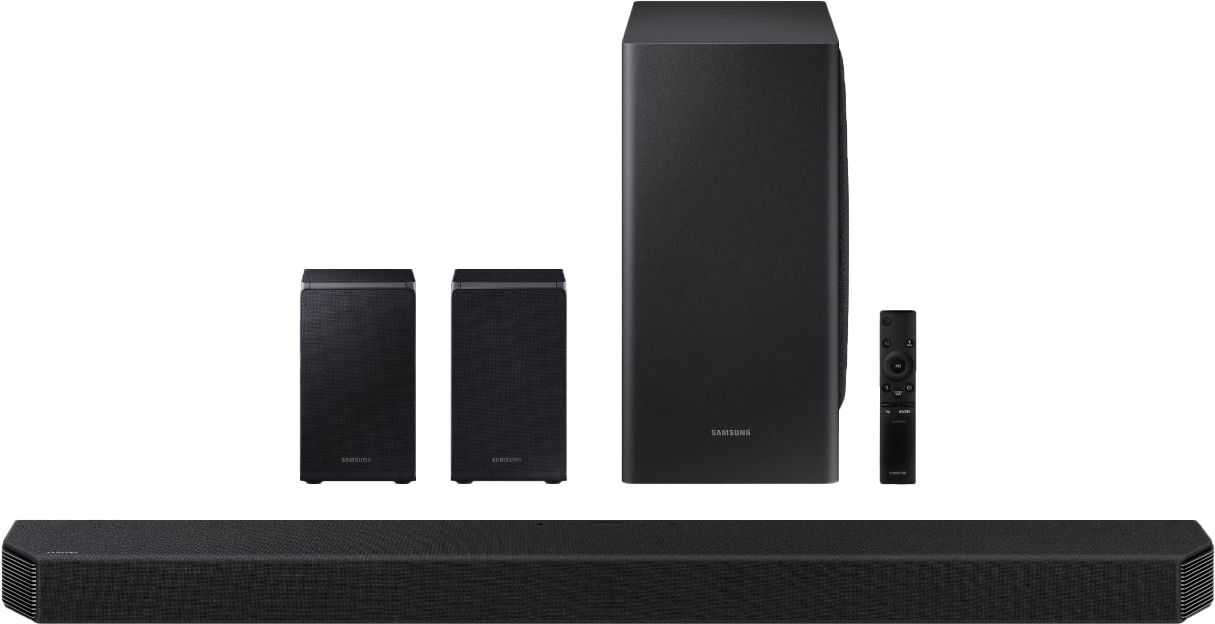
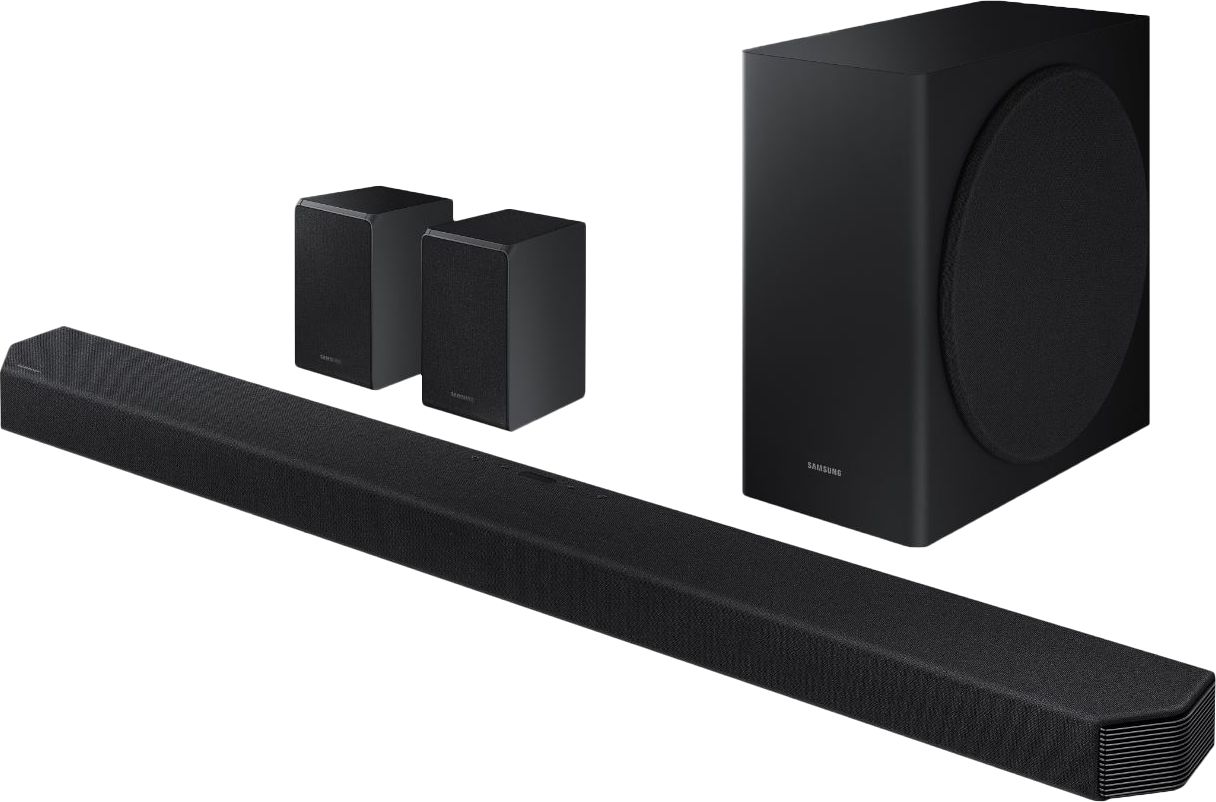
Thank you for purchasing our top of the line Samsung 9.1.4ch HW-Q950T soundbar with Dolby Atmos and DTS:X bringing you 3D true surround sound. Your soundbar system is engineered with 20 speakers immersing you in sound.
With Adaptive sound, your soundbar will be analyzing your content and automatically optimizing sound based on each scene.
With Tap Sound, you can play music from your favorite playlist by simply tapping the soundbar with your smartphone.
If there is anything we can do to improve your enjoyment to 5 stars -- such as helping to optimize settings for your specific usage scenario -- please let us know. You can reach Samsung Customer Support at:
For further assistance, please contact Samsung Customer Support.
1) Phone: 1-800-SAMSUNG, (available 8AM to 12AM EST - 7 days a week)
2) LiveChat: https://www.samsung.com/us/support/#contact_us_for_support
3) Facebook Messenger: https://www.facebook.com/samsungsupport
4) Twitter: https://twitter.com/SamsungSupport
5) The Samsung Members Community is also a great resource for getting help from Samsung moderators and customers: https://us.community.samsung.com
If you have not already done so, we invite you to register your new Samsung product at:
https://www.samsung.com/us/account/signin/?redirect=https%3A%2F%2Fwww.samsung.com%2Fus%2Fsupport%2Fregister%2F
Registering your product gives you access to easy warranty support, convenient opt-in to special promos and offers, faster troubleshooting and service, and quick notification of system updates.
~ Samsung Ambassador
- Pros mentioned:Sound quality
Wow, just WOW!!!
||Posted . Owned for 1 month when reviewed.This reviewer received promo considerations or sweepstakes entry for writing a review.when we first hooked this up, it was a nice sound coming out of the sound bar & we thought it was great!!! Once we connected the subwoofer... WOW!!! the sound went from great to FANSTSTIC!!! we may never to the movies again!!!
I would recommend this to a friend - Pros mentioned:Sound quality
Samsung soundbar
||Posted .This reviewer received promo considerations or sweepstakes entry for writing a review.Good soundbar, it's not excelente Needs more base
I would recommend this to a friend - Pros mentioned:Sound quality
No Support of Lossless Surround on Bluray Players
||Posted . Owned for 3 months when reviewed.This reviewer received promo considerations or sweepstakes entry for writing a review.Major issue: soundbar does not support lossless input from blu-ray players, so you will not get DTS Master or Dolby TrueHD codecs, which also means Atmos does not work for anything from blu-ray players since films don't come with Dolby Digital+ on the disc. Which basically means, no surround effects from your blu-ray films. I use a Samsung Q900 tv with this soundbar, so compatibility should be eliminated as a possible cause. The TV setting menu shows visually the exact sound mode details on screen for the soundbar. It always goes into PCM mode if fed bitstream, so there is no surround effect at all. I've tried every troubleshooting, resetting, and rewiring to eliminate all possibilities. Bitstream is what you want to ensure you're getting lossless, which is the best sound output codec that carries Atmos for blu-ray discs. I've tried multiple blu-ray players as well. The only way to get Atmos is getting a Dolby Digital+ (lossy codec) via a streaming app like Netflix, Amazon Prime, Apple. HBOMax app on Samsung TV's will not send Dolby Digital+, so that adds another layer of issue if trying to watch new releases in Atmos. When the soundbar does get Dolby Digital+, the surround effects are very good to excellent. However, if you plan to use this with a blu-ray player, it will not decode the lossless codecs sent via bitstream. This is a major design flaw or software issue.
No, I would not recommend this to a friendBrand response from Samsung
Posted .Hi Nova,
Thank you for your review of the HW-Q950T Samsung Soundbar system. We appreciate your feedback and will share it with our teams.
Please know that the HW-Q950T does support uncompressed audio codecs such as Dolby Atmos & DTS:X. Depending on the TV and connected devices, there is a certain way you will need to connect them for the best experience. You mentioned you have a Q900 Samsung TV; both the TV and Soundbar support eARC (after Firmware update on your Soundbar) and if you would like to listen to Dolby Atmos via eARC, you can connect in this way:
All Devices to TV via HDMI > HDMI eARC from TV to Q950T HDMI Out (ARC) > The soundbar and the TV should automatically recognize eARC connectivity and allow uncompressed Dolby Atmos from a connected device or Apps through the TV to the soundbar.
For DTS:X, you will need to connect the external device directly to the soundbar. Connected device to soundbar via HDMI to HDMI In > HDMI Out to TV. This connection type will also support Dolby Atmos.
*For eARC connectivity you will need to use a Ultra High Speed HDMI Cable
I hope these tips help. For further assistance with settings, features, or functions, please contact Samsung Customer Support at 1-800-SAMSUNG (ask for Soundbars), available 8AM -12AM EST, 7 days a week. Or text HELP to 62913.
For additional support resources, visit us on the Samsung website and click on the ‘Support’ link in the upper right corner of the homepage for:
1) More ‘Contact Us’ options – LiveChat, Facebook, Twitter, Samsung Community, Samsung Members app
2) Manuals & Software
3) Warranty Info
4) Product Registration: For access to easy warranty support, convenient opt-in to special promos and offers, faster troubleshooting and service, and quick notification of system updates.
We look forward to hearing from you.
~ Samsung Specialist
- Pros mentioned:Sound quality
GREAT sounder!!
||Posted . Owned for 1 month when reviewed.This reviewer received promo considerations or sweepstakes entry for writing a review.AWESOME sound, great bass!I have NO regrets buying this and highly recommend it!!Fills that little boxy sound that most televisions come with and the wireless rear speakers are, for me anyway, just what was missing!
I would recommend this to a friend Great sound for movies
||Posted . Owned for 1 month when reviewed.This reviewer received promo considerations or sweepstakes entry for writing a review.This sound bar is great for movie surround sound and music. The reason this was given 4 stars and not 5 is that it sometimes has issues connecting to the wireless speakers in which you just have to restart it and Amazon Alexa will randomly be triggered by the TV from time to time.
I would recommend this to a friend- Pros mentioned:Sound quality
Fantastic sound
||Posted . Owned for 2 weeks when reviewed.This reviewer received promo considerations or sweepstakes entry for writing a review.Looks very good and the sound is phenomenal. I’m glad I got the upgraded system with the subwoofer and two rear speakers. The Bluetooth option is great made for a very easy hook up with no wiring problems.
I would recommend this to a friend Excellent Sound
||Posted . Owned for less than 1 week when reviewed.This reviewer received promo considerations or sweepstakes entry for writing a review.I few glitches to get all the speakers working. Replaced Samsung HW950. Some of the settings may have still been in the TV. Cleared out old soundbar from TV and disconnected TV and new Q950T and all wireless speakers from wall outlets and started over from the beginning. Everything thing worked! Initially I could not get sound from Subwoofer or rear speakers. Clearing out old soundbar references and doing the hard reboot solved the problem.
I would recommend this to a friendBrand response from Samsung
Posted .Canonfan:
Thank you for purchasing our top of the line Samsung 9.1.4ch HW-Q950T soundbar with Dolby Atmos and DTS:X bringing you 3D true surround sound. Your soundbar system is engineered with 20 speakers immersing you in sound.
With Adaptive sound, your soundbar will be analyzing your content and automatically optimizing sound based on each scene.
Should you ever have any questions or concerns or need help with settings or features, please contact Samsung Customer Support.
1) Phone: 1-800-SAMSUNG, (available 8AM to 12AM EST - 7 days a week)
2) LiveChat: https://www.samsung.com/us/support/#contact_us_for_support
3) Facebook Messenger: https://www.facebook.com/samsungsupport
4) Twitter: https://twitter.com/SamsungSupport
5) The Samsung Members Community is also a great resource for getting help from Samsung moderators and customers: https://us.community.samsung.com
If you have not already done so, we invite you to register your new Samsung product at:
https://www.samsung.com/us/account/signin/?redirect=https%3A%2F%2Fwww.samsung.com%2Fus%2Fsupport%2Fregister%2F&user=dsr-registration
Registering your product gives you access to easy warranty support, convenient opt-in to special promos and offers, faster troubleshooting and service, and quick notification of system updates.
~ Samsung Solutions
Adaptive Mode Drops
||Posted . Owned for less than 1 week when reviewed.This reviewer received promo considerations or sweepstakes entry for writing a review.When Adaptive mode works it’s excellent, however from my Apple TV 4K, when I switch from one app to another (Netflix to Prime or Disney+), only the sound bar works (rear and sub woofer disengage). If I reinitialize the soundbar (+/- volume buttons together) it works again until I switch applications again. Very frustrating. If I switch to the TV as the source, the rear speakers and subwoofer re-engage. I have no idea what’s going on. HDMI Arc to TV and HMDI into soundbar from Apple TV 4K.
No, I would not recommend this to a friendBrand response from Samsung
Posted .Bradford:
Thank you for purchasing the HW-Q90T Soundbar and for your review. I am very sorry your rear speakers and subwoofer are disconnecting when switching between apps. Your issue may be caused by wireless interference. When there is a wireless device (e.g., wireless LAN) using the same frequency (5.8GHz) near the Soundbar, the wireless connection between the Subwoofer and Surround Speaker could become unstable. This will affect the quality of audio output.
In this case, the radio frequency channel of the Subwoofer and Surround Speaker can be changed as below (please be sure that your display is on first):
1) With the power of the Soundbar on, vertically press and hold the WOOFER button on the remote for at least 5 seconds.
a. The display shows “W-CH” and the currently set radio frequency channel.
2) Press the Circular UP/DOWN button on the remote controller to change the radio frequency channel, and then press the PLAY/PAUSE button in the center.
a. The display shows “OK” and then the frequency is set to the changed channel.
b. You can exit the setting mode by pressing any button other than UP/DOWN or PLAY/PAUSE.
I hope this helps. If your issue persists, please contact Samsung Customer Support.
1) Phone: 1-800-SAMSUNG, (available 8AM to 12AM EST - 7 days a week)
2) LiveChat: https://www.samsung.com/us/support/#contact_us_for_support
3) Facebook Messenger: https://www.facebook.com/samsungsupport
4) Twitter: https://twitter.com/SamsungSupport
5) The Samsung Members Community is also a great resource for getting help from Samsung moderators and customers: https://us.community.samsung.com
If you have not already done so, we invite you to register your new Samsung product at:
https://www.samsung.com/us/account/signin/?redirect=https%3A%2F%2Fwww.samsung.com%2Fus%2Fsupport%2Fregister%2F&user=dsr-registration
Registering your product gives you access to easy warranty support, convenient opt-in to special promos and offers, faster troubleshooting and service, and quick notification of system updates.
~ Samsung Solutions
- Pros mentioned:Sound quality
Great sound and the atmos is great
||Posted . Owned for 1 month when reviewed.This reviewer received promo considerations or sweepstakes entry for writing a review.Perfect overall sound and atmos. The default settings brings a little low volume on dialogs, but nothing a pump on the treble can't fix. Had some vizio atmos soundbars, but this is in another level.
I would recommend this to a friend - Pros mentioned:Sound quality
Amazing!!
||Posted . Owned for 1 week when reviewed.This reviewer received promo considerations or sweepstakes entry for writing a review.We Absolutely love it! The sound is amazing. The sound is totally customizable. It's wonderful not only for movie watching- it has even made the sound for the Hockey games come alive!!!!
I would recommend this to a friend - Pros mentioned:Sound quality
The best sound quality
||Posted . Owned for less than 1 week when reviewed.This reviewer received promo considerations or sweepstakes entry for writing a review.I purchased a Samsung 900ts 75 and I wanted the total package .This sound bar really changes my view when it comes to sound quality.It makes it feel like you’re in the movie theater.
I would recommend this to a friend - Pros mentioned:Sound quality
Soundbar
||Posted . Owned for less than 1 week when reviewed.This reviewer received promo considerations or sweepstakes entry for writing a review.This soundbar system replaced my existing surround sound. It works great. It’s amazing the little things you hear with the rear speakers
I would recommend this to a friend - Pros mentioned:Sound quality
Samsung Sound System
||Posted . Owned for 3 weeks when reviewed.This reviewer received promo considerations or sweepstakes entry for writing a review.Great sound system... really enhances our television experience!! A 5-star audio package! The surround sound makes you feel like you are back in the theaters!!!
I would recommend this to a friend - Pros mentioned:Sound quality
Great.
||Posted . Owned for less than 1 week when reviewed.This reviewer received promo considerations or sweepstakes entry for writing a review.My husband decided to go with this sound bar better due to the tv that we have. The sounds are more clear and louder. We are definitely happy with out purchase.
I would recommend this to a friend - Pros mentioned:Sound quality
Excellent Soundbar
||Posted . Owned for 3 weeks when reviewed.This reviewer received promo considerations or sweepstakes entry for writing a review.The sound is truly stunning. A few occasions when the Rear speakers won't sync with soundbar but easily remedied by unplugging them and then plugging them in again,
I would recommend this to a friend - Pros mentioned:Sound qualityCons mentioned:Connectivity issues
Great sound when it actually works
||Posted . Owned for 1 month when reviewed.This reviewer received promo considerations or sweepstakes entry for writing a review.I got this to replace a second Samsung soundbar that wasn't working properly. This one is even worse. When the sound works it sounds amazing, however, it quite frequently cuts out all sound and I have to power it off and back on. It's extremely annoying. This is the third soundbar I've gotten due to the previous two having issues.
No, I would not recommend this to a friendBrand response from Samsung
Posted .Hi Charles:
I am very sorry that you are experiencing frequent sound cut-outs which may be due to connection issues with your soundbar. Please make sure you are running the latest firmware update which includes improved connectivity. You can update your firmware ver. 1017.5 by Auto Update or by using a USB device.
Updating the firmware on your soundbar gives you all the benefits of the latest improvements. When the Soundbar is connected to the Internet, Auto Update allows software to update automatically even when the Soundbar is turned off.
If not connected to the internet, you can download it onto a USB device, and then upload it to your soundbar - no wireless connection required. When an update is available, you can update the Soundbar by connecting the USB drive that contains the update firmware to the SERVICE port of the Soundbar. You will need a Micro USB to USB adapter cable (not supplied)
1. Go to the Samsung Electronics website (www.samsung.com) → search for the model name from the customer support menu option.
2. Download the upgrade file (USB type).
3. Unzip the file to create a folder with the file name.
4. Store the created folder in a USB and then connect it to the Soundbar.
5. A sequence of “UPDATE” > “BYE” > “ON” will appear on the display 3 times. This will take around 6 minutes.
- During update, do not turn it off or remove the USB.
- If “UPDATE” does not appear on the display window, remove the power cord from the Soundbar and then reconnect it.
- When the latest version is installed, no update is performed.
- Depending on the USB type, update may not be supported.
6. After the 3 cycles are complete, the Soundbar will restart and last source used will appear on the display for about 20 seconds and then it will go off (“UPDATE” > “BYE” > “ON”) 3 times “D.IN” > off
If your soundbar fails to update or is experiencing problems, please contact Samsung Customer Support at:
1) Phone: 1-800-SAMSUNG, (available 8AM to 12AM EST - 7 days a week)
2) LiveChat: https://www.samsung.com/us/support/#contact_us_for_support
3) Facebook Messenger: https://www.facebook.com/samsungsupport
4) Twitter: https://twitter.com/SamsungSupport
5) The Samsung Members Community is also a great resource for getting help from Samsung moderators and customers: https://us.community.samsung.com
If you have not already done so, we invite you to register your new Samsung product at:
https://www.samsung.com/us/account/signin/?redirect=https%3A%2F%2Fwww.samsung.com%2Fus%2Fsupport%2Fregister%2F
Registering your product gives you access to easy warranty support, convenient opt-in to special promos and offers, faster troubleshooting and service, and quick notification of system updates.
~ Samsung Ambassador