Customer Ratings & Reviews
- Model:
- ET-WV530B
- SKU:
- 5872506
to a friend
Customers are saying
Customers consistently note the Connect Home Pro AC2600 Mesh Wi-Fi System's ease of use and compact size. Many appreciate its strong signal and wide range, allowing for reliable Wi-Fi coverage throughout their homes. However, some users point out limitations in the number of Ethernet ports and find the accompanying app to be less than ideal. The system's performance and design also receive positive feedback.
This summary was generated by AI based on customer reviews.
Awesome
||Posted .This reviewer received promo considerations or sweepstakes entry for writing a review.This works great. Definitely recommend. Got free with purchase of tv
I would recommend this to a friendNeeds a satellite
||Posted .This reviewer received promo considerations or sweepstakes entry for writing a review.great wifi for area smaller than 1500 sf, easy to install, could use an extra satellite.
I would recommend this to a friend- Pros mentioned:Size, Speed

Good Wifi and Smart Hub Combination
|Posted .This reviewer received promo considerations or sweepstakes entry for writing a review.The Samsung Connect Home Pro offers/provides the combination of a Wifi router and smart home hub. A single Home Pro covers up to 1500 square feet of living space, expandable via the use of additional Home Pro units, with wifi coverage and has a SmartThings Hub built in; it can directly communicate with connected gadgets over Bluetooth 4.1, Wi-Fi, Zigbee, or Z-wave. The Home Pro has a 4x4 MU-MIMO antenna array as well. Initially I found the setup a little daunting given the app use; setup needs to be more intuitive given the lack of provided instructions and the app being a little " buggy". However, once setup the Home Pro provided thorough Wifi coverage throughout my large apartment. Internet throughput speeds were consistent regardless of the distance from the Home Pro unit. Overall the Home Pro performed as expected. Given it is relatively inexpensive and comes in a small form factor (e.g. small size) it is perfect for smaller residences of 1500 square feet or less. Over 1500 square feet and additional hubs would be needed; each at full cost as the Home Pro does not come in a two of three pack. If you have a large number of compatable smart devices then this device would be ideal for home automation purposes. In that case I would recommend checking Home Pro compatabilty with the smart devices you currently have.
I would recommend this to a friend Great Device!
||Posted .This reviewer received promo considerations or sweepstakes entry for writing a review.This router is very configurable and allows me to manage the data flow based on our needs. Great for my son's gaming addiction
I would recommend this to a friendSmart Home Hub
||Posted . Owned for more than 2 years when reviewed.This reviewer received promo considerations or sweepstakes entry for writing a review.I use the Samsung Connect Home Pro devices as the basis for my Smart Home installations all the time. They always work well and are relatively easy to program.
I would recommend this to a friend- Cons mentioned:Ethernet ports
Simple setup but lack of configuration
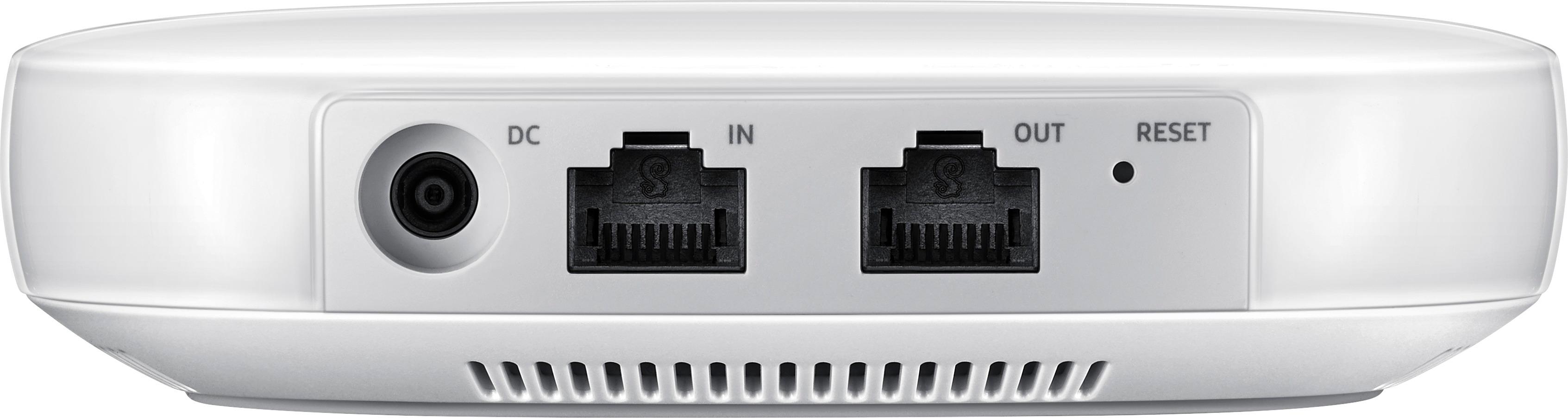
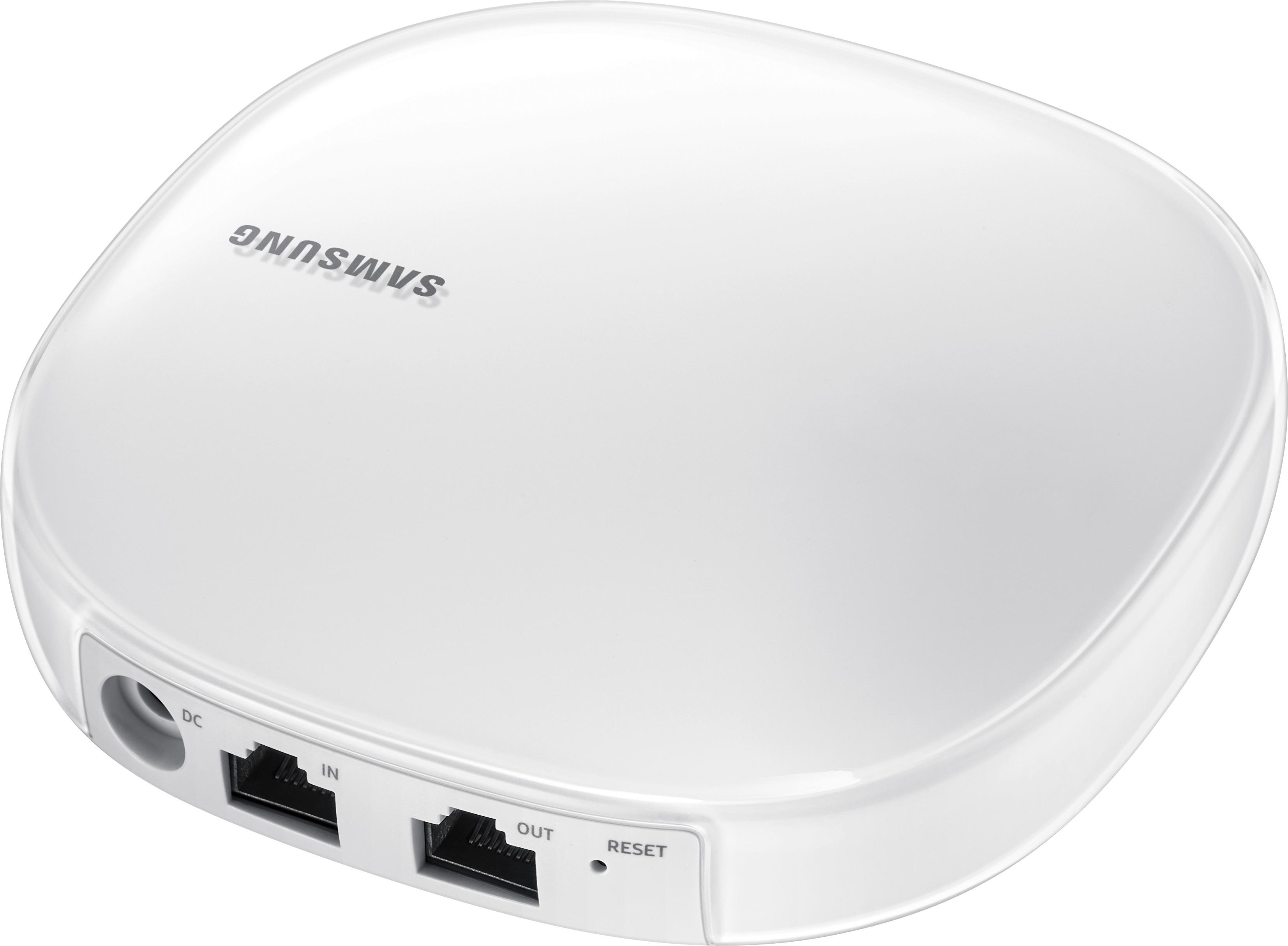
|Posted .This reviewer received promo considerations or sweepstakes entry for writing a review.Overall: With the Connect Home Pro, Samsung has built a mesh network-capable router that also can act as a SmartThings Hub. After using it for a while, it seems that Samsung built this device for mobile-centric users without any wired connections that do not want to be bothered with administering a home network. Power users that want more fine-grained control of their home network settings from the web or users with several Ethernet-connected devices will probably be disappointed by the feature set of this device. That said, the device provides a hands-off setup and operating experience that should simplify wireless networking for many users. I think the software around this device could use some work, and I hope Samsung continues to build that out as time goes on. If someone is looking for a simple to use router and also has some smart devices, this router could be a good choice. With so many connected Samsung devices out there today (smart appliances, robotic vacuums, TVs, SmartThings devices, etc.) I can definitely see the appeal of this hub to manage all of these devices from one place Setup: Out of the box, this router was simple to setup. There was an instructional card at the top of the box asking you to download the Samsung Connect app. You press the round button in the corner with a plus sign to add a device. I did that and selected Wi-Fi Hub. Once I did that and plugged in the router, I was able to let the app detect the app and commence with the setup. I was eventually prompted to setup a SSID and password for the network. You have to add the SmartThings Hub portion of the device as a separate step. It only has 1 Ethernet port available for use (other than the Internet-in port), so if you have more than one wired device, you’ll have to get a separate Ethernet switch. App and Administration: Once the router is up and running, you can check on the status of it and change a few settings only from the mobile app. There is no web portal that I could find to adjust any settings from a computer. To change any settings, you need to open the Samsung Connect app (required for setting up the device in the first place). Once there, you can click on the Devices button on the bottom right to view the router. On the device screen, you can tap on the button with your network name. The page for the router at the time of this writing is pretty spartan. It shows the current network status (online or not) with a drawing of the router connected to a globe with a dotted line, supposedly to indicate an Internet connection. One thing I found out only by accident is that the image of the device is tappable. Tapping the hub image brings up an information page that shows the name, status, model name and number, serial number hardware version and current software version. Next to the software version label was a greyed out button that supposedly could be visible when a software update is available. At the bottom of the page are 3 buttons, one to toggle the LED on the front of the hub, one to do a factory reset and one to reboot. Below that is an area that shows devices on the network, which can be tapped to bring up a list of connected devices. Clicking on any of the currently connected devices will bring up another view with some more specific details (IP and MAC address) as well as a few options. One option is a toggle switch to give the selected device the highest bandwidth priority over other devices. Another button allows you to restrict Internet access during specific time ranges. I didn’t find anything about blocking access to certain sites. You can also configure port forwarding. Below the devices area is a button to view network traffic. That brings up a view with two changing numbers indicating upload and download usage at that moment in time. There is also a toggle to allow the device to auto-connect to SmartThings compatible devices on the device page. in the upper right-hand corner of each page for the router is a button that brings up a menu with a few more options. Currently those options are “Guest access”, “Network settings” and “Information”. Guest access allows you to create a separate guest network with a specific SSID and password. Network settings allows you to change the main SSID and password. It also some current network properties like IP address and DNS server. I found it difficult at times to distinguish whether a given line was just a label or a button, so I had to tap on each one to see if it brought up more options. Some other things you can configure are whether to use ISP default or specific DNS servers as well as an “Advanced” settings area. The only setting currently under that area is a radio button to pick standalone or bridge mode. Finally, the Information menu item brings up a page that shows the current version of the hub with links to terms and conditions and license information. Perhaps Samsung will update their app in the future to include more functionality, but that’s all you can do with it at the time of this review. I also think they could stand to put out some instructional guides to figure out how to change certain features or where. Perhaps that is to come. Performance: I used this router in a home that was slightly smaller than the advertised coverage area of 1500 sq. ft. I placed it in the middle of my house and got the full ISP-provided network speed (100 Mbps) on my main floor. I was also to get pretty close to those speeds directly above and below the router, but in certain rooms, I noticed the signal strength degraded a bit. Given the small form factor with no external antennas, it puts out a decent amount of signal. I think they intend you to pair this with additional units to create a larger coverage area, but they could have produced a larger device with larger antennas in the first place to improve the signal. I think most users with apartments or smaller homes would be fine with the coverage area, but I found that it drops off quickly as you get further away from it. I also paired this up with some controllable lights to test out the SmartThings functionality. Samsung lets you again use the Connect app to manage those devices. Each of the lights has a toggle switch next to the name to quickly turn them on or off. You can also click on the button to mange more specific settings such as changing the color or brightness of compatible lights. The app lets you create “places” that can contain specific connected devices other than the default “home” group. I added some lights to a place to group by room to test. Once grouped, you can add one or more “modes” that allow you to control the settings of multiple devices. So, with a little bit of configuration, you can come up with a list of places/rooms/groups that have different modes such as all on or all off, certain lights or devices on, change specific settings, etc. Adding in rules you could perform a decent amount of automation around specific times or conditions.
I would recommend this to a friend Simple install
||Posted .This reviewer received promo considerations or sweepstakes entry for writing a review.Functions as advertised. Included smartthings hub eliminated an extra device while extending internet.
I would recommend this to a friendWorks great, no complaints
||Posted .This reviewer received promo considerations or sweepstakes entry for writing a review.Added this to my existing Samsung Connect Home and replace the first unit. All of the Subs connected back up automatically. Really simple setup.
I would recommend this to a friendSamsung - Connect Home Pro AC2600 Mesh Wi-Fi Syste
||Posted .This reviewer received promo considerations or sweepstakes entry for writing a review.But after a few months it stopped working I try to unplug it and then plug it in again and nothing no power
No, I would not recommend this to a friend- Pros mentioned:Ease of use, Range, Speed
Wireless networking is improving
|Posted .This reviewer received promo considerations or sweepstakes entry for writing a review.I'm impressed with how far wireless networking has come in the last 5 years. The mesh network technology has really improved speed and reliability as well as reduced the amount of dead spots in your home. I've tried some other mesh networks and tried this as I needed to outfit my daughter's new home with a wireless network. Setup was simple (as I would expect). I was up and running in 5 minutes. The home has some locations that are far away from the wireless hub, but I was able to maintain fast download speeds as measured through Speedtest.net. We even tested outside and had a solid connection. Samsung is getting serious about being in the wireless network space with their new Connect Home Pro system.
I would recommend this to a friend I do not use this product
||Posted .This reviewer received promo considerations or sweepstakes entry for writing a review.This product does not match my current systems, if you use Samsung as you main home system then it makes since.
I would recommend this to a friend- Pros mentioned:SizeCons mentioned:App
Good Router With Bad Software
|Posted .This reviewer received promo considerations or sweepstakes entry for writing a review.The Samsung Connect Home Pro is a router with great potential, the fact that it has a smart hub built which gives it home automation abilities put this router above all the others. There is just one issue and that is the "Samsung Connect" app. You are required to use this app to set up the router, and normally this is not a problem but the app is so bad and buggy it took me no less than 45 minutes to get the app to work so I could log in to set up my router. I have not had any issues once I was able to get the router all set but it was such a pain dealing with the app that I almost wanted to stop using the router. Everything else with the router is great from the size and look to the performance, It is honestly surprising the range this very small device gives you. My internet has been a bit more consistent and stable since switching over to the new router. The router is great but it is hard to recommend to someone when the set up software in this case Samsung's app is so buggy. I was able to log in to my Samsung account but when I would try to give permission for the app to use my account the app would not accept. I reset my phone several times, deleted and re installed the app several times. I tried the app on multiple phones and kept getting the same issue. then finally after restarting my phone for the 3rd time it finally took the permission and everything after that was incredibly easy. I consider myself some one that is pretty familiar with tech and setting up routers, so If someone like me is having issues getting this app set up how is someone that does not have any experience going to feel. Until Samsung can fix their app I would pass on this Router.
No, I would not recommend this to a friend - Pros mentioned:Speed
A mesh router that does more the the others!
|Posted .This reviewer received promo considerations or sweepstakes entry for writing a review.Samsung Connect Home Pro The Samsung Connect Home pro is a AC2600 MIMO mesh router. In addition to being a router, it has “Smartthings hub” built into it. This allows you to connect a variety of compatible (Zigbee and Z-wave) smart devices to the network and even be able to setup rules to control the devices. Setup was easy but a bit different from your conventional router. You have to download the Samsung Connect app and follow the steps. Within 5 minutes, I was setup and was able to access the internet from the new router. Although this router is designed for 1,500 sq feet, I'm able to get 2 out of 3 signal bars while using my iPad on the second floor of my approx 3,200 sq feet house. I found this surprising because of its small size; about the size of an Apple TV with not antennas protruding from it. I was excited to receive this router as I have quite a few devices I was hoping to use this with. Unfortunately, I soon discovered that none of the smart devices I own are not supported (nest and Honeywell thermostat, Rainmachine sprinkler panel, alarm system and CCTV). The app allows you to add many devices, such as TV’s, audio, robot vacuum, refrigerator, cameras, light bulbs, thermostats and doorbells, to name a few. Each icon I pressed to add a device brought up a listing of models that it's compatible with. For example, the only item listed under thermostat is “Honeywell Z-wave thermostat”. Hopefully they'll add support for more devices. The app is nicely design, fairly intuitive and easy to navigate. While I found the router to be very good as far as signal strength, speed and features, I wasn't able to fully test out the smart things hub. If I was shopping for a new router, I would definitely consider the Samsung Connect home Pro. Routers these days are getting more and more advance, most companies has some mesh network offering, I've tried a few, gone are the days where you don't have wifi signal in the far corner of your house! The Samsung Connect Home sets itself apart by being the hub for your connected home. I would have loved to replace the 5 individual apps I use to control my home, create a rule to turn on the AC and music as I unlock my front door! Perhaps one day in the near future.
I would recommend this to a friend - Pros mentioned:Ease of use, Size
Good Router w/ Convenient Smart Home Hub
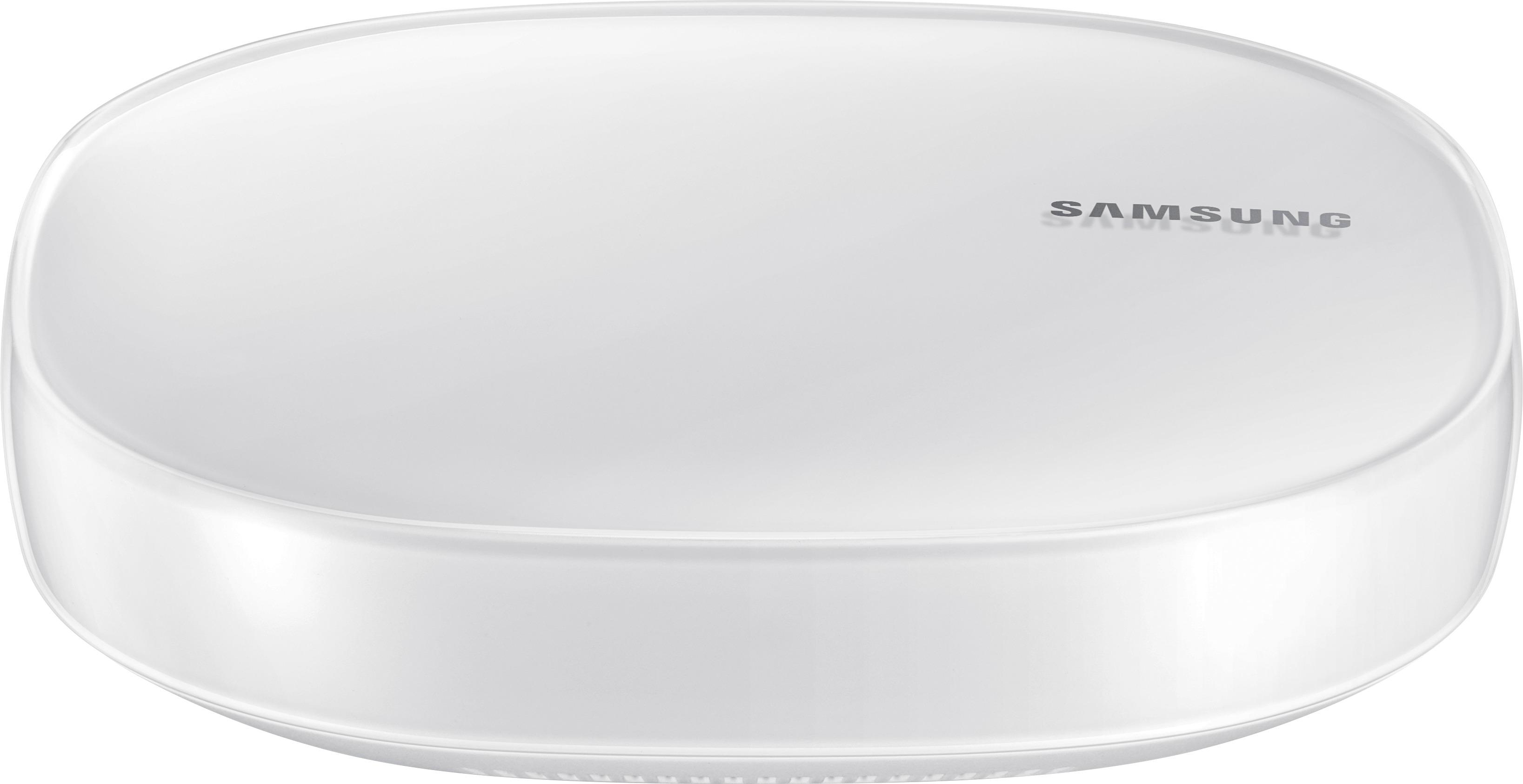
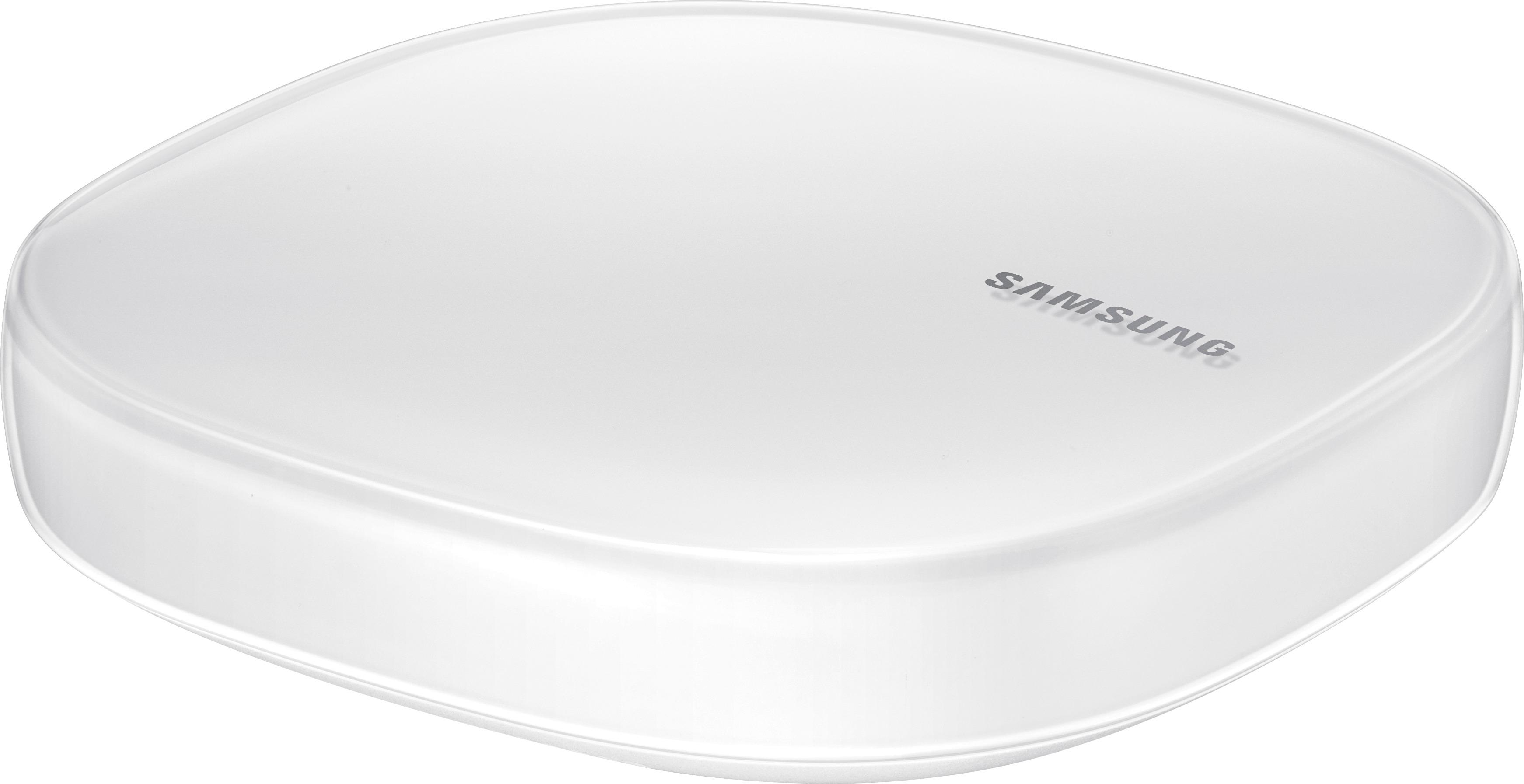
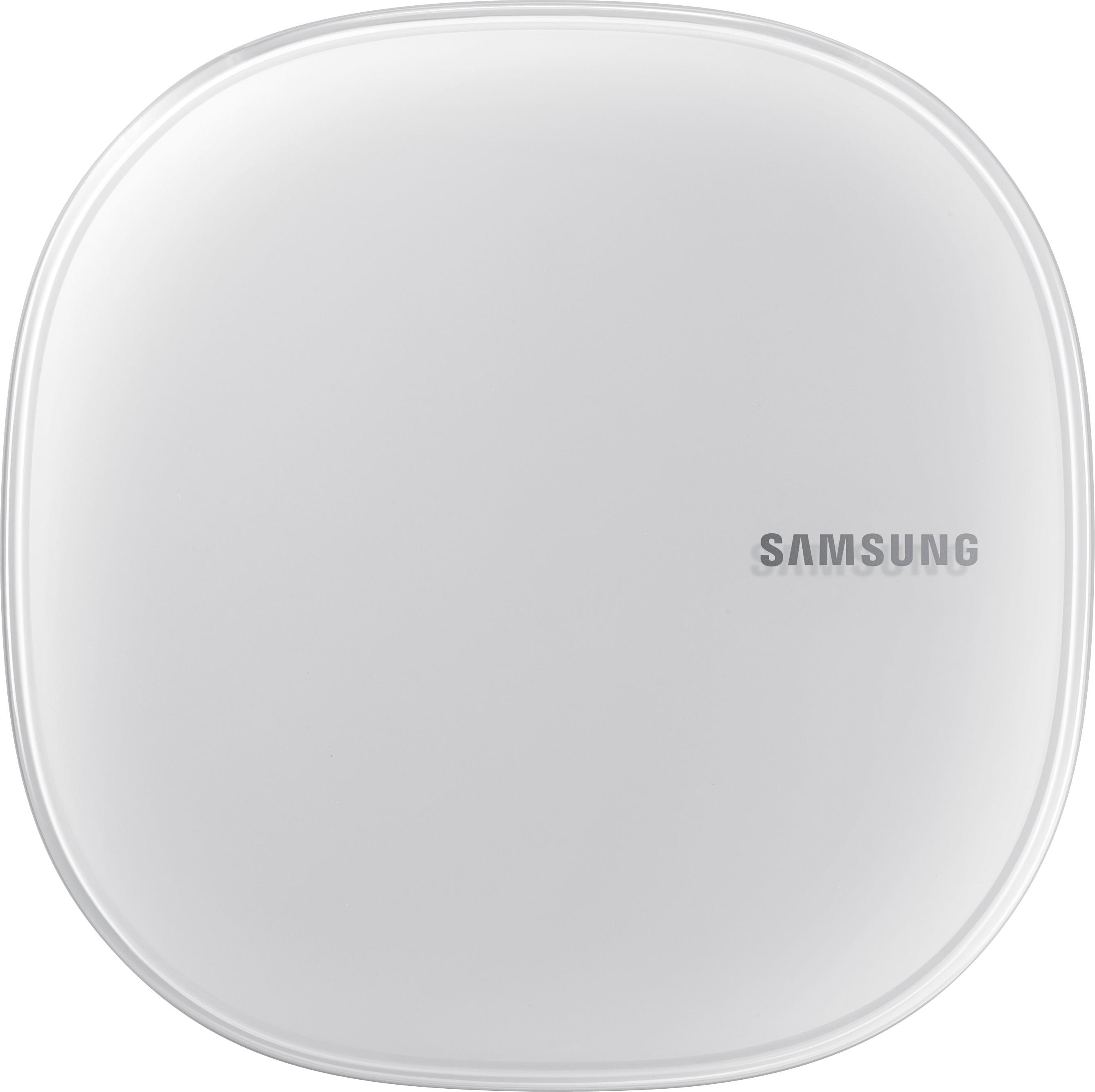
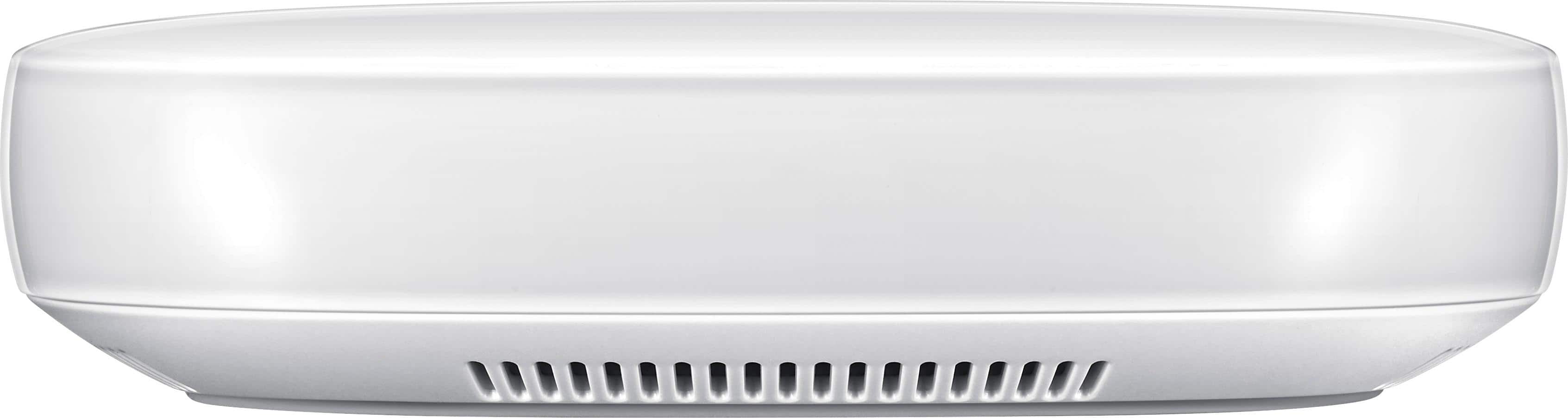
|Posted .This reviewer received promo considerations or sweepstakes entry for writing a review.The Samsung Connect Home Pro is a pretty nice package that performs two increasingly important functions in your home. The first is as a mesh (expandable) router. While this isn't the most powerful router, it is more than adequate for your average household. The individual unit is rated at 1,500 square feet and I actually got a little better coverage than this. The quad band router is more than capable of handling multiple users streaming HD video as well as multiple users surfing the web simultaneously. There are two ethernet ports on the back which is enough for your TV and a gaming system which is what most people would connect via that method. The second function the Connect Home Pro performs is as a smart home hub for all of your connected smart gadgets. For me, I only have Phillips Hue lights and a Samsung Smart TV. Everything else in my place is 'dumb.' That being said, it was easy enough to connect the lights to the hub via the Samsung Connect smart things app. It's really important to note that while I don't have many things to connect now, I expect to have many in the coming years. Everything you buy these days is connected from coffee pots to refrigerators to your thermostat. Is the smart home hub of much use to me now? No. Will it be? Absolutely. Overall, I think this router/smart home hub is a great value for the money. There are routers with similar specs/speed that sell for the same price with none of the smart home functionality. Additionally, those other routers aren't part of a mesh network which allows seamless expansion and constant connectivity without the need for devices to switch between wi-fi sources. If you buy the Samsung Connect Home Pro now, it will expand with you as your household and smart device collection expands. The other routers won't do that and you'll find yourself shelling out more money to do what this device does in one stylish package. Yes, it's quite small and blends into the background unlike some of the beastly routers I've seen. Pros: -Functionality -Expandability -Style/Size -Ease of use -Price Cons: -Not the fastest router out there, but more than adequate for the average home
I would recommend this to a friend - Cons mentioned:Ethernet ports
Good, but NOT great
|Posted .This reviewer received promo considerations or sweepstakes entry for writing a review.I’m not going to beat around the bush, or post one of my usual “The Good, The Bad, The Ugly” reviews. Why? Simply put, I really don’t care much for the Samsung Connect Home Pro router. There are some great things about it, such as its 4x4 MIMO capability (the “standard” Connect Home only has 2x2 MIMO), as well as its integrated SmartThings features (it’s (supposedly) 100% compatible with Zigbee & Z-Wave devices). It, like the Samsung Connect Home, has Bluetooth 4.1, but it outshines its ‘little brother’ by including a 1.7GHz dual-core processor (the Connect Home only includes a 710MHz processor), as well as providing AC2600 vs the Connect Home’s AC1300 (1733Mbps @ 5GHz & 800Mbps @ 2.4GHz vs 866Mbps @ 5GHz & 400Mbps @ 2.4GHz). Unfortunately, it falls short in other areas, especially when compared to other mesh Wi-Fi systems (I realize that the Connect Home is a mesh system, whereas the Connect Home Pro is a single unit, but it does have mash abilities, while will come into play once Samsung starts selling the nodes individually). On the “plus” side, Samsung has incorporated a SmartThings hub into the router, thus, if you own Zigbee and/or Z-Wave devices, you no longer need a stand-alone SmartThings Hub. Also, in regards to the app (as long as you have…for now…a Samsung smartphone, the Connect Home, and Connect Home Pro, incorporates these features into a single app, as opposed to using two different apps (ie. if using a different brand’s mesh Wi-Fi, and also using a Samsung SmartThings Hub)…plus, there will soon be Bixby functionality incorporated into the app. Unfortunately…and the primary reason I don’t care for the Samsung Connect Home Pro…this fails in the same way as most other home mesh Wi-Fi systems – the lack of a built-in Ethernet hub. If you ONLY connect devices via Wi-Fi, then you’re all set, and this could be a good-to-great choice for you. However, if you’re like most people, while many/most devices are connected via Wi-Fi, you probably have several devices (TV, network-connected printer, DVD/Blu-ray, home theater receiver, cable/satellite TV box, etc) that you prefer to connect via Ethernet cables. Sure, you can buy a multi-port switch, and that problem is resolved…at the cost of purchasing additional items. But, what if you want to connect your printer to the network via USB? What if you have USB hard drives you want to map to the network? There are other “what ifs” I could add, but, the point is, with the Samsung Connect Home Pro, there are no USB ports. – no USB 3.0…not even a USB 2.0 port. Because of this, you completely lose out on the ability to connect any of these types of devices to the network. Personally, I NEED those Ethernet & USB ports, as do many others. To show what I mean, I have the following devices connected to our network via Ethernet: printer, HDTV, Logitech harmony Hub, Blue-ray player, home theater receiver, home security DVR, cloud drive, Apple Time Machine; and I have the following connected via USB: 2x hard drives. Final Verdict: I tend to be, on average, fairly pro-Samsung. Our phones are Samsung, our HDTV is Samsung, one of my tablets is Samsung…you get the picture. Basing only on this, one would think that I’d love Samsung’s new Connect Home Pro…but you’d be mistaken. Would I recommend the Samsung Connect Home Pro? The answer is yes…and no. Honestly, it depends on your needs. If you need to connect devices via Ethernet and/or USB, then the answer is a hard NO!!! If you connect all your devices via Wi-Fi (and even if you connect four, or less, via Ethernet, ton which you’d have to purchase a 4-port switch), then the answer is “maybe”. Finally, if you fit into that second grouping AND own/use Zigbee and/or Z-Wave devices, then…and only then…might I say “yes”. If you already have a SmartThings Hub, as well as a router you are completely happy with, then don’t waste your money on the Samsung Connect Home Pro (or its “Connect Home” little brother). On the other hand, if you’ve been considering getting Zigbee and/or Z-Wave devices, haven’t purchased a controller/hub, and have been considering upgrading your router, then the Samsung Connect Home Pro could be a great option. Disclaimer: This product was provided free, or at reduced cost, for the purpose of reviewing the product. Nevertheless, the above review, be it positive, negative, or somewhere in-between, is a 100% honest review, and the price paid played absolutely no part in my review.
I would recommend this to a friend - Pros mentioned:Range, Size
Very nice device
|Posted .This reviewer received promo considerations or sweepstakes entry for writing a review.The Pro is quite a nice device for simplifying a highly connected home. Many types of devices (lights, door locks, certain appliances, etc) can be connected and controlled with it via smart phone or tablet using the downloaded app. Installation is easy, a definite plus. Range is very good, but not great. On my deck, I lost connectivity, whereas my regular wi-fi network has a strong signal. Since the Pro has an icon for connecting a bot vacuum, I attempted to connect my top of the line Samsung, but it would not work. As for controlling lights/plugs etc, if you have an Echo, it does the job nicely However, for someone who wants to control pretty much everything and is willing to spend lots of money on the devices to be controlled, I would certainly recommend the Pro. It's compact size is unobtrusive, will control a wide variety of devices, and has reasonably good range.
I would recommend this to a friend - Pros mentioned:Ease of use
Intuitive Function and Nice Design
|Posted .This reviewer received promo considerations or sweepstakes entry for writing a review.Installed easily. Many opportunities for adding Samsung (and other accepted brands) home connect devices. These devices range from electrical outlets, dimmers, cameras, thermostats, vacuums, refrigerators, garage door openers, washers and more. You need to download the Samsung Connect app first to your Smart Phone - you do 'not' need a Samsung brand cell phone; then it is a very simple process to connect the Samsung Home Connect Pro to your home router via an ethernet port. You can even add additional Smart Hubs to ensure that your WiFi signal is optimized through your entire house and garage. I would say it's certain that in the future all homes will have smart connectivity in every device you can think of. Also as more devices are added to a 'home network' folks will begin to add/need more wireless hubs to spread out the load of data traffic - most people are not there yet. In addition to the Connect Home Pro hub, I did install a Smart Things Outlet model F-Out-US-2. It installs easily. You do need to have the outlet plugged in within about 10-15 feet of the router when you first program it. Later you can put the outlet anywhere in your house. You can turn the outlet on/off from your Smart Phone, you can also easily program RULES that will turn devices on or other actions using the Smart Connect app. I programmed the outlet to turn on at a specified time in one RULE and to turn off at a specified time in another RULE, and it worked great. I did find that the software is simple and appears to be solid. Support is also first-rate as I did do a couple chats to clear up a few minor things in setting up RULES. I will say that your best bet is to not use the Samsung main web site, but you need to go to the Samsung Smart Things web page and support page (includes direct chat with Smart Thing support) at: https://support.smartthings.com/hc/en-us I would also recommend that you go through the information which is very nicely formatted and you'll gain a lot of knowledge via their FAQ's, Guide to Smart Things etc. There are many intelligent devices and brands, I give Samsung high marks for having a complete support structure and information that helps to know what devices will work with their products. It is a competitive arena so that's good for us consumers. When I did initiate a 'chat' I got immediate and great help. My overall impression is very high on Samsung and my next device will be a Samsung wireless security camera. By the way, another consideration is interference with other existing wireless and wired devices. In case others care to know: the Connect Home Pro for me was connected to a NetGear Nighthawk router ethernet port. I also have a Netgear wireless router (for Arlo cameras) already installed on another port off the Nighthawk. I had no interference of IP addresses or any other problems. Actually Arlo wireless cameras do connect through the Samsung Home Connect Pro hub, but I didn't do that, but it was that both hubs could co-exist. I do certainly recommend the Samsung Connect Home Pro and associated devices.
I would recommend this to a friend - Pros mentioned:Range
Covers more than 1500 sf
|Posted .This reviewer received promo considerations or sweepstakes entry for writing a review.First I have a 3200 sf 1950s plaster and lath home with many rooms divided by walls and solid doors with a brick unattached garage. The setup was quick, under 15 minutes. I disconnected my old router and used the existing main Ethernet cable from old router and connected that to the in port jack on the Pro unit. I then connected my hardwired ethernet switch to the out port jack to allow me to still hard connect other devices like my smart TV, security NVR, Laptop and a desktop. I reused my old router ID and password for the Pro unit, as a result the majority of my wireless devices had no trouble reconnecting to the Pro hub. The Pro hub basically uses the same user ID and password for both wifi bands and then lets your wireless devices connect to it at their best connection wifi band, no effort required on your part. No more having to gave two separate IDs for the two wifi bands. I found that my devices throughout the house and garage had no trouble maintaining a connection and getting good upload and download speeds. The Pro hub found my Samsung robot vacuum and Samsung wireless camera. I am still troubleshooting it being able to connect to other non Samsung home smart type devices. But so far, the small footprint, style and range are all beyond my expectations. The one negative is that you must use the Samsung app to get up and running.
I would recommend this to a friend - Pros mentioned:Ease of use
Combination of wifi and home control
|Posted .This reviewer received promo considerations or sweepstakes entry for writing a review.I installed this in my parent's home, they're getting older so I wanted them to be able to turn on and off little lights or gadgets without getting up. Wifi setup was a breeze with their app. You'll also SmartThings compatible devices like outlets. I installed one on a lamp they had and it worked flawlessly. Quality is what you'd expect from a big name like Samsung, the design is very simple but yet sleek. The GUI is also easy and intuitive, now if only my elderly parents could learn to use it, they just learned to text so I'm hopeful.
I would recommend this to a friend - Pros mentioned:Size
Pleasantly Surprised
|Posted .This reviewer received promo considerations or sweepstakes entry for writing a review.Super simple to set up (always a plus for those of us that want great technology but aren't the most tech savvy when it comes to stats and jargon) and works. Signal was strong and consistent throughout my home with just this one unit. Of course, very large homes may need to use the mesh system to fit their needs but this single unit worked well in my medium sized home. It was able to handle all of my house hold gadgets and devices with ease. And for those of us that aren't overly fond of the much bigger space-taking options out there that work great but are an eyesore this is perfect. It's powerful yet small. Definitely worth considering.
I would recommend this to a friend