Customer Ratings & Reviews






- Model:
- SM-W720NZKBXAR
- SKU:
- 5843604
to a friend
Customers are saying
Customers express satisfaction with the Galaxy Book's compact size, stunning display, and responsive keyboard. The true touch typing experience of the keyboard is particularly praised. However, some users have concerns about the battery life and the price of the product.
This summary was generated by AI based on customer reviews.
Bought it used
||Posted .This reviewer received promo considerations or sweepstakes entry for writing a review.Fairly new, seemed like it was never used. Works great
I would recommend this to a friendWorks great!
||Posted .This reviewer received promo considerations or sweepstakes entry for writing a review.Still learning wha it can do. But i am enjoying the tablet.
I would recommend this to a friendGreat
||Posted .This reviewer received promo considerations or sweepstakes entry for writing a review.Great, light weight and fast. Very stylish as well
I would recommend this to a friendLove it
||Posted .This reviewer received promo considerations or sweepstakes entry for writing a review.Love it it's everything I thought it would be love
I would recommend this to a friendLove it!
||Posted .This reviewer received promo considerations or sweepstakes entry for writing a review.Great Item. Meets my expectations. Works great. !!
I would recommend this to a friend- Pros mentioned:Display, Keyboard
Samsung one of the best
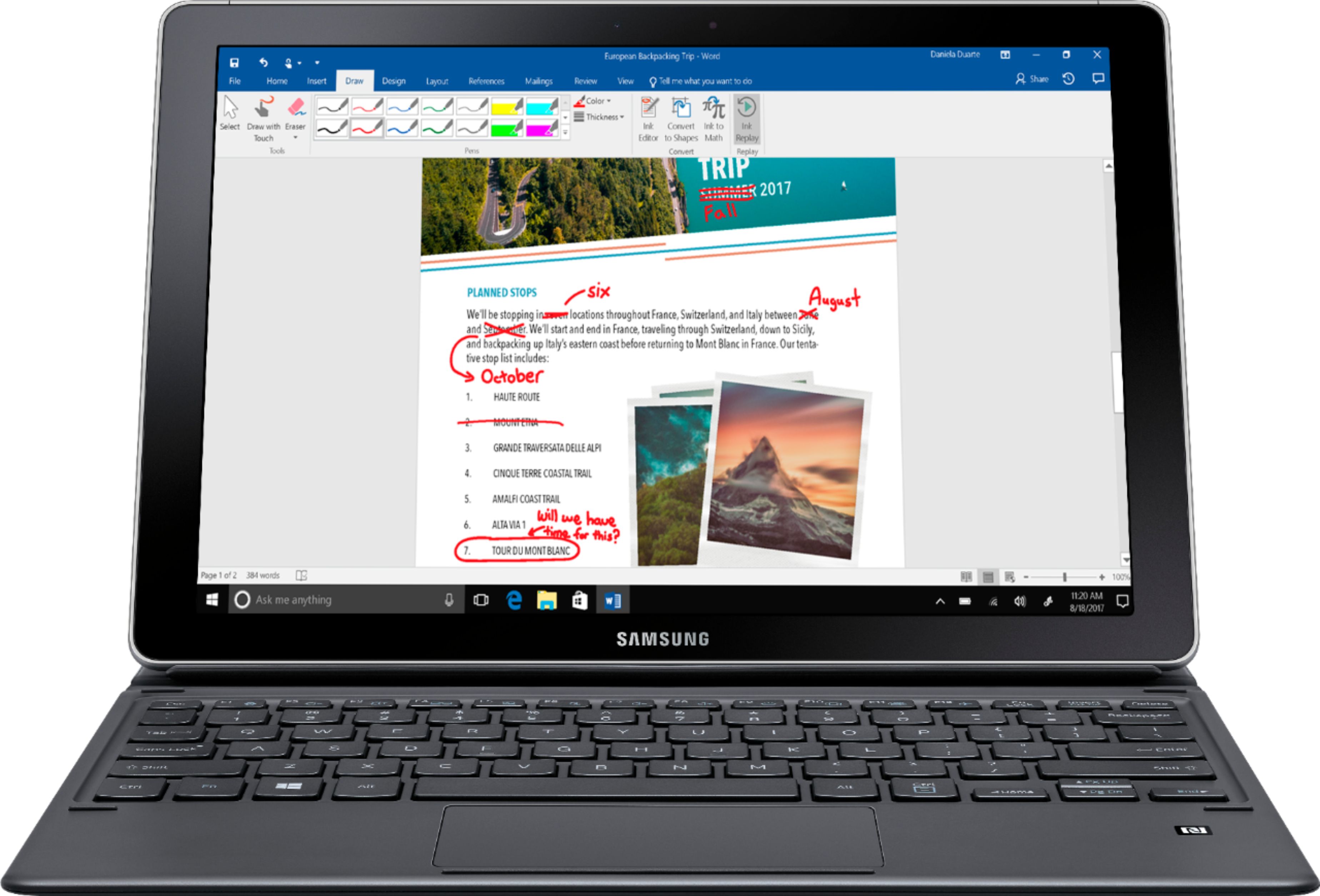
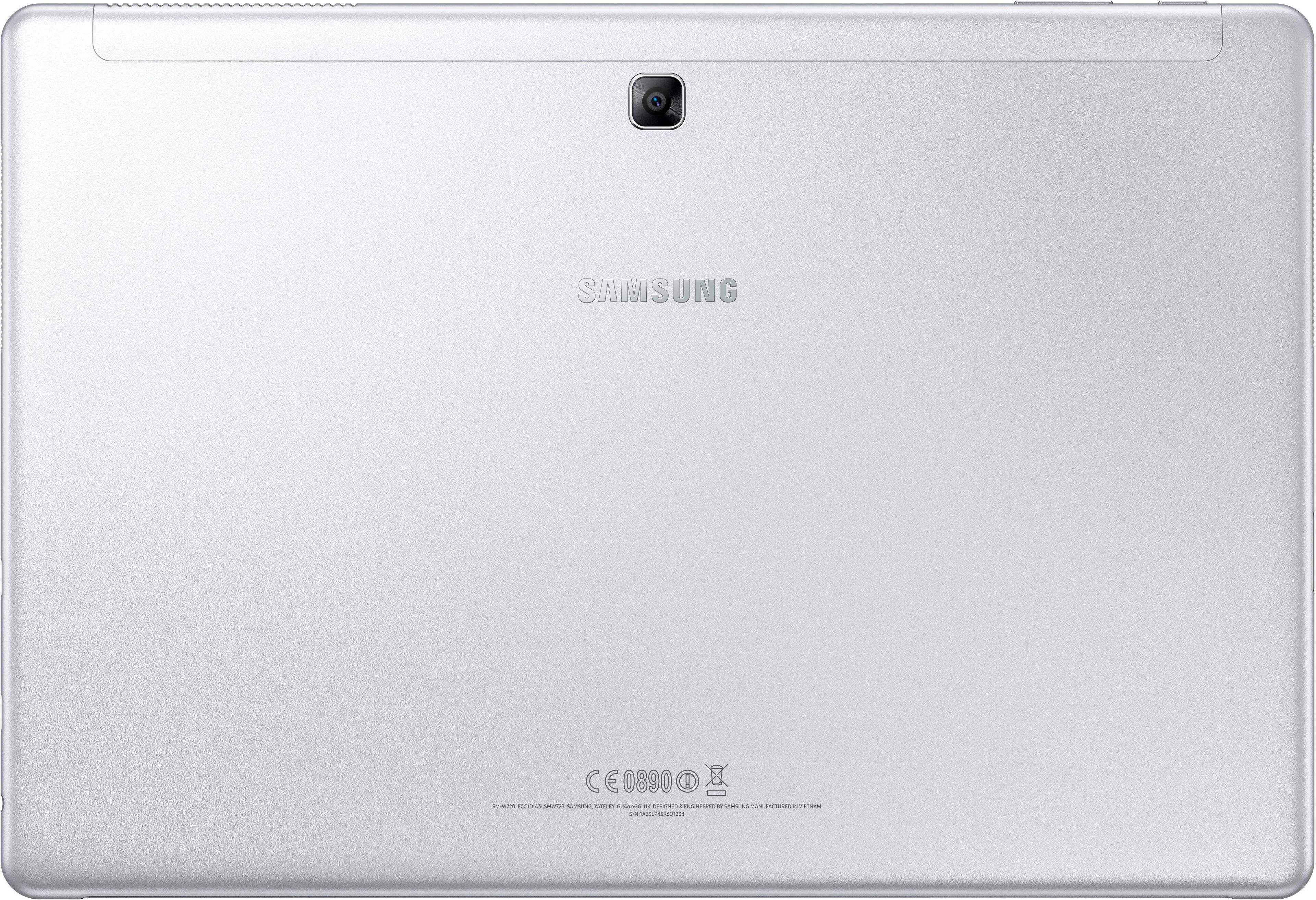
Posted .This reviewer received promo considerations or sweepstakes entry for writing a review.Samsung Galaxy Book 12” offers a thin (0.29-inch) and light frame (1.66 pounds for the tablet alone) it can run the most demanding software (say, Adobe’s Creative suite and the full version of Microsoft Office), thanks to its Windows 10 operating system, an Intel Core i5-7200U processor, and 8GB of RAM. With the Galaxy Book you get , capable S Pen stylus and a folio-style backlit keyboard in the box as standard equipment. Add to that Galaxy Book’s bright, vivid 12-inch Super AMOLED screen, and the package is quite compelling if you’re specifically looking for a light-and-capable Windows detachable. Samsung makes the best displays in the business, especially when it comes to premium mobile devices, and that expertise carries over to the Galaxy Book. The tablet includes a gorgeous 12-inch Super AMOLED display. Samsung has improved the camera with the Galaxy Book, you get a 5-megapixel front camera for selfies and video chats, while the rear camera is 13 megapixels. I like that the tablet's rear surface has some texture for better grip than you'd get from glass. And the Galaxy Book's edges are all rounded for long-term use. There are also vents, both at the top right, and on either side—again, in portrait orientation—to keep the device's internals cool. And despite the svelte 0.29-inch thickness, there is a fan inside this tablet. When you're doing much of anything other than basic tasks, that fan will be spinning. But in general, it's whisper-quiet, and it doesn't often throttle up or down dramatically. The sole feature on the opposite (left) edge of the Galaxy Book is a smartphone-like pop-out tray for a MicroSD card. Samsung says it supports cards up to 256GB, which means you could effectively double your storage over the 256GB SSD that shipped with the model i am testing. And the S Pen is large and more pen-like than previous S Pens on Samsung's tablets and phones, which makes for a better writing or drawing experience. In terms of use, whether that be for writing or drawing, the S Pen do not need to be charged like Apple’s Pencil. Infect Samsung Galaxy Book is the best tablet/note book money can buy with keyboard and S Pen included.
I would recommend this to a friend Works okay
||Posted .This reviewer received promo considerations or sweepstakes entry for writing a review.This thing takes up more space then you would think for a tablet laptop. I'm not sure if this is better than the surface pro
I would recommend this to a friendHorrible
||Posted .This reviewer received promo considerations or sweepstakes entry for writing a review.Laptop collapsed within one month. After working with it a few times it simply shut itself down and can't get it started again.
No, I would not recommend this to a friendSurface Pro wanna be
||Posted .This reviewer received promo considerations or sweepstakes entry for writing a review.A poor imitation of a Surface Pro an d delsn't even come close to an iPad Pro. I returned this to the store.
No, I would not recommend this to a friendReturned for better system
||Posted .This reviewer received promo considerations or sweepstakes entry for writing a review.I am a Samsung fan. After trying this out it just did not have enough horsepower.
No, I would not recommend this to a friendFunctional, but not easy to use.
||Posted . Owned for more than 2 years when reviewed.This reviewer received promo considerations or sweepstakes entry for writing a review.This laptop works, but it's frustrating using it. It's slow to respond and difficult to navigate. Too many times I can't expand the windows to make tiny type easy to read. I have regretted my purchase ever since. Initially, I went into Best Buy to purchase a more expensive Apple Macbook but got talked into getting this by a professional salesman. He wowed me by touting the 3D modeling feature, which was recently discontinued and no longer useable for even my saved images. Disappointed.
No, I would not recommend this to a friend- Cons mentioned:Battery life

Great Tablet, Good alternative to Surface Tablets.
|Posted .This reviewer received promo considerations or sweepstakes entry for writing a review.Where to begin... This is a really great Tablet. I like the size of it as it's not quite you're normal Notebook PC, but it's small enough to not be cumbersome. The addition of the S-Pen and the included folio/keyboard cover gives it an advantage over other competitors. Instead of having to buy a pen and a keyboard after the fact, Samsung includes it, which compared to some other folks, their pens and keyboards/cover can run you an addition $60 and $150 respectively. I will also say, and this was not advertised when choosing this tablet, was that included with my tablet was a 128GB MicroSD Card, so it gives the tablet 256GB of storage. I wouldn't recommend installing anything to the card however unless it's a program or something you don't really need speed for. Using it as storage is going to be the best option for you. There are MicroSD cards on the market that are as fast as some lower end Solid State Drives and that would be a big investment, but it would also give you very fast, very reliable storage on this tablet. After having it for a couple weeks now I've been able to do some various things on the tablet. Writing, drawing, web browsing, light gaming, even installing an Android emulator to take advantage of the high resolution screen and screen size. It's been a trooper through all this, however, it can get overwhelmed easily at times, especially when really multi-tasking. I think this is in part due to the amount of available RAM and the CPU in this particular model. This tablet comes with an i5 7th Gen CPU and operates up to 3.10GHz. Under use you can hear the fan kick on but it's not very loud out all. The RAM is only 4GB, but there's a 256GB model that gives you 8GB. That may make multi-tasking easier. I have had the tablet lock up a couple times while I was using it and that was usually doing more than one thing at once, which resulted in needing to force off the tablet. It seems to do this most with Google Chrome, which I'm currently using to write this review. Again it could have been due to too any things going on, but other browsers appear to be fine, IE and Edge notably. The tablet starts up and shuts down really fast thanks to the actual SSD in the tablet, not the typical flash memory you find in most other "tablets". From being completely off you can be in the tablet and going within 10-15 seconds. Windows 10 boots extremely quick due to the SSD. Applications and such open near instantly, unless of course you have a lot going, as this is just a Dual Core CPU. The tablet could have really been a lot better with Quad Core part instead, even if it was clocked slower. The Display on this tablet is awesome. It's an AMOLED screen, which means colors pop, they can be a bit over-saturated, similar to AMOLED based cell phones. Otherwise, the screen is very bright, easy to read just great to look at. The resolution is very nice and makes viewing websites in portrait mode a breeze as you get plenty of information on screen without having to scroll as often. Sound is decent for a tablet, it's not earth shattering but it works very well and you can hear it just fine. When I was streaming in the hospital recently I had the sound up to around 15-20 and it was plenty loud to hear the sitcom I was watching. I didn't try a movie or anything but music, youtube, netflix all seem to be easily heard over the dual side speakers. The keyboard and touchpad are about what you would expect for a slim style. The Keyboard is backlit, so you won't have issues typing in the dark either. The keys light up through not only the letters but also around the individual keys as well and it's just bright enough without being overwhelming, and it offers a couple different levels depending on your needs. The touchpad can be pretty sensitive, this can be alleviated some within the settings of Windows 10. I have noticed that at times if the tablet is not on a flat surface, sometimes the touchpad will get stuck. This happens when you click on something and then you have to re-adjust the keyboard and it will return to it's normal operation. Overall the keyboard and touchpad are just fine for this tablet and make using this as a notebook PC that much easier. The S-Pen does not dock anywhere into the Tablet due to the slim design of the Tablet. The keyboard case however has a place on it that you can adhere a S-Pen holder on to it. It can be unwieldy if you're holding the Tablet with the case folded over to where you are in tablet mode as the holster gets in your way. The Tablet does easily and quickly dock into the cover thought and is easy to take out and use without the keyboard case. The case does offer the ability to prop up the screen like most folio cases, but unless you are on a flat surface or a slight elevated surface the tablet will just tip over. so that is one negative of the case/cover. The S-Pen, having previously owned Galaxy Note phones, these devices have always been joy to use, especially when needing to do any handwriting. The S-Pen recognizes how much force and input your putting in when you're writing on the screen. Press down real hard and you get a much wider stroke, lightly write and you can wind up with some fine lines. Handwriting, Windows 10 recognition is actually very very good here. I'm a horrible writer let alone using a screen and pen and it apparently can read my gibberish about 90-95% of the time. My only quirk about this is that with handwriting instead of the keyboard is that the box you right in isn't all that large, so you can get in about 6 or 7 words and then have to enter then begin the next portion of the sentence. This is of course due to Windows 10 so it's nothing bad about the tablet itself. The Pen does offer some Samsung style things when you press the button on it, like making quick notes, or even screen capturing to name a couple. It does have to be in close contact with the screen as if you are writing on it though. If you've used a Galaxy Note phone, you will know what I mean. Earlier I mentioned the holster and that there is not place to hold the pen, there is a small work around for this if you are just using the pen and the tablet and want to keep the pen somewhat safe. The clip porting of the pen appears to be made of metal, so what you can do is along the back of the tablet there are magnetic areas, namely for the folio case so you can "kickstand" the tablet, but you can stick the pen up against one of the magnets and it will mostly keep the pen in place there. Not as nice as say a holster, but still a better way to keep track of your S-Pen. There is no message if you travel too far away from the pen, but if you lose it, they are around $70 to replace. Overall the tablet is great. It can get warm when using it intensively and takes a bit of time to cool off, but you can typically get right back to it. Battery life is ok. You could probably get away with watching several hours of Netflix or hulu with the brightness down, but with it all the way up the battery goes fast. In the 90 minutes that it has been on and I've been typing this review and browsing the web with a couple tabs open it's gone from 100% to 70%. I'm also using a battery plan than maximizes performance, so using balanced or another option or other settings could very well make this last a good 8 hours for you. It all depends on what you're doing but overall, again it's a great tablet. I did some Netflix streaming on it a while back and only saw about a 10% use in battery with the brightness near max on my current battery plan. I want to say it was about 2 hours of streaming or so. I imagine if you download to the tablet you could get even more time out of it since you wouldn't be using WiFi. I will also say if you want to use an external screen or any other device you will need to get a USB-C to USB adapter as the tablet has only 2 USB-C ports. Samsung makes an adapter that gives you a USB 3.0, HDMI and a USB-C port on it, but it's expensive. There are some alternatives out there so if you need to use a mouse or keyboard, you have options still.
I would recommend this to a friend - Pros mentioned:Display
A very, very good tablet/keyboard (2 in 1) combo!
|Posted .This reviewer received promo considerations or sweepstakes entry for writing a review.The Samsung - Galaxy Book - 12" - 128GB - Black has a LOT going for it! The tablet clings to the folio cover (keyboard/cover) with strong magnets. You don't have to worry about it coming off while using it. The keyboard derives its power from the tablet for the 3 position key back-lighting and for the BT connection between the two, which is through pogo-contacts on the bottom of the landscape side of the tablet and folio. I love the all-black color of the tablet and folio, and the folio is rigid with a good grippy feel to it while carrying it like a book (Galaxy Book). When the cover is folded up over the screen and/or back of the tablet, strong magnets keep it in place so it won't be coming loose if you're carrying it in a bag. That way if it's asleep rather than powered down, it will stay that way until you open the folio cover up again once you remove it from your bag. The keyboard is excellent with good key travel and space between the 3-positioned back-lit island keys. The track pad is quite roomy and very accurate. I find it a pleasure to use. Of course, the Galaxy Book 12 (tablet) is well crafted. It's solid and well made. It comes in two versions: 4GB RAM with 128GB SSD or 8GB RAM with 256GB SSD. My model is the 4/128. If you would be doing a lot more graphics intensive work, you might want to go with the 8/256 version. As it is, the 4/128 version has all you need for office work (MS Office, browsing, email, watching videos on that beautiful screen, etc.). The GB12 will also take a microSD card up to 256GB to store more data. In fact, there is a SanDisk 128GB microSD card that comes in the GB12's box! The GB12 also has Intel's latest generation i5 processor (Kaby Lake) CPU with Intel HD 620 GPU (graphics processing unit). It's quick and fast for home and office use. It has one internal fan for cooling with a cooling port on the upper right edge of the tablet while in portrait view. You can barely hear the fan running even when going full tilt. Primarily mine has run while installing software and/or updates, but this is normal with tablets or laptops as well. Otherwise, my GB12's fan doesn't run most of the time. Of course, some of this is dependent upon how heavy and how long the tablet is dealing with heavier loads. This will vary between users and use. The screen is a 2160 x 1440 Wacom EMR active digitizer super amoled display in a 3:2 aspect ratio. The display colors and text are brilliant to look at with the super amoled screen - it's not back-lit like the typical LCD screen so it is something to gaze at! That aspect ratio is excellent for working with documents and gives you a wider surface when held in portrait mode. This becomes more important because the GB12 also comes with the new Samsung S Pen for inking (writing) and drawing/sketching. The pen flows on the screen with buttery smoothness. It is a delight to write on with excellent palm rejection. Of course, running Windows 10 you can have more than one window open on the screen so you can refer to notes while marking up another document with the S Pen, or watching YouTube while working on an email - you name it. By the way, the S Pen slides in a sturdy loop on the left side of the keyboard so it's always handy. If you place the pen in the loop and slide the pen clip so it snaps down past the loop, the pen will NOT come off even if you carry it around all day in your backpack. It also offers NFC and GPS among other things. It has a 13 mp camera on the rear and a 5 mp camera facing you for skyping and such. It has a fast charge power brick that charges through either of the GB12's USB-C ports. It has a 39 WHr battery that will charge to 100% in 3 hours. Depending on your use, it may last all day on a charge or less. Again, it just depends how you use it. Overall, I expect 7 or 8 hours anyway with normal office/personal use. Sound is good and loud for a tablet and has speakers on both sides in landscape position. There is a standard headphone jack, off/on button and volume rocker and two 2nd generation USB-C ports. This means you will need an adapter/dongle with USB-C on one side and USB-A on the other if you need to use DVD players, external hard drives and all the other USB accessories that still use the USB-A port protocol. Things are moving to the USB-C protocol but there's lots of accessories with USB-A ports out there. Of course there's other adapters/dongles available for running external monitors depending upon which type you need (HDMI, DP, DV, VGA, whatever). I gave a 4-star rating only because of the folio cover. It's excellent in many ways - good typing experience, rigid for a folio design, good protection for the tablet, grippy for carrying, looks professional, easily cleaned. The folio allows 4 viewing positions for the tablet with one of the four being ideally suited to writing on the tablet - these are more than adequate for my use; however, the folio system (any folio system) is simply not going to be quite as rigid/stable as, say, a metal kickstand used on some other manufacturer's tablets (MS Surface Pro line as well as other manufacturer's using kickstands or even the traditional clam-shell of traditional laptops). That's not to say the GB12 isn't stable while typing - it is, but not quite as stable or solid when used on the lap. I've used it on my lap and it works, but a tablet or 2-in-1 with a kickstand is a bit more solid on the lap. Aside from this small matter, I find the GB12 to be every bit as useful and handy as my previous Surface Pro 3 or Surface 3, for those of you who are familiar with the Surface line of products, and the GB12 is nicer in some respects - better CPU & GPU, display brilliance and Wacom EMR with S Pen and USB-C ports among those things. I truly like my GB12 a lot and plan to use it everywhere I go. You can use it as a desktop replacement if you get a USB-C dock. Doing this you can, with one cord to your GB12, charge your GB12 and run up to 3 external monitors and a host of other USB accessories. When you need to leave your office, just unplug your data/power cord from your GB12, close up the folio cover and head out the door. The Galaxy Book 12 is a very powerful, mobile device for business/personal use no matter where you go.
I would recommend this to a friend - Cons mentioned:Expensive
Samsung Galaxy book
||Posted .This reviewer received promo considerations or sweepstakes entry for writing a review.Very disappointed with the new Samsung galaxy book. I traded my Apple Ipad Pro and was very disappointed. Its slow and not worth the money at $1000 Plus. Samsung neds to stick with making phones and stay out of the tablet business.
No, I would not recommend this to a friend - Pros mentioned:Display
Almost a laptop killer!
|Posted .This reviewer received promo considerations or sweepstakes entry for writing a review.Before I begin, I have to say that I am most comfortable in an android or linux computing ecosystem. With that said, I have also been fluent in Microsoft's OS's since windows 95. On other sites, people have reviewed this product only to complain about Windows 10. That's not reviewing the product, and that's not what I will be doing here. In getting this product, I thought that it would replace a laptop in its portability, size, and function. It comes very close. The system itself is very quick, a 128GB SSD, with about 30GB in use at first boot. This is due to windows, and the various apps that come preinstalled. Most can be removed if need be. This particular model also came with a 128GB microSD card in the box (system can handle up to a 256GB SD). This comes in handy, as you now will have a separate "D Drive" to store photos, music, etc. This will keep your C/OS drive a little less cluttered. All in all, plenty of room. The I5 processor has handled everything I've thrown at it so far. Keep in mind, this is not a "gaming rig" - though I doubt anyone purchasing it will be doing so with such a plan in mind. The 4gb of RAM is plenty for web-browsing, HD video playback, and apps such as photoshop. The display is crisp, and truly is HD in every sense of the term. So far, in watching HD videos on youtube - the colors just "pop" and have impressed me, which is saying alot since I usually can find at least one fault in a display. None here. The S-Pen is a nice extra. It feels like one is using a felt tip pen on the display, therefore it feels quite natural. There is no "Pen Lag" that other pens usually have. Again, very impressed. The one thing that keeps it from being a laptop killer - believe it or not, is the keyboard case. One would think that there would be a hinge to keep the keyboard and tablet open on one's lap. Sadly there isn't. So unless you angle the tablet so you are looking almost straight down at it, you will not be able to use it on your lap. The case does have three different positions, but all *must* be used on level surface or table. Is that a deal breaker? Definitely not. This is a very capable system that includes a gorgeous display - and awesome sound quality (which is normally lacking in tablets). I highly recommend this item for any connoisseur of computing devices - or just geeks (such as myself)!!!! You won't be sorry. DO IT!
I would recommend this to a friend It's a toss-up compared to Surface Pro...
|Posted .This reviewer received promo considerations or sweepstakes entry for writing a review.The Galaxy Book is a decent Windows 2-in-1 tablet. The problem is, it doesn't do much to stand out against its competition. First the good. The screen looks amazing. With a screen resolution of 2160×1440 it's not quite as high as the Surface Pro 4 but I couldn't tell. What I could tell was how beautiful the blacks looked on the screen. They're so rich that it blends seamlessly into the bezel that it's hard to see where the bezel begins if you have a solid black background on. Unlike the Surface Pro tablet, the Galaxy Book includes two USB-C ports (USB 3.1 spec). This means you're able to charge the tablet using any of these 2 ports, which is very convenient. Keep in mind though that if you're going to use a charger that wasn't made for the tablet (e.g. phone charger), it will charge a lot slower. What I appreciated about the ports was that they were also generously spaced between them - 3/4 of an inch apart to be exact. This leaves you no worry of peripherals plugged into one port blocking the other port. This is a good thing because if you want to plug in older USB devices, you will need to use a dongle. More on this later when I list the cons. The s-pen is lightweight and feels great. It also writes perfectly on the screen making it perfect for annotating and drawing applications. It also doesn't use any batteries unlike most of the other Windows tablets out there. My main issue with the pen is its on-screen pointer. It lags behind your actual movement. If you look up a video demonstrating the Galaxy Book's pen writing on YouTube you can immediately see what I'm talking about. The s-pen writes without any lag, but the pointer does. I found this to be very distracting. Like a Galaxy Note phone's s-pen, you also have access to the air command using the pen's button, allowing you quick access to pen utilities like screenwrite or notes. This button can be reassigned to Windows Ink as well. Funny thing about the s-pen though... the Galaxy Note phone's s-pen works on the Galaxy Book, including the air command button. However, the Galaxy Book's s-pen will *NOT* work on a Galaxy Note phone (or least on a Note 5 which is what I used to test). I have read that the SSD used in this tablet is SATA-based, but in real life use it is already very fast. The keyboard's keys feel satisfying to type on as they are better spaced and have better travel than the Surface Pro's keyboard cover. The keyboard draws power from the tablet as it does not use any batteries. You'll be also happy to know that the tablet comes with barely any bloatware. On to the bad. 4GB RAM with just 128GB storage. With the amount of money you're spending, you BETTER be using it as BOTH a tablet and a laptop because you're paying for the luxury tax for the hybrid design. If you'll be using it more as a tablet, or more as a laptop, I suggest you think long and hard to consider whether or not getting an Android tablet or laptop is better for you. The 4GB RAM is fine for everyday tasks. I was able to have 15 open tabs on Firefox just fine. My issue with the 4GB is that it's not future-proof, especially since you cannot permanently prevent Windows Updates from installing on Windows 10. Which is ironic, since they chose to use USB-C, which is forward thinking, not even including the standard USB-A format port. The 128GB storage space is also little storage space for the amount you're paying. But this seems to be the market price for this sort of device. It's priced comparably to the Surface Pro's similar configuration of i5 4GB/128GB SSD. It's heavy for a tablet. At first you'll probably think it's light but at 1.6lbs, it's heavier than the 1st generation iPad released 7 years ago in 2010. Add the keyboard and you're looking at 2.6lbs. With one hand, 1.6lbs is very heavy and you'll be wishing for a kickstand. The Galaxy Book does not have a kickstand which means you're most likely to be carrying around with you 2.6lbs most of the time since you would need the keyboard to stand it up. The keyboard types fine, but it also flexes easily. If you're a hard pressing typer like I am, this is not a good thing when used on your lap or any other uneven or soft surface. Typing causes the screen to slightly wobble around as you type. For all the hyped up battery savings I've been hearing about with Intel's latest processor family Kaby Lake, I found the tablet's battery life to still go for an average 5-6 hours screen-on time of real-time use consisting of web-browsing, and video streaming. No standard USB ports (a.k.a USB-A). This means you'll need a dongle to use many, if not all, of your existing USB peripherals and flash drives. They're cheap, but it also means something to remember to bring with you that's also easy to lose. In summary, would I recommend this to a friend? Yes, but with a HUGE "If". And that 'If' is if you're specifically looking for a 12" 2-in-1 tablet like the Surface Pro. Unlike the Surface Pro, it has USB-C, allowing you to use a fast-charging battery battery pack for charging on the go. it's also $100 cheaper than Microsoft's Surface Pro's similar configuration (999+ 100 [pen]+129[keyboard cover]=1228). If a really light laptop is what you're looking for, I suggest the Samsung Notebook 9 NP900X3N. For $999 you get an i5-7200U but with 8GB RAM and a 256GB SSD. It also weighs 1.76lbs, just a smidge heavier than the Galaxy Book tablet, but much lighter than the Galaxy Book with the keyboard attached.
I would recommend this to a friend- Pros mentioned:CompactCons mentioned:Battery life
Lightweight Windows Laptop
|Posted .This reviewer received promo considerations or sweepstakes entry for writing a review.The Samsung Galaxy Book is generally a pretty nifty computer. Does it replace my desktop PC? No, not even close. Personally I use a LOT of Windows applications and they are not only disk hogs but memory hogs as well. What it does do though is allow me to travel light with the power of Windows at my fingertips. The Book comes with 4Gb of RAM and over 190Gb of useable disk space. That disk space is spread out on 2 drives. You get over 70Gb inside the tablet and using the included 128Gb micro sd card you get another 119. For web browsing, playing videos online, playing streaming music and stuff like that, the memory and disk space is enough. The 12" inch screen is beautiful. Clear and crisp. With a max resolution of 2160 x 1440, you can fit a lot on the screen. Disconnecting the screen from the included keyboard/case is simple. The tablet portion is a bit on the heavy side as tablets go but not too bad. Unlike a normal tablet there is a teeny bit of vibration that you can feel. The screen is very responsive. You only need to do Setup once but be prepared to wait a little bit before you can actually start to use the computer. After opening the box and going through the contents, the first thing the tiny Quick Start Guide says to do is to fully charge the computer before using it for the first time. Argh. Mine came with a 52% charge. While I was waiting for it to charge the next thing the Guide said to do was to take the memory card and put it in the computer. Well that was easier said than done. It literally took me 5 minutes to pull out the tray and get the card inserted properly in the tray so it would go back into the computer. I would have much preferred a standard push and click system. Again, the good news I guess is that I only need to do that once and then never think about it again. I assume that's why it's designed this way. It does make the card much more secure. The tablet/computer attaches to a combination keyboard/case. The piece is very light. The keyboard generally feels nice. The keyboard has a slight amount of bend to it when pressing on the keys. Not a problem if you aren't a person who pounds the keys. The keys are backlit when you use them and that's a really nice feature. The only thing that I didn't like was the Page Up/Down and Home/End are not dedicated keys. There's only so much space so I guess something had to give. The worst part of the computer though is the pen. The pen works absolutely great for drawing and clicking on things. What it doesn't do however is allow you to scroll web pages by flicking anywhere on the page! You have to use the scrollbar and not only is the scrollbar teeny given the resolution and size of the screen, it's way off to the right side. I'm used to being able to use my finger to pick any place on the web page and scroll it. You can still do this with your finger, but not with the pen. I believe this is a Samsung issue since there are Book Settings for the Pen to do a few different things. Scrolling though isn't one of them. For me it's pretty useless to hold the pen in my hand and have to keep coming back to the right side to find the scrollbar and I don't want to use my fingers on the screen unless I have to so I don't get the screen full of finger prints. The second part of the pen is it's holder. I have a Galaxy Note phone and you can slide the pen inside the phone. On the Book you attach this little loop to the side of the computer so the pen is always hanging outside the computer. I can't imagine the "holster" lasting long term as it will get ripped off being put in and out of a carry bag or simply in everyday handling. The battery is rated at around 11 hours. This has to be under optimal conditions. I'm finding that I'm getting around 4 to 6. Probably because I like my screen a little brighter than the default. The one really nice surprise on the computer was the speakers. It has dual speakers. One on each side of the tablet. They can really put out some volume and it's not real tinny like some small speakers are prone to do. Overall if you need a very lightweight Windows computer to do some reasonably lightweight tasks and you don't mind the price then you'll like this computer. For me it is a bit too pricy for what it offers.
No, I would not recommend this to a friend - Pros mentioned:Display, Keyboard, Performance
I'd give it 6 stars if I could
Posted .This reviewer received promo considerations or sweepstakes entry for writing a review.I've had this for 2 months now. I've put it through the ropes of everyday life, both business use and personal use and it hasn't missed a beat! I have had many 2-in-1s, but I didn't go with the Surface ever because the keyboard was separate. I didn't appreciate that I needed to fork out nearly $150 for a keyboard on an already high priced machine. Enter Galaxy Book. Love, love, love it. Keyboard gets 5 stars, Display gets 5 stars, Pen gets 5 stars, folio case gets 5 stars. magnetic hinge connection is great. The "kickstand" built into the folio is actually much better than I expected. While some of commented it's hard to use on their laps, I disagree -- but again, I've had many 2-in-1s. I finally feel technology has gotten to an affordable point as to where these 2-in-1s can really take off. Samsung capitalized at the right time. WIndows 10 is very stable now and a mature OS, and the new Version 2 of Samsung Flow is MUCH improved over Version 1. Integrates with my S8 very nicely. Love the dual USB-C ports (another reason I didn't get the Surface). I opted for the all black model and it's beautiful. The display is as you'd expect from the industry leader Samsung. Gorgeous and Vibrant. The performance is hands-down the best performing 2-in-1 I've had (I've had 6). I was an early adopter of 2-in-1s and I've always thought the concept was great, but the performance was never able to out perform my desktop or laptop...until now. While maybe not out performing them, it's certainly right on par as to where I haven't used them in 2 months -- something I could never say about my other 2-in-1s. There's a couple reviews in here that says 4GB Ram isn't enough and I'm really not sure where that's founded. I would assume using ridiculous software for designing and other stuff would slow it down and use RAM, but I'm a moderate user and I've had zero issues. Fantastic product. Keyboard and Pen included. Two USB-C ports, Battery life is completely dependent on the brightness of the screen and programs you're running. I have yet to run out of the battery. Though I've pretty diligent of keeping it plugged in -- I do it with all my devices. Go. Buy. Now.
I would recommend this to a friend - Pros mentioned:Compact
Fantastic compact machine
|Posted .This reviewer received promo considerations or sweepstakes entry for writing a review.I wasn't entirely sure I would really be sold on a machine like this, but using it has convinced me that I can do anything I need or want to do on it. This guy screams. Very fast, with a very responsive touch screen. It's size is perfect especially if you like to take your laptop with you. It folds up to the size of a tablet, keyboard and all. The Keyboard/case is really cool and very well engineered. The tablet connects to the base connector easily and securely and is held in place via a strong magnet. The case can be made to support the tablet in two different positions, both of which are a good angle depending on how you're using it. The keyboard has a good feel and is much better than I expected a keyboard of this compact size to be. And yes, it is back lit. Something that should be standard on all laptops. When closed, the case has a very tough and rugged feel. Much more substantial than any tablet case, and stays closed very well with the use of another magnet. Windows 10 works flawlessly on this machine, so any application you normally use on a Windows machine will work well. Functions well for a portable, fully functional machine. Great for meetings or travel. The 12” screen is a nice size and is large enough for comfortable viewing. The Super AMOLED feature is something that I love on Samsung devices. It's easy to see why they are at the top in the screen market. By using Samsung Flow, you can use the fingerprint sensor in your Galaxy smartphone to log in to your Galaxy Book securely. After that you can reply to text messages on your laptop, and use your phone as a Mobile Hotspot, it will also sync your notifications. Still exploring this feature but it seems to work well with my S8. If you're looking for a smaller, compact yet powerful machine, this is one to consider. It comes with everything you need right out of the box. S pen, back lit keyboard/case, and even a 128GB Micro SD card to expand the available storage space, power adapter, and USB C cable. No looking for the right add on accessories to buy just to use it, they're all in the box. A very well thought out machine that is fast and responsive and a pleasure to use.
I would recommend this to a friend - Pros mentioned:Keyboard
Very Versatile 2-N-1!
|Posted .This reviewer received promo considerations or sweepstakes entry for writing a review.Let's start at the beginning. I was very impressed with how it arrived. It was packaged very nicely and very well. It looked high-end and when I unpackaged it, what was inside did not disappoint. The tablet and keyboard/stand were both wrapped very securely to protect each part. I had no trouble at all getting the MicroSD card inserted. I found the tool to open the drawer right away. It's tucked on the back of the manual. I slipped the tablet in to the keyboard/case and that was a great experience as well. The case/keyboard is very well built and seems very sturdy. It's solid and doesn't feel flimsy or cheap. After charging the unit and turning it on, Windows had to update. So, the first experience I had was getting everything up to speed but once that was done, I ran in to a small hiccup. There is, what appears to be, a bad pixel on the left side of the screen. It's just one and only really noticeable with a dark background, but I'm currently working on getting it fixed. The S Pen is absolutely perfect. It's bigger than the previous S Pen model and I thought it would be heavy in my hand, but it wasn't. I'm a writer and when I'm out anywhere that I have to wait, I pull out my tablet and write. I've done the same with this one and I found the experience so much easier than with my other tablet. I use Notebook Pro and the S Pen works perfectly with it. Writing is so smooth and fluid. I feel like I could sit and write for hours with it. I've found myself using this tablet for everything. It's the first thing I use in the morning and the last thing I use at night before bed. Since I may have to send it away to have the pixel fixed, I can already tell I'm going to miss it. I think the only real negative I've found is that I wish I could simply fold the keyboard under the tablet to use it in tablet mode. Even if I switch to tablet mode, the keyboard is still engaged since it's connected to the tablet. I have to take the tablet off the stand and fold the stand up and put the tablet on it to use it. Sometimes that process doesn't work for jotting down quick notes or ideas.
I would recommend this to a friend