Customer Ratings & Reviews






- Model:
- SM-W720NZKBXAR
- SKU:
- 5843604
to a friend
Customers are saying
Customers express satisfaction with the Galaxy Book's compact size, stunning display, and responsive keyboard. The true touch typing experience of the keyboard is particularly praised. However, some users have concerns about the battery life and the price of the product.
This summary was generated by AI based on customer reviews.
- Cons mentioned:Battery life

Great tablet, not so great folio design
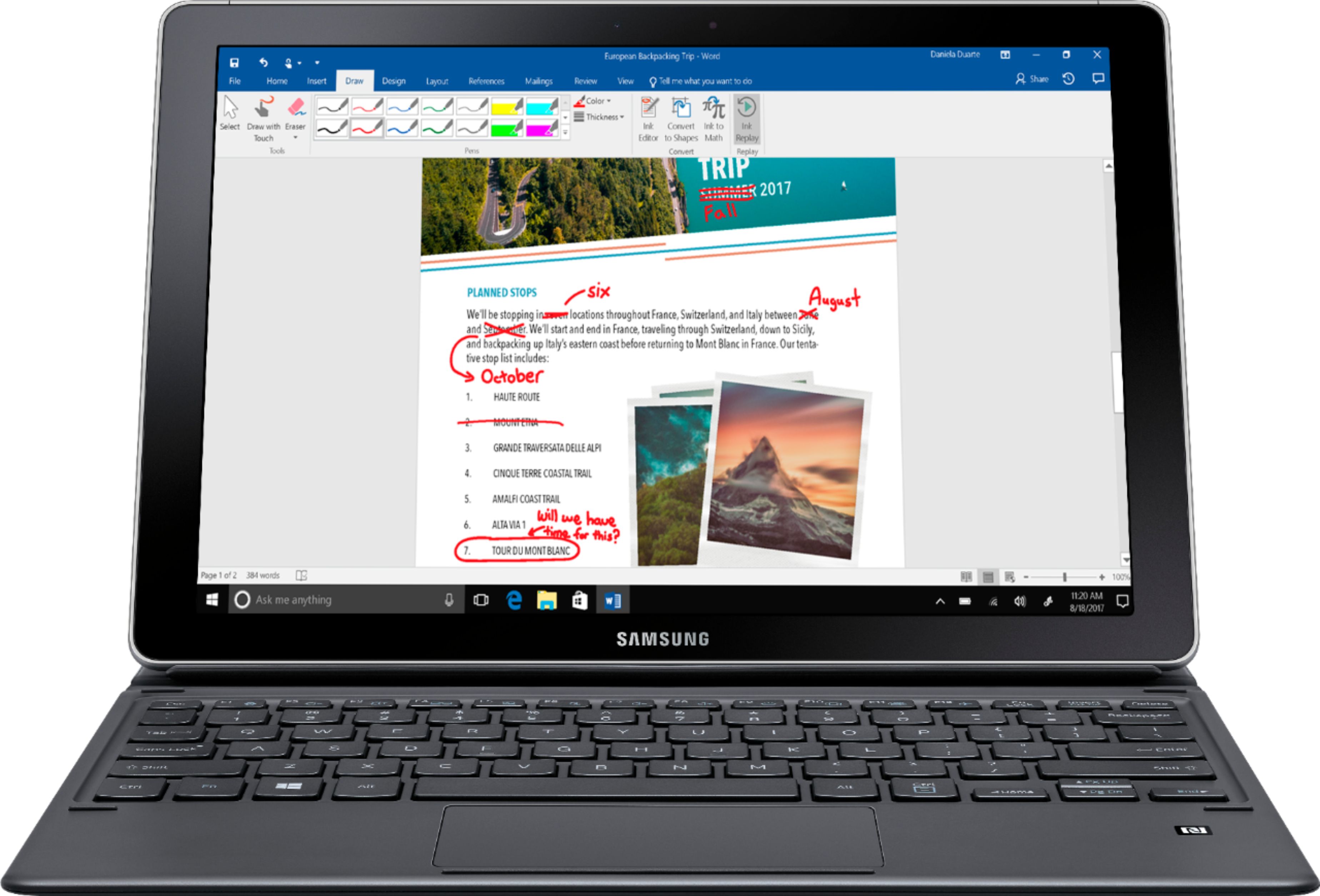
|Posted .This reviewer received promo considerations or sweepstakes entry for writing a review.The Samsung Galaxy Book 12 “ model aims squarely at the Surface Pro. Samsung both hits and misses the mark in trying to be the the top 2 in1 Hybrid. Samsung gives you everything you need right out of the box includes the keyboard and stylus – exactly the way it should be ( Microsoft pay attention.) Microsoft makes you buy it separately but the pricing on the Samsung ends up about 5% less. Let’s review the the details - Build quality - This is a very thin and light hybrid. It has a solid feel to it although not as much as the Surface Pro. It appears to be aluminum at first glance but it may be a hard , high quality plastic. It realy is hard to tell and does not bother me. However, I think Samsung was going for the thinnest possible while providing top notch features so it is mystery why they chose this material. Regardless, the overall the quality is good . Screen - The screen is simply stunning. Very bright, great contrast. Colors really pop, the black is deep and the screen is very bright. One of the best I have seen, if not the best. I I even preferred it over the Apple Retina screens. Samsung has always good screens but they really out done themselves. Speakers - Extremely powerful, well placed. At the fullest volume there was no discernable distortion. Great speakers, very good for videos and movies. Keyboard- This is where Samsung missed the mark a bit. The keyboard itself is fine to use. Nice travel , good placement, good tactile feedback - all in all , it functions well. The track pad is responsive and accurate. I saw some other reviews mention there was some lag , I saw no indication of that. The problem I have is the folio design. First, the keyboard folio design makes the foot print much larger than I care for. The Samsung does not have a kick stand to support the back of the tablet section. It is uses the folio design to fold a section to support the tablet in a laptop configuration. It just does not work well. It would slip out of place and I could not get it stay at the right angle I preferred. For me, this was a major issue . Connectivity,storage and performance - Samsung jumped on the USB-C band wagon a while ago and has put two USB-C ports on the 2 in 1 hybrid. The USB ports are used for both charging and data. The standard drive is 128 GB and there is a SD slot to expand further. The model I have came with a 128 GB SD card. Although I have no definitive means to test the speed of the drive, copying files was fast and there were no issues. The i5 processor in the laptop is perfectly adequate. Everything was smooth and there were no indication of judder. The S-pen - Samsung included stylus/pen as part of package.. It is very light, responsive and a pleasure to use for the basics. It comes with multiple tips. It does fall short in the full feature set of the Microsoft and Apple equivalents but this is designed to be a simple pen with no need for charging. Battery life - I used the Samsung Galaxy Book off and for a day without charging. Not a lot of use, for the first 60 minutes of use, the battery went from 100% to 84% with the display at maxmimum brightness. I would estimate that I used the book for about 3 hours after that with less brightness and it had about 60% charge. It was basic use , watching videos and surfing the internet. I put it in sleep mode for a day and went to turn it on and the charge was 100% depleted. The combination of the screen and speakers make this a great tablet for watching movies. However, the amount of space it takes up with the keyboard and the faults in the folio design keyboard do not make this the killer 2 in 1 Hybrid. It is a shame, it is competent in all areas except the keyboard folio design. As stated, the keyboard functionality is good but the rest is just is too finicky and not as user friendly as Surface version ( which I own.) The folio design just does not work well and really stops me form recommending this 2 in 1 hybrid. Samsung should just make just give in, put a hinge on it and thin down the keyboard. If you want a great looking Windows 10 tablet and not concerned about using the keyboard, it would be worth considering on sale. As it stands, there are better options.
No, I would not recommend this to a friend - Cons mentioned:Battery life
Premium build quality and performance
|Posted .This reviewer received promo considerations or sweepstakes entry for writing a review.Pros - excellent build quality, good performance, absolutely no garbage programs installed out of the box, extremely nice display, very usable keyboard. Cons - premium price, no good place to store the S Pen, battery life no where near claimed 10.5 hours, more like 5 hours. Oddities - Mine was listed as 128 GB. It appears to have 128 GB built in, plus there was a separate 128 GB SD card in the box. 4 GB of RAM is just enough, would be better at this price to have 6 or 8 GB. Overall I still struggle with the whole hybrid tablet/laptop concept. I still think a regular tablet is better for the things you would typically use a tablet for. This device works more like a super thin laptop for me rather than a tablet.
I would recommend this to a friend - Pros mentioned:Display
College Here We Come!
|Posted .This reviewer received promo considerations or sweepstakes entry for writing a review.I like the fact that I can use the touch screen mode or the keyboard mode interchangeably. The computer boots up within seconds of hitting the power button. I also am impressed with the quality back lighted enhanced keyboard. The computer itself is very high quality, it feels sturdier than most touch screen laptops. The display is very bright, you can adjust the size of the font and icons but I like the fact that it's default was smaller and sleeker looking. This computer would be great for traveling and school.
I would recommend this to a friend Awesome Windows 10 2-in-1
|Posted .This reviewer received promo considerations or sweepstakes entry for writing a review.I am loving this tablet/computer so much! I have used many other 2 in 1 windows 8 and 10 computers. The first thing that I love is that everything comes bundled together in the box. In the box it came with the computer/tablet, keyboard cover, s pen, and mine came with a 128gb micro sd card. This version comes with an intel core I5 processor which is very fast and can do plenty of tasks. The only thing that it might not be the best for is intensive gaming. I was very impressed by the speed. The tablet did get a little hot and you could hear the fans on when doing a lot of intense tasks. The screen is a very nice AMOLED screen that offers crystal clear viewing and responsive touch. The keyboard is very easy to type on and I love how the case protects the entire tablet when folded up. The trackpad is not to bad but it is also not the best. The case allows a couple different standing positions although none of them are very good for sitting with it in your lap. It is not impossible to use it as a LAPtop though. Another aspect I love about the keyboard is that it does not require any batteries and it is backlit. The S pen is a great addition to this tablet. I love having the ability to sign and mark up documents. The pen also does not require a battery which is a big plus. Although I am not artistic myself the pen has the ability to pickup very fine movements and is great for artists, photographers, and graphic designers. As far as ports and connectivity the computer offers a micro SD card slot and two USB-C ports. My only gripe about the SD card slot is that it is similar to a sim card slot and requires either something like a paperclip to open it up. This can be very annoying if you are on the go and want to plug in an micro SD card. I love that Samsung included two USB-C ports instead of only one. This gives plenty of room to connect all of the accessories you need. The only downside is for now you will need dongles to connect just about anything. Sometime in the near future USB-C will be an industry standard and this wont be an issue. It is also nice that it charges through USB-C and comes with an included fast charger. Battery life seems to be acceptable it suffers when doing graphic intensive stuff but overall I cannot complain about the overall battery life. The form factor is amazing it is large and made of metal so its not comfortable to hold for long periods of time. Although because it has USB-C it allows the computer to be very thin and I was impressed by the size. Overall this is one of the best tablets on the market currently and I highly recommend it.
I would recommend this to a friendAmazing Screen
|Posted .This reviewer received promo considerations or sweepstakes entry for writing a review.What I like: - Screen gets very bright and Super AMOLED contract ratio cannot be beat. I also like the 3:2 aspect ratio, which I prefer for portrait mode in a tablet. - Setup is easy and boot times are very fast - No lag so far - I was a little concerned about only 4GB of RAM, but the everything has been fast. - USB type C charging is nice to have if you have other devices that charge with it. - Keyboard case keys have decent travel and trackpad is excellent. However, I’d prefer the keyboard to not lay flat. That could be an ergonomic issue for some people. - Pen is responsive and works well. - Speakers have a full sound (there is a speaker on each side of the device). What I don’t like: - Lack of ports - only 2 USB type C ports and a headphone jack. A full sized usb port would be nice, but that would make the device thicker. However, I would have thought a USB C to A adapter would be included. - Lack of an attached stand. The keyboard case works with magnets to prop up the screen, which can sit in only 2 different positions. - Windows tablet experience is a little odd. The device is great as a laptop, but some apps do not work well with touch input and the tablet mode does take some getting used to. - No Windows Hello (fingerprint or camera) login. - 128GB might not be enough space for storage, but there is a micro sd card slot Compared to the competition, mainly the Surface Pro, the screen is the most significant differentiator. The Super AMOLED screen is really impressive. However, the Surface Pro has slightly better battery life, the keyboard attaches at an angle, has more ports, Windows Hello login, and an attached stand. You’ll need to decide if a better screen is enough to overcome some of the shortfalls.
I would recommend this to a friend- Pros mentioned:Keyboard
Great overall Tablet!
Posted .This reviewer received promo considerations or sweepstakes entry for writing a review.I love my Galaxy Book 12! Great all around device. I have had a Surface Pro 3 and 4. I even tried the Lenovo X1 tablet (thinkpad). This device has the best stylus on the market, 4000+ levels of pressure without using batteries. It handles all my business applications just fine. I am an part-time artist and it is awesome! I have drawn on surface tablets, Wacom tablets, Ipad Pro and a few others. I never have to carry extra batteries or have to charge a stylus! It is not to small or too big to handle. It will not handle video editing, but is great for taking pictures, excel, word, sketchbook, artrage. I have opened up 6 business applications at once, including OneNote (again, pen is awsome). Comes with a pen and keyboard. I bought and extra for my pocket. Here is the big kicker. The same stylus that works for my galaxy book, works on my Tab S3 and my Note 5. I keep one pen in my pocket and whether I need my phone, tablet or galaxy book, I am covered. Samsung flow works great. I can use the fingerprint on my phone to unlock the galaxy book. The keyboard is natural and the trackpad is everything you need. I have the LTE version, which also allows my to independant surf. Now if you want to sit it on your lap with the keyboard, that can be a little tricky and it only has two angles. I use it daily. It has samsung notes (at the present time, it does not sync with my other devices). I am completely happy with it. Again, no more carrying aroung AAAA batteries (hard to find and easy to lose). Best Stylus on the market!
I would recommend this to a friend Needs better instructions... but a great book
|Posted .This reviewer received promo considerations or sweepstakes entry for writing a review.The first thing I noticed when unpacking the Galaxy Book was the slim and sleek profile. The tablet snapped easily into the keyboard case. The Quick Start guide said to fully charge the tablet before turning on. While I waited, the next page had instructions for putting in the microSD card, which needs a special tool. That tool was in the back of the instruction and warranty card case and could easily not be found, and will for sure get misplaced. It also came with another metal tool or accessory that I still don't know what it is - and should be mentioned in the Quick Start guide. I'm guessing it may be used for replacing the tips in the S pen, since there are extra tips included. There is also no mention of where the pen holder goes, which becomes evident when you look at the back side of the keyboard case - but again, could easily be missed. The case and kickstand took some playing around with to learn how the magnetic stand works, again fairly straightforward AFTER you figure it out. I would really like to have a lighted keyboard. Suggestion - watch a video about the Galaxy Book while it is charging. After setting up and charging the Galaxy Book, the experience was quite pleasant. It was very easy to login into accounts and start using the book. The keyboard is great to type on - not too much smaller than a standard desktop keyboard. The screen display is beautiful. The camera works really well (almost too well on selfies). The best feature is the pen. I use Microsoft OneNote heavily and that software is made for a pen like this. Easy to write and draw with. Plus it has a sketchpad on the taskbar and a screen sketch (you can sketch on the desktop background picture). This book is definitely robust and has plenty of storage with the microSD option. The battery life was acceptable. The portability is great! Overall, I give the setup 3 stars, the design 4, and performance/functionality 5 stars.
I would recommend this to a friendSamsung Galaxy book 12"
Posted .This reviewer received promo considerations or sweepstakes entry for writing a review.I have had the Galaxy book for a week now, currently had a different brand which I use every day for work. After unboxing I was amazed at the speed of the Galaxy Book updated super fast and after doing a internet test I was surprised at the speed that it was able to download at. After using to take notes I love the pen there is almost no delay from writing it is close to an actually pen as i can get. I like the C port for charging and it seems to charge really fast, the battery like is great and had zero issues. Personally I am not a fan of the case the stand for the tablet is a little unsteady and i prefer a kick stand to folding the back up however I do lie that I can fold it up to use as a tablet other then a laptop. I was a little disappointed that there is not a USB slot but if I decide to keep I will buy the attachment for it. Overall I am enjoying the tablet and look forward to using it in more of a recreational mode rather then for work.
I would recommend this to a friendExcellent!
|Posted .This reviewer received promo considerations or sweepstakes entry for writing a review.I waited quite a while before writing this review to put the tablet through a number of "tests". I used it for games, work, and general web browsing. I am very impressed with this tablet. It has been lightning fast even with multiple programs running. Games were smooth. I didn't run anything besides Microsoft games so I'm not sure how it would do with other. I did some doodling with the stylus and it was sensitive. I could do light and heavy pen strokes with ease as if I were actually taking pen to paper. I like that it can switch easily between desktop to tablet mode. The keyboard was easy to use and responded well. The only con was the way the case propped up the tablet. It was a little awkward mainly because of the keyboard being the size it is. Other than that, I really enjoy using this tablet and am thinking of replacing my desktop computer with it.
I would recommend this to a friend- Pros mentioned:Keyboard
Road Warrior's Power Tool
Posted .This reviewer received promo considerations or sweepstakes entry for writing a review.I am a person who travels frequently for business and who also needs a powerful computer for my work in finance. As a result, I have always been looking for a computer that is light enough to carry through endless terminals and check points but that is also versatile and powerful enough to allow me to do my work efficiently and effectively. The Samsung Galaxy Book 12 fits my needs perfectly. Screen: The Galaxy Book 12’s OLED screen is the star of the show. The 12” screen is bright, hi-res and easy to read at any angle, even on a plane tray table. Best I’ve seen on any laptop. Wow. Power: Intel i5 processor powers through the toughest spreadsheets I’ve thrown at it with ease. Keyboard: True touch typing is great with this keyboard. No need to slow down to type. I love the backlit keyboard for those dark planes or hotel rooms! Keyboard can be adjusted to fit most viewing angles with the Book and easily attaches to the Book and does not need to be charged. Versatility: One advantage of this device is that you can easily turn the ‘PC’ into a tablet. This is very useful when you want to watch a video in bed or on your lap. Pro tip: when taking off and landing you can keep the Book out as a tablet when others are asked to stow their laptops. Now you can finish that movie during the preparation for landing process on the plane! Battery life: Decent time, enough to get my work done on a flight. Fast charging extends useful life quickly. Having tried many different ultraportables, I’m very impressed with this device. Powerful, light and with solid build quality, seasoned road warriors will be happy with this device!
I would recommend this to a friend - Pros mentioned:Keyboard
Galaxy Book – can it meet the test?
Posted .This reviewer received promo considerations or sweepstakes entry for writing a review.We acquired this Galaxy Book to test it as a replacement for a Samsung i5 touch screen laptop. The big question was could it pass the test. What test you ask, read to the end to see. The first impression was that this was a great package from Samsung. From a look, touch and feel it appeared to be a winner. Initial startup was easy and painless, with the exception that our USB mouse would not work with the USB C ports. Simple solution was a USB C to USB 3 adapter. That did the trick and all was well. The AMOLED screen on the Galaxy Book is stunning. We have watched a lot of 4k YouTube downloads and they are fantastic. They are sharper and clearer than my 24” Samsung monitor connected on a different laptop. Color rendition is fantastic and the clarity is absolutely stellar. Initially I wondered if the keyboard was going to present any issues. I have used docked keyboards with other tablets in the past, ASUS and others, and I was not satisfied. The tablet on this tablet is superior. Very close to the same experience of using a laptop keyboard. To date we have not used the S Pen, may do so this coming year. Battery life has been awesome, we have not been off power enough to fully run the battery down, but have used it standalone for several hours with no issues. Another key question was the wireless capability of the Galaxy Book. Our old Samsung had sporadic connectivity issues, even after we added an extender to our Wi-Fi. The Galaxy Book has been far superior to the other laptop. No issues whatsoever. Storage has not been an issue, the 128G of internal storage is fine to date, we also have another 128G on the micro SD. I don’t see this as an issue going forward. So what could be improved? A full size USB port would have been nice as would an HDMI interface. Other than that, we are very satisfied. So does it pass the test? The test is being a hassle free, solid performing, easy to understand device that my non-technical wife is comfortable with. It passes with flying colors. I used to get called in several times a week to fix one issue or another. Now, all is well and the Galaxy Book is doing an excellent job. If we had it to do again, we’d still go with the Galaxy Book.
I would recommend this to a friend Excellent update, changes have been made
|Posted .This reviewer received promo considerations or sweepstakes entry for writing a review.This tablet has done very well from the unboxing to opening of it; overall impressed with the changes Samsung has made. It comes with a keyboard cover, stylus, and includes an additional 128GB od SDD (MicrosSD) card memory. The machine itself is very quick for an i5. Power/Battery is well laid out and last like it should. Light and distinct to blend in with a stack of books or paperwork you may be carrying. Cooling on this is very quiet. Would love to get a second one at some point. Sorry guys, no photos this time.
I would recommend this to a friendGreat Tablet for searching google and other
|Posted .This reviewer received promo considerations or sweepstakes entry for writing a review.This tablet was impressive including the packaging. It was very easy to setup and the stylus was paired with the tablet right away. I have another tablet and I had to set it up with my tablet. The tablet uses Windows 10 which if you have used 10 with other tablets you know there are some issues with it. We noticed a few issues but nothing that wouldn't make me recommend the tablet/book and I feel it was more software related. The battery life is as published and the screen has a very good color. I see some reviews on the cover/stand and I feel it works great after you learned about where the magnets are located.
I would recommend this to a friendSamsung Book 12'
Posted .This reviewer received promo considerations or sweepstakes entry for writing a review.I love this case, had it since 2017 and it's great. Smooth keyboard strokes, and a pen holder make it easy to retrieve the pen when needed. Came with a 1289 CB memory
I would recommend this to a friendBEST 2-in-1 Tablet/laptop available
Posted .This reviewer received promo considerations or sweepstakes entry for writing a review.I purchased the Samsung Galaxy Book 12" through Verizon two weeks ago. DON'T pay any attention to the negative reviews: they are NOT true. I do a massive amount of insurance sales with over 12 different companies. Each of them have a great amount of memory that has to be used during a presentation and/or sale. This Samsung Galaxy Book has far exceeded my other laptops and/or tablets. You will be amazed at how much work you can accomplish with this device.
I would recommend this to a friendAwsome
|Posted .This reviewer received promo considerations or sweepstakes entry for writing a review.This is great little table/computer, gives you the basic windows set up but in a tablet form, keyboard clicking is not is not that great, decided to stick with touch screen only that's why 3 stars.
I would recommend this to a friend- Cons mentioned:Battery life, Expensive
Don't do it!
Posted .This reviewer received promo considerations or sweepstakes entry for writing a review.Flimsy, was way too expensive, screen cracked (never dropped, always protected, no idea but grr), hardly ever use it...just not even practical to use in any way. One of my many SAMSUNG regrets. Battery life is also terrible, and I've lost the s-pen twice...and the oem is of course mad expensive!
No, I would not recommend this to a friend Nice but flimsy
Posted .This reviewer received promo considerations or sweepstakes entry for writing a review.I really liked this 2 in 1 but the stand is very flimsy. It fell because of the stand and fell flat cracking the screen. I brought it to the Geek Squad and it took over 30 days before them saying it couldn't be fixed and junked it out. They ended up giving me all of my money back. I had this tablet less than a year. Samsung does not sell any protective covering at all!! That is the main problem besides the stand not functioning great. Also they dont even sell the 2 in 1 in stores any more. I decided to go with the Surface pro 6. So far so good. They sell protective cases and the kickstand is way better.
No, I would not recommend this to a friendGreat Product?
Posted .This reviewer received promo considerations or sweepstakes entry for writing a review.Great product ? maybe .. great price? not at all considering the mediocre specs. Would I recommend another product over this with slightly better specs and a more reasonable price? Yes, Microsoft Surface Pro series (SP4 at the time of this writing).
No, I would not recommend this to a friend