Customer Ratings & Reviews




- Model:
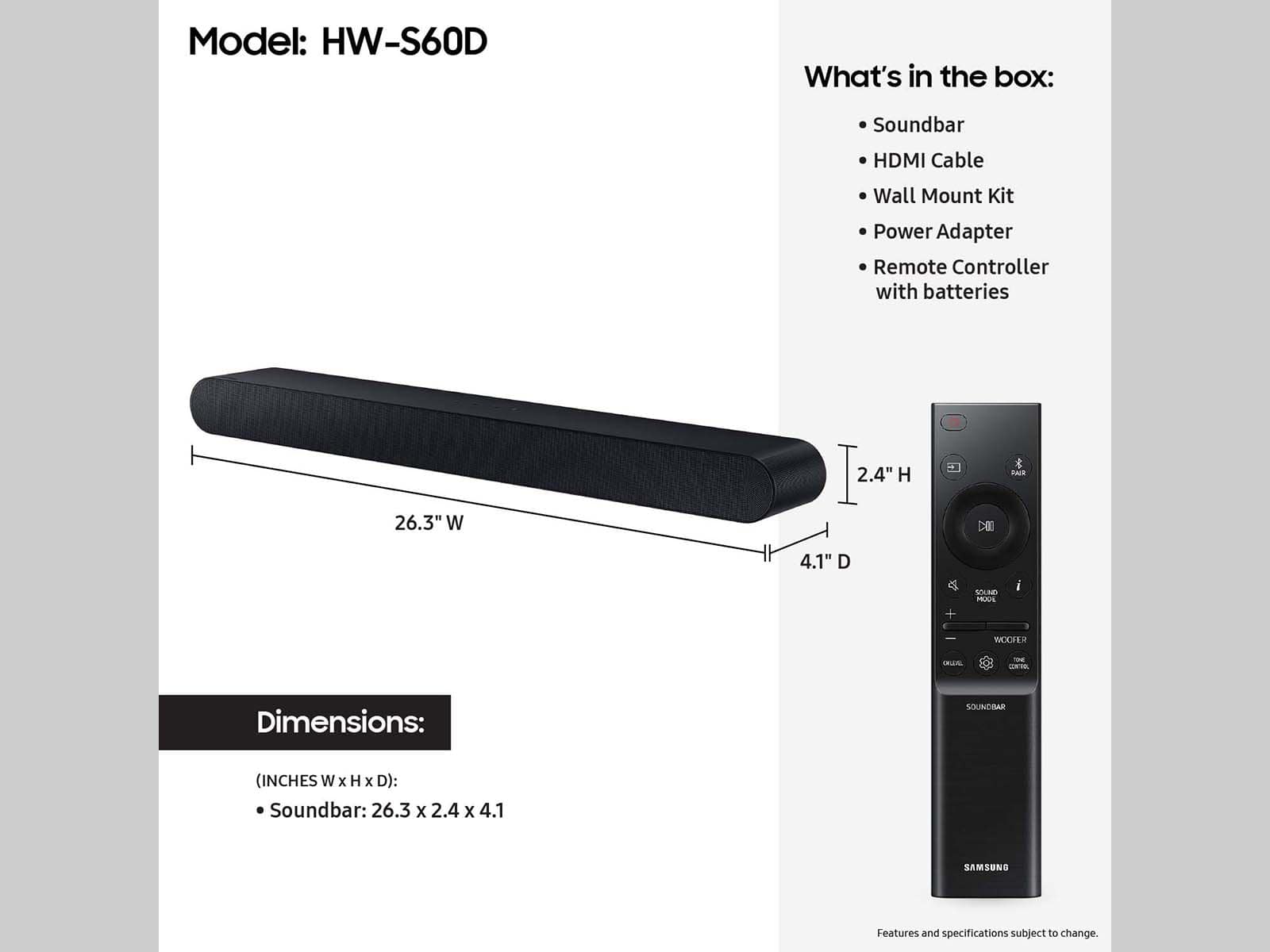
- HW-S60D
- SKU:
- 10103769
Rating by feature
- Value
Rating 4.6 out of 5 stars
- Quality
Rating 4.7 out of 5 stars
- Ease of Use
Rating 4.6 out of 5 stars
Samsung booster
||Posted . Owned for 3 weeks when reviewed.This reviewer received promo considerations or sweepstakes entry for writing a review.It sounds good but thought it would have more bass (based).
I would recommend this to a friendEntertainment center
||Posted . Owned for 3 weeks when reviewed.This reviewer received promo considerations or sweepstakes entry for writing a review.They did a great job with our home home entertainment center and hanging our TVs up
I would recommend this to a friendSoundbar
||Posted .This reviewer received promo considerations or sweepstakes entry for writing a review.Very good product. Love it. Would buy it again if needed
I would recommend this to a friendReplacement Speaker
||Posted . Owned for 1 month when reviewed.This reviewer received promo considerations or sweepstakes entry for writing a review.Great speaker. I have an older flat screen and it works with that.
I would recommend this to a friendLesson learned
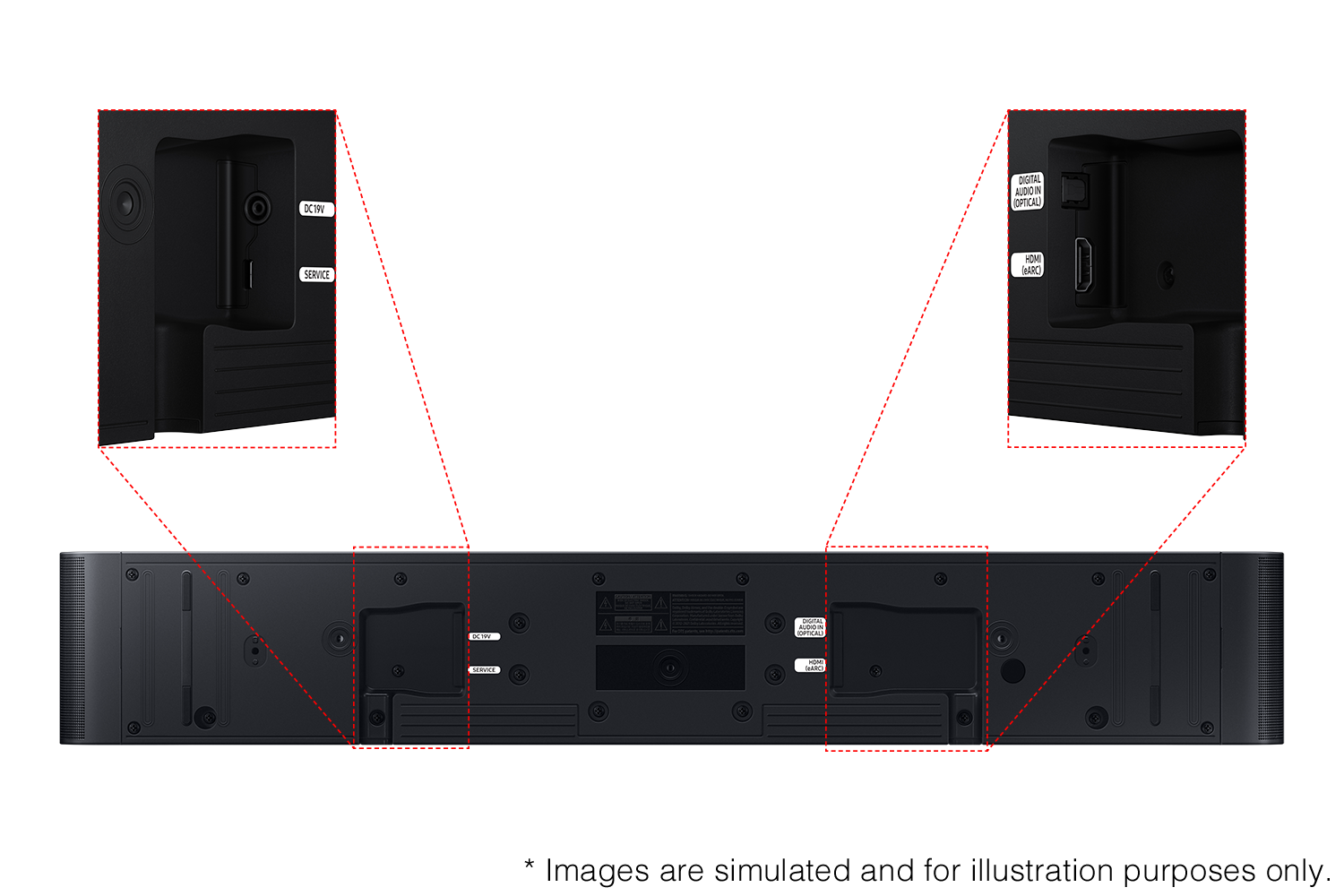
||Posted . Owned for 3 weeks when reviewed.This reviewer received promo considerations or sweepstakes entry for writing a review.I think this is a quality product but for me it was more than I needed, i.e., I didnt need a smart soundbar. It wouldn't connect via my older Samsung TV HDMI ARC port so I had to use the included optical port adapter. The remote wouldn't work either so I was instructed to use my phone and the SONOS app which was cumbersome and constantly dropped its connection.I returned the SONOS siundbar and bought a Samsung soundbar on sale. Happy now...
No, I would not recommend this to a friendBrand response from Samsung
Posted .Hi BruceA,
Thank you for purchasing the Samsung HW-S60D and for your review. I am glad to hear that you are happy with the performance of your new soundbar.
If you are experiencing specific issues that caused you to give this a 3-star rating, please know Samsung Customer Support is here to help.
Call us at 1-800-SAMSUNG (ask for Soundbars), available 8 AM – 12 AM EST, 7 days a week.
LiveChat with an agent by clicking the ‘Support’ link on the Samsung website.
~Samsung Solutions
The sound on this bar is really nice
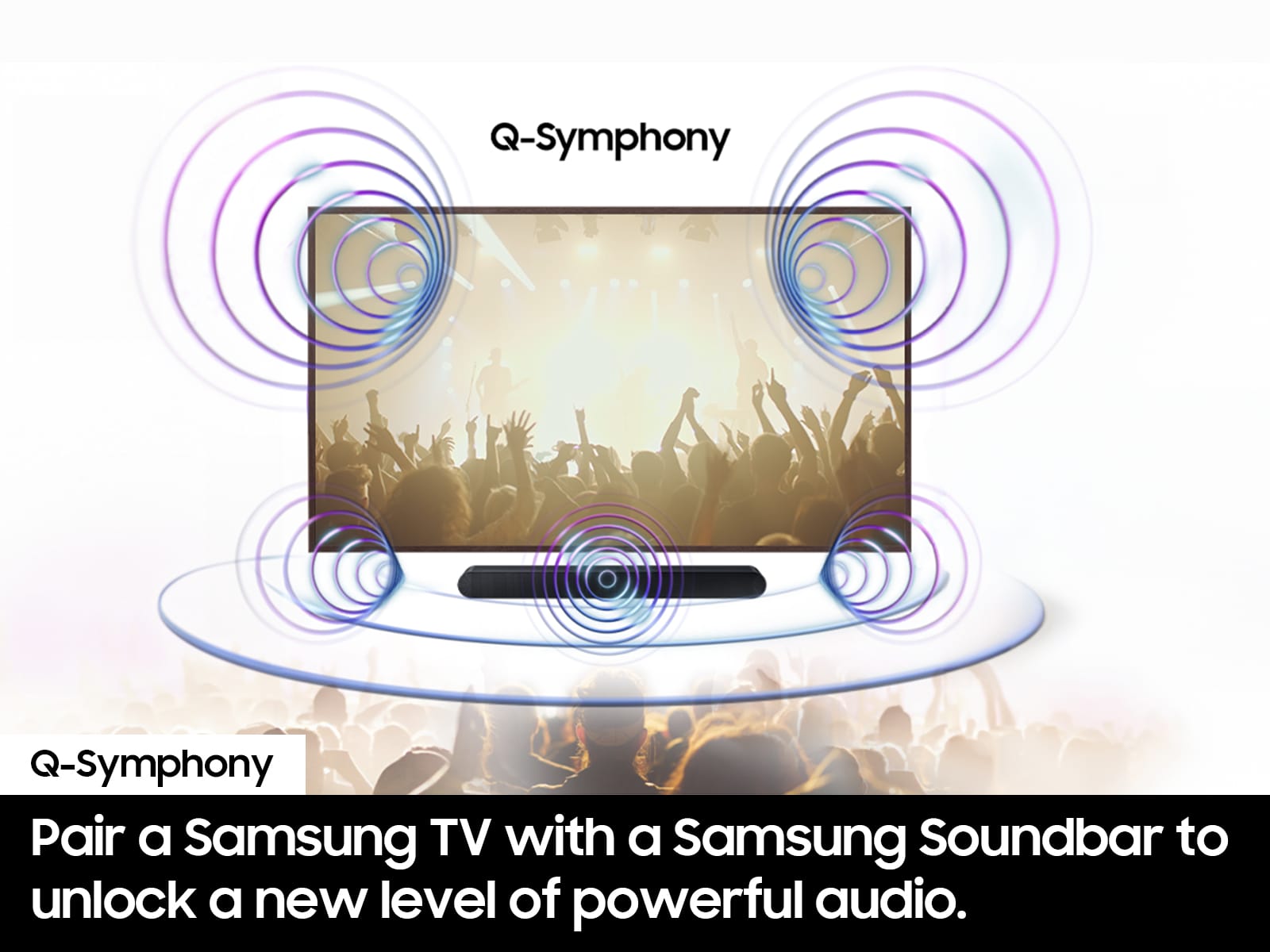
||Posted . Owned for 1 month when reviewed.This reviewer received promo considerations or sweepstakes entry for writing a review.Nice sound, however it is not Dolby surround like I hoped it would be. It is not compatible with my new Samsung 65" TV, so it is disappointing. But the Q-Symphony sound quality for music and movies is good, if only it was true surround.
No, I would not recommend this to a friendBrand response from Samsung
Posted .Hello KMA1,
Thank you for taking a moment to review the Samsung HW-S60D Soundbar.
If available, we recommend using the HDMI connection to your TV.
Connecting your soundbar to a TV through HDMI will provide the best audio and user experience. There are 2 ways to connect your soundbar with HDMI: you can connect a device to your soundbar (like a Blu-ray player) and then connect the soundbar to the TV, or you can use HDMI ARC. The first method will give you the best possible sound from external devices you regularly use. ARC is the way to go if you want great sound from streaming apps on your TV and a soundbar.
With the optional SWA-9200S Wireless Rear Speaker Kit connected you can adjust the volume by using the provided Soundbar remote. Press CH LEVEL and select REAR LEVEL, then use the Up/Down buttons to adjust the volume within a -6 to +6 range.
If you need more help, Samsung is here for you. Please call us at 1-800-SAMSUNG, 8AM - 12AM EST (Ask for Soundbars), 7 days a week. Our Live Chat agents are also available by clicking on the ‘Support’ link on our website.
~ Samsung Solutions
Sounds good to us
||Posted . Owned for 1 month when reviewed.This reviewer received promo considerations or sweepstakes entry for writing a review.I gave it to someone as a gift and as far as I know they are quite happy with it!
I would recommend this to a friendB
||Posted . Owned for 1 month when reviewed.This reviewer received promo considerations or sweepstakes entry for writing a review.Love the new tv its do clear snd vivid in color. The service setting it up was friendly and respectful.
I would recommend this to a friendSamsung sound bar
||Posted . Owned for less than 1 week when reviewed.This reviewer received promo considerations or sweepstakes entry for writing a review.Just got it yesterday, have not had time to get everything connected
I would recommend this to a friendSound Bar
||Posted . Owned for 2 weeks when reviewed.This reviewer received promo considerations or sweepstakes entry for writing a review.Very disappointed for the price I paid. Sound quality is no way as good as my last sound bar.
No, I would not recommend this to a friendBrand response from Samsung
Posted .GeorgeS,
Thank you for sharing your review of the HW-S60D Soundbar. We value your feedback and will share it with our teams.
To take full advantage of your new soundbar, download the SmartThings App to your smart device. This will allow you to control your soundbar as you would with the provided remote, but with the added advantage of seeing what changes you make on your device.
To optimize your audio experience, please try the various sound modes this model offers. Press the SOUND MODE button on your remote, and then select your desired sound effect: ADAPTIVE SOUND, DTS VIRTUAL:X, MUSIC, GAME, STANDARD. When you press the SOUND MODE button it will change to the different modes in the above order.
You can further adjust TREBLE and BASS via the TONE CONTROL button.
If you are looking for additional bass, beyond what the HW-S60D can provide, consider adding the compatible SWA-W510 Wireless Subwoofer from Samsung to take your audio experience to the next level.
I hope this tip helps improve your sound experience. Should you need further assistance with features, functions, settings, or adjustments, please contact Samsung Customer Support. Just call us at 1-800-SAMSUNG (Ask for Soundbars), 8 AM – 12 AM EST, 7 days a week. Or visit us on the Samsung website and click on the ‘Support’ link for:
• Live Chat with an agent
• Manuals, Software, & Warranty Info
• Creating a service ticket
~ Samsung Solutions
Soundbar upgrade
||Posted . Owned for 3 weeks when reviewed.This reviewer received promo considerations or sweepstakes entry for writing a review.Replaced our six speaker Dolby system with this soundbar with great results. Best Buy matched Amazon's price.
I would recommend this to a friendBest bang for buck
||Posted .This reviewer received promo considerations or sweepstakes entry for writing a review.Great item would recommend this to anyone within an apartment
I would recommend this to a friendGood value
||Posted . Owned for 3 weeks when reviewed.This reviewer received promo considerations or sweepstakes entry for writing a review.I recognize that television now tend to require a sound bar for proper quality. This one is fantastic.
I would recommend this to a friend- Pros mentioned:Sound qualityCons mentioned:Bass
Samsung all in one HW S60D 5 ch sound bar
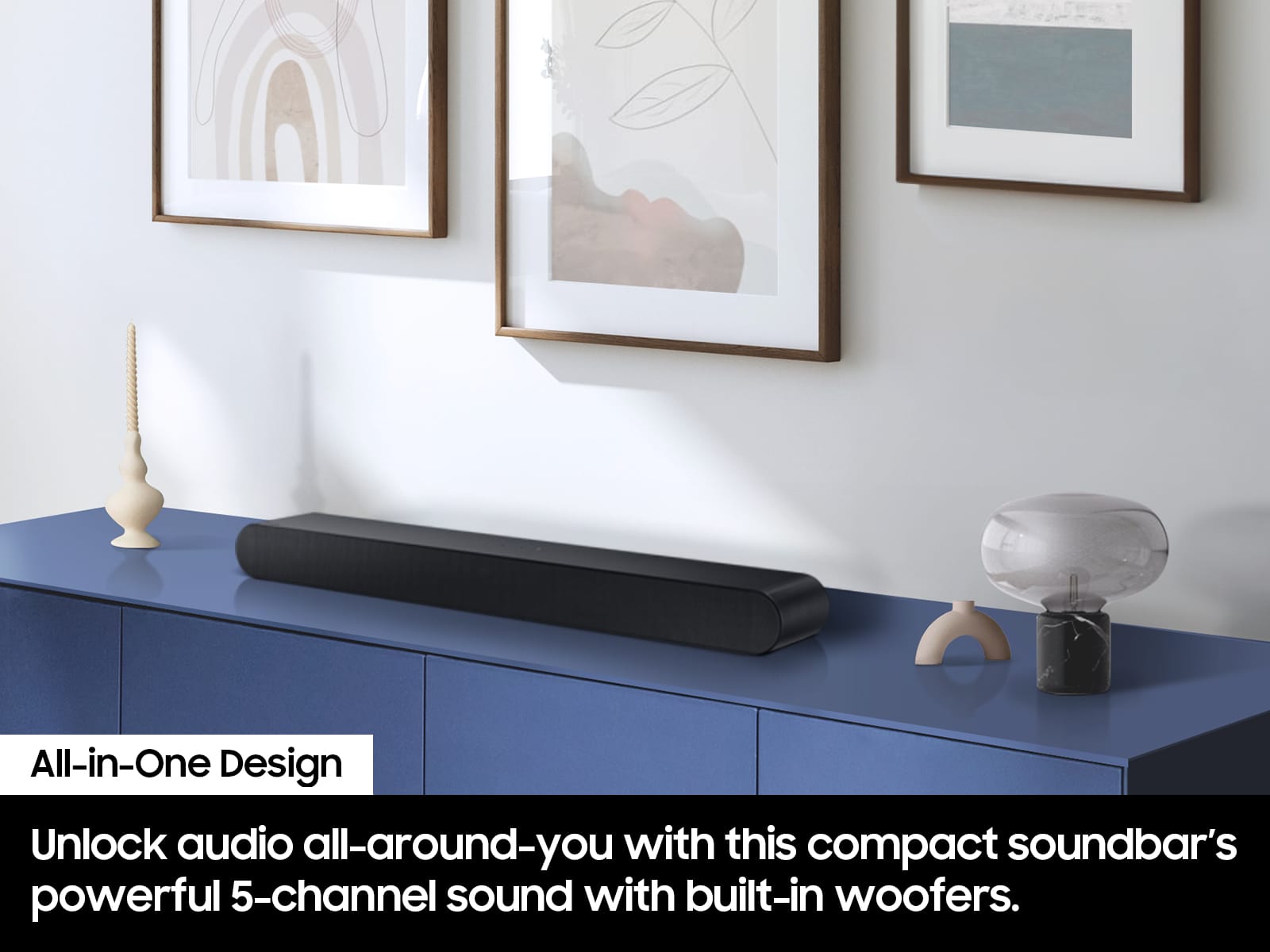
||Posted . Owned for less than 1 week when reviewed.This reviewer received promo considerations or sweepstakes entry for writing a review.If you want a rich, full, booming bass this is not the sound bar for you. You need an external subwoofer. The 5 speakers are clear but the built in bass woofer is not pumping it and doesn’t get that loud.
No, I would not recommend this to a friendBrand response from Samsung
Posted .Hi ReneeL,
We appreciate you taking a moment to review the HW-S60D Soundbar.
To take full advantage of your new soundbar, download the SmartThings App to your smart device. This will allow you to control your soundbar as you would with the provided remote, but with the added advantage of seeing what changes you make on your device.
To optimize your audio experience, please try the various sound modes this model offers. Press the SOUND MODE button on your remote, and then select your desired sound effect: ADAPTIVE SOUND, DTS VIRTUAL:X, MUSIC, GAME, STANDARD. When you press the SOUND MODE button it will change to the different modes in the above order.
You can further adjust TREBLE and BASS via the TONE CONTROL button.
If you are looking for additional bass, beyond what the HW-S60D can provide, consider adding the compatible SWA-W510 Wireless Subwoofer from Samsung to take your audio experience to the next level.
I hope this tip helps improve your sound experience. Should you need further assistance with features, functions, settings, or adjustments, please contact Samsung Customer Support. Just give us a call at 1-800-SAMSUNG (Ask for Soundbars), 8AM - 12AM EST, 7 days a week. Our Live Chat agents are also available by clicking on the ‘Support’ link on our website.
~ Samsung Solutions
TV&soundbar
||Posted . Owned for 1 month when reviewed.This reviewer received promo considerations or sweepstakes entry for writing a review.Everything went well at Best Buy. It was Black Friday & all their employees were great at helping with our decision.
I would recommend this to a friendAmazing sound
||Posted . Owned for 1 week when reviewed.This reviewer received promo considerations or sweepstakes entry for writing a review.I love my new samsung sound bar . Purchased to go with my 65-Inch New Samsung television. Extremely happy with my purchase.
I would recommend this to a friendReview
||Posted . Owned for 3 months when reviewed.This reviewer received promo considerations or sweepstakes entry for writing a review.Best purchase yet great customer service I’m a Samsung guy and I’ve never been disappointed
I would recommend this to a friendits ok
||Posted . Owned for 3 weeks when reviewed.This reviewer received promo considerations or sweepstakes entry for writing a review.should of got the one with subwoofer for better sound
No, I would not recommend this to a friendSamsung sound bar
||Posted . Owned for 1 month when reviewed.This reviewer received promo considerations or sweepstakes entry for writing a review.Product is good - Delivery was right on schedule - No issuws a all
I would recommend this to a friendSound
||Posted . Owned for 1 week when reviewed.This reviewer received promo considerations or sweepstakes entry for writing a review.Great experience. Employee was knowledgeable and interested in my needs.
I would recommend this to a friend