Customer Ratings & Reviews


- Model:
- LS32BM702UNXGO
- SKU:
- 6504337
Rating by feature
- Display Quality
Rating 4.6 out of 5 stars
- Ease of Use
Rating 4.4 out of 5 stars
- Features
Rating 4.5 out of 5 stars
Customers are saying
Customers are satisfied with the M7B Series monitor's picture quality, ease of use, and smart features, frequently praising its 4K resolution and streaming capabilities. The USB-C connectivity is also a plus for many users. However, some customers expressed concerns about the remote control design and the refresh rate.
This summary was generated by AI based on customer reviews.
Perfect screen
||Posted . Owned for 1 month when reviewed.This reviewer received promo considerations or sweepstakes entry for writing a review.Love this screen it is the perfect size for my new desk
I would recommend this to a friendDo not buy. Doesn’t last a long time
||Posted . Owned for 11 months when reviewed.This reviewer received promo considerations or sweepstakes entry for writing a review.Stopped working after a year. No lights no nothing. Samsung quoted me 329 dollars to fix it which is the price of the monitor itself.
No, I would not recommend this to a friendTerrible color and brightness
||Posted . Owned for 1 month when reviewed.This reviewer received promo considerations or sweepstakes entry for writing a review.Terrible color accuracy and bad HDR Way too dim at medium brightness settings Everything is blown out at higher settings Ended up returning it and getting an ultra wide instead
No, I would not recommend this to a friendBrand response from Samsung
Posted .We are very sorry to see that you have encountered brightness issues with the Samsung 32" M70B Smart Monitor. We are happy to see you found a monitor that better fits your needs.
Samsung products are engineered to the highest standards of performance and quality and we back this model with a 1-year limited manufacturer's warranty, if purchased brand-new from an authorized dealer.
For further assistance or to begin warranty service, please contact Samsung Customer Support via:
1-800-SAMSUNG, available 8AM - 12AM EST (Mon-Fri) / 9AM - 11PM EST (Sat-Sun)
Samsung is committed to providing the best possible product experience, quality, and value, and we are always here to help with any of your questions or concerns.
Junk
||Posted . Owned for 7 months when reviewed.This reviewer received promo considerations or sweepstakes entry for writing a review.Do not waste your money. Purchased in November and used lightly as a monitor only. Stopped working and would not turn on no matter what I tried
No, I would not recommend this to a friendNot a real pc monitor, more of a tv set
||Posted . Owned for 1.5 years when reviewed.This reviewer received promo considerations or sweepstakes entry for writing a review.Same as the newer model, its more of a tv than a pc monitor, dont buy it
No, I would not recommend this to a friendShipping by bestbuy was worst
||Posted . Owned for 1 month when reviewed.This reviewer received promo considerations or sweepstakes entry for writing a review.The monitor was damaged due to shipping and best buy did not do anything to cover my damage costs.
No, I would not recommend this to a frienddefective
||Posted . Owned for 1 month when reviewed.This reviewer received promo considerations or sweepstakes entry for writing a review.there was a defect on my screen with dead pixels. the color is also so difficult to match my macbook
No, I would not recommend this to a friendDon't buy it
||Posted . Owned for 3 weeks when reviewed.This reviewer received promo considerations or sweepstakes entry for writing a review.Screen flicking during the scrolling. Didn't get proper services from customer care.
No, I would not recommend this to a friendTerrible service
||Posted . Owned for 3 weeks when reviewed.This reviewer received promo considerations or sweepstakes entry for writing a review.Very dissatisfied. The screen comes and goes. The store would not help
No, I would not recommend this to a friend- Pros mentioned:Picture quality, Usb-c

A do-it-all 4K TV, but its a really good a monitor
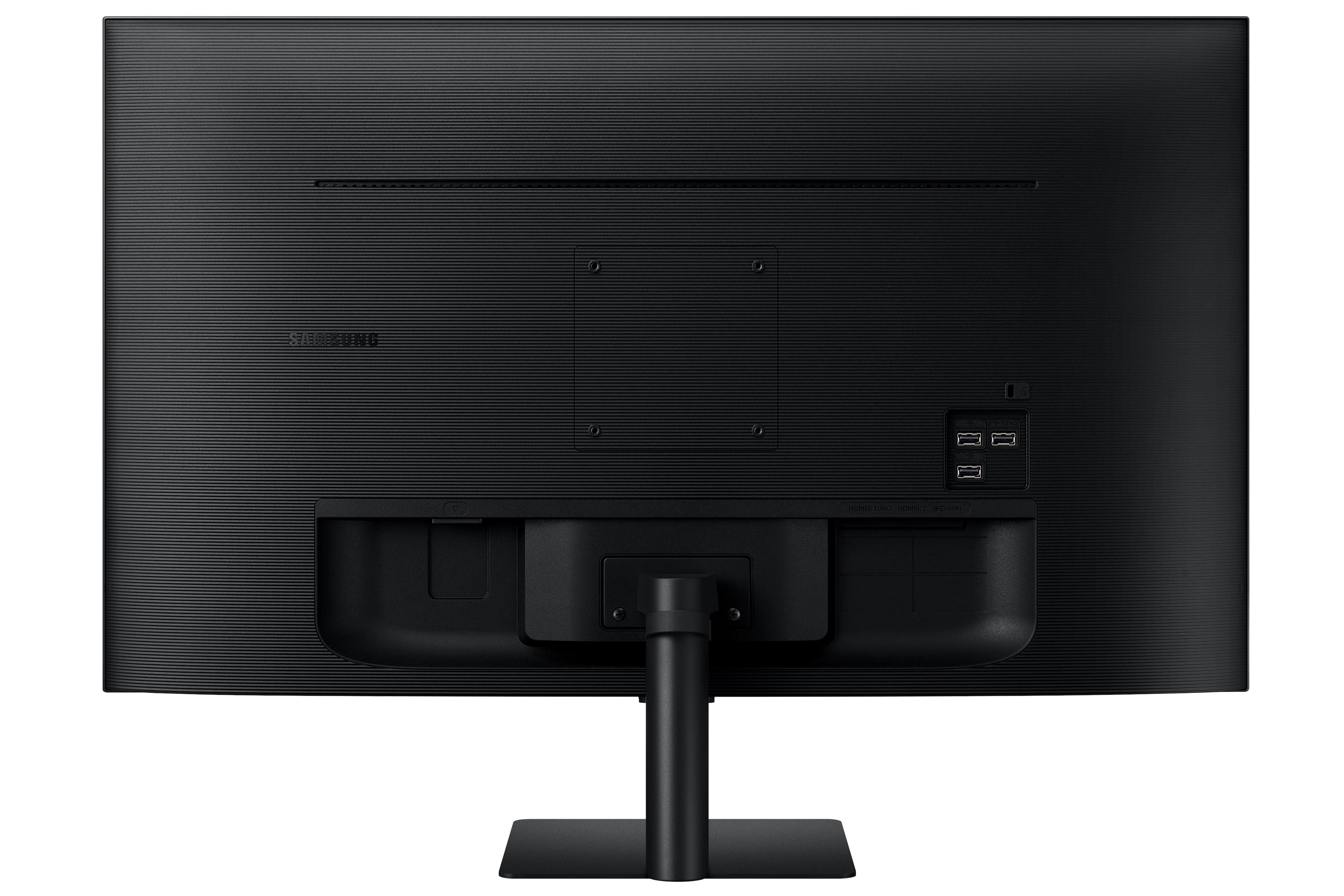
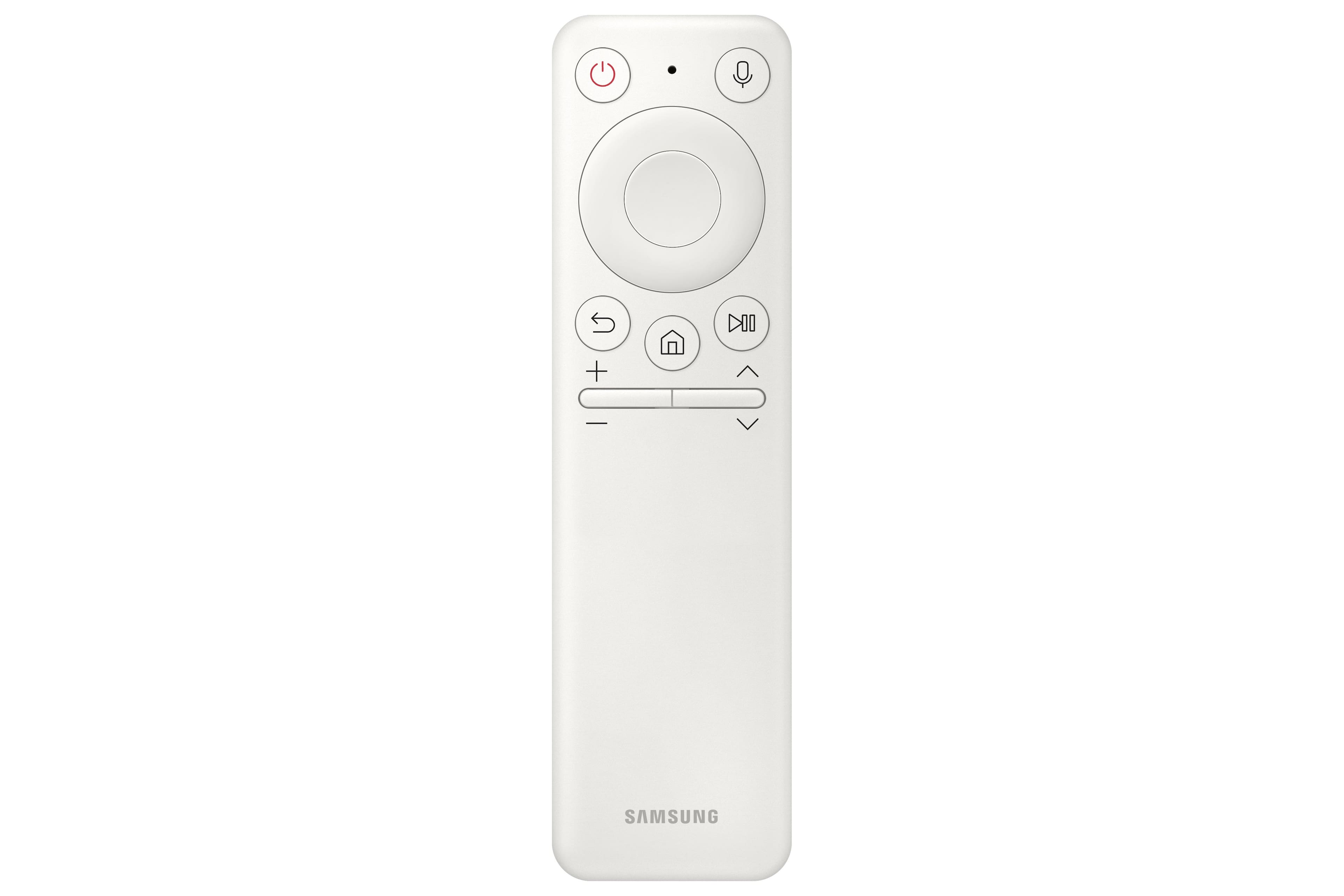
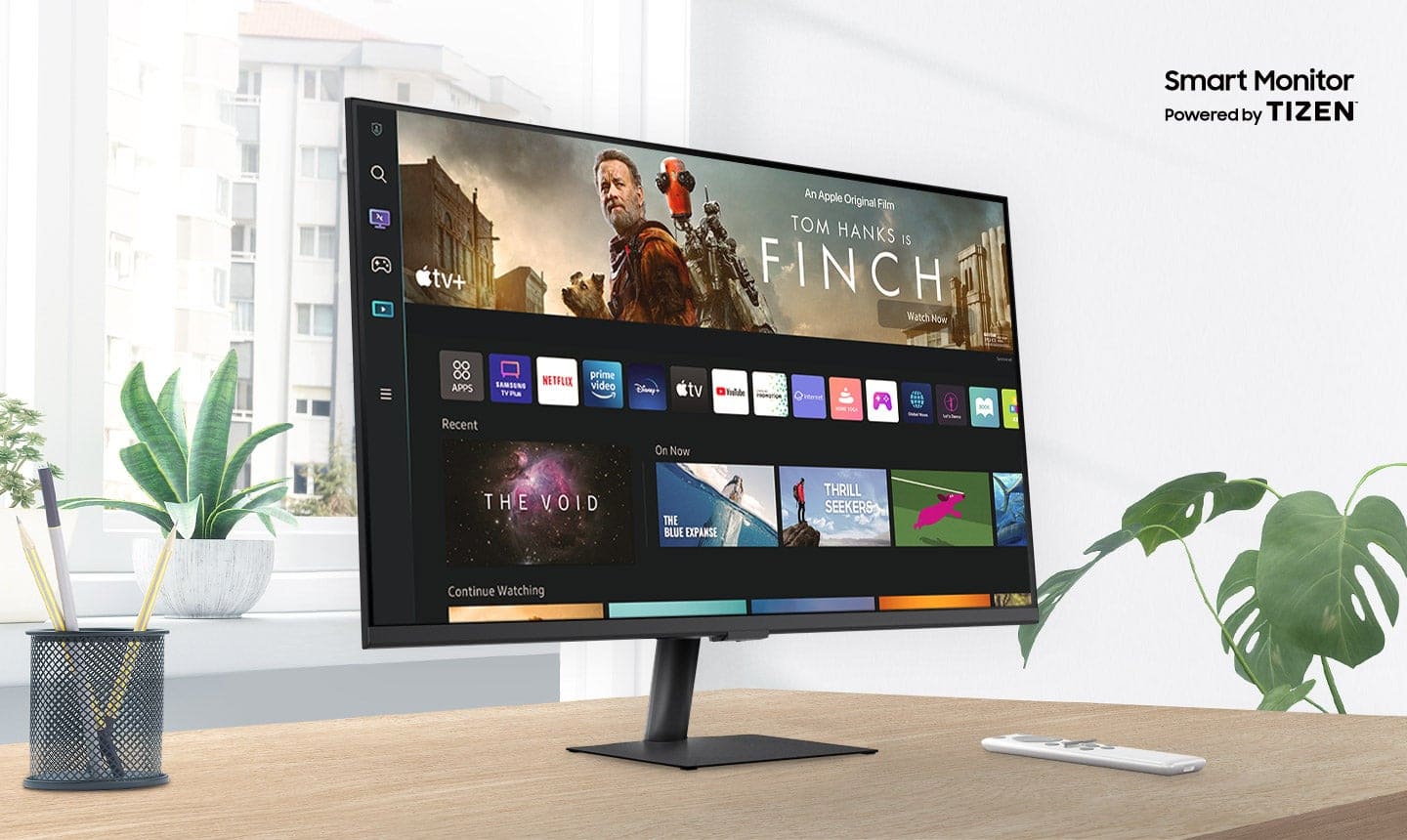
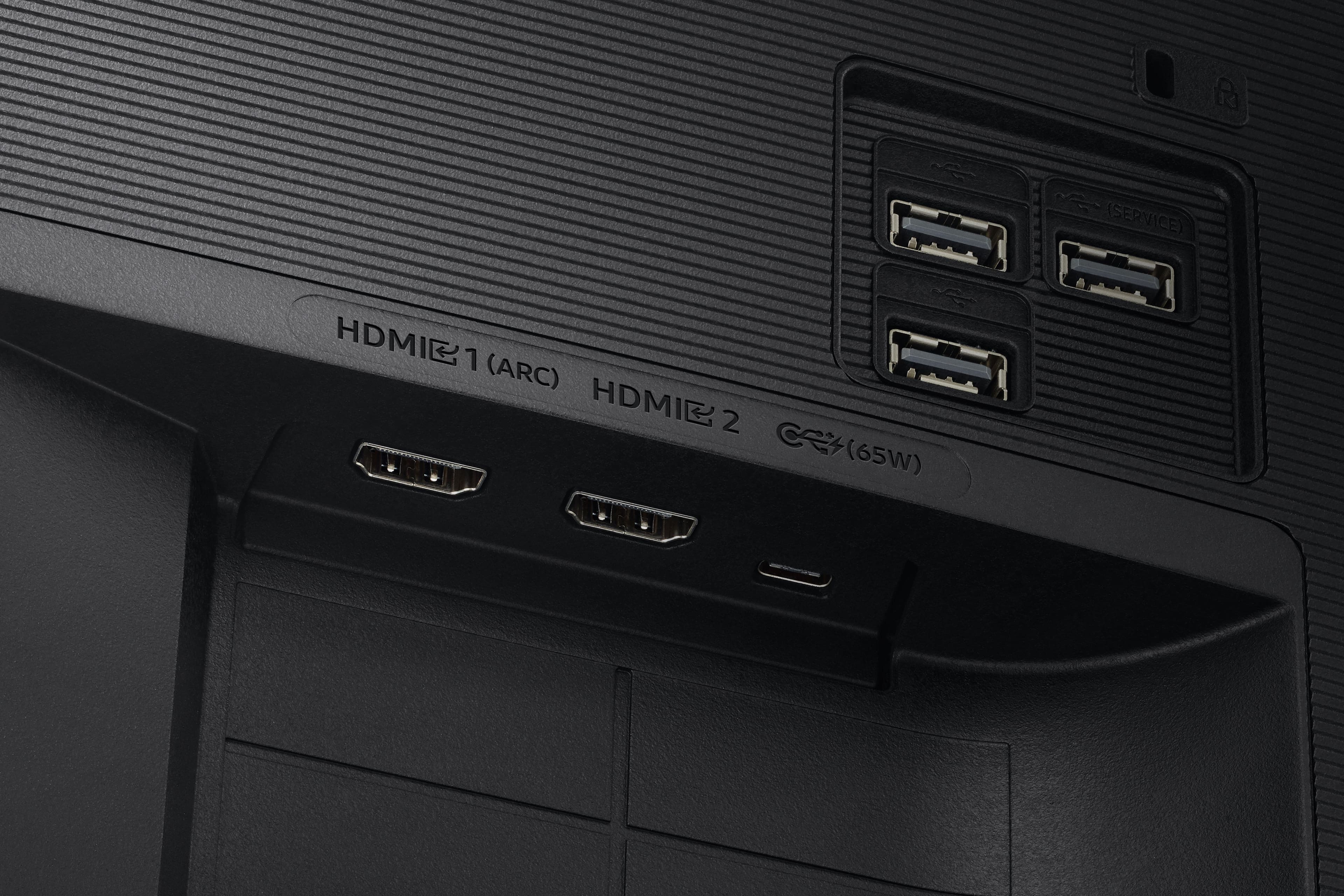
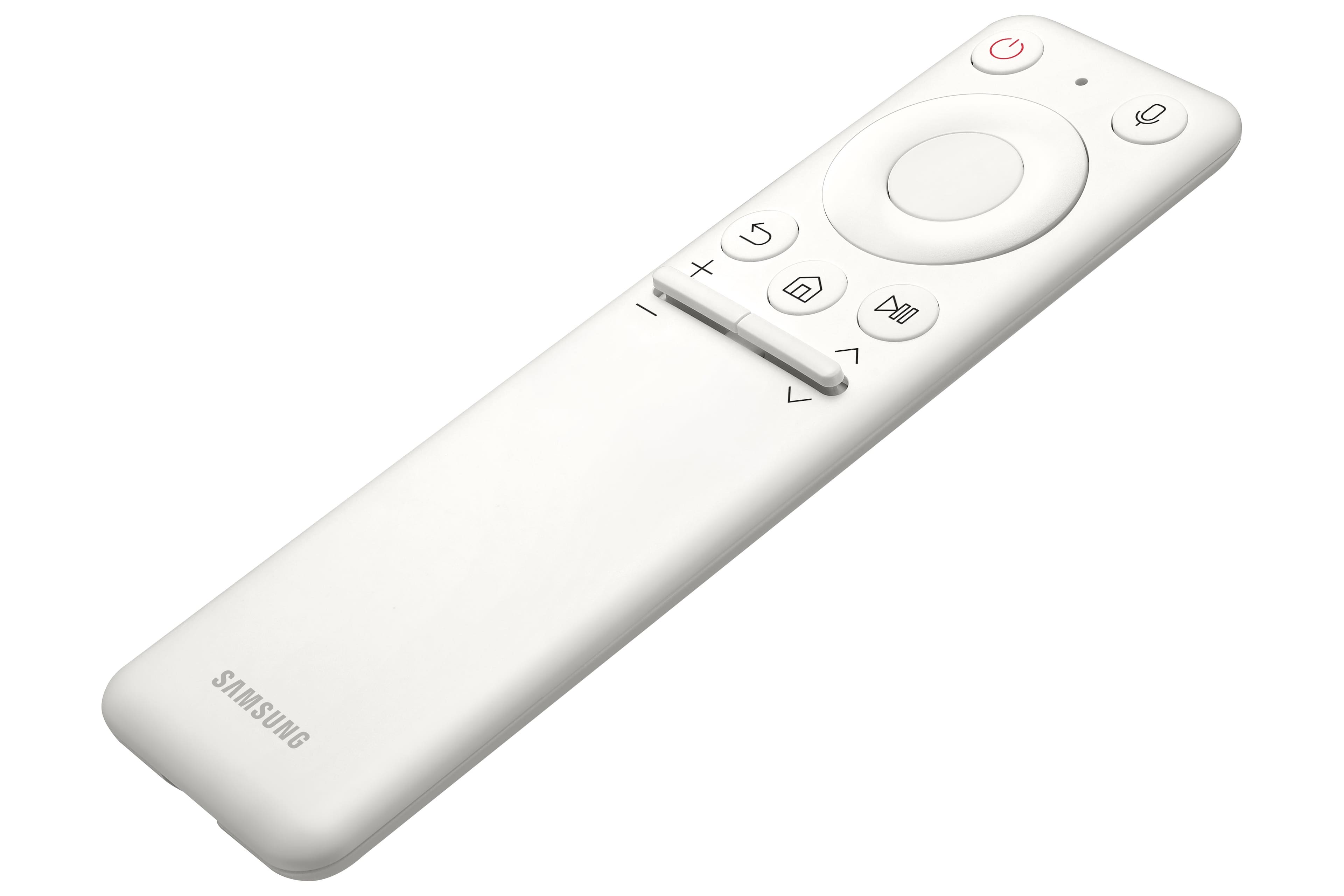
|Posted .This reviewer received promo considerations or sweepstakes entry for writing a review.To start, I wish this would have existed when I was younger as it is the perfect setup for a room that you either don't have space for a TV and a monitor or you just don't want the extra clutter of having both! This is the perfect monitor for a college student to have in a dorm or an apartment with roommates, because it truly can do-it-all! The picture is great for most things, not competitive gaming, but for most casual gamers (PC or console) this will match perfectly with their needs and offer a nice, crisp 4K experience. The included stand is easy to install and stable, with the ability to tilt and the option of mounting using a VESA mount for the wall or a monitor stand. There are two HDMI ports and two USB-A ports and a USB-C power & display port that will easily cover your computer, USB media, and a cable box or console, as well. The remote is intuitive and easy to use with buttons below the center Samsung logo if the remote is out of reach or otherwise unavailable. Setup of the "smart" features is easy handled through Samsung's SmartThings app to setup using your phone, but if you prefer to navigate with the remote to setup the monitor and built-in apps, that is also an option. The Tizen OS is very responsive and has a great selection of apps and more coming to the platform over time, the only major app I was attempting to use that was unavailable is Bally Sports to watch a Brewers game, but I was easily able to switch to my Windows PC that was connected for streaming that. The USB-C connection is a huge benefit for those with a laptop or tablet that can send display to the monitor AND power the device, greatly reducing the number of cables necessary! I don't know if the USB-C port is Thunderbolt 3 or 4 certified, but I am able to send video from my Surface Pro 8 and charge it through the one included cable! I have not attempted to power the display from my Surface Pro or Alienware's Thunderbolt 4 ports, but it would make this the ultimate tailgating monitor! Overall, I would highly recommend this monitor for college students looking for one screen to run all that they need for school, gaming and streaming apps. This would make an excellent choice for new students that will be living in the dorms for the first time and will want something that has a small footprint and big features. Not a student? I would still highly recommend this for a kitchen TV, guest room, or a utility monitor/TV that can be moved around with ease and used wherever you need it! My significant other and I love to bring this thin and light monitor onto our balcony to watch baseball games and movies while enjoying great weather (not made for outdoor use and not IP rated, but be smart and keep it safe from the elements if you choose to use it outside).
I would recommend this to a friend - Pros mentioned:Picture quality
Samsung 32" Smart Monitor
|Posted .This reviewer received promo considerations or sweepstakes entry for writing a review.The box for this thing is huge. This was totally expected, but the size and weight made it a little more difficult than expected for the journey for its place of use. Once I got it where I wanted it, it was relatively simple to unbox and get set up. I didn't have to put it on its mount, because I mounted it on an arm on my desk. First problem is that the USB-C cable that came with it is very short, around 3 feet, and the way I had it on the arm it bent the connection on the monitor end the first time I moved the arm. That was my fault, but if it was 6 feet long, it wouldn't have happened. The next thing I did was turn it on, hoping to see my laptop screen, but I was at the setup screen with no way to just change to the HDMI input without going through the setup. Connecting to Wi-Fi and going through all the options just took way too long in my opinion. I was replacing a standard monitor and wanted to be able to get back to what I was doing so I could get to the fun stuff later, but that was impossible. It felt like it took me at least 20 minutes to make my way through the setup, even skipping a few steps that it allowed me to. The monitor itself is wonderful. The resolution is perfect, even though I had to set my icon size up so I could actually read everything. I love having room on my screen for multiple windows to be able to work and use references with ease. The smart part of the monitor work well, and the volume is plenty good enough for streaming a show or movie when I don't have something else to do. I love this monitor, and I feel it's perfect for a college student or anyone looking to save on space. Make sure you already have Wi-Fi and the time to go through the setup before starting installation, and you'll be just fine.
I would recommend this to a friend - Pros mentioned:Usb-c
Value meets Versatility for All
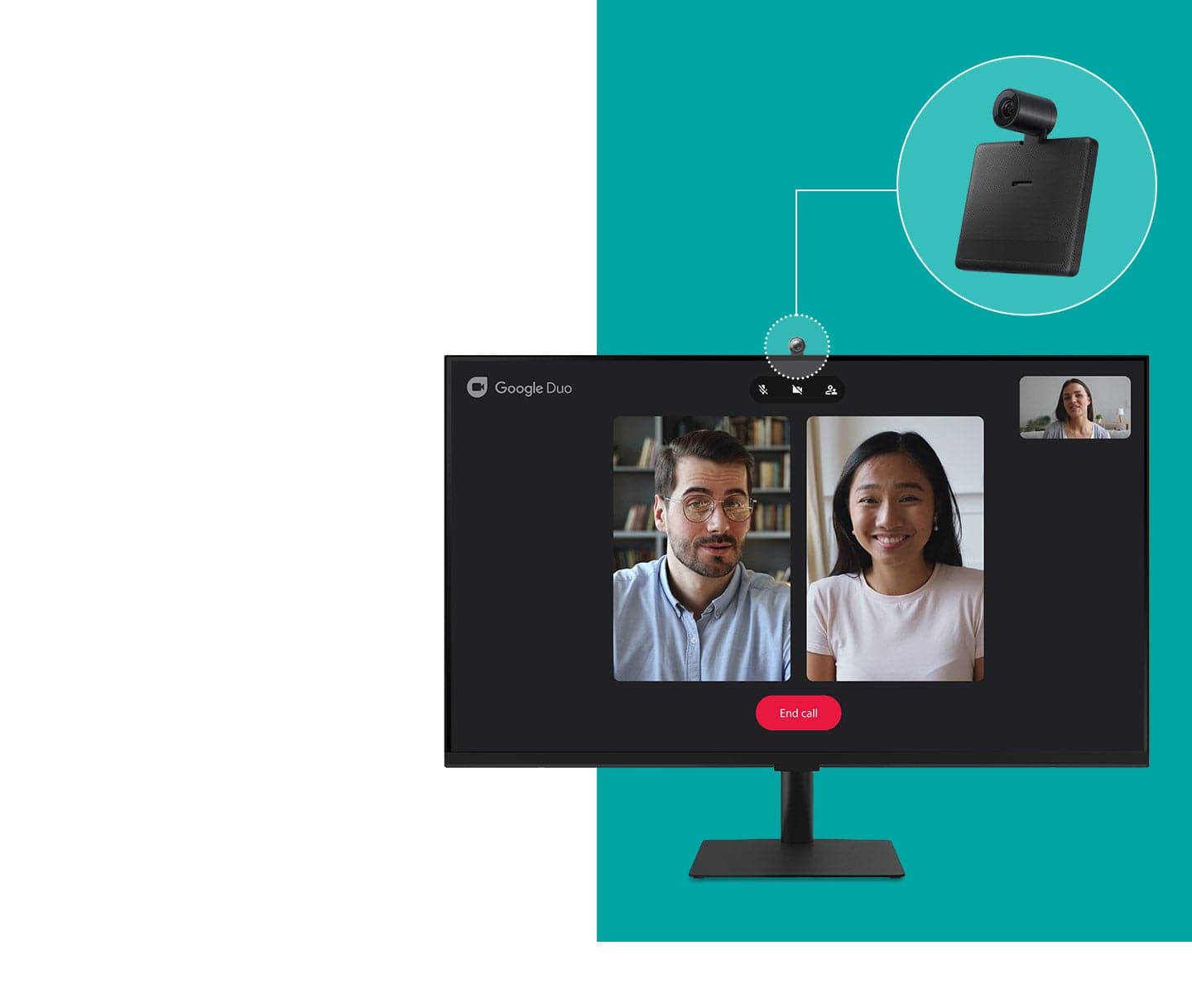
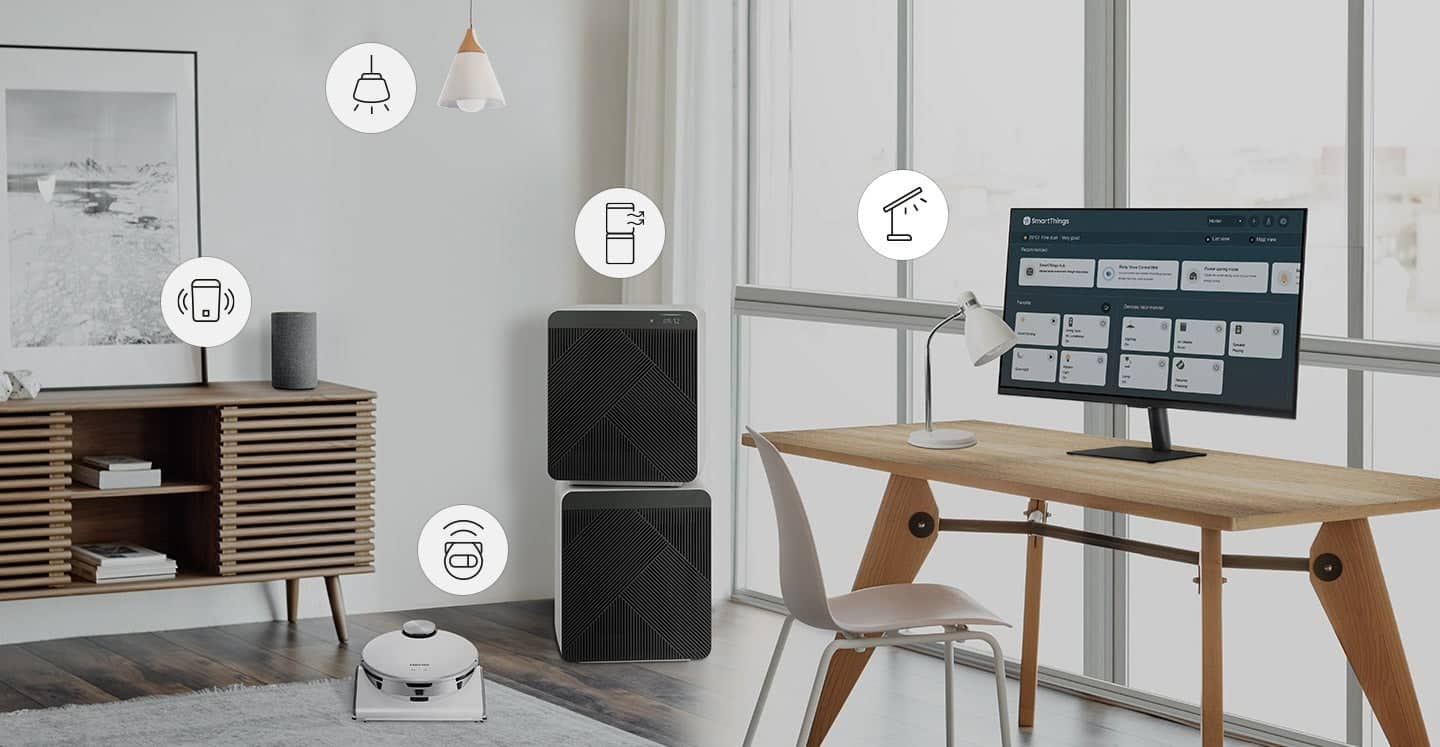
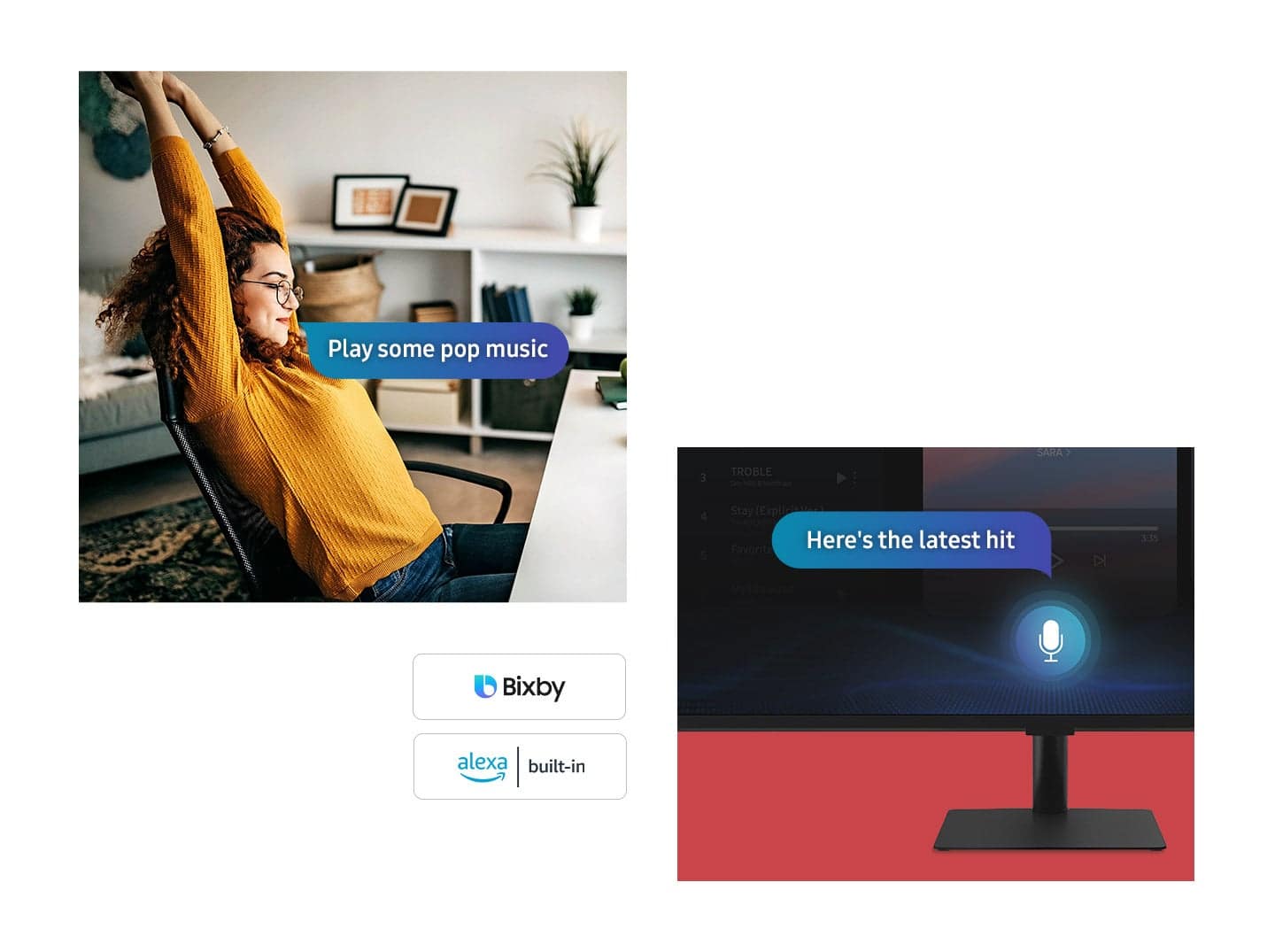
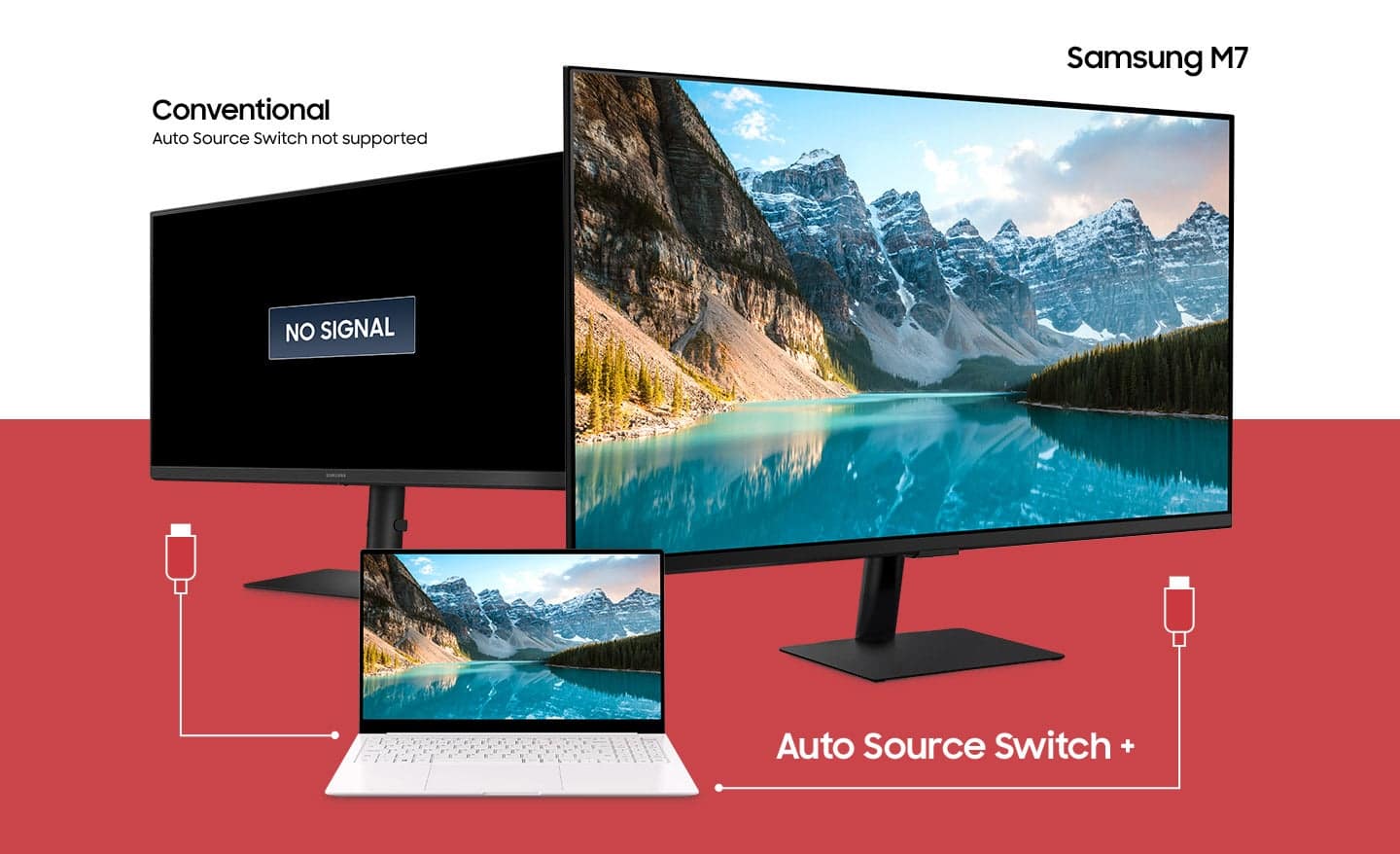
|Posted .This reviewer received promo considerations or sweepstakes entry for writing a review.In short, the Samsung M7 Smart Monitor will effortlessly handle any productivity task you throw at it, then will entertain you like a TV using a remote control or the TV phone app/widget. MacBook, iMac, PC, and Laptops are ALL welcome and compatible with this sweet setup. This is the best overall value for what it can do for you. The versatility is a good reason, but if you are a professional creator or gamer, this is more of a second display and not a main for doing any color-accurate or fast refresh rate gaming. Gaming, working, and entertaining are all covered with this screen, so you save money, time, and space with one purchase. It's a 4K 300cd 3,000:1 contrast ratio CA display with 4ms response time runs up to 60Hz refresh panel to easily handle most gamer needs while also providing an excellent media experience. It is a daily driver for ANY office productivity setting. Samsung users, you should have this in your ecosystem for sure! Ease of Setup ***** The setup goes pretty fast and much like any other monitor install. Open the box, read the instructions, decide on the stand or 100x100 VESA mount, and set it up to your liking. Plug it in, follow the on-screen setup to add Wi-Fi, and Samsung account information. The easiest method to set up is the QR code and you are all set! Otherwise, be prepared to spend time clicking on a little remote with all your login information. Those who do not have a Samsung account will have an extra step set up but still fast and painless. Using Samsung accounts, backups are an option to bounce back quickly from a factory reset should you have any issues with apps. My favorite option is the VESA mount which creates wall mounted TV look rather than a bland desk setup. Wireless display capability allows for clean and fast design and portability. Features and Connectivity for DAYS ***** I don't buy monitors often, so I won't feel bad as this will be repurposed as a TV due to the hybrid nature of the display and plethora of features. It is perfect for college students, high schoolers, offices, and even some intense gaming sessions with its low latency of 4ms. Smart Hub for your home, Voice Assistant, TV, and PC monitor are all possible uses, and you can think of endless applications for each. Don't have a gaming console and don't want to use your little phone screen?? Well, you can use services like Luna, Stadia, and GeForce Now with just a controller. There may even be an accelerometer inside as I did a portrait orientation, and the screen rotated like a tablet! Super cool! Add to the already fantastic feature set here and put wireless display mirroring here too. Yea - for Apple! Apply AirPlay2 and Samsung Dex with a bit of Chromecast via the Youtube App too! Too much to talk about here. SmartThings Hub and Smart Home Connectivity ** With a built-in Samsung SmartHub, your monitor gets you into the smart home arena too. If you need Zigbee compatibility, buy the USB dongle, and you are set but you can control Wi-Fi smart devices with no issue. Set moods and automation for work or leisure to adjust lighting and play music to get you prepared for work or a gaming session. The possibilities are endless, and so are the quirks with accuracy and speed. Mics sometimes have trouble picking you up, but the same with other speakers and smart devices, so this rating took a hit in my review. Other devices with voice assistants struggle too and also display their inability to receive and execute what it hears accurately. Sometimes you need to press the button a few times. GamingHub for Streaming is available on the M7 and M8 lines. Starting off and don't have a console or money for one, use your monitor! Bluetooth speakers work here along with USB wireless mice and keyboards that work seamlessly controlling your devices wirelessly or through USB-C. Apps and Streaming ***** Every app you want to use and then some will be here! I do want to say how much I hate the SamsungTV Plus streaming "recommendations" that dominate everything, and you need to go into your apps to see useful cards. Otherwise, click something and enjoy a SamsungTV Plus channel. I can say I found all I needed. I won't waste time listing each app, but all the major ones are there and even have buttons on the remote. If you own a Samsung TV, you will feel like you have used this before. No complaints here; this is good enough a streaming device to save a few bucks on a FireTV or GoogleTV. Use the TV remote, and you get the feel and function of a streaming device, so AGAIN, MORE savings. Netflix, Prime Video, Disney+, and even Samsung TV Plus - Samsung's version of live TV all a button press away. The remote is USB-C rechargeable which is another plus in my book. Build and Sound Quality ** Now, my gushing review starts to take a turn towards Earth, but here is there the savings was tallied to make the M7 in this price range. The build quality feels cheap due to all the flimsy plastic, but only time will tell if all the flexing from plugging in cables will be its demise. However, DON'T LET THIS FOOL YOU! The panel is solid and performs well at most tasks, so once you set it up, leave it alone, and you should extend the life and reduce potential damage. The included USB-C cable is of excellent quality and works perfectly to make my monitor the clean docking station I always wanted. You can feel the flexing in the I/O area of the board, so be careful plugging in USBs and HDMIs as they didn't go in quickly (good tight connections). Speaker-wise for a computer monitor, it outperforms monitor speakers, but I would equate the sound quality to a powerful speakerphone vs. a TV speaker. Everything sounds small and tinny and small with bass, and the low end is almost non-existent. If you plan to consume media or want to stream, I would recommend plugging into a speaker or connecting to your favorite Bluetooth wireless to make things more exciting. The speakers do the job but do not enhance the viewing experience. Display Quality *** Due to dark corners and edges that aren't too distracting but I notice and take a star from an otherwise beautiful 4K60 panel. The colors pop, and everything looks crisp in 4K and 1080p. This is a good CA panel that offers a lot but isn't made for color accuracy and hi-refresh gaming; again, decisions were made to create a top all-around performer that gives you a lot for your money. Color Accuracy, Content Creation, and Gaming *** 97% sRGB Color accuracy on Film Mode is fairly accurate sRGB but not 100%. This is NOT for hardcore gamers or professional content creators who depend on color accuracy and/or low latency. The combination of picture quality and versatility is my selling point here but NOT my main since I do color correction and content creation. I noticed my panel had a slight magenta color shift when you see it at an angle. The screen can get a little hot depending on the brightness settings and what you are watching. Connecting as a PC monitor ***** There are two ways to connect: physically and wirelessly. HDMI and USB-C are most likely how most users interact with this monitor. HDMI, HDMI ARC, and USB-C ports are all options for I/O, and you can switch how ports are allocated on the monitor for the laptop or screen. Use USB-C w/ 65w Power Delivery to almost replace any actual docking station (minus SD Card readers). When connected via USB-C, your laptop will use the mouse and keyboard plugged into the monitor USBs. You can leave everything plugged into your monitor and when you need a desktop experience, just connect one wire, and you are all set. Audio from the monitor is treated as a separate speaker rather than volume control via eARC. This is understandable, being that USB-C isn't made to work like HDMI. I recommend you set the monitor first to the loudest you want it to be at 100% to set max volume. You can do Google Duo, but if someone is calling you, the monitor cannot alert you or show a notification. You can also use Office 365 to sign in to the monitor and use all those apps without a computer. I plug in my wireless keyboard and mouse dongle to the back, and now I can work like on a PC working in Word, Excel, and Outlook, but it is REALLY slow using the TV processor. Versatility and value are the perfect two words. This is a well-balanced mix of plastic build but a nice panel—an budget workstation for those who don't have a laptop too. Issues and Potential Improvements: -Fix Bluetooth speaker confirmation!!!!! We shouldn't have to say yes after the first connection. -When connecting via USB-C w/ power delivery, anytime you go into UI with the TV remote, my laptops and connected USB devices freeze until you close the overlay. -Volume control settings need work. When you are on various inputs and apps, you need to switch between PC volume and monitor volume to get what you need to be done. -When entering power save mode, there is a glitch occurring even when you press OK to cancel the power down warning that ignores the "OK" to cancel shutdown and results in service interruption. If you have CEC enabled, you shut down multiple devices, which can take a while to get back in "sync". -The TV Remote NEEDS a "Source" or "Input" button on the remote to make switching easier. Streaming is easy one-touch but goes back, and you will see what I mean. Verdict **** BUY This monitor has an identity crisis, and as a result, we are the beneficiary of a double life of work and entertainment. With this purchase, you are getting a streaming device ($50), game console ($199), USB-C docking station ($79), SmartHub/Assistant ($50), TV ($300), Monitor ($300), and potentially a laptop ($varies) using Workspace web apps for school and work in Office365. This is easily a buy in my book if you couldn't tell. I LOVE this monitor, and it serves perfectly as my second monitor after my color-accurate BenQ for color grading. Stop reading and buy this already!
I would recommend this to a friend It’s ok
||Posted . Owned for 1 month when reviewed.This reviewer received promo considerations or sweepstakes entry for writing a review.It’s ok. The M8 went on sale a couple of weeks later for the same price. Bad timing. Disappointed
No, I would not recommend this to a friend- Pros mentioned:Picture quality
Good Value, works well with M2 mac
Posted .This reviewer received promo considerations or sweepstakes entry for writing a review.Great display for the price. I am using as a computer monitor for a M2 mac pro, and the image is very crisp with good color accuracy. It is obviously not a perfect as the Macbook screen or an Apple display at this price, but I cannot tell the difference with the kind of stuff I do on it (mostly reading for work, watching videos, ect.). No fuzzy text or images as a 4K image is expected to be. It works well with both the HDMI and the USB-C connections. The stand is also sleek and has a study metal base that feels well put together . I only have 2 minor complaints: -I wish there was a way to turn on and off the charging function of the USB-C. If plugged into USB-C, my macbook gets up to 100% and stays at 100% all the time, which cannot be ideal for the battery. I have to switch from the HDMI to USB-C when I want to charge. There may be some way to do this buried in the menus, but I can't find it. -The Samsung menus are VERY slow to respond to remote inputs and the software is not intuitive to use either. This is similar to the Samsung smart TV I have as well. I still have not found an easy way to turn on and connect to my Mac quickly without going through a couple slow menus. This complaint is pretty minor as it works smoothly with good response time once the connection is made, but it does take a minute or so to get it set up each time. If you are planning on using this primarily as a streaming TV, I would recommend using a third party streaming device or going with another brand of smart TV all together.
I would recommend this to a friendBrand response from Samsung
Posted .We are delighted to hear you've had a positive experience with your CM702 UHD Monitor.
If there is anything we can do to assist you and improve your product experience, please don't hesitate to contact Samsung Customer Support via:
1-800-SAMSUNG, available 8AM - 12AM EST (Mon-Fri) / 9AM - 11PM EST (Sat-Sun).
Your thoughts and opinions are very important to Samsung.
Nice monitor, but a very narrow use-case
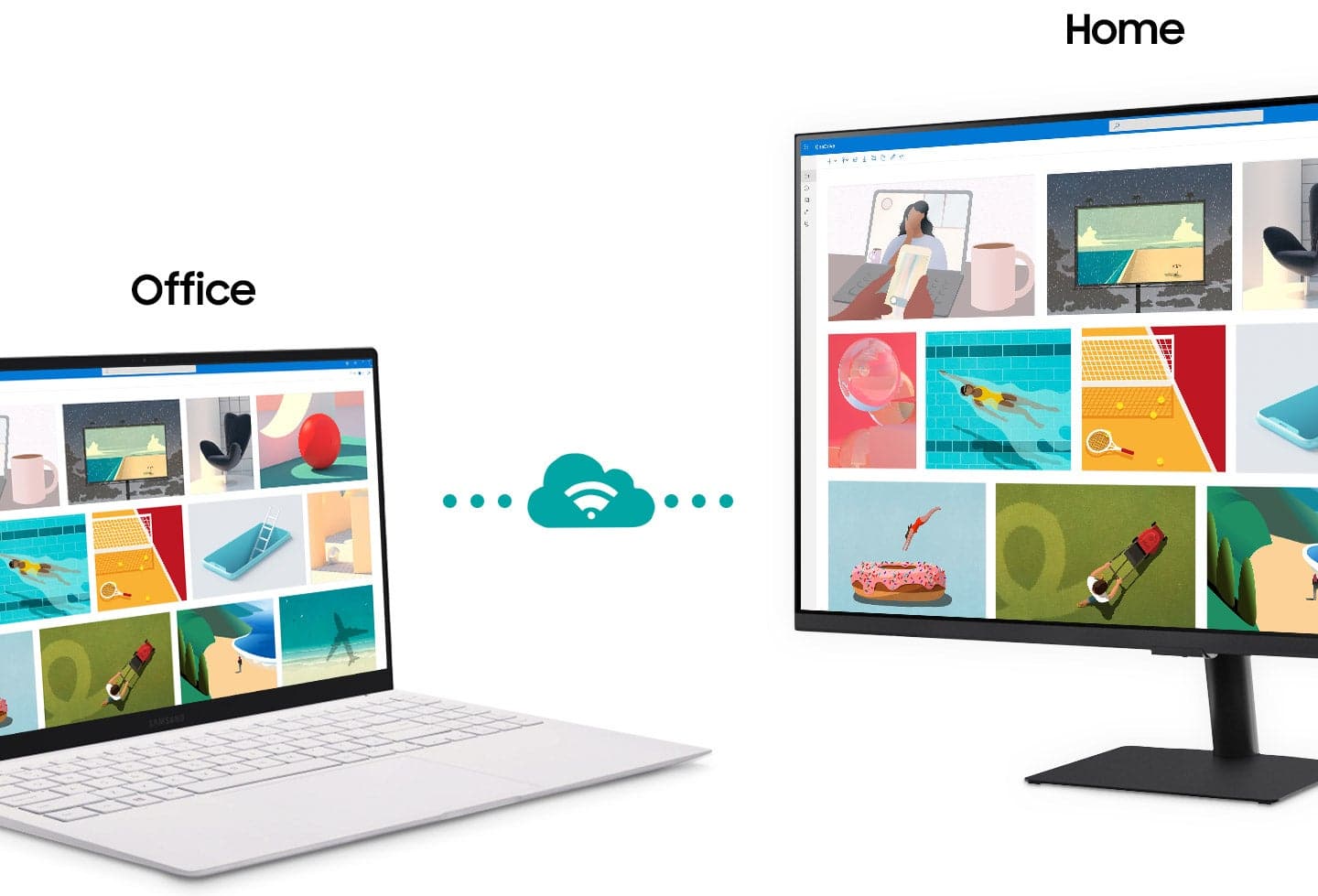
|Posted .This reviewer received promo considerations or sweepstakes entry for writing a review.Overall, this is a really nice monitor with smart features. It's debatable whether it is worth the price, however. At $330, this is not an inexpensive monitor, and you are definitely paying more for having smart features. This can stream any of the major streaming services on it's own. That is nice, but ultimately not really needed if you are connecting to a computer, because the connected computer could do that. It is also not really known what kind of software updates will be available, as Samsung likes to put out updates for only a brief time after a product is released, so whether or not these services will continue to work is open for debate. Also, you are supposed to be able to mirror your phone or other mobile device to this screen. Try as I might, I was not able to get this to work in any way. This is also more expensive than a TV. Just some quick googling reveals smart TVs up to 4x the size for the same price, so you're definitely paying more than you would for a TV. The use-case that I see for this is fairly narrow. Being a smart monitor, you can connect to it wirelessly from your computer. My normal computer set-up is a laptop to a hub, which connects to two monitors. I cannot expand beyond this set-up without buying a much more expensive hub. However, you can connect to this monitor as a wireless display, which allows you to expand your screen real estate well beyond what you might be able to get otherwise. TLDR - Great device if you really need a smart monitor or a wireless display. If you are just looking for a monitor or a second TV, you will find a better deal either way just buying a monitor or a TV.
No, I would not recommend this to a friendVersatility In A Nearly Complete Package
|Posted .This reviewer received promo considerations or sweepstakes entry for writing a review.As someone who has used a variety of computer monitors for both work and entertainment this product by Samsung is definitely a first of its kind. In true Samsung fashion they have stepped out of the box and were able to merge elements of both a computer monitor and tv into one product though unfortunately it falls just short in a couple areas. Right out of the box the look of the monitor appears very sleek and modern to which you will definitely not be ashamed to have this sitting on your desk. The stand is very slim and compact which is nice visually, but unfortunately the stand is thus somewhat wobbly though you shouldn't need to touch the monitor often since a remote is included. The included remote is where you first start to notice this is not your normal computer monitor as the remote mirrors that of a traditional television and is extremely handy when using the built it smart features for entertainment. The actual performance of the monitor is where it tries to do a little of everything, but does not fully excel in any one area. The initial aspect that stands out is the brightness or lack there of as it is not as bright as the majority of other monitors though as long as you are not working in bright daylight there is not an issue. For tv watching the visuals are right on par with what you would expect from a tv, but if trying to game it just does not feel like it is a true 4k experince and that may simply be because of such the large display with the majority of gaming monitors being 27 inches or less that the pixel density is just not as compact with this monitor. As far as gaming goes I think I would say this is more geared toward producitvity and consuming media as can be shown by the 60Hz refresh rate and lack of freesync and g-sync. Building on the varierty of use cases for this monitor I will say it does start to excel when it comes to productivity. The ability to remotely access office 365, use DeX with your android phone, and use airplay 2 with your apple products is what sets this monitor apart as very rarely do you see all these features on one monitor. The voice assistant and 5 watt speakers begin the transition to entertainment monitor that functions as a smart tv with the built in apps. Again the monitor may not be the brightest, but the ability to transition from work to entertainment is a major success for this product. Overall, this monitor has both it's pros and cons which comes down ultimately to the user. If you are a college student you couldn't ask for much more as the price is absolutely fantastic for a monitor with these productivity features that easily transitions to your dorm room tv with the included remote and wifi capabilities for streaming apps. However, if you are someone predominantly focused on gaming then you may be swayed to other models. Samsung has swung for the fences here and hit a ground rule double in my opinion as there are some truly revolutionary facets with some areas that do seek improvement though at this price point I find it difficult to find anything comparable.
I would recommend this to a friend- Pros mentioned:Usb-c
Fantastic All-In-One Monitor and Smart TV!
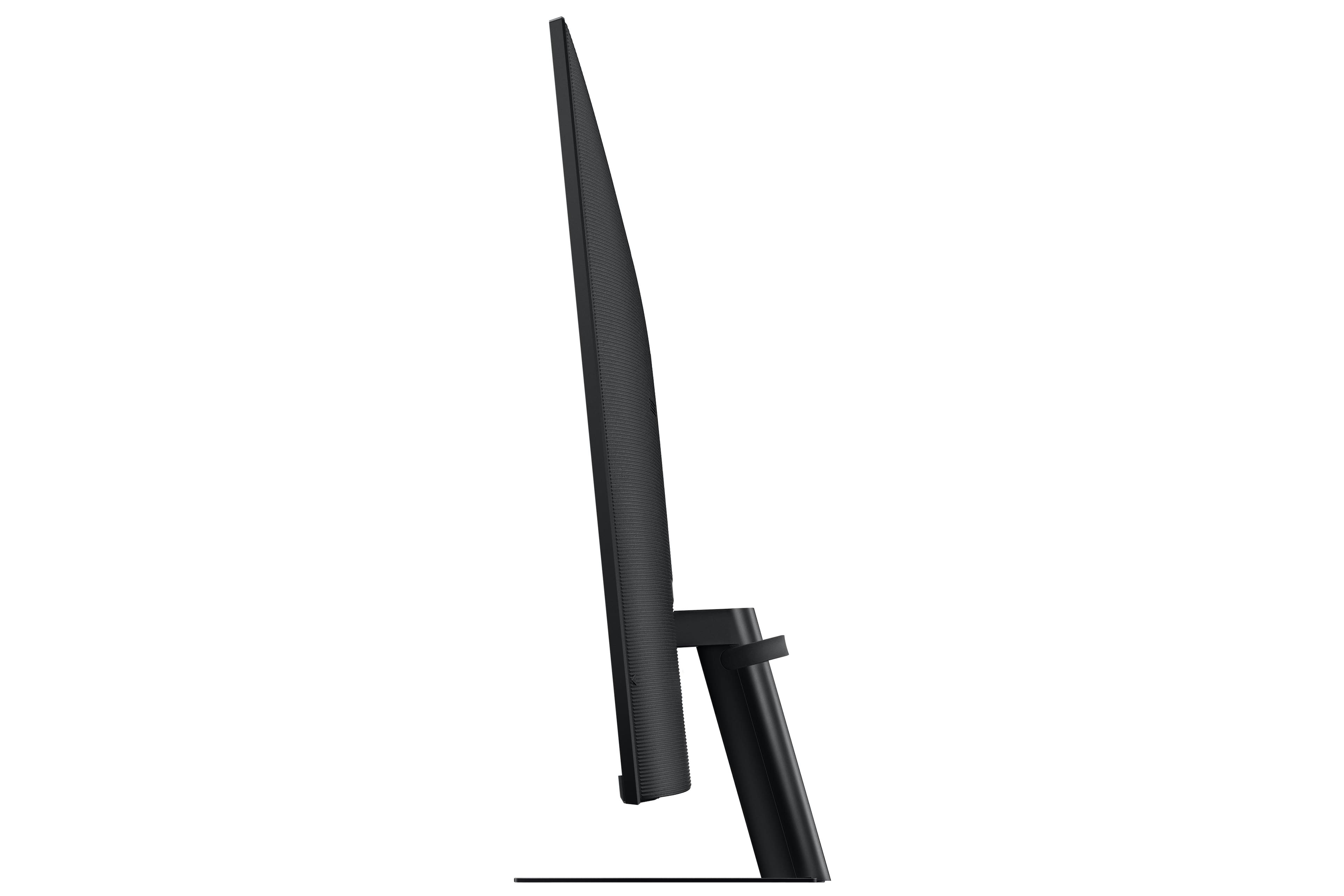
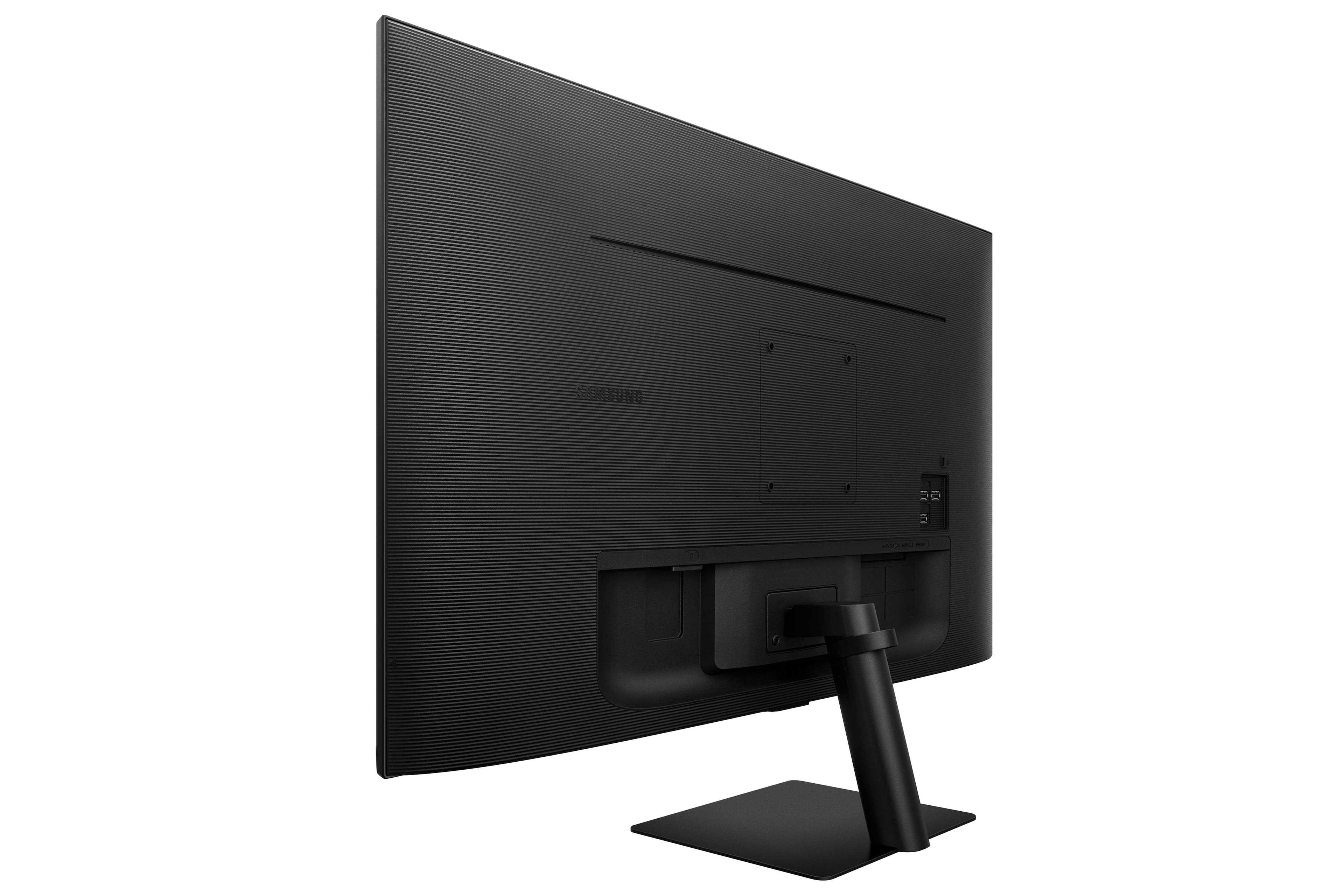
|Posted .This reviewer received promo considerations or sweepstakes entry for writing a review.Simply put - this is a great value for the money doing double-duty as a high quality, 4K monitor as well as a smart TV. A great option for small spaces especially in this day in age of working from home. Being someone who spends a lot of time in their home office, this monitor/smart TV has helped me reduce clutter by having an all-in-one device for both work as well as entertainment. The quality as a 4K monitor is fantastic - basically what you'd expect out of a Samsung. For being a dual purpose device, there's no lack of ports with HDMI, and HDMI arc, 3 USB type A ports, and a USB C port which can also provide 65 watts of power. Being able to use this monitor with both your computer as well as a standalone device is what it's all about and the smart TV functionality is good out of the box with apps like Netflix, Amazon Prime, HBO Max, YouTube, and many others preinstalled. They include a very nice remote control to use in conjunction with all the smart TV controls. May be a strange observation but the buttons are positive and clicky - not too clicky where it makes a lot of noise, but you just know you're hitting the buttons. It comes with a stand where you can tilt the monitor upward and downward but sadly no height adjustability. That would be nice and all but it's hard to complain about that considering the already great price. Super happy with this all-in-one!
I would recommend this to a friend - Pros mentioned:Picture quality
Great addition to my setup
|Posted .This reviewer received promo considerations or sweepstakes entry for writing a review.I want to start by saying this is my first smart monitor experience, and although I don’t have much to compare it to, I had a really positive experience with the Samsung M7. No issues out of the box, and setup is smooth. You immediately get a sense that you have a screen that feels high quality, and nicely constructed. This monitor does of course need Wi-Fi to get the full capabilities, and I had no issues getting it connected. Although I have this as an addition to my gaming setup, the great thing is, it can actually be used as a TV as well. The monitor has Alexa enabled, which is a great plus on top of you having the ability to connect to your phone via AirPlay for apple devices. This monitor gives you the feel of an AiO, without the full power that comes along with one. The screen is clear, the remote that it comes with is nice, but I have found myself having to press the buttons multiple times due to a slight lag but not a major issue. You can get your work done on it, gaming wasn’t a poor experience, but not my first choice, great sound quality, and then have a 4K, 60hz smart tv experience all on one screen. Overall, I think this is a really solid monitor. The biggest cons if any are the lack of usb, and Ethernet ports
I would recommend this to a friend - Cons mentioned:Remote control
Terribly slow OS makes TV a tedious experience
|Posted .This reviewer received promo considerations or sweepstakes entry for writing a review.After connecting this device to a desktop PC and then attempting to use it as a TV for a week, I've realized that there are so many little things that Samsung got wrong with this device that using it is more annoying than enjoyable. The thin bezel and screen size are excellent for a computer monitor, but not big enough for 4K UHD. And if it were only a computer monitor the the TV stand not being adjustable AT ALL wouldn't be a problem... but as a TV having no height adjustment and no swivel... means hanging out and chilling just isn't very practical if this is also your desktop computer monitor. Having speakers built into the monitor is one less device to attach to your computer and they produce plenty of great sound for a device of this size. Now try controlling the speakers from the included remote and you end up changing channels or inputs because instead of a dedicated up and down volume button you have one button that is both volume up, volume down, and also able to be pressed inward to change inputs. Never mind that the TV remote is tiny and does not glow in the dark nor is backlit, all things that would be very helpful when trying to watch TV in the dark. But the real killer for this device is that the software used to control the TV viewing experience is slow as molasses to respond to any commands. This is especially painful when trying to browse the 1,000 channels that are included as part of Samsung TV Plus and you end up pressing a button several times cause nothing is happening and by the time something happens the volume is now blowing your eardrums out and the input has changed from TV to Computer. It's maddening. Navigating between Monitor via HDMI1 and TV mode is painfully slow. And this undercuts what I think is arguable the best feature of this device... the inclusion of Samsung TV Plus. No contracts, no subscriptions, just fire up the app and start watching more than 1,000 channels. Finally my wife can watch The Hallmark Channel! This new service is excellent and it's a shame its hampered by such a slow control system. Speaking of control systems, you can add this device to Samsung Smart Things, and you can also use Alexa to issue commands. Between Alexa and Smart Things - use Smart Things. My home is full of Amazon Echo devices and I love Alexa, but she's absolute garbage when it comes to controlling a TV.
No, I would not recommend this to a friend Great, large monitor. Starts somewhat dim.
|Posted .This reviewer received promo considerations or sweepstakes entry for writing a review.I am a big fan of Samsung products, owning many computer components, TVs, phones and more recently a new electric range. Over the years Samsung has built its products to the point where I seek out the Samsung brand for the products I'm interested in. I have a 32" Samsung A700 Series monitor that I use for my main personal computer. I had been using a 27" LG 4K monitor connected to my work laptop, but decided to upgrade. In my opinion, when you're dealing with monitors in the 32" range, you should go with 4K resolution. Anything less and it seems like it's comically large. But it does come with a disadvantage I didn't think about until much later. When sharing my screen with co-workers, everything becomes tiny for them because of the relative resolution. In terms of size, this Samsung BM702 is great. At first, it was a little intimidating in the box, but after a day or so of use, it's very comfortable. It is important to make sure the monitor is sitting at the right level and that you're facing it straight on and not at an angle. Another positive for this monitor is that there are no dead pixels. Installation onto the included monitor stand was very easy with 3 Phillips screws. Upon power up, I was surprised how long it took to setup. You have the ability to set up the monitor using a phone or with the included remote. I chose to use the remote. There are several licensing/use agreements, Wi-Fi connection, software updates, input configurations and service provider configurations that need to be configured. Most of this relates to the Smart TV aspect of this monitor. I was slightly amused that while setup was taking place, there was light music being played for most of the process. The included remote does a decent job navigating through the menus. Once the initial setup was complete, I was able to add my appropriate streaming apps similar to how I do it on my normal Samsung TV. Samsung's app library has dozens if not hundreds of different streaming providers. I did stream a few TV episodes just to verify things worked and it went very well. The volume of the monitor speakers were decent. Obviously they can't compare to a soundbar's higher fidelity, but they are more than enough for casual watching. After connecting it to my work laptop, it took me several seconds of menu hopping to find where to access the laptop display input. Once it's established, it's easy to access. Upon initial connection, I am a little disappointed in the display's performance. It's dim with what appears as a blue-gray looking haze. I have a bright home office so monitors need to be bright to compete with my lighting. Even after playing with the brightness and other options, it still appears dim. This matches my experience with my 32" Samsung A700 Series monitor as well. Personally, what I have found is that you need to operate the monitor for several hours and the brightness seems to increase over time. Your experience may vary. However, I have noticed similar odd characteristics in other Samsung products in the past. I have two soundbars where the bass is weak for the first several hours of use out of the box, but afterwards, it becomes more than enough. Maybe Samsung's electronic components need a burn-in period to help them build up to their stated performance specifications. When I had my 27" LG 4K monitor next to my 32" Samsung A700 Series monitor, I was initially disappointed, but over time, the Samsung gained more brightness and I expect this 32" Samsung BM702 to do the same. One of the interesting features of this Samsung BM702 monitor is that it supports many Wireless Display options. It supports Windows, Mac and Samsung DeX, but within Windows, it supports Screen Sharing, a Manual Connection via Remote Access and a new Easy Connection client. I tried the Easy Connection method which involves installing an application available from Samsung. Installation involves signing in with your Samsung account. After it's set up, you can make an Easy Connection over Wi-Fi to your Windows Computer. Wireless Display over Easy Connection only provides 1920 x 1080 resolution and it only functions to mirror your screen you cannot extend your display. For those reasons, I will likely stick with an HDMI connection with my laptops. The monitor has a USB-C connection to deliver up to 65W of power and also function as another monitor input. Initially I used it to re-charge the battery in the included remote. I tried to connect it to my Motorola phone, but the power it was supply registered as "Slowly Charging". I then connected it to another laptop and the laptop acknowledged 65W and I was able to use the USB-C connection to display my screen. One of my nit-picks though is that when connecting PCs through the USB-C, HDMI-1 and HDMI-2 connections, there is nothing to discern which PC you are connecting to in the Workspace menu. They all show up as "PC" and there is a bit of trial and error which device you are connecting to. I did download the Samsung SmartThings app to my mobile device and connected the monitor to my Samsung account. There are a few nice features like being able to jump to a display choice a little easier, but I think I prefer the remote control for most of my interaction. I think the size of this monitor is right for my needs. I also think 4K is the way to go on the resolution for a monitor this size. I highly recommend being patient with the brightness of the monitor based on my experience with a previous Samsung monitor, but your experience may vary. I got this monitor as a monitor first and foremost. I'll use it as a Smart TV occasionally, probably on the weekends as background while I'm working on my main PC.
I would recommend this to a friend