Customer Ratings & Reviews
- Model:
- SDIB20N-064G-AN9AN
- SKU:
- 6051132
to a friend
Customers are saying
Customers find value in the iXpand Base 64GB iPhone Charger and Backup for its automatic backup feature that safeguards photos, contacts, and videos. Users appreciate the expandable storage capacity, allowing them to conveniently manage their device's content. The easy-to-use interface and fast charging speed, comparable to an Apple charger, further enhance the overall user experience.
This summary was generated by AI based on customer reviews.
- Pros mentioned:Charging speed
EXCELLENT
||Posted . Owned for 5 months when reviewed.This reviewer received promo considerations or sweepstakes entry for writing a review.EXCELLENT WAY TO INCREASE YOUR IPHONE AND IPAD WIRELESSLY
I would recommend this to a friend Great gift
||Posted .This reviewer received promo considerations or sweepstakes entry for writing a review.Great useful way to take info from your apple products and put directly on a scan disk once you figure out which app to download
I would recommend this to a friend- Pros mentioned:Ease of use
Saving Data
||Posted .This reviewer received promo considerations or sweepstakes entry for writing a review.Once setup, this was easy to use for multiple phones.
I would recommend this to a friend Easy yo use
||Posted . Owned for 1 month when reviewed.This reviewer received promo considerations or sweepstakes entry for writing a review.The order came in on time and got it for a great price.
I would recommend this to a friend- Pros mentioned:Backup, Sd card

If you have a smart phone, you need this! Amazing
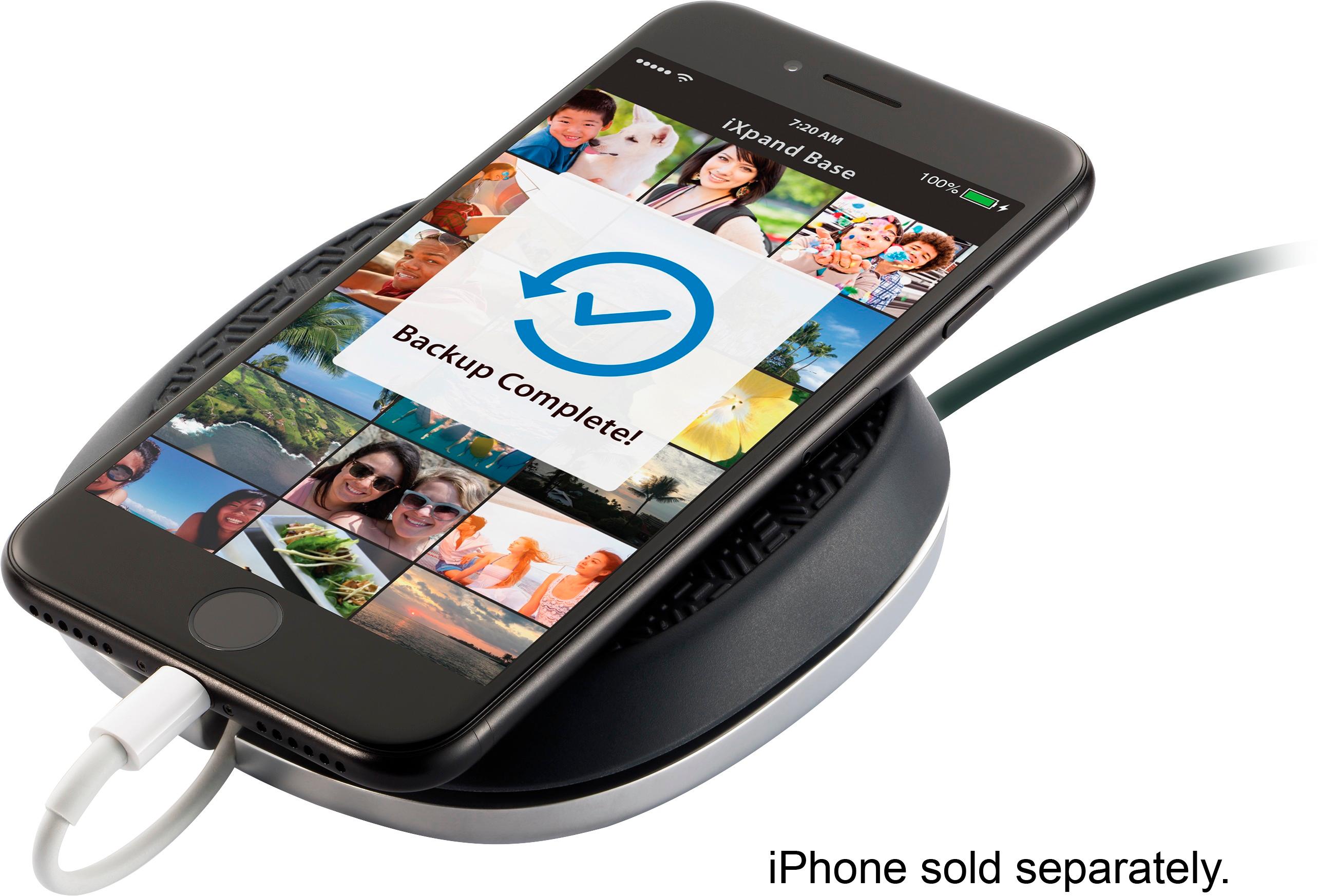
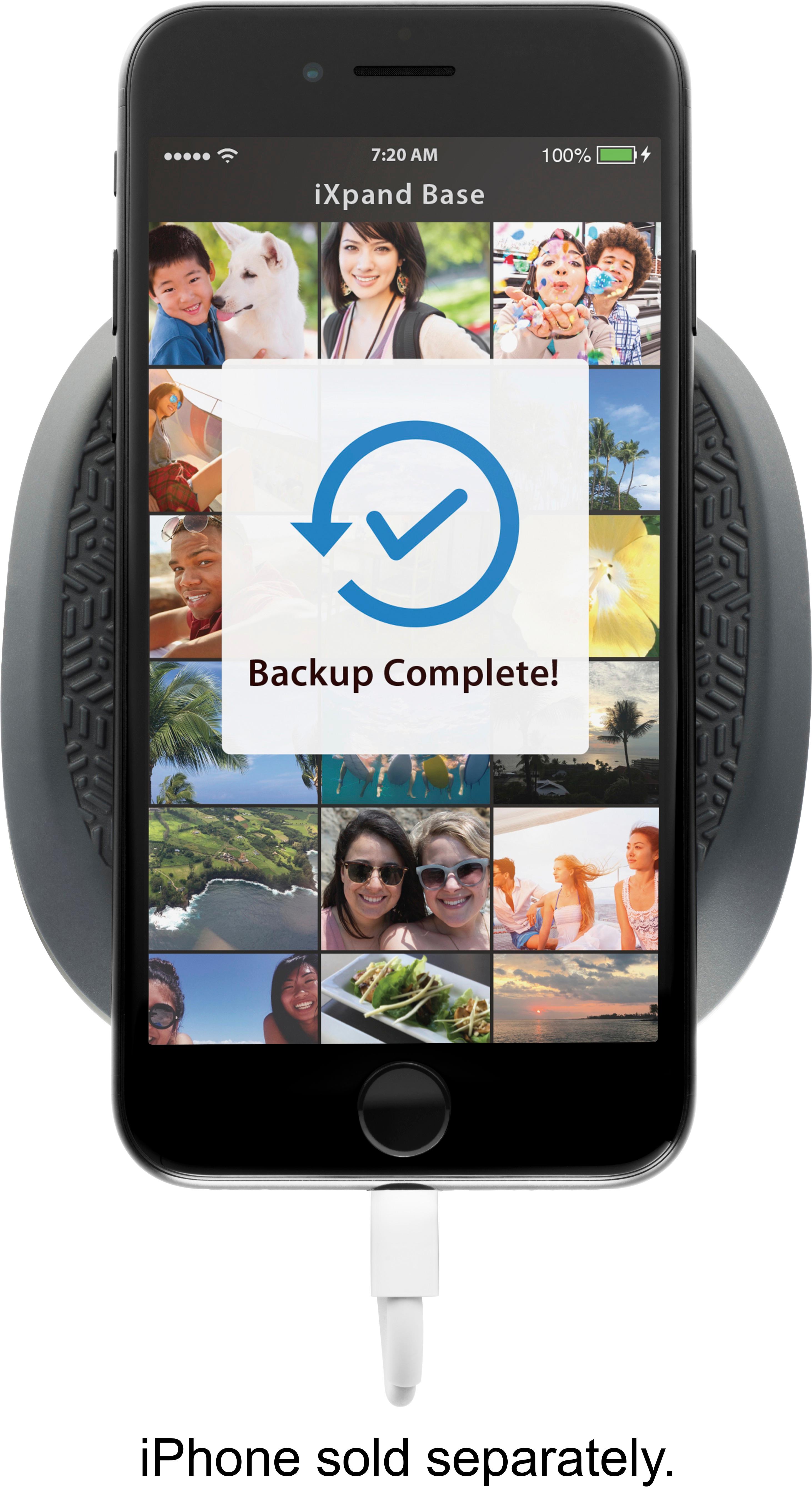
|Posted .This reviewer received promo considerations or sweepstakes entry for writing a review.Having an Iphone and wanting to make sure you don't lose any photos would require an Icloud backup or using Itunes to backup your phone, until now! I'm so worried about family photos that I would try to remember to do multiple backups (ICloud and ITunes) although I usually failed to do the Itunes backup. This allows you the ability to keep on doing your Icloud backup BUT without even trying, you are backing up your photos and contacts to this device, which has a SD card inside. This is happening simply by plugging in your phone to charge it....I found that even if I close the app, it knows when it has been plugged into this device, scans for new things to backup, and then backs them up. Simply put, this is amazing. You can also use multiple phones with this device, it'll store separate files for each phone connected to it. This is equally amazing. And one more important thing, when the card gets full, you can remove it, put it into your computer, move those files to your computer, put the card back into the unit, and it will continue to backup from where it left off. I would recommend each phone have its own unit, with enough memory to match the phone's memory. (I.E. if you have a 128B phone, you'll want to get the 128GB model). The unit feels solid, has some weight to it to prevent from falling or moving, and has a large rubber pad on top to allow you to feel confident your phone won't slip off the unit. And lastly, it allows you to wrap the cord around the unit so it looks nice and neat. And it does. The box has the unit, and the microUSB charger needed to power the unit and charge your phone with your supplied lightning cable (Iphone). There is nothing more I would have asked for of a unit like this, it will keep your photos and contacts backed up, by doing nothing more than plugging in your phone to charge at night. Well done SanDisk, this is something I never would have thought of but is so necessary and comes with the trust of the SanDisk name.
I would recommend this to a friend - Pros mentioned:Backup, Charging speed
Solid local backup solution for Photos/Videos
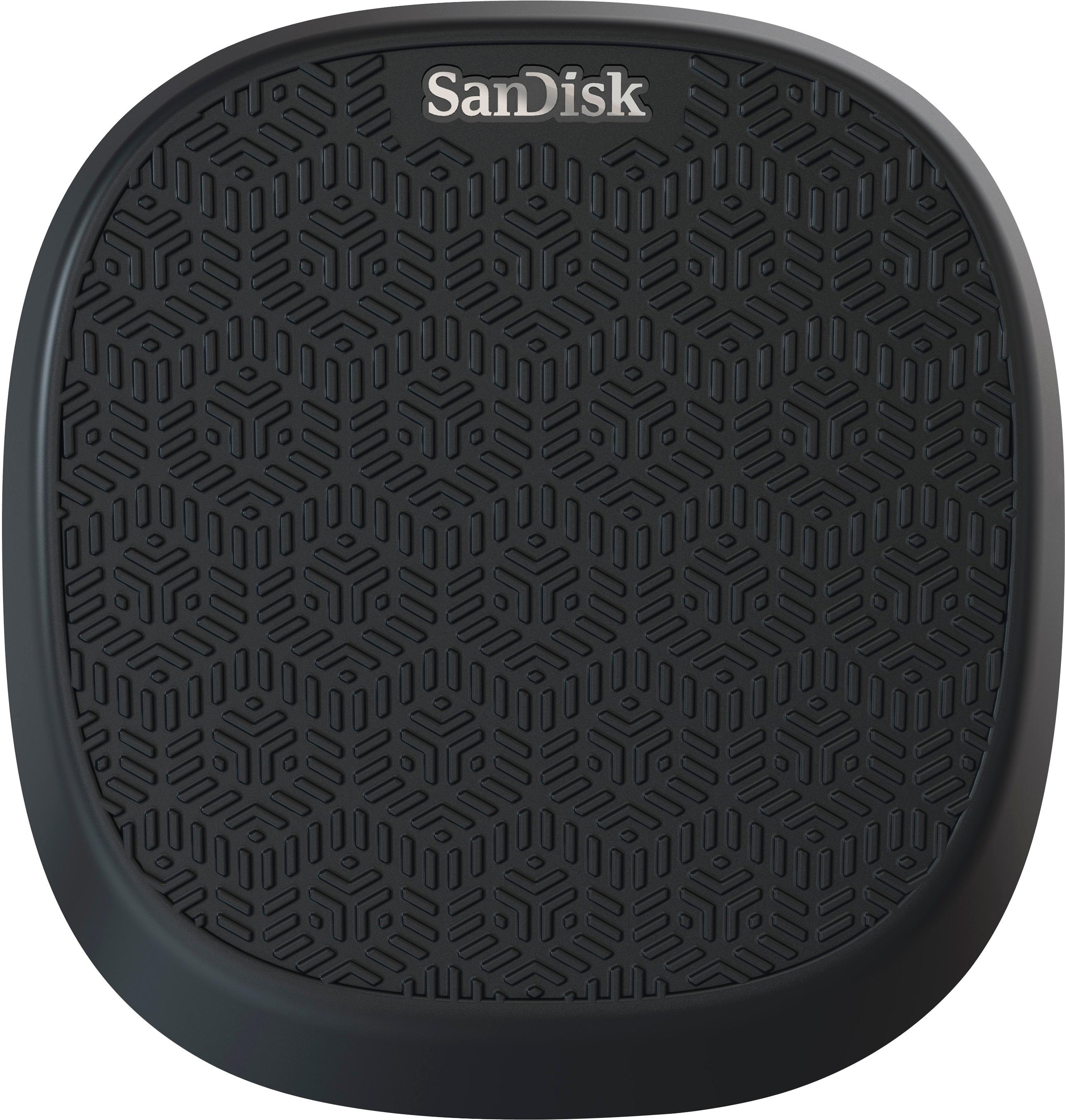
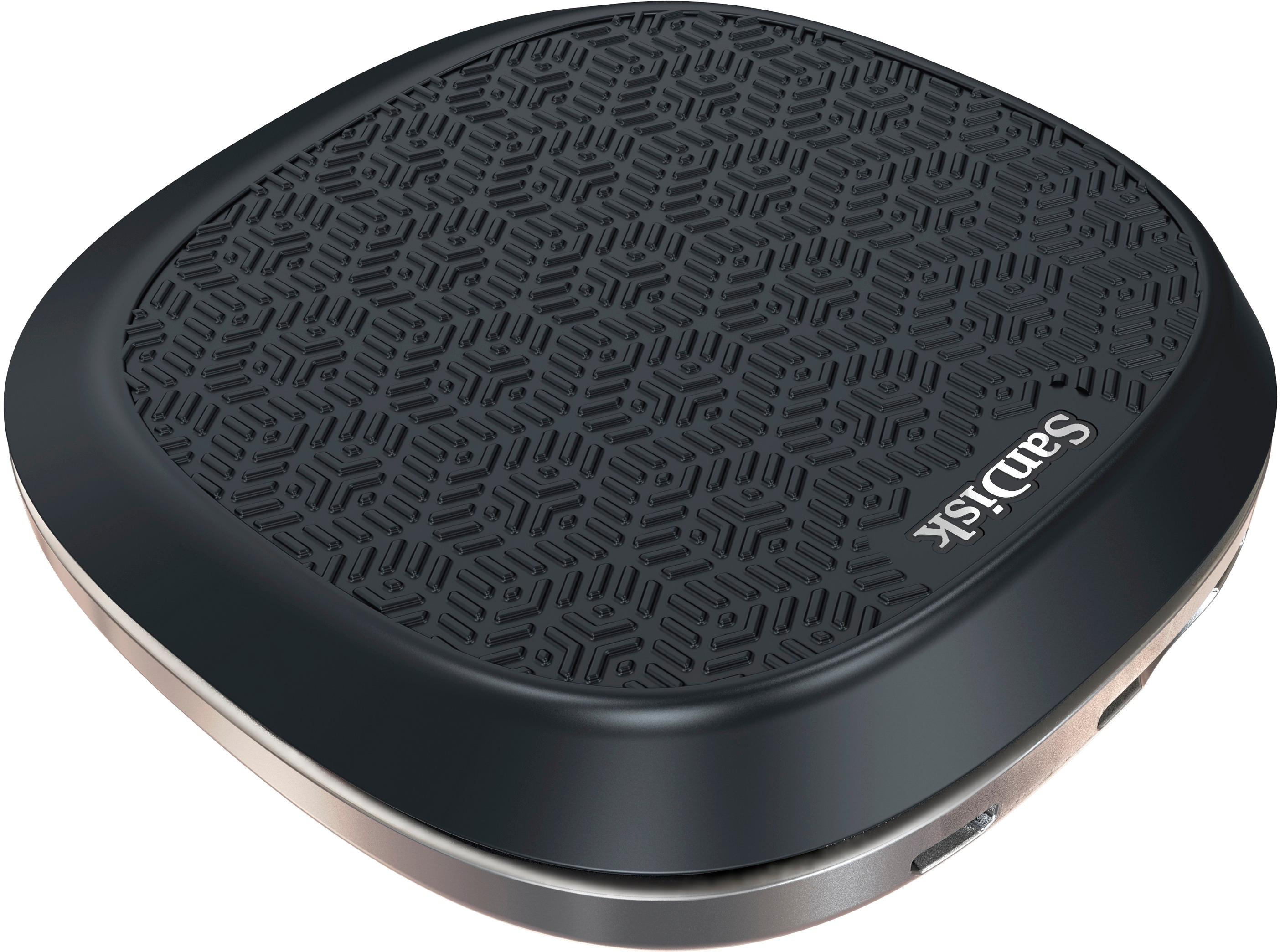
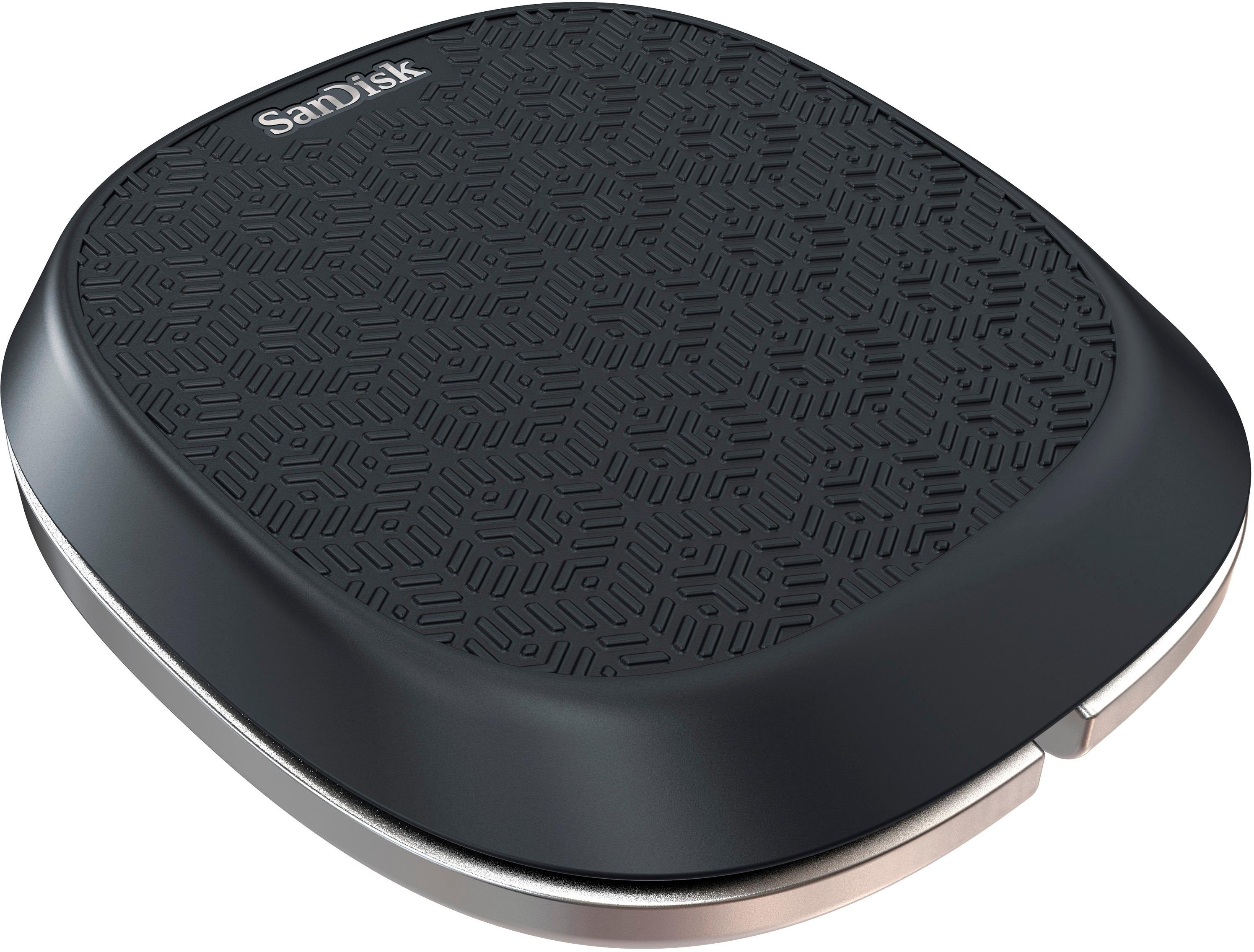
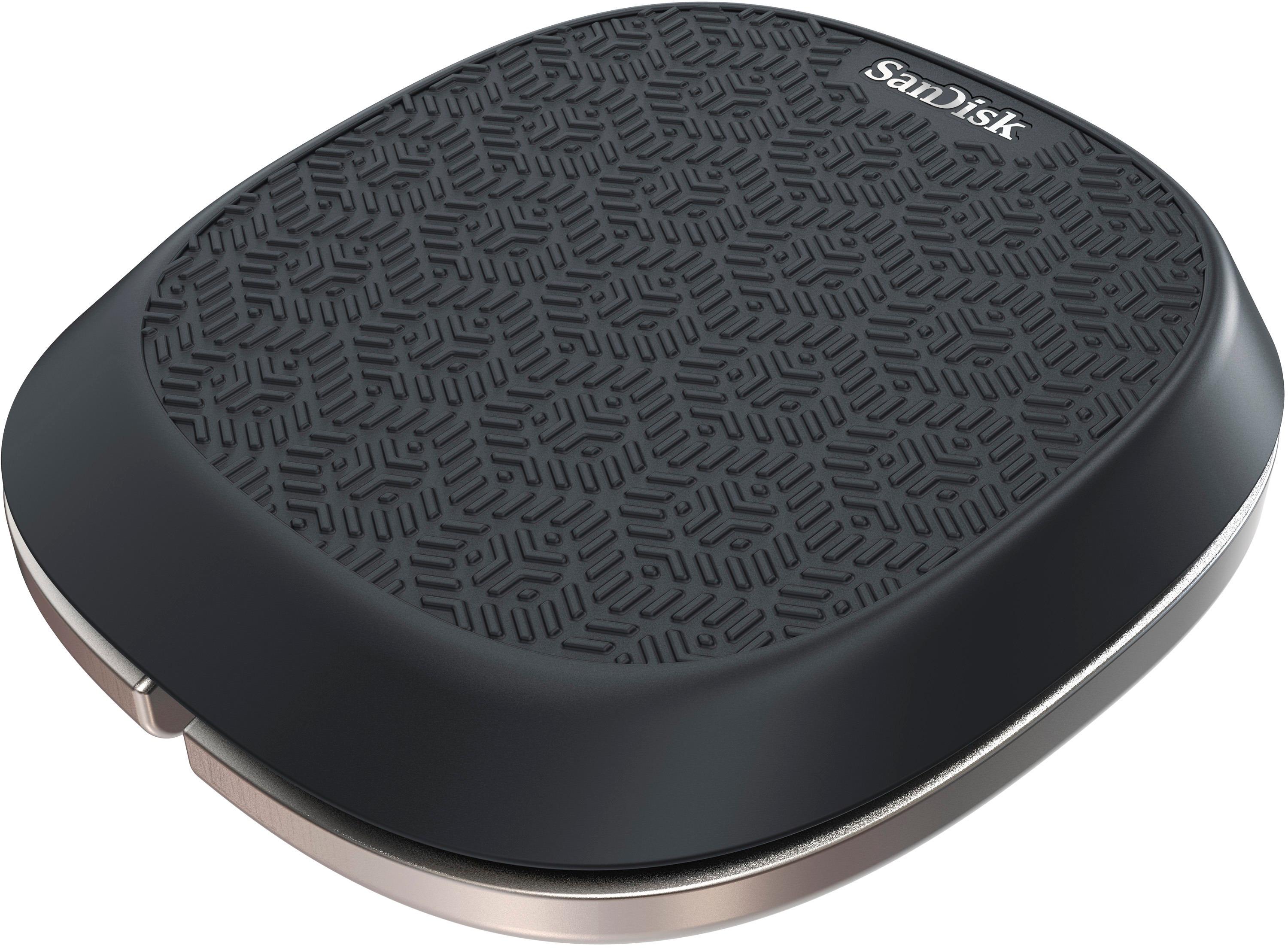
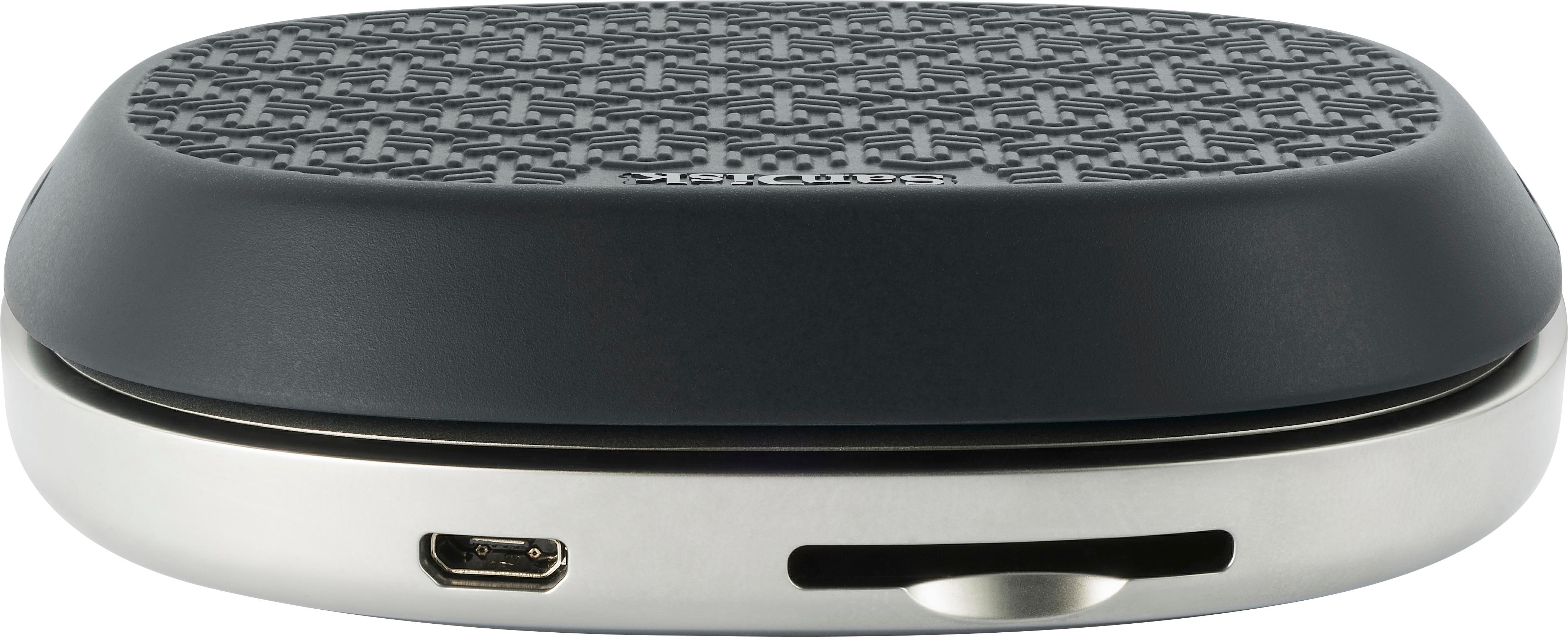
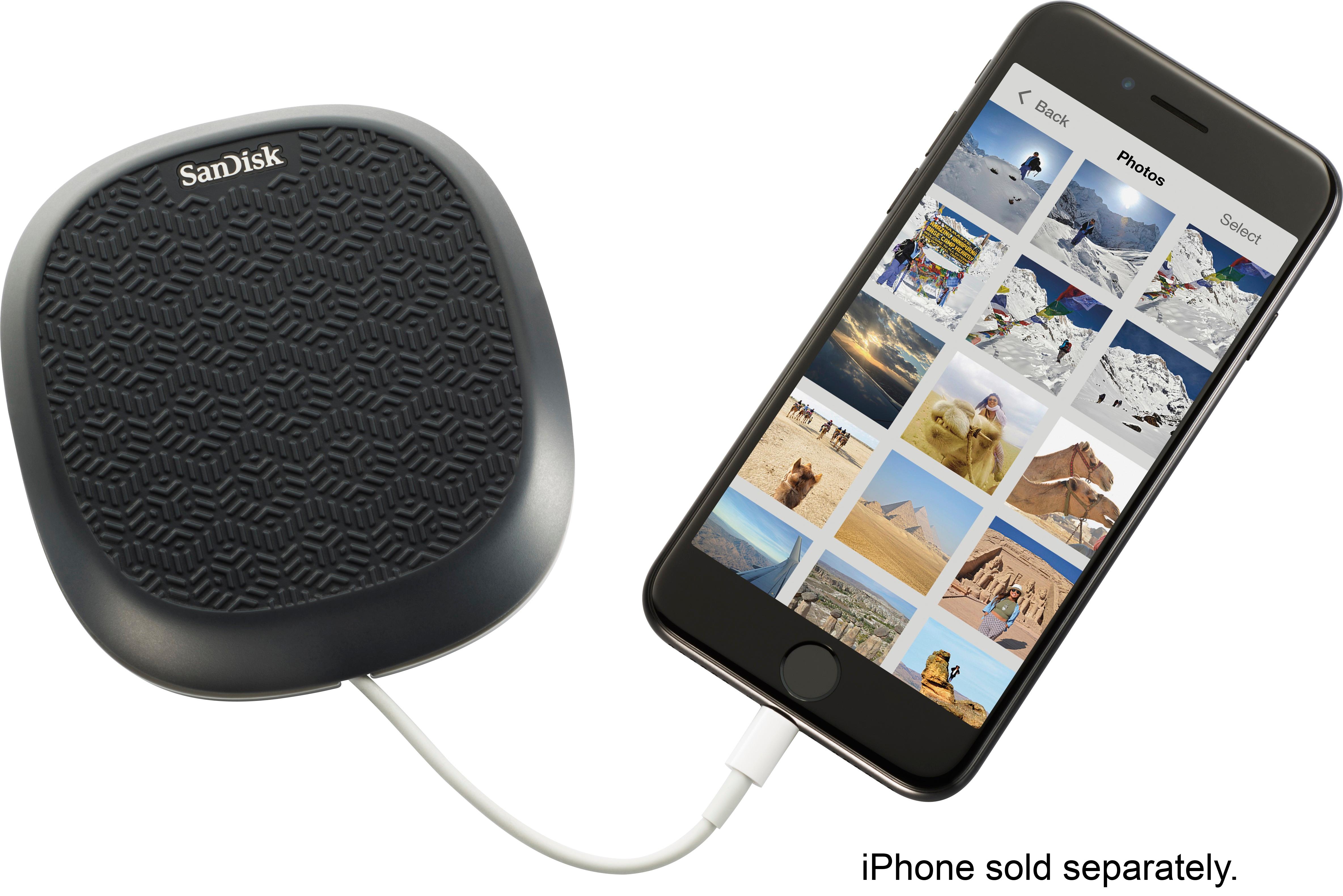
|Posted .This reviewer received promo considerations or sweepstakes entry for writing a review.Sometimes all you want to do is make sure you have your photos backed up. Sure you can do this manually with your iPhone, or use iCloud, but there’s still something about having physical media with your data on it 100% in your control that makes a great alternative. The Sandisk iXpand base is a device that backs things up quickly and efficiently while you charge your phone. The iXpand is a product that seems so dead simple you wonder why someone hasn’t done this before. And while there are other options, apps, and solution that can be built that are similar, the iXpand is so ridiculously simple that it’s a product I’d have no problem recommending to someone like my dad. The first time I plugged it in, it immediately asked me to install the Sandisk app. Moments later it walked me through a simple process and was backing up my contacts, photos, and videos. It shows active progress in the app, as well as a thumbnail of what it’s copying. From my iPhone 7 Plus, I had over 600 photos. It took about 10 minutes, but once it was done I got a nice notification that said the backup was complete. My photos, contacts and videos took up about 5GB of space, and the app did a good job of showing me how much space was available. It also sums up the space on iPhone. It even gives you a nice big blue button that says “Free Up Space” on your iPhone. This kinda removes the idea of a ‘backup’ since it basically will delete all your photos. I’m not sure about making this button blue, but I suppose for those stuck on 16GB or smaller devices, this is probably a live saver button. Regardless of whether or not you’re cleaning up space, or simply backing up, the iXpand is decidedly a SanDisk product, because on the back of the device you’ll find an SD card slot. Inside you’ll find a higher end SanDisk Ultra Plus SDXC card (at least the 64GB model). The nice thing is you can eject this card and plug it right into your computer and see your backups. Each device you plug in gets it’s own root folder, which is pretty awesome if you live in a family of iOS devices. If you take a peek in each folder, they follow a simple date hierarchy, of year, with subfolders of month number followed by short month description. This keeps the folders in order by name, which is nice. In each folder you’ll find your photos, videos, and contacts named something long and ugly. This is ok, since all but contacts you’ll most likely consume using thumbnail view anyway. The contacts are stored in VCF V-Card format, which is a pretty standard format. The base itself is polished aluminum with laser etching of the model in the bottom. The only other port than the SD card on the back is the Micro USB power. The included adapter is 15w and appears to charge the iPhone at the speed the iPad adapter would. I put my iPhone on at 30% and 1 hours later it was at 75%. The base is covered with an rubberized cover that helps keep the phone on top. It’s angled ever so slightly to allow viewing of your device. The front of the device has an opening that lets you hide your iPhone’s USB cable. Unfortunately this is an instance where you bring your own lightening cable. At this price, it would be nice to see a short 1ft or otherwise cable included. Keep in mind that the contacts, photos, and videos stored on your iXpand base are not encrypted in any way. Not overly surprising, but it might be a concern to some more security minded. All said in done, if you’re looking for an alternative to iCloud for Photos, this is a great way to keep using the free tier while relying on local backup for your photos. Obviously there are other solutions (such as the relatively cheap iCloud storage, Google Photos, or One Drive), but none of them give you a solid state local backup. The iXpand brings piece of mind and a highly accessible local copy of your data.
I would recommend this to a friend - Pros mentioned:Battery life, Ease of useCons mentioned:Compatibility
Excellent and Easy Backup Alternative
|Posted .This reviewer received promo considerations or sweepstakes entry for writing a review.Pros -Easy to setup and use -Expandable storage -Works with multiple phones/users -Good way to keep track of your cable Cons -iPhone only -Lightning connector only / no 30-pin support -Doesn't come with its own Lightning cable Overall For those that don't want to pay for extra iCloud space and don't use their computers to sync their phone ( or don't want to use Apple's computer software ) the iXpand base is a simple solution to back up your photos, videos, and contacts. It uses an app on your iPhone or iPad to automatically copy the relevant data and files to its internal storage while you charge it. While it sounds like marketing speak, it really is that easy. Connect your phone for the first time and it will prompt you to get the SanDisk app from the store. Download it, agree to give the app access to your photos and videos and it will take care of the rest. While $70 - $100 may seem a lot for a charging base, remember that price includes the storage media. And since the base uses a regular SD card, you can replace and upgrade it however you want. You can also pull the card to load your pictures onto your PC or any other card reading device. The base also works with multiple devices and users with each device getting its own root folder on the SD card. The base only works with iOS devices. No Android, Windows Phone, Blackberry, or other devices are supported. Also, it only works with Lightning-based iOS devices. If you have older iPhones and iPads using the 30-pin cable, no luck for you. Sadly the base doesn't come with its own Lightning cable, but you can securely and neatly wrap your own cable around the base keeping it neat and tidy. It's a nice way to give yourself a charging base on your nightstand without having to fish your cable from behind the bed each night.
I would recommend this to a friend - Pros mentioned:Backup, Sd card
Easy to setup and backup your phone data
|Posted .This reviewer received promo considerations or sweepstakes entry for writing a review.Setup of the unit out of the box was super easy. Just download the ixpand base app, connect your charge cable and plug the power cord into the unit. There is no configuration of the app and it automatically starts backing up your contacts and files immediately. A plus is you can clean up all backed up files from your phone with one click. You don't have to worry about accidently deleting something off the phone that is not backed up. The SD card memory is removable so if you fill it up you can easily swap in another card. If it was a wireless charging base, and could transfer files to the base via Bluetooth, I would give it five stars. This would be a cool function to use with the new iPhone 8 and X phones, but it really doesn't matter on older devices. This will be great for traveling and most of the time when I'm not at home it is better to be able to charge the phone while using it. You are not able to use your phone with wireless charging on the base. I changed my mind while typing this review and I'm to give it five stars. It's not fair to remove a star for doing what it's designed to do so well. The unit looks built very well and will hopefully last for a long time. I believe I'm going to be taking my wireless charger to the work office and use this for charging and backing up my phone on a daily basis. If you have a computer with an SD card slot it will be super easy to take photos off your phone and load them on your computer.
I would recommend this to a friend - Pros mentioned:Backup, Ease of use
Very cool device
|Posted .This reviewer received promo considerations or sweepstakes entry for writing a review.This is a very cool and compact device. Just like the description details, it is a small charger base that also backs-up the most important details of your phone If you are not using the iTunes back-up feature, run an in-home cloud, or want to back-up while traveling or on the run, then this is a must have Easy to pack, and quick to charge Why not "5" stars? Not made for the new iPhone X and wireless charging, no back-up battery, but the price is right
I would recommend this to a friend - Pros mentioned:Backup, Sd card
It could have been much more
|Posted .This reviewer received promo considerations or sweepstakes entry for writing a review.In a nutshell, this device has a charger, and a SD card. There is a standard USB port, where you place your existing cable. Next you install an app on your iPhone and give it permissions, and that is it. Its a neat concept no doubts, the back up is smooth after first setup(Which takes a little time depending on how much media you have), it can run in background when you charge your phone, all good there. And its not an extra step, as you are going to charge your phone daily, so all in all a great utility device. Kudos for Sandisk for bringing such a device. Issue is that apple pause background process after certain time, and your backup will be paused if that happens. Another issue i have is the base is just too big for your night table, and it serves no real purpose. You have to supply your own cable. Come on Sandisk, why not give us a docking port, which will save space and not need an extra cable. And if you are going to go with USB, why not support Android as well? We have both Apple and Google at our home, as of writing this review I do not see an app for iXpand base for android. So either there is an Android app coming, so some one in design team was confused. Getting iPad mini cable is slightly tricky as the space is limited, it would have been great if they would have supplied it with a small soft charging cable at least. The device is big, and unlike chargers, it is gonna take up space on your table (along with the charger space), and surprisingly, most of the space is used for coiling the charging cable. I would still recommend it as an Apple user as I do not want to pay for Cloud storage? But there is just so much potential in this device, I will keep a watch and see where Sandisk take it.
I would recommend this to a friend - Pros mentioned:BackupCons mentioned:Compatibility
Sandisk iXpand Base 64gb - does what it says
|Posted .This reviewer received promo considerations or sweepstakes entry for writing a review.Sandisk iXpand Base 64gb - it does what it says it will do. This is an interesting little device. Every time you charge your iPhone (and it works with iOS ONLY - not Android) it automatically backs up your contacts, photos and videos. And that is only what it backs up. With this, you never forget to back-up. Yes, you can use the “cloud” for the small monthly fee or pay for this up-front. But remember what this backs up is limited. You need your own lightning cable which wraps inside to store the extra cord length. For the price, I feel it should have come with a short cord. It has a rubberized top so you can lay your iPhone on it while charging. It is a bit misleading, which I hope isn’t intentional: it looks like a wireless charging pad, but it isn’t. You must plug it into the charger and then use the lightning cable. I hope they are planning to come out with a wireless charging pad with this design for the iPhone 8 and that’s why it has the look. You must download the app for this to work. And the app works great. You can also backup more than one device with the backups remaining separate from each other. The storage space, in this case 64gb, represents the size of the SD card that it comes with. You can get the smallest one and just upgrade the card to a larger one if that is a less expensive option for you. Once you back up, you can put the SD card into your pc to transfer photos or use a micro usb cord (also not included). This is a nifty device. If you’re looking for something to charge your iPhone/iPad and do an automatic backup (of your photos, videos & contacts) at the same time, this is for you.
I would recommend this to a friend - Pros mentioned:Charging speed
Solid Backup/Charging Combo!
|Posted .This reviewer received promo considerations or sweepstakes entry for writing a review.Setting up the iXpand is simple. Download the mobile app for your iPhone, plug the base unit into an outlet and connect the lightning cable to your phone. The wrap around design for the lightning cable is great for a less messier look. Unfortunately the base is not compatible with Android phones currently. The iXpand has a plain no frills appearance to it. A rubberized top allows for your iPhone to placed without worry of accidental shifting. The unit is able to detect what new items are on your iPhone compared to where you last backed up everything. If the base storage capacity gets close to full, simply transfer the SD card to a computer to off load your important files so that the SD card will be clear and free to download future new items. 15W allows for quick iPhone charging too. I always wanted a charger and automatic backup combo for my phones and although it only supports iPhones, it easy for everyone to use and works like a dream. I definitely recommend it. Overall a real solid value.
I would recommend this to a friend - Pros mentioned:Backup, Charging speed
SanDisk - iXpand Base 64GB iPhone Charger/Backup
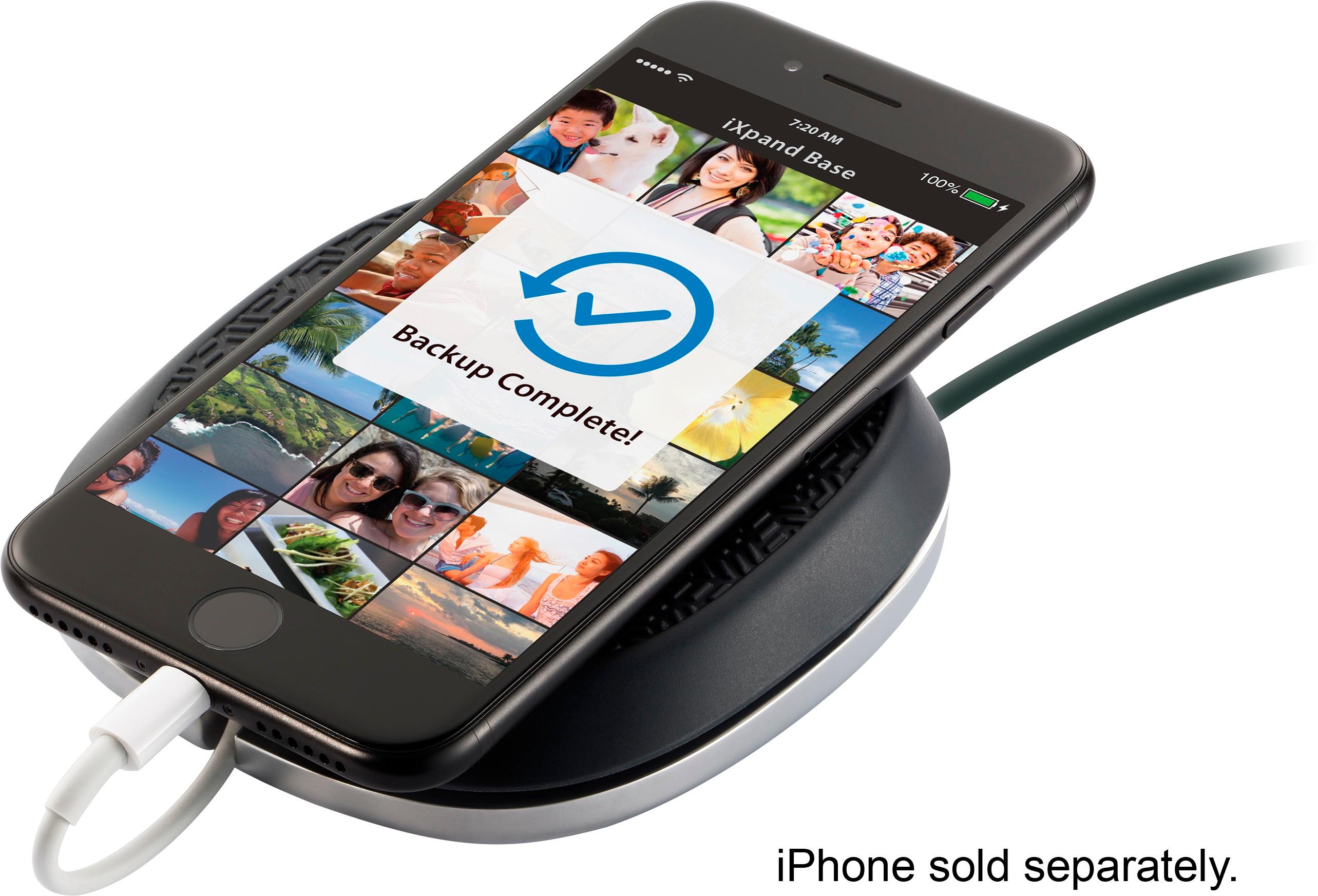
|Posted .This reviewer received promo considerations or sweepstakes entry for writing a review.Received my iXpand Base 64gb version yesterday to test out. It was pretty much self explanatory right out of the box. At the back of this device is a micro usb port for the charger and also what looks like an SD card slot that holds the 64gb SD Card. Underneath is the USB port to plug in an iPhone or iPad cable. Upon connecting it to my iPhone it immediately started charging without any issues. I downloaded the companion app from the App Store and after following the quick 30 second setup it scanned my iPhone and backed up all of my photos. And it was pretty fast at it also, though it may take longer depending on how many photos you have on your phone. It also scans your device each time you connect your device to it, in case you've snapped any new photos since it was last connected. Charging was a little faster than the standard iPhone charging block, but not by much. Only thing I wish this would have been able to do was to continue charging my iPhone without the power adapter needed. Other than that, I will recommend this to anyone who is looking for something to charge their phone while backing up all of their photos (up to 64gb).
I would recommend this to a friend - Pros mentioned:Backup, Charging speedCons mentioned:Compatibility
Wish it did more
|Posted .This reviewer received promo considerations or sweepstakes entry for writing a review.You really need to have a special need to love the iXpand Base (64gb), its expensive and has a pretty limited set of features, and it does not come with a lightning cord. First it about the size of a large rubber and metal coaster, it does a good job of supporting a iPhone (I tried a 6S and 8+) both were comfortably supported, and when in position you could still use the phone. After loading the iXpand Base app, once you connect the phone, the app will scan your phone for Photos, Videos and Contacts and back them up to to a SD card with in the iXpand Base (the card is removable, so you could replace/upgrade the card to increase the storage capacity. And it does the backup reasonably well and pretty fast, as it only copies changes since the last time the phone was connected. I did encounter some minor issues where the software backed up some of the same files twice, and a number of times when I connected it I was told the SDcard was not present or that a back up failed, disconnecting, the phone, restarting their software and reconnecting the phone generally solved this problem. So if you don't want to back up your Photos, Videos and Contacts to a computer this is a nice solution (my 90yr old mother would have liked it, she hated computers but appreciated her iPhone). But my biggest issue, besides, it not working completely reliably, is its limited functionality. I'd be l lost, if I lost, all the notes and documents from my phone. I can understand, it not backing up music files, from a copy protection standpoint, but not copying notes & documents would be show stopper for me. I keep a number of files on my phone that I regularly update and then sync to my desktop and share with others. If I lost these files, I'd be disappointed (to say the least). My sister is a chef, she keeps all of her recipes as notes & documents - I'm pretty sure shed feel the same way. The included charger is 15w 3A; it's pretty quick, but I have faster chargers. I would have preferred than SanDisk include a short lightning cable. They require that you use your own cable you have to insert the USB connector into the center of the iXpand Base and wrap the cord around the unit where the rubber "skirt" holds the wound cable neatly under the lip, I'm not sure this is a great idea for the cable, I'd have preferred the base have a (removable) 6" to 12" cable, maybe one that included a indicator showing when charging is completed (picky, yes, but this thing is expensive; I'd I like a way to know it's done without a message to my phone saying it's done; just another ding and a message to find).
No, I would not recommend this to a friend - Pros mentioned:Backup, Charging speed, Sd card
Just what I need to back up my iPhone
|Posted .This reviewer received promo considerations or sweepstakes entry for writing a review.Glad to have this sandisk backup sytem. Just download the app, plug the base and plug your iPhone leave it on top the base and it will automatically back up your contacts, pictures, videos. No monthly fees and just restore anything from the back up with the app back to your phone. Just make sure that you have a fast network for a better speed. It also charge my iPhone fast. This compact back up base came with a 64gb SD card that you can upgrade anytime for a larger back up.
I would recommend this to a friend - Pros mentioned:Backup, Ease of use
Perfect alternative backup option
|Posted .This reviewer received promo considerations or sweepstakes entry for writing a review.I’ve had a couple days to play with this and I think it’s an excellent backup option. In this day and age of stolen data and corrupt hard drives, it’s not a bad idea to have several backups of your devices. I currently use iCloud and back my devices up to my MacBook, but this provides me with another option for particular data. This device will not backup everything on your device, but it will backup your contacts, photos and videos. If you are looking for something that will backup and restore your enter device, this is not what you want. I downloaded the app, plugged in the power cable, adjusted my backup settings and let her rip. I have a 256gb iPhone 7+ and although I’ve used about 125 gigs, most of that is music and apps so the 64 gig Sandisk drive was enough for me. The thing that makes this really simple is that you literally plug in your phone and open the app. The rest is done automatically. The flat top surface has good grip to it which lets you place your iPhone on it while it backs up the device. It’s almost as simple as using a charger, which this does also. I just plug it in at night and when I wake up the next morning, my phone is fully charged and my phone is backed up. I have not tri d to restore anything yet as I just updated the iOS and wanted to play with it before I try it. So far I’m impressed and happy with this product.
I would recommend this to a friend - Pros mentioned:Charging speed
Barely worth the bad review I gave it. PASS.
|Posted .This reviewer received promo considerations or sweepstakes entry for writing a review.It’s no mystery that Apple has had a significant impact in expanding the $24 billion market for smartphone accessories. Cases, chargers, snap on cameras, you name it—there’s an iPhone accessory out there for you. Of particular interest are those iPhone accessories that offer charging capabilities—since with the release of the iPhone 8 and iPhone X, we see Apple’s first entrance into wireless charging. But, regardless of the iPhone sales that happen between now and Christmas—the majority of in-service iPhones will still rely upon a cabled connection for charging…enter the Sandisk iXpand. Simply put, the iXpand is a fairly attractive charging puck that, with the addition of an iPhone Lightning cable (sold separately), allows you to fast charge your iPhone (this just means higher power pass-through than a standard iPhone brick) and simultaneously backup locally to an onboard SD card. From a design perspective, the iXpand Base has a good, sturdy feel—a metal bottom with grippy feet that keep it from moving around, a rubberized top which firmly holds onto your iPhone, and built in cable management that allows you to hide the extra cable if you’re picky about that sort of thing. This particular model comes with a 64GB card, but in theory should support higher capacity cards if you want additional backup storage. And while I have questions about the relevance of this product in 2017—before I get into that, I want to cover all of the things that I don’t like about this product, and perhaps some ways to make it a bit more bearable. For starters: there is no Lightning cable included in the box. Sure, we’ve all inherited extras as we’ve bought new phones every couple years, or when we picked up that iPad, or when we bought the 12-pack on Amazon for $0.89, but leaving out a cable here makes for a bad experience. The onboard cable management is great, and allows you to hide the cord—but based on how the cable exits the bottom of the device, and how the port is in the same area, it’s difficult to put 3 feet of cord in a way that isn’t crimping the cord unnecessarily. My solution to this was an 8” USB to Lightning cable, a $3.00 Amazon investment, that makes for a much tidier experience. The USB connection itself seems to be a bit flaky, which is tremendously irritating—along with the not-so-great SD card connection. These two things combined caused constant errors in the iXpand app on my iPhone, requiring unplugging and replugging the cable, or removing the SD card and reinserting, in order to continue the app’s backup efforts. The app experience, when there’s not some error about cable or SD card issues, is clumsy at best. The product takes a local backup of pictures, videos and contacts—and that’s it. No apps, no email, no messages…just media and contacts. During setup, you’re warned that the first backup takes significantly longer than the later, incremental backups. This makes a lot of sense, but the app itself won’t continue the backup if the phone screen is not on with the app running; as soon as your screen turns off the app shuts down and the backup function pauses. So, I couldn’t even run this thing overnight to get the first backup—I had to disable my screen timeout entirely, and although the charging functionality kept me from losing any charge during that activity, the screen being constantly on has its own set of annoyances. Now, let’s say that it came with an 8” Lightning cable, had dependable USB and SD card connections, and had a decent app experience that allowed backups during screen-off times…I still don’t quite “get” this product. This is a $100 charger that gives you iPhone backups up to 64GB…but not full backups, just your contacts, photos and videos. But, for $12/year, you can buy 50GB of Apple iCloud storage that is automatic, available everywhere, and doesn’t require a physical connection. The only catch is that backing up to iCloud doesn’t charge your phone. So why then would someone want this? Maybe you don’t like the idea of storing your personal pictures and contacts on the cloud but still want to back everything up locally. But, even if that’s you, a physical connection to your computer with iTunes installed will do what the iXpand Base does, for free, and with more room for storage. Oh, and it also backs up YOUR WHOLE PHONE, not just your pictures, videos and contacts. So where does that leave us, in 2017? Certainly not spending $100 on this product—not even considering it. Add in wireless charging, it becomes interesting—still maybe not worth purchasing—but at least compelling, especially at that price point. The message to Sandisk is pretty straight forward here: drop the price, fix the app, include a high quality cable, maybe run a small bit of software that syncs a full backup with iCloud—but until then, don’t expect many people to be happy with this purchase. I’ll box this one back up and throw it on a shelf somewhere; it’s not worth the fuss. On the bright side, I now have four 8” iPhone charging cables. Thank you, Sandisk.
No, I would not recommend this to a friend - Pros mentioned:Charging speed, Sd card
Convenient way to back up, but not without issues
|Posted .This reviewer received promo considerations or sweepstakes entry for writing a review.Summary: The SanDisk iXpand Base is a convenient way to back your iPhone photos and contacts up while it charges - but has some quirks. Introduction: I'm a long-time SanDisk customer - I have dozens of SanDisk memory cards, several USB flash-drives, a SanDisk memory card reader, and even a solid-state drive in a computer. I've also been an iPhone user since 2007, and have survived several iterations of backup solution, from USB cable on the computer, to WiFi sync, to iCloud. The iXpand Base is about the most convenient and consistent way to back up that I've encountered for the iPhone. The good: Photos sync quickly to an included SD card, where they are stored in a format that can easily be read on desktop computers or other devices that accept SD cards (e.g., digital cameras, televisions). Once you install the iXpand app, the backup happens automatically when you plug your phone in; you don't have to start it manually or mess with anything. I use the iXpand on my nightstand, so every night my phone gets backed up. Boom, done, nice! The iXpand base comes with a 5V/3A charger, so it charges the phone pretty quickly; it will work with other USB chargers (the Base has a micro-usb charging port on it) but it will complain if you plug a different charger in. The bad: Backing up contacts seems to take a Long Time, much longer than backing up photos (which you'd think would take longer, since the files are bigger). Also, when I disconnect the phone from the charger, the SanDisk iXpand app tries to back the phone up again...AFTER the phone is disconnected. Not sure what's causing it, and it doesn't seem to cause any problems for the backups that happen when the Base is first plugged in This seems to be a problem isolated to me, based on my attempts to resolve it with SanDisk support. It would be easier to recommend this product if I wasn't encountering this problem, but it's very disconcerting to see the error messages on my phone every morning when I unplug it. If SanDisk is able to resolve this issue, I'd raise my review to four stars.
I would recommend this to a friend - Pros mentioned:Battery life, Ease of use
Great for phone photographers
|Posted .This reviewer received promo considerations or sweepstakes entry for writing a review.This device is really simple to use and great for people that take millions of photos on their iPhone or iPad and have smaller GB capacity space on their phones. Also keep in mind that this device does not wireless charge and it is for iPhone/iPad devices only. Setup is simple, to get started plug in the power plug and your USB Lightning Cable and download the SanDisk iXpand Base app. Once everything is setup, plug up your phone or iPad and open the app and the device starts to scan your phone for new photos, contacts and videos. It saves all of the information to the 64GB SD card that comes with device and already inserted near the micro USB. There is a settings button that allows you to control what information is stored on the SD Card. To see the photos, you can unplug the power source and plug in a Micro USB cord or you can remove the SD Card and insert into your laptop. The app does give you an option to delete the photos off of you iPhone or iPad. In my opinion it is a little time consuming BUT it is another way of not accidentally erasing all of your photos. So I feel like this is a better way of deleting. Also, the device is supposed to have a fast charge with 15W power. I plugged in my iPhone 7+ at 19% battery life and in 1 hour 12 minutes, the charge was at 82%. Would I buy this product again, yes, because I do take a lot of photos and it is a great way of me updating my photo backups daily. I would only recommend to a friend or family member if they take a lot of photos or opted for the smaller GB iPhone or iPad.
I would recommend this to a friend - Pros mentioned:Ease of use
Great for Those Who Need Offline Backup
|Posted .This reviewer received promo considerations or sweepstakes entry for writing a review.The iXpand backs your iPhone/iPad while charging but it has to be plugged to a power source all the time. I actually thought it had its own battery, which would allow you to carry it with you for emergency power, but it does not. The main usage I see for this device is to avoid paying iCloud fees or to have a local copy of your photos, especially now that very few people use iTunes on their computers. Pros: . Saves monthly fee to back up on the cloud. . Backs up photos and contacts. . Frees up your iPhone/iPad memory when you delete photos after backup. . Removable SD card allows other people in the family to have their own backup. . Simple to use: it starts backing up as soon as the phone connects to it. . Backup can be shared between devices. Cons: . Current app can only back up photos and contacts. . Every time you disconnect it, the app wrongly notifies that the backup failed. . It needs to be connected to a power outlet when charging/backing up. If you do not want to back up your photos to the cloud, either because it is expensive, you do not trust it or you do not have access to Wi-Fi and does not want to use your phone data, this is a must-have device. Another great usage opportunity is when you are traveling, especially abroad or on a cruise and want to make sure you not only have a backup but also space to keep taking pictures. In such instances, you may not want to use your phone to send data due to the high cost.
I would recommend this to a friend